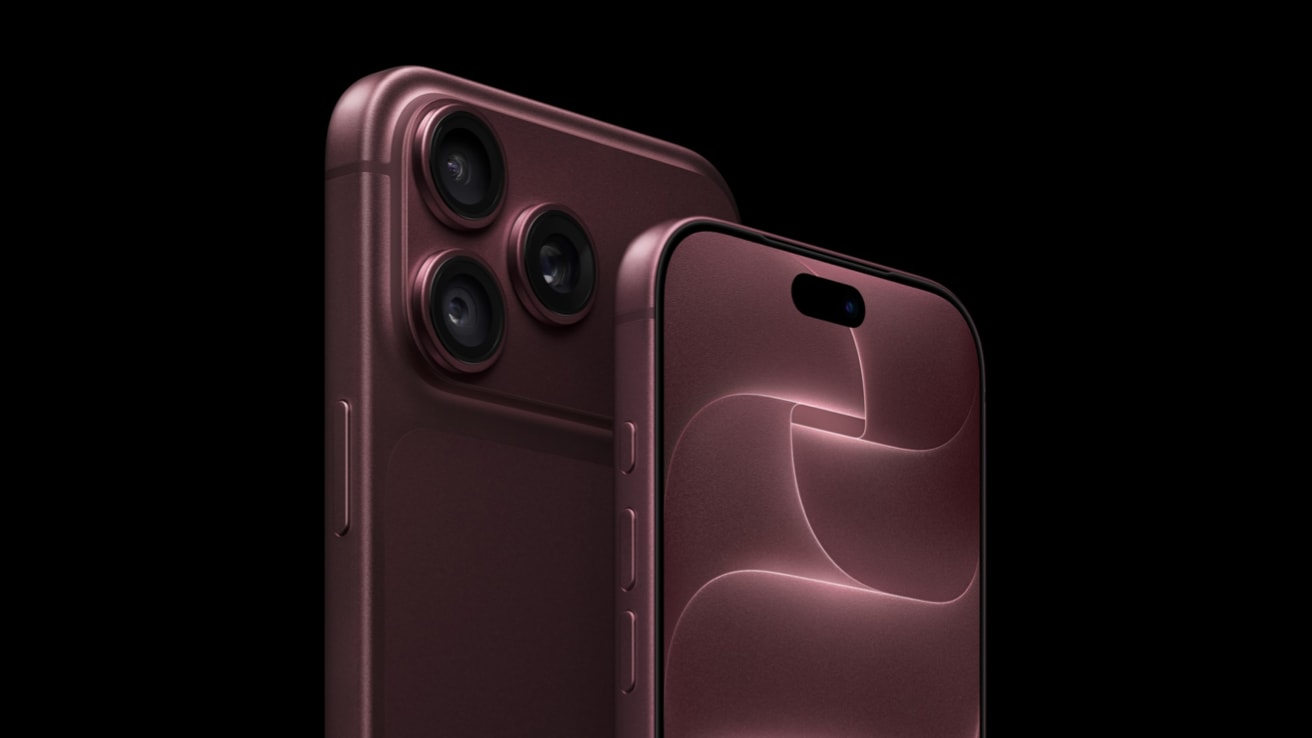
There is no evidence that regular MagSafe accessories harm the iPhone 18 Pro camera. The magnet only moved the blades of the new aperture in the module removed from the phone. The MagSafe ring is located in the center of the back, clearly below the camera island. The risk concerns something else: strong magnets and metal plates placed directly near the lenses.
Where does this concern come from? On September 20, iFixit disassembled the iPhone 18 Pro and showed that six blades of the variable aperture move thanks to magnets. Concerns quickly arose that a magnetic phone mount or MagSafe wallet could misalign the camera. If you use such accessories, the question is entirely valid.
We check what the test really showed, what Apple itself says about magnets, and which accessories for the iPhone 18 Pro are safe, which ones require caution, and which ones are better to avoid.
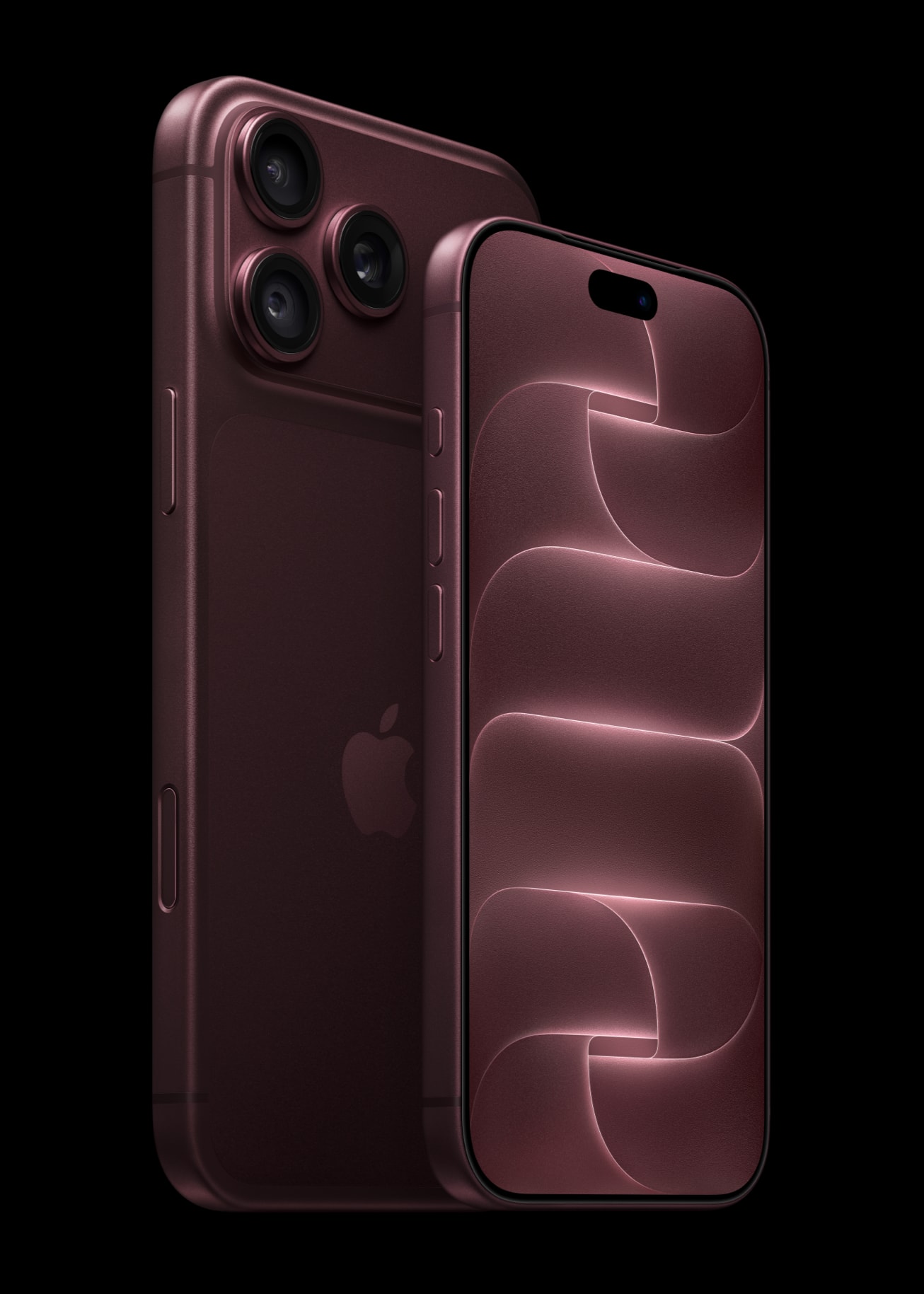
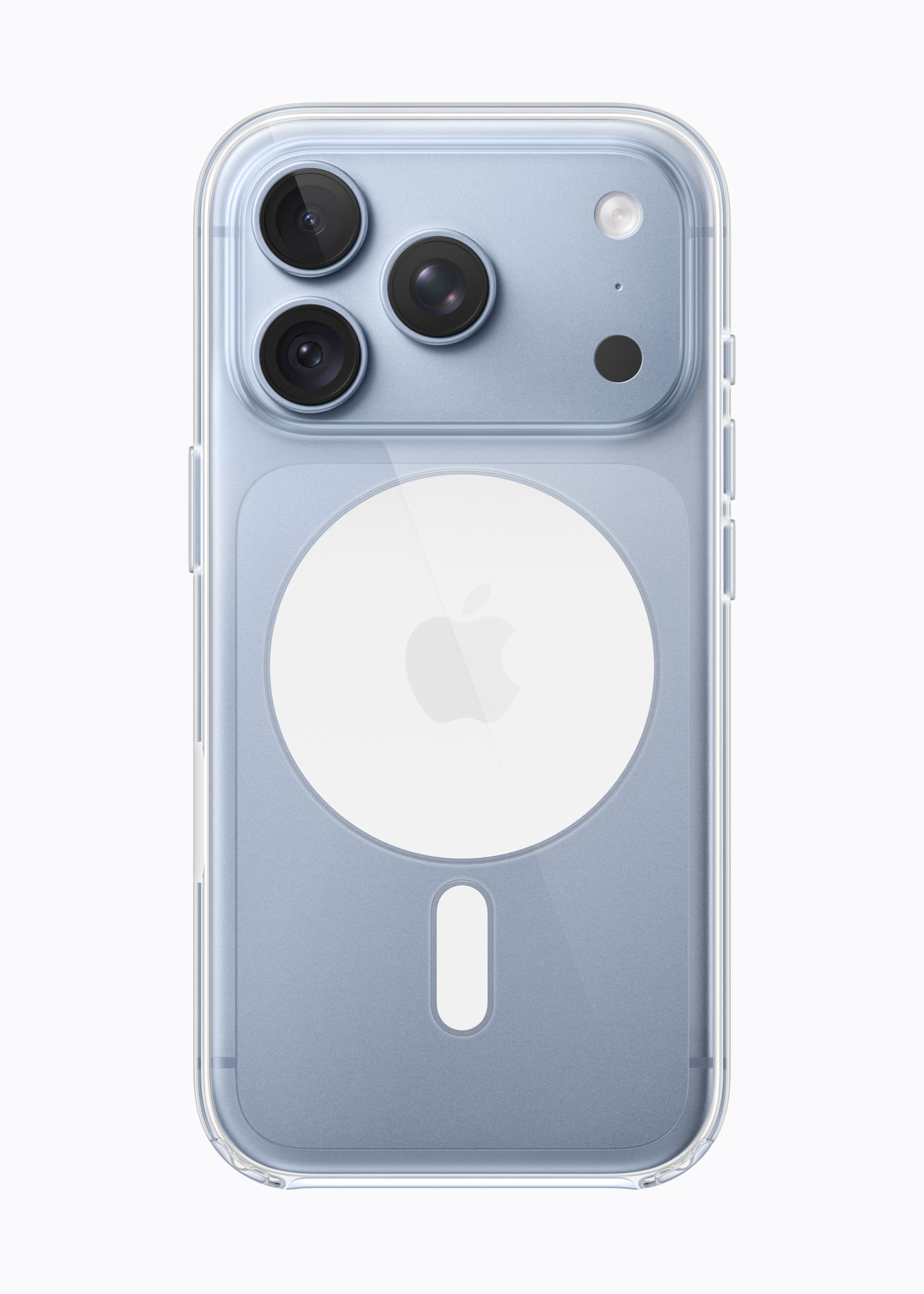
In the photo with the transparent case, you can clearly see where the MagSafe ring sits: in the center of the back, below the camera island. Photos: Apple.
Does MagSafe harm the iPhone 18 Pro camera? Short answer
Nothing suggests that it does. The MagSafe charger, MagSafe case, wallet, and power bank attached to the ring work with the iPhone 18 Pro just like with its predecessors. No test has shown that they change the aperture in a closed phone. Caution makes sense with accessories that place a magnet or steel plate on the camera island or right next to it.
This is not a new rule invented for the 18 Pro. Apple has been warning for years about strong magnets near the rear camera because they interfere with image stabilization and autofocus. The new aperture adds another moving part to the lens, so the same advice applies even more.
How the variable aperture works in the iPhone 18 Pro
The aperture is the opening through which light reaches the sensor. Until now, the iPhone had a fixed one: in the 17 Pro, the main camera always operated at f/1.78. In the iPhone 18 Pro, the opening is adjusted by six laser-cut blades. According to iFixit, each is about as thin as a human hair.
In the Camera app, there are four settings to choose from:
| Aperture | What it’s for |
|---|---|
| f/1.48 | Most light: night photos and in dark interiors |
| f/1.8 | Portraits, balancing light and depth of field |
| f/2.8 | Greater depth of field than at f/1.8 |
| f/4.0 | Group photos, landscape, architecture |
One caveat: only the main 48 MP camera has a variable aperture. The ultra-wide (f/2.2) and 4x telephoto (f/2.8) still have a fixed aperture. The same setup is in the iPhone 18 Pro Max, so everything we write here applies to both models.


Photos from the main camera of the iPhone 18 Pro, the one with the variable aperture. Photos: Apple.
The Camera app offers four stops, but it’s not the only option. As of September 29, Final Cut Camera version 2.4 supports variable aperture on the iPhone 18 Pro, so the aperture can be set manually, alongside shutter speed and ISO.
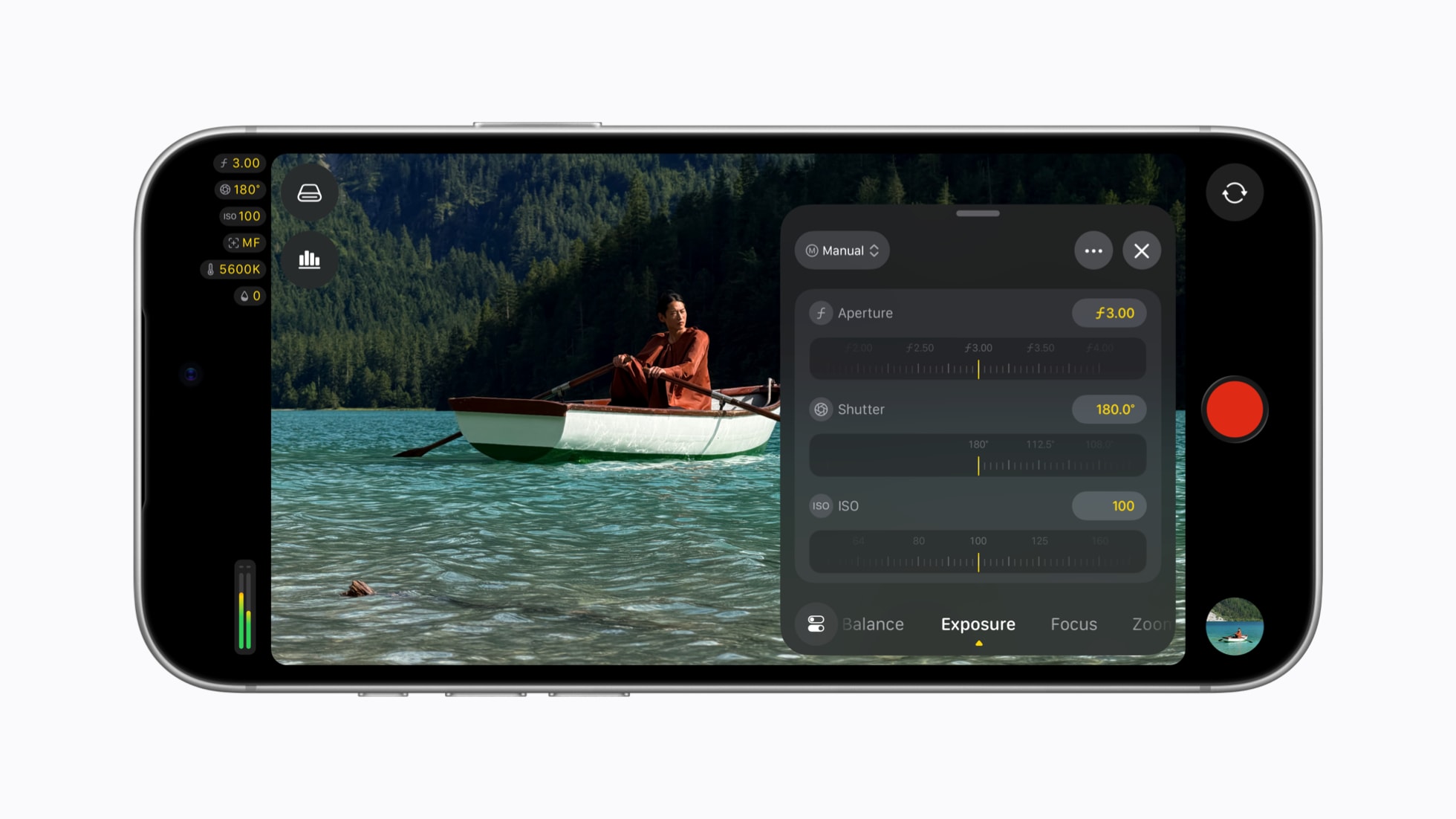
Final Cut Camera 2.4 with manual settings for aperture, shutter speed, and ISO. Photo: Apple.
About what has changed in the camera and what has remained the same, we wrote in the text iPhone 18 Pro camera: teardown and DxOMark score.
What the iFixit test really showed (and what it didn’t show)
The whole discussion started from the teardown of the iPhone 18 Pro published by iFixit. Technicians removed the camera module, brought a magnet close to it, and recorded how the aperture blades opened and closed. It worked even after removing the other components of the module.
The test clearly shows how the mechanism is built. However, it does not prove that the MagSafe wallet will damage your camera. The differences are fundamental:
- The module was removed from the phone. In a finished iPhone, the accessory magnet does not reach the mechanism directly, because the MagSafe ring is located below the camera island.
- The magnet was held right next to the mechanism. No MagSafe accessory works like this, as it attaches to the ring in the center of the back.
- No one tested accessories on a closed phone. iFixit does not mention MagSafe at all.
A similar experiment was conducted by the Phone Repair Guru service on a disassembled 18 Pro Max. After the test, the camera worked normally, and the author noted that this is not a test of everyday use of MagSafe.
Beware of the rumor: there is information circulating online that Apple has «officially confirmed» that MagSafe chargers are safe for the new lens. Such a statement is not available in Apple’s newsroom or on support pages.
What Apple says about magnets near the iPhone camera
Apple has a separate support document about magnets near the iPhone camera. It states that the magnet near the lens position sensors can interfere with, and even temporarily disable, optical image stabilization (OIS) and autofocus. The camera can still take pictures, but without these two functions, it is easier to get blurred or out-of-focus shots.
Apple lists three types of problematic accessories. All have strong magnets or metal plates near the rear camera:
- A flip case with a closure held by a magnet.
- A two-piece (detachable) case connected by magnets.
- Mounts for rigid holders, e.g. car mounts, with a plate near the camera.
Two things are worth knowing about this document. It is archived, so Apple no longer updates it. It also does not mention either MagSafe or the iPhone 18. There is currently no new version that includes the lens.
According to a review by tech-ish on September 25, Apple has also updated the guidelines for accessory manufacturers. Cases, covers, and camera overlays must not interfere with autofocus or stabilization. There is not a word about the lens itself.
MagSafe Accessories for iPhone 18 Pro: Safe, Be Careful, Avoid
The principle is simple: the spot matters where the magnet touches the phone. An accessory attached to the MagSafe ring holds in the middle of the back. The problem only starts when something magnetic lands near the lenses.
| Accessory | Safe? | Why |
|---|---|---|
| MagSafe / Qi2 Charger | ✅ yes | Attaches to the ring, away from the lenses |
| MagSafe Case | ✅ yes | Magnets in the case align with the ring on the phone |
| MagSafe Wallet | ✅ yes | Holds onto the ring, does not reach the camera islands |
| MagSafe Power Bank | ✅ yes | Like the charger, mounted in the center of the back |
| MagSafe Car Mount | ✅ yes | Grabs onto the ring, no additional plate |
| MagSafe Finger Grip or Ring | ✅ yes | Provided it sits on the ring |
| Mount with Adhesive Metal Plate | be careful | Safe only if the plate is low, in the center of the back |
| 3-in-1 Station with MagSafe Charger | be careful | Check that the phone does not rest the camera against metal |
| Magnetic Flip Case | ❌ avoid | The clasp magnet can be close to the lenses |
| Magnetic Filter and Lens Mounts | ❌ avoid | By design, they directly overlap the camera |
| Strong «Universal» Magnet without MagSafe | ❌ avoid | Unknown strength and position of the magnet |
| Motorcycle Mount without Vibration Dampening | ❌ avoid | Apple warns against strong engine vibrations |
Qi2 is an open standard for wireless charging with magnets arranged the same way as in MagSafe, so we treat both equally in this table.
Is a magnetic phone mount safe in a car?
Yes, if it grabs the MagSafe ring. This is how MagSafe and Qi2 car mounts work: magnets in the head align with magnets in the phone, and nothing else needs to be glued.
You need to be careful with older magnetic mounts that require a metal plate to be glued on. If the plate is placed too high, close to the cameras, in the iPhone 18 Pro, that is the worst possible location.
If you stick with such a mount, glue the plate in the center of the back, under the Apple logo. It would be even better to switch to a MagSafe case.
Among MagSafe car mounts that hold onto the ring and do not require a plate, we recommend:
- Spigen MFT36 VacuumLock: mounted with a suction cup on the windshield or dashboard
- ESR OmniLock Magnetic MagSafe Dashboard: for the dashboard or windshield, with an adjustable arm
- Tech-Protect N61 Magnetic MagSafe: a simple mount for the windshield or dashboard
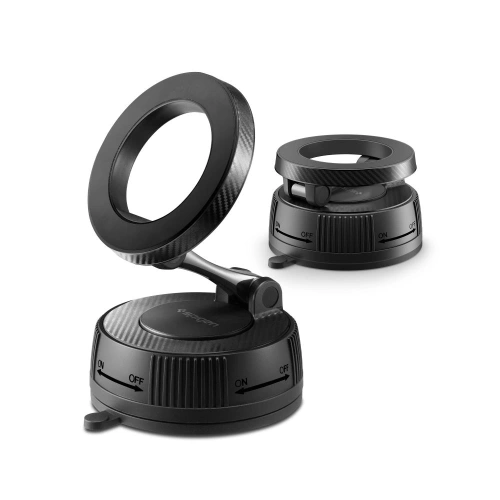
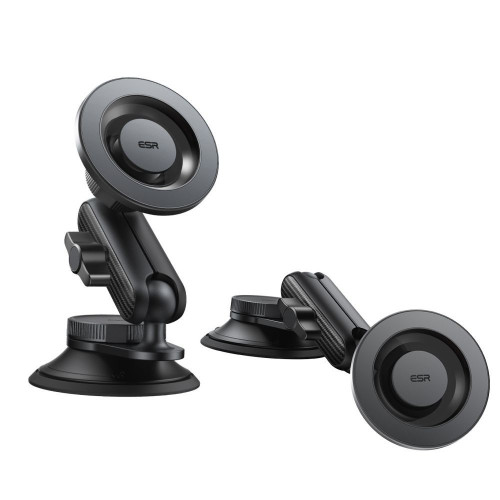
On the left Spigen MFT36 VacuumLock, on the right ESR OmniLock. Both hold the phone by the MagSafe ring, without an adhesive plate.
[hs_products ids=»130386,134694,127488″ cols=»3″]
You will find the full selection in the category car holders. If you are just choosing the type of mount, our guide which car holder to choose for your phone will be helpful.
MagSafe wallets and finger holders
The MagSafe wallet attaches to the ring and does not reach the camera island. Therefore, it is indifferent to the aperture. The same applies to magnetic rings and finger holders, as long as you keep them on the ring and do not slide them higher for a more comfortable grip.
They work well:
- Satechi Vegan Leather Wallet Stand: wallet with stand function
- UNIQ Heldro ID: wallet with finger strap
- Tech-Protect MMR500: just the magnetic ring, without cards
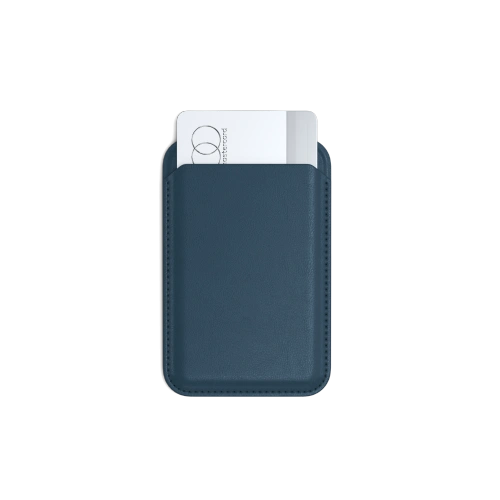
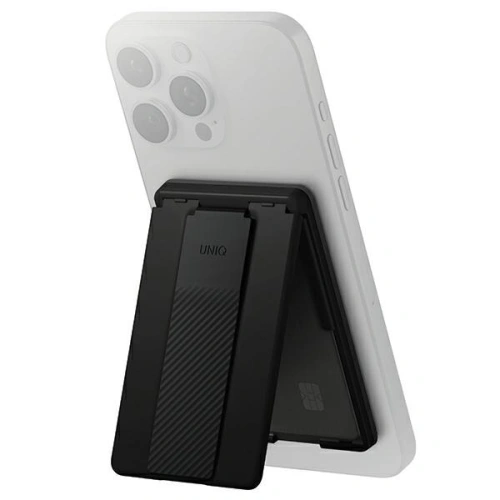
On the left Satechi Wallet Stand, on the right UNIQ Heldro ID.
We compare more models in the summary TOP 10 MagSafe wallets for phones.
Chargers, power banks, and MagSafe stations
MagSafe charger and magnetic power bank are the safest accessories on the entire list. They must hit exactly in the ring, otherwise they won’t charge, and the ring lies below the camera island.
The only thing to check concerns the 3-in-1 charging stations with a metal construction. If the phone in the station rests the camera island against a metal element with a magnet, e.g., a watch charger, reposition the devices or choose a station with a larger gap.
What to really watch out for: falls and vibrations
If you want to protect the iPhone 18 Pro camera, the magnets at the MagSafe ring are not the main concern. The aperture blades are delicate mechanics. iFixit estimates that few people in the world have the tools and knowledge to disassemble and reassemble it, so repair most likely means replacing the entire camera module.
What realistically threatens the camera:
- Fall on the back or on the corner with the camera island. The impact force goes straight into the module. Here, a case with a raised edge around the cameras comes in handy.
- Strong vibrations. Apple has a separate document stating that vibrations from motorcycle engines can impair the functioning of the iPhone camera. It does not recommend mounting the iPhone on high-powered motorcycles. For scooters and mopeds, it advises using a mount with vibration dampening.
- Scratching the glass over the lens. It won’t damage the aperture, but it can cause streaks and reflections in photos. A camera cover protects against this.
MagSafe case for iPhone 18 Pro with an edge around the camera
Good case for iPhone 18 Pro combines two things. The first is built-in MagSafe magnets, because without them accessories hold poorly or not at all through the case. The second is the edge that protrudes above the lenses.
Among the models available in the store, we recommend:
- UAG Pathfinder MagSafe: rugged, for those who often drop their phone
- Tech-Protect BasicMag MagSafe: matte, for everyday use
- Ringke Silicone Magnetic MagSafe: silicone, pleasant to the touch
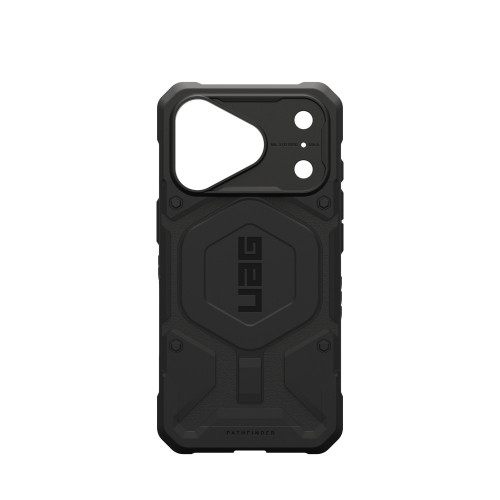
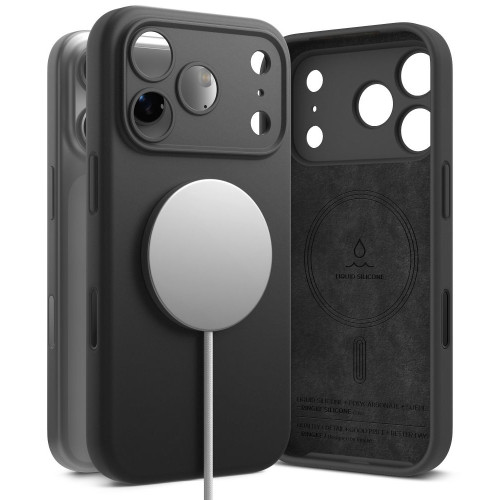
On the left UAG Pathfinder MagSafe, on the right Ringke Silicone Magnetic MagSafe.
[hs_products category=»2618″ limit=»6″ sort=»sales»]
Pozostałe modele znajdziesz w kategorii etui do iPhone’a 18 Pro.
Porada: etui z iPhone’a 17 Pro pasuje na 18 Pro, bo oba mają identyczny korpus. Nie pasuje za to osłona na aparat. Szczegóły wyjaśniamy w tekście czy etui z iPhone 17 Pro pasuje do iPhone 18 Pro.
Osłona na aparat
Typowa osłona na wyspę aparatów, szklana albo aluminiowa, nie ma magnesów, więc przysłonie nie przeszkadza. Chroni szkło nad obiektywami przed rysami i odpryskami. Do 18 Pro dobrze pasują ESR Armorite Camera Protector i Tech-Protect CamAlloy Fit+.
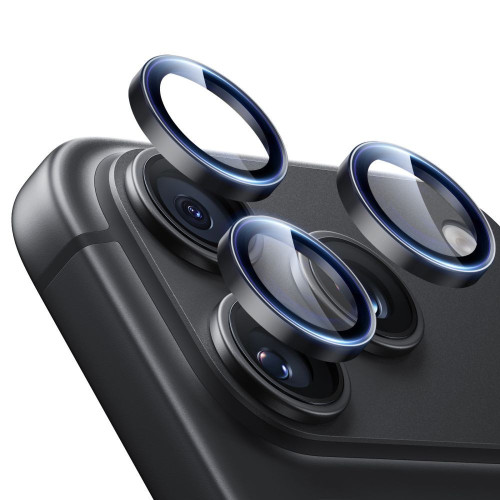
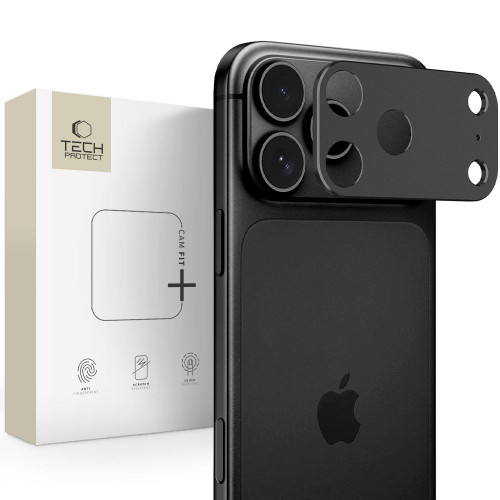
On the left ESR Armorite, on the right Tech-Protect CamAlloy Fit+.
You can find the entire offer in the category glass for the camera for iPhone 18 Pro.
How to check if the accessory affects the iPhone 18 Pro camera
Do you suspect that the holder or case is causing issues? You can check it in five minutes:
- Take a photo of the same scene with and without the accessory, from the same spot.
- Compare sharpness at zoom. Pay attention to blurriness in low light, as that’s when stabilization works the hardest.
- Watch the preview in the Camera app. Image shaking or constant «searching» for focus with the accessory attached is a warning sign.
- If the symptoms disappear after removing the accessory, change its position or do without it.
- If the symptoms persist even without the accessory, take the phone to an Apple service. Do not try to «fix» anything with a magnet.
Summary: MagSafe and iPhone 18 Pro
- There is no evidence that MagSafe harms the iPhone 18 Pro camera. The ring lies below the camera island, and no test has shown any impact on the aperture when the phone is closed.
- iFixit’s test concerned the removed module. It showed how the mechanism works, but it is not a warning against the charger or wallet.
- Avoid magnets and plates near the lenses: a magnetic flap case, magnetic filter mounts, and plates stuck high.
- Watch out for drops and vibrations. A case with a lip and a camera cover is a more sensible protection than giving up MagSafe.
If you are gathering accessories for your new phone, start with a MagSafe case. You can then choose the rest from the MagSafe accessories category: car mount, wallet, or power bank that stays where it should.
FAQ
Can the MagSafe charger damage the iPhone 18 Pro camera? There is no evidence for that. The MagSafe charger attaches to the ring in the center of the back, below the camera island, and does not bring the magnet close to the aperture.
Is a magnetic phone mount safe for the iPhone 18 Pro? Yes, if it is a MagSafe or Qi2 mount that grips the ring in the phone. With older mounts with a metal plate, stick it in the center of the back, never near the cameras.
Does the MagSafe wallet affect the iPhone 18 Pro camera? No. The wallet attaches to the MagSafe ring and does not reach the camera island. Apple only warns against magnets and plates placed near the rear camera.
Do the same rules apply to the iPhone 18 Pro Max? Yes. The iPhone 18 Pro Max has the same variable aperture in the main camera, so MagSafe is fine, but the magnets near the lenses are not.
Can I mount the iPhone 18 Pro on a motorcycle? Apple does not recommend mounting the iPhone on high-powered motorcycles, as strong vibrations can impair stabilization and autofocus performance. On a scooter or moped, use a mount with vibration dampening.
Will a MagSafe case for the iPhone 17 Pro work with the 18 Pro? Yes. Both models have identical bodies, so the case fits, and its magnets align with the MagSafe ring. However, you won’t be able to transfer the camera cover.
Legg att eit svar