Skribent: Dawid Cylke

  • Best Accessories for Google Pixel 10a — Cases, Glasses, and Chargers for 2026

    Best Accessories for Google Pixel 10a — Cases, Glasses, and Chargers for 2026

    The best case for Pixel 10a is Spigen Ultra Hybrid (59 PLN) — transparent with raised edges and Air Cushion technology. The cheapest? Bizon Case Salpa for 25 PLN. The Pixel 10a has a plastic back, so a case is not a luxury, but a necessity.

    Google Pixel 10a debuted on March 5, 2026. For 549 EUR, you get a Tensor G4 processor, a 48 MP camera with OIS, a 120 Hz display with Gorilla Glass 7i, and a 5100 mAh battery with 30W charging. It’s a great smartphone for its price — but it has a plastic back that scratches easily.

    In this guide, you will find the best accessories for Pixel 10a: cases from 25 PLN, tempered glass, and chargers that utilize the full potential of 30W fast charging.

    Tip: The Pixel 10a supports 10W Qi wireless charging, but it does not have native MagSafe or Qi2. Cases with a magnetic ring (e.g., Tech-Protect or Ringke MagSafe) add compatibility with MagSafe accessories.

    Ranking: 5 best cases for Pixel 10a

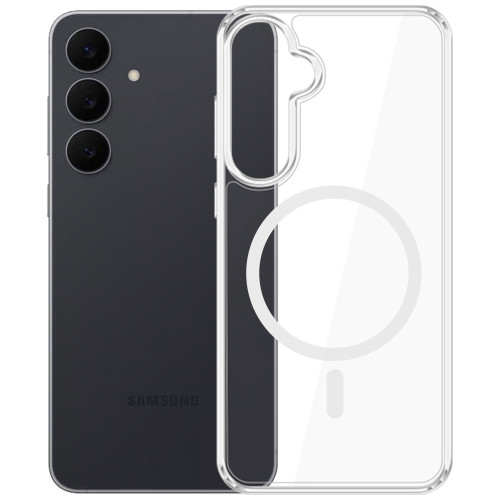
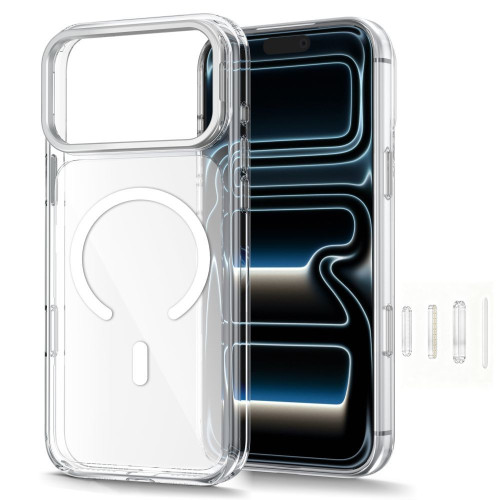
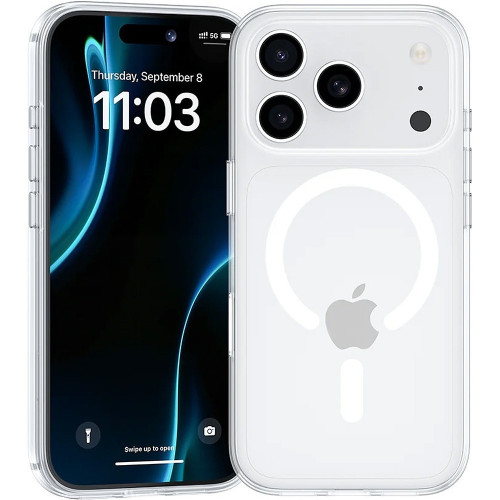
    1. Spigen Ultra Hybrid — transparent with Air Cushion (59 PLN)

    Our choice

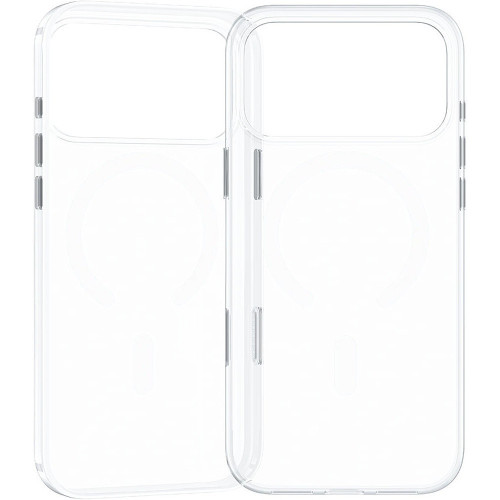
    Spigen Ultra Hybrid is a proven series — transparent polycarbonate back with a flexible TPU frame. Air Cushion technology in the corners absorbs impacts, and the raised edges protect the screen and camera.

    • Air Cushion Technology — air cushions in the corners
    • Transparent back — shows the original color of the Pixel 10a
    • Raised edges — protection for the screen and camera
    • Precise cutouts for all ports and buttons

    Pixel 10a has a flat camera module (without a protruding «island»), so the case sits perfectly on any surface. For 59 PLN you get the proven quality of Spigen and assurance of fit.

    ParameterValue
    MaterialTPU + polycarbonate
    TypeTransparent
    MagSafe
    Price59 zł

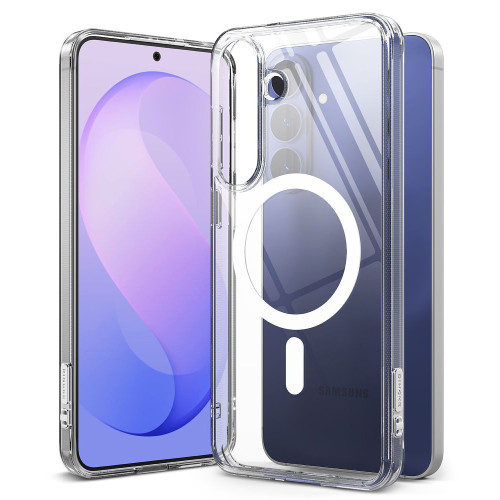
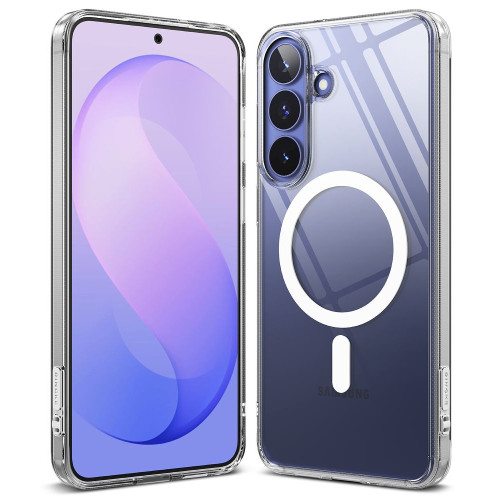
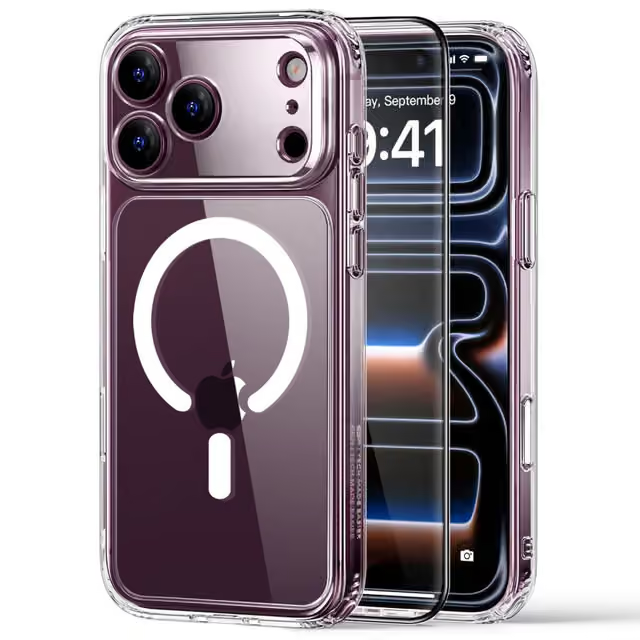
    2. Ringke Fusion Magnetic MagSafe — magnetic transparent (65 zł)

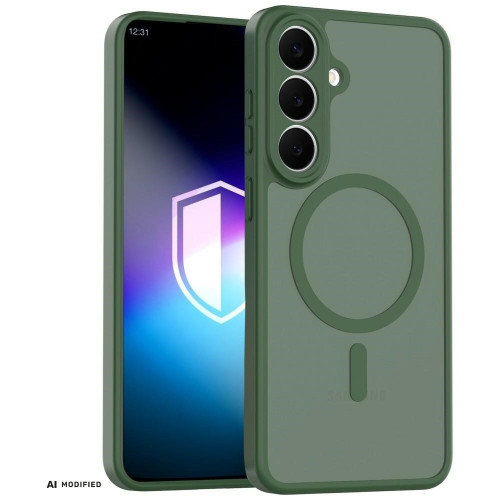
    Pixel 10a does not have native MagSafe, but Ringke Fusion Magnetic adds a built-in magnetic ring. With it, you can use magnetic chargers, power banks, and car mounts — just like iPhone users.

    • Built-in MagSafe ring — compatibility with magnetic chargers and accessories
    • Transparent polycarbonate — resistant to yellowing
    • Podniesione krawędzie wokół ekranu i aparatu
    • Precyzyjne wycięcia na USB-C i głośniki

    Za 65 zł to najdroższe etui w zestawieniu, ale jedyne przezroczyste z pełnym MagSafe. Jeśli planujesz używać ładowarek bezprzewodowych lub uchwytów magnetycznych, to najlepszy wybór.

    ParametrWartość
    MateriałTPU + poliwęglan
    TypPrzezroczyste
    MagSafe
    Cena65 zł

    3. Tech-Protect Flexair Hybrid MagSafe — budżetowy MagSafe (35 zł)

    Najlepsza cena z MagSafe

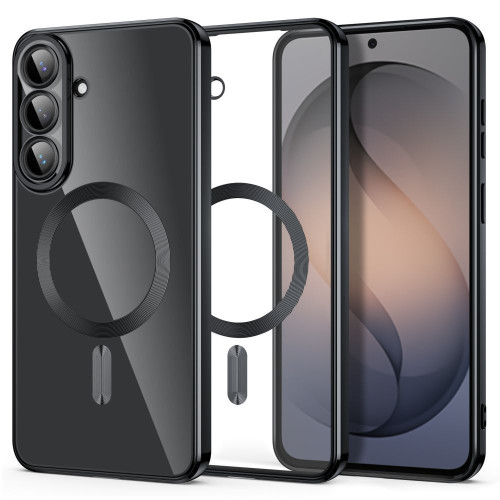
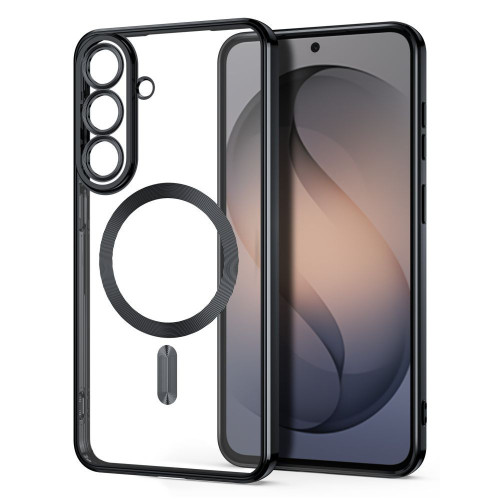
    Tech-Protect Flexair is half the price of Ringke, yet offers the same key features: a transparent hybrid with a built-in magnetic ring. The hybrid construction (TPU + PC) combines the flexibility of the frame with a hard, scratch-resistant back.

    • MagSafe — built-in magnetic ring
    • Hybrid TPU + PC — rigid back, flexible frame
    • Transparent — visible original color of the phone
    • Raised edges around the screen and camera

    At 35 zł, it offers the best price-to-functionality ratio in the comparison. If you want MagSafe for the Pixel 10a and don’t want to overpay, Tech-Protect Flexair is a perfect choice.

    ParameterValue
    MaterialTPU + polycarbonate
    TypeTransparent
    MagSafe
    Price35 zł

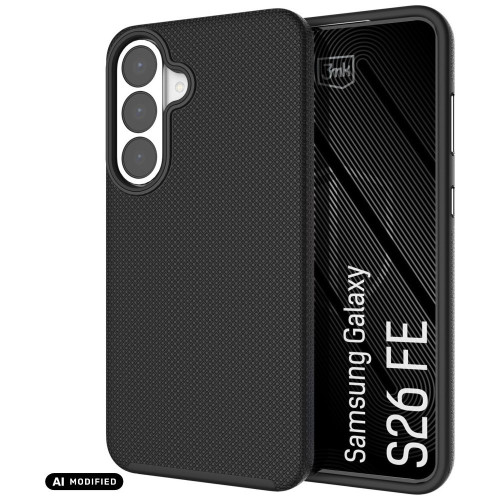
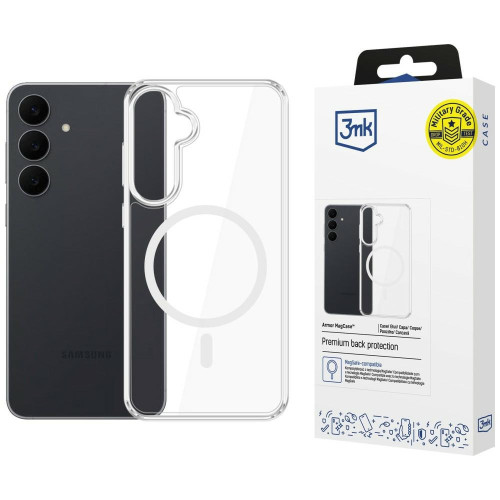
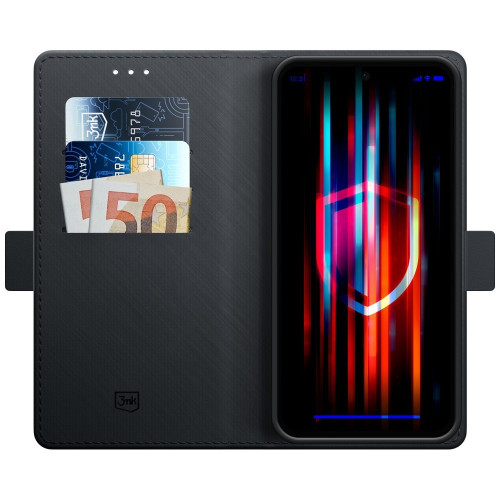
    4. 3MK Armor Case — armored protection (49.90 zł)

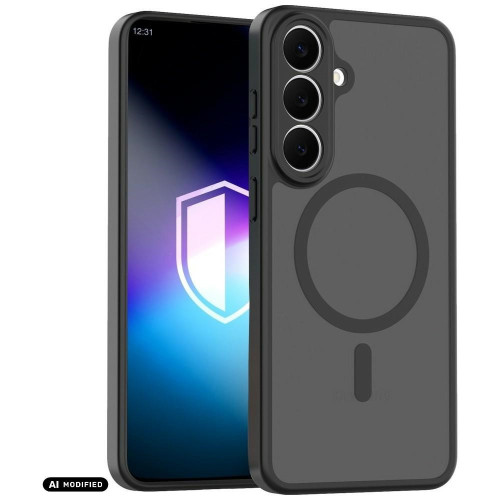
    3MK Armor Case is a rugged case with reinforced corners and a textured back that won’t slip from your hand. The design absorbs impacts more effectively than standard TPU cases.

    • Reinforced corners — enhanced protection against drops
    • Textured back — non-slip surface
    • Matte finish — does not collect fingerprints
    • Raised edges around the screen and camera

    The plastic back of the Pixel 10a is particularly prone to scratches. The 3MK Armor Case ensures that even a fall on concrete won’t result in a crack. At 49.90 PLN, it’s a solid rugged case from a Polish brand.

    ParameterValue
    MaterialReinforced TPU
    TypeArmored
    MagSafe
    Price49.90 zł

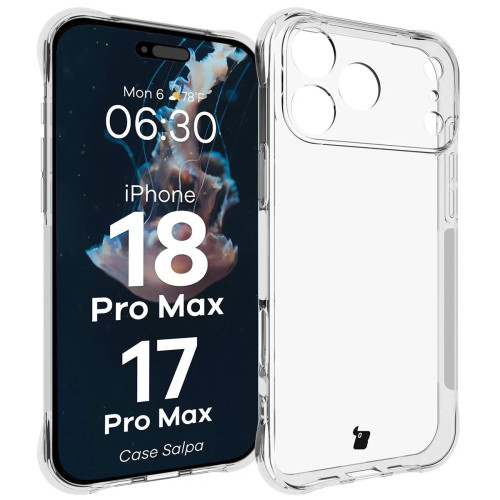
    5. Bizon Case Salpa — the cheapest protection (25 zł)

    Lowest price

    Flexible TPU case for 25 zł. Bizon Case Salpa is a minimalist, transparent cover that protects against scratches and light drops. It lacks Air Cushion and MagSafe, but it does what it needs to do — at a minimal price.

    • Flexible TPU — easy to put on and take off
    • Transparent — visible design of the Pixel 10a
    • Raised edges around the screen
    • Slim profile — adds no unnecessary thickness

    Perfect as a temporary case right after purchasing a phone or for those who do not need advanced protection. For 25 PLN, it’s hard to find a better option to start with.

    ParameterValue
    MaterialTPU
    TypeTransparent, flexible
    MagSafe
    Price25 PLN

    Comparison of cases for Pixel 10a

    CaseBrandTypeMagSafeFeaturePrice
    Ultra HybridSpigenTransparentAir Cushion, top brand59 PLN
    Fusion MagneticRingkeTransparentMagSafe + yellowing resistance65 PLN
    Flexair HybridTech-ProtectTransparentCheapest MagSafe35 PLN
    Armor Case3MKArmoredReinforced corners49.90 PLN
    SalpaBizonFlexibleLowest price25 PLN

    Our choice: Depends on the priority. MagSafe for pennies? Tech-Protect Flexair (35 zł). Proven brand? Spigen Ultra Hybrid (59 zł). Minimum expenses? Bizon Salpa (25 zł).

    Tempered glass for Pixel 10a

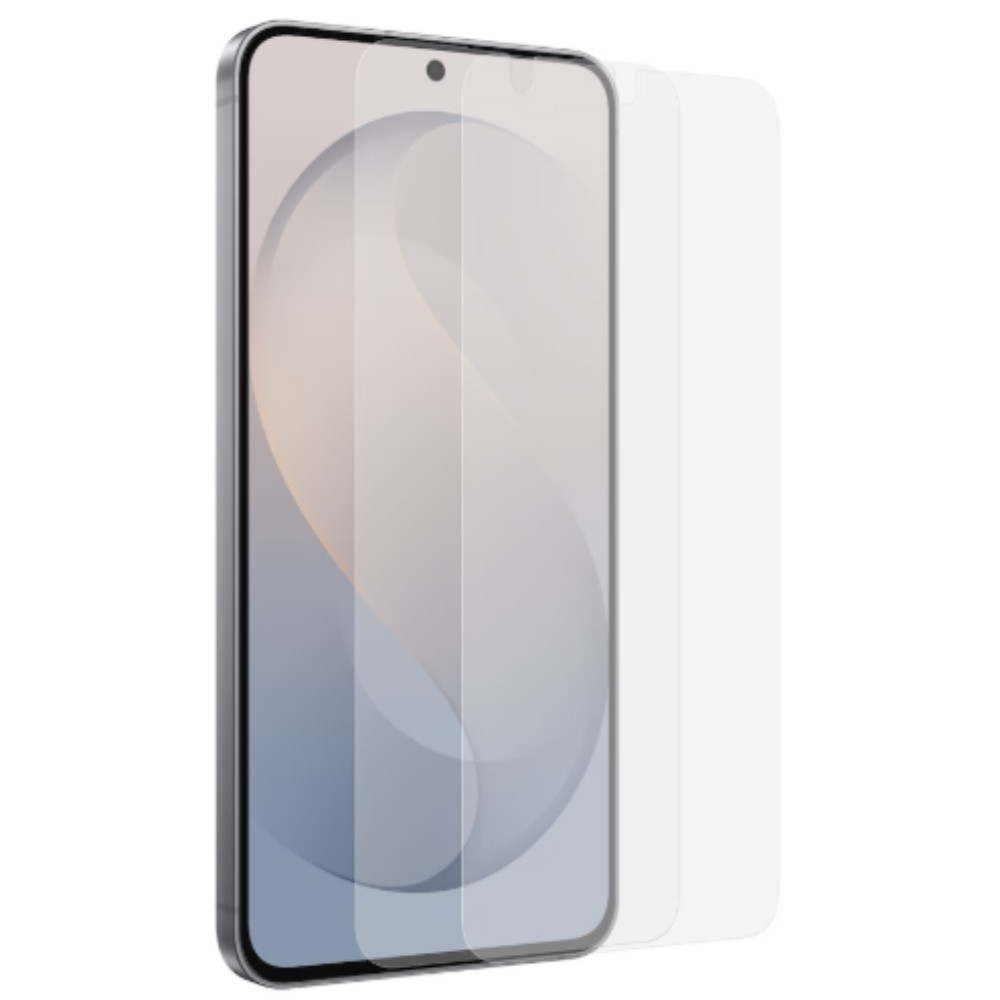
    Pixel 10a has Gorilla Glass 7i on the front — it’s durable glass, but it’s not indestructible when dropped on concrete. Tempered glass adds a protective layer for a few dozen złoty.

    Tech-Protect Glass Fit+ 2-pack (25 zł) — two glasses in a set for the price of one from the competition. Compatible with Pixel 9a and 10a (same screen size). The black frame conceals the edges and gives an elegant look. Best value in this category.

    Ringke Tempered Glass 2-pack (39 zł) — premium option with an oleophobic coating (resistant to fingerprints) and a hardness of 9H. Two glasses in the set — one for now, the other as a spare.

    3MK FlexibleGlass (34,90 zł) — hybrid glass that combines the flexibility of a film with the hardness of glass. It does not crack upon falling like traditional tempered glass. One piece in the package.

    Ładowarki i powerbanki do Pixel 10a

    Pixel 10a obsługuje ładowanie 30W po kablu (USB PD 3.0) i 10W bezprzewodowo (Qi). Żeby wykorzystać pełną prędkość ładowania, potrzebujesz ładowarki z USB PD o mocy minimum 30W.

    Ładowarka sieciowa — szukaj modeli z USB-C PD 30W+. Ładowarka GaN (azotek galu) będzie kompaktowa i wydajna. Sprawdź ładowarki sieciowe w homescreen.pl.

    Powerbank — minimum 10 000 mAh z USB-C PD. Jeśli kupiłeś etui z MagSafe (np. Ringke czy Tech-Protect), magnetyczny powerbank przyklei się do telefonu i naładuje go bezprzewodowo. Powerbanki w homescreen.pl.

    USB-C cable — The Pixel 10a has USB-C 3.2, so you need a USB-C to USB-C cable that supports PD 30W+. Most cables in the box are 2.0 versions — a 3.2 cable will be useful for data transfer.

    FAQ — most common questions about Pixel 10a accessories

    Does the Pixel 10a support MagSafe?
    Not natively. The Pixel 10a has Qi standard (10W), but not MagSafe or Qi2. Cases with a built-in magnetic ring (e.g., Ringke Fusion Magnetic, Tech-Protect Flexair MagSafe) add compatibility with MagSafe accessories.

    Do cases from the Pixel 9a fit the Pixel 10a?
    No. The Pixel 10a has different dimensions (153.9 x 73 x 9 mm) than the Pixel 9a. Cases are not interchangeable between models. Tempered glasses may be compatible — e.g., Tech-Protect Glass Fit+ is labeled as “Pixel 9a / 10a».

    What charger for the Pixel 10a?
    A USB-C charger with PD (Power Delivery) of at least 30W. This provides full charging speed — 50% battery in 30 minutes.

    Is the Pixel 10a waterproof?
    Yes, it has an IP68 rating — dustproof and waterproof up to 1.5 meters for 30 minutes. A case is not required for waterproofing, but it protects against scratches and drops.

    Does the Pixel 10a have a glass back?
    No. The Pixel 10a has a plastic back — this is one of the reasons why a case is particularly important. Plastic scratches more easily than glass and does not look as good after a few months without protection.

    How much do accessories for the Pixel 10a cost?
    Cases from 25 PLN (Bizon Salpa) to 65 PLN (Ringke Fusion Magnetic MagSafe). Tempered glasses from 25 PLN (Tech-Protect 2-pack) to 39 PLN (Ringke 2-pack). A complete protection set (case + glass) can be purchased for 50–100 PLN.

    Summary

    Pixel 10a is a great smartphone, but the plastic back needs protection. The good news is that accessories are cheap — you can buy a complete set (case + tempered glass) for just 50 PLN.

    Key takeaways:

    • Best quality: Spigen Ultra Hybrid (59 PLN) — Air Cushion, transparent, trusted brand
    • Best with MagSafe: Ringke Fusion Magnetic (65 PLN) — magnetic ring + transparent
    • Best price-to-value ratio: Tech-Protect Flexair MagSafe (35 PLN) — MagSafe for half the price of Ringke
    • Rugged: 3MK Armor Case (49.90 PLN) — reinforced corners, Polish brand
    • Cheapest: Bizon Case Salpa (25 PLN) — minimum for minimum

    Don’t forget about tempered glass — Tech-Protect Glass Fit+ for 25 PLN (2 pieces!) is an absolute must-have.

  • Best cases and glass for Motorola Moto G35 5G – ranking 2026

    Best cases and glass for Motorola Moto G35 5G – ranking 2026

    The best case for the Moto G35 5G is the Tech-Protect CamShield Pro (19 PLN) — rugged with a ring and slider for the camera. The best tempered glass is the 3mk HardGlass (29.90 PLN, hardness 9H). A complete protective set costs from 45 PLN — less than 7% of the phone’s price.

    The Moto G35 5G costs around 700 PLN, and replacing the display is more than half of that amount. In this guide, you will find specific recommendations for cases, tempered glasses, and protective films available at the Home Screen store. No fluff — just products with prices and specifications.

    The guide covers three categories: protective cases, glasses and screen films, and camera protection. We tested each product for materials, thickness, and value for money.

    Why is it worth securing the Moto G35 5G?

    The Moto G35 5G is a solid budget phone with a 6.7-inch IPS LCD display and a refresh rate of 120 Hz. It has a plastic frame and back, which means two things: it is lighter than glass flagships, but also more prone to scratches.

    Key parameters influencing the choice of accessories:

    • 6.7″ IPS LCD display — large surface to protect, flat screen (no curve)
    • Plastic housing — scratches more easily than glass, but withstands drops better
    • 50 MP camera — protruding camera module requires protection
    • Dimensions: 163.8 x 74.8 x 8 mm, 186 g

    A flat display is good news — you can use both tempered glass and protective film without issues with edge adhesion.

    Tip: The Moto G35 5G does not support wireless charging, so you don’t need to worry about case compatibility with Qi. Focus on protection and ergonomics.

    Check out the best cases for Moto G35 5G at homescreen.pl

    The best cases for Moto G35 5G — ranking

    At Home Screen, cases from three brands are available: Tech-Protect, 3mk, and Bizon. There are no Spigen or ESR — these brands do not produce accessories for budget Motorolas. That’s not a problem: Tech-Protect and 3mk offer solid protection at affordable prices.

    1. Tech-Protect CamShield Pro — best protection with a ring (19 zł)

    Our choice in the protection category

    For 19 zł, you get a case that on paper competes with products priced at 50–70 zł. Tech-Protect CamShield Pro combines a hybrid TPU + polycarbonate construction with three practical features:

    • Camera slider — a slider covering the lenses, protects against scratches in your pocket
    • Ring 360° — obrotowy pierścień służy jako podstawka i uchwyt na palec
    • Wzmocnione narożniki — absorbują energię upadku

    Materiał wewnętrzny to miękki TPU (termoplastyczny poliuretan), który amortyzuje wstrząsy. Zewnętrzna warstwa z poliwęglanu chroni przed zarysowaniami. Waga 70 g.

    Jedyna wada? Pierścień dodaje grubość — etui nie leży płasko na stole.

    ParametrWartość
    MateriałTPU + poliwęglan
    Waga70 g
    Slider na aparat
    Ring/podstawka
    Cena19 zł

    2. 3mk Matt Case — matowa elegancja z certyfikatem (39.90 zł)

    Jeśli zależy Ci na wyglądzie równie mocno jak na ochronie, 3mk Matt Case to najlepszy kompromis. Matowe wykończenie nie zbiera odcisków palców i przyjemnie leży w dłoni.

    Co wyróżnia 3mk? Certyfikaty i testy. Matt Case przeszedł test Absorber125™ — 26 upadków z wysokości 125 cm bez uszkodzeń. Do tego:

    • Pralne — można myć pod wodą bez detergentów
    • EasyClick™ — przyciski reagują jak bez etui
    • Certyfikat PZH — potwierdzenie bezpieczeństwa materiałów
    • Certyfikat RoHS — zgodność z normami środowiskowymi

    Materiał to TPU odporny na zarysowania, przebarwienia i odciski palców. Uniesione krawędzie chronią ekran i aparat.

    ParametrWartość
    MateriałTPU
    Waga75 g
    Test upadków26x z 125 cm
    Pralne
    Cena39.90 zł

    3. Tech-Protect Magmat — solidne i najtańsze (15 zł)

    Najtańsze etui w zestawieniu, ale nie oznacza to słabej jakości. Tech-Protect Magmat to hybryd TPU + poliwęglan w matowym czarnym wykończeniu. Za 15 zł dostajesz:

    • Elastyczną ramkę z poliuretanu (amortyzacja upadków)
    • Twarde plecy z poliwęglanu (ochrona przed zarysowaniami)
    • Osłony na przyciski
    • Ocenę 5/5 na podstawie 2 recenzji w sklepie

    Waga tylko 50 g — jedne z najlżejszych etui w ofercie. Brak dodatkowych funkcji typu ring czy slider, ale jeśli szukasz prostej, solidnej ochrony w najniższej cenie — to strzał w dziesiątkę.

    4. Bizon Case Tur — pancerne z mikrofibra (35 zł)

    Bizon Case Tur to propozycja dla osób, które priorytetowo traktują ochronę. Grubość 2 mm i wzmocnione narożniki z poduszkami powietrznymi absorbują energię upadku. Od środka mikrofibra chroni plecki telefonu przed mikrozarysowaniami.

    • 3 kolory do wyboru: granatowy, jasnoniebieski, jasny szary
    • Teksturowane boki — telefon nie wyślizguje się z dłoni
    • Uniesione krawędzie wokół ekranu i aparatu

    Sprawdzi się u osób pracujących fizycznie lub często upuszczających telefon.

    5. 3mk Clear Case — najlepsze przezroczyste (39.90 zł)

    Chcesz pokazać oryginalny kolor Moto G35 5G? 3mk Clear Case to przezroczyste etui z grubością zaledwie 1.2 mm. Mimo smukłości przeszło test Absorber125™ (26 upadków z 125 cm).

    • EasyClick™ — responsywne przyciski
    • Uniesione krawędzie wokół aparatu i ekranu
    • Certyfikat PZH i RoHS
    • Gwarancja 12 miesięcy

    For whom? For users who want minimal protection without changing the appearance of the phone.

    Comparison of cases for Moto G35 5G

    CaseBrandMaterialTypeWeightFeaturePrice
    CamShield ProTech-ProtectTPU + PCArmored70 gRing + slider19 zł
    Matt Case3mkTPUMatte75 gAbsorber125™, washable39.90 zł
    MagmatTech-ProtectTPU + PCMatte50 gLightest15 zł
    Case TurBizonTPUArmored50 gMicrofiber, 3 colors35 zł
    Clear Case3mkTPUTransparent1.2 mm, Absorber125™39.90 zł

    Our choice: Tech-Protect CamShield Pro for 19 PLN — the best functionality to price ratio. Ring, camera slider, and hybrid construction at a price lower than most basic cases.

    Best tempered glasses and screen protectors for Moto G35 5G

    The flat 6.7″ display on the Moto G35 5G is the perfect surface for tempered glass — the lack of edge curvature means full adhesion. Here are the best options.

    1. 3mk HardGlass — the best price to protection ratio (29.90 PLN)

    Our choice in the screen protection category

    Classic tempered glass with a hardness of 9H (the highest on the scale) and a thickness of 0.3 mm. 3mk HardGlass offers solid protection without unnecessary extras:

    • Tempering at 420°C — increased resistance to cracks
    • Oleophobic coating — fewer fingerprints
    • Rounded 2.5D edges — ergonomic, you can’t feel the edges of the glass with your finger
    • Inviscid-Sil™ adhesive — can be removed and reapplied without a trace
    • Installation kit included

    For 29.90 zł you get protection that withstands contact with keys in your pocket and most accidental drops screen down.

    2. 3mk FlexibleGlass — hybrid with antibacterial protection (34.90 zł)

    A compromise between glass and film. 3mk FlexibleGlass is a hybrid glass reinforced with ceramics — hardness 7H, thickness 0.3 mm, but more flexible than traditional glass.

    What does the hybrid offer? It doesn’t crack as easily as regular glass and adheres better at the edges. Additional bonus:

    • Antibacterial coating — limits the growth of bacteria on the screen
    • Oleophobic coating
    • PZH and RoHS certifications
    • System montażu Fit-In™ — nakładki pozycjonujące

    Jeśli zdarzało Ci się stłuc klasyczne szkło hartowane, FlexibleGlass będzie trwalszą alternatywą.

    3. PanzerGlass Ultra-Wide Fit — premium bez kompromisów (99 zł)

    Najdroższe szkło w zestawieniu, ale to PanzerGlass — marka premium z Danii. Ultra-Wide Fit pokrywa całą powierzchnię ekranu z zapasem, więc nie zobaczysz czarnych krawędzi między szkłem a ramką telefonu.

    • Powłoka antyrefleksyjna i oleofobowa
    • 60% materiałów z recyklingu — eko-produkcja
    • 33% mniej papieru w opakowaniu niż poprzednia generacja
    • High impact resistance

    For whom? For users who want the best possible screen protection and are willing to pay for it. The difference between PanzerGlass and 3mk HardGlass in everyday use is minimal, but PanzerGlass offers wider coverage.

    4. 3mk ARC+ — self-healing film (39.90 zł)

    If you prefer film over glass, 3mk ARC+ is the best option. Thickness of 0.17 mm (three times thinner than glass) and Self-Heal™ technology — minor scratches disappear on their own within 24 hours.

    • Semi-wet installation — mounting gel allows for position adjustment
    • Wzmocnienie ekranu o 150%
    • Kompatybilna z czytnikiem linii papilarnych
    • Certyfikat RoHS

    Folia to dobry wybór, jeśli nie lubisz efektu „grubej szyby» na ekranie. Jest praktycznie niewidoczna po nałożeniu.

    Porównanie szkieł i folii na ekran Moto G35 5G

    ProduktMarkaTypTwardośćGrubośćWyróżnikCena
    HardGlass3mkSzkło hartowane9H0.3 mmNajlepszy stosunek ceny29.90 zł
    FlexibleGlass3mkSzkło hybrydowe7H0.3 mmAntybakteryjne34.90 zł
    Ultra-Wide FitPanzerGlassSzkło hartowane9HPremium, pełne pokrycie99 zł
    ARC+3mkFolia0.17 mmSelf-Heal™39.90 zł

    Sprawdź szkło hartowane  do Moto G35 5G w homescreen.pl

    Ochrona aparatu — czy warto?

    Moto G35 5G ma wystający moduł aparatu 50 MP. Gdy telefon leży pleckami na stole, obiektyw jest narażony na zarysowania. Dwa rozwiązania:

    3mk Lens Protection [4 PACK] — 14.90 zł

    Cztery szkiełka hybrydowe o twardości 7H i grubości 0.16 mm. Praktycznie niewidoczne, nie wpływają na jakość zdjęć. Powłoka oleofobowa. Za tę cenę dostajesz zapas na dwa telefony.

    Bizon Glass Snap Lens — 45 zł

    Szkło hartowane 9H z czarną ramką. Grubsze (0.3 mm) i bardziej widoczne, ale twardsze. W zestawie ściereczka i naklejki pozycjonujące.

    Advice: If you are buying a case with a raised edge around the camera (like the Tech-Protect CamShield Pro with a slider), additional lens protection is optional. If you are using a thin case or carrying the phone without a case — 3mk Lens Protection for 14.90 PLN is cheap insurance.

    How to choose a protective set for Moto G35 5G?

    Three options tailored to the budget:

    Budget set (approx. 45 PLN)
    – Case: Tech-Protect Magmat — 15 PLN
    – Glass: 3mk HardGlass — 29.90 PLN
    Total: approx. 45 PLN — basic protection for the screen and housing

    Optimal set (approx. 64 PLN)
    – Case: Tech-Protect CamShield Pro — 19 PLN
    – Glass: 3mk HardGlass — 29.90 PLN
    – Camera: 3mk Lens Protection — 14.90 PLN
    Total: approx. 64 PLN — complete protection with a ring and slider for the camera

    Premium set (approx. 154 PLN)
    – Case: 3mk Matt Case — 39.90 PLN
    – Glass: PanzerGlass Ultra-Wide Fit — 99 PLN
    – Camera: 3mk Lens Protection — 14.90 PLN
    Total: approx. 154 PLN — the best possible protection

    Our choice: Optimal set for approx. 64 PLN. You get a rugged case with a ring and slider, 9H tempered glass, and camera protection. That’s less than 10% of the phone’s price.

    FAQ — frequently asked questions

    Does the Moto G35 5G fit cases from the Moto G34?
    No. The Moto G35 5G has different dimensions and button placements than the Moto G34. Buy cases specifically marked as compatible with the Moto G35 5G.

    Can I use wireless charging with the case?
    The Moto G35 5G does not support wireless charging — it does not have a Qi coil. Information about compatibility with inductive charging for cases refers to the general product specification, not this specific phone.

    Tempered glass or film — which better protects the Moto G35 screen?
    Tempered glass (e.g., 3mk HardGlass, 9H) better protects against drops and scratches. Film (e.g., 3mk ARC+) is thinner and practically invisible, but offers weaker mechanical protection. For most users, tempered glass will be the better choice.

    Is the PanzerGlass for 99 zł worth its price?
    For most users, the 3mk HardGlass for 29.90 zł will provide sufficient protection. The PanzerGlass Ultra-Wide Fit stands out with wider screen coverage and premium craftsmanship, but the difference in everyday protection is not proportional to the price difference.

    How much does the Moto G35 5G weigh with a case?
    The phone itself weighs 186 g. With the lightest case (Tech-Protect Magmat, 50 g) — 236 g. With the heaviest (3mk Matt Case, 75 g) — 261 g.

    Summary

    The Moto G35 5G is a phone for about 700 zł, and complete protection starts at 45 zł. The best value for money is offered by Tech-Protect and 3mk products — both brands provide solid protection at affordable prices.

    Key findings:

    • Best case: Tech-Protect CamShield Pro (19 zł) — ring, camera slider, hybrid construction
    • Best glass: 3mk HardGlass (29.90 zł) — 9H, 0.3 mm, reusable adhesive
    • Best camera protection: 3mk Lens Protection (14.90 zł) — 4 pieces at the price of one glass

    Regardless of the chosen set, even the cheapest case for 15 zł is a better investment than a screen repair for 350 zł.

    See all accessories for Motorola Moto G35 5G at homescreen.pl

  • What case for iPhone 17e? Top 5 cases for 2026

    What case for iPhone 17e? Top 5 cases for 2026

    The best case for the iPhone 17e is the Spigen Ultra Hybrid Mag (95 zł) — transparent with MagSafe and Air Cushion technology. The cheapest solid option is the Mercury Semi-Silicone (45 zł) with microfiber inside. All 5 recommended cases support MagSafe and wireless charging.

    The iPhone 17e is a budget iPhone with an aluminum frame and glass back. It supports MagSafe and Qi2 inductive charging, so a case with a built-in magnetic ring is a must-have — without it, you lose the convenience of wireless charging and magnetic accessories.

    In this ranking, you will find 5 cases from 5 different brands — from the rugged Spigen to the elegant Guess. Each tested for materials, compatibility with MagSafe, and value for money. Prices range from 45 to 149 zł — significantly cheaper than the original Apple case for 249 zł.

    Tip: The iPhone 17e is compatible with cases marked as “iPhone 16e” and “iPhone 16e / 17e”. The dimensions and button placements are identical, so they fit the 17e without any issues. In stores, most cases are still labeled as “iPhone 16e”.

    Check the full offer of cases for the iPhone 17e at homescreen.pl

    iPhone 17e has a 6.1-inch display, an aluminum frame, and glass on the front and back. The glass back looks elegant but is prone to scratches and cracks when dropped. A good case protects both sides — raised edges shield the screen, and the back panel protects the glass from contact with surfaces. A MagSafe case additionally opens access to Apple’s ecosystem of magnetic accessories: wireless chargers, power banks, and car mounts.

    Ranking: 5 best cases for iPhone 17e

    1. Spigen iPhone 17e Case — Ultra Hybrid Mag MagSafe (95 zł)

    Our choice

    Spigen needs no introduction — it is one of the most recognizable case brands in the world. Ultra Hybrid Mag combines a transparent polycarbonate back with a flexible TPU frame and a built-in MagSafe ring.

    What makes this case stand out?

    • Air Cushion Technology — air cushions in the corners absorb impact energy
    • MagSafe — built-in magnetic ring, full compatibility with chargers and accessories
    • Przezroczysty tył — shows the original color of iPhone 17e
    • Uniesione krawędzie — 1.5 mm above the screen, 1 mm above the camera

    Weight 70 g and slim profile — the case does not add unnecessary thickness. The only downside? The price of 95 zł is the highest in the comparison (not counting Guess), but for Spigen you pay for proven quality and a guarantee of precise fit.

    ParameterValue
    MaterialTPU + polycarbonate
    Weight70 g
    MagSafe
    TypeTransparent, armored
    Price95 zł

    2. Ringke Fusion Magnetic MagSafe — armored case with certification (59 zł)

    Ringke is a Korean brand that has been competing with Spigen in the transparent case segment for years. Fusion Magnetic has a MIL-STD-810G certification — it survived 26 drops from a height of 2 meters without damage. This is the strictest test in this comparison.

    • MIL-STD-810G-516.6 — military drop resistance certification
    • MagSafe — strong magnetic ring
    • Transparent polycarbonate — resistant to yellowing
    • Precise cutouts for all ports and buttons

    For 59 zł you get a rugged case for iPhone 17e, which in terms of mechanical protection surpasses Spigen (MIL-STD certification vs Air Cushion). If drop resistance is a priority, Ringke is a better choice at a lower price. The case does not block wireless charging or MagSafe.

    ParameterValue
    MaterialTPU + polycarbonate
    Weight80 g
    MagSafe
    CertificationMIL-STD-810G
    Price59 zł

    3. Tech-Protect MagRack MagSafe — stand included (49 zł)

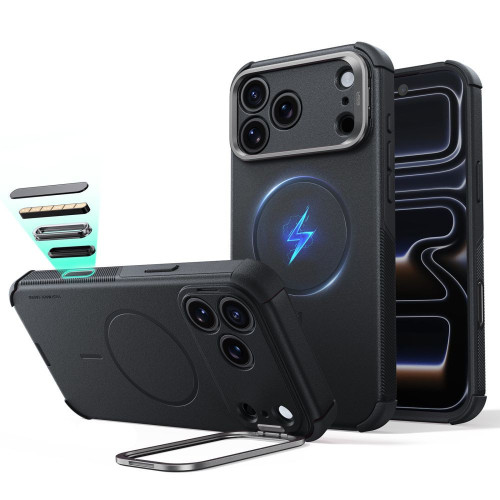
    Tech-Protect MagRack stands out from the competition with one feature: retractable stand. You can place your iPhone vertically or horizontally — perfect for watching movies, video calls, or navigation on your desk.

    • 2-in-1 Stand — vertical and horizontal mode
    • MagSafe — wireless charging without removing the case
    • Matte black finish — does not collect fingerprints
    • Raised edges around the screen and camera
    • Kompatybilność potwierdzona — etui oznaczone jako „iPhone 16e / 17e»

    Za 49 zł dostajesz etui z podstawką do iPhone 17e, MagSafe i matowym wykończeniem. To najlepszy stosunek funkcjonalności do ceny w tym rankingu. Waga 100 g — nieco cięższe od reszty z powodu mechanizmu podstawki, ale różnica jest nieodczuwalna w kieszeni.

    ParametrWartość
    MateriałTPU + poliwęglan
    Waga100 g
    MagSafe
    Podstawka✅ (pionowa + pozioma)
    Cena49 zł

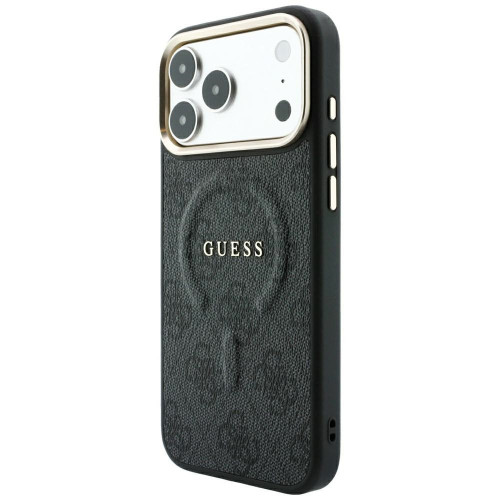
    4. Guess Peony Script Logo MagSafe — elegancja dla niej (149 zł)

    Etui od marki modowej, nie technologicznej — i to jest jego siła. Guess Peony Script Logo to etui, które wygląda jak akcesorium modowe, nie plastikowa nakładka. Skóra ekologiczna, złote logo Guess i kwiatowy wzór przyciągają wzrok.

    • Skóra ekologiczna — premium wygląd i dotyk
    • Złoty logotyp Guess — charakterystyczny branding
    • MagSafe — pełna kompatybilność z ładowarkami
    • Konstrukcja hardcase — sztywna obudowa chroni przed zarysowaniami
    • Uniesione krawędzie wokół ekranu i obiektywu

    Za 149 zł płacisz przede wszystkim za markę i design. Ochrona mechaniczna jest solidna (hardcase + uniesione krawędzie), ale bez certyfikatów MIL-STD czy Air Cushion. Jeśli Twoje etui ma być dopełnieniem stylu, a nie tylko ochroną — Guess to jedyny taki wybór w ofercie.

    ParameterValue
    MaterialTPU + PC + eco leather
    Weight75 g
    MagSafe
    TypeFashion, hardcase
    Price149 zł

    5. Mercury Silicone MagSafe — the cheapest with class (45 zł)

    Best price in the ranking

    The cheapest case in the comparison, but not just any case. Mercury Semi-Silicone has a silicone surface with a velvety microfiber inside — the same material that Apple uses in its official cases for 249 zł.

    • Microfiber inside — protects the back glass from micro-scratches
    • Soft-touch silicone — pleasant to the touch, does not slip from the hand
    • MagSafe — wireless charging without removal
    • Stain resistant — silicone does not yellow over time
    • Raised edges around the screen and camera

    For 45 zł you get a case that looks and feels like a product worth 100+ zł. No durability certifications, no extra features — but as a daily case with good protection and a nice touch, Mercury is hard to beat at this price.

    ParameterValue
    MaterialSilicone + microfiber
    Weight75 g
    MagSafe
    TypeSilicone, soft-touch
    Price45 zł

    Comparison of cases for iPhone 17e

    CaseBrandMaterialTypeWeightFeaturePrice
    Ultra Hybrid MagSpigenTPU + PCTransparent70 gAir Cushion, top brand95 zł
    Fusion MagneticRingkeTPU + PCTransparent80 gMIL-STD-810G59 zł
    MagRackTech-ProtectTPU + PCMatte100 g2-in-1 stand49 zł
    Peony Script LogoGuessTPU + PC + leatherFashion75 gDesign, eco leather149 zł
    Semi-SiliconeMercurySiliconeSilicone75 gMicrofiber, soft-touch45 zł

    Our choice: Depends on the priority. Protection? Ringke Fusion Magnetic (59 zł) with MIL-STD certification. Functionality? Tech-Protect MagRack (49 zł) with a stand. Budget? Mercury Semi-Silicone (45 zł).

    How to choose a case for iPhone 17e? What to pay attention to

    Three criteria that matter most when choosing a case for iPhone 17e.

    1. Compatibility with MagSafe
    iPhone 17e supports MagSafe and Qi2 wireless charging — look for cases with a built-in magnetic ring. All 5 cases in this ranking have MagSafe. Without it, you will lose compatibility with wireless chargers, wallets, and car mounts. The MagSafe ring should be built into the case, not stuck on — stick-on magnets are weaker and may come off after a few months.

    2. Material and type of protection
    TPU + polycarbonate (Spigen, Ringke, Tech-Protect) — the best mechanical protection, absorbs drops. Ideal for people who often drop their phone or work in active conditions.

    Silicone with microfiber (Mercury) — pleasant touch, good scratch protection. Works well for everyday use — does not slip from the hand and effectively absorbs light impacts.

    Eco-leather (Guess) — premium look, weaker mechanical protection. Best as a fashion accessory, less so for protection against drops from height.

    3. Additional features
    – Stand (Tech-Protect MagRack) — useful for watching movies, video calls, and navigation on the desk

    – MIL-STD certification (Ringke) — guaranteed resistance to drops from 2 meters

    – Air Cushion (Spigen) — air cushions in the corners absorb impact energy

    – Microfiber inside (Mercury) — protects the glass back from micro-scratches

    What to avoid? Cheap cases without MagSafe from marketplaces (Temu, AliExpress). They often have weak magnets, yellow after 2-3 weeks, and do not fit precisely to the cutouts for buttons. With a case for 20-30 PLN, you save 15 PLN compared to Mercury, but you lose on material quality and fit.

    Complete protection for the iPhone 17e is not just a case — it’s worth adding tempered glass for iPhone 17e to secure both elements: the back and the front.

    FAQ — frequently asked questions about cases for iPhone 17e

    Do cases for iPhone 16e fit iPhone 17e?
    Yes. The iPhone 17e and iPhone 16e have identical dimensions and button placements. Cases marked as “iPhone 16e” fit the iPhone 17e without any problems.

    Does the iPhone 17e support MagSafe?
    Yes. The iPhone 17e has a built-in MagSafe magnetic ring. Choose cases marked “MagSafe” to maintain full compatibility with chargers and magnetic accessories.

    Which case best protects against drops?
    Ringke Fusion Magnetic with MIL-STD-810G certification (26 drops from 2 meters). In second place is Spigen Ultra Hybrid Mag with Air Cushion technology in the corners.

    Is the Mercury silicone case sufficient for protecting the iPhone 17e?
    Yes, for everyday use. Silicone absorbs light drops, and microfiber protects against scratches. It does not have the resistance certifications like Ringke or Spigen, but for the average user, the protection is sufficient.

    How much does an iPhone 17e case cost?
    From 45 PLN (Mercury Semi-Silicone) to 149 PLN (Guess Peony Script Logo). You can buy an optimal case with good protection and MagSafe for 49–95 PLN.

    Does the iPhone 17e charge wirelessly through the case?
    Yes. The iPhone 17e supports Qi2 and MagSafe wireless charging up to 15W. All cases in this ranking allow for wireless charging without removal — just a case with MagSafe is needed for the charger to fit perfectly against the phone.

    Is a case with a stand heavier?
    Yes, but only slightly. The Tech-Protect MagRack weighs 100 g — 20-30 g more than the other cases in the comparison. The difference is practically unnoticeable in your pocket, and the stand significantly increases functionality.

    What MagSafe accessories work with the iPhone 17e case?
    All cases in this ranking are compatible with the full MagSafe ecosystem: wireless chargers, power banks, MagSafe wallets, and car mounts.

    Summary

    The iPhone 17e deserves a good MagSafe case — and you don’t have to spend a fortune. For just 45 PLN, you get a silicone Mercury with microfiber inside, and for 59 PLN, a rugged Ringke with military certification.

    Key takeaways:

    • Best protection: Ringke Fusion Magnetic (59 PLN) — MIL-STD-810G, 26 drops from 2 m
    • Best price-to-function ratio: Tech-Protect MagRack (49 zł) — stand + MagSafe
    • Best premium brand: Spigen Ultra Hybrid Mag (95 zł) — Air Cushion, transparent
    • For her: Guess Peony Script Logo (149 zł) — eco-leather, gold logo
    • Lowest price: Mercury Semi-Silicone (45 zł) — silicone with microfiber

    All 5 cases support MagSafe and wireless charging. Choose the one that fits your style and budget.

    See all iPhone 17 cases at homescreen.pl

  • Samsung Galaxy A57 kontra Galaxy A56 – który wybrać?

    Samsung Galaxy A57 kontra Galaxy A56 – który wybrać?

    Samsung Galaxy A57 vs A56 – the main difference is the more powerful Exynos 1680 processor with AMD Xclipse 550 GPU and Android 16 with One UI 8.5. The display (6.7″ Super AMOLED, 120 Hz), battery (5000 mAh), and cameras (50 Mpix) are identical in both models. The starting price of Galaxy A57 is about 300 PLN higher.

    Galaxy A57 is the successor of one of the best-selling mid-range phones of 2025. Galaxy A56 gained immense popularity due to its solid specifications, attractive price, and long update support. In this comparison of Samsung Galaxy A57 vs A56, we examine both models point by point so you can choose the one that best fits your needs.

    Specifications of Galaxy A57 vs Galaxy A56 – comparison table

    Before we get into the details, it’s worth seeing a comparison of Galaxy A57 and A56 side by side. The table below collects the specifications of Samsung Galaxy A57 and the key technical parameters of both models.

    ParametrSamsung Galaxy A57 5GSamsung Galaxy A56 5G
    Wyświetlacz6,7″ Super AMOLED, FHD+ (1080 × 2340), 120 Hz6,7″ Super AMOLED, FHD+ (1080 × 2340), 120 Hz
    ProcesorExynos 1680 (4 nm), GPU Xclipse 550Exynos 1580 (4 nm)
    RAM8 GB8 GB / 12 GB
    Pamięć wewnętrzna128 / 256 GB128 / 256 GB
    Aparat główny50 Mpix, OIS50 Mpix, f/1.8, OIS, 1/1.56″
    Aparat ultraszerokokątny12 Mpix12 Mpix, f/2.2, 123°
    Aparat makro5 Mpix5 Mpix, f/2.4
    Aparat przedni12 Mpix, f/2.212 Mpix, f/2.2
    Bateria5000 mAh5000 mAh
    Ładowanie45 W przewodowe45 W przewodowe
    SystemAndroid 16, One UI 8.5Android 15, One UI 7
    Wymiary161,5 × 76,9 × 6,9 mm162,2 × 77,5 × 7,4 mm
    Waga192 g198 g
    OchronaIP67IP67
    Łączność5G, Wi-Fi 6E, Bluetooth 6.05G, Wi-Fi 6E, Bluetooth 5.3
    SIMDual SIM + eSIMDual SIM + eSIM
    Cena (Europa)od ok. 539 EUR (~2 299 zł)od ok. 479 EUR (~1 999 zł)

    Full specification of both models is available on the GSMArena page.

    Tip: If you mainly care about the camera and RAM capacity, the Galaxy A56 with 12 GB RAM might be a better choice at a lower price.

    Galaxy A57 vs A56 Display – identical panel

    Both the Galaxy A57 and Galaxy A56 feature a 6.7-inch Super AMOLED display with a Full HD+ resolution (1080 × 2340 pixels) and a refresh rate of 120 Hz. The peak brightness reaches 1900 nits, ensuring good readability even in bright sunlight.

    Both models are protected by Gorilla Glass Victus+, which effectively safeguards against scratches and minor drops. Samsung did not opt to introduce LTPO technology (dynamic refresh rate change from 1 to 120 Hz), which would help save battery. LTPO remains reserved for the flagship Galaxy S series.

    In comparing the Galaxy A57 and A56 in the display category, there are practically no differences. If you liked the Galaxy A56 screen, you will get exactly the same panel in the A57.

    It is worth securing this great display from day one. Check durable tempered glass for Galaxy A57 in the offer of homescreen.pl.

    Performance of Galaxy A57 vs A56 – Exynos 1680 vs Exynos 1580

    Here, the Galaxy A57 makes the biggest leap forward. The new Exynos 1680 processor (4 nm) with AMD Xclipse 550 GPU offers a noticeable increase in computational power compared to the Exynos 1580 in the Galaxy A56.

    Benchmarks and performance in practice

    The Exynos 1680 uses CPU cores in a 1+3+4 configuration and 4 nm lithography, similar to its predecessor. The key change is the Xclipse 550 GPU based on AMD RDNA architecture, which offers ray tracing support. This is a feature that has so far only been available in flagship Exynos 2×00 processors from the Galaxy S series.

    What does this mean in practice?

    • Mobile games run smoother. Titles like Genshin Impact or Call of Duty Mobile should maintain more stable frames per second, and ray tracing will add realism in supported games.
    • Applications open faster, and multitasking (switching between several applications at once) is smoother.
    • Photo and video editing – a more powerful GPU accelerates rendering and applying filters in applications like Adobe Lightroom or CapCut.
    • Energy efficiency – the new chip is more energy-efficient, which can translate to longer battery life despite higher performance.

    The Galaxy A56 with Exynos 1580 still performs well in everyday use. If you’re not playing demanding mobile games and mainly use social media, browsers, and messaging apps, the performance difference won’t be noticeable. For the average user, both processors offer more power than needed on a daily basis.
    Galaxy A57 camera vs Galaxy A56 – evolution, not revolution

    Both phones have a triple camera setup with a main 50 MP sensor with optical image stabilization (OIS), a 12 MP ultra-wide, and a 5 MP macro. The front camera is 12 MP with an aperture of f/2.2 in both cases.

    Samsung did not change the hardware configuration of the cameras, but the Galaxy A57 benefits from improved image processing thanks to the new processor. The Exynos 1680 supports AI algorithms for night photography, which enhance noise reduction and dynamic range in low light.

    Key differences in photography

    ScenariuszGalaxy A57Galaxy A56
    Zdjęcia w dzieńIdentyczna jakość, ten sam sensor 50 MpixIdentyczna jakość
    Tryb nocnySzybsze przetwarzanie, lepsza redukcja szumówDobry, ale wolniejsze przetwarzanie
    Nagrywanie wideoPotencjalnie lepsza stabilizacja (mocniejszy GPU)Standardowa stabilizacja OIS
    SelfieBez zmian, 12 Mpix f/2.2Bez zmian, 12 Mpix f/2.2
    Portret z bokehLepsze wycinanie tła dzięki AIDobre wycinanie tła

    W porównaniu Galaxy A57 vs A56 różnice aparatu będą subtelne. Sensory pozostają te same, więc jakość zdjęć w dobrym oświetleniu jest praktycznie identyczna. Poprawki widoczne będą głównie w wymagających warunkach, takich jak fotografia nocna czy dynamiczne ujęcia wideo.

    Bateria i ładowanie – bez zmian, ale z lepszą optymalizacją

    Oba smartfony mają baterię o pojemności 5000 mAh i wspierają szybkie ładowanie 45 W (Super Fast Charge 2.0). Ładowarka nie jest dołączona do zestawu, więc musisz ją kupić osobno.

    Galaxy A56 ładuje się od 0 do 65% w ok. 30 minut, a pełne ładowanie zajmuje ok. 68 minut. Galaxy A57 powinien osiągać zbliżone wyniki, ale dzięki bardziej energooszczędnemu Exynos 1680 całkowity czas pracy na jednym ładowaniu może być nieco dłuższy.

    None of the models support wireless charging, which remains the domain of the flagship Galaxy S series. If you’re looking for a fast 45 W charger compatible with both models, check out network chargers with USB Power Delivery in our store. A solid USB-C cable supporting USB PD will also be useful.

    Design and build quality

    The Galaxy A57 is slimmer and lighter than its predecessor:

    Galaxy A57Galaxy A56
    Thickness6.9 mm7.4 mm
    Weight192 g198 g
    Dimensions161.5 × 76.9 mm162.2 × 77.5 mm

    The difference of 0.5 mm in thickness and 6 g in weight may not look impressive on paper, but it is noticeable in hand. The Galaxy A57 feels more comfortable and appears more refined.

    Both models have a flat frame, an IP67 rating (dust resistance and immersion in water up to 1 m for 30 minutes), and Gorilla Glass Victus+ on the front. The colors of the Galaxy A57 are gray, light blue, lilac, and navy, with a palette that is slightly different from the A56 (graphite, light gray, olive, pink).

    Dobierz etui, które podkreśli smukły design nowego modelu. W homescreen.pl znajdziesz etui do Galaxy A57 od Ringke, 3MK, Tech-Protect i Bizon, ponad 50 modeli od 29 zł.

    System i aktualizacje – Android 16 vs Android 15

    Galaxy A57 debiutuje z Androidem 16 i nakładką One UI 8.5, podczas gdy Galaxy A56 startował z Androidem 15 i One UI 7. To ważna różnica, ponieważ nowsza wersja systemu oznacza:

    • Dłuższe wsparcie aktualizacji od momentu premiery
    • Nowe funkcje AI zintegrowane z One UI 8.5, w tym ulepszony Galaxy AI z rozpoznawaniem kontekstu
    • Circle to Search 2.0 – ulepszone wyszukiwanie wizualne przez zakreślenie obiektu na ekranie
    • Ulepszone powiadomienia i personalizacja interfejsu
    • Bluetooth 6.0 (vs Bluetooth 5.3 w A56), which provides better connection stability with wireless headphones

    Galaxy A56 will receive an update to Android 16, but it may take a few months from the release of the new system. Samsung guarantees 4 years of system updates and 5 years of security patches for both models, which according to Samsung’s official update policy is one of the longest support cycles in the mid-range market.

    Galaxy A57 vs A56 – price and value for money

    This is a key question for many buyers. The launch price of the Galaxy A57 in Poland starts at around 2,299 PLN for the 8/128 GB version, while the Galaxy A56 in the same configuration cost around 1,999 PLN at launch. That’s a difference of about 300 PLN.
    VariantGalaxy A57 (launch price)Galaxy A56 (current price)
    8/128 GBaround 2,299 PLNaround 1,599-1,799 PLN
    8/256 GBaround 2,599 PLNaround 1,799-1,999 PLN

    Galaxy A56, which has been on the market for over a year, can be purchased at a significantly lower price than at launch. This makes the price-to-quality ratio of the Galaxy A56 really hard to beat. With the saved 500-700 PLN, you can buy a complete set of protective accessories: a case, tempered glass, and a fast charger.

    Which one to choose? Recommendations based on needs

    Choose Samsung Galaxy A57 if:
    – You care about the latest processor and the highest performance in mobile gaming
    – You want Android 16 and One UI 8.5 from day one
    – You prefer a slimmer and lighter design
    – You don’t mind paying a higher price for the latest solutions

    Stick with Samsung Galaxy A56 if:
    – You’re looking for great value for money
    – You don’t need the latest processor for everyday use
    – You want to save 300-500 PLN and spend it on accessories
    – You prefer a model that has been tested by users, Samsung Galaxy A56 reviews confirm its reliability (rating 4.6/5)

    Our recommendation: For most users, the Galaxy A56 at its current, reduced price is the better choice. The extra cost for the Galaxy A57 makes sense mainly for mobile gamers and those who always want to have the latest technology.
    Accessories – protection for your new smartphone

    Regardless of whether you choose the Galaxy A57 or the Galaxy A56, it’s worth getting protective accessories right away. Both models have a large 6.7″ display that should be protected with tempered glass from day one of use.

    For Samsung Galaxy A57 at homescreen.pl you will find:
    Protective cases from Ringke, 3MK, Tech-Protect, and Bizon (from 29 PLN)
    Tempered glasses Bizon Glass Clear Duo and Ringke Easy Slide (from 35 PLN)
    Camera glasses to protect the camera module
    Protective sets Bizon MatteO Pack and Case Clear Pack (case + glass at an attractive price)

    Check the full offer: accessories for Samsung Galaxy A57

    For Samsung Galaxy A56 available are:
    Recycled case Bizon Case ReLeaf in various colors
    Tempered glasses 3MK HardGlass Max with full coverage
    Privacy glass Bizon Glass Mule Shadow protecting against peeping
    Matte films Bizon Glass Film Sun reducing glare and fingerprints

    Check the full offer: films, glasses, and cases for Galaxy A56

    Don’t forget about power bank for longer trips, the 5000 mAh battery is substantial, but extra energy is always useful.

    Summary

    In comparison Samsung Galaxy A57 vs A56, it is clear that the new model is a solid, albeit evolutionary update. The main changes are a more powerful Exynos 1680 processor with AMD Xclipse 550 GPU and ray tracing, a slimmer body (6.9 vs 7.4 mm), a newer Android 16 system with One UI 8.5, and Bluetooth 6.0. The display, battery, camera, and charging remain practically unchanged.

    With a price difference of about 300-700 PLN (considering the reduced price of Galaxy A56 after a year on the market), the choice depends on your priorities. If performance and the latest system are your priorities, go for the A57. If value for money matters, in the comparison of Galaxy A57 vs Galaxy A56, the older model wins as one of the best mid-range phones on the market.

    FAQ

    What is the difference between Samsung Galaxy A57 and Galaxy A56?
    The main differences are the newer Exynos 1680 processor (vs Exynos 1580), Android 16 system with One UI 8.5 (vs Android 15), Bluetooth 6.0 (vs 5.3), and a slimmer and lighter design (6.9 vs 7.4 mm thickness). The display, battery, charging, and cameras remain the same.

    Is it worth paying extra for Galaxy A57?
    Paying an extra 300-500 PLN makes sense if you care about better gaming performance (GPU Xclipse 550 with ray tracing) or want to have the latest system from day one. For everyday use, Galaxy A56 is still sufficient.

    What processor does Samsung Galaxy A57 have?
    Samsung Galaxy A57 5G is equipped with an Exynos 1680 processor manufactured using 4 nm technology with AMD Xclipse 550 GPU. It is a noticeably more powerful chip than Exynos 1580 in Galaxy A56, especially in terms of graphics.

    How much does the Samsung Galaxy A57 cost? Price in Poland
    The starting price of the Galaxy A57 is about 2,299 PLN for the 8/128 GB version and about 2,599 PLN for the 8/256 GB version. The Galaxy A56 in the same configuration can be purchased for about 1,599 PLN after discounts.

    Does the Galaxy A57 have a better camera than the A56?
    Both models have the same camera configuration: 50 Mpix (main) + 12 Mpix (ultra-wide) + 5 Mpix (macro) + 12 Mpix (selfie). The Galaxy A57 may offer slightly better night photography due to the improved ISP in the Exynos 1680 processor.

    Do Galaxy A56 cases fit the Galaxy A57?
    No, the Galaxy A57 has different dimensions than the Galaxy A56 (161.5 × 76.9 × 6.9 mm vs 162.2 × 77.5 × 7.4 mm), so the cases are not compatible. Check dedicated cases for Galaxy A57 at homescreen.pl.

    When is the Samsung Galaxy A57 release?
    The Samsung Galaxy A57 5G debuts in March 2026. The phone is already available for pre-order with most Polish operators and in electronics stores.

  • iPhone 17 Pro Max vs Samsung Galaxy S26 Ultra – which flagship to choose in 2026?

    iPhone 17 Pro Max vs Samsung Galaxy S26 Ultra – which flagship to choose in 2026?

    If you care about the Apple ecosystem, stability, and great video — the better choice will be the iPhone 17 Pro Max.

    On the other hand, if you prioritize maximum specifications, a 200 MP camera, S Pen, and greater control over the system — the Galaxy S26 Ultra offers more technology.

    6,299 PLN for the iPhone 17 Pro Max. 6,499 PLN for the Samsung Galaxy S26 Ultra. The difference? 200 PLN and two completely different ecosystems. On paper, both phones have 6.9-inch screens, flagship processors, and cameras that make DSLRs from a few years ago look pale in comparison. But the devil is in the details.

    If you are wondering which of them will be your companion for the next 3-4 years, this article will help you make an informed decision.

    📊 Specifications – iPhone 17 Pro Max vs Galaxy S26 Ultra

    Before we get into the details, here is a comparison of key parameters side by side:

    ParametriPhone 17 Pro MaxGalaxy S26 Ultra
    Wyświetlacz6.9″ OLED, 2868×1320, 460 ppi6.9″ Dynamic AMOLED 2X, 3120×1440, 498 ppi
    Jasność1000/1600/3000 nitów~1750/2600 nitów
    ProcesorApple A19 ProSnapdragon 8 Elite Gen 5
    RAM12 GB (nieoficjalnie)12/16 GB
    Pamięć256 GB / 512 GB / 1 TB / 2 TB256 GB / 512 GB / 1 TB
    Aparat główny48 MP f/1.78200 MP f/1.4
    Ultraszeroki48 MP f/2.2 (120°)50 MP f/1.9
    Teleobiektyw48 MP 4x f/2.8 (8x optyczny)50 MP 5x + 10 MP 3x
    Selfie18 MP f/1.912 MP f/2.2
    Wideo4K Dolby Vision 120fps, ProRes8K 30fps, 4K 120fps
    Bateria4 823 mAh5 000 mAh
    Ładowanie40 W przewodowe, 25 W MagSafe60 W przewodowe, 25 W Qi2.2
    Wymiary163.4 x 78.0 x 8.75 mm163.6 x 78.1 x 7.90 mm
    Waga233 g214 g
    OchronaCeramic Shield 2, IP68 (6 m)Gorilla Armor, IP68
    MateriałAluminium, Ceramic ShieldTytan
    SystemiOS 26Android 16 + One UI
    S Pen / rysik
    Cena (256 GB)6 299 zł6 499 zł

    At first glance, it is clear: these are two different approaches to flagship devices. Samsung focuses on camera resolution and faster charging, while Apple emphasizes the video ecosystem and memory capacity. Let’s get into the details.

    Performance and Processor

    A19 Pro vs Snapdragon 8 Elite Gen 5

    The iPhone 17 Pro Max is powered by Apple A19 Pro — a chip manufactured using a 2 nm process with a 6-core CPU and a 6-core GPU featuring hardware ray tracing. Samsung counters with Snapdragon 8 Elite Gen 5 from Qualcomm, which Samsung uses in all regions (no more Exynos in Europe).

    Benchmarks vs Reality

    In Geekbench 6 tests, Samsung surprised: Galaxy S26 Ultra scored 11,738 points in multi-core — about 20% more than the iPhone 17 Pro Max (~9,700 points). Single-core? Samsung also leads with a score of 3,852 points.

    Does this mean that Samsung is faster in everyday use? Not necessarily. iOS traditionally optimizes resources better, so an iPhone with less RAM (12 GB vs 16 GB in the top version of Samsung) can run just as smoothly. The differences in benchmarks mainly translate to:

    • Video and 3D graphics rendering — here Samsung has a measurable advantage
    • Multitasking with multiple heavy applications — 16 GB of RAM gives Samsung a buffer
    • Daily applications (social media, browser, maps) — both phones operate at the same speed

    💡 Tip: If you’re not rendering video on your phone and not playing the latest 3D games, you simply won’t notice any performance differences between these two flagships.


    Display – iPhone 17 Pro Max vs Samsung Galaxy S26 Ultra

    Resolution, brightness, and screen features

    The iPhone 17 Pro Max and Samsung Galaxy S26 Ultra offer large, 6.9-inch OLED displays with a refresh rate of 120 Hz. However, this is where the similarities between the screens of both flagships essentially end.

    Samsung Galaxy S26 Ultra has a higher screen resolution — 3120 × 1440 px (498 ppi), while iPhone 17 Pro Max offers 2868 × 1320 px (460 ppi). In practice, you will notice the difference in sharpness mainly when viewing text or images very closely. In everyday use, both displays are simply phenomenally sharp.

    Where does iPhone 17 Pro Max catch up? Screen brightness. Apple claims even up to 3000 nits at peak (e.g., in full sunlight) — this is one of the highest values on the smartphone market. Galaxy S26 Ultra reaches around 2600 nits, so in very bright conditions, the iPhone may be slightly more readable.

    Samsung has something that we won’t find in the iPhone — the Privacy Display feature. This technology limits the screen viewing angle, so people sitting next to you on the bus or train won’t see your messages or banking app. In terms of privacy, this is a very practical solution.

    FeatureiPhone 17 Pro MaxGalaxy S26 Ultra
    Resolution2868×1320 (460 ppi)3120×1440 (498 ppi)
    Peak Brightness3,000 nits~2,600 nits
    Privacy Display
    GlassCeramic Shield 2Gorilla Armor
    Always-On Display

    💡With such large and bright screens, it’s worth considering their protection — tempered glass for iPhone 17 Pro Max and tempered glass for Samsung Galaxy S26 Ultra can be found at the homescreen.pl store


    📸 Camera and Photography

    This is where the most interesting part of the comparison begins. Both phones have camera systems that compete with compact cameras, but they approach photography from different angles.

    Main Camera: 48 MP vs 200 MP

    Samsung boasts a 200 MP with an aperture of f/1.4 — the brightest aperture in Galaxy history. It lets in 47% more light than the S25 Ultra (f/1.7). The iPhone responds with «modest» 48 MP, but with optical sensor-shift stabilization.

    Is 200 MP better than 48 MP? By default, both phones take pictures at ~12 MP (through pixel binning). Samsung wins in situations where you want to pull out detail — the full 200 MP provides huge files for cropping. The iPhone focuses on color consistency across all three lenses.

    Zoom: periscope system

    ZoomiPhone 17 Pro MaxGalaxy S26 Ultra
    Ultrawide48 MP, 0.5x50 MP, 0.6x
    Main48 MP, 1x-2x200 MP, 1x
    Telephoto #110 MP, 3x
    Telephoto #248 MP, 4x (8x optical)50 MP, 5x
    Max digital zoom40x100x (Space Zoom AI)

    Samsung offers two telephoto lenses (3x and 5x), providing greater flexibility. The iPhone has one 4x telephoto lens, but with the ability to crop to 8x without losing quality (thanks to the 48 MP sensor). In practice, both systems deliver excellent results up to ~10x zoom. Above that, Samsung leads with its 100x Space Zoom supported by AI.

    Selfie and portrait mode

    The iPhone wins in selfies — 18 MP with autofocus and Center Stage vs 12 MP on Samsung. Center Stage automatically frames the shot, tracking your face during video calls. Samsung has HDR10+ in selfies, but at a lower resolution.

    🎬 Video and filming

    This is a category where the iPhone traditionally dominates — and the 17 Pro Max maintains this position.

    iPhone 17 Pro Max records 4K Dolby Vision up to 120 fps and supports ProRes — a format used in professional post-production. Slow-motion in 4K at 120 fps is a quality that just 3 years ago required a camera costing several thousand zlotys. Additionally, Spatial Video for Apple Vision Pro.

    Samsung Galaxy S26 Ultra nagrywa 8K przy 30 fps — wyższa rozdzielczość na papierze, ale 30 fps ogranicza płynność. W 4K Samsung oferuje do 120 fps, co wyrównuje szanse. Brakuje jednak odpowiednika ProRes — pliki Samsunga są kompresowane.

    CechaiPhone 17 Pro MaxGalaxy S26 Ultra
    Maks. rozdzielczość4K 120 fps (Dolby Vision)8K 30 fps
    ProRes / format pro✅ ProRes 4K 120 fps
    Slow-motion4K 120fps, 1080p 240fps4K 120fps, 1080p 240fps
    Spatial Video
    StabilizacjaSensor-shift OISOIS

    Werdykt: Jeśli filmowanie jest dla Ciebie priorytetem, iPhone nie ma konkurencji w segmencie smartfonów. Jeśli nagrywasz głównie krótkie klipy do social media, oba telefony spisują się doskonale.


    🔋 Bateria i ładowanie

    Pojemność baterii i szybkość ładowania

    Samsung has a larger battery (5,000 mAh vs 4,823 mAh), but the iPhone compensates with better energy optimization. Apple claims 39 hours of video playback for the Pro Max — one of the best results on the market.

    Where does Samsung clearly win? Wired charging.

    ChargingiPhone 17 Pro MaxGalaxy S26 Ultra
    Wired40 W (50% in 20 min)60 W (75% in 30 min)
    Wireless25 W (MagSafe/Qi2)25 W (Qi2.2)
    Reverse charging✅ (MagSafe)✅ (4.5 W)

    Samsung charges significantly faster wired — 60 W vs 40 W. If you forgot to charge your phone overnight, Samsung will return to 75% in half an hour. The iPhone takes longer, although 50% in 20 minutes is still a decent result.

    Wireless charging is a tie — 25 W on both sides. Both support reverse charging (charging headphones or a watch from the phone).


    🤖 AI and Software

    This is a category that becomes one of the most important differentiators in 2026. Both phones offer advanced AI features, but in different styles.

    Apple Intelligence

    Apple Intelligence działa głęboko w systemie iOS 26. Kluczowe funkcje:

    • Siri z kontekstem — rozumie co jest na ekranie, kontynuuje rozmowę, wykonuje złożone polecenia
    • Narzędzia pisania — podsumowywanie, korekta tonu, przepisywanie tekstu w każdej aplikacji
    • Genmoji — generowanie spersonalizowanych emoji z opisu
    • Image Playground — tworzenie obrazów AI w stylu ilustracji
    • Priorytetyzacja powiadomień — AI sortuje powiadomienia według ważności

    Galaxy AI

    Samsung Galaxy AI w S26 Ultra oferuje:

    • Tłumaczenie rozmów w czasie rzeczywistym — podczas połączeń telefonicznych, bez internetu
    • Circle to Search — zakreśl cokolwiek na ekranie, żeby to wyszukać
    • Generative Edit — filling in photo fragments with AI-generated content
    • Note Assist — note summaries, transcription of recordings
    • Privacy Display AI — intelligent dimming of the screen when someone is looking from the side

    Updates — how many years of support?

    Here is the key difference. Apple traditionally supports iPhones for 6-7 years of iOS updates. Samsung promises 7 years of system and security updates starting from the S24 series — matching Apple.

    In practice, both phones purchased today will receive updates until 2032-2033. This means that an investment of ~6,300 PLN spreads over at least 7 years of support.

    💰 Price and value for money

    How much does the iPhone 17 Pro Max cost vs Samsung Galaxy S26 Ultra?

    VariantiPhone 17 Pro MaxGalaxy S26 Ultra
    256 GB6 299 zł6 499 zł
    512 GB7 299 zł7 499 zł
    1 TB8 299 zł9 499 zł
    2 TB10 299 zł❌ brak

    iPhone 17 Pro Max is about 200 zł cheaper than the Galaxy S26 Ultra in every memory variant. In practice, this means that regardless of the chosen version — 256 GB, 512 GB, or 1 TB — Apple’s smartphone remains slightly more affordable.

    Additionally, Apple is the only one offering a variant with as much as 2 TB of memory, which we won’t find in the Galaxy S26 Ultra. This may be significant especially for those recording a lot of high-quality video or photographers working with ProRAW and ProRes files, which can take up a lot of space.

    💡 Tip: If 256 GB turns out to be too little, and 1 TB too much, the best compromise for most users will be the 512 GB variant. In both models, it costs around 7 300–7 500 zł and offers enough space for photos, videos, and applications for several years of use.


    iPhone 17 Pro Max vs Samsung Galaxy S26 Ultra – summary

    Which flagship will be the better choice?

    After analyzing 8 categories, there is no clear winner. Both phones are phenomenal, but they target different users.

    If you are planning to purchase one of these flagships, it’s worth thinking about protection right away — a good case for iPhone 17 Pro Max or case for Samsung Galaxy S26 Ultra will help secure the phone from the very first day of use.

    iPhone 17 Pro Max — for whom?

    • Filmmakers and video creators — ProRes, Dolby Vision 4K 120fps, Spatial Video
    • Users of the Apple ecosystem — Mac, iPad, AirPods, Apple Watch, Vision Pro
    • People valuing long-term value — iPhones hold their value longer in the secondary market
    • Photographers needing large storage — 2 TB option
    • People preferring simplicity — iOS is less customizable but more consistent

    Samsung Galaxy S26 Ultra — for whom?

    • S Pen users — notes, drawing, precise control
    • Photographers focusing on zoom — 100x Space Zoom, two telephoto lenses
    • People who value fast charging — 60 W wired
    • Multitaskers — DeX, split windows, 16 GB RAM
    • People who value screen privacy — Privacy Display is a unique feature

    If you already have an iPhone or Samsung…

    Changing ecosystems is not just about a new phone — it’s a change of watch, headphones, subscriptions, and habits. If you’ve been in the Apple or Samsung ecosystem for years, switching to the other side is rarely worthwhile. Choose a newer model in your ecosystem.

    Are you buying your first flagship? Check out both in the store. Hold them in your hand. See which interface is more intuitive for you. For around ~6,300-6,500 PLN, you can’t go wrong with either of them.

    Regardless of whether you choose an iPhone or Samsung, it’s worth taking care of the right accessories right away — especially screen protection, a case, and a good charger. If you’re looking for proven models, check out our rankings and guides:

    Best tempered glass for iPhone 17 Pro Max →
    Top 10 cases for Samsung Galaxy S25 Ultra →
    What charger for iPhone 17? →
    Best charger for Samsung Galaxy S25 →

    FAQ – frequently asked questions

    How much does the iPhone 17 Pro Max cost in Poland?
    The iPhone 17 Pro Max starts at 6,299 PLN for the 256 GB version. The 512 GB variant costs 7,299 PLN, 1 TB — 8,299 PLN, and 2 TB — 10,299 PLN.

    When is the release of Samsung Galaxy S26 Ultra?
    The Samsung Galaxy S26 Ultra was released in the first quarter of 2026. The phone has been available in Polish stores since February 2026.

    Which has a better camera — iPhone 17 Pro Max or Galaxy S26 Ultra?
    It depends on the use case. Samsung excels in photography with high zoom (100x Space Zoom) and has a brighter main lens (f/1.4). The iPhone has better color consistency between lenses and dominates in video recording (ProRes, Dolby Vision 4K 120fps).

    Which has longer update support?
    Both offer 7 years of system and security updates. The iPhone 17 Pro Max will be supported until ~2032, while the Galaxy S26 Ultra — until ~2033.

    Is it worth waiting for the S26 Ultra, or should you buy the S25 Ultra cheaper?
    The S26 Ultra offers several significant upgrades: a brighter f/1.4 lens (vs f/1.7), Privacy Display, Snapdragon 8 Elite Gen 5, and next-generation Galaxy AI. If you find the S25 Ultra at a good price (below 5,000 PLN), it’s still an excellent phone. But if you’re buying for the next 3-4 years — the S26 Ultra is a better investment.

    iPhone 17 Pro Max or Galaxy S26 Ultra — which is lighter?
    The Samsung Galaxy S26 Ultra weighs 214 g — 19 g less than the iPhone 17 Pro Max (233 g). Samsung is also slimmer: 7.9 mm vs 8.75 mm.

  • OnePlus 15T — specifications, price, and release date of the compact flagship

    OnePlus 15T — specifications, price, and release date of the compact flagship

    OnePlus 15T in Relaxing Matcha color — official photo

    OnePlus 15T is a compact flagship with Snapdragon 8 Elite Gen 5, a 6.32″ 165 Hz display, and a 7500 mAh battery. The smartphone will feature a LUMO periscope telephoto lens with 3.5x optical zoom — a first for OnePlus’s compact design. The launch in China is expected in the second half of March 2026.

    OnePlus 15T targets a niche that most manufacturers have ignored for years — compact flagships with top specifications. Weighing just 194 g and measuring 8.5 mm thick, the device houses a 7500 mAh battery, the latest Qualcomm processor, and a periscope camera. OnePlus itself calls it a “little demon” and it’s hard to disagree.

    OnePlus 15T specifications — key parameters

    Parameter OnePlus 15T
    Display 6.32″ AMOLED LTPO, 1.5K (1216 x 2640), 165 Hz
    Screen protection Crystal Shield Glass
    Processor Snapdragon 8 Elite Gen 5 (3 nm)
    RAM 12 / 16 GB LPDDR5x
    Storage 256 GB / 512 GB / 1 TB UFS 4.1
    Main camera 50 MP, f/1.8, OIS
    Telephoto lens 50 MP LUMO, periscope, 3.5x zoom, OIS
    Front camera 32 MP, f/2.4
    Battery 7500 mAh (Glacier)
    Wired charging 100 W
    Wireless charging 50 W
    Resistance IP68 / IP69
    System Android 16 + OxygenOS 16
    Biometric reader ultrasonic under-display
    Dimensions ~8.5 mm thick, ~194 g
    Colors Relaxing Matcha, Healing White Chocolate, Pure Cocoa

    165 Hz Display in a Compact Body

    The OnePlus 15T will feature a 6.32-inch AMOLED LTPO panel with a resolution of 1.5K (1216 x 2640 pixels) and a refresh rate of 165 Hz. This is the highest refresh rate in OnePlus’s lineup — the standard OnePlus 15 has «only» 120 Hz.

    The screen supports Dolby Vision and HDR10+. It is protected by Crystal Shield Glass, and under the panel, there is an ultrasonic fingerprint reader — faster and more accurate than optical solutions. The display is flat with symmetrically narrow bezels, emphasizing the compact nature of the device.

    For comparison — 6.32 inches is a size similar to the iPhone 16 Pro (6.3″), which many users consider an optimal compromise between one-handed use and content viewing comfort.

    Camera — LUMO periscope with 3.5x zoom

    OnePlus 15T periscope camera LUMO — close-up

    The camera setup of the OnePlus 15T is a dual configuration: a main sensor of 50 MP (f/1.8, OIS) and a 50 MP LUMO periscope telephoto lens with 3.5x optical zoom, OIS, and a focal length equivalent to 85 mm.

    The LUMO lens uses the same technology that OnePlus implemented in the 15 model. The periscope design allows for a long focal length to fit in a thin body without a protruding camera module. The f/2.8 aperture in the telephoto lens is typical for this type of solution — comparable to the Samsung Galaxy S26 Ultra or the iPhone 17 Pro Max.

    OnePlus has opted out of an ultra-wide-angle lens in favor of better quality from two main sensors. This is a bold decision — but in practice, most users reach for zoom more often than for ultra-wide angles.

    The front camera of 32 MP (f/2.4) will provide good quality for selfies and video calls. Video recording from the rear cameras supports 4K resolution at 30 and 60 fps.

    Snapdragon 8 Elite Gen 5 — performance at its peak

    The heart of the OnePlus 15T is the Snapdragon 8 Elite Gen 5 — the latest flagship processor from Qualcomm manufactured using a 3 nm process. The Adreno 840 GPU handles graphics, while the dedicated P3 chip supports the display.

    The OnePlus 15T has already appeared in AnTuTu with a score of 4.45 million points — one of the highest results on the market. Additionally, it features LPDDR5x RAM (12 or 16 GB) and lightning-fast UFS 4.1 storage in 256 GB, 512 GB, and 1 TB variants.

    In practice, this means seamless handling of even the most demanding games, multitasking with several open applications, and instant program launches. The dedicated gaming processor further optimizes the experience in mobile titles.
    7500 mAh Glacier Battery — a record in a compact flagship

    The biggest surprise is the battery capacity. 7500 mAh (Glacier technology) in a smartphone weighing 194 g and measuring 8.5 mm thick — these parameters seemed unattainable in a compact body just a year ago.

    For context: the Samsung Galaxy S26 Ultra has a 5000 mAh battery, and the iPhone 17 Pro — about 3900 mAh. The OnePlus 15T offers nearly double the capacity of Apple’s flagship in a smaller body.

    Wired charging 100 W will recharge the battery in under 40 minutes. Wireless charging 50 W is a convenient alternative, and reverse charging 5 W allows you to emergency charge your headphones or watch. For longer trips, a power bank will also come in handy — with this battery capacity, a compact 10,000 mAh model will suffice.

    Tip: With a 7500 mAh battery and 100 W charging, one charge will comfortably last for two days of intensive use. If you’re looking for a wall charger with the appropriate power — aim for models 100 W+ with USB PD and PPS support.

    Design — three “dessert” colors

    OnePlus 15T all colors — Matcha, White Chocolate, Pure Cocoa

    The OnePlus 15T is available in three color variants inspired by desserts:

    • Relaxing Matcha — green, reminiscent of Japanese matcha tea
    • Healing White Chocolate — light, creamy shade
    • Pure Cocoa — dark, chocolate brown

    The device has an IP68 rating (submersion up to 1.5 m for 30 minutes) and IP69 (protection against high-pressure hot water jets). This is the highest level of resistance on the smartphone market.

    With a weight of 194 g and a thickness of 8.5 mm, the OnePlus 15T is lighter than many smartphones with smaller batteries. Its compact dimensions and flat screen make it easy to use with one hand.

    OnePlus 15T vs OnePlus 15 — key differences

    Parameter OnePlus 15T OnePlus 15
    Display 6.32″, 165 Hz 6.82″, 120 Hz
    Battery 7500 mAh (Glacier) 7300 mAh
    Wired charging 100 W 100 W
    Wireless charging 50 W 50 W
    Processor Snapdragon 8 Elite Gen 5 Snapdragon 8 Elite
    Telephoto lens 50 MP periscope LUMO, 3.5x 50 MP periscope, 3x
    Ultrawide none 50 MP
    Weight ~194 g ~207 g
    Price in Poland unknown from 4,299 PLN

    The OnePlus 15T is a more compact alternative to the OnePlus 15. A smaller screen (6.32″ vs 6.82″), lighter build, and newer processor — but at the cost of lacking an ultrawide lens. The battery is larger in terms of grams per weight (7500 mAh in 194 g vs 7300 mAh in 207 g). The telephoto lens of the 15T is better — 3.5x zoom vs 3x in the standard model.

    Launch and price of OnePlus 15T

    OnePlus has officially announced the 15T model, but the exact release date has not yet been provided. Everything indicates a debut in China in the second half of March 2026.

    The global premiere — including the European one — is likely to take place 4–6 weeks later, which means April or May 2026. The price in Europe has not yet been revealed, but considering the positioning of the model and the price of the OnePlus 15 (from 4,299 PLN in Poland), the OnePlus 15T should cost similarly or slightly less.

    In the Chinese market, the OnePlus 15T will operate with the ColorOS 16 overlay, while the global version will receive OxygenOS 16 — both based on Android 16.
    Who is the OnePlus 15T for?

    The OnePlus 15T is a smartphone for those who:

    • Prefer compact dimensions and one-handed operation
    • Do not want to give up flagship performance and long battery life
    • Value a good camera with optical zoom in a smaller body
    • Are looking for an alternative to large flagships like the Samsung Galaxy S26 Ultra or OnePlus 15

    Tip: If you decide to go for the OnePlus 15T after its premiere in Poland, it’s worth securing it right away with a case and tempered glass. Check out the accessory offer for OnePlus at homescreen.pl — they will appear along with the device’s premiere.

    FAQ — frequently asked questions

    When is the OnePlus 15T premiere in Poland?

    Premiera w Chinach spodziewana jest w drugiej połowie marca 2026. Globalna dostępność — w tym w Polsce — prawdopodobnie w kwietniu lub maju 2026. OnePlus nie podał jeszcze oficjalnej daty europejskiej premiery.

    Ile będzie kosztował OnePlus 15T?
    Cena w Polsce nie została jeszcze ogłoszona. Biorąc pod uwagę, że OnePlus 15 startuje od 4 299 zł, model 15T powinien uplasować się w zbliżonym przedziale cenowym.

    Jaki aparat ma OnePlus 15T?

    OnePlus 15T ma dualny zestaw aparatów: sensor główny 50 MP z OIS i peryskopowy teleobiektyw 50 MP LUMO z 3,5-krotnym zoomem optycznym. Nie ma ultraszerokokątnego obiektywu.

    Czy OnePlus 15T ma ładowanie bezprzewodowe?

    Tak — OnePlus 15T obsługuje ładowanie bezprzewodowe 50 W oraz przewodowe 100 W. Wspiera także reverse charging 5 W do ładowania akcesoriów.

    Czym OnePlus 15T różni się od OnePlus 15?

    OnePlus 15T ma mniejszy ekran (6,32″ vs 6,82″), nowszy procesor (Snapdragon 8 Elite Gen 5), lepszy zoom (3,5x vs 3x), ale brakuje mu ultraszerokokątnego obiektywu. Bateria 7500 mAh jest nawet większa w przeliczeniu na gram wagi niż 7300 mAh w OnePlus 15. Całość jest lżejsza (~194 g vs ~207 g).

    Czy OnePlus 15T jest wodoodporny?

    Yes — the OnePlus 15T has IP68 and IP69 certifications, which means it is resistant to immersion in water up to 1.5 m for 30 minutes and to a stream of hot water under pressure.

  • Galaxy Buds 4 Pro vs Galaxy Buds 3 Pro – comparison

    Galaxy Buds 4 Pro vs Galaxy Buds 3 Pro – comparison

    Galaxy Buds 4 Pro are the latest wireless headphones from Samsung with Adaptive ANC 2.0, Bluetooth 6.1, and a weight of 5.1 g. Compared to Galaxy Buds 3 Pro, they offer better noise cancellation, longer battery life in tests, and head gesture support. They cost 1099 PLN compared to about 650-899 PLN for the older model. Which one to choose? Below is a detailed comparison.

    Samsung presented the Samsung Buds 4 Pro on February 25, 2026, and sales in Poland started on March 11. This is the direct successor to the Samsung Buds 3 Pro from July 2024. Both models of Samsung headphones have a dual-driver system (dynamic + planar), ANC, and IP57 water resistance, but differ in several important aspects.

    Looking for a case or accessories for your headphones? Check out accessories for Galaxy Buds 4 and 4 Pro and accessories for Galaxy Buds 3 and 3 Pro.

    📊 Specification of Galaxy Buds 4 Pro vs Buds 3 Pro

    ParameterGalaxy Buds 4 ProGalaxy Buds 3 Pro
    PremiereMarch 2026July 2024
    Low-frequency driver11 mm dynamic10.5 mm dynamic
    High-frequency driver5.4 mm planar6.1 mm planar
    ANCAdaptive ANC 2.0Adaptive ANC
    Bluetooth6.15.4
    CodecsSBC, AAC, LC3, SSC, SSC UHQSBC, AAC, LC3, SSC, SSC UHQ
    Battery (earbud)61 mAh53 mAh
    Battery (case)530 mAh515 mAh
    Usage time (ANC on)up to 6 h (tested: 6 h 1 min)up to 6 h (tested: 4 h 31 min)
    Usage time with case (ANC on)up to 26 hup to 26 h
    Usage time (ANC off)up to 7 hup to 7 h
    Usage time with case (ANC off)up to 30 hup to 30 h
    Weight (earbud)5.1 g5.4 g
    Weight (case)approx. 44.3 g46.5 g
    Water resistanceIP57IP57
    Head gesturesyes (answer/reject calls)no
    Voice assistantGemini + Bixby simultaneouslyBixby or Google Assistant
    Super Clear Call (SWB)yes (with Galaxy S26)no
    Microphones6 (including VPU)6
    ChargingUSB-C + Qi wirelessUSB-C + Qi wireless
    ColorsBlack, White, Pink GoldSilver, White
    Price in Poland1099 zł1029 zł (launch) / from approx. 650 zł (current)
    Samsung Galaxy Buds 4 Pro - trzy warianty kolorystyczne (różowy, biały, czarny) w otwartych etuiach

    🔊 Jakość dźwięku Galaxy Buds 4 Pro vs Buds 3 Pro

    Oba modele słuchawek dousznych Samsung mają system dwóch przetworników, ale w Buds 4 Pro Samsung wymienił oba.

    Galaxy Buds 4 Pro mają większy woofer 11 mm (vs 10,5 mm). W praktyce daje to ok. 20% większą powierzchnię przetwornika, co przekłada się na głębszy, bardziej kontrolowany bas. Recenzenci z SoundGuys i What Hi-Fi opisują dźwięk jako energiczny, ale precyzyjny, z lepszą separacją instrumentów.

    Galaxy Buds 3 Pro mają z kolei większy tweeter planarny 6,1 mm (vs 5,4 mm w Buds 4 Pro). Teoretycznie powinno to dawać przewagę w wysokich tonach, ale w testach okazuje się, że Buds 3 Pro miały tendencję do zbyt mocnego basu, który «rozlewał się» na średnicę.

    Kodeki audio

    Oba modele obsługują te same kodeki: SBC, AAC, LC3 i Samsung Seamless Codec (SSC UHQ) z rozdzielczością do 24 bit/96 kHz. Żaden nie obsługuje LDAC ani aptX. SSC UHQ wymaga smartfona Samsung Galaxy S23 lub nowszego z One UI 6.1.1+.

    It means that you will only get the full sound quality with a Samsung smartphone. With an iPhone or phones from other brands, these Samsung wireless headphones are limited to AAC, which is a noticeable loss of quality compared to SSC UHQ.

    Tuning and sound character

    Galaxy Buds 4 Pro have a slightly darker tuning with less emphasis on high frequencies. The bass is deep but does not dominate the rest of the spectrum. Mid frequencies (vocals, acoustic instruments) sound clearer than in the predecessor.

    Galaxy Buds 3 Pro have a brighter tuning with more detail in the high frequencies. The soundstage is slightly wider, but the bass can be too expansive, which in some genres (e.g., EDM, hip-hop) leads to «muddiness» in low frequencies.

    Buds 4 Pro win in sound quality. Better controlled bass, cleaner mid frequencies, and generally a more balanced presentation. The difference is not revolutionary, but it is noticeable.

    🔇 ANC: Galaxy Buds 4 Pro vs Buds 3 Pro

    This is one of the biggest leaps between generations of these Samsung headphones.

    Galaxy Buds 4 Pro have Adaptive ANC 2.0, which monitors the environment in real-time and adjusts noise cancellation to specific frequencies. In SoundGuys tests, these Samsung wireless earbuds reduced around 84% of ambient noise, placing them on par with AirPods Pro 3.

    Galaxy Buds 3 Pro feature first-generation Adaptive ANC, which operates based on programmed algorithms. It’s still effective noise reduction, but it doesn’t react as dynamically to changing conditions.

    The most significant improvement is seen in the range below 1 kHz, where the noise from air conditioning, fans, and street traffic falls. Both models struggle with sudden loud sounds.

    Ambient Mode and Voice Detection

    Both Samsung earbuds have:
    Voice Detection: automatic switching to ambient mode when you start speaking
    Ambient Mode: allowing sounds from the environment
    Adaptive EQ: adjustment to the shape of the ear

    In ambient mode, Buds 4 Pro sound a bit more natural. The sounds from the environment do not have the «metallic» aftertaste that sometimes appeared in Buds 3 Pro. This is important if you use ambient mode daily (e.g., in the office).

    Buds 4 Pro win this category. Adaptive ANC 2.0 is a real improvement, not a marketing slogan.

    🎙️ Call Quality

    Here the difference is most apparent and concerns both sides of the connection.

    Galaxy Buds 4 Pro have 6 microphones with a VPU (Voice Pickup Unit) sensor, meaning bone conduction. Additionally, they feature Super Clear Call technology with a bandwidth of 16 kHz (Super Wideband), but only when paired with the Galaxy S26.

    In a quiet environment, the voice sounds clear and natural. In noise, the microphone performs well, although there is a slight «digitalization» of the voice. The VPU captures vibrations from the jawbone, which helps isolate the voice from background noise.

    Galaxy Buds 3 Pro also have 6 microphones, but without the VPU sensor. They support AI noise cancellation, but reviewers rated the call quality as «below average,» especially in loud environments.

    Super Clear Call is an exclusive feature of the Galaxy Buds 4 Pro, which doubles the voice transmission bandwidth (from 8 kHz to 16 kHz). In practice, the caller hears you more clearly, and your voice sounds more natural. However, this requires a Galaxy S26, S26+, or S26 Ultra.

    Winner: Buds 4 Pro. The VPU and Super Clear Call are noticeable improvements, especially for those who make a lot of phone calls.

    🔋 Samsung Buds 4 Pro vs Buds 3 Pro Battery

    On paper, both models look identical: 6 h with ANC, 7 h without ANC, 26/30 h with the case. But tests from independent publications paint a different picture.

    ParameterBuds 4 Pro (test)Buds 3 Pro (test)
    ANC on (SoundGuys)6 h 1 min4 h 31 min
    Headphone capacity61 mAh53 mAh
    Case capacity530 mAh515 mAh

    Galaxy Buds 4 Pro with a 61 mAh battery (15% more than Buds 3 Pro) achieved exactly 6 hours and 1 minute in SoundGuys tests with ANC on. This result is close to the manufacturer’s claims.

    Galaxy Buds 3 Pro with a 53 mAh battery lasted only 4 hours and 31 minutes in the same tests, which is 25% less than the claimed 6 hours.

    Both models charge via USB-C and wirelessly (Qi). Samsung does not provide exact charging times, but in practice, fully charging the case with a cable takes about 1.5 hours. The earbuds in the case charge to full in about 50-60 minutes.

    Battery: advantage of Buds 4 Pro. An hour and a half longer battery life in real conditions is a significant difference, especially during travel or long workouts.

    🎨 Design and wearing comfort

    Samsung changed its approach to design in Buds 4 Pro, focusing on premium materials.

    Galaxy Buds 4 Pro have metal (aluminum) legs with a matte finish and delicate touch grooves. The case is flat, horizontal, with a transparent cover through which the earbuds are visible. Weighing 5.1 g per earbud makes them one of the lighter in this class.

    Galaxy Buds 3 Pro have plastic legs with a lit LED strip that lights up during pairing and notifications. The case is vertical, traditional, without a transparent cover. Weighing 5.4 g per earbud.

    Fit and Ear Tips

    The difference of 0.3 g per earbud sounds like nothing, but it matters during hours of wear. Both models come with 4 sizes of silicone ear tips (XS, S, M, L). Samsung claims that the Buds 4 Pro were designed based on the analysis of 100 million ear scans and 10,000 virtual simulations.

    In practice, both models sit securely in the ear and are suitable for running and workouts. The IP57 certification means protection against dust and immersion in water up to 1 meter for 30 minutes, which is sufficient for sweating during training.

    Available colors:
    – Buds 4 Pro: Black, White, Pink Gold
    – Buds 3 Pro: Silver, White

    Tie with a slight advantage for Buds 4 Pro. The aluminum legs look premium, and the lighter weight improves comfort. But if you like the LED on the legs of the Buds 3 Pro, it’s a matter of taste.

    📱 Smart features and Samsung ecosystem

    Head gestures (Buds 4 Pro only)

    New feature exclusive to Samsung Buds 4 Pro: nodding your head answers a call, shaking it declines. Works only with Samsung phones. A small but useful novelty when your hands are busy while cooking, training, or cycling.

    Voice assistant

    Buds 4 Pro support both Gemini and Bixby simultaneously: you say «Hey Google» or «Hey Bixby» without needing to select in settings. Buds 3 Pro require choosing one assistant (Bixby, Google Assistant, or Siri).

    Dual assistant means you can use Gemini for questions and searches, and Bixby for controlling Samsung phone settings. It’s a convenient solution for Galaxy ecosystem users.

    Spatial Audio and 360 Audio

    Both Samsung headphone models support spatial audio with head tracking. The effect is most noticeable when watching movies on the Samsung Galaxy Tab. In music, Spatial Audio can be controversial as it expands the soundstage at the cost of precision.

    Other Common Features

    Both models have:
    Real-Time Interpreter: real-time conversation translation (requires Galaxy AI)
    Auracast: audio sharing via Bluetooth LE Audio (e.g., sharing music with a friend)
    SmartThings Find: locating lost earbuds
    Adapt Sound: sound personalization based on hearing test
    Dialogue Boost: enhancing dialogues in movies and podcasts
    Fall Detection: automatic notification to emergency contact

    Compatibility with Phones

    These Samsung earbuds work with both Android and iOS. However, you will only fully utilize the features (SSC UHQ, head gestures, Super Clear Call, Galaxy AI) with a Samsung smartphone.

    With the iPhone, you lose: head gestures, Super Clear Call, SSC UHQ codec, SmartThings Find, and automatic pairing. You are left with AAC, basic ANC, and touch controls. If you have an iPhone, consider AirPods Pro 3 as an alternative.

    💰 Price of Galaxy Buds 4 Pro vs Buds 3 Pro in Poland

    ModelCena premierowaCena aktualna (marzec 2026)
    Galaxy Buds 4 Pro1099 zł1099 zł
    Galaxy Buds 3 Pro1029 złod ok. 650 zł

    To najważniejsza różnica w tym porównaniu. Samsung Buds 3 Pro, które premierowo kosztowały 1029 zł, teraz można kupić za 650-899 zł (w zależności od sklepu i promocji). Galaxy Buds 4 Pro kosztują 1099 zł bez rabatów.

    Różnica między premierowymi cenami to zaledwie 70 zł. Ale między aktualną ceną Buds 3 Pro a Buds 4 Pro to nawet 200-450 zł.

    Pytanie sprowadza się więc do tego: czy Adaptive ANC 2.0, lepsza bateria w testach, gesty głową i Bluetooth 6.1 są warte dopłaty 200-450 zł?

    Jeśli kupujesz słuchawki douszne Samsung na kilka lat i zależy Ci na najlepszym ANC i rozmowach, odpowiedź brzmi tak. Jeśli szukasz dobrego stosunku jakości do ceny, Buds 3 Pro za 650-700 zł to wciąż świetne słuchawki bezprzewodowe Samsung.

    W Europie cena Galaxy Buds 4 Pro wynosi 249 euro, co jest identyczne jak premierowa cena Buds 3 Pro. W USA oba modele kosztowały po 249,99 USD, ale Buds 3 Pro można już kupić za ok. 170-190 USD.

    🆚 Dla kogo które słuchawki Samsung?

    Wybierz Galaxy Buds 4 Pro, jeśli:

    • Zależy Ci na najlepszym ANC w ekosystemie Samsung
    • You make a lot of phone calls
    • You have Galaxy S26 (Super Clear Call)
    • You want head gestures and dual assistant (Gemini + Bixby)
    • You bought a Samsung phone in 2026 and want a complete set

    Choose Galaxy Buds 3 Pro if:

    • You want to save 200-450 zł
    • You don’t need the latest ANC
    • Sound is more important than call quality
    • You are looking for solid wireless headphones at a good price
    • You have an older Samsung phone (Buds 3 Pro work great anyway)

    Do you need a case for your headphones? Check out accessories for Galaxy Buds 4 and 4 Pro or Galaxy Buds 3 and 3 Pro in our store.

    ❓ FAQ

    Do Galaxy Buds 4 Pro work with iPhone?

    Yes. Buds 4 Pro connect to iOS via Bluetooth, but you lose Samsung-exclusive features: head gestures, Super Clear Call, Gemini/Bixby, SmartThings Find, and automatic pairing.

    Do Galaxy Buds 3 Pro podporządkowują LDAC?

    Nie. Ani Buds 3 Pro, ani Buds 4 Pro nie podporządkowują kodeka LDAC. Oba modele korzystają z Samsung Seamless Codec (SSC UHQ) oferującego jakość do 24 bit/96 kHz, ale tylko ze smartfonami Samsung.

    Czy Buds 4 Pro mają lepszy dźwięk niż Buds 3 Pro?

    Tak, ale różnica nie jest drastyczna. Buds 4 Pro mają lepiej kontrolowany bas i czystsze średnie tony dzięki większemu 11 mm przetwornikowi. W ślepych testach różnicę zauważą głównie audiofile.

    Czy warto kupić Buds 3 Pro w 2026 roku?

    Tak. Za 650-700 zł to jedne z najlepszych słuchawek bezprzewodowych Samsung z ANC, dźwiękiem planarnym i IP57. Spadek ceny po premierze Buds 4 Pro czyni je świetną okazją.

    Ile kosztują Galaxy Buds 4 Pro w Polsce?

    Cena premierowa Galaxy Buds 4 Pro w Polsce wynosi 1099 zł. Są dostępne w trzech kolorach: Black, White i Pink Gold.

    Czy Samsung Galaxy Buds 4 Pro mają redukcję szumów?

    Tak. Buds 4 Pro mają Adaptive ANC 2.0, czyli aktywną redukcję szumów nowej generacji, która monitoruje otoczenie w czasie rzeczywistym i dostosowuje tłumienie do konkretnych częstotliwości.

    What is the difference between Galaxy Buds 4 Pro and regular Galaxy Buds 4?

    Galaxy Buds 4 Pro feature a dual-driver system (dynamic + planar), Adaptive ANC 2.0, Bluetooth 6.1, and VPU. Regular Galaxy Buds 4 have a single driver, basic ANC, and Bluetooth 5.4. The price difference is about 400 PLN.

    Summary

    Galaxy Buds 4 Pro are an evolution, not a revolution, compared to Galaxy Buds 3 Pro. The most important upgrades are Adaptive ANC 2.0 (realistically better noise cancellation), Bluetooth 6.1, head gestures, dual AI assistant, and better battery in tests (6 h vs 4.5 h with ANC).

    Is it worth the extra cost? At the full launch price (1099 vs 1029 PLN), the answer is yes. At the current price of Buds 3 Pro (about 650-700 PLN), the decision is harder, as for almost half the price you get 80-90% of the experience.

    Our verdict: Galaxy Buds 4 Pro are the best earbuds Samsung has ever made. But if your budget is limited, Galaxy Buds 3 Pro for 650-700 PLN is one of the best deals on the wireless earbuds market in 2026.

    Check out Samsung headphone accessories in our store. And if you’re also planning a new phone, take care of its proper protection – check out cases for the Galaxy S26 Ultra and glass for the Galaxy S26 Ultra, which will protect the body and screen from damage.