Blog

  • AirPods 3 Pro vs AirPods 2 Pro

    AirPods 3 Pro vs AirPods 2 Pro

    AirPods Pro 3 is the evolution of Pro 2: they offer better ANC, longer battery life, and new features (heart rate monitoring, Live Translation) at the same or lower starting price. According to The Verge it is “the only obvious upgrade” in this cycle, mainly due to stronger ANC and longer battery life.

    For whom is which model? If you need maximum noise reduction, train intensively (or have an iPhone with USB-C) – AirPods Pro 3 will be the right choice. For those seeking the best sound quality, Pro3 will deliver a slightly richer and clearer sound.

    On the other hand, for users on a budget or those who already own Pro 2 (especially the USB-C version), it often makes sense to stick with the older model – it offers very good quality, and its price may be lower today. For owners of very old generations (e.g. Pro 1st gen from 2019), upgrading to the newer Pro 2 or Pro 3 already provides a noticeable leap in quality (sound, ANC, battery).

    Comparison table – AirPods Pro 3 vs AirPods Pro 2

    Differences, ANC, battery, price in Poland

    CechaAirPods Pro 3 (2025)AirPods Pro 2 (2022/2023 USB-C)Co to oznacza w praktyce
    ANC (wyciszanie hałasu)~ skuteczniejsze vs Pro 2Bardzo dobrePro 3 lepiej wyciszą metro/biuro, mniej przebija mowa i szum ulicy.
    Bateria – słuchawki (z ANC)do 8 hdo 6 hDłuższe odsłuchy „na raz” na Pro 3.
    Bateria – łącznie z etuiok. 24 hdo 30 hPro 2 rzadziej ładujesz cały zestaw; Pro 3 dają dłuższy ciągły odsłuch.
    Końcówki / dopasowanie5 rozmiarów (XXS–L), pianka+silikon4 rozmiary (XS–L), silikonLepsze uszczelnienie i stabilność Pro 3 (sport, małe uszy).
    Wodoodporność (słuchawki + etui)IP57IP54Pro 3 pewniejsze w deszczu; krótkie zanurzenie OK.
    Port i ładowanie etuiUSB-C + MagSafe/Qi/Apple WatchLightning (starsze) lub USB-CUSB-C wygodniejsze z iPhone 15/16/17 i iPadem.
    „Znajdź” / UWB w etuiU2 (dokładniejsze namierzanie)U1Łatwiejsze precyzyjne szukanie etui Pro 3.
    Funkcje zdrowotnePomiar tętna (PPG)HR/kalorie bez zegarka.
    Live TranslationTak (w UE ograniczona dostępność)Po aktualizacji (również ograniczenia UE)W PL na starcie może być wyłączone regionalnie.
    Cena w Polsce1099 złpromocje ~949–999 złRóżnica <200 zł → częściej warto dopłacić do Pro 3.

    Active noise cancellation and transparency mode

    Effectiveness of ANC

    AirPods Pro 3 offer about twice the effectiveness of noise cancellation compared to AirPods Pro 2. In practice, they better cut out street noise, conversations in open spaces, and transportation noise. The effectiveness is enhanced by improved microphones and new foam tips, which improve passive isolation. According to TechRadar, Pro 3 also more effectively suppress higher frequencies (speech, sibilants).

    Transparency mode

    Both models have a transparency mode, but in AirPods Pro 3 it is personalized — your own voice and the speech of the conversation partner sound more natural, without artificial boosting of sibilants. AirPods Pro 2 offer Adaptive Transparency, which effectively reduces loud sounds, but without individual tone correction.
    Additionally, both models support Conversation Boost (enhancement of the conversation partner’s speech).


    Battery life and charging (USB-C vs Lightning)

    Headphone usage time

    • AirPods Pro 3: up to approx. 8 hours with ANC on (approx. 7.5 h with Spatial Audio).
    • AirPods Pro 2: up to approx. 6 hours with ANC on (approx. 5.5 h with Spatial Audio).

    Usage time with case

    • AirPods Pro 3: total up to approx. 24 hours (with ANC).
    • AirPods Pro 2: total up to approx. 30 hours (with ANC).

    Fast charging

    Both generations support fast charging: 5 minutes in the case ≈ 1 hour of listening (with ANC).

    Port and charging standards

    • AirPods Pro 3: case with USB-C (USB-C cable must be purchased separately).
    • AirPods Pro 2: initially Lightning, later also the MagSafe with USB-C version.
      Both cases support MagSafeQi and Apple Watch charger.

    Versions and compatibility with Apple devices

    Ecology and connectivity

    AirPods Pro 3 and 2 use the H2 chip and Bluetooth 5.3, allowing them to work with iPhone, iPad, Apple Watch, Mac, and Apple TV. They offer fast pairingautomatic switching between devices, Siri and audio sharing (requires current versions of iOS/iPadOS/watchOS/macOS).

    Hearing features (Hearing Health)

    Both generations support hearing protection and support tools: hearing testspeech enhancement (Hearing Aid) and hearing protection (requires iOS 18).

    Fitness and translation features

    AirPods Pro 3 add heart rate sensor and fitness integrations (e.g. HR preview, training support with Apple Watch). There is also Live Translation (live conversation translation) — this feature is expected to be more widely available for Pro 2 after updates, but in the EU (including Poland) it is suspended at launch due to Apple Intelligence / regional availability restrictions.

    Case and pouch

    Ergonomics and fit

    Both models maintain a white, compact form, however AirPods Pro 3 are slightly smaller and lighter, and the changed ear tips and housings help with better fit in the ear (more stable, better isolation).

    Changes in the pouch

    In AirPods Pro 3 the details have been redesigned: the pairing button is hidden beneath the surface, and the status light is on the front. Both cases have a built-in speaker for easier location and a lanyard loop. They support charging MagSafe / Qi / Apple Watch.

    If you want to reduce scratches and improve grip, consider a protective case for AirPods Pro 3 or ecase for AirPods Pro 2.

    Water Resistance

    • AirPods Pro 3: certification IP57 (dust, sweat resistance, short immersion up to 1 m).
    • AirPods Pro 2: IP54 (splash and sweat resistance).

    Location (Find My)

    Both generations can be found via Find My — the case can emit a sound. AirPods Pro 3 utilize UWB 2nd generation (U2), which improves tracking accuracy compared to U1 in Pro 2.

    Price and value for money (Poland)

    Starting price and promotions

    • AirPods Pro 3: 1099 PLN (Apple Poland).
    • AirPods Pro 2: today often ~949–1000 PLN on promotions (especially USB-C variant).

    Purchase profitability

    AirPods Pro 3 offer more novelties (better ANC, longer battery life on a single charge, IP57, heart rate sensor, more accurate Find My with U2) for a price similar to the launch of Pro 2. However, if budget is crucial or you do not use the new features, AirPods Pro 2 on a good promotion is still a very good choice for most users.

    FAQ – AirPods Pro 3 vs AirPods Pro 2

    Is it worth upgrading from AirPods Pro 2 to AirPods Pro 3?

    If you value maximum noise cancellationlonger listening time on a single chargeIP57more accurate “Find” (U2) and heart rate measurement — yes. If the differences are marginal for you and you have a good price on Pro 2, upgrading is not necessary.

    How significant is the difference in ANC between Pro 3 and Pro 2?

    Pro 3 can cancel noise significantly better (about “~2×” in public transport and open spaces) — less human speech and high background noise gets through.

    What is the real battery life?

    • Pro 3: up to ~8 h with ANC (about 7.5 h with Spatial Audio), total with case about 24 h.
    • Pro 2: up to ~6 h with ANC, total with case up to 30 h.
      In practice, Pro 3 are better “at once”, Pro 2 are charged less often as a complete set.

    Do AirPods Pro 3 sound noticeably better?

    The differences are audible but subtle: clearer mids, better bass control, a bit more detail. For most — an evolution, not a revolution.

    Are AirPods Pro 3 waterproof?

    Yes, IP57 (sweat, dust, short immersion). Pro 2 have IP54 (splashing/sweat). Remember: do not charge a wet case.

    USB-C or Lightning — which to choose?

    Pro 3 come with USB-C as standard. Pro 2 are available in Lightning and USB-C. If you have an iPhone 15/16/17 or an iPad with USB-C, it will be more convenient with Pro 3.

    Is there a USB-C cable in the Pro 3 box?

    No — you need to have your own USB-C cable or purchase one.

    Does Live Translation work in Poland?

    The feature is regionally limited in the EU (including in PL) at launch. It’s worth checking availability after iOS/firmware updates.

    How does the fit and comfort measure up?

    Pro 3 have 5 sizes of tips (XXS–L) and a hybrid foam+silicone — better sealing and stability (running, gym). Pro 2: 4 sizes of silicone (XS–L).

  • What are the best cases for iPhone Air 2025?

    What are the best cases for iPhone Air 2025?

    Are you looking for maximum camera protection and full compatibility with MagSafe? Choose Nillkin CamShield Pro Magnetic (lens slider and great price). For everyday use and magnetic chargers — Spigen Ultra Hybrid S Mag(transparent with a kickstand) or UNIQ Lino MagClick (soft, matte silicone). If you want a premium finish, choose Mujjo Leather Case. The best “budget tank” with a good grip is Ringke Onyx Magnetic.

    Recommended cases for iPhone Air: ranking 2025 (MagSafe, protection, prices)

    PlaceProductBest for whomKey benefitPrice (PLN)
    1Spigen Ultra Hybrid S Mag MagSafe (Clear/White)Video/calls, transparent lookBuilt-in kickstand + strong MagSafe ring155,00
    Alternatives: 3MK Armor MagCase / Nillkin Nature TPU Pro Magnetic MagSafeClear: more protection / Clear: ultra-slim lookPC+TPU hybrid + MagSafe / Flexible TPU + MagSafe59,90 / 49,00
    2Mujjo Leather Case MagSafe (tan)Premium, business, comfortLeather + microfiber, elegance and MagSafe239,00
    Alternative: Bizon Case Pocket (eco-leather, flap)Business, 360° protectionFlap + card pocket45,00
    3UNIQ Lino Magclick Charging (gray)Soft grip, matte styleLiquid silicone + MagClick (MagSafe)149,00
    Alternatives: Mercury Semi-Silicone MagSafe / Tech-Protect Silicone MagSafe (Mauve)Matte, secure grip / Minimalist siliconeSoft-touch + MagSafe / Slim profile + MagSafe45,00 / 39,00
    4Ringke Onyx Magnetic MagSafe (Black)Budget + protection and gripReinforced TPU, textured sides, MagSafe69,00
    Alternatives: Bizon Case TUR (armored) / 3MK Armor MagCaseMax. durability / Clear with enhanced protectionReinforced construction, raised edges / PC+TPU hybrid, MagSafe35,00 / 59,90
    5Nillkin CamShield Pro Magnetic MagSafe (black)Camera protection + MagSafeSliding lens cover + protective edges65,00

    What are the best transparent cases for iPhone Air?

    Spigen Ultra Hybrid S Mag MagSafe — transparent with a kickstand and MagSafe

    Spigen Ultra Hybrid S Mag combines transparent PC back (showcasing the iPhone color) with flexible TPU frame(edge cushioning). The built-in kickstand allows for comfortable movie watching, video calls, and desktop mode usage — without additional accessories. The MagSafe ring ensures a secure hold on chargers and magnetic mounts. Raised edges protect the screen and camera island, while the anti-yellowing coating helps maintain crystal clarity for longer.

    Key features

    • Hybrid construction PC (back) + TPU (frame)
    • Kickstand integrated into the back (stable angle for video)
    • MagSafe — strong ring for chargers and accessories
    • Raised edges for the screen and camera, precise cutouts
    • Coating that reduces micro-scratches and yellowing

    Best use

    • Watching videos, hands-free calls, desk/plane/train
    • Users MagSafe (chargers, car mounts, wallets)
    • People who want to keep the original look of the iPhone Air

    iPhone Air: transparent case with MagSafe — cheaper alternatives

    Jeśli chcesz clear look i zejść z kosztu, rozważ dwie tańsze opcje: 3MK Armor MagCase — hybryda PC+TPU z MagSafe i podniesionymi rantami; daje odczuwalnie lepszą sztywność i ochronę w niższej cenie (59,90 zł)Nillkin Nature TPU Pro Magnetic MagSafe stawia na ultra-cienkie TPU z MagSafe — świetnie przylega, prawie nie pogrubia telefonu i jest najtańszy z trójki (49,00 zł). Obie propozycje mają ranty chroniące ekran i wyspę aparatów, więc dostajesz funkcjonalność zbliżoną do Spigena, ale w niższej cenie.

    👉Check all transparent cases for iPhone Air


    What is the best leather case for iPhone Air?

    Mujjo Leather Case MagSafe – luxury materials

    Mujjo Leather Case is the choice for those who want elegance and premium comfort without giving up MagSafe. Natural leather provides a secure, warm grip and gains noble patina over time. Soft microfiber on the inside protects the back of the phone, and the slim profile does not bulk up the device in your pocket. Gently raised edges keep the screen and camera island away from surfaces.

    Key features

    • Natural leather + microfiber inside
    • MagSafe — full compatibility with chargers and accessories
    • Slim profile, precise cutouts, and responsive buttons
    • Raised edges of the screen and camera

    Best use

    • Business and formal meetings, premium look for everyday
    • People who value grip comfort and elegance
    • Users of MagSafe (chargers, mounts, wallets)

    Leather case for iPhone Air — a cheaper alternative with a flap

    Bizon Case Pocket (eco-leather, flap) — a practical substitute for natural leather: protects front and back (flap = 360° protection), has card pocket and works well in a bag/backpack. A great choice if you want elegant look and folio functionality without the cost of natural leather case.

    What you get:

    • Flap with screen protection + card pocket
    • Eco-leather with elegant finish
    • Convenient opening/closing, good “business look”

    👉Check all leather cases for iPhone Air


    What silicone case for iPhone Air?

    UNIQ Lino Magclick Charging — matte silicone + MagSafe

    UNIQ Lino is liquid silicone / soft-touch: a matte, pleasant-to-touch surface with very secure grip. The interior lined with microfiber reduces micro-scratches on the back, and MagClick (MagSafe) provides convenient charging and compatibility with magnetic accessories. Raised edges protect the screen and camera island.

    Key features

    • Liquid silicone / soft-touch — anti-slip, pleasant grip
    • MagClick (MagSafe) for chargers and accessories
    • Microfiber inside + raised edges
    • Slim, uniform matte design

    Best use

    • Daily comfort and secure grip
    • Minimalistyczny wygląd bez połysku
    • Użytkownicy MagSafe w domu i aucie

    Silikonowe etui do iPhone Air (MagSafe) — sprawdzone alternatywy

    Jeśli zależy Ci na pewnym chwycie i matowym wykończeniu bez przepłacania, rozważ dwa tańsze zamienniki dla UNIQ Lino: Mercury Semi-Silicone MagSafe (miękki soft-touchMagSafe, wnętrze z mikrofibry, bardzo antypoślizgowe) oraz Tech-Protect Silicone MagSafe  (minimalistyczny, smukły silikon z MagSafe, przyjemny w dotyku). Oba modele mają podniesione ranty i dobrze sprawdzają się jako codzienny “daily driver”, oferując funkcjonalność zbliżoną do droższych silikonów, ale w niższej cenie.

    👉Sprawdź wszystkie silikonowe etui do iPhone Air


    Jaki najlepszy pancerny pokrowiec do iPhone Air?

    Ringke Onyx Magnetic MagSafe — budżetowo i solidnie

    Ringke Onyx Magnetic to wzmocnione TPU z wyraźną, antypoślizgową fakturą i pierścieniem MagSafePodniesione krawędzie i wzmocnione narożniki poprawiają bezpieczeństwo przy codziennych upadkach, a smukła forma nie dodaje zbędnej masy. Idealna pancerna ochrona na start — w dobrej cenie i z MagSafe.

    Key Features

    •  American military certification MIL-STD 810G-516.6
    • High-density TPU + textured sides (anti-slip)
    • MagSafe — compatible with mounts/chargers/wallets
    • Raised edges and reinforced corners
    • Sleek, scratch-resistant finish

    Best Use

    • Durable 
    • For those who care about secure grip
    • MagSafe at a budget price

    Rugged case for iPhone Air — cheaper alternatives

    Looking for greater durability without a big expense? Consider:

    • Bizon Case TUR (rugged) — reinforced construction, thickened corners, and raised edges; solid case priced at 35.00 zł. A good option when MagSafe is not a priority.
    • 3MK Just20g Matt Case — ultra-light (20 g)matte, anti-slip and very slim; great when you want better grip and minimal thickness instead of heavy “armor”. (49.90zl)

    👉Check all armored cases for iPhone Air


    What case with additional camera protection for iPhone Air?

    Nillkin CamShield Pro Magnetic MagSafe — armored camera protection

    Nillkin CamShield Pro Magnetic focuses on maximum camera protection. The characteristic sliding cover shields the lenses, reduces the risk of scratches, and limits dust. Rigid back and flexible frame absorb impacts, while raised edges distance the screen and camera island. MagSafe provides convenient charging and accessory attachment.

    Key Features

    • Sliding lens cover (protection + privacy)
    • MagSafe — magnetic chargers and accessories
    • Raised edges + reinforced corners
    • Non-slip texture, precise cutouts

    Best Use

    • Daily protection for camera lenses
    • Frequent placing the phone “on its back”
    • Users of MagSafe (mounts, wallets, chargers)

    👉 Zobacz również szkło na aparat do iPhone Air, które chroni soczewki przed rysami i piaskiem, a jednocześnie nie psuje zdjęć.


    Jak wybrać odpowiednie etui dla iPhone Air

    Czynniki kompatybilności

    • Dokładny model: iPhone Air (2025). Sprawdź układ przycisków i wysokość wyspy aparatów.
    • MagSafe/Qi2: jeśli korzystasz z uchwytów/portfeli/ładowarek magnetycznych — wybierz wbudowany pierścień MagSafe.
    • Szkło/folia: bezpieczny margines to ≥0,3 mm podniesionego rantu; nie będzie podważał szkła 2.5D/pełnego.
    • Akcesoria: uchwyty rowerowe/samochodowe, smycze — zwróć uwagę na sztywność plecków (PC) i antypoślizg boków (TPU/silikon).

    Kluczowe funkcje do rozważenia

    • Poziom ochrony: pancerne hybrydy TPU+PC (Nillkin/Ringke) vs. smukłe hybrydy (Spigen Ultra Hybrid S) vs. silikon (UNIQ Lino) vs. skóra (Mujjo).
    • Ergonomia i chwyt: faktura boków (anti-slip), masa i grubość, „clicky” przyciski.
    • Dodatki: osłona aparatu (CamShield), nóżka/stand (Ultra Hybrid S), mikrofibra od środka (Mujjo/UNIQ).
    • Odporność wizualna: powłoki anti-yellow/anti-scratch w przezroczystych hybrydach.

    Żeby etui robiło 100% roboty, dołóż szkło hartowane do iPhone Air z pełnym pokryciem i czarną ramką (tzw. full cover). Dobrze dobrane szkło 2.5D/pełne nie koliduje z podniesionym rantem etui i pomaga uniknąć pęknięć przy krawędziach.

    Jeśli wolisz coś cieńszego i bardziej elastycznego, wybierz szkło hybrydowe do iPhone Air. Lepiej znosi uderzenia punktowe, trudniej je „wyszczerbić” i świetnie współpracuje ze smukłymi case’ami (mniejsze ryzyko podważania przez rant).


    Frequently Asked Questions

    Which case offers the best protection?

    If the priority is the camera, choose Nillkin CamShield Pro Magnetic — it has a sliding lens cover and raised edges. For everyday “ruggedness” at a good price, the Ringke Onyx Magnetic (thick TPU, anti-slip) is great.

    Are these cases compatible with wireless charging and MagSafe?

    Yes — all recommended models have a MagSafe ring (charging + magnetic accessories).

    Do clear cases yellow?

    Better hybrids (e.g. Spigen Ultra Hybrid S) have anti-yellow coatings, which slow down yellowing; regular cleaning with microfiber also helps.

    Silicone or hybrid — which feels better in hand?

    Silicone/soft-touch (e.g. UNIQ Lino) provides the most secure grip. Hybrid PC+TPU cases are stiffer, but collect dust less «tacky».

    Leather case — is it worth it and how to care for it?

    Mujjo Leather Case offers premium-feeling, and the leather develops a patina over time. Clean with a soft cloth, avoid aggressive detergents, leather conditioner can be used.

    What case for a car mount?

    The most convenient are models with MagSafe. For uneven surfaces/routes, stronger rings will be better (Spigen, Ringke, UNIQ).
    👉 Check out MagSafe car mounts.

  • Best Tempered Glass for iPhone Air — Clear, Privacy, Matte (2025)

    Best Tempered Glass for iPhone Air — Clear, Privacy, Matte (2025)

    If you care about maximum clarity, the best choice is UNIQ Optix Vivid (clear, full glue) — top-notch transparency and touch comfort; if you value hassle-free installation and a good price-to-quality ratio, choose Spigen Glas.tR EZ Fit Pro Clear. For privacy in communication, opt for UNIQ Optix Privacy (premium) or the cheaper set Ringke Easy Slide Privacy [2 PACK] with a mounting frame. If reflections are bothersome, go for UNIQ Optix Matte, and in the “value” option, 3MK HardGlass Matt Max. The cheapest and “for backup” — Tech-Protect Glass Fit+ Clear [2 PACK].

    👉Check all tempered glasses for iPhone Air

    Ranking: best tempered glass for iPhone Air (2025)

    PlaceProductTypeBest for whomKey benefitPrice
    1UNIQ Optix VividClear / Full Cover“Daily” and max transparencyFull adhesive, great glide, case-friendly119.00 zł
    2UNIQ Optix PrivacyPrivacy (anti-spy)Communication, office, transportEven privacy filter, premium feeling129.00 zł
    3Spigen Glas.tR EZ Fit Pro ClearClear (frame)Stress-free self-installationGuiding frame, good price/quality ratio59.00 zł
    43MK HardGlass Matt MaxMatteOffice/car, zero reflectionsFewer streaks, better readability in sunlight69.90 zł
    5Ringke Easy Slide Privacy [2 PACK]Privacy (frame, 2-pack)Cheap and simple starter solutionTwo pieces + installation frame59.00 zł

    Privacy glasses (anti-spy) for iPhone Air — when is it worth it?

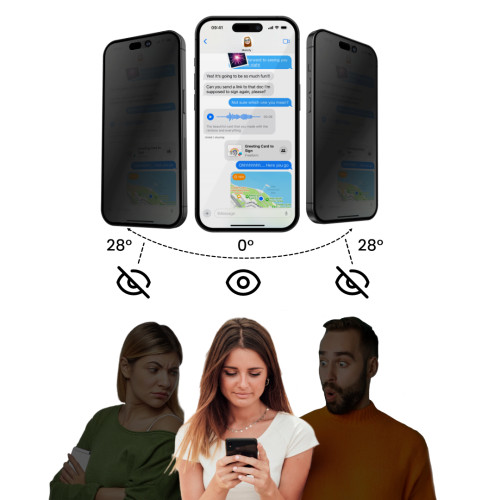
    Privacy glasses have a built-in filtering layer that narrows the viewing angle of the screen. Directly in front, the image is clear, but at an angle, it becomes dark and difficult to read. They work well in places where «peepers» are common: public transport, open spaces, cafes, waiting lines at post offices/banks, business meetings. In exchange for privacy, one must accept a slightly lower brightness and minimally different finger glide compared to top clear glasses — this is a normal compromise of anti-spy technology. In everyday use with Dark Mode and auto-brightness, the difference is usually not bothersome, and you gain peace of mind and real data protection.

    An additional plus: the filter layer often masks small fingerprints and micro-smudges, making the screen look cleaner between wipes. For those who write a lot on their phones (emails, messaging apps) and use mobile banking, this is one of the safest forms of screen protection.

    How to set the screen for optimal privacy?

    • Average brightness — too high may «pierce» the filter at an angle.
    • Vertical orientation — in landscape mode, the angle can be slightly wider; this is normal.
    • Dark mode and transparency reduction — content becomes harder to peek at.
    • Auto-brightness enabled — outdoors, increase brightness only as much as needed.
    • True Tone / Night Shift — may slightly warm the image; privacy works the same.
    • Surface cleanliness — wipe with microfiber; the filter works best on clean glass.

    Recommendations: best privacy glasses for iPhone Air (2025)

    UNIQ Optix Privacy — premium privacy

    Price: 129.00 zł
    Why choose: even, “clean” dimming effect at an angle, very pleasant oleophobicity and high touch comfort. The brand is known for its finishing quality and good fit with cases (case-friendly solutions).
    For whom: daily emails and messaging, data work, travel and meetings — when you care about the highest work culture in the privacy class.
    Small note: like any privacy, it slightly reduces brightness — if you often edit photos/videos, consider clear during work time.

    Spigen Glas.tR EZ Fit Pro Privacy — installation «with a click» (frame)

    Price: 79.00 zł
    Why choose: the box includes mounting frame, so you can install it evenly in about a minute, practically without bubbles. A very good compromise between privacy effect and readability straight on.
    For whom: self-installation without stress, more frequent glass replacements, reasonable price for a renowned brand.
    Minor note: the filter is slightly milder than in the most expensive privacy — for many this is a plus (less dimming during the day).

    Ringke Easy Slide Privacy [2-PACK] — zestaw + ramka

    Cena: 59,00 zł
    Dlaczego wybrać: w zestawie masz dwie sztuki i zestaw do równego montażu. To świetna wartość: sensowna prywatność, łatwe zakładanie i od razu zapas na później.
    Dla kogo: intensywne użytkowanie, gdy liczysz koszty i chcesz mieć drugą sztukę w szufladzie.
    Drobna uwaga: ślizg palca i powłoka oleofobowa są poprawne; w tej cenie trudno wymagać „premium feel”.

    Tech-Protect Glass Spy+ Privacy [2-PACK] — najtaniej

    Cena: 35,00 zł
    Dlaczego wybrać: najniższy koszt wejścia w anti-spy, prosta aplikacja, zgodność case-friendly.
    Dla kogo: podstawowa ochrona prywatności przy minimalnym budżecie lub jako zapas do szybkiej wymiany.
    Drobna uwaga: filtr i ślizg są bardziej podstawowe — w zamian cena jest bezkonkurencyjna.


    Clear glass (Full Cover) for iPhone Air — when to choose?

    Clear / Full Cover glasses provide the most natural image and slip “like on a bare screen”. This is the best choice when the priorities are: maximum clarity, full touch responsiveness, and edge aesthetics. In the full glue version (glue on the entire surface), you minimize the risk of “haze” at the edges and improve adhesion.

    UNIQ Optix Vivid — top clarity (119.00 PLN)

    What distinguishes it: Full Cover with full glue, very high transparency, pleasant oleophobicity; works well with slim cases and medium edges (case-friendly).
    When to choose: daily “daily driver”, users valuing perfect image and smooth scrolling; when you want the effect closest to factory screen glass.
    Tip: before installation, wipe the screen with IPA/microfiber and apply in a low-dust room (bathroom after a shower).

    Spigen Glas.tR EZ Fit Pro Clear — montaż „na prowadnicy” (59,00 zł)

    Co wyróżnia: ramka montażowa prowadzi szkło równo w kilkadziesiąt sekund; solidna powłoka oleofobowa, pełna czułość dotyku.
    Kiedy wybrać: gdy montujesz samodzielnie i chcesz mieć pewność ułożenia za pierwszym razem; świetny stosunek ceny do jakości.

    Tech-Protect Glass Fit+ Clear [2 PACK] — najtaniej (19,00 zł)

    Co wyróżnia: zestaw 2 sztuk na start i „na zapas”; proste, kompatybilne z większością etui (case-friendly).
    Kiedy wybrać: gdy szukasz najniższego kosztu i chcesz mieć drugą szybkę w szufladzie na wypadek pęknięcia.


    Matte glass for iPhone Air — no more reflections

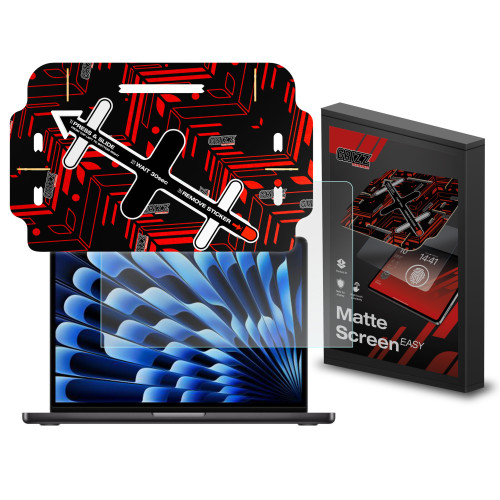
    Matte glasses diffuse reflections, providing a clear image in bright light (office, car, outdoors). Additionally, they reduce fingerprints and ensure a silky smooth glide. In return, one must expect a slight softening of sharpness — this is normal for a frosted surface.

    UNIQ Optix Matte — premium matte (129.00 zł)

    What stands out: clear reduction of reflections, very pleasant “matte” glide, fewer streaks; compatible with cases (case-friendly).
    When to choose: working in bright spaces, navigation in the car, gaming without “glare”, users sensitive to streaks.

    3MK HardGlass Matt Max — matte at a good price (69.90 zł)

    What distinguishes: sensible balance of price and matte action; improved readability in sunlight, solid surface protection.
    When to choose: you want matte effect without paying for a premium shelf; good for everyday tasks and long screen sessions.

    How to choose the right glass for iPhone Air?

    Compatibility factors

    • Case-friendly vs Full Cover: for cases with high edges choose case-friendly 2.5D (ends just before the edge of the screen). For slim cases, best to go with Full Cover (full glue) – looks «factory» and adheres well.
    • Glue: full glue (glue on the entire surface) = better clarity, lower risk of «haze» and edge peeling; frame glue (glue only on the frame) is easier to remove, but can be less stable.
    • Thickness and edges: the standard is 0.3–0.33 mm, edges 2.5D/3D improve finger sliding comfort and compatibility with cases.
    • Cutouts and Face ID: the glass must have precise cutouts at the speaker/sensors – Face ID works normally with a well-fitted model.
    • With accessories: the glass does not affect MagSafe (applies to «backs»), but with magnetic mounts and car vibrations, full glue provides a more secure hold.

    Key features to consider

    • Surface type:
      • Clear / Full Cover – maximum clarity and glide «like on a bare screen».
      • Privacy (anti-spy) – narrows the viewing angle; ideal for open-space/communication, at the cost of slightly lower brightness.
      • Mat – reduces glare and fingerprints; slightly «softens» sharpness (great for office/car).
    • Coatings: good oleophobic = fewer streaks and easier cleaning; when protecting the camera, also look for AR (anti-reflective).
    • Mounting frame: kits with a guide (e.g. EZ Fit/Easy Slide) allow you to install the glass evenly in 1 minute– great for DIY installation.
    • 2-pack kits: cost-effective when the phone is used intensively – you always have spare in the drawer.
    • Declared hardness 9H: marketing standard for tempered glasses – the quality of coatings and adhesive matters more than the number itself.

    Price ranges (approximate)

    • Budget (approx. 19–49 PLN): basic clear or privacy in 2-packs (e.g. Tech-Protect 2-pack, Ugreen privacy 2-pack). Good “to start” and as a spare.
    • Mid-range (approx. 59–79 PLN): clear/privacy with mounting frame (e.g. Spigen EZ Fit Pro) – easy, clean installation and solid coatings.
    • Premium (approx. 99–129 PLN): Full Cover (full glue) with top clarity or privacy/matte with higher work culture (e.g. UNIQ Optix Vivid/Privacy/Matte).

    Frequently Asked Questions (FAQ)

    Does tempered glass «interfere» with the case?

    No, if you choose a case-friendly (ends just before the edge of the screen). For slim cases, a Full Cover (full glue) works well.

    Full glue vs frame glue — what to choose?

    Full glue (adhesive on the entire surface) provides better clarity, adhesion, and less «haze» at the edges. Frame glue is easier to remove, but can be less stable optically.

    Does the glass affect Face ID and sensors?

    Well-fitted glass does not cover the TrueDepth sensors — Face ID works normally.

    Does privacy glass significantly darken the screen?

    Slightly yes — that’s the price of privacy. Best effect: medium brightnessdark mode, looking straight ahead.

    Matte or clear — what to choose?

    Mat reduces glare and fingerprints (comfort in the office/car), but slightly «softens» sharpness. Clear provides an image and glide «like on a bare screen».

    Does tempered glass affect wireless charging/MagSafe?

    No — the glass is on the screen, and MagSafe/wireless charging concerns the «back».

    Can 9H glass get scratched?

    Yes. The 9H scale refers to resistance to pencil scratches. Sand (quartz) or harder contaminants can scratch any glass — keep your phone separate from keys.

    How to remove bubbles or dust from under the glass?

    Gently lift the corner, use a dust absorber sticker, press from the center to the edge. Kits with frames help avoid dust from the start.

    How to safely remove the glass?

    Lift with a plastic card from the corner and slowly raise it, do not use sharp tools. Wipe the screen with IPA and apply a new one.

    How often to replace the glass?

    When it has cracks/chips, is peeling at the edges, or the oleophobic coating is worn out (harder to clean).

  • Best Tempered Glass for iPhone Air — Clear, Privacy, Matte (2025)

    Best Tempered Glass for iPhone Air — Clear, Privacy, Matte (2025)

    If you care about maximum clarity, the best choice is UNIQ Optix Vivid (clear, full glue) — top-notch transparency and touch comfort; if you value hassle-free installation and a good price-to-quality ratio, choose Spigen Glas.tR EZ Fit Pro Clear. For privacy in communication, opt for UNIQ Optix Privacy (premium) or the cheaper set Ringke Easy Slide Privacy [2 PACK] with a mounting frame. When reflections are a problem, go for UNIQ Optix Matte, and in the “value” option, 3MK HardGlass Matt Max. The cheapest and “for spare” — Tech-Protect Glass Fit+ Clear [2 PACK].

    👉Check all tempered glasses for iPhone Air

    Ranking: best tempered glass for iPhone Air (2025)

    PlaceProductTypeBest for whomKey benefitPrice
    1UNIQ Optix VividClear / Full Cover“Daily” and max transparencyFull glue, great glide, case-friendly119.00 zł
    2UNIQ Optix PrivacyPrivacy (anti-spy)Communication, office, transportEven privacy filter, premium feeling129.00 zł
    3Spigen Glas.tR EZ Fit Pro ClearClear (frame)Self-installation without stressGuiding frame, good price/quality ratio59.00 zł
    43MK HardGlass Matt MaxMatteOffice/car, zero reflectionsFewer streaks, better readability in sunlight69.90 zł
    5Ringke Easy Slide Privacy [2 PACK]Privacy (frame, 2-pack)Cheap and simple solution to startTwo pieces + mounting frame59.00 zł

    Privacy glasses (anti-spy) for iPhone Air — when is it worth it?

    Privacy glasses have a built-in filtering layer that narrows the viewing angle of the screen. Directly in front, the image is clear, but at an angle, it becomes dark and difficult to read. They work well in places where «peepers» are common: public transport, open spaces, cafes, waiting lines at post offices/banks, business meetings. In exchange for privacy, you have to accept a slightly lower brightness and a minimally different finger glide than in top clear glasses — this is a normal compromise of anti-spy technology. In everyday use with Dark Mode and auto-brightness, the difference is usually not bothersome, and you gain peace of mind and real data protection.

    An additional plus: the filter layer often masks small fingerprints and micro-smudges, making the screen look cleaner between wipes. For those who write a lot on their phones (emails, messaging apps) and use mobile banking, this is one of the safest forms of screen protection.

    How to set the screen for the best privacy?

    • Average brightness — too high can «pierce» the filter at an angle.
    • Vertical orientation — in landscape mode, the angle can be slightly wider; this is normal.
    • Dark mode and transparency reduction — content becomes harder to peek at.
    • Auto-brightness enabled — outdoors, only increase brightness as much as needed.
    • True Tone / Night Shift — may slightly warm the image; privacy works the same.
    • Surface cleanliness — wipe with microfiber; the filter works best on clean glass.

    Recommendations: best privacy glasses for iPhone Air (2025)

    UNIQ Optix Privacy — premium privacy

    Price: 129.00 PLN
    Why choose: even, “clean” dimming effect at an angle, very pleasant oleophobicity and high touch comfort. The brand is known for its finishing quality and good fit with cases (case-friendly solutions).
    For whom: daily emails and messengers, data work, travel and meetings — when you care about the highest work culture in the privacy class.
    Minor note: like any privacy, it slightly reduces brightness — if you often edit photos/videos, consider clear during work time.

    Spigen Glas.tR EZ Fit Pro Privacy — montaż „na klik” (ramka)

    Cena: 79,00 zł
    Dlaczego wybrać: w pudełku jest ramka montażowa, więc zakładasz równo w ok. minutę, praktycznie bez bąbli. Bardzo dobry kompromis między efektem prywatności a czytelnością na wprost.
    Dla kogo: samodzielny montaż bez stresu, częstsze wymiany szkła, rozsądna cena przy renomowanej marce.
    Drobna uwaga: filtr jest nieco łagodniejszy niż w najdroższych privacy — dla wielu to plus (mniej przyciemnienia w dzień).

    Ringke Easy Slide Privacy [2-PACK] — zestaw + ramka

    Cena: 59,00 zł
    Dlaczego wybrać: w zestawie masz dwie sztuki i zestaw do równego montażu. To świetna wartość: sensowna prywatność, łatwe zakładanie i od razu zapas na później.
    Dla kogo: intensywne użytkowanie, gdy liczysz koszty i chcesz mieć drugą sztukę w szufladzie.
    Drobna uwaga: ślizg palca i powłoka oleofobowa są poprawne; w tej cenie trudno wymagać „premium feel”.

    Tech-Protect Glass Spy+ Privacy [2-PACK] — najtaniej

    Cena: 35,00 zł
    Dlaczego wybrać: najniższy koszt wejścia w anti-spy, prosta aplikacja, zgodność case-friendly.
    Dla kogo: podstawowa ochrona prywatności przy minimalnym budżecie lub jako zapas do szybkiej wymiany.
    Drobna uwaga: filtr i ślizg są bardziej podstawowe — w zamian cena jest bezkonkurencyjna.


    Clear glass (Full Cover) for iPhone Air — when to choose?

    Clear / Full Cover glasses provide the most natural image and slip «like on a bare screen». This is the best choice when the priorities are: maximum clarity, full touch responsiveness, and edge aesthetics. In the full glue version (glue on the entire surface), you minimize the risk of «haze» at the edges and improve adhesion.

    UNIQ Optix Vivid — top clarity (119.00 zł)

    What distinguishes it: Full Cover with full glue, very high transparency, pleasant oleophobicity; works well with slim cases and medium edges (case-friendly).
    When to choose: daily «daily driver», users valuing ideal image and smooth scrolling; when you want the effect closest to factory screen glass.
    Tip: before installation, wipe the screen with IPA/microfiber and apply in a low dust environment (bathroom after shower).

    Spigen Glas.tR EZ Fit Pro Clear — montaż „na prowadnicy” (59,00 zł)

    Co wyróżnia: ramka montażowa prowadzi szkło równo w kilkadziesiąt sekund; solidna powłoka oleofobowa, pełna czułość dotyku.
    Kiedy wybrać: gdy montujesz samodzielnie i chcesz mieć pewność ułożenia za pierwszym razem; świetny stosunek ceny do jakości.

    Tech-Protect Glass Fit+ Clear [2 PACK] — najtaniej (19,00 zł)

    Co wyróżnia: zestaw 2 sztuk na start i „na zapas”; proste, kompatybilne z większością etui (case-friendly).
    Kiedy wybrać: gdy szukasz najniższego kosztu i chcesz mieć drugą szybkę w szufladzie na wypadek pęknięcia.


    Matte glass for iPhone Air — no more reflections

    Matte glasses diffuse reflections, providing a clear image in bright light (office, car, outdoors). Additionally, they reduce fingerprints and ensure a silky glide. In return, one must reckon with a slight softening of sharpness — this is normal for a frosted surface.

    UNIQ Optix Matte — premium matte (129.00 zł)

    What stands out: clear reduction of reflections, very pleasant “matte” glide, fewer streaks; compatible with cases (case-friendly).
    When to choose: work in bright spaces, navigation in the car, gaming without “glare”, users sensitive to streaks.

    3MK HardGlass Matt Max — matte at a good price (69.90 zł)

    What distinguishes: a sensible balance of price and matte action; improved readability in sunlight, solid surface protection.
    When to choose: you want matte effect without paying for a premium shelf; good for everyday tasks and long screen sessions.

    How to choose the right glass for iPhone Air?

    Compatibility factors

    • Case-friendly vs Full Cover: for cases with a high edge, choose case-friendly 2.5D (ends just before the edge of the screen). For slim cases, the best choice is Full Cover (full glue) – looks “factory” and adheres well.
    • Glue: full glue (glue on the entire surface) = better clarity, lower risk of «haze» and edge peeling; frame glue (glue only on the frame) is easier to remove, but can be less stable.
    • Thickness and edges: the standard is 0.3–0.33 mm, edges 2.5D/3D improve finger sliding comfort and compatibility with cases.
    • Cutouts and Face ID: the glass must have precise cutouts at the speaker/sensors – Face ID works normally with a well-fitted model.
    • With accessories: glass does not affect MagSafe (applies to «backs»), but with magnetic mounts and car vibrations, full glue provides a more secure hold.

    Key features to consider

    • Surface type:
      • Clear / Full Cover – maximum clarity and glide «like on a bare screen».
      • Privacy (anti-spy) – narrows the viewing angle; ideal for open-space/communication, at the cost of slightly lower brightness.
      • Mat – reduces glare and fingerprints; slightly «softens» sharpness (great for office/car).
    • Coatings: good oleophobic = fewer streaks and easier cleaning; when protecting the camera, also look for AR (anti-reflective).
    • Mounting frame: kits with a guide (e.g. EZ Fit/Easy Slide) allow you to install the glass evenly in 1 minute– great for DIY installation.
    • 2-pack sets: cost-effective when the phone is used intensively – you always have spare in the drawer.
    • Declared hardness 9H: marketing standard for tempered glasses – the quality of coatings and glue matters more than the number itself.

    Price ranges (approximate)

    • Budget (approx. 19–49 PLN): basic clear or privacy in 2-packs (e.g. Tech-Protect 2-pack, Ugreen privacy 2-pack). Good «to start» and as a spare.
    • Mid-range (approx. 59–79 PLN): clear/privacy with mounting frame (e.g. Spigen EZ Fit Pro) – easy, clean installation and solid coatings.
    • Premium (approx. 99–129 PLN): Full Cover (full glue) with top clarity or privacy/matte with higher work culture (e.g. UNIQ Optix Vivid/Privacy/Matte).

    Frequently Asked Questions (FAQ)

    Does tempered glass «interfere» with the case?

    No, if you choose a case-friendly (it ends just before the edge of the screen). For slim cases, a Full Cover (full glue) works well.

    Full glue vs frame glue — what to choose?

    Full glue (adhesive over the entire surface) provides better clarity, adhesion, and less «haze» at the edges. Frame glue is easier to remove but can be less optically stable.

    Does the glass affect Face ID and sensors?

    Well-fitted glass does not cover the TrueDepth sensors — Face ID works normally.

    Does privacy glass significantly darken the screen?

    Slightly yes — that’s the price of privacy. Best effect: medium brightnessdark mode, looking straight ahead.

    Matte or clear — what to choose?

    Mat reduces glare and fingerprints (comfort in the office/car), but slightly «softens» sharpness. Clear provides an image and glide «like on a bare screen».

    Does tempered glass affect wireless charging/MagSafe?

    No — the glass is on the screen, and MagSafe/wireless charging concerns the «back».

    Can 9H glass get scratched?

    Yes. The 9H scale refers to resistance to pencil scratches. Sand (quartz) or harder contaminants can scratch any glass — keep your phone separate from keys.

    How to remove bubbles or dust from under the glass?

    Gently lift the corner, use a dust absorber sticker, press from the center to the edge. Kits with frames help avoid dust from the start.

    How to safely remove glass?

    Lift with a plastic card from the corner and slowly raise it, do not use sharp tools. Wipe the screen with IPA and apply a new one.

    How often to replace glass?

    When it has cracks/chips, is peeling at the edges, or the oleophobic coating is worn out (harder to clean).

  • Google Pixel 10, 10 Pro and 10 Pro XL – premiere, specifications and prices in Poland [2025]

    Google Pixel 10, 10 Pro and 10 Pro XL – premiere, specifications and prices in Poland [2025]

    The new Google Pixel 10 series debuted on August 20, 2025, during the Made by Google conference. Three models were released in Poland – Pixel 10, Pixel 10 Pro, and Pixel 10 Pro XL. The smartphones bring the biggest performance leap in years thanks to the Tensor G5 processor and advanced AI features, and importantly – they start at lower prices than last year’s Pixel 9. The cheapest Pixel 10 costs from 3949 PLN, while the most powerful Pixel 10 Pro XL in the 1 TB version is priced at 7399 PLN.

    A novelty across the series is support for PixelSnap, which are magnetic accessories fully compatible with Apple’s MagSafe. This means that users of the new Pixel 10 can take advantage of a wide range of mounts, cases, and MagSafe chargers also available in our Home Screen store.


    📊 Google Pixel 10 Model Ranking – Quick Comparison

    ModelDla kogo?EkranPamięć RAMBateriaAparatyCechy szczególne
    Pixel 10Dla osób szukających wydajnego telefonu w rozsądnej cenie6,3″ OLED Actua 120 Hz, 3000 nitów12 GB4970 mAh48 MP + 13 MP + 10,8 MP (tele 5×)Tensor G5, teleobiektyw w bazowym modelu, PixelSnap
    Pixel 10 ProDla fanów fotografii i AI6,3″ Super Actua LTPO OLED 1–120 Hz, 3300 nitów16 GB4870 mAh50 MP + 48 MP + 48 MP (tele 5×, zoom 100×)nagrywanie 8K, czujnik temperatury, roczna subskrypcja Google AI Pro
    Pixel 10 Pro XLDla wymagających i ceniących duży ekran i baterię6,8″ Super Actua OLED, 3300 nitów16 GB5200 mAh50 MP + 48 MP + 48 MP (tele 5×, zoom 100×)ładowanie 45 W + Qi2.2 (25 W), Wi-Fi 7, największy Pixel
    Pixel 10 Pro FoldDla entuzjastów nowych form8″ składany OLED16 GBbrak danychzestaw Proniedostępny w Polsce, cena od 1899 €

    Google Pixel 10 – nowoczesny i przystępny

    Pixel 10 is a model that proves that the basic variant doesn’t have to be a compromise. The most important novelty is the triple camera, including a telephoto lens with 5x optical zoom and even 20× Super Res zoom. Thanks to HDR+ technology, photos are clear and full of details even in low light, and editing shots is easier than ever – corrections can be made with a single click.

    The phone is equipped with a 6.3″ Actua OLED display with a refresh rate of 120 Hz and brightness of up to 3000 nits, ensuring readability even in bright sunlight. The applied Corning Gorilla Glass Victus 2 protects the screen and back from scratches.

    Inside, there is a completely new Tensor G5 processor, optimized for handling Gemini AI. Thanks to it, the phone can, for example, recognize the contents of a photo and suggest recipes from your pantry, help with living room arrangements, or advise on styling. The Gemini Live feature even allows for a live conversation with AI about what you are currently seeing.

    Bateria 4970 mAh wytrzymuje ponad 24 h pracy, a w trybie oszczędzania – nawet do 100 h. Dzięki PixelSnap podłączysz magnetyczne akcesoria i ładowarki bezprzewodowe Qi2 (15 W). Bezpieczeństwo zapewnia układ Titan M2 i 7 lat aktualizacji systemu oraz zabezpieczeń. Pixel 10 potrafi też połączyć się przez satelitę ze służbami ratunkowymi, gdy nie masz zasięgu. Jeśli chcesz telefonu, który jest przystępny cenowo, a jednocześnie kompletny, Pixel 10 będzie świetnym wyborem.

    🔗 Sprawdź etui do Google Pixel 10 i szkło hartowane do Pixel 10.


    Google Pixel 10 Pro – perfekcja zdjęć i AI

    Pixel 10 Pro to smartfon stworzony dla tych, którzy wymagają najlepszych aparatów, najnowszej AI i najwyższej jakości ekranu. Telefon ma 6,3″ wyświetlacz Super Actua LTPO OLED, który osiąga nawet 3300 nitów jasności szczytowej i płynność odświeżania 1–120 Hz. Dzięki temu kolory wyglądają realistycznie, a ekran jest perfekcyjnie czytelny nawet w pełnym słońcu.

    Największą gwiazdą jest zestaw aparatów:

    • 50 MP główny z funkcją Macro Focus,
    • 48 MP ultra-wide,
    • 48 MP telephoto with 5× optical zoom and 100× digital zoom supported by AI.

    You can record 8K video with the best stabilization in Pixel history. Thanks to Gemini AI, group photos automatically select the best shot of each participant. The phone is equipped with 16 GB RAM and up to 1 TB UFS Zoned storage, ensuring smooth performance in every app. You also receive a one-year subscription to Google AI Pro, with additional AI features (e.g., creating short videos with sound based on a description).

    The casing is made of aircraft-grade aluminum and Gorilla Glass Victus 2, ensuring high durability. The entire device meets the IP68 standard. The 4870 mAh battery lasts for over a day of use, and wired charging (30 W) replenishes energy to 55% in 30 minutes. It also supports PixelSnap and Qi2 (15 W). This is the best choice for those who want a professional camera in their pocket and AI for everyday tasks.

    🔗 See the case for Google Pixel 10 Pro and tempered glass for Pixel 10 Pro.


    Google Pixel 10 Pro XL – the largest and most advanced

    Pixel 10 Pro XL is the flagship for the most demanding users. It combines a huge 6.8″ Super Actua OLED display, the best cameras, and the largest battery in the entire series. The display offers brightness up to 3300 nits and adaptive refresh rates of 1–120 Hz, making it perfect for both work and gaming or multimedia.

    The smartphone has the same camera setup as the Pixel 10 Pro, but thanks to a larger battery and more efficient cooling, it performs even better during longer photography and video sessions. Recording in 8K is smoother, and the 100× AI zoom allows you to capture details that were previously out of reach. The 5200 mAh battery supports 45 W fast charging (70% in 30 minutes) and Qi2.2 wireless charging up to 25 W. With PixelSnap, you can take advantage of a wide range of magnetic accessories, including MagSafe mounts and chargers.

    W środku znajdziesz 16 GB RAM, procesor Tensor G5 i nawet 1 TB pamięci, co czyni go najlepszym wyborem dla power-userów. Oczywiście nie zabrakło 7-letniego wsparcia aktualizacjami oraz normy IP68. Jeśli chcesz najmocniejszego, największego i najbardziej przyszłościowego smartfona Google, Pixel 10 Pro XL jest dla Ciebie.

    🔗 Sprawdź akcesoria do Google Pixel 10 Pro XL.


    📖 Google Pixel 10 Pro Fold – składany gigant

    Pixel 10 Pro Fold to najbardziej innowacyjny model w serii, ale dostępny tylko na wybranych rynkach Europy Zachodniej (od 1899 €). To składany smartfon z 8″ elastycznym ekranem OLED, 16 GB RAM i certyfikatem IP68. Dzięki wsparciu Tensor G5 i Gemini AI, Fold zmienia się w prawdziwe narzędzie produktywności – możesz pracować w kilku aplikacjach naraz, rozmawiać na żywo z Gemini Live i korzystać z funkcji znanych z serii Pro w jeszcze wygodniejszej formie tabletu.

    👉 W Polsce dostępne są tylko modele Pixel 10, Pixel 10 Pro i Pixel 10 Pro XL, ale Fold pokazuje kierunek, w jakim zmierza Google.


    Najważniejsze nowości w serii Pixel 10 

    1. Nowy procesor Tensor G5 – 34% szybsze CPU i 60% wydajniejsze AI niż w Tensorze G4.
    2. Więcej aparatów – nawet podstawowy Pixel 10 ma teraz teleobiektyw 5×, a Pro i Pro XL zapewniają do 100× zoomu wspieranego AI.
    3. Jaśniejsze ekrany – Actua OLED (do 3000 nitów) i Super Actua OLED (do 3300 nitów).
    4. PixelSnap – magnetyczny system akcesoriów, zgodny z MagSafe.
    5. Szybsze ładowanie – Pro XL obsługuje 45 W przewodowo i 25 W bezprzewodowo Qi2.2.
    6. Nowe funkcje AI Gemini – m.in. rozmowa na żywo z AI o tym, co widzisz, automatyczne pomysły na przepisy, aranżacje wnętrz czy stylizacje.
    7. 7 lat wsparcia aktualizacjami – najdłużej na rynku Androida.
    8. Nowy design i materiały – aluminium lotnicze z recyklingu i Gorilla Glass Victus 2.

    Ceny Google Pixel 10 w Polsce (2025)

    🔹 Pixel 10 – the most affordable

    • 12/128 GB → 3949 zł
    • 12/256 GB → 4399 zł

    🔹 Pixel 10 Pro – a balance between AI and camera

    • 16/128 GB → 4849 zł
    • 16/256 GB → 5249 zł
    • 16/512 GB → 5849 zł
    • 16 GB/1 TB → 6999 zł

    🔹 Pixel 10 Pro XL – a flagship for the demanding

    • 16/256 GB → 5699 zł
    • 16/512 GB → 6299 zł
    • 16 GB/1 TB → 7399 zł

    ✨ Interestingly – in almost every variant Pixel 10 starts at 100 zł cheaper than the corresponding models from the Pixel 9 series, and the top Pixel 10 Pro XL 1 TB is even 200 zł cheaper than its predecessor.


    Frequently Asked Questions (FAQ)

    🌟 When did Google Pixel 10 go on sale in Poland?
    The official premiere took place on August 20, 2025, and sales in the Google Store and with retail partners started on August 28, 2025.

    🌟 Does Google Pixel 10 work with MagSafe?
    Yes – all models in the Pixel 10 series support the PixelSnap system, which is fully compatible with MagSafe accessories. You can use MagSafe chargers, mounts, or magnetic wallets.

    🌟 How many years of updates does Pixel 10 receive?
    Google guarantees 7 years of system and security updates, which is the longest among Android phones.

    🌟 Does Pixel 10 have better cameras than its predecessors?
    Yes – even the base model received a 5× telephoto lens, while the Pro and Pro XL variants offer zoom up to 100× and video recording in 8K.

    🌟 Does Pixel 10 support Qi2 wireless charging?

    Yes – Pixel 10 and Pixel 10 Pro support Qi2 (15 W), and Pixel 10 Pro XL additionally supports Qi2.2 (25 W) for faster charging.

    🌟 What is PixelSnap?

    It is a new system of magnetic accessories from Google, very similar to Apple MagSafe. Thanks to the built-in magnets in the Pixel 10, you can easily attach cases, mounts, rings, or chargers.

    🌟 Is there an AI subscription included??
    Yes – Pixel 10 Pro and Pixel 10 Pro XL come with a one-year subscription to Google AI Pro, which unlocks additional artificial intelligence features.

    🌟 Where to buy accessories for Pixel 10?

    You can find accessories both in the Google Store and at retail partners. In Poland, you can also purchase them in our Home Screen store. We have dedicated cases for Pixel 10Pixel 10 Pro/Pixel 10 Pro XL, screen protector for Pixel 10,  MagSafe chargers and other practical accessories that will make using your phone even more convenient.

  • What is the best charger for iPhone 17?

    What is the best charger for iPhone 17?

    The best charger for iPhone 17 is a fast USB-C PD charger with a power of at least 30–40 W, which allows you to charge the phone to 50% in about 20 minutes. In everyday use, MagSafe/Qi2 (up to 25 W) wireless chargers and MagSafe power banks will also work great.

    iPhone 17 = USB-C + Power Delivery.
    The phone supports the USB Power Delivery (PD) standard, which means fast and safe wired charging. In practice:

    • Optimum: a power supply 30–40 W (USB-PD) + USB-C ↔ USB-C cable; this is the fastest and most stable set for daily charging.
    • Stronger power supplies (e.g., 67 W / 96 W from MacBook) are completely safe – the iPhone itself «negotiates» the power drawn, so it won’t overheat and it won’t shorten the battery life.
    • Minimum from Apple: 20 W – it works, but if you care about time, it’s worth reaching for 30–40 W (especially in Pro models).

    New communication chip N1 – better “chemistry” with accessories.
    The iPhone 17 introduces the chip N1 (Wi-Fi 7, Bluetooth 6, Thread), which improves the stability and reliability of wireless functions (e.g., AirDrop, Hotspot), but also communication with wireless chargers. The result: faster connection setup, more stable power holding, and fewer interruptions when placing/picking up the phone.

    TOP 5 chargers for iPhone 17 ranking – comparison table

    ModelMoc maks.PortyTechnologiaStandardyCenaKrótko o modelu
    Mophie GaN Charger Dual 67W 2×USB-C (biała)67 W2× USB-CGaNUSB-PD329,00 złPremium; jedna ładowarka do iPhone’a + MacBooka/iPada, kompaktowa i wydajna.
    UGREEN CD224 65W 3×USB-C + 1×USB-A (czarna)65 W3× USB-C, 1× USB-AGaNUSB-PD (PPS), QC200,00 złUniwersalna „stacja” do wielu urządzeń – szybkie ładowanie i multitasking.
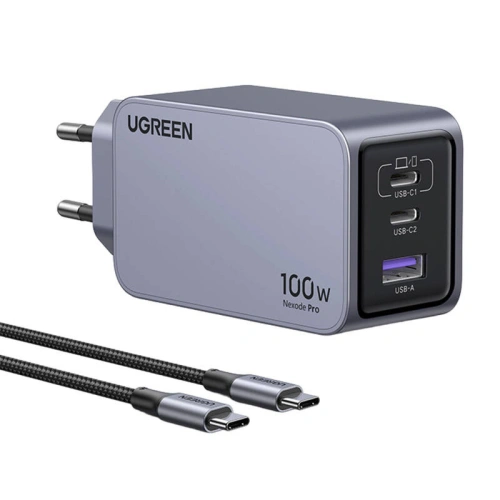
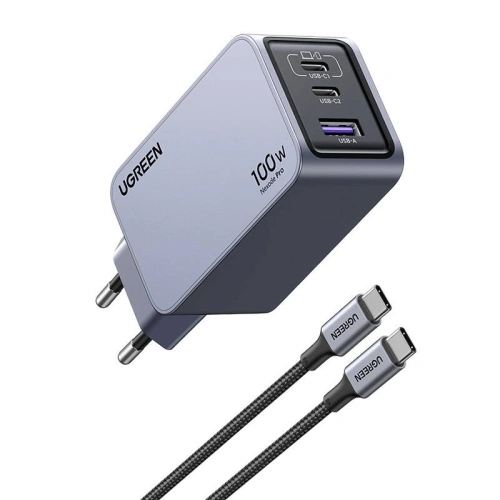
    UGREEN Nexode Pro 45W 2×USB-C (szara)45 W2× USB-CGaNUSB-PD (PPS)99,90 złMała i podróżna; szybkie ładowanie iPhone’a 17 + drugie urządzenie równocześnie.
    4smarts PDPlug Dual 45W 2×USB-C (biała)45 W2× USB-CGaNUSB-PD79,00 złPraktyczna na co dzień – iPhone + iPad/AirPods naraz, rozsądna cena.
    Joyroom JR-TCL05 45W GaN 2x USB-C/organizer/kabel USB-C45 W1× USB-CGaNUSB-PD 3.0, PPS, QC4.0+99,00 złKompaktowa 45 W; 2×USB-C; organizer + kabel w zestawie.

    Jaka najlepsza szybka ładowarka do iPhone 17 ?

    Ładowarka sieciowa Ugreen Nexode GaN 65W (3×USB-C + 1×USB-A)

    Ugreen Nexode GaN 65W is a true charging powerhouse for the entire Apple ecosystem. With a power of 65 W and support for USB Power Delivery 3.0, it can easily charge the iPhone 17 in fast charging mode, and it works just as well with the iPad or even the MacBook.

    The biggest advantage of this charger is as many as four ports – 3×USB-C and 1×USB-A – allowing multiple devices to be charged simultaneously without loss of power. GaN technology makes the charger smaller, more efficient, and less heat-generating than traditional adapters.

    ➡️ This is the best choice for those who want to have one charger for the iPhone 17, AirPods, Apple Watch, and laptop.

    Joyroom JR-TCL05 45W GaN Wall Charger (2×USB-C) with Cable Organizer + USB-C↔USB-C Cable Included

    Joyroom JR-TCL05 is a compact 45 W charger designed for fast and convenient charging of the iPhone 17. Two USB-C ports allow you to power both a smartphone and a second device simultaneously, and modern GaN technology ensures high efficiency with small dimensions and lower operating temperature. The manufacturer includes a USB-C↔USB-C cable in the set, so you immediately have a complete set for fast charging without the need to purchase a cable separately.

    A practical addition is the integrated cable organizer, which helps keep your desk and bag tidy. The JR-TCL05 is perfect as a «daily driver» for the iPhone 17 – it is lightweight, travel-friendly, and offers full charging speed in USB Power Delivery standard.

    ➡️ If you are looking for a 45-watt charger with two USB-C ports that comes with a decent cable and doesn’t take up much space, this Joyroom model is a very reasonable and modern choice.

    4smarts PDPlug Dual 45W GaN Charger (2×USB-C)

    4smarts PDPlug Dual 45W Charger is a practical solution for users with more than one Apple device. Two USB-C ports allow for simultaneous charging of the iPhone 17 and, for example, an iPad or AirPods.

    With 45 W of power, it guarantees fast charging in accordance with the Power Delivery standard, and GaN technology ensures smaller size and better energy efficiency. This makes the adapter compact and easy to carry.

    ➡️ This is the best choice if you often charge multiple devices at once and care about a compact, reliable charger.

    Ładowarka sieciowa Mophie GaN Dual 67W (2×USB-C)

    Mophie GaN Dual 67W to ładowarka klasy premium, która wyróżnia się eleganckim designem i dużą mocą. Dzięki 67 W bez problemu obsłuży nie tylko iPhone’a 17, ale także MacBooka Pro czy inne wymagające urządzenia.

    Dwa porty USB-C pozwalają wygodnie naładować jednocześnie smartfon i laptopa, co czyni ten model doskonałym rozwiązaniem do domu i podróży. Wysoka jakość wykonania i zastosowanie technologii GaN przekładają się na większą sprawność i mniejsze nagrzewanie.

    ➡️ To ładowarka dla najbardziej wymagających – jeśli chcesz mieć jedno urządzenie do wszystkiego, Mophie GaN Dual 67W jest najlepszym wyborem.

    Ładowarka sieciowa Ugreen Nexode Pro 45W (2×USB-C)

    Ugreen Nexode Pro 45W is a compact and modern charger with two USB-C ports. The power of 45 W fully utilizes fast charging for the iPhone 17, and the additional port allows you to connect a second device without losing functionality.

    Thanks to GaN technology, it is lightweight, energy-efficient, and convenient for transport. It’s a great choice for people who travel often and need an efficient charger for their smartphone, tablet, or headphones.

    ➡️ If you care about compact size and solid performance, the Ugreen Nexode Pro 45W is the ideal solution.

    ⚡Check all fast chargers for iPhone 17

    👉 It’s best to opt for:

    • 30–40 W USB-C PD – the fastest and safest charging for iPhone 17,
    • GaN chargers 65–67 W – if you want one charger also for iPad or MacBook,
    • compact 45 W with two ports – perfect for travel and everyday use.

    iPhone 17 – which wireless charger will be the best?

    Wireless charging on iPhone 17 has never been so fast and convenient. All models – from the basic to Pro Max – support both MagSafe and the new Qi2.2 standard. This allows you to choose between original Apple accessories and modern chargers from third-party companies that offer the same power and often additional features.

    • MagSafe – up to 25 W (20 W in iPhone 17 Air); full compatibility with the Apple ecosystem, magnetic alignment, stable phone mounting.
    • Qi2.2 – up to 25 W; open standard based on MagSafe, supported by an increasing number of manufacturers, allows for fast charging and wider compatibility with cases and accessories.

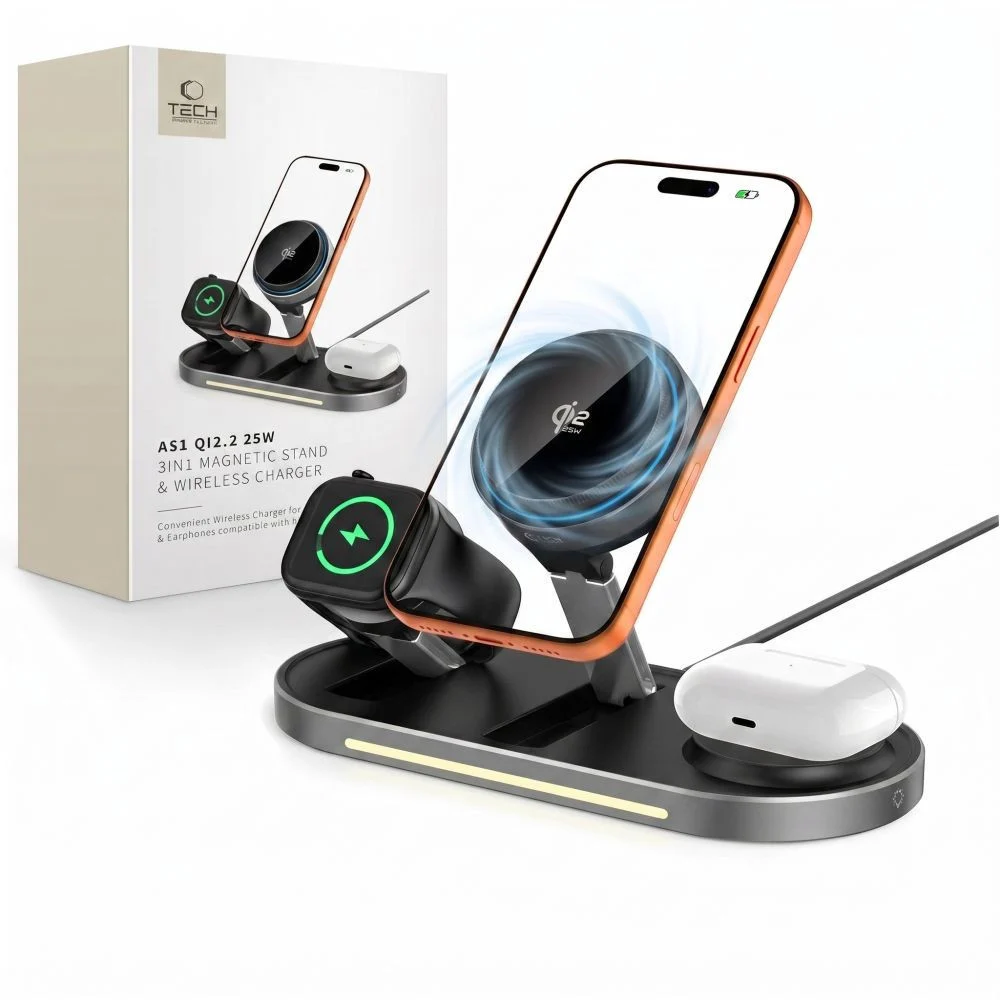
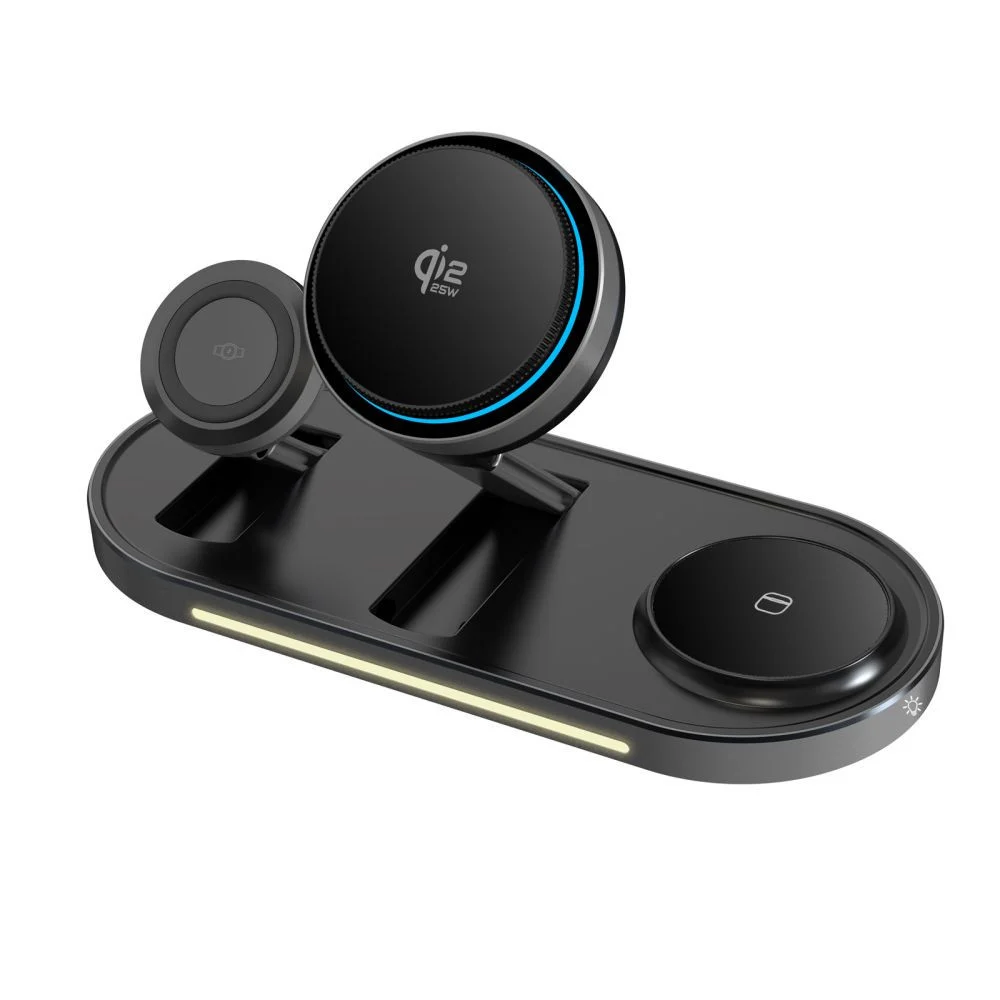
    The best wireless chargers for iPhone 17 are those that offer stable charging at 25 W, along with user convenience: magnetic attachment, stand function, and the ability to charge multiple devices simultaneously (e.g., iPhone + AirPods + Apple Watch).

    The best inductive chargers for iPhone 17 — TOP 5

    ModelTypeMax powerPriceAbout the model
    Zens Office Charger Pro 3 (Qi2 25 W)3-in-1 (iPhone + Watch + AirPods)25 W (Qi2)499 złPremium office station; full 25 W for iPhone 17, very stable.
    Baseus MagPro 3-in-1 25 W3-in-125 W249 złGreat price/features ratio; fast 25 W and ergonomics.
    Baseus BS-W531 2-in-1 MagSafe/Qi2-in-1 (iPhone + AirPods)20 W209 złSlim 2-in-1 with magnet, good «everyday» base.
    Crong Powerspot Pivot Stand 3-in-1 + 35 W power supply3-in-1 (with stand)up to 15–20 W199 zł«Ready-to-use» – comes with a 2×USB-C 35 W power supply; super value.
    UGREEN W528 2-in-1 20 W2-in-1 (iPhone + AirPods)20 W159 złCompact for desk/nightstand; fast wireless up to 20 W.

    Baseus MagPro 3-w-1 25 W

    Zens Office Charger Pro 3 is a top-class 3-in-1 charging station that supports the new Qi2 standard with a power of up to 25 W for the iPhone 17. This allows you to enjoy full wireless charging speeds that match wired charging. The station is designed to simultaneously power the iPhone, Apple Watch, and AirPods, and its design makes it look great on your desk.

    It’s the perfect choice for those who value order and want a single, reliable device to charge their entire Apple ecosystem. Zens is a premium brand, so you can count on high build quality and stable performance.

    Baseus MagPro 3-w-1 25 W

    Baseus MagPro 3-w-1 offers fast charging up to 25 W in the MagSafe/Qi2 standard, making it a great compromise between performance and price. You can simultaneously charge your iPhone 17, Apple Watch, and AirPods, while the magnetic mount ensures a stable connection with your phone.

    This solution works well both at home and in the office – functional and reasonably priced. If you are looking for a station that can handle all Apple devices and doesn’t cost as much as premium models, this Baseus is the best choice.

    Crong Powerspot Pivot Stand 3-w-1 + power supply 35 W

    Crong Powerspot Pivot Stand is a practical 3-in-1 station that stands out because you also receive a 35 W wall charger with two USB-C ports in the set. This way, you don’t have to worry about an additional power supply – you have a ready-made set straight out of the box. The station itself allows you to charge your iPhone, Apple Watch, and AirPods simultaneously, offering power of about 15–20 W.

    It’s the perfect solution if you’re looking for a complete set at a reasonable price and care about an elegant stand for your desk or nightstand.

    UGREEN W528 2-in-1 20 W

    UGREEN W528 is a compact 2-in-1 charger that combines simplicity and functionality. It supports charging up to 20 W, which is noticeably faster than traditional 15 W chargers, and additionally allows you to power both the iPhone 17 and AirPods at the same time. Its minimalist design and small size make it perfect for a desk or travel.

    It is a choice for those who want a practical charger for everyday use – fast, reliable, and space-saving.

    ⚡Check all induction chargers for iPhone 17 in the Home Screen store.


    FAQ – frequently asked questions about iPhone 17 chargers

    Does the iPhone 17 come with a charger in the box?

    No, just like in previous generations, the iPhone 17 is sold without a charger in the box. You only receive a USB-C ↔ USB-C cable. Therefore, it’s worth choosing the appropriate wall adapter or wireless charger right away.

    What charger power is best for the iPhone 17?

    The minimum recommended power is 20 W (according to Apple’s recommendation). However, to fully utilize fast charging capabilities, it’s best to choose a 30–40 W USB-C PD charger. The iPhone 17 negotiates power draw itself, so you can also use stronger power adapters (e.g., 67 W or 96 W from a MacBook) – this is completely safe.

    Is the 67 W or 96 W MacBook charger suitable for the iPhone 17?

    Yes, the iPhone 17, thanks to USB-PD, draws only as much power as it needs (about 30–40 W). A stronger adapter will not harm the battery or cause overheating.

    How long does fast charging take for the iPhone 17?

    Using a 30–40 W USB-C PD charger, you can charge the battery to about 50% in 20 minutes. Full charging takes about 1 hour and 15–30 minutes, depending on the model.

    Does the iPhone 17 support fast wireless charging?

    Yes. All iPhone 17 models support charging MagSafe and Qi2 up to 25 W (iPhone 17 Air – up to 20 W). This is significantly faster than the iPhone 16, where the limit was 15 W.

    Is it worth buying a 3-in-1 charger for the iPhone 17?

    If you use an Apple Watch and AirPods simultaneously, a 3-in-1 station is a very convenient solution – you have one device to charge the entire ecosystem. If you only care about the iPhone, a smaller 2-in-1 charger or a single Qi2/MagSafe pad will be more practical.

    Are cheaper induction chargers safe?

    Yes, provided they comply with the Qi2 or MagSafe standard and have protections (against overvoltage, overheating). It is advisable to choose products from reputable brands (UGREEN, Baseus, Spigen, Crong) that offer certification and stable parameters.

  • AirPods Pro 3 Case – Which One to Choose in 2025?

    AirPods Pro 3 Case – Which One to Choose in 2025?

    Are you looking for the perfect case for AirPods Pro 3? You’ve come to the right place. Whether you prefer lightweight silicone, transparent material, or rugged protection, the selection in 2025 is vast.

    The most popular models combine functionality, style, and full compatibility with MagSafe, ensuring that the headphones are safe and always ready to charge.

    🔗 Check out all cases for AirPods Pro 3 and choose the best fit for yourself.

    🔰 Ranking of cases for AirPods Pro 3 – best models 2025

    KategoriaGłówny wybórNajwiększa zaletaAlternatywyCena orientacyjna
    Pancerne i odporne na upadkiSpigen Rugged ArmorNiezrównana ochrona klasy premium, certyfikat MIL-STD, matowe wykończenieTech-Protect Carbonox MagSafe85 zł / 39 zł
    Silikonowe i lekkieBizon Case Headphone SiliconeMiękkie, matowe wykończenie i praktyczny karabińczykTech-Protect Silicone Hook 25 zł / 19 zł
    Przezroczyste i półprzezroczysteBizon Case Headphone ClearElastyczne TPU, odporne na żółknięcie, zachowuje oryginalny wygląd słuchawekTech-Protect FlexAir Clear29 zł / 29 zł
    Magnetyczne z MagSafeRingke Onyx Magnetic MagSafeWbudowany MagSafe i smycz – wygodne noszenie i szybkie ładowanie ESR Orbit HaloLock MagSafe59 zł / 55 zł
    Funkcjonalne z uchwytem lub smycząTech-Protect Slim Hook Zintegrowany karabińczyk i smukła, lekka formaESR Orbit HaloLock (ze smyczą), Bizon Headphone Clear39 zł

    Pancerne i odporne na upadki etui do AirPods Pro 3

    For those who need maximum protection against falls and scratches, the best choice will be rugged case for AirPods Pro 3. Made from hard, shock-resistant materials, it effectively absorbs impacts and protects the headphones in any conditions – at work, during travel, or while training.

    Spigen Rugged Armor – a classic rugged case

    Spigen Rugged Armor is a case designed for intense, everyday use. Flexible TPU with characteristic “carbon” inserts effectively absorbs impacts, while the refined mold securely envelops the AirPods Pro 3 case, protecting it from scratches and accidental openings. The matte finish looks professional and maintains its freshness even after many months of use.

    ✅ Protection: reinforced edges + flexible TPU effectively absorbs impacts
    ✅ Standard: design inspired by MIL-STD, high resistance to falls
    ✅ Closure: secure closure – reduced risk of accidental opening
    ✅ Finish: matte + carbon accents, does not collect fingerprints
    ✅ Ergonomics: does not excessively bulk up, easy to put on and take off
    ✅ Estimated price: 85 PLN

    Tech-Protect Carbonox MagSafe – modern protection with magnet

    Tech-Protect Carbon MagSafe combines a solid, «technical» design with the convenience of wireless charging. Thicker walls and carbon fiber texture withstand daily «rough use,» and the built-in MagSafe ring allows you to attach the case to a charger or mount without removing the cover. It’s a practical choice for active users — at the gym, for fieldwork, and everyday use.

    ✅ MagSafe: built-in ring – charging and mounting without removal
    ✅ Construction: reinforced edges, «carbon fiber» look – better impact resistance
    ✅ Grip: textured surface reduces slipping
    ✅ Application: training, fieldwork, everyday EDC
    ✅ For whom: functionality and durability at a reasonable price
    ✅ Estimated price: 39 PLN


    Silicone and lightweight case for AirPods Pro 3

    Silicone case for AirPods Pro 3 is the most popular type of protection – lightweight, soft to the touch, and available in many colors. Perfect for everyday use, it protects against scratches and dust, and thanks to its flexibility, it absorbs minor impacts well. An additional advantage is the carabiners that make it easier to carry the headphones with a bag or backpack.

    Bizon Case Headphone Silicone — color, softness, and comfort

    Bizon Case Headphone Silicone is a classic of the genre. The soft, pleasant-to-touch material perfectly fits the shape of the AirPods Pro 3 case, does not stick out, and does not move during everyday use. The matte texture gives an elegant appearance and prevents fingerprints from accumulating. The set includes a sturdy carabiner that allows you to attach the headphones to a bag, keys, or a belt loop. Available in many colors – from pastel to intense.

    ✅ Soft, flexible silicone – comfort and lightness
    ✅ Matte finish – pleasant to the touch, non-slip
    ✅ Carabiner – easy carrying and protection against loss
    ✅ Easy cleaning – just a damp cloth
    ✅ For whom: users who value lightness and colorful design
    ✅ Approximate price: 25 zł

    Tech-Protect Silicone Hook — simplicity and functionality

    Tech-Protect Silicone Hook is a minimalist case for those who value simplicity and convenience. The smooth silicone provides good protection against scratches, and the soft structure ensures that the case does not slip from your hand. The included metal hook allows you to easily attach the AirPods to your backpack or bag, keeping them always within reach. It’s the perfect choice for those looking for an affordable, practical solution for everyday use.

    ✅ Lightweight design and compact shape
    ✅ Soft silicone – pleasant to the touch and easy to clean
    ✅ Hook – safe carrying on the outside of a bag or belt
    ✅ Style: delicate, pastel colors (Dusty Pink, Mint, Navy)
    ✅ For whom: people looking for practical and inexpensive case
    ✅ Approximate price: 19 zł


    Transparent and semi-transparent case for AirPods Pro 3

    If you want to maintain the original look of the Apple case, choose transparent case for AirPods Pro 3. Modern TPU is flexible, scratch-resistant, and does not yellow as quickly as older materials. Semi-transparent versions add a subtle color while still showcasing the distinctive design of Apple headphones.

    Bizon Case Headphone Clear — minimalist protection with a color accent

    Bizon Case Headphone Clear combines crystal clarity with practical portability. The gently tinted “transparent-green” version adds subtle character, and the flexible TPU effectively absorbs minor impacts. The carabiner clip makes it easy to attach the headphones to a backpack or lanyard.
    ✅ Material: flexible TPU, resistant to micro-scratches
    ✅ Appearance: transparent + light color, showcases the Apple logo
    ✅ Usage: easy to put on, does not loosen on the case
    ✅ Mobility: sturdy carabiner included
    ✅ For whom: minimalism with a touch of color for everyday use
    ✅ Approximate price: 29 zł

    Tech-Protect FlexAir Clear — „invisible” case that protects

    Tech-Protect FlexAir Clear is a fully transparent case for AirPods Pro 3 that “disappears” on the case while protecting against scratches and scuffs in a bag or backpack. The flexible design improves grip and makes it easier to put on without the risk of cracks.
    ✅ Material: crystal clear TPU
    ✅ Protection: scratch resistance and minor drops
    ✅ Ergonomics: better grip, thin walls
    ✅ Aesthetics: no unnecessary additions, clean Apple look
    ✅ For whom: maximum simplicity and lightness
    ✅ Approximate price: 29 zł


    Magnetic case with MagSafe for AirPods Pro 3

    If you use a magnetic charger or MagSafe mount, opt for MagSafe case for AirPods Pro 3. Such models have a built-in magnetic ring that ensures stable charging and convenient attachment without removing the case. This is a combination of practicality, style, and full compatibility with the Apple ecosystem.

    ESR Orbit HaloLock MagSafe — elegance and functionality for everyday use

    ESR Orbit HaloLock MagSafe is one of the most refined cases with magnetic attachment. The manufacturer has used a combination of hard polycarbonate and flexible TPU, providing optimal protection against scratches and minor impacts. The integrated MagSafe ring works perfectly with Apple chargers, and the set includes a practical lanyard, allowing you to attach the headphones to a bag, keys, or belt. The slightly matte surface and pastel colors (Lavender, Titanium) make the model look light and modern – perfectly fitting the design of the AirPods.

    ✅ MagSafe: stable charging and attachment without removing the case
    ✅ Accessories: includes a lanyard – convenient carrying
    ✅ Protection: PC + TPU, resistant to daily abrasions
    ✅ Design: minimalist, elegant, in Apple style
    ✅ For whom: daily use and convenience in every situation
    ✅ Estimated price: 55 zł

    Ringke Onyx Magnetic MagSafe — stylish accent and solid construction

    Ringke Onyx Magnetic MagSafe stands out with its unique color Constant Coral and characteristic matte texture. The case features reinforced corners that absorb impacts, and thanks to the delicate rubberized surface, it fits securely in hand. The built-in MagSafe ring allows the use of magnetic chargers, mounts, or stands, and with its premium fit, it looks incredibly elegant. This is the perfect option for users who want to combine protection, design, and modern solutions.

    ✅ MagSafe: full compatibility with chargers and magnetic mounts
    ✅ Surface: matte, non-slip TPU – great grip
    ✅ Protection: reinforced corners, durable construction
    ✅ Style: unique Constant Coral color – trendy, energetic accent
    ✅ For whom: those who appreciate a stylish look and the convenience of MagSafe
    ✅ Approximate price: 59 zł

    How to choose the best case for AirPods Pro 3?

    Material

    The most versatile remain TPU and silicone. TPU (often “clear” or semi-clear) is flexible, holds its shape well, and withstands abrasion better — great when you want to maintain the look of Apple. Silicone provides a soft, “meaty” grip and better cushioning for minor impacts; it can also feel more pleasant in the hand during winter. If maximum durability is a priority, choose a rugged case (thicker walls, reinforced corners, harder blends). For magnetic charging, look for the note MagSafe/Qi2 and an integrated ring.

    Fit

    A good case for AirPods Pro 3 must be molded for this model: no looseness, with a lid that closes evenly and without “springing.” Check that the status LED hole and charging port are cut precisely, and that the hinge is not overly covered — this is a common flaw in cheap cases. If you often take the case out of your pocket/backpack, consider models with additional flap security (snap, stiffer top part), which reduce the risk of accidental opening.

    MagSafe and charging

    If you are using a magnetic charger, choose a case with a built-in MagSafe ring. Look for information on holding strength (stability on stands) and wall thickness — too thick or “soft” silicone cases can weaken the magnetism. Well-designed models allow charging without removal, and at the same time do not shift on the pad. If you are using MagSafe car mounts, the priority is secure centering and non-slip texture.

    Additional features and ergonomics

    Lanyard/carabiner is real convenience: you can attach AirPods to your bag, belt, or backpack and reduce the risk of losing them. Ring/360° grip facilitates removal and improves grip, but adds a few grams and millimeters. Pay attention to surface texture (matte vs. glossy): matte better masks scratches and fingerprints, glossy looks “clean,” but scratches more quickly. In rugged models, check if the case catches on pockets and if it is easy to remove (when cleaning).

    Style and finishes

    Trendy 2025: pastelowe kolory, półprzezroczyste „frosted” oraz pojedyncze, wyraziste akcenty (np. Constant Coral). Przezroczyste TPU eksponuje logo Apple i kolor oryginalnego futerału; pół-clear dodaje subtelnego tonu bez utraty „looku” Apple. Silikon w macie jest „cieplejszy” i mniej śliski, a pancerne wykończenia (carbon, szczotkowane wzory) nadają technicznego charakteru. Jeśli chcesz spójności, zgraj odcień z paskiem zegarka, etui telefonu lub plecakiem.

    Cena, jakość i gwarancja

    Sensowne etui kupisz już za 20–30 zł (basic silikon/TPU). W okolicach 40–60 zł dostajesz lepsze spasowanie, dodatki (smycz, karabińczyk) i często MagSafe. Półka 70–90 zł to marki premium (lepsza precyzja odlewu, trwalsze mieszanki, milszy w dotyku mat). 

    FAQ – najczęściej zadawane pytania o AirPods Pro 3

    ⭐ Czy etui do AirPods Pro 2 pasuje do AirPods Pro 3?
    Nie w każdym przypadku. Obie generacje mają podobny rozmiar, ale różnią się układem diody LED i portu ładowania. Aby uniknąć luzów lub niedopasowania, wybieraj modele oznaczone wyraźnie jako etui do AirPods Pro 3.

    ⭐ Czy warto kupić etui z MagSafe do AirPods Pro 3?
    Tak, jeśli korzystasz z ładowarek lub uchwytów magnetycznych. Etui z MagSafe ma wbudowany pierścień magnetyczny, który stabilizuje ładowanie i umożliwia przypięcie futerału do uchwytów samochodowych lub biurkowych bez kabli.

    ⭐ What case best protects AirPods Pro 3 from drops?
    The best protection is provided by rugged cases, such as Spigen Rugged Armor or Tech-Protect Carbonox MagSafe. They have thicker walls, reinforced corners, and harder material blends that effectively absorb impacts.

    ⭐ Which case for AirPods Pro 3 to choose for everyday use?
    For daily use, silicone or transparent cases work great – lightweight, comfortable, and well-fitted. They take up little space in your pocket and provide basic protection against scratches.

    ⭐ How to care for the case to keep it looking new?
    Clean silicone cases with a soft microfiber cloth and mild detergent. Transparent TPU is best washed with water and a bit of soap, avoiding alcohol which can accelerate yellowing. Occasionally, remove the case and wipe the hinge and edges.

    ⭐ Do all cases for AirPods Pro 3 support wireless charging?
    Not all of them. Cases made of very thick silicone or rugged ones with a carbon layer may limit inductive charging. For certainty, choose models described as compatible with MagSafe / Qi2.

  • Discover the best cases for Samsung Galaxy S25 FE

    Discover the best cases for Samsung Galaxy S25 FE

    If you are looking for the perfect case for the Samsung Galaxy S25 FE, choose a model that matches your style. The best protection is provided by Spigen Core Armor Mag. If you want to maintain the phone’s design – choose Spigen Ultra Hybrid Mag or Ringke Fusion Magnetic. Color and originality lovers will appreciate  Samsung Silicone Case, while style fans will like – Guess 4G Classic Logo MagSafe.

    TOP 5 categories of cases for Samsung Galaxy S25 FE

    CategoryMain choice (premium / higher price)Biggest advantageAlternatives
    Rugged and drop-resistantSpigen Core Armor Mag (109 zł)Rugged protection + MagSafe; MIL-STD-810G certificationSpigen Rugged Armor (59 zł), Ringke Onyx Magnetic (69 zł), Bizon Case Tur (35 zł)
    Transparent and hybrid (MagSafe)Spigen Ultra Hybrid Mag Clear/White (105 zł)Transparent design with MagSafe magnetic ringRingke Fusion Magnetic (65 zł), Tech-Protect FlexAir Hybrid MagSafe (35 zł), Tech-Protect MagFlex (29 zł)
    Silicone and lightweightSamsung Silicone Case (original, 169 zł)Soft silicone, microfiber inside, perfect fitBizon Soft Case (45 zł), 3MK Matt Case (44,90 zł), Tech-Protect MagMat MagSafe (39 zł)
    Elegant and feminineGuess 4G Ring Classic Logo MagSafe (149 zł)Premium style with Guess logo and MagSafe ringGuess Big 4G Black (149 zł), Tech-Protect Icon Marble (29 zł), Bizon Angelo semi-transparent (29 zł)
    Semi-transparent and colorfulTech-Protect MagFlex MagSafe Navy Blue (29 zł)Colorful design + semi-transparent effect with MagSafeBizon Angelo (29 zł), Tech-Protect MagMat MagSafe (39 zł)

    Rugged and resistant cases for Samsung Galaxy S25 FE

    🔹 Spigen Core Armor Mag – pancerna ochrona z MagSafe

    Jeśli priorytetem jest bezpieczeństwo, Spigen Core Armor Mag to etui, które zapewnia ochronę klasy militarnej. Producent potwierdza odporność na upadki zgodnie ze standardem MIL-STD-810G, co oznacza, że Galaxy S25 FE przetrwa nawet z wysokości dwóch metrów.
    Miękkie TPU z systemem Air Cushion skutecznie amortyzuje uderzenia, a zintegrowany pierścień MagSafeumożliwia wygodne korzystanie z magnetycznych uchwytów i ładowarek.
    Matowe wykończenie wygląda elegancko, a przy tym zapobiega wyślizgiwaniu się telefonu z dłoni. To etui dla osób, które nie idą na kompromisy i oczekują maksymalnego bezpieczeństwa w codziennym użytkowaniu.

    🔹 Spigen Rugged Armor – klasyk w przystępnej cenie

    Jeśli chcesz solidnej ochrony bez nadmiernego pogrubienia telefonu, Spigen Rugged Armor to klasyk, który od lat cieszy się uznaniem użytkowników.
    Wykonany z elastycznego TPU, z karbonową teksturą i wzmocnionymi narożnikami, doskonale radzi sobie z przypadkowymi upadkami. W przeciwieństwie do masywniejszych modeli zachowuje smukły profil i lekkość.

    🔹 Bizon Case Tur – pancerny w budżetowej cenie

    On the other hand, Bizon Case Tur is a great choice for those looking for a sturdy case for work or outdoor activities.
    The dual layer (TPU + hard polycarbonate) absorbs shocks, and the raised edges protect the screen and camera. For just under 40 PLN, it offers really good protection for everyday use.

    👉 Best for: people who want absolute peace of mind about their phone’s safety, regardless of the conditions.
    🔗 See more: rugged cases for Samsung Galaxy S25 FE


    Transparent and hybrid MagSafe cases for Samsung Galaxy S25 FE

    🔹 Spigen Ultra Hybrid Mag Clear/White – maximum clarity

    Don’t want to cover the elegant case of the Galaxy S25 FE? Choose Spigen Ultra Hybrid Mag.
    This case is made of a combination of rigid polycarbonate and flexible TPU edges, providing the perfect balance between protection and aesthetics.
    The built-in MagSafe ring allows the use of magnetic accessories and wireless charging, and the transparent back does not yellow even after months of use.

    🔹 Ringke Fusion Magnetic – transparent alternative

    Model Ringke Fusion Magnetic is an excellent alternative to Spigen – it protects just as well but costs less.
    The magnetic ring allows you to connect a car mount, and the additional scratch-resistant coating ensures durability for years.

    🔹 Tech-Protect FlexAir Hybrid MagSafe – lightweight and affordable option

    If you care about a transparent, lightweight case at a lower price, Tech-Protect FlexAir Hybrid MagSafe is a sure bet.
    The flexible design absorbs minor drops, and the minimalist look allows you to maintain the phone’s original character.

    👉 Najlepsze dla: miłośników prostoty, nowoczesnego designu i magnetycznych akcesoriów.
    🔗 Zobacz więcej: przeźroczyste etui do Samsung Galaxy S25 FE


    Silikonowe etui do Samsung Galaxy S25 FE

    🔹 Samsung Silicone Case – oryginalna jakość i kolory

    Original Samsung case for Galaxy S25 Fe  is synonymous with fit and comfort.
    The soft, velvety surface feels pleasant in the hand, while the inner microfiber layer protects the back of the phone from scratches. Available in pastel colors (black, white, mint, blue), the case perfectly complements the modern design of the Galaxy S25 FE.
    Although it is one of the more expensive options, its quality and durability fully justify the price.

    🔹 Bizon Soft Case – pleasant and cheaper

    This is a great alternative to the original Samsung case.
    Bizon Soft Case is made of flexible silicone, which absorbs shocks well and provides a secure grip. Available in many colors, it fits both the office and everyday activities.

    🔹 3MK Matt Case – anti-slip and stylish

    3MK Matt Case is a case for lovers of matte aesthetics.
    Its surface does not collect fingerprints and provides a sense of security when holding the phone with one hand.

    👉 Best for: people who value simplicity, softness, and comfort of use.
    🔗 See more: silicone case for Samsung Galaxy S25 FE


    Elegant case for Samsung Galaxy S25 FE (for women and business)

    🔹 Guess 4G Ring Classic Logo MagSafe – luxurious choice in premium style

    For those who treat their smartphone as part of their image, Guess 4G Ring Classic Logo MagSafe is a combination of elegance and functionality.
    The case features a leather finish with an embossed 4G pattern, gold details, and a magnetic ring MagSafe, which allows for wireless charging and the use of magnetic mounts.

    🔹 Tech-Protect Icon Marble – artistic elegance in an accessible form

    For fans of modern patterns, a great choice will be Tech-Protect Icon Marble.
    The case inspired by the marble motif combines elegance with lightness — subtle lines and delicate reflections add style, while the thin, flexible construction does not bulk up the phone.
    This model will work well both in the office and in everyday use – it is the perfect compromise between protection, design, and price.

    👉 Najlepsze dla: Kobiet ceniących styl, eleganckie dodatki i perfekcyjne dopasowanie do nowoczesnego telefonu.
    🔗 Zobacz więcej: kobiece etui do Samsung Galaxy S25 FE


    Półprzezroczyste i kolorowe etui do Samsung Galaxy S25 FE

    🔹 Tech-Protect MagFlex MagSafe Navy Blue – półtransparentny efekt

    Tech-Protect MagFlex to idealne połączenie lekkości, koloru i nowoczesnego stylu.
    Półprzezroczysta konstrukcja delikatnie przyciemnia obudowę telefonu, nadając jej subtelny efekt cienia. Wbudowany pierścień MagSafe umożliwia korzystanie z ładowarek magnetycznych bez konieczności zdejmowania etui.

    🔹 Bizon Angelo Case – kolorowa ramka i lekki design

    Bizon Angelo is a great choice for those looking for a cheap yet aesthetic case.
    The semi-transparent back and colorful frame create an interesting contrast that catches the eye. Perfect for everyday use – lightweight, thin, and at the same time well-protecting against scratches.

    🔹 Tech-Protect MagMat MagSafe – matowe i pewne w dłoni

    Tech-Protect MagMat for fans of simplicity and matte aesthetics. The MagMat surface is resistant to fingerprints, and MagSafe allows the use of magnetic mounts in the car or wireless chargers.

    👉 Best for: people who want to combine a modern look with MagSafe functionality.
    🔗 See more: colorful cases for Samsung Galaxy S25 FE


    How to choose the right case for Samsung Galaxy S25 FE

    The choice of the perfect case for the Galaxy S25 FE depends on how you use your phone and what you expect the most — maximum protection, lightness, style, or magnetic functionality.
    Before deciding on a specific model, it’s worth paying attention to a few key factors that affect both the comfort of use and the durability of the accessory.

    🔹 Compatibility Factors

    • Dedicated model: Make sure the case is designed specifically for Samsung Galaxy S25 FE (2025)– this smartphone differs in dimensions and camera layout from previous generations (e.g. S24 FE or S25).
    • MagSafe / Qi2: If you use wireless chargers, choose a case marked as MagSafe or Qi2 Compatible. Magnets are built into the back and do not negatively affect charging.
    • Additional camera protection: It’s good if the case has a raised edge around the lenses — this protects them from cracks and scratches when placing the phone down.
    • Protective film or glass: Check if the case does not interfere with tempered glass. Many models (e.g. Spigen Ultra Hybrid) are fully case friendly, meaning compatible with protective screens.

    🔹 Key Features to Consider

    • Ochrona narożników: The most common place for damage. Look for cases with cushioning technology (e.g., Air Cushion in Spigen models).
    • Materiał wykonania:
      • TPU – flexible, cushioning, great for everyday use.
      • Poliwęglan (PC) – rigid, scratch-resistant, often found in hybrid cases.
      • Silikon – pleasant to the touch, fits well, ideal for the office and daily use.
    • Podwyższone ranty: Protect the screen and camera when placing the phone on hard surfaces.
    • MagSafe: Increasingly popular also in cases for Samsung — allows for fast, magnetic charging and accessory mounting (holders, power banks, rings).
    • Styl i kolorystyka: Not only protection — cases are also a way to personalize. For women, Guess models or marble Tech-Protect cases work great, while for men – matte and rugged Spigens.

    🔹 Price Ranges

    Price segmentPrice range (PLN)CharacteristicsExample models
    Budget29–49 złBasic protection, simple TPU materials, no MagSafeBizon Case Tur, Tech-Protect MagMat, 3MK Matt Case
    Mid-range59–109 złHybrid constructions, solid cushioning, MagSafeSpigen Rugged Armor, Ringke Fusion Magnetic, Tech-Protect FlexAir
    Premium129–169 złLuxury finishes, original products, MagSafeSamsung Silicone Case, Guess 4G Ring Classic, Spigen Core Armor Mag

    Regardless of whether you are looking for a rugged casesiliconetransparent with MagSafe, or an elegant Guess model, you will find all the best options in the offer of Home Screen.

    To ensure full protection of your smartphone, it’s worth complementing the set with tempered glass for Samsung Galaxy S25 FE – high-quality glass effectively protects the screen from cracks while not affecting touch sensitivity or the quality of the displayed image.


    Frequently Asked Questions about Samsung Galaxy S25 FE Cases

    ⭐ Which case best protects the Samsung Galaxy S25 FE?

    The best protection is provided by armored models – e.g. Spigen Core Armor Mag or Bizon Case Tur. They have reinforced corners, raised edges, and absorb impacts according to the MIL-STD-810G standard.

    ⚡ Does the Galaxy S25 FE case work with wireless chargers?

    Yes, most cases, including armored and silicone ones, are compatible with Qi2 inductive charging.
    Models marked with MagSafe (e.g. Spigen Ultra Hybrid Mag, Guess 4G Ring) additionally facilitate magnetic attachment to chargers and mounts.

    📱 Does the MagSafe case work on Samsung phones?

    Yes – from the Galaxy S24 and S25 series, many cases have integrated MagSafe magnetic rings.
    Some Apple accessories also work with Samsungs if the case has the correct magnet layout (e.g. power banks, car mounts).

    💎 Which case for Galaxy S25 FE does not bulk up the phone?

    The thinnest are silicone cases (e.g. Samsung Silicone Case or Bizon Soft Case) and transparent hybrid cases (e.g. Ringke Fusion Magnetic).
    They are lightweight, fit well, and do not increase the thickness of the phone, maintaining its original appearance.

    🧼 How to clean a case for Samsung Galaxy S25 FE?

    Just wipe it with a soft microfiber cloth and a gentle detergent.
    For silicone and transparent models, it is advisable to avoid alcohol — it can dull the surface or accelerate yellowing.

    🌈 What colors of cases are the most popular for Galaxy S25 FE

    The most commonly chosen are black, transparent, mint, and navy blue.
    Also increasingly popular are semi-transparent cases with colorful frames, which add an original character to the smartphone.

    💰 How much does a good case for Samsung Galaxy S25 FE cost?

    Prices range from 29 PLN to 169 PLN.
    In the premium segment, the dominant brands are Spigen and Guess, while in the cheaper segment – Bizon and Tech-Protect.

  • Apple Watch Ultra 2 vs Watch Ultra 3 – comparison, differences, and cost-effectiveness

    Apple Watch Ultra 2 vs Watch Ultra 3 – comparison, differences, and cost-effectiveness

    Apple Watch Ultra 3 is an evolution, not a revolution compared to Ultra 2 – both watches look almost identical, but Ultra 3 has a larger display, longer battery life, satellite connectivity, and a 5G RedCap modem. For most users, Ultra 2 will still be a great choice, but if you are just buying a premium smartwatch or need maximum independence in the field – Ultra 3 is the best choice for 2025.

    Comparison table: Apple Watch Ultra 2 vs Ultra 3

    CechaApple Watch Ultra 2 (2023)Apple Watch Ultra 3 (2025)
    Start price (PL)currently approx. 3399 zł3799 zł (launch price)
    Case materialGrade 5 titanium (natural or black)Grade 5 titanium (natural or black)
    Dimensions49 × 44 × 14.4 mm49 × 44 × 12 mm
    Weight (without strap)61.4–61.8 g61.6–61.8 g
    Display1.92″ LTPO OLED (410 × 502 px, 326 ppi) – 3000 nit1.99″ LTPO3 OLED (422 × 514 px, 326 ppi) – 3000 nit
    Processor (SiP)Apple S9 + Neural EngineApple S10 + Neural Engine
    Internal memory64 GB64 GB
    Cellular connectivity4G/LTE (eSIM)5G RedCap + 4G/LTE (eSIM)
    Satellite connectivity❌ None✅ Emergency SOS via Satellite
    Local connectivityWi-Fi 4 (2.4/5 GHz), Bluetooth 5.3, UWB 2nd gen., GPS L1+L5Same
    Battery – typical usageUp to 36 hUp to 42 h
    Battery – Low Power ModeUp to 72 hUp to 72 h
    ResistanceWR100, IP6X, MIL-STD-810HWR100, IP6X, MIL-STD-810H
    Health sensorsHeart rate, ECG, SpO₂, temp., accelerometer, gyroscopeThe same + hypertension notification, Sleep Score
    Sports featuresMulti-sport, Backtrack, compass, GPS L1+L5The same + Workout Buddy (AI trainer)
    Operating systemwatchOS 10 → update to watchOS 26watchOS 26 (factory)
    Update supportuntil 2028until 2030

    What does the Apple Watch Ultra 3 look like and how does it differ from the Ultra 2?

    Does the Apple Watch Ultra 3 have a new design?

    On the outside, Apple Watch Ultra 3 looks almost identical to Ultra 2, but the devil is in the details. Apple has retained the distinctive aircraft-grade titanium case (Grade 5) with a size of 49 mm, however, the new model has thinner screen bezels by 24%. This allows the Ultra 3 to offer a larger working area (1.99″ vs 1.92″) without increasing the overall dimensions.

    Interestingly, the case of the Ultra 3 is also thinner (12 mm instead of 14.4 mm), which makes the watch sit better on the wrist.
    The weight remains almost identical – around 61–62 g without the strap, so in everyday use, there is no noticeable difference in weight.

    What materials are used in the Apple Watch Ultra 3?

    Both watches – Ultra 2 and Ultra 3 – utilize the same exceptionally durable titanium and sapphire glassthat is scratch-resistant.
    The construction meets IP6X, WR100 (up to 100 m immersion) and MIL-STD-810H, which is a military standard for resistance to shocks, dust, moisture, and extreme temperatures.

    In practice, this means that both Ultra 2 and Ultra 3 are ready for mountain trekking, swimming, and even diving up to 40 m – ideal for outdoor athletes.

    What colors are available for the Apple Watch Ultra 3?

    Apple continues with two color variants:

    • Natural titanium (silver)
    • Black titanium

    These are minimalist, elegant shades that pair well with any strap – from silicone sports to leather and fabric.
    👉 See straps for Apple Watch Ultra 3 at the Home Screen store


    Display, performance, and battery – what has been improved in the Apple Watch Ultra 3?

    Is the display in Ultra 3 better?

    Yes. The Ultra 3 has a newer LTPO OLED 3rd generation panel, which provides better viewing angles, deeper blacks, and greater energy efficiency.
    Although the brightness remains the same (3000 nits), in practice, the Ultra 3 is more readable in sunlight and has a smoother always-on mode with a refresh rate of 1 Hz – for the first time on the Apple Watch, you can constantly see the second hand.

    The resolution has increased from 410×502 px to 422×514 px, which is not revolutionary but improves the sharpness of dials and the readability of maps in training mode.

    Does the new S10 processor make a difference?

    The Apple Watch Ultra 3 is powered by S10 SiP chip, which replaced S9 from Ultra 2.
    The differences in speed are minimal, but S10 is more energy-efficient, which combined with the new display gives a real +6 hours of battery.
    The new chip also enables wrist flick gesture (waving the wrist for control) and better processing of AI features with watchOS 26.

    How long does the Apple Watch Ultra 3 last on battery?

    Apple declares:

    • Ultra 2: up to 36 h of normal use
    • Ultra 3: up to 42 h (normally) or 72 h in power-saving mode

    Tests confirm that Ultra 3 actually lasts even 2–3 days with typical use (with Always-On Display).
    Fast USB-C charging in 15 minutes adds about 12 h of usage.

    👉 Check fast chargers for Apple Watch Ultra 3


    Connectivity and new features

    5G, satellite, and greater independence

    Apple Watch Ultra 3 is the first Apple smartwatch with support for 5G RedCap networks and satellite SOS connectivity.
    Thanks to this, the watch can connect to the network even in places where there is no GSM coverage.
    The Emergency SOS via Satellite feature allows you to send an emergency message and GPS coordinates to emergency services or emergency contacts — it works similarly to iPhone 14 and 15.
    This solution is mainly aimed at people engaged in trekking, sailing, or off-road activities, where lack of coverage is a real problem.

    The new modem 5G RedCap improves coverage and energy efficiency, not offering the full 5G speed known from smartphones, but sufficient for maps, notifications, or Siri.
    In Poland, the 5G Standalone feature is already being implemented by operators, so Ultra 3 will be fully compatible in the coming months.

    Additional connectivity enhancements

    • improved antenna layout (better coverage in difficult terrain),
    • UWB 2nd gen. – precise device locating in the “Find” app,
    • dual GPS L1+L5 – accurate route tracking even in mountains and cities,
    • Bluetooth 5.3 and Wi-Fi 4 (2.4 / 5 GHz) with lower power consumption.

    These enhancements make Ultra 3 the most “independent” Apple smartwatch so far – it operates independently from the iPhone, even in the field.

    Health and sports features

    Both generations of the Apple Watch Ultra offer a wide range of health sensors, however, the Ultra 3 expands their capabilities programmatically.
    The watch monitors heart rate (optical 3rd gen), ECG, blood oxygen (SpO₂), body temperature, and detects falls and accidents (Crash Detection).

    The new features in Ultra 3 are:

    • notifications for hypertension,
    • Sleep Score – daily sleep quality rating,
    • Workout Buddy – an AI smart coach from Apple Intelligence, analyzing progress and motivating during workouts.

    In terms of sports, both models offer:

    • measurement of running power, stride length, and ground contact,
    • precise GPS L1+L5 and barometric altimeter,
    • Multi-sport mode (triathlon, cycling, swimming, climbing),
    • 86 dB emergency siren and Backtrack mode (return navigation).

    The watches are waterproof up to 100 m, resistant to seawater and dust, and thanks to the EN13319 certification, they can serve as a dive computer.


    Software and support

    How long will Apple update these watches?

    Apple is known for its long support of its devices, and the Ultra series is no exception.
    Apple Watch Ultra 2 debuted with watchOS 10, and after updates, it now runs on watchOS 26, while Ultra 3 comes factory-installed with this version.

    How long will support last?

    • Ultra 2 – security and system updates expected until around 2028,
    • Ultra 3 – full support until 2030.

    This means that by purchasing Ultra 3, you gain two more years of updates, and consequently – a longer device lifespan and access to new Apple Intelligence (AI) features that may require a newer chip S10.

    Compatibility and ecosystem

    Both models work with iPhone 11 or newer (running iOS 26).
    Thanks to integration with the Apple ecosystem, users can take advantage of:

    • Apple Fitness+ (workouts with trainers),
    • Apple Pay (contactless payments),
    • Apple Music and Podcasts,
    • health data synchronization in iCloud.

    Ultra 3 and Ultra 2 also have full accessory compatibility – 49 mm bands and chargers are interchangeable between generations.


    Is it worth buying Apple Watch Ultra 3 instead of Ultra 2?

    For most users, the differences between Ultra 2 and Ultra 3 are not revolutionary, but real.
    The new model is more efficient, lasts longer on battery, supports 5G and satellite communication, and has longer support.

    When is it better to choose Ultra 3?

    • if you do not yet have a watch from the Ultra series,
    • if you often stay out of network coverage (mountains, sailing, travel),
    • you want the most future-proof model with 5G and SOS via Satellite,
    • you care about an AI trainer and longer battery life.

    When is it better to buy Ultra 2?

    • when you have a limited budget – the price difference is often 400–600 PLN,
    • if you mainly use the watch in the city and do not need satellite connectivity,
    • if you already have Ultra 2 – switching does not make much economic sense.

    In terms of cost-effectiveness, a simple rule can be applied:

    🔹 New users → choose Ultra 3
    🔹 Ultra 2 owners → stick with the current model


    📊 Summary: Apple Watch Ultra 3 vs Ultra 2

    AspektLepszy wybórKomentarz
    Design i jakość wykonaniaRemisOba modele z tytanu, ta sama solidność
    EkranUltra 3Cieńsze ramki, nowszy panel LTPO3
    BateriaUltra 3+6 h przy typowym użytkowaniu
    ŁącznośćUltra 35G RedCap + SOS via Satellite
    Funkcje zdrowotneUltra 3Nowe algorytmy: nadciśnienie, Sleep Score
    Funkcje sportoweRemisWorkout Buddy (AI) tylko w Ultra 3
    CenaUltra 2Zazwyczaj tańszy o 400–600 zł
    Wsparcie systemoweUltra 3Do 2030 r. (vs 2028 r.)

    💬 Opinie użytkowników i recenzje

    Recenzenci (The Verge, Tom’s Guide, MacRumors) zgodnie podkreślają, że Ultra 3 to świetny smartwatch, ale bardziej dopracowanie niż rewolucja.
    Nowe funkcje są wartościowe głównie dla osób, które potrzebują ich w praktyce (outdoor, bezpieczeństwo, sport).

    „Ultra 3 jest dla tych, którzy jeszcze nie mają Ultra — dla posiadaczy Ultra 2 to raczej luksus, nie konieczność.” — The Verge

    Users praise primarily the longer battery life, larger screen, and the sturdiness of the construction.
    The most common conclusion: if this is your first Ultra – go for the «three»; if you have the «two» – wait for Ultra 4.


    FAQ – frequently asked questions about Apple Watch Ultra 3 and Ultra 2

    ⭐️ Is it worth buying Apple Watch Ultra 3 in 2025?
    Yes, if you are just buying your first Apple Watch Ultra. The Ultra 3 model has a larger screen, longer battery life, satellite connectivity, and 5G support, making it the most future-proof choice. For Ultra 2 owners, the change is not necessary, as the differences are not revolutionary.

    ⭐️ What is the difference between Apple Watch Ultra 3 and Ultra 2?
    The Ultra 3 has a larger screen (1.99″ vs 1.92″), thinner bezels, a newer S10 processor, RedCap 5G connectivity, SOS via Satellite feature, and longer system support until 2030. The other elements – such as health sensors or durability – are practically identical.

    ⭐️ How long does the battery last in Apple Watch Ultra 3?
    The watch lasts up to 42 hours with normal use and up to 72 hours in power-saving mode. Thanks to fast charging, just 15 minutes is enough to gain about 12 hours of use.

    ⭐️ Does the Apple Watch Ultra 3 work in Poland with 5G network?
    Yes, it uses the 5G RedCap mode, which operates in Standalone (SA) 5G networks. Polish operators – including Plus, Orange, and T-Mobile – are gradually implementing this solution, so compatibility will expand.

    ⭐️ Does the Apple Watch Ultra 3 support SOS via satellite in Poland?
    Yes, Apple has announced the availability of the Emergency SOS via Satellite feature for users in Poland and the entire EU. The service is free for the first 2 years after activating the watch.

    ⭐️ Do the bands and cases from Apple Watch Ultra 2 fit Ultra 3?
    Yes. All accessories for the 49 mm case are fully compatible. Therefore, you can use your existing bands, cases, and chargers with the new model.

    ⭐️ Does the Apple Watch Ultra 3 have new health features?
    Ultra 3 introduces hypertension notifications and the Sleep Score feature – a sleep quality assessment. Both models measure heart rate, ECG, SpO₂, and detect falls or accidents (Crash Detection).

    ⭐️ Is the Apple Watch Ultra 3 suitable for diving?
    Yes. The watch is water-resistant up to 100 meters and meets the EN13319 standard, allowing it to be used as a dive computer up to a depth of 40 m. It also works in salt water and extreme temperatures.

    ⭐️ What are the prices of Apple Watch Ultra 3 and Ultra 2 in Poland?
    Ultra 3 costs around 3799 zł (premiere), while Ultra 2 is available from around 3399 zł. The difference of about 400–600 zł depends on the store and promotions. If Ultra 2 is significantly cheaper, it will still be a very good choice.

    ⭐️ Does Apple Watch Ultra 3 work without an iPhone?
    Yes. Thanks to the eSIM module and cellular connectivity (LTE/5G), Ultra 3 can operate independently – receiving calls, messages, and GPS data without a phone nearby.

    ⭐️ Does Ultra 3 support Apple Pay and Siri in Polish?
    Yes, the watch fully supports Apple Pay and Siri in Polish, both online and offline (thanks to on-device processing).

    ⭐️ Does Apple Watch Ultra 3 have a better screen than Ultra 2?
    Yes. Although the brightness remains at 3000 nits, Ultra 3 has a newer LTPO OLED 3rd generation display, with thinner bezels and better viewing angles.

  • iPad Pro M5 vs M4 – which one is worth buying in 2025?

    iPad Pro M5 vs M4 – which one is worth buying in 2025?

    The latest iPad Pro with the M5 chip is an evolutionary upgrade from the M4 predecessor. It offers higher performance (especially in graphics and AI), faster connectivity (Wi‑Fi 7, Bluetooth 6, faster 5G), and support for fast charging. The iPad Pro M5 will be the best choice for professionals and the most demanding users, while the iPad Pro M4 will still perform excellently for those with slightly lower requirements – and at a lower price. 

    📊iPad Pro M5 vs iPad Pro M4 – Comparison Table

    CechaiPad Pro M4 11″iPad Pro M4 12.9″iPad Pro M5 11″iPad Pro M5 13″
    Wyświetlacz11″ OLED Ultra Retina XDR, 120 Hz, HDR12.9″ OLED Ultra Retina XDR11″ OLED Ultra Retina XDR13″ OLED Ultra Retina XDR
    ProcesorApple M4Apple M4Apple M5Apple M5
    RAM8–16 GB8–16 GB12–16 GB12–16 GB
    Pamięć256 GB – 2 TB SSD256 GB – 2 TB SSD256 GB – 2 TB (szybszy SSD)256 GB – 2 TB (szybszy SSD)
    Aparaty12 + 10 Mpix + LiDAR12 + 10 Mpix + LiDARbez zmianbez zmian
    ŁącznośćWi-Fi 6E, BT 5.3Wi-Fi 6E, BT 5.3Wi-Fi 7, BT 6, 5G C1XWi-Fi 7, BT 6, 5G C1X
    Ładowanieok. 20–30 Wok. 20–30 WFast Charge (50% w 30 min)Fast Charge (50% w 30 min)
    SystemiPadOS 17iPadOS 17iPadOS 26iPadOS 26
    Cena startowaod 999 USDod 1299 USDod 999 USDod 1299 USD

    At first glance: iPad Pro M5 and M4 are very similar in terms of base specifications – both come in the same sizes and have fantastic OLED displays, identical cameras, and enclosures. The biggest differences lie in performance and internal components: the M5 chip delivers higher performance than the M4, M5 models have more RAM in cheaper configurations, as well as newer connectivity modules (Wi‑Fi 7, 5G C1X modem) and fast charging capability.


    Screen and design – does the iPad Pro M5 have a better display than M4?

    The same Ultra Retina XDR OLED screen

    Both the iPad Pro M4 and M5 have the identical top-of-the-line Ultra Retina XDR OLED screen with ProMotion 120 Hz technology and full HDR support (1600 nit peak). It is the same tandem OLED panel that Apple introduced in 2024 and still has no competition in the tablet world.

    The image quality is phenomenal: perfect blacks, high contrast, and a wide P3 color gamut. Both models provide smooth scrolling and responsiveness that no other tablet offers. In practice, you won’t notice a difference between the M4 and M5 screens – Apple didn’t need to change it, as it had already reached a «reference» level.

    Design – cienki, lekki i solidny

    Obie generacje iPadów Pro mają taką samą konstrukcję z aluminium lotniczego, z płaskimi krawędziami i bardzo małymi ramkami.
    Wymiary i waga pozostały identyczne:

    • iPad Pro 11″ – 5,3 mm grubości, ok. 470 g
    • iPad Pro 13″ – 5,1 mm grubości, ok. 570 g

    To wciąż najcieńsze tablety na rynku. Nowością w iPadzie Pro M5 jest kolor Space Black (czarny), który zastąpił dotychczasową gwiezdną szarość. Dla wielu użytkowników to drobna, ale pożądana zmiana estetyczna.

    💡 Check also cases for iPad Pro 13″ or cases for iPad Pro 11″, to properly protect this ultra-thin design from scratches.

    Front camera – now in a better place

    The most practical change concerns the position of the front camera. In the iPad Pro M5, it has been moved to the longer edge, so during horizontal conversations you look directly into the lens.
    In the M4, the camera was on the shorter side, so in horizontal orientation it gave the impression of a “side glance.” If you often hold online meetings or video lessons – this improvement really makes a difference.


    Performance and computing power – Apple M5 vs M4

    How big is the performance difference between M4 and M5?

    The Apple M5 chip is an improved version of the M4 chip, made in the same 3 nm process, but with a new core architecture.

    • CPU: up to 15% faster, with better power management,
    • GPU: up to 40% more powerful, with support for 3rd generation ray tracing,
    • Neural Engine: even 4× faster in AI tasks.

    In everyday use (notes, browsing the web, movies) the differences are minimal. But if you work with RAW files, design in Procreate, edit 4K videos in LumaFusion, or use AI applications – M5 will provide a real increase in work comfort.

    More RAM in cheaper models

    This is a significant change.

    • iPad Pro M4 (256/512 GB) → 8 GB RAM
    • iPad Pro M5 (256/512 GB) → 12 GB RAM

    For demanding applications, this is a big difference – M5 handles multitasking better and keeps more projects open without refreshing. The 1 TB and 2 TB versions in both models have 16 GB RAM.

    Faster disk and memory

    M5 korzysta z nowszych modułów SSD NVMe, oferujących nawet 2× szybszy odczyt i zapis danych. Zwiększono też przepustowość pamięci do 153 GB/s (z 120 GB/s w M4).
    Efekt: krótsze czasy ładowania aplikacji, szybsze przenoszenie dużych plików i płynniejsze działanie w profesjonalnych aplikacjach.


    Bateria i ładowanie – czy iPad Pro M5 działa dłużej?

    Czas pracy

    Apple deklaruje taki sam czas działania: do 10 godzin Wi-Fi lub 9 godzin w sieci 5G.
    W praktyce iPad Pro M5 ma nieco lepszą efektywność energetyczną – dzięki nowszemu procesorowi i modemowi zużywa mniej energii pod dużym obciążeniem (np. podczas streamingu 4K czy pracy na 5G).

    Szybkie ładowanie – wreszcie!

    The biggest novelty is fast charge.
    The iPad Pro M5 can be charged up to 50% in about 30 minutes using a 40W or stronger power adapter (e.g., a MacBook charger).
    The M4 model did not support fast charging and needed over an hour for a similar result.
    This is a huge advantage if you use the iPad outdoors or want to quickly recharge it between meetings.

    🔋 See also tempered glass for iPad Pro 13″ and glass for iPad Pro 11″, if you want to protect the screen from damage during everyday use or charging in a bag.


    Cameras and multimedia – does M5 take better photos?

    Rear setup unchanged

    Both models have the same layout:

    • main camera 12 Mpix (f/1.8),
    • ultra-wide 10 Mpix (123°),
    • LiDAR scanner for AR and autofocus.

    The quality of photos and 4K video remains the same. Apple did not change the sensors or optics. These are solid cameras for scans and recordings, but they still do not match the Pro iPhones.

    Front camera – practical change

    The 12 Mpix module with Center Stage remains the same, but its position (on the longer side in M5) significantly improves the comfort of video conferencing.

    Sound and multimedia

    The system of four stereo speakers with Dolby Atmos remains unchanged. The sound is still fantastic – full and loud, even without headphones.
    Both iPads lack a 3.5 mm Jack socket, but you can use USB-C or Bluetooth headphones.


    Connectivity and accessories – what’s new in the iPad Pro M5?

    Wi-Fi 7 and Bluetooth 6

    The new connectivity chip in M5 supports the Wi-Fi 7 (802.11be) standard, providing higher speeds and lower latencies.
    M4 remains with Wi-Fi 6E.
    Bluetooth 6 allows simultaneous audio connections and better energy management – these are future-proof features that you will appreciate over time.

    5G C1X modem

    The iPad Pro M5 received Apple’s proprietary C1X modem instead of the Qualcomm chip. It is even 50% faster and consumes less energy.
    If you often work in the field, M5 will provide more stable connections and fewer signal «drops».

    Accessory compatibility

    Full compatibility in both directions:

    • Apple Pencil 2 and Apple Pencil Pro work with M4 and M5,
    • Magic Keyboard (old and new with function keys) fits both models,
    • the same Smart Connector and magnetic mounts.

    No need to buy new accessories when changing iPads – that’s a big plus.

    Is it worth paying extra for the iPad Pro M5?

    When to choose M5

    • You work with video, 3D graphics, design, or AI.
    • You often use a 5G modem and care about faster transmission.
    • You need fast-charge and modern connectivity standards.
    • You want hardware with longer system support (iPadOS 26+).

    When M4 is enough

    • Używasz iPada do notatek, filmów, gier i codziennych zadań.
    • Nie potrzebujesz najszybszych sieci ani szybkiego ładowania.
    • Liczy się dla Ciebie niższa cena – M4 oferuje 90 % możliwości M5, często w promocji tańszy o kilkaset złotych.

    ❓ FAQ – najczęstsze pytania o iPad Pro M5 vs iPad Pro M4

    🔹 Jaka jest główna różnica między iPad Pro M5 a M4?

    iPad Pro M5 ma nowszy procesor Apple M5, szybsze GPU i AI, więcej RAM w tańszych modelach oraz obsługuje szybkie ładowanie. Reszta (ekran, obudowa, aparaty) pozostała bez zmian.

    🔹 Czy iPad Pro M5 ma lepszy ekran?

    Nie. Oba iPady Pro mają ten sam ekran Ultra Retina XDR OLED 120 Hz, o jasności do 1600 nitów.

    🔹 Czy warto dopłacić do iPada Pro M5?

    Tak – jeśli używasz iPada do grafiki, wideo, projektów 3D lub AI.
    Nie – jeśli korzystasz głównie z multimediów i notatek.

    🔹 Czy iPad Pro M5 ma szybszy procesor?

    Yes, the processor Apple M5 is about ~15% faster in CPU and up to 40% faster in GPU than M4.

    🔹 How much RAM do the iPad Pro M4 and M5 have?

    M4: 8 GB (256/512 GB) or 16 GB (1–2 TB)
    M5: 12 GB (256/512 GB) or 16 GB (1–2 TB)

    🔹 Does the iPad Pro M5 have a longer battery life?

    Unofficially – slightly longer under heavy load, but Apple claims the same 10 h.

    🔹 Does the iPad Pro M5 support fast charging?

    Yes. It supports fast-charge 50% in 30 min (charger ≥ 40 W).

    🔹 Does the iPad Pro M4 support fast charging?

    No. M4 charges normally (20–30 W), without fast-charge mode.

    🔹 Does the iPad Pro M5 have a better camera?

    No. The cameras are identical (12 + 10 Mpix + LiDAR), only the position of the front camera differs – in M5 it is on the side.

    🔹 Is the camera on the iPad Pro M5 better for video calls?

    Yes, because it has been moved to the longer edge – now you look straight into the lens during a call.

    🔹 Does the iPad Pro M5 have Wi-Fi 7?

    Yes, M5 supports Wi-Fi 7 and Bluetooth 6. M4 has Wi-Fi 6E and BT 5.3.

    🔹 Does the iPad Pro M5 have a new 5G modem?

    Yes. M5 uses the Apple C1X modem – faster and more energy-efficient than Qualcomm in M4.

    🔹 Does the iPad Pro M5 work with Apple Pencil Pro?

    Yes. Apple Pencil Pro works with the iPad Pro M5 and M4.

    🔹 Do accessories from the iPad Pro M4 fit M5?

    Yes – full compatibility. Magic Keyboard, Apple Pencil, and other accessories work on both models.