Kategori: Poradniki

  • Temperature and humidity sensor: which one to choose for winter?

    Temperature and humidity sensor: which one to choose for winter?

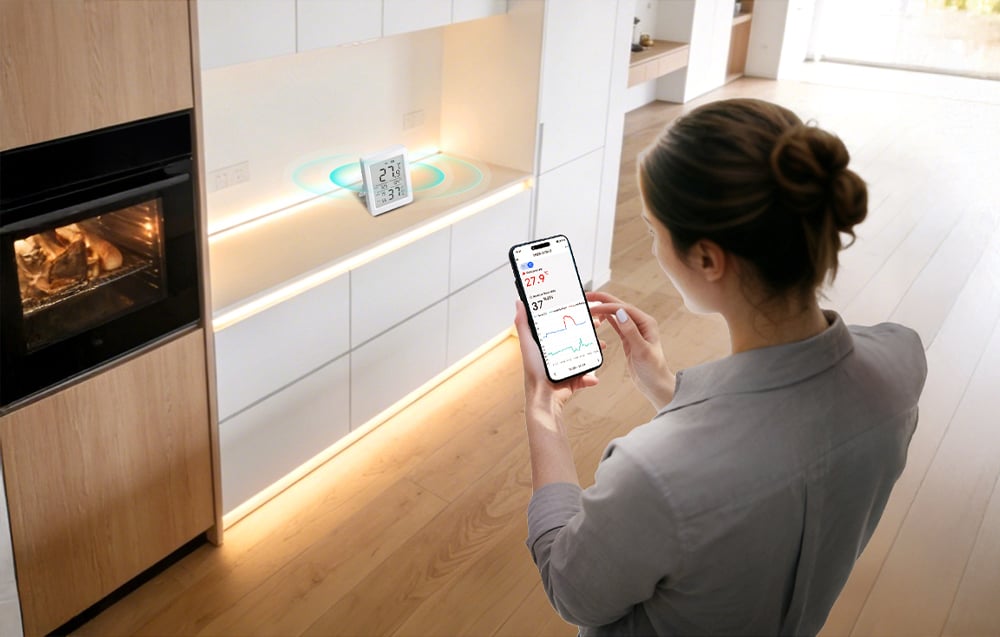
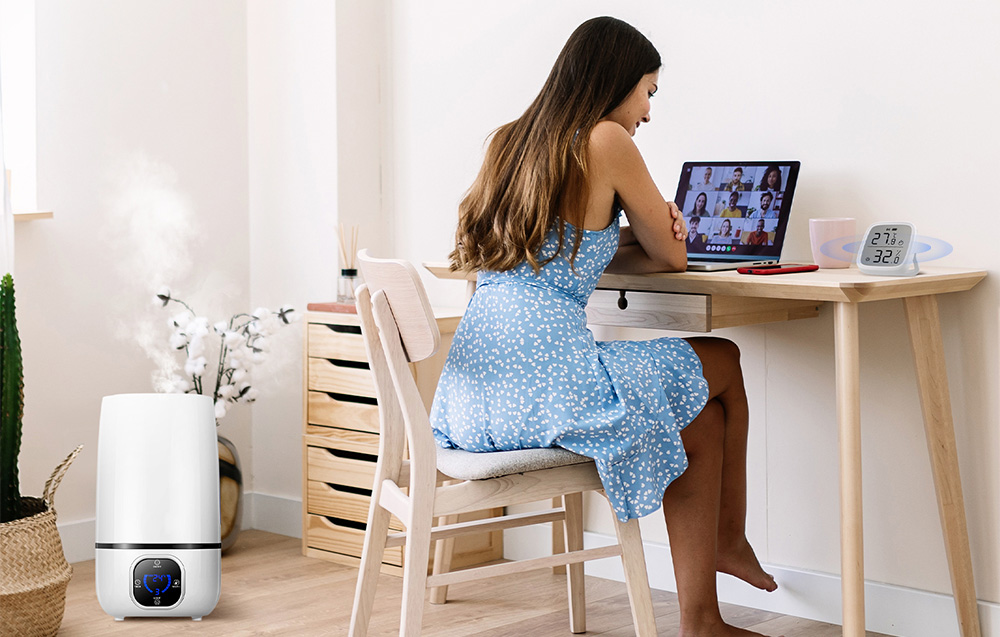
    Humidity in the apartment should be within the range of 30–50% and not exceed 60%. This is recommended by the American Environmental Protection Agency (EPA). You can check this only by measurement, and the most convenient way is with a temperature and humidity sensor connected to your phone. The most accurate in our offer are SONOFF sensors, and the most convenient among them is the SNZB-02DR2 with a large screen. The simplest to set up is the Gosund S6, which works without any gateway.

    The heating season is just beginning. Radiators dry out the air in the rooms, and in the bathroom and by the windows, where steam condenses, moisture accumulates. Both can be detected early, before mold appears or floorboards crack.

    Below we explain what percentage of humidity is normal, where to place the sensor, and how the Wi-Fi model differs from ZigBee. We also compare four sensors available in the store.
    What humidity in the apartment is correct?

    Relative humidity in the apartment should be from 30 to 50%, and the upper limit is 60%. Any room hygrometer will measure it, but a smart sensor will additionally save the history and send notifications. The range of 30–50% is provided by EPA in the guide on moisture and mold. According to the EPA, the risk of mold increases above 60%. Below 30%, the air is usually noticeably too dry, which often happens in heated apartments in winter.

    HumidityWhat it meansWhat to do
    Below 30%Too dry, the air can be unpleasant for the throat and eyesDo not overheat rooms, consider a humidifier
    30–50%Comfort zoneNothing, just keep it that way
    50–60%Upper limit of the normVentilate more often, especially after cooking and bathing
    Above 60%Too humid: condensation on windows, risk of moldVentilate, check ventilation, dry wet surfaces

    Why humidity drops in winter

    Cold air from outside carries little water vapor. When the radiators heat it, the relative humidity drops because warmer air could hold more water than it actually does. Therefore, in a heated apartment, it is easy to drop below 30%, even though it is gray and wet outside.

    Why mold still appears

    Where there is a lot of steam, it is too humid in winter: in the bathroom, kitchen, and bedroom with the window closed. Warm, humid air condenses on the coldest surfaces, which are the windows and the corners of external walls. The EPA advises in such situations to quickly dry the wet surface and limit the source of moisture, for example by ventilating more frequently.

    Tip: one sensor in the living room will not tell you what is happening in the bathroom or bedroom. Humidity varies between rooms, which is why we sell SONOFF sensors in sets of two.

    Temperature and Humidity Sensor: Wi-Fi or ZigBee?

    This choice determines whether the sensor will work immediately after being taken out of the box.

    • Wi-Fi Humidity Sensor connects directly to the home router. You need nothing more than an app on your phone. Wi-Fi sensors usually drain batteries faster, and with several devices, they burden the network.
    • ZigBee is an energy-efficient protocol designed for sensors. It operates on its own network, independent of Wi-Fi. For remote viewing, notifications, and automation, a ZigBee gateway is needed, which connects itself to the router.

    If you are buying your first sensor and do not have a gateway at home, choose the Wi-Fi model. If you plan to have more sensors, for example for window openings or flooding, ZigBee with a gateway will be more convenient.

    It also matters which gateway the sensor works with. Gosund ZigBee sensors are designed for the Tuya system, for example with the gateway Gosund ST21. According to the manufacturer, SONOFF sensors support ZigBee 3.0 gateways, including their own SONOFF hubs, the NSPanel Pro, and Amazon Echo speakers with a built-in ZigBee hub. The USB ZBDongle is an option for Home Assistant users, not a standalone gateway for the application.
    Temperature and humidity sensors in our offer

    In the store, we have four temperature and humidity sensors from two brands: SONOFF and Gosund. Three operate via ZigBee (two SONOFF and Gosund ST17), one via Wi-Fi.

    1. SONOFF SNZB-02DR2: accurate, with a large screen
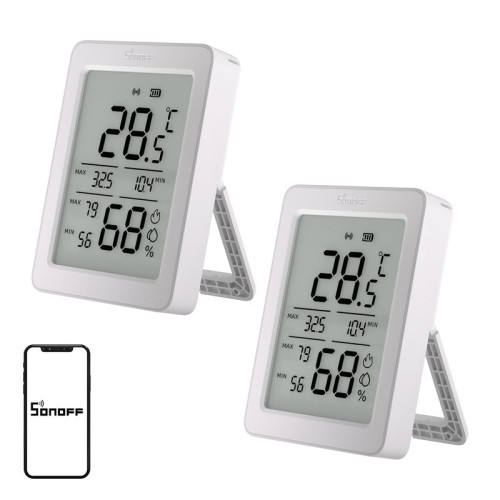
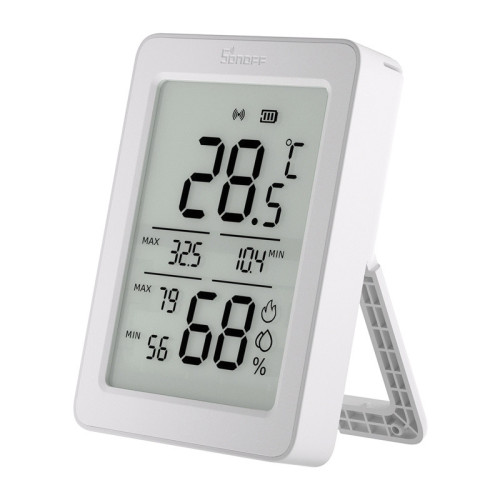
    The SNZB-02DR2 screen shows the current measurement as well as the minimum and maximum from the last day.

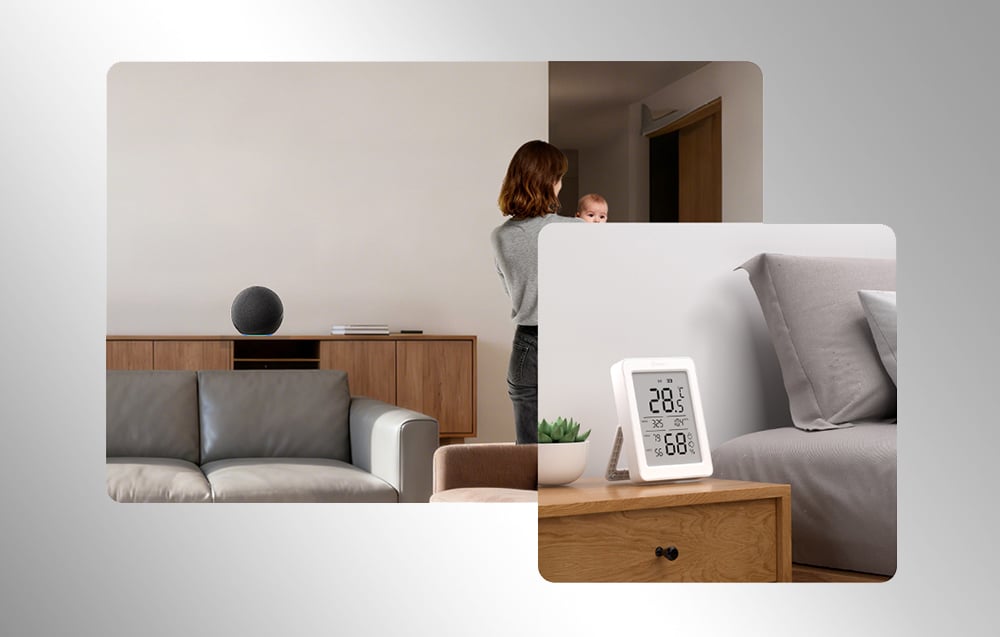
    Our choice if you have a ZigBee gateway. SONOFF SNZB-02DR2 has a Sensirion SHT40 sensor, used in measuring devices. The manufacturer states an accuracy of ±0.2°C and ±2% RH. The large 3.6″ screen displays current values, minimum and maximum from the last 24 hours, and a graphical comfort indicator. Without a gateway, you can connect to it up close via Bluetooth to read the data.

    • ZigBee 3.0, powered by 2× AAA
    • 3.6″ LCD screen with min/max and comfort indicator
    • Measurement history and alerts in the app
    • Set of two sensors

    Advantages:

    • Highest declared accuracy, along with SNZB-02D
    • Readable screen from the other end of the room

    Disadvantages:

    • For the application and automation, a ZigBee gateway is needed, and we currently do not have SONOFF hubs in stock

    2. Gosund S6: Wi-Fi humidity sensor without a gateway

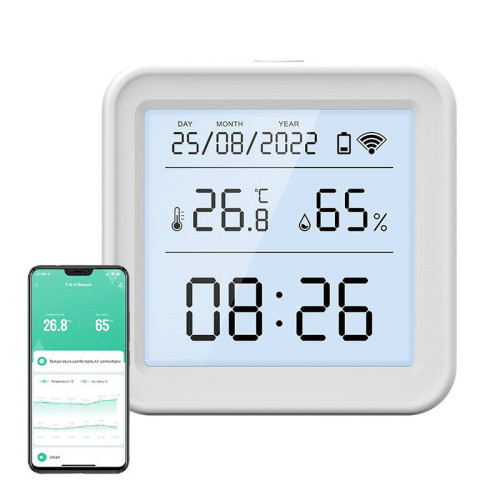
    Gosund S6 connects to the Wi-Fi router, and the measurement history is in the app.

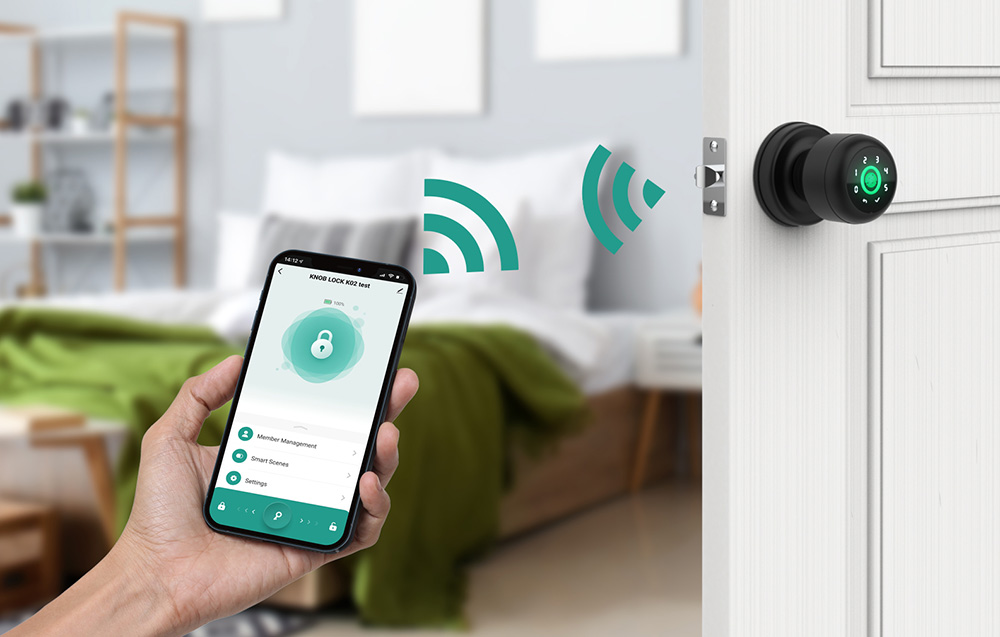
    Gosund S6 is the simplest way to get your first sensor. It connects directly to your home Wi-Fi 2.4 GHz, so you only need the Gosund or Tuya Smart app. It has a backlit screen with a clock, and works with Google Assistant and Amazon Alexa.

    • Wi-Fi 2.4 GHz, no gateway
    • Accuracy ±1°C and ±5% RH
    • Power supply: 3 AAA batteries
    • History of measurements and automation in the application, e.g., turning on the humidifier when the air is too dry

    Advantages:

    • Works immediately, without additional equipment
    • Backlit screen with a clock

    Disadvantages:

    • Lower accuracy than in SONOFF
    • Wi-Fi drains batteries faster than ZigBee

    3. SONOFF SNZB-02D: accurate and compact
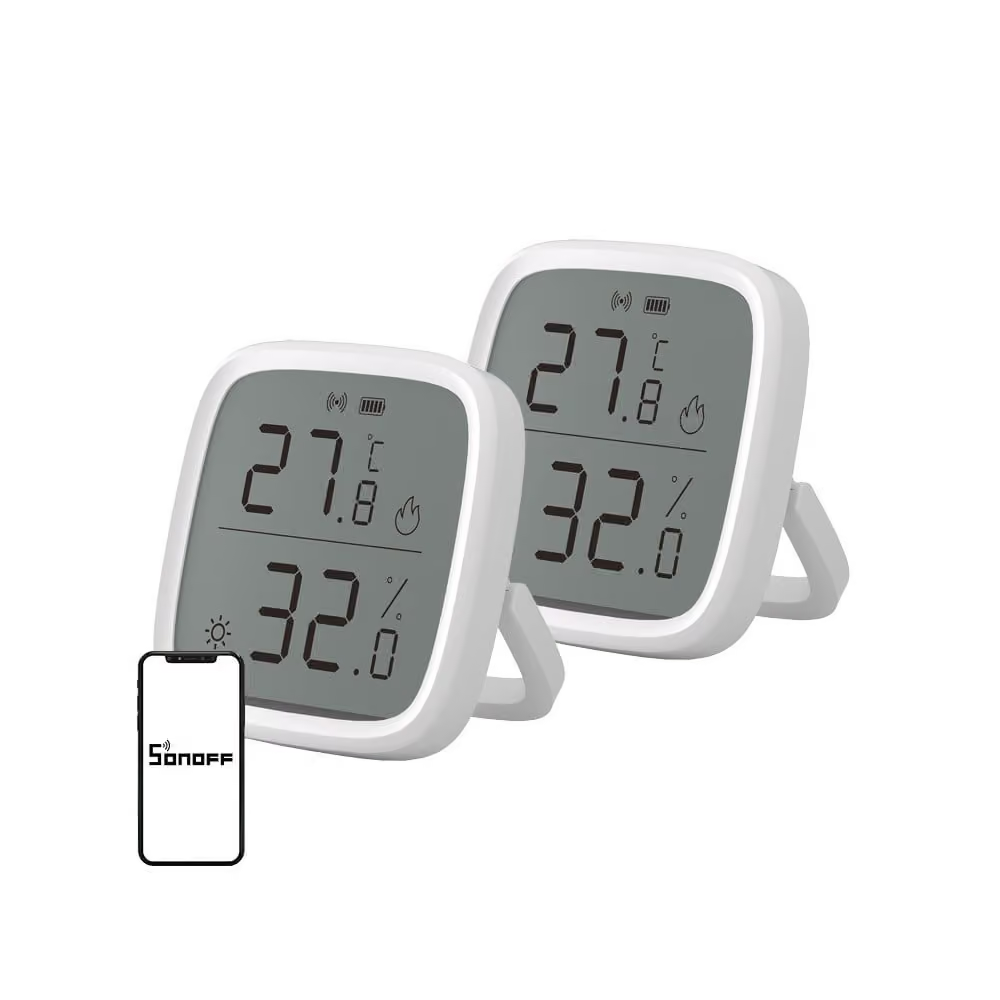
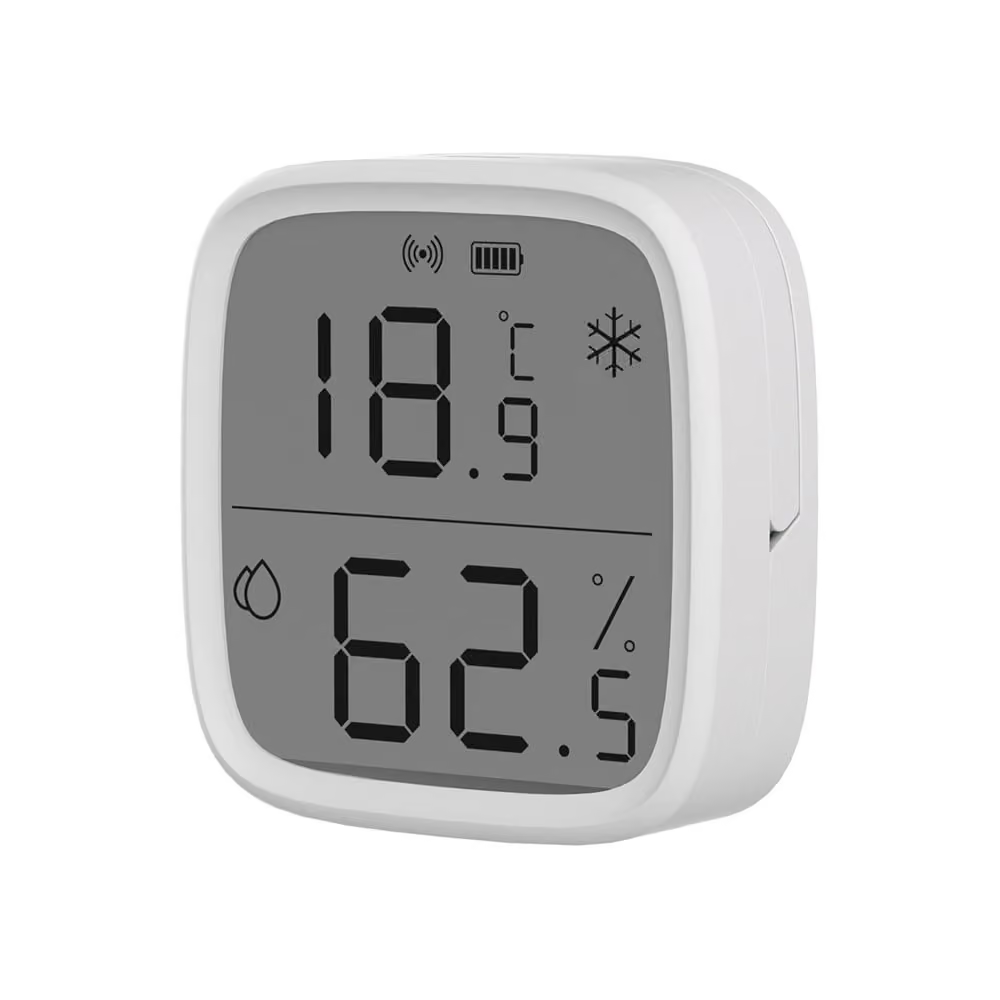
    SONOFF SNZB-02D, also available in sets of two.

    SONOFF SNZB-02D is an older model from the same series, with a smaller screen displaying temperature and humidity. The manufacturer specifies an accuracy of ±0.2°C and ±2% RH, with readings refreshing every 5 seconds, and the CR2450 battery lasts up to about 2 years according to specifications.

    • ZigBee 3.0, CR2450 battery
    • Readings every 5 seconds, notifications for threshold breaches
    • Works with Amazon Alexa and Google Home
    • Set of two sensors

    Advantages:

    • High accuracy in a small housing
    • Long operation on a single battery

    Disadvantages:

    • Requires a ZigBee gateway, and we currently do not have SONOFF hubs in stock
    • Smaller screen than in SNZB-02DR2

    4. Gosund ST17 ZigBee: for the Tuya system
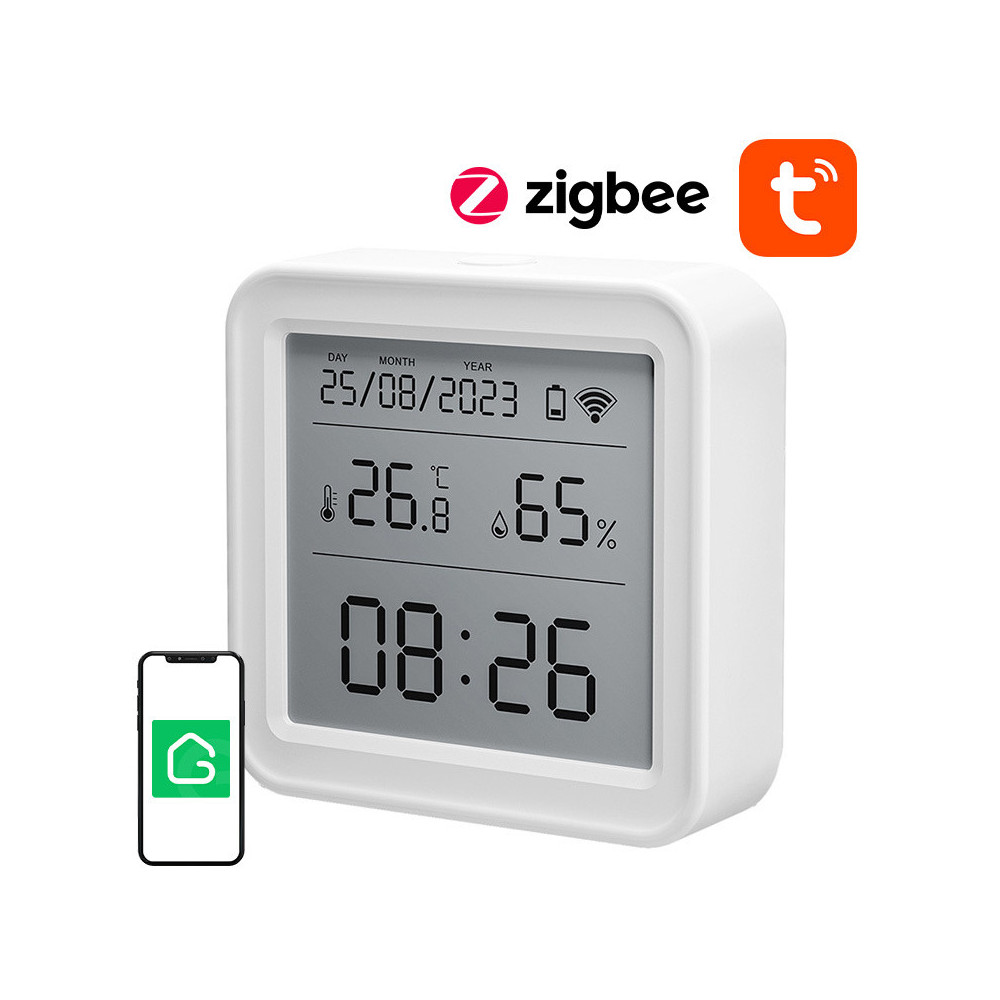
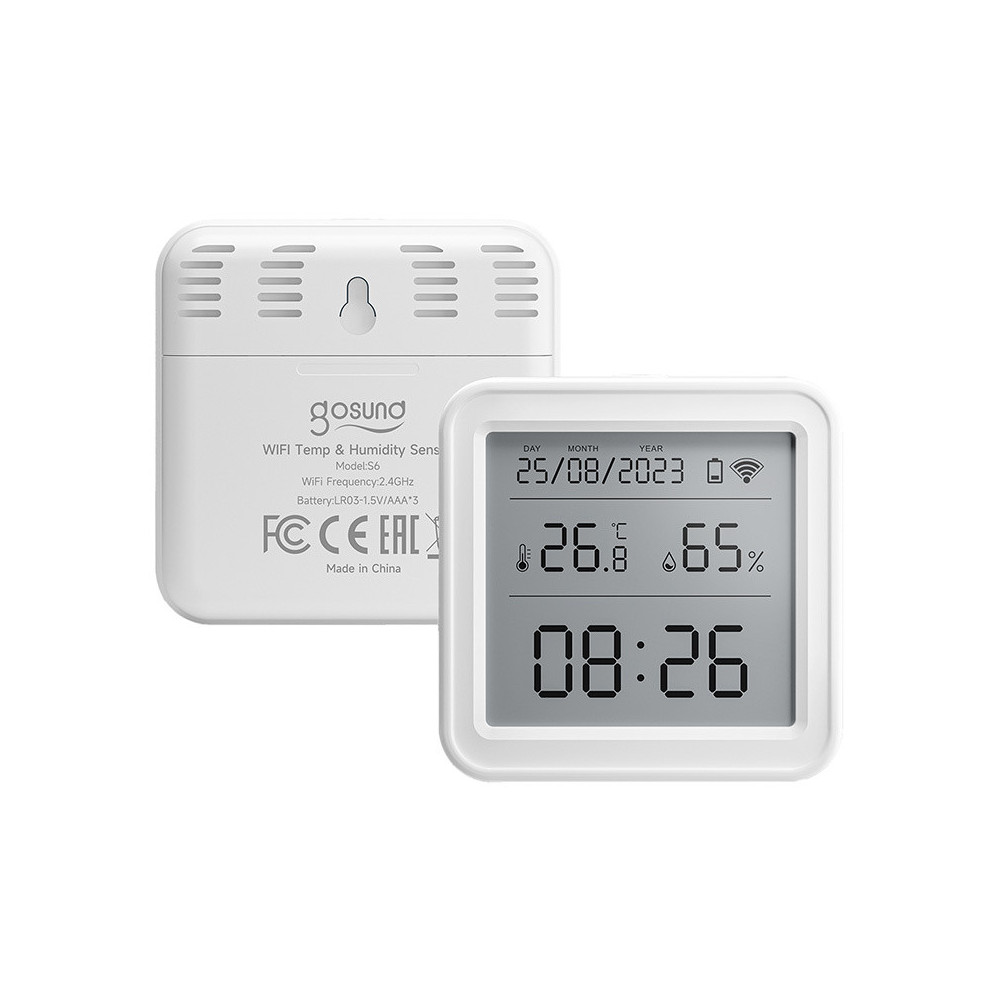
    Gosund ST17 looks like S6, but connects via ZigBee.

    Gosund ST17 is the ZigBee version of the S6 sensor: the same clock display and the same accuracy ±1°C and ±5% RH. Choose it if you already have a Tuya gateway or plan to have several Gosund sensors at once. You can export the measurement history from the app to your email.

    Advantages:

    • ZigBee usually consumes battery more efficiently than Wi-Fi
    • Compatible with the Tuya system, e.g. with the Gosund ST21 gateway

    Disadvantages:

    • Without a gateway, you cannot connect it to your phone
    • Accuracy like in the cheaper S6

    [hs_products ids=»140615,139092,140616,139202″ cols=»4″]

    Temperature and Humidity Sensor Comparison

    FeatureSONOFF SNZB-02DR2Gosund S6SONOFF SNZB-02DGosund ST17
    ConnectivityZigBee 3.0Wi-Fi 2.4 GHzZigBee 3.0ZigBee
    Works without a hub❌ no (close range via Bluetooth)✅ yes❌ no❌ no (Tuya hub needed)
    Temperature accuracy±0.2°C±1°C±0.2°C±1°C
    Humidity accuracy±2% RH±5% RH±2% RH±5% RH
    DisplayLCD 3.6″, min/maxLCD with clockLCDLCD with clock
    Power supply2× AAA3× AAACR24503× AAA
    Included2 pieces1 piece2 pieces1 piece

    How to choose briefly:

    • First sensor, no hub? Gosund S6 Wi-Fi.
    • Do you care about accurate measurement and have a ZigBee hub? SONOFF SNZB-02DR2 or SNZB-02D.
    • Want to control two rooms and have a ZigBee hub? SONOFF sets with two pieces.
    • Building a system on Tuya? Gosund ST17 with Gosund ST21 hub.

    Where to place the humidity sensor

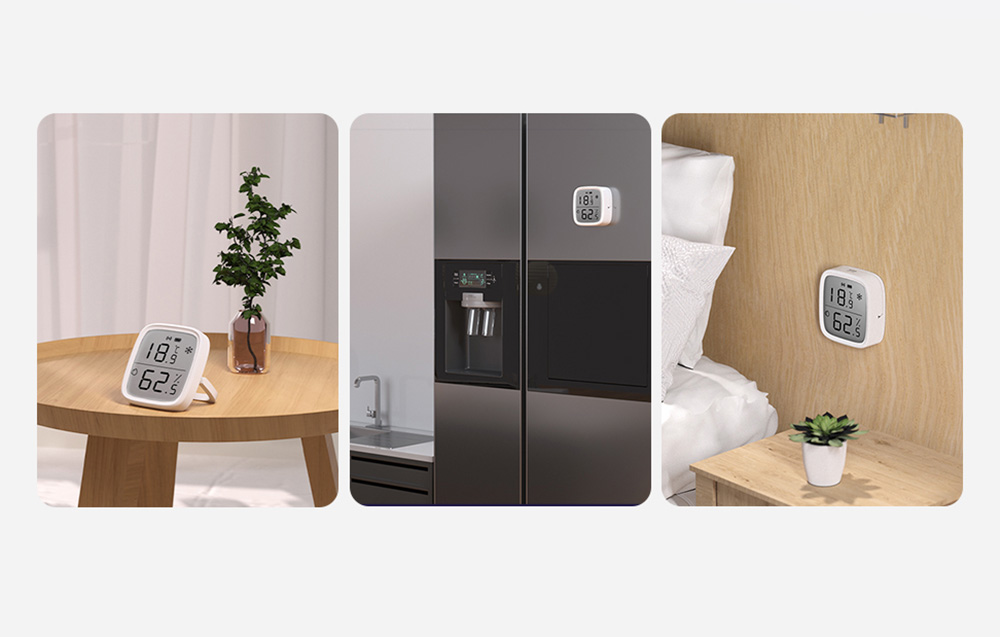
    The sensor shows conditions where it is placed. If positioned incorrectly, it will measure the radiator instead of the room.

    1. Away from the radiator. Heat lowers relative humidity and raises temperature.
    2. Not right by the window. It is colder and more humid by the glass than in the rest of the room.
    3. At human height. About where you spend time. Not on the floor and not on a shelf under the ceiling.
    4. Also in the bedroom and bathroom. That’s where humidity changes the most.
    Automations with the humidity sensor

    The smart sensor can not only measure but also trigger a reaction before it gets too dry or too wet.

    • Too dry? The sensor can turn on a humidifier plugged into a smart socket when humidity drops below the set threshold. Such an example appears in the descriptions of the Gosund S6 and SONOFF sensors.
    • Too humid in the bathroom? A notification on your phone after exceeding 60% will remind you to ventilate.
    • Ventilation control. Gosund S2 window opening sensor works via Wi-Fi without a gateway and will send a notification when the window is opened. Combined with a humidity sensor, you can see if ventilation actually lowers humidity.

    All sensors, including window opening, flooding, and motion, can be found in the smart home sensors category. Outlets and other automation devices are in the home automation category.
    Summary: which temperature and humidity sensor to choose

    • Proper humidity in the apartment is 30–50%, and above 60% the risk of mold increases.
    • The most accurate temperature and humidity sensors in our offer are SONOFF SNZB-02DR2 and SNZB-02D (±0.2°C, ±2% RH).
    • The simplest start is the Gosund S6 Wi-Fi, which does not require a gateway.
    • ZigBee requires a gateway, but saves batteries and performs better with multiple sensors.

    The heating season is a good time to measure humidity in the apartment before the first mold spot appears by the window. You can find the entire selection of sensors in the smart home sensors category. Free shipping is available for orders over 100 PLN.

    FAQ

    What humidity should be in the apartment in winter? Just like throughout the year: from 30 to 50%, no more than 60%. In winter, a more common problem is excessively dry air in heated rooms and too humid air in the bathroom.

    What is the difference between a humidity sensor and a room hygrometer? A hygrometer is a general term for a device that measures humidity. A smart temperature and humidity sensor does the same but additionally records history, sends notifications to your phone, and can control other devices.

    Does a ZigBee sensor work without a gateway? For full functionality, meaning remote viewing, notifications, and automation, a gateway is needed. An exception is the SONOFF SNZB-02DR2, which will connect to your phone via Bluetooth up close. If you don’t have a gateway, the simplest option is to choose a Wi-Fi sensor, e.g., the Gosund S6.

    Will the SONOFF sensor work with the Tuya gateway? The manufacturer lists compatible ZigBee 3.0 gateways, including SONOFF hubs, NSPanel Pro, ZBDongle key, and Amazon Echo with a ZigBee hub. Tuya gateways are not included in this list, so with the Tuya system, it is safer to choose the Gosund ST17.

    Where is the best place to put the humidity sensor? Approximately at the height where you spend time, away from the radiator, window, and direct sunlight. It will tell you the most in the bedroom and bathroom.

    How to reduce humidity in the apartment? Ventilate briefly and intensively, especially after cooking and bathing, and do not dry laundry in a closed room. Dry wet surfaces, e.g., condensation on windows, immediately.
  • Does MagSafe harm the iPhone 18 Pro camera? We explain.

    Does MagSafe harm the iPhone 18 Pro camera? We explain.

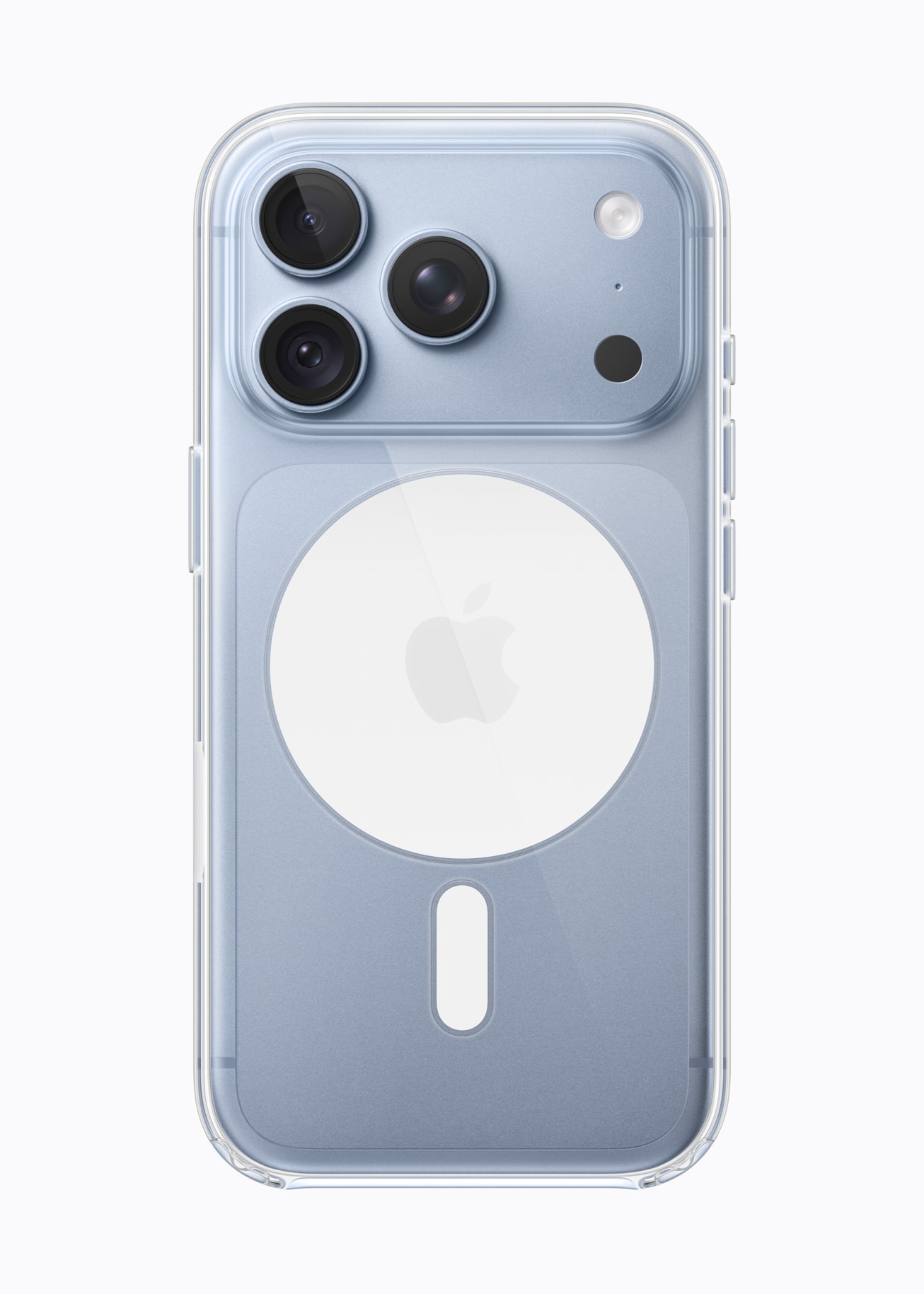
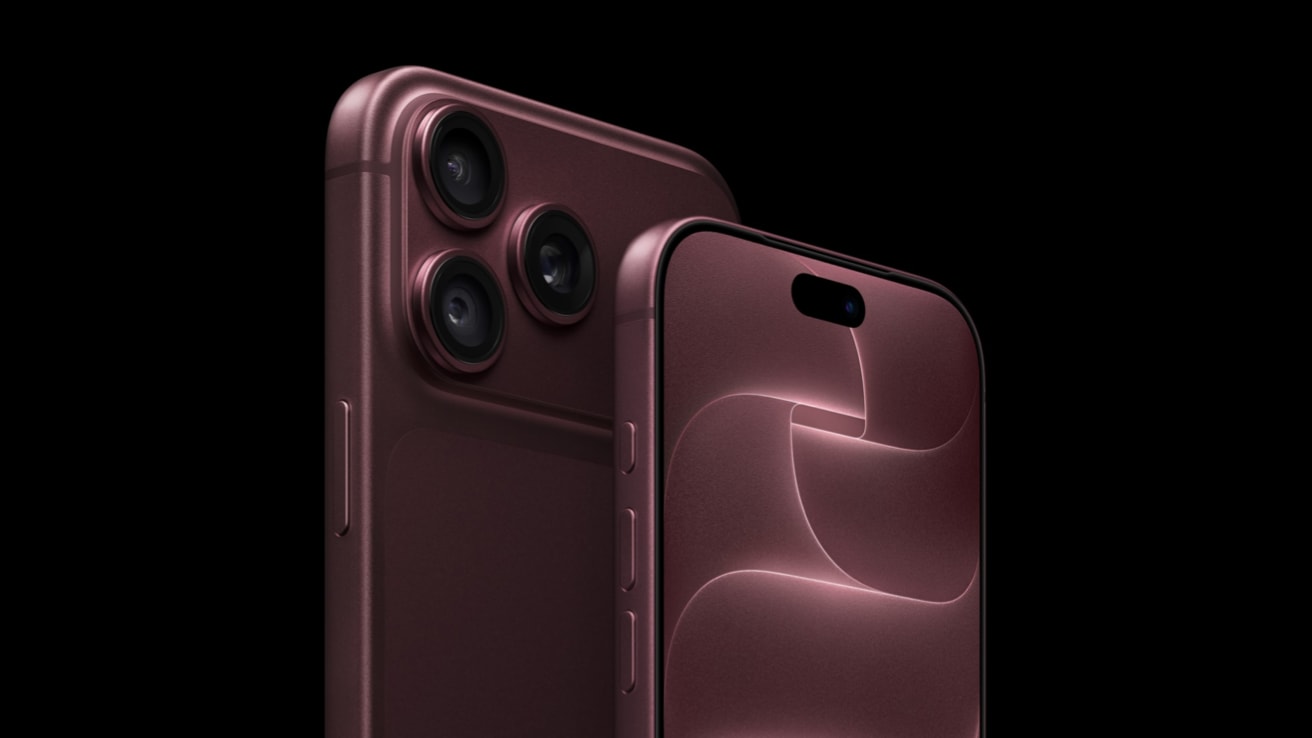
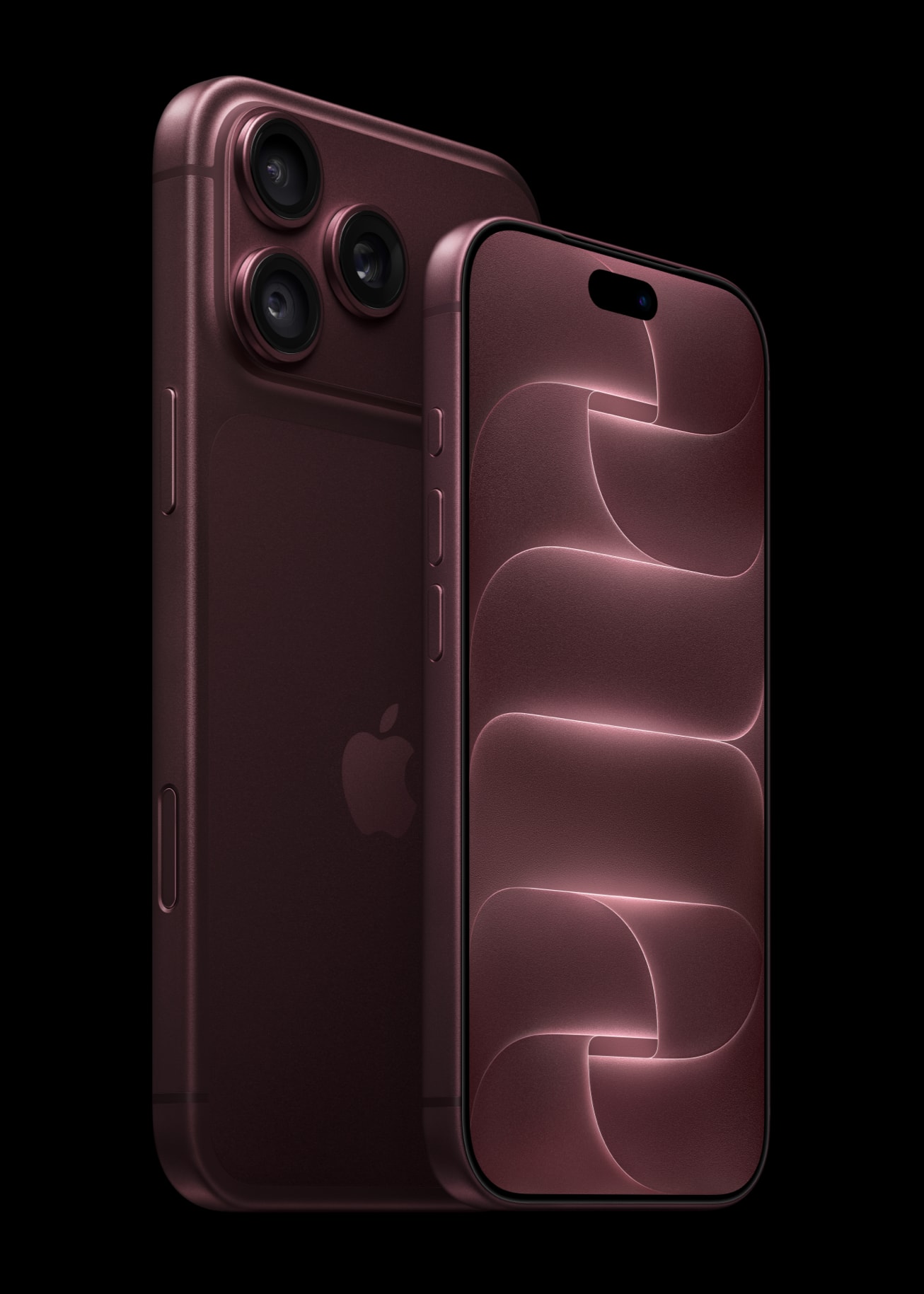
    There is no evidence that regular MagSafe accessories harm the iPhone 18 Pro camera. The magnet only moved the blades of the new aperture in the module removed from the phone. The MagSafe ring is located in the center of the back, clearly below the camera island. The risk concerns something else: strong magnets and metal plates placed directly near the lenses.

    Where does this concern come from? On September 20, iFixit disassembled the iPhone 18 Pro and showed that six blades of the variable aperture move thanks to magnets. Concerns quickly arose that a magnetic phone mount or MagSafe wallet could misalign the camera. If you use such accessories, the question is entirely valid.

    We check what the test really showed, what Apple itself says about magnets, and which accessories for the iPhone 18 Pro are safe, which ones require caution, and which ones are better to avoid.

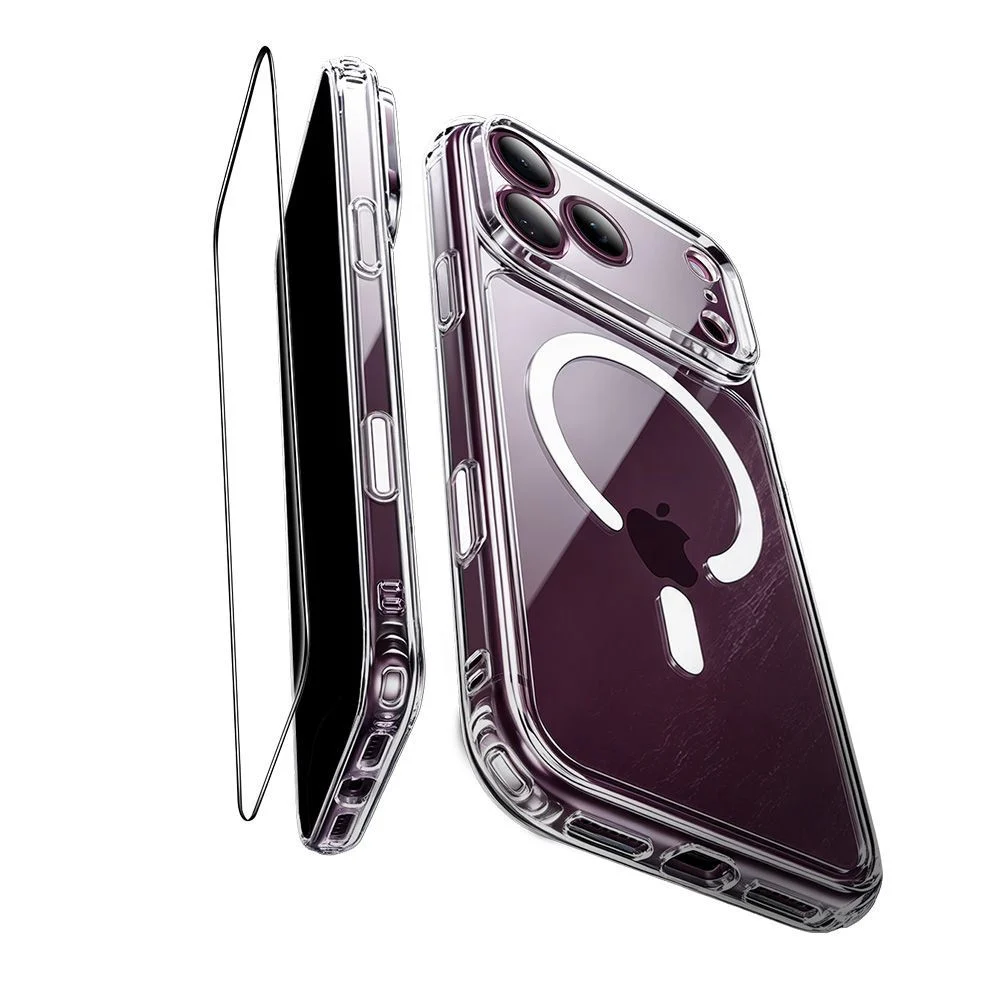
    In the photo with the transparent case, you can clearly see where the MagSafe ring sits: in the center of the back, below the camera island. Photos: Apple.

    Does MagSafe harm the iPhone 18 Pro camera? Short answer

    Nothing suggests that it does. The MagSafe charger, MagSafe case, wallet, and power bank attached to the ring work with the iPhone 18 Pro just like with its predecessors. No test has shown that they change the aperture in a closed phone. Caution makes sense with accessories that place a magnet or steel plate on the camera island or right next to it.

    This is not a new rule invented for the 18 Pro. Apple has been warning for years about strong magnets near the rear camera because they interfere with image stabilization and autofocus. The new aperture adds another moving part to the lens, so the same advice applies even more.

    How the variable aperture works in the iPhone 18 Pro

    The aperture is the opening through which light reaches the sensor. Until now, the iPhone had a fixed one: in the 17 Pro, the main camera always operated at f/1.78. In the iPhone 18 Pro, the opening is adjusted by six laser-cut blades. According to iFixit, each is about as thin as a human hair.

    In the Camera app, there are four settings to choose from:

    Aperture What it’s for
    f/1.48 Most light: night photos and in dark interiors
    f/1.8 Portraits, balancing light and depth of field
    f/2.8 Greater depth of field than at f/1.8
    f/4.0 Group photos, landscape, architecture

    One caveat: only the main 48 MP camera has a variable aperture. The ultra-wide (f/2.2) and 4x telephoto (f/2.8) still have a fixed aperture. The same setup is in the iPhone 18 Pro Max, so everything we write here applies to both models.

    Photos from the main camera of the iPhone 18 Pro, the one with the variable aperture. Photos: Apple.

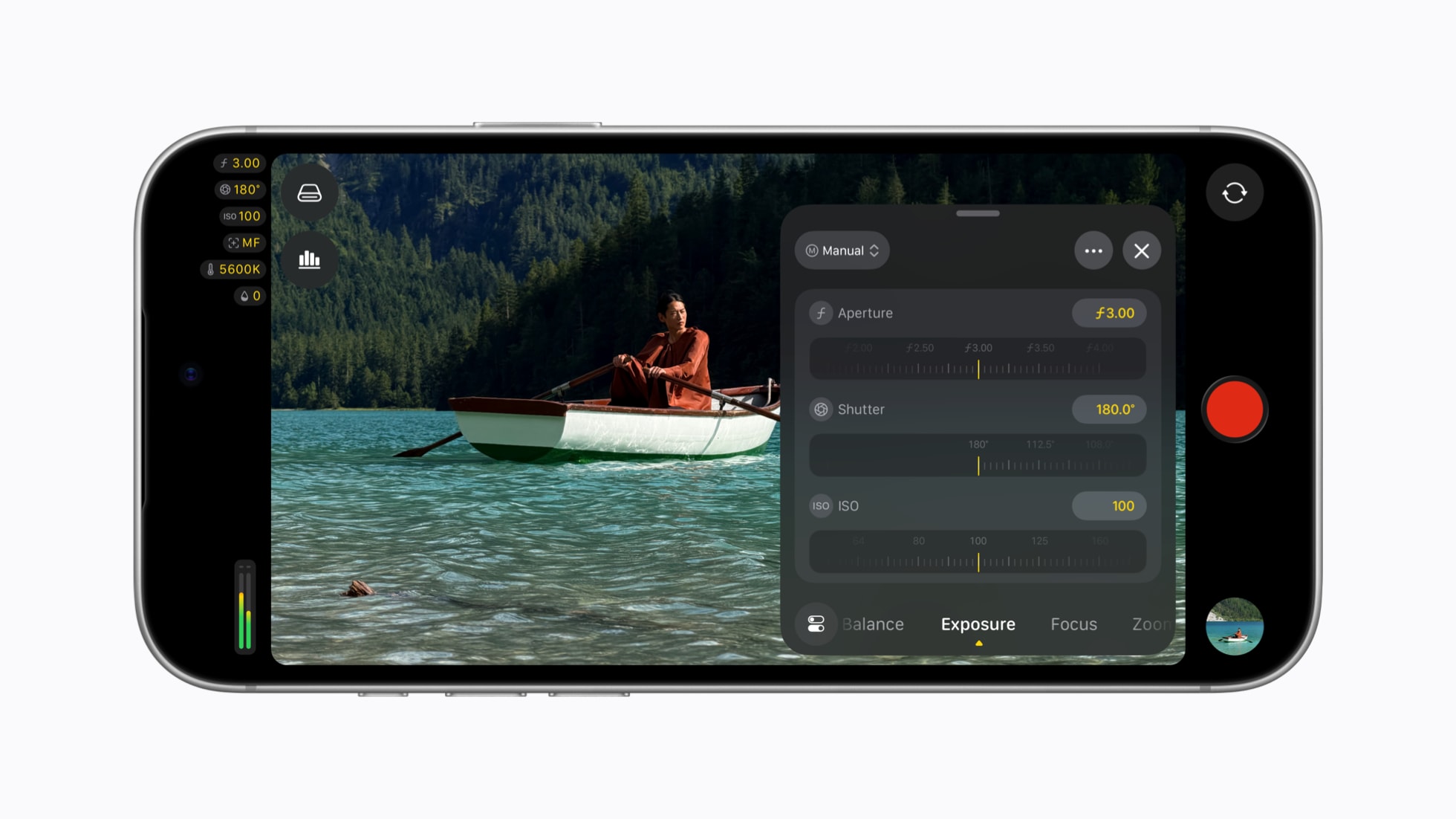
    The Camera app offers four stops, but it’s not the only option. As of September 29, Final Cut Camera version 2.4 supports variable aperture on the iPhone 18 Pro, so the aperture can be set manually, alongside shutter speed and ISO.

    Manual aperture setting in the Final Cut Camera app on the iPhone 18 Pro

    Final Cut Camera 2.4 with manual settings for aperture, shutter speed, and ISO. Photo: Apple.

    About what has changed in the camera and what has remained the same, we wrote in the text iPhone 18 Pro camera: teardown and DxOMark score.

    What the iFixit test really showed (and what it didn’t show)

    The whole discussion started from the teardown of the iPhone 18 Pro published by iFixit. Technicians removed the camera module, brought a magnet close to it, and recorded how the aperture blades opened and closed. It worked even after removing the other components of the module.

    The test clearly shows how the mechanism is built. However, it does not prove that the MagSafe wallet will damage your camera. The differences are fundamental:

    • The module was removed from the phone. In a finished iPhone, the accessory magnet does not reach the mechanism directly, because the MagSafe ring is located below the camera island.
    • The magnet was held right next to the mechanism. No MagSafe accessory works like this, as it attaches to the ring in the center of the back.
    • No one tested accessories on a closed phone. iFixit does not mention MagSafe at all.

    A similar experiment was conducted by the Phone Repair Guru service on a disassembled 18 Pro Max. After the test, the camera worked normally, and the author noted that this is not a test of everyday use of MagSafe.

    Beware of the rumor: there is information circulating online that Apple has «officially confirmed» that MagSafe chargers are safe for the new lens. Such a statement is not available in Apple’s newsroom or on support pages.

    What Apple says about magnets near the iPhone camera

    Apple has a separate support document about magnets near the iPhone camera. It states that the magnet near the lens position sensors can interfere with, and even temporarily disable, optical image stabilization (OIS) and autofocus. The camera can still take pictures, but without these two functions, it is easier to get blurred or out-of-focus shots.

    Apple lists three types of problematic accessories. All have strong magnets or metal plates near the rear camera:

    1. A flip case with a closure held by a magnet.
    2. A two-piece (detachable) case connected by magnets.
    3. Mounts for rigid holders, e.g. car mounts, with a plate near the camera.

    Two things are worth knowing about this document. It is archived, so Apple no longer updates it. It also does not mention either MagSafe or the iPhone 18. There is currently no new version that includes the lens.

    According to a review by tech-ish on September 25, Apple has also updated the guidelines for accessory manufacturers. Cases, covers, and camera overlays must not interfere with autofocus or stabilization. There is not a word about the lens itself.

    MagSafe Accessories for iPhone 18 Pro: Safe, Be Careful, Avoid

    The principle is simple: the spot matters where the magnet touches the phone. An accessory attached to the MagSafe ring holds in the middle of the back. The problem only starts when something magnetic lands near the lenses.

    Accessory Safe? Why
    MagSafe / Qi2 Charger ✅ yes Attaches to the ring, away from the lenses
    MagSafe Case ✅ yes Magnets in the case align with the ring on the phone
    MagSafe Wallet ✅ yes Holds onto the ring, does not reach the camera islands
    MagSafe Power Bank ✅ yes Like the charger, mounted in the center of the back
    MagSafe Car Mount ✅ yes Grabs onto the ring, no additional plate
    MagSafe Finger Grip or Ring ✅ yes Provided it sits on the ring
    Mount with Adhesive Metal Plate be careful Safe only if the plate is low, in the center of the back
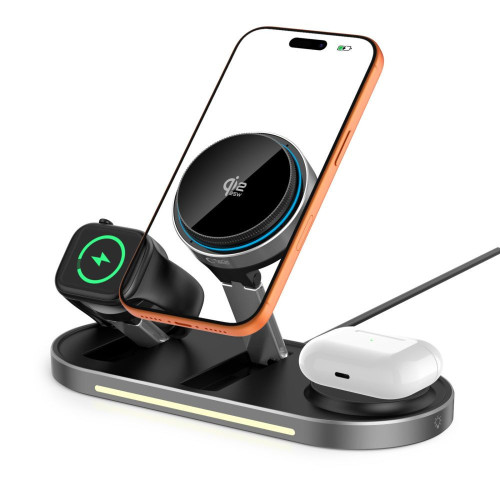
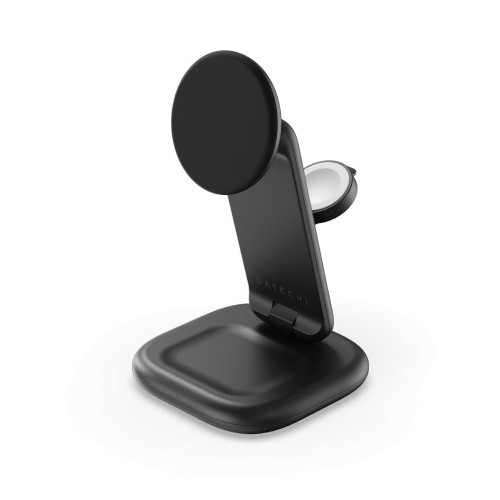
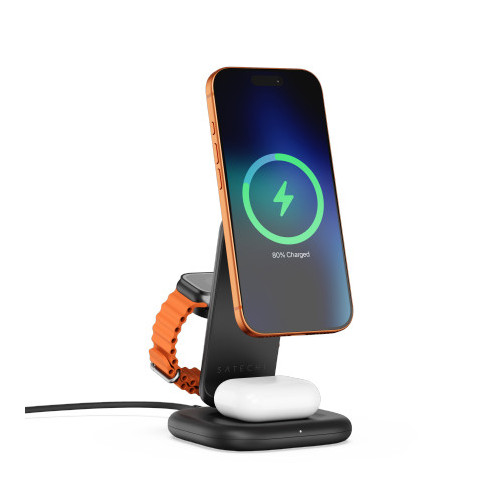
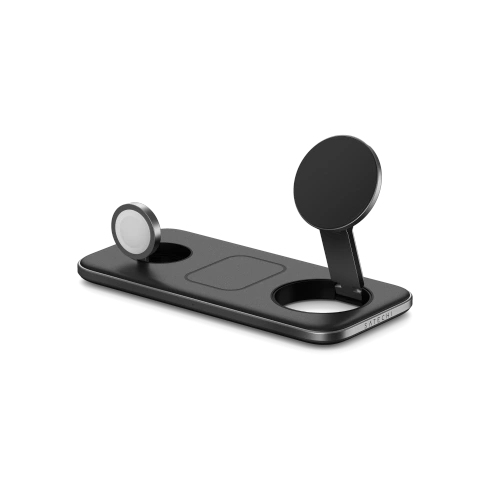
    3-in-1 Station with MagSafe Charger be careful Check that the phone does not rest the camera against metal
    Magnetic Flip Case ❌ avoid The clasp magnet can be close to the lenses
    Magnetic Filter and Lens Mounts ❌ avoid By design, they directly overlap the camera
    Strong «Universal» Magnet without MagSafe ❌ avoid Unknown strength and position of the magnet
    Motorcycle Mount without Vibration Dampening ❌ avoid Apple warns against strong engine vibrations

    Qi2 is an open standard for wireless charging with magnets arranged the same way as in MagSafe, so we treat both equally in this table.

    Is a magnetic phone mount safe in a car?

    Yes, if it grabs the MagSafe ring. This is how MagSafe and Qi2 car mounts work: magnets in the head align with magnets in the phone, and nothing else needs to be glued.

    You need to be careful with older magnetic mounts that require a metal plate to be glued on. If the plate is placed too high, close to the cameras, in the iPhone 18 Pro, that is the worst possible location.

    If you stick with such a mount, glue the plate in the center of the back, under the Apple logo. It would be even better to switch to a MagSafe case.

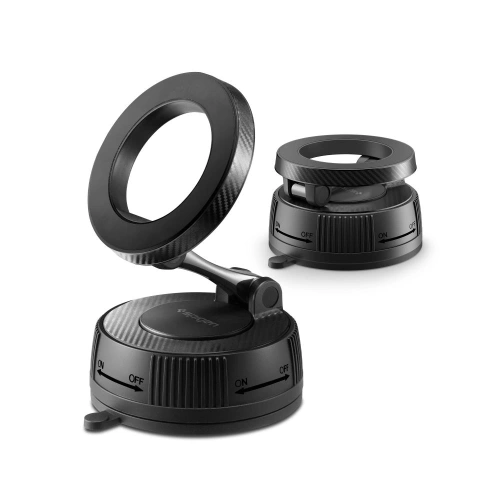
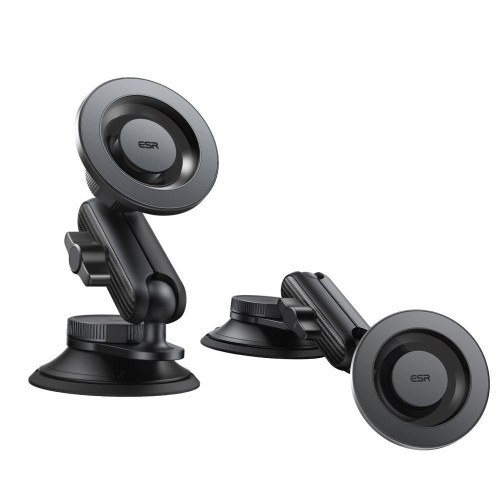
    Among MagSafe car mounts that hold onto the ring and do not require a plate, we recommend:

    On the left Spigen MFT36 VacuumLock, on the right ESR OmniLock. Both hold the phone by the MagSafe ring, without an adhesive plate.

    [hs_products ids=»130386,134694,127488″ cols=»3″]

    You will find the full selection in the category car holders. If you are just choosing the type of mount, our guide which car holder to choose for your phone will be helpful.

    MagSafe wallets and finger holders

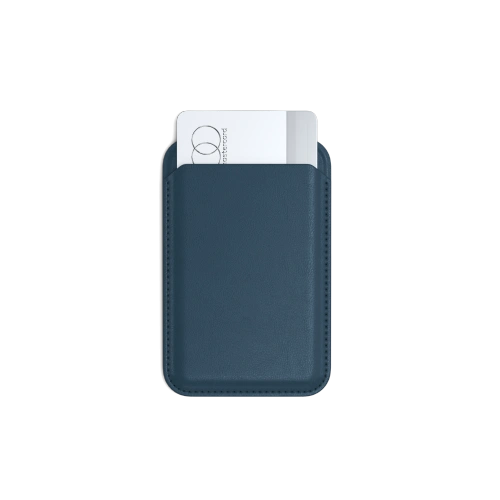
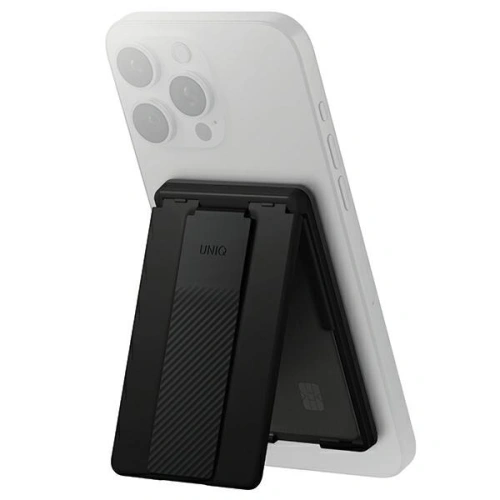
    The MagSafe wallet attaches to the ring and does not reach the camera island. Therefore, it is indifferent to the aperture. The same applies to magnetic rings and finger holders, as long as you keep them on the ring and do not slide them higher for a more comfortable grip.

    They work well:

    On the left Satechi Wallet Stand, on the right UNIQ Heldro ID.

    We compare more models in the summary TOP 10 MagSafe wallets for phones.

    Chargers, power banks, and MagSafe stations

    MagSafe charger and magnetic power bank are the safest accessories on the entire list. They must hit exactly in the ring, otherwise they won’t charge, and the ring lies below the camera island.

    The only thing to check concerns the 3-in-1 charging stations with a metal construction. If the phone in the station rests the camera island against a metal element with a magnet, e.g., a watch charger, reposition the devices or choose a station with a larger gap.

    What to really watch out for: falls and vibrations

    If you want to protect the iPhone 18 Pro camera, the magnets at the MagSafe ring are not the main concern. The aperture blades are delicate mechanics. iFixit estimates that few people in the world have the tools and knowledge to disassemble and reassemble it, so repair most likely means replacing the entire camera module.

    What realistically threatens the camera:

    • Fall on the back or on the corner with the camera island. The impact force goes straight into the module. Here, a case with a raised edge around the cameras comes in handy.
    • Strong vibrations. Apple has a separate document stating that vibrations from motorcycle engines can impair the functioning of the iPhone camera. It does not recommend mounting the iPhone on high-powered motorcycles. For scooters and mopeds, it advises using a mount with vibration dampening.
    • Scratching the glass over the lens. It won’t damage the aperture, but it can cause streaks and reflections in photos. A camera cover protects against this.

    MagSafe case for iPhone 18 Pro with an edge around the camera

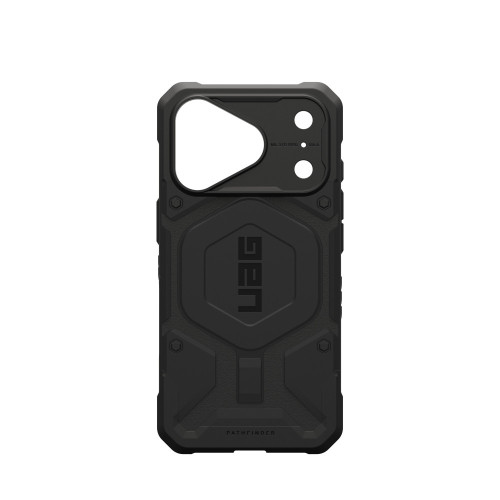
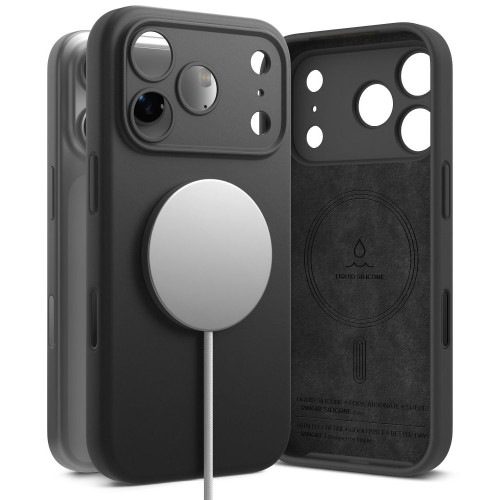
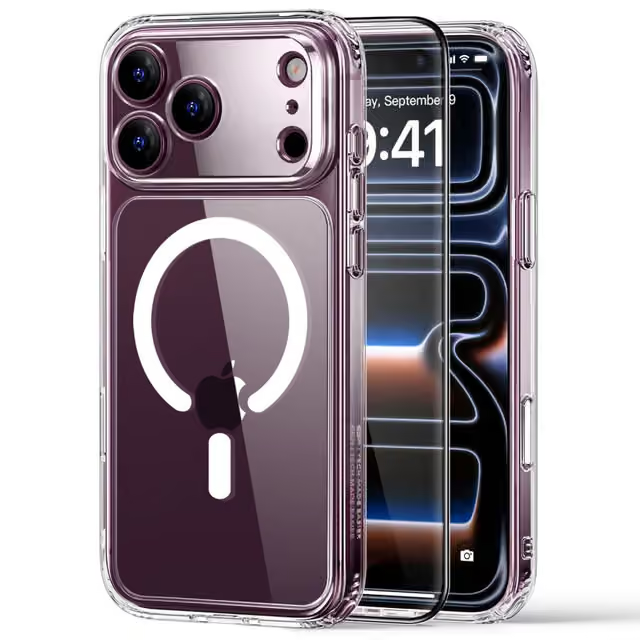
    Good case for iPhone 18 Pro combines two things. The first is built-in MagSafe magnets, because without them accessories hold poorly or not at all through the case. The second is the edge that protrudes above the lenses.

    Among the models available in the store, we recommend:

    On the left UAG Pathfinder MagSafe, on the right Ringke Silicone Magnetic MagSafe.

    [hs_products category=»2618″ limit=»6″ sort=»sales»]

    Pozostałe modele znajdziesz w kategorii etui do iPhone’a 18 Pro.

    Porada: etui z iPhone’a 17 Pro pasuje na 18 Pro, bo oba mają identyczny korpus. Nie pasuje za to osłona na aparat. Szczegóły wyjaśniamy w tekście czy etui z iPhone 17 Pro pasuje do iPhone 18 Pro.

    Osłona na aparat

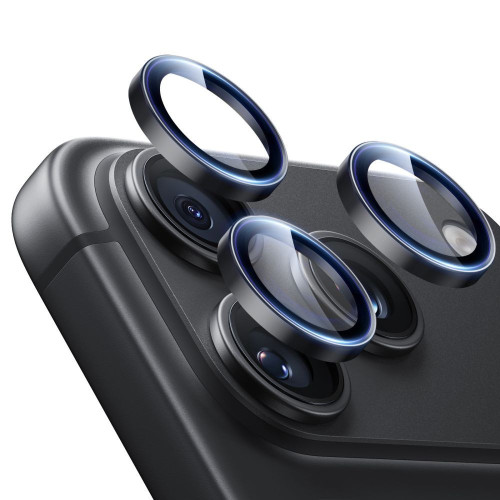
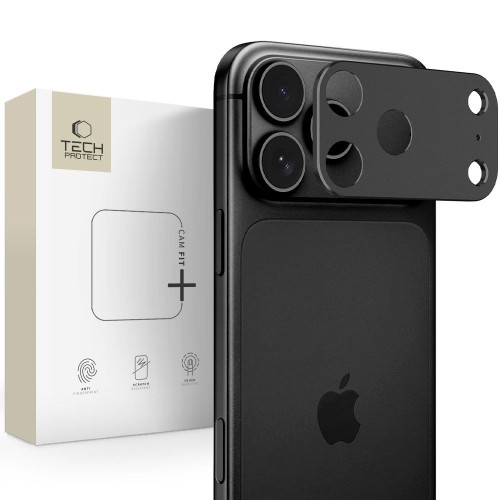
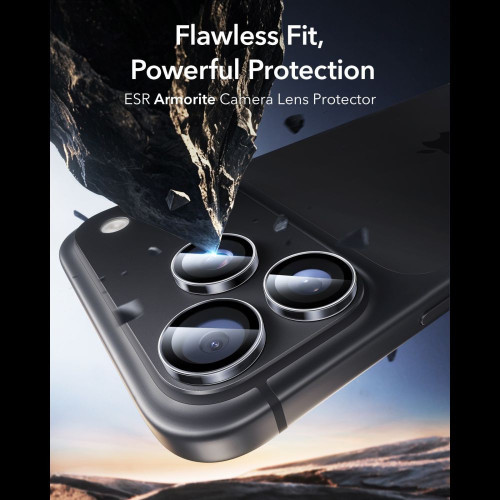
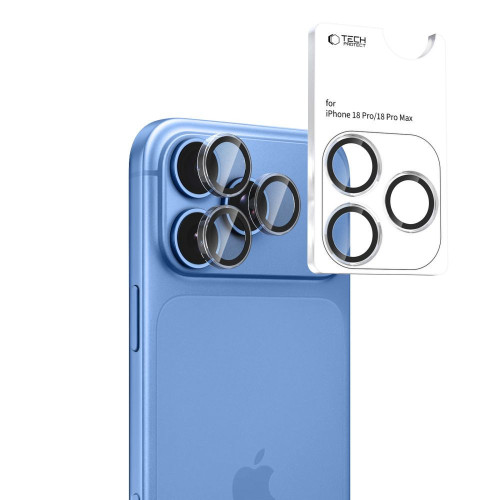
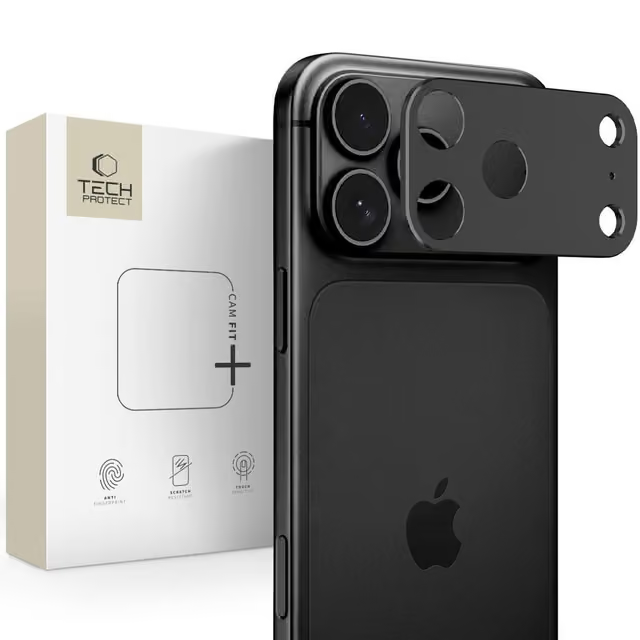
    Typowa osłona na wyspę aparatów, szklana albo aluminiowa, nie ma magnesów, więc przysłonie nie przeszkadza. Chroni szkło nad obiektywami przed rysami i odpryskami. Do 18 Pro dobrze pasują ESR Armorite Camera Protector i Tech-Protect CamAlloy Fit+.

    On the left ESR Armorite, on the right Tech-Protect CamAlloy Fit+.

    You can find the entire offer in the category glass for the camera for iPhone 18 Pro.

    How to check if the accessory affects the iPhone 18 Pro camera

    Do you suspect that the holder or case is causing issues? You can check it in five minutes:

    1. Take a photo of the same scene with and without the accessory, from the same spot.
    2. Compare sharpness at zoom. Pay attention to blurriness in low light, as that’s when stabilization works the hardest.
    3. Watch the preview in the Camera app. Image shaking or constant «searching» for focus with the accessory attached is a warning sign.
    4. If the symptoms disappear after removing the accessory, change its position or do without it.
    5. If the symptoms persist even without the accessory, take the phone to an Apple service. Do not try to «fix» anything with a magnet.

    Summary: MagSafe and iPhone 18 Pro

    • There is no evidence that MagSafe harms the iPhone 18 Pro camera. The ring lies below the camera island, and no test has shown any impact on the aperture when the phone is closed.
    • iFixit’s test concerned the removed module. It showed how the mechanism works, but it is not a warning against the charger or wallet.
    • Avoid magnets and plates near the lenses: a magnetic flap case, magnetic filter mounts, and plates stuck high.
    • Watch out for drops and vibrations. A case with a lip and a camera cover is a more sensible protection than giving up MagSafe.

    If you are gathering accessories for your new phone, start with a MagSafe case. You can then choose the rest from the MagSafe accessories category: car mount, wallet, or power bank that stays where it should.

    FAQ

    Can the MagSafe charger damage the iPhone 18 Pro camera? There is no evidence for that. The MagSafe charger attaches to the ring in the center of the back, below the camera island, and does not bring the magnet close to the aperture.

    Is a magnetic phone mount safe for the iPhone 18 Pro? Yes, if it is a MagSafe or Qi2 mount that grips the ring in the phone. With older mounts with a metal plate, stick it in the center of the back, never near the cameras.

    Does the MagSafe wallet affect the iPhone 18 Pro camera? No. The wallet attaches to the MagSafe ring and does not reach the camera island. Apple only warns against magnets and plates placed near the rear camera.

    Do the same rules apply to the iPhone 18 Pro Max? Yes. The iPhone 18 Pro Max has the same variable aperture in the main camera, so MagSafe is fine, but the magnets near the lenses are not.

    Can I mount the iPhone 18 Pro on a motorcycle? Apple does not recommend mounting the iPhone on high-powered motorcycles, as strong vibrations can impair stabilization and autofocus performance. On a scooter or moped, use a mount with vibration dampening.

    Will a MagSafe case for the iPhone 17 Pro work with the 18 Pro? Yes. Both models have identical bodies, so the case fits, and its magnets align with the MagSafe ring. However, you won’t be able to transfer the camera cover.

  • Best Charger for iPhone Duo? 2026 Ranking

    Best Charger for iPhone Duo? 2026 Ranking

    The best charger for the iPhone Duo is a USB Power Delivery charger with a power of at least 60 W, only from this threshold does Apple promise to charge up to 50% in about 20 minutes. Our choice is the UGREEN Nexode Air 65W, as it fits this power on one port and is the size of a matchbox.

    In the box with the phone, you will find only a USB-C cable. There is no charger, and the old 20 W block from the iPhone 12 will charge the Duo noticeably slower than the manufacturer states.

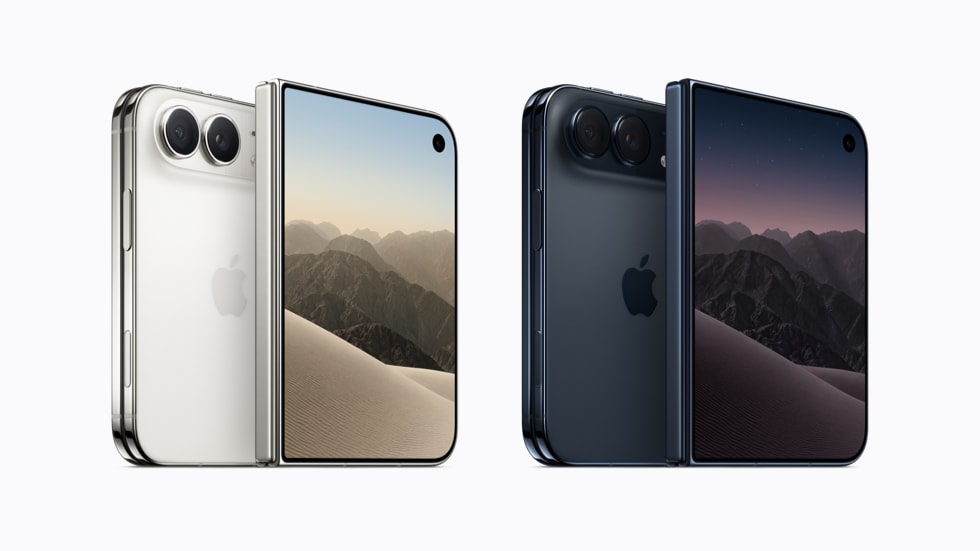
    The foldable iPhone goes on sale on October 23, 2026, with pre-orders starting on October 16. This is a good time to choose a charger in advance, rather than looking for it after receiving the package.

    Below are five wall chargers that meet this threshold, and further on the rest of the equipment: MagSafe and Qi2 25W wireless chargers, USB-C cables, car chargers, and power banks. Along the way, four things on which it is easiest to lose the promised 20 minutes.

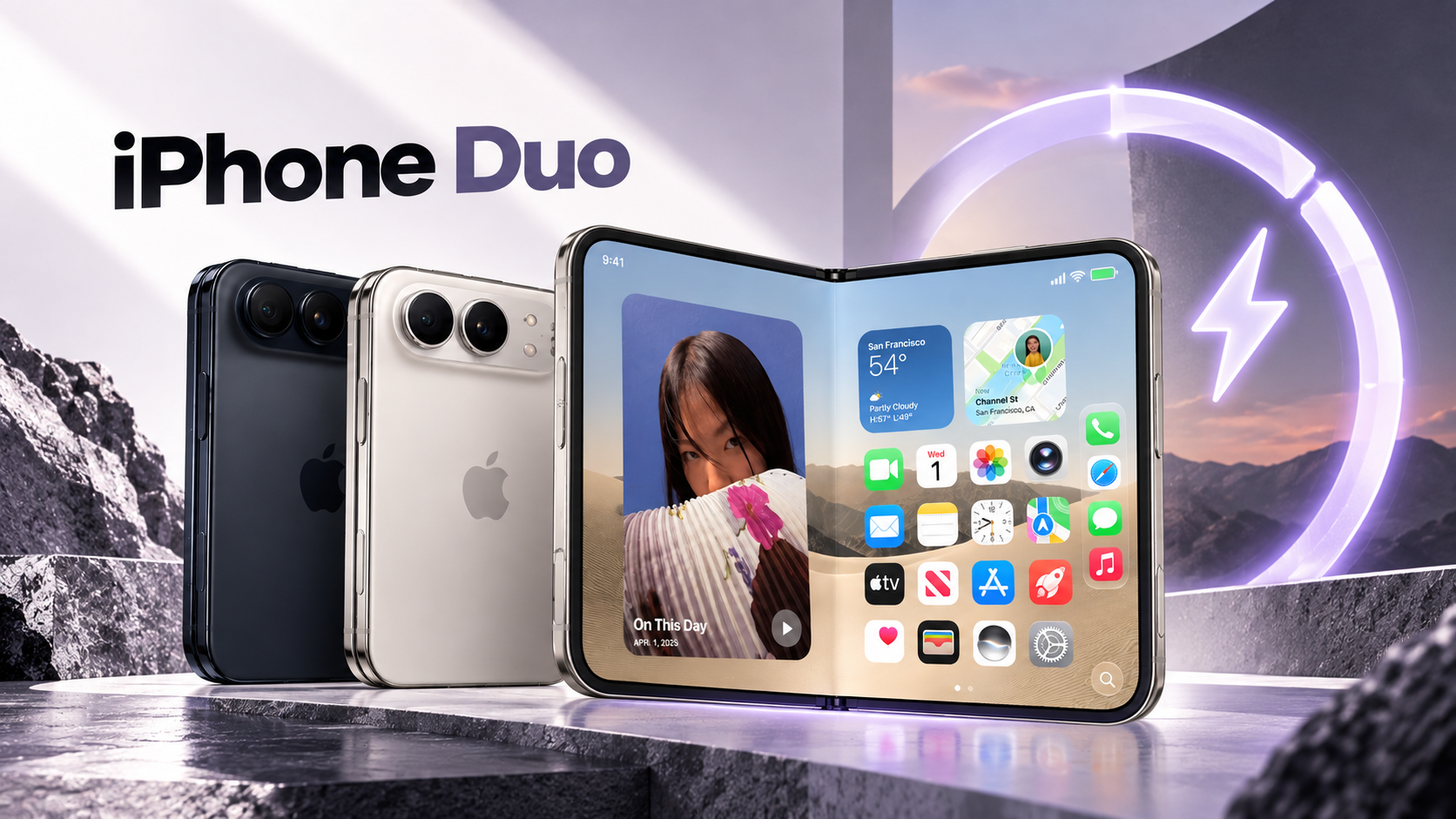
    The iPhone Duo charges via USB-C and wirelessly, using MagSafe and Qi2 standards. Photos: Apple.

    Note: The iPhone Duo is not the MagSafe Duo

    Before we move on to the ranking, one distinction that is easy to overlook when purchasing.

    MagSafe Duo Charger is a foldable, dual charger from Apple for the iPhone and Apple Watch, introduced in 2020 and long discontinued. The name «Duo» refers to its two charging pads, not a phone model.

    iPhone Duo is a foldable iPhone from 2026, which we described in the premiere article about the foldable iPhone. It requires a standard USB-C wall charger, but one that is more powerful than previous iPhones.

    If you see «Apple dual charger,» «Apple Duo Charger,» or «Apple Duo wireless charger» in the search engine, it is not a product for this phone.

    Are you looking for such a dual charger? Its modern equivalent is the 3-in-1 stations: they charge the phone, watch, and headphones at the same time, and unlike the MagSafe Duo, they are still available for purchase. We describe them in the section about wireless chargers later in the text.

    What the iPhone Duo requires from a charger

    Apple lists three numbers in the specifications, and all three are important when making a purchase.

    ParameterValue according to Apple
    Wired fast chargingup to 50% in about 20 minutes
    Minimum power of the charger60 W or higher
    MagSafe chargingup to 25 W
    Qi2 chargingup to 25 W
    MagSafe charging to 50%about 30 minutes, charger 35 W or stronger
    ConnectorUSB-C, USB 3 (10 Gb/s)
    Included1 m USB-C cable, no charger
    Phone weight254 g

    Note one thing: 60 W is a requirement for the charger, not the power drawn by the phone. The Duo does not draw 60 W continuously. However, the charger must have that reserve to maintain high current in the initial charging phase when the battery is nearly empty.

    This is a change compared to the rest of the line. The iPhone 17 reaches its 50% in 20 minutes with a 40 W charger, which we described in the ranking of chargers for the iPhone 17. The Duo has two batteries and raises this threshold by half.

    Need a charger right now? See phone chargers →

    Four things that determine full speed

    1. Power on one port, not total

    To najczęstsza pułapka przy ładowarkach wieloportowych. Producent pisze „65 W» na pudełku, ale ta liczba dotyczy sumy wszystkich portów. Podłącz drugie urządzenie, a główny port zjeżdża do 45 W albo niżej i telefon wypada z progu 60 W.

    Szukaj w specyfikacji zapisu w rodzaju „65 W na pojedynczym porcie USB-C». Jeśli ładujesz laptopa i telefon z jednej kostki, bierz wyższą półkę mocy: 100 W albo więcej.

    2. USB Power Delivery, nie sam Quick Charge

    iPhone korzysta wyłącznie z USB Power Delivery (USB PD), standardu, który negocjuje napięcie między ładowarką a urządzeniem. Quick Charge to konkurencyjny standard Qualcomma, przydatny przy telefonach z Androidem, ale iPhone’owi nic nie daje.

    Większość ładowarek GaN obsługuje oba naraz. Upewnij się tylko, że USB PD jest wymienione wprost.

    3. GaN, jeśli zależy Ci na rozmiarze

    GaN (azotek galu) to materiał, który zastąpił krzem w tranzystorach ładowarki. Mniej grzeje i pozwala zmieścić 65 W w obudowie wielkości dawnej kostki 20 W.

    Przy mocy 60 W i wyższej to różnica między czymś, co zmieścisz w kieszeni kurtki, a cegłą do plecaka.

    4. Kabel, o którym nikt nie pisze na pudełku

    O tym producenci ładowarek milczą, bo kabel zwykle sprzedają osobno. Przy 60 W przewód musi przenieść 3 A, a nie każdy to potrafi, choć wtyk wygląda identycznie. Wracamy do tego w osobnej sekcji niżej.

    The cable from the Duo box works perfectly. The problem starts when you reach for the first random cable from the drawer, and then you wonder why 20 minutes turned into an hour.

    Ranking: 5 ładowarek do iPhone’a Duo, które spełniają próg 60 W

    We ranked them from the most universal to the most specialized.

    The phone will be available for sale only on October 23, so we selected them based on the parameters provided by Apple, not from our own tests with this model.

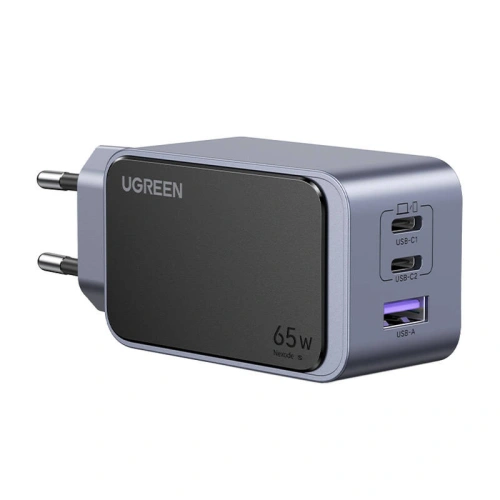
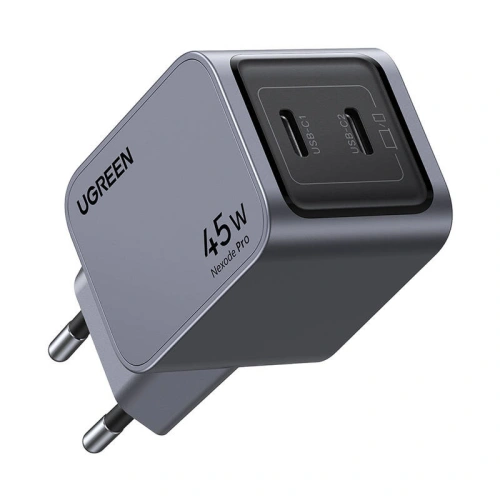
    1. UGREEN Nexode Air 65W

    Our choice

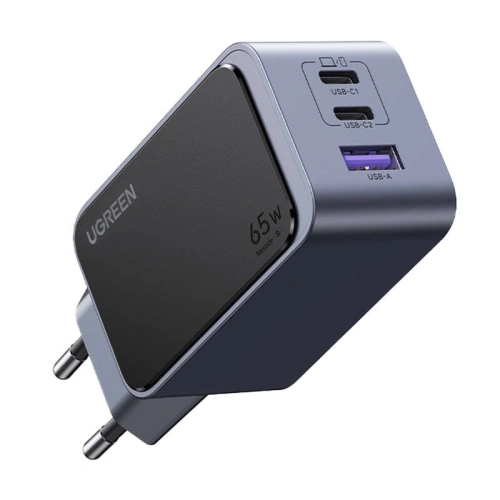
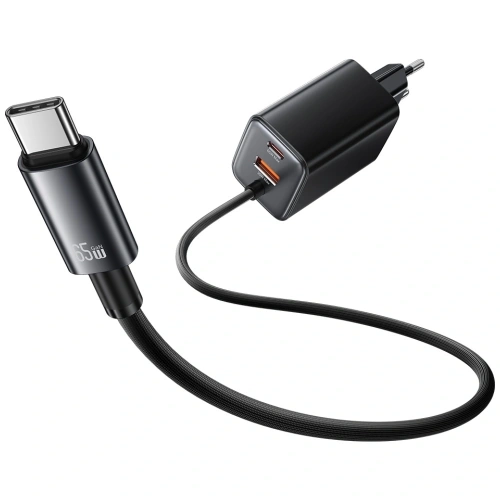
    UGREEN Nexode Air 65W exceeds the 60 W threshold with a small margin and does so in a casing that you can easily carry in your backpack pocket. It has two USB-C ports and one USB-A, so you can also charge your headphones or watch from it.

    Pełne 65 W dostaniesz przy jednym podłączonym urządzeniu. Gdy wepniesz drugie, moc rozdziela się między porty i Duo może zejść poniżej wymaganych 60 W. To nie wada tego konkretnego modelu, tylko cecha wszystkich ładowarek wieloportowych w tej klasie mocy.

    Dla większości ludzi, którzy chcą jednej kostki do telefonu i sporadycznie czegoś obok, to najrozsądniejszy wybór z całego zestawienia.

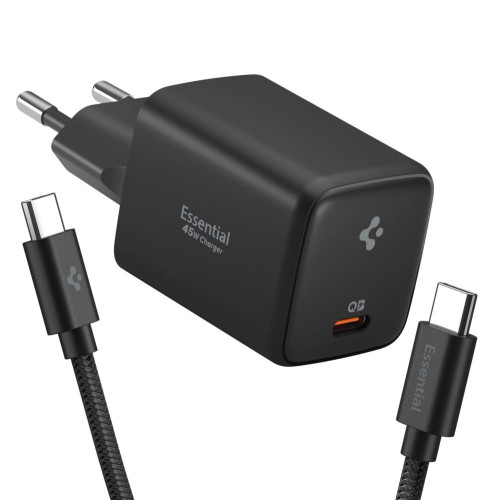
    2. Spigen Essential EE673EU 67W

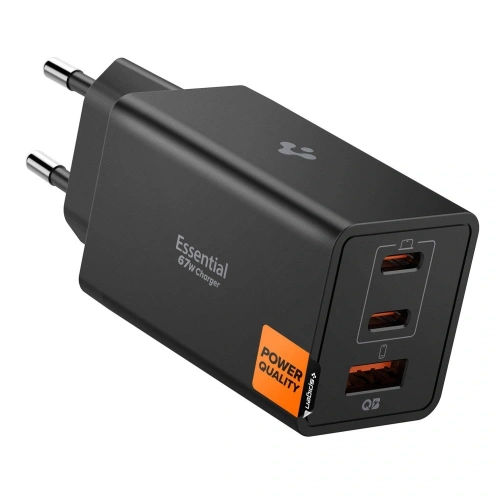
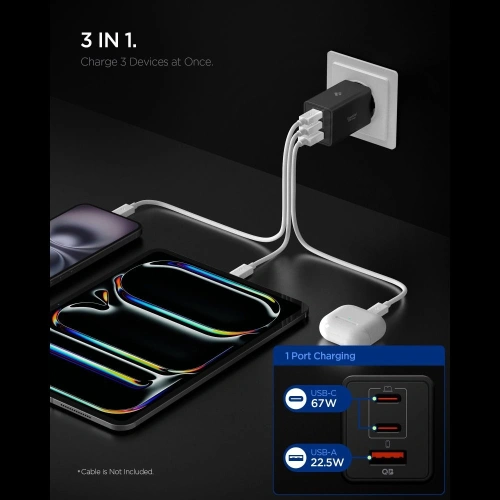
    Spigen Essential EE673EU daje 67 W, czyli siedem watów ponad wymagany próg. Ten zapas ma sens: przy jednoczesnym ładowaniu telefonu i drugiego drobiazgu masz większą szansę, że Duo zostanie przy pełnej prędkości.

    Układ portów jest identyczny jak w propozycji UGREEN: dwa USB-C i jeden USB-A. Czarna obudowa mniej rzuca się w oczy przy gniazdku niż typowa biała kostka.

    3. USAMS JC Series CC266 65W GaN

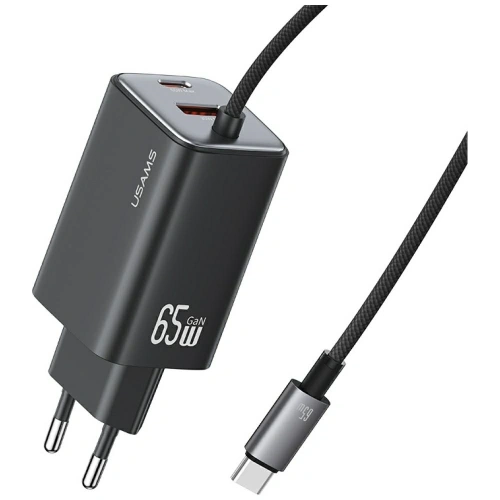
    USAMS JC Series CC266 65W GaN is the simplest way to reach 60 W without paying extra for a recognizable logo. Three ports, GaN technology, and the same 65 W as the higher-end competition.

    If the charger is going to sit behind the couch and no one will look at it, this model does exactly the same job.

    4. Tech-Protect PowerVision NC100W GaN

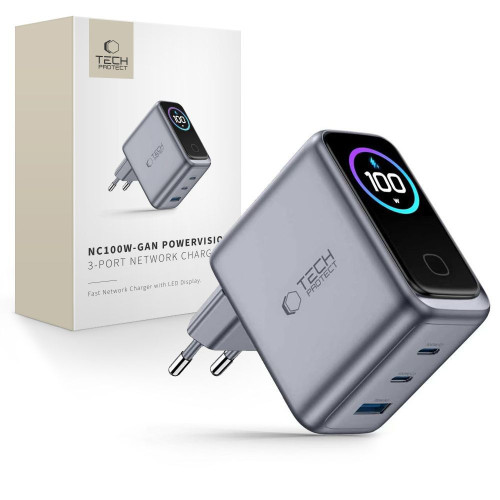
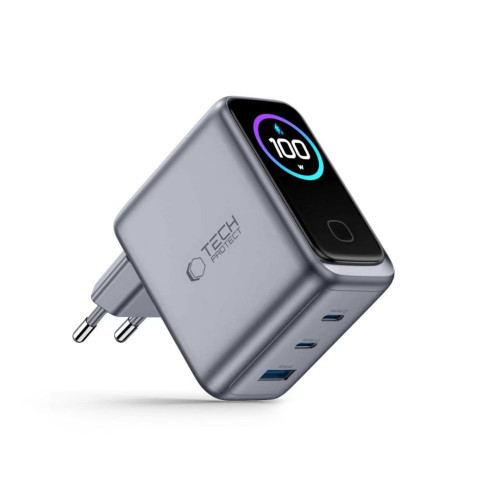
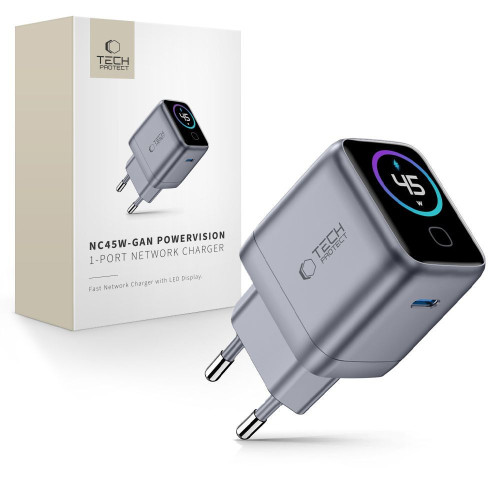
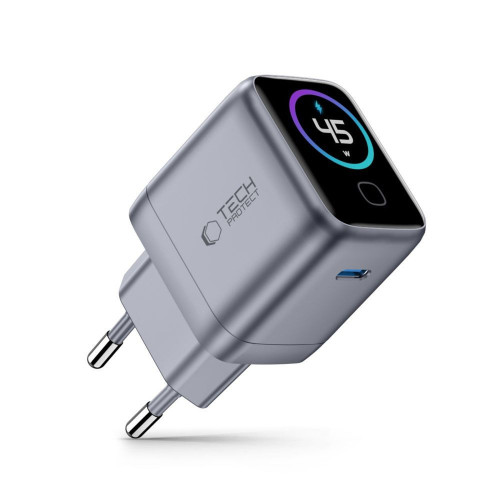
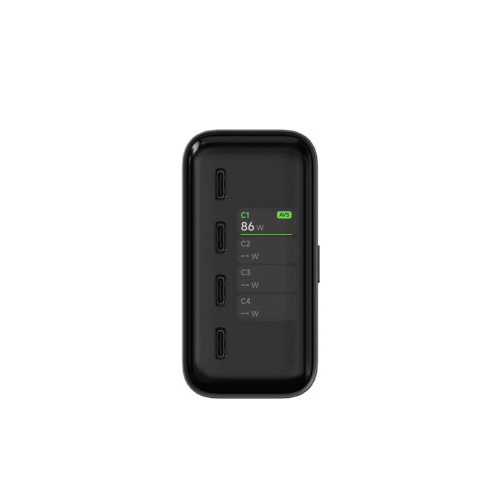
    Tech-Protect PowerVision NC100W solves the problem we mentioned above: it shows on a small display how many watts are actually flowing to the phone.

    This is the only way to see for yourself whether the Duo is getting the promised 60 W, or if the cable or the second connected device has reduced the power. With a phone that has such specific requirements, this information is worth more than with an ordinary smartphone.

    One hundred watts also provides a real buffer when using two devices at once, and it’s enough for most laptops with USB-C.

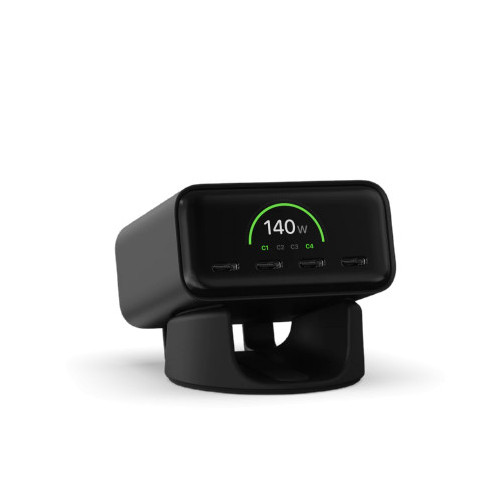
    5. Satechi 4-Port GaN Travel Charger 140W

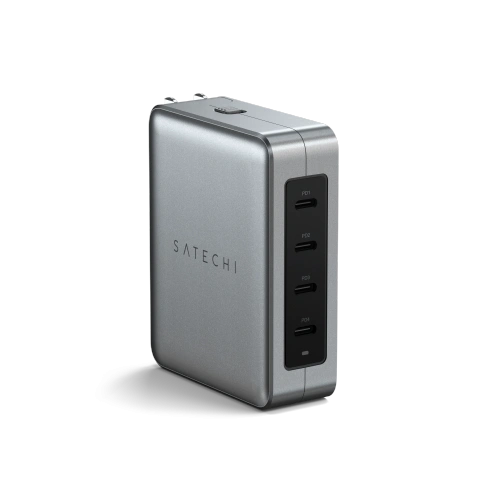
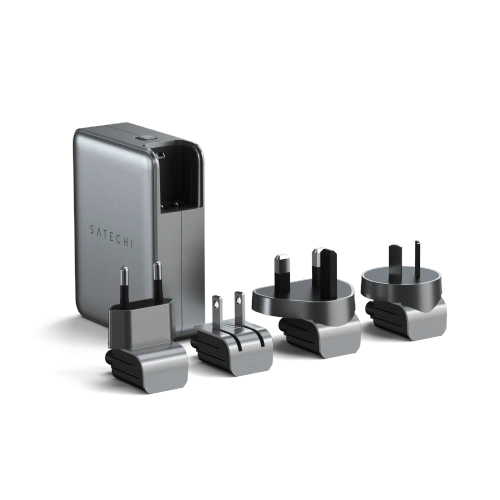
    Satechi 4-Port GaN Travel Charger 140W is a proposal for someone who travels a lot. Four USB-C ports and interchangeable plugs in American, British, European, and Asian standards replace an entire bag of adapters.

    With 140 W to share, even three connected devices won’t push the phone below the threshold. If you also carry a MacBook, it’s the only brick you need. For those who prefer a permanent setup on their desk, the same manufacturer offers Satechi GaN Charger 165W with four USB-C ports.

    [hs_products ids=»76151,126200,109815,142549,73695″ cols=»5″ title=»Chargers 60 W and stronger for iPhone Duo»]

    Comparison of chargers for iPhone Duo

    ModelPowerPortsGaNPower DisplayInterchangeable Plugs
    UGREEN Nexode Air65 W2× USB-C + USB-A✅❌❌
    Spigen Essential EE673EU67 W2× USB-C + USB-A✅❌❌
    USAMS JC CC26665 W2× USB-C + USB-A✅❌❌
    Tech-Protect PowerVision NC100W100 W2× USB-C + USB-A✅✅❌
    Satechi 4-Port Travel140 W4× USB-C✅❌✅

    Induktionlader til iPhone Duo: Qi2, Qi2 25W og MagSafe

    Duo oplader trådløst med op til 25 W: via MagSafe eller via Qi2 i 25 W-versionen, som Wireless Power Consortium betegner som Qi2 25W. Du behøver derfor ikke at lede efter tilbehør med Apple-logoet, men du skal være opmærksom på effekten, da ældre Qi2-ladere stopper ved 15 W.

    Navnene på standarderne blandes i butiksbeskrivelserne, så her er en kort opstilling:

    StandardEffekt for iPhoneMagneterHvad betyder det i praksis
    Qi (gammel)7,5 W❌Telefonen skal ramme spolen, oplader langsomt
    Qi2 (første version)op til 15 W✅Magneter i standarden, effekt som den gamle MagSafe
    Qi2 25Wop til 25 W✅Fuld trådløs hastighed i Duo
    MagSafeop til 25 W✅Apples løsning, i Duo svarende til Qi2 25W

    Søg derfor efter betegnelsen Qi2 25W eller blot tallet 25 W i beskrivelsen. Selve teksten «Qi2» er ikke nok: det samme varemærke dækker i dag både 15 W og 25 W. En langsommere oplader vil fungere uden problemer, bare i længere tid.

    There is one more condition that is easy to forget: the induction charger alone is not enough. You connect it to a power supply, and it is the power supply that determines the power. Apple states that charging MagSafe to 50% in about 30 minutes requires a 35 W or stronger power supply, and 3-in-1 stations can be even more demanding: Tech-Protect A51 needs 45 W, A52 at least 40 W. Check this in the description of the specific model before buying a pad without a power supply included.

    Naming trap: “25 W» on the box of the 3-in-1 station is often the sum of all charging fields, not the power for the phone. Satechi 3-in-1 Qi2 25W divides it into 15 W for the iPhone plus 5 W for the watch and 5 W for the headphones. Look for a separate line in the specifications for “output, phone”.

    You will charge your phone wirelessly slower than with a cable. However, you can place it down with one motion, without aiming for the plug, and with a foldable phone with a hinge, it’s more convenient than it seems.

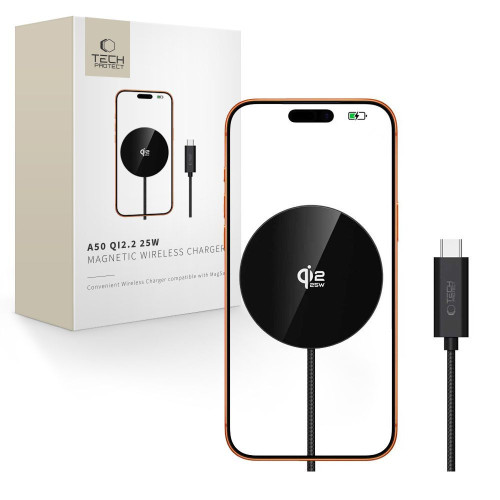
    Tech-Protect A50 MagSafe 25W Qi2.2, single disk

    Our choice among inductive chargers

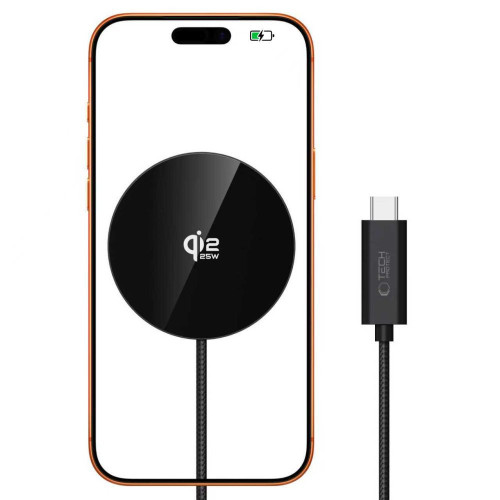
    Tech-Protect A50 delivers a full 25 W for the phone, as all the power goes into one field. It’s the simplest form possible: a magnetic disk on a cable.

    The magnet holds securely despite the 254 grams of Duo mass. If you prefer a different finish, the same manufacturer has Tech-Protect A54 Qi2.2.

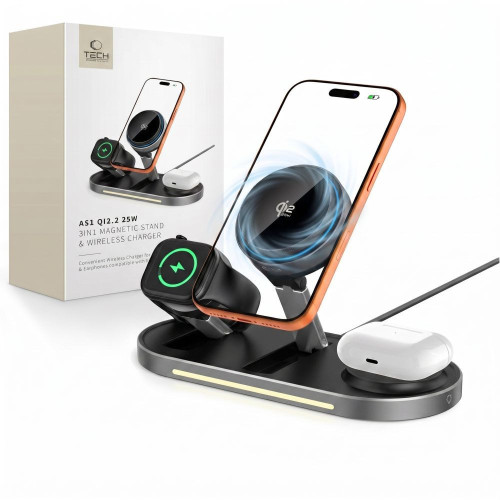
    Tech-Protect A51 ArcticBoost 3in1, full 25 W for the phone

    Tech-Protect A51 ArcticBoost is a rare case of a 3-in-1 station where the phone receives a full 25 W, while the watch and headphones have their own power budget alongside. The manufacturer requires at least a 45 W power supply for this.

    Additionally, it has active cooling. Inductive charging naturally heats up, and heat is the main enemy of battery life, so at 25 W this is a real value, not marketing. A cheaper alternative is Tech-Protect A52 3in1 Qi2.2, also with 25 W for the phone, but without a fan and requiring 40 W on the power supply.

    Satechi 3-in-1 Qi2, foldable stand with 15 W

    Satechi 3-in-1 Qi2 holds a phone, watch, and headphones, and the Duo stand keeps the phone upright, so you can see notifications on the external screen without picking up the phone. When folded, it takes up little space, making it a sensible travel charger.

    Note the power: the manufacturer states 15 W for the iPhone, despite the «25W» in the name. For overnight charging, this is irrelevant; for daytime top-ups, a model with the full 25 W would be better.

    Satechi Qi2 Trio Wireless Charging Pad, flat mat 15 W

    Satechi Qi2 Trio is the same idea in a flat version, also with 15 W for the phone. The Duo lies horizontally instead of standing, which makes sense on a nightstand, where a stand would block the alarm clock or lamp.

    With a foldable phone, the flat mat has one more advantage: you can place the Duo closed on it without stressing the hinge.

    [hs_products ids=»134148,137939,140801,135816″ cols=»4″ title=»25 W wireless chargers and 3-in-1 stations»]

    We have gathered a broader overview of this category in the guide which MagSafe charger to choose, and you can find the full offer in the wireless chargers category.

    USB-C Cables: Here is where you can easily lose the promised 60 W

    The Duo’s cable from the box is one meter long and carries the required power. The problem arises when you need a second cable: a longer one for the bed, a shorter one for the backpack, or a spare one for work.

    A 60 W charging cable must carry 3 A at 20 V. This is the upper limit for a regular USB-C cable: above 3 A, the cable must have an e-marker chip that informs the charger of its capabilities. The Duo fits exactly within this limit, so a decent cable without an e-marker will suffice, but it operates at the edge.

    Three numbers worth watching in the description:

    • Current: 3 A is exactly what you need; 5 A provides a buffer and assurance that the bottleneck is the charger, not the cord
    • Power: 100 W and 240 W cables carry the required 60 W well within their limits
    • Data speed: a separate parameter, completely unrelated to power

    This last thing is the most surprising. Most 100 W cables transmit data at USB 2.0 standard, which is 480 Mb/s. The Duo has a USB 3 connection with a bandwidth of 10 Gb/s, so when transferring video material, the difference is over twenty times.

    This also applies to both cables below: both charge at full power, both transmit data in USB 2.0. If you are looking for a cable for fast recording transfers, check the transfer speed separately, as it is a completely different product category.

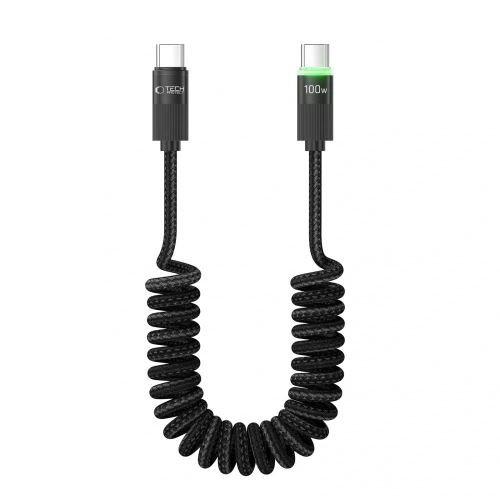
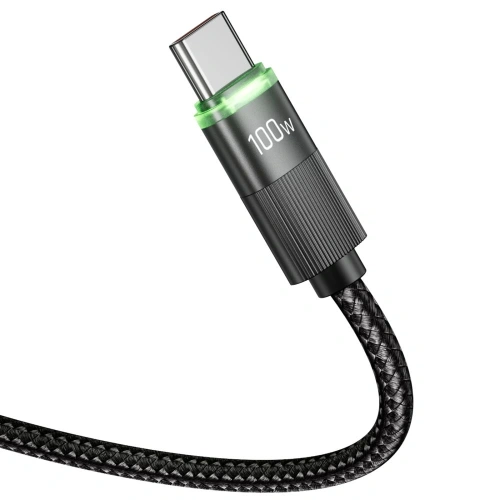
    Tech-Protect UB20T Ultraboost 100W, spring cable for car and desk

    Tech-Protect UB20T Ultraboost cable supports 100 W at 5 A, which is well above the 3 A required by the Duo.

    His design is spring-loaded: at rest, it coils down to a few centimeters and stretches up to 180 cm. In the car and on the desk, this means the end of tangles, as the cable returns to shape on its own instead of lying in a heap.

    Tech-Protect UB10T Ultraboost 240W, with a reserve for a laptop

    Tech-Protect UB10T Ultraboost cable carries 240 W in EPR extension from the USB PD 3.1 standard. For a phone, that’s overkill, but if this same cable sometimes needs to power a laptop, you buy one cable instead of two.

    A meter length works well at the desk and in the backpack. For a permanent workstation at the computer, a shorter and cheaper Tech-Protect Ultraboost DNA 100W is sufficient.

    Więcej o doborze przewodu napisaliśmy w tekście what cable to choose for fast charging. Pełna oferta jest w USB-C cable category.

    Car chargers for iPhone Duo

    Duo declares up to 24 hours of typical usage, but two screens can quickly eat that result. In the car, different factors matter than at the desk: navigation on a large internal screen drains the battery faster than a weak charger from the cigarette lighter can charge it.

    The principle is the same as with a wall charger. The car charger must provide 60 W on one port for the phone to charge at full speed. Popular 18 W or 30 W adapters will maintain the battery level during navigation but will not raise it.

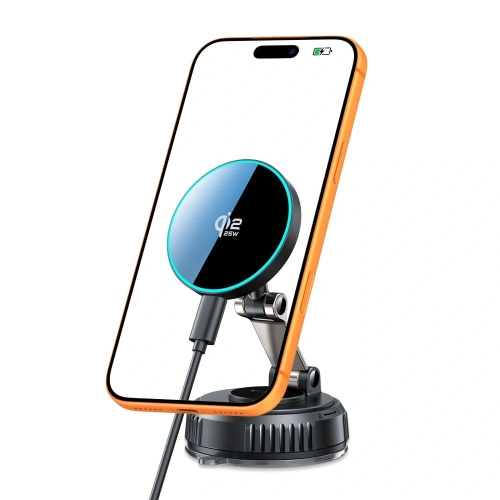
    Wireless charging mount Tech-Protect MM25W-V8

    Tech-Protect MM25W-V8 combines a windshield or dashboard mount with a 25 W Qi2.2 charger. You attach your phone magnetically and it starts charging immediately, without plugging in the cable every time you get in.

    With Duo, there is one more benefit: the mount keeps the phone secured, so you don’t strain the hinge while on the road.

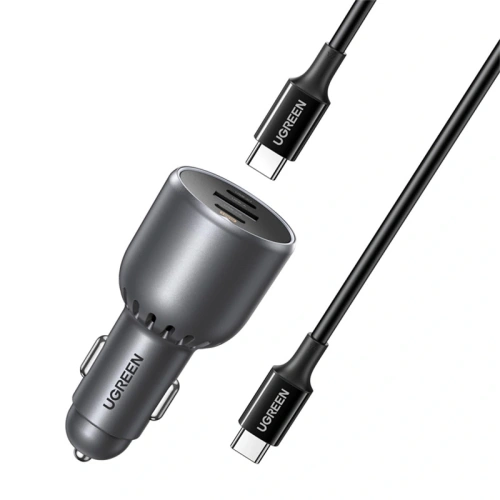
    UGREEN EC705 130W, for drivers with a laptop

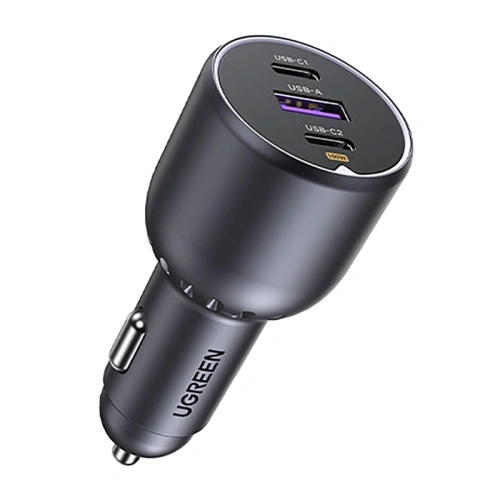
    UGREEN EC705 charger provides 130 W across three ports, so your phone gets its 60 W even when a laptop or tablet of a passenger is charging next to it. The package includes a 5 A cable, which is exactly what is required for full power.

    An alternative with two USB-C ports is Tech-Protect CC03 100W.

    Attention to descriptions: car chargers described as “PD 60W” often split this power between ports, for example, 30 W on USB-C and 18 W on USB-A. For Duo, only the number at the USB-C port counts, not the total from the box.

    We described more options in the guide fast car charger, and the full offer is in the car charger category.

    Powerbanks for iPhone Duo

    A power bank for a foldable phone is chosen differently than for a regular smartphone, for one reason: Duo weighs 254 g. This is clearly more than a classic iPhone, so a magnetic power bank attached to the back turns the set into something you don’t want to hold to your ear for half an hour.

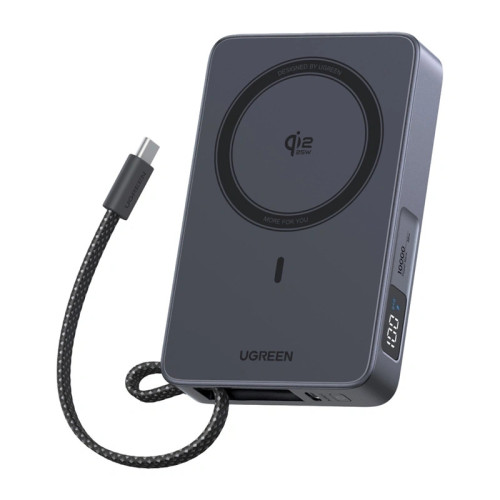
    Hence the simple rule: magnetic up to 10,000 mAh or wired above. Heavier cells are better kept in a pocket and connected with a cable.

    Tech-Protect PB40 LifeMag 10,000 mAh, magnetic with full Qi2.2 power

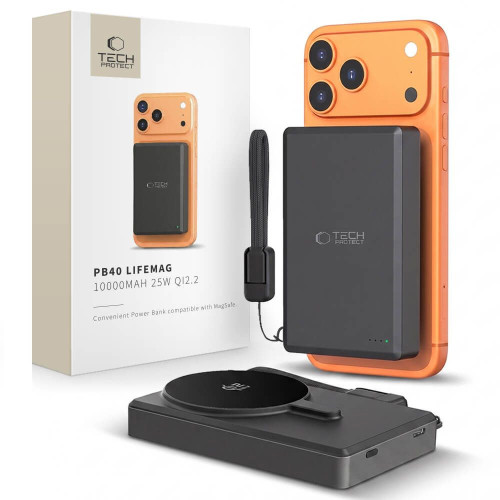
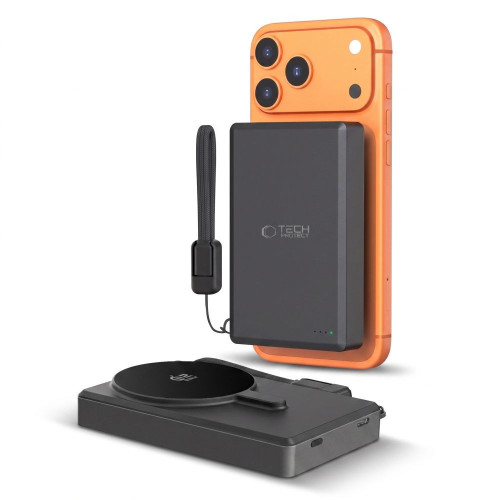
    Powerbank Tech-Protect PB40 LifeMag has 10,000 mAh and charges wirelessly in the Qi2.2 standard with a power of 25 W, which is as much as the Duo can accept without a cable. You attach it to the back of the phone and go on.

    This is the most convenient solution for the city: charging starts the moment you place it, without searching for a plug in your pocket.

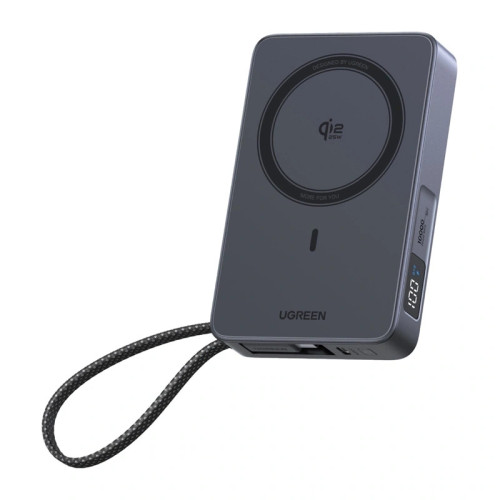
    UGREEN PB773 10 000 mAh 30W, magnetyczny z portem USB-C

    UGREEN PB773 power bank combines magnetic mounting with a 30 W USB-C port. You wirelessly add energy on the go, and charge faster with a cable when you have a moment to stop.

    Thirty watts through the cable won’t give the claimed 20 minutes to half by Apple, but it still exceeds the 25 W available wirelessly.

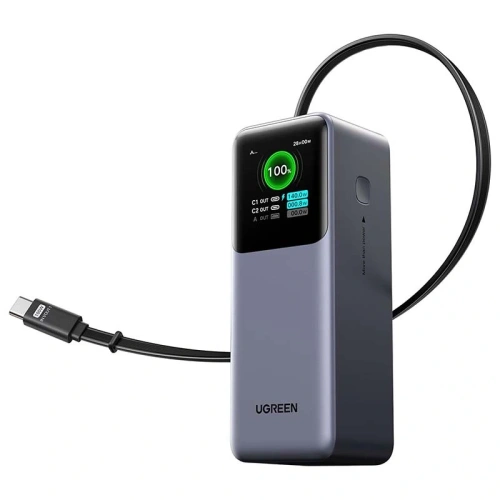
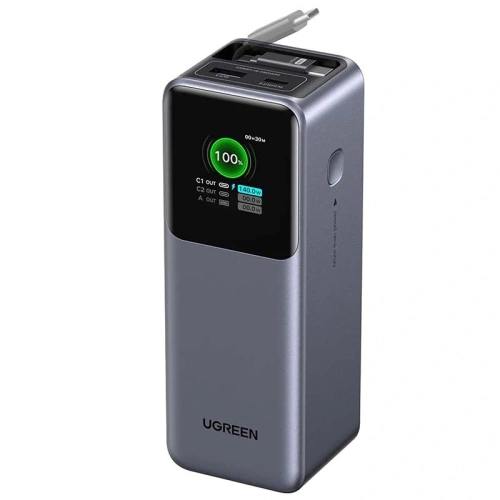
    UGREEN PB726 20,000 mAh 165W, for longer trips

    Powerbank UGREEN PB726 is another league: 20,000 mAh and 165 W, which means it can charge Duo at full speed and still have some left for a laptop. The built-in retractable cable also solves the problem of the cable that is always missing.

    This power bank is for a backpack, not for a pocket. However, on a two-day trip without access to a socket, it replaces the rest of this article. If you care about power with less weight, check out UGREEN PB537 20,000 mAh 55 W.

    Advice before the flight: from March 27, 2026, new ICAO rules apply. Each passenger is allowed a maximum of two power banks, each up to 100 Wh (20,000 mAh is about 74 Wh, so it fits within the limit). They can only be carried in the cabin, must be kept within reach, not in the overhead compartment, and cannot be recharged from onboard sockets.

    [hs_products ids=»141166,142610,129239,100096,127489,109233″ cols=»6″ title=»Powerbanks, cables and charging on the go»]

    We have gathered more models in the 2026 power bank ranking, and you can find the entire offer in the power bank category.

    Which charger to choose? Recommendations according to needs

    Your situationWhat to buyWhy
    You want one charger and don’t want to thinkUGREEN Nexode Air 65WMeets the threshold, is small, has three ports as a backup
    You charge your phone and laptop from one socketTech-Protect PowerVision NC100WOne hundred watts for both, and the display will show how much is actually flowing
    You fly a lotSatechi 4-Port GaN Travel 140WInterchangeable plugs replace a set of adapters
    You mainly charge at night by the bedTech-Protect A50 or Satechi Qi2 Trio with the appropriate power supplyFor eight hours of sleep, speed doesn’t matter
    You already have a strong charger for your MacBookNothing or just the cableCheck how much it gives on one port; 60 W+ is enough
    You need a second cableTech-Protect UB20T 100 W / 5 AHas a reserve over the required 3 A, won’t cut power
    You drive with navigationTech-Protect MM25W-V8 mount or UGREEN EC705A weaker adapter will maintain battery level but won’t raise it
    You’re going away for longer without a socketUGREEN PB726 20,000 mAhMagnetic 10,000 mAh take for convenience, not capacity

    You are choosing between the Duo and Samsung’s foldable. We compared both in the comparison of iPhone Duo and Galaxy Z Fold 8, and a separate ranking of chargers for Samsung can be found in the text about chargers for Galaxy Z Fold 8 Ultra.

    Summary

    The Duo charger for iPhone boils down to one number and three details around it.

    1. The power supply must be at least 60 W, otherwise you won’t see the promised 50% in 20 minutes
    2. What matters is the power on one port, not the total written on the box
    3. The cable must carry 3 A at 20 V, so 100 W and 5 A cables are a safe choice
    4. Wirelessly you will get 25 W through MagSafe or Qi2 25W, but the pad needs its own power supply, from 35 to 45 W depending on the model
    5. There is no power supply in the box, only a USB-C cable, so the brick needs to be purchased separately

    The rest of the equipment revolves around the same thresholds, with one exception. The power bank is chosen not for power, but for the weight of the phone: magnetic up to 10,000 mAh, heavier cells on a cable.

    If you have to buy one thing before picking up the phone, let it be a 65 W charger with USB Power Delivery. The rest, from the wireless pad to the power bank, can wait until you know your habits with the new phone.

    Tak, można. iPhone’a Duo będzie ładowany bezpiecznie, ponieważ telefon pobiera tylko tyle mocy, ile potrzebuje. Wyższa moc ładowarki nie zaszkodzi urządzeniu.

    Czy można używać ładowarki do iPhone’a Duo z innymi urządzeniami?

    Tak, ładowarka do iPhone’a Duo może być używana z innymi urządzeniami, które obsługują USB-C. Warto jednak sprawdzić, czy urządzenie obsługuje odpowiednią moc ładowania.

    Czy ładowarka do iPhone’a Duo ma wpływ na żywotność baterii?

    Tak, używanie odpowiedniej ładowarki może pomóc w utrzymaniu zdrowia baterii. Zbyt mocne ładowarki mogą prowadzić do przegrzewania się, co negatywnie wpływa na żywotność baterii.

    It is possible and completely safe. USB Power Delivery negotiates the voltage and current between the charger and the phone, so the device only draws as much as it can handle. A more powerful charger is useful when charging multiple devices at once.

    Does the iPhone Duo need an original Apple charger?

    No. Any power adapter that supports USB Power Delivery with a power of 60 W or higher is sufficient. Apple does not require MFi certification for wall chargers, and for wireless charging, compatibility with the Qi2 standard is what matters.

    Is there a charger included with the iPhone Duo?

    No. In the box, you will find only a 1-meter USB-C cable. The wall adapter needs to be purchased separately, just like with every iPhone since 2020.

    How fast does the iPhone Duo charge?

    Up to 50% in about 20 minutes with a 60 W or stronger adapter. MagSafe and Qi2 wireless charging works with a power of up to 25 W, so a full charge takes significantly longer than with a cable.

    Will an old 20 W charger from the iPhone charge the Duo?

    It will charge, but much slower than Apple states. The foldable iPhone has two batteries, and with a 20 W adapter, the charging time increases several times compared to the declared 20 minutes to half capacity.


    Sources:

  • How to reduce the size of a photo on iPhone? Proven methods

    How to reduce the size of a photo on iPhone? Proven methods

    One photo rarely causes a problem with memory space. A few thousand — that’s a different story.

    Large files can also be troublesome in everyday situations: the submission form accepts attachments no larger than 2 MB, sending messages takes too long, or the site rejects a photo in HEIC format. In each of these cases, the request to «reduce the photo» means something slightly different.

    This guide shows how to reduce the size of a photo on an iPhone in five practical ways. The choice depends on whether you need a smaller file for sending, photos of the same width in pixels, or more free space in your library.

    How to check the size of a photo and understand the given values

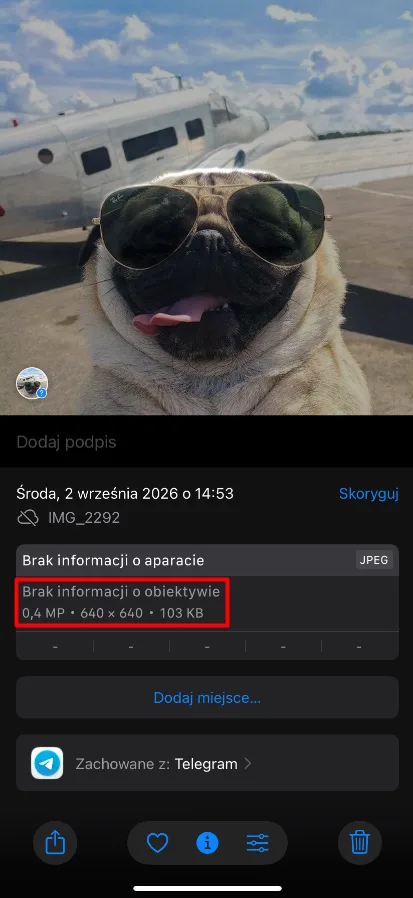
    Open the image in the Photos app, then swipe up or tap the info button. In the details panel, you will see the photo format, its dimensions in pixels, and the file size.

    The info panel in the Photos app shows the format, dimensions, and file size.
    The info panel in the Photos app shows the format, dimensions, and file size.

    In this screenshot, JPEG indicates the format, 640 × 640 are the dimensions in pixels, and 103 KB is the file size. When comparing to the attachment limit or uploaded file, refer to the value expressed in KB or MB.

    Dimensions define the width and height of the image. Reducing them removes some pixels, which usually allows for a smaller file. However, there are fewer details left that can be used for later cropping or printing the photo.

    The file size also depends on the format and compression. Two images of identical dimensions can take up different amounts of space. Changing the format from HEIC to JPEG may improve compatibility with an app or website, but it doesn’t necessarily reduce the file size.

    The occupied space in memory is another matter: it concerns the total space used by the photo library. Creating a smaller copy makes it easier to upload the image, but keeping both versions takes up more space on the phone.

    If the photo is in the Files app, tap and hold it, then select Get Info. Also, pay attention to the extension. Even a small HEIC file may require a JPEG copy if the destination does not support HEIC.

    How to reduce photo size on iPhone: five methods

    Method 1: Use a compression app

    If you prefer to compress a photo on your iPhone using an app, one option is the Clever Cleaner app for iPhone. It helps manage your library: it finds duplicates, removes unnecessary files, and compresses photos and videos you want to keep.

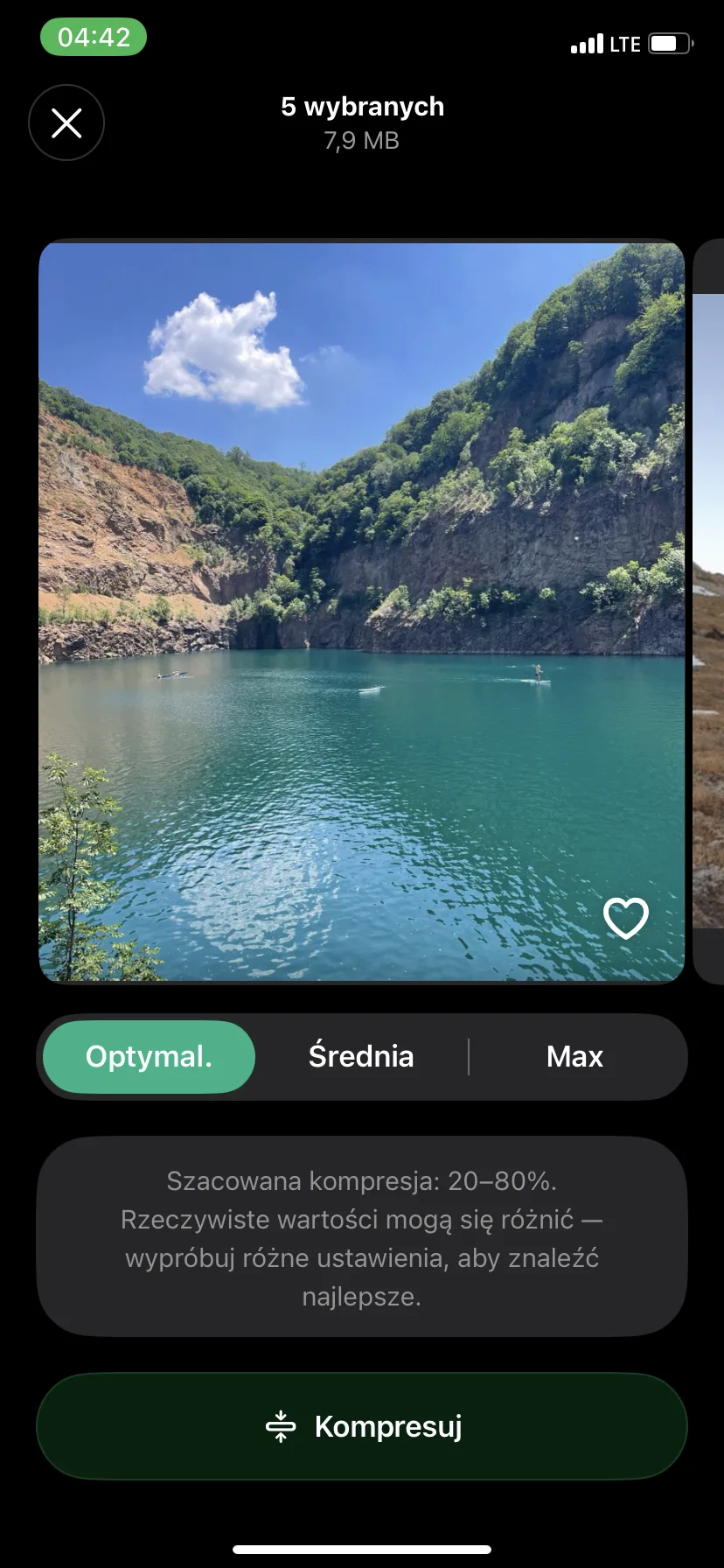
    The available compression of multiple images at once allows you to select several images, choose the compression level, and check the expected size reduction before starting. This way, you don’t have to process each image individually.

    1. Open Clever Cleaner or install the app if you don’t have it yet. Allow access to the photos you want to compress.
    2. Tap Compress to open the multimedia compression screen.
    3. Select Photos and check several images you want to process together.
    4. Open the compression settings for the selected images.
    5. Start with the Optimal setting. Medium and Max are also available. Before applying stronger compression to a large group of images, test it on a small sample.
    6. Check the expected size reduction visible under the compression options.
    Compression settings for five selected images in Clever Cleaner.
    Compression settings for five selected images in Clever Cleaner.
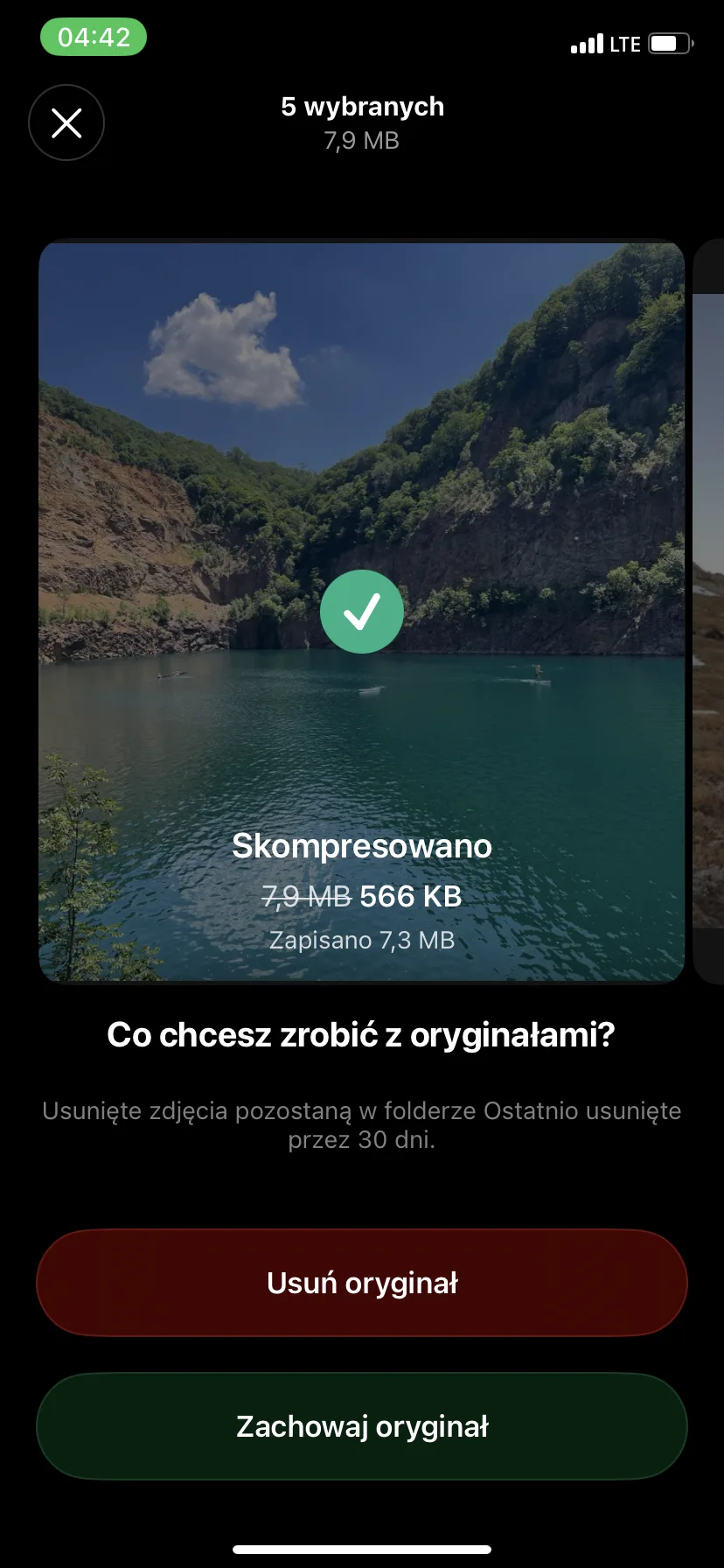
    1. Tap Compress and wait for the processing to finish.
    Clever Cleaner shows the file sizes after compression and the amount of space saved.
    Clever Cleaner shows the file sizes after compression and the amount of space saved.
    1. During the first attempt, select Keep Original to retain the original. Open the compressed copies in the Photos app and compare them with the originals before deciding to delete anything. Keeping both versions initially takes up extra space. Deleted originals remain in the Recently Deleted album for up to 30 days.

    For photos intended for sending or viewing on a phone, try Medium compression. If you plan to edit or print them, start with Optimized and check if the details are still clear.

    Method 2: Use an online photo compression tool

    If you don’t want to install an app, you can use an online photo compression tool. One option is TinyPNG: it reduces image files and can also convert them to another format.

    You upload the photos, wait for the service to compress them, and then download the smaller copies. It’s a convenient solution for occasional file uploads, as long as you don’t mind sending your images to an online service.

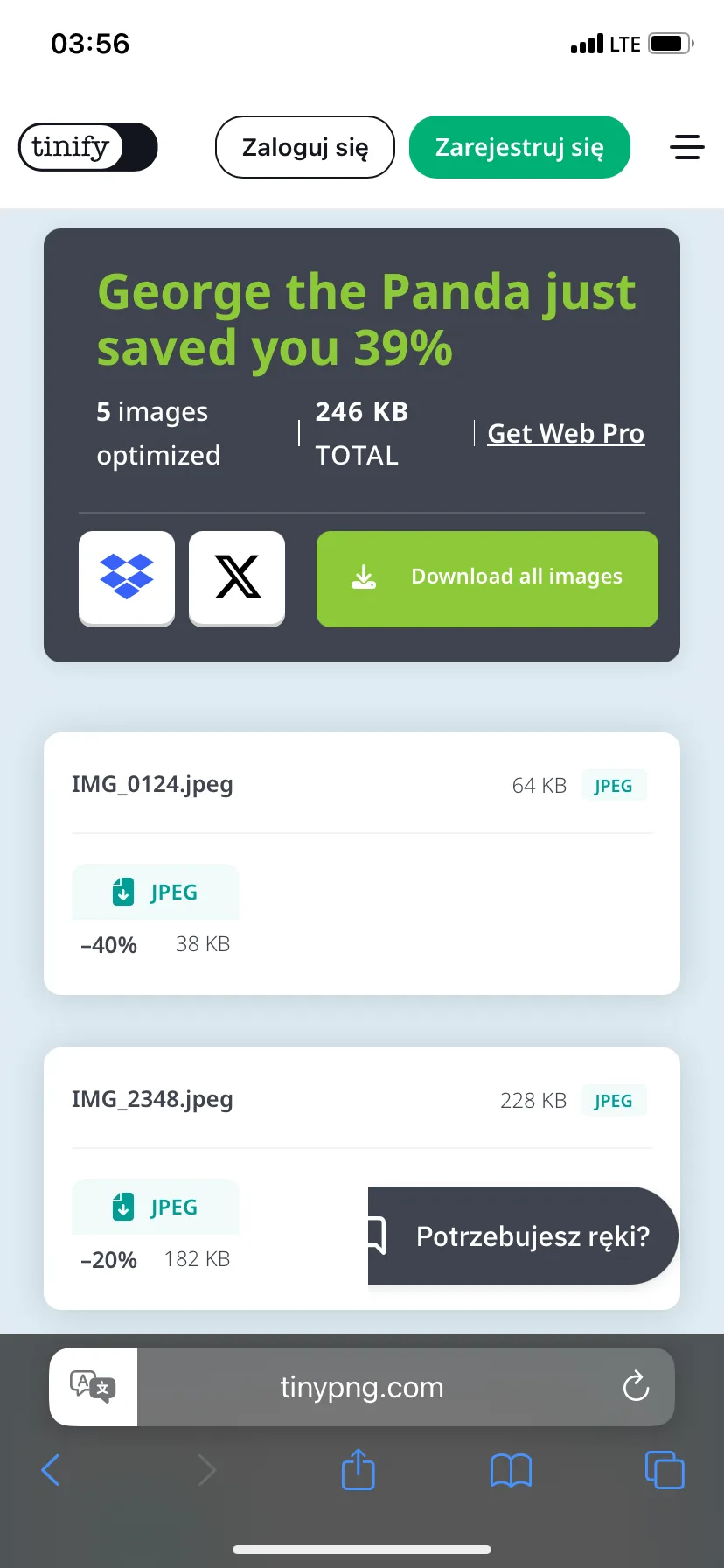
    1. Open TinyPNG in Safari and tap the file upload area.
    2. Select a photo from the Photos or Files app. Wait for the compression to finish.
    3. If you need a different format, enable Convert my images automatically and choose a format supported by the destination. Otherwise, leave conversion off. The exception is uploaded HEIC files: TinyPNG converts them to JPEG.
    4. Download the result, find it in the Files app, and check its size before uploading it further.
    TinyPNG shows compressed images and the degree of reduction in their file sizes.
    TinyPNG shows compressed images and the degree of reduction in their file sizes.

    TinyPNG processes uploaded images on its servers. For private documents or photos that you prefer to keep on your phone, use Clever Cleaner, the Files app, or Shortcuts instead.

    Method 3: Change the format and size of the photo in the Files app

    To get a smaller photo without installing another app and uploading it to a website, try the built-in Files app on your iPhone. Its Convert Image feature creates a separate copy of the image and allows you to choose a smaller size.

    You can keep the current photo format or change it if necessary — for example, to JPEG for a site that does not accept HEIC. The original remains unchanged.

    1. In the Photos app, select the image and tap the share button — Share.
    2. Select Save to Files to save it in the Files app, and specify the folder.
    3. Open Files, find the saved image, then touch and hold it.
    4. Select Quick Actions > Convert Image from the quick actions menu.
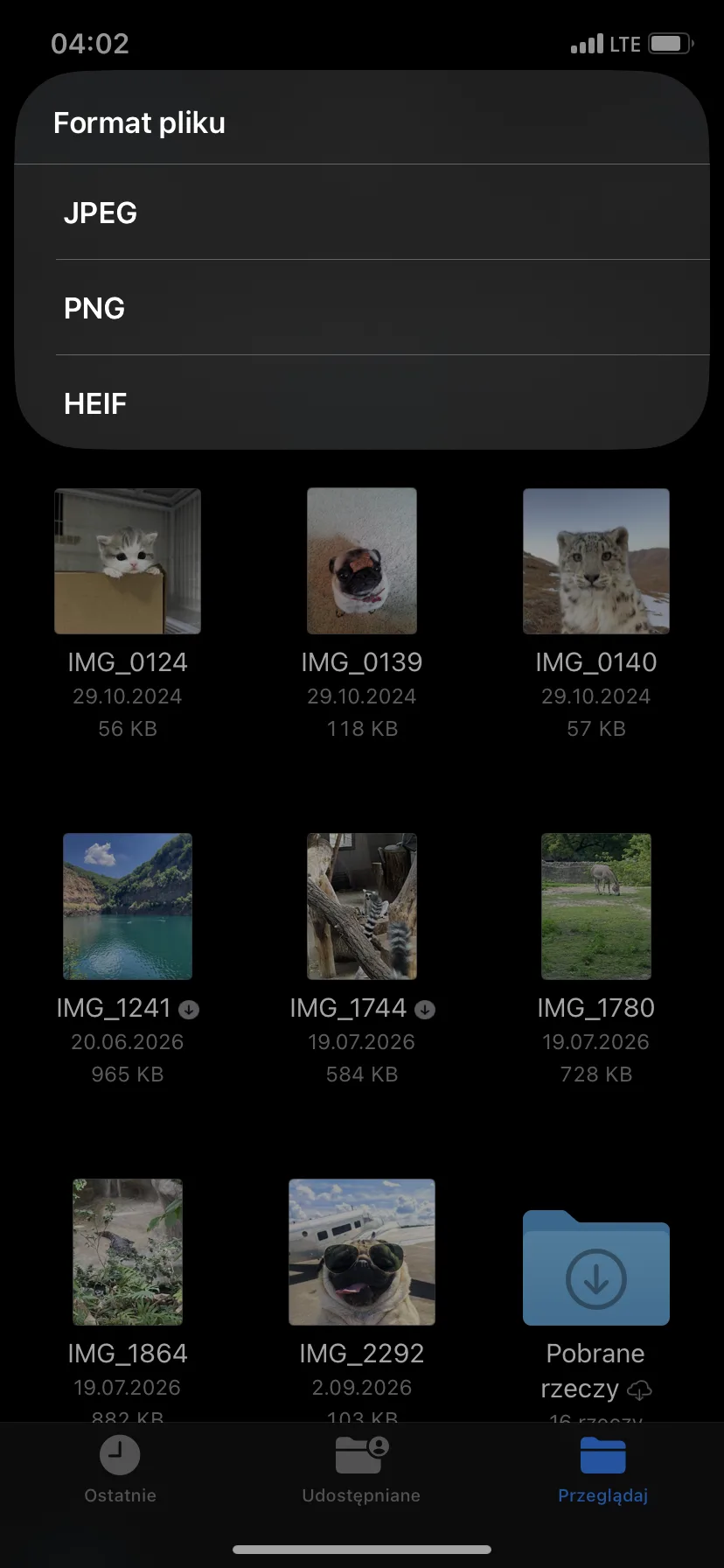
    5. Select JPEG, PNG, or HEIF. You can stick with the current format: for example, for a JPEG image, select JPEG again.
    The Files app allows you to convert a photo to JPEG, PNG, or HEIF.
    The Files app allows you to convert a photo to JPEG, PNG, or HEIF.
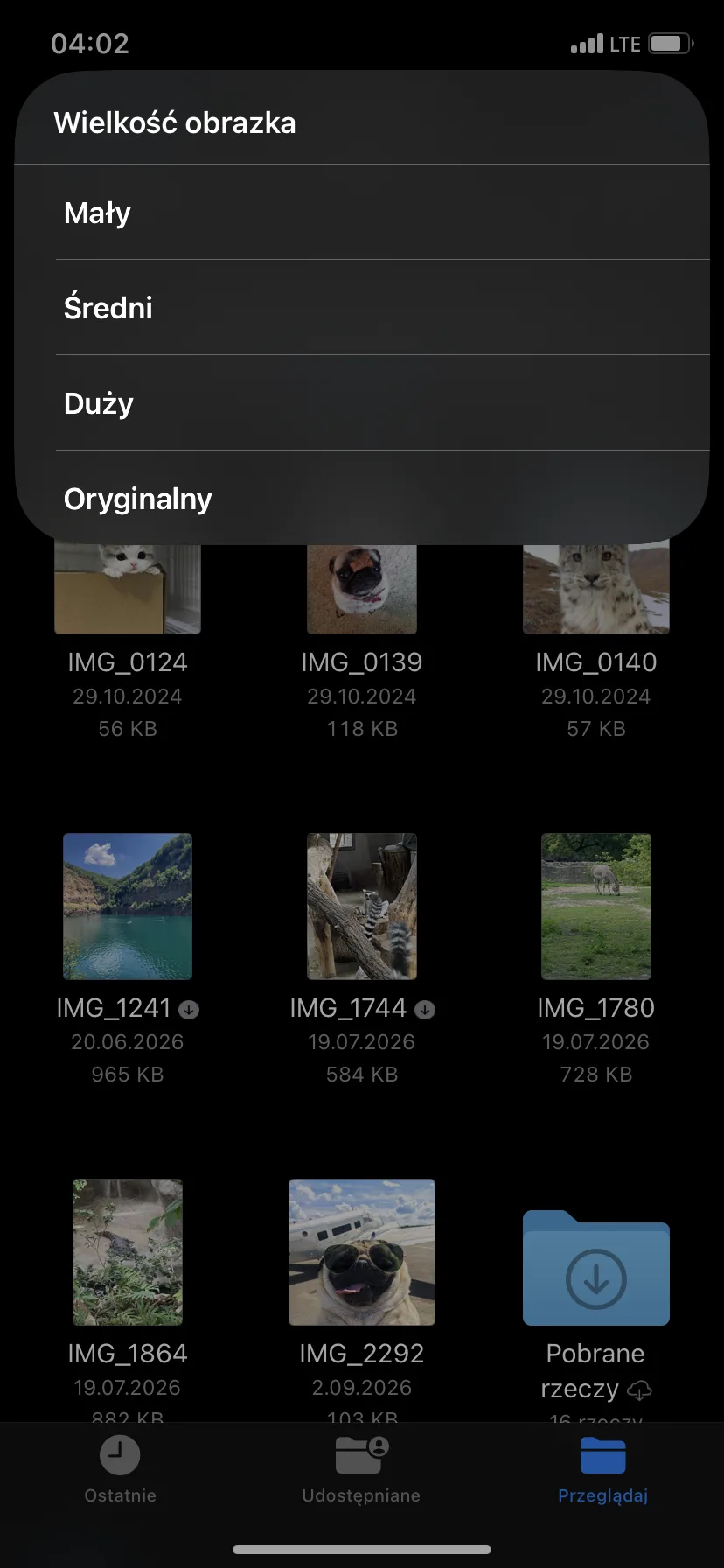
    1. In the Image Size menu, select Small, Medium, or Large. The Original option keeps the original dimensions, so if you want to reduce the photo, choose one of the smaller available sizes.
    Aplikacja Pliki udostępnia cztery rozmiary wyjściowe konwertowanego obrazu.
    Aplikacja Pliki udostępnia cztery rozmiary wyjściowe konwertowanego obrazu.
    1. Otwórz nowy plik i sprawdź jego rozmiar za pomocą Uzyskaj informacje. Jeśli nadal przekracza limit przesyłania, wróć do oryginału i wybierz mniejszy rozmiar.

    Jaki format wybrać? W przypadku zdjęć JPEG jest bezpiecznym wyborem, gdy liczy się zgodność z różnymi urządzeniami i usługami. HEIF zwykle zajmuje mniej miejsca przy podobnej jakości obrazu, ale starsza aplikacja lub strona może go nie otworzyć. PNG sprawdza się w grafikach interfejsu i obrazach wymagających przezroczystości. Rzadko jest jednak najmniejszym formatem dla zdjęcia z aparatu.

    Metoda 4: Jak zmienić rozmiar zdjęcia za pomocą skrótu wielokrotnego użytku

    Jeśli często potrzebujesz zdjęć o tej samej szerokości, aplikacja Skróty może zaoszczędzić ci czas. Wystarczy raz przygotować skrót zmieniający rozmiar i uruchamiać go ponownie podczas przygotowywania zdjęć na blog, do ogłoszenia lub formularza przesyłania.

    Samodzielnie wybierasz szerokość w pikselach, a wysokość dopasowuje się automatycznie, aby zachować proporcje zdjęcia. Zmniejszenie wymiarów obrazu zazwyczaj zmniejsza również rozmiar pliku.

    1. Open the Shortcuts app and tap the plus button.
    2. Add the Select Photos action to choose photos. Enable Select Multiple if you sometimes want to process several photos at once.
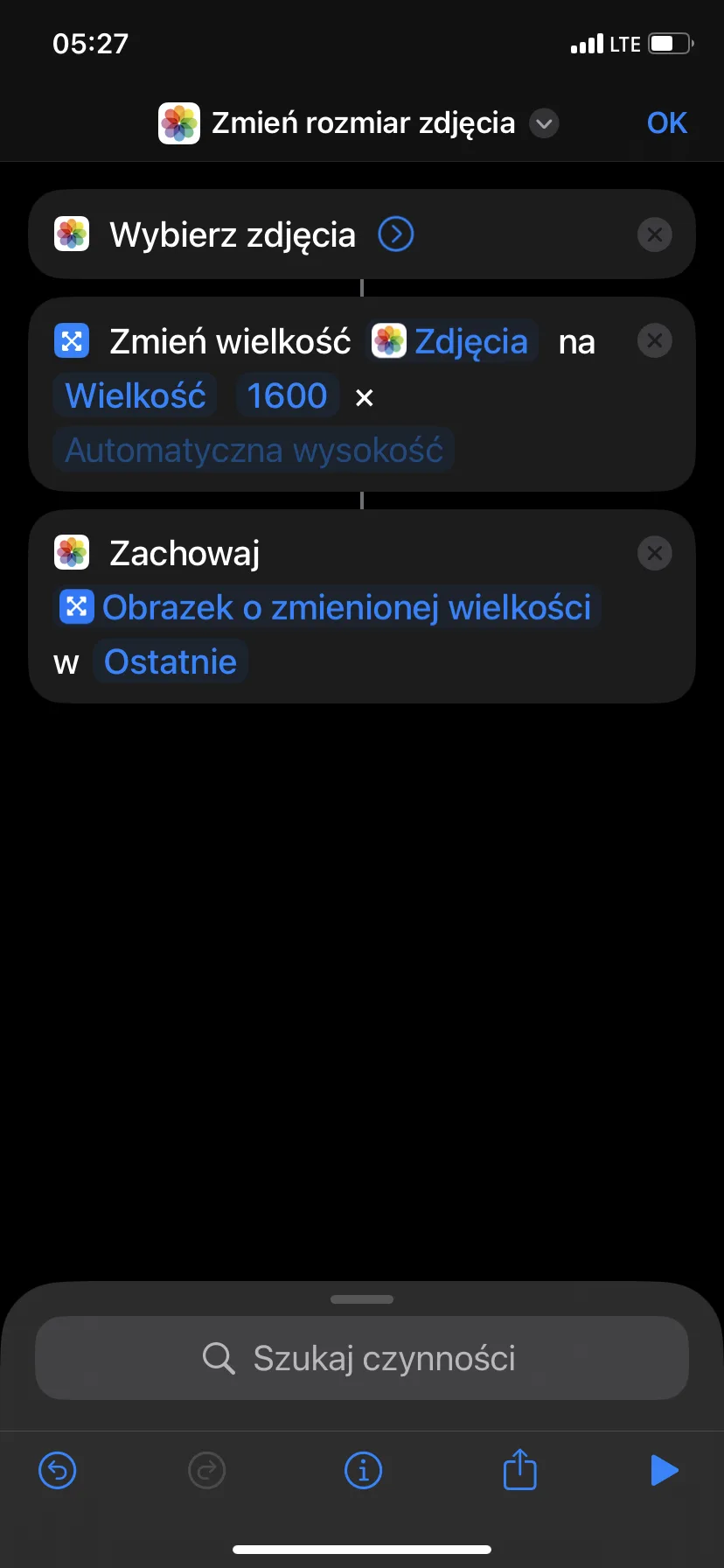
    3. Add Resize and enter the required width. Leave the height to be automatically determined to maintain the photo’s proportions.
    4. Add Save to Photo Album or Save File — depending on where you want to save the result.
    5. Give the shortcut a descriptive name, such as “Resize Photos for Upload.”
    6. Run it once on a test photo.
    Reusable shortcut changes the width of selected photos to 1600 pixels.
    Reusable shortcut changes the width of selected photos to 1600 pixels.

    Saving in the Files app is convenient when the page opens a file selection window. Saving in Photos places the result in the library along with other images. In both cases, make sure the shortcut creates a new copy before you use it on important photos.

    What width to choose? For many screen applications, a reasonable starting point is 1600–2000 pixels, but this is not a fixed rule. If the destination specifies required dimensions, follow those.

    The Resize Image action does not require a separate format change step. Add Convert Image only if the destination requires a specific format, such as JPEG. If the file is still too large after resizing, go back to the original and try a smaller width.

    Method 5: Send a Smaller Copy via Email

    If you only need to send a smaller photo via email, the Email app can prepare a reduced attachment, leaving the original unchanged in the Photos app.

    1. Open the Photos app and select the image.
    2. Tap Share, the sharing button, and then select Mail.
    3. Add the recipient and tap Send to send the message.
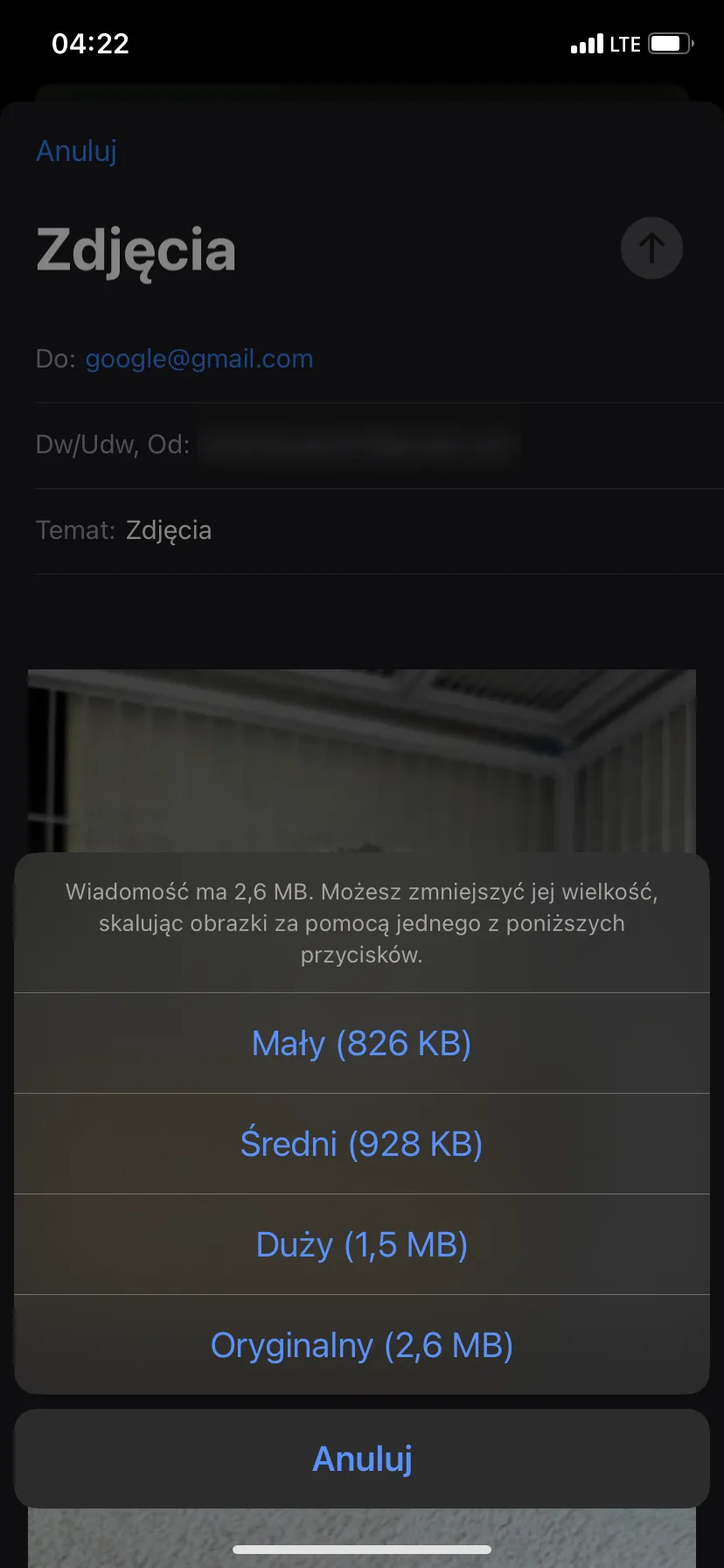
    4. If Mail displays a size menu, compare the expected values next to the options Small, Medium, Large, and Original.
    5. Tap the smaller size in which you want to send the photo.
    Mail suggests smaller attachment sizes before sending the photo.
    Mail suggests smaller attachment sizes before sending the photo.

    Average is a reasonable first choice for regular viewing on screen. Large retains more detail, while Small is suitable for a thumbnail when quality is less important. If the image contains fine text or may be printed, send a sample to yourself before choosing the smallest version.

    How to make new photos on iPhone take up less space

    You can limit the space taken up by future photos: open Settings > Camera > Formats and select High Efficiency. Supported photos will then be saved in HEIF, usually with the .heic extension, instead of JPEG. At comparable image quality, this format generally requires less space.

    The Most Compatible option saves JPEG photos and is useful when other software cannot open HEIC. However, you don’t need to use it for every photo: leave High Efficiency and convert individual images when the form requires JPEG. This setting applies to new photos, not images already saved in the library.

    On models supporting Apple ProRAW, keep RAW capture turned off unless you need more freedom during editing. Live Photos is a separate feature in the Camera app. Turn it off there before taking a photo if you don’t need motion and sound.

    Which method to choose?

    • Clever Cleaner is a practical starting point when you have several photos to reduce: you can select the entire group and compare compression settings in one place.
    • If you don’t want to install an app and don’t mind uploading photos to an online service, another option is an online compressor like TinyPNG.
    • To get a smaller copy without a new app and online service, use the Files app.
    • Select Shortcuts when the destination requires a specific width in pixels or you want to regularly repeat the same resizing.
    • Email is useful when you just want to send a smaller attachment and leave the original unchanged.

    Regardless of the method chosen, check if the saved file fits within the limit at the destination. The level of compression or width in pixels does not guarantee a specific number of megabytes.

    Frequently Asked Questions

    How to reduce file size on iPhone to fit a photo within a specific MB limit?

    Check the initial size, then choose a smaller variant in the Files app, reduce the width using Shortcuts, or try an online compressor. Check the saved result: if it’s still too large, go back to the original and choose a smaller size.

    No single dimensions guarantee a file size of 1 MB or 2 MB. Fine details and image noise can increase file size even with the same dimensions. Make one or two reasonable changes instead of repeatedly compressing the same copy.

    How to reduce a photo on iPhone without installing an app?

    You can do this in the Files app by creating a smaller copy, or in Shortcuts by setting a repeatable width in pixels. Mail is another option when you only need a smaller attachment for an email.

    You can also open an online compressor in Safari, such as TinyPNG. Before using it for private photos, check the upload limits and how the service processes your images.

    Does reducing the size of a photo lower its quality?

    Generally yes, although the change may be imperceptible during regular viewing. Reducing dimensions removes pixels, and stronger JPEG or HEIF compression discards more information. Enlarging the image, heavy cropping, and large prints make it easier to notice this loss.

    “Good quality” depends on the purpose of the photo. A copy may be perfectly suitable for an email while being too small for a photo book. Keep the original until you are sure the reduced version meets its purpose.

    Does the Optimize iPhone Storage feature reduce the actual size of the photo?

    No. When iCloud Photos and the Optimize iPhone Storage option are enabled, Apple stores the originals in full resolution in iCloud, while keeping smaller copies on the iPhone to save space. This frees up local storage on the device but does not create a permanently compressed original or reduce the space occupied in iCloud.

    Use memory optimization when your phone starts running out of space. If you really need a smaller file to send or upload to the site, choose one of the methods described above.

  • Best Glass for iPhone 18 Pro Max: 2026 Ranking

    Best Glass for iPhone 18 Pro Max: 2026 Ranking

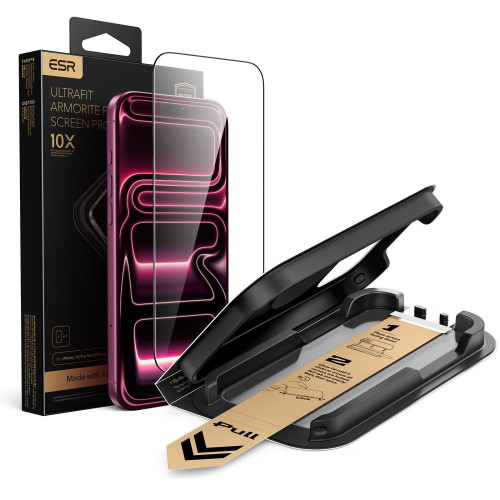
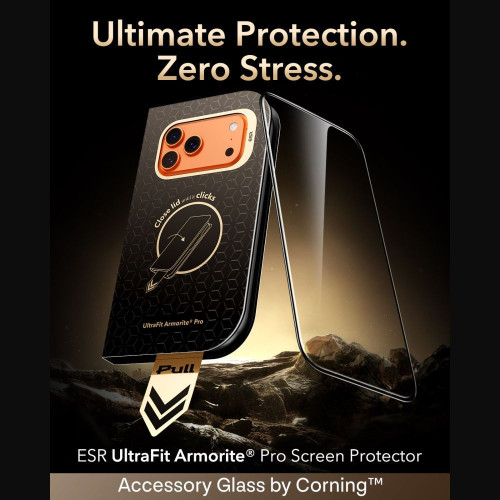
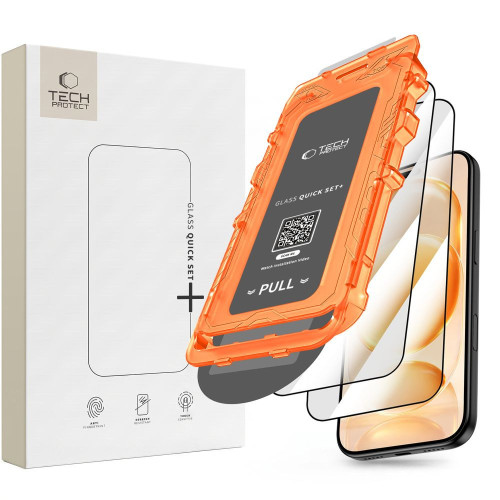
    The best glass for iPhone 18 Pro Max is ESR UltraFit Armorite Pro: Corning tempered glass with a hardness of 9H, which covers the screen edge to edge and is installed in a mounting tray. The easiest to install is the Tech-Protect Quick Set+ two-pack with a frame, and if reflections bother you, choose the matte UNIQ Optix Covex Matte DX2.

    Ranking at a glance:

    • Best overall: ESR UltraFit Armorite Pro, Corning glass with UltraFit Tray
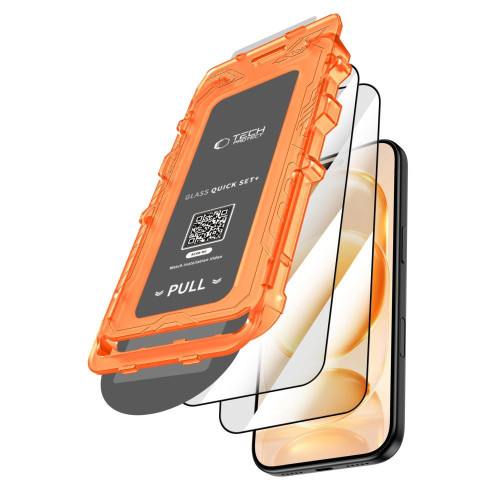
    • Easiest installation: Tech-Protect Quick Set+, two pieces and positioning frame
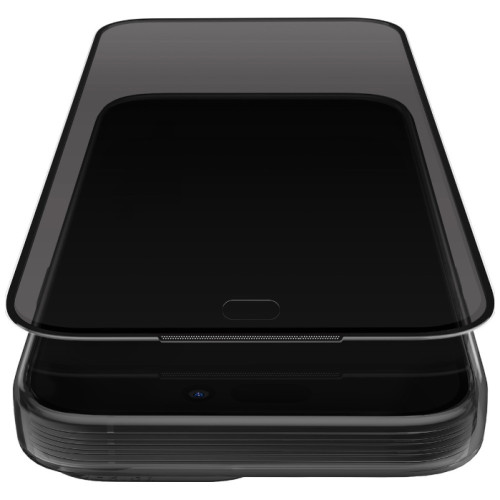
    • Best matte: UNIQ Optix Covex Matte DX2, less glare and drops up to 1.8 m
    • Best privacy: UNIQ Optix Covex Privacy DX2, screen unreadable from the side
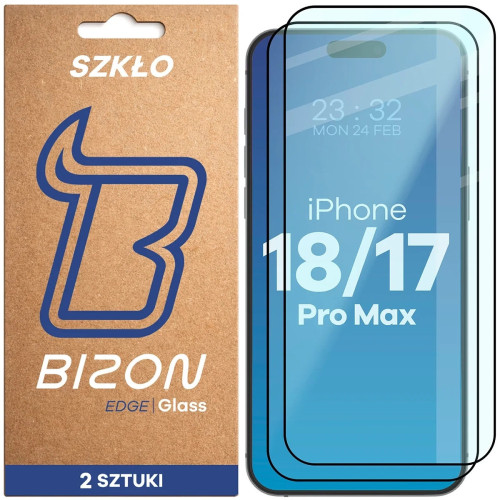
    • For backup: Bizon Glass Edge Duo, two pieces with a black border

    There is one detail that accessory stores rarely mention. The iPhone 18 Pro Max has a factory anti-reflective coating, and regular tempered glass covers it. We explain what this means in practice, whether the glass from the seventeenth fits the new model, and which camera shields are worth matching to the set.

    Does the glass from iPhone 17 Pro Max fit 18 Pro Max?

    Yes, the glass fits the screen, but buy new camera covers. According to Apple’s official specifications, both models have identical dimensions and the same screen. They differ in weight (231 g vs 249 g), but this does not affect the fitting of the glass.

    ParameteriPhone 17 Pro MaxiPhone 18 Pro Max
    Dimensions163.4 × 78.0 × 8.75 mm163.4 × 78.0 × 8.75 mm
    Screen6.9″, OLED6.9″, OLED
    Resolution2868 × 1320 px2868 × 1320 px
    Ceramic Shield 2 on the front✅✅
    Anti-reflective coating✅✅

    Data: specifications of iPhone 18 Pro Max and iPhone 17 Pro Max on Apple’s pages

    Some glasses, including ESR, Tech-Protect Quick Set+, and Bizon Glass Edge Duo, are described by manufacturers as common for both iPhone 17 Pro Max and 18 Pro Max. If you have spare glass from the seventeenth, you can usually use it. It is best when the manufacturer explicitly states compatibility with 18 Pro Max.

    Camera covers are different. In our catalog, all are described as “for iPhone 18 Pro / 18 Pro Max” or just “for iPhone 18 Pro Max,” and none are marked as compatible with the seventeenth. Why you can transfer the case to the new phone, but not the camera covers, is explained in the guide whether the case from iPhone 17 Pro fits 18 Pro.

    All glasses described as compatible with the new model can be found in the category tempered glass for iPhone 18 Pro Max.

    Anti-reflective coating of iPhone 18 Pro Max and tempered glass

    Yes, regular tempered glass disables the anti-reflective coating of the iPhone 18 Pro Max. The coating reduces reflections only when it is in direct contact with air, and glass without its own anti-reflective layer covers it. In sunlight, you will see more reflections than on a bare screen.

    Apple mentions this coating in the screen specifications, and it has already appeared in the iPhone 17. According to tests described by MacRumors, it reduces light reflections by about half compared to the iPhone 16. The tests were conducted by Astropad, which also sells glasses with such a coating, so treat this number as indicative.

    There are glasses for the screen with their own anti-reflective layer, but none of the glasses in our ranking declare it. The glass does not damage the screen itself: after its removal, the coating works as before. You have three reasonable options:

    • Transparent tempered glass: the best protection against cracks and scratches, but more glare in sunlight.
    • Frosted glass: diffuses light, reducing glare, although the image may be slightly less sharp.
    • No glass: you retain the full effect of the coating. At the launch of the iPhone 17 Pro, Apple stated that Ceramic Shield 2 has a new coating that provides 3x better scratch resistance, but even it does not guarantee that the screen won’t crack upon falling.

    Tip: if your phone often lands on hard surfaces, choose glass. Replacing the screen on the Pro Max costs many times more than even the best protection, and broken tempered glass can simply be removed and replaced with a new one.

    What to pay attention to when choosing screen glass

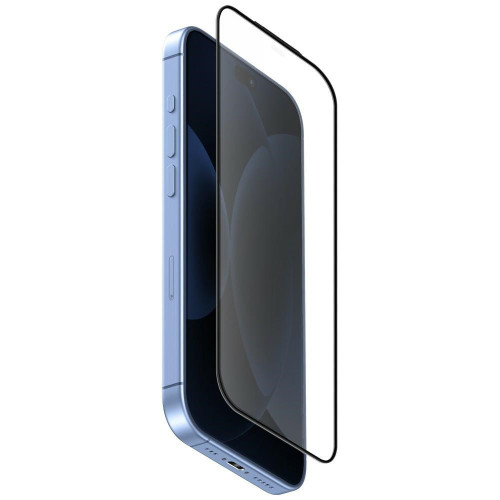
    9H hardness does not distinguish products. It is the highest grade on the pencil hardness scale and is claimed by practically every tempered glass. Other factors matter: material, coatings, and how the glass withstands falls.

    Installation with a frame, tray, or applicator. A 6.9-inch screen is difficult to align perfectly by hand. A positioning frame, tray, or applicator ensures that the glass goes into place the first time, without shifting relative to the edges.

    Compatibility with cases. Edge-to-edge glass protects the most surface area, but a high-rim case can lift it. Look for the «case friendly» label or check if the manufacturer provides the dimensions of the glass.

    Oleophobic coating. Reduces fingerprints and makes your finger glide smoothly across the screen. A bare iPhone has it factory-installed, so you’ll notice right away if the glass lacks such a coating.

    Type of glass depends on how you use your phone:

    TypeAdvantagesDisadvantagesFor whom
    Clearfull brightness and clarity of imagemore glare in sunlightfor most people
    Matteless glare and fingerprintsimage may be slightly less sharpfor people often outdoors
    Privacyscreen unreadable from the sidedarker imagefor public transport and office
    Hybridflexible, harder to breakusually less scratch-resistant than temperedfor people who break every glass

    The differences between types of protection are described in more detail in the guide tempered glass, hybrid glass, or film.

    Ranking: the best tempered glasses for iPhone 18 Pro Max

    First place is taken by transparent glass, about which the manufacturer provides the most specifics: material, scratch resistance, and installation method. Matte and privacy glasses are lower not because they protect worse, but because each of them takes something away from the image. The Bison closes the ranking, as it is the only one that does not come with a frame or mounting tray.

    1. ESR UltraFit Armorite Pro: best overall

    ESR UltraFit Armorite Pro is made of Corning Accessory Glass with a hardness of 9H. Corning has been supplying glass to smartphone manufacturers for years, and Accessory Glass is its line designed for screen protectors.

    According to ESR, the glass is even twice as resistant to scratches as regular tempered glasses, and any scratches are up to 25% less visible. It covers the screen from edge to edge and has an oleophobic coating. The UltraFit Tray positioning tray sets the glass on the screen, so installation takes two steps.

    It will work for most people who want one well-crafted glass.

    Cons: there is one piece in the package. If you prefer a backup, ESR also sells a two-pack of UltraFit Armorite, in whose description the manufacturer does not mention Corning glass.

    2. Tech-Protect Quick Set+ [2 PACK]: the easiest installation

    Tech-Protect Quick Set+ is two pieces of 9H glass with a positioning frame. The frame is placed on the phone and guides the glass precisely onto the screen, so even on the first installation, it is difficult to apply it crookedly.

    The glass has an oleophobic coating and according to the manufacturer does not affect touch sensitivity. The second piece will come in handy if the first one breaks or the installation fails. It’s a good choice if you’re applying glass for the first time.

    Cons: Tech-Protect does not provide the type of glass or data on scratch resistance, making it harder to compare with ESR, which reveals both.

    3. UNIQ Optix Covex Matte DX2: best matte

    UNIQ Optix Covex Matte DX2 is a sensible compromise if you miss the factory anti-reflective coating after applying the glass. The matte surface diffuses reflections, making the screen clearer in sunlight than under clear glass, and fingerprints are less visible.

    UNIQ uses Fusion Glass with lithium, chemically strengthened twice (hence the DX2 designation). According to the manufacturer, it is twice as durable as regular tempered glass and protects the screen from drops from heights of up to 1.8 m. The package includes a mounting frame, and the glass is marked as case-friendly.

    Cons: the matte surface may slightly soften the image, which can be noticeable when viewing photos and videos.

    [hs_products ids=»143081,143223,146666″ cols=»3″ title=»Top three in the ranking»]

    4. UNIQ Optix Covex Privacy DX2: best privacy glass

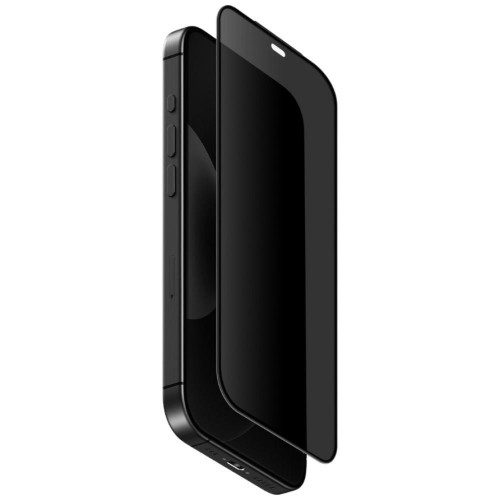
    UNIQ Optix Covex Privacy DX2 is a privacy glass, also referred to as tinted, with a filter that limits the visibility of the screen from the side. You see the content straight on, albeit a bit darker, while the person sitting next to you on the tram will see a dark surface.

    The glass uses the same DX2 technology as the matte version, and UNIQ claims protection against drops from heights of up to 2 m. The package also includes a mounting frame. It will come in handy if you check your work email on public transport or work on your phone in an open office.

    Cons: the privacy filter darkens the image, so you’ll need to increase the brightness more often. We explain how such glasses work in the article what privacy glasses are.

    5. Bizon Glass Edge Duo [2 PACK]: for backup

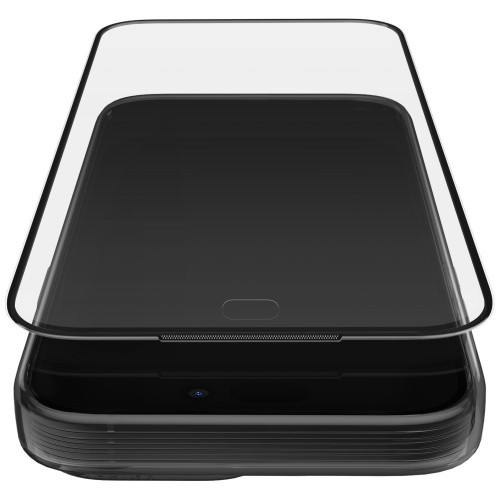
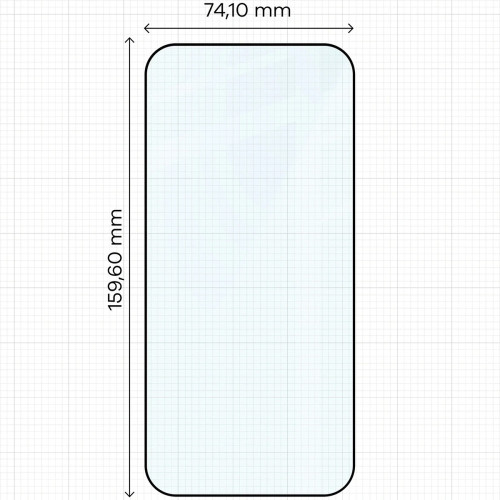
    Bizon Glass Edge Duo includes two pieces of 9H glass with a thickness of 0.33 mm, featuring a black border on the edges and an oleophobic coating. The edges have a 4D curvature.

    Bizon podaje wymiary szkła i uczciwie zaznacza, że nachodzi ono na ramki ekranu, przez co może nie pasować do każdego etui. To dobry wybór, jeśli często wymieniasz szkło i chcesz mieć drugą sztukę pod ręką.

    Minus: w zestawie nie ma ramki montażowej, tylko naklejki pozycjonujące, więc szkło wyrównujesz ręcznie. Przy etui z wysokim rantem może się podważać.

    Porównanie szkieł w tabeli

    SzkłoRodzajMateriał (wg producenta)Ochrona przy upadku (wg producenta)MontażLiczba sztuk
    ESR UltraFit Armorite ProprzezroczysteCorning Accessory Glassbrak wysokości (Military Grade)tacka UltraFit Tray1
    Tech-Protect Quick Set+przezroczystebrak danychbrak danychramka2
    UNIQ Optix Covex Matte DX2matoweFusion Glass DX2do 1,8 mramka1
    UNIQ Optix Covex Privacy DX2prywatyzująceFusion Glass DX2do 2 mramka1
    Bizon Glass Edge Duoprzezroczyste, czarna obwódkabrak danychbrak danychnaklejki pozycjonujące2

    Warto też rozważyć

    Jeśli żadne z pięciu szkieł nie pasuje do Twoich potrzeb, sprawdź te alternatywy:

    • Matte from 3mk: 3mk HardGlass Matt Max is a matte 9H glass with a thickness of 0.33 mm that covers the entire screen along with the rounded edges. The package includes a card for squeezing out bubbles.
    • Ceramic glass: UNIQ Optix Xenon Nanoceram has a thickness of 0.33 mm and according to the manufacturer, it survived a drop test of a 250 g metal ball from a height of 2 m.
    • Second privacy glass: Bizon Glass Clear Shadow has a thickness of 0.30 mm and a viewing angle of 30°.
    • Set of screen and lens: Tech-Protect Easy Set+ includes two glasses for the screen and a glass for the lens with a mounting frame.

    Camera glass for iPhone 18 Pro Max

    The camera island on the Pro Max protrudes above the back and it is the first to touch the surface when you lay the phone down. The lens cover costs a fraction of the camera repair.

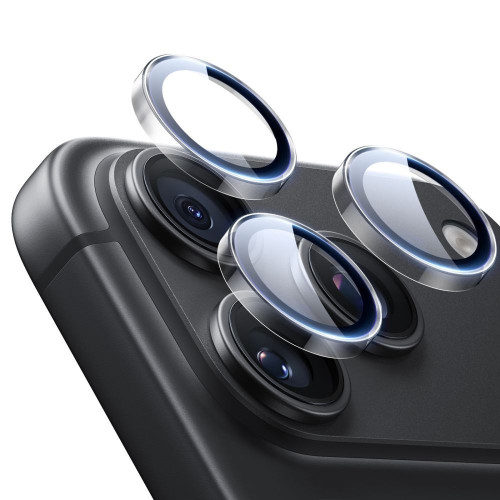
    Jeśli robisz dużo zdjęć pod światło, wybierz ESR Armorite Camera Protector z powłoką antyodblaskową. Jeśli chcesz zachować wygląd wyspy aparatu, wybierz osłony na pojedyncze obiektywy: Tech-Protect Camring Fit+ albo UNIQ Optix Aluguard DX2.

    ESR Armorite Camera Protector

    ESR Armorite Camera Protector to szkło hartowane z powłoką antyodblaskową, która według producenta ogranicza odblaski i nie pogarsza jakości zdjęć. Podniesione krawędzie tworzą dodatkową barierę przy odkładaniu telefonu, a osłonę łatwo zdjąć i założyć ponownie.

    To jedyna osłona w zestawieniu, której producent deklaruje powłokę antyodblaskową.

    Tech-Protect Camring Fit+

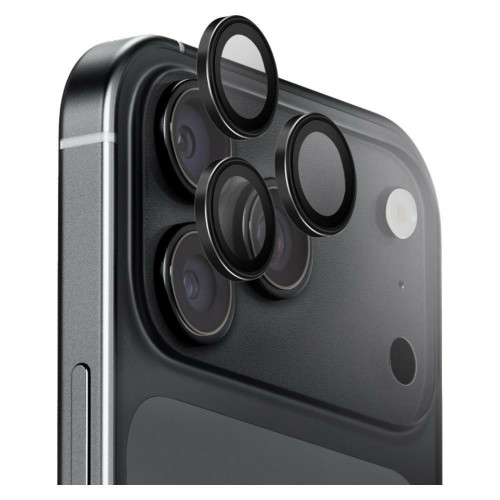
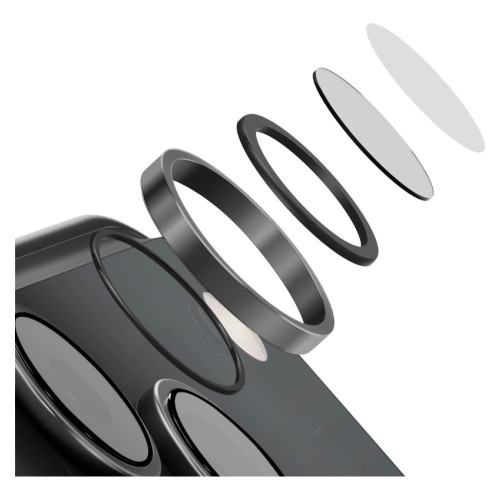
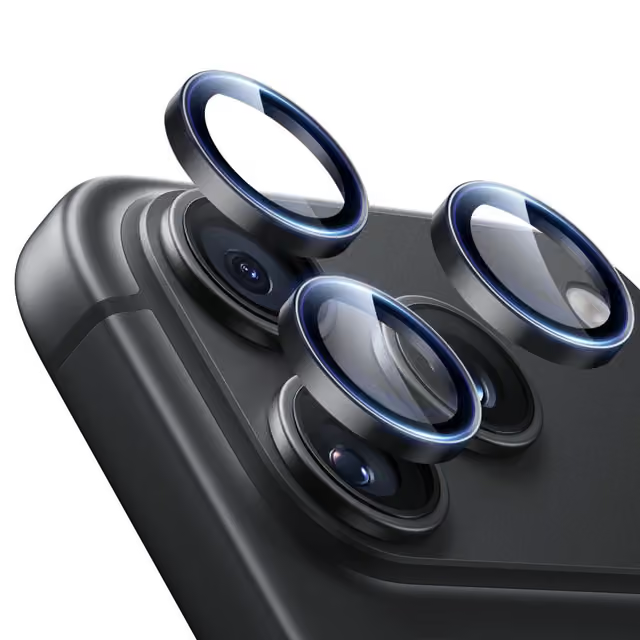
    Tech-Protect Camring Fit+ protects each lens separately: the aluminum ring surrounds the lens, and the tempered glass covers it. This way, the camera island retains its appearance.

    The set includes a mounting frame that guides each piece of glass to the right place. This is important because a misaligned cover can overlap the lens.

    UNIQ Optix Aluguard DX2

    UNIQ Optix Aluguard DX2 łączy aluminiową ramkę 360° wokół każdego obiektywu ze szkłem Fusion Glass DX2 o twardości 9H. Aplikator w zestawie ustawia osłony równo, a kilka wariantów kolorystycznych pozwala dopasować je do koloru telefonu.

    OsłonaKonstrukcjaPowłoka antyodblaskowaMontaż
    ESR Armorite Camera Protectorszkło hartowane z podniesionymi krawędziami✅brak danych
    Tech-Protect Camring Fit+aluminium i szkło na każdy obiektywbrak deklaracjiramka montażowa
    UNIQ Optix Aluguard DX2aluminium 360° i szkło Fusion Glass DX2brak deklaracjiaplikator

    [hs_products ids=»143085,142581,146670″ cols=»3″ title=»Osłony aparatu do iPhone’a 18 Pro Max»]

    Pełny wybór osłon znajdziesz w kategorii szkło na aparat do iPhone’a 18 Pro Max.

    Jak nakleić szkło na iPhone’a 18 Pro Max bez pęcherzyków

    The majority of the manufacturer’s instructions from our catalog come down to similar steps:

    1. Prepare a dust-free area. ESR and Tech-Protect recommend installation in the bathroom right after a bath, as steam binds dust from the air.
    2. Clean and degrease the screen, then polish it with a dry cloth. Collect any remaining particles with a dust removal sticker, if included in the set.
    3. Align the glass using a frame, tray, or positioning stickers, depending on the set.
    4. Press the glass and push air bubbles towards the edges.

    You can find more tips in the guide how to apply tempered glass without air bubbles.

    Which glass to choose for iPhone 18 Pro Max?

    • Do you want one reliable glass? Choose ESR UltraFit Armorite Pro.
    • Are you afraid of crooked installation? Choose Tech-Protect Quick Set+ with a frame and a second piece included in the set.
    • Are reflections annoying you? Choose matte UNIQ Optix Covex Matte DX2. It won’t replace the factory coating, but it will significantly reduce glare.
    • Do you care about privacy? Choose UNIQ Optix Covex Privacy DX2.
    • Do you wear a case with a high edge? Avoid glasses that overlap the screen frames. Cases that work well with the glass can be found in our ranking of cases for iPhone 18 Pro Max.

    For every screen glass, it’s worth choosing a camera cover, as the camera island often collects scratches when placing the phone down.

    Summary

    The best glass for iPhone 18 Pro Max is ESR UltraFit Armorite Pro. From the entire ranking, remember four things:

    1. Screen glass from 17 Pro Max usually fits. Apple provides identical dimensions and screens for both models.
    2. Regular glass disables the anti-reflective coating effect. If reflections are bothersome, choose matte glass for iPhone 18 Pro Max instead of clear.
    3. Hardness 9H is standard, not a distinguishing feature. Look at the material, installation, and compatibility with cases.
    4. Buy camera covers marked 18 Pro Max, as none in our catalog are described as compatible with the seventeenth.

    If you are looking for protection for an older model, check our ranking of glasses for iPhone 17 Pro Max.

    FAQ: glass for iPhone 18 Pro Max

    Which tempered glass is the best for iPhone 18 Pro Max?

    The best overall is the ESR UltraFit Armorite Pro made of Corning 9H glass with a mounting tray. If reflections bother you, a better choice would be the matte UNIQ Optix Covex Matte DX2.

    Does tempered glass ruin the anti-reflective coating of the iPhone?

    It does not damage it, but covers it, so the effect disappears. The coating works only in contact with air and returns to function after removing the glass.

    Which tempered glass is better: 7H or 9H?

    9H is better, but the difference matters less than the packaging suggests. On the pencil hardness scale, 9H is the end of the scale, so almost every tempered glass claims it, and when choosing, the material, coatings, and installation method are more important.

    What is better for iPhone: film or glass?

    Tempered glass provides better protection against cracks and scratches, while film, including hydrogel, is thinner and more flexible. On the flat screen of the Pro Max, glass will be the better choice.

    What is better: hybrid glass or hydrogel film?

    Hybrid glass is stiffer and better withstands scratches, while hydrogel film is soft and adapts even to curved screens. For the flat screen of the iPhone 18 Pro Max, hybrid glass will be better, although tempered glass offers the best protection against breakage.

    Should I put tempered glass on the iPhone 18 Pro Max since it has Ceramic Shield 2?

    Yes, if you tend to drop your phone. Ceramic Shield 2 withstands scratches well, but it does not guarantee that the screen won’t crack, and the protective glass absorbs the impact, allowing you to replace it instead of the screen.

    Which privacy glass to choose for the iPhone 18 Pro Max?

    The best is the UNIQ Optix Covex Privacy DX2 with a mounting frame and according to the manufacturer, protection against falls from heights up to 2 m. An alternative is the dimmed Bizon Glass Clear Shadow with a viewing angle of 30°. Every privacy filter dims the image, so you will often need to increase the screen brightness.

    Sources: iPhone 18 Pro Max specifications, iPhone 17 Pro Max specifications, Apple on Ceramic Shield 2 at the iPhone 17 Pro launch, MacRumors on anti-reflective coating and protective glasses

  • Does the iPhone 17 Pro case fit the iPhone 18 Pro?

    Does the iPhone 17 Pro case fit the iPhone 18 Pro?

    Yes, the case from the iPhone 17 Pro fits the iPhone 18 Pro. Both phones have identical body dimensions, 150.0 × 71.9 × 8.75 mm, to the tenth of a millimeter. The same applies to the larger models: the iPhone 17 Pro Max and 18 Pro Max measure 163.4 × 78.0 × 8.75 mm.

    However, the glass and camera frame do not fit. The camera island has grown to accommodate the new main camera with a variable aperture, so the covers are separate for each generation. This is the only protective element that needs to be purchased anew.

    Below are the exact numbers from Apple, a list of accessories that you can transfer without purchases, and those that you cannot transfer, as well as a way to check in two seconds whether a specific case fits.

    Dimensions of the iPhone 18 Pro and 17 Pro: comparison

    The data comes from Apple’s official comparison table, not from leaks or statements from case manufacturers.

    ModelHeightWidthThicknessWeight
    iPhone 17 Pro150.0 mm71.9 mm8.75 mm204 g
    iPhone 18 Pro150.0 mm71.9 mm8.75 mm211 g
    iPhone 17 Pro Max163.4 mm78.0 mm8.75 mm231 g
    iPhone 18 Pro Max163.4 mm78.0 mm8.75 mm249 g

    The only difference is the weight: 7 grams in the Pro version and 18 grams in the Pro Max. The weight is distributed across the entire surface of the phone and results from the larger battery and vapor chamber, not from a change in shape. Whether the case snaps into place has no impact.

    The layout of the buttons, the position of the Camera Control button, the cutout for the USB-C port, and the placement of the speakers remain unchanged. Therefore, the case has nothing to catch on.

    What fits from iPhone 17 Pro to 18 Pro

    A short list of items you don’t need to buy a second time.

    • Cases and covers of all types. Classic backs, TPU hybrids with polycarbonate, armored cases with a stand, flip cases, leather covers. The dimensions are identical, so the type of construction doesn’t matter.
    • MagSafe chargers. The standard hasn’t changed, the wireless charging power is still up to 25 W via MagSafe and up to 25 W via Qi2. The magnets in the phone are in the same place.
    • Magnetic power banks, MagSafe wallets, and car mounts. They work as before, because they hold onto the magnetic ring, not the edges of the case.
    • Bicycle mounts, gimbals, and video cages mounted on a clamp. Since the width and thickness are the same, the clamp will work identically.
    • USB-C cables and chargers. The connector remains unchanged.

    The same conclusion is evident in product names in stores. Manufacturers did not create separate cases for the eighteen, but described existing ones as common. This was done by UNIQ, Spigen, PITAKA, Tech-Protect, ESR, Benks, 3mk, Bizon, and licensed brands like Guess and BMW. No major manufacturer released a separate model.

    What You Can’t Transfer: Glass and Camera Frame

    The camera cover from the iPhone 17 Pro does not fit the 18 Pro. The reason is structural: the main Fusion 48 MP camera received a variable aperture mechanism that switches between ƒ/1.48, ƒ/1.8, ƒ/2.8, and ƒ/4.0 values. This mechanism had to fit somewhere, so the camera island grew.

    Comparison of camera modules: on the left iPhone 17 Pro in orange, on the right iPhone 18 Pro in Burgundy
    The camera island of the iPhone 17 Pro (left) and the iPhone 18 Pro. Apple press photos, frames are not to the same scale.

    To be fair: Apple does not publish the dimensions of the camera island itself, so you won’t find a number from the official specifications here. However, you will find indirect evidence that is practically stronger than a leak from the supply chain. Accessory manufacturers left a case common to both generations, while the glass and camera frames were cataloged separately, exclusively for the eighteen. No one bears the cost of a second SKU, injection mold, and separate packaging for an element that would fit unchanged.

    It has practical consequences when purchasing. The glass on the lens is precisely glued to the edge of the lens, and the frame encompasses the plateau of the island. A difference of a few tenths of a millimeter means either glass that does not fit the lens and obscures its edge, or a frame that does not fit in place. There is no tolerance here like with the flexible TPU frame in the case.

    And the glass on the screen?

    The diagonals and frames around the display have not changed, so the glass from the seventeenth should theoretically fit. However, we do not promise this firmly for one reason: Dynamic Island has received a new incarnation in the eighteenth, and glasses with a printed black mask on the upper edge are sometimes cut for a specific model. If you are buying new glass, it is simpler to take one with the addition of 18 Pro in the name and not worry about masking.

    How to check if a specific case fits

    You do not need to compare dimensions. Just read the product name.

    1. Search for both models in the name. The formula “for Apple iPhone 18 Pro / 17 Pro» or “for Apple iPhone 17 Pro / 18 Pro» is a manufacturer’s compliance declaration. The order does not matter; the presence of both names is what counts.
    2. Do not confuse Pro with Pro Max. These are two different sizes, and swapping them will not work here. The case for 18 Pro does not fit 18 Pro Max and vice versa.
    3. For camera glass, check if the name contains only eighteen. The formula “for Apple iPhone 18 Pro / iPhone 18 Pro Max» is correct because both eighteens have the same module. If the name of the camera glass includes seventeen, it is a product for the older generation.
    4. For MagSafe cases, look for the word “MagSafe» or “Mag» in the name. A case without a built-in magnetic ring disperses the phone’s magnet strength, and the charger stops centering.

    Cases for iPhone 18 Pro to Consider

    If you are buying a new case anyway because the old one is worn out or you want to match the color to Burgundy, below are four proven options. All are described as common for 17 Pro and 18 Pro.

    Spigen Ultra Hybrid MagSafe is a classic hybrid: flexible TPU frame plus rigid, transparent back. The built-in magnetic ring holds the charger without an adapter, and the transparent back does not obscure the color of the case.

    UNIQ Combat aims higher in terms of protection, with reinforced corners and a raised frame around the camera island. This frame matters because the camera module protrudes above the back, and when placing the phone down, it is the first to touch the surface.

    Etui UNIQ Combat do iPhone'a 18 Pro w przydymionej czerni, z podniesioną ramką wokół wyspy aparatu i pierścieniem MagSafe
    UNIQ Combat: the frame around the camera island is higher than the module itself.

    UNIQ Heldro Air in burgundy is an option for those who chose the iPhone in Burgundy color and want the case to match the phone instead of masking it.

    PITAKA Edge Case PTK Weaving takes a completely different approach: aramid fiber instead of plastic, very thin and lightweight, resistant to abrasion and scratches. It does not absorb impacts like a hybrid with air cushions in the corners, but it hardly changes the silhouette of the phone.

    [hs_products ids=»146505,146623,146632,146577″ cols=»4″ title=»Etui pasujące do iPhone’a 17 Pro i 18 Pro»]

    Pełna oferta jest w kategoriach etui do iPhone’a 18 Pro i etui do iPhone’a 17 Pro. To w dużej mierze te same produkty, skatalogowane pod obiema nazwami.

    Szkło na aparat do iPhone’a 18 Pro: to musisz kupić osobno

    Trzy podejścia do ochrony wyspy fotograficznej, każde z inną filozofią.

    Bizon Glass Lens to osobne szkiełka na każdy obiektyw, w zestawie po dwie sztuki. Najmniej ingerują w wygląd telefonu i nie zmieniają grubości modułu.

    Ringke Camera Frame Protector to ramka obejmująca całą wyspę. Chroni krawędź plateau, o którą moduł najczęściej się ociera przy wsuwaniu telefonu do kieszeni.

    UNIQ Optix Aluguard łączy metalową oprawę ze szkłem i dokłada aplikator, który ustawia całość równo za pierwszym razem. Przy elemencie, w którym kilka dziesiątych milimetra decyduje o tym, czy szkło nie zasłoni kadru, aplikator nie jest gadżetem.

    Three metal frames with glass UNIQ Optix Aluguard mounted on iPhone 18 Pro lenses
    UNIQ Optix Aluguard: separate lenses in metal frames for each lens.

    [hs_products ids=»146436,146415,146670,146676″ cols=»4″ title=»Lenses and frames for the iPhone 18 Pro camera»]

    All options can be found in the category glass for the iPhone 18 Pro camera, and for the larger model in glass for the iPhone 18 Pro Max camera.

    Summary

    1. The case from the iPhone 17 Pro fits the 18 Pro. The dimensions of the body are identical: 150.0 × 71.9 × 8.75 mm. The only difference is the weight, 211 g compared to 204 g.
    2. The same applies to the Max version. The iPhone 17 Pro Max and 18 Pro Max both measure 163.4 × 78.0 × 8.75 mm, with a weight difference of 249 g compared to 231 g.
    3. MagSafe accessories work unchanged. Chargers, power banks, wallets, and mounts can be transferred without any purchases.
    4. The lens and frame for the camera are the only exception. The camera island has grown due to the variable aperture mechanism and requires a cover dedicated to the eighteen.
    5. You check this in the product name. Cases with the notation “18 Pro / 17 Pro” are common. Glass for the camera with just eighteen in the name is correct.

    FAQ

    Does the case for iPhone 17 Pro fit iPhone 18 Pro?

    Yes. Both phones have identical body dimensions, 150.0 × 71.9 × 8.75 mm, and the same button layout and cutouts. The difference is only in weight and does not affect the fit of the case.

    Does the case for iPhone 17 Pro Max fit 18 Pro Max?

    Yes, on the same principle. Both models measure 163.4 × 78.0 × 8.75 mm. You can find more about choosing a case for the larger model in our ranking of cases for iPhone 18 Pro Max.

    Does the camera glass from iPhone 17 Pro fit 18 Pro?

    No. The camera island has grown to accommodate the main camera with a variable aperture, so the covers are prepared separately for each generation. This is the only protective element that needs to be purchased anew.

    Does the MagSafe charger from iPhone 17 Pro work with 18 Pro?

    Yes. The wireless charging power in both generations is up to 25 W via MagSafe and up to 25 W via Qi2, and the magnets in the phone are arranged the same way. Magnetic power banks, wallets, and car mounts can also be transferred unchanged.

    Does the iPhone 18 Pro case fit the 17 Pro?

    Yes, compatibility works both ways. Manufacturers sell one case model under both names, so if you buy a case described as «for iPhone 18 Pro / 17 Pro,» it will work on both phones.

    Does the iPhone 16 Pro case fit the 18 Pro?

    No. The iPhone 16 Pro has different body dimensions and a different camera island layout than the 17 and 18 generations. Compatibility only applies to the 17 Pro and 18 Pro pair.

    Does the iPhone 18 Pro case fit the 18 Pro Max?

    No. These are two different phone sizes: 150.0 × 71.9 mm versus 163.4 × 78.0 mm. Compatibility between generations does not mean compatibility between size variants.

    Sources: official iPhone comparison chart on apple.com/pl (dimensions and weight), specification of iPhone 18 Pro and 18 Pro Max (variable aperture, MagSafe, Qi2) and the compatibility declarations of case manufacturers provided in product names.

  • iPhone 18 Pro price in Poland: full price list and where to buy

    iPhone 18 Pro price in Poland: full price list and where to buy

    iPhone 18 Pro costs in Poland from 6,299 PLN, and iPhone 18 Pro Max from 6,799 PLN. These are prices for the 256 GB version in the official Apple store. The most expensive variant, the Pro Max with 2 TB of memory, costs 12,799 PLN. The phones are on sale from September 18, 2026, and pre-orders started on September 12 at 14:00.

    Below you will find the full price list for each capacity of both models, prices for the foldable iPhone Duo, a comparison with last year’s seventeen, and information on where to buy the phone and how much to realistically add for protection.

    Note one thing: many Polish services still serve pre-release price forecasts, such as 6,399 PLN, 6,800 PLN, or 7,300 PLN. All are outdated. The prices in this text come from the Polish Apple store.

    Four iPhone 18 Pros set up back to back next to each other in Black, Silver, Glacier Blue, and Burgundy colors
    Four colors of the iPhone 18 Pro and 18 Pro Max, all at the same price. Photo: Apple

    How much does the iPhone 18 Pro cost in Poland? Full price list

    Both models start from 256 GB. There is no 128 GB version available, so there is no cheaper entry than the amounts listed below. All four colors cost the same.

    CapacityiPhone 18 Pro (6.3″)iPhone 18 Pro Max (6.9″)Difference
    256 GB6,299 zł6,799 zł500 zł
    512 GB7,299 zł7,799 zł500 zł
    1 TB9,299 zł9,799 zł500 zł
    2 TB12,299 zł12,799 zł500 zł

    The surcharge for a larger screen is fixed at 500 zł at every memory level. However, the jumps between capacities are uneven, and that is the most important thing in this table. From 256 GB to 512 GB, you pay an additional 1,000 zł. From 512 GB to 1 TB, it’s already 2,000 zł. From 1 TB to 2 TB, another 3,000 zł, which is about the price of a decent mid-range phone.

    Which capacity to choose

    A practical tip instead of generalities. The iPhone 18 Pro records 4K video at 120 fps in Dolby Vision, which is one of the most storage-hungry formats you can get from a phone. If you film professionally, 256 GB will fill up faster than you expect, and you cannot expand the memory in an iPhone or insert a card.

    • 256 GB is sufficient if you keep photos in iCloud and record short clips.
    • 512 GB is a reasonable middle ground for someone who shoots a lot of video and doesn’t want to clean their library every month.
    • 1 TB and 2 TB make sense only for professional work with video material. With a surcharge of 3,000 zł for the last jump, it’s worth calculating whether an external drive connected via USB-C wouldn’t be cheaper.

    When is the iPhone 18 Pro release? Pre-order and sale dates

    Apple showcased both phones on September 9, 2026, during the «Surprise and shine» conference. All dates below are confirmed by the manufacturer.

    ModelPre-orderAvailability
    iPhone 18 ProSeptember 12, 2026, from 2:00 PMSeptember 18, 2026
    iPhone 18 Pro MaxSeptember 12, 2026, from 2:00 PMSeptember 18, 2026
    iPhone DuoOctober 16, 2026, from 2:00 PMOctober 23, 2026

    The pre-order fell unusually on a Saturday instead of Friday. The reason is mundane: September 11 marked the 25th anniversary of the 2001 attacks, and Apple consistently avoids this date for commercial launches. The same maneuver was performed by the company in 2015 with the iPhone 6s.

    Is there a regular iPhone 18 and how much does it cost?

    There is no basic iPhone 18. It is not available in Apple’s offer, and the purchase page for such a model in the manufacturer’s store returns a 404 error. There is also no iPhone 18 Plus.

    Apple has split the annual release into two parts for the first time. In the fall of 2026, only the Pro models and the foldable iPhone Duo debuted. The basic iPhone 18, iPhone 18e, and iPhone Air 2 are expected to appear only in spring 2027, most likely in March or April. If you are looking for a cheaper eighteen, September gave you nothing.

    Realny wybór na jesień 2026 to iPhone 18 Pro, iPhone 18 Pro Max, składany iPhone Duo albo przeceniony iPhone 17 z poprzedniego rocznika.

    Ile kosztuje iPhone Duo? Cennik składaka

    Składany iPhone pojawia się w tych samych wyszukiwaniach, więc dla porządku pełny cennik. Oba kolory, Nocne niebo i Gwiezdna biel, są w tej samej cenie.

    PojemnośćiPhone Duo
    256 GB9 999 zł
    512 GB10 999 zł
    1 TB12 999 zł
    2 TB15 999 zł
    Dwa iPhone Duo rozłożone pod kątem: po lewej w kolorze Gwiezdna biel, po prawej w kolorze Nocne niebo
    iPhone Duo w kolorach Gwiezdna biel i Nocne niebo. Fot. Apple

    Duo w wersji podstawowej kosztuje o 3 200 zł więcej niż iPhone 18 Pro Max w tej samej pojemności. Warto też wiedzieć, że telefon obsługuje wyłącznie eSIM, nie ma slotu na kartę SIM i zamiast Face ID ma Touch ID w przycisku bocznym.

    Cena iPhone’a 18 Pro a iPhone 17 Pro: o ile drożej

    Podwyżka jest, ale mniejsza niż zapowiadali analitycy. Przed premierą mówiło się o 250 do 300 dolarów w górę.

    Model (256 GB)Starting priceChange
    iPhone 17 Pro5 799 zł–
    iPhone 18 Pro6 299 zł+500 zł
    iPhone 17 Pro Max6 299 zł–
    iPhone 18 Pro Max6 799 zł+500 zł

    A curiosity that changes the way we think about this price list: the iPhone 18 Pro costs exactly as much as the iPhone 17 Pro Max did a year earlier. For the same 6 299 zł, you can have a newer phone in a smaller case or an older one with a larger screen.

    What you get for this difference is detailed in the text iPhone 18 Pro vs iPhone 17 Pro. In short: a main camera with a variable aperture, A20 Pro chip, and longer battery life.

    What colors does the iPhone 18 Pro come in?

    Four, common to both models and all at the same price:

    • Burgundy, the leading color of this year, which replaced Cosmic Orange from the seventeenth
    • Glacier Blue
    • Silver
    • Black

    If you come across the names Dark Cherry, Light Blue, or Dark Gray online, those are code names from pre-release leaks. Apple does not use them.

    Color has an impact on the choice of accessories. Burgundy and Glacier Blue are finishes that are a shame to hide under an opaque case, so it’s worth considering a transparent or semi-transparent cover. The UNIQ LifePro Xtreme in the transparent version or Spigen Ultra Hybrid MagSafe performs well here. Manufacturers have also released cases color-matched to Burgundy, such as UNIQ Heldro Air in burgundy.

    Where to buy the iPhone 18 Pro in Poland?

    You can buy the phone directly from the Apple store and authorized partners: Media Expert, x-kom, Komputronik, Morele. It is also available in the offers of operators Orange, Play, and T-Mobile, although there the price must be calculated together with the subscription, not compared with the amount from the Apple price list.

    There are two things worth checking before purchasing from a reseller. First, whether the phone has Polish distribution and warranty. Second, whether the price refers to the same capacity, as some comparators match the 256 GB version with the 512 GB version.

    The phone itself is one thing, but you can buy a complete protection set cheaper and faster separately. Here you will find accessories in the categories iPhone 18 Pro and iPhone 18 Pro Max.
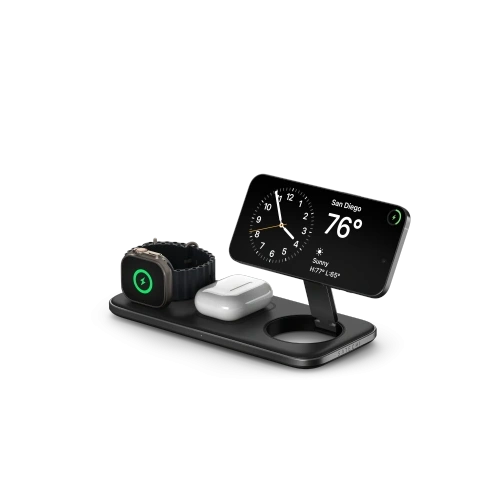
    How much to add for accessories for the iPhone 18 Pro?

    A set usually consists of three things: a case, screen glass, and camera glass. It will be cheaper than one visit to the service for a display replacement in the Pro model.

    Case

    Here is good news for those switching from the seventeenth. The body of the iPhone 18 Pro has exactly the same dimensions as the 17 Pro, which is 150.0 × 71.9 × 8.75 mm, so the old case fits. We outlined this in a separate text: whether the case from the iPhone 17 Pro fits the 18 Pro.

    If you are buying new, look for a case with a built-in magnetic ring so that the MagSafe charger holds without an adapter. Verified options are UNIQ Combat, Spigen Ultra Hybrid MagSafe, and the thin PITAKA Edge Case PTK Weaving made of aramid fiber. The full offer is in the category cases for the iPhone 18 Pro.

    [hs_products ids=»146623,146505,146577,146632″ cols=»4″ title=»Cases for the iPhone 18 Pro»]

    Glass for the screen

    Ceramic Shield 2 on the front is, according to Apple, three times more scratch-resistant than the layer in the iPhone 16 Pro, but scratch resistance is not the same as break resistance when dropped on the edge. Tempered glass is a consumable layer: you replace it when it cracks, instead of replacing the display.

    It’s worth aiming for versions with an applicator, as frame-less installation often ends up misaligned or with an air bubble. The UNIQ Optix Covex Pure and Tech-Protect Quick Set+ work well in a set of two pieces. The rest of the offer is in the category tempered glass for iPhone 18 Pro.

    Glass for the camera

    This is the only element that you won’t transfer from the iPhone 17 Pro. The camera island has grown to accommodate the main camera with a variable aperture, so the covers are separate for the eighteen. The module protrudes above the back and it is the first to touch the surface when placing the phone down, and replacing the glass costs a fraction of the price of repairing the camera.

    Do wyboru masz szkła na poszczególne obiektywy, jak Bizon Glass Lens, oraz ramki na całą wyspę, jak Ringke Camera Frame Protector czy UNIQ Optix Aluguard z aplikatorem. Całość znajdziesz w kategorii szkło na aparat do iPhone’a 18 Pro.

    [hs_products ids=»146667,143222,146670,146436″ cols=»4″ title=»Szkło na ekran i na aparat do iPhone’a 18 Pro»]

    Ładowarek i powerbanków MagSafe nie musisz wymieniać. Standard się nie zmienił, moc ładowania bezprzewodowego to nadal do 25 W, a magnesy siedzą w tym samym miejscu. Przegląd znajdziesz w kategorii akcesoria MagSafe.

    Podsumowanie

    1. iPhone 18 Pro costs from 6,299 PLN, iPhone 18 Pro Max from 6,799 PLN. The surcharge for the larger model is always 500 PLN, regardless of capacity.
    2. Capacity jumps are uneven. For the transition from 1 TB to 2 TB, you pay an additional 3,000 PLN. With such an amount, it’s worth calculating alternatives.
    3. The increase compared to the seventeen is 500 PLN. The iPhone 18 Pro costs exactly as much as the iPhone 17 Pro Max did a year earlier.
    4. There is no regular iPhone 18. The basic model, 18e, and Air 2 will debut only in spring 2027.
    5. The case from the seventeen fits, the camera glass does not. This is the only protective element that needs to be purchased anew.

    FAQ: most common questions about the price of iPhone 18 Pro

    How much does the iPhone 18 Pro cost in Poland?

    6,299 PLN for 256 GB, 7,299 PLN for 512 GB, 9,299 PLN for 1 TB, and 12,299 PLN for 2 TB. All four colors cost the same.

    How much does the iPhone 18 Pro Max cost?

    6,799 PLN for 256 GB, 7,799 PLN for 512 GB, 9,799 PLN for 1 TB, and 12,799 PLN for 2 TB. The Max version is more expensive than the regular Pro by 500 PLN at each memory level.

    When did the sale of the iPhone 18 Pro start?

    Pre-order rozpoczął się 12 września 2026 o 14:00, a sprzedaż 18 września 2026. Składany iPhone Duo ma osobne terminy: przedsprzedaż 16 października, sprzedaż 23 października.

    Does the iPhone 18 Pro have a 128 GB version?

    No. The smallest capacity in both Pro models is 256 GB. There are also options for 512 GB, 1 TB, and 2 TB.

    How much more expensive is the iPhone 18 Pro compared to the 17 Pro?

    By 500 PLN at the start. The iPhone 17 Pro started at 5,799 PLN, the iPhone 18 Pro starts at 6,299 PLN. The same difference applies to the Max version.

    How much does the foldable iPhone Duo cost?

    From 9,999 PLN for 256 GB to 15,999 PLN for 2 TB. This is the most expensive iPhone in history and the only one that supports only eSIM.

    Is it worth waiting for a cheaper iPhone 18?

    The basic iPhone 18 is set to debut only in spring 2027, so waiting means half a year without a new phone. If you don’t care about a camera with a variable aperture, a cheaper option for now is the discounted iPhone 17.

    Do you need to buy new accessories for the iPhone 18 Pro?

    Cases and MagSafe accessories from the iPhone 17 Pro fit, as the body has identical dimensions. You only need to buy a separate lens protector, as the camera island has grown.

    Sources: iPhone 18 Pro purchase page in the Polish Apple store (prices, capacities, colors, dates), iPhone Duo purchase page, official specifications for iPhone 18 Pro and 18 Pro Max, iPhone comparison table.

  • TOP 10 best cases for Samsung Galaxy S26 FE

    TOP 10 best cases for Samsung Galaxy S26 FE

    The best case for Samsung Galaxy S26 FE is Spigen Ultra Hybrid Mag MagSafe. A slim hybrid of TPU and polycarbonate with a built-in magnetic ring, which the phone itself lacks. The greatest protection is provided by 3mk Fortis MagCase with MIL-STD-810H certification.

    TOP 10 in three points:

    • Best overall: Spigen Ultra Hybrid Mag MagSafe, a hybrid with magnets and a slim profile
    • Greatest protection: 3mk Fortis MagCase, MIL-STD-810H and 26 drops from 1.26 m without damage
    • Best transparent: Ringke Fusion Magnetic MagSafe, polycarbonate with a magnetic ring

    Galaxy S26 FE went on sale on September 4, 2026, and looks almost identical to its predecessor. However, when purchasing a case, two things matter that are not visible from the appearance: the phone lacks magnets, and cases from S25 FE mostly do not fit.

    Galaxy S26 FE lacks magnets. This changes the choice of case

    Samsung Galaxy S26 FE does not have built-in magnets. It will charge on a Qi2 charger with a power of 15 W, but it will not magnetically attract to it by itself. The term «Qi2 Ready» has been adopted for this, although Samsung itself does not use it.

    In practice, this means one thing: magnets must be in the case. Without them, the charger will not center itself, the car mount will not hold the phone, and the magnetic wallet will not stick at all.

    Therefore, only cases with a built-in magnetic ring made it to this list. This was a prerequisite, not one of the criteria.

    Look for the suffix «Mag», «MagCase», «Magnet» or «MagSafe» in the name. Simply being «compatible with wireless charging» means only that the case does not block charging, and not that it adds magnets. You can find more about the standard itself in our guide to accessories with MagSafe technology.

    Check out Qi2 wireless chargers at homescreen.pl →

    Does the case from Galaxy S25 FE fit S26 FE?

    The rigid case from S25 FE does not fit S26 FE. The flexible one fits only if the manufacturer lists both models in the name. The answer therefore depends on whether the case is rigid or flexible.

    Rigid case: no. The dimensions differ by 0.3 mm in height and width, but the thickness is identical.

    Galaxy S25 FEGalaxy S26 FE
    Dimensions161.3 × 76.6 × 7.4 mm161.6 × 76.9 × 7.4 mm

    The problem does not lie in those three tenths of a millimeter, but in the redesigned camera island. The cutouts do not align in the same place, and stretching the rigid casing results in a cracked corner.

    Flexible case: sometimes yes, but only with the manufacturer’s declaration. Bison describes five of its cases directly as “for Samsung Galaxy S26 FE / S25 FE,” so compatibility with both models is declared by the manufacturer itself. Two of them are in this ranking.

    The rule is simple: if the manufacturer did not mention both models in the name, treat the case as incompatible. A complete overview of the differences between generations can be found in the comparison of Galaxy S26 FE and S25 FE.

    Are you sticking with the predecessor? Then the right place is the category of cases for Galaxy S25 FE and our separate ranking of cases for S25 FE.

    What else to pay attention to when choosing a case for Galaxy S26 FE

    Material. TPU is a flexible material that absorbs impacts and is easy to put on. Polycarbonate is rigid, does not yellow, and maintains transparency better. The best cases combine both: a soft TPU frame plus hard back.

    Drop certification. Look for a specific number, not a slogan. «Military Grade» without a specified height means nothing, while «26 drops from 1.26 m» does.

    Camera island protection. The camera module protrudes above the back and is the first to touch the surface. A raised frame around the island is more important than the edge by the screen.

    Weight. S26 FE weighs 193 g, and an armored case raises the set to over 230 g. That’s almost 40 g more, so decide if you are swapping a slim phone for a protected one.

    TOP 10 best cases for Galaxy S26 FE

    Only cases with magnets, which the phone does not have, made it to the top ten. The order within it was determined by three criteria: protection confirmed by drop test, protection-to-thickness ratio, and availability on hand. All ten positions are in stock. The offer for this model does not include ESR, UAG, or Supcase, so the ranking is based on Spigen, 3mk, Ringke, Tech-Protect, Samsung cases, and Bison.

    1. Spigen Ultra Hybrid Mag MagSafe: hybrid with magnets

    Nasz wybór ogólny

    Klasyczna konstrukcja hybrydowa: elastyczna ramka TPU przejmuje amortyzację, sztywne plecki z poliwęglanu trzymają kształt i nie falują. Do tego wbudowany pierścień magnetyczny, czyli dokładnie to, czego brakuje samemu telefonowi.

    Wykończenie Frost Black to matowa mgiełka, która nie zbiera odcisków palców. Wersja Clear/White pokazuje kolor obudowy telefonu.

    Spigen trzyma tu smukły profil, mimo magnesów w pleckach. To rzadkie połączenie, bo pierścień zwykle dokłada objętości.

    Dla kogo: dla większości osób. Jeśli chcesz jedno etui, które dodaje magnesy i nie zmienia telefonu w kostkę, to jest ten wybór.

    2. 3mk Fortis MagCase: najtwardsze dane o odporności

    Tu nie ma marketingowych ogólników, jest liczba: 26 upadków z 1.26 m, zero uszkodzeń, potwierdzone normą MIL-STD-810H. To najkonkretniejsza deklaracja odporności w całej kategorii.

    Za amortyzację odpowiada Adaptive Shock Technology, czyli wewnętrzna warstwa mikrokomórkowej pianki. Konstrukcja to poliwęglan z TPU, z pierścieniem magnetycznym w pleckach.

    To najbardziej pancerne etui do Galaxy S26 FE w naszej ofercie. Jeśli chcesz zrozumieć, czym różnią się pancerne etui między sobą, mamy o tym osobny tekst.

    Minus: to najgrubsza pozycja w zestawieniu. Telefon przestaje wyglądać jak Galaxy S26 FE.

    3. Ringke Fusion Magnetic MagSafe: przezroczyste z certyfikatem

    Hybryda poliwęglanu z TPU, z pierścieniem magnetycznym i certyfikatem Mil-Grade. Poliwęglanowe plecki żółkną wyraźnie wolniej niż czyste TPU, które w przezroczystej obudowie potrafi zmętnieć już po kilku miesiącach.

    Detal, którego brakuje większości konkurencji: wycięcie na smyczkę. Przy telefonie o wadze 193 g pasek na rękę to realna ochrona przed upuszczeniem.

    Dla kogo: jeśli chcesz widzieć kolor telefonu i mieć magnesy w jednym.

    [hs_products ids=»143104,143260,142962″ cols=»3″ title=»Trzy pierwsze miejsca w rankingu»]

    4. 3mk Armor MagCase: pancerne, ale wciąż smukłe

    Kompromis między pozycją pierwszą a drugą. Poliwęglan z TPU o grubości 1.5 mm i pierścień magnetyczny w komplecie. Norma Military Grade, testy upadkowe z około 175 cm.

    Wzmocnione narożniki absorbują energię uderzenia, bo przy upadku na krawędź to one dotykają podłoża jako pierwsze. Przyciski działają w technologii EasyClick, czyli zachowują wyczuwalny skok.

    Dla kogo: jeśli chcesz ochrony bliskiej pancernej, ale bez grubości Fortisa.

    5. Tech-Protect MagFlex MagSafe: najprostsza droga do magnesów

    If magnets are the only thing you’re looking for, this is the shortest way to your goal. A flexible case with a magnetic ring and a colorful frame, available in two finishes: shiny black and shiny gold.

    There is no drop certification or reinforced corners here. Instead, it has exactly the feature that the phone lacks.

    For whom: if you charge on Qi2 or use a magnetic mount, and protection is a secondary matter.

    6. 3mk Misty MagCase: matte, in four colors

    TPU z elementami poliwęglanu, wbudowany pierścień magnetyczny i matowe wykończenie, które ogranicza ślady palców. Podwyższone ranty chronią ekran i aparat.

    Cztery kolory do wyboru: czarny, niebieski, zielony i różowy. Rzadkość w tej kategorii, bo obudowy z magnesami są zwykle albo czarne, albo przezroczyste.

    Dla kogo: jeśli chcesz magnesów, matowej faktury i koloru innego niż czarny.

    [hs_products ids=»142725,143303,143261″ cols=»3″ title=»Pancerne, magnetyczne i matowe: pozycje 4-6″]

    7. Samsung Silicone Magnet: oryginalne, silikonowe

    Obudowa od samego Samsunga, z silikonu i z magnesami. Silikon jest przyjemniejszy w dotyku niż TPU i praktycznie się nie ślizga, co przy 193 g ma znaczenie.

    Zaleta oryginałów jest jedna i konkretna: magnesy są rozmieszczone dokładnie tak, jak przewidział to producent telefonu, więc ładowarka centruje się bez szukania pozycji.

    Do wyboru cztery kolory: czarny, miętowy, niebiesko-fioletowy i różowy.

    Minus: silikon łapie kurz i włókna z kieszeni. Za porównywalną ochronę u marek niezależnych zapłacisz wyraźnie mniej.

    8. Samsung Slim Magnet: oryginalne, najcieńsze

    The thinnest case with magnets in this comparison and the second position from Samsung. Three colors: black, mint, and blue-purple.

    This case is for someone who bought the S26 FE for its slimness and does not want to lose it. The protection is symbolic, but the magnets sit exactly where Samsung intended.

    For whom: if the priority is to maintain the phone’s silhouette, not protection in case of a fall.

    9. 3mk Wallet Case: with a flap and card pockets

    The only case in the ranking that protects the screen without adding glass. Eco-leather with flexible TPU, interior lined with microfiber, from two to three card pockets, and a flap with magnetic closure.

    The flap also serves as a stand in landscape mode, so you can watch a movie on the train without holding the phone. The manufacturer describes the construction as 360-degree protection.

    We have gathered more options of this type in the text about cases and wallets in one.

    Cons: the magnetic closure of the flap is not the same as a charging ring. This case will not stick magnetically on a Qi2 charger.

    10. Bizon Case MatteO: also fits S25 FE

    This brings back the topic from the beginning of the article. Bizon describes this case as fitting both Galaxy S26 FE and S25 FE. This is the manufacturer’s declaration, not our assumption.

    The construction is flexible, with a magnetic ring and a smoky, matte finish.

    For whom: if you have both phones at home or are planning to switch and want one case for the transition between generations.

    [hs_products ids=»143115,143119,142732,143245″ cols=»4″ title=»Positions 7-10 in the ranking»]

    Two cases from our offer do not have magnets and therefore did not make it to the top ten, but they make sense if you charge exclusively with a cable. Spigen Ultra Hybrid Crystal Clear is the same hybrid as in the first position, just without the ring, so the color of the phone is visible the clearest. Bizon Case Angelo is the simplest entry into protection and also fits both generations of FE.

    Samsung Galaxy S26 FE Cases: Comparison of the Top Ten in a Table

    #EtuiMateriałMagnesyTest upadkowyWyróżnik
    1Spigen Ultra Hybrid Mag MagSafeTPU + PC✅❌smukły profil z magnesami
    23mk Fortis MagCasePC + TPU✅MIL-STD-810H, 26 × 1.26 mAdaptive Shock Technology
    3Ringke Fusion Magnetic MagSafePC + TPU✅Mil-Gradewycięcie na smyczkę
    43mk Armor MagCasePC + TPU, 1.5 mm✅Military Grade, ~175 cmwzmocnione narożniki
    5Tech-Protect MagFlex MagSafeelastyczne TPU✅❌kolorowa ramka
    63mk Misty MagCaseTPU + PC✅❌cztery kolory
    7Samsung Silicone Magnetsilikon✅❌oryginał, cztery kolory
    8Samsung Slim Magnetproducent nie podaje✅❌najcieńsze z magnesami
    93mk Wallet Caseekoskóra + TPUtylko domknięcie klapki❌karty, podstawka, ochrona 360°
    10Bizon Case MatteOelastyczne TPU✅❌zgodność z S26 FE i S25 FE

    Które etui do Samsung Galaxy S26 FE wybrać? Rekomendacje według potrzeb

    • Chcesz jednego etui na wszystko: Spigen Ultra Hybrid Mag MagSafe. Magnesy, hybrydowa konstrukcja, smukły profil.
    • Looking for a rugged case for the Galaxy S26 FE: 3mk Fortis MagCase, the only one with MIL-STD-810H certification and a specified number of drops.
    • Looking for a transparent case for the Galaxy S26 FE: Ringke Fusion Magnetic MagSafe, transparent polycarbonate with magnets and Mil-Grade certification.
    • Only care about magnets: Tech-Protect MagFlex MagSafe.
    • Want a case with a flap and cards: 3mk Wallet Case, the only one in the top ten that covers the screen.
    • Prefer the original from Samsung: Silicone Magnet for grip, Slim Magnet for slimness.
    • Have S25 FE and S26 FE at home: Bizon Case MatteO, with a declaration of compatibility with both generations.
    • Don’t want the color black: 3mk Misty MagCase in four colors or Samsung Silicone Magnet.

    What to complement the case for Galaxy S26 FE

    No case from the top ten, except for the 3mk Wallet Case, covers the screen. Raised edges protect the display when dropped flat, but not from scratches.

    The display is the same as in the predecessor, but no glass manufacturer declares compatibility with both models. The glass outline is designed for a specific body, so it’s a separate purchase, not a transfer of accessories.

    W ofercie na ten model są trzy sensowne opcje. Spigen GLAStR EZ Fit Pro ma aplikator, który praktycznie eliminuje pęcherzyki, Tech-Protect Glass Fit przychodzi w zestawie po dwie sztuki, a 3mk HardGlass to najprostszy wariant od polskiej marki.

    [hs_products ids=»143219,142974,141337,143122″ cols=»4″ title=»Szkła hartowane i folia do Galaxy S26 FE»]

    Jest też matowa folia Samsung Anti-Reflecting, jeśli zamiast twardości wolisz ograniczyć odbicia światła.

    One piece of advice regardless of the glass brand: install it in the bathroom right after bathing. The steam will collect dust from the air, and dust under the glass is the most common cause of a failed installation.

    Summary: TOP 10 cases for Galaxy S26 FE at a glance

    1. Galaxy S26 FE does not have magnets. It charges on Qi2 with a power of 15 W, but without a case with a magnetic ring, the charger will not center itself, and the magnetic mount will not hold the phone. This is the most important criterion for this model.
    2. Case from S25 FE fits only if the manufacturer has replaced both models. Rigid cases are out due to the redesigned camera island; Bison claims compatibility with both models for its flexible lines.
    3. The most universal choice is Spigen Ultra Hybrid Mag MagSafe. A hybrid of TPU and polycarbonate with magnets and a slim profile.
    4. If protection is the only thing that matters, choose 3mk Fortis MagCase. MIL-STD-810H and 26 drops from 1.26 m without damage.
    5. Glass is a separate purchase. The display has not changed, but no manufacturer describes the glass as compatible with both generations.

    See the full offer of cases for Samsung Galaxy S26 FE at homescreen.pl →

    FAQ: frequently asked questions about cases for Galaxy S26 FE

    Does the case from Galaxy S25 FE fit S26 FE?

    No, because the camera island has been redesigned and the cutouts do not align in the same place. Flexible cases only fit if the manufacturer mentions both models in the name, as Bizon does.

    Does Galaxy S26 FE have magnets like MagSafe?

    No. The phone supports Qi2 charging at 15 W, but it does not have built-in magnets. The magnetic ring must be in the case.

    What is the most durable case for Galaxy S26 FE?

    3mk Fortis MagCase with MIL-STD-810H certification, which has survived 26 drops from a height of 1.26 m without damage. An alternative is the 3mk Armor MagCase tested from about 175 cm.

    Is it worth buying the original Samsung case for Galaxy S26 FE?

    Originals have magnets placed exactly according to the phone manufacturer’s design, which provides the most reliable centering of the charger. However, they cost significantly more than cases from independent brands that offer comparable protection.

    Which company’s case is the best for a phone?

    There is no single best brand, it depends on the needs. Spigen and Ringke make the best hybrids for everyday use, 3mk has the strongest drop certification, and Samsung originals have the most reliably placed magnets.

    What material is the best case for the Galaxy S26 FE?

    Hybrid: flexible TPU frame plus rigid polycarbonate back. TPU absorbs impact energy, while polycarbonate does not warp and does not yellow as quickly as pure TPU.

    Which case is better: silicone or TPU?

    Silicone feels nicer to the touch and is less slippery, but it attracts dust and fibers. TPU better absorbs drops and does not stretch over time.

    Does a flip case work with wireless charging?

    It works, but the magnetic closure of the flap is not the same as a charging ring. A wallet case will charge inductively, but it will not stick magnetically to a Qi2 charger.

    When was the Galaxy S26 FE released?

    Samsung unveiled the phone on August 27, 2026, and sales began on September 4, 2026. Prices start at 799 EUR, which is about 3,490 PLN for the 128 GB version.

    Does the glass from the Galaxy S25 FE fit the S26 FE?

    The diagonal and resolution are identical, but manufacturers do not declare compatibility with both models, and the outline of the glass is cut for a specific body. Buy glass described as for the Galaxy S26 FE.

    Sources: official announcement of Galaxy S26 FE in Samsung Global Newsroom, full specifications sheet on GSMArena, analysis of the lack of magnets in the Galaxy S26 series on SamMobile

  • Best iPhone 18 Pro Max Cases: Ranking of 12 Models

    Best iPhone 18 Pro Max Cases: Ranking of 12 Models

    The best case for the iPhone 18 Pro Max is the ESR Cyber Tough Kickstand MagSafe. A rugged hybrid of Poron, TPU, and polycarbonate, with a retractable stand and Military Grade protection. In second place is the Tech-Protect MagPrime MagSafe CC with a camera island cover.

    Ranking in three points:

    • Best overall: ESR Cyber Tough Kickstand MagSafe, which means Poron in the corners, Military Grade, and a retractable stand
    • Most versatile: Tech-Protect MagPrime MagSafe CC, a matte hybrid with a camera island cover
    • Best transparent: ESR Classic Hybrid MagSafe Frosted, acrylic that does not yellow

    We know how it looks with every premiere. The phone hasn’t even hit the market yet, and you’re already looking for something to protect it from the first drop on the sidewalk.

    Do cases from the iPhone 17 Pro Max fit the 18 Pro Max?

    Yes, the cases fit both models, but the camera covers do not. Accessory manufacturers describe the new cases as compatible with both generations. The reason is simple: the phone’s body retains the same dimensions, the same button layout, and the same cutouts. The same signal was sent by OtterBox, whose packaging claims compatibility of the cases with the iPhone 17 Pro and 18 Pro.

    It is visible in the product names. Practically every case in our category has the suffix “for Apple iPhone 17 Pro Max / 18 Pro Max». One case, two models. It works both ways, as you will find the same designs in the iPhone 17 Pro Max case category.

    With camera covers, it’s the opposite. The camera island is expected to grow from 11.23 to 11.54 mm, and those three tenths of a millimeter will be enough for the cover from the seventeenth to stop fitting the lenses. The numbers come from leaks in the supply chain, not from Apple’s official specifications. However, our catalog confirms it: camera glasses are described separately by manufacturers, only for the eighteenth, although the cases are left common.

    Disclaimer: we are writing before the Apple conference scheduled for September 9, 2026. Compatibility is based on statements from case manufacturers and leaks. Individual reports mention a body thicker by about 0.25 mm, which would be influenced by a larger battery and vapor chamber. With a flexible TPU frame, such a difference may not be a problem, but cases from the seventeenth could then stop fitting. We will update the text after the premiere.

    More about the phone itself, the sales date, and the expected specifications can be found in our guide to the iPhone 18 Pro and 18 Pro Max premiere.

    Are you switching from the seventeenth? See the full offer of cases for the iPhone 18 Pro Max →

    What to pay attention to when choosing a case for iPhone 18 Pro Max

    Five things determine whether the case will serve you well or end up in the drawer after a week.

    MagSafe magnets. The iPhone has its own magnetic ring, but cases without built-in magnets disperse its strength. The charger then does not center properly, and the car mount can let go on a speed bump. Look for the description «built-in magnetic ring,» not just «compatible with wireless charging.»

    Camera Control button. The touch strip on the right edge responds to a swipe. A thick layer of plastic above it kills half of the functionality. Good cases have a thin membrane or a cutout in this area.

    Camera island protection. The camera module in the Pro Max protrudes above the back and is the first to touch the surface. The raised frame around the island is more important than the raised edge near the screen.

    Material. TPU is a flexible rubber that absorbs drops and is easy to put on. Polycarbonate (PC) is rigid, does not yellow, and maintains transparency better. The best cases combine both: a soft TPU frame plus a hard PC back.

    Stand. Sounds like a gadget. For the first episode of a series watched on the train.

    Ranking: 12 best cases for iPhone 18 Pro Max

    We established the order based on four criteria: real protection (material, drop tests, device island shield), MagSafe handling and Camera Control button, availability on hand, and the protection-to-thickness ratio. We excluded sold-out models, even those that would technically rank high. There are no Spigen, UAG, or PITAKI offerings for this model, so the ranking is based on ESR, Tech-Protect, Benks, 3mk, and licensed brands.

    1. ESR Cyber Tough Kickstand MagSafe: rugged with a stand

    Our overall choice

    Three materials in one case: Poron in the corners, TPU on the frame, and polycarbonate on the back. Poron is a foam used in sports shoe inserts that absorbs impact energy and returns to shape.

    ESR declares Military Grade protection and Air Guard technology for this series, which means air cushions in the corners. It is the corner that takes the first impact when the phone falls flat on the edge.

    This is the most rugged case for the iPhone 18 Pro Max in our lineup.

    The stand is built into the back and slides out with one finger. The case supports the Camera Control button, and swiping on the bar works just like without the case.

    For whom: if the phone travels with you to construction sites, on a bike, or simply often lands on hard surfaces.

    Cons: the three-material construction is thicker than a classic hybrid. You can feel this case in your pocket.

    2. Tech-Protect MagPrime MagSafe CC: matte with camera cover

    The abbreviation «CC» in the name stands for Camera Cover, which means an integrated cover for the camera island. This is a response to one of the most common inquiries regarding Pro Max models, as the camera module scratches faster than the screen.

    The construction is a classic hybrid. The flexible TPU frame absorbs shock, while the rigid polycarbonate back maintains its shape and does not warp. The built-in magnetic ring catches the charger without searching for the position.

    The matte coating does not collect fingerprints like glossy versions. Camera Control is operated by a thin membrane that is sensitive to touch.

    For whom: for most people. This is the most universal option in the lineup if you are looking for one case for everything.

    3. ESR Classic Hybrid MagSafe Frosted: acrylic back that does not yellow

    Instead of ESR polycarbonate, acrylic is used here, a material more resistant to yellowing under UV rays. This is a real problem for transparent cases, especially those made of cheap TPU.

    The frosted finish is a matte haze on the back. The phone is translucent, but without a mirror effect and without fingerprints.

    ESR provides the same Military Grade protection and the same Air Guard cushions in the corners as in the Cyber Tough model. The difference is in thickness, not in the level of protection.

    For whom: if you want to see the color of the phone, but without a glossy finish.

    [hs_products ids=»143073,142340,143059″ cols=»3″ title=»Top three in the ranking»]

    4. Benks Magnetic Lucid Armor Pro: tested from a drop of one and a half meters

    Benks provides specifics instead of generalities: the case passed Anti-Crash tests from a height of 5 feet, which is about 152 cm. That’s the distance from your hand to the sidewalk when you’re walking and looking at the screen.

    The air cushion InvisiWarrior in the corners is responsible for cushioning. Neodymium magnets are arranged so that the MagSafe charger connects without shifting.

    The raised frame around the camera island protects the lenses when placing the phone on a surface. The buttons are clickable, with a noticeable click.

    For whom: if you want hard data on durability, not marketing claims.

    Note: the top models of Benks with exposed Kevlar 600D fiber and MIL-STD-810H certification are currently sold out. If you’re looking for Kevlar, check position seven.

    5. Tech-Protect MagStand MagSafe CC: transparent with a metal stand

    The stand is metal and foldable in two axes: vertically for video calls, horizontally for movies. This solution is more convenient than a ring, as the phone stands stably on both sides.

    The rest of the construction is a proven hybrid of TPU and polycarbonate with a camera cover and built-in MagSafe. The manufacturer boasts easy assembly and disassembly, which is not obvious with rigid backs.

    For whom: if you watch content while traveling and do not want to carry a separate stand.

    Cons: the metal leg adds a few grams and slightly protrudes when laying the phone flat.

    6. 3mk Misty MagCase: slim, in four colors

    Polish brand, transparent-matte finish and a design that adds almost no bulk. The material is TPU with polycarbonate elements, featuring a built-in magnetic ring.

    Raised edges protect the screen and camera. The matte surface reduces the slipping of the phone in hand, and the Pro Max tends to slip easily. There are four colors: black, blue, orange, and white.

    For whom: if you buy the Pro Max for its appearance and do not want to hide it under armor.

    [hs_products ids=»143278,142970,141330″ cols=»3″ title=»Pancerne, z podstawką i smukłe: pozycje 4-6″]

    7. Tech-Protect Kevlar MagSafe 2-Set: protection from the front and back

    The name “2-Set” can be misleading, so let’s clarify: these are not two cases. In the box, you will find one case and two interchangeable front frames, one with a polycarbonate glass and one without it.

    The frame with glass encloses the phone in 360-degree protection, also from the screen side. The frame without glass leaves the screen exposed if you prefer your own tempered glass. Changing it takes just a few seconds.

    The material is polycarbonate with TPU in a weave resembling kevlar, with a foldable kickstand on the back. The construction is surprisingly lightweight for a 360-type case.

    For whom: if you are looking for a rugged case for the iPhone 18 Pro Max with the option to remove the front frame for everyday use.

    8. Mercury BlueMoon Diary MagSafe: with a flap that also protects the screen

    Obok Tech-Protect Kevlar 2-Set to jedyna obudowa w tym rankingu, która zabezpiecza ekran bez dokładania szkła. I jedyna, która zamyka go na stałe. Konstrukcja książkowa osłania telefon z każdej strony, więc klucze w kieszeni przestają być problemem.

    Ciekawostka techniczna: to etui z klapką z obsługą MagSafe, co w tej kategorii wciąż jest rzadkością. Zwykle magnesy w klapkach albo nie występują, albo są za słabe na ładowarkę.

    Klasyczne, matowe wykończenie sprawdza się w pracy równie dobrze jak na co dzień.

    Dla kogo: jeśli nosisz karty razem z telefonem i wolisz jedną rzecz w kieszeni zamiast dwóch.

    Minus: klapkę trzeba odchylać przy każdym spojrzeniu na ekran. Po dwóch dniach to odruch, ale pierwszy dzień bywa irytujący.
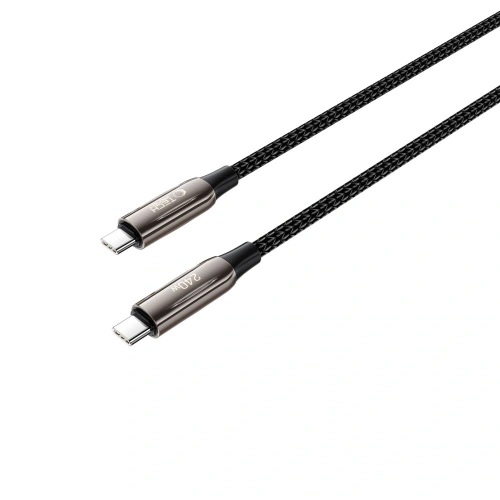
    9. Mercedes Leather Semi Wrap Iconic Line: skóra z metalową ramką aparatu
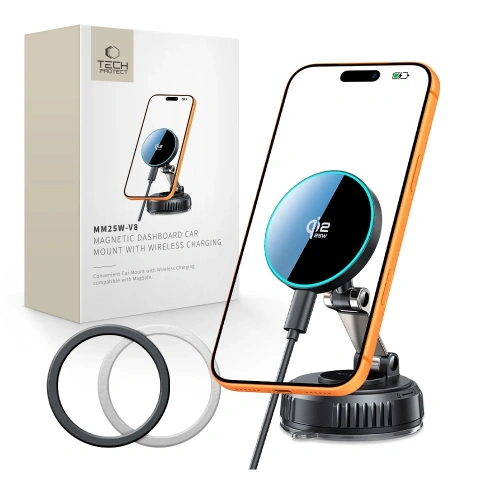
    Ekologiczna skóra, matowe wykończenie. Przez środek plecków biegnie antracytowa linia, która prowadzi do logo Mercedes-Benz. Konstrukcja typu hardcase z poliwęglanową podstawą.

    Najciekawszy element to metalowa ramka wokół aparatu, z tego samego materiału co osłony przycisków. Metal chroni wyspę fotograficzną skuteczniej niż podniesiony plastik, bo nie ściera się przy odkładaniu telefonu.

    Skórzana powierzchnia daje pewny chwyt, a elastyczne boki dokładają amortyzację przy upadku.

    Dla kogo: jeśli szukasz czegoś eleganckiego, ale bez logo na pół obudowy.

    [hs_products ids=»143254,142447,142956″ cols=»3″ title=»Kevlar, klapka i skóra: pozycje 7-9″]

    10. Guess Embossed 4G Classic MagSafe: najpopularniejsza marka modowa

    Guess to najczęściej wyszukiwana marka modowych etui do iPhone’ów Pro Max i widać dlaczego. Skóra ekologiczna z tłoczonym wzorem 4G, klasyczne logo pośrodku, w środku warstwy TPU i poliwęglanu.

    To nie jest wyłącznie ozdoba. Dopasowane wymiary amortyzują upadki, elastyczne boki ułatwiają zakładanie, a magnesy MagSafe działają bez adapterów.

    Dla kogo: jeśli etui ma być dodatkiem do stylizacji, a nie tylko warstwą ochronną.

    11. Karl Lagerfeld Grained Choupette Head Metal: designerskie z metalowym detalem

    Ziarnista faktura pleców i metalowa głowa Choupette, kotki projektanta, jako jedyny akcent. Powściągliwie jak na markę modową, przez co etui pasuje też do sytuacji formalnych.

    MagSafe działa standardowo, ochrona jest typowa dla tej klasy.

    Dla kogo: dla kogoś, kto wybiera etui okiem, a nie tabelką z certyfikatami.

    12. Bizon Case Salpa: najprostsze wejście w ochronę

    Elastyczne TPU, wzmocnione narożniki, podniesione brzegi przy ekranie i aparacie. Bez magnesów, ale z obsługą ładowania indukcyjnego.

    Dwa detale, których zwykle brakuje w tym segmencie. Pierwszy to kropkowana powierzchnia wewnętrzna: plecki nie przywierają do obudowy telefonu, więc nie robią się tęczowe plamy. Drugi to wycięcie na smyczkę.

    Producent zastrzega, że etui współpracuje tylko ze szkłami o mniejszych wymiarach niż standardowe. Warto to sprawdzić przed dokupieniem ochrony ekranu.

    Dla kogo: jeśli potrzebujesz czegoś na już, zanim wybierzesz docelową obudowę.

    [hs_products ids=»142675,143101,143176″ cols=»3″ title=»Modowe, designerskie i minimalistyczne: pozycje 10-12″]

    Etui iPhone 18 Pro Max: porównanie w tabeli

    #EtuiMateriałMagSafeOsłona aparatuPodstawkaWyróżnik
    1ESR Cyber Tough Kickstand MagSafePoron + TPU + PC✅podniesiona ramka✅ wysuwanaMilitary Grade, Air Guard
    2Tech-Protect MagPrime MagSafe CCTPU + PC✅zintegrowana (CC)❌matowa powłoka
    3ESR Classic Hybrid MagSafe Frostedakryl + TPU✅podniesiona ramka❌akryl nie żółknie
    4Benks Magnetic Lucid Armor ProTPU + PC✅podniesiona ramka❌test upadku z 152 cm
    5Tech-Protect MagStand MagSafe CCTPU + PC✅zintegrowana (CC)✅ metalowa, 2 osiestoi pionowo i poziomo
    63mk Misty MagCaseTPU + PC✅podwyższone ranty❌cztery kolory, minimalna grubość
    7Tech-Protect Kevlar MagSafe 2-SetPC + TPU✅podniesiona ramka✅ nóżkadwie wymienne ramki przednie
    8Mercury BlueMoon Diary MagSafeskóra ekologiczna✅klapka zamykana❌chroni ekran bez szkła
    9Mercedes Leather Semi Wrap Iconic Lineskóra ekologiczna + PC✅metalowa ramka❌metal wokół obiektywów
    10Guess Embossed 4G Classic MagSafeskóra ekologiczna + TPU + PC✅podniesiona ramka❌tłoczony wzór 4G
    11Karl Lagerfeld Grained Choupette Head Metalziarnista faktura + PC✅podniesiona ramka❌metalowy detal Choupette
    12Bizon Case SalpaTPU❌podniesione brzegi❌wycięcie na smyczkę

    Which case to choose for iPhone 18 Pro Max? Recommendations based on needs

    • You want a rugged case for iPhone 18 Pro Max: ESR Cyber Tough Kickstand or Tech-Protect Kevlar 2-Set. The first is more convenient for everyday use, the second encloses the phone from all sides.
    • You are looking for a transparent case for iPhone 18 Pro Max: ESR Classic Hybrid Frosted or 3mk Misty MagCase. Both showcase the color of the casing and do not collect fingerprints.
    • You are looking for a case for iPhone 18 Pro Max with camera protection: Tech-Protect MagPrime CC or MagStand CC. The integrated island cover protects the lenses with every phone placement.
    • You watch movies while traveling: Tech-Protect MagStand with a metal stand in two axes.
    • You carry cards together with your phone: Mercury BlueMoon Diary, the only flap with working MagSafe in this comparison.
    • The case should be part of your styling: Guess Embossed 4G Classic, Karl Lagerfeld Choupette Head or Mercedes Leather Semi Wrap.
    • You need anything for now: Bizon Case Salpa, with the caveat of no magnets.

    What to complement the case for iPhone 18 Pro Max

    Here we return to the matter we mentioned at the beginning. The case from the seventeenth fits, but the camera cover does not, as the camera island has grown.

    To akurat dobra wiadomość dla portfela. Zamiast kompletu akcesoriów dokupujesz jedną rzecz, a osłony skatalogowane pod iPhone’a 18 Pro Max mają w nazwie właśnie ten model, bez dopisku o siedemnastej.

    Do wyboru masz trzy podejścia. Tech-Protect CamAlloy Fit to metalowa ramka na całą wyspę, Tech-Protect CamFull Fit zakrywa moduł jedną szybą, a ESR Armorite Camera Protector osłania każdy obiektyw osobno. Jeśli wahasz się, czy to potrzebne, wyjaśniamy to w tekście o tym, czy warto kupić szkło na obiektyw aparatu.

    The screen is a separate issue. Apart from the Mercury with a flap and the Tech-Protect Kevlar 2-Set with a front frame, none of the cases in this ranking protect the display, so it’s worth adding tempered glass right away. Verified options are ESR UltraFit Armorite and Tech-Protect Quick Set, both in packs of two.

    [hs_products ids=»143079,143223,143084,142076,142078,143272″ cols=»3″ title=»Screen glasses and camera shields for iPhone 18 Pro Max»]

    Are you buying everything at once? The most convenient is the ready-made set ESR Classic Hybrid MagSafe with tempered glass 9H and a mounting applicator included. ESR adds a tip that works with any brand of glass: install it in the bathroom right after a bath. The steam will collect dust from the air beforehand.

    Summary: the best cases for iPhone 18 Pro Max at a glance

    The choice of a case for the iPhone 18 Pro Max comes down to four conclusions.

    1. The case from the iPhone 17 Pro Max fits the eighteen. Manufacturers describe the cases as common for both generations because the body retains its dimensions. If you are switching from the seventeen, you do not need to buy a new case.
    2. The camera cover is a separate purchase. The camera island is expected to grow from 11.23 to 11.54 mm, and the cover from the predecessor will no longer fit.
    3. The most universal choice is the Tech-Protect MagPrime MagSafe CC. A hybrid of TPU and polycarbonate with a camera cover and full MagSafe closes the topic for most people.
    4. If protection is a priority, choose the ESR Cyber Tough Kickstand. Poron in the corners, Military Grade class, and a stand on the back.

    We will update the text after the Apple conference on September 9, 2026, when we will know the official dimensions of the iPhone 18 Pro Max.

    See the full range of cases for iPhone 18 Pro Max at homescreen.pl →

    FAQ: najczęstsze pytania o etui do iPhone’a 18 Pro Max

    Czy etui z iPhone’a 17 Pro Max pasuje do 18 Pro Max?

    Tak. Producenci akcesoriów opisują obudowy jako wspólne dla obu modeli, bo korpus zachowuje te same wymiary i układ przycisków. Osłony wyspy aparatu są już osobne.

    Jakie etui do iPhone’a 18 Pro Max jest najbardziej wytrzymałe?

    ESR Cyber Tough Kickstand MagSafe z pianką Poron w narożnikach i ochroną klasy Military Grade. Alternatywą jest Tech-Protect Kevlar 2-Set, który zamyka telefon również od strony ekranu.

    Czy warto kupić oryginalne etui Apple do iPhone’a 18 Pro Max?

    Oryginalne obudowy Apple mają najlepiej dopasowane magnesy, ale kosztują wielokrotnie więcej niż etui marek niezależnych i nie oferują osłony wyspy aparatu ani podstawki. W naszej ofercie ich nie znajdziesz, za to hybrydy ESR i Tech-Protect dają ten sam poziom obsługi MagSafe.

    Które etui jest lepsze: silikonowe czy TPU?

    TPU lepiej amortyzuje upadki i nie rozciąga się z czasem. Silikon jest przyjemniejszy w dotyku i mniej się ślizga.

    Z jakiego materiału jest najlepsze etui do iPhone’a 18 Pro Max?

    Hybryda: elastyczna ramka TPU plus sztywne plecki z poliwęglanu lub akrylu. TPU przejmuje energię uderzenia, twardy tył nie faluje i nie żółknie tak szybko jak czyste TPU.

    Does every iPhone 18 Pro Max case support MagSafe?

    No. Cases without a built-in magnetic ring, like the Bizon Case Salpa, support wireless charging, but the charger won’t stick magnetically. Look for the term “MagSafe» or “Mag» in the product name.
    When is the iPhone 18 Pro Max release?

    Apple will showcase the phone on September 9, 2026, during the “Surprise and shine» conference. The date has been confirmed by the company itself, and sales should start in the second half of September.

    Does the case protect the Camera Control button?

    Well-designed cases do. ESR, Tech-Protect, and Benks models from this ranking have a touch-sensitive membrane in this area that transmits finger swipes.

    Do I need glass for the camera if the case has a raised edge?

    The raised edge protects against scratches on surfaces, but not against point impacts on the lens. With a module protruding above the back, camera glass makes sense, as its replacement costs a fraction of the camera repair price.

    Does a flip case hinder wireless charging?

    No, if the case has built-in magnets, like the Mercury BlueMoon Diary. Cases without MagSafe may require tilting the front part during charging.
    Sources: manufacturer compliance declarations linked in the text and full compilation of leaks about the iPhone 18 Pro.

  • What is the best charger for Samsung Galaxy Z Fold 8 Ultra?

    What is the best charger for Samsung Galaxy Z Fold 8 Ultra?

    The best charger for the Galaxy Z Fold 8 Ultra is the Tech-Protect PowerVision NC45W-GaN. It has a profile of 15 V / 3 A, supports PPS, and features a display where you can check the actual charging power. A safe choice is the original Samsung charger EP-T4511 45 W. For both, purchase a USB-C 5 A cable, as without it, the phone will not reach 45 W.

    The Z Fold 8 Ultra has a 5,000 mAh battery and supports 45 W wired charging and 20 W wireless charging. It sounds simple, but the charger market is full of 65 W and 100 W bricks that throttle down to 25 W in Samsung devices.

    Below you will find three parameters that must be on the box, a fourth condition often overlooked by manufacturers, and a ranking of 7 chargers with an output profile table.

    Three parameters that must be on the box

    When buying a charger for the Z Fold 8 Ultra, look for three things at once. The absence of even one will revert the phone to a slower mode.

    Power: 45 W or more. A more powerful charger won’t hurt. The phone draws exactly what it needs, and a 65 W or 100 W brick operates cooler than a 45 W brick pushed to its limits. If you’re looking for the smallest high-power designs, check out our ranking of GaN chargers.

    PPS: a necessary condition. Programmable Power Supply allows for smooth voltage and current regulation instead of jumping between fixed thresholds. Without PPS, a 45 W charger throttles down to 15–25 W in Samsung devices, as the phone cannot activate Super Fast Charging 2.0 mode.

    PD 3.0: базовый протокол. USB Power Delivery 3.0 — это стандарт, в рамках которого работает PPS. Зарядное устройство с только Quick Charge, без PD, не сможет работать с Samsung на полной скорости.

    Внимание: «45 W» на корпусе — это максимальная мощность зарядного устройства, а не гарантия 45 W для телефона. Важно выходное напряжение. Ищите в спецификации запись 15 V / 3 A: именно оно дает 45 W.

    Четвертое условие, о котором производители зарядных устройств молчат

    Вы можете иметь идеальное зарядное устройство и все равно заряжать телефон медленно. Причина в кабеле.

    Зарядка 45 W требует кабеля USB-C к USB-C с током 5 A и e-marker. E-marker — это интегральная схема в кабеле, которая сообщает устройствам, какой ток кабель может безопасно передавать. Спецификация USB Type-C требует его в каждом кабеле выше 3 A.

    Кабель без e-marker сообщает о лимите 3 A. Телефон видит этот лимит и сам переходит в более медленный режим, даже если зарядное устройство предлагает больше. Обычный кабель USB-A также исключает Super Fast Charging 2.0.

    Samsung продает свой комплект под названием «45W PD Power Adapter с 5A USB-C кабелем». Это не маркетинговая добавка, а часть спецификации.

    This explains the most common complaint from users of foldable phones: «I bought a stronger charger, but the phone charges slower than before.» Usually, the culprit is the cable included in the set.

    How long does it realistically take to charge the Galaxy Z Fold 8 Ultra

    ParameterValue
    Battery capacity5,000 mAh
    Wired charging45 W (Super Fast Charging 2.0)
    Wireless charging20 W, Qi2 standard
    Magnets in the case❌ phone is «Qi2 Ready»
    ConnectorUSB-C
    Required cable for 45 WUSB-C / USB-C, 5 A, e-marker

    The battery has increased from 4,400 mAh in the previous generation to 5,000 mAh thanks to silicon-carbon cells. With a larger cell, the difference between charging at 25 W and 45 W becomes noticeable: it’s a matter of several dozen minutes for a full cycle.

    Note: The Z Fold 8 Ultra does not have magnets in the case. It supports Qi2, but the magnetic ring must be provided by the case. A magnetic wireless charger will not stick to the bare phone.

    Ranking: 7 najlepszych ładowarek do Galaxy Z Fold 8 Ultra

    1. Tech-Protect PowerVision NC45W-GaN: jedyna z wyświetlaczem mocy

    Nasz wybór: komplet parametrów plus wyświetlacz, który potwierdza realną moc.

    To ładowarka, która pokazuje, ile watów faktycznie płynie do telefonu. Wyświetlacz PowerView AI 2.0 podaje aktualny pobór mocy i temperaturę. Przy problemie z prędkością ładowania od razu widzisz, czy winna jest ładowarka, czy kabel.

    Pod obudową jest komplet wymaganych parametrów: profil 15 V / 3 A, PPS w zakresie 5–11 V przy 4.5 A i protokół PD 3.2, czyli nowszy niż wymagane PD 3.0.

    • Profil 15 V / 3 A to pełne 45 W dla Samsunga
    • PPS 5–11 V / 4.5 A oraz PD 3.2, QC4+, AVS, UFCS, AFC
    • Wyświetlacz PowerView AI 2.0 pokazuje moc w watach i temperaturę
    • Technologia GaN w obudowie 78.5 × 32 × 41 mm
    • Zabezpieczenia termiczne i przeciwprzepięciowe

    Minus: jeden port USB-C. Jeśli ładujesz telefon i laptopa naraz, spójrz na pozycje wieloportowe niżej. W zestawie nie ma kabla.

    ParametrWartość
    Moc maksymalna45 W
    Porty1 × USB-C
    Profil 15 V / 3 A✅
    PPS✅ 5–11 V / 4.5 A
    ProtokołyPD 3.2, QC4+, AVS, UFCS, AFC

    2. Samsung EP-T4511 45W: oryginał bez niespodzianek

    If you don’t want to analyze the specifications, take the manufacturer’s charger. EP-T4511 is Samsung’s reference 45 W cube and the standard against which others are compared.

    The specification lists PDO profiles of 9 V, 15 V, and 20 V, with a current of 3 A at 9 V and 15 V, and PPS in the range of 5–20 V. The standby power consumption is below 5 mW, so the cube can stay in the socket.

    • 15 V / 3 A profile confirmed in the manufacturer’s specifications
    • PPS 5–20 V and full compatibility with Super Fast Charging 2.0
    • Standby consumption below 5 mW
    • Protections against overloading, short-circuiting, and overheating

    Dwa minusy. Kabel sprzedawany osobno. I to nie jest drobiazg, bo bez kabla 5 A ładowarka nie pokaże pełni możliwości. To też największa konstrukcja spośród modeli 45 W: 43.5 × 81.8 × 28 mm, bez technologii GaN.

    ParametrWartość
    Moc maksymalna45 W
    Porty1 × USB-C
    Profil 15 V / 3 A✅
    PPS✅ 5–20 V
    Kabel w zestawie❌

    3. UGREEN Nexode Pro 45W: dwa porty w kostce wielkości pudełka zapałek

    Najlepszy kompromis między rozmiarem a możliwościami. Chip GaNInfinity pozwolił zamknąć 45 W i dwa porty USB-C w obudowie 35.89 × 36.5 × 47 mm, o 21% mniejszej od klasycznych konstrukcji.

    The list of supported standards is the longest in the ranking and includes the most important: PD 3.0 with PPS, plus QC4+, SCP, FCP, and AFC. The manufacturer states that the MacBook Air M2 charges up to 72% in one hour.

    • PD 3.0 with PPS plus QC4+, QC3.0, SCP, FCP, AFC
    • Two USB-C ports: phone and headphones simultaneously
    • GaNInfinity provides a 21% smaller case
    • Thermal Guard monitors temperature in real-time

    Honestly: the manufacturer does not publish exact voltage profiles in the store specification, so we cannot confirm the 15 V / 3 A profile in black and white. However, the presence of PPS in PD 3.0 is enough for confirmation. This is the most frequently purchased 45 W charger in the ranking.

    ParameterValue
    Maximum power45 W
    Ports2 × USB-C
    Profile 15 V / 3 Anot specified
    PPS✅
    TechnologyGaNInfinity

    [hs_products ids=»142548,102989,76149″ cols=»3″ title=»Three highest-rated chargers from the ranking»]

    4. USAMS CC305 T66 45W GaN: full 45 W on the main port

    USAMS as one of the few manufacturers provides in the store a full output profile table. This works to its advantage. The USB-C1 port provides 5 V / 3 A, 9 V / 3 A, 12 V / 3 A, 15 V / 3 A, and 20 V / 2.25 A.

    The second port is clearly weaker (15 V at 2 A), and when both are used simultaneously, the power is divided into 25 W and 18 W. It’s important: connect the phone to port C1 if you care about full speed.

    • 15 V / 3 A profile on the USB-C1 port, confirmed in the manufacturer’s table
    • Two USB-C ports with a power split of 25 W + 18 W
    • GaN technology, housing made of ABS and polycarbonate (PC)
    • Weight approximately 96 g, dimensions 39 × 33.5 × 44.5 mm

    What’s missing: the specification does not explicitly mention PPS. However, the 15 V / 3 A profile is clearly stated, and it is responsible for 45 W.

    ParameterValue
    Maximum power45 W
    Ports2 × USB-C (25 W + 18 W combined)
    Profile 15 V / 3 A✅ port C1
    PPSnot specified
    Weightapprox. 96 g

    5. Bizon Charger VT-36B 45W: the only one with Super Fast Charging 2.0 in the specification

    The most complete specification outside the first league of brands. Bizon is the only one that mentions Super Fast Charging 2.0 by name in the specification, which is exactly the mode in question for Samsung.

    Moreover, the 15 V / 3 A profile is available on both USB-C ports, not just the main one. GaN3 technology maintains a low temperature, and the manufacturer claims it can charge up to 50% in 30 minutes.

    • Super Fast Charging 2.0 mentioned directly in the specification
    • Profile 15 V / 3 A on both USB-C ports
    • GaN3 lowers operating temperature
    • CE and RoHS certifications, dimensions 9 × 3.5 cm

    Limitation: with two devices at once, 45 W is divided between the ports, so the phone will not receive full power. Bizon is the least recognizable brand in the comparison, but here the specification speaks for itself.

    ParameterValue
    Maximum power45 W
    Ports2 × USB-C
    Profile 15 V / 3 A✅ both ports
    Super Fast Charging 2.0✅ declared
    TechnologyGaN3

    6. Spigen EE451EU Essential 45W: charger and cable in one box

    To jedyna pozycja w rankingu z kablem w zestawie. Biorąc pod uwagę, że kabel decyduje o osiągnięciu 45 W, komplet w jednym pudełku ma realną wartość.

    Konstrukcja jest maksymalnie prosta: jeden port USB-C, moc 45 W, obsługa Power Delivery, przewód o długości 1 m.

    • Kabel USB-C 1 m w zestawie
    • Moc 45 W na jednym porcie USB-C
    • Standard Power Delivery
    • Kompaktowa konstrukcja bez zbędnych funkcji

    Uczciwie: Spigen nie publikuje w karcie produktu ani profili napięć, ani obsługi PPS, ani obciążalności dołączonego kabla. Jeśli zależy Ci na potwierdzonych 45 W, wybierz pozycję z pełną specyfikacją, a kabel dokup osobno.

    ParametrWartość
    Moc maksymalna45 W
    Porty1 × USB-C
    Profil 15 V / 3 Anie podano
    PPSnie podano
    Kabel w zestawie✅ 1 m

    7. Satechi ChargeView GaN 140W: one block for the whole desk

    A proposal for someone who wants to use one charger for a laptop, tablet, headphones, and Z Fold 8 Ultra. Four USB-C ports and 140 W are enough to charge the phone at full power even when the other ports are in use.

    The display informs about the charging status, and GaN technology keeps reasonable dimensions for this power. An alternative to a multi-port block are 2-in-1 and 3-in-1 charging stations.

    • 140 W total power
    • Four USB-C ports: phone, laptop, tablet, and headphones at the same time
    • Built-in display of charging status
    • GaN Technology in a compact housing

    Honestly: this is overkill for the phone itself, and the product card does not mention PPS or power distribution to the ports. You buy it for the number of ports and power reserve, not because it is the best charger for the phone itself.

    ParameterValue
    Maximum power140 W
    Ports4 × USB-C
    Profile 15 V / 3 Anot specified
    PPSnot specified
    Display✅ charging status

    [hs_products ids=»108818,127267,132892,138104″ cols=»4″ title=»Positions 4–7 from the ranking»]

    Comparison of 45 W chargers for Samsung Galaxy Z Fold 8 Ultra

    ŁadowarkaMocPortyProfil 15 V / 3 APPSWyróżnik
    Tech-Protect PowerVision NC45W45 W1 × USB-C✅✅Wyświetlacz mocy i temperatury
    Samsung EP-T451145 W1 × USB-C✅✅Oryginał producenta telefonu
    UGREEN Nexode Pro45 W2 × USB-Cnie podano✅Najmniejsza z dwoma portami
    USAMS CC305 T6645 W2 × USB-C✅ port C1nie podanoPełna tabela profili wyjścia
    Bizon Charger VT-36B45 W2 × USB-C✅ oba portynie podanoDeklaruje Super Fast Charging 2.0
    Spigen EE451EU Essential45 W1 × USB-Cnie podanonie podanoKabel w zestawie
    Satechi ChargeView140 W4 × USB-Cnie podanonie podanoCztery porty i wyświetlacz

    „Nie podano” oznacza, że producent nie publikuje tego parametru w karcie produktu. To nie jest zarzut wobec sprzętu, tylko informacja o tym, czego nie da się zweryfikować przed zakupem.

    Którą ładowarkę wybrać? Rekomendacje według potrzeb

    Chcesz mieć pewność, że dostajesz 45 W → Tech-Protect PowerVision NC45W-GaN. Wyświetlacz pokazuje realną moc, więc nie musisz niczego zgadywać.

    Nie chcesz analizować specyfikacji → Samsung EP-T4511. Ładowarka producenta telefonu, pełna zgodność w standardzie. Pamiętaj o kablu.

    Charging your phone and a second device → UGREEN Nexode Pro 45W. Two USB-C ports in a case smaller than the original Samsung.

    Want 45 W on both ports at the same time → Bizon Charger VT-36B. Profile 15 V / 3 A on each output and Super Fast Charging 2.0 mentioned in the specifications.

    Buying your first charger and don’t have a cable → Spigen EE451EU Essential. A complete set in one box.

    You have a laptop, tablet, and phone on your desk → Satechi ChargeView GaN 140W. Four ports and power reserve.

    Cable: the element where it’s easiest to lose 45 W

    Let’s repeat, because this is the most common mistake. To charge 45 W you need a USB-C to USB-C cable with a 5 A rating and e-marker. A cable from the previous phone’s set, a USB-A cable, and a cheap unmarked wire will keep the phone in slower mode.

    What to look for in the cable description:

    • 5 A or 100 W is the same information expressed differently
    • E-marker, sometimes described as “E-Mark chip”
    • USB-C on both ends: adapters and USB-A are out
    • Length matched to the charging location, because a longer cable means greater losses

    More about choosing the cable can be found in the guide which cable to choose for fast charging.

    [hs_products ids=»120612,120615,137656″ cols=»3″ title=»USB-C 5 A cables for 45 W charging»]

    You will find the full selection in the category USB-C to USB-C cables.

    Induction charger for Samsung: what Qi2 offers in the Z Fold 8 Ultra

    The Z Fold 8 Ultra charges wirelessly with a power of 20 W using the Qi2 standard. An induction charger is a convenient solution for the desk, but always slower than wired charging.

    Important note: the phone does not have magnets in the case. The Qi2 magnetic charger will not stick to the bare phone until you put on a case with a magnetic ring. A regular flat induction charger will work without any additional accessories.

    When choosing an induction charger for Samsung, check the declared power for Android phones. Some magnetic chargers state the highest power only for iPhones, offering significantly less for other devices.

    Below you will find both variants: flat pads that work with a bare phone and Qi2 magnetic models to pair with a case with a ring.

    [hs_products category=»245″ limit=»6″ sort=»sales» title=»Wireless and magnetic Qi2 chargers»]

    Charging in the car and on the go

    In the car, the same three parameters apply as at home. Look for a 45 W charger with PD and PPS, not a block described only by the amperage. Check car chargers and power banks if you’re charging your phone on the road.

    If you’re looking for accessories for a specific model, we have separate categories for Galaxy Z Fold 8 Ultra and Galaxy Z Fold 8.

    Summary

    The best charger for the Samsung Galaxy Z Fold 8 Ultra is the Tech-Protect PowerVision NC45W-GaN. It has a confirmed profile of 15 V / 3 A, PPS, and a display that shows real power. The safest choice without analyzing specifications is the original Samsung charger EP-T4511, and the most confirmed parameters outside of the original are provided by the Bizon Charger VT-36B.

    Three things to remember:

    1. Three parameters on the box: power of 45 W or more, PPS, and PD 3.0. Lack of PPS takes away more than half the speed.
    2. 5 A cable with e-marker is just as important as the charger. Without it, the phone won’t reach 45 W.
    3. A stronger charger does not harm. A 65 W or 100 W block will provide the phone exactly as much as it requests.

    FAQ: frequently asked questions about the charger for Z Fold 8 Ultra

    Does it have to be an original charger for Samsung?

    No. Any charger with a minimum power of 45 W, supporting PPS and PD 3.0 standard is sufficient. The original Samsung ensures compatibility without checking specifications, but chargers from other brands with these parameters work identically.

    What is the difference between a 25 W charger and a 45 W charger?

    The 45 W charger activates Super Fast Charging 2.0 mode in the Galaxy Z Fold 8 Ultra, which is a 15 V / 3 A profile. The 25 W charger stops at the first generation of Super Fast Charging. With a 5,000 mAh battery, the difference in full cycle time is several dozen minutes.

    Can a 65 W charger be used to charge the phone?

    Yes. It is completely safe. The phone negotiates the power it needs with the charger and will draw a maximum of 45 W. A stronger charger operates cooler because it does not work at the edge of its capabilities.

    How many watts must a charger for Samsung have?

    To Galaxy Z Fold 8 Ultra minimum to 45 W z obsługą PPS. Ładowarka 25 W naładuje telefon, ale wyraźnie wolniej. Sama moc nie wystarczy: kostka 65 W bez PPS zwolni do 15–25 W.

    Dlaczego moja nowa ładowarka ładuje wolniej niż stara?

    Najczęstsza przyczyna to kabel. Ładowanie 45 W wymaga przewodu USB-C do USB-C o obciążalności 5 A z e-markerem. Drugą przyczyną bywa brak obsługi PPS w nowej ładowarce, mimo wysokiej mocy podanej na obudowie.

    Czy Galaxy Z Fold 8 Ultra obsługuje ładowanie bezprzewodowe?

    Tak, z mocą do 20 W w standardzie Qi2. Telefon nie ma jednak magnesów w obudowie, więc magnetyczna ładowarka Qi2 wymaga etui z pierścieniem magnetycznym. Zwykła płaska ładowarka indukcyjna działa bez dodatków.

    Po co ładowarce wyświetlacz mocy?

    Pozwala zweryfikować realną prędkość ładowania. Wyświetlacz pokazuje pobór mocy w watach, więc od razu widzisz, czy telefon dostaje 45 W, czy zszedł do wolniejszego trybu przez kabel lub brak PPS.


    Sources: Galaxy Z Fold8 Ultra specifications on GSMArena, 45W PD Power Adapter with 5A USB-C Cable set on Samsung.com, USB Type-C specification, e-marker requirement above 3 A — USB-IF