Category: Poradniki

  • What is the best glass for Xiaomi 17 Ultra? Ranking of 8 models for 2026

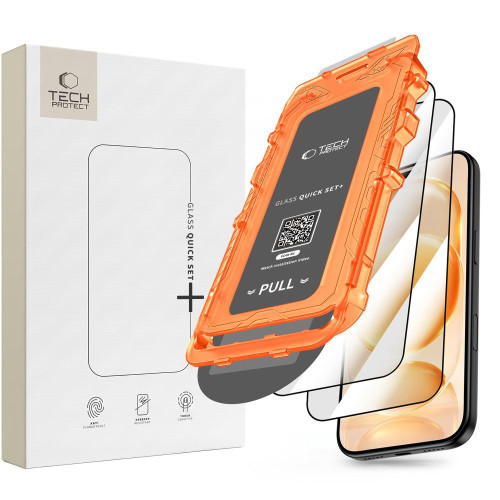
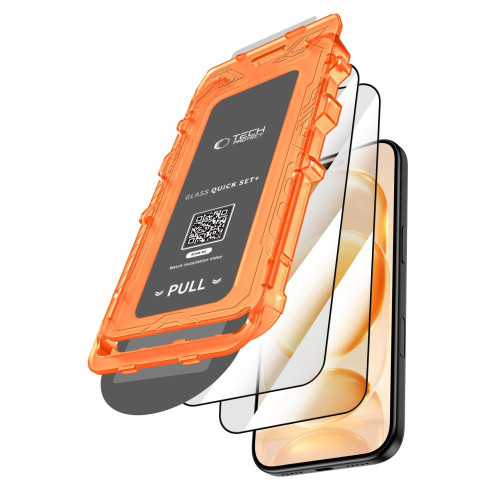
    The best glass for Xiaomi 17 Ultra is 3MK FlexibleGlass (34.90 PLN) — a hybrid glass with an antibacterial coating made of silver nanoparticles and a ceramic layer that absorbs impact energy and does not crack like traditional tempered glass. In second place is Bizon Glass Edge Duo (35 PLN) — a two-pack of 9H glasses with a black frame and 4D rounded edges.

    Xiaomi 17 Ultra is a flagship device whose LTPO AMOLED display costs more than many mid-range smartphones. The under-display fingerprint sensor, peak brightness, and gently curved edges — all of this requires proper protection. In this ranking, you will find the best tempered and hybrid glasses for Xiaomi 17 Ultra (also compatible with 17 Pro Max), tested for hardness, fit, touch sensitivity, and compatibility with cases.

    What to pay attention to when choosing glass for Xiaomi 17 Ultra?

    Before we move on to the ranking, it’s worth knowing what to consider when choosing protective glass for Xiaomi 17 Ultra. Here are the key parameters.

    Hardness 9H — this is the industry standard for tempered glass. It indicates resistance to scratches from keys, coins, and other everyday objects. Hybrid glasses usually have a hardness of 6–7H, which they compensate for with flexibility and resistance to cracking.

    Thickness 0.25–0.43 mm — thinner glasses (0.25 mm) are less visible and work better with the under-display fingerprint reader. Thicker ones (0.33–0.43 mm) offer greater shock absorption from drops but may extend beyond the outline of the case.

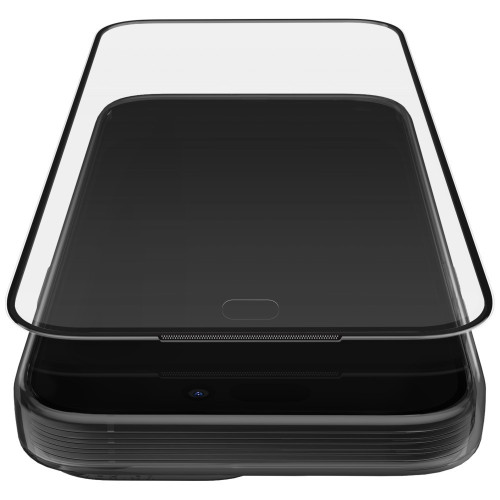
    Full Glue — the best glasses for Xiaomi 17 Ultra have a layer of glue over the entire surface, not just along the edges. This eliminates air bubbles and prevents the corners from peeling off.

    Oleophobic coating — repels fingerprints, makes cleaning easier, and improves the smoothness of finger movement across the screen. The absence of this coating leads to quick dirt accumulation and visible streaks.

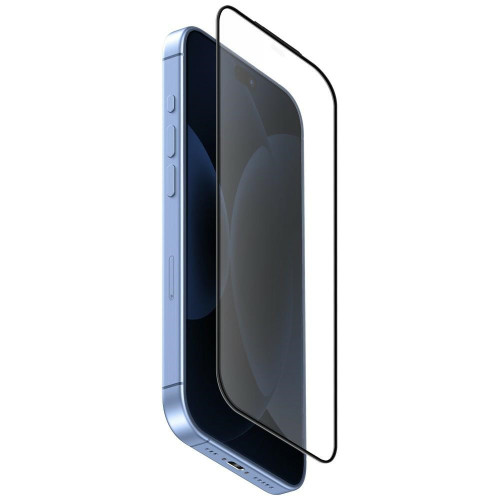
    Compatibility with cases — glasses with 4D rounded edges and a black frame effectively mask the transition between the screen and the case, but some cases with high edges may lift the corners of the glass. A safe choice are models with a narrower outline (e.g., Bizon Glass Clear).

    Under-display fingerprint reader — Xiaomi 17 Ultra has a sensor under the display. Standard 9H tempered glasses work correctly with it, but matte privacy glasses (e.g., Bizon Hybrid Shadow) may reduce the effectiveness of fingerprint recognition.

    Ranking of glasses for Xiaomi 17 Ultra

    1. 3MK FlexibleGlass — hybrid with antibacterial coating (34.90 PLN)

    Our choice

    3MK FlexibleGlass is a hybrid glass from a Polish brand that combines the flexibility of a film with the durability of a ceramic coating. It features a silver nanoparticle antibacterial coating — a rare trait in this segment, particularly useful for those who frequently use their smartphones in public places.

    The construction absorbs impact energy, preventing it from cracking during moderate falls. The oleophobic coating reduces fingerprints, and the nearly invisible structure maintains the original appearance of the Xiaomi 17 Ultra screen. The package includes a complete installation kit with wipes and a bubble removal card.

    Advantages:
    – Antibacterial coating with silver nanoparticles
    – Hybrid construction — does not crack upon falls
    – Ceramic layer increases scratch resistance
    – Oleophobic coating
    – Complete installation kit

    2. Bizon Glass Edge Duo — complete protection in a two-pack (35 PLN)

    Best price-to-quality ratio

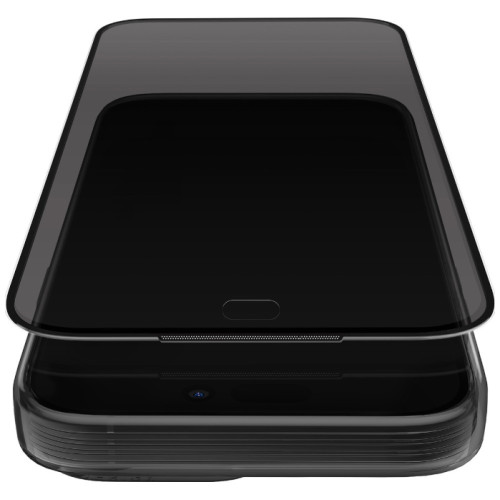
    Bizon Glass Edge Duo is the best-fitting protective package for Xiaomi 17 Ultra. In one box, you get two tempered glasses with a hardness of 9H, a thickness of 0.33 mm, and rounded 4D edges with a discreet black frame. The frame masks the transition between the screen and the casing, giving the effect of “edge-to-edge” glass.

    The oleophobic coating reduces fingerprints, and the surface maintains full transparency and touch sensitivity. The set includes two complete installation accessory kits — microfiber cloth, cleaning wipes, positioning stickers, and dust absorber. Treat the second glass as a spare in case the first one breaks after a fall.

    Advantages:
    – Two glasses for the price of 35 PLN (17.50 PLN each)
    – Hardness 9H and thickness 0.33 mm
    – 4D rounded edges with a black frame
    – Oleophobic coating
    – Compatibility with Xiaomi 17 Ultra and 17 Pro Max

    3. Crong 3D Armour Glass Lite — full adhesive and 2.5D edges (29 PLN)

    Our choice in the edge-to-edge category

    Crong 3D Armour Glass Lite is a 9H tempered glass with full adhesive (Full Glue) that covers the entire display of the Xiaomi 17 Ultra. The 2.5D edges gently slope down the sides, and the black frame conceals the outline of the case. A light transmittance ratio of 92% means that the screen retains its original brightness and colors.

    A thickness of 0.33 mm is the industry standard. The shatter-resistant coating limits the spread of cracks — if the glass breaks upon impact, the shards remain within the film layer. The oleophobic coating minimizes fingerprints, and the package includes a complete installation kit.

    Advantages:
    – Full Glue adhesion across the entire surface
    – 2.5D rounded edges with a black frame
    – Shatter-resistant coating
    – Light transmittance of 92%
    – Hardness of 9H, thickness of 0.33 mm

    4. Bizon Hybrid Shadow — privacy glass for the demanding (35 zł)

    Our choice in the privacy category

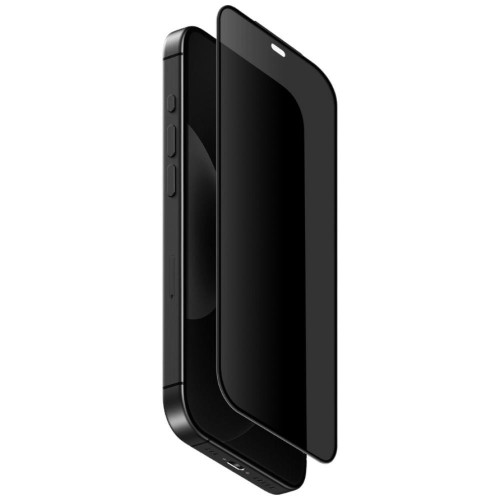
    Bizon Hybrid Shadow is a privacy hybrid glass that limits the viewing angle to 28°. When looking at the screen from an angle, a person next to you sees only a dark surface. An ideal solution for working in open spaces, traveling on public transport, and anywhere you want to protect confidential data on the screen.

    The matte surface eliminates reflections and fingerprints, while a transparency level of 60% is sufficient for comfortable use of the phone. A thickness of 0.25 mm and a hardness of 6H strike a balance between protection and discretion. Remember — the matte privacy coating may reduce the effectiveness of the fingerprint reader under the screen.

    Advantages:
    – Viewing angle limited to 28°
    – Matte surface without reflections
    – Eliminates fingerprints
    – Thickness of 0.25 mm — almost invisible
    – Oleophobic coating

    5. Bizon Glass Clear Duo — transparent glass in a two-pack (35 zł)

    If you don’t mind the lack of a black frame, Bizon Glass Clear Duo is a practical alternative to Edge Duo. You get two 9H tempered glasses that are fully transparent, without a frame color — ideal if you don’t want anything to stand out on the white background of the app.

    A thickness of 0.33 mm, an oleophobic coating, and full transparency are standard. The glass covers the flat part of the display, and a slight air gap may appear on the curved edges — this is natural for 2D glasses. The second set remains in the box as a spare. Eco-packaging with minimal plastic is a plus for conscious users.

    Advantages:
    – Two glasses for 35 PLN (17.50 PLN each)
    – Full transparency — without a black frame
    – Hardness 9H, thickness 0.33 mm
    – Oleophobic coating
    – Eco-packaging

    6. Bizon Glass Edge 2 — single glass with a frame (25 PLN)

    Bizon Glass Edge 2 is a budget choice with a frame for Xiaomi 17 Ultra. A single 9H glass with a thickness of 0.33 mm and 4D rounded edges with a black frame that masks the transition between the screen and the casing. It is the same quality standard as in Edge Duo, just without the markup at a price of 25 PLN.

    The oleophobic coating reduces fingerprints, and the manufacturer claims greater transparency and smoothness than in the first generation of Glass Edge. The package includes a complete installation kit: microfiber, wipes, positioning stickers, and a dust absorber.

    Advantages:
    – Price 25 PLN for glass with a frame
    – Hardness 9H, thickness 0.33 mm
    – 4D rounded edges with a black frame
    – Oleophobic coating
    – Complete installation kit

    7. Bizon Angelo Pack — case and tempered glass included (45 PLN)

    Our choice in the set category

    Bizon Angelo Pack is a clever “two in one” solution — in one box you get a smoky case with a beige frame and the Bizon Glass Edge tempered glass with a black frame. The set costs 45 PLN (or 40.50 PLN in a product bundle), which is less than buying both products separately. It’s the perfect option if you’re buying accessories for the new Xiaomi 17 Ultra and want to ensure full protection right away.

    The glass has standard parameters of the Edge series: hardness 9H, thickness 0.3 mm, and 2.5D coverage with a black frame. The smoky case is made of flexible material with a matte finish — it protects the edges and back of the phone, fits well in the hand, and does not collect fingerprints. The beige frame adds a subtle color accent.

    Advantages:
    – Case and tempered glass at one price — 45 PLN
    – Bizon Glass Edge with a black frame (hardness 9H, 2.5D)
    – Smoky case with a beige frame included
    – Cheaper than buying separately

    8. GrizzGlass HybridGlass — best price for hybrid glass (14.99 PLN)

    Best price in the ranking

    For 14.99 PLN you get hybrid glass from the Polish brand GrizzGlass, which strengthens the screen by 400% against impacts and is scratch-resistant. The construction combines tempered glass with a flexible film — thanks to this, the glass does not shatter like traditional tempered glass.

    The surface has an oleophobic coating, and the precise laser cut ensures a perfect fit for the Xiaomi 17 Ultra. The manufacturer guarantees full compatibility with the in-screen fingerprint reader and Face Unlock. Polish production means a shorter supply chain and a lower carbon footprint.

    Advantages:
    – Lowest price in the comparison — 14.99 PLN
    – Screen reinforcement by 400% against impacts
    – Flexible — does not crack like tempered glass
    – Oleophobic coating, precise laser cut
    – Polish production

    Comparison of glasses for Xiaomi 17 Ultra — summary table

    GlassPriceTypeHardnessFrameFor whom
    3MK FlexibleGlass34.90 PLNHybrid antibacterial7HAntibacterial coating, drop protection
    Bizon Glass Edge Duo35 PLNTempered (2-pack)9H✅ BlackBest price-to-quality ratio
    Crong 3D Armour Glass Lite29 PLNTempered Full Glue9H✅ BlackEdge-to-edge with full adhesion
    Bizon Hybrid Shadow35 PLNHybrid privacy6HPrivacy protection (angle 28°)
    Bizon Glass Clear Duo35 PLNTempered (2-pack)9HFull transparency, two-pack
    Bizon Glass Edge 225 PLNTempered9H✅ BlackCheapest glass with a frame
    Bizon Angelo Pack45 PLNCase + tempered glass9H✅ BlackProtective set at one price
    GrizzGlass HybridGlass14.99 PLNHybrid6HCheapest flexible protection

    Which glass to choose for Xiaomi 17 Ultra? Recommendations

    The choice of glass for Xiaomi 17 Ultra depends on what you value the most. Here is a short guide tailored to your needs.

    If you care about hygiene and drop resistance → choose 3MK FlexibleGlass (34.90 PLN). The antibacterial coating with silver nanoparticles and a hybrid construction that absorbs impact energy — this is our number one choice.

    If you want to get two glasses for the price of oneBizon Glass Edge Duo (35 PLN). Two 9H glasses with a black frame and 4D edges for 17.50 PLN each — the second one remains as a spare.

    If you are looking for full screen coverage with a black frameCrong 3D Armour Glass Lite (29 PLN) with full adhesion and 2.5D edges fits perfectly over the entire display of the Xiaomi 17 Ultra.

    If you want to protect your privacy on the screenBizon Hybrid Shadow (35 PLN) limits the viewing angle to 28° — no one next to you will see what you have on the screen.

    If you are buying a set of accessoriesBizon Angelo Pack (45 PLN) is a case and tempered glass in one package. You save compared to buying separately and have full protection right away.

    If price is the most important factorGrizzGlass HybridGlass for 14.99 PLN is the cheapest flexible protection in the comparison, with a guarantee of screen reinforcement by 400%.

    Tip: The glass protects the screen, but the Leica camera module in the Xiaomi 17 Ultra protrudes beyond the casing and also requires protection. If you care about full protection, consider complementing the screen glass with a case that has a high edge around the lens.

    Don’t forget about cases and accessories

    Tempered glass protects the display, but the Xiaomi 17 Ultra also has a protruding Leica camera island and a metal frame prone to scratches. At homescreen.pl you will find a full range of accessories for the Xiaomi 17 Ultra — from cases by Bizon, Tech-Protect, and Ringke, to wireless chargers and camera protection.

    If you are comparing the Xiaomi 17 Ultra with the competition, check out our article Vivo X300 Ultra vs Xiaomi 17 Ultra — comparison of flagship cameras. And if you are considering other models from the series, see the full category of Xiaomi 17 accessories.

    Summary

    The best glass for the Xiaomi 17 Ultra is 3MK FlexibleGlass (34.90 PLN) — a hybrid glass with an antibacterial coating, a ceramic layer, and a construction that absorbs impact energy. If you prefer classic tempered glass with a reserve, Bizon Glass Edge Duo (35 PLN) offers two 9H glasses with a black frame and 4D edges. The widest coverage is provided by Crong 3D Armour Glass Lite (29 PLN) with full adhesion, and those who value privacy should reach for Bizon Hybrid Shadow (35 PLN) with a 28° viewing angle. In the budget category, GrizzGlass HybridGlass wins at 14.99 PLN.

    Check the full offer of tempered glasses for Xiaomi 17 Ultra at homescreen.pl — free shipping on orders over 100 PLN and next business day shipping.

    FAQ — frequently asked questions

    Which tempered glass fits the Xiaomi 17 Ultra?

    Tempered glasses designed specifically for the Xiaomi 17 Ultra fit this model. In the offer of homescreen.pl, you will find glasses from 3MK, Bizon, Crong, and GrizzGlass — all with precise cutouts for the fingerprint sensor, upper speaker, and protruding camera module. Most models are also compatible with the Xiaomi 17 Pro Max.

    Does the glass for Xiaomi 17 Pro Max fit the 17 Ultra?

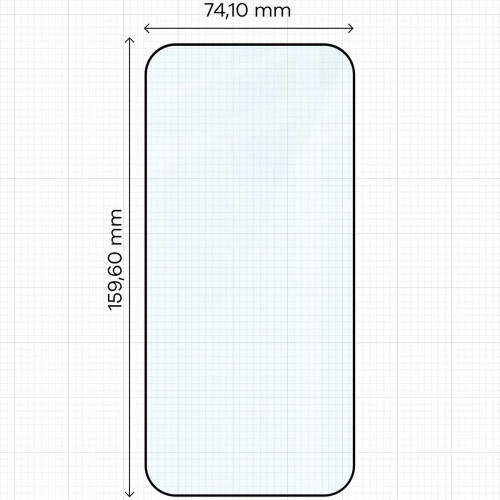
    Yes, most glasses marked as “for Xiaomi 17 Ultra / 17 Pro Max” (e.g., Bizon Glass Edge and Clear series) are compatible with both models. Both phones have a similar display size and identical sensor placement. Always check the packaging to see if the manufacturer lists both models.

    Does tempered glass affect the fingerprint reader on Xiaomi 17 Ultra?

    Standard 9H tempered glasses with a thickness of 0.33 mm work properly with the under-display fingerprint reader on the Xiaomi 17 Ultra. Matte privacy glasses (e.g., Bizon Hybrid Shadow) may pose a problem — their coating that reduces the viewing angle can lower the effectiveness of fingerprint recognition.

    How much does glass for Xiaomi 17 Ultra cost?

    Prices for glasses for Xiaomi 17 Ultra start at 14.99 PLN (GrizzGlass HybridGlass) and go up to 45 PLN for the case + glass set Bizon Angelo Pack. Most of the glasses themselves fall within the range of 25–35 PLN. The premium hybrid 3MK FlexibleGlass with an antibacterial coating costs 34.90 PLN.

    Is it worth buying hybrid glass instead of tempered glass?

    Hybrid glass (e.g., 3MK FlexibleGlass, GrizzGlass HybridGlass) is flexible and does not shatter like classic tempered glass, but it has lower hardness (6–7H instead of 9H). It is suitable for people who often drop their phones. Classic 9H tempered glass handles scratches from keys and coins in pockets better.

    Does glass with a black frame better protect the screen of Xiaomi 17 Ultra?

    Glass with a black frame (Bizon Glass Edge, Crong 3D Armour) conceals the transition between the screen and the case and looks more aesthetically pleasing, especially with a case. The protection itself is comparable to transparent models — the difference lies in the appearance. Choose the framed version if you are using a case with high edges.

    How to apply tempered glass on Xiaomi 17 Ultra?

    Clean the screen with a damp cloth and dry it with a microfiber cloth. Use the positioning stickers from the kit to lift the glass and collect dust with a dust absorber. Slowly bring the glass to the top edge and lower it — air bubbles will disappear on their own within 24–48 hours. In every package of glasses from 3MK, Bizon, and Crong, you will find a complete installation kit.

  • What is the best charger for MacBook Neo 13 [2026]? Top 7 models

    What is the best charger for MacBook Neo 13 [2026]? Top 7 models

    The best charger for MacBook Neo 13 is Ugreen X524 45 W USB-C GaN (59.90 PLN), a compact GaN power supply with Power Delivery that fully utilizes the maximum 30 W that the MacBook Neo accepts, and the additional 15 W reserve will also allow you to charge your iPhone. The second place goes to Usams T70 40 W (49 PLN), a multi-port charger with 2× USB-C and 2× USB-A. Below is the full ranking of 7 models with prices, specifications, and recommendations for various scenarios.

    MacBook Neo 13″ (A18 Pro) is sold without a power adapter, in the box you will find only the laptop and a USB-C cable. You need to purchase the charger separately. We selected 7 models from the homescreen.pl offer, with power ranging from 33 W to 140 W, which is where the new MacBook actually uses the available energy. We focused on proven brands: Ugreen (including Nexode S 140 W), Usams (including US-CC180 Sandru 65 W), Spigen, Crong, and 3MK.

    What power charger for MacBook Neo 13?

    MacBook Neo 13 with A18 Pro chip is the cheapest Apple laptop, launching in March 2026, priced from $599. The device weighs under 1.3 kg and has two USB-C ports (USB 3 on the left, USB 2 on the right). Unlike the MacBook Pro, the Neo does not support fast charging.

    The optimal charger power for MacBook Neo 13 is around 35 W, as this model can accept a maximum of 30 W. Tests have shown that the Neo will not utilize higher power when charging the laptop itself.

    Weaker chargers, such as 20 W, will also charge the laptop, but the charging time will be noticeably longer. Stronger chargers, such as 60–140 W, will be useful when you want to charge multiple devices simultaneously or if you also use them for a more powerful laptop. We do not include models exceeding 140 W in the ranking, as for the Neo they would only mean additional cost, not speed.

    When is it worth choosing a stronger charger (45–140 W)?

    A higher power charger will be useful if:

    • You plan to also charge a more powerful laptop with it, e.g. MacBook Pro (14″ requires 70–96 W, 16″ even 140 W).
    • You are looking for a multi-port charger to simultaneously charge the MacBook Neo and other devices, such as an iPhone, iPad, or AirPods.
    • You travel often and want to have one charger for the entire Apple ecosystem.
    • You want to keep some power reserve for future devices.

    Tip: If you want to charge your laptop and other devices, such as an iPhone and iPad, at the same time, choose a multi-port charger with two or three USB-C ports. Smart power management will automatically adjust the performance for each connected device.

    What standards to look for?

    A charger for the MacBook Neo should support:

    • USB Power Delivery (USB PD), a fast charging standard up to 240 W, essential for USB-C.
    • Minimum 30 W on the USB-C port, to ensure the Neo charges at full supported speed.
    • GaN (gallium nitride), allows for a smaller charger while maintaining power; ideal for a backpack.
    • PPS (Programmable Power Supply), optional, useful for newer iPhones and Samsungs.

    Ranking: 7 best chargers for MacBook Neo 13

    The following models were selected from the homescreen.pl offer, comparing power, number of ports, GaN technology, and value for money. All come from reputable brands and fall within the range of 33–140 W.

    1. Ugreen X524 45 W USB-C GaN, our choice (59.90 PLN)

    Our choice. Ugreen X524 45 W is a GaN charger with a single USB-C port and a power of 45 W for under 60 PLN, making it hard to find a better price-to-performance ratio. Gallium nitride has allowed the casing to be reduced to the size of a standard 25 W charger while delivering a full 45 W output.

    45 W is a safe buffer above the maximum 30 W that Neo accepts. This means that the laptop will charge at the full supported speed, and Ugreen X524 is also sufficient for the iPhone 17 Pro Max (27 W) or iPad Pro. If you want a ready-made set, choose the variant Ugreen X524 45 W with a 1 m USB-C cable for 69.90 PLN.

    ParameterValue
    Power45 W
    Ports1× USB-C
    TechnologyGaN, USB PD
    Weightapprox. 80 g
    Price59.90 zł

    2. Usams T70 40 W, multi-port home hub (49.00 zł)

    If you are looking for one charger that can handle the entire family of devices, Usams T70 40 W is the cheapest option in the ranking. Four ports (2× USB-C + 2× USB-A) allow you to charge a MacBook Neo, iPhone, iPad, and headphones simultaneously, and the total cost is 49 zł. This is unbeatable in this category.

    It is worth remembering that in the Usams T70 40 W is the total power, intelligently distributed among the ports. When charging four devices simultaneously, Neo will receive less than 30 W, but overnight charging of the entire set is not a problem. It is the perfect charger for a desk or a nightstand.

    ParameterValue
    Power40 W (total)
    Ports2× USB-C + 2× USB-A
    TechnologyUSB PD, Quick Charge
    Price49.00 zł

    3. 3MK Hyper Charger PD 33 W GaN, the most power-matched (49.90 zł)

    3MK Hyper Charger PD 33 W GaN is the most precisely power-matched model in the ranking. 33 W is practically exactly what Neo can accept (30 W), so you are not paying for unused capacity. At this price, you also get a second USB-A port, useful for a phone with an older cable or an additional accessory.

    3MK supports a full set of fast charging standards: USB PD, QC 4+, PPS, AFC, FCP, and SCP. The intelligent circuit automatically adjusts the power to the connected device, and protections against overheating, overloading, and voltage spikes protect both the charger and the laptop.

    ParameterValue
    Power33 W (total)
    Ports1× USB-C + 1× USB-A
    TechnologyGaN, PD, QC 4+, PPS
    Price49.90 zł

    4. Spigen Essential 45 W (white) with USB-C cable, premium (79.00 zł)

    Spigen is a brand that has built a reputation for premium accessories for the Apple ecosystem. Spigen Essential 45 W is a stable, reliable choice with a 1 m USB-C cable included, you don’t need to buy anything extra. The cable from Spigen is armored and durable, which matters for everyday use in a backpack.

    45 W in Spigen Essential is the same power as in Ugreen, but for an additional 20 PLN you get a branded cable and a classic, white design that matches the MacBook. If you care about aesthetics and a branded set, it’s a reasonable expense.

    ParameterValue
    Power45 W
    Ports1× USB-C
    TechnologyUSB PD
    Included1 m USB-C cable
    Price79.00 zł

    5. Crong Ultra Compact GaN 45 W with PPS, battery protection (89.00 zł)

    Crong Ultra Compact 45 W stands out for two reasons: very small housing (one of the smallest 45 W chargers on the market) and full support for the PPS (Programmable Power Supply) standard. PPS dynamically adjusts the voltage, which in practice means less heat and reduced battery cell consumption in the long term.

    Crong Ultra Compact is an option for those who want to take care of the longevity of their MacBook Neo and iPhone battery. The price of 89 PLN is higher than the competition, but for the PPS technology in such a compact housing, it’s fair.

    ParameterValue
    Power45 W
    Ports1× USB-C
    TechnologyGaN, PD 3.0, PPS
    Price89.00 PLN

    6. Usams US-CC180 Sandru 65 W GaN, multi-port travel (129.00 PLN)

    Usams US-CC180 Sandru 65 W is a compact GaN charger that combines higher power with multi-port capability in one travel case. Two USB-C ports (main up to 65 W) and one USB-A output allow simultaneous charging of a MacBook Neo, iPhone, and smartwatch, while the foldable plugs save space in your backpack.

    65 W provides a real reserve: the MacBook Neo will get its 30 W from the main port, while the second USB-C port can still power the iPhone at 27 W. For those who want one charger for business trips and home, Usams US-CC180 is a sensible compromise between power and size.

    ParameterValue
    Power65 W (total)
    Ports2× USB-C + 1× USB-A
    TechnologyGaN, USB PD, QC
    Price129.00 PLN

    7. Ugreen Nexode S 140 W GaN with 3× USB-C, desktop power hub (199.00 PLN)

    Ugreen Nexode S 140 W is the most versatile charger in the ranking. Four ports (3× USB-C + 1× USB-A) and 140 W of total power allow you to simultaneously power a MacBook Pro 16″ (140 W), MacBook Neo, iPhone, and wireless headphones, while GaN ensures that the casing remains compact and does not heat up under load.

    At the price of 199 PLN Ugreen Nexode S is exceptionally advantageous, competing single-port 140 W chargers from original manufacturers cost twice as much, and here you also get 3× USB-C for power distribution. This is a choice for users who want to reduce the number of chargers on their desk to one and have extra power for a laptop running at full load.

    ParameterValue
    Power140 W (total)
    Ports3× USB-C + 1× USB-A
    TechnologyGaN, USB PD 3.1
    Price199.00 PLN

    Comparison of chargers for MacBook Neo 13

    ModelPowerPortsGaNPPSPrice
    Ugreen X524 45 W45 W1× USB-C59.90 zł
    Usams T70 40 W40 W2× USB-C + 2× USB-A49.00 zł
    3MK Hyper Charger 33 W33 W1× USB-C + 1× USB-A49.90 zł
    Spigen Essential 45 W white45 W1× USB-C79.00 zł
    Crong Ultra Compact 45 W45 W1× USB-C89.00 zł
    Usams US-CC180 Sandru 65 W65 W2× USB-C + 1× USB-A129.00 zł
    Ugreen Nexode S 140 W140 W3× USB-C + 1× USB-A199.00 zł

    Which charger to choose? Recommendations based on scenarios

    We have shown the full spectrum of possibilities. To make the decision easier, we suggest which charger to choose depending on how you use your MacBook Neo:

    What to avoid when choosing a charger for MacBook Neo

    Not every USB-C charger will charge the MacBook Neo as it should. What to watch out for:

    • Chargers below 20 W will charge the Neo, but very slowly. They are not suitable for intensive laptop use while charging.
    • Chargers without USB Power Delivery, some cheap models are limited to 5 V / 3 A, which gives a maximum of 15 W. Neo won’t even utilize its 30 W limit.
    • Cheap products from marketplaces without certifications, the lack of short-circuit and over-voltage protections poses a real risk of damaging a laptop worth several thousand zlotys.
    • A single 5–10 W charger from a phone, it will physically connect, but it may even discharge the laptop during intensive use.

    Note: MacBook Neo does not support fast charging (like MacBook Pro). Buying a 140 W charger just for Neo makes no sense, as you will only utilize a maximum of 30 W from it. It only makes sense if you plan to charge a MacBook Pro or several devices at the same time.

    Where to buy a charger for MacBook Neo 13?

    You can find all the chargers from the ranking in the category network chargers at homescreen.pl. The store also has a separate category for accessories for MacBook Neo 13″ A18 Pro, where you will find compatible Tech-Protect cases, GrizzGlass screens, and 3MK films.

    If you also use an iPhone, it’s worth checking out MagSafe accessories, the wireless chargers work with the phone, and the same USB-C power supply powers both it and the MacBook. This is the most economical way to reduce the number of chargers at home. A wider selection of power banks, USB-C cables, and wireless chargers can also be found in the collective category charging accessories.

    The USB Power Delivery standard, which is supported by both the MacBook Neo and all chargers in the ranking, is detailed in the official USB-IF specification. It’s a good source if you want to understand why 30 W from one charger is not the same as 30 W from another.

    Our choice: For most MacBook Neo 13 users, the optimal choice will be the Ugreen X524 45 W GaN (59.90 PLN), it has ample power, GaN technology, is affordable, and comes from a trusted brand.

    Summary

    The MacBook Neo 13 is sold without a power adapter, so you need to purchase a charger for the MacBook Neo separately. The optimal power is around 35 W, as the laptop accepts a maximum of 30 W and does not support fast charging. More powerful chargers in the range of 45–140 W make sense mainly when you want to charge other devices simultaneously or a more powerful MacBook Pro.

    If you don’t know where to start, choose Ugreen X524 45 W (59.90 PLN), Usams T70 40 W (49 PLN) or 3MK Hyper Charger 33 W (49.90 PLN), all three support USB PD and will charge the Neo at full available speed.

    If you also charge your phone and tablet while traveling, consider the Usams US-CC180 Sandru 65 W (129 PLN) with 2× USB-C + USB-A. For a desk with a MacBook Pro, Neo, and other accessories, the best choice is the Ugreen Nexode S 140 W (199 PLN), which has 3× USB-C + USB-A and 140 W total power, covering even the MacBook Pro 16″ along with a phone and headphones.

    Check the full range of chargers for MacBook Neo in the network chargers category at homescreen.pl and choose a model that fits your work style. If you have any questions, feel free to write to [email protected], and we will advise you on the best configuration for your devices.

    FAQ, frequently asked questions

    What power charger is optimal for MacBook Neo 13?

    The optimal power is around 35 W, as the MacBook Neo accepts a maximum of 30 W and does not support fast charging. Chargers of 33–45 W provide the full supported speed with a slight buffer for a phone.

    Will a 20 W charger charge the MacBook Neo?

    Yes, a 20 W charger will charge the MacBook Neo, but the charging time will be noticeably longer, by about 30–40% compared to a 30–45 W power adapter. This is a good emergency option, but not for everyday use.

    Will the charger for iPhone 16 Pro Max charge the MacBook Neo?

    Yes, if it is a USB-C 30 W (or more) charger with USB Power Delivery support. The 20 W charger from the iPhone will also work, but charging will be slower than with a dedicated 40–45 W power adapter.

    Does the MacBook Neo come with a charger in the box?

    No. In the MacBook Neo box, you will find only the laptop and a USB-C cable. The power adapter must be purchased separately; Apple offers 20 W, 30 W, and 35 W dual-port models.

    Is it worth buying a 140 W charger for the MacBook Neo?

    Only if you plan to use the same charger for the MacBook Pro 14″ or 16″ (which require 70–140 W). For the Neo itself, a 33–45 W charger is sufficient, as the laptop will not draw more than 30 W anyway.

    What is the difference between a GaN charger and a regular one?

    GaN (gallium nitride) is a semiconductor technology that allows for a 30–50% reduction in charger size while maintaining the same power. GaN chargers heat up less and are lighter, making them ideal for backpacks and travel.

    Will a charger from a manufacturer other than Apple work with the MacBook Neo?

    Yes, any USB-C charger that supports USB Power Delivery works with the MacBook Neo, regardless of the brand. Standards (USB PD, power) are what matter, not the manufacturer. Branded chargers from Ugreen, Usams, or Spigen meet the same USB-IF specifications as the original Apple.

    What charger brands are recommended for the MacBook Neo?

    For the MacBook Neo, chargers from trusted accessory brands are the best choice: Ugreen, Usams, Spigen, Crong, and 3MK. These are manufacturers with years of experience in USB PD and GaN, with reliable protections and warranties.

  • Top 10 GaN Chargers – Ranking of the Best Models [2026]

    Top 10 GaN Chargers – Ranking of the Best Models [2026]

    The best GaN charger in our store is the Tech-Protect NC240W-GAN (395 PLN) with a power of 240 W and four ports, which can charge a laptop, tablet, and two smartphones simultaneously. If you’re looking for something cheaper, 3MK Hyper Charger 33W for 49.90 PLN is a great everyday choice.

    GaN technology (gallium nitride) has revolutionized the charger market. Devices are smaller, lighter, and more efficient than traditional silicon chargers. In this ranking of GaN chargers, we have gathered the 10 best models available at homescreen.pl.

    You will find premium models costing over 300 PLN and budget options below 60 PLN. Each of them has been evaluated based on power, ports, charging protocols, and value for money. We also considered customer reviews and the experiences of the homescreen.pl team from daily use of these chargers.

    What is a GaN charger and why is it worth buying?

    A GaN charger is a wall charger that uses gallium nitride transistors instead of traditional silicon. This difference in material results in three key advantages:

    • Smaller sizes – a 65 W GaN charger can be the size of a traditional 18 W charger
    • Lower operating temperature – gallium nitride dissipates heat better, which extends lifespan
    • Higher energy efficiency – less energy is lost as heat

    In practice, this means you can have one compact charger instead of three different power supplies for your phone, tablet, and laptop. GaN chargers support the USB Power Delivery (USB PD) standard, which is a universal fast charging protocol supported by Apple, Samsung, Xiaomi, and most other manufacturers.

    Tip: If your smartphone supports 25 W charging, a 45 W or 65 W GaN charger will be a great choice. You will charge your phone at full speed, and if needed, you can also connect a tablet or laptop.

    Check the full range of network chargers at homescreen.pl – you will find all GaN models from our ranking there.

    What to pay attention to when choosing a GaN charger?

    Before purchasing, it’s worth analyzing a few key parameters. Here are the most important criteria for choosing a GaN charger.

    Charging power (W)

    Power expressed in watts (W) determines how quickly the charger will replenish the battery. Approximate division:

    PowerApplication
    25–33 WSmartphone (one port)
    45–65 WSmartphone + tablet or ultrabook
    100–140 WLaptop + smartphone simultaneously
    200–240 WCharging station for the whole family

    Number and type of ports

    The more ports, the more devices you can charge simultaneously. However, remember that the power is divided among the ports. A 140 W charger with four ports will not provide 140 W to each of them. Manufacturers provide exact power distributions in the specifications, which we discuss for each model below. To fully utilize fast charging, you also need a good USB-C cable that supports the appropriate power.

    Supported protocols

    Key charging protocols:

    • USB Power Delivery (PD) – universal standard supported by Apple, Samsung, Google
    • Quick Charge (QC) – Qualcomm’s standard, popular in smartphones with Snapdragon processors
    • PPS (Programmable Power Supply) – required by Samsung for full charging speed
    • Super Fast Charging (SFC) – Samsung’s standard for 25 W and 45 W charging

    Compactness and Weight

    One of the main advantages of GaN chargers. Compare the dimensions of individual models, as the differences can be significant even with the same power.

    Top 10 GaN Chargers – Ranking 2026

    Our ranking of GaN chargers is arranged from the most expensive premium models to the most budget-friendly options. Each charger is available in our store homescreen.pl.

    1. Tech-Protect NC240W-GAN – 240 W of Power for Demanding Users (395 PLN)

    Highest Power in the Ranking

    Tech-Protect NC240W-GAN is at the absolute top of our ranking. The power of 240 W distributed across four ports (3x USB-C + 1x USB-A) is impressive. The main USB-C1 port delivers up to 140 W, which is enough to charge a MacBook Pro 16″. The second USB-C2 port offers 100 W, while the other two provide 65 W and 60 W.

    The biggest advantage? You can simultaneously charge a laptop, tablet, and two smartphones without a noticeable drop in speed. Support for USB PD, Quick Charge 3.0, and Super Charge ensures compatibility with virtually any device.

    • Power: 240 W
    • Ports: 3x USB-C + 1x USB-A
    • Protocols: PD 3.1, QC 3.0, Super Charge
    • Dimensions: 127.4 x 65 x 36 mm

    2. Mophie GaN Speedport 120W – premium from Mophie (339 PLN)

    Mophie GaN Speedport 120W is a premium GaN charger for Apple brand fans. The Mophie brand is known for its accessories for the Apple ecosystem. The charger offers 120 W of power distributed across 4 ports (3x USB-C + 1x USB-A).

    A single USB-C port delivers up to 100 W, which is sufficient for fast charging a MacBook Pro. Intelligent Power Delivery technology automatically adjusts the current to each connected device. The sleek white casing and compact dimensions are additional advantages.

    • Power: 120 W
    • Ports: 3x USB-C + 1x USB-A
    • Protocols: USB PD
    • Color: white

    3. 4smarts GaN Flex Pro 140W – the richest set (249 PLN)

    4smarts GaN Flex Pro 140W stands out with a fantastic set in the box. In addition to the fast GaN charger 140 W with three USB-C ports, you will receive a power cable with a Euro plug, an 8-in-1 USB-C hub, and a transport case.

    The main port supports PD 3.1 with a power of up to 140 W (28V/5A). This is one of the latest standards, sufficient for charging even 16-inch laptops. Support for QC 4+, PPS, AFC, SCP, and FCP means compatibility with virtually every smartphone on the market.

    • Power: 140 W
    • Ports: 3x USB-C
    • Protocols: PD 3.1, QC 4+, PPS, AFC, SCP, FCP
    • Dimensions: 18 x 9.5 x 3.5 cm
    • Included: 8-in-1 USB-C hub, power cable, case

    4. Tech-Protect NC140W-GAN – great power-to-price ratio (199 PLN)

    Tech-Protect NC140W-GAN is a GaN charger with a power of 140 W and four ports for 199 PLN. It is one of the best offers in the mid-premium category. The main USB-C1 port delivers 140 W, USB-C2 offers 100 W, and the other two ports provide 30 W each.

    This power distribution allows you to charge a laptop on the main port while charging three other devices on the remaining ports. The dimensions of 115 x 62 x 30 mm strike a reasonable compromise between compactness and the number of ports.

    • Power: 140 W
    • Ports: 3x USB-C + 1x USB-A
    • Protocols: PD, QC 3.0
    • Dimensions: 115 x 62 x 30 mm

    Our choice in the quality-to-price ratio category: Tech-Protect NC140W-GAN offers 140 W and 4 ports for 199 PLN. It’s hard to find a better deal in this price range.

    5. Tech-Protect NCA65W-GAN – the golden mean (75 PLN)

    Tech-Protect NCA65W-GAN is, in our opinion, the best GaN charger in the 50–100 PLN range. For 75 PLN you get 65 W of power, three ports (2x USB-C + USB-A), and a USB-C cable included.

    65 W of power is sufficient for fast charging smartphones, tablets, and even lightweight ultrabook laptops. When using two ports simultaneously, the power distribution is 45 W + 20 W. Dimensions of 89.1 x 43.7 x 31.7 mm allow it to fit easily into a backpack pocket.

    • Power: 65 W
    • Ports: 2x USB-C + 1x USB-A
    • Protocols: PD, QC 3.0
    • Dimensions: 89.1 x 43.7 x 31.7 mm
    • Included: 100 cm USB-C cable

    6. UGREEN X524 45W – compact power (59.90 PLN)

    UGREEN X524 is a single-port GaN charger with a power of 45 W. Ideal if you mainly charge one smartphone or tablet. It supports USB PD and Samsung Super Fast Charging 2.0, so any Samsung smartphone that supports 45 W charging (e.g. Galaxy S25 Ultra) will utilize its full potential.

    The fire-resistant polycarbonate (PC) housing ensures safety. Compact dimensions of approximately 65 x 36 x 38 mm make it one of the smallest 45 W chargers on the market.

    • Power: 45 W
    • Ports: 1x USB-C
    • Protocols: PD, SFC 2.0
    • Dimensions: approx. 65 x 36 x 38 mm

    7. Tech-Protect NCA45W-GAN – budget duo with cable (55 PLN)

    Tech-Protect NCA45W-GAN for 55 PLN is not only a 45 W GaN charger with two ports (USB-C + USB-A) but also includes a USB-C cable in the package. It’s a ready-to-use charging set: just take it out of the box and connect.

    The USB-C port offers up to 45 W (PD 3.0), and the USB-A up to 18 W (QC 3.0). Weighing just 80 g and measuring 80 x 42 x 29 mm makes it a great travel option. Take it on your trip instead of two separate chargers.

    • Power: 45 W
    • Ports: 1x USB-C + 1x USB-A
    • Protocols: PD 3.0, QC 3.0
    • Dimensions: 80 x 42 x 29 mm
    • Included: 100 cm USB-C cable

    8. Bizon Charger VT-36B 45W – minimalism at a good price (50 PLN)

    Bizon Charger VT-36B is an interesting GaN charger for 50 PLN. Two USB-C ports, 45 W power, and third-generation GaN technology (GaN3). The manufacturer promises to charge a smartphone to 50% in just 30 minutes.

    The power distribution with both active ports is 25 W + 20 W, so you can charge two smartphones simultaneously. The white casing and eco-friendly kraft paper packaging are a nice touch for environmentally conscious users.

    • Power: 45 W
    • Ports: 2x USB-C
    • Protocols: PD, QC 4.0, SFC 2.0
    • Technology: GaN3 (third generation)

    9. UGREEN X517 25W – the cheapest option with a cable (49.90 PLN)

    UGREEN X517 is the simplest GaN charger in the ranking: one USB-C port, 25 W of power, and a 1 m USB-C cable included. If you are charging only a smartphone and do not need more ports, this charger will do its job perfectly.

    GaNInfinity technology and the Thermal Guard system ensure safe operation without overheating. It supports USB PD and Samsung Super Fast Charging 25 W, so you can charge Galaxy S25, S26, and other Samsung models at full speed.

    • Power: 25 W
    • Ports: 1x USB-C
    • Protocols: USB PD, Samsung SFC 25 W
    • Included: 1 m USB-C cable

    10. 3MK Hyper Charger 33W – budget king of protocols (49.90 PLN)

    3MK Hyper Charger PD 33W closes our ranking, but it is by no means the weakest link. For 49.90 PLN, you get a GaN charger with an impressive list of protocols: QC 4+, PPS, AFC, FCP, and SCP. This means full compatibility with Samsung, Huawei, Xiaomi, and Honor phones.

    Two ports (USB-C + USB-A) and a power of 33 W are sufficient for fast charging one smartphone. Overheating, overload, and surge protection ensure the safety of your devices.

    • Power: 33 W
    • Ports: 1x USB-C + 1x USB-A
    • Protocols: PD, QC 4+, PPS, AFC, FCP, SCP
    • Protections: overheating, overload, surge

    Comparison of GaN chargers – summary table

    The table below compares the key parameters of all models. GaN technology allows for significant differences in power and size while maintaining compact dimensions.

    No.ModelPowerPortsProtocolsCablePrice
    1.Tech-Protect NC240W-GAN240 W3x USB-C + USB-APD 3.1, QC 3.0395 PLN
    2.Mophie GaN Speedport120 W3x USB-C + USB-APD339 PLN
    3.4smarts GaN Flex Pro140 W3x USB-CPD 3.1, QC 4+, PPS249 PLN
    4.Tech-Protect NC140W-GAN140 W3x USB-C + USB-APD, QC 3.0199 PLN
    5.Tech-Protect NCA65W-GAN65 W2x USB-C + USB-APD, QC 3.075 PLN
    6.UGREEN X52445 W1x USB-CPD, SFC 2.059.90 PLN
    7.Tech-Protect NCA45W-GAN45 WUSB-C + USB-APD 3.0, QC 3.055 PLN
    8.Bizon Charger VT-36B45 W2x USB-CPD, QC 4.0, SFC 2.050 PLN
    9.UGREEN X51725 W1x USB-CPD, SFC 25 W49.90 PLN
    10.3MK Hyper Charger33 WUSB-C + USB-APD, QC 4+, PPS49.90 PLN

    Which GaN charger to choose? Recommendations based on needs

    The choice of a GaN charger depends on your needs and budget. Here are our specific recommendations.

    Are you charging a laptop and several devices at the same time? Choose Tech-Protect NC240W-GAN (395 PLN) or Tech-Protect NC140W-GAN (199 PLN). Both have four ports and power sufficient to charge a laptop via USB-C.

    Looking for a universal charger for everyday use? Tech-Protect NCA65W-GAN (75 PLN) is the golden mean, a fast GaN charger with three ports and a cable included. You can charge your smartphone, tablet, or even a lightweight ultrabook.

    Do you have one smartphone and are looking for the cheapest option? UGREEN X517 for 49.90 PLN with a cable included or 3MK Hyper Charger 33W for the same price, but with broader protocol compatibility.

    Do you care about aesthetics and a premium brand? Mophie GaN Speedport 120W (339 PLN) in an elegant white casing or 4smarts GaN Flex Pro 140W (249 PLN) with an 8-in-1 USB-C hub included.

    Are you charging a Samsung Galaxy with 45W support? UGREEN X524 (59.90 PLN) or Bizon Charger VT-36B (50 PLN). Both support Samsung Super Fast Charging 2.0.

    If you are also looking for MagSafe accessories for iPhone or smartphone holders and stands, check out our other categories.

    Summary – which GaN charger wins?

    GaN wall chargers are the future of fast charging, and our ranking of GaN chargers will help you choose the best model. They are smaller, cooler, and more efficient than traditional silicon chargers. Our ranking includes models ranging from 49.90 PLN to 395 PLN, so everyone will find something suited to their needs.

    Three key takeaways from the ranking:

    1. Best premium: Tech-Protect NC240W-GAN (240 W, 4 ports, 395 PLN) for those who charge everything at once
    2. Best value for money: Tech-Protect NC140W-GAN (140 W, 4 ports, 199 PLN) a strong charger without overpaying
    3. Best budget: Tech-Protect NCA65W-GAN (65 W, 3 ports, 75 PLN) the golden mean with a cable included

    Check out the best wall chargers at homescreen.pl and choose the ideal model for your needs.

    FAQ – frequently asked questions about GaN chargers

    What is a GaN charger?

    How much does a good GaN charger cost?

    Jakie są najlepsze ładowarki GaN?

    What are the best GaN chargers?

    Podsumowanie

    Summary

    Good GaN chargers start at around 50 PLN for models between 25–45 W. For 75 PLN, you can buy a solid 65 W charger with three ports. Premium models of 120–240 W cost between 199–395 PLN. In our store, you will find every GaN wall charger from our ranking and many other models.

    Does a GaN charger work with an iPhone?

    Yes. All GaN chargers with a USB-C port and USB Power Delivery support are compatible with iPhones (from iPhone 8 and later). iPhone 15, 16, and newer models have a USB-C port, so you can connect them directly. Older models with Lightning require a USB-C to Lightning cable.

  • The Best Cases for Samsung Galaxy A57 — 2026 Ranking

    The Best Cases for Samsung Galaxy A57 — 2026 Ranking

    The best case for the Samsung Galaxy A57 5G is the Ringke Fusion-X (55 zł) — a reinforced case with a drop resistance certification and a transparent back. In second place is the Tech-Protect Rugged Shield (29 zł), which offers solid protection at the lowest price in the ranking.

    Samsung Galaxy A57 5G has just hit the market and has immediately become one of the most interesting smartphones in the mid-range segment. A 6.6-inch Super AMOLED display, Exynos 1580 processor, and 5000 mAh battery — this is equipment that is worth securing properly. In this ranking, you will find the best cases for the Galaxy A57, tested for protection, comfort, and value for money.

    What to pay attention to when choosing a case for the Samsung Galaxy A57?

    Before we move on to the ranking, it’s worth knowing what to consider when choosing a case for the Galaxy A57. Here are the key parameters.

    Material and construction — the best cases combine two materials: flexible TPU (thermoplastic polyurethane) for the frame and hard polycarbonate (PC) for the back. This hybrid construction provides both drop cushioning and scratch protection.

    Raised edges — the case should have higher edges around the display and camera module. When you lay the phone screen down, the display does not touch the surface. This is a small detail that protects against scratches.

    MagSafe Compatibility — more and more cases for the Galaxy A57 support magnetic charging. If you use a wireless charger or magnetic accessories, look for models with built-in magnets.

    Weight and Thickness — the Galaxy A57 is only 6.9 mm thick. Too bulky cases will negate this advantage. The best cases add a maximum of 1.5–2 mm to the dimensions.

    Ranking of the Best Cases for Samsung Galaxy A57

    1. Ringke Fusion-X — Rugged Protection with Character (55 PLN)

    Our Choice in the Protection Category

    Ringke Fusion-X is a proven series of cases that has gained recognition among users for its reinforced construction and military design. The model for the Galaxy A57 is no exception — its hybrid build combines soft TPU with hard polycarbonate, and the corners have received additional Air Cushion reinforcements.

    Available in two variants: classic Black and Camo Black with an eye-catching camouflage pattern. Both provide raised edges around the screen and camera, as well as precise cutouts for buttons and ports.

    Advantages:
    – Reinforced Air Cushion corners
    – Hybrid TPU + PC construction
    – Raised edges around the screen and camera
    – Available in Camo Black version

    Disadvantages:
    – No MagSafe support
    – Slightly thicker than minimalist cases

    2. Tech-Protect Rugged Shield — best protection at a low price (29 zł)

    Best price in the ranking

    For just 29 zł you get a case that competes with models twice as expensive. The Tech-Protect Rugged Shield stands out with its matte texture in Matte Black, which does not collect fingerprints and feels pleasant in hand.

    The flexible TPU construction provides cushioning against drops, and the reinforced edges protect both the display and the camera module. This is an excellent choice if you are looking for a sturdy case without overpaying.

    Advantages:
    – Lowest price in the comparison — 29 zł
    – Matte texture resistant to fingerprints
    – Reinforced edges
    – Precise cutouts for ports

    Disadvantages:
    – Only one color (Matte Black)
    – No MagSafe

    3. Ringke Fusion Magnetic MagSafe — transparent with magnets (65 zł)

    Our selection in the MagSafe category

    If you want to use magnetic accessories — Qi2 chargers, wallets, or car mounts — Ringke Fusion Magnetic is the best choice. The built-in magnetic ring ensures a secure attachment to MagSafe accessories.

    The transparent design allows you to showcase the original design of the Galaxy A57 while protecting the smartphone from drops. The raised edges around the screen and camera provide additional protection.

    Advantages:
    – Full compatibility with MagSafe and Qi2
    – Transparent back — visible phone design
    – Hybrid construction TPU + PC
    – Solid corner reinforcements

    Disadvantages:
    – Highest price in the comparison — 65 PLN
    – The transparent case may yellow over time

    4. Ringke Onyx — matte elegance (45 PLN)

    Ringke Onyx is a proposal for those who appreciate a subtle, minimalist style. The matte finish prevents fingerprints, while the flexible TPU effectively absorbs impacts.

    Available in two elegant colors: classic Black and standout Dark Green. The textured back provides a secure grip, and the raised edges protect the screen and camera.

    Advantages:
    – Matte, non-slip finish
    – Two attractive colors to choose from
    – Lightweight and slim design
    – Textured back for a secure grip

    Disadvantages:
    – No MagSafe
    – No hard polycarbonate on the back

    5. Tech-Protect Lamano MagSafe — style and magnets in one (35 zł)

    Tech-Protect Lamano MagSafe offers the best price-to-functionality ratio for MagSafe in this comparison. For 35 PLN, you get a case with built-in magnets, compatible with Qi2 chargers and magnetic accessories.

    The Lamano series stands out with three striking designs: Panther (black with subtle stripes), Velvet Night (dark navy), and Verde Aura (deep green). Each variant looks elegant and does not collect fingerprints.

    Advantages:
    – MagSafe at the price of 35 PLN — the best price for magnets
    – Three stylish designs to choose from
    – Matte finish resistant to fingerprints
    – Slim construction

    Disadvantages:
    – No reinforced corners (standard protection)
    – Flexible construction without hard PC

    6. Bizon Angelo Pack — case + glass included (45 zł)

    Bizon Angelo Pack is a clever “two in one” solution — in the box, you will find a matte case with a smoked back and tempered glass for the display. It’s a great option if you are buying accessories for a new phone and want to ensure full protection right away.

    The case features a distinctive smoked back with a colorful frame — available in black, light pink, or beige. The effect is subtle and elegant.

    Advantages:
    – Case + tempered glass at one price — 45 zł for the set
    – Smoked matte back
    – Three color variants of the frame
    – Complete protection right away

    Disadvantages:
    – Fully TPU construction (no PC)
    – The included glass is a basic model

    7. Tech-Protect Wallet — wallet case (39 PLN)

    The only “book-style” case in our ranking — the Tech-Protect Wallet combines smartphone protection with a wallet function. Inside, you’ll find pockets for payment cards and documents, and the flap protects the screen from scratches.

    Available in a two-tone Black/Red version, which adds character. The eco-leather construction looks elegant and works well in a business environment.

    Advantages:
    – Pockets for cards and documents
    – Flap protects the screen
    – Elegant look with eco-leather
    – Stand function (fold stand)

    Disadvantages:
    – Significantly increases the thickness of the phone
    – Not suitable for wireless charging with the flap closed

    Comparison of cases for Samsung Galaxy A57 — summary table

    CasePriceMaterialMagSafeProtectionFor whom
    Ringke Fusion-X55 PLNTPU + PCHighPeople looking for maximum protection
    Tech-Protect Rugged Shield29 PLNTPUGoodBudget-conscious users
    Ringke Fusion Magnetic65 PLNTPU + PCHighMagSafe users
    Ringke Onyx45 PLNTPUGoodMinimalism enthusiasts
    Tech-Protect Lamano MagSafe35 PLNTPUStandardMagSafe at a low price
    Bizon Angelo Pack45 PLNTPUGoodBuyers of case + glass sets
    Tech-Protect Wallet39 PLNEco-leatherHigh (with flap)People carrying cards in the case

    Which case to choose for the Galaxy A57? Recommendations

    The choice depends on your priorities. Here’s a short guide tailored to your needs.

    If you care about maximum protection → choose Ringke Fusion-X (55 PLN). Reinforced corners and hybrid construction provide the highest level of protection in this comparison.

    If you are looking for a MagSafe case → you have two options. Ringke Fusion Magnetic (65 PLN) if you want premium, or Tech-Protect Lamano MagSafe (35 PLN) if you are looking for magnets at a lower price.

    If price is the most important factor → Tech-Protect Rugged Shield for 29 PLN is a solid case that protects the Galaxy A57 without breaking the bank.

    If you are buying a set of accessories → Bizon Angelo Pack (45 PLN) is a case + tempered glass at one price. You save money and get full protection right away.

    Don’t forget about tempered glass

    The case protects the body and edges of the Galaxy A57, but the 6.6-inch Super AMOLED display also needs protection. At homescreen.pl you will find tempered glasses for Samsung Galaxy A57 — from budget models for 19 PLN to 2-pack sets from Ringke and Bizon. The topic of glasses deserves a separate article, which will soon appear on our blog.

    Tip: If you don’t want to buy a case and glass separately, consider the Bizon Angelo Pack or Bizon MatteO Pack — both include a case and tempered glass in one package.

    Summary

    The Samsung Galaxy A57 5G is a great smartphone that deserves proper protection. Our ranking shows that you don’t have to spend a fortune — a solid case for the Galaxy A57 can be purchased for as low as 29 PLN. For demanding users, the Ringke Fusion-X offers top-notch protection for 55 PLN, while MagSafe enthusiasts should consider the Ringke Fusion Magnetic (65 PLN) or the budget-friendly Tech-Protect Lamano MagSafe (35 PLN).

    Check out the full offer of cases for Samsung Galaxy A57 and all accessories for Samsung Galaxy A57 at homescreen.pl — free shipping on orders over 100 PLN and next business day dispatch.

    FAQ — frequently asked questions

    What case fits the Samsung Galaxy A57 5G?

    Cases designed specifically for this model fit the Galaxy A57 5G. At homescreen.pl, you will find over 65 models from brands like Ringke, Tech-Protect, Bizon, and 3MK. Make sure that the packaging of the case indicates “Galaxy A57” or “Galaxy A57 5G”.

    Does a case for Galaxy A56 fit the Galaxy A57?

    No — the Galaxy A57 has different dimensions and camera placements than the Galaxy A56. Cases from the previous model will not fit the Galaxy A57. Always choose a case dedicated to a specific model. If you’re looking for a case for an older model, check out our ranking of the best cases for Galaxy A56.

    Does the Samsung Galaxy A57 support MagSafe?

    The Galaxy A57 does not have built-in MagSafe magnets, but cases with a magnetic ring (e.g., Ringke Fusion Magnetic or Tech-Protect Lamano MagSafe) add this functionality. With them, you can use Qi2 chargers and magnetic accessories.

    How much does a case for the Samsung Galaxy A57 cost?

    Cases for the Galaxy A57 5G cost from 29 PLN (Tech-Protect Rugged Shield) to 79 PLN (3MK Smoke MagCase). Most popular models fall within the range of 35–55 PLN. Sets of case + tempered glass (e.g., Bizon Angelo Pack) start from 45 PLN.

    Is it worth buying a MagSafe case for the Galaxy A57?

    Yes, if you use a wireless charger or plan to use magnetic accessories (wallet, car mount). MagSafe cases for the Galaxy A57 are available from 35 PLN (Tech-Protect Lamano MagSafe), so the price difference is minimal.

    What are the best brands of cases for the Samsung Galaxy A57?

    In our ranking, three brands stand out: Ringke (premium with reinforced protection), Tech-Protect (best price-to-quality ratio), and Bizon (case + glass sets). There are also 3MK models and silicone cases from Bizon Soft Case for those looking for colorful options.

  • Piano black in the car — how to protect it from scratches?

    Piano black in the car — how to protect it from scratches?

    The most effective protection for piano black in a car is the PianoSkin protective film — a precisely cut PPF kit for self-installation, available from 112 PLN. Piano black is a finish that looks elegant until the first touch — black, glossy plastic scratches with the slightest brush and collects fingerprints like a magnet.

    The problem affects practically every brand — from Volkswagen and Škoda, through Toyota and Kia, to BMW and Tesla. If scratched plastic in your car is your problem, this guide will show you 5 ways to protect and restore piano black elements.

    What is piano black and why does it scratch?

    Piano black (also known as “black piano”) is a high-gloss lacquered plastic ABS or PMMA used on decorative elements inside the car. It gets its name from a finish resembling the surface of a piano — deep black with a mirror reflection.

    You will most often find it on:

    • Center panel (central console, center tunnel)
    • Door trims and window frames from the inside
    • Gear shift lever housing and the frame of the automatic transmission
    • Multimedia screen frame
    • Air conditioning panels and buttons
    • Dashboard elements

    The problem with piano black arises from the very nature of the material. The glossy surface reveals every scratch, even microscopic ones. Hard dust particles act like sandpaper — just wiping the element with a dry cloth covers the surface with a network of fine scratches. Nails, rings, and even the sleeve of a jacket can leave visible marks.

    What’s worse, the darker the surroundings in the cabin, the more clearly the scratches reflecting light are visible. After a few months of use, a new, elegant panel looks heavily worn.

    How to clean piano black without scratching?

    Improper cleaning causes most scratches on piano black. What to clean piano black with to avoid scratching it? Here is a proven method.

    What not to do:

    • Do not wipe piano black with a dry cloth — you are dragging dust particles across the surface
    • Do not use paper towels or tissues — they have too coarse a texture
    • Do not use alcohol-based, acetone, or solvent-based cleaners
    • Do not rub in circles — this deepens existing scratches

    Proper cleaning step by step:

    1. Blow off loose dust with compressed air or a soft detailing brush
    2. Dampen a clean microfiber cloth (with a minimum weight of 300 GSM) with a pH-neutral cleaner or a dedicated product for piano black
    3. Wipe the surface gently, in one direction — never in circular motions
    4. Dry with a second, dry microfiber cloth, again in one direction

    Tip: Keep a separate microfiber cloth in the glove compartment designated solely for piano black elements. A dirty cloth previously used to clean the dashboard contains particles that will scratch the glossy surface.

    Polishing piano black — a rescue for scratched elements

    Removing scratches from piano black is possible through polishing. If the elements in your car’s interior are already covered with a network of fine scratches — piano black scratches of this type can be effectively renewed. However, this method has its limitations.

    Hand polishing:

    • Use a specialized polishing paste for piano black (fine-grained)
    • Apply a small amount to a soft polishing sponge or microfiber pad
    • Polish with gentle movements in one direction
    • Wipe off excess paste with a clean microfiber cloth
    • Repeat until the desired effect is achieved

    Machine polishing:

    Deeper scratches require a rotary or oscillating polisher with a soft pad. This solution is for those with detailing experience — an inexperienced hand can overheat the plastic or polish unevenly.

    Polishing limitations:

    AspectPolishingProtective film
    Removes existing scratches❌ (optically covers)
    Protects against new scratches
    Durability of effect2–4 weeks3–5 years
    One-time cost50–150 zł (paste + pad)112–430 zł (PianoSkin set)
    Requires repetitionYes, regularlyNo

    Polishing is a temporary solution. The surface after polishing is perfectly smooth but lacks any protection — scratches reappear within a few weeks. Therefore, it is worth combining polishing with wrapping it in film.

    Piano black film — the most effective protection method

    Wrapping piano black with PPF (Paint Protection Film) is the only method that permanently protects the surface from scratches. The film creates an invisible barrier between your fingers and the sensitive plastic.

    How does the film work on piano black?

    PPF is a multi-layer material consisting of:

    • Top layer — a self-healing topcoat that seals minor scratches under heat
    • Carrier layer — flexible polyurethane (TPU) with a thickness of 150–200 microns
    • Adhesive layer — acrylic glue that leaves no marks after removing the film

    A good piano black film maintains full transparency and the original finish appearance — the same deep gloss, but with protection. According to the specifications of TPU materials used in PPF films, polyurethane has the ability to self-heal minor scratches when exposed to heat.

    GrizzGlass PianoSkin — kits tailored to your car

    Unlike PPF films sold by the meter (which require professional cutting and installation), GrizzGlass PianoSkin kits are precisely cut elements tailored to a specific car model. Each film element corresponds exactly to the shape and dimensions of the piano black decor in that car.

    What the PianoSkin kit includes:

    • Precisely cut film elements (from 2 to 8 pieces, depending on the model)
    • Microfiber cloth
    • Cleaning solution for surface preparation
    • Installation gel
    • Application squeegee
    • Installation instructions

    Two finishing options:

    OptionEffectFor whom
    PianoSkin GlossyMaintains the original piano black glossIf you want invisible protection
    PianoSkin MatteChanges the finish to matte, satinIf you want to change the interior style and reduce fingerprints

    The matte option has an additional advantage — on the matte surface, fingerprints and minor scratches are practically invisible.

    How much does it cost to wrap piano black with film?

    Cost comparison for piano black protection:

    MethodCostWhat it includesDurability
    Professional wrapping in a detailing studio500–1,500 PLNFilm by the meter + labor3–7 years
    GrizzGlass PianoSkin (DIY)112–430 PLNReady-to-install DIY kit3–5 years
    Regular polishing50–150 PLN / monthPaste + pad + time2–4 weeks
    Wax paste / coating80–200 PLNTemporary protective layer1–3 months

    The PianoSkin kit is a 2–3 times cheaper alternative to wrapping in a detailing studio — and the effect is comparable, as the film is factory-cut to the dimensions of the elements.

    Our choice: GrizzGlass PianoSkin kit — 2–3 times cheaper than a detailing studio, with a comparable effect and self-installation in 30–60 minutes.

    For which cars are PianoSkin films available?

    GrizzGlass PianoSkin covers over 20 car brands and hundreds of specific models. Here are the most popular:

    BrandExample modelsLink to category
    VolkswagenGolf 8, Passat B9, Tiguan, ID.4, T-RocVW Films
    ToyotaCorolla, Corolla Cross, RAV4, Yaris Cross, C-HRToyota Films
    BMWSeries 3 G20, Series 5 G60/F10, X3, X5, iXBMW Films
    KiaSportage 5, EV6, Ceed, Stonic, NiroKia Films
    HyundaiTucson, Kona, i30, Ioniq 5, Santa FeHyundai Films
    TeslaModel 3, Model 3 Highland, Model Y, Model STesla Films
    ŠkodaOctavia 4, Kodiaq 2, Superb, Enyaq, ElroqŠkoda Films
    MercedesClass C W206, GLC, GLA, EQA, Class E W214Mercedes Films
    AudiA3, A4, Q5, Q7, e-tronAudi Films
    FordKuga, Focus, Puma, Explorer, CustomFord Films
    Peugeot3008, 308, 208, 508, 5008Peugeot Films
    VolvoXC60, XC90, XC40, EX30, V60Volvo Films
    RenaultAustral, Captur, Arkana, Clio, RafaleRenault Films
    Seat / CupraLeon, Formentor, Born, Ateca, TerramarSeat Films
    Alfa RomeoGiulia, Stelvio, Tonale, JuniorAlfa Romeo Films
    Fiat500, 600, Grande Panda, TipoFiat Films
    CitroënC4, C5 Aircross, C3, BerlingoCitroën Films
    LexusNX, RX, UX, ES, LBXLexus Films

    If your model is not on the list, check the category films for other cars — you will find, among others, Chinese brands (Chery, Jetour, Geely), as well as Opel, Mazda, Nissan, Honda, Porsche, Land Rover, and many others.

    How to apply PianoSkin film yourself? Step by step installation

    One of the biggest advantages of PianoSkin kits is the ability to install them yourself. You don’t need detailing experience — just patience and the included tools.

    Preparation

    1. Wash your hands and make sure you are not wearing rings or have sharp nails
    2. Clean the piano black elements with the included cleaning fluid — remove dust, grease, and fingerprints
    3. Wipe dry with the included microfiber cloth
    4. Make sure the cabin temperature is between 18–25°C (too cold a surface makes adhesion difficult)

    Application

    1. Remove the film from the protective backing
    2. Apply the installation gel to the piano black surface — this allows you to slide the film and adjust its position
    3. Apply the film to the element, align the edges
    4. Use a squeegee to smooth the film from the center to the edges — removing air bubbles and excess gel
    5. Wipe off excess gel with a microfiber cloth

    After installation

    • Do not touch the wrapped elements for 12–24 hours (curing time of the adhesive)
    • Do not clean or polish the film for 48 hours
    • After curing, the film is ready for normal use

    Tip: If a small air bubble remains under the film, do not panic. Small bubbles often disappear on their own within 24–48 hours as the installation gel dries.

    Not just piano black — complete protection for your car

    Piano black is not the only part of the car susceptible to scratches. GrizzGlass also offers protective films for other sensitive elements of the body and interior:

    GrizzGlass BodyShield — body protection

    BodyShield films protect external elements vulnerable to scratches and chips:

    • Door sills — scratched when getting in and out (shoes, belt buckles)
    • Handles — scratches from nails and rings
    • Rear bumper — marks from loading the trunk
    • B/C pillars — scratches from passengers and luggage
    • Trunk edge — contact with suitcases and bags

    BodyShield sets for thresholds cost from 45 PLN — this is a fraction of the cost of repainting a scratched threshold (300–800 PLN at a paint shop).

    GrizzGlass CarDisplay Protection — multimedia screen protection

    Screens in modern cars range from 8 to even 24 inches diagonally. They are made of glass or plastic and are prone to scratches from fingers and dust. CarDisplay Protection films are available in two variants:

    • Ceramic — maintains full transparency, increases scratch resistance
    • Matte — reduces glare, improves screen readability in sunlight

    Films for multimedia screens cost from 110 to 220 PLN — depending on the display size and finish variant.

    When to wrap piano black? The sooner, the better

    The best moment to protect piano black is the day you pick up your new car. The elements are then in perfect condition, without any scratches. The film will preserve the factory shine for years.

    Tip: Order PianoSkin even before picking up your new car. The film applied on the first day will preserve the factory shine for years — before anything gets scratched.

    If your car is already a few months or years old, it’s still worth wrapping the piano black — but first polish the scratches. The order is important:

    1. Polish the scratched elements with polishing paste
    2. Clean the surface thoroughly with the included preparation
    3. Wrap with PianoSkin film

    Thanks to this, you maintain a smooth, renewed surface under the film, which protects it from being scratched again.

    Summary

    Piano black is one of the most frustrating finishes in car interiors — visually stunning, but horrifically impractical without protection. Regular polishing lasts for a few weeks, while PianoSkin film protects elements for years.

    GrizzGlass PianoSkin kits are tailored to specific car models, contain everything needed for self-installation, and cost from 112 PLN. This is several times less than wrapping at a detailing studio.

    Check protective films for your car at homescreen.pl — you will find PianoSkin, BodyShield, and CarDisplay Protection kits for over 20 brands and hundreds of car models →

    FAQ — frequently asked questions

    What is piano black in a car?

    Piano black is a glossy, black decorative finish used on plastic elements in a car’s interior — panels, trims, button housings, and screen frames. The name comes from the finish resembling a piano’s lacquer. The material is particularly susceptible to scratches and collecting fingerprints.

    Can scratches be removed from piano black?

    Yes — minor scratches can be removed manually or mechanically using a specialized fine-grit polishing paste. However, the polishing effect is temporary and lasts 2–4 weeks. To permanently protect the surface, it is advisable to apply PianoSkin protective film after polishing.

    How much does it cost to wrap piano black with film?

    Professional wrapping of piano black at a detailing studio costs 500–1,500 PLN. An alternative is the GrizzGlass PianoSkin DIY kit — from 112 to 430 PLN, depending on the car model and the number of elements in the kit.

    Can the PianoSkin film be applied by oneself?

    Yes. The PianoSkin kits include precisely cut film elements and a complete set of tools (microfiber, cleaning solution, mounting gel, squeegee). Installation takes 30–60 minutes and does not require detailing experience. After application, the film needs 12–24 hours to cure.

    What to clean piano black in the car with?

    For cleaning piano black, use only a soft microfiber cloth (min. 300 GSM) soaked in a pH-neutral cleaner. First, blow off dust with compressed air, and then wipe the surface in one direction. Never wipe piano black dry or in circular motions.

    Does the film on piano black change the appearance of the interior?

    The Glossy variant is optically transparent and retains the original piano black gloss. The Matte variant changes the finish to satin — which has the added advantage that fingerprints and small scratches are practically invisible on the matte surface.

  • Nothing Phone 4a Pro vs 3a Pro — aluminum instead of glass. Is it worth switching?

    Nothing Phone 4a Pro vs 3a Pro — aluminum instead of glass. Is it worth switching?

    Nothing Phone 4a Pro vs 3a Pro — Phone 4a Pro wins with a 144 Hz display with a brightness of 5000 nits, a Snapdragon 7 Gen 4 processor (even twice as powerful GPU), and a completely new Glyph Matrix with 137 mini-LEDs. However, it loses the iconic transparent back for an aluminum casing and has a weaker selfie camera (32 MP instead of 50 MP). In Poland, the surcharge is about 350 PLN compared to the launch price of the 3a Pro.

    Nothing Phone 4a Pro debuted on March 5, 2026 — exactly one year after the Phone 3a Pro, which premiered during MWC 2025. The first reviews from critics are positive, but the comparison of both generations reveals not only progress — but also a surprising step backward.

    Looking for a case or tempered glass? In our store, you will find accessories for Nothing Phone 4a Pro and Nothing Phone 3a Pro.

    Nothing Phone 4a Pro — marketing photo, overall view

    Key differences — Nothing Phone 4a Pro vs 3a Pro at a glance

    FeaturePhone 4a Pro (2026)Phone 3a Pro (2025)
    ProcessorSnapdragon 7 Gen 4Snapdragon 7s Gen 3
    Display6.83″ / 144 Hz / 5000 nits6.77″ / 120 Hz / 3000 nits
    Telephoto50 MP, 3.5x optical zoom50 MP, 3x optical zoom
    Selfie Camera32 MP50 MP
    Battery5080 mAh5000 mAh
    Glyph137 mini-LEDs (matrix)3 LED strips, 26 zones
    BodyAluminum (unibody)Glass (transparent) + plastic
    ProtectionGorilla Glass 7i, IP65Panda Glass, IP64
    Price (PL)from 2099 PLN (8/128 GB)from ~1300 PLN (sales)

    Full specification — Nothing Phone 4a Pro vs 3a Pro

    ParameterPhone 4a ProPhone 3a Pro
    ReleaseMarch 2026March 2025
    Dimensions163.7 × 76.6 × 8.0 mm163.5 × 77.5 × 8.4 mm
    Weight210 g211 g
    Display6.83″ AMOLED, 1260 × 2800 px (440 ppi)6.77″ AMOLED, 1080 × 2392 px (387 ppi)
    Refresh Rate144 Hz120 Hz
    PWM2160 Hz2160 Hz
    Peak Brightness5000 nits3000 nits
    ProcessorSnapdragon 7 Gen 4 (4 nm)Snapdragon 7s Gen 3 (4 nm)
    GPUAdreno 722Adreno 810
    RAM8 / 12 GB LPDDR5X8 / 12 GB
    Storage128 / 256 GB (UFS 3.1)128 / 256 GB
    Main Camera50 MP, f/1.9, OIS, 1/1.56″50 MP, f/1.9, OIS, 1/1.56″
    Telephoto50 MP, f/2.9, 3.5× zoom, OIS50 MP, f/2.6, 3× zoom, OIS
    Ultrawide8 MP, f/2.2, 120°8 MP, f/2.2, 120°
    Selfie Camera32 MP, f/2.250 MP, f/2.2
    Video4K 30 fps, Ultra XDR / Dolby Vision4K 30 fps
    Battery5080 mAh5000 mAh
    Charging50 W (100% in 64 min)50 W (100% in 56 min)
    Wireless ChargingNoNo
    SystemAndroid 16 / Nothing OS 4.1Android 15 / Nothing OS 3.1 (update to Android 16)
    Updates3 years Android + 6 years security3 years Android + 6 years security
    5GYesYes
    WiFiWiFi 6WiFi 6
    Bluetooth5.45.4
    NFCYesYes
    IPIP65IP64
    ColorsBlack, Silver, PinkBlack, Gray

    You can check the official specifications from the manufacturer at nothing.tech.

    Display — 5000 vs 3000 nits and higher refresh rate

    The screen is one of the most noticeable changes when comparing Nothing Phone 4a Pro vs 3a Pro.

    The Phone 4a Pro received a larger 6.83-inch panel (vs 6.77″) with a higher resolution — 1260 × 2800 px gives 440 ppi instead of 387 ppi. Text and small interface elements look clearer. The refresh rate increased from 120 Hz to 144 Hz. You will notice the difference mainly in games and fast scrolling through lists.

    The biggest change concerns brightness. 5000 nits in the Phone 4a Pro is 67% more than 3000 nits in the 3a Pro. This has a real impact on screen readability in bright sunlight — while running, cycling, or navigating the city in summer.

    Nothing also applied Corning Gorilla Glass 7i instead of Panda Glass, which means better scratch resistance. You can find the full specifications of the Nothing Phone 4a Pro display in the table above. If you still prefer additional protection, tempered glass for Nothing smartphones is available in our store.
    💡 Tip: If you mainly use your phone indoors, the difference in brightness will be less noticeable. 3000 nits in the 3a Pro is still an excellent result — better than many flagship devices from 2024.

    Design and materials — the end of transparency

    This is the most controversial change. The Nothing Phone 4a Pro abandons the iconic transparent back for an aluminum unibody case. This is the first Nothing phone with a metal construction.

    What does this mean in practice?

    • Materials — 4a Pro: aluminum (frame and back) + Gorilla Glass 7i (front). 3a Pro: plastic frame + glass transparent back + Panda Glass (front).
    • Premium feeling — aluminum gives the impression of a more expensive phone. Reviewers compare it to higher-end devices.
    • Weight and dimensions — practically identical (210 vs 211 g). The Phone 4a Pro is thinner by 0.4 mm and narrower by almost a millimeter.
    • Water resistance — IP65 (resistance to water jets) vs IP64 (resistance to splashes). A small but real improvement.
    • Colors — 4a Pro offers three options (Black, Silver, Pink), 3a Pro two (Black, Gray).

    ⚠️ Note: If a transparent design is a key feature for you, Nothing — Phone 3a Pro is the last model in the “a” series that offers it. Phone 4a Pro looks more “mainstream,” which may not appeal to everyone.

    Nothing Phone 4a Pro — aluminum unibody construction

    Performance — Snapdragon 7 Gen 4 vs 7s Gen 3

    Under the hood, Phone 4a Pro hides the Snapdragon 7 Gen 4, while the 3a Pro has the Snapdragon 7s Gen 3. The difference is significant:

    • CPU — about 15% faster single-core, about 32% faster multi-core in Phone 4a Pro
    • GPU — Adreno 722 in 4a Pro is even twice as efficient as Adreno 810 in 3a Pro
    • RAM — both offer 8 and 12 GB LPDDR5X variants

    What does this mean in everyday use? The Phone 3a Pro is still a smooth phone — Nothing OS is well optimized. You will mainly feel the difference in:

    • Gaming — higher frames per second, more stable framerate in Genshin Impact, Call of Duty Mobile
    • Photo and video editing — export about 30% faster
    • Multitasking — more open apps without reloading

    Both phones have UFS 3.1 memory — the lack of UFS 4.0 is a certain compromise, but in practice, the difference is mainly felt when copying large files.

    Nothing Phone 4a Pro — Snapdragon 7 Gen 4 performance

    Camera — better zoom, but weaker selfies

    The main camera in both phones is identical — 50 MP, f/1.9, 1/1.56″ sensor with OIS. The ultrawide is also unchanged (8 MP, f/2.2). Key differences concern the telephoto lens and the selfie camera.

    Telephoto lens

    ParameterPhone 4a ProPhone 3a Pro
    Resolution50 MP50 MP
    Optical zoom3.5× (80 mm)3× (70 mm)
    Aperturef/2.9f/2.6
    SensorSamsung JN5, 1/2.75″1/1.95″
    Digital zoomup to 140×no data

    Phone 4a Pro offers a longer zoom (3.5× vs 3×), which is useful for photographing distant objects. It also features in-sensor zoom up to 7× and digital zoom up to 140×. But beware — the telephoto sensor is smaller (1/2.75″ vs 1/1.95″), which may result in poorer zoom photos in low light.

    There is also a new TrueLens Engine 4 — multi-frame RAW processing with 12-layer AI segmentation. Video has gained an Ultra XDR mode (similar to Dolby Vision HDR).

    Selfie camera — a step back

    This is the only clear downgrade in the Phone 4a Pro:

    • 3a Pro: 50 MP, 1/2.76″ sensor — one of the better selfie cameras in the segment
    • 4a Pro: 32 MP, 1/3.42″ sensor — smaller sensor, lower resolution, no 4K in video

    If you often take selfies, record TikToks, or have video calls, the 3a Pro has an objective advantage here.

    Nothing Phone 4a Pro — camera and telephoto module

    Battery and charging — Nothing Phone 4a Pro vs 3a Pro

    ParameterPhone 4a ProPhone 3a Pro
    Capacity5080 mAh5000 mAh
    Charging50 W50 W
    0–50%22 min19 min
    0–100%64 min56 min
    Endurance rating (GSMArena)63:24h43:17h
    Wireless chargingNoNo
    Reverse charging7.5 W (wired)No

    Phone 4a Pro has a slightly larger battery (5080 vs 5000 mAh), but achieves a significantly better endurance rating according to GSMArena — 63:24h vs 43:17h. This suggests that the new processor and display are more energy-efficient. Paradoxically, a full charge takes longer (64 vs 56 min) despite the identical power of 50 W.

    A new feature is reverse charging at 7.5 W — you can charge headphones or a smartwatch with a cable from Phone 4a Pro.

    💡 Tip: Neither model supports wireless charging. If this is important to you, consider alternatives like OnePlus 13 or Google Pixel.

    Glyph Interface — 137 LEDs vs 26 zones

    Glyph Interface is the hallmark of Nothing, and here the difference between generations is huge.

    Phone 3a Pro had 3 LED strips with 26 addressable zones arranged around the camera module. They were mainly used for notifications, charging indicators, and illuminating photos.

    Phone 4a Pro introduces a completely new Glyph Matrix — 137 individually controllable mini-LEDs with a brightness of up to 3000 nits. These are no longer strips — this is a pixel matrix that displays:

    • Pixel-style icons and animations
    • Digital clock
    • Battery level indicator
    • Moon phase and sun position
    • Notifications with individual patterns for contacts
    • Android 16 Live Updates on Glyph Bar (navigation, Uber rides, timers)
    • Illumination for photos

    The Glyph matrix occupies 57% more surface area than its predecessor and is 100% brighter. The new “Glyph Toys” features add interactive elements — something no other manufacturer offers.

    Software — Nothing OS 4.1 vs 3.1

    Phone 4a Pro launches with Android 16 and Nothing OS 4.1, while 3a Pro debuted with Android 15 and Nothing OS 3.1 (update to Android 16 / Nothing OS 4.0 available from December 2025).

    New features in Nothing OS 4.1:

    • Glyph Live Updates — integration of Android 16 Live Updates with the Glyph matrix
    • AI Eraser — local object removal from photos (no cloud)
    • AI Ringtone Generation — AI-generated ringtones for individual contacts
    • Relaxation Hub — “Breathing Break” widgets with Focus, Relax, and Calm modes
    • Lock Screen Depth Effect (beta) — clock hides behind wallpaper elements

    The update policy is identical — both phones will receive 3 major Android updates and 6 years of security patches. Phone 4a Pro will get Android up to version 19, while 3a Pro will get up to version 18.

    Price in Poland — Nothing Phone 4a Pro vs 3a Pro

    VariantPhone 4a ProPhone 3a Pro (launch)Phone 3a Pro (now)
    8/128 GB2099 PLNnonenone
    12/256 GB2399 PLN2049 PLNfrom ~1300 PLN

    Phone 4a Pro in the 12/256 GB version costs 2399 PLN — that’s about 350 PLN more than the launch price of the 3a Pro in the same configuration. But the real difference is greater: the 3a Pro can today be purchased in promotions for about 1300–1800 PLN. This means that for the price of the Phone 4a Pro, you can get the Phone 3a Pro and still have enough left for the Nothing 3a Pro case and accessories.

    Phone 4a Pro also offers a cheaper variant of 8/128 GB for 2099 PLN — an option not available with the 3a Pro.

    💡 Tip: If budget is a priority, the Phone 3a Pro at current prices (1300–1800 PLN) is one of the best smartphones in this range. By paying extra for the 4a Pro, you mainly gain a better display, performance, and Glyph Matrix.

    Which model for whom? Summary

    Choose the Nothing Phone 4a Pro if:

    • You care about having the best display in the segment (144 Hz, 5000 nits)
    • You play games and need a stronger GPU
    • You want the new Glyph Matrix with 137 LEDs
    • You prefer a metal, premium build
    • You are buying a new phone and comparing it with other new releases of 2026

    Stick with the Nothing Phone 3a Pro (or buy it now) if:

    • You love the transparent design of Nothing
    • You often take selfies (50 MP vs 32 MP)
    • You are looking for a great smartphone at a lower price (from ~1300 PLN)
    • The current performance of the 3a Pro is enough for you
    • You don’t need the latest Glyph features

    In summary, comparing Nothing Phone 4a Pro vs 3a Pro — the new model is better in almost every technical category, but not enough for 3a Pro users to rush to the store. The biggest arguments for the upgrade are the 5000 nit display, Snapdragon 7 Gen 4, and the revolutionary Glyph Matrix. The biggest argument against it is the loss of the transparent design and a weaker selfie camera.

    Check the full range of accessories for both models:
    Cases and glass for Nothing Phone 4a Pro
    Cases and glass for Nothing Phone 3a Pro
    All Nothing accessories

    Alternatives — what else is worth considering?

    If neither of the Nothing Phones meets your expectations one hundred percent, it’s worth looking at the competition in a similar price range:

    Google Pixel 9a — a direct competitor in the segment. It offers pure Android, seven years of updates, and one of the best cameras among mid-range devices thanks to Google’s algorithms. No Glyph Interface and less distinctive design, but it makes up for it with software. You can find accessories for Pixel in our Google Pixel category.

    OnePlus Nord 4 — if wireless charging is a priority, OnePlus has delivered what both Nothing Phones lack. A metal body (similar philosophy to 4a Pro), 120 Hz AMOLED, and OxygenOS based on pure Android. Check accessories for OnePlus.

    Samsung Galaxy A56 — a choice for those who value the Samsung ecosystem. One UI, Samsung Pay, DeX — this is not offered by Nothing OS. Inferior Glyph (because it doesn’t exist), but better service support in Poland and a wide network of stores.

    CMF Phone 2 Pro — a budget option from the Nothing sub-brand. Much cheaper, lacks periscope and Glyph, but shares the design philosophy and software with Nothing. Ideal if you like Nothing OS but don’t want to spend 2000+ PLN. Check out accessories for CMF Phone.

    Note: Each of the above alternatives has its strengths, but none offers the Glyph Interface — this remains a unique feature of the Nothing ecosystem, which distinguishes the Phone 4a Pro and 3a Pro from the competition.

    FAQ — frequently asked questions

    Is it worth switching from Nothing Phone 3a Pro to 4a Pro?

    If the 3a Pro is working well and you are not complaining about performance or the screen — you don’t need to rush. The upgrade makes sense mainly for those who want the brightest display in the segment (5000 nits), need a stronger GPU for gaming, or have fallen in love with the new Glyph Matrix. It is not worth replacing the phone after a year of use just for the price difference.

    Which has a better camera — 4a Pro or 3a Pro?

    It depends on the scenario. The main camera (50 MP, f/1.9) is identical in both. The Phone 4a Pro wins with the telephoto lens (3.5× vs 3× zoom) and image processing (TrueLens Engine 4, Ultra XDR video). But the 3a Pro has a clearly better selfie camera — 50 MP with a larger sensor vs 32 MP in the newer model.

    How much does the Nothing Phone 4a Pro cost in Poland?

    The Nothing Phone 4a Pro costs in Poland from 2099 PLN for the 8/128 GB version and 2399 PLN for the 12/256 GB version. In comparison, the Nothing Phone 3a Pro (12/256 GB) can now be purchased on promotion for about 1300–1800 PLN.

    Does the Nothing Phone 4a Pro have wireless charging?

    No — just like the 3a Pro. Neither model supports wireless charging. Both charge via cable with a power of 50 W. The Phone 4a Pro, however, offers reverse charging at 7.5 W, which its predecessor did not have.
    What is the difference between the Glyph Interface in the 4a Pro and the 3a Pro?

    The difference is huge. The Phone 3a Pro had 3 LED strips with 26 zones. The Phone 4a Pro has a completely new Glyph Matrix — 137 mini-LEDs displaying icons, animations, a clock, battery level, moon phase, and supporting Android 16 Live Updates.
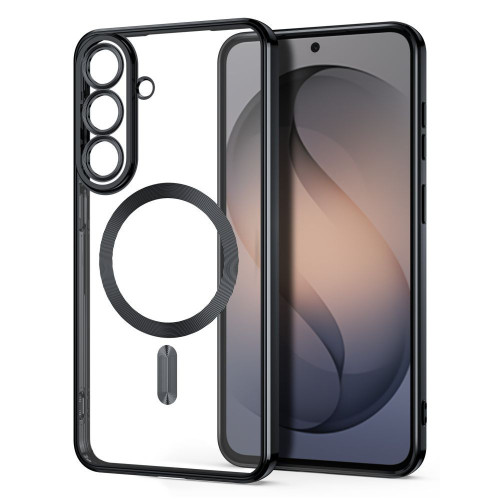
    How long will Nothing update both phones?

    Both models will receive 3 major Android system updates and 6 years of security patches. Phone 4a Pro (launch: Android 16) will be updated to Android 19. Phone 3a Pro (launch: Android 15, currently Android 16) — to Android 18.

  • OPPO Watch X2 vs OPPO Watch X3 — comparison

    OPPO Watch X2 vs OPPO Watch X3 — comparison

    OPPO Watch X2 vs X3 — what are the differences and is the newer model worth the extra cost? OPPO Watch X3 is a flagship smartwatch with a titanium case, a 3000-nit display, and a blood glucose sensor.

    Compared to the Watch X2, it is lighter by 6 g, thinner by 0.75 mm, and offers a brighter screen and new health features. Below is a detailed comparison of both models.

    OPPO unveiled the Watch X3 on March 17, 2026, in China. It is the direct successor to the Watch X2, which debuted in May 2025. Both smartwatches have a 1.5-inch LTPO OLED screen (dynamic refresh rate technology), a Snapdragon W5 processor, and eSIM (built-in SIM card with LTE support), but the newer model introduces several significant changes in design and sensor set.

    Interestingly, OPPO is also preparing a Watch X3 Mini variant — a smaller version, which is set to launch in April 2026. If the standard 47 mm size is too large for you, it’s worth waiting for this compact alternative.

    Looking for protective accessories for your smartwatch? Check out films and glasses for OPPO Watch in our store.

    Key differences — OPPO Watch X2 vs X3 at a glance

    DifferenceWatch X2Watch X3
    CaseStainless steel + titaniumTC4 titanium (aerospace)
    Screen brightness2200 nits3000 nits
    Weight (without strap)49.7 g43 g
    Glucose sensorNoYes
    Water resistanceIP68, 5 ATMIP68, IP69, 5 ATM
    SystemWear OS 5.0ColorOS Watch 16.0
    ProcessorSnapdragon W5 Gen 1Snapdragon W5 Gen 2

    Full specification OPPO Watch X3 vs Watch X2

    ParameterOPPO Watch X3OPPO Watch X2
    PremiereMarch 2026May 2025
    Display1.5″ LTPO OLED1.5″ LTPO AMOLED
    Resolution466 × 466 px466 × 466 px
    Max brightness3000 nits2200 nits
    ProcessorSnapdragon W5 Gen 2Snapdragon W5 Gen 1
    Co-processorQualcomm QCC5100BES2800BP
    RAM2 GB2 GB
    Internal memory32 GB32 GB
    Battery646 mAh648 mAh
    Battery life (smart mode)up to 5 daysup to 5 days
    Battery life (power saving)up to 16 daysup to 16 days
    Dimensions47.4 × 47.4 × 11.0 mm47.6 × 46.6 × 11.75 mm
    Weight70 g (with strap) / 43 g (watch only)76 g (with strap) / 49.7 g (watch only)
    Case materialaircraft-grade titanium TC4stainless steel + titanium (bezel)
    Glasssapphiresapphire
    Water resistanceIP68, IP69, 5 ATMIP68, 5 ATM
    Military standardMIL-STD-810HMIL-STD-810H
    GPSL1 + L5 (GPS, GLONASS, BeiDou, Galileo, QZSS)L1 + L5 (GPS, GLONASS, Galileo, QZSS)
    Bluetooth5.25.2
    WiFi802.11 a/b/g/n802.11 a/b/g/n
    LTE / eSIMyesyes
    NFCyesyes
    Heart rate sensoryesyes
    SpO2yesyes
    ECGyesyes
    Blood pressureyesyes
    Skin temperatureyesyes
    Glucose sensoryesno
    SystemColorOS Watch 16.0Wear OS 5.0 + ColorOS Watch 7.0
    Sports modes100+100+
    Price (China)from approx. 1400 PLNapprox. 1300–1500 PLN

    Display — 3000 vs 2200 nits

    The watches have the same display size of 1.5 inches and identical resolution of 466 × 466 pixels. In everyday use, the screens look very similar — colors are vibrant, blacks are deep, and viewing angles are wide.

    The key difference is brightness. The OPPO Watch X3 reaches 3000 nits, which is 36% more than the 2200 nits in the older model. In comparison, the display of the OPPO Watch X2 vs X3 is one of the more noticeable aspects — especially under bright sunlight while running, cycling, or walking around the city in summer.

    The Watch X3 uses a next-generation LTPO OLED panel, while the Watch X2 uses LTPO AMOLED. Both support Always-On Display (AOD — continuous display of time and selected information on the screen), but the newer model should be slightly more energy-efficient due to the updated display technology.

    Tip: If you primarily train indoors or in the evenings, the difference in screen brightness won’t be crucial for you. 2200 nits in the Watch X2 is still a very good result — more than in most competing smartwatches.

    Design and materials — titanium vs steel

    This is one of the biggest changes between generations. The OPPO Watch X3 has a case made entirely of aerospace-grade TC4 titanium, while the Watch X2 combines stainless steel with a titanium frame.

    What does this mean in practice?

    • Weight — The Watch X3 weighs 43 g without the strap (vs 49.7 g). The difference of 6.7 g is about 13% less. You will definitely feel this on your wrist, especially during sleep and training.
    • Thickness — The newer model is 11.0 mm thick (vs 11.75 mm). The watch hides better under a shirt cuff and protrudes less on a slim wrist.
    • Durability — Both have sapphire glass and MIL-STD-810H certification (military-grade durability standard). However, the Watch X3 adds IP69 (resistance to high-pressure hot water jets), which its predecessor lacks.

    Both models have two buttons on the right side — the upper one serves as a rotating crown. The Watch X3 offers three color variants: Gravity Black, Global Star Orange, and Infinite Titanium.

    Regardless of which model you choose, it’s worth investing in additional screen protection. At homescreen.pl you will find GrizzGlass HybridGlass hybrid glass and GrizzGlass CeramicFilm ceramic film for OPPO Watch X2 starting from 12.99 PLN.

    Performance — Snapdragon W5 Gen 2 vs Gen 1

    OPPO Watch X3 runs on the newer Snapdragon W5 Gen 2 with an ARM Cortex-A53 processor up to 1.7 GHz and Adreno 702 GPU. It is supported by the Qualcomm QCC5100 coprocessor. Watch X2 uses the Snapdragon W5 Gen 1 with the BES2800BP coprocessor.

    In everyday use, the difference in smoothness is not dramatic — both smartwatches handle navigation through the menu, notifications, and apps efficiently. However, the newer chipset in Watch X3 should provide:

    • Better energy efficiency — the same battery life with increased screen brightness and new sensors.
    • Faster processing of health data — crucial for continuous monitoring of glucose, blood pressure, and ECG.
    • Smoother animations — particularly noticeable when switching between watch faces and apps.

    Both generations have 2 GB of RAM and 32 GB of internal storage, so in this respect, nothing changes. 32 GB is enough for offline maps, music, and several dozen apps.

    Battery and charging — OPPO Watch X3 vs X2

    The battery capacities are nearly identical — 646 mAh in the Watch X3 vs 648 mAh in the Watch X2. The declared usage times (according to the manufacturer) also match:

    • Smart mode — up to 5 days
    • Intensive usage — about 3 days
    • Power saving mode — up to 16 days

    So where is the difference? The Watch X3 achieves the same battery life despite a brighter screen and additional sensors, indicating better energy optimization of the new chipset and display.

    The OPPO Watch X3 charges fully in about 75 minutes, while the Watch X2 takes about 60 minutes with the 10W VOOC charger. The newer model compensates for the longer charging time with a quick “emergency” charging feature — 10 minutes provides power for 24 hours. Useful when you discover a dead watch in the morning before your workout.

    Note: Both models only charge with dedicated magnetic chargers — they do not support the Qi standard. Before purchasing, make sure you have the original charging accessory.

    Health and Sensors — the Biggest Advantage of the Watch X3

    This is an area where the OPPO Watch X3 clearly outpaces its predecessor. Both models offer:

    • 24/7 heart rate monitoring
    • Blood oxygen saturation measurement (SpO2)
    • ECG (electrocardiogram)
    • Blood pressure measurement
    • Skin temperature measurement
    • Sleep analysis with phases (light, deep, REM)

    Watch X3 adds a blood glucose sensor — a feature that the Watch X2 lacks. The watch uses non-invasive optical technology for continuous monitoring of sugar levels. This is particularly useful for people with type 2 diabetes or prediabetes, but also for athletes tracking the impact of diet on training results.

    It is worth noting that non-invasive glucose measurement from the wrist does not replace a professional glucometer. This technology is still developing and is more suited for observing trends rather than for precise medical measurements. Nevertheless, continuous glucose monitoring is a feature that most competitors in this price range do not offer — including Samsung Galaxy Watch and Huawei Watch GT.

    In the showdown between OPPO Watch X2 vs X3, it is the sensors that make the biggest difference. The rest of the health features are identical.

    Sports and Navigation

    Both smartwatches support over 100 sports modes and GPS with dual-band L1 + L5 signal, ensuring precise route tracking in urban areas with tall buildings.

    Watch X3 uses five satellite navigation systems (GPS, GLONASS, BeiDou, Galileo, QZSS), while Watch X2 uses four (GPS, GLONASS, Galileo, QZSS — without BeiDou). In practice, the additional system can improve positioning accuracy in difficult conditions — e.g., in dense forests or narrow streets of old towns.

    Both models have eSIM with LTE support, allowing you to receive calls and messages without a phone. Useful when running or cycling, when you don’t want to take your smartphone with you.

    In the context of sports, it’s worth mentioning the analysis of gait and posture while running — a feature available in both models. The watch monitors cadence, ground contact time, and vertical oscillations, providing runners with specific data to improve their technique.

    If you are comparing smartwatches with other brands, also check our offer of watch bands and accessories.

    Operating System — Wear OS vs ColorOS Watch

    Here lies an interesting change and one of the key elements in the comparison of OPPO Watch X2 vs X3. Watch X2 runs on Wear OS 5.0 with the ColorOS Watch 7.0 overlay, which means access to apps from the Google Play Store — Google Maps, Spotify, Strava, and many others.

    OPPO Watch X3 has transitioned to ColorOS Watch 16.0 as a standalone system. In China, Wear OS is not widely used, so OPPO opted for its own solution with better energy optimization. The question is: what system will the global version of Watch X3 receive?

    If OPPO decides on Wear OS for the international version (as was done with Watch X2), the difference will be smaller. However, if the global version retains ColorOS Watch 16.0, access to applications will be limited to the OPPO ecosystem and selected partners.

    Tip: If you care about the Google app ecosystem (maps, Spotify, Google Wallet), Watch X2 with Wear OS 5.0 is a safer choice — at least until we learn the details of the global launch of Watch X3.

    Price and Availability — OPPO Watch X2 vs X3 in Poland

    OPPO Watch X3 debuted in China at the following prices:

    • Gravity Black — 2599 yuan (approx. 1400 PLN)
    • Global Star Orange / Infinite Titanium — 2799 yuan (approx. 1510 PLN)

    OPPO Watch X2 at launch cost around 1300–1500 PLN depending on the variant. It can currently be found at lower prices, making it an attractive option for those looking for a flagship OPPO smartwatch at a more affordable price.

    The global premiere of the Watch X3 has not yet been officially confirmed, but the OPPO Watch X2 hit the international market (including Poland) a few months after its Chinese premiere. A similar scenario can be expected — it’s worth following the official OPPO website for updates.

    OPPO Watch X3 Mini — a smaller version is coming

    OPPO is also preparing a compact variant, the Watch X3 Mini, which is expected to be released in April 2026. Information about this model has appeared in several leaks, but the official specifications have not yet been revealed.

    If the standard 47-millimeter size of the Watch X3 is too large for you — for example, you have a slim wrist or prefer smaller watches — it’s worth waiting for this model. The Watch X2 Mini turned out to be a popular alternative, and the Watch X3 Mini will likely follow the same path.

    Current accessories for the smaller model are available — check out the GrizzGlass hybrid glass for OPPO Watch X2 Mini in our store.

    Who is the OPPO Watch X3 for, and who is the Watch X2 for?

    Choose the OPPO Watch X3 if:

    • You care about the lightest and thinnest design (43 g vs 49.7 g)
    • You need blood glucose monitoring
    • You train outdoors and need a screen readable in full sunlight (3000 nits)
    • You want the latest generation with an IP69 certification

    Stick with the OPPO Watch X2 if:

    • You are looking for a proven smartwatch with Wear OS 5.0 and access to Google Play
    • You do not need a glucose sensor
    • You want to save money — the Watch X2 at falling prices offers great value for money
    • You prefer to wait for the global version of the Watch X3 and see what operating system it will get

    Summary

    In summary, comparing OPPO Watch X2 vs X3 — Watch X3 is a solid evolution, not a revolution. Key upgrades include a titanium case (lighter and thinner), a brighter 3000-nit display, and a blood glucose sensor. The rest of the specifications — battery, RAM, memory, connectivity — remain at the same level.

    If you have the Watch X2 and it works without issues, upgrading is not necessary. But if you are buying your first flagship OPPO smartwatch or are interested in glucose monitoring, the Watch X3 is definitely the better choice.

    Regardless of your choice, make sure to protect your smartwatch. At homescreen.pl, you will find protective films, hybrid glasses, and cases for OPPO smartwatches — starting from 11.99 PLN with fast delivery.

    FAQ

    Is OPPO Watch X3 compatible with iPhone?

    OPPO Watch X3 works best with Android smartphones. Compatibility with iPhone is limited — there is no full synchronization of notifications and health features. If you have an iPhone, it’s worth considering the Apple Watch, which is optimized for the Apple ecosystem.

    When will OPPO Watch X3 be available in Poland?

    The official date of the Polish premiere has not yet been confirmed. The OPPO Watch X2 reached European markets a few months after its Chinese debut — a similar schedule can be expected for the Watch X3.

    Is the OPPO Watch X3 Mini available yet?

    No — the OPPO Watch X3 Mini has not yet been officially presented. The premiere is expected in April 2026. Only preliminary information from leaks is known.

    Is it worth buying the OPPO Watch X2 now, or should I wait for the X3?

    If you care about Wear OS and access to Google Play — the Watch X2 is a safe choice. If you want the latest health sensors and a titanium case, wait for the global premiere of the Watch X3. The price of the Watch X2 is becoming increasingly attractive.

    What is the weight difference between the Watch X3 and Watch X2?

    The OPPO Watch X3 weighs 43 g (the watch itself without the strap), while the Watch X2 weighs 49.7 g. The difference of 6.7 g is due to the use of titanium instead of stainless steel.

    Does the OPPO Watch X3 measure blood pressure?

    Yes — both the Watch X3 and Watch X2 have a blood pressure sensor. However, the Watch X3 adds blood glucose measurement, which the older model does not offer.

  • Best Phone for Photography 2026 — TOP 5 Flagship Ranking

    Best Phone for Photography 2026 — TOP 5 Flagship Ranking

    What is the best smartphone for photos in 2026? The answer is not straightforward — each manufacturer focuses on different strengths.

    In this ranking of photo phones, we compare five flagships sorted by camera quality — from the iPhone 17 Pro Max, through the 1-inch sensor Xiaomi 17 Ultra with Leica optics, to the revolutionary vivo system with a ZEISS lens.

    Ranking of the best photo phones 2026 — quick overview

    Before we move on to a detailed analysis, here is a summary of our top five at a glance:

    PositionModelDxOMarkMain sensorOptical zoomPrice from
    1.Apple iPhone 17 Pro Max168 pts48 MP, 1/1.28″ sensor8x (tetraprism, 200 mm)6,299 PLN
    2.Xiaomi 17 Ultra166 pts50 MP, Light Fusion 1050L (1″)4.3x (mechanical Leica zoom)6,499 PLN
    3.Google Pixel 10 Pro163 pts50 MP, Samsung GNK (1/1.31″)5x (100x Pro Res Zoom)~3,450 PLN
    4.Samsung Galaxy S26 Ultra157 pts200 MP, ISOCELL HP2 (1/1.3″)2x/3x/5x/10x6,499 PLN
    5.vivo X300 UltraTBD*200 MP, Sony LYTIA-901 (1/1.12″)3.5x (17x with ZEISS extender)~7,500 PLN

    *estimated price — global premiere Q2 2026


    1. Apple iPhone 17 Pro Max — DxOMark leader and 8x tetraprism zoom

    The Apple iPhone 17 Pro Max is the best camera phone of 2026 according to the DxOMark ranking (168 points). A huge leap in the telephoto lens — from 5x to 8x optical zoom with a new tetraprism and a 48 MP sensor — makes it number one among camera smartphones.

    Camera system

    LensResolutionSensorApertureFocal Length
    Main48 MP Fusion1/1.28″f/1.524 mm
    Ultra Wide48 MPf/2.213 mm
    8x Telephoto (tetraprism)48 MP56% larger sensorf/2.8200 mm
    Front (Centre Stage)18 MPsquare sensorf/2.2

    Why number 1?

    The iPhone 17 Pro Max introduces a groundbreaking telephoto lens — 48 MP sensor with 8x optical zoom (200 mm) on a next-generation tetraprism. This is the longest focal length in iPhone history. Thanks to the crop from the 48 MP sensor, optical quality is maintained even at a 16x zoom range. This is a significant advancement compared to the 12 MP telephoto lens in its predecessor.

    Video remains Apple’s showcase — 4K Dolby Vision, ProRes Log, Cinematic Mode, and Spatial Video for Apple Vision Pro. The new 18 MP front camera with a square Centre Stage sensor allows you to rotate the photo orientation without turning the phone. The physical Camera Control button turns the iPhone into an intuitive camera.

    Tip: Check out cases and tempered glass for iPhone 17 Pro Max at Home Screen — you’ll protect both the camera and the display at the same time.

    Strengths and weaknesses

    Strengths: Highest DxOMark score (168 points), 8x optical zoom 48 MP (200 mm), best video (4K ProRes Log), Camera Control, Spatial Video.

    Weaknesses: No 8K video, high price starting from 6,299 PLN, smaller main sensor than Xiaomi and vivo.


    2. Xiaomi 17 Ultra — 1-inch sensor and Leica mechanical zoom

    Xiaomi 17 Ultra is a smartphone designed for photography — the 1-inch main sensor Light Fusion 1050L and Leica APO certified mechanical optical zoom blur the line between a smartphone and a mirrorless camera more than ever.

    Camera system

    LensResolutionSensorApertureFocal length
    Main50 MPLight Fusion 1050L (1″)f/1.6723 mm
    Ultrawide50 MPf/2.214 mm
    Telephoto (mechanical zoom)200 MP1/1.4″75–100 mm (4.3x)
    Front32 MPf/2.0

    Why on the podium?

    Xiaomi 17 Ultra has a 1-inch sensor in the main camera — the largest sensor among smartphones in 2026 (excluding the yet-to-be-global vivo X300 Ultra). The Light Fusion 1050L sensor with LOFIC HDR technology offers a full well capacity 6.3 times greater than its predecessor, the Xiaomi 15 Ultra. In practice, this means phenomenal dynamic range — details in both bright and dark areas of the photo.

    The 200 MP telephoto lens with a 1/1.4″ sensor is a revolution — a mechanical optical zoom system with three groups of lenses changes the focal length from 75 to 100 mm. Leica APO eliminates chromatic aberrations, and the optical quality zoom reaches an equivalent of 400 mm. The special edition Leica Leitzphone adds a physical zoom ring on the body.

    Video and special features

    Recording 8K at 24 fps, 4K at 120 fps Dolby Vision, Movie mode with full manual control and 10-bit Log support. The Xiaomi 17 Ultra is a serious tool for video creators.

    Advice: The Xiaomi 17 Ultra with the Leica camera module requires solid protection — check out the case for Xiaomi 17 Ultra at Home Screen.

    Strengths and Weaknesses

    Strengths: 1-inch main sensor, mechanical optical zoom, 200 MP telephoto lens, Leica APO optics, 6,500 mAh battery.

    Weaknesses: No extender version (like vivo), 32 MP selfie camera weaker than Pixel 9 Pro, price starting from 6,499 PLN.


    3. Google Pixel 10 Pro — master of artificial intelligence with 100x Pro Res Zoom

    The Google Pixel 10 Pro is the best phone for photography in 2026 for those who want to take the perfect shot without worrying about settings. The Tensor G5 chip with an enhanced TPU unit powers powerful AI features, and the new 100x Pro Res Zoom finally puts the Pixel on par with Samsung in terms of close-ups. A score of 163 points in DxOMark ranks it third in the world.

    Camera System

    LensResolutionSensorApertureFocal Length
    Main50 MPSamsung GNK (1/1.31″)f/1.6824 mm
    Ultrawide (AF)48 MP1/2.55″f/1.712 mm
    5x Telephoto (periscope)48 MP1/2.55″f/2.8110 mm
    Front42 MPf/2.218 mm

    What Makes the Pixel 10 Pro Stand Out?

    Google Pixel 10 Pro inherits the best features of its predecessor and adds key improvements:

    • 100x Pro Res Zoom — AI-assisted zoom with optical quality up to 10x
    • 50 MP Portraits — new quality of portrait photos thanks to Tensor G5
    • 8K Video — cloud upscaling to 8K from 4K, a new Pixel feature
    • Magic Eraser — removing unwanted objects and people from photos
    • Magic Editor — generative AI for modifying photo elements
    • Best Take — compiling the best expressions from multiple shots
    • Night Sight Video — recording video in low light with AI

    An ultra-wide lens with autofocus (f/1.7!) is one of the brightest in the industry. The front camera with 42 MP and the widest field of view (18 mm) takes the best selfies in this comparison.

    Tip: The Pixel 10 Pro is the best-priced flagship in this comparison — from ~3,450 PLN. Check out available accessories for Google Pixel 10 Pro at Home Screen.

    Strengths and Weaknesses

    Strengths: DxOMark 163 points (3rd in the world), best AI features, 50 MP portraits, natural color reproduction, best selfie camera (42 MP), lowest price.

    Weaknesses: 8K only through cloud upscaling, Tensor G5 weaker in overall performance than Snapdragon, smaller sensors than Xiaomi/vivo.


    4. Samsung Galaxy S26 Ultra — king of zoom and versatility

    Samsung Galaxy S26 Ultra (157 pts DxOMark) is the best camera phone of 2026 for those who value versatility. The quadruple camera system covers every photographic scenario — from ultra-wide landscapes to details of distant objects thanks to 100x Space Zoom.

    Camera system

    LensResolutionSensorApertureFocal Length
    Main200 MPSamsung ISOCELL HP2 (1/1.3″)f/1.423 mm
    Ultra-wide50 MPSamsung ISOCELL JN3 (1/2.5″)f/1.9120° FoV
    3x Telephoto10 MPSony IMX754 (1/3.94″)f/2.467 mm
    5x Telephoto (periscope)50 MPSony IMX854 (1/2.52″)f/2.9111 mm
    Front12 MPf/2.226 mm

    Why is it still in the TOP 5?

    Samsung Galaxy S26 Ultra inherits the proven quadruple zoom system from the S25 Ultra but introduces key optical improvements — f/1.4 aperture in the main lens (47% brighter than f/1.7 in its predecessor) and f/2.9 in the periscope (37% brighter than f/3.4). Four optical focal lengths (23, 67, 111 mm + ultra-wide) still provide the widest zoom range among smartphones — no competitor offers this.

    Video on this smartphone is in a league of its own — recording 8K at 30 fps on three lenses, Galaxy Log mode, and new 60 W charging. DxOMark points out issues with exposure and AF in low light, but in everyday use, the Galaxy S26 Ultra remains an incredibly versatile tool.

    Advice: The Samsung Galaxy S26 Ultra is a premium flagship — it’s worth protecting it with a solid case for the Galaxy S26 Ultra that will safeguard the titanium frame and glass back.

    Strengths and Weaknesses

    Strengths: The widest zoom range (4 focal lengths), brighter aperture f/1.4, 8K recording, 60 W charging, Galaxy Log mode.

    Weaknesses: DxOMark 157 points (18th in the world), 3x telephoto only 10 MP, unstable exposure according to DxOMark, high price starting from 6,499 PLN.


    5. vivo X300 Ultra — record-breaking sensor and ZEISS optics

    The Vivo X300 Ultra is a phone with a good camera in 2026, which changes the game in mobile photography. Equipped with a record-breaking sensor — Sony LYTIA-901 with a size of 1/1.12″ — and full ZEISS T* APO optical certification, it approaches the capabilities of mirrorless cameras more than any competitor.

    Camera System

    LensResolutionSensorFocal Length
    Main200 MPSony LYTIA-901 (1/1.12″)35 mm
    Ultrawide50 MPSony LYTIA-818 (1/1.28″)14 mm
    Periscope Telephoto200 MPSamsung ISOCELL HP01 (1/1.4″)3.5x
    Multispectral5 MP
    Front50 MP (AF)

    What Makes vivo X300 Ultra Stand Out?

    The key element is the accessory ZEISS Telephoto Extender Gen 2 Ultra — an attachable lens that increases zoom from 3.5x to 17x optical (equivalent to 400 mm). This is the only smartphone on the market capable of achieving such zoom fully optically. With the extender, you maintain the full resolution of 200 MP.

    The main sensor 1/1.12″ collects even more light than the 1-inch sensor of the Xiaomi 17 Ultra. The ultra-wide 50 MP with a 1/1.28″ sensor is larger than the main sensors of many flagships — this is a unique feature of vivo.

    Video and special features

    Recording 4K at 120 fps Dolby Vision HDR on all rear lenses with 10-bit Log mode. vivo also offers a SmallRig accessory ecosystem (video cage).

    Tip: The global launch of the vivo X300 Ultra is planned for Q2 2026. It’s worth keeping an eye on the availability of vivo accessories at the Home Screen store.

    Strengths and weaknesses

    Strengths: The largest sensors (1/1.12″ and 1/1.28″), 17x optical zoom with ZEISS extender, dual 200 MP cameras, 4K 120 fps Dolby Vision.

    Weaknesses: The most expensive option in the ranking (~7,500 PLN), ZEISS extender is an additional purchase, global launch not until Q2 2026, 35 mm focal length may be too wide for portraits.


    Best phone for photos 2026 — comparison in every scenario

    The best flagship for photos is not just about specifications — it’s also about software, AI processing, and the accessory ecosystem. The following comparison of phones with the best camera considers ten key photographic scenarios.

    ScenarioBest ChoiceWhy?
    Daytime Photosvivo X300 UltraLargest sensor 1/1.12″, 200 MP
    Night PhotosXiaomi 17 Ultra1-inch sensor + LOFIC HDR, phenomenal dynamic range
    Long Zoom (>5x)Samsung Galaxy S26 UltraQuad zoom system, 100x Space Zoom
    PortraitXiaomi 17 UltraLeica mechanical zoom 75-100 mm, natural bokeh
    SelfieGoogle Pixel 10 Pro42 MP, widest angle 18 mm
    Professional VideoiPhone 17 Pro Max4K ProRes Log, Dolby Vision
    Casual VideoSamsung Galaxy S26 Ultra8K on three lenses
    Action Shots (Sports)vivo X300 Ultra17x optical zoom with ZEISS extender
    AI PhotographyGoogle Pixel 10 ProMagic Eraser, Best Take, 100x Pro Res Zoom
    Price to Quality RatioGoogle Pixel 10 ProFrom ~3,450 PLN for a flagship camera

    Best Phone for Photos 2026 — Which to Choose?

    The choice of the best phone for photography in 2026 depends on your shooting style and budget.

    For versatile photographers: Samsung Galaxy S26 Ultra — covers every scenario from ultra-wide to 100x zoom. A brighter f/1.4 aperture is a clear improvement over its predecessor.

    For photography enthusiasts: Xiaomi 17 Ultra — 1-inch sensor and Leica mechanical zoom offer image quality unavailable on any other smartphone at this price.

    For budget-conscious professionals: vivo X300 Ultra — if you take mobile photography really seriously. The largest sensors and 17x optical zoom with ZEISS extender are in a league of their own.

    For filmmakers and video creators: iPhone 17 Pro Max — ProRes Log, 8x zoom 48 MP, and Spatial Video are professional tools in a smartphone.

    For those who value simplicity and value: Google Pixel 10 Pro — Google’s artificial intelligence with 100x Pro Res Zoom will do most of the work for you, and the price starting at ~3,450 PLN is unbeatable.

    Our verdict: iPhone 17 Pro Max is the best phone for photography in 2026 according to DxOMark (168 points) — it has the best camera in a phone for 2026 with a groundbreaking 8x zoom 48 MP. Xiaomi 17 Ultra with a 1-inch sensor and Leica optics (166 points) is ideal for photography enthusiasts, while Google Pixel 10 Pro (163 points, starting at ~3,450 PLN) offers the best value for money.

    The flagship phones with large sensors consume more energy while photographing — check out USB-C PD wall chargers to quickly charge your phone after a full day of shooting. For a longer outdoor session, it’s worth bringing a power bank — especially since recording in 4K and 8K can drain even a 6,000 mAh battery in just a few hours.


    Frequently Asked Questions (FAQ)

    What is the best phone for photography in 2026?

    The best phone for photography in 2026 is the Apple iPhone 17 Pro Max with a score of 168 points in DxOMark — it offers 8x optical zoom at 48 MP (200 mm), the best video with ProRes Log, and Camera Control. Right behind it is the Xiaomi 17 Ultra (166 points) with a 1-inch Leica sensor and the Google Pixel 10 Pro (163 points) with revolutionary AI photography.

    Which phone takes the best night photos?

    The Xiaomi 17 Ultra with a 1-inch Light Fusion 1050L sensor and LOFIC HDR technology offers phenomenal dynamic range in low light. The Samsung Galaxy S26 Ultra with an f/1.4 aperture (47% brighter than its predecessor) also performs excellently after dark.

    Will the vivo X300 Ultra be available in Poland?

    vivo announced the global premiere of the X300 Ultra for Q2 2026. The launch in China is scheduled for March 30, 2026. Availability in Poland depends on official distribution — it’s worth keeping an eye on updates from the manufacturer.

    Which flagship has the best zoom?

    The Samsung Galaxy S26 Ultra with a quad optical system (2x/3x/5x/10x) and AI-assisted Space Zoom 100x offers the best built-in zoom range. The iPhone 17 Pro Max with 8x optical zoom 48 MP (200 mm) is a newcomer, while the vivo X300 Ultra with a ZEISS extender achieves 17x pure optical zoom.

    Is the Google Pixel 10 Pro a good choice for mobile photography?

    Yes — the Google Pixel 10 Pro is an excellent choice, especially at its price (from ~3,450 PLN). The Tensor G5 powers unique AI features like Magic Eraser, 100x Pro Res Zoom, and Best Take. Natural color reproduction and the Night Sight Video mode set it apart from the competition.

    Samsung Galaxy S26 Ultra or Xiaomi 17 Ultra — which is better for photos?

    The Samsung Galaxy S26 Ultra wins in zoom versatility (4 focal lengths) and 8K recording on three lenses. The Xiaomi 17 Ultra dominates in single photo quality thanks to its 1-inch sensor and Leica APO optics with mechanical zoom. Samsung is better for sports and wildlife photography, while Xiaomi excels in portraits and street photography.