Category: Guides

  • What is the best charger for the Samsung Galaxy Z Fold 8 Ultra?

    What is the best charger for the Samsung Galaxy Z Fold 8 Ultra?

    The best charger for the Galaxy Z Fold 8 Ultra is the Tech-Protect PowerVision NC45W-GaN. It has a profile of 15 V / 3 A, supports PPS, and features a display where you can check the actual charging power. A safe choice is the original Samsung charger EP-T4511 45 W. For both, purchase a USB-C 5 A cable, as without it, the phone won’t reach 45 W.

    The Z Fold 8 Ultra has a 5,000 mAh battery and supports 45 W wired charging and 20 W wireless charging. It sounds simple, but the charger market is full of 65 W and 100 W bricks that throttle down to 25 W in Samsung devices.

    Below you will find three parameters that must be on the box, a fourth condition often overlooked by manufacturers, and a ranking of 7 chargers with an output profile table.

    Three parameters that must be on the box

    When buying a charger for the Z Fold 8 Ultra, look for three things at once. The absence of even one will revert the phone to a slower mode.

    Power: 45 W or more. A more powerful charger won’t hurt. The phone draws exactly what it needs, and a 65 W or 100 W brick operates cooler than a 45 W brick pushed to its limits. If you’re looking for the smallest high-power designs, check out our ranking of GaN chargers.

    PPS: a necessary condition. Programmable Power Supply allows for smooth regulation of voltage and current instead of jumping between fixed thresholds. Without PPS, a 45 W charger throttles down to 15–25 W in Samsung devices, as the phone cannot activate Super Fast Charging 2.0 mode.

    PD 3.0: base protocol. USB Power Delivery 3.0 is the standard under which PPS operates at all. A charger with just Quick Charge, without PD, will not communicate with Samsung at full speed.

    Note: “45 W” on the casing is the maximum power of the charger, not a guarantee of 45 W for the phone. The output profile matters. Look for the specification stating 15 V / 3 A: that’s what provides 45 W.

    The fourth condition that charger manufacturers are silent about

    You can have the perfect charger and still charge your phone slowly. The reason lies in the cable.

    Charging at 45 W requires a USB-C to USB-C cable with a 5 A load capacity and an e-marker. An e-marker is an integrated circuit in the cable that informs devices what current the cable can safely carry. The USB Type-C specification requires it in every cable above 3 A.

    A cable without an e-marker reports a limit of 3 A. The phone sees this limit and automatically switches to a slower mode, even if the charger offers more. A regular USB-A cable also excludes Super Fast Charging 2.0.

    Samsung sells its set directly under the name “45W PD Power Adapter with 5A USB-C Cable.” This is not a marketing addition, but part of the specification.

    This explains the most common complaint from users of foldable phones: “I bought a more powerful charger, and the phone charges slower than before.” Usually, the culprit is the cable included in the package.

    How long does the Galaxy Z Fold 8 Ultra actually take to charge

    ParameterValue
    Battery capacity5,000 mAh
    Wired charging45 W (Super Fast Charging 2.0)
    Wireless charging20 W, Qi2 standard
    Magnets in the case❌ phone is “Qi2 Ready”
    ConnectorUSB-C
    Required cable for 45 WUSB-C / USB-C, 5 A, e-marker

    The battery has increased from 4,400 mAh in the previous generation to 5,000 mAh thanks to silicon-carbon cells. With the larger cell, the difference between charging at 25 W and 45 W becomes noticeable: it’s a matter of several dozen minutes for a full cycle.

    Note: The Z Fold 8 Ultra does not have magnets in the case. It supports Qi2, but the magnetic ring must be provided by the case. A magnetic wireless charger will not stick to the bare phone.

    Ranking: 7 best chargers for Galaxy Z Fold 8 Ultra

    1. Tech-Protect PowerVision NC45W-GaN: the only one with a power display

    Our choice: a complete set of parameters plus a display that confirms the actual power.

    This is a charger that shows how many watts are actually flowing to the phone. The PowerView AI 2.0 display provides the current power consumption and temperature. If there is an issue with charging speed, you can immediately see whether the charger or the cable is to blame.

    Under the hood, it has a complete set of required parameters: a profile of 15 V / 3 A, PPS in the range of 5–11 V at 4.5 A, and the PD 3.2 protocol, which is newer than the required PD 3.0.

    • Profile 15 V / 3 A provides a full 45 W for Samsung
    • PPS 5–11 V / 4.5 A and PD 3.2, QC4+, AVS, UFCS, AFC
    • PowerView AI 2.0 display shows power in watts and temperature
    • GaN technology in a case of 78.5 × 32 × 41 mm
    • Thermal and overvoltage protections

    Cons: one USB-C port. If you are charging a phone and a laptop at the same time, check the multi-port options below. No cable included.

    ParameterValue
    Maximum power45 W
    Ports1 × USB-C
    Profile 15 V / 3 A
    PPS✅ 5–11 V / 4.5 A
    ProtocolsPD 3.2, QC4+, AVS, UFCS, AFC

    2. Samsung EP-T4511 45W: original without surprises

    If you don’t want to analyze the specifications, take the manufacturer’s charger. EP-T4511 is Samsung’s reference 45 W brick and the standard against which others are compared.

    The specification lists PDO profiles of 9 V, 15 V, and 20 V, with a current of 3 A at 9 V and 15 V, and PPS in the range of 5–20 V. The standby power consumption is below 5 mW, so the brick can remain in the socket.

    • 15 V / 3 A profile confirmed in the manufacturer’s specification
    • PPS 5–20 V and full compatibility with Super Fast Charging 2.0
    • Standby consumption below 5 mW
    • Protections against overload, short circuit, and overheating

    Two downsides. Cable sold separately. And this is not a trivial matter, because without a 5 A cable, the charger will not show its full capabilities. It is also the largest design among the 45 W models: 43.5 × 81.8 × 28 mm, without GaN technology.

    ParameterValue
    Maximum power45 W
    Ports1 × USB-C
    Profile 15 V / 3 A
    PPS✅ 5–20 V
    Cable included

    3. UGREEN Nexode Pro 45W: two ports in a package-sized cube

    The best compromise between size and capabilities. The GaNInfinity chip allowed to fit 45 W and two USB-C ports into a 35.89 × 36.5 × 47 mm housing, 21% smaller than traditional designs.

    The list of supported standards is the longest in the ranking and includes the most important: PD 3.0 with PPS, along with QC4+, SCP, FCP, and AFC. The manufacturer states that the MacBook Air M2 charges up to 72% in one hour.

    • PD 3.0 with PPS plus QC4+, QC3.0, SCP, FCP, AFC
    • Two USB-C ports: phone and headphones simultaneously
    • GaNInfinity provides a 21% smaller casing
    • Thermal Guard monitors temperature in real-time

    To be fair: the manufacturer does not publish exact voltage profiles in the store specification, so we cannot confirm the 15 V / 3 A profile in black and white. However, the presence of PPS in PD 3.0 is sufficient confirmation. This is the most frequently purchased 45 W charger in the ranking.

    ParameterValue
    Maximum power45 W
    Ports2 × USB-C
    15 V / 3 A profilenot specified
    PPS
    TechnologyGaNInfinity

    [hs_products ids=”142548,102989,76149″ cols=”3″ title=”Three highest-rated chargers from the ranking”]

    4. USAMS CC305 T66 45W GaN: full 45 W on the main port

    USAMS, as one of the few manufacturers, provides a full output profile table in the store. This works to its advantage. The USB-C1 port delivers 5 V / 3 A, 9 V / 3 A, 12 V / 3 A, 15 V / 3 A, and 20 V / 2.25 A.

    The second port is noticeably weaker (15 V at 2 A), and when both are used simultaneously, the power is divided into 25 W and 18 W. It’s important: connect the phone to port C1 if you want full speed.

    • Profile 15 V / 3 A on the USB-C1 port, confirmed in the manufacturer’s table
    • Two USB-C ports with power split of 25 W + 18 W
    • GaN technology, housing made of ABS and polycarbonate (PC)
    • Weight approximately 96 g, dimensions 39 × 33.5 × 44.5 mm

    What is missing: the specification does not explicitly mention PPS. However, the 15 V / 3 A profile is clearly stated, and it is responsible for 45 W.

    ParameterValue
    Maximum power45 W
    Ports2 × USB-C (25 W + 18 W combined)
    Profile 15 V / 3 A✅ port C1
    PPSnot specified
    Weightapprox. 96 g

    5. Bizon Charger VT-36B 45W: the only one with Super Fast Charging 2.0 in the specification

    The most complete specification outside the first league of brands. Bizon is the only one that mentions Super Fast Charging 2.0 by name in the specification, which is exactly the mode that matters for Samsung.

    Moreover, the 15 V / 3 A profile is available on both USB-C ports, not just the main one. GaN3 technology keeps the temperature low, and the manufacturer claims it can charge up to 50% in 30 minutes.

    • Super Fast Charging 2.0 mentioned directly in the specification
    • Profile 15 V / 3 A on both USB-C ports
    • GaN3 lowers operating temperature
    • CE and RoHS certifications, dimensions 9 × 3.5 cm

    Limitation: with two devices at once, 45 W is divided between the ports, so the phone will not receive full power. Bizon is the least recognizable brand in the comparison, but here the specification speaks for itself.

    ParameterValue
    Maximum power45 W
    Ports2 × USB-C
    Profile 15 V / 3 A✅ both ports
    Super Fast Charging 2.0✅ declared
    TechnologyGaN3

    6. Spigen EE451EU Essential 45W: charger and cable in one box

    This is the only item in the ranking with a cable included. Considering that the cable determines the achievement of 45 W, the set in one box has real value.

    The design is maximally simple: one USB-C port, 45 W power, Power Delivery support, cable length of 1 m.

    • 1 m USB-C cable included
    • 45 W power on one USB-C port
    • Power Delivery standard
    • Compact design without unnecessary features

    To be fair: Spigen does not publish voltage profiles, PPS support, or the load capacity of the included cable in the product sheet. If you care about confirmed 45 W, choose an item with full specifications, and purchase the cable separately.

    ParameterValue
    Maximum power45 W
    Ports1 × USB-C
    Profile 15 V / 3 Anot specified
    PPSnot specified
    Cable included✅ 1 m

    7. Satechi ChargeView GaN 140W: one cube for the entire desk

    A proposal for someone who wants to use one charger for a laptop, tablet, headphones, and Z Fold 8 Ultra. Four USB-C ports and 140 W are enough to charge the phone at full power even when the other ports are in use.

    The display shows the charging status, and GaN technology keeps reasonable dimensions for this power. An alternative to a multi-port cube are 2-in-1 and 3-in-1 charging stations.

    • 140 W total power
    • Four USB-C ports: phone, laptop, tablet, and headphones at the same time
    • Built-in display for charging status
    • GaN Technology in a compact housing

    Honestly: this is overkill for the phone itself, and the product card does not mention PPS or power distribution to the ports. You buy it for the number of ports and power reserve, not because it is the best charger for the phone itself.

    ParameterValue
    Maximum power140 W
    Ports4 × USB-C
    Profile 15 V / 3 Anot specified
    PPSnot specified
    Display✅ charging status

    [hs_products ids=”108818,127267,132892,138104″ cols=”4″ title=”Items 4–7 from the ranking”]

    Comparison of 45 W chargers for Samsung Galaxy Z Fold 8 Ultra

    ChargerPowerPortsProfile 15 V / 3 APPSHighlight
    Tech-Protect PowerVision NC45W45 W1 × USB-CPower and temperature display
    Samsung EP-T451145 W1 × USB-COriginal phone manufacturer
    UGREEN Nexode Pro45 W2 × USB-Cnot specifiedSmallest with two ports
    USAMS CC305 T6645 W2 × USB-C✅ port C1not specifiedFull output profile table
    Bizon Charger VT-36B45 W2 × USB-C✅ both portsnot specifiedClaims Super Fast Charging 2.0
    Spigen EE451EU Essential45 W1 × USB-Cnot specifiednot specifiedCable included
    Satechi ChargeView140 W4 × USB-Cnot specifiednot specifiedFour ports and display

    “Not specified” means that the manufacturer does not publish this parameter on the product sheet. This is not a criticism of the equipment, but information about what cannot be verified before purchase.

    Which charger to choose? Recommendations based on needs

    Want to be sure you’re getting 45 W → Tech-Protect PowerVision NC45W-GaN. The display shows real power, so you don’t have to guess anything.

    Don’t want to analyze specifications → Samsung EP-T4511. The charger from the phone manufacturer, fully compliant with the standard. Remember the cable.

    Charging your phone and a second device → UGREEN Nexode Pro 45W. Two USB-C ports in a case smaller than the original Samsung.

    Want 45 W on both ports at the same time → Bizon Charger VT-36B. 15 V / 3 A profile on each output and Super Fast Charging 2.0 mentioned in the specifications.

    Buying your first charger and don’t have a cable → Spigen EE451EU Essential. A complete set in one box.

    You have a laptop, tablet, and phone on your desk → Satechi ChargeView GaN 140W. Four ports and power reserve.

    Cable: the element where it’s easiest to lose 45 W

    Let’s repeat, because this is the most common mistake. To charge 45 W you need a USB-C to USB-C cable with a 5 A load capacity and an e-marker. A cable from the previous phone’s set, a USB-A cable, and a cheap unmarked wire will keep the phone in a slower mode.

    What to look for in the cable description:

    • 5 A or 100 W is the same information expressed differently
    • E-marker, sometimes described as “E-Mark chip”
    • USB-C on both ends: adapters and USB-A are not acceptable
    • Length matched to the charging location, because a longer cable means greater losses

    More about choosing the cable can be found in the guide which fast charging cable to choose.

    [hs_products ids=”120612,120615,137656″ cols=”3″ title=”USB-C 5 A cables for 45 W charging”]

    You will find the full selection in the category USB-C to USB-C cables.

    Wireless charger for Samsung: what Qi2 offers in the Z Fold 8 Ultra

    The Z Fold 8 Ultra charges wirelessly with a power of 20 W in the Qi2 standard. A wireless charger is a convenient solution for the desk, but it is always slower than wired charging.

    Important note: the phone does not have magnets in the case. A magnetic Qi2 charger will not stick to the bare phone until you put on a case with a magnetic ring. A regular flat wireless charger will work without any additional accessories.

    When choosing a wireless charger for Samsung, check the declared power for Android phones. Some magnetic chargers state the highest power only for iPhones, while offering significantly less for other devices.

    Below you will find both variants: flat pads that work with a bare phone, and magnetic Qi2 models to pair with a case with a ring.

    [hs_products category=”245″ limit=”6″ sort=”sales” title=”Wireless and magnetic Qi2 chargers”]

    Charging in the Car and on the Go

    In the car, the same three parameters apply as at home. Look for a 45 W charger with PD and PPS, not a block described only by the amperage. Check car chargers and power banks if you are charging your phone on the go.

    If you are looking for accessories for a specific model, we have separate categories for Galaxy Z Fold 8 Ultra and Galaxy Z Fold 8.

    Summary

    The best charger for the Samsung Galaxy Z Fold 8 Ultra is the Tech-Protect PowerVision NC45W-GaN. It has a confirmed profile of 15 V / 3 A, PPS, and a display that shows real power. The safest choice without analyzing specifications is the original Samsung charger EP-T4511, and the most confirmed parameters outside of the original are provided by the Bizon Charger VT-36B.

    Three things to remember:

    1. Three parameters on the box: power of 45 W or more, PPS, and PD 3.0. Lack of PPS takes away over half the speed.
    2. 5 A cable with e-marker is just as important as the charger. Without it, the phone will not reach 45 W.
    3. A stronger charger does not harm. A 65 W or 100 W charger will provide exactly what the phone requests.

    FAQ: Frequently Asked Questions about the Z Fold 8 Ultra Charger

    Does it have to be an original charger for Samsung?

    No. Any charger with a minimum power of 45 W, supporting PPS and PD 3.0 standard is sufficient. The original Samsung charger ensures compatibility without checking specifications, but chargers from other brands with these parameters work identically.

    What is the difference between a 25 W charger and a 45 W charger?

    The 45 W charger activates Super Fast Charging 2.0 mode in the Galaxy Z Fold 8 Ultra, which is a profile of 15 V / 3 A. The 25 W charger is limited to the first generation of Super Fast Charging. With a 5,000 mAh battery, the difference in full cycle time is several dozen minutes.

    Can a 65 W charger be used to charge the phone?

    Yes. It is completely safe. The phone negotiates the power it needs with the charger and will draw a maximum of 45 W. A stronger charger operates cooler because it does not work at the edge of its capabilities.

    How many watts must a charger for Samsung have?

    To the Galaxy Z Fold 8 Ultra minimum of 45 W with PPS support. A 25 W charger will charge the phone, but clearly slower. Power alone is not enough: a 65 W block without PPS will slow down to 15–25 W.

    Why does my new charger charge slower than my old one?

    The most common reason is the cable. 45 W charging requires a USB-C to USB-C cable with a 5 A load capacity and an e-marker. Another reason may be the lack of PPS support in the new charger, despite the high power indicated on the casing.

    Does the Galaxy Z Fold 8 Ultra support wireless charging?

    Yes, with a power of up to 20 W in the Qi2 standard. However, the phone does not have magnets in the casing, so a magnetic Qi2 charger requires a case with a magnetic ring. A regular flat induction charger works without any additions.

    What is the purpose of a power display on a charger?

    It allows you to verify the actual charging speed. The display shows the power consumption in watts, so you can immediately see whether the phone is receiving 45 W or has dropped to a slower mode due to the cable or lack of PPS.


    Sources: Galaxy Z Fold8 Ultra specifications on GSMArena, 45W PD Power Adapter with 5A USB-C Cable set on Samsung.com, USB Type-C specification, e-marker requirement above 3 A — USB-IF

  • The best cases for Samsung Galaxy Z Flip 8: ranking of 10 models

    The best cases for Samsung Galaxy Z Flip 8: ranking of 10 models

    The best case for the Galaxy Z Flip 8 is the Spigen Ultra Hybrid Pro MagSafe. As the only one in the ranking, it combines integrated hinge protection with a built-in magnetic ring. For maximum protection, reach for the Supcase Unicorn Beetle Pro with hinge cover and port plugs. The cheapest reasonable choice is the Tech-Protect FlexAir Hybrid MagSafe.

    The Z Flip 8 is the thinnest and lightest Flip in history: 6.1 mm thick and 180 g. The manufacturer achieved this at the cost of a margin for error. The Armor Aluminum frame and Gorilla Glass Victus 2 will withstand scratches, but the hinge and the plastic top of the main screen are defenseless.

    In this ranking, you will find 10 cases from 10 different brands, from rugged to designer, priced from 35 to 309 PLN. Each is described in terms of what really needs protection in a foldable: the hinge, the edges of the screen, and the glass back. At the end, there is a comparison table and answers to the questions that Flip users ask most often.

    Why a case for a foldable is a completely different category

    For a regular smartphone, you mainly buy a case to avoid cracking the screen. In a foldable, the main screen is folded inwards for most of the day, so the biggest risk shifts elsewhere.

    The hinge is the most expensive component of the construction. Samsung used the Armor FlexHinge mechanism with an expanded internal frame in the Z Flip 8. A grain of sand that gets into the gap can scratch the screen from the inside at the first fold.

    Resistance is IP48, not IP68. The number 4 means protection only against foreign bodies with a diameter greater than 1 mm. The standard does not cover dust, sand, or debris from pockets. A case with port covers and a hinge shield realistically reduces this gap.

    The main screen has a plastic top. You cannot apply tempered glass to it, and the factory film is part of the display’s construction and cannot be removed independently. You can scratch it with a nail.

    Note: replacing the display in the foldable Samsung costs around 1,500–2,000 PLN at an authorized service center, which is several times the price of the most expensive case in this comparison. You can check the current price list at the Samsung Poland service.

    Qi2 Ready: magnets are in the case, not in the phone

    This is the most often overlooked fact about the Z Flip 8. The phone supports wireless charging 15 W in the Qi2 standard, but there are no magnets in the housing. Samsung describes it as “Qi2 Ready.”

    In practice, this means one thing: the magnetic ring must be provided by the case. Without it, the phone will not stick to a magnetic charger, car mount, or power bank. Inductive charging will work, but without automatic alignment of the coils.

    When choosing a case for the Z Flip 8, you are actually deciding whether your phone will be magnetic. This is a much more serious decision than the color of the case. The Samsung Galaxy Z Flip 8 case with a magnetic ring is something you buy once, along with the entire rest of the ecosystem.

    The case with magnets unlocks:

    Manufacturers call it differently: Spigen uses the designation MagFit, UNIQ talks about MagClick, most brands simply write MagSafe. It’s the same arrangement of magnets and the same accessories.

    What to pay attention to when choosing a case for the Z Flip 8

    Criterion Why it’s important for the foldable
    Hinge protection A separate cover or integrated design protects the most expensive part of the phone
    Magnetic ring The phone doesn’t have its own magnets; without a case, you lose Qi2 accessories
    Raised edges Protect the FlexWindow and camera island when placing the phone screen down
    Thickness The folded Flip 8 is 13.1 mm thick, and the case adds to both halves; rugged models take away Flip’s main advantage
    Button and port covers Realistically complement the limited IP48 standard
    Two-piece design The Flip case consists of two separate parts that cannot block folding

    Tip: the case from Galaxy Z Flip 7 does not fit Z Flip 8. The dimensions of the housing and the layout of the camera island have changed. Check if the product is labeled as “Flip 8″ or “Flip8″ before ordering.

    Ranking: Top 10 cases for Galaxy Z Flip 8

    1. Spigen Ultra Hybrid Pro MagSafe: transparent with hinge protection

    Our choice: magnets and hinge protection in one case.

    Spigen has combined two things here that rarely go hand in hand: integrated hinge construction and a built-in magnetic ring. The design supports the natural bending of the phone instead of hindering it.

    The material is a classic hybrid: flexible TPU absorbs shocks, while the hard polycarbonate panel resists scratches. The transparent finish allows the original color of the Flip to show through.

    • Integrated hinge protection covering the entire folding mechanism
    • MagFit ring provides full compatibility with magnetic accessories without removing the case
    • Precise cutouts for all ports and buttons
    • Transparent back that does not obscure the color of the casing

    Cons? It’s one of the more expensive cases in the comparison, and the transparent polycarbonate yellows over time. This is material physics, not a flaw of a specific product.

    Parameter Value
    Material TPU + polycarbonate (PC)
    Magnets ✅ MagFit
    Hinge protection ✅ integrated
    Type Transparent, hybrid
    Price 185 PLN

    2. Supcase Unicorn Beetle Pro: maximum protection without compromise

    This is the most complete protection in the entire ranking. The three-part construction covers the phone from all sides, and the dedicated hinge cover protects the folding mechanism as a separate element.

    Supcase addresses exactly those weak points we mentioned above. Port covers and button shields block dust and moisture where the IP48 standard stops working. The front frame with an integrated screen protector keeps the display away from flat surfaces.

    • Military certification for drop resistance (manufacturer’s declaration, no specified standard)
    • Hinge cover as a dedicated structural element
    • Port covers and button shields protect against dust and moisture
    • Hidden stand in vertical and horizontal mode
    • Rotating belt clip included

    The price of this protection is thickness and weight. If you bought the Flip because it fits in a small pocket, this is not the case for you. There are also no magnets, so Qi2 accessories are out of the question.

    Parameter Value
    Material TPU + polycarbonate (PC)
    Magnets
    Hinge protection ✅ dedicated cover
    Accessories Stand, rotating belt clip
    Price 195 PLN

    3. Tech-Protect FlexAir Hybrid MagSafe: the cheapest way to Qi2 magnets

    Best value for money: magnetic ring without paying extra for the brand.

    If you only care about making your phone magnetic, this is the cheapest way to achieve that. The FlexAir Hybrid costs several times less than Spigen, and the built-in magnetic ring works with the same chargers and mounts.

    The construction is proven: flexible TPU sides, hard polycarbonate back, raised edges around the FlexWindow and camera island. The dual-layer structure disperses impact energy.

    • Built-in magnetic ring compatible with MagSafe and Qi2 accessories
    • Hybrid construction TPU + PC
    • Raised edges around the screen and camera
    • Transparent design showcases the original design

    What you don’t get: hinge cover, port plugs, and certifications. This is a daily case, not a rugged one.

    Parameter Value
    Material TPU + polycarbonate (PC)
    Magnets
    Hinge protection
    Type Transparent, hybrid
    Price 39 PLN

    [hs_products ids=”141407,140336,140958″ cols=”3″ title=”Three highest-rated cases from the ranking”]

    4. PITAKA Edge Case: the thinnest, made of aramid fiber

    You bought the thinnest Flip in history and don’t want to bulk it up? The Edge Case has thickness from 0.88 to 1.84 mm depending on the spot. It is the thinnest case in this comparison, practically unnoticeable in hand.

    The material is aramid fiber in proprietary Fusion Weaving technology. It’s the same raw material used in aviation. Aramid is exceptionally resistant to abrasion, does not discolor, and retains its texture. The characteristic weave is an element of design here, not just construction.

    • Thickness 0.88–1.84 mm is the thinnest construction in the ranking
    • Aramid fiber resistant to abrasion and scratches
    • Full compatibility with MagSafe and wireless charging
    • Raised edges around the lenses
    • Textured surface improves grip

    To be honest: this is the most expensive case in the comparison, several times more expensive than budget options in the ranking. You pay for the material and slimness, not for drop resistance. Aramid protects against scratches but does not absorb impacts like thick TPU.

    Parameter Value
    Material Aramid fiber (Fusion Weaving)
    Thickness 0.88–1.84 mm
    Magnets
    Hinge protection
    Price 309 PLN

    5. UNIQ Veren AF MagClick Charging: matte, fingerprint-free

    Every transparent case looks like evidence after two weeks. The Veren AF solves this with a frosted finish Anti-Fingerprint that does not collect greasy stains or fingerprints.

    Under the matte surface is a solid hybrid of TPU and polycarbonate with reinforced corners. The manufacturer claims effective protection from drops from a height of up to 2.5 meters. This is the highest declared result in this comparison.

    • Matte AF finish that does not collect fingerprints
    • Drop tests up to 2.5 m according to the manufacturer’s declaration
    • Reinforced corners in hybrid construction
    • MagClick are built-in magnets compatible with MagSafe accessories
    • Ergonomic grooves on the side edges

    The semi-transparent smoky frost is a compromise between a transparent case and a solid one. If you want to fully cover the phone, take the black or white version.

    Parameter Value
    Material TPU + polycarbonate (PC)
    Magnets ✅ MagClick
    Drop resistance up to 2.5 m (manufacturer’s declaration)
    Finish Matte, anti-fingerprint
    Price 119 PLN

    6. Samsung Flipsuit: official, with interchangeable NFC cards

    The only case in this ranking that talks to the phone. Flipsuit uses interchangeable cards with NFC technology: you slide the card into the back, and the Z Flip 8 recognizes it and changes the graphic on the FlexWindow along with animations.

    This is Samsung’s official solution, so the fit and cutouts are indisputable. The protection is adequate, though not armored: scratch and impact protection, free access to ports.

    • NFC Flipsuit Cards change the appearance of the external screen
    • Original Samsung accessory with guaranteed fit
    • Scratch and impact protection
    • Sleek, minimalist design

    Note two things: the cards are purchased separately, and the case does not have a magnetic ring. If you want an official case with magnets, look for the Clear Magnet or Silicone Ring Magnet variants.

    Parameter Value
    Manufacturer Samsung (original)
    Magnets
    Customization ✅ NFC Flipsuit cards
    Hinge protection
    Price 219 PLN

    [hs_products ids=”142022,142134,141226″ cols=”3″ title=”Slim, matte, and official: items 4-6″]

    7. Guess Magnetic Ring Stand Grained Classic Logo: fashion with a stand

    A case from a fashion brand that surprises with its functionality. Besides the recognizable 4G pattern and gold logo, you get a foldable stand and a full-fledged magnetic ring.

    The construction is a layer of polycarbonate covered with textured eco-leather, mounted on a TPU (thermoplastic polyurethane) base. The eco-leather is scratch-resistant, so the case does not age as quickly as transparent plastic.

    • Foldable stand for movies and video calls
    • Magnetic ring compatible with MagSafe chargers
    • Eco-leather on polycarbonate is a durable finish
    • 4G pattern with gold Guess logo

    This is a choice for someone who treats the case as part of their styling. The protection is adequate, but without certifications and without hinge protection.

    Parameter Value
    Material Eco-leather / TPU / PC
    Magnets
    Stand ✅ foldable
    Type Hardcase, fashion
    Price 169 PLN

    8. Tech-Protect Wallet: with a flap and card pockets

    Bestseller in this category: the most frequently purchased flap case for Z Flip 8.

    The only flap case in the ranking and at the same time the highest-rated flap case in our offer. It solves the age-old dilemma of Flip owners: can you have a foldable phone and a wallet in one.

    The eco-leather flap closes with a magnet and covers the FlexWindow, so the external screen is protected even when the phone is lying screen up. The internal pockets hold cards and cash, and the flap unfolds into a stand.

    • Magnetic closure of the flap
    • Pockets for cards and cash
    • Stand function in landscape mode
    • TPU base protecting against drops
    • Eco-leather with reinforcing stitching

    The compromise is obvious: the wallet case does not have a magnetic ring and noticeably thickens the phone. Keep payment cards away from the NFC module.

    Parameter Value
    Material Eco-leather + TPU
    Type Flap wallet
    Magnets
    Stand
    Price 39 PLN

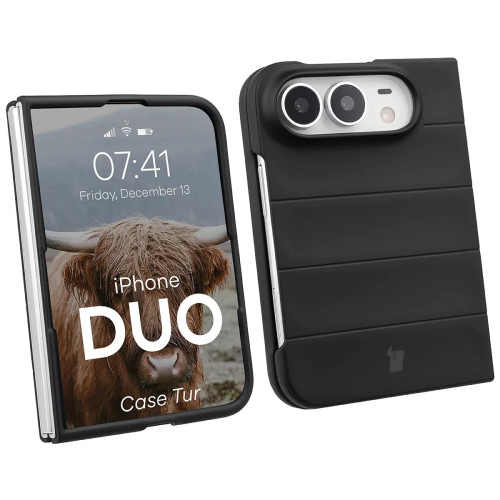
    9. Bizon Case Tur: the cheapest in the ranking, available in six colors

    The cheapest option in the ranking and the only one available in six color variants: black, navy blue, burgundy, red, light blue, and light gray. A good choice if you want to have several cases to change instead of one expensive one.

    The design is simple: hard plastic with integrated button covers and slightly raised edges. Wireless charging works without removing the case.

    • Six colors to choose from
    • Integrated button covers
    • Raised edges around the screen
    • Compatible with wireless charging

    No magnets and no hinge cover. Hard plastic protects against scratches better than falls; TPU absorbs impact more effectively. The manufacturer also states a limitation: the case works with screen protectors for the main screen not exceeding 166.3 × 74.1 mm.

    Parameter Value
    Material Hard plastic
    Magnets
    Colors 6 variants
    Wireless charging
    Price 35 PLN

    10. Karl Lagerfeld Karl&Choupette Pins MagSafe: designer with a pin

    The most recognizable item in the lineup. The eco-leather case features a pin depicting Karl Lagerfeld with his cat Choupette. This is a detail you won’t find with any tech brand.

    Underneath the design is a solid hardcase construction made of eco-leather on polycarbonate and TPU. Raised edges protect the FlexWindow and lens, button covers and cutouts for ports are in place.

    • Karl & Choupette pin as a design element
    • Magnetic ring compatible with MagSafe accessories
    • Eco-leather pleasant to the touch
    • Raised edges around the screen and camera

    You primarily buy the appearance and brand license here. The level of protection is comparable to Guess: good for everyday use, without bulletproof ambitions.

    Parameter Value
    Material Eco-leather / TPU / PC
    Magnets
    Type Hardcase, designer
    Hinge protection
    Price 169 PLN

    [hs_products ids=”142012,141318,141279,142015″ cols=”4″ title=”Fashionable, wallet-friendly, and budget: positions 7-10″]

    Comparison of cases for Samsung Galaxy Z Flip 8: summary table

    Case Magnets Hinge Protection Highlight Price
    Bizon Case Tur Six colors, the cheapest 35 PLN
    Tech-Protect FlexAir Hybrid The cheapest way to magnets 39 PLN
    Tech-Protect Wallet Flap and card pockets 39 PLN
    UNIQ Veren AF Matte, drops up to 2.5 m 119 PLN
    Guess Magnetic Ring Stand Folding stand 169 PLN
    Karl Lagerfeld Pins Karl & Choupette pin 169 PLN
    Spigen Ultra Hybrid Pro The only one with magnets and hinge at the same time 185 PLN
    Supcase Unicorn Beetle Pro Port covers, stand, clip 195 PLN
    Samsung Flipsuit NFC cards change FlexWindow 219 PLN
    PITAKA Edge Case Aramid, 0.88–1.84 mm 309 PLN

    Prices valid as of publication date (19.08.2026). The current amount and availability are always shown by the product tile and the product card in the store.

    Which case to choose for the Z Flip 8? Recommendations based on needs

    Are you looking for one case for everything → Spigen Ultra Hybrid Pro MagSafe. Magnets and hinge protection in one product, without choosing the lesser evil.

    The phone is going with you to the construction site and in the mountains or ends up in a child’s hands → Supcase Unicorn Beetle Pro. Port covers and hinge protection are the only real answer to the IP48 standard.

    You already have a magnetic charger and just want to connect it → Tech-Protect FlexAir Hybrid MagSafe. Several times cheaper than Spigen, and the magnets hold just as well.

    You bought the Flip for its slimness → PITAKA Edge Case. Below 2 mm at its thickest point. Aramid instead of plastic.

    You hate fingerprints on the case → UNIQ Veren AF. Matte surface and the highest declared drop resistance in the comparison.

    You want to carry cards without a wallet → Tech-Protect Wallet. The flap protects the FlexWindow, and the pockets hold documents.

    Are you looking for a gift → Karl Lagerfeld or Guess. Recognizable brand, eco-leather, and magnets included.

    What to complement the case for the Galaxy Z Flip 8

    The case takes care of the back and edges. There are still three areas in the foldable that no one else will take care of.

    FlexWindow. The external screen is not foldable, so you can put regular tempered glass on it. This is the screen that gets damaged most often because you use it with the phone folded.

    Main screen. Here, only hydrogel or protective film works. Never tempered glass: it will crack on the first fold and may damage the display.

    Camera lenses. The camera island protrudes above the casing. Separate lenses or metal frames cost a fraction of the price of repairing the module.

    [hs_products ids=”141392,141236,141083,141127″ cols=”4″ title=”Screen and camera protection for Z Flip 8″]

    If you are looking for accessories for an older model, we have separate categories for Galaxy Z Flip 7 and all generations of Galaxy Z Flip. Owners of the larger foldable will find a complete set in the Galaxy Z Fold 8 category.

    Summary

    The best case for the Samsung Galaxy Z Flip 8 is the Spigen Ultra Hybrid Pro MagSafe. It is the only case in the comparison that combines integrated hinge protection with a magnetic ring. For maximum protection, reach for the Supcase Unicorn Beetle Pro, and for the cheapest entry into magnetic accessories, go for the Tech-Protect FlexAir Hybrid MagSafe.

    Three things to keep in mind when choosing:

    1. The Z Flip 8 does not have its own magnets. The case determines whether the phone will work with Qi2 chargers and mounts.
    2. The hinge and IP48 rating are the real weak points, not the back panel. The hinge cover and port plugs are more important than the thickness of the back.
    3. The case from the Flip 7 does not fit the Flip 8. Check the model designation before purchasing.

    All described cases, glasses, and films can be found in one place.

    FAQ: frequently asked questions about the Z Flip 8 case

    Does the case from the Galaxy Z Flip 7 fit the Z Flip 8?

    No. The Z Flip 8 has different housing dimensions and a changed camera island layout, so the case from the previous generation will not provide a proper fit. Only purchase products marked as “Flip 8″ or “Flip8″.

    Does the Galaxy Z Flip 8 have magnets like MagSafe?

    No, it does not. The phone is “Qi2 Ready,” meaning it supports 15W wireless charging in the Qi2 standard, but the case must provide the magnets. Without a case with a magnetic ring, magnetic accessories will not stick to the housing.

    Case with a flap or without for a foldable phone?

    Without a flap, if you care about slimness and magnets. The folded Flip protects the main screen by itself. With a flap, if you want to cover the FlexWindow and carry payment cards instead of a wallet. The flap case does not have a magnetic ring.

    Can tempered glass be applied to the main screen of the Galaxy Z Flip 8?

    No. The main screen has a flexible plastic surface, and the tempered glass will crack on the first fold. Only use hydrogel or protective films. Apply tempered glass only to the external FlexWindow.

    How much does it cost to replace the screen on the Galaxy Z Flip 8?

    Replacing the display in the foldable Samsung costs around 1,500–2,000 PLN at an authorized service center, which is several times the price of the most expensive case in this ranking. You can find the current price list on the Samsung Poland service page.

    Does the Galaxy Z Flip 8 come with a factory film on the main screen?

    Yes. The film is part of the foldable display’s construction and cannot be removed by yourself: peeling it off reveals a layer that scratches with a fingernail. The replacement should be done by an authorized service. This case does not protect the film, as the main screen is folded inward.

    Is it worth buying a case with hinge protection?

    Yes, if you often carry your phone in your pocket with keys or work in a dusty environment. The IP48 standard only protects against particles larger than 1 mm, so fine sand can get into the mechanism. The hinge cover is available on the Spigen Ultra Hybrid Pro and Supcase Unicorn Beetle Pro.


    Sources: Galaxy Z Flip8 specification on GSMArena, official Galaxy Z Flip8 page on Samsung.pl, Galaxy Z Flip 8 and Qi2 standard on SamMobile

  • What backpack for Ryanair and Wizz Air? Dimensions and tested models

    What backpack for Ryanair and Wizz Air? Dimensions and tested models

    Free cabin baggage on Ryanair and Wizz Air has exactly the same dimensions: 40 × 30 × 20 cm. It must fit under the seat in front of you. Wizz Air adds a limit of 10 kg, Ryanair does not specify a weight. One well-chosen backpack will serve both airlines.

    The problem is that the descriptions of backpacks provide dimensions in different orders, and there is a metal frame at the gate and an employee who does not discuss. A mistake costs up to £70 for checking in baggage in the hold.

    Below you will find a table of dimensions for both airlines, an explanation of why a backpack with “too large” dimensions still passes, and a list of models from our offer that have dimensions confirmed by the manufacturer.

    Cabin baggage dimensions — Ryanair and Wizz Air in one table

    Let’s start with what is free.

    Ryanair Wizz Air
    Free baggage under the seat 40 × 30 × 20 cm 40 × 30 × 20 cm
    Weight limit not specified 10 kg
    Paid baggage to the overhead compartment 55 × 40 × 20 cm 55 × 40 × 23 cm
    Weight limit for paid baggage 10 kg 10 kg
    Service name Priority WIZZ Priority

    Two things are worth remembering.

    The free dimension is identical in both lines. This is the result of standardization in Europe and greatly simplifies shopping: you don’t need a separate backpack for Ryanair and a separate one for Wizz.

    Paid baggage already differs. Wizz Air allows 23 cm in depth, Ryanair only 20 cm. A cabin suitcase purchased for Wizz Air may not pass with Ryanair — this is the most common trap when buying larger baggage.

    Why does a 40 × 20 × 25 cm backpack fit in a 40 × 30 × 20 frame?

    This question comes up most often and the answer is less obvious than it seems.

    Many cabin backpacks have dimensions 40 × 20 × 25 cm in their name. The limit is 40 × 30 × 20 cm. You look at this and see 25 cm where the regulations say 20 cm. It seems like a discrepancy.

    And yet such a backpack passes. The reason is simple: the frame at the gate is just a regular rectangular prism, not a set of walls assigned to specific sides of the backpack. You can insert it rotated.

    Just arrange both sets of numbers from largest to smallest:

    Largest Middle Smallest
    Backpack 40 cm 25 cm 20 cm
    Frame 40 cm 30 cm 20 cm
    Verdict 40 ≤ 40 ✅ 25 ≤ 30 ✅ 20 ≤ 20 ✅

    Each dimension of the backpack is less than or equal to the corresponding dimension of the frame. The backpack fits in only when rotated 90 degrees from how you intuitively try to insert it.

    Tip: At the gate, insert the backpack into the frame vertically, with the longer side down. If you try to push it in “flat,” you may hit that wall it won’t pass through, even though the backpack meets the limit.

    The order of dimensions in the product description is a remnant of an older version of the regulations when Ryanair provided the limit as 40 × 20 × 25 cm. The set of numbers itself has not changed; the order in the regulations has changed.

    How much can realistically fit in a 20-liter backpack

    Twenty liters sounds abstract, so let’s translate it into the contents of a weekend trip:

    • Two changes of clothes plus underwear for three days
    • Toiletry bag with liquids in containers up to 100 ml
    • 14–15 inch laptop in a dedicated compartment
    • Charger, cables, power bank
    • Rain jacket rolled up at the bottom
    • Water bottle in the side pocket

    This is a realistic range for a three- or four-day trip without laundry. For a week, it will be tight unless you plan to do laundry on site.

    What you cannot fit: spare shoes besides those on your feet, a thick winter jacket, and a hard toiletry bag. When flying in winter, the thickest items are simply worn on top of each other.

    Note: The 10 kg limit with Wizz Air also applies to free baggage. A 20-liter backpack filled with clothes rarely exceeds 7 kg, but with a laptop, power bank, and a bottle of water, it can approach the limit.

    Cabin Backpacks in Our Offer

    The following models have dimensions confirmed by the manufacturer and declared compliance with the requirements of both airlines.

    [hs_products ids=”120015,120016,120017,114366″ cols=”4″ title=”Ryanair and Wizz Air Cabin Backpacks”]

    It is worth saying outright: these are the only models in our offer with confirmed cabin dimensions. We have over a thousand other items in the bags and backpacks category, but manufacturers do not declare compliance with airline limits for them.

    We will not guess. With a penalty of around £70 for a mistake at the gate, suggesting a backpack “that will probably fit” would be unfair.

    Both models have the same dimensions in the manufacturer’s description, the same capacity, and the same set of features. The differences come down to two things: available colors and declared laptop diagonal.

    Feature Defender S50 Defender S40
    Dimensions 40 × 20 × 25 cm 40 × 20 × 25 cm
    Capacity 20 l 20 l
    Laptop pocket up to 15.6″ ✅ (diagonal not specified)
    Material hybrid, moisture-resistant hybrid, moisture-resistant
    Luggage handle strap
    Side pocket for bottle
    Shaped back and straps
    Colors black, olive, powder pink black

    If you carry a 15-inch laptop or larger, choose S50 — it is the only one of the two that explicitly states the diagonal. For smaller devices, the color is the deciding factor.

    What to pay attention to when choosing

    The size alone is not everything. Three things determine whether the backpack will perform well in practice.

    Stiffness of the construction. A soft backpack can be compressed in a frame, while a hard one won’t forgive overloading. On the other hand, a soft one provides less protection for the laptop. A compromise are models with a reinforced back panel and soft sides.

    Depth expansion. Many travel backpacks have an expandable compartment that adds a few centimeters of depth. This is convenient when traveling by car but can be a hassle at the gate — once expanded, the backpack no longer meets the limit. If you buy such a model, remember to fly with the compartment folded.

    Access to the laptop. Security control requires removing the laptop from the luggage. An externally opening compartment saves unpacking the entire backpack at the conveyor belt.

    There is also something easy to forget: the backpack goes under the seat, not above your head. A height of 40 cm is the maximum, but in practice, the less it protrudes towards your legs, the more comfortably you fly.

    Backpack or cabin suitcase?

    With a free limit of 40 × 30 × 20 cm, the answer is clear: backpack.

    A hard suitcase of these dimensions exists, but it has two disadvantages. First, the wheels and handle take away a few centimeters of usable depth — the declared 20 liters turns into a real 14–15. Second, the rigid shell does not forgive: if the suitcase is one centimeter too large, you won’t be able to squeeze it into the frame.

    The backpack makes better use of the limit because the soft sides provide a margin, and the lack of wheels means that the entire volume is available for packing. Plus, you have free hands at the airport.

    A cabin suitcase only starts to make sense with paid baggage — with a limit of 55 × 40 × 20 cm, the wheels are no longer a problem, as there is clearly more volume.

    How to measure the backpack you already have

    Before you buy a new one, check the one that’s sitting in your closet. You need a regular measuring tape and five minutes.

    Measure the packed backpack, not the empty one. An empty backpack is flat and fits everywhere. A packed one grows in depth by several centimeters, and this dimension usually determines rejection at the gate.

    Write down three numbers: height, width, and depth at the thickest point. Include everything that sticks out — side pockets with a bottle, buckles, and a rolled-up chest strap.

    Then sort your three numbers from largest to smallest and compare with the sorted limit: 40, 30, 20. If each of your numbers is less than or equal to the corresponding one, the backpack will pass.

    Tip: Do not trust the manufacturer’s declaration without checking. Dimensions in descriptions are usually given for an empty backpack without side pockets.

    How to pack 20 liters to make it enough

    A few techniques that realistically increase capacity without changing the backpack.

    Rolling instead of folding. Rolled-up shirts and pants take up less space and wrinkle less. The difference in a week-long packing is one additional change of clothes.

    Heaviest against the back. Place the laptop and shoes as close to your back as possible, at the bottom. The backpack carries better and sticks out less, which matters when putting it in a frame.

    Socks in shoes. The inside of the shoes is a volume that travels empty anyway.

    Cosmetics in containers up to 100 ml, in one transparent bag. This is a safety control requirement, and at the same time a packing discipline: the bag has a specified size and limits how much you can take.

    The thickest things on you. A jacket, a sweatshirt, and the heaviest shoes worn do not count towards your luggage. When flying to a cooler climate, this is the simplest way to reclaim a few liters.

    Common mistakes that cost at the gate

    Counting the bag or pouch separately. The free limit is one piece. A backpack plus a small bag already counts as two, and the staff has the right to charge a fee. Hide the bag in the backpack before boarding.

    Jacket draped over the shoulder. Outerwear carried in hand usually does not count towards the limit, but a shopping bag from the airport does. Stuff the items purchased after security into your backpack.

    Power bank in checked luggage. This is not only a matter of fees but also of safety regulations: power banks must travel in carry-on luggage, never in the hold. The capacity limit is usually 100 Wh, which is about 27,000 mAh — a typical 10,000 mAh power bank fits with a huge margin.

    Unzipped compartment. As described above — the most common reason for rejecting a backpack that “always passed before.”

    One organizational tip: instead of carrying three chargers, take a USB-C adapter or hub and one power supply. The saved space can be better used for clothes, and fewer cables mean fewer things to take out during security checks.

    What else to take in your carry-on

    A few items that take up little space but can save your trip.

    Equipment Purpose Note
    10,000 mAh power bank Airports rarely have free outlets Only in carry-on luggage
    USB-C hub or adapter One power supply instead of three Saves space and time during security checks
    Short cable 30 cm Charging in the seat pocket Long cables get tangled under the seat
    Document case Passport and boarding passes in one place Shortens stop at the gate

    The power bank deserves a separate mention because it has a strict rule: it can never go in checked luggage. Even if you pay extra for a suitcase in the hold, the power bank stays with you.

    Summary

    The most important things to remember:

    • Free baggage on Ryanair and Wizz Air has the same dimensions: 40 × 30 × 20 cm — one backpack is enough for both airlines
    • Wizz Air adds a limit of 10 kg, Ryanair does not specify the weight of free baggage
    • Paid baggage already differs: 55 × 40 × 20 cm for Ryanair, 55 × 40 × 23 cm for Wizz Air
    • A backpack measuring 40 × 20 × 25 cm fits in the frame — the set of three numbers counts, not their order
    • The penalty at the gate reaches £70, which is a multiple of the price of a good backpack
    • Watch out for expandable compartments and for adding a second piece of luggage

    Airline regulations can change, so it’s worth checking the current page of the carrier before your flight. The dimensions listed above are valid as of August 2026.

    Are you packing for a trip? Check out the bags and backpacks category and see models with confirmed cabin dimensions.

    FAQ — frequently asked questions

    What are the dimensions of Ryanair’s cabin baggage in 2026?

    The free personal baggage is 40 × 30 × 20 cm and must fit under the seat. With the Priority service, there is a second piece of baggage measuring 55 × 40 × 20 cm and weighing up to 10 kg, which is placed in the overhead compartment.

    Do Wizz Air and Ryanair have the same baggage dimensions?

    Free baggage yes — both airlines specify 40 × 30 × 20 cm. Paid baggage already differs: Wizz Air allows 55 × 40 × 23 cm, while Ryanair allows 55 × 40 × 20 cm. Wizz Air additionally limits free baggage to 10 kg.

    Will a backpack 40 × 20 × 25 cm pass in Ryanair?

    Yes. When sorted by dimensions from largest to smallest, the backpack measures 40, 25, and 20 cm, while the frame measures 40, 30, and 20 cm — each dimension fits within its corresponding side. It just needs to be placed in turned, with the longer side down.

    How much does it cost to check baggage at the gate?

    In 2026, the fee reaches £70 per item, depending on the route and carrier. This is a multiple of the price of a backpack that meets the requirements, so checking the dimensions before departure pays off immediately.

    Can a power bank be carried in hand luggage?

    Yes, and only there — regulations prohibit carrying power banks in checked baggage. The limit is usually 100 Wh, which is about 27,000 mAh, so typical models of 10,000 and 20,000 mAh fit without any problem.

    Does the weight count towards Wizz Air’s free baggage?

    Yes, Wizz Air specifies a limit of 10 kg for free baggage under the seat. Ryanair does not specify weight for the free item, but the baggage must physically fit in the frame and under the seat.


    External sources: Wizz Air — baggage policies, Ryanair — baggage, Which? — comparison of baggage limits in airlines.

  • What is the best glass to choose for the Galaxy Z Fold 8?

    What is the best glass to choose for the Galaxy Z Fold 8?

    The best glass for the Galaxy Z Fold 8 is the Spigen Glas.tR EZ Fit Pro HD (79 PLN), a 9H+ tempered glass with an application frame that sticks it perfectly straight. For budget-conscious users, the best choice is the Bizon Glass Clear (25 PLN), and among films, the original is the Samsung Anti-reflecting Film (129 PLN). It’s also worth adding a camera cover, e.g., the Spigen Optik Pro (75 PLN).

    The Samsung Galaxy Z Fold 8 debuted at the official launch and immediately became one of the most expensive smartphones on the market. This is a device that practically begs for solid screen protection. A scratch on the outer screen or a cracked lens costs many times more to repair than a decent piece of glass.

    In this guide, we have clearly gathered the best tempered glasses, films, and camera covers for the Galaxy Z Fold 8 available at homescreen.pl, categorized by brands, prices, and real photos. We also explain the most important rule of protecting the foldable: which screen can have glass applied and which one never should.

    Note: this guide pertains to the standard Galaxy Z Fold 8. If you have the larger variant, choose glass from the dedicated category for Galaxy Z Fold 8 Ultra, as the screen dimensions differ.

    Ranking of glasses for the Galaxy Z Fold 8

    Glass / filmBrandTypePrice
    Glas.tR EZ Fit Pro HDSpigenTempered glass, 2 pcs.79 zł
    Cover Display Easy SlideRingkeTempered glass, 2 pcs.55 zł
    Anti-reflecting FilmSamsungAnti-reflective film, 2 pcs.129 zł
    Glass ClearBizonTempered glass25 zł
    Glass Edge (black frame)BizonGlass with frame25 zł

    All models can be found in one accessories category for Galaxy Z Fold 8, next to cases and camera covers. Check availability, as the best 2-pack sets sell out quickly.

    Which screen on Z Fold 8 to protect with glass and which with film

    Galaxy Z Fold 8 has two screens and that changes the rules of the game. Before you buy a protection, remember one thing:

    • External screen (cover): this is a rigid, flat panel. Here you apply classic tempered glass. This is the screen that gets the most scratches because you use it with the phone closed.
    • Internal screen (foldable): never apply tempered glass on it. The rigid panel will crack at the fold and may damage the display. Protect the internal screen only with a flexible film.

    Samsung applies a factory film to the internal screen during production. When it wears out, replace it with a dedicated film for foldables, not glass. The tempered glasses in this ranking are intended for the external screen.

    What else to pay attention to when choosing glass for the Galaxy Z Fold 8:

    • Hardness 9H: a standard that protects against keys and sand in your pocket. All glasses in the ranking have it (Samsung film is a separate category of protection).
    • Application frame (EZ Fit / Easy Slide): allows you to stick the glass perfectly straight, without bubbles. It saves nerves with the narrow screen of the foldable.
    • Oleophobic coating: reduces fingerprints and makes cleaning easier.
    • 2-pack set: two glasses for the price of one is a backup in case of a failed application or breakage.
    • Color frame: the version with a black frame masks the edges of the screen and better conceals minor mismatches.

    For a quick comparison of the most important models:

    Glass / filmHardnessApplicator2-packPrice
    Spigen Glas.tR EZ Fit Pro HD9H+ (AluminaCore)79 zł
    Ringke Cover Display Easy Slide9H55 zł
    Samsung Anti-reflecting FilmFilm (anti-reflective)129 zł
    Bizon Glass Clear9H25 zł
    Bizon Glass Edge9H25 zł

    Spigen: the best tempered glass for Z Fold 8

    Spigen is the number one brand when it comes to screen protection. For the Galaxy Z Fold 8, it has prepared glass with a proprietary application system that solves the biggest problem of foldables, which is uneven adhesion.

    1. Spigen Glas.tR EZ Fit Pro HD (79 zł)

    Tempered glass Spigen Glas.tR EZ Fit Pro HD for Galaxy Z Fold 8Spigen Glas.tR EZ Fit Pro HD Z Fold 8 with application frame

    Our choice. Spigen Glas.tR EZ Fit Pro HD is glass with AluminaCore technology, a hardness of 9H+, and a crystal-clear surface with no touch delays. The biggest advantage is the EZ Fit Pro frame: you place it on the external screen, lower the glass, and it is perfectly centered, without air bubbles.

    The set includes two glasses and two applicators, so the second attempt costs nothing. For 79 PLN, you get the most refined product in the lineup, an unequivocal leader for those who value secure installation and the highest quality surface.

    Tip: The tempered glass protects the external screen, but the phone tends to slip from your hand. Pair it with a case for Galaxy Z Fold 8. Full protection costs less than a single repair.

    Ringke: solid glass with Easy Slide system

    Ringke is a proven accessory brand that focuses on easy installation at a reasonable price. Its offering is a natural competitor to Spigen for those on a budget.

    2. Ringke Cover Display Easy Slide (55 zł)

    Ringke Cover Display Easy Slide tempered glass for Galaxy Z Fold 8Ringke Cover Display Easy Slide Z Fold 8 with installation frame

    Ringke Cover Display Easy Slide is a 9H tempered glass with a three-layer structure (oleophobic coating, glass, AB layer) with an Easy Slide installation frame. The manufacturer has smoothed the edges to ensure the glass blends nicely with the external screen.

    The package includes two pieces and installation accessories. At 55 zł, it’s a great compromise: almost as easy to apply as Spigen’s, but at a lower price. A good choice if you don’t want to pay extra for a top brand.

    Samsung: original anti-reflective film

    If you care about originality and prefer film over glass, choose Samsung’s accessory. It’s the only option that focuses on reducing reflections rather than maximum hardness.

    3. Samsung Anti-reflecting Film (129 zł)

    Samsung Anti-reflecting Film for Galaxy Z Fold 8Samsung Anti-reflecting Film Z Fold 8 anti-reflective two-pack

    Samsung Anti-reflecting Film is an original film that protects the screen from scratches and significantly reduces glare. It performs well in sunlight and under artificial light, where the glossy glass surface can strain the eyes.

    It is the most expensive option in the comparison (129 PLN for a two-pack), but as a film, it is thinner and more flexible than glass. Choose it if you care about a matte, anti-reflective finish and an original Samsung product.

    Bizon: the cheapest screen protection

    Bizon is a budget brand that offers decent protection for a fraction of the price of top glasses. For the Z Fold 8, it has two versions: classic transparent and with a black frame.

    4. Bizon Glass Clear (25 PLN)

    Bizon Glass Clear tempered glass for Galaxy Z Fold 8 transparentBizon Glass Clear Z Fold 8 9H glass with oleophobic coating

    Bizon Glass Clear is the cheapest tempered glass in the comparison. It has a hardness of 9H, a thickness of 0.33 mm, and an oleophobic coating, and the package includes a complete installation set: cloths, positioning stickers, and a dust absorber.

    For 25 PLN, you get solid, transparent protection for the external screen. This is proof that good glass doesn’t have to cost a fortune, especially when you care about a discreet, fully transparent finish.

    5. Bizon Glass Edge, black frame (25 PLN)

    Bizon Glass Edge tempered glass for Galaxy Z Fold 8 black frameBizon Glass Edge Z Fold 8 with black 4D frame

    Bizon Glass Edge has the same hardness of 9H and thickness of 0.33 mm, but with a black frame and 4D rounded edges. The frame conceals the edges of the screen and makes the glass blend better with the black phone case.

    Choose it instead of the Clear version if you prefer the edge of the glass to be invisible, and minor misalignments during installation to be less noticeable. The price is the same: 25 PLN.

    Camera covers for Galaxy Z Fold 8

    The protruding camera module is the second element that gets damaged most often when you lay the phone lens down. A separate camera cover protects the lens glass from scratches and cracks, and costs a fraction of the repair price for the module.

    Camera CoverBrandTypePrice
    Optik Pro Glas.tR EZ Fit ACSpigenGlass 9H+, 2 pcs.75 PLN
    Camera FrameRingkeGlass in frame, 2 pcs.49 PLN
    Glass LensBizonLens glass, 2 pcs.25 PLN

    Spigen Optik Pro Glas.tR EZ Fit AC (75 PLN)

    Spigen Optik Pro Glas.tR EZ Fit camera cover for Galaxy Z Fold 8Spigen Optik Pro EZ Fit camera cover Z Fold 8 black two-pack

    Spigen Optik Pro Glas.tR EZ Fit AC is the best camera cover in the ranking. The glass with AluminaCore technology has a hardness of 9H+, and the maximum light transmission ensures that photos retain their original quality. The application frame, like with screen glass, guarantees precise mounting on the lenses.

    Ringke Camera Frame (49 PLN)

    Camera protection Ringke Camera Frame for Galaxy Z Fold 8 blackRingke Camera Frame Z Fold 8 lens protection in aluminum frame

    Ringke Camera Frame combines 9H glass with an aluminum frame that additionally protects the edges of the module. The black print at the edges reduces reflections, and the design is low enough to work with most cases. A reasonable balance between price and quality.

    Bizon Glass Lens (25 zł)

    Glass for camera Bizon Glass Lens for Galaxy Z Fold 8 two-packBizon Glass Lens Z Fold 8 lens protection with mounting kit

    Bizon Glass Lens is the cheapest camera protection (25 zł for a two-pack). Precisely cut glasses with an oleophobic coating protect the lenses from scratches, maintain color temperature, and reduce glare when taking photos with a flash. The best price-to-quality ratio.

    Which glass to choose for Galaxy Z Fold 8?

    The choice depends on what you value the most:

    • Best overall: Spigen Glas.tR EZ Fit Pro HD (79 PLN) for secure installation with a frame and the highest quality glass.
    • Cheapest, transparent: Bizon Glass Clear (25 PLN).
    • With a black frame: Bizon Glass Edge (25 PLN), if you prefer hidden edges.
    • Convenient installation at a lower price: Ringke Cover Display Easy Slide (55 PLN).
    • Original and less glare: Samsung Anti-reflecting Film (129 PLN).
    • Camera cover: Spigen Optik Pro (75 PLN) at the top, Bizon Glass Lens (25 PLN) for the budget-conscious.

    Conclusion: For most users, the best glass for the Galaxy Z Fold 8 is the Spigen Glas.tR EZ Fit Pro HD. The application frame eliminates uneven adhesion, and the two-pack provides a spare. If budget is a concern, the Bizon Glass Clear for 25 PLN protects the outer screen just as effectively. Just remember to leave the inner screen under the film, never under glass.

    Don’t forget about the case and charging

    Glass and camera protection are essential, but full protection for the foldable device comes from a case that secures the hinge and corners. In the accessories category for the Galaxy Z Fold 8, you will find cases, glass, and camera protectors all in one place, and in the Galaxy Z Fold section, accessories for other Samsung foldables.

    For longer outings, a wireless charger or a power bank will also come in handy. The foldable with a large screen quickly drains the battery with intensive use.

    You can order everything with free delivery from 100 PLN and shipping via InPost. Home Screen has a 99.8% positive rating on Allegro and 4.9/5 on Google, so you can shop confidently and quickly.

    FAQ: frequently asked questions

    What is the best glass for the Galaxy Z Fold 8?

    The best overall is Spigen Glas.tR EZ Fit Pro HD (79 PLN), a 9H+ tempered glass with an application frame that adheres it perfectly straight. For those on a budget, we recommend Bizon Glass Clear (25 PLN).

    Can tempered glass be applied to the inner screen of the Z Fold 8?

    No. Protect the inner screen (foldable) only with a flexible film. Rigid tempered glass will break at the fold and may damage the panel. Only apply glass to the flat outer screen.

    Which is better: tempered glass or film?

    For the external screen, tempered glass is better because it is harder and more pleasant to the touch. A film (e.g., Samsung Anti-reflecting) works well where you care about reducing glare or on the internal screen where glass cannot be used.

    What is better: hybrid glass or tempered glass?

    For the external screen of the Z Fold 8, tempered glass is better because it is harder (9H) and more resistant to scratches. Hybrid glass can be thinner and harder to break, but it offers less protection against scratches. Do not apply either of them to the internal screen; only soft film is allowed there.

    How much does glass for the Galaxy Z Fold 8 cost?

    Prices start at 25 PLN for Bizon Glass Clear and go up to 129 PLN for the original Samsung Anti-reflecting Film. Spigen glass with an application frame costs 79 PLN, while Ringke costs 55 PLN. Camera covers range from 25 to 75 PLN.

    Is it worth buying a camera cover for the Z Fold 8?

    Yes. The protruding camera module often gets damaged when you lay the phone down with the lenses facing down. A cover costing 25 to 75 PLN protects the lenses from scratches and breakage, while repairing the module costs many times more.

    Does glass with a black frame fit the Z Fold 8?

    Yes. The version with a black frame, like Bizon Glass Edge, masks the edges of the screen and better matches the black casing. The protection is the same as in the transparent version; it only differs in the appearance of the edges.

  • What is the best glass to choose for the Galaxy Z Fold 8?

    What is the best glass to choose for the Galaxy Z Fold 8?

    The best glass for the Galaxy Z Fold 8 is the Spigen Glas.tR EZ Fit Pro HD (79 PLN), a 9H+ tempered glass with an application frame that adheres perfectly straight. For those on a budget, the best choice is the Bizon Glass Clear (25 PLN), and among films, the original is the Samsung Anti-reflecting Film (129 PLN). It’s also worth adding a camera cover, such as the Spigen Optik Pro (75 PLN).

    The Samsung Galaxy Z Fold 8 debuted at the official launch and immediately became one of the most expensive smartphones on the market. This is a device that practically begs for solid screen protection. A scratch on the outer screen or a cracked lens costs many times more to repair than a good piece of glass.

    In this guide, we have clearly gathered the best tempered glasses, films, and camera covers for the Galaxy Z Fold 8 available at homescreen.pl, categorized by brands, prices, and real photos. We also explain the most important rule of protecting the foldable: which screen can have glass applied and which one never should.

    Note: this guide pertains to the standard Galaxy Z Fold 8. If you have the larger variant, choose glass from the dedicated category for Galaxy Z Fold 8 Ultra, as the screen dimensions differ.

    Ranking of glasses for Galaxy Z Fold 8

    Glass / filmBrandTypePrice
    Glas.tR EZ Fit Pro HDSpigenTempered glass, 2 pcs.79 PLN
    Cover Display Easy SlideRingkeTempered glass, 2 pcs.55 PLN
    Anti-reflecting FilmSamsungAnti-reflective film, 2 pcs.129 PLN
    Glass ClearBizonTempered glass25 PLN
    Glass Edge (black frame)BizonGlass with frame25 PLN

    All models can be found in one accessories category for Galaxy Z Fold 8, alongside cases and camera covers. Check availability, as the best 2-pack sets sell out quickly.

    Which screen in Z Fold 8 to protect with glass and which with film

    The Galaxy Z Fold 8 has two screens, and that changes the rules of the game. Before you buy a protection, remember one thing:

    • Outer screen (cover): this is a rigid, flat panel. Here you apply classic tempered glass. This is the screen that gets the most scratches because you use it with the phone closed.
    • Inner screen (foldable): never apply tempered glass on it. The rigid panel will crack at the fold and may damage the display. Protect the inner screen only with flexible film.

    Samsung applies a factory film to the internal screen during production. When it wears out, replace it with a dedicated film for foldables, not glass. The tempered glasses in this ranking are intended for the external screen.

    What else to pay attention to when choosing glass for the Galaxy Z Fold 8:

    • Hardness 9H: a standard that protects against keys and sand in your pocket. All glasses in the ranking have this (Samsung film is a separate category of protection).
    • Application frame (EZ Fit / Easy Slide): allows you to apply the glass perfectly straight, without bubbles. It saves nerves with the narrow screen of the foldable.
    • Oleophobic coating: reduces fingerprints and makes cleaning easier.
    • 2-pack set: two glasses at the price of one is a backup in case of a failed application or breakage.
    • Color frame: the version with a black frame masks the edges of the screen and better conceals minor mismatches.

    For a quick comparison of the most important models:

    Glass / filmHardnessApplicator2-packPrice
    Spigen Glas.tR EZ Fit Pro HD9H+ (AluminaCore)79 zł
    Ringke Cover Display Easy Slide9H55 zł
    Samsung Anti-reflecting FilmFilm (anti-reflective)129 zł
    Bizon Glass Clear9H25 zł
    Bizon Glass Edge9H25 zł

    Spigen: the best tempered glass for Z Fold 8

    Spigen is the number one brand when it comes to screen protection. For the Galaxy Z Fold 8, it has prepared glass with a proprietary application system that solves the biggest problem of foldables, which is uneven adhesion.

    1. Spigen Glas.tR EZ Fit Pro HD

    Spigen Glas.tR EZ Fit Pro HD tempered glass for Galaxy Z Fold 8Spigen Glas.tR EZ Fit Pro HD Z Fold 8 with application frame

    Our choice. Spigen Glas.tR EZ Fit Pro HD is glass with AluminaCore technology, a hardness of 9H+, and a crystal-clear surface with no touch delays. The biggest advantage is the EZ Fit Pro frame: you place it on the external screen, lower the glass, and it is perfectly centered, without air bubbles.

    The set includes two glasses and two applicators, so the second attempt costs nothing. For 79 PLN, you get the most refined product in the lineup, an unequivocal leader for those who value secure installation and the highest quality surface.

    Tip: The tempered glass protects the external screen, but the phone likes to slip from your hand. Pair it with a case for Galaxy Z Fold 8. Full protection costs less than one repair.

    Ringke: solid glass with Easy Slide system

    Ringke is a proven accessory brand that focuses on easy installation at a reasonable price. Its offering is a natural competitor to Spigen for those on a budget.

    2. Ringke Cover Display Easy Slide

    Ringke Cover Display Easy Slide tempered glass for Galaxy Z Fold 8Ringke Cover Display Easy Slide Z Fold 8 with installation frame

    Ringke Cover Display Easy Slide is a 9H tempered glass with a three-layer structure (oleophobic coating, glass, AB layer) with an Easy Slide installation frame. The manufacturer has smoothed the edges to ensure the glass blends nicely with the outer screen.

    The package includes two pieces and installation accessories. At 55 PLN, it’s a great compromise: almost as easy to apply as Spigen’s, but at a lower price. A good choice if you don’t want to pay extra for a top brand.

    Samsung: original anti-reflective film

    If you care about originality and prefer film over glass, choose Samsung’s accessory. It is the only option that focuses on reducing reflections rather than maximum hardness.

    3. Samsung Anti-reflecting Film

    Samsung Anti-reflecting Film for Galaxy Z Fold 8Samsung Anti-reflecting Film Z Fold 8 anti-reflective two-pack

    Samsung Anti-reflecting Film is an original film that protects the screen from scratches and significantly reduces glare. It performs well in sunlight and artificial light, where the glossy glass surface can strain the eyes.

    It is the most expensive option in the comparison (129 PLN for a two-pack), but as a film, it is thinner and more flexible than glass. Choose it if you care about a matte, anti-reflective finish and an original Samsung product.

    Bizon: the cheapest screen protection

    Bizon is a budget brand that offers decent protection for a fraction of the price of top glasses. For the Z Fold 8, it has two versions: classic transparent and with a black frame.

    4. Bizon Glass Clear

    Bizon Glass Clear tempered glass for Galaxy Z Fold 8 transparentBizon Glass Clear Z Fold 8 9H glass with oleophobic coating

    Bizon Glass Clear is the cheapest tempered glass in the comparison. It has a hardness of 9H, a thickness of 0.33 mm, and an oleophobic coating, and in the set, you will find a complete installation kit: cloths, positioning stickers, and a dust absorber.

    For 25 PLN, you get solid, transparent protection for the external screen. This is proof that good glass doesn’t have to cost a fortune, especially when you care about a discreet, fully transparent finish.

    5. Bizon Glass Edge, black frame

    Tempered glass Bizon Glass Edge for Galaxy Z Fold 8 black frameBizon Glass Edge Z Fold 8 with black frame 4D

    Bizon Glass Edge has the same hardness of 9H and thickness of 0.33 mm, but with a black frame and rounded 4D edges. The frame masks the edges of the screen and makes the glass blend better with the black casing of the phone.

    Choose it instead of the Clear version if you prefer the edge of the glass to be invisible, and minor misalignments during installation to be less noticeable. The price is the same: 25 PLN.

    Camera covers for Galaxy Z Fold 8

    The protruding camera module is the second element that gets damaged most often when you lay the phone with the lenses down. A separate camera cover protects the lens glasses from scratches and cracks, and it costs a fraction of the repair price for the module.

    Camera CoverBrandTypePrice
    Optik Pro Glas.tR EZ Fit ACSpigenGlass 9H+, 2 pcs.75 PLN
    Camera FrameRingkeFramed glass, 2 pcs.49 PLN
    Glass LensBizonLens glass, 2 pcs.25 PLN

    Spigen Optik Pro Glas.tR EZ Fit AC

    Spigen Optik Pro Glas.tR EZ Fit camera cover for Galaxy Z Fold 8Spigen Optik Pro EZ Fit camera cover Z Fold 8 black two-pack

    Spigen Optik Pro Glas.tR EZ Fit AC is the best camera cover in the ranking. The glass with AluminaCore technology has a hardness of 9H+, and the maximum light transmission ensures that photos retain their original quality. The application frame, like with screen glass, guarantees precise installation on the lenses.

    Ringke Camera Frame

    Camera protection Ringke Camera Frame for Galaxy Z Fold 8 blackRingke Camera Frame Z Fold 8 lens protection in aluminum frame

    Ringke Camera Frame combines 9H glass with an aluminum frame that additionally protects the edges of the module. The black print at the edges reduces reflections, and the design is low enough to work with most cases. A reasonable balance between price and quality.

    Bizon Glass Lens

    Glass for camera Bizon Glass Lens for Galaxy Z Fold 8 two-packBizon Glass Lens Z Fold 8 lens protection with mounting kit

    Bizon Glass Lens is the cheapest camera protection (25 PLN for a two-pack). Precisely cut glasses with an oleophobic coating protect the lenses from scratches, maintain color temperature, and reduce glare in flash photography. The best price-to-quality ratio.

    [hs_products ids=”141184,141129,141119″ cols=”3″ title=”Camera protections — current prices”]

    [hs_products ids=”141405,141395,141237,141375,141075″ cols=”5″ title=”Glass and films for the external screen — current prices”]

    Which glass to choose for the Galaxy Z Fold 8?

    The choice depends on what you value the most:

    • Best overall: Spigen Glas.tR EZ Fit Pro HD (79 PLN) for secure installation with a frame and the highest quality surface.
    • Cheapest, transparent: Bizon Glass Clear (25 PLN).
    • With a black frame: Bizon Glass Edge (25 PLN), if you prefer hidden edges.
    • Convenient installation at a lower price: Ringke Cover Display Easy Slide (55 PLN).
    • Original and less glare: Samsung Anti-reflecting Film (129 PLN).
    • Camera protection: Spigen Optik Pro (75 PLN) at the top, Bizon Glass Lens (25 PLN) for the budget-conscious.

    Conclusion: For most users, the best glass for the Galaxy Z Fold 8 is the Spigen Glas.tR EZ Fit Pro HD. The application frame eliminates uneven adhesion, and the two-pack provides a spare. If budget matters, the Bizon Glass Clear for 25 PLN protects the external screen just as effectively. Just remember to keep the internal screen under a film, never under glass.

    Don’t forget about the case and charging

    Glass and camera protection are essential, but full protection for the foldable will only come from a case that secures the hinge and corners. In the accessories category for the Galaxy Z Fold 8, you will find cases, glass, and camera protection all in one place, and in the Galaxy Z Fold section, accessories for other Samsung foldables.

    For longer outings, a wireless charger or a power bank will also come in handy. The foldable with a large screen quickly drains the battery with intensive use.

    You can order everything with free delivery from 100 PLN and shipping via InPost. Home Screen has a 99.8% positive rating on Allegro and 4.9/5 on Google, so you can shop confidently and quickly.

    FAQ: frequently asked questions

    What is the best glass for the Galaxy Z Fold 8?

    The best overall is the Spigen Glas.tR EZ Fit Pro HD (79 PLN), a 9H+ tempered glass with an application frame that adheres it perfectly straight. For those on a budget, we recommend the Bizon Glass Clear (25 PLN).

    Can tempered glass be applied to the inner screen of the Z Fold 8?

    No. Protect the inner screen (foldable) only with a flexible film. Rigid tempered glass will break at the fold and may damage the panel. Apply glass only to the flat outer screen.

    What is better: tempered glass or film?

    For the external screen, tempered glass is better because it is harder and more pleasant to the touch. A film (e.g., Samsung Anti-reflecting) works well where you want to reduce glare or on the internal screen where glass cannot be used.

    Which is better: hybrid glass or tempered glass?

    For the external screen of the Z Fold 8, tempered glass is better because it is harder (9H) and more resistant to scratches. Hybrid glass can be thinner and harder to break, but it offers less protection against scratches. Do not apply either of them to the internal screen; only soft film should be used there.

    How much does glass for the Galaxy Z Fold 8 cost?

    Prices start at 25 PLN for Bizon Glass Clear and go up to 129 PLN for the original Samsung Anti-reflecting Film. Spigen glass with an application frame costs 79 PLN, and Ringke costs 55 PLN. Camera covers range from 25 to 75 PLN.

    Is it worth buying a camera cover for the Z Fold 8?

    Yes. The protruding camera module often gets damaged when you lay the phone down with the lenses facing down. A cover costing 25 to 75 PLN protects the lenses from scratches and breakage, while repairing the module costs many times more.

    Does glass with a black frame fit the Z Fold 8?

    Yes. The version with a black frame, like Bizon Glass Edge, masks the edges of the screen and blends better with the black casing. The protection is the same as in the transparent version; it only differs in the appearance of the edges.

  • Galaxy Z Fold 8 Ultra vs Z Fold 8: which one to choose?

    Galaxy Z Fold 8 Ultra vs Z Fold 8: which one to choose?

    In the battle of Galaxy Z Fold 8 Ultra vs Z Fold 8, both phones share the same Snapdragon 8 Elite Gen 5 processor, but the Ultra has larger screens (8″ and 6.5″), a 200 MP camera with a telephoto lens, and a slimmer body. The Z Fold 8, on the other hand, is cheaper, lighter, and more compact.

    In short: choose the Ultra for the camera and the largest screen, and the Z Fold 8 for the lower price (from 8749 PLN compared to 9599 PLN) and lighter weight. The rest of the specifications are almost identical.

    Samsung showcased both foldables at the Galaxy Unpacked event on July 22, 2026 (you can find the full official specification comparison on Samsung’s website). Pre-orders started the same day, and sales begin in August. This is the first time the Z Fold series gets an Ultra variant, so the question of “which one to choose” is particularly relevant this year.

    In this comparison of Galaxy Z Fold 8 Ultra vs Z Fold 8, we break down both phones into their components: screens, performance, cameras, battery, design, software, and price. At the end, you will find a clear recommendation on who each one is for.

    Key differences at a glance

    AreaZ Fold 8 UltraZ Fold 8
    Main screen8″7.6″ (4:3 aspect ratio)
    External screen6.5″5.5″
    Main camera200 MP50 MP
    Telephoto lens10 MP, 3x opticalnone
    Battery5000 mAh4800 mAh
    Thickness (folded)8.9 mm9.7 mm
    Weight214 g201 g
    Price from9599 PLN8749 PLN

    In short: Ultra has a larger screen, better camera, and slimmer design. Z Fold 8 offers a lower price, lighter weight, and a more pocket-friendly format. The rest, including the processor, memory, and system, is nearly identical.

    Full specifications: Galaxy Z Fold 8 Ultra vs Z Fold 8

    Data confirmed in the specifications of both models (GSMArena: Z Fold 8 Ultra and Z Fold 8):

    ParameterZ Fold 8 UltraZ Fold 8
    Main screen8″ LTPO AMOLED 2X, QXGA+, 1-120 Hz, 3000 nits7.6″ LTPO AMOLED 2X, QXGA+ 4:3, 1-120 Hz, 3000 nits
    External screen6.5″, 1080 × 2520, 120 Hz5.5″, 1248 × 1972 (16:10), 120 Hz
    ProcessorSnapdragon 8 Elite Gen 5 for GalaxySnapdragon 8 Elite Gen 5 for Galaxy
    RAM12 / 16 GB12 / 16 GB
    Storage256 / 512 GB / 1 TB (UFS 4.x)256 / 512 GB / 1 TB (UFS 4.x)
    Main camera200 MP, f/1.7, OIS50 MP, f/1.8, OIS, 2x optical zoom from the sensor
    Ultrawide50 MP, f/1.9, 120°50 MP, f/1.9, 120°
    Telephoto10 MP, 3x optical, f/2.4, OISnone
    Front cameras2 × 10 MP (external and internal)2 × 10 MP (external and internal)
    Battery5000 mAh (Si/C)4800 mAh
    Wired charging45 W45 W
    Wireless chargingyes, wireless + reverseyes, wireless + reverse
    Thickness (unfolded)4.1 mm4.5 mm
    Thickness (folded)8.9 mm9.7 mm
    Weight214 g201 g
    Frame and hingeFlex TitaniumFlex Titanium
    ResistanceIP48IP48
    SystemAndroid 17, One UI 9Android 17, One UI 9
    Updates7 years of Android versions7 years of Android versions
    Colorscream, graphite, purple, greencream, graphite, purple, green
    Price from9599 PLN (12/256)8749 PLN (12/256)

    Screens and format: 8 inches vs wider 7.6 inches

    This is the first thing you will feel in your hand. The Z Fold 8 Ultra has a larger main screen of 8 inches and an external 6.5 inches, while the Z Fold 8 opts for a wider, more square 7.6-inch panel (4:3) and a smaller front of 5.5 inches.

    The external screen is the one you use most often in a foldable phone. Here, the Ultra definitely wins: the 6.5-inch front functions like a regular smartphone, without the need to constantly unfold the phone. The smaller 5.5-inch panel of the Z Fold 8 is convenient for one-handed use, but can feel cramped for longer typing sessions.

    When unfolded, both displays are LTPO AMOLED 2X with a refresh rate of 1-120 Hz and a peak brightness of 3000 nits. They differ in format: the Z Fold 8 targets a 4:3 ratio that is comfortable for reading and multitasking, while the Ultra simply offers more workspace.

    Conclusion: If you mainly use the phone in its folded form, the larger front of the Ultra makes a real difference in everyday comfort. The wider screen of the Z Fold 8 is also great for content and documents.

    Format and ergonomics: classic Ultra vs wider Z Fold 8

    Besides the diagonal itself, the shape matters. The Galaxy Z Fold 8 Ultra maintains the classic, tall, and narrow format of foldables known from previous generations. The Z Fold 8 is a novelty, as it leans towards a wider, more square screen with a 4:3 aspect ratio.

    In practice, this means a different way of using it. The tall Ultra in its folded form resembles an ordinary, slim smartphone and fits comfortably in the hand and pocket. The wider Z Fold 8 is shorter, making it easier to handle with one hand, but it takes up more width.

    When unfolded, the 4:3 format of the Z Fold 8 is great for reading and working with documents, as it is closer to a sheet of paper. The larger, 8-inch Ultra, on the other hand, provides the most space for splitting the screen between apps.

    Tip: If you often write and read, test both formats in person. The difference in screen proportions is noticeable from the first moment, and it is often this, rather than dry specifications, that determines your choice.

    Performance: the same processor, the same power

    There is no contest here. Both phones are powered by the Snapdragon 8 Elite Gen 5 for Galaxy with the same RAM (12 or 16 GB) and the same storage options (256 GB, 512 GB, 1 TB in UFS 4.x standard).

    In practice, this means identical system fluidity, gaming speed, and multitasking capabilities. Several windows side by side on a large screen, demanding games, heavy graphic applications. Both foldables will handle this just as well.

    The only theoretical difference is heat management under prolonged load, as the thinner Ultra design has less space for cooling. However, in everyday use, you won’t feel this in any noticeable way.

    Cameras: 200 MP with telephoto vs dual 50 MP setup

    This is the biggest difference between the phones and the most common reason for the extra cost of the Ultra. The Galaxy Z Fold 8 Ultra has a main 200 MP camera and a dedicated 3x telephoto lens, which you won’t find in the Z Fold 8.

    The Z Fold 8 Ultra leads with a setup consisting of a main 200 MP sensor (f/1.7, OIS), a 50 MP ultra-wide (f/1.9, 120°), and a 10 MP telephoto lens with 3x optical zoom. This is a fully-fledged, versatile system that can handle landscapes, portraits, and close-ups.

    You will appreciate the 3x telephoto lens the most at concerts, while sightseeing, or with portraits that have a natural perspective. This is where the digital zoom of the Z Fold 8 starts to lose details, while the Ultra’s optics maintain sharpness.

    The Z Fold 8 has a more modest, yet still good setup: a main 50 MP sensor (f/1.8, OIS) with 2x zoom achieved from the sensor and an ultra-wide 50 MP. It lacks a dedicated telephoto lens, so distant zooms rely on digital zoom.

    The selfie cameras are identical: both phones have two 10 MP cameras, one on the external screen and one inside.

    • Z Fold 8 Ultra, 200 MP, 3x telephoto lens, more detail and better optical zoom.
    • Z Fold 8, solid main 50 MP and ultra-wide, but without a telephoto lens.

    Conclusion: If you take a lot of photos, especially with zoom, the Ultra is clearly the better choice. For occasional photos and social media, the Z Fold 8 is more than sufficient.

    Battery and Charging: Slight Advantage for Ultra

    The batteries are similar. The Z Fold 8 Ultra has a 5000 mAh battery, while the Z Fold 8 has a slightly smaller one, 4800 mAh. Both charge wired at 45 W and support wireless charging.

    The 200 mAh difference is practically cosmetic. The Ultra theoretically has a bit more reserve, but it also powers a larger, 8-inch screen, so the actual battery life of both phones will be very similar.

    It’s worth remembering that foldables with large screens tend to consume energy quickly during intensive multitasking. Both models would benefit from a wireless charger on the desk and a power bank in the backpack for a longer day out.

    Design and Dimensions: Slimmer Ultra vs Lighter Z Fold 8

    An interesting paradox. The Z Fold 8 Ultra is thinner (8.9 mm when folded), but heavier (214 g), while the Z Fold 8 is thicker (9.7 mm) but lighter (201 g).

    The Ultra is a classic, tall format foldable in a premium version, emphasizing a slim profile. The Z Fold 8 leans towards a wider, shorter, and more compact design that is comfortably operated with one hand when folded.

    Both phones use a frame and hinge made with Flex Titanium technology and have an IP48 resistance certification (protection against objects larger than 1 mm and immersion in water, but this is not full dustproofing). This is the same high standard of workmanship in both models.

    Regardless of your choice, a foldable phone costing 9,000 to 12,000 PLN should be protected from day one. Dedicated cases and glass protectors can be found in the accessories categories for Galaxy Z Fold 8 Ultra and Galaxy Z Fold 8. At Home Screen, you can order them with free delivery for orders over 100 PLN, and the store has a 99.8% positive rating on Allegro and 4.9/5 on Google.

    Software and updates: no differences

    In terms of software, the phones are identical. Both run on Android 17 with the One UI 9 overlay and will receive 7 years of system updates.

    This is one of the longest support periods on the market, so regardless of your choice, the phone will stay with you for years. All Galaxy AI features, multitasking modes, and foldable screen capabilities are the same in both models.

    Price and variants: how much is the upgrade to Ultra

    Prices in Poland are as follows:

    Galaxy Z Fold 8 Ultra:
    – 12/256 GB, 9599 PLN
    – 12/512 GB, 10499 PLN
    – 16/1 TB, 12199 PLN

    Galaxy Z Fold 8:
    – 12/256 GB, 8749 PLN
    – 12/512 GB, 9599 PLN
    – 16/1 TB, 11299 PLN

    The surcharge for the basic Ultra is about 850 PLN compared to the base Z Fold 8. Interesting fact: the Ultra in the 12/256 variant costs exactly the same as the Z Fold 8 in the 12/512 version, so when comparing variants, it’s worth looking at the specific memory configuration.

    Which Samsung foldable to choose?

    The decision comes down to a few simple questions:

    • Do you want the best camera and the largest screen? Choose the Galaxy Z Fold 8 Ultra, especially for the 200 MP sensor and 3x telephoto lens.
    • Is a lower price and lighter weight important to you? Go for the Z Fold 8, you’ll save money and get a lighter phone.
    • Do you mainly use your phone when it’s folded? The larger 6.5-inch front of the Ultra is more convenient for everyday use.
    • Do you value a comfortable, wide screen for reading? The 4:3 format of the Z Fold 8 works great.
    • Do you occasionally take photos and count every penny? The Z Fold 8 offers 90% of the Ultra experience at a lower price.

    Conclusion: The Galaxy Z Fold 8 Ultra is the choice for those who want the absolute maximum, mainly the 200 MP camera and larger screens. The Z Fold 8 is a more reasonably priced foldable for those who only need a good camera and prefer a lighter, more compact design.

    FAQ: frequently asked questions

    What is the main difference between the Galaxy Z Fold 8 Ultra and the Z Fold 8?

    The Ultra has larger screens (8″ and 6.5″), a main 200 MP camera with a 3x telephoto lens, and a slimmer body. The Z Fold 8 is cheaper, lighter, and has a wider 7.6″ screen in a 4:3 format, but without a telephoto lens.

    Do the Galaxy Z Fold 8 Ultra and Z Fold 8 have the same processor?

    Yes. Both phones are powered by the Snapdragon 8 Elite Gen 5 for Galaxy with 12 or 16 GB of RAM. The performance is practically identical.

    How much does the Galaxy Z Fold 8 Ultra cost, and how much does the Z Fold 8 cost?

    The Z Fold 8 Ultra starts at 9599 PLN (12/256 GB), while the Z Fold 8 starts at 8749 PLN (12/256 GB). The most expensive 1 TB variants are 12199 PLN and 11299 PLN, respectively.

    Is it worth paying extra for the Galaxy Z Fold 8 Ultra?

    It is worth it if you care about the 200 MP camera, telephoto lens, and the largest screens. If you only take occasional photos and value a lower price and lighter weight, the Z Fold 8 is the better choice.

    Which foldable has a better camera?

    Galaxy Z Fold 8 Ultra. It has a 200 MP main sensor and a dedicated 3x telephoto lens, while the Z Fold 8 features a 50 MP main camera and an ultra-wide lens, without a telephoto lens.

    Will both phones receive the same number of updates?

    Yes. Both the Galaxy Z Fold 8 Ultra and Z Fold 8 run on Android 17 with One UI 9 and are promised 7 years of system updates.

    When will the Galaxy Z Fold 8 Ultra and Z Fold 8 go on sale?

    Samsung unveiled both models on July 22, 2026, and pre-orders started the same day. Regular sales in Poland will begin in August 2026.

    Which foldable is lighter and which is thinner?

    The Z Fold 8 is lighter (201 g compared to 214 g), but thicker when folded (9.7 mm compared to 8.9 mm). Therefore, the Galaxy Z Fold 8 Ultra is slimmer, although slightly heavier.

  • The Best Cases for Galaxy Z Fold 8 Ultra

    The Best Cases for Galaxy Z Fold 8 Ultra

    The best case for the Galaxy Z Fold 8 Ultra is the Spigen Slim Armor Pro MagSafe (225 PLN), a rugged, dual-layer protection with MagSafe magnets. For those on a budget, the best option is the Tech-Protect Flexair Hybrid (from 29 PLN), while among transparent cases, the Ringke Fusion (59 PLN) wins. Prefer the original? Go for the Samsung Carbon Standing with a built-in stand.

    The Samsung Galaxy Z Fold 8 Ultra debuted at the Galaxy Unpacked conference on July 22, 2026, and immediately became one of the most expensive foldables on the market. This is a device that practically begs for a solid case. The foldable design, large internal screen, and titanium frame are impressive, but repairs after a fall can cost more than a good smartphone.

    In this guide, we have gathered clearly the best cases for the Galaxy Z Fold 8 Ultra available at homescreen.pl, categorized by brands, variants to choose from, prices, and photos. You will find both rugged cases and slim, transparent, and original Samsung accessories here.

    Ranking of cases for the Galaxy Z Fold 8 Ultra

    CaseBrandTypePrice
    Slim Armor Pro MagSafeSpigenRugged, MagSafe225 zł
    Slim Armor Pro S MagSafeSpigenRugged with stand245 zł
    Air Fit Pro MagSafeSpigenThin, MagSafe149 zł
    Carbon StandingSamsungOriginal with stand429 zł
    FusionRingkeTransparent59 zł
    Flexair Hybrid MagSafeTech-ProtectBudget, MagSafe39 zł

    All models can be found in one category Galaxy Z Fold 8 Ultra, next to tempered glass and camera shields. Check availability, as the best color variants sell out quickly.

    What to pay attention to when choosing a case for the Galaxy Z Fold 8 Ultra

    The Galaxy Z Fold 8 Ultra is a foldable design, so choosing a case follows slightly different rules than in a classic smartphone. Before you buy, pay attention to a few things:

    • Hinge protection: this is the most exposed element of the foldable. The best cases have a separate flap or reinforcement around the hinge.
    • Thickness and weight: The Z Fold 8 Ultra is thin when unfolded, and a rugged case can add a lot of bulk. If you value slimness, choose a cover like Airskin or Air Fit.
    • MagSafe / Qi2 magnets: the magnetic ring allows the use of magnetic chargers and mounts. The phone itself does not have such a ring. It is only provided by the case.
    • Material: TPU is flexible and cheap, polycarbonate is rigid and scratch-resistant, while hybrid constructions combine both. Transparent cases without a protective coating may yellow over time.
    • Kickstand: useful for a large screen to watch content without holding the phone in hand.

    For a quick comparison of the most important models:

    CaseMaterialProtectionMagSafe / Qi2KickstandPrice
    Spigen Slim Armor ProTPU + PC (armored)High (MIL-STD)225 PLN
    Spigen Slim Armor Pro STPU + PC (armored)High (MIL-STD)245 PLN
    Samsung Carbon StandingPolycarbonateMedium429 PLN
    Ringke FusionPC + TPUMedium59 PLN
    Tech-Protect Flexair HybridTPU hybridBasic39 PLN

    Spigen: the best protection and the largest selection

    Spigen is the number one brand when it comes to cases for foldables. For the Galaxy Z Fold 8 Ultra, it has prepared a full range, from armored cases to ultra-thin covers, all with MagSafe magnets.

    1. Spigen Slim Armor Pro MagSafe (225 zł)

    Our choice. Spigen Slim Armor Pro MagSafe is a dual-layer construction (flexible TPU plus hard polycarbonate) with a built-in magnetic ring (Qi2, compatible with MagSafe accessories). Reinforced corners absorb impacts, and the case has a military-grade MIL-STD-810G resistance certification. The Sliding hinge system adapts to every bend of the flexible screen, so the case does not interfere with the smooth folding of the phone.

    This is the best compromise between protection and appearance. The case is slim for an armored case and does not interfere with folding the phone.

    Other Spigen cases to choose from

    • Spigen Slim Armor Pro S MagSafe (245 zł), the same armored protection, but with a built-in kickstand. Perfect for watching movies without holding the phone.
    • Spigen Airskin MagSafe (119 zł), ultra-thin case for those who don’t want to add bulk. Minimalist, with magnets.
    • Spigen Air Fit Pro MagSafe (149 zł), lightweight, matte case with MagSafe. A good balance between protection and slimness.

    Tip: Since all Spigen cases have MagSafe magnets, it’s worth pairing them with a wireless charger with magnetic attachment. The phone holds securely and charges without searching for the coil.

    Samsung: original case with kickstand

    If you care about an original case perfectly fitted to the foldable design, choose a Samsung case. They are more expensive, but fit perfectly and maintain full hinge functionality.

    2. Samsung Carbon Standing (429 zł)

    Samsung Carbon Standing is an original case with a carbon finish and built-in stand. It provides good protection for the back and an elegant finish, and thanks to the standing feature, you can comfortably set your phone for video calls or watching content.

    This is the most expensive option in the comparison, but it’s hard to find a case better suited for the Z Fold 8 Ultra.

    Other original Samsung cases

    • Samsung Carbon Magnet (429 zł), carbon pattern plus magnets, available in black, navy blue, and red colors.

    Ringke: the best transparent case

    3. Ringke Fusion (59 zł)

    Ringke Fusion is the best transparent case for the Galaxy Z Fold 8 Ultra at a reasonable price. It has a rigid polycarbonate back and flexible frames, and a special coating reduces yellowing over time.

    Ringke Fusion case for Galaxy Z Fold 8 Ultra transparentRingke Fusion Z Fold 8 Ultra back transparent

    If you want to show off the titanium color of your phone while also protecting the back from scratches, this is a perfect choice. For 59 zł, you get protection and a discreet look.

    Tech-Protect: best budget

    4. Tech-Protect Flexair Hybrid MagSafe (39 zł)

    Tech-Protect Flexair Hybrid MagSafe is the cheapest case with magnets in the ranking. The hybrid, transparent design protects the back and corners, and the built-in MagSafe ring allows the use of magnetic accessories.

    Tech-Protect Flexair Hybrid MagSafe case for Galaxy Z Fold 8 Ultra transparentTech-Protect Flexair Hybrid MagSafe Z Fold 8 Ultra view of magnets

    For 39 zł, it’s hard to find a better price-to-quality ratio. This is proof that good protection doesn’t have to cost a fortune.

    Other Tech-Protect cases

    Which case to choose for the Galaxy Z Fold 8 Ultra?

    The choice depends on what you value the most:

    • Maximum protection: Spigen Slim Armor Pro MagSafe (225 zł) or the version with a stand Pro S (245 zł).
    • Cheapest: Tech-Protect Flexair Hybrid (29 zł) or the version with MagSafe (39 zł).
    • Transparent: Ringke Fusion (59 zł) or Samsung Clear (199 zł) if you want the original.
    • Original Samsung with a stand: Carbon Standing (429 zł).
    • Ultrathin: Spigen Airskin MagSafe (119 zł).

    Conclusion: For most users, the best case for the Galaxy Z Fold 8 Ultra is the Spigen Slim Armor Pro MagSafe. It combines rugged protection with magnets and a slim profile. If budget is a priority, the Tech-Protect Flexair Hybrid offers surprisingly much for just under 40 zł.

    Don’t forget about screen and camera protection

    A case is essential, but the Galaxy Z Fold 8 Ultra has two screens and a protruding camera module that are also worth protecting. In the accessories category for the Z Fold 8 Ultra, you will find tempered glass for the external screen of the Galaxy Z Fold 8 and lens protectors (including Bizon and 3mk) priced from 20 zł.

    For longer outings, a power bank will also come in handy. The foldable with a large screen can quickly drain the battery with intensive use.

    All cases can be ordered with free shipping from 100 PLN and shipping via InPost. Home Screen has a 99.8% positive rating on Allegro and 4.9/5 on Google, so you can buy confidently and quickly.

    FAQ: frequently asked questions

    What is the best case for Galaxy Z Fold 8 Ultra?

    The best overall is the Spigen Slim Armor Pro MagSafe (225 PLN), rugged, with MagSafe magnets and hinge protection. For budget-conscious buyers, we recommend the Tech-Protect Flexair Hybrid (from 29 PLN).

    Do MagSafe cases fit the Galaxy Z Fold 8 Ultra?

    Yes. Most cases in this selection (Spigen, Tech-Protect Flexair, Samsung Magnet) have a built-in magnetic ring compatible with MagSafe accessories and magnetic chargers.

    How much does a case for Galaxy Z Fold 8 Ultra cost?

    Prices start from 29 PLN for the budget Tech-Protect Flexair Hybrid and go up to 429 PLN for the original Samsung Carbon case. Rugged Spigen cases cost between 225–245 PLN, while thinner Spigen models with MagSafe start at 119 PLN.

    Is it worth buying the original Samsung case?

    Original Samsung cases are the best fitting and most elegant, but also the most expensive. If you’re looking for cheaper, equally good protection, Spigen and Tech-Protect cases offer a better price-to-quality ratio.

    What transparent case for Galaxy Z Fold 8 Ultra?

    The best transparent case is the Ringke Fusion (59 PLN) with a yellowing-resistant coating. A cheaper alternative is the Tech-Protect Flexair Hybrid, and the original is the Samsung Clear.

    Does the case protect the hinge and the screen of the foldable?

    A good case, like the Spigen Slim Armor Pro, has a hinge system tailored for folding and solidly protects the back and corners. The inner screen itself is not covered by the case, so it’s worth adding glass or a film for the outer screen and a camera cover.

  • Motorola Razr 70 Ultra vs Samsung Galaxy Z Flip 7

    Motorola Razr 70 Ultra vs Samsung Galaxy Z Flip 7

    Motorola Razr 70 Ultra is the more powerful device: larger and brighter screen (7.0″, 165 Hz, 5000 nits), more efficient Snapdragon 8 Elite, 5000 mAh battery, and 68 W charging. Samsung Galaxy Z Flip 7 offers a lighter design (188 g), a more mature One UI 8, and up to 7 years of updates. Choose Razr if performance, battery, and charging speed matter to you. Opt for Flip 7 if you value the Samsung ecosystem and the longest support on the market.

    Both flip phones target the same customer: you want a compact phone that fits in a small pocket but unfolds to provide a full-sized screen. The differences lie in the details — and these can sway your choice in everyday use. Below, we break down both models into their components — screens, performance, cameras, battery, software, and price — and suggest which one to choose for yourself.

    Motorola Razr 70 Ultra vs Samsung Galaxy Z Flip 7 — comparison table

    ParameterMotorola Razr 70 UltraSamsung Galaxy Z Flip 7
    Internal display7.0″ LTPO AMOLED, 165 Hz6.9″ LTPO AMOLED, 120 Hz
    Peak brightness5000 nits2600 nits
    External display4.0″, 165 Hz, 3000 nits4.1″ Super AMOLED, 120 Hz, 2600 nits
    ProcessorSnapdragon 8 Elite (3 nm)Exynos 2500 (3 nm)
    RAM / storage16 GB (PL) / 12 GB (global), 512 GB12 GB, 256/512 GB
    Main camera50 MP f/1.8, OIS50 MP f/1.8, OIS
    Ultrawide50 MP f/2.012 MP f/2.2
    Front camera50 MP10 MP
    Battery5000 mAh4300 mAh
    Wired charging68 W25 W
    Wireless charging30 W15 W
    ResistanceIP48IP48
    Weight199 g188 g
    Thickness (folded)15.7 mm13.7 mm
    SystemAndroid 16 (Hello UI)Android 16 (One UI 8)
    Updatesshorter support7 years OS + security
    Price PL (from)~5000–5999 zł (16/512)~3600–4300 zł (256/512)

    The table already shows the balance of power: Razr wins in hardware parameters (display, processor, battery, charging), while Flip 7 defends itself with weight, software, and support duration. Now for the details.

    Screens — Razr focuses on brightness and fluidity

    The biggest difference is the screens. The Motorola Razr 70 Ultra has a 7.0-inch internal AMOLED with a refresh rate of 165 Hz and a peak brightness of 5000 nits. These are some of the best parameters among foldables, also compared to classic flagships. The 4.0-inch external screen also refreshes at 165 Hz and reaches 3000 nits, so you can handle almost everything from it without unfolding the phone.

    The Galaxy Z Flip 7 received a 6.9-inch internal panel at 120 Hz and a new, “edge-to-edge” external screen of 4.1 inches. These are very good displays, but on paper they fall short of Motorola in brightness and fluidity. In practice, not everyone will notice the difference between 120 vs 165 Hz, however, the brightness of 5000 vs 2600 nits is noticeable in full sunlight.

    Conclusion: For watching content and using in the sun, the Razr 70 Ultra is better. The Flip 7 makes up for it with a well-crafted external screen and apps that work on the cover.

    Regardless of the choice, it is worth protecting the flexible screen of the foldable from day one with a dedicated film — rigid tempered glass does not work well on a bending panel.

    External Screen — Phone Operation Without Unfolding

    In flip phones, everyday convenience is determined by the external screen, as you respond to messages, check notifications, and take photos with the main camera from it. The Motorola Razr 70 Ultra features a 4.0-inch cover with a refresh rate of 165 Hz and a brightness of 3000 nits, on which you can run practically any Android application.

    The Samsung Galaxy Z Flip 7 has opted for a new 4.1-inch panel, more tightly surrounding the camera module, with refined widgets and quick access to Galaxy AI. Samsung has been developing this interface for several generations, so it is more organized, although it by default limits the launching of full applications. Motorola offers more freedom in this regard, while Samsung provides more consistency.

    Performance — Snapdragon 8 Elite vs. Exynos 2500

    The Motorola Razr 70 Ultra uses the Snapdragon 8 Elite, Qualcomm’s top chip built on a 3 nm process. It is the most powerful processor to hit a foldable flip phone, with plenty of power for gaming and years of use.

    Galaxy Z Flip 7 is powered by the proprietary Samsung Exynos 2500, also at 3 nm. It is fast and energy-efficient, but in performance tests and under load, it usually falls behind the Snapdragon 8 Elite, especially in gaming and maintaining long-term performance. For everyday tasks, social media, and photography, both chips are more than sufficient.

    Both phones have 12 GB of RAM (the Razr also comes in a 16 GB variant) and 512 GB of storage, with no card slot. The Flip 7 offers a cheaper 256 GB variant for those who find that capacity sufficient.

    Cameras — Motorola adds a 50 MP ultra-wide

    On paper, the cameras look similar: both phones have a main 50 MP sensor with optical stabilization. The difference lies in the second lens. The Razr 70 Ultra has a 50 MP ultra-wide camera, while the Flip 7 opts for 12 MP. This translates to more details on the Motorola side in wide-angle and macro photos.

    Additionally, there is the front camera: 50 MP in the Razr versus 10 MP in the Flip 7. In practice, however, selfies from both flip phones are most often taken with the main camera, using the external screen as a viewfinder, where software matters more than the number of megapixels.

    Samsung has had an advantage in image processing and color consistency between lenses for years, and One UI offers a rich Pro mode and AI tools. Motorola makes up for it with hardware and collaboration with Pantone for color reproduction. It’s a close battle: more “raw” hardware is provided by the Razr, while more mature camera software comes from Samsung.

    Tip: The protruding camera module on flip phones can easily get scratched when closing. A separate lens protector costs a few zlotys and saves blurry photos.

    Battery and charging — a clear advantage for Razr

    Here Motorola clearly wins. The Razr 70 Ultra has a 5000 mAh battery, 68 W wired charging, and 30 W wireless charging. The Galaxy Z Flip 7 has 4300 mAh, 25 W wired, and 15 W wireless.

    The difference is real: the larger battery in Motorola means longer usage time, and over twice as fast wired charging (68 vs 25 W) significantly shortens the full charging time — the Razr replenishes its battery much faster than the Flip 7. For many people, this is a decisive argument — foldables inherently have less space for batteries, so every additional mAh and watt of power counts.

    Samsung explains the lower specifications by emphasizing the slimness and longevity of the battery, but in the everyday “from morning to evening” scenario, the Razr offers more peace of mind. Both flip phones can be charged with a universal GaN charger with USB Power Delivery, and it’s worth choosing a model with at least 30 W of power.

    Design, weight, and durability

    Both phones have an IP48 certification, meaning they are resistant to dust and immersion up to 1.5 m for 30 minutes, but without full dust protection like classic flagship models with IP68. This is still a significant advancement for foldables.

    The Galaxy Z Flip 7 is lighter (188 g) and slimmer when folded, which is noticeable in the pocket. The Motorola weighs 199 g but tempts with materials: Alcantara finish and natural wood veneer in the Cocoa version. It’s one of the most distinctive designs on the market.

    The hinge in both models is refined and allows the screen to be held at any angle (the “flex” mode). Samsung has been perfecting the mechanism for years and minimizing the crease in the middle of the screen; Motorola compensates with a flat fold without a gap.

    Conclusion: Flip 7 wins in terms of agility and weight, Razr 70 Ultra — in character and materials. It’s an aesthetic choice as much as a technical one.

    Software and updates — Samsung’s advantage

    The biggest advantage of the Galaxy Z Flip 7 is support. Samsung promises 7 years of system and security updates and the One UI 8 overlay with an extensive Galaxy AI package. This means a phone that stays current for most of the decade and a realistically higher resale value.

    Motorola opts for a clean, lightweight Hello UI interface with Moto AI features and convenient external screen handling. Drawbacks? Shorter update support than Samsung — if you plan to keep the phone for 5–6 years, that’s a significant downside.

    The ecosystem also favors Samsung: integration with Galaxy Watch, Buds, tablets, and DeX services is more complete. Motorola offers a simpler, but very intuitive environment and fewer unnecessary applications (so-called bloatware).

    Price — what you get for your money

    The Motorola Razr 70 Ultra is sold in Poland in the configuration 16/512 GB at a retail price of 5999 PLN, although during promotions and from operators, it goes down to around 5000 PLN. There is also a global variant of 12/512 GB.

    The Samsung Galaxy Z Flip 7 has been on the market since July 2025, so its prices have clearly dropped. The 12/256 GB variant can be purchased today for around 3600–4300 PLN, and the 12/512 GB for about 4100–4500 PLN (the retail price for 256 GB is 4299 PLN).

    This significantly changes the equation: at a similar price point, the Flip 7 is currently 1000–2000 PLN cheaper than the Razr 70 Ultra. You buy the Samsung for a lower price, longer support, and a lighter design, while the Motorola offers the strongest hardware (screen, processor, battery, charging) — but at an additional cost. It’s worth checking prices regularly, as foldables are often subject to promotions and trade-in offers.

    Which foldable to choose: Motorola Razr 70 Ultra or Galaxy Z Flip 7?

    There is no single winner — it all depends on your priorities.

    • Choose Motorola Razr 70 Ultra if: you want the most powerful flip phone, the brightest and smoothest display, the largest battery, and the fastest charging, and you like the design with Alcantara or wood.
    • Choose Samsung Galaxy Z Flip 7 if: you want a lower price (today ~3600–4300 PLN), value lightness and slimness, need 7 years of updates, and are in the Samsung ecosystem (watch, headphones, mature One UI, and Galaxy AI).
    • Tie if: you mainly take photos with the main camera and use the external screen — both models will perform excellently, and you will make your decision based on design and price.

    Regardless of your choice, the flip phone is a delicate construction with a flexible screen and hinge — a case and screen protector are not a luxury here, but a necessity. Accessories for both models can be found in the categories Galaxy Z Flip 7 and Motorola Razr at homescreen.pl.

    Summary

    Motorola Razr 70 Ultra and Samsung Galaxy Z Flip 7 are currently the two most interesting flip phones on the market, but with different characters. The main conclusions:

    • Hardware: Razr 70 Ultra wins with its display (7.0″, 165 Hz, 5000 nits), processor (Snapdragon 8 Elite), battery (5000 mAh), and charging (68 W).
    • Longevity: Galaxy Z Flip 7 offers 7 years of updates, a lighter design (188 g), and a mature Samsung ecosystem.
    • Cameras: balanced — Razr adds an ultra-wide 50 MP, Samsung has better photography software.
    • Price: Galaxy Z Flip 7 is clearly cheaper today (~3600–4300 PLN) and has longer support; Razr 70 Ultra is the most powerful device, but at a premium (~5000–5999 PLN).

    When choosing either model, think about protection right away — cases and films for Galaxy Z Flip 7 and accessories for Motorola Razr are readily available at homescreen.pl. Free shipping on orders over 100 PLN, InPost, and shipping within 24 hours.

    FAQ — frequently asked questions about Razr 70 Ultra and Z Flip 7

    Which phone is better: Razr 70 Ultra or Z Flip 7?

    It depends on your priorities. Razr 70 Ultra is better in terms of hardware — it has a brighter and faster screen, a more powerful processor, a larger battery, and faster charging. Z Flip 7 wins in terms of lightness, 7 years of updates, and the Samsung ecosystem.

    Which has a better screen?

    Motorola Razr 70 Ultra. Its internal screen is 7.0 inches, 165 Hz, and peaks at 5000 nits brightness, while Galaxy Z Flip 7 offers 6.9 inches and 120 Hz. Samsung’s external screen, however, is very well optimized software-wise.

    Which one gets updates longer?

    Samsung Galaxy Z Flip 7 — with a guarantee of 7 years of system and security updates. Motorola offers shorter support, which is worth considering if you plan to use the phone for many years.

    Are both phones waterproof?

    Both have an IP48 rating, are resistant to immersion in water up to 1.5 m for 30 minutes, but do not have full dust protection like flagships with IP68. Protect them from sand and particles that may get into the hinge.

    Which flip phone has a better battery?

    Razr 70 Ultra — has a 5000 mAh battery and 68 W charging (wired) and 30 W (wireless). Galaxy Z Flip 7 has 4300 mAh and 25 W and 15 W, so it charges noticeably slower.

    What accessories are worth buying for a foldable phone?

    First of all, a case that protects the hinge and frame, as well as a film for the flexible inner screen (not tempered glass). Screen protection for the outer display and camera lenses will also be useful. You can find a full selection in the accessories categories for Galaxy Z Flip 7 and Motorola Razr at homescreen.pl.

  • The best accessories for the Oppo Find X9 Ultra

    The best accessories for the Oppo Find X9 Ultra

    The best accessories for the Oppo Find X9 Ultra are the Bizon Case Łupka (35 PLN) for back and camera protection, the Bizon Glass Edge tempered glass (25 PLN) with a 9H coating for the screen, and the Ugreen Nexode Pro 100 W GaN charger (219.90 PLN) for quickly replenishing the 7,050 mAh battery. Additionally, there is protection for the protruding Hasselblad lenses and a fast USB-C cable. Below is the complete ranking with prices, specifications, and specific advice on what to choose for this flagship.

    The Oppo Find X9 Ultra costs around 6,000 PLN in Europe, has a massive camera module with 10x optical zoom, and weighs 235 g. Such a phone begs for proper protection before the first drop on tiles wipes out several hundred PLN from its value. In this guide, we show tested cases, glasses, and chargers available immediately at homescreen.pl, categorized by what is truly worth its price.

    Why it’s worth protecting the Oppo Find X9 Ultra from day one

    The Find X9 Ultra is high-end equipment: a main sensor of 200 MP, a periscope with 10x optical zoom, a 6.82″ screen with a peak brightness of 3,600 nits, and NanoCrystal glass (full data in GSMArena specification). Replacing a cracked display on such a flagship costs around 1,000–1,500 PLN. In comparison, a complete case and glass set costs between 50–70 PLN.

    The biggest risk is the large, protruding camera module with the Hasselblad logo. It is the first to touch the surface when you place the phone screen up. Therefore, in this model, protecting the lenses makes even more sense than in an average smartphone.

    Tip: The starter kit for the Find X9 Ultra consists of three items: a case, screen protector, and camera glass. You will pay less than 80 PLN for everything, and avoid the most expensive repairs. Check the full offer in the category accessories for Oppo Find X9 Ultra

    Best Cases for Oppo Find X9 Ultra

    The cases for the Find X9 Ultra at homescreen.pl come from the brand Bizon. This manufacturer specializes in accessories for fresh releases and was the first to prepare a fit for this model. You won’t find Spigen or UAG here yet, but Bizon makes up for it with a variety of designs: from rigid polycarbonate, through soft silicone, to a complete set with films.

    CaseTypeKey FeaturePrice
    Bizon Case Łupkahard polycarbonateraised edges, rims around the camera35 PLN
    Bizon Soft Casesilicone + PC + microfiberwireless charging, soft interior45 PLN
    Bizon Case Clear Packflexible + 2× filmcase and screen protection in one55 PLN

    Bizon Case Łupka — our everyday choice

    Bison Case Łupka for Oppo Find X9 Ultra, black, backBison Case Łupka for Oppo Find X9 Ultra, view of the camera cutout

    Our choice. Bison Case Łupka is a rigid polycarbonate case about 1 mm thick, which keeps the phone slim. The raised edges around the screen and camera lift the glass and lenses off the surface, while the covered buttons maintain a clear click.

    It is available in black, blue, and green. It is a good option for those who like thin cases and do not want to hide the phone’s design under a thick armor. For 35 PLN, you get solid protection against scratches and everyday drops from a small height.

    Bison Soft Case — soft protection and wireless charging

    Silicone Bison Soft Case for Oppo Find X9 Ultra, backSilicone Bison Soft Case for Oppo Find X9 Ultra, side view

    Bizon Soft Case combines three materials: flexible silicone on the outside, polycarbonate reinforcement, and soft microfiber on the inside that does not scratch the back of the phone. Silicone effectively absorbs shocks during a fall and provides a secure grip in hand.

    The case does not block wireless charging, so you can place your phone on a Qi charger without removing the cover. It comes in shades of purple and green. For 45 PLN, it is a choice for those who prefer a soft, pleasant-to-touch material instead of hard plastic.

    Bizon Case Clear Pack — case and glass in one set

    Bizon Case Clear Pack for Oppo Find X9 Ultra, transparent case and filmsBizon Case Clear Pack for Oppo Find X9 Ultra, contents of the set

    If you want to secure protection with one purchase, Bizon Case Clear Pack includes a transparent, flexible case and two hydrogel screen protectors, along with mounting accessories. For 55 PLN, you get a set that will protect the back and display right after unpacking.

    This is the most cost-effective option for someone who doesn’t want to separately choose a case and glass. Hydrogel films fit well on the curved edges of the screen, although they are less resistant to impacts than tempered glass.

    Want to protect your phone right away? All matching cases can be found in the accessories category for this model, with free shipping on orders over 100 zł.

    The best tempered glasses for the Oppo Find X9 Ultra screen

    Here the selection is broader. For the Find X9 Ultra screen, glasses and films from three brands are available: Bizon, GrizzGlass, and 3mk. This allows you to choose protection according to your budget and preferences: from a cheap hybrid film for 15 zł to a full 9H glass with an application frame.

    Screen ProtectionTypeHardness / FeaturePrice
    Bizon Glass Edgetempered glass9H, 4D full glue25 zł
    GrizzGlass HybridGlasshybrid glass+400% durability, does not crack14.99 zł
    Bizon Hybrid Shadowprivacy glassmatte, protects against peeping35 zł

    Bizon Glass Edge — full coverage and 9H hardness

    Tempered glass Bizon Glass Edge for Oppo Find X9 Ultra, black frameTempered glass Bizon Glass Edge for Oppo Find X9 Ultra, installation on the screen

    Our choice. Bizon Glass Edge is a classic tempered glass with a hardness of 9H, featuring full 4D adhesive covering the curved edges of the screen. The black frame masks the transition at the edge of the display, while the oleophobic coating reduces fingerprints.

    For 25 PLN, you get the best compromise between price and resistance to breakage. If you prefer to have a spare, the same model is available in a two-pack version (Bizon Glass Edge Duo) for 35 PLN — a convenient option if the first installation attempt fails.

    GrizzGlass HybridGlass — the cheapest reasonable protection

    Hybrid glass GrizzGlass HybridGlass for Oppo Find X9 UltraHybrid glass GrizzGlass HybridGlass for Oppo Find X9 Ultra, application

    GrizzGlass HybridGlass is a hybrid glass that combines a glass layer with a flexible film. It does not crack or shatter like regular glass, and the manufacturer claims a screen reinforcement of 400% upon impact.

    At 14.99 PLN, it is the cheapest reasonable screen protection in this comparison. The oleophobic coating maintains full touch sensitivity and does not interfere with the fingerprint reader under the screen. It is suitable for those who already use a case and want only basic protection against scratches.

    Bizon Hybrid Shadow Privacy Glass

    If you often work on your phone in a train or an open space office, it’s worth considering Bizon Hybrid Shadow, a matte privacy glass that narrows the viewing angle of the screen and makes it difficult to see from the side. For 35 PLN, it combines scratch protection with privacy and a pleasant, anti-glare finish.

    Hasselblad Camera Protection — Don’t Skip This Step

    The large, protruding camera module is the most vulnerable element of the Find X9 Ultra. A scratched periscope lens means blurry photos in every shot from this focal length. A dedicated camera glass costs several dozen PLN and is one of the best investments in accessories for this phone.

    Camera ProtectionContentsFeaturePrice
    3mk Lens Protection4 pieces99% transparency, 9H19 PLN
    Bizon Glass Lens2 pieces + setcolor preservation25 PLN
    GrizzGlass HybridGlass Camera1 piecebudget protection9.99 PLN

    3mk Lens Protection — best price-to-content ratio

    3mk Lens Protection for Oppo Find X9 Ultra3mk Lens Protection for Oppo Find X9 Ultra, set of 4 pieces

    Our choice. 3mk Lens Protection is a set of four lens covers with a hardness of 9H, featuring an oleophobic and hydrophobic coating, and 99% transparency. Four pieces in the set mean a backup in case of a failed installation or replacement after months of use.

    For 19 PLN, you protect the Hasselblad lenses from scratches without a noticeable impact on photo quality. It’s a sensible choice for anyone who places their phone camera down or carries it in their pocket with keys.

    Bizon Glass Lens — with a complete mounting set

    Bizon Glass Lens for Oppo Find X9 UltraBizon Glass Lens for Oppo Find X9 Ultra, mounting set

    Bizon Glass Lens includes two covers with an oleophobic coating that maintain color fidelity and reduce glare from the flash in night photos. The set includes a microfiber cloth, a wet wipe, positioning stickers, and a dust absorber.

    At 25 PLN, it’s an option for those who want a convenient, complete mounting set in a box. For the most budget-conscious, an alternative is the GrizzGlass HybridGlass Camera for 9.99 PLN.
    The best wall charger for Oppo Find X9 Ultra

    Find X9 Ultra charges wired with a power of 100 W SUPERVOOC and replenishes the 7,050 mAh battery in under 40 minutes, as confirmed by the official OPPO specification. However, you will achieve the full 100 W only with the original SUPERVOOC charger. A universal GaN wall charger will charge the phone quickly and safely via USB Power Delivery and PPS, although it will not reach the proprietary 100 W.

    Ugreen Nexode Pro 100 W GaN — our choice

    Ugreen Nexode Pro 100 W GaN charger for Oppo Find X9 UltraUgreen Nexode Pro 100 W GaN wall charger with USB-C and USB-A ports

    Our choice. Ugreen Nexode Pro 100 W GaN is the best match for Find X9 Ultra — on a single USB-C port, it delivers the full 100 W, so the phone charges at the maximum speed it accepts via USB Power Delivery and PPS. Three ports (2× USB-C + USB-A) and a compact GaN housing will also support a laptop or tablet.

    For 219.90 zł you get a top brand of chargers and a full set of standards (PD, PPS, QC, SCP, AFC). Remember: the full 100 W SUPERVOOC can only be achieved with the original OPPO charger, but this Ugreen provides the fastest universal charging and power reserve for a laptop. Pair it with a USB-C to USB-C cable that supports high power, as a cheap cable limits the actual charging speed.

    Best wireless charger for Oppo Find X9 Ultra

    The Find X9 Ultra charges wirelessly with a power of up to 50 W, but only in the AIRVOOC standard with the OPPO charger. Universal wireless chargers Qi and Qi2 provide the phone with up to 15 W — conveniently for a desk or bedside table. Magnetic models hold securely with a magnetic case, as the phone does not have built-in magnets; without it, you can use them like a classic Qi stand.

    Tech-Protect A51 Arcticboost 3in1 — our choice

    Our choice. Tech-Protect A51 Arcticboost 3in1 (229 PLN) charges your phone, smartwatch, and headphones simultaneously, has Qi2 magnets, and active cooling with a fan. To reach full power, connect it to a power adapter of at least 45 W. If you prefer the cheapest option, check out the magnetic pad Tech-Protect A50 for 59 PLN.
    Worth adding to the cart. The 7,050 mAh battery pairs perfectly with a power bank with USB Power Delivery — a compact 10,000 mAh model is a lifesaver on longer trips.

    Which accessory set to choose for Oppo Find X9 Ultra?

    Not everyone needs everything at once. Below are three scenarios tailored to budget and usage style.

    • Budget (approx. 50 PLN): Bizon Case Łupka (35 PLN) + GrizzGlass HybridGlass (14.99 PLN). Basic protection for the back and screen for less than 50 PLN.
    • Optimal (approx. 80 PLN): Bizon Case Łupka (35 PLN) + Bizon Glass Edge (25 PLN) + 3mk Lens Protection (19 PLN). Full protection for the phone and camera — our recommendation for most users.
    • Charging set (approx. 300 PLN): the above kit plus Ugreen Nexode Pro 100 W GaN (219.90 PLN). Everything you need from day one, including a fast charger.

    If you want to minimize your purchases, the ready Bizon Case Clear Pack combines a case and films in one box for 55 PLN.
    Summary

    The Oppo Find X9 Ultra is a flagship worth around 6,000 PLN, so spending a few dozen PLN on accessories is the cheapest insurance you can buy. The key takeaways:

    • Case: Bizon Case Łupka (35 PLN) for everyday use, Soft Case (45 PLN) for those who prefer soft silicone.
    • Screen protector: Bizon Glass Edge (25 PLN) with 9H hardness as the best compromise between price and protection.
    • Camera: 3mk Lens Protection (19 PLN) protects the protruding Hasselblad lenses — don’t skip this step.
    • Charger: Ugreen Nexode Pro 100 W GaN (219.90 PLN) — a full 100 W on USB-C and power reserve for a laptop.

    All accessories from this ranking can be found immediately in the category accessories for Oppo Find X9 Ultra →, and a wider selection of matches for the entire Oppo Find X9 series is growing every week. Free shipping from 100 PLN, InPost, and shipping within 24 hours.

    FAQ — frequently asked questions

    What case fits the Oppo Find X9 Ultra?

    The dedicated cases for Find X9 Ultra are Bizon: the hard Case Łupka (35 PLN), the silicone Soft Case (45 PLN), and the Case Clear Pack set with films (55 PLN). All have cutouts tailored to the large Hasselblad camera module and raised edges protecting the screen.

    Which tempered glass should I choose for the Oppo Find X9 Ultra?

    The best compromise is Bizon Glass Edge (25 PLN), a 9H tempered glass with full 4D glue. A cheaper alternative is the hybrid GrizzGlass HybridGlass (14.99 PLN), and for screen privacy, the matte privacy glass Bizon Hybrid Shadow (35 PLN) is suitable.

    Should I protect the camera on the Oppo Find X9 Ultra?

    Yes. The camera module protrudes significantly and touches the surface first when you set the phone down. A scratched lens worsens every photo taken from that focal point. A camera cover, like the 3mk Lens Protection (19 PLN for 4 pieces), costs a few dozen PLN and prevents costly scratches.

    What charger for the Oppo Find X9 Ultra?

    The phone charges with a power of 100 W SUPERVOOC using the original OPPO charger. Among universal chargers, the best option is the GaN 100 W model, like the Ugreen Nexode Pro (219.90 PLN), which charges the phone quickly and safely via USB Power Delivery and PPS, and can also power a laptop. Remember to use a USB-C cable that supports high power.

    Does Oppo Find X9 Ultra support wireless charging?

    Yes, the Find X9 Ultra charges wirelessly with a power of up to 50 W and supports reverse charging at 10 W. You can use a wireless charger on your desk or nightstand without removing the case, as long as the case, like the Bizon Soft Case, does not block Qi charging.

    How much does the accessory set for Oppo Find X9 Ultra cost?

    The basic set of a case plus glass costs around 50 PLN. Full protection with a case, screen glass, and camera cover is about 80 PLN. With a fast GaN 100 W charger, the total comes to around 300 PLN — still a fraction of the cost of repairing a cracked flagship screen.

  • Samsung Galaxy Watch 9 — revolution or evolution?

    Samsung Galaxy Watch 9 — revolution or evolution?

    Samsung Galaxy Watch 9 is set to debut on July 22, 2026, at Galaxy Unpacked in London, alongside Galaxy Z Fold 8, Z Flip 8, and Watch Ultra 2. According to leaks, the Classic version with a rotating bezel is disappearing, the battery is increasing by about 23%, and the watch retains two sizes: 40 and 44 mm. These are leak data; Samsung has not yet confirmed them.

    Summer is traditionally the time for Samsung’s watches and foldables. Revolution or evolution? Judging by the leaks, it seems more like a steady step forward rather than a upheaval, but a few changes really make a difference. Below we have gathered everything that is currently known about the new watch: the expected release date, specifications from leaks, expected price, and how it differs from Galaxy Watch 8.

    When is the Galaxy Watch 9 premiere?

    When will the Galaxy Watch 9 hit stores? The watch is set to be unveiled on July 22, 2026, during the Galaxy Unpacked conference. According to reports, Samsung is organizing a summer Unpacked in London, and the new model will appear on stage alongside the next generation of foldables.

    A signal that the premiere is near was the passage of the device attributed to the Watch 9 series through the American FCC in mid-June 2026. Certification with the FCC is usually one of the last steps before the official debut.

    Note: As of the publication date, Samsung has not yet sent out an official invitation to Unpacked nor confirmed the name “Galaxy Watch 9”. Treat the date of July 22 and the entire specification as highly probable leaks, not data confirmed by the manufacturer. Official information will appear on the Samsung newsroom.

    Pre-sale usually starts on the day of the conference, and retail sales 1–2 weeks later. If the pattern repeats, you will be able to buy the watch in stores at the beginning of August 2026.

    Samsung Galaxy Watch 9 — specifications from leaks

    The new model is expected to be an evolution, not a revolution. Samsung is refining a proven design instead of turning it upside down. The table below collects the most important parameters reported by foreign technology publications.

    Parameter (leak)Galaxy Watch 9
    PremiereJuly 22, 2026 (Galaxy Unpacked)
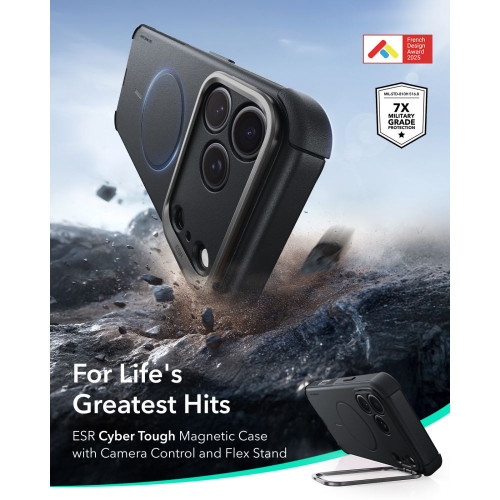
    Case sizes40 mm and 44 mm
    Screen1.34″ (40 mm) / 1.47″ (44 mm), AMOLED
    Batteryapprox. 382 mAh (40 mm) / approx. 435 mAh (44 mm)
    ProcessorExynos W1000 or Snapdragon Wear Elite
    Classic versionnone in this generation
    SystemWear OS / One UI Watch
    ConnectivityBluetooth and LTE (more expensive version)
    ColorsCream and Graphite

    It is worth remembering that some of this data comes from individual sources and may still change. The biggest doubts concern the processor — more on that below.

    Processor — Exynos W1000 or Snapdragon Wear Elite?

    This is the most contentious point of the entire puzzle. The leaks are divided here, and there is no single, coherent version.

    Some sources claim that the watch will stick with the Exynos W1000 chip, known from the Galaxy Watch 7 and Watch 8, while the new Snapdragon Wear Elite chip in 3 nm lithography will be exclusive to the more powerful Galaxy Watch Ultra 2. Other reports suggest that it is the standard Watch 9 that will receive the new Qualcomm processor with significantly higher performance.

    Tip: If you care about maximum smoothness and the latest chip, wait for the official specification on July 22. Only Samsung will determine which chip powers the new watch. Until then, treat any information about the processor as unconfirmed.

    In everyday use, the difference between these chips will be felt mainly in AI functions and heavier applications. For notifications, workouts, and health measurements, either of them will suffice.

    Galaxy Watch 9 Classic — the end of the bezel version

    The biggest change in this generation is visible to the naked eye: Samsung is set to abandon the Classic variant with a physical, rotating bezel. This has distinguished the more expensive version of the watch for years and attracted fans of the classic look.

    Many people are still searching online for the term “Galaxy Watch 9 Classic,” but according to reports to the FCC, such a model is unlikely to appear in 2026. If you care about the rotating ring, the real options remain older models or the stronger Ultra line.

    Instead, the manufacturer is expected to focus on one cohesive design language: a round case, thinner bezels, and touch control via a ring around the screen instead of a physical bezel. This is a decision that simplifies the offering, but not everyone will like it.

    Battery and Charging

    Battery life is, alongside the processor, the second thing that interests buyers the most. Here, the leaks are optimistic.

    • 40 mm version — a cell with a capacity of about 382 mAh, marketed as 400 mAh. Samsung is expected to advertise this as an increase of about 23% compared to the Galaxy Watch 8, whose battery in this size has 325 mAh.
    • 44 mm version — a battery of around 435 mAh, which, with a more efficient display and system optimization, should allow for longer usage between charges.

    In practice, a larger battery means a real chance for two days of operation with moderate use. For many users, it is this change, rather than the processor, that will determine the sense of switching from an older watch.

    Health features and AI

    In terms of health, the new watch is expected to continue what Samsung has refined over the last generations. According to leaks, all key sensors are returning:

    • ECG — heart rate recording measurement straight from the wrist.
    • Blood pressure measurement — a function available after calibration with a traditional sphygmomanometer.
    • Saturation (SpO2) — monitoring of blood oxygenation.
    • Skin temperature — used, among other things, for sleep and cycle analysis.

    A new feature is expected to be a stronger emphasis on AI-supported health analysis — personalized tips regarding sleep, activity, and recovery. The watch is expected to run on Wear OS with the One UI Watch overlay, closely integrated with Galaxy phones.

    Galaxy Watch 9 vs Galaxy Watch 8 — what’s changing

    If you have the Galaxy Watch 8, the differences are evolutionary. The biggest gain is the battery and tidying up the offer.

    FeatureGalaxy Watch 8 (2025)Galaxy Watch 9 (leak)
    Sizes40 and 44 mm40 and 44 mm
    Battery (40 mm)approx. 325 mAhapprox. 400 mAh (+23%)
    Classic Version
    ProcessorExynos W1000Exynos W1000 or Wear Elite
    SystemOne UI Watch (Wear OS)One UI Watch (Wear OS)
    LaunchJuly 2025July 2026

    For owners of the Watch 8, this is an upgrade “for those who want it,” not a necessity. The longer battery life is tempting, but the sensor set remains at a similar level. The upgrade makes more sense for those with the Galaxy Watch 6 or older devices, where the jump in battery life and performance will be truly noticeable.

    Price and availability in Poland

    Samsung has not yet announced Polish prices, but leaks indicate a reference point. In the USA, the Bluetooth version is expected to start at 349 dollars, and LTE models are expected to be 30–40 dollars more expensive. In Europe, a price of around 409 euros for the basic variant has appeared.

    Translating this to our market and the price of its predecessor, in Poland the new watch should cost approximately 1,499 to 1,699 PLN for the 40 mm Bluetooth version. The 44 mm variant and LTE models will be correspondingly more expensive. This is still an estimate; the official price list will be revealed on the launch day.

    What else will Samsung show at Unpacked

    Unpacked on July 22 is not just about the watch. On the same day, Samsung is expected to refresh almost the entire line of wearable and foldable devices. The following information also comes from leaks.

    • Galaxy Watch Ultra 2 — a more powerful watch with a 47 mm titanium case, an 800 mAh battery, and a new 3 nm chip. You can find details in the text about what we know about Galaxy Watch Ultra 2.
    • Galaxy Z Fold 8 and Z Flip 8 — a new generation of foldables with larger batteries and faster charging.
    • Galaxy Glasses — Samsung’s first smart glasses, which have been talked about for several months.

    If you are choosing between the standard Watch 9 and the Ultra 2, the key differences are battery, durability, and price. The Watch 9 is aimed at everyday wear, while the Ultra 2 is designed for extreme sports and maximum battery life.

    Accessories for Galaxy Watch 9 — what to prepare

    The new watch is expected to maintain case sizes of 40 and 44 mm, so straps and glasses compatible with the Galaxy Watch 8 should also work with the new generation. We will confirm final compatibility right after the launch.

    If you want protection and a replacement strap ready for the first day, check out our categories. You will find accessories for current Samsung models — accessories for Galaxy Watch 8, a wide selection of watch straps, and a comprehensive category of straps, glasses, and bands for Galaxy Watch. We will add and update the new model category with products right after the official premiere.

    Summary

    Galaxy Watch 9 is shaping up to be a calm, thoughtful upgrade. There are no revolutions here, but there are specific changes: a larger battery, a streamlined offering without the Classic version, and two proven case sizes. The premiere is set to take place on July 22, 2026, at Galaxy Unpacked in London, along with Galaxy Watch Ultra 2 and the new generation of foldables.

    The key takeaways (all based on leaks, without official confirmation from Samsung):

    • Premiere: July 22, 2026, at Galaxy Unpacked in London.
    • Key changes: battery increased by about 23%, end of the Classic version, two sizes 40 and 44 mm.
    • Price: probably starting from about 1,499 PLN for the 40 mm Bluetooth version, based on the predecessor and prices from leaks.

    Are you waiting for the new watch? Complete your protection and straps in advance — accessories for Galaxy Watch 8 are available immediately, and we update the new model category right after the premiere.

    FAQ — frequently asked questions

    When is the Galaxy Watch 9 premiere?
    According to leaks, the premiere will take place on July 22, 2026, during Galaxy Unpacked in London. Samsung has not officially confirmed this date yet, but the device passing through the FCC in mid-June suggests that the debut is very close.

    How much will the Samsung Galaxy Watch 9 cost?
    There is no official price in Poland yet. The Bluetooth version is expected to start at around $349 (409 euros), which in our reality means approximately 1,499 to 1,699 PLN for the 40 mm model. The LTE variant and 44 mm will be more expensive.

    Will there be a Galaxy Watch 9 Classic with a rotating bezel?
    Probably not. According to FCC filings, Samsung is skipping the Classic version in this generation. If you want a physical, rotating ring, the realistic options are older models or the Ultra line.

    What processor does the Galaxy Watch 9 have?
    This is still uncertain. Some leaks point to the known Exynos W1000, while others suggest the new Snapdragon Wear Elite in 3 nm lithography. The final answer will only be known during the official premiere.

    What is the difference between Galaxy Watch 9 and Watch 8?
    The biggest changes are a battery that is about 23% larger and the absence of a Classic version. The case sizes (40 and 44 mm) and the set of health sensors remain similar. This is an evolution, not a revolution.

    Do the bands from Galaxy Watch 8 fit Galaxy Watch 9?
    Most likely yes. The new model retains the case sizes of 40 and 44 mm, so the bands and glasses for Watch 8 should also fit the new generation. We will confirm the final compatibility after the premiere.