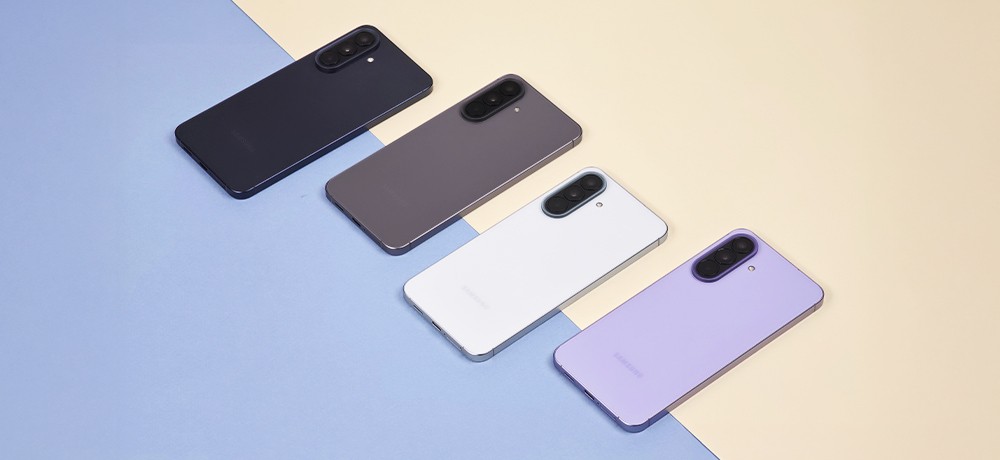
Marble cases are a real hit among selected women’s cases. It’s no wonder, as the marble design on the phone looks truly stunning and elegant. Why? This material has been used in sculpture and architecture since ancient times. It is associated with palace luxury, incredibly shiny beauty, and wealth. Nowadays, marble has a wide range of applications in construction. It is used in the interiors of apartments, finding extensive use as a finishing material for kitchens and bathrooms. Marble tiles, floors, kitchen countertops, sinks, or fireplace surrounds are increasingly used in home or garden arrangements. This pattern is also very often used in nail art and is the perfect complement to women’s styling. So it’s no surprise that the marble design on the case is a unique decoration for the phone and makes it look very tasteful and impressive. In our online store, you will find very original and diverse marble phone cases, which will make you feel incredibly feminine and special. Supcase
This is a famous, globally recognized American company that produces solidly made and durable cases for mobile devices. Their offer includes high-quality accessories for phones, headphones, tablets, and laptops. In their product range, we find the exceptional collection of casesSupcase Cosmo MARBLE or IBLSN Cosmo SnapMarble(with an additional built-in ring for the finger), which will highlight the beautiful feminine design and provide excellent protection for the device. All Supcase products meet military drop-test standards, which means they are extremely durable and resistant to various types of falls from a given height.
Tech-Protect Tech-Protect presents a rich and diverse range of high-quality products. It is very versatile, as in addition to cases, you will find various types of chargers, mounts, styluses, as well as accessories for watches, headphones, or tablets. Returning to Tech-Protect phone cases, they impress with incredibly beautiful and colorful designs in the MARBLE style, which are perfectly fitted to the device while providing top-level protection.
Guess Guess is one of the most recognizable brands in the world. Choosing a case with the Guess logo is a combination of unique style and solid craftsmanship. Their offer includes elegant marble cases with very interesting and stunning designs. The hardcase Marble, Marble Strap Collection(with an additional elegant, practical string) and Glitter Marble Glass(a combination of a layer of gold glitter with tempered glass) create an extraordinary whole in a unique marble design.
Ideal of Sweden This is a Swedish brand creating luxurious phone accessories. It draws inspiration from the latest trends in the fashion world, creating incredibly beautiful and unique products that will simultaneously highlight your style and character. By choosing cases from Ideal of Sweden, you can be sure that the products are carefully crafted, and the wide range of diverse patterns and colors will ensure that you will definitely find something special for yourself and create your ideal set. Smartphone cases are made from durable material that protects against scratches while providing high comfort of use.
To strengthen the screen of your newly purchased phone, it’s worth equipping yourself with proven glass or film from the 3mk brand. This is a Polish company that manufactures high-quality protective products for mobile devices such as smartphones, smartwatches, laptops, and tablets. This well-known brand specializes primarily in creating protective glass (hybrid and tempered) and films, ensuring that your device is equipped with the highest quality protection.
In 2006, when only A4 sheet films were available for sale, the company began producing protective films with precise cutting tailored to selected phone models. In 2012, an applicator was designed, making the installation of the film much more convenient and easier to use. After two more years, the first non-shattering hybrid of film and glass (FlexibleGlass) was created. In 2015, the MUST HAVE plebiscite organized in Łódź, aimed at identifying the best-designed Polish products, distinguished and awarded the 3mk brand for the Invisible Case 3D – an invisible case that provides extraordinary protection for the device without affecting its appearance and design. The year 2019 marked the beginning of NeoGlass – the most durable and non-chipping glass, and the following year saw the creation of the All-Safe system, which secures and simultaneously allows for the transfer of your desired graphics onto your case.
On our store’s website, you will find a rich selection of glasses and protective films for many models of phones, laptops, or tablets from this company. Are you wondering which solution will be best for you? Do you want to know what the differences are between hybrid glass, tempered glass, or regular film? If so, we invite you to our other post, which focuses on the specific differences. HERE
Find the right product for yourself and enjoy reliable protection and safety with 3mk products! We invite you 🙂
Headphones are a very useful gadget that can make our time on the way to work or school more enjoyable. Some believe that music is the best form of therapy and has a strong impact on our well-being. People who lead an active lifestyle often decide to purchase headphones to further motivate themselves during workouts and to make their time spent on monotonous exercises at the gym more enjoyable. Engaging in outdoor sports to the rhythm of favorite music causes our brain to produce dopamine—the happiness hormone, making exercises much more effective, and time passes much faster. Listening to relaxing music can effectively lower stress levels and calm the body, for example, before sleep.
Which headphones are better: earbuds, in-ear, or over-ear? There are various types of headphones available on the market. The choice depends primarily on defining your own needs and preferences. Earbuds are classic headphones that are placed in the outer ear, while in-ear headphones are inserted directly into the ear canal. In-ear headphones can be easily recognized by their protruding rubber tips, while earbuds lack these. Earbuds are larger because they are placed in the ear rather than directly in the ear canal. Due to the design and placement of earbuds, they cannot completely block out surrounding sounds, which may be a drawback for those who need maximum quiet. It is believed that this type of headphones is slightly less harmful to hearing and is very useful in places where one needs to remain alert and focused.
In-ear headphones are definitely smaller, which is why they are commonly referred to as “buds.” Because they are placed directly in the ear canal, they effectively block out the environment, thus providing better sound quality. These headphones are great when you need a moment just for yourself or when there is a lot of noise. They are ideal for sports because they stay in place much better and do not fall out of the ear.
Over-ear headphones, as the name suggests, are headphones worn over the ears. They are large because their ear cups completely or partially cover the ears. They usually have an adjustable headband, allowing you to easily adjust the size to fit you. Over-ear headphones, due to their larger speakers, provide much better sound quality when playing music. They are an ideal solution for gamers, for whom sound isolation from the environment and focusing on the game in the virtual world is very important. A good choice would be to purchase gaming headphones specifically designed for gaming. Over-ear headphones are also great for traveling, working, or relaxing at home.
Consider which type of headphones will best meet your needs and in what places you plan to use them. Find something special for yourself and enjoy the comfort of using and listening to your favorite music 🙂
For a long time now, mobile phones have stopped serving us just for calling. Now they are more like our little command center, through which we have access to the Internet at any time, can send emails, browse social media, order food via an app, or shop with home delivery. In fact, the mobile phone has become a device without which we cannot imagine our daily functioning. It’s no wonder that smartphone protection accessories are so diverse; we no longer just protect the back of the device or the display. We are increasingly realizing that the camera lens also deserves solid protection.
Traditional Ways to Protect Your Phone Camera Lens
The phone camera lens should be handled with special care. We should remember to protect it from dust and sand. Any damage, not just visually (as in the case of the screen), will mar our phone but will significantly affect the quality of the photos we take. Therefore, before taking each photo, the lens should be wiped with a soft cotton cloth or a special tissue like those for glasses. Remember to place the device in a clean and dry place, and when carrying the phone in your pocket, keep the lens as far away from the opening as possible. Remembering these rules during daily use can be quite problematic, so it’s worth considering additional protection.
That’s why, to protect the lens from damage and thus not lose the quality of the photos taken, additional protection is important. On our store’s website homescreen.pl you will find a wide selection of hybrid glasses from the Polish manufacturer 3MK. For a small amount of money, we get a 4 Pack of matched glasses, which will easily last us the entire period we use a given smartphone. It is worth noting that the material used does not affect the color and transparency of the lens in any way, it is extremely thin, only 0.16 mm thick, and according to the manufacturer, it strengthens by 250% compared to an unprotected device. Hardness up to 7H is achieved thanks to the use of an additional ceramic coating.
As you can see, it is worth additionally securing the lens on your phone if you care about the quality of the photos you take. This is particularly important when the phone serves as a work tool and we want to advertise ourselves in this way. An equally important reason is the concern for the quality of photos on our social media portals or those saved in the cloud as family keepsakes.
Changing phones – for many of us, it’s a moment eagerly awaited for months, if not years. For others, it’s a source of much stress – transferring data, contacts, learning a new interface, changing habits regarding size. Undoubtedly, there is also anxiety related to the desire to keep the new acquisition in the best – possibly pristine – condition for as long as possible.
It is obvious to choose a case that will fulfill its role – that is, protect the phone – while also being pleasing to the eye and not excessively spoiling its lines. The choice is relatively simple – manufacturers are doing their best to ensure that the options are truly diverse and tailored to many tastes and needs. We make a decision, buy, put it on – topic closed.
However, a somewhat different situation occurs in the case of tempered glass. Its role is to protect the screen from unwanted scratches, impacts, and falls – some might even claim that it is a more important element than the case itself. The choice, just like with cases, is also considerable. From the cheapest options from the Middle Kingdom to the highest quality models with a sapphire finish. However, in this situation, making the decision and purchasing is only half – perhaps even less – of the success. The most expensive glass on the market will be of no use if we fail during its installation. 🙂
A fully symmetrical, even, and clean application of screen protection is not as difficult as it might seem – it just takes a little manual dexterity, a dust-free piece of desk/table to perform the “procedure,” and a few minutes of moderate focus. The modest price, which we pay, will reward us with screen protection close to factory quality and as non-invasive as possible.
Let’s get started!
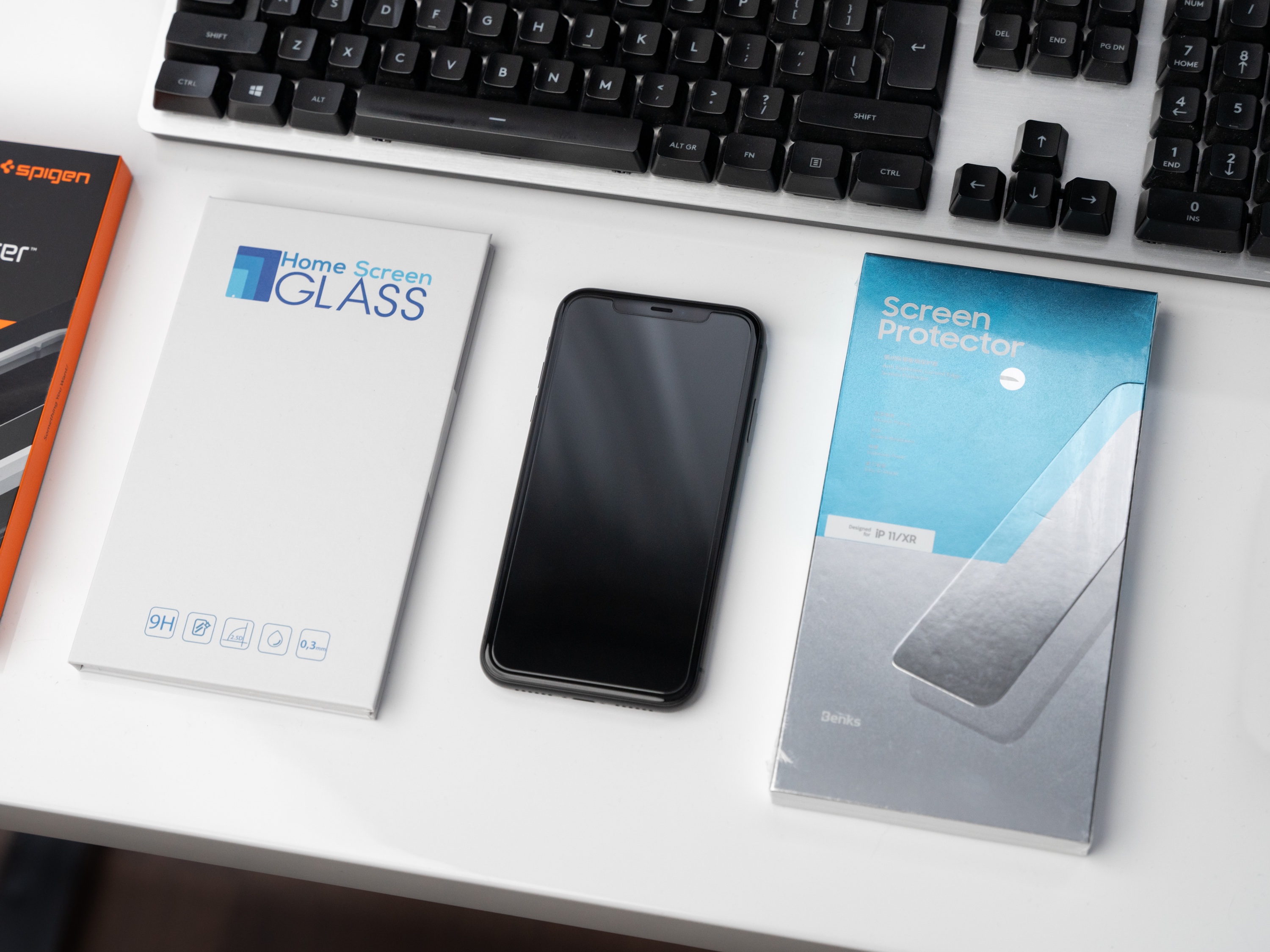
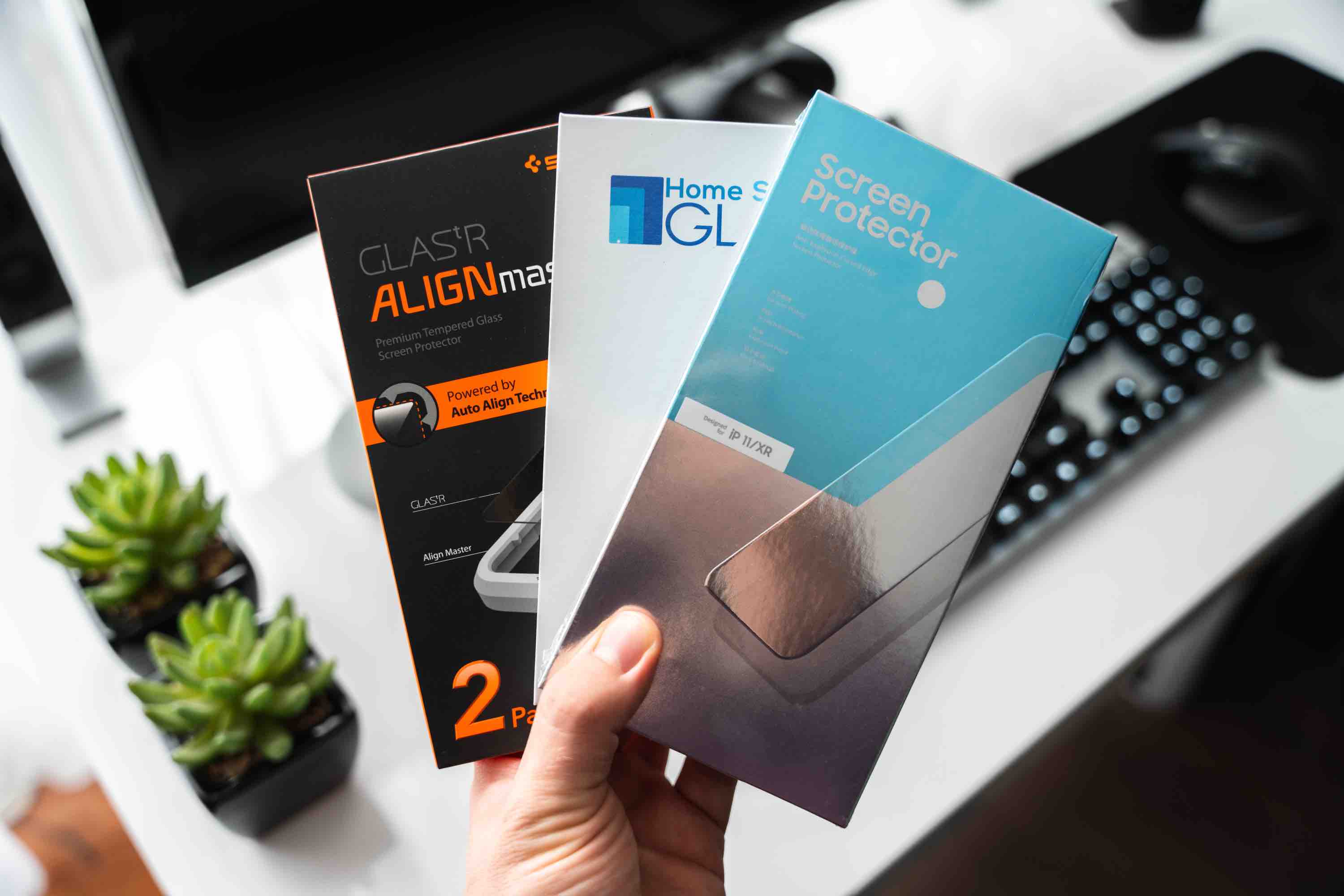
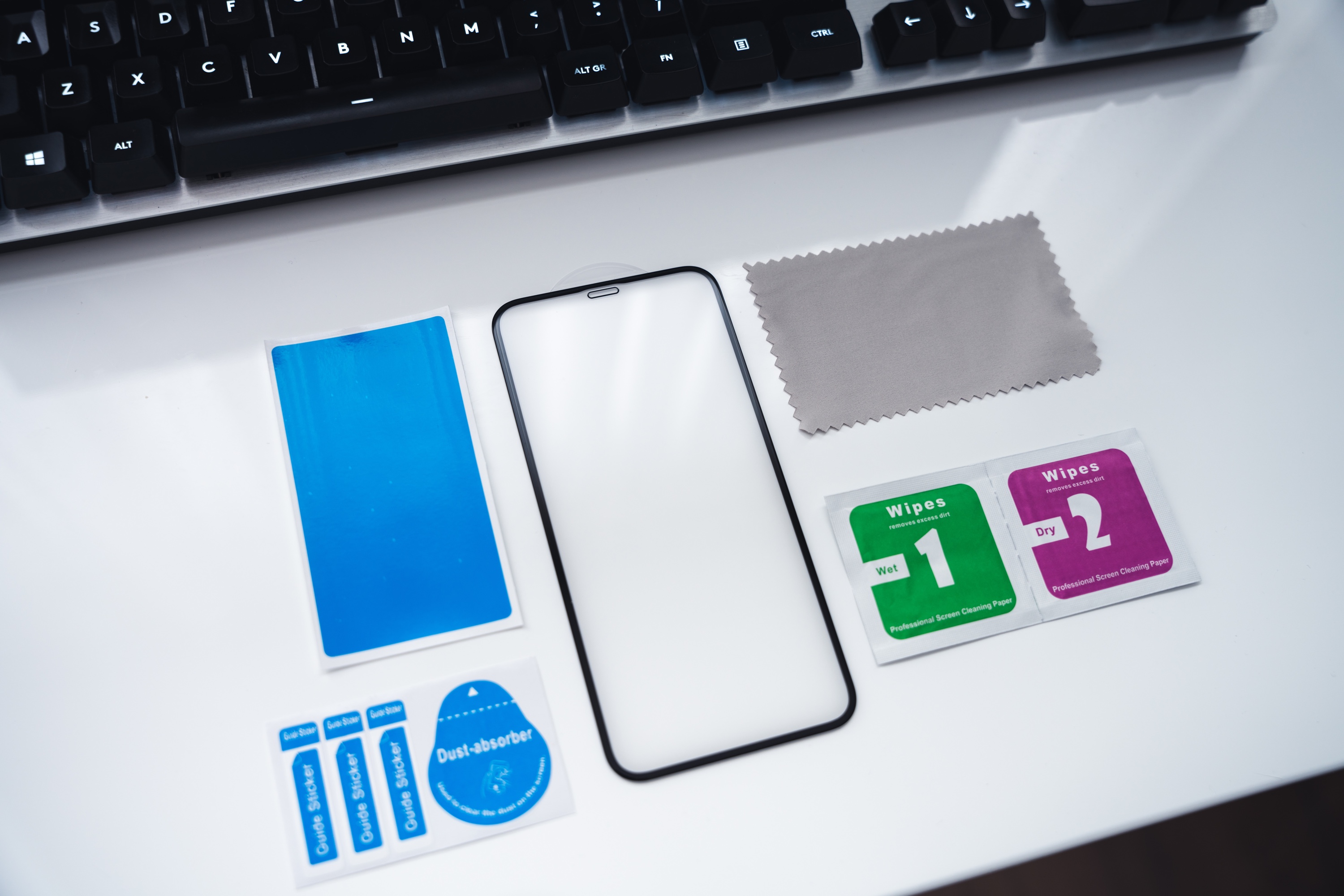
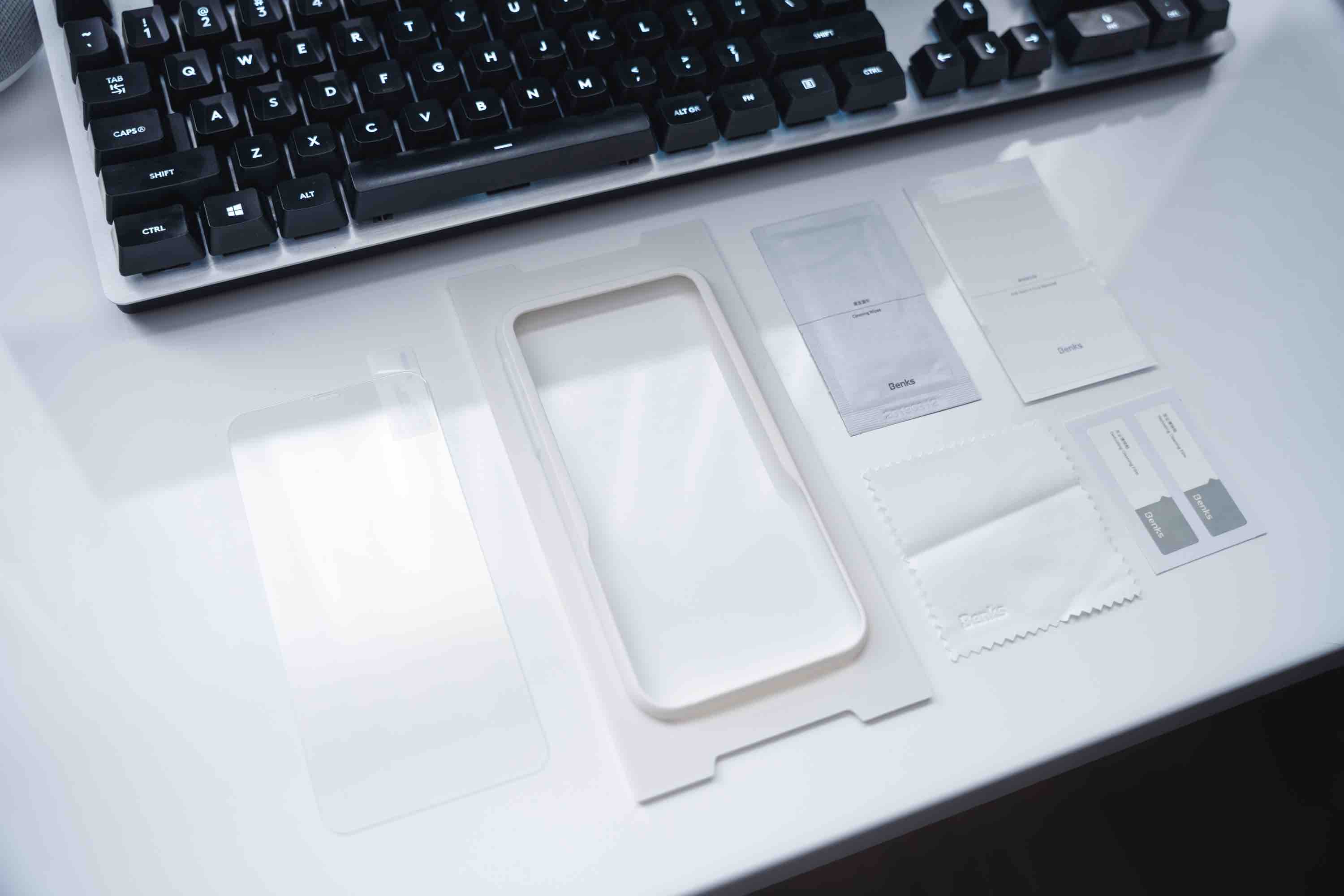
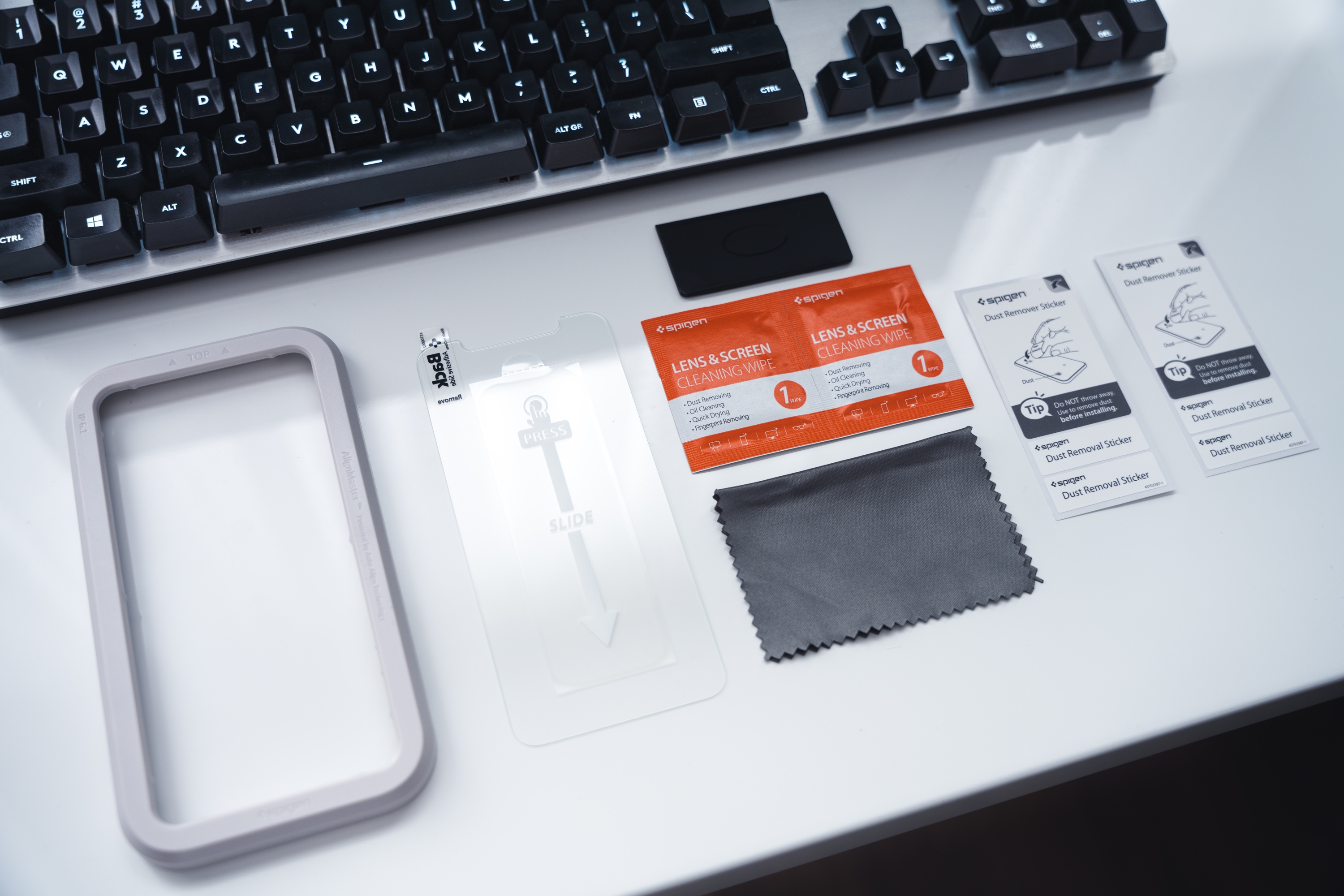
The set of accessories that we find in the package with the glass usually depends on the price we paid for that protection. In the case of cheaper options, one can hardly expect anything more than a set of dry and alcohol-soaked wipes and a set of stickers to “dust off” the screen. On the other hand, higher-end options usually come with a microfiber cloth (which is definitely more effective in cleaning the screen) and accessories designed to facilitate the installation process – including a mounting frame that allows us to place the phone in it, helping to maintain symmetry while applying the glass. For the purposes of this guide, however, we will go “by the book,” opting for a fully manual installation – contrary to appearances, frames in some situations can do more harm than good.
For many, the biggest difficulty may be maintaining cleanliness during installation. What good is it if the glass is applied perfectly straight, but numerous specks accumulate on its surface and the screen? Unfortunately, there is no magic wand that will eliminate every floating particle in the air 100% – however, wiping the surface where we decided to install with a damp cloth will definitely help. A popular method is also to carry out the “procedure” of applying tempered glass in a steamy (for example, after a shower) bathroom – the high humidity in the air will guarantee fewer contaminants floating aimlessly in the air, which in turn will translate into a longer “window” between peeling off the protective film from the glass and applying it to the clean screen.
A very common mistake that complicates the correct application of tempered glass is simply… the positioning of the phone. Having it in front of us horizontally (on the longer side) allows us to hold the glass by the shorter edges, which guarantees us a much more comfortable maneuvering of the glass and makes it easier to hold. A seemingly silly thing, but in practice, it changes a lot.
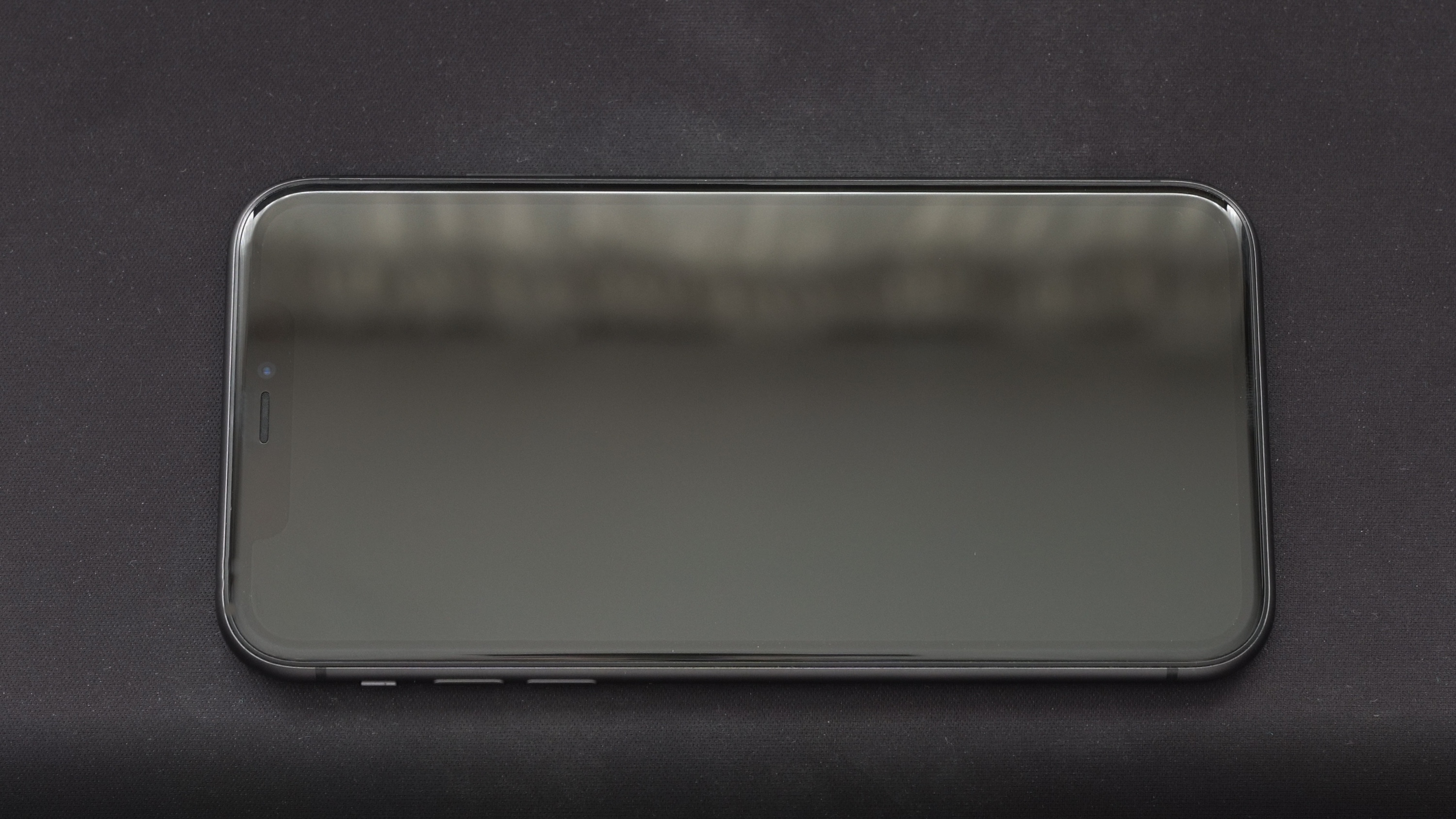
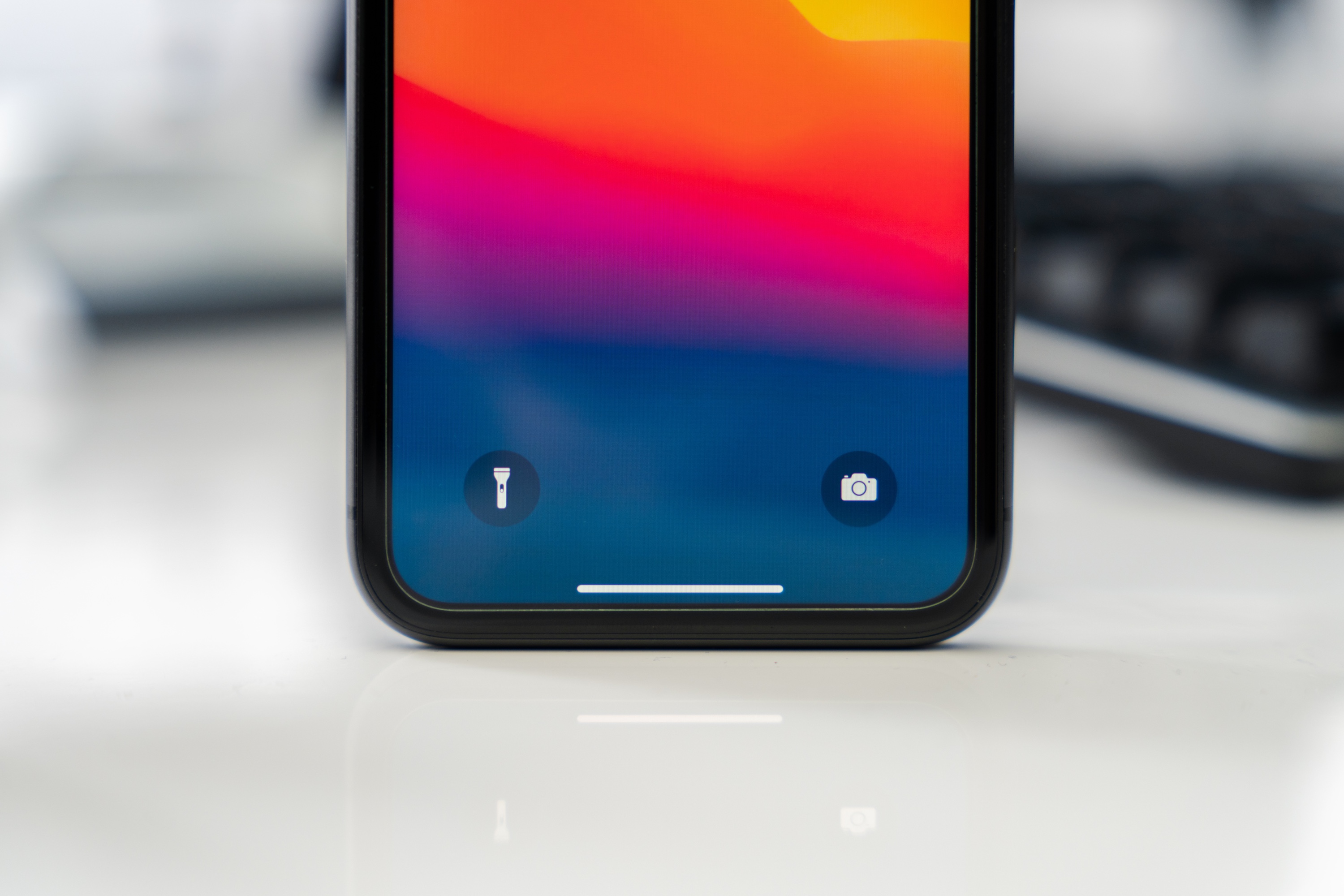
Another theoretically unnecessary step is… setting a light wallpaper on the lock screen, which will clearly allow us to assess where the display ends and where the frames begin. Currently, the vast majority of phone models are black glass panels, on which it is impossible to apply glass “by eye,” hoping that we hit the exact center. The illuminated edge of the display will give us a semblance of a reference point, which will increase our chances of a symmetrical installation. It is also worth applying the glass to the screen “dry,” even before peeling off the film – this will allow us to assess how we should “aim” in the final stage of installation.
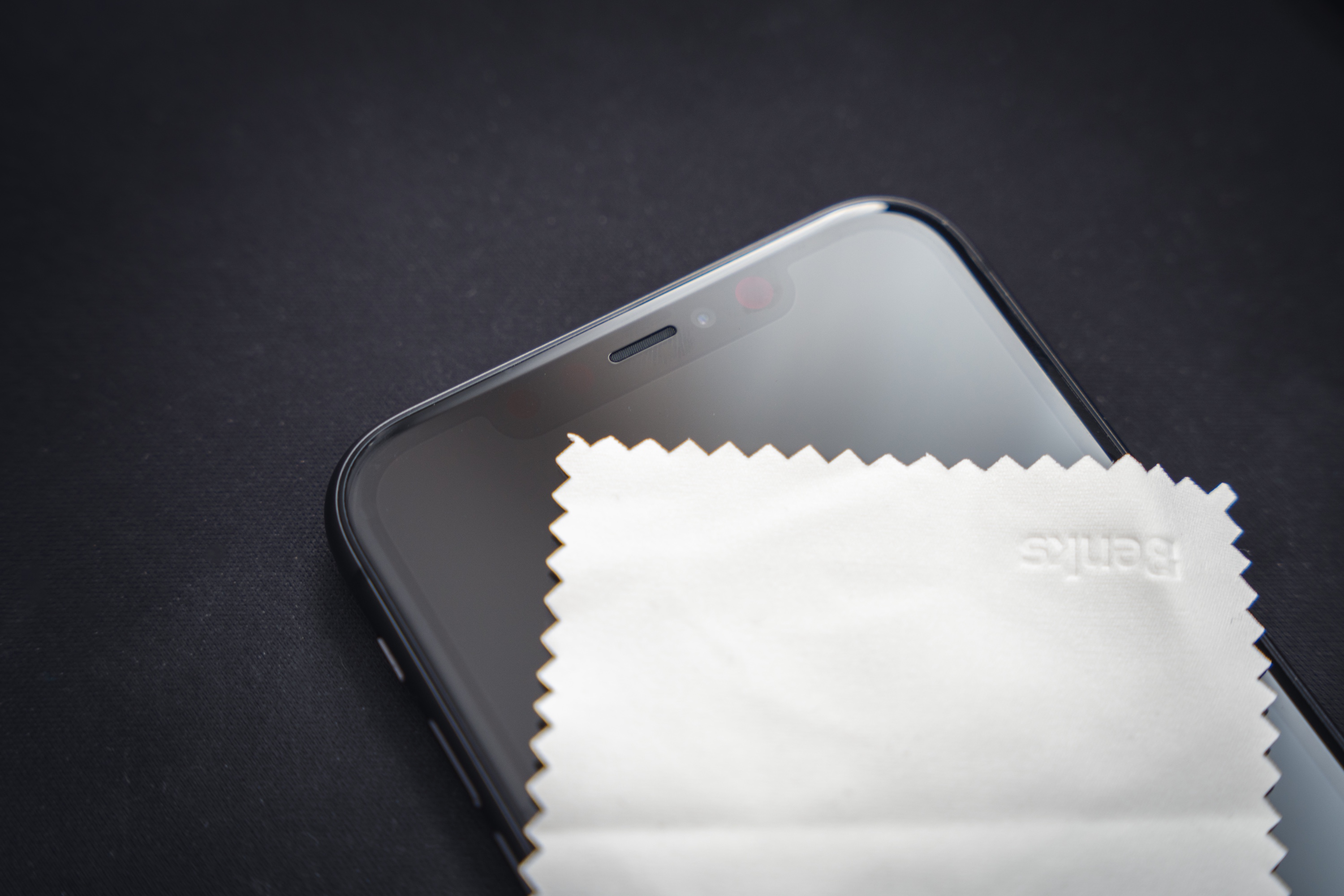
Before proceeding directly to the application, we must also ensure the screen is as clean as possible. A cloth soaked in alcohol will help here. Don’t worry if numerous droplets of liquid remain on the screen after this stage – the set also includes a dry equivalent, which we use to wipe the damp surface. It is very likely that despite this, noticeable specks of dust will still be visible on the display – we try to remove them by “sweeping” them with a cloth preferably towards one edge. As mentioned earlier, microfiber cloths will definitely make this easier, although they are not essential.
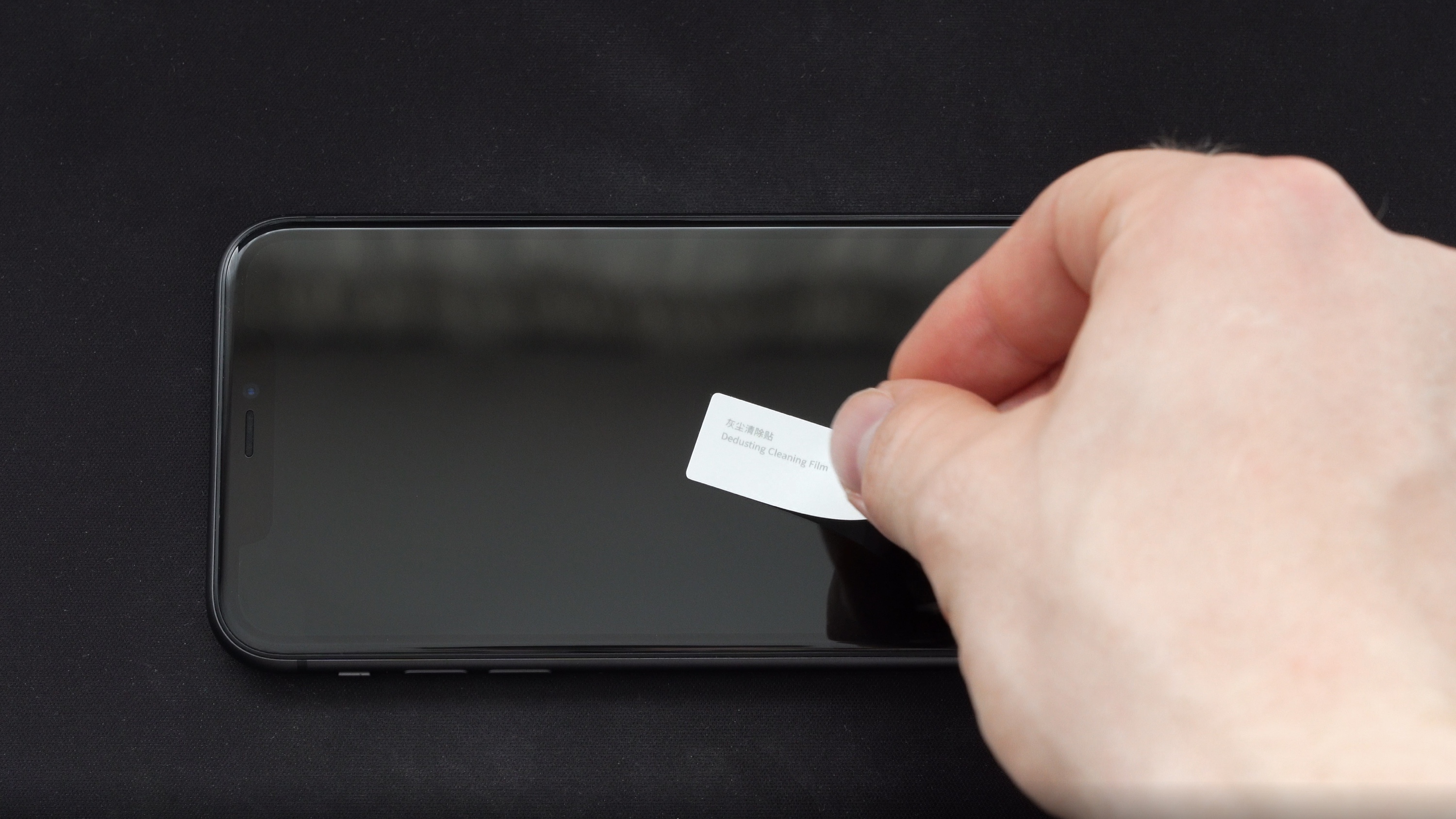
You have probably noticed that the set with the glass included tiny, funny stickers. They are covered with a very thin adhesive layer – used to gently “tap” unruly dust particles that we couldn’t force to leave the screen with a cloth. Just apply it to the display, holding the other end with your fingers – the dust will stick to the sticker, and no trace will remain on the screen.
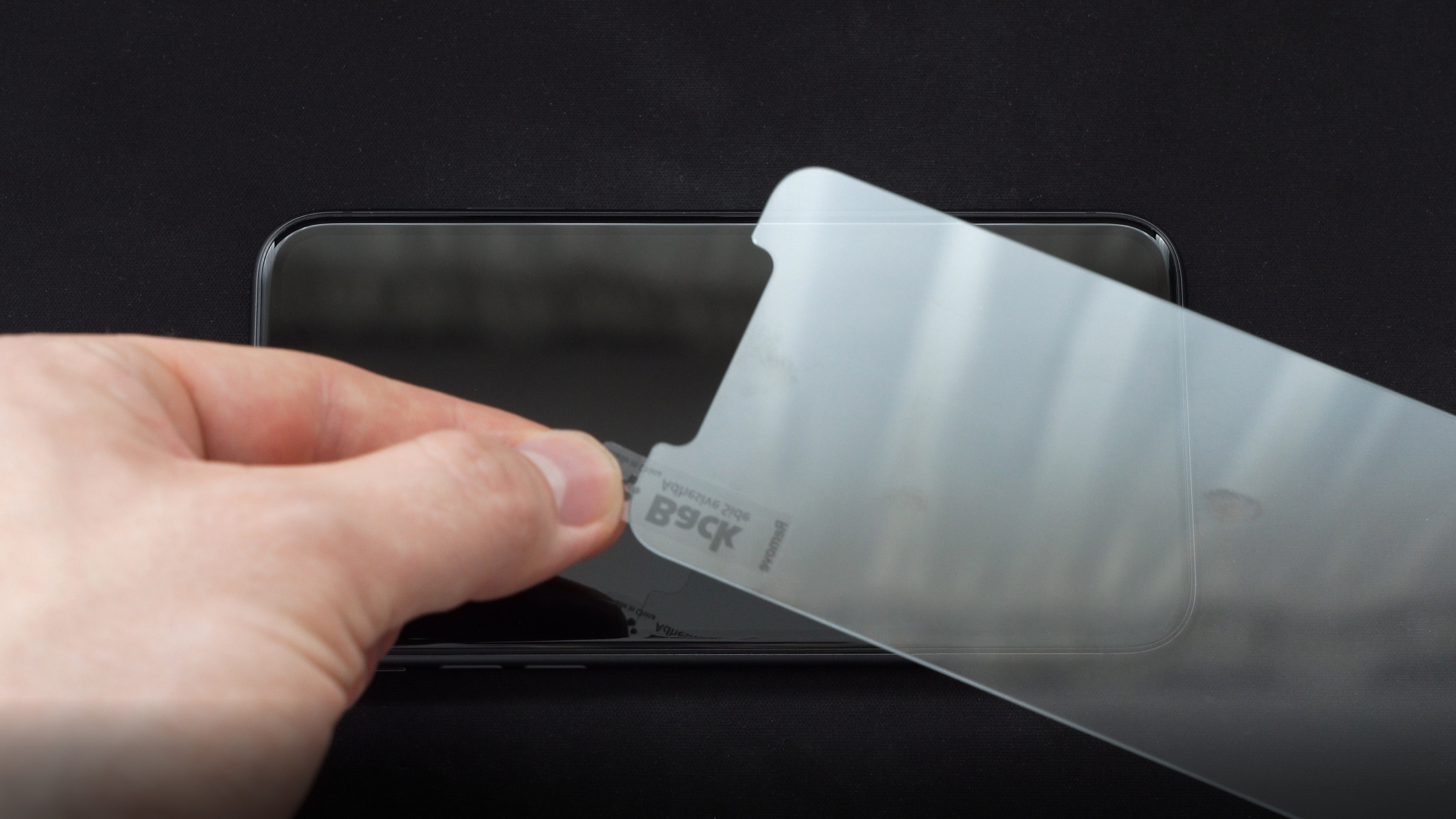
If the screen has already been cleaned, all that remains is to press the lock button – this will wake the screen – and then pull the tab of the protective film covering the adhesive layer of the glass. This should be done with a swift motion, without unnecessary delay – remember that every second of this stage is a chance for unwanted dust particles to settle on the screen and the already exposed adhesive layer of the glass.
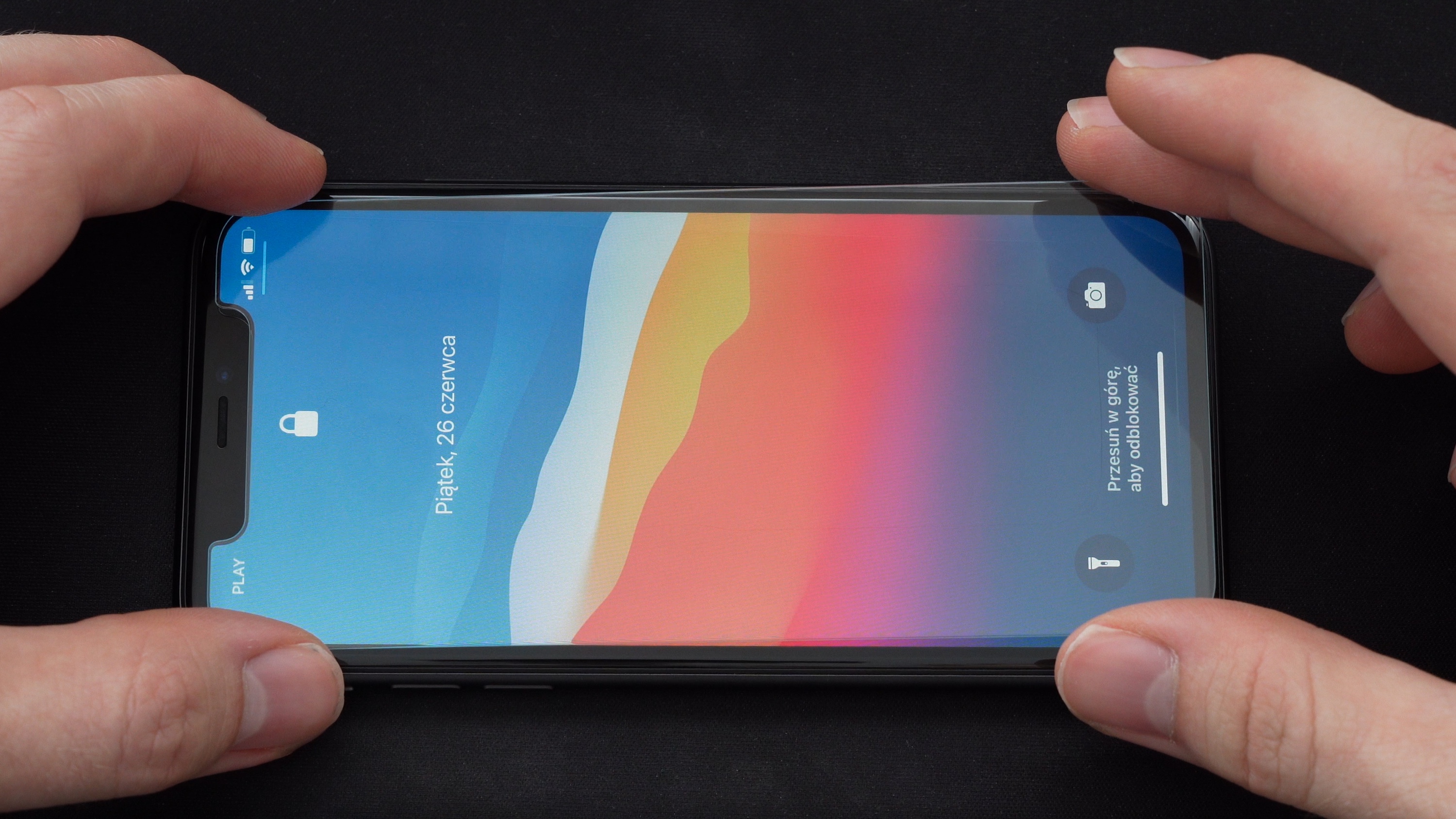
Holding the glass by the corners (most conveniently with the thumb and index finger), we apply it to the screen, starting from the top edge of the phone (the top – as the one with the speaker and cameras). We find the center of symmetry – so that each edge of the glass is approximately the same distance from the edge of the display. This requires the greatest focus during the entire process of applying tempered glass – it’s worth taking a moment to ensure that the distance of the glass to each edge of the screen is as close as possible. We evenly lower the bottom part of the glass, trying to maintain a straight line of the glass in relation to the longer sides of the phone.
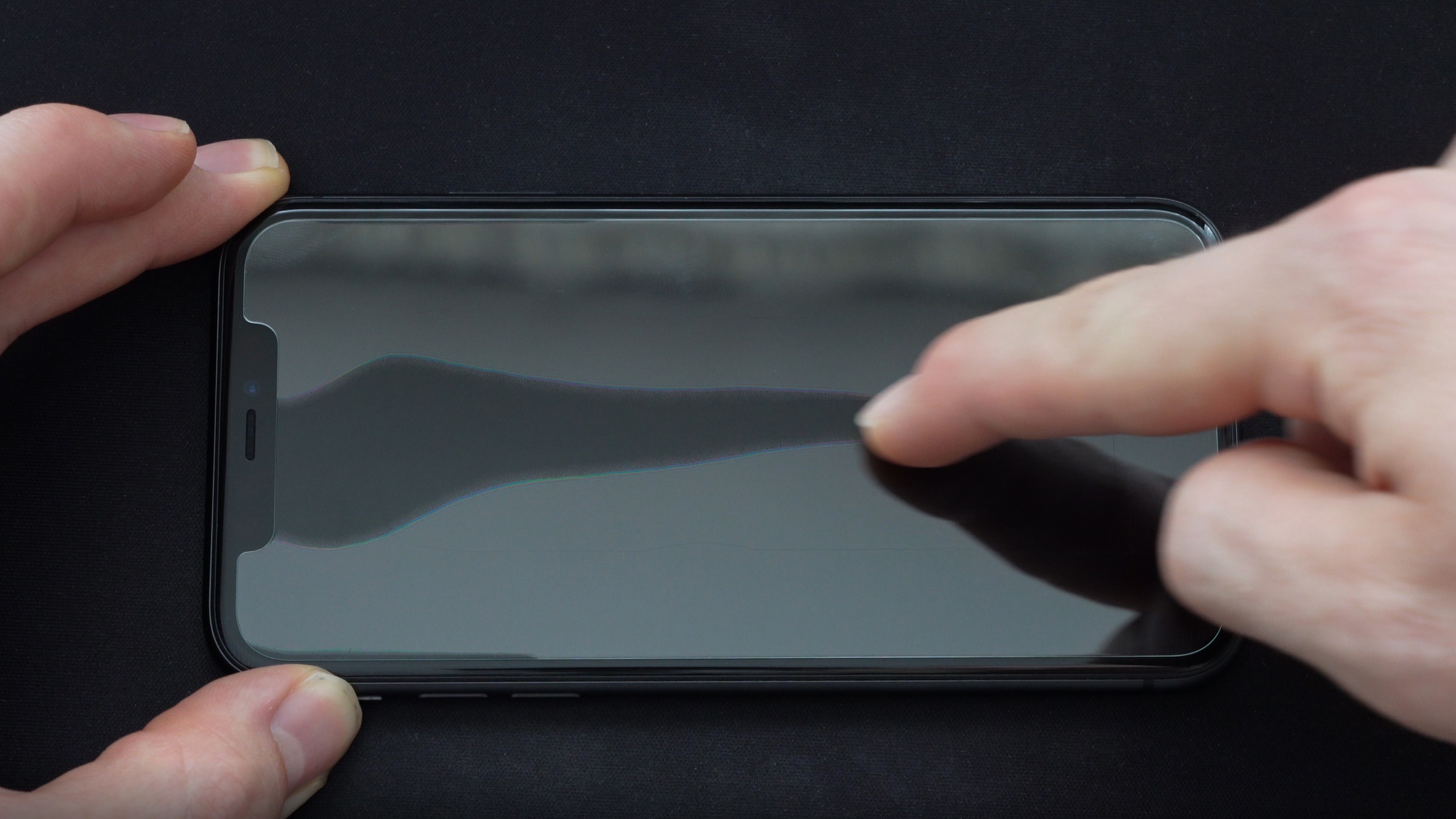
After the glass has fully settled, we can assess whether the effect is satisfactory and whether no dust particles have found their way under the glass. If nothing of the sort has occurred – we gently press the glass, sliding our index finger along its length – which will bond the adhesive layer of the glass to the screen. In the case of air bubbles remaining – we push them out with a cloth/finger beyond the edge of the glass.
If, however, the applied glass has “slipped” towards one of the edges more than we would like: in practice, one should not peel off the already applied glass – bending it strongly can result in cracking, and it is also easy to damage the edge of the adhesive layer by prying the glass with a fingernail. If, despite everything, we feel capable, and the glass has not “stuck” firmly to the screen – we can gently pry it up and move it, trying to detach it from the screen surface as gently as possible. Again – it will be helpful to wake the display with a light wallpaper, which will highlight its edges and allow us to assess the symmetry references much more accurately.
The same situation applies to the unfortunate dust particles that somehow found their way under the glass. One can attempt to gently pry the edge of the tempered glass with a fingernail (trying not to go too deep into the adhesive part of the glass) – and then slide in the second sticker, which we previously used to pick up dust from the bare screen, trying to catch the unwanted intruder on the adhesive. This maneuver, however, requires surgical precision – it is very easy to damage the glass itself, the adhesive layer, or, ironically, let in more dust. It is absolutely not recommended, although if your aesthetic sense does not allow you to befriend this unwanted object between the protective glass and the screen – it is still a method. 🙂
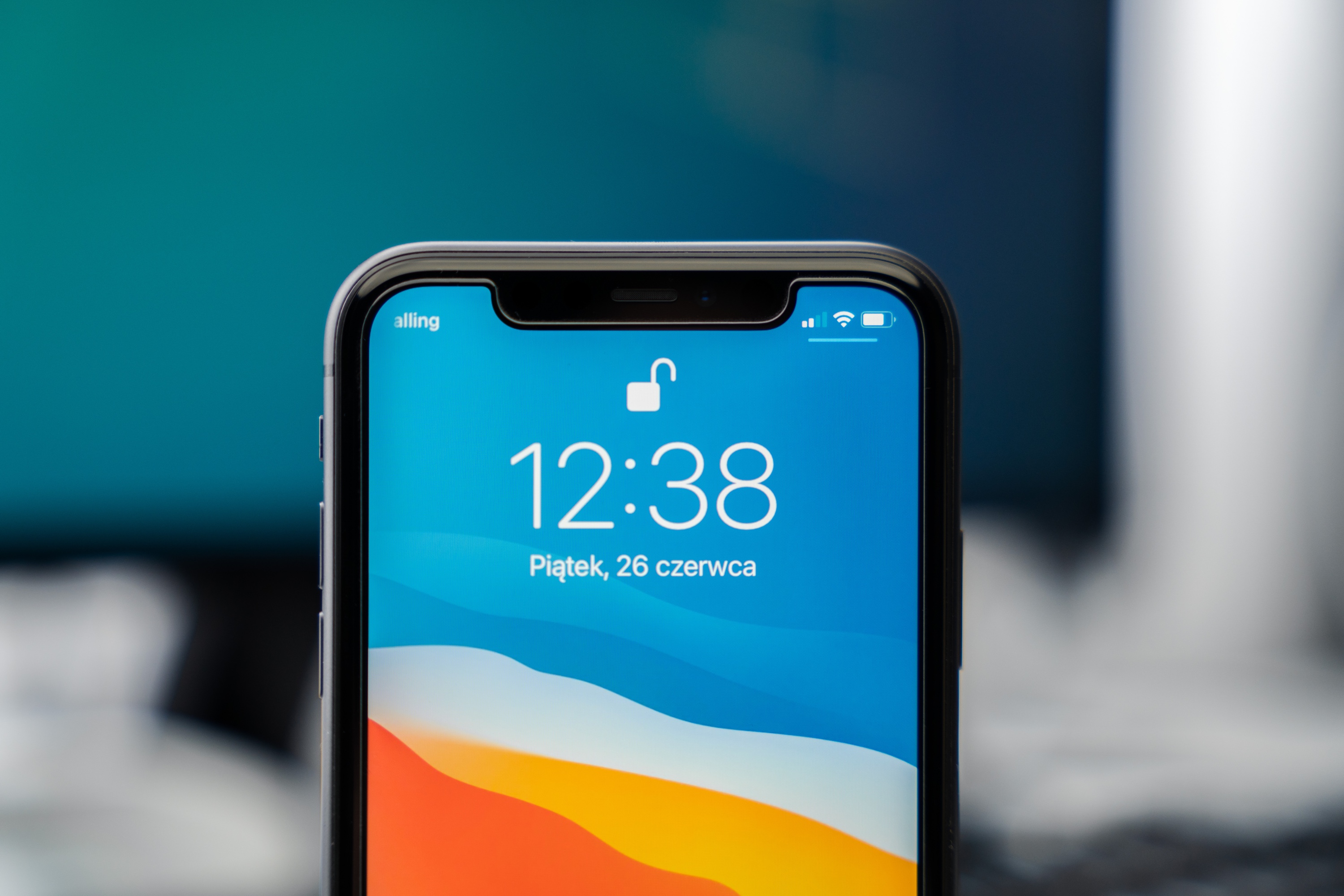
The final effect should look something like this.
If you managed to get close to it – heartfelt congratulations, let us know in the comments: we will prepare a diploma for a certified glass installer, which will undoubtedly earn respect and recognition among family and friends. However, if something went wrong along the way – don’t worry, next time you will learn from this. 🙂 Practice makes perfect!
The best phone under 2,000 zł in October 2026 is the Samsung Galaxy A57 5G. The 8/256 GB version costs from around 1,650 zł in Polish shops, and for that you get a 6.9 mm thin IP68 body and the promise of six Android OS updates. For photos, choose the Google Pixel 10a with the longest support (7 years); for gaming, the POCO X8 Pro with its 6,500 mAh battery; and if zoom matters, go for the Nothing Phone (4a), the cheapest phone in this line-up with a periscope telephoto lens.
2,000 zł is the most interesting price bracket right now. It’s where you find phones that cost 2,500–3,000 zł at launch, and their makers promise 6–7 years of security updates. At the same time, it’s also the amount at which it’s easy to overpay for a model without official distribution or with short software support.
Below you’ll find a ranking of 8 smartphones: five fit within 2,000 zł, and three sit right at the edge of the budget. Each one is officially sold in Poland, and we took the specs from the manufacturers’ spec sheets.
Correct as of 22 October 2026. Prices are the lowest offers in Polish shops and manufacturers’ online stores (Ceneo, x-kom, Media Expert, RTV Euro AGD, samsung.com/pl, pl.nothing.tech) from 21–22 October 2026. Phone prices change every week, so check the current offer before you buy. We don’t sell phones. At homescreen.pl you’ll find cases, screen protectors and chargers for them.
Quick verdict: which phone under 2,000 zł to choose
Best for most people: Samsung Galaxy A57 5G. Slim, waterproof (IP68), with 6 Android OS updates and 6 years of security updates.
Best for photos and longest updates: Google Pixel 10a. 7 years of updates, wireless charging, IP68.
Best zoom: Nothing Phone (4a). 50 MP periscope with 3.5× optical zoom, from 1,599 zł in the official store.
Best for gaming: POCO X8 Pro. The same chip as the Xiaomi 17T, a 6,500 mAh battery and 100 W charging.
Thinnest and toughest: Motorola Edge 70. 5.99 mm, 159 g, IP68/IP69 and MIL-STD-810H.
At the edge of the budget: Motorola Edge 70 Pro, Samsung Galaxy S25 FE and Xiaomi 17T. They cost from around 2,000 to 2,250 zł.
Phones under 2,000 zł ranked — comparison table
#
Phone
Price in Poland (22 Oct 2026)
Display
Chip
Battery and wired charging
Wireless charging
Durability
Updates (Android / security)
1
Samsung Galaxy A57 5G
8/128: 1,499–1,799 zł; 8/256: 1,650–2,099 zł
6.7″, AMOLED, 120 Hz
Exynos 1680
5,000 mAh, 45 W
❌
IP68
6 versions / 6 years
2
Google Pixel 10a
8/128: from 1,975 zł
6.3″, pOLED, 120 Hz
Google Tensor G4
5,100 mAh, wattage: not stated¹
✅ 10 W
IP68
7 years / 7 years
3
Nothing Phone (4a)
8/128: 1,599 zł; 12/256: 1,899 zł (Nothing store)
6.78″, AMOLED, 120 Hz
Snapdragon 7s Gen 4
5,080 mAh, 50 W
❌
IP64
3 years / 6 years
4
POCO X8 Pro
8/256: 1,579–1,699 zł; 12/512: 1,789–1,899 zł
6.59″, 1.5K AMOLED, 120 Hz
Dimensity 8500-Ultra
6,500 mAh, 100 W
❌
IP68
not stated²
5
Motorola Edge 70
12/512: 1,774–1,999 zł
6.67″, pOLED, 120 Hz
Snapdragon 7 Gen 4
4,800 mAh, 68 W
✅ 15 W
IP68/IP69, MIL-STD-810H
4 years / 6 years
6
Motorola Edge 70 Pro
8/256: 1,998–2,249 zł
6.78″, AMOLED, 144 Hz
Dimensity 8500 Extreme
6,500 mAh, 90 W
✅ 15 W
IP68/IP69, MIL-STD-810H
not stated³
7
Samsung Galaxy S25 FE
8/128: from 2,068 zł
6.7″, AMOLED, 120 Hz
Exynos 2400
4,900 mAh, 45 W
✅ 15 W
IP68
7 versions / 7 years
8
Xiaomi 17T
12/256: from 2,214 zł
6.59″, 1.5K AMOLED, 120 Hz
Dimensity 8500-Ultra
6,500 mAh, 67 W
❌
IP68
not stated for Poland⁴
¹ Google doesn’t state the maximum charging power. It claims a charge to 50% in about 30 minutes with a USB-C charger with PPS (the fast-charging mode of the USB Power Delivery standard) rated at 45 W or more, sold separately.
² Xiaomi doesn’t publish the number of Android OS updates for the POCO X8 Pro.
³ Motorola doesn’t give an update policy on the Edge 70 Pro product page.
⁴ We found the commitment to 4 Android versions and 6 years of security updates only on Xiaomi’s Indian website.
1. Samsung Galaxy A57 5G: the best phone under 2,000 zł
Price: 8/128 GB from 1,499 zł, 8/256 GB from 1,650 zł (Ceneo); at samsung.com/pl 1,779–1,799 zł and 2,089–2,099 zł
The Galaxy A57 arrived in Polish shops on 10 April 2026, when Samsung priced the 256 GB version at 2,569 zł. Six months on, the 8/256 GB version costs from 1,650 zł in shops, so it fits the budget with plenty of room to spare. That’s the one we recommend: 128 GB fills up quickly if you shoot 4K video.
It’s the lightest and thinnest Samsung in this price bracket. It weighs 179 g and is 6.9 mm thick, and the bezels around the 6.7-inch Super AMOLED Plus display have shrunk to 1.5 mm. The screen has a 120 Hz refresh rate, and the front is protected by Gorilla Glass Victus+.
Its strongest selling point is support. Samsung guarantees six generations of Android and One UI upgrades and six years of security updates, counted from the global launch. A phone bought today will get security patches until 2032. At this price, only the Pixel 10a offers longer support.
The 50 MP main camera has optical image stabilisation (OIS), joined by a 12 MP ultra-wide and a 5 MP macro lens. There’s no telephoto, and zoom is digital only (up to 10×). The 5,000 mAh battery charges at 45 W, reaching 60% in 30 minutes according to Samsung. The body is rated IP68.
Pros:
– 6 Android OS updates and 6 years of security updates
– IP68, slim (6.9 mm) and light (179 g) body
– the 256 GB version fits the budget
– eSIM, Wi-Fi 6E and Bluetooth 6.0
Cons:
– no wireless charging
– no telephoto; the third camera is a 5 MP macro
– 45 W charging, slower than the POCO X8 Pro (100 W) and Motorola Edge 70 (68 W)
Who it’s for: most people who want one phone for 5–6 years without any fuss. If you’re weighing it up against the older model, read our Galaxy A57 vs A56 comparison. You’ll find cases and screen protectors in our Galaxy A57 accessories category, and tried-and-tested picks in our Galaxy A57 case ranking.
2. Google Pixel 10a: the best camera phone under 2,000 zł
Price: 8/128 GB from 1,975 zł (Ceneo), up to around 2,400 zł depending on colour; from 2,849 zł in the Google Store
The Pixel 10a is officially sold in Poland through the Google Store, but there it costs from 2,849 zł. In other shops, you can get the 8/128 GB version in Obsidian and Fog for under 2,000 zł. The other colours and the 256 GB version go over budget.
People choose a Pixel mainly for the software. Google promises 7 years of OS updates, security updates and Pixel Drops, the most in this line-up (level with the Galaxy S25 FE). It also has 10 W wireless charging (in the top five, only the Motorola Edge 70 has it as well), IP68 and an aluminium frame.
The main camera has 48 MP, a 1/2-inch sensor, an f/1.7 aperture and optical stabilisation. The second camera is a 13 MP ultra-wide. On paper that’s less than the competition, but the Pixel makes up for it with Google’s image processing: Night Sight, Astrophotography, Best Take and Magic Eraser. The 13 MP front camera records 4K video.
With a 6.3-inch display, the Pixel is the smallest phone in the ranking (153.9 × 73 × 9 mm, 183 g). The Tensor G4 chip powers AI features based on the Gemini Nano model. If gaming is your top priority, the POCO X8 Pro will be a better choice.
Pros:
– 7 years of Android OS updates and security updates
– 10 W wireless charging, IP68
– compact 6.3-inch display
– eSIM and Google’s image processing
Cons:
– only the 8/128 GB version fits the budget
– two cameras, no telephoto
– Google doesn’t state the charging power; to charge the battery to 50% in about 30 minutes, you need a 45 W PPS charger
Who it’s for: if you take lots of photos, want clean Android and plan to keep your phone for years. We covered the differences from its predecessor in our Pixel 10a vs Pixel 9a comparison. A wireless charger makes a good companion, and you’ll find cases in our Pixel 10a category and in our round-up of Pixel 10a accessories.
Looking for the best camera with no budget limit? We compared flagships in our ranking of the best camera phones of 2026.
3. Nothing Phone (4a): the best zoom under 2,000 zł
Price in the official Nothing store: 1,599 zł (8/128), 1,749 zł (8/256), 1,899 zł (12/256); from 1,639 zł in other shops
The Nothing Phone (4a) has what the other phones in the top five lack at this price: a 50 MP periscope telephoto with 3.5× optical zoom and optical stabilisation. The main camera is 50 MP with a 1/1.57-inch sensor and OIS, and the third lens is an ultra-wide (120°). The manufacturer quotes “ultra” zoom of up to 70×, but optically it’s 3.5×.
The 6.78-inch AMOLED display has a refresh rate of 30 to 120 Hz and peak brightness of up to 4,500 nits. The chip is a Snapdragon 7s Gen 4, and the 5,080 mAh battery charges at 50 W.
Interestingly, on 21 October the official pl.nothing.tech store was cheaper than most shops, so it’s worth starting there. Even the top 12/256 GB version costs 1,899 zł there.
The low price comes with a few compromises. The body is only IP64 rated, meaning it’s protected against dust and splashes, but not against submersion. Nothing promises 3 years of Android OS updates (and 6 years of security updates), and the memory is an older type (LPDDR4x and UFS 3.1). There’s no eSIM either.
Pros:
– 50 MP periscope, 3.5× optical zoom with OIS
– from 1,599 zł in Nothing’s official Polish store
– bright 6.78″ display with up to 4,500 nits
Cons:
– only IP64
– 3 years of Android OS updates
– no eSIM or wireless charging
Who it’s for: if you shoot from a distance (concerts, matches, kids on stage) and your budget is closer to 1,600 than 2,000 zł. You can choose a screen protector for this model from our Nothing Phone (4a) screen protector ranking, and a case in our Nothing Phone (4a) category.
4. POCO X8 Pro: for gaming, with a 6,500 mAh battery
Price: 8/256 GB from 1,579 zł, 12/512 GB from 1,789 zł (Media Expert, RTV Euro AGD and MediaMarkt: 1,899 zł)
The POCO X8 Pro focuses on performance and a big battery. It has the same chip as the pricier Xiaomi 17T: the MediaTek Dimensity 8500-Ultra, built on a 4 nm process. Add a 6,500 mAh battery, 100 W HyperCharge wired charging, plus 12 GB of RAM and 512 GB of storage for under 2,000 zł.
The 6.59-inch AMOLED display has a 1.5K resolution (2756 × 1268) and a 120 Hz refresh rate. The body is rated IP68 and the phone weighs about 201 g. It runs HyperOS 3 based on Android 16.
The camera setup is simpler than on the Pixel or the Nothing Phone (4a). Alongside the 50 MP main camera (Sony IMX882, f/1.5, OIS) there’s only an 8 MP ultra-wide, with no telephoto. There’s also no eSIM (just two physical nano-SIM cards) and no wireless charging. Xiaomi’s Polish website notes that a charger isn’t included in the box.
Support is its weak point. Xiaomi doesn’t state the number of Android OS updates for this model. The company’s general policy guarantees security updates for at least 2 years from launch, which is clearly less than Samsung and Google offer.
Pros:
– upper-mid-range chip, the same as in the Xiaomi 17T
– 6,500 mAh and 100 W charging
– 12/512 GB within budget, IP68
Cons:
– no stated number of Android OS updates
– no eSIM, telephoto or wireless charging
– the ultra-wide camera is only 8 MP
Who it’s for: gamers and people who want to charge their phone once every two days. Find out how it differs from its pricier sibling in our POCO X8 Pro vs X8 Pro Max comparison. You’ll find cases and screen protectors in our POCO X8 Pro category.
5. Motorola Edge 70: the thinnest and toughest
Price: 12/512 GB from 1,774 zł (Ceneo), 1,999 zł at x-kom
The Motorola Edge 70 is just 5.99 mm thick and weighs 159 g. It’s the thinnest and lightest phone in the ranking and, alongside the Edge 70 Pro, also the most rugged. It’s rated IP68 and IP69 (it survives submersion and high-pressure water jets), and Motorola claims compliance with the MIL-STD-810H military durability standard. The frame is aluminium and the display is protected by Gorilla Glass 7i.
Despite the slim body, it packs 15 W wireless charging and 68 W wired charging. The 6.67-inch pOLED display has a 120 Hz refresh rate and brightness of up to 4,500 nits. The chip is a Snapdragon 7 Gen 4. Only the 12/512 GB version is sold in Poland.
On the back are two 50 MP cameras: the main one with OIS and an ultra-wide with autofocus that also takes macro shots. The front camera is also 50 MP and records 4K. There’s no telephoto. The price of the slim design is a 4,800 mAh battery, the smallest in the line-up. Motorola promises 4 years of Android OS updates and 6 years of security updates.
Pros:
– 5.99 mm and 159 g
– IP68/IP69 and MIL-STD-810H
– 15 W wireless charging, eSIM
– 12/512 GB within budget
Cons:
– the smallest battery in the ranking (4,800 mAh)
– no telephoto
– 4 years of Android OS updates (Samsung and Google offer more)
Who it’s for: if you carry your phone in a shirt pocket, or work in tough conditions and durability matters to you. You’ll find matching accessories in our Motorola Edge 70 category.
At the edge of the budget: is it worth paying 100–250 zł more?
The next three models cost from around 2,000 to 2,250 zł. Each one offers something the top five don’t. If you have even a little wiggle room in your budget, they’re worth considering.
6. Motorola Edge 70 Pro: periscope, 6,500 mAh and 144 Hz
Price: 8/256 GB from 1,998 zł (cheapest offers), 2,249 zł at x-kom
The Edge 70 Pro combines what the top five spread across different phones: a 50 MP periscope with 3.5× optical zoom and OIS, a 6,500 mAh battery with 90 W charging, and 15 W wireless charging. The 6.78-inch AMOLED display has a 144 Hz refresh rate, the chip is a MediaTek Dimensity 8500 Extreme, and the body meets IP68/IP69 and MIL-STD-810H.
You’ll only find it under 2,000 zł in the odd listing; at major retailers it costs around 2,250 zł. The downside: Motorola doesn’t say on the product page how many Android OS updates this model will get. Accessories: Motorola Edge 70 Pro.
7. Samsung Galaxy S25 FE: flagship chip and 7 years of updates
Price: 8/128 GB from 2,068 zł, typically 2,140–2,270 zł
The Galaxy S25 FE, released in September 2025, has disappeared from Samsung’s online store after being replaced by the Galaxy S26 FE (from 2,999 zł). Shops still have the last units, and they’re a bargain: an Exynos 2400 chip, an 8 MP telephoto with 3× optical zoom, 15 W wireless charging, and 7 generations of Android OS updates plus 7 years of security updates. Together with the Pixel 10a, that’s the longest support in this line-up.
Downsides: a 4,900 mAh battery, 190 g weight and clearance stock, so the choice of colours will keep shrinking. Accessories: Galaxy S25 FE.
8. Xiaomi 17T: three Leica cameras, but not for 2,000 zł
Price: 12/256 GB from 2,214 zł in shops (Xiaomi’s regular price: 2,999 zł)
The Xiaomi 17T has the same chip as the POCO X8 Pro and better cameras, but in October 2026 you can’t buy it for 2,000 zł from a regular shop. The cheapest shop offers start at 2,214 zł, and lower prices only appear on online marketplaces.
For the extra money you get what the POCO X8 Pro lacks: a Leica camera system with a 50 MP periscope (5× zoom, OIS), eSIM and a 32 MP front camera. The 6,500 mAh battery charges at 67 W, and the body is rated IP68. There’s no wireless charging. If you choose it, check out our Xiaomi 17T and 17T Pro case ranking. Cases for the 17T don’t fit the 17T Pro.
Which phone under 2,000 zł has the best camera?
It’s one of the most common questions at this budget. The answer depends on what you shoot:
Everyday shots, night photos and portraits: Google Pixel 10a. It has only two cameras, but Google’s advanced image processing (Night Sight, Astrophotography, Best Take).
Zoom: Nothing Phone (4a), a 3.5× periscope for 1,599–1,899 zł. At the edge of the budget, the Motorola Edge 70 Pro has the same zoom, and the Xiaomi 17T offers 5×.
Selfies and front-camera video: Motorola Edge 70, with a 50 MP front camera that records 4K.
All-rounder: Galaxy A57, with a 50 MP main camera with OIS and a 12 MP ultra-wide lens.
All the phones in the ranking have optical stabilisation on the main camera. If you can’t find OIS in the description of a 2,000 zł phone, it’s a sign the manufacturer has cut corners on the camera.
What to look for when buying a phone under 2,000 zł
Updates
You usually buy a 2,000 zł phone to keep for 4–5 years, so the length of support matters more than 5% extra performance. The longest-supported models are the Pixel 10a (7 years), the Galaxy S25 FE (7 Android versions and 7 years of security updates) and the Galaxy A57 (6 Android versions and 6 years of security updates). The Motorola Edge 70 will get 4 years of Android OS updates and 6 years of security updates, and the Nothing Phone (4a) 3 years of Android OS updates and 6 years of security updates. Xiaomi doesn’t state the number of updates for the POCO X8 Pro.
Storage: 128 or 256 GB
128 GB is enough if you keep your photos in the cloud. If you shoot 4K video or install games, go for at least 256 GB. The models with 256 GB of storage or more that fit the budget are the Galaxy A57 8/256, the Nothing Phone (4a) 8/256 or 12/256, the POCO X8 Pro 8/256 or 12/512 and the Motorola Edge 70 12/512. The Pixel 10a with 256 GB already costs over 2,200 zł.
Water resistance
All the phones in the ranking except the Nothing Phone (4a) are rated IP68, and both Motorolas also have IP69 and MIL-STD-810H. The Nothing Phone (4a) is IP64, meaning it will survive rain but not a swim. Remember that water resistance decreases over time. Samsung explicitly advises against using the phone at the beach or in a swimming pool.
Charging and whether a charger is in the box
You won’t get a charger with the Pixel 10a (Google sells it separately) or with the POCO X8 Pro (according to Xiaomi’s Polish website). For the other models, check the box contents in the shop listing. For the Samsung and the Pixel, a universal 45 W USB-C wall charger with PPS will do. The highest wattages in the table (100 W on the POCO, 90 W on the Motorola Edge 70 Pro) require proprietary fast-charging systems, so with a universal charger the phone may charge more slowly. For example, for the Xiaomi 17T the manufacturer quotes 67 W with a HyperCharge charger, but 50 W with a PPS charger. For an overview of gallium nitride (GaN) chargers, see our GaN charger ranking.
Wireless charging
Within the 2,000 zł budget, only the Google Pixel 10a and Motorola Edge 70 have it, plus the Motorola Edge 70 Pro and Galaxy S25 FE at the edge of the budget. The Galaxy A57, Nothing Phone (4a), POCO X8 Pro and Xiaomi 17T charge by cable only. The models with wireless charging all use the same Qi standard, so you can charge them on any Qi wireless charger. They differ only in power: up to 10 W on the Pixel 10a and up to 15 W on the Motorolas and the Galaxy S25 FE. None of them has built-in Qi2 magnets (the magnetic attachment introduced in the newer version of the standard), so a magnetic charger will only stay attached once you put the phone in a magnetic case.
eSIM
eSIM, a built-in digital SIM card, is supported by the Galaxy A57, Pixel 10a, Motorola Edge 70, Edge 70 Pro, Galaxy S25 FE and Xiaomi 17T. The Nothing Phone (4a) and POCO X8 Pro work only with physical nano-SIM cards.
Official distribution
Choose phones that are officially sold in Poland. That’s why the ranking doesn’t include, for example, the OnePlus Nord 6, which appears in Polish shops from 1,869 zł, even though OnePlus doesn’t offer it on its European websites. With an imported phone, you may run into problems with the warranty, repairs and LTE/5G bands.
Accessories for your new phone
It’s worth protecting a new 2,000 zł phone straight away: a screen repair costs more than a case and screen protector combined. You can pick a case and screen protector in the model categories: Galaxy A57, Pixel 10a, Nothing Phone (4a), POCO X8 Pro and Motorola Edge 70.
If you go for the Pixel 10a or Motorola Edge 70, a wireless charger will come in handy. When travelling, a power bank with fast USB-C PD (Power Delivery) charging will work well with any of these phones.
The best phone under 2,000 zł is the Samsung Galaxy A57 5G in the 8/256 GB version: IP68, 6.9 mm, 6 Android OS updates, from around 1,650 zł.
For photos, choose the Google Pixel 10a (7 years of updates, wireless charging), and if zoom matters, the Nothing Phone (4a) with its 3.5× periscope.
For gaming, the POCO X8 Pro is the best pick: Dimensity 8500-Ultra, a 6,500 mAh battery and 100 W charging.
The thinnest and toughest is the Motorola Edge 70 (5.99 mm, IP69, MIL-STD-810H).
The Xiaomi 17T doesn’t fit within 2,000 zł at regular shops. For around 2,000–2,250 zł, also consider the Motorola Edge 70 Pro and the Galaxy S25 FE on clearance.
Already chosen your phone? Head to its model category to pick a case and screen protector that are guaranteed to fit.
FAQ — frequently asked questions
Which phone under 2,000 zł is the best in 2026?
The Samsung Galaxy A57 5G. The 8/256 GB version costs from around 1,650 zł in Polish shops (as of 22 October 2026), has an IP68 body and a 120 Hz AMOLED display, and Samsung promises it six Android OS updates and six years of security updates.
Which phone under 2,000 zł has the best camera?
For everyday and night photos, the Google Pixel 10a is the best thanks to Google’s image processing. If you need zoom, choose the Nothing Phone (4a) with its 50 MP periscope telephoto and 3.5× optical zoom.
Which phone under 2,000 zł has wireless charging?
The Google Pixel 10a (10 W) and Motorola Edge 70 (15 W). At the edge of the budget, the Motorola Edge 70 Pro and Samsung Galaxy S25 FE also offer 15 W wireless charging. The Galaxy A57, Nothing Phone (4a), POCO X8 Pro and Xiaomi 17T don’t have it.
Which phone under 2,000 zł supports eSIM?
The Galaxy A57, Pixel 10a and Motorola Edge 70, and among the models at the edge of the budget, also the Edge 70 Pro, Galaxy S25 FE and Xiaomi 17T. The Nothing Phone (4a) and POCO X8 Pro don’t support eSIM.
Which phone under 2,000 zł will get updates for the longest?
The Google Pixel 10a, which Google promises 7 years of OS and security updates. The Galaxy S25 FE, which costs from 2,068 zł, gets the same (7 Android versions and 7 years of security updates). The Galaxy A57 will get 6 Android versions and 6 years of security updates.
Can I buy an iPhone for under 2,000 zł?
Not a new one. The cheapest iPhone in Apple’s store, the iPhone 17e, costs from 3,499 zł (as of 22 October 2026). For 2,000 zł, you’re limited to older second-hand or refurbished models.
Will the Xiaomi 17T fit a 2,000 zł budget?
Not at a regular shop. On 22 October 2026, the cheapest shop offers started at 2,214 zł for the 12/256 GB version, and Xiaomi’s regular price is 2,999 zł. Within budget, the POCO X8 Pro has the same chip (Dimensity 8500-Ultra).
Which phones should you avoid at 2,000 zł?
There’s no brand you need to avoid. Steer clear of models without official distribution in Poland and older flagships with only 1–2 years of support left. If the manufacturer doesn’t state the number of updates (as with the POCO X8 Pro), expect shorter support than from Samsung and Google. Also check that the phone has IP68 and optical image stabilisation.
The huge number of products on the market aimed at protecting smartphones is so great that customers are left with the selection of “more expensive = better.” This is not true, and this article will help you tailor a case to your needs.
It often happens that models of cases that allow for better protection are more expensive than their less armored counterparts. But is such a case the best choice? It turns out, no. For people who try to take care of their smartphones, a reinforced, thick, waterproof case that barely fits in their pocket is not necessary. However, such protection is needed for devices of people who actively spend their time. Let’s first clarify what a case is and what its purpose is.
A case for our smartphone helps mitigate scratches and damage caused by everyday use of the device. It allows the phone to be kept in impeccable visual condition and, in many cases, most importantly, protects against shocks and impacts that can be painful for our wallet. The priority when choosing a case should always be comfort and ease of use. We should not force ourselves to invest in a cover that will incredibly enlarge the device when we really don’t need it. What good is it that our smartphone will be excellently protected if every attempt to reply to a message will irritate us? Let’s choose cases tailored to our needs, and it just so happens that our team has tested a huge number of case models and we can speak on this subject.
Slim Cases
The market for slim cases, which seemingly only adorn the smartphone, enjoys extraordinary recognition among users who have already tested this type of cover. This group includes all kinds of slim cases made from one type of material – soft polyurethane or hard polycarbonate. What can we say about this type of case? In my opinion – it is sufficient protection for most people who at least minimally care for their smartphone and are bothered by having something thicker on their device. An example that I know very well could be the MSVII case, in which the Xiaomi Mi5 has experienced several serious falls over the course of a year. The side effect is that after removing the case, the smartphone looks almost like new. Although the screen is protected by tempered glass, the glass back has been excellently protected and has not a single scratch.
Hybrid Cases
Hybrid constructions are a recommended alternative for almost everyone who normally uses their smartphone. They are not afraid of drops, do not need incredibly thin covers, the phone is simply meant to serve. Devices equipped with a hybrid case + tempered glass form a set that will not be afraid of everyday use. Scratches, falls from small heights, shocks – a hybrid case gives a great chance that nothing will happen to our smartphone. Very often, premium brand cases (e.g., from Ringke or Spigen) have military certification MIL-STD-810G, which means that the manufacturer declares that durability tests have been conducted, which involve dropping the smartphone several times from heights of 1.2m and 1.8m. Of course, this does not give us a 100% guarantee, but it provides a general idea of durability and level of protection. Because if we try hard enough, we can even damage an old Nokia 3310 🙂
Armored Protection
Cases designed for people who actively spend their time or whose work involves physical, intense activity. Many materials on e.g., YouTube show what these types of cases can do. It is a relatively expensive and less convenient solution than hybrid constructions, but if, due to conditions, we want to secure our smartphone as best as possible, armored products will be a great solution. Some armored products, such as Atomic Ghostek, allow for a tight seal of the smartphone in the case, thus cutting it off from the influx of water, dust, and dirt.
Flip Cases
A type of case that has both its supporters and opponents. The flap covering the screen allows for proper protection as long as we are not using the smartphone at that time. Usually, this type of case is a hybrid of a silicone sleeve that is mounted in a closing structure, often filled with polyurethane. We must decide for ourselves whether such a case meets our requirements – from experience, I can say that it is quite a cumbersome type of case if we often mount the smartphone in car holders and if we handle the smartphone with only one hand, as it does not allow for a full grip on every edge of the case. But that is just my subjective feeling and many people highly praise this type of solution for better protection. DuxDucis is currently the only manufacturer whose flip cases we offer in our store.
Different Cases for Different Occasions?
The ideal way seems to be having different types of cases for different conditions of smartphone use. In everyday use, let’s choose e.g., hybrid constructions, and during a trip to the mountains, let’s put on a more armored model that will prevent damage to our phone if it accidentally falls. There is no perfect case – otherwise, there would only be one model on the market that would suit everyone in every situation. And that will never be the case.
In summary: the choice of a case is up to you. You must define your needs and choose a product that is tailored to them. If you have any doubts – you can always contact us before making a purchase, and we will try to help you choose the right solution.