Blog

  • Which case to choose for Galaxy Tab S11/S11 Ultra?

    Which case to choose for Galaxy Tab S11/S11 Ultra?

    If you have a Galaxy Tab S11, the best choice will be slim folio cases or lightweight hybrids that do not bulk up the 11-inch model — the Spigen Nano Pop, Tech-Protect SmartCase Pen + Keyboard, or the rugged Spigen Tough Armor Pro will work great.

    For the larger and heavier Galaxy Tab S11 Ultra, it’s better to choose a folio case, stand, or premium construction, such as the Bizon Case Tab Lizard, Spigen Airskin Pro, or the original Samsung Frame Cover.

    ⭐ TOP 5 cases for Samsung Galaxy Tab S11

    PlaceCase ModelTypeBiggest AdvantagePrice
    1Spigen Tough Armor Pro Samsung Galaxy Tab S11 11.0 X730 / X736Rugged, MIL-STD 810G 516.6Strongest protection, kickstand229 PLN
    2Tech-Protect SmartCase Pen + Keyboard for Galaxy Tab S11 11.0 X730 / X736BFlip + keyboardReplaces a laptop, space for S Pen179 PLN
    3Spigen Nano Pop for Samsung Galaxy Tab S11 11.0 X730 / X736BSiliconeLightweight, comfortable, great grip125 PLN
    4Tech-Protect Solid for Samsung Galaxy Tab S11 11.0 X730 / X736BHybrid armorStiff, durable protection129 PLN
    5Bizon Case Tab Clear Matt for Samsung Galaxy Tab S11 (flip)Flip caseBudget choice for everyday use99 PLN

    What are the best cases for Galaxy Tab S11?

    1. Spigen Tough Armor Pro — rugged case for maximum protection

    Price: 229.00 PLN

    Why it’s worth it:

    • Spigen Tough Armor Pro is a design compliant with the standard MIL-STD 810G 516.6 — provides protection against drops, shocks, and harsh conditions.
    • Thick, multi-layered material with reinforced corners — absorbs impacts and protects the back and sides of the tablet.
    • Built-in kickstand — useful for watching movies, presentations, video calls, or working.
    • Perfect fit for the S11 model — no elements protrude, the protections fit perfectly.
    • This case is for those who treat their tablet as a tool — for fieldwork, travel, for children, or simply want to have 100% certainty that the device is safe.

    2. Tech-Protect SmartCase Pen + Keyboard — case-keyboard for work, study, and productivity

    Price: 179.00 PLN

    Why it’s worth it:

    • Tech-Protect SmartCase Pen + Keyboard turns the tablet into a mini-laptop — perfect for writing documents, emails, office work, and notes.
    • Slot for S Pen — convenient if you use the tablet for drawing, note-taking, graphic editing, or making annotations.
    • Protective flap with automatic wake/sleep screen function — battery saving and user convenience.
    • Stand function — stable positioning of the tablet horizontally or at an angle, which increases comfort for work or viewing.
    • Very practical if you treat the S11 as a device for both entertainment and work/projects.

    3. Spigen Nano Pop — lightweight case for everyday, mobile use

    Price: 125.00 PLN

    Why it’s worth it:

    • Spigen Nano Pop is a soft silicone case with a well-finished surface — pleasant to the touch and easy to keep clean.
    • Slim, thin design — the tablet remains lightweight and easy to carry, without unnecessary bulk.
    • Non-slip surface — the tablet sits well in hand, less likely to drop when carrying.
    • Precise fit — perfectly matches the shape and size of the S11, no ports or buttons are covered.
    • Good choice for everyday use: travel, reading, browsing the internet, daily wear — when you value comfort and mobility.

    4. Tech-Protect Solid — solid protection as a compromise between safety and cost

    Price: 129.00 PLN

    Why it’s worth it:

    • Tech-Protect Solid is a hard back + flexible frame — it absorbs falls well and protects the tablet from scratches, impacts, and scuffs.
    • The design is more subtle than in Tough Armor Pro — the tablet doesn’t look like “armor,” but is still protected.
    • Sleek and elegant form — when you don’t need extreme protection, but want a safe, everyday case.
    • Stand function (if provided) — convenient positioning of the tablet for watching movies or working.
    • Optimal choice for users looking for a balance between price, protection, and aesthetics.

    5. Bizon Case Tab Clear Matt — folio case, budget-friendly and practical

    Price: 99.00 PLN

    Why it’s worth it:

    • Bizon Case Tab Clear Matt features a protective flap — perfect if you often carry your tablet in a bag or backpack; it protects the screen from scratches and dirt.
    • Matte finish resistant to fingerprints — the case looks neat for longer.
    • Low price with decent protection — a good option if you want to secure your tablet without a large investment.
    • Stand function — convenient for watching movies or using the tablet at home.
    • A good option as a “daily” case: cheap, simple, functional.

    📌 Check more cases for Samsung Galaxy Tab S11


    Which case to choose for Samsung Galaxy Tab S11 Ultra?

    For the Samsung Galaxy Tab S11 Ultra, the best options are folio cases, lightweight premium models, and original accessories that provide good protection for the large 14.6″ screen. The most recommended are Spigen Airskin Pro (slim and elegant), Samsung Frame Cover (original premium protection), Bizon Case Tab Lizard (stylish folio) and Tech-Protect SmartCase Pen (budget-friendly, practical case).

    ⭐Table of the most interesting case proposals for Galaxy Tab S11 Ultra 14.6″

    PlaceCase ModelType / Key AdvantagePrice
    1Spigen Airskin ProSlim protective case – lightness + elegance275.00 PLN
    2Samsung Frame CoverOriginal manufacturer case – full compatibility + quality379.00 PLN
    3Bizon Case Tab Lizard (flap)Case with flap – screen protection + style + good for everyday use139.00 PLN
    4Tech-Protect SmartCase PenUniversal case with flap/stand – good protection + functionality99.00 PLN

    Which case to choose for Samsung Galaxy Tab S11 Ultra?

    Spigen Airskin Pro — slim, elegant, and durable case for a large tablet

    Price: 275.00 PLN

    Why it’s worth it:

    • Spigen Airskin Pro is a thin construction that does not bulk up the large 14.6-inch tablet — ideal if you care about mobility and aesthetics.
    • Hard polycarbonate + flexible frame protect the back and sides of the device from scratches and minor impacts.
    • Precise fit for the X930 / X936 model — all ports and buttons work perfectly.
    • Modern, premium look — a great choice for work, meetings, and professional applications.
    • Good for users who want protection but do not like heavy armored cases.

    Samsung Frame Cover — original, premium case from the manufacturer

    Price: 379.00 PLN

    Why it’s worth it:

    • Samsung Frame Cover is the highest compatibility — a case created by Samsung specifically for the Tab S11 Ultra, so everything works perfectly.
    • Premium quality: materials, fit, and ergonomics at a level that often cheaper, universal cases do not provide.
    • Lightweight, rigid protective frame keeps the device secure while maintaining the tablet’s original slimness.
    • Looks professional and minimalist — perfect for work, the office, and for those who value original accessories.
    • The best option if you want the original + the highest fit.

    Bizon Case Tab Lizard — elegant flip case for everyday use

    Price: 139.00 PLN

    Why it’s worth it:

    • Bizon Case Tab Lizard is a case with a flip that protects the huge 14.6″ screen during transport — perfect for a backpack, bag, everyday commuting.
    • Stylish “Lizard” texture — looks better than standard matte cases, adds character to the device.
    • Protects the tablet from scratches, dirt, and minor impacts while remaining light and slim.
    • Convenient stand function — great for watching movies, video calls, and working from home.
    • Ideal choice if you want something more elegant than a “smartcase,” but without overpaying.

    Tech-Protect SmartCase Pen — practical case with a flap and stand

    Price: 99.00 PLN

    Why it’s worth it:

    • Tech-Protect SmartCase Pen is the best budget option for the Galaxy Tab S11 Ultra — great price-to-functionality ratio.
    • Classic flap protecting the screen from scratches — important for a large format of 14.6″.
    • Built-in stand that makes watching movies, typing, and working at a desk easier.
    • Good fit for Ultra models from recent generations (S8/S9/S10/S11 Ultra).
    • Perfect if you are looking for a cheap, practical, and versatile case that will do its job without compromises.

    📌 Check more case for Samsung Galaxy Tab S11 Ultra


    ⭐ FAQ: Frequently Asked Questions about Samsung Galaxy Tab S11/ Tab S11 Ultra

    1. What is the difference between Samsung Galaxy Tab S11 and S11 Ultra?

    Galaxy Tab S11 is a compact, lighter 11″ model, while S11 Ultra is a large 14.6″ tablet with a bigger screen, better audio, and a larger battery. The Ultra is ideal for work and multimedia, while the S11 is for mobility.

    2. Does the case for Tab S11 fit the S11 Ultra version?

    No. They differ in size and camera layout, so you need to buy a case dedicated to a specific version.

    3. Is it worth paying extra for the Galaxy Tab S11 Ultra?

    Yes, if you use the tablet for work, movies, multitasking, drawing, or notes. If you need mobility and a lower price — the regular S11 is more than enough.

    4. Which case best protects the Galaxy Tab S11 Ultra?

    The strongest protection is provided by the Spigen Airskin Pro, and among folio cases — the Bizon Case Tab Lizard.

    5. Is it worth buying the original Samsung Frame Cover case?

    Yes, if you care about the best fit and premium quality.

    6. Which case is the lightest for the Galaxy Tab S11 Ultra?

    The slimmest model is the Spigen Airskin Pro.

    7. The best cheap case for the Galaxy Tab S11 Ultra?

    Tech-Protect SmartCase Pen (99 PLN).


  • What is the best protective glass/film for the Thermomix TM7?

    What is the best protective glass/film for the Thermomix TM7?

    The best protection for the Thermomix TM7 screen will be tempered or hybrid glass. They provide the highest level of safety against scratches, grease, or accidental impacts in the kitchen. However, if you care about fewer fingerprints, better visibility under light, or often use the TM7 with wet hands — a matte or anti-reflective film will work great. Below you will find a detailed comparison and ranking of the best solutions.

    Why it’s worth protecting the screen on the Thermomix TM7

    The value of the device and the need for protection

    The Thermomix TM7 is already a premium device in the kitchen — a touchscreen, often used in kitchen conditions (water, steam, grease). Scratches, stains, or reflections can hinder operation and reduce user comfort.

    What threats to the screen?

    • Scratches — sharp surfaces, pots, or knives can touch the panel.
    • Stains, fingerprints, steam — a screen used in the kitchen can get dirty and lose readability.
    • Reflections and glare — if the screen in the kitchen is close to a window or lighting, it may be less readable.
    • Moisture and steam — although the device is sturdy, the screen is not infinitely resistant to continuous exposure in difficult conditions.

    What does glass or protective film provide?

    • Creates a protective layer that absorbs micro-damage or scratches.
    • Facilitates cleaning — good films have oleophobic coatings, leaving fewer fingerprints.
    • In the case of matte or anti-reflective films: better visibility in bright light.
    • In the case of well-fitted products: minimal impact on touch functionality and the appearance of the device.

    Table: the best glasses and protective films for Thermomix TM7

    ProductType of protectionGreatest advantageFor whom?Price
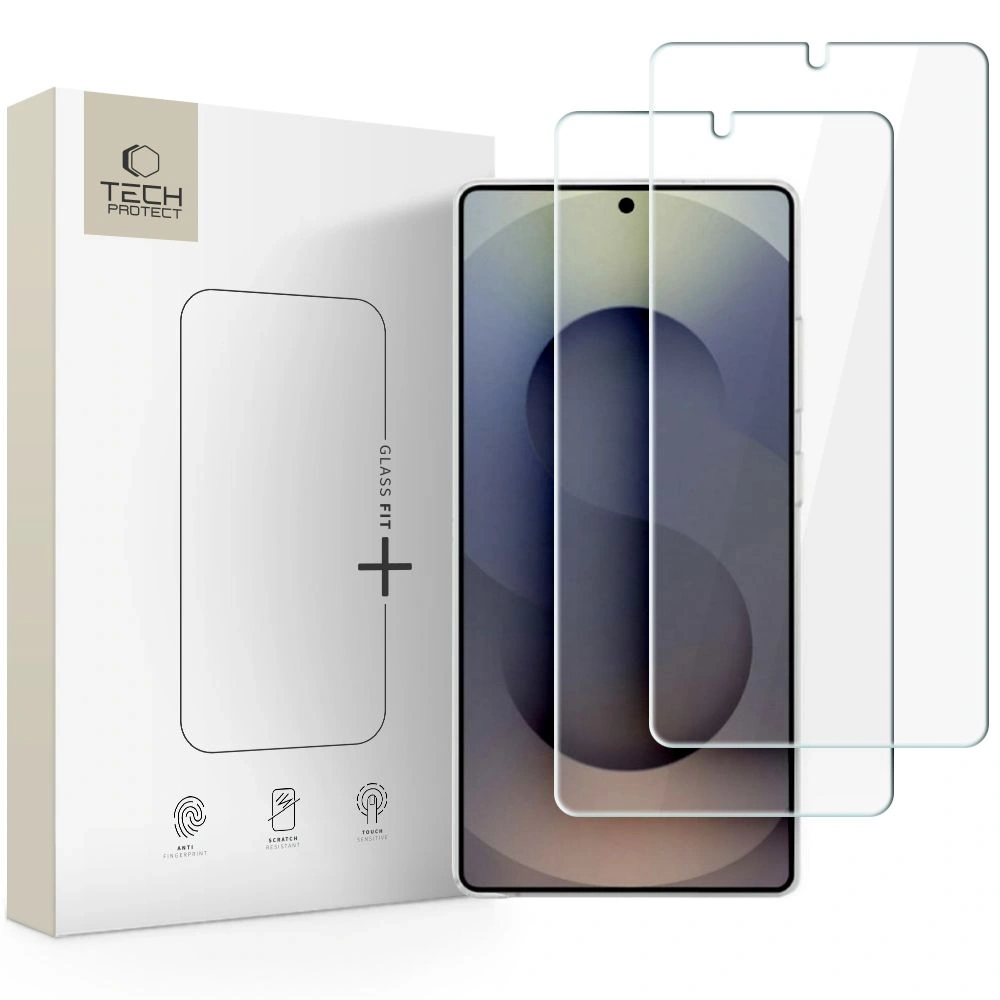
    Tech-Protect Glass Fit+ (2-Pack)9H tempered glassMaximum protection, two-packFor frequent and intense use45.00 PLN
    3MK FlexibleGlass LiteHybrid glassThin, flexible, premiumFor those wanting protection without adding bulk to the screen74.90 PLN
    GrizzGlass HybridGlass9H hybrid glassBest price/quality ratioFor budget users19.99 PLN
    GrizzGlass HybridGlass (duplicate)9H hybrid glassCheap, durable, universalAs a spare or cheaper alternative19.99 PLN
    GrizzGlass MatteScreen EasyMatte filmAnti-reflective, zero fingerprintsFor bright kitchens / under light69.99 PLN
    GrizzGlass PaperScreenMatte film “paper-feel”Best comfort and matte effectFor those who don’t want glare on the screen24.99 PLN
    GrizzGlass CeramicFilmCeramic filmThinnest, resistant, flexibleFor light protection and frequent work with wet hands18.99 PLN

    What is the best tempered glass for Thermomix TM7?

    Tech-Protect Glass Fit+ (2-Pack)

    Type: tempered glass 9H
    Price: 45.00 PLN

    Why is it worth it?

    Tech-Protect Glass Fit+ is a durable tempered glass for Thermomix TM7, designed for kitchen challenges — high hardness 9H provides protection against scratches and impacts, and the two-pack offers economic advantages.

    Key features and properties:

    • Hardness 9H.
    • Perfect fit for the Thermomix TM7 screen.
    • Oleophobic coating.
    • Very high transparency.

    Pros and cons:
    Pros: maximum protection, one of the best options, great value with 2 pieces.
    Cons: thicker than films, installation requires precision.

    For whom?
    For those who want the best tempered glass for Thermomix TM7 — e.g., in conditions of intensive use.


    What is the best hybrid glass for Thermomix TM7?

    3MK FlexibleGlass Lite for Thermomix TM7

    Type: hybrid glass (flexible glass)
    Price: 74.90 PLN

    Why is it worth it?
    3MK FlexibleGlass Lite is a top-class hybrid glass for Thermomix TM7, which combines the durability of glass with the flexibility of film. It perfectly adapts to the curves of the screen, does not crack under pressure, and provides protection close to tempered glass. It is a premium choice, especially if you care about a thin, invisible protective layer.

    Key features and properties:

    • flexible construction resistant to cracking,
    • hardness 7H – high scratch protection,
    • ultra-thin profile that does not thicken the screen,
    • coating that reduces fingerprints,
    • full compatibility with touch and colors of the TM7 screen.

    Pros and cons:
    Pros:

    • the best hybrid glass for Thermomix TM7 in premium version,
    • thin and practically invisible,
    • very easy to install,
    • resistant to bending and chipping.

    Cons:

    • higher price,
    • somewhat lower impact resistance than classic 9H tempered glass.

    For whom?
    For users looking for very thin and flexible protection that looks like a screen without any protection — while still providing real resistance.


    Best Budget Hybrid Glass for Thermomix TM7

    GrizzGlass HybridGlass for Thermomix TM7

    Type: hybrid glass 9H
    Price: 19.99 PLN

    Why is it worth it?
    GrizzGlass HybridGlass is the most cost-effective option on the market if you need cheap and effective protection. It is a cheaper alternative to hybrid glass for Thermomix TM7, which, thanks to its 9H hardness, protects the screen from typical scratches in the kitchen. It is thin, flexible, and adheres well to the surface.

    Key features and properties:

    • thin and flexible construction,
    • surface hardness of 9H,
    • high resistance to scratches and abrasions,
    • glue on the entire surface – better grip,
    • good transparency and natural colors.

    Pros and cons:
    Pros:

    Cons:

    • somewhat worse oleophobic coating,
    • less premium than 3MK models.

    For whom?
    Perfect for those who want solid protection at the lowest price, without the need to invest in premium models.


    Best Matte Film for Thermomix TM7

    GrizzGlass MatteScreen Easy for Thermomix TM7

    Type: matte / anti-reflective film
    Price: 69.99 PLN

    Why choose this model?

    GrizzGlass MatteScreen Easy is a high-quality matte film for Thermomix TM7, designed for users who want to reduce light reflections, glare, and fingerprints. It works perfectly in bright kitchens — especially where the screen is close to a window or under strong lighting. Its greatest advantage is the ease of installation, which will be appreciated by anyone who does not like to deal with precise glass application.

    Key features and properties:

    • matte finish – zero reflections and much better visibility in light,
    • resistance to streaks, grease, and fingerprints,
    • pleasant, slightly rough surface (greater comfort for finger movement),
    • perfect fit for the Thermomix TM7 panel,
    • flexible material that is easy to apply.

    Pros and cons in everyday use:

    Pros:

    • one of the best matte films for the Thermomix TM7,
    • ideal for bright rooms,
    • high resistance to fingerprints,
    • exceptionally easy installation — great for beginners,
    • does not shatter like glass.

    Cons:

    • less mechanical protection than 9H tempered glass,
    • slightly reduces screen contrast (typical for matte films).

    Who is it the best choice for?

    For those who want a screen without reflections, without greasy stains, and without installation issues — the ideal anti-reflective film for the Thermomix TM7 for everyday kitchen use.


    Best paper-feel film for Thermomix TM7

    GrizzGlass PaperScreen for Thermomix TM7

    Type: matte “paper” film
    Price: 24.99 PLN

    Why choose this model?

    GrizzGlass PaperScreen is a unique paper-feel film for Thermomix TM7 that provides an ultra-matte, slightly textured surface effect. This means the screen does not glare, does not reflect light, and is much more resistant to dirt. It is one of the most economical options, while also being very functional — ideal if you care about maximum visual comfort.

    Key features and properties:

    • matte, “paper-like” finish,
    • high resistance to smudges and grease,
    • natural image reproduction without reflections,
    • thin, flexible construction,
    • very easy installation even without experience.

    Pros and cons:

    Pros:

    • great matte film for Thermomix TM7 at a very affordable price,
    • ideal for kitchens with a lot of light,
    • practically no fingerprints,
    • does not shatter like glass and is slightly flexible.

    Cons:

    • minimal decrease in image sharpness (typical for paper-feel films),
    • does not protect as well against impacts as glass.

    Who is it the best choice for?

    For those looking for a budget-friendly and very comfortable matte film for Thermomix TM7 that reduces light reflections to zero.


    Best ceramic film for Thermomix TM7

    GrizzGlass CeramicFilm for Thermomix TM7

    Type: ceramic film / flexible
    Price: 18.99 PLN

    Why choose this model?

    GrizzGlass CeramicFilm is a thin, flexible, and resistant ceramic film for Thermomix TM7, designed as a compromise between film and glass. It is more resistant than classic film, but at the same time does not shatter like glass. It works great in everyday use, especially when frequently using the device with wet hands.

    Key features and properties:

    • ceramic material — more durable than regular film,
    • thin and durable construction,
    • high transparency,
    • fingerprint-reducing coating,
    • good resistance to minor scratches.

    Pros and cons:

    Pros:

    • the most durable film in its class,
    • very attractively priced,
    • does not shatter like glass,
    • pleasant to the touch, responds well to damp hands.

    Cons:

    • lower resistance than tempered glass,
    • may require more precise installation.

    Who is it the best choice for?

    For those who want a flexible, thin, and durable film for the Thermomix TM7, but do not need full tempered glass.


    FAQ — frequently asked questions about Thermomix TM7

    ⭐ What is the difference between Thermomix TM7 and previous models?

    Thermomix TM7 offers an improved touchscreen, faster processor, more precise weighing, and a refreshed interface. The device operates more smoothly and quickly, and the new features enhance cooking convenience.

    ⭐ Does Thermomix TM7 require a Cookidoo subscription?

    The device also works without a subscription, but you will get the full capabilities (step-by-step guided recipes and planning in the app) with Cookidoo.

    ⭐ How to clean Thermomix TM7 without damaging it?

    Most of the bowl elements are washable, while the screen is best cleaned with a soft, damp cloth — without detergents. It is advisable to use a screen protector to avoid scratches and smudges.

    ⭐ Can the Thermomix TM7 replace other kitchen appliances?

    In many cases, yes. It replaces a blender, food processor, scale, steamer, mixer, and even some sous-vide cooking devices.

    ⭐ How long does cooking take in the Thermomix TM7?

    It depends on the recipe — most dishes are ready faster than traditionally. Cookidoo recipes provide exact times, and the device guides you through each step.

    ⭐ Is the Thermomix TM7 noisy?

    It is quieter than many blenders and food processors, but at the highest speeds, it still generates noise — especially when chopping hard products.

    ⭐ What tempered glass for the Thermomix TM7 is the best?

    The best parameters are offered by 9H tempered glass, e.g., Tech-Protect Glass Fit+, which provides the highest resistance to scratches and mechanical damage during everyday cooking.

    ⭐ Does hybrid glass for the Thermomix TM7 protect as well as tempered glass?

    Hybrid glass is more flexible and thinner, and its scratch resistance is very high. However, in terms of impact, tempered glass still provides the strongest protection.

    ⭐ Does a matte film on the Thermomix TM7 reduce image quality?

    Matte films slightly reduce contrast, but in return, they eliminate reflections and fingerprints, which improves visibility in bright light — especially in bright kitchens.

    ⭐ What protection to choose for the Thermomix TM7: glass or film?

    • Tempered glass — for maximum protection.
    • Hybrid glass — a compromise between durability and thin form.
    • Matte film — best visibility under light and no streaks.

    ⭐ Does screen protection affect touch sensitivity on the Thermomix TM7?

    No. Good glasses and films are designed not to limit touch response or fluidity of operation.

    ⭐ Is it easy to install screen protection on the Thermomix TM7?

    Yes, but with differences — matte films are the easiest to install, while tempered glass requires more precision to avoid bubbles.

  • The Best Smartphones with Large Screens 2025 – TOP 5 Ranking

    The Best Smartphones with Large Screens 2025 – TOP 5 Ranking

    Smartphones with screens larger than 6.7 inches are ideal devices for those who want maximum comfort while watching movies, working, gaming, and enjoying multimedia. In 2025, five models stand out: Samsung Galaxy S25 Ultra, Apple iPhone 17 Pro Max, Samsung Galaxy Z Fold 7, Google Pixel 10 Pro XL, and OnePlus 13. Each of them offers top performance, excellent cameras, and large, bright displays.

    Comparison Table: TOP 5 Smartphones with Large Screens (2025)

    ModelScreenProcessorRAMStorageBatteryCameras
    Samsung Galaxy S25 Ultra6.9″ Dynamic AMOLED 2X, 120 HzSnapdragon 8 Elite12 / 16 GB256 GB – 1 TB5000 mAh200 + 50 + 10 + 50 Mpix
    Apple iPhone 17 Pro Max6.9″ Super Retina XDR OLED, 120 HzApple A19 Pro12 GB256 GB – 2 TB~5088 mAh48 + 48 + 48 Mpix
    Samsung Galaxy Z Fold 78.0″ + 6.5″ AMOLED, 120 HzSnapdragon 8 Elite12 / 16 GB256 GB – 1 TB4400 mAh200 + 12 + 10 Mpix
    Google Pixel 10 Pro XL6.8″ LTPO OLED, 120 HzGoogle Tensor G516 GB256 GB – 1 TB5200 mAh50 + 48 + 48 Mpix
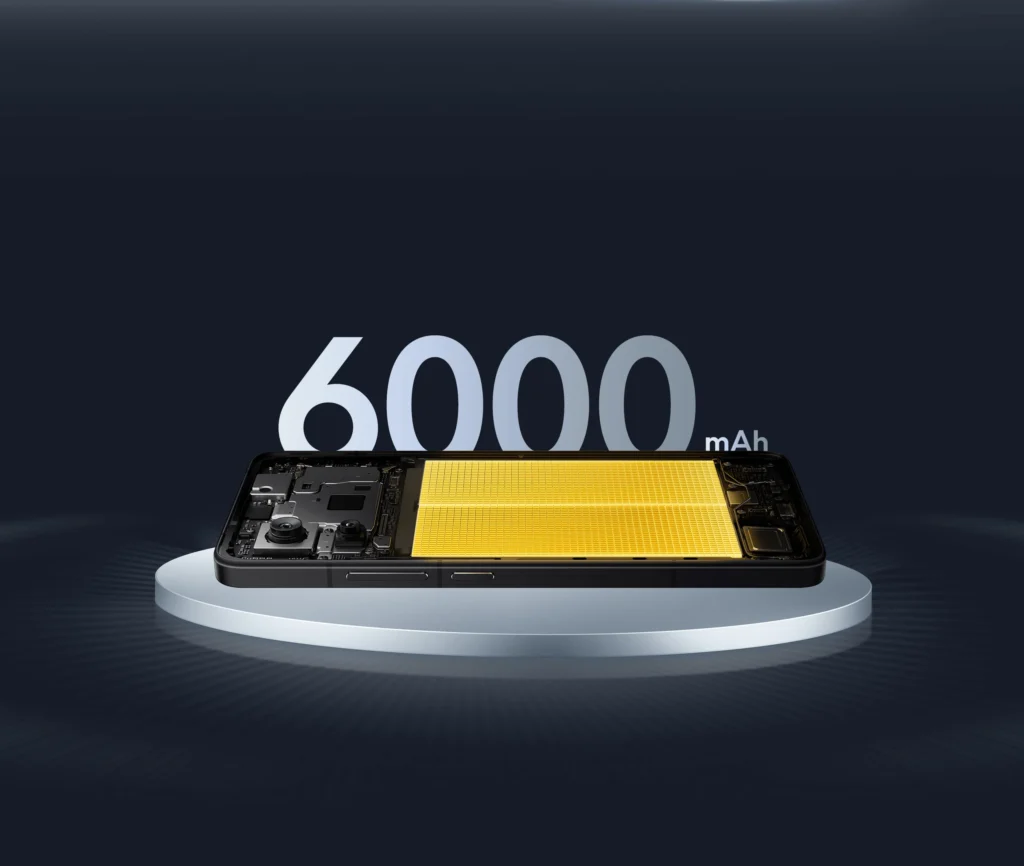
    OnePlus 136.82″ LTPO AMOLED, 120 HzSnapdragon 8 Elite12–24 GB256 GB – 1 TB6000 mAh50 + 50 + 50 Mpix

    Analysis of the TOP 5 smartphones with large displays – which model is worth choosing?

    1. Samsung Galaxy S25 Ultra – the most powerful flagship with a large screen

    The Samsung Galaxy S25 Ultra is a true king among large Android smartphones. It features a 6.9-inch Dynamic AMOLED 2X display with a resolution of 3120 x 1440 px (WQHD) and a refresh rate of 120 Hz, providing stunning sharpness and smoothness of the image. The screen is protected by Gorilla Glass Armor 2, and the device meets the IP68 standard – it is resistant to water and dust. The Galaxy S25 Ultra is powered by the latest Snapdragon 8 Elite (overclocked edition for Samsung) along with 12 or 16 GB of RAM, resulting in record performance. We have an enormous internal storage available – 256 GB, 512 GB, or even 1 TB – so there will definitely be no shortage of space for data.

    • Display: 6.9″ Dynamic AMOLED 2X, 3120×1440 px, 120 Hz (almost bezel-less, supports HDR10+)
    • Processor: Snapdragon 8 Elite (8-core 3 nm, up to ~4.5 GHz) – the fastest chip of 2025.
    • RAM: 12 GB or 16 GB LPDDR5X
    • Storage: 256 GB / 512 GB / 1 TB UFS 4.0 (no microSD slot)
    • Rear cameras: Quad – main 200 Mpix (OIS), ultra-wide 50 Mpix, telephoto 10 Mpix (3× optical zoom) and periscope telephoto 50 Mpix (5× optical zoom). This setup allows for up to 100× digital zoom and excellent night photos. On the front, there is a selfie camera 12 Mpix.
    • Battery: 5000 mAh – fast charging 45 W (to full in ~1 hour) and wireless charging 15 W. In practice, the phone easily lasts all day with intensive use.
    • System: Android 15 with One UI 7 (updates for several years)
    • Connectivity: 5G, Wi-Fi 7, Bluetooth 5.3, Ultra Wideband (UWB), NFC, USB-C 3.2. There is also S Pen – the stylus hidden in the body makes note-taking and operation easier (now works passively, without charging).

    The Samsung Galaxy S25 Ultra impresses with its powerful camera – photos have stunning detail thanks to the 200 Mpix sensor, and the 5× periscope telephoto lens can capture distant objects with surprising clarity. The large 6.9″ display is perfect for multimedia and using the DeX feature (desktop mode when connected to a monitor). This is an uncompromising flagship for the most demanding users, combining a huge display with top performance and functionality.

    👉 Check the best cases for Samsung Galaxy S25 Ultra/ tempered glass for Galaxy S25 Ultra/ fast chargers for Samsung Galaxy S25 Ultra


    2. Apple iPhone 17 Pro Max – the best iPhone with a large screen for multimedia

    The latest iPhone 17 Pro Max is Apple’s response to the trend of maximally large screens. The smartphone features a 6.9-inch Super Retina XDR OLED display with a resolution of approximately 2868 x 1320 px and a refresh rate of up to 120 Hz (ProMotion). The screen is incredibly bright (up to 3000 nits in sunlight) and supports Always-On-Display and Dolby Vision. At the heart of the device is the Apple A19 Pro chip – a 6-core chip made in 3 nm, which provides unparalleled performance and extended battery life. The iPhone 17 Pro Max has received as much as 12 GB of RAM – this is the first iPhone with such a large memory, which combined with the refined iOS translates to lightning-fast operation. Data storage is also not an issue – available variants include 256 GB, 512 GB, 1 TB, and even 2 TB of internal memory.

    • Display: 6.9″ Super Retina XDR OLED, ~2868×1320 px, ProMotion 120 Hz (HDR10, Dolby Vision). The screen is protected by Ceramic Shield, and the frame is made of titanium, which increases durability.
    • Processor: Apple A19 Pro (6-core CPU + 6-core GPU) – record power and energy efficiency.
    • RAM: 12 GB LPDDR5
    • Storage: 256 GB / 512 GB / 1 TB / 2 TB NVMe
    • Rear Cameras: Triple 48 Mpix Camera – main 48 Mpix (sensor ~1/1.3″, OIS, f/1.6), ultra-wide 48 Mpix (120°) and periscope 48 Mpix telephoto lens. The telephoto lens offers 4× optical zoom (focal length approx. 120 mm) and up to 8× optical zoom range (0.5×–4×) thanks to the combined work of the lenses. All three rear cameras have the same high resolution, resulting in consistent photo quality. At the front, there is an improved 18 Mpix selfie camera with autofocus, supported by a Face ID (TrueDepth 3D) scanner.
    • Battery: ~5088 mAh (larger than its predecessor) – allows for over 1 day of typical usage. Supports wired fast charging 40 W (up to 50% in ~20 minl) and wireless MagSafe 25 W. The iPhone 17 Pro Max also supports reverse charging for accessories.
    • System: iOS 19 (the latest version for 2025) – with 7 years of update support. Introduces new AI features and even smoother multitasking.
    • Connectivity: 5G (with mmWave and eSIM support), Wi-Fi 6E/7, Bluetooth 5.3, UWB (U2 chip) for device location, NFC,  USB-C (compatible with Thunderbolt 4). The iPhone 17 Pro Max also has satellite connectivity (SOS) and stereo speakers with Dolby Atmos.

    Apple focused on improving the cameras – now all three rear ones have 48 Mpix, which means significantly better ultra-wide and portrait photos than in previous models. Night photos are brighter, and the cinematic mode allows recording in 4K at 120 fps and Dolby Vision. Despite the large 6.9” screen, thanks to the slim bezels and titanium construction, the phone still fits in the hand similarly to earlier Pro Max models. The battery over 5000 mAh finally catches up with the competition from Android – the iPhone 17 Pro Max easily plays ~29 hours of video on a single charge. This is the most advanced iPhone, perfect for those looking for the maximum screen in the world of iOS.

    👉 Check out the best cases for iPhone 17 Pro Max/tempered glass for iPhone 17 Pro Max/Magsafe chargers for iPhone 17 Pro Max


    3. Samsung Galaxy Z Fold 7the largest screen and the perfect 2-in-1 smartphone

    The Galaxy Z Fold 7 is a representative of the new generation of foldable smartphones, combining the features of a phone and a tablet. It has two displays: an external 6.5″ Dynamic AMOLED 2X screen with a resolution of 2520 x 1080 px (aspect ratio ~21:9) and a huge, foldable internal screen of 8.0″ with a resolution of 2184 x 1968 px. Both screens support a refresh rate of 120 Hz, providing incredible smoothness during multitasking. When unfolded, the Galaxy Z Fold 7 offers space like a small tablet – perfect for watching movies, working in multiple windows, or drawing (it supports the S Pen Fold Edition).

    This model is powered by the flagship Snapdragon 8 Elite processor (the same as in S25 Ultra), supported by 12 or 16 GB of RAM. Samsung has ensured adequate storage – the Z Fold 7 comes in configurations of 256 GB, 512 GB, or 1 TB for data. This allows us to store plenty of movies and photos, which is what the Z Fold is known for.

    • Displays:
      • External: 6.5″ Dynamic AMOLED 2X, 2520×1080 px, 120 Hz (Always-On support). Covered with Gorilla Glass Ceramic, brightness up to 2600 nits.
      • Internal: 8.0″ Dynamic AMOLED 2X (LTPO), 2184×1968 px, 120 Hz. Flexible panel made of ultra-thin glass (UTG); hinge design improved and the crease in the middle of the screen minimized compared to previous generations.
    • Processor: Qualcomm Snapdragon 8 Elite (8 cores up to ~4.5 GHz) – special edition For Galaxy ensuring top performance in Samsung devices.
    • RAM: 12 GB / 16 GB LPDDR5X
    • Storage: 256 GB / 512 GB / 1 TB UFS 4.0 (no option for expansion via card)
    • Rear cameras: Triple module like in top Galaxy models: main 200 Mpix (OIS, f/1.7) providing excellent detail, ultra-wide 12 Mpix (120°) for group photos and macro, telephoto 10 Mpix with 3× optical zoom (OIS). This set allows for up to 30× Space Zoom (digitally) and performs well in low light thanks to advanced image processing.
    • Front cameras: Two – one on the external screen (10 Mpix in a small hole, for selfies with the phone folded) and the other under the internal screen (10 Mpix, hidden under the unfolded display). The under-display camera solution ensures that nothing disrupts the image on the large screen. Both cameras allow for convenient video calls (the internal one has a wider angle ~100° for shots from a greater distance).
    • Battery: 4400 mAh (two cells) – lasts all day with moderate use in phone mode or several hours of continuous work in tablet mode. Supports fast charging 25 W (QC 2.0) – replenishes ~50% in 30 minutes. Wireless charging 15 W (Qi) is also available, as well as reverse charging (PowerShare) up to 5 W.
    • System: Android 16 with One UI 8 interface tailored for foldable screens (including Multi-Active Window mode that allows running up to 3 apps simultaneously on the large screen). Samsung guarantees years of security updates.
    • Connectivity: Dual SIM + eSIM, full set 5G (including 5G standalone), Wi-Fi 7 (up to 5.8 Gb/s), Bluetooth 5.3, NFC, USB-C 3.2. The Galaxy Z Fold 7 has stereo speakers with Dolby Atmos and is waterproof (IPX8) – withstands immersion at a depth of 1.5 m for 30 min.

    The Samsung Galaxy Z Fold 7 is the most versatile smartphone in this lineup. When folded, it is a fully-fledged phone with a slightly thicker profile (about 14 mm), and when unfolded, it transforms into an 8-inch tablet – perfect for work and entertainment. The software offers continuity (apps seamlessly transition from the smaller screen to the larger one) and Flex Mode, which divides the interface when the screen is partially folded – great for video conferencing, for example. The Galaxy Z Fold 7 will appeal to tech enthusiasts and those needing a 2-in-1 device that replaces both a smartphone and a tablet.

    👉Check out the case for Galaxy Z Fold 7


    4. Google Pixel 10 Pro XLlarge display and the best AI photo quality

    Google Pixel 10 Pro XL is the largest and most advanced phone in the Pixel series in 2025. It features a large 6.8-inch OLED LTPO display with a high resolution of 2992 x 1344 px and adaptive refresh rate of 1–120 Hz. Google has implemented a new Super Actua Display with peak brightness reaching 3000 nits, ensuring excellent readability even in bright sunlight. The Pixel 10 Pro XL boasts a minimalist design – the front is almost bezel-less, and the aluminum frame of the phone seamlessly connects with the Gorilla Glass Victus 2 protecting the display.

    The heart of the device is the custom Google Tensor G5 processor, designed with artificial intelligence in mind. This unit ensures smooth operation of Android and special Pixel features (such as advanced photo processing). We have 16 GB of RAM and fast UFS 4.0 storage available – the Pixel 10 Pro XL comes in variants of 256 GB, 512 GB, or 1 TB for data.

    • Display: 6.8″ LTPO OLED, 2992×1344 px (QHD+), 1–120 Hz, ~490 ppi, brightness up to ~3000 nits. Supports HDR10+ and Always-On-Display. Provides vibrant colors and excellent contrast (Pixel calls it Super Actua Display).
    • Processor: Google Tensor G5 (8 cores, up to 3.8 GHz) – optimized for AI and energy efficiency. Works with the Titan M2 security chip.
    • RAM: 16 GB LPDDR5X
    • Storage: 256 GB / 512 GB / 1 TB UFS 4.0 (no microSD). Each Pixel also receives unlimited photo storage in Google Photos (in high quality) for 7 years.
    • Rear Cameras: Triple Pixel Pro Camera – main 50 MP (large 1/1.3″ sensor with OIS, laser AF), ultra-wide 48 MP (125° field of view, also serves as macro) and periscope telephoto 48 MP with 5× optical zoom (focal length ~120 mm). This setup provides incredibly versatile photographic capabilities – from spectacular wide-angle shots to close-ups without loss of quality. Pixel is renowned for its camera software: night mode, AstrophotographyPhoto Unblur (for sharpening motion-blurred photos) and Magic Eraser work better than ever thanks to the power of AI Tensor G5.
    • Front camera: 42 Mpix (Center Stage) – placed in a cutout, with a wide angle and automatic framing feature during video calls. It is one of the largest selfie sensors on the market, resulting in detailed selfies and better performance in low light.
    • Battery: 5200 mAh – provides very good usage times (about 8-9h SoT). Supports fast charging ~39–45 W (up to 50% in ~25 min). Pixel has adopted the new standard Qi2 for wireless charging – power up to 15 W on compatible chargers. Also offers reverse charging (e.g., for Pixel Buds).
    • System: Pure Android 16 straight from Google – with a guarantee of 7 years of updates (up to Android 23) and regular so-called Feature Drops every quarter. The interface is optimized for large screens (new split-screen layout, contextual widgets, etc.). Pixel stands out with AI features: assistant in Polish, live speech-to-text transcription, smart spam filtering, etc.
    • Connectivity: 5G (including support for 5G Standalone networks), Wi-Fi 7, Bluetooth 5.4, NFC, USB-C 3.2 (Supports DisplayPort Alt Mode), Ultra Wideband (UWB) for digital keys and precise tracking of trackers. The Pixel 10 Pro XL stereo speakers offer clear sound with spatial audio.

    Google Pixel 10 Pro XL is a smartphone for fans of pure Android and mobile photography. Its cameras, supported by Google’s algorithms, allow you to take great photos literally point-click – without the need for manual editing. The huge 6.8″ screen is perfect for content consumption, while the phone remains slightly narrower than competing Ultras, improving ergonomics. With long-term support and integration of Google services (Assistant, Photos, Live Translator), the Pixel 10 Pro XL will stay current and useful for many years.

    👉Check out screen glass for Pixel 10 Pro XL/ case for Google Pixel 10 Pro XL


    5. OnePlus 13 – large AMOLED screen and record performance

    The OnePlus 13 closes our ranking – it’s a flagship that debuted at the end of 2024 and set new standards for 2025. It features a 6.82-inch LTPO AMOLED display with a resolution of 3168 x 1440 px (aspect ratio 19.8:9), which boasts incredible sharpness (510 ppi) and a peak brightness of up to 4500 nits – currently a record in the smartphone market. The screen supports adaptive refresh rates of 1–120 Hz and is 10-bit, resulting in beautiful, vibrant colors. The OnePlus 13 also has excellent build quality: the front is protected by Gorilla Glass Victus 2, the body is metal with a matte finish, and the device meets IP68/IP69 standards (water resistance even against strong water jets).

    Inside, we find the top-of-the-line Snapdragon 8 Elite (the same as in the Galaxy S25 Ultra) and even 24 GB of RAM in the highest configuration. The OnePlus 13 comes in versions with 12 GB, 16 GB, or 24 GB of RAM and 256 GB, 512 GB, or 1 TB of fast UFS 4.0 storage. Such specifications make the phone perform excellently with both 3D games and multitasking – you can keep dozens of apps running in the background without reloading.

    • Display: 6.82″ 10-bit LTPO AMOLED, 3168×1440 px, 1–120 Hz, up to 4500 nits brightness. Supports HDR10+, Dolby Vision, and is very readable even in direct sunlight. With a high resolution and a density of 510 ppi, the image is incredibly sharp.
    • Processor: Qualcomm Snapdragon 8 Elite (gen. 4) with Adreno 830 graphics – currently one of the most powerful chips on the market. Provides a ~20% increase in CPU and AI power compared to its predecessor.
    • RAM: 12 GB / 16 GB / 24 GB LPDDR5X – OnePlus 13 in the top version offers up to 24 GB of RAM, which allows it to maintain smooth performance for years to come.
    • Storage: 256 GB / 512 GB / 1 TB UFS 4.0 (no microSD slot). The highest variant 24/1 TB will satisfy even the most demanding users.
    • Rear Cameras: Triple Hasselblad 5.0 camera, each with a resolution of 50 Mpix:
      • Main: 50 Mpix, Sony LYT808 sensor, large ~1″ sensor, with optical and electronic stabilization (OIS+EIS), f/1.8 lens. Provides excellent dynamics and detail in photos under all conditions.
      • Telephoto: 50 Mpix, Sony LYT600 sensor, OIS+EIS, 3× lossless optical zoom (equivalent to ~78 mm). Also enables hybrid zoom up to about 10× with minimal quality loss.
      • Ultra-wide: 50 Mpix, field of view 120°, EIS, f/2.2. Allows for photographing vast scenes without distortion, as well as close-up macro shots.
        All three cameras have been tuned in collaboration with Hasselblad, providing natural colors and a Pro Mode with advanced settings. OnePlus 13 allows recording video in a resolution of up to 8K@30 fps and 4K up to 120 fps, with a rich color profile.
    • Front camera: 32 Mpix (f/2.4) – takes very good selfies, offers a portrait mode with impressive background blur. It is centrally positioned at the top of the screen.
    • Battery: 6000 mAh (high-density, carbon-silicon cell) – despite the powerful battery, the phone maintains a reasonable weight (approx. 213 g). The battery supports extremely fast SuperVOOC charging 100 W, allowing the phone to charge from 0 to 100% in about 30–35 minutes. Moreover, OnePlus 13 supports the fastest wireless charging in its class 50 W (requires a dedicated OnePlus charger – full charge in ~50 min). There is also 10 W reverse charging, for topping up devices like headphones.
    • System: OxygenOS 15 (based on Android 15) – a lightweight overlay, similar in appearance to pure Android, known for its speed. The manufacturer promises at least 4 major system updates and 5 years of security patches. The system is optimized for 24 GB RAM – among other things, it intelligently keeps apps in memory and supports AI features to enhance performance.
    • Connectivity: Dual SIM 5G, Wi-Fi 7, Bluetooth 5.3 (LE Audio), NFC, USB-C 2.0 port (unfortunately without video mode – OnePlus focuses on wireless casting). Lacks a 3.5 mm audio jack, but an adapter is included. The phone also offers stereo speakers with Dolby Atmos.

    OnePlus 13 has earned the title of “flagship killer” – it offers comparable specifications to competitors from Samsung or Apple, usually at a more favorable price. Its huge OLED screen impresses with image quality, and thanks to the 120 Hz refresh rate and high resolution, it performs excellently in both mobile gaming and movie watching. 6000 mAh battery with super-fast 100 W charging means no more worries about battery life – even a few minutes of charging provides energy for many hours of use. The triple 50 Mpix camera, created in collaboration with the legendary brand Hasselblad, allows for professional-quality photos with natural colors. If you are looking for an Android phone with a large screen that almost matches competitive flagships in every respect, OnePlus 13 will be an excellent choice.

    👉Check out cases for OnePlus 13/ wall chargers for OnePlus 13


    How to choose the right smartphone with a large screen?

    Choosing a phone with a large display is not just about the diagonal size. The right model should be comfortable to use, provide high image quality, and offer features tailored to your needs — from photography, through gaming, to multitasking. Below you will find the most important elements to pay attention to.


    Compatibility factors

    • Weight and ergonomics — larger smartphones may be heavier, but different screen ratios affect comfort. Slimmer models (e.g., Pixel 10 Pro XL) are easier to handle with one hand.
    • Accessory compatibility — check if good cases, tempered glasses, and chargers are available for the specific model (Home Screen has a wide selection for 2025 models).
    • Connectivity standards — if you use a smartwatch, headphones, or chargers, make sure the phone supports the required technologies (e.g., MagSafe, UWB, Qi2).
    • Memory size — a large screen encourages watching movies and photos, so 128 GB of memory can be insufficient — it’s best to aim for 256 GB and more.

    Key features to consider

    • Screen brightness — large screens need high brightness. Flagships offer 2500–4500 nits, ensuring readability in sunlight.
    • 120 Hz refresh rate — ideal for scrolling, gaming, and smooth system operation.
    • Camera — it’s worth looking for models with large sensors (1/1.3″ or larger) and periscope lenses for 5× zoom.
    • Battery and charging — a smartphone with a 6.8–7.0″ screen should have at least 4800–5200 mAh. The best models (OnePlus 13) even have 6000 mAh and 100 W charging.
    • Performance — 2025 generation processors: Snapdragon 8 Elite, Apple A19 Pro, and Tensor G5 are the absolute top.
    • Water resistance — minimum IP68, and preferably IP68/IP69 for more intensive use.

    Price ranges in 2025

    • 2500–3500 zł – larger mid-range phones, but without flagship image quality and cameras.
    • 3500–5000 zł – solid premium models with large screens, though often without the best processors.
    • 5000–7000 zł – flagships from 2024/2025 with 6.7–6.9″ screens, excellent cameras, and performance.
    • 7000–9000 zł – absolute top: iPhone 17 Pro Max, Galaxy S25 Ultra, and Pixel 10 Pro XL.
    • approx.9000 zł – foldable devices like Galaxy Z Fold 7, combining phone and tablet in one.

    FAQ – Smartphones with Large Screens 2025

    ⭐ Which smartphone with a large display is the best in 2025?

    Samsung Galaxy S25 Ultra – thanks to its powerful 200 Mpix camera, top-notch 6.9″ display, and S Pen stylus.

    ⭐ Which phone has the largest screen?

    Samsung Galaxy Z Fold 7 – when unfolded, it offers an 8-inch screen like a small tablet.

    ⭐ Which model takes the best photos?

    Google Pixel 10 Pro XL – AI algorithms, Astrophotography, and a great 50 Mpix sensor.

    ⭐ Best iPhone with a large screen?

    Definitely the iPhone 17 Pro Max – 6.9″ OLED, triple 48 Mpix, top video quality.

    ⭐ Most cost-effective smartphone with a large screen?

     OnePlus 13 – ultra-fast performance, 24 GB RAM, 4500 nits display, and an above-average 6000 mAh battery.

    ⭐ Does a large-screen phone drain the battery faster?

    Not always — modern LTPO panels in 2025 models dynamically lower the refresh rate, allowing large-screen phones to last longer than smaller smartphones.

    ⭐ Are smartphones over 6.8 inches comfortable for everyday use?

    Yes — manufacturers have significantly narrowed the bezels, and the bodies are more ergonomic. The narrower Pixel 10 Pro XL is the most comfortable.

    ⭐ Which large-screen smartphone is best for gaming?

    OnePlus 13 – powerful Snapdragon 8 Elite chip, up to 24 GB RAM, and a 120 Hz display are perfect for mobile gaming.

    ⭐ Which phone to choose for movies and Netflix?

    Samsung Galaxy S25 Ultra and Apple iPhone 17 Pro Max – the best HDR quality, high brightness, and perfect OLED colors.

  • The best sports bands for Apple Watch 11

    The best sports bands for Apple Watch 11

    The best sports band for the Apple Watch Series 11 is UNIQ Stride De Rubber – made of durable fluoroelastomer, which works great during intense workouts. Also notable is Spigen WBF0 Band made of breathable nylon and the rugged Supcase Unicorn Beetle Pro for extreme sports enthusiasts. All fit the Apple Watch 11 case and provide perfect fit, durability, and a sporty look.

    Before you choose the perfect band for your Apple Watch 11, check out our comparison of the most interesting models.

    In the table, you will find TOP 5 best sports bands and their cheaper or alternative counterparts, which differ in material, price, and purpose. It’s a quick way to see which band best suits your style and type of activity.

    👉 See all sports bands for Apple Watch 11 at Home Screen store.

    🏆 TOP 5 SPORTS BANDS FOR APPLE WATCH 11 (42/46 mm)

    #ModelMaterialPriceFor whom / advantagesAlternative (cheaper / different)
    1Spigen WBF0 Band (Navy)Woven nylon89 PLNThe best nylon strap – lightweight, breathable, very comfortable. Ideal for training and everyday wear.Tech-Protect Nylon Slip (35 PLN) – cheaper nylon with Velcro, simple and sturdy.
    2UNIQ Stride De Rubber (Storm)Fluoroelastomer / synthetic rubber FKM199 PLNPremium strap for the demanding – resistant to sweat, high temperatures, perfect for intense workouts.Spigen WBS2 Band (69 PLN) – silicone, flexible, good for daily exercises.
    3Bizon Strap Watch Adventure Reinforced nylon59 PLNGreat for outdoor and off-road sports – durable, strong, holds the wrist well.Tech-Protect Nylon Mag (29 PLN) – woven nylon with magnetic closure, cheaper alternative.
    4Spigen Nano Pop (Blueberry Navy)Two-layer silicone95 PLNStylish, soft silicone with colorful finish – comfort + design.Bizon Strap Silicone (26 PLN) – cheap, classic silicone for training.
    5Supcase Unicorn Beetle Pro (Gold)TPU + PC (armored 2 in 1 set)129 PLNFor the active and extreme – integrated case + strap, maximum protection.Spigen Rugged Armor Pro (75 PLN) – armored set “case + strap”, cheaper alternative to Supcase, equally protects the watch well.

    What is the best nylon strap for Apple Watch 11?

    If you are looking for a lightweight, breathable, and comfortable accessory for your watch, the nylon strap for Apple Watch 11 will be the perfect choice. It works well for both daily activities and workouts – it doesn’t absorb moisture, dries quickly, and provides excellent comfort even during long wear.

    Spigen WBF0 Band

    Spigen WBF0 Band is one of the most popular sport straps for Apple Watch 11, made from premium woven nylon. The material is breathable and gentle on the skin, and thanks to the Velcro closure, the strap can be quickly adjusted to the wrist.
    Its design makes it suitable for both sports attire and a casual look.
    This is the best nylon strap for Apple Watch 11 if you care about comfort and solid craftsmanship.
    Price: 89 PLN

    Why choose Spigen WBF0 Band?

    This strap is suitable for both daily training and in the office or on a walk. The nylon weave is soft, flexible, and breathable, so it does not cause irritation even during long wear. The Velcro closure allows for precise adjustment, and the adjustment is quick and convenient — especially during dynamic exercises or when changing wrist positions.
    Additionally, the WBF0 model has reinforced stitching and durable ends that protect the material from fraying – ensuring it maintains its aesthetic for a long time.

    🔸 Alternative: Tech-Protect Nylon Slip

    If you’re looking for a cheaper option,  Tech-Protect Nylon Slip is a great alternative. Made from lightweight nylon, it features a Velcro closure that allows you to quickly adjust the strap to your wrist.
    The material is soft and quick-drying, making it suitable for workouts or everyday use.
    Although it doesn’t have the elegant finish of the Spigen model, it is incredibly comfortable and lightweight, making it an ideal choice for those just starting their journey with Apple Watch accessories. This budget nylon strap for Apple Watch 11 pleasantly surprises with its durability and comfort.
    Price: 35 PLN


    Best rubber strap for Apple Watch 11

    If you train intensively and need something that can withstand high temperatures, sweat, and daily effort,  rubber strap for Apple Watch 11 will be the best choice.
    Models made of FKM (fluoroelastomer) are exceptionally durable and flexible, while also looking elegant. In this category, the UNIQ Stride De Rubber strap stands out as a true premium in the world of sports straps.


    UNIQ Stride De Rubber (Storm) – premium rubber sports strap

    UNIQ Stride De Rubber is a strap for those who expect the highest quality. Made of FKM fluoroelastomer, a synthetic rubber used in professional sports and diving watches, it offers unmatched resistance to sweat, UV rays, and high temperatures.
    The material retains its flexibility for years, does not deform, and does not lose color even with intensive use.

    It is the ideal sports strap for Apple Watch 11 for the demanding – it performs excellently during running, crossfit training, and everyday wear.
    The minimalist design and elegant matte finish add class, making it suitable not only for sporty but also for casual styles.
    Price: 199 PLN


    🔁 Alternative: Spigen WBS2 Band – silicone and flexible choice

    If you are looking for a cheaper alternative to UNIQ Stride, the Spigen WBS2 Band is a great compromise between quality and price. Made of soft, perforated silicone, it provides good skin ventilation and comfort even during long workouts.
    Its design is intended to wick moisture away and prevent skin irritation – it’s the ideal silicone strap for Apple Watch 11 for active individuals.

    The Spigen WBS2 Band has a classic sporty finish, available in several colors, making it easy to match with your style.
    Price: 69 PLN
    For whom? For those looking for a functional and comfortable strap for the gym, cycling, or daily workouts, but who do not need premium FKM material.

    Best silicone strap for Apple Watch 11

    If you care about a versatile sports strap that combines the comfort of silicone with everyday use — choosing a silicone strap is a perfect choice. The silicone material is lightweight, flexible, easy to clean, and works great during workouts, at the gym, or in urban movement. Below are two suggestions: one as the main choice, the other — a slightly cheaper alternative.

    Spigen Nano Pop – stylish silicone strap

    Spigen Nano Pop is a soft silicone strap in a trendy, two-tone finish — perfect for those who want to combine a sporty character with everyday style.
    The material is skin-friendly, resistant to sweat and dirt, and the “pin-and-tuck” closure system ensures stability even during intense movement. 
    Price: 95 PLN
    For whom? Ideal for Apple Watch 11 46 mm users looking for a sporty strap that is also a nice everyday accessory — a great compromise between performance and aesthetics.


    🔁 Alternative: Bizon Strap Silicone – budget silicone choice

    If your budget is the main constraint and you still want a decent silicone strap for the Apple Watch 11 — the Bizon Strap Silicone is a proposal to consider. The price starts at 26 PLN, the silicone material is lightweight and functional — making it a great choice for training or as a backup strap.

    For whom? For physically active individuals who need a functional sports strap at a very affordable price — they don’t need a premium brand, just that it meets the conditions: comfort, fit, silicone.

    Best durable strap for outdoor and off-road sports

    If you train outdoors, ride a bike, or spend active time outside, choose a strap that can withstand more than silicone models.
    In this category, durable straps made of dense nylon reign supreme, unafraid of mud, sweat, and moisture.


    Bizon Strap Watch Adventure – a durable nylon strap for special tasks

    Bizon Strap Watch Adventure is a proposal for those who love challenges. Made of reinforced high-density nylon, it withstands tough conditions while maintaining flexibility and comfort.
    The material does not absorb water and dries quickly, and thanks to the sturdy buckle, the watch always stays securely on the wrist.

    The strap performs well in trail running, mountain tourism, cycling, or outdoor sports, where durability is needed rather than a luxurious appearance.
    Its subdued gray color and strong stitching make it look professional and minimalist.
    Price: 59 PLN


    🔁 Alternative: Tech-Protect Nylon Mag – braided nylon with magnetic closure

    Tech-Protect Nylon Mag is a lighter, more everyday alternative to the Bizon model.
    The strap made of soft braided nylon provides excellent ventilation and exceptional comfort in use, while the magnetic closure makes putting on and taking off the watch take literally seconds.
    This is a good choice for those who value comfort and aesthetics, but do not need a strap for extreme conditions.
    The material is quick-drying, pleasant to the touch, and ideal for everyday use or light workouts.
    Price: 29 PLN

    For whom? For those looking for a simple, functional strap for Apple Watch 11 that looks elegant while still maintaining a sporty character.


    🦾 The best rugged strap for Apple Watch 11

    If your Apple Watch is to survive everything — from drops to extreme outdoor workouts — choose a rugged 2-in-1 set that protects not only the strap but also the watch case.


    🥇 Supcase Unicorn Beetle Pro (Gold) – rugged protection and style in one

    Supcase Unicorn Beetle Pro is a true tough guy among straps.
    The set combines a durable TPU strap with an integrated polycarbonate (PC) case, creating protection that safeguards the entire watch from impacts and scratches.
    It’s the perfect solution for those who engage in extreme sports, work in tough conditions, or simply want to ensure that their Apple Watch 11 survives anything.

    Despite its rugged properties, the design remains ergonomic – it does not restrict wrist movement, and the ventilation holes improve air circulation.
    Available in several colors, including black and gold.
    Price: 129 PLN


    🔁 Alternative: Spigen Rugged Armor Pro – cheaper but solid protection

    If you are looking for a similarly durable solution but at a lower price, Spigen Rugged Armor Pro will be the perfect alternative.
    Made of flexible TPU and strong plastic, it provides a high level of protection for the watch case and screen, while looking elegant and sporty.
    The integrated case protects the edges of the case, and the buttons are precisely fitted to the shape of the Apple Watch.

    This armored strap for Apple Watch 11 not only looks good but also protects your watch from damage.
    Price: 75 PLN

    For whom? For users who want solid protection for their watch during daily work, cycling, or at the gym – without the need to invest in a more expensive model.

    How to choose a sports strap for Apple Watch 11?

    Choosing the right strap for the Apple Watch 11 (42/46 mm) is more than just a matter of color or appearance. A well-chosen strap should be comfortable, sweat-resistant, and suited to your activity style – whether you are running, working out at the gym, or simply wearing the watch daily.

    🎽 1. Material matters

    The most important factor when choosing a sports strap is material.

    • Woven nylon (e.g. Spigen WBF0, Tech-Protect Nylon Slip) – a lightweight, breathable option ideal for running and everyday wear.
    • Silicone and fluoroelastomer (e.g. UNIQ Stride De Rubber, Spigen WBS2, Nano Pop) – provide resistance to water and sweat, making them best suited for intense workouts and swimming.
    • TPU or rugged materials (Supcase, Spigen Rugged Armor Pro) – for those seeking maximum protection and durability, e.g. in extreme sports.

    👉 In short: nylon – lightness and comfort, silicone – versatility, rugged materials – protection and durability.


    💪 2. Fit and wearing comfort

    A good strap should neither be too tight nor too loose. The Apple Watch 11 has two case sizes (42 mm and 46 mm), and most new straps are compatible with the entire range of 42–49 mm, so you don’t have to worry about compatibility.
    However, it’s worth paying attention to:

    • Buckle – Velcro (e.g. Tech-Protect Nylon Slip) provides quick adjustment,
    • clasp – more secure hold in premium models (e.g. UNIQ Stride),
    • magnetic closure – convenient, but better to avoid in extreme sports (e.g. Nylon Mag).

    🌡️ 3. Resistance and Durability

    The sports band must withstand moisture, sweat, and temperature changes.
    Models made of fluoroelastomer (like UNIQ Stride) are resistant to sweat and UV rays, while nylon ones (Spigen, Bizon) can be easily washed and dried.
    If you train outdoors, opt for quick-drying materials – they won’t stick to your skin.


    ⚙️ 4. Style and Purpose

    Each material has a different application:

    • For everyday wear – lightweight nylon (Spigen WBF0, Bizon Adventure),
    • For intense sports – silicone or FKM rubber (UNIQ Stride, Spigen WBS2),
    • For extreme conditions – rugged sets (Supcase, Spigen Rugged Armor Pro).

    Also, keep in mind the color – bright bands will highlight a sporty look, while dark ones will be more versatile and practical.


    Frequently Asked Questions about Apple Watch 11 – FAQ

    ⭐ Which sports band to choose for Apple Watch 11?

    It depends on your style and activity. If you value lightness and breathability — choose nylon Spigen WBF0 Band. For intense workouts, a rubber UNIQ Stride De Rubber will be better, and in extreme conditions — armored Supcase Unicorn Beetle Pro.


    ⭐ Do bands from previous Apple Watch models fit the series 11?

    Yes ✅. Apple has maintained full compatibility of bands — so models that fit the 42/44/45/46/49 mm cases will also be perfect for Apple Watch 11 (42/46 mm).


    ⭐ Which band for Apple Watch 11 will be best for training?

    The best training bands are those resistant to sweat and moisture:

    • UNIQ Stride De Rubber (FKM rubber – premium durability)
    • Spigen WBS2 Band (silicone – lightweight and ventilated)
      Both are comfortable, easy to clean, and do not cause skin irritation.

    ⭐ Is a nylon strap suitable for sports and everyday wear?

    Yes! The woven nylon strap for Apple Watch 11 is a versatile choice – it is lightweight, quick-drying, and comfortable. Models like Spigen WBF0 Band or Tech-Protect Nylon Slip are suitable for both workouts and casual styles.


    ⭐ Is it worth buying a rugged strap for Apple Watch 11?

    If you engage in outdoor sports, climb, or work in demanding conditions – definitely yes.
    Supcase Unicorn Beetle Pro or Spigen Rugged Armor Pro offer full protection for the watch (case + screen) while maintaining a sporty look.


    ⭐ Which strap for Apple Watch 11 offers the best value for money?

    In terms of quality and price, the following stand out:

    • Bizon Strap Watch Adventure – solid nylon for 59 PLN,
    • Spigen WBS2 Band – silicone, flexible, and durable for 69 PLN.
      These are the most reasonable choices for most users.

    How to take care of the sports band for Apple Watch 11?

    Clean it regularly with a damp cloth and a bit of soap, and after training, rinse it with water and dry it. Avoid chemical agents and high temperatures — this will extend the lifespan of the material.


  • Oppo Find X9 Pro vs Vivo X300 Pro

    Oppo Find X9 Pro vs Vivo X300 Pro

    Oppo Find X9 Pro vs Vivo X300 Pro — which is better?

    If you primarily care about the best battery, record screen brightness, and powerful zoom, Oppo Find X9 Pro will be the better choice.
    On the other hand, if your priorities are the best optical close-ups, more natural Zeiss colors, and advanced gimbal stabilization, Vivo X300 Pro takes the advantage.

    Both models are flagship devices of 2025 with very similar performance — the same Dimensity 9500 processor, identical 16/512 GB memory, excellent LTPO 120 Hz screens, and extremely powerful camera setups of 50 MP + 50 MP + 200 MP. The differences come down to brand philosophy:

    • Oppo Find X9 Pro — larger 7500 mAh battery, brighter screen (up to 3600 nits), collaboration with Hasselblad, zoom up to 200× (with converter).
    • Vivo X300 Pro — better Zeiss APO periscope telephoto lens (~3.7×), gimbal stabilization, perfect sharpness at zooms, and Zeiss colors.

    What does this mean in practice?

    • For professional mobile photography and zoomsVivo X300 Pro.
    • For daily use, multimedia, bright screen, and long battery lifeOppo Find X9 Pro.

    Comparison Table: Oppo Find X9 Pro vs Vivo X300 Pro

    CategoryOppo Find X9 ProVivo X300 Pro
    Display6.78″ AMOLED LTPO, 2772×1272 px, 3600 nits, 120 Hz6.78″ AMOLED LTPO, 2800×1260 px, high brightness, 120 Hz
    ProcessorMediaTek Dimensity 9500 (3 nm)MediaTek Dimensity 9500 (3 nm)
    RAM / Storage16 GB LPDDR5X / 512 GB UFS 4.116 GB LPDDR5X / 512 GB UFS 4.1
    Rear Camera50 MP (main) + 50 MP (ultra) + 200 MP tele 3× + mono sensor50 MP (main gimbal OIS) + 50 MP (ultra) + 200 MP tele ~3.7× Zeiss APO
    Front Camera50 MP AF50 MP AF
    Zoom3× optical, 10× optical with converter, up to 200× digital~3.7× optical, ~8.7× with converter, up to 100× digital
    Video4K 120 fps (Dolby Vision), 1080p 240 fps4K 120 fps (Dolby Vision), 1080p 240 fps
    Battery7500 mAh, 80 W, 50 W wireless.6510 mAh / 5440 mAh (EU), 90 W, 40 W wireless.
    ResistanceIP66 / IP68 / IP69IP68 / IP69
    SystemColorOS 16 (Android 15/16)OriginOS 6 (Android 16)
    Dimensions / Weight161.3 × 76.5 × 8.3 mm / 224 g161.98 × 75.48 × 7.99 mm / 226 g
    Price in Polandapprox. 5499 PLN approx. 5999 PLN

    Cameras

    Oppo Find X9 Pro – Hasselblad and 200× zoom

    Oppo Find X9 Pro focuses on the duo Hasselblad + 200 MP telephoto lens, offering a set for those who enjoy zoom and versatility:

    • 50 MP main (Sony LYT-828, f/1.5, OIS) – excellent quality, natural colors, high detail.
    • 50 MP ultra-wide (120°, AF) – sharp macro photos and wide shots.
    • 200 MP periscope 3× (f/2.1, OIS) – enormous resolution allows for hybrid zoom up to 120×, and with the optional Hasselblad teleconverter, up to 10× optical and 200× digital.
    • Danxia Sensor (mono) – better color analysis and black-and-white mode photos.

    Hasselblad modes (Natural Colour, XPan) give photos a distinctive style, and Night Mode in the Find X9 Pro is one of the best on the market.

    Who is it for?
    ➡️ For those who want powerful zoom and cinematic Hasselblad colors.

    Vivo X300 Pro – Zeiss, periscope APO and gimbal stabilization

    Vivo X300 Pro is more “photographic” in a professional sense — it focuses on sharpness, optics, and colors:

    • 50 MP main (Sony LYT-828, f/1.57) with gimbal stabilization OIS CIPA 5.5 — incredible stability for night photos and videos.
    • 50 MP ultra-wide with AF — also great for macro.
    • 200 MP tele ~3.7× Zeiss APO (1/1.4”, f/2.67) – a class of its own:
      • sharper than Oppo at high zooms,
      • no aberrations (thanks to APO),
      • with a Zeiss teleconverter, it even reaches a 1600 mm equivalent.

    Zeiss colors are more natural and cinematic, and Zeiss portrait modes (Biotar, Cine-Flare, portrait bokeh) add character to photos.

    For whom?
    ➡️ For those who want the best optical quality and perfect close-ups.

    Camera Summary

    • Best zoom and versatility: Oppo Find X9 Pro
    • Best telephoto quality and professional optics: Vivo X300 Pro
    • Best stabilization and night: Vivo X300 Pro
    • Best panoramic photos and Hasselblad style: Oppo Find X9 Pro

    Display

    Oppo Find X9 Pro – one of the brightest screens on the market

    Oppo aims for the “wow” effect.
    The Find X9 Pro screen is almost a benchmark OLED panel for those who often use their smartphone outdoors:

    • 6.78″ AMOLED LTPO 120 Hz
    • Resolution 2772×1272 px (1.5K)
    • Record brightness of 3600 nits – one of the brightest screens of 2025
    • Ultra-thin bezels 1.15 mm
    • High refresh rate of 120 Hz with LTPO (1–120 Hz)
    • Crystal Shield Glass + Gorilla Glass Victus 2

    The Oppo screen is perfect for media, gaming, and photos, especially when using the phone in full sunlight — the brightness makes a huge difference.

    Vivo X300 Pro – perfectly balanced AMOLED with thin bezels

    Vivo also uses a top-tier OLED panel but focuses on color accuracy and design:

    • 6.78″ AMOLED LTPO 120 Hz
    • Resolution 2800×1260 px (1.5K)
    • Frames only 1.1 mm – one of the thinnest in smartphones
    • 100% DCI-P3 coverage
    • Very high brightness HDR10+
    • High resistance tempered glass

    The image on Vivo is slightly more natural, with excellent contrast and perfect black — especially at an angle, it is clear that this is a premium class panel.

    Screen Summary

    • Highest brightness: Oppo Find X9 Pro
    • Thinnest frames: Vivo X300 Pro
    • Best HDR and colors: close, light handling Vivo
    • Usability in sunlight: Oppo > Vivo

    Both displays are absolutely top-notch, but Oppo slightly wins in “power,” while Vivo excels in “aesthetics.”


    Performance and components

    The same processor – top performance in both models

    Oppo Find X9 Pro and Vivo X300 Pro use the identical, flagship processor MediaTek Dimensity 9500 (3 nm). This chip is designed for computational photography, AI, and gaming performance, achieving levels comparable to high-end Snapdragon.

    Key common features:

    • 8 cores, including a super-efficient Cortex-X
    • High graphics power
    • Very low power consumption (3 nm technology)
    • Great stability even during long photo/video sessions
    • Perfect gaming performance at 120 Hz

    In practice – you can’t “choose the faster one”, as both are equally powerful.

    Memory and Fluidity

    Here we also have a draw:

    • 16 GB RAM LPDDR5X
    • 512 GB UFS 4.1
    • Very fast I/O
    • Ability to expand RAM by an additional 8–16 GB (virtually)

    In everyday use, both phones operate extremely fast, without app reloads, with perfect animation fluidity.


    Cooling and Stability

    Both designs utilize advanced heat dissipation systems:

    • Oppo: large vapor chamber + graphite layers
    • Vivo: expanded cooling system + AI optimizations

    Effect?
    Even when recording 4K 120 fps or gaming, the phones do not overheat and do not lose performance.


    Connectivity and Accessories – Full Top Specification

    Both the Find X9 Pro and X300 Pro offer everything expected from a flagship in 2025:

    • 5G (SA/NSA)
    • Wi-Fi 7
    • Bluetooth 6.0 LE Audio
    • NFC
    • USB-C 3.2 Gen1
    • Stereo speakers
    • Precise haptics
    • IR blaster (TV/air conditioning remote)

    These are complete premium smartphones without any compromises.


    Performance Summary

    • Computing power: draw
    • System smoothness: draw
    • Gaming: draw
    • Stability during long recordings: lightweight Vivo handling thanks to the gimbal
    • Cost-effectiveness in terms of power: both at the highest level

    Battery

    Oppo Find X9 Pro – the largest battery in its class

    Oppo wins in capacity – it’s one of the longest-lasting flagships of 2025.

    Key numbers:

    • 7500 mAh – huge battery
    • 80 W wired charging
    • 50 W wireless charging
    • approx. 10 W reverse charging
    • Full charge: ~40 minutes

    In practice, Oppo lasts 1.5–2 days of use, even with a bright 120 Hz screen.
    It’s a great choice for those who travel a lot, take photos, and want to reach for the charger less often.

    Vivo X300 Pro – fast charging + large battery (though smaller than Oppo)

    Vivo has a smaller battery, but still above average:

    • 6510 mAh (global version)
    • 5440 mAh (EU version)
    • 90 W wired charging
    • 40 W wireless charging
    • 10 W reverse charging
    • Full charge: ~30 minutes

    The difference compared to Oppo is about 13–20%, but Vivo makes up for it with faster charging and intelligent energy management (OriginOS + LTPO 1 Hz).

    Battery life in practice

    • Oppo Find X9 Pro: 7–9h SOT → comfortable 1.5–2 days
    • Vivo X300 Pro: 6–8h SOT → 1–1.5 days

    Both phones are durable, but Oppo has a real advantage – the difference is particularly noticeable with the bright screen and 4K/120 fps photos.

    Resistance and Water Resistance

    Both models offer top-level protection:

    • IP68 + IP69 (Vivo and Oppo)
    • Oppo additionally has a certificate of IP66 – resistance to water jets under pressure

    This is a rare combination — the phones are resistant even to heavy rain, dust, or shallow immersion.

    Battery Summary

    • Longest Battery Life: Oppo Find X9 Pro
    • Fastest Charging: Vivo X300 Pro
    • Best Water Resistance: tie (Oppo has additional IP66)
    • Most “Hassle-Free” in Daily Use: Oppo

    Software

    ColorOS 16 on Oppo Find X9 Pro – stability, AI, and refined animations

    Oppo focuses on a mature, refined system ColorOS 16, based on Android 15 (with a quick transition to Android 16).
    This overlay is known for:

    • very smooth animations,
    • intelligent energy management Trinity Engine,
    • great customization (themes, AOD, icons),
    • advanced AI features:
      • AI Writer (text summarization, post generation),
      • AI Clean-up (removing objects from photos),
      • AI Eraser video.

    ColorOS also offers Touch to Share – quick file transfer between a laptop and a phone, as well as advanced privacy modes (Private Safe, App Lock).

    This system is for those who want an intuitive, fast, and stable overlay with strong AI support.

    OriginOS 6 on Vivo X300 Pro – modern design, Zeiss, and PC ecosystem

    Vivo has implemented a completely new, global version of OriginOS 6 on Android 16.
    This is one of the most advanced overlays of 2025.

    Key features:

    • minimalist, elegant interface,
    • very smooth 120 Hz animations,
    • Office Kit – excellent collaboration with the computer:
      • Task Handoff (continuing work on PC),
      • Screen Mirroring,
      • dragging files between the phone and laptop,
    • One-Tap Transfer – quick data transfer between Vivo and iPhone,
    • wide integration with Zeiss color profiles in the camera.

    OriginOS is visually more modern and more “impressive” than ColorOS, but equally fast and lightweight.

    Updates and Support

    Both models offer a similar range of updates:

    • 3 versions of Android
    • 4–5 years of security patches

    This means that the phones will be supported until 2029–2030.

    Software Summary

    • Most refined UI: ColorOS 16
    • Most modern and impressive: OriginOS 6
    • Best collaboration with computer: Vivo (Office Kit)
    • Most AI tools: Oppo

    Price and Availability

    Oppo Find X9 Pro – price in Poland

    • Version 16 GB / 512 GB
    • Price: 5,499 PLN

    Vivo X300 Pro – price in Poland

    • Version 16 GB / 512 GB
    • Price: 5,999 PLN

    Which smartphone is more cost-effective?

    If you care solely about the price-to-performance ratio, the more cost-effective option is:

    • Oppo Find X9 Pro – usually cheaper (from 5,499 PLN), and offers a larger battery of 7500 mAh, record screen brightness of 3600 nits, and a strong 200 MP zoom.

    On the other hand:

    • Vivo X300 Pro for 5,999 PLN is a better choice if you care about the highest quality telephoto photos, gimbal stabilization, and distinctive Zeiss colors.

    Summary:

    Best camera and optical zoom: Vivo X300 Pro

    Best price/quality: Oppo Find X9 Pro


    FAQ – frequently asked questions

    Which phone takes better photos – Oppo Find X9 Pro or Vivo X300 Pro?

    Vivo X300 Pro offers better telephoto quality thanks to the 200 MP Zeiss APO ~3.7×, gimbal stabilization, and natural Zeiss colors. Oppo wins with digital zoom, offering up to 200× with a converter.


    Which smartphone has a better battery?

    Oppo Find X9 Pro, with its massive 7500 mAh battery, lasts noticeably longer than the Vivo X300 Pro (5440–6510 mAh). It’s the best choice for those who travel a lot or use their phone intensively.


    Which screen is better – Oppo or Vivo?

    Oppo Find X9 Pro has a brighter screen up to 3600 nits, giving it an advantage in sunlight. Vivo X300 Pro has slightly narrower bezels and more natural colors, but the differences are minor.


    How do they perform in daily efficiency?

    The performance is practically identical, as both smartphones use the MediaTek Dimensity 9500, 16 GB of RAM, and UFS 4.1. In practice, it’s hard to feel any difference.


    Which model is more cost-effective?

    The most cost-effective is the Oppo Find X9 Pro (starting from 5,499 PLN).
    Vivo X300 Pro for about 5,999 PLN only wins if you care about the best telephoto lens and gimbal stabilization.


    Are both phones waterproof?

    Yes — both have IP68 and IP69 certifications, which means they are resistant to immersion, dust, and high-pressure water jets.


    Is it worth paying extra for the Vivo X300 Pro?

    Yes, if your priority is telephoto photography, optical zoom, and gimbal stabilization.
    If not – Oppo Find X9 Pro offers a better price/performance balance.

  • Xiaomi 17 Pro Max vs iPhone 17 Pro Max

    Xiaomi 17 Pro Max vs iPhone 17 Pro Max

    Xiaomi 17 Pro Max offers a larger battery (7500 mAh), a brighter screen, and a lower price, while the iPhone 17 Pro Max excels in photo quality, system stability, and long update support.
    In short: Xiaomi is a powerful smartphone for demanding users seeking maximum performance, while the iPhone 17 Pro Max is the choice for those who value perfect integration and reliability.

    Number jump – why did Xiaomi skip from series 15 straight to 17?

    Xiaomi surprised the industry, skipping series 16 and presenting flagship models Xiaomi 17, 17 Pro, and 17 Pro Max right away. For many, this is just a marketing trick, but in reality, there is a specific plan behind it — both technological and image-related.

    Does Xiaomi want to compete with the iPhone 17 even in name?

    According to sources Android Authority and PhoneArena, the manufacturer deliberately skipped number 16 to align with the iPhone’s numbering. This way, the Xiaomi 17 Pro Max becomes a natural rival to the iPhone 17 Pro Max — both in name and in the premium class.
    This is a symbolic but effective move: it shows that Xiaomi does not want to be “a generation behind” Apple, but to play in the same league.

    Change of strategy and the start of the “new era” of HyperOS

    Xiaomi describes the series 17 as “the beginning of a new era” – it is the first full generation designed for the HyperOS 3 system, completely different from MIUI. This means a more cohesive user experience, better optimization, and longer system support.
    According to Android Authority, the company wants to “build a bridge between the mobile ecosystem and the smart home” – HyperOS connects smartphones, watches, tablets, and IoT.

    💬 What does this mean for the user?

    • Xiaomi 17 Pro Max is not just the successor to the 15, but a redefinition of the flagship line.
    • The manufacturer has introduced a new design language, better cooling, larger batteries, and an improved camera to distinguish itself from its predecessors.
    • The numerical leap is also a marketing message: “we are ready to compete with Apple on equal terms.”

    📈 In short:
    Xiaomi jumped from series 15 to 17 not by accident. It’s a move that aims to show that the brand has matured into a “full-fledged competitor to Apple,” rather than just a cheaper alternative.


    📊 Comparison table – Xiaomi 17 Pro Max vs iPhone 17 Pro Max

    ParameterXiaomi 17 Pro MaxiPhone 17 Pro Max
    SoC (chipset)Snapdragon 8 Elite Gen 5 (3 nm)Apple A19 Pro
    RAM12 GB or 16 GB LPDDR5X12 GB LPDDR5X
    Built-in storage256/512 GB or 1 TB (UFS 4.1)256/512 GB, 1 TB or 2 TB
    Display6.9″ LTPO AMOLED, 120 Hz, HDR (up to 3500 nits)6.9″ OLED Super Retina XDR, 120 Hz, HDR (up to 3000 nits)
    CamerasRear: 50 MP (f/1.7) + 50 MP (tele 5× f/2.6) + 50 MP (ultra-wide) Front: 50 MPRear: 48 MP (f/1.78) + 48 MP (f/2.2) + 48 MP (tele 4× f/2.8) Front: 18 MP
    Battery7500 mAh, charging: 100 W wired, 50 W wireless4823 mAh (regular SIM) or 5088 mAh (eSIM), charging: 40 W
    SystemXiaomi HyperOS 3 (Android 16)iOS 26
    Starting priceapprox. 1088 USD (-4700 PLN, import)6299 PLN (256 GB)

    Performance – computing power of two flagships

    Snapdragon 8 Elite Gen 5 in Xiaomi 17 Pro Max

    Xiaomi 17 Pro Max uses the new Snapdragon 8 Elite Gen 5 chipset, which according to leaks operates in several devices from the 17 series with a clock speed of up to ~4.6 GHz.
    In Geekbench 6.4/6.5 tests, scores of around 3,705–3,831 points (single-core) and 11,228–11,525 points (multi-core) for devices with this chipset appear, which is confirmed by leaks.
    However, it should be noted — these are preliminary results / leaks, so they may change during official tests.

    Apple A19 Pro in iPhone 17 Pro Max – optimization and stability

    The iPhone 17 Pro Max is powered by the Apple A19 Pro processor. In Geekbench 6 tests, according to sources, the results were: ≈ 3,871 points (single-core) and ≈ 9,968 points (multi-core)
    This data is officially published by Tom’s Guide and Geekbench Browser, making it more reliable than leaks in the case of the competitor.

    🎮 Conclusions in the context of usage and gaming

    • Xiaomi demonstrates very high multi-core power — the chipset “threatens” to be close to Apple in multi-threaded performance, which gives it an advantage in demanding games or multitasking tasks.
    • The iPhone, on the other hand, shows an advantage in single-threaded tests and offers great energy efficiency and stability during prolonged use — which may mean fewer performance drops in real-time.
    • Since Xiaomi’s results mainly come from leaks, it’s worth approaching such a statement with some caution.

    ➡ In summary: both models are absolutely flagship in terms of computing power — the differences are subtle and depend on the specific application. If you care about “maximum number of cores” and synthetic tests — Xiaomi may be the favorite. However, if the priority is smooth operation, system optimization, and support for years — the iPhone remains a safe choice.

    👉 Check cases for iPhone 17 Pro Max, which will protect your smartphone from drops, scratches, and everyday wear and tear.


    Camera – comparison of cameras Xiaomi 17 Pro Max and iPhone 17 Pro Max

    What camera does Xiaomi 17 Pro Max have? Specifications and capabilities

    Xiaomi 17 Pro Max received a set of three 50 MP cameras:

    • main (f/1.7, sensor 1/1.28″),
    • 5× telephoto (50 MP, f/2.6, 115 mm),
    • ultra-wide (50 MP, f/2.4).
      On the front – an impressive 50 MP (21 mm) camera.

    This set allows for recording in 4K @ 60 fps and in slow motion up to 1920 fps. According to the NotebookCheck website, Xiaomi has introduced one of the best photo-video systems in the history of its flagships – with excellent detail and natural colors.
    Users especially praise the 5× telephoto, which provides an advantage in distant shots.


    How does the camera perform on the iPhone 17 Pro Max? Apple focuses on realism and AI

    The iPhone 17 Pro Max features a triple 48 MP set:

    • main (f/1.78, 24 mm),
    • ultra-wide (f/2.2, 13 mm),
    • telephoto 4× (f/2.8, 100 mm),
      and also a LiDAR sensor and a front camera 18 MP with Centre Stage feature.

    The service Tom’s Guide rated the new system as “the best camera in Apple history,” mainly due to the uniform 48 MP resolution across all lenses and ProRes RAW and Dolby Vision modes.
    A novelty is the integration of Apple Intelligence (AI), which automatically adjusts exposure and color tone, reducing the need for manual editing.

    👉 Check the camera glass for iPhone 17 Pro Max, which will keep your photos sharp and scratch-free — perfect for everyday use and equipment protection.


    Battery and charging – who will win in everyday use?

    Powerful capacity of Xiaomi 17 Pro Max

    The Xiaomi 17 Pro Max is equipped with a battery capacity of 7500 mAh, which, combined with wired charging of 100 W and wireless charging of 50 W gives a clear advantage in battery performance tests. Sources indicate that such a setup provides at least 2 full days of intensive usage.
    It is also worth noting that Xiaomi has implemented fast charging (often below 30 minutes to full) and efficient battery temperature management during charging.

    Efficiency of the iPhone 17 Pro Max

    The Apple iPhone 17 Pro Max has a battery with an estimated capacity of 4823-5088 mAh, which, with proper system optimization and the A19 Pro processor, allows for very good operating times — typical usage tests report values around 42 hours between charges.
    Charging is done via USB-C (approximately 40 W) and using MagSafe, which increases user convenience and compatibility with Apple accessories.

    📊 What does this mean in practice?

    FeatureXiaomi 17 Pro MaxiPhone 17 Pro Max
    Battery capacity7500 mAh4823-5088 mAh
    Wired charging100 Wapprox. 40 W USB-C
    Wireless charging50 WMagSafe / standard Qi
    Real usage time2 days+ of intensive use42 hours of typical use

    For users who heavily use their smartphone – for gaming, movies, photos – Xiaomi may prove to be a better choice for battery/charging. However, if you care about work stability, a proven ecosystem, and charging convenience – the iPhone still offers a very strong package.


    Display – AMOLED vs Super Retina XDR

    Xiaomi 17 Pro Max Display – brightness and the “wow” effect

    The Xiaomi 17 Pro Max features a huge, 6.9-inch LTPO AMOLED display with a refresh rate of 120 Hz. This panel achieves an impressive peak brightness of up to 3500 nits in HDR mode, making it one of the brightest screens in smartphone history.
    It supports full DCI-P3 color coverage, a contrast ratio of 5,000,000:1, and adaptive refresh rates of 1–120 Hz, which automatically adjusts to the content, saving energy.

    Reviewers (including NotebookCheck and GizmoChina) praise it for excellent sunlight visibility, great viewing angles, and deep blacks typical of AMOLED panels.
    Additionally, Xiaomi has implemented a reading mode and HDR 10+ feature, which enhance comfort while watching movies and browsing multimedia content.

    iPhone 17 Pro Max Display – perfect calibration and natural colors

    The iPhone 17 Pro Max features a 6.9-inch Super Retina XDR OLED display with a resolution of 2868 × 1320 pixels (460 ppi). Apple has introduced enhanced ProMotion 120 Hz technology, adaptive refresh rates from 1–120 Hz, and a maximum brightness of 3000 nits in HDR mode (1600 nits typically).

    The Apple display traditionally impresses with natural color reproduction and incredible contrast (2,000,000:1).
    Reviewers from Tom’s Guide and TechRadar emphasize that it is the most realistic OLED panel among flagship devices of 2025 – perfect for graphic work and video editing.
    In everyday use, the differences between the two models are subtle, but the iPhone maintains an edge in color accuracy and even white balance.

    ⚖️ Screen Comparison – Brightness vs Calibration

    FeatureXiaomi 17 Pro MaxiPhone 17 Pro Max
    TypeLTPO AMOLEDOLED Super Retina XDR
    Peak Brightnessup to 3500 nitsup to 3000 nits
    Refresh Rate1–120 Hz1–120 Hz (ProMotion)
    Resolution3200 × 1440 px (QHD+)2868 × 1320 px
    Colorsvivid, saturated (DCI-P3 100 %)natural, neutral
    HDRHDR 10+Dolby Vision, HDR10

    📊 Conclusions:

    • Xiaomi 17 Pro Max – highest brightness and stunning image ideal for multimedia.
    • iPhone 17 Pro Max – excellent color accuracy, balance, and realism of the image.

    Operating System and Support – Android HyperOS 3 vs iOS 26

    Xiaomi 17 Pro Max – HyperOS 3 and update prospects

    Xiaomi 17 Pro Max runs on HyperOS 3, based on Android 16, which aims to provide a smoother and cleaner user environment than previous overlays.
    Although Xiaomi boasts numerous features and a new design, available sources have not yet provided an official support period for Android and security updates. Therefore, it is worth noting in the article that support may be shorter than that of competitors.

    iPhone 17 Pro Max – iOS 26 and a solid future

    The iPhone 17 Pro Max comes with iOS 26, which introduces features like Apple Intelligence and is announced as an update available for many models older than the 17 series. Apple is known for long support for system and security updates – making this aspect a strong advantage for users planning to use the phone for years.


    💰 Price – how much do the flagships of 2025 cost?

    Price of Xiaomi 17 Pro Max

    The starting price for the Xiaomi 17 Pro Max is listed as around $999 at launch.
    In Poland, this value may be higher for the imported version (due to taxes, customs, global variant).

    Price of iPhone 17 Pro Max

    The starting price in the USA is $1,199 for the base version. In Poland, the price is around 6,299 zł for the 256 GB version. Market analyses suggest a possible price increase to $1,249 or more in some countries in the future.


    FAQ – Xiaomi 17 Pro Max vs iPhone 17 Pro Max

    ⭐ Which is better: Xiaomi 17 Pro Max or iPhone 17 Pro Max?

    In everyday use, both phones are extremely fast and refined. Xiaomi 17 Pro Max has a larger battery and a brighter screen, while iPhone 17 Pro Max excels in system fluidity and video quality. The choice depends on preferences – Android or iOS.

    ⭐ What is the performance of Xiaomi 17 Pro Max compared to iPhone 17 Pro Max?

    Xiaomi 17 Pro Max with Snapdragon 8 Elite Gen 5 processor achieves very high scores in multi-core tests, while iPhone 17 Pro Max with A19 Pro chip is faster in single-core tasks. Both are top flagship devices of 2025.

    ⭐ Which has a better camera – Xiaomi 17 Pro Max or iPhone 17 Pro Max?

    iPhone 17 Pro Max has an advantage in filming (Dolby Vision, ProRes RAW) and natural colors, while Xiaomi 17 Pro Max performs better in night photography and 5× zoom.

    ⭐ How long does the battery last in Xiaomi 17 Pro Max and iPhone 17 Pro Max?

    Xiaomi has a huge 7500 mAh battery and 100 W charging, allowing it to last over 2 days. The iPhone with a battery of about 5000 mAh lasts shorter, but thanks to iOS 26 optimization, it still offers a very long usage time.

    ⭐ Is Xiaomi 17 Pro Max available in Poland?

    Officially no – the model is mainly sold in China, but it can be purchased through import. The iPhone 17 Pro Max is available through the full Apple distribution in Poland.

    ⭐ How much does iPhone 17 Pro Max and Xiaomi 17 Pro Max cost?

    The price of the iPhone 17 Pro Max in Poland starts at about 6299 zł, while the Xiaomi 17 Pro Max (imported) costs about 4700 zł.

    ⭐ Is it worth buying Xiaomi 17 Pro Max in 2025?

    Yes, if you care about the best battery, a huge screen, and great value for money. For those who value stability and the Apple ecosystem, the better choice will be the iPhone 17 Pro Max.


  • What glass/film for MacBook Pro M5? (2025)

    What glass/film for MacBook Pro M5? (2025)

    For the MacBook Pro M5 (2025), hybrid glasses or protective films are the best choice. If you care about maximum scratch protection – choose hybrid glass (e.g. GrizzGlass HybridGlass Easy).

    For comfortable work in sunlight and a matte effect, a matte film will be ideal (e.g. Moshi iVisor AG).
    And if you work in public spaces – the 3MK Privacy Filter will effectively hide the contents of the screen.

    👉 Check all glasses and protective films for MacBook Pro 14″ (M1–M5) in the Home Screen store and choose the best protection for your laptop.

    🏆 Ranking of the best glasses and films for MacBook Pro M5 (2025)

    CategoryMain ChoiceBiggest AdvantagePrice
    Privacy Film3MK Privacy Filterlimits viewing angle – data protection on the go279.90 PLN
    Matte Film (premium)Moshi iVisor AG Matteremoves glare, reusable199.00 PLN
    Hybrid Glass (premium)3MK FlexibleGlasscertified hardness 7H, premium brand119.90 PLN
    Anti-Glare Film (ARC)Nillkin Pure Series AR Filmreduces reflections without color loss119.00 PLN
    Matte Film (economical)GrizzGlass MatteScreen Easymatte effect and easy bubble-free installation99.99 PLN
    Hybrid GlassGrizzGlass HybridGlass Easyflexible glass resistant to cracking86.99 PLN

    What is the best hybrid glass for MacBook Pro M5?

    If you want to effectively protect your screen from scratches and cracks, choose hybrid glass for MacBook Pro M5. This type of protection combines the durability of tempered glass with the flexibility of film, providing full clarity and damage resistance. An ideal choice for those who frequently carry their laptop or use it while traveling.

    3MK FlexibleGlass for MacBook Pro 14″ (M1–M5)

    3MK FlexibleGlass Hybrid Glass is a premium product designed for ultrabooks such as the Apple MacBook Pro 14″ (M1, M2, M3, M4, M5 series). Its advanced construction combines the durability of tempered glass with the flexibility of a film, providing the screen with significantly higher resistance to scratches, impacts, and cracking. It is one of the most frequently chosen glasses for Apple laptops – thin, durable, and almost invisible after application.

    Distinctive features:

    • Hardness up to 7H – scratch resistance significantly higher than that of traditional protective films.
    • Shatterproof construction – does not crack upon impact and does not create sharp edges.
    • Minimal thickness of approx. 0.3 mm allows for the preservation of the original appearance and sensitivity of the Retina screen.
    • The set includes all mounting accessories: wet and dry cloth, application card, and positioning tapes.

    Why it’s worth it:

    If you often carry your laptop or use it in office-mobile conditions, 3MK FlexibleGlass will provide full protection without affecting image quality. Thanks to its perfect transparency and smooth surface, working on the screen remains just as comfortable as without any protective layer.

    Installation tip:
    Apply the glass in a clean room, preferably without drafts. After application, leave the MacBook closed for a few hours to allow the adhesive layer to stabilize and adhere well across the entire surface of the screen.

    GrizzGlass HybridGlass Easy for MacBook Pro 14″ (M1–M5)

    GrizzGlass HybridGlass Easy is a durable hybrid glass that effectively protects the MacBook Pro 14″ screen from scratches and mechanical damage. Thanks to its flexible construction, it does not shatter upon impact while maintaining excellent clarity and natural color reproduction.
    This is a solid and affordable solution for those who want to protect their screen without compromising the aesthetics of the computer.

    Distinctive features:

    • Reinforced construction – resistance to cracking and scratching even with intensive use.
    • Flexible glass increasing screen durability by up to 400% compared to no protection.
    • EasyApp technology – simple installation without streaks and air bubbles.
    • Very good clarity and a fingerprint-resistant coating.

    Why it’s worth it:

    GrizzGlass HybridGlass Easy is the ideal choice if you are looking for strong protection at a reasonable price. It performs well both in the office and on the go — protecting the screen from scratches caused by keyboards, cables, or other accessories. Thanks to its thin structure, it does not interfere with the operation of hinges or affect the quality of the displayed image.


    Matte Film for MacBook Pro M5 – Ideal for Glare-Free Work

    If you often use your MacBook Pro M5 in the office, café, or by the window, opt for a matte film. This type of protection eliminates reflections and light glare, increasing work comfort. Additionally, it prevents smudges and fingerprints, keeping the screen looking clean all day long.

    Moshi iVisor AG Matte for MacBook Pro 14″ (M1–M5)

    Moshi iVisor AG Matte is a premium film designed for users who expect maximum comfort and perfect fit. Its surface features an anti-glare coating that effectively eliminates reflections and light glare. This allows you to work on the Retina screen even in bright lighting — without eye strain.

    Key Features:

    • High-quality AG (Anti-Glare) coating that reduces glare and light reflections.
    • The film is reusable – it can be removed, washed, and reapplied without losing adhesion.
    • Perfectly fitted for MacBook Pro 14″ – does not affect colors or sharpness of the Retina screen.
    • Anti-static surface prevents dust and smudges from attracting.

    Why it’s worth it:

    This is the best solution for people who spend many hours in front of a screen and need a clean, matte image without reflections. Moshi iVisor AG Matte provides a “soft light” effect and improves text readability in bright rooms. Additionally, as a reusable film, it is perfect for offices and frequent travel.

    Installation tip:

    Apply the film to a clean screen, starting from the top edge and slowly pressing downwards. If air bubbles appear – peel back a section and reapply. After installation, wipe the surface with a microfiber cloth to achieve the perfect matte effect.

    GrizzGlass MatteScreen Easy for MacBook Pro 14″ (M1–M5)

    GrizzGlass MatteScreen Easy is a modern, anti-reflective matte film designed for everyday use. The EasyApp technology allows for quick and hassle-free installation without the risk of air bubbles. The film’s surface effectively diffuses light and prevents greasy fingerprints, ensuring the screen always looks aesthetically pleasing.

    Key features:

    • Matte anti-reflective coating – reduces light reflections and improves screen visibility.
    • Oleophobic coating resistant to fingerprints and smudges.
    • EasyApp system ensuring simple and quick installation without tools.
    • Thin and lightweight design – does not affect the closure of the lid or the appearance of the MacBook.

    Why it’s worth it:

    It’s the perfect choice for those who want to enhance their working comfort in sunlight or under a lamp while maintaining the original sharpness of the image. The GrizzGlass MatteScreen Easy film performs excellently in everyday use – it is almost invisible, and the screen remains readable regardless of the angle of light.


    Privacy film for MacBook Pro M5 – complete privacy protection

    For those who often work while traveling, in an open-space office, or in a café, the best choice will be the privacy film for MacBook Pro M5. This solution effectively limits the viewing angle of the screen, protecting your data from the eyes of bystanders. From the outside, the image becomes dimmed, allowing you to freely use your laptop in any conditions.

    3MK Privacy Filter for MacBook Pro 14″ (M1–M5)

    3MK Privacy Filter is a premium product designed specifically for MacBook Pro 14″ users. It utilizes advanced micro-louver technology, ensuring that the screen is fully visible only to the person sitting directly in front of it. From the side, the image turns black, preventing others from viewing the content, such as fellow passengers, clients, or colleagues.

    Key features:

    • Privacy filter – narrows the viewing angle of the screen, ensuring maximum data confidentiality.
    • Light reflection reduction – matte surface reduces glare and improves work comfort.
    • Scratch and smudge resistance – the film protects the screen from everyday damage.
    • Dedicated fit – perfectly adheres to the MacBook Pro 14″ (M1–M5) display without affecting colors and image sharpness.

    Why it’s worth it:

    3MK Privacy Filter is not only about privacy protection but also offers a professional appearance and greater work security. The film works excellently while traveling, in business meetings, and in public places where controlling the surroundings is difficult. Thanks to high-quality materials, the screen remains readable and sharp even at a slight angle, and the filter does not limit brightness during normal use.

    Installation tip:

    Apply the film in a well-lit area, starting from the top edge of the screen. After sticking it on, gently smooth the surface with a soft cloth to remove air from beneath the protective layer. It’s worth testing different angles of the lid – the optimal privacy effect is achieved at the typical working angle of the laptop (about 100–110°).

    Anti-reflective film (ARC) for MacBook Pro M5 – natural image without reflections

    If you care about preserving the original colors of the Retina display but want to reduce light reflections, opt for anti-reflective film (ARC). This type of protection is a compromise between glass and matte film — it does not mute colors while effectively reducing glare. Ideal for graphic designers, programmers, and those who value maximum image sharpness.

    Nillkin Pure Series AR Film for MacBook Pro 14″ (M1–M5)

    Nillkin Pure Series AR Film is a professional solution for users who want to maintain the full quality of the displayed image while eliminating annoying reflections. The applied anti-reflective layer provides an excellent balance between clarity and protection — the screen remains sharp and contrasty even in bright light.

    Key features:

    • Anti-reflective coating (AR) – reduces reflections, improving visibility and work comfort.
    • High optical clarity – preserves natural colors and sharpness of the Retina display.
    • Thin design – does not affect the closing of the lid or the sensitivity of the display.
    • Resistance to fingerprints and smudges thanks to the oleophobic coating.

    Why it’s worth it:

    Nillkin Pure Series AR Film is the perfect choice for professionals who need maximum image quality without reflections. It works great for office and creative work — e.g., when editing photos, creating graphics, or video editing. It is a screen protector that does not affect visual experience while protecting against micro-scratches and dirt.

    🟢 Summary – which protection to choose for MacBook Pro M5?

    Type of protectionBest choiceFor whomMain advantage
    💎 Hybrid glass3MK FlexibleGlass / GrizzGlass HybridGlass Easyfrequent travelers, mobile workershighest resistance to scratches and breaking
    🌤️ Matte filmMoshi iVisor AG Matte / GrizzGlass MatteScreen Easyworking in bright rooms or outdoorsno reflections, comfort for the eyes
    🕶️ Privacy film3MK Privacy Filteropen space offices, travel, business meetingsdata and privacy protection
    🌈 Anti-reflective film (ARC)Nillkin Pure Series AR Filmgraphic designers, editors, Retina usersnatural colors and reduction of reflections

    Frequently Asked Questions about MacBook Pro M5 (FAQ)

    Does hybrid glass affect the brightness of the MacBook Pro M5 screen?

    No, hybrid glass does not reduce the brightness or contrast of the screen. Models like 3MK FlexibleGlass or GrizzGlass HybridGlass Easy have high light transmittance, so the image remains clear and natural – just like without any protective layer.

    Does a matte film for MacBook Pro M5 change the colors of the Retina display?

    A matte film may slightly soften the contrast and give the image a satin finish, but it does not distort colors. High-quality films, such as Moshi iVisor AG Matte, maintain color fidelity while reducing glare and eye strain.

    Does a privacy film make it difficult to work at low screen brightness?

    Yes, at minimal brightness the screen may appear darker because the privacy film narrows the viewing angle. However, simply increasing the brightness by a few levels will provide full readability while still maintaining the privacy effect.

    ★ Can hybrid glass be combined with a keyboard case or screen cover?

    Yes, hybrid glass can be easily combined with a keyboard case or the laptop’s top cover. Just make sure that the case does not press against the glass when closing – especially in models with very thin screen bezels.

    How to remove air bubbles from the film or protective glass?

    The best way is to do it right after installation, gently pushing the air out with a card or cloth towards the edges. If the bubbles persist after a few hours, you can gently peel back a section of the film and reapply it.

    Can the film or glass be removed without damaging the screen?

    Yes – products like 3MK and GrizzGlass have a silicone layer that leaves no adhesive residue. Just slowly peel the protection off from one of the corners, without using sharp tools or excessive force.

    How often should you replace the protective film or glass on a MacBook Pro M5?

    On average every 6–12 months, depending on usage intensity. If scratches, dirt under the protective layer appear, or the film starts to peel off, it’s worth replacing it with a new one to maintain full clarity of the image.

  • What are the best cases for MacBook Pro M5 (2025)?

    What are the best cases for MacBook Pro M5 (2025)?

    The new MacBook Pro 14″ M5 (2025) is best suited for cases compatible with models from 2021–2025, as Apple has maintained the same size and port layout. If you are looking for maximum protection, choose the UAG Plyo rugged case, and if you want to keep the laptop’s slim, elegant appearance — the ZAGG Hardshell clear cases or UNIQ Vero will work great. For minimalism and style enthusiasts, we also recommend the Speck SmartShell matte case, and for mobile users — the Moshi Muse 3-in-1 case with a stand function.

    👉 All cases for MacBook Pro 14″ M5 (2025) can be found in the Home Screen store.

    📊 TOP 5 cases for MacBook Pro 14″ M5 (2025) Table

    CategoryMain ChoiceBiggest AdvantageAlternativesPrice
    🔍 Transparent CaseZAGG Hardshell Apple MacBook Pro 14″ (2021-2025)Perfect fit and full protection while maintaining the originalUNIQ Vero / Tech-Protect SmartShell Crystal Clear199 zł/159zł/69zł
    🛡️ Rugged CaseUAG Urban Armor Gear Plyo Apple MacBook Pro 14″ (2021-2025)Military protection (MIL-STD 810G), rubber corner reinforcementsSpeck SmartShell Onyx Black319 zł/199zł
    🎒 Functional and StylishMoshi Muse 3-in-1 Slim Apple MacBook Pro 14″ (2021-2025)Case with a stand and pocket, made of vegan leatherUNIQ Claro Matte Clear359 zł/139zł
    🌫️ Matte and MinimalistSpeck SmartShell Apple MacBook Pro 14″ (2021-2025) (Onyx Black)Sleek appearance, scratch resistanceTech-Protect SmartShell Matte Black / UNIQ Claro Smoke Matt Grey199 zł/139zł/69zł
    💰 Cheapest OptionTech-Protect SmartShell Apple MacBook Pro 14″ (2021-2025) Crystal ClearLow price and surprisingly good build qualityTech-Protect SmartShell Matte Black69 zł

    What are the best transparent cases for MacBook Pro 14″ M5 (2025)?

    A transparent case is a great option if you want to protect your laptop while maintaining its original look. When choosing a transparent case for MacBook Pro 14″, pay attention to the quality of the material, the thickness of the casing, and access to ports — a well-chosen model will provide protection without compromising aesthetics.

    ZAGG Hardshell – transparent premium case for MacBook Pro 14″ 2025

    ZAGG Hardshell is an unbeatable solution for those who want to combine maximum protection with a minimalist look. The case is made of durable polycarbonate with high resistance to scratches and cracks, effectively protecting the aluminum casing of the MacBook.
    The surface is perfectly transparent, allowing you to maintain the original color and design of the laptop, and the precise fit ensures that the cover does not shift even with frequent opening and closing of the screen.
    All Thunderbolt, HDMI, and MagSafe ports are fully accessible, and additional rubber feet provide better stability when working on a desk.

    💬 Highlight: is one of the few cases that combines lightness, elegance, and real protection against impacts.
    💡 For whom: for users who want to protect their MacBook while still enjoying its luxurious appearance. (Price 199 PLN)


    UNIQ Vero – an elegant alternative to ZAGG at a lower price

    UNIQ Vero is a stylish, transparent case designed for Apple users who expect premium quality but at a more affordable price.
    The slim construction made of lightweight material fits perfectly to the MacBook Pro 14″ body without adding unnecessary thickness. The material is yellowing-resistant, so the case will maintain its clarity even after many months of use.
    The internal cushioning layer disperses impact energy, and the anti-slip finish protects the laptop from accidentally sliding off surfaces.

    💬 Highlight: a great combination of lightness, durability, and style — perfect for everyday use in the office or at university.
    💡 For whom: for those looking for a transparent premium case at a more reasonable price, while keeping the laptop’s clean, professional look. (Price 159 PLN)


    Tech-Protect SmartShell Crystal Clear – the best protection at a low price

    Tech-Protect SmartShell Crystal Clear is an excellent choice for those who want solid protection for their MacBook without straining their budget.
    The case is made of flexible, crack-resistant material that protects against scratches, dust, and light impacts. Thanks to its transparent design, it maintains the laptop’s original appearance, while the matte finish on the edges prevents slipping in your hands.
    SmartShell features precise cutouts for all ports and a ventilation system that does not block airflow – which is crucial when working with the efficient Apple M5 chip.

    💬 Highlight: great value for money – one of the highest-rated budget cases for the MacBook Pro 14″ M5.
    💡 For whom: for those who want an affordable, lightweight, and practical case for everyday use. (Price 69 PLN)


    🛡️ The Best Rugged Cases for MacBook Pro 14″ M5 (2025)

    If you often carry your laptop, work on the go, or simply want to ensure that your device can survive any fall — it’s worth investing in a rugged case for MacBook Pro 14″ M5
    Such cases are distinguished by their reinforced construction, military-grade durability, and anti-slip finish. These solutions are designed for users who value safety and durability more than minimalism.

    UAG Plyo – Military-Grade Case (MIL-STD 810G)

    UAG Plyo is one of the most durable and resistant cases for MacBook Pro 14″ M5 (2025). The construction meets military standard MIL-STD 810G, which means that the case has passed drop and impact resistance tests.
    The combination of rigid polycarbonate and flexible rubber corners effectively absorbs shocks, while the transparent back allows you to maintain the original look of the laptop.
    Thanks to its anti-slip finish and precise cutouts for ports, UAG Plyo guarantees protection without sacrificing functionality.

    💬 Highlight: one of the few military-certified constructions – ideal for demanding users.
    💡 For whom: for people who travel frequently, work in the field, or simply value premium durability. (Price 319 PLN)


    What are the best matte cases for MacBook Pro 14″ M5 (2025)?

    If you care about a modern, subdued look for your laptop while also ensuring good protection, it’s worth opting for a matte case for MacBook Pro 14″ M5 (2025). Such models combine aesthetics with functionality, and you can also find options at very good prices — meaning truly cheap cases for MacBook Pro 14″ M5 (2025).

    Speck SmartShell MacBook Pro 14″ Onyx Black

    The Speck SmartShell Onyx Black case is a proposal for those who expect style and protection in one. The matte finish reduces fingerprints and excess shine, while the durable polycarbonate construction protects the MacBook from scratches and impacts. The model is compatible with MacBook Pro 14″ computers from 2021 to 2025 (including M5).

    💡 For whom: Business users, students, anyone who values an elegant, professional appearance and doesn’t want their laptop to look “wrapped”.
    💬 Highlight: matte texture + solid construction + affordable price for a premium brand. (Price 199 PLN)


    UNIQ Claro MacBook Pro 14″ Smoke Matt Grey

    The UNIQ Claro Smoke Matt Grey case is a slim, matte alternative. Made of polycarbonate, it fits the laptop very well, does not add excessive bulk, and maintains a minimalist look. The material is resistant to yellowing — which is important for light finishes.

    💡 For whom: Those who want a good quality matte case but on a lower budget — and care about a finish that looks modern but doesn’t scream “case”.
    💬 Highlight: great price/value ratio, slimness, and matte finish in one. (Price 139zł)


    Tech‑Protect SmartShell MacBook Pro 14″ Matte Black

    The Tech-Protect SmartShell Matte Black case is a very budget-friendly option, but despite the price, it offers decent protection. The matte surface adds style, and the design is made to ensure access to ports and a good grip on the device.

    💡 For whom: For users who want a simple and effective matte case without a large expense — ideal as a “starter” option or for a laptop mainly used at home.
    💬 Highlight: budget price + matte finish + good basic protection. (Price 69zł)


    What are the best women’s cases for the MacBook Pro 14″ M5 (2025)?

    If you care about an elegant, stylish look while also needing a practical solution for work or travel, it’s worth opting for women’s cases for the MacBook Pro 14″ M5 (2025). In this category, the brand Moshi reigns supreme, combining trendy design, high-quality craftsmanship, and functionality — perfect for women who value style but don’t want to compromise on comfort.

    Moshi Muse 3-in-1 Slim – stylish and practical case for women

    Moshi Muse 3-in-1 Slim is a unique combination of elegance and functionality. The case serves three roles – it protects the MacBook, acts as a stand, and has a pocket for accessories such as a mouse or charger. Made from vegan leather and soft microfiber, it provides excellent protection against scratches and shocks, while the magnetic closure SlipGrip™ prevents accidental slipping of the laptop. The case is available in trendy shades of Seashell White and Luna Pink, making it a perfect match for a woman’s work style and everyday use.

    💬 Highlight: functional and elegant 3-in-1 case – a cover, stand, and organizer in one.
    💡 For whom: for women who often work on the go, value style, practicality, and premium quality. (Price 359 PLN)

    👉 Check all cases for MacBook Pro 14″ M5 (2025)in the Home Screen store


    How to choose the best case for MacBook Pro 14″ M5 (2025)?

    Choosing the right case is not just a matter of appearance. A good case for MacBook Pro 14″ M5 (2025) should provide protection, fit, and comfort of use, while also highlighting the style of the laptop. Before you decide on a specific model, pay attention to a few key aspects.


    Fit for MacBook Pro 14″ (2021–2025)

    The new MacBook Pro 14″ M5 has the same dimensions as previous versions (M1, M2, M3, M4), so most cases marked “2021–2025” will be fully compatible.
    Always make sure that the manufacturer clearly states the supported generations — this guarantees a perfect fit and no looseness.
    💡 Tip: avoid “universal” cases – they may block ports or not fit the contours of the casing.


    Material and level of protection

    When choosing a case, consider how often you carry your laptop:

    • If you mainly use it in the office — a lightweight hardshell case (e.g., ZAGG, UNIQ) will suffice.
    • For frequent travel, a rugged case (e.g., UAG Plyo) that meets MIL-STD 810G standards will work well.
    • If you care about slimness and aesthetics, choose a matte or transparent case — they provide good protection while looking light.
      💬 Best combination: polycarbonate (rigidity) + TPU (flexibility of corners).

    Style and color scheme

    The MacBook Pro is a device that looks premium on its own — therefore, the case should emphasize this, not cover it.

    • Transparent case – showcases the Apple logo.
    • Matte – adds elegance and a business style.
    • Women’s case (e.g. Moshi Muse) – combines fashionable design with practicality.
      💡 Pro tip: match the case color to the laptop finish (e.g. Space Gray + Smoke Matt Grey looks great).

    Price and value for money

    More expensive doesn’t always mean better.
    The best cases at a good price for MacBook Pro 14″ M5 offer solid protection and cost a fraction of the device’s price.

    • Models Tech-Protect – perfect for everyday use.
    • Speck and UNIQ – a compromise between price and design.
    • UAG and Moshi – premium class if you care about maximum protection and style.

    💬 Tip: choose products from trusted sources — in the Home Screen store you are assured of full compatibility with MacBook Pro 14″ (2021–2025).


    Frequently Asked Questions about MacBook Pro 14(FAQ)

    ⭐ Does the case for the 2021 MacBook Pro 14″ fit the M5 (2025) version?

    Yes. All models of MacBook Pro 14″ from 2021 to 2025 (M1–M5) have identical dimensions, port placements, and case shapes.


    ⭐ What case best protects a MacBook while traveling?

    The best for transport are rugged cases (e.g., UAG Plyo) or cases with cushioning features (Moshi Muse 3-in-1). They protect not only against scratches but also against shocks and drops.
    If you often carry your laptop in a backpack – choose a model with a non-slip finish.


    ⭐ Do transparent cases yellow over time?

    Not in the case of premium brands. ZAGG Hardshell and UNIQ Vero use materials resistant to UV radiation, which maintain clarity even after many months.
    Cheaper models may slightly fog up – this is natural with prolonged use.


    ⭐ Does a matte case scratch faster than a transparent one?

    Slightly – but that’s the price for a subtle look. The matte surface (e.g. in Speck SmartShell or UNIQ Claro) better masks signs of use and fingerprints, so in practice, the laptop looks more aesthetically pleasing, even after a longer time.


    ⭐ What case to choose for office work?

    For the office, matte or transparent premium cases will be ideal, as they look elegant and do not increase the weight of the laptop. Recommended models: Speck SmartShell Onyx Black, UNIQ Claro Smoke Matt Grey, ZAGG Hardshell.


    ⭐ What case for a MacBook should a female student or mobile worker choose?

    For mobile users, the Moshi Muse 3-in-1 Slim is a great choice – it combines protection, a pocket for accessories, and a stand function. It’s the perfect female case for MacBook Pro 14″ M5, which looks elegant and is practical for everyday use.


    ⭐ Can a case be combined with a protective film or glass on the screen?

    Yes, most cases (e.g., ZAGG, UNIQ, Tech-Protect) do not come into contact with the screen, so they can be combined with a film or tempered glass.
    👉 Check out tempered glass for MacBook Pro 14 M5


    Does the case affect opening and closing the MacBook lid?

    No. A good quality case for MacBook Pro 14″ M5 is designed with the perfect margin at the hinges, so it does not hinder opening or closing the lid.


    How to care for the case to keep it looking new?

    Every few weeks, remove the case and remove dust from the edges – this will prevent micro-scratches on the MacBook’s body.

    Regularly wipe with a soft microfiber cloth.

    Do not use detergents or alcohol.

  • Xiaomi 15 vs Xiaomi 17 – what’s new?

    Xiaomi 15 vs Xiaomi 17 – what’s new?

    The series Xiaomi 17 is a significant step forward compared to Xiaomi 15. All models – from the basic to Pro Max – bring the new Snapdragon 8 Elite Gen 5 processorbetter Leica cameraslarger batteries (up to 7500 mAh) and the newer HyperOS 3.0 system based on Android 16.
    Meanwhile, Xiaomi 15 still remains an excellent choice for those looking for top performance at a lower price.

    Comparison table Xiaomi 15 vs Xiaomi 17

    SpecificationXiaomi 15 / 15 Pro / 15 Pro MaxXiaomi 17 / 17 Pro / 17 Pro Max
    Release DateQ4 2024 (globally)Q3 2025 (China), globally 2026
    System / UIAndroid 15, HyperOS 2.0Android 16, HyperOS 3.0
    Display6.36″ LTPO AMOLED (3200 nit HDR, 120 Hz) – Pro / Pro Max up to 6.7″6.3″ LTPO AMOLED (3500 nit HDR, 120 Hz) – Pro / Pro Max with rear OLED display (2.7–2.9″)
    ProcessorSnapdragon 8 Elite (3 nm, Oryon V2 up to 4.32 GHz)Snapdragon 8 Elite Gen 5 (3 nm, Oryon V3 up to 4.6 GHz)
    GPUAdreno 830Adreno 840
    RAM / Storage12/16 GB LPDDR5x, 256/512 GB UFS 4.0 (1 TB in Pro Max)12/16 GB LPDDR5x, 256/512 GB UFS 4.1 (1 TB in Pro / Pro Max)
    Rear Camera50 MP (f/1.6, OIS) + 50 MP wide (115°) + 50 MP tele 2.6× (Pro 5×)50 MP (f/1.7, Leica, OIS) + 50 MP wide (102° or macro 5 cm) + 50 MP tele 2.6× / 5×
    Front Camera32 MP (f/2.0), no AF (Pro with AF)50 MP (f/2.2, PDAF) with autofocus
    Battery5240–6100 mAh (15–Pro Max), 90 W / 50 W6300–7500 mAh (17–Pro Max), 120 W / 50 W
    Connectivity5G, Wi-Fi 7, Bluetooth 5.4, NFC, Dual SIM + eSIM, USB-C 3.2 DP, IP685G, Wi-Fi 7, Bluetooth 5.4, NFC, UWB (Pro / Pro Max), USB-C 3.2 DP, IP68
    Glass / OtherDragon Glass 2, ultrasonic readerDragon Glass 3, UWB, rear display (Pro / Pro Max)
    Price (starting)from approx. 3779 PLN (12/256 GB, PL 2025)similar price level in China – PL premiere 2026

    Performance of Xiaomi 15 vs Xiaomi 17

    Which one is faster?

    Both smartphones are powered by top Qualcomm processors. Xiaomi 15 uses the Snapdragon 8 Elite (3 nm) chip with Oryon V2 cores (up to 4.32 GHz) and Adreno 830 graphics, while Xiaomi 17 received the newer Snapdragon 8 Elite Gen 5 (3 nm) with Oryon V3 cores (up to 4.6 GHz) and Adreno 840 graphics.

    In practice, this translates to a noticeable increase in performance. According to the manufacturer, the unit in Xiaomi 17 is 20–50% faster than in Xiaomi 15. Benchmarks confirm this data – GeekBench shows around 3440 points (single-core) for Xiaomi 17 vs 2769 points for Xiaomi 15, and AnTuTu gives a clear advantage to the new model.

    In everyday use

    Both smartphones offer 12 or 16 GB of LPDDR5x memory, ensuring smooth operation of the system and games. However, Xiaomi 17 handles multitasking better, loads applications faster, and maintains high performance longer under heavy load. For gamers and demanding users – the choice is obvious.


    Xiaomi 15 vs Xiaomi 17 Display

    Does Xiaomi 17 have a better display than Xiaomi 15?

    • Xiaomi 15 has an LTPO AMOLED panel with a diagonal of 6.36″, a resolution of 2670 × 1200 px (~460 ppi), and a variable refresh rate from 1 to 120 Hz. The maximum brightness reached 3200 nits.
    • Xiaomi 17 offers a display also LTPO AMOLED with a diagonal of 6.3″, a resolution of 2656 × 1220 px (~464 ppi) with an adaptive refresh rate of 1-120 Hz, but with a maximum brightness of up to 3500 nits and Dragon Crystal Glass 3 protective glass.

    🔎 What does this mean in practice

    • In strong sunlight conditions, the Xiaomi 17 display will be more readable due to its higher brightness – which translates to better visibility outdoors.
    • LTPO with a range of 1–120 Hz means that the refresh rate can be dynamically adjusted depending on the content, which helps save battery – both generations have this feature, but the 17 is a more refined solution.
    • Higher brightness and newer protective glass in the Xiaomi 17 also mean better durability and a lower risk of glare or loss of readability in sunlight.
    • Although the change in screen size is minimal (6.36″ → 6.3″), the Xiaomi 17 gains in compactness and better aspect ratio while maintaining excellent image quality.

    Additional improvements in the Xiaomi 17 series (Pro and Pro Max):

    • For the Pro and Pro Max variants, there is a secondary display on the back of the case with a diagonal of about 2.7″-2.9″ – which can serve as a preview for the cameras or display notifications. 
    • Higher brightness (3500 nits) is also maintained in Pro/Pro Max, which means that regardless of the version, you get a top-tier panel.

    ✅ Conclusion

    If the priority is a best display — meaning excellent brightness, fast refresh rate adaptation, and better protective glass — then the Xiaomi 17 performs better than the Xiaomi 15. However, if you mainly use your smartphone in normal conditions and do not care about extreme brightness or a Pro/Pro Max rear display — the Xiaomi 15’s screen still meets most needs.

    👉 Check out tempered glass for Xiaomi 15


    Leica Camera in Xiaomi 15 and 17

    Which one takes better photos?

    In the camera section, both smartphones are at a very high level, but the Xiaomi 17 introduces several significant improvements compared to the Xiaomi 15.

    • In the Xiaomi 15: rear set of three 50 MP cameras (main f/1.62 + ultra-wide f/2.2 + tele f/2.0, 2.6× zoom) according to the DXOMARK test.
    • In the Xiaomi 17: also three 50 MP cameras each, but with the newer Light Fusion 950 sensor (1/1.31″, f/1.67) and ultra-wide 50 MP f/2.4, tele 50 MP 2.6× zoom (and in Pro/Pro Max variants even 5× optical zoom). 
    • Front camera in the Xiaomi 17: 50 MP with PDAF and autofocus — in the Xiaomi 15 it was 32 MP without AF

    What does it mean in practice?

    • Better photo quality in low light: a larger sensor and improved lens in the Xiaomi 17 mean more light, less noise, and better dynamic range (in Pro/Pro Max versions with LOFIC technology for 16.5 EV). 
    • Better zooms: the basic 17 model maintains a 2.6× zoom, but the Pro and Pro Max versions are equipped with a 5× telephoto lens with a larger sensor – providing a real advantage when photographing from a distance. 
    • Higher selfie detail: 50 MP with autofocus in the 17 is definitely an improved front camera compared to 32 MP without AF in the 15.
    • New features and processing: The 17 series uses newer Leica AI algorithms and better optics — effectively improving colors, contrast, and depth.

    ✅ Conclusions

    If the camera is a priority for you, then the Xiaomi 17 takes photography and video to the next level: better zooms, better sensor, more details.
    However, if your needs are standard — photos, videos, social media — the Xiaomi 15 still delivers great results and may be a more cost-effective choice.

    🛒 Check out cases for Xiaomi 15 at Home Screen store


    Battery and charging – Xiaomi 17 outclasses its predecessor

    How long does Xiaomi 17 last?

    The biggest advancement between the Xiaomi 15 and 17 series concerns the battery and energy efficiency.

    • Xiaomi 15 offered a battery capacity of 5240 mAh,
    • Xiaomi 15 Pro – about 5700 mAh,
    • Xiaomi 15 Pro Max – about 6100 mAh.

    The new generation takes it a step further:

    • Xiaomi 17 has 7000 mAh,
    • Xiaomi 17 Pro – 6300 mAh,
    • Xiaomi 17 Pro Max – up to 7500 mAh, making it one of the most powerful flagships on the market.

    The difference is huge – in practice, the 17 series lasts even 40–60% longer on a single charge than the 15 series.
    The new Snapdragon 8 Elite Gen 5 chips, manufactured using a 3 nm process, are more energy-efficient, so even more powerful devices consume less energy.

    Charging speed

    • Xiaomi 15 / Pro / Pro Max: 90 W wired + 50 W wireless + 22.5 W reverse charging.
    • Xiaomi 17 / Pro / Pro Max: up to 120 W wired50 W wireless22.5 W reverse.

    This means that even the huge 7500 mAh battery in the Pro Max model can be fully charged in about 25 minutes, while the smaller Xiaomi 17 can recharge in under 20 minutes.

    In practice:

    • 10 minutes of charging is about 50 % energy,
    • 30 minutes – full charge,
    • and the 50 W wireless works stably even with Qi2 chargers.

    ✅ Conclusion

    The Xiaomi 17 series offers not only more power but also record battery life.
    The 17 Pro Max with a 7500 mAh battery and 120 W charging is one of the most efficient flagships of 2025/2026. If battery life and fast charging are your priorities – this version definitely outperforms the previous series 15.

    👉 Check out fast chargers for Xiaomi 17


    System and features

    What’s new in HyperOS 3.0 and Android 16?

    The Xiaomi 17 series features the latest version of the interface — HyperOS 3.0, based on Android 16. The system introduces, among other things:

    • a refreshed interface with faster animations and less delay,
    • better energy management and RAM optimization — which positively affects smooth operation and multitasking,
    • new “Cross-Device” features and AI assistants that better integrate the phone with other Xiaomi devices (e.g., TV, headphones, tablet).
      Additionally, the HyperOS 3.0 update in the 17 models has been confirmed with version 3.0.17.0, containing stability fixes and optimizations for the rear screen and gaming. 

    🔹 Pro and Pro Max Versions – rear screen, UWB, and advanced features

    In the 17 Pro and 17 Pro Max models, hardware and software features not available in the base version have been added:

    • OLED rear screen (“Dynamic Back Display”) with a diagonal of ~2.7″–2.9″, allowing for camera preview, notifications, or wallpaper personalization. 
    • support for UWB (Ultra Wide Band) technology – used for precise device location and better integration with accessories (e.g., headphones, locators).
    • better cooling, larger memory (up to 1 TB), which translates to even smoother operation and greater future-proofing of the smartphone.

    Price and availability

    which Xiaomi is more worth it?

    Xiaomi 17 debuted in China in October 2025 and will hit the global market in 2026. Prices remain similar to Xiaomi 15 – around 4500 PLN for the 12/256 GB version.

    Xiaomi 15 is already available in Poland and currently costs about 3779 PLN, and after the release of the newer model, it will be possible to buy it even cheaper.

    💸 Conclusion: if you want to save money – choose Xiaomi 15. If you care about maximum performance and battery – Xiaomi 17 will be a better choice.


    🏁 Final opinion – which model to choose?

    After analyzing all key aspects — performance, screen, cameras, battery, system, and price — here’s a summary of which model will be best in a specific situation:

    ✅ If you care about maximum performance and the best possible smartphone for years, choose:

    • Xiaomi 17 Pro Max — the largest display (6.9″), huge battery (~7500 mAh), 5× optical zoom, rear OLED screen, full UWB support, latest processor.
    • Xiaomi 17 Pro — if you want a compromise: basically the same components as in Pro Max, but slightly smaller dimensions and a lower price.

    ✅ If you want a great flagship, but don’t necessarily need absolutely top parameters – for many users, the best choice will be:

    • Xiaomi 17 – the “basic” flagship of the 17 series: Gen 5 processor, large battery (~7000 mAh), improved camera and display — still a huge leap compared to the 15 series, but in a more accessible size.

    💡 If you have a limited budget or don’t need all the “features” of the new generation — the ideal choice will be:

    • Xiaomi 15 – great performance, very good camera set, compact form, and attractive price. It’s still a flagship that will meet expectations in everyday use.

    📣 Stay updated – when Xiaomi 17 becomes available in Poland, you will find all accessories for Xiaomi 17: cases, screen protectors, chargers, and more!


    ⭐ FAQ – frequently asked questions about Xiaomi 15 and Xiaomi 17

    ⭐ Does the case for Xiaomi 15 fit Xiaomi 17?

    No, each model has different dimensions and camera placements. The case from the 15 series will not fit Xiaomi 17 – it’s worth choosing dedicated accessories.


    ⭐ Does Xiaomi 17 have a better camera than Xiaomi 15?

    Yes – primarily thanks to the new Light Fusion 950 sensor and a 50 MP selfie camera with autofocus. The Pro and Pro Max versions also offer 5× optical zoom and better night photos.


    ⭐ How long does Xiaomi 17 last on battery?

    Depending on the model, from 9 to 12 hours of SoT (screen on time).
    The Pro Max version with a 7500 mAh battery can last up to two days without charging with moderate use.


    ⭐ Does Xiaomi 17 have wireless charging?

    Yes, the entire 17 series supports 50 W wireless charging and 22.5 W reverse charging, allowing you to power up headphones, a smartwatch, or another phone.


    ⭐ Does Xiaomi 17 have a rear display?

    Yes, the Pro and Pro Max versions have an additional 2.7–2.9 inch OLED display on the back panel – for selfies, notifications, and personalization.


    ⭐ Is it worth buying Xiaomi 15 in 2025?

    Yes. Despite the launch of the 17 series, Xiaomi 15 is still one of the best-priced flagships – it offers high performance, an AMOLED display, and Leica cameras, and its price has dropped below 3800 PLN.


    ⭐ When will Xiaomi 17 be available in Poland?

    The global premiere is planned for Q1 2026 when the 17 series will be officially available for sale in Europe.


    ⭐ Does Xiaomi 17 support UWB and the latest AI features?

    Yes – the 17 Pro and Pro Max models have an UWB (Ultra Wide Band) module and AI features in HyperOS 3.0 (e.g. scene recognition, speech transcription, interface personalization).


    ⭐ How much do Xiaomi 15 and Xiaomi 17 cost in Poland?

    Xiaomi 17 (12/256 GB) – estimated around 4,500 PLN after the global premiere

    Xiaomi 15 (12/256 GB) – approx. 3,779 PLN


  • iPad Pro M5 vs M4 – which one is worth buying in 2025?

    iPad Pro M5 vs M4 – which one is worth buying in 2025?

    The latest iPad Pro with the M5 chip is an evolutionary upgrade over its predecessor, the M4. It offers higher performance (especially in graphics and AI), faster connectivity (Wi‑Fi 7, Bluetooth 6, faster 5G), and support for fast charging. The iPad Pro M5 will be the best choice for professionals and the most demanding users, while the iPad Pro M4 will still perform excellently for those with slightly lower requirements – and at a lower price. 

    📊iPad Pro M5 vs iPad Pro M4 – Comparison Table

    FeatureiPad Pro M4 11″iPad Pro M4 12.9″iPad Pro M5 11″iPad Pro M5 13″
    Display11″ OLED Ultra Retina XDR, 120 Hz, HDR12.9″ OLED Ultra Retina XDR11″ OLED Ultra Retina XDR13″ OLED Ultra Retina XDR
    ProcessorApple M4Apple M4Apple M5Apple M5
    RAM8–16 GB8–16 GB12–16 GB12–16 GB
    Storage256 GB – 2 TB SSD256 GB – 2 TB SSD256 GB – 2 TB (faster SSD)256 GB – 2 TB (faster SSD)
    Cameras12 + 10 Mpix + LiDAR12 + 10 Mpix + LiDARunchangedunchanged
    ConnectivityWi-Fi 6E, BT 5.3Wi-Fi 6E, BT 5.3Wi-Fi 7, BT 6, 5G C1XWi-Fi 7, BT 6, 5G C1X
    Chargingapprox. 20–30 Wapprox. 20–30 WFast Charge (50% in 30 min)Fast Charge (50% in 30 min)
    SystemiPadOS 17iPadOS 17iPadOS 26iPadOS 26
    Starting Pricefrom 999 USDfrom 1299 USDfrom 999 USDfrom 1299 USD

    At first glance: iPad Pro M5 and M4 are very similar in terms of base specifications – both come in the same sizes and have fantastic OLED displays, identical cameras, and casings. The biggest differences lie in performance and internal components: the M5 chip offers higher performance than the M4, M5 models have more RAM in cheaper configurations, as well as newer connectivity modules (Wi‑Fi 7, 5G C1X modem) and fast charging capability.


    Screen and design – does the iPad Pro M5 have a better display than the M4?

    The same Ultra Retina XDR OLED display

    Both the iPad Pro M4 and M5 have the same top-tier Ultra Retina XDR OLED screen with ProMotion 120 Hz technology and full HDR support (1600 nit peak). It’s the same tandem OLED panel that Apple introduced in 2024 and still has no competition in the tablet world.

    The image quality is phenomenal: perfect blacks, high contrast, and a wide P3 color gamut. Both models provide smooth scrolling and responsiveness that no other tablet offers. In practice, you won’t notice a difference between the M4 and M5 screens – Apple didn’t need to change it, as they had already achieved a “reference” level.

    Design – thin, light, and sturdy

    Both generations of the iPad Pro have the same aerospace aluminum construction, with flat edges and very thin bezels.
    The dimensions and weight remain identical:

    • iPad Pro 11″ – 5.3 mm thick, approx. 470 g
    • iPad Pro 13″ – 5.1 mm thick, approx. 570 g

    These are still the thinnest tablets on the market. A new feature of the iPad Pro M5 is the Space Black color, which has replaced the previous star gray. For many users, this is a minor but desirable aesthetic change.

    💡 Check also cases for iPad Pro 13″ or cases for iPad Pro 11″, to properly protect this ultra-thin design from scratches.

    Front camera – now in a better position

    The most practical change concerns the position of the front camera. In the iPad Pro M5, it has been moved to the longer edge, allowing you to look directly into the lens during landscape mode calls.
    In the M4, the camera was on the shorter side, so in horizontal orientation, it gave the impression of a “side glance.” If you often hold online meetings or video lessons – this improvement really makes a difference.


    Performance and computing power – Apple M5 vs M4

    How big is the performance difference between M4 and M5?

    The Apple M5 chip is an improved version of the M4 chip, made using the same 3 nm process, but with a new core architecture.

    • CPU: up to 15% faster, with better energy management,
    • GPU: up to 40% more powerful, with support for 3rd generation ray tracing,
    • Neural Engine: up to 4× faster in AI tasks.

    In everyday use (notes, browsing the web, movies), the differences are minimal. But if you work with RAW files, design in Procreate, edit 4K videos in LumaFusion, or use AI applications – M5 provides a real boost in work comfort.

    More RAM in cheaper models

    This is a significant change.

    • iPad Pro M4 (256/512 GB) → 8 GB RAM
    • iPad Pro M5 (256/512 GB) → 12 GB RAM

    For demanding applications, this is a big difference – M5 handles multitasking better and keeps more projects open without refreshing. The 1 TB and 2 TB versions in both models have 16 GB RAM.

    Faster disk and memory

    The M5 uses newer NVMe SSD modules, offering up to 2× faster data read and write speeds. The memory bandwidth has also been increased to 153 GB/s (up from 120 GB/s in the M4).
    The result: shorter application loading times, faster transfer of large files, and smoother performance in professional applications.


    Battery and charging – does the iPad Pro M5 last longer?

    Battery life

    Apple claims the same operating time: up to 10 hours of Wi-Fi or 9 hours on 5G.
    In practice, the iPad Pro M5 has slightly better energy efficiency – thanks to the newer processor and modem, it consumes less power under heavy load (e.g., during 4K streaming or working on 5G).

    Fast charging – finally!

    The biggest novelty is fast charge.
    The iPad Pro M5 can be charged up to 50% in about 30 minutes using a 40W or stronger power adapter (e.g., a MacBook charger).
    The M4 model did not support fast charging and needed over an hour for a similar result.
    This is a huge advantage if you use the iPad outdoors or want to quickly recharge it between meetings.

    🔋 Also see tempered glass for iPad Pro 13″ and glass for iPad Pro 11″, if you want to protect the screen from damage during everyday use or charging in a bag.


    Cameras and multimedia – does M5 take better photos?

    Rear setup unchanged

    Both models have the same configuration:

    • main camera 12 MP (f/1.8),
    • ultra-wide 10 MP (123°),
    • LiDAR scanner for AR and autofocus.

    The quality of photos and 4K videos remains the same. Apple has not changed the sensors or optics. These are solid cameras for scans and recordings, but they still do not match the Pro iPhones.

    Front camera – practical change

    The 12 Mpix module with Center Stage remains the same, but its position (on the longer side in M5) significantly improves the comfort of video conferencing.

    Sound and multimedia

    The system of four stereo speakers with Dolby Atmos remains unchanged. The sound is still fantastic – full and loud, even without headphones.
    Both iPads lack a 3.5 mm Jack socket, but you can use USB-C or Bluetooth headphones.


    Connectivity and accessories – what’s new in the iPad Pro M5?

    Wi-Fi 7 and Bluetooth 6

    The new connectivity chip in M5 supports the Wi-Fi 7 (802.11be) standard, providing higher speeds and lower latency.
    M4 remains with Wi-Fi 6E.
    Bluetooth 6 allows simultaneous audio connections and better energy management – these are future-proof features that you will appreciate over time.

    5G C1X modem

    The iPad Pro M5 received a custom Apple C1X modem instead of a Qualcomm chip. It is even 50% faster and consumes less energy.
    If you often work in the field, M5 will provide more stable connections and fewer signal “drops.”

    Accessory compatibility

    Full compatibility in both directions:

    • Apple Pencil 2 and Apple Pencil Pro work with M4 and M5,
    • Magic Keyboard (old and new with function key row) fits both models,
    • the same Smart Connector and magnetic mounts.

    No need to buy new accessories when changing iPads – that’s a big plus.

    Is it worth paying extra for the iPad Pro M5?

    When it’s worth choosing M5

    • You work with video, 3D graphics, design, or AI.
    • You often use a 5G modem and care about faster transmission.
    • You need fast-charge and modern connectivity standards.
    • You want hardware with longer system support (iPadOS 26+).

    When M4 is enough

    • You use the iPad for notes, movies, games, and daily tasks.
    • You don’t need the fastest networks or fast charging.
    • What matters to you is a lower price – M4 offers 90% of the capabilities of M5, often on sale for several hundred zlotys less.

    ❓ FAQ – Frequently Asked Questions about iPad Pro M5 vs iPad Pro M4

    🔹 What is the main difference between iPad Pro M5 and M4?

    The iPad Pro M5 has a newer processor Apple M5, faster GPU and AI, more RAM in cheaper models, and supports fast charging. The rest (screen, casing, cameras) remains unchanged.

    🔹 Does the iPad Pro M5 have a better screen?

    No. Both iPad Pros have the same Ultra Retina XDR OLED 120 Hz screen, with brightness up to 1600 nits.

    🔹 Is it worth paying extra for the iPad Pro M5?

    Yes – if you use the iPad for graphics, video, 3D projects, or AI.
    No – if you mainly use it for multimedia and notes.

    🔹 Does the iPad Pro M5 have a faster processor?

    Yes, the processor Apple M5 is about ~15% faster in CPU and up to 40% faster in GPU than M4.

    🔹 How much RAM do the iPad Pro M4 and M5 have?

    M4: 8 GB (256/512 GB) or 16 GB (1–2 TB)
    M5: 12 GB (256/512 GB) or 16 GB (1–2 TB)

    🔹 Does the iPad Pro M5 have a longer battery life?

    Unofficially – slightly longer under heavy load, but Apple claims the same 10 hours.

    🔹 Does the iPad Pro M5 support fast charging?

    Yes. It supports fast-charge 50% in 30 minutes (charger ≥ 40 W).

    🔹 Does the iPad Pro M4 support fast charging?

    No. M4 charges at standard speed (20–30 W), without fast-charge mode.

    🔹 Does the iPad Pro M5 have a better camera?

    No. The cameras are identical (12 + 10 Mpix + LiDAR), only the position of the front camera differs – in M5 it is on the side.

    🔹 Is the camera on the iPad Pro M5 better for video calls?

    Yes, because it has been moved to the longer edge – now you look directly into the lens during a call.

    🔹 Does the iPad Pro M5 have Wi-Fi 7?

    Yes, M5 supports Wi-Fi 7 and Bluetooth 6. M4 has Wi-Fi 6E and BT 5.3.

    🔹 Does the iPad Pro M5 have a new 5G modem?

    Yes. M5 uses the Apple C1X modem – faster and more energy-efficient than Qualcomm in M4.

    🔹 Does the iPad Pro M5 work with Apple Pencil Pro?

    Yes. Apple Pencil Pro works with the iPad Pro M5 and M4.

    🔹 Do accessories from the iPad Pro M4 fit M5?

    Yes – full compatibility. Magic Keyboard, Apple Pencil, and other accessories work on both models.