Blog

  • Google Pixel 10a vs Pixel 9a — is it worth choosing the new model?

    Google Pixel 10a vs Pixel 9a — is it worth choosing the new model?

    Today, February 18, 2026, the pre-sale of Google Pixel 10a begins — Google announced this itself in a short video on the Made by Google channel. This is important because the A series usually debuted later in the year, and this time Google is clearly accelerating the schedule.

    In practice, Pixel 10a and 9a are very similar (the same Tensor G4, similar ~6.3″ 120 Hz display, similar camera setup, and 5100 mAh battery). So if you want the best value for money, Pixel 9a usually wins on price, especially during promotions.

    When is it worth paying extra for Pixel 10a? Mainly when “specific details” matter: faster charging (according to leaks 45 W), newer glass (Gorilla Glass 7i), and minor design changes (flatter back / camera module).

    Vanden Borre: European retailer revealed details before the premiere

    Vanden Borre is an example of a classic situation where “the store published the page too early.” Such product cards are often created based on marketing materials from the distributor, which is why they are very valuable – especially when they contain specific information about the device’s features and characteristics.

    What does the Vanden Borre listing bring?

    In their description, Pixela 10a features a lot of “user” details that are typical for Google communication:

    • battery: claims of 30+ hours of operation and a power-saving mode for about 120 hours,
    • durability: IP68 (water and dust),
    • screen: Actua 6.3” with a refresh rate of up to 120 Hz,
    • AI and smart features: emphasis on solutions like Gemini Live, “Nano Banana”, call features (e.g., noise reduction), Highlight to search,
    • variants and prices: the store suggests memory configurations (e.g. 128/256 GB) and visible price levels.

    Comparison of Google Pixel 10a vs Pixel 9a — table

    FeatureGoogle Pixel 10aGoogle Pixel 9a
    StatusPre-order: February 18, 2026Available
    System / supportAndroid 16 + 7 years Pixel 9a has 7 years of updates/security
    ProcessorGoogle Tensor G4Google Tensor G4
    RAM / storage8 GB, 128/256 GB (UFS 3.1 according to leaks)8 GB, 128/256 GB
    Screen~6.3″ OLED, up to 120 Hz6.3″ pOLED (Actua), 60–120 Hz
    Front glassGorilla Glass 7i Gorilla Glass 3
    Cameras (rear)48 MP (OIS) + 13 MP ultra-wide48 MP + 13 MP ultra-wide
    Selfie camera13 MP13 MP
    Battery5100 mAh5100 mAh
    Wired chargingup to 45 W approx. 23 W
    ResistanceIP68IP68
    ConnectivityBluetooth 6, Wi-Fi 6E, NFC, USB-CBluetooth 5.3, Wi-Fi 6E, NFC, USB-C 
    Dimensions / weight153.9 × 73 × 9 mm, 183 g (according to leaks)154.7 × 73.3 × 8.9 mm, 186 g
    ColorsObsidian, Berry, Fog, Lavender (according to leaks) Obsidian, Porcelain, Peony, Iris (Google Store) 
    PricesEurope approx. €499 (128 GB) and ~€600 (256 GB)Google Store UK: £499 Poland (market): approx. 1656 zł (128 GB)

    What does this specification mean in practice and is it worth the extra cost?

    On paper, the Pixel 10a looks like a very close relative of the Pixel 9a — and that’s true: the core of the phone is practically the same. Therefore, the decision of “is it worth it” comes down to a few specific differences that can be felt in everyday use.

    Tensor G4 Processor + 8 GB RAM: a big leap? Probably not

    The Pixel 10a is expected to be based on Tensor G4 and offer 8 GB RAM, which is a configuration very similar to the 9a. In practice, this means that:

    • the daily performance speed (apps, social, navigation) will be very similar,
    • the “feeling” of the system and smoothness should be at the same level,
    • any differences may arise more from Android optimization and AI features than from “power”.

    Is it worth paying extra just for this? No. If the 9a meets your needs, the 10a won’t suddenly change the performance class.


    6.3″ OLED 120 Hz display: the comfort is the same

    Both models target a display of around 6.3″ and a refresh rate of 120 Hz, so in everyday scrolling and content viewing, the difference will be minimal.

    Is it worth paying extra for the screen? Probably not — it’s a similar level and similar feelings.


    Battery 5100 mAh: similar, but 10a might win on charging habits

    Capacity 5100 mAh is very good in this class, and Vanden Borre provides marketing claims of 30+ hours and an extreme mode for about 120 hours.

    Is this an argument “for 10a”? The capacity alone — no, because it’s similar in 9a. But…


    Charging 45 W: this might be the only upgrade that you can actually feel

    If 45 W charging in Pixel 10a (according to WinFuture) is confirmed, it’s a difference that changes everyday life:

    • short top-ups before going out make sense,
    • less stress when using a lot of camera, GPS, and data,
    • easier to “save the day” without a power bank.

    Is it worth paying extra for charging?

    Yes, if you often charge on the go and are annoyed by slower battery replenishment.
    No, if you mainly charge at night — then you won’t feel the advantage.


    Cameras 48 MP + 13 MP: “hardware-wise” almost the same

    Leaks suggest a set of 48 MP (OIS) + 13 MP ultra-wide + 13 MP selfie. This indicates a continuation of Google’s strategy: algorithms do the work, not a chase for megapixels.

    Is it worth paying extra for photos? If you expect a significant jump in quality compared to 9a — probably not. If you want new AI features for photos (e.g., suggestions/enhancers) — then yes, but it largely depends on what Google leaves as “exclusive” and what will also come to 9a via an update.


    Gorilla Glass 7i vs Gorilla Glass 3: small change on paper, big for peace of mind

    According to leaks, the Pixel 10a is set to receive Gorilla Glass 7i, while the Pixel 9a has Gorilla Glass 3. In practice, this is a difference that doesn’t make a “wow” in specifications, but can make sense in everyday life because:

    • newer glass usually handles micro-scratches and minor mishaps better,
    • it’s easier to keep the screen in “nice condition” without visible marks after a few months.

    Is it worth paying extra for glass?

    Yes, if you don’t like protective film/glass or often carry your phone in your pocket with keys.
    No, if you immediately apply glass/film anyway — then the difference is less noticeable.

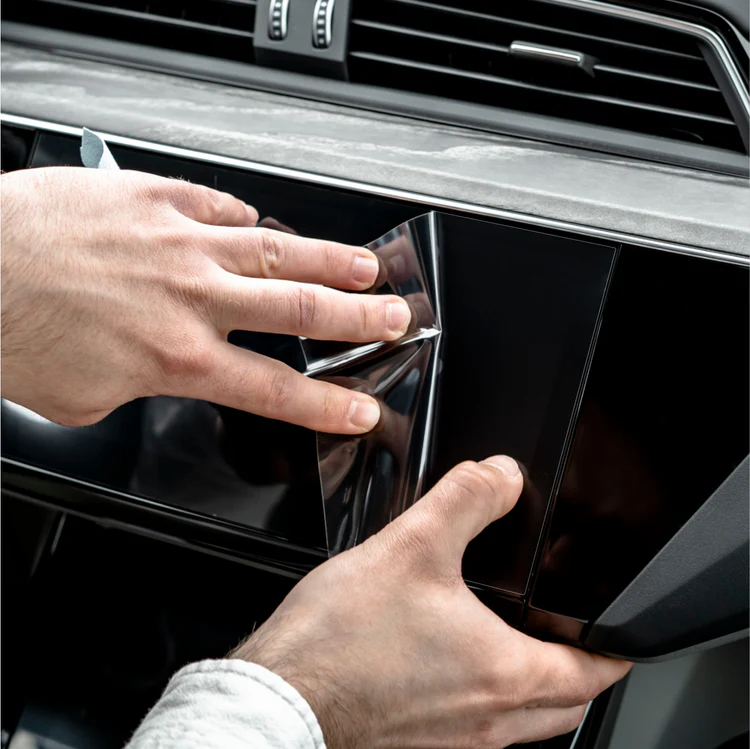
    Even if the Pixel 10a has newer glass, many people still choose additional protection — so it’s worth just checking tempered glass for Google Pixel 10a, and for the 9 check glass for Google Pixel 9a.


    Bluetooth 6 vs Bluetooth 5.3: an upgrade “for the future”, but not for everyone

    The Pixel 10a is rumored to switch to Bluetooth 6, while the Pixel 9a will remain with Bluetooth 5.3. In everyday use, it may not always be a revolution, but it can be useful if:

    • you use TWS headphones a lot and care about connection stability,
    • you have several BT devices (watch, car, headphones) and switch often,
    • you plan to keep the phone “for years” and want a newer standard for future accessories.

    Is it worth paying extra for Bluetooth 6?

    Rather just as a bonus, not as the main reason for the change. It’s a detail you’ll appreciate mainly when you actually live in the BT accessories ecosystem and want maximum compatibility for the future.


    IP68 and a more “flat” back: small things, but practical

    IP68 is simply peace of mind (rain, kitchen, dust). And the flattened camera module is a detail you’ll appreciate:

    • the phone sits more stably on the table,
    • it’s easier to choose a thinner case,
    • it catches less in your pocket.

    Is it worth paying extra for design/durability? It’s a nice bonus, but rarely justifies the change from 9a to 10a on its own.

    If you want to take real care of the case on a daily basis, check the best cases for Google Pixel 10a, and if you stick with the predecessor, choose a case for Google Pixel 9a.


    FAQ: Google Pixel 10a vs Pixel 9a

    Is it worth buying the Google Pixel 10a instead of the Pixel 9a?
    It is worth it if you care about faster charging and newer details (glass, Bluetooth). If price is a priority, the Pixel 9a will usually be more cost-effective.

    Is the Pixel 10a much better than the Pixel 9a?
    No — it’s more of a slight refresh. The core (processor, RAM, cameras, battery) is very similar, and the biggest differences are in charging, glass, and connectivity.

    When does the pre-sale for the Google Pixel 10a start?
    The pre-sale starts on February 18, 2026.

    Does the Pixel 10a have IP68?
    According to leaks and store listings — yes, it has IP68 (water and dust resistance).

    Does the Pixel 10a have 120 Hz?
    Yes — the pre-release information mentions a ~6.3″ OLED display with a refresh rate of up to 120 Hz.

    Does the Pixel 10a have faster charging than the Pixel 9a?
    According to leaks, the Pixel 10a is expected to have up to 45 W, which would be a clear advantage over the 9a.

    Are the cameras in the Pixel 10a better than in the Pixel 9a?
    Hardware-wise, they look very similar (48 MP + 13 MP). If there are differences, they are likely to be in features and algorithms rather than in “raw specifications.”

    Is it worth upgrading from the Pixel 9a to the Pixel 10a?
    Most often, no — unless you really care about faster charging and the extra cost is small.

    What could be the price of the Pixel 10a in Poland?
    Based on the announced prices in euros and typical market conversions in Poland, it is most often mentioned to be around ~2399–2499 PLN at launch (this will only be confirmed by official sales).


  • What are the best cases for Samsung Galaxy S26?

    What are the best cases for Samsung Galaxy S26?

    When choosing a case for Samsung Galaxy S26, it’s worth matching it to your style of use. A different model is needed by someone who wants slim protection for everyday use, and another by someone who wants to maximally secure the phone against drops.

    On the market today, you will find both fashionable premium cases (Karl Lagerfeld, Guess)light silicone modelsrugged Supcase covers, as well as transparent or matte variants that do not hide the phone’s design. This way, you can easily match the protection to your needs and budget.

    👉 Check out the best cases for Samsung Galaxy S26 and choose the perfect model for yourself.

    💡If you’re aiming for a larger screen, remember that the dimensions differ between versions. Therefore, before purchasing, also check cases for Samsung Galaxy S26 Plus and cases for Samsung Galaxy S26 Ultra — so that everything fits perfectly.

    📊 TOP best cases for Samsung Galaxy S26

    CategoryMain choice (premium / higher price)PriceBiggest advantageAlternatives (with prices)
    Women’s / fashionKarl Lagerfeld IML MagSafe Case119 PLNPremium style, trendy designGuess IML Leopard / Classic Logo – 139 PLN
    Tech-Protect Lamano MagSafe – 39 PLN
    Silicone and lightweightRingke Silicone Magnetic MagSafe79 PLNSoft silicone + MagSafeMercury Silicone – 49 PLN
    Tech-Protect Silicone MagSafe – 39 PLN
    RuggedSupcase IBLSN Armorbox MagSafe159 PLNMaximum 360° protectionTech-Protect Kevlar Cam+ (2-pack) – 95 PLN
    Ringke Fusion-X Magnetic – 65 PLN
    TransparentUNIQ LifePro Xtreme MagClick119 PLNHigh durability + transparent design3MK Clear MagCase – 49.90 PLN
    Tech-Protect Flexair Hybrid – 35 PLN
    MatteBizon Case MatteO with ring45 PLNMatte finish + magnetic ringTech-Protect Magmat MagSafe – 39 PLN
    Modern finishBMW M Kevlar Logo MagSafe149 PLNAramid fiber / KevlarUNIQ Lyden MagClick (eco leather) – 129 PLN
    Tech-Protect Ion Carbon MagSafe – 45 PLN

    👜 Which women’s case for Galaxy S26 to choose?

    Women’s case for Samsung Galaxy S26 is a combination of protection and style. In this category, not only the protection of the phone matters, but also the design that highlights the user’s character. Fashionable prints, golden details, animal motifs, or luxurious finishes make the case an element of styling.

    If you care about the “wow” effect and want your phone to look designer — the models below will be a hit.


    Karl Lagerfeld IML MagSafe

    IML Repeated Series / Peekaboo / KC Script Choupette is a proposal for fans of premium fashion accents. The distinctive logo and Choupette motif give the smartphone a luxurious character, and the built-in MagSafe increases functionality. Price: 119 PLN.

    Who is this the best choice for?

    ➡️ For women who treat their phone as a fashion accessory and enjoy branded accents.
    ➡️ For fans of minimalist yet recognizable design.

    Main benefits

    ✔️ Original design by Karl Lagerfeld
    ✔️ Built-in MagSafe
    ✔️ Good protection for the back and sides
    ✔️ Premium effect


    Guess IML Leopard / 4G Classic Logo Charm

    Two variants Guess IML Leopard and Guess 4G Classic Logo Charm combine elegant style with distinctive branding — the leopard print makes a statement, and the classic 4G charm looks premium and fits many styles. It’s a great option when you want your case to not only protect but also look like an accessory. Price: 139 PLN.

    Who is this the best choice for?

    ➡️ For those who want to stand out with their phone’s pattern and detail.
    ➡️ For fans of premium accessories (logo, charms, “fashion vibe”).

    Main benefits

    ✔️ Trendy design
    ✔️ Premium effect and strong style in hand
    ✔️ Good fit for the phone
    ✔️ Versions with MagSafe


    Tech-Protect Lamano MagSafe

    If you are looking for a trendy design at an affordable price, Tech-Protect Lamano MagSafe is an interesting alternative to more expensive fashion brands. The leopard print gives the phone a distinctive character, while the case remains lightweight and comfortable for everyday use. It’s a good option if you care about style without spending over 100 zł. Price: 39 zł.

    Who is it the best choice for?

    ➡️ For those who want a trendy design at a budget price.
    ➡️ For users looking for a lightweight case with MagSafe.

    Main benefits

    ✔️ Attractive price
    ✔️ Trendy leopard print
    ✔️ Built-in MagSafe ring
    ✔️ Slim, lightweight construction

    💡 Why is it worth choosing a women’s case for the Samsung Galaxy S26?

    Fashionable case for the Galaxy S26 is more than just protection — it’s a style element. Depending on your budget, you can opt for premium branded models or cheaper yet still impressive designs. Each of these options allows you to secure your phone while giving it a unique, more “fashion” character.


    Which silicone and lightweight case for the Galaxy S26 should you choose?

    If you care about a slim design and comfortable grip, silicone case for the Samsung Galaxy S26 will be one of the safest choices. Such models effectively cushion minor falls, do not bulk up the phone, and perform well in everyday use.


    Ringke Silicone Magnetic MagSafe

    If you care about a durable and well-made silicone case, Ringke Silicone Magnetic is one of the strongest candidates in this category.

    Who is this the best choice for?

    ➡️ For those who want minimalism and good finish.
    ➡️ For users utilizing MagSafe.

    Main benefits

    ✔️ Soft, pleasant silicone
    ✔️ Built-in magnet
    ✔️ Slim design
    ✔️ Good fit to the phone


    Mercury Silicone for Samsung Galaxy S26

    If you are looking for a classic, budget-friendly solution, Mercury Silicone  is a proven choice for everyday use. The case is lightweight, flexible, and provides good protection for the sides of the device against scratches. Price: 49 PLN.

    Who is this the best choice for?

    ➡️ For those who want simple protection without extras.
    ➡️ For users who value low weight.

    Main benefits

    ✔️ Lightweight construction
    ✔️ Flexible material
    ✔️ Good protection for the sides
    ✔️ Favorable price


    Tech-Protect Silicone MagSafe

    If you care about a low price and support for magnetic accessories,  Tech-Protect Silicone MagSafe is a sensible option. The classic black version will work well both at work and privately. Price: 39 PLN.

    Who is this the best choice for?

    ➡️ For those who want the cheapest MagSafe case.
    ➡️ For users looking for simplicity and functionality.

    Main benefits

    ✔️ Very good price
    ✔️ Built-in magnetic ring
    ✔️ Minimalist design
    ✔️ Lightweight and slim form


    Which durable case to choose for the Galaxy S26?

    If your phone often ends up in your pocket with keys, slips from your hand, or you use it at work/outdoors, armored case for Samsung Galaxy S26 will be the best decision. Reinforced corners, tougher backs, and a sturdier construction absorb impact energy better than classic, thin cases.

    This category is for those who prefer “peace of mind” and real protection—even at the cost of slightly larger dimensions.


    Supcase IBLSN Armorbox Mag MagSafe for Samsung Galaxy S26

    If you want the absolute maximum protection, Supcase for Samsung Galaxy S26 is one of the strongest choices in the lineup. The Armorbox has a clearly reinforced construction and looks like a case “for special tasks,” while also supporting MagSafe. Price: 159 PLN.

    Who is this the best choice for?

    ➡️ For people who often drop their phone or use it outdoors.
    ➡️ For users who want armored protection + MagSafe.

    Main benefits

    ✔️ Very high level of protection
    ✔️ Reinforced construction and corners
    ✔️ MagSafe in armored form
    ✔️ Great for tough conditions


    Tech-Protect Kevlar Cam+ for Samsung Galaxy S26 (2 PACK)

    If you care about a strong case, but in a more “technological” style, Tech-Protect Kevlar Cam+ is a great compromise. The 2-pack version is practical (spare / replacement), and the finish character suits those who like a raw, sporty look. Price: 95 PLN.

    Who is this the best choice for?

    ➡️ For those who want durability without excessive “bulk”.
    ➡️ For those who prefer a technical, modern design.

    Main benefits

    ✔️ Enhanced everyday protection
    ✔️ Set of 2 pieces (practical solution)
    ✔️ Better grip and durable back
    ✔️ Good balance: protection vs thickness


    Ringke Fusion-X Magnetic MagSafe

    If you want reinforced protection, but not as bulky as typical “tanks”, Ringke Fusion-X Magnetic MagSafe  is one of the most versatile models. The characteristic reinforced corners and hybrid construction work great for everyday use, and MagSafe is onboard. Price: 65 PLN.

    Who is this the best choice for?

    ➡️ For those who want armored protection at a reasonable price.
    ➡️ For users looking for a compromise: durability + everyday comfort.

    Main benefits

    ✔️ Reinforced corners (better cushioning)
    ✔️ Hybrid, durable construction
    ✔️ MagSafe for charging and accessories
    ✔️ Very good price for this class


    Which transparent case to choose for the Galaxy S26?

    If you want to maintain the original design of the Samsung Galaxy S26, while also providing solid protection, it’s worth opting for a transparent case for the Samsung Galaxy S26. Transparent cases allow you to showcase the color and shape of the phone, while also protecting it from scratches and minor drops.

    Transparent models are a great solution for those who appreciate minimalism and do not like the “damaged” design of the case.


    UNIQ LifePro Xtreme MagClick Charging

    If you care about transparent protection with good cushioningUNIQ LifePro Xtreme MagClick Charging is one of the stronger options in this category. The case maintains clarity while also having reinforced edges and supporting MagClick/MagSafe. Price: 119 PLN.

    Who is this the best choice for?

    ➡️ For those who want to showcase the original color and design of the phone.
    ➡️ For those who need transparent protection with MagSafe.

    Main benefits

    ✔️ Transparent, minimalist look
    ✔️ MagClick/MagSafe compatibility
    ✔️ Reinforced edges
    ✔️ Good shock absorption from falls


    3MK Clear MagCase

    If you are looking for a clean, classic, transparent case3MK Clear MagCase for Samsung Galaxy S26 is a good choice at a budget price. The simple design without unnecessary embellishments works well for everyday use and does not cover the phone’s design. Price: 49.90 PLN.

    Who is it the best choice for?

    ➡️ For minimalists in design.
    ➡️ For those who want a light, transparent case without magnets.

    Main benefits

    ✔️ Transparency without compromise
    ✔️ Classic, universal look
    ✔️ Light and slim
    ✔️ Great price


    Tech-Protect Flexair Hybrid MagSafe

    If you want a transparent case, but in an even lighter version than “Xtreme”, Tech-Protect Flexair Hybrid MagSafe is an economical and functional option. Price: 35 PLN.

    Who is this the best choice for?

    ➡️ For those who want a transparent case with MagSafe at the lowest price.
    ➡️ For those who prefer minimalist solutions.

    Main benefits

    ✔️ MagSafe support
    ✔️ Slim and lightweight profile
    ✔️ Transparent back
    ✔️ Very affordable price


    Which matte case for Galaxy S26 to choose?

    If you don’t like fingerprints, shine, and “slippery” backs, matte case for Samsung Galaxy S26 will be a great choice. The matte finish looks more elegant, provides a more secure grip, and usually better hides minor scratches that occur during everyday use.

    This is the perfect option for those who want to combine minimalist style with practicality.


    Bizon Case MatteO for Samsung Galaxy S26

    If you care about a matte look and magnetic functionality, Bizon Case MatteO is a very reasonable choice. The smoky black finish looks modern, and the magnetic ring makes it easier to use accessories. Price: 45 PLN.

    Who is this the best choice for?

    ➡️ For those who want a matte case without streaks and fingerprints.
    ➡️ For users who like magnetic accessories.

    Main benefits

    ✔️ Matte finish (fewer fingerprints)
    ✔️ More secure grip in hand
    ✔️ Magnetic ring
    ✔️ Modern, smoky appearance


    Tech-Protect Magmat MagSafe for Samsung Galaxy S26

    If you prefer simple, classic black and MagSafe at a budget price, Tech-Protect Magmat MagSafe for Samsung Galaxy S26 will be a good choice. This case is for those who want to “get the job done”: it should look neat and work without fuss. Price: 39 zł.

    Who is this the best choice for?

    ➡️ For fans of simple, matte style.
    ➡️ For those looking for a cheap case with MagSafe.

    Main benefits

    ✔️ Matte surface and neat appearance
    ✔️ Compatibility with MagSafe
    ✔️ Lightweight, comfortable form
    ✔️ Very good price


    Premium case for Samsung Galaxy S26 — Kevlar, carbon, and eco-leather

    If you care about an elegant look and modern texture, a great choice would be a premium case for Samsung Galaxy S26 made from Kevlar/aramid, carbon, or eco-leather materials. Such models usually fit better in the hand, show fewer signs of use, and look “classy” even over time.

    BMW M Kevlar Logo MagSafe

    If you are looking for a premium effect and a “motorsport” character, BMW M Kevlar case  will be a strong choice. The aramid fiber-inspired surface gives a unique texture, and the BMW M branding makes an impression without being excessive. Price: 149 PLN.

    Who is this the best choice for?

    ➡️ For automotive enthusiasts and premium style.
    ➡️ For those who want an elegant case with texture and MagSafe.

    Main benefits

    ✔️ Kevlar/aramid look (modern texture)
    ✔️ BMW M branding (premium)
    ✔️ MagSafe for accessories and charging
    ✔️ Very “masculine,” technical style


    UNIQ Lyden MagClick Charging

    If you prefer modern elegance,  UNIQ Lyden for Samsung Galaxy S26 with an eco-leather finish is a great everyday option — especially for “work” and more subdued styles. The case looks neat, feels pleasant to the touch, and supports MagClick/MagSafe. Price: 129 PLN.

    Who is this the best choice for?

    ➡️ For those who want a business, elegant look.
    ➡️ For users looking for an eco-leather finish + MagSafe.

    Main benefits

    ✔️ Eco-leather material (premium look)
    ✔️ MagClick/MagSafe compatibility
    ✔️ Subdued, elegant design
    ✔️ Good option “for the office”


    Tech-Protect Ion Carbon MagSafe

    If you want a modern, carbon finish without spending over 100 PLN, Tech-Protect Ion Carbon MagSafe is a very reasonable choice. It looks technical, is lightweight, and fits well with minimalist accessories. Price: 45 PLN.

    Who is this the best choice for?

    ➡️ For fans of carbon and technical style.
    ➡️ For those who want an affordable option with MagSafe.

    Main benefits

    ✔️ Carbon look (modern aesthetics)
    ✔️ MagSafe at a good price
    ✔️ Lightweight construction
    ✔️ Minimalist, “tech” character

    Why is it worth choosing a case with a modern finish for the Samsung Galaxy S26?

    Models with aramid, carbon, or eco-leather combine practicality with a premium look. Thanks to their texture, they fit better in the hand, look “clean” even over time, and match a minimalist style. They are a great choice if you want your Galaxy S26 to look modern and elegant.


    How to choose the best case for Samsung Galaxy S26?

    1) Match the level of protection to your lifestyle

    If your phone often slips from your hand or you use it outdoors — choose a rugged case for Samsung Galaxy S26. For home/office, silicone or hybrid is usually sufficient.

    2) Decide if you need MagSafe

    If you use magnetic chargers, mounts, or wallets — choose a MagSafe case for Galaxy S26.

    3) Choose a finish that won’t irritate you

    Matte cases collect fewer fingerprints, transparent ones show the phone’s color, and carbon/eco-leather looks more premium and “clean” over time.

    4) Pay attention to the edges around the screen and camera

    A good case should have slightly raised edges — this makes a difference when placing the phone screen down.

    5) Think about how you carry your phone

    If you often toss it into your pocket with keys or carry it in a bag with other items, consider a sturdier hybrid or rugged case for Samsung Galaxy S26 — damage usually comes from everyday small things, not from “big drops”.

    It’s also worth immediately securing the screen and camera by choosing tempered glass for Samsung Galaxy S26, which will protect the display from micro-scratches and cracking upon impact.


    FAQ – Frequently Asked Questions about Samsung Galaxy S26

    What is the difference between Galaxy S26, S26+, and S26 Ultra?

    The differences mainly concern the screen size, battery, cameras, and the presence of the S Pen (only in Ultra).


    What screen do Galaxy S26, S26+, and S26 Ultra have?

    Galaxy S26 – approx. 6.3″
    Galaxy S26+ – approx. 6.7″
    Galaxy S26 Ultra – approx. 6.9″


    Which model has the best camera?

    The most advanced camera set is in the Galaxy S26 Ultra – a main sensor of 200 MP and a 50 MP periscope telephoto lens.


    What processor will the Galaxy S26 series have?

    Galaxy S26 and S26+ – Exynos 2600 (Europe) or Snapdragon 8 Gen 5 (selected markets).
    Galaxy S26 Ultra – Snapdragon 8 Gen 5 (also in leaks referred to as “Snapdragon 8 Elite Gen 5”).


    Which model has the largest battery?

    Galaxy S26 Ultra – approx. 5000–5400 mAh.
    S26+ – approx. 4900 mAh.
    S26 – approx. 4300 mAh.


    What charging options do the S26 models offer?

    Galaxy S26 – up to 45 W.
    Galaxy S26+ – up to 45 W.
    Galaxy S26 Ultra – up to 60 W.


    Do all models have S Pen?

    No. The S Pen stylus is available only with the Galaxy S26 Ultra.


    How much RAM does the Galaxy S26 have?

    S26 – 12 GB (possible 16 GB in selected versions).
    S26+ and S26 Ultra – 12–16 GB.


    What internal memory versions will be available?

    S26 and S26+ – 256 GB or 512 GB.
    S26 Ultra – 256 GB / 512 GB / 1 TB.


    When is the Galaxy S26 premiere?

    According to leaks, the premiere is scheduled for February 25, 2026, and sales are expected to start in March 2026.


  • Honor Magic 8 Pro vs Honor Magic 8 Lite – which one to choose?

    Honor Magic 8 Pro vs Honor Magic 8 Lite – which one to choose?

    If you care about the highest performance, top-tier cameras, and technological innovations – Honor Magic8 Pro will definitely be a better choice. This flagship offers top components and features in all aspects (screen, camera, processor, fast charging, etc.).

    On the other hand, Honor Magic8 Lite will be suitable if your priority is long battery life, increased durability of the casing, and a significantly lower price. Magic8 Lite provides solid daily functionality with a fantastic battery, although it falls short of the Pro version in terms of speed and photo quality.

    In short: Honor Magic8 Pro for demanding enthusiasts, Magic8 Lite for practical users who care about budget.

    Two new Honor Magic8 models

    Honor presented two new smartphones from the Magic series at the beginning of 2026, aimed at different audiences. Honor Magic8 Pro is a premium flagship, focused on advanced mobile photography and integration with AI (including Google Assistant Gemini). Meanwhile, Honor Magic8 Lite is a “rugged” mid-range device with a reinforced construction and record battery life. Both models had their Polish premiere in January 2026 – sales started on January 15, 2026. Magic8 Pro showcases the technological capabilities of the Honor brand, while Magic8 Lite aims to attract users looking for long battery life and resistance to damage at a more affordable price.

    Comparison table Magic8 Pro vs Magic8 Lite

    FeaturesHonor Magic8 ProHonor Magic8 Lite
    Screen6.71″ OLED LTPO, adaptive 1–120 Hz, ~1.5K (2808×1256), 6000 nit peak HDR6.79″ OLED, 120 Hz, ~1.5K (2640×1200), 6000 nit peak HDR
    ProcessorSnapdragon 8 Elite Gen 5 (8 cores, most powerful SoC 2026)Snapdragon 6 Gen 4 (8 cores, mid-range chipset)
    Memory (RAM/ROM)12 GB / 512 GB (UFS 4.1)8 GB / 256 GB or 8 GB / 512 GB
    Rear CamerasTriple: 200 Mpix periscope tele (OIS, 3.7× zoom) + 50 Mpix main (f/1.6, OIS) + 50 Mpix ultra-wide (122°)Dual: 108 Mpix main (f/1.75, OIS+EIS) + 5 Mpix ultra-wide (f/2.2)
    Front Camera50 Mpix (likely with 3D sensors for Face ID)16 Mpix
    Battery6270 mAh (silicon-carbon technology), up to 2.5 days of usage7500 mAh (silicon-carbon cell), up to 3–4 days of usage
    Charging100 W wired (up to 100% ~30 min), 80 W wireless66 W wired (no wireless charging)
    ResistanceIP68 / IP69K (waterproof, dustproof; resistant to high-pressure water jets)IP68 / IP69K, cert. SGS Triple Resistant(shock, drop)
    DesignGlass and metal (premium), curved screen, 213 g, 8.3 mm thick. Colors: gold (Sunrise), blue (Sky), black.Reinforced casing, flat symmetrical screen, 189 g, 7.8 mm thick. Colors: black, green (Forest).
    SystemMagicOS 10 (Android 16) – integration with Google Gemini, dedicated AI ButtonMagicOS 9 (Android 15) – similar AI features (photo editor, life assistant), no physical AI Button.

    💡After choosing a model, it’s worth taking care of the protection for the case and screen right away. If you’re aiming for a flagship, check out the best cases for Honor Magic8 Pro— preferably one that securely protects the camera and edges.

    If you prefer a durable mid-range phone, check out cases for Honor Magic8 Lite, which will emphasize its “rugged” character and facilitate everyday use.


    Design and durability: which is more comfortable and resistant?

    On paper, both models appear to be “strong” (high IP ratings), but in hand and in everyday use, they differ significantly: Magic8 Pro is a heavier, bulkier flagship with strong screen protection, while Magic8 Lite is lighter, thinner, and has a larger display – more “practical” for daily use.

    Honor Magic8 Pro – heavier flagship with NanoCrystal Shield and top IP protection

    Magic8 Pro features a 6.71″ OLED (2808 × 1256 px) and HONOR NanoCrystal Shield, which is a real plus if the phone often ends up in a pocket with keys or experiences drops.

    Pro dimensions and specifications (Your data):

    • 161.15 × 75 × 8.4 mm
    • 219 g
    • IP68 / IP69 / IP69K
    • brightness: up to 6000 nits (max), HBM 1800 nits
    • USB-C 3.2 Gen 1

    In practice: the phone is “substantial” – 219 g is noticeable, but this is also typical for models with a large battery and an advanced camera module. If you like solid and “flagship-feeling” equipment, the Pro fulfills this role.

    Honor Magic8 Lite – larger screen, lower weight, and an even wider set of IP standards

    Magic8 Lite has 6.79″ AMOLED (2640 × 1200 px), glass aluminosilicate and one thing that stands out in the specifications: IP66 + IP68 + IP69 + IP69K (which means IP66 is added).

    Construction and dimensions of Lite (your data):

    • 161.9 × 76.1 × 7.76 mm
    • 189 g
    • IP66 / IP68 / IP69 / IP69K
    • screen: 3840 Hz PWM (important for sensitive eyes)

    Lite is 30 g lighter and noticeably thinner. For many people, this will simply be more comfortable in the pocket and in the hand — especially during longer scrolling, reading, or watching videos (larger screen).

    Mini-conclusion: what to choose at this point?

    If you prefer a larger screen, lower weight, and thinner body (plus 3840 Hz PWM) → Magic8 Lite

    If you want a strongly “flagship” feel, compact 6.71″ and NanoCrystal Shield protection → Magic8 Pro


    Screen: brightness, PWM, and comfort for the eyes (Pro vs Lite)

    The screen is one of those things you feel all the time — while scrolling, reading, watching movies, and in the sun. In this pair, the differences are concrete: Pro has a more “flagship” specification (OLED + higher claimed brightness), while Lite focuses on a large AMOLED panel and strong eye comfort features (including 3840 Hz PWM).

    Honor Magic8 Pro – OLED 6.71″ with strong brightness and NanoCrystal Shield

    Pro offers a 6.71″ OLED with a resolution of 2808 × 1256 px and declared brightness parameters:

    • up to 6000 nits (max.)
    • HBM 1800 nits

    This is important in two scenarios:

    • sun / bright environment → the phone remains readable
    • HDR and multimedia → the screen can achieve a very high peak effect

    Additionally, there is HONOR NanoCrystal Shield, which is a real protective bonus for the panel itself.

    Who is this for?
    For those who use their phone a lot outside the home, watch multimedia, and want a “flagship” display without compromises.


    Honor Magic8 Lite – AMOLED 6.79″ + 3840 Hz PWM, a screen friendly to the eyes

    Lite has a larger screen: 6.79″ AMOLED with a resolution of 2640 × 1200 px. It is most distinguished by features related to comfort:

    • 3840 Hz – ultra-high PWM dimming
    • “Eye comfort”
    • “Night display with circadian rhythm”
    • “Dynamic dimming”
    • glass aluminosilicate

    In practice: if you belong to those who strain their eyes in the evening or are sensitive to flicker at low brightness, 3840 Hz PWM may be one of the most noticeable advantages of this model.

    Who is this for?
    For those who read a lot on their phone, work in the evenings, and want a larger screen for movies/scrolling.

    Mini-conclusion: Pro or Lite in terms of the screen?

    • Choose Magic8 Pro if your priority is maximum brightness and a “flagship” OLED + NanoCrystal Shield experience.
    • Choose Magic8 Lite if you want a bigger screen and eye comfort (3840 Hz PWM) is the most important.

    Performance and smoothness: Snapdragon 8 Elite Gen 5 vs Snapdragon 6 Gen 4

    At this point, the differences between Magic8 Pro and Magic8 Lite are the most “black and white.” Pro is built for maximum power and uncompromising performance, while Lite aims for stable everyday use — but with a clearly weaker performance reserve.

    Honor Magic8 Pro – Snapdragon 8 Elite Gen 5 and Adreno 840 (top 2026)

    Magic8 Pro runs on Snapdragon 8 Elite Gen 5 with Adreno 840 graphics, which is a top-tier set. In practice, this provides:

    • very high system fluidity even with many applications at once,
    • great performance in games and with heavier titles,
    • faster photo processing and AI modes (e.g., burst shots, night, “AI” features in the camera),
    • greater comfort “for years,” as the top chipset remains fast longer despite updates and increasing application demands.

    This is a model for those who want to be sure that the phone won’t “struggle” under intensive use.

    Honor Magic8 Lite – Snapdragon 6 Gen 4 (mid-range, but economical and practical)

    Magic8 Lite has Snapdragon 6 Gen 4 (8 cores), which is a mid-range chipset. This means that:

    • in everyday use (social media, navigation, YouTube, browser) it will simply work smoothly,
    • but with heavier tasks (games at high settings, longer editing, more demanding applications) it will show its limitations faster,
    • compared to Pro, it has less “future-proof” power reserve.

    This is a good solution for those who do not need flagship power, but want a stable phone for normal use — with an emphasis on battery life.

    Conclusion: if maximum performance, gaming, and “peace of mind for years” are a priority → Magic8 Pro. If you want daily smoothness without overpaying and are not a demanding user → Magic8 Lite.


    Cameras: 200 MP periscope and 50 MP selfie vs 108 MP and simple photography

    In cameras, it is easiest to see, who each model is for. Magic8 Pro has a typically flagship set (periscope telephoto + strong main + wide) and many photo/video features with AI. Magic8 Lite focuses on simplicity: a good 108 MP main camera and a basic 5 MP ultra-wide.

    Honor Magic8 Pro – triple camera 200 MP + 50 MP + 50 MP and strong AI modes

    On the back, you get 3 cameras:

    • 200 MP periscope telephoto: ƒ/2.6, 1/1.4″ sensor, OIS, 3.7× optical zoom
    • 50 MP main: ƒ/1.6, 1/1.3″ sensor, OIS, 4-in-1 (2.4 μm)
    • 50 MP ultra-wide: ƒ/2.0, 122°, with HD Macro mode at 2.5 cm

    This means that the Pro is “complete”:

    • you have reasonable zoom (not just digital),
    • you have wide angle and close-up macro,
    • you have greater flexibility in difficult lighting thanks to OIS and a bright main camera.

    Additionally, there are many photo/video features from your list, including AI Super Zoomenhanced AI night mode, HDR, super burst, professional mode, multi-video, EIS/OIS.

    On the front: 50 MP (ƒ/2.0) + 3D face unlock — and this is a real advantage of the Pro if you care about fast, “reliable” face unlock and better selfies.

    Honor Magic8 Lite – 108 MP with OIS, but a more basic set

    In the Lite, we have 2 cameras on the back:

    • 108 MP main: ƒ/1.75, OIS
    • 5 MP (second camera): ƒ/1.22

    The main 108 MP camera with OIS is a good foundation for everyday photos (especially during the day and in typical scenarios). However, the set is less versatile than in the Pro — particularly when:

    • you want to zoom without significant loss of quality (no periscope),
    • you often take wide-angle shots in better quality,
    • you care about more advanced photo/video capabilities.

    On the front: 16 MP (ƒ/2.45) — sufficient for video calls and social media, but it’s not in the same league as the 50 MP in the Pro.

    Conclusion: if the camera is important (zoom, night, portraits, versatility, and selfies) → Magic8 Pro. If you mainly take regular photos and want “just a good main camera” → Magic8 Lite will be sufficient.


    Battery and Charging: 6270 mAh + 100W/80W vs 7500 mAh + 66W

    Here the situation is very interesting, because both phones have silicon-carbon batteries, but follow a completely different philosophy: Pro wins in charging speed (also wirelessly), while Lite boasts a record capacity and is focused on maximum runtime.

    Honor Magic8 Pro – 6270 mAh and premium charging (100W + 80W wirelessly)

    Magic8 Pro has a battery:

    • 6270 mAh (typical) / 6090 mAh (rated)
    • technology: next-generation HONOR silicon-carbon

    On top of that, you get:

    • 100W HONOR SuperCharge (wired)
    • 80W HONOR SuperCharge (wireless)

    In practice, Pro is for those who:

    • like to charge their phone “on the go” (briefly, but very quickly),
    • want the convenience of cable-free charging,
    • often use it intensively (photo, video, GPS, games) and quick energy replenishment is more important than breaking battery life records.

    Honor Magic8 Lite – 7500 mAh: a phone for those who don’t want to charge daily

    Magic8 Lite has a battery:

    • 7500 mAh
    • technology: silicon-carbon

    Charging:

    • 66W wired
    • no wireless charging

    This is a model that is ideal if:

    • you want to plug your phone into the charger as rarely as possible,
    • You are often on the go, working “in the field,” or simply don’t like keeping track of percentages,
    • longer battery life is more important than top charging speed.

    Conclusion: if you care about convenience and top charging (including wireless) → Magic8 Pro. If your priority is the longest possible usage time away from the socket → Magic8 Lite.

    💡If you want to make the most of the device, it’s worth choosing compatible accessories — check out fast wireless chargers for Honor Magic8 Pro.

    For the Honor Magic8 Lite, which offers 66 W wired charging and does not support wireless charging, a good choice would be wired chargers for Honor Magic8 Lite — these accessories will help minimize charging time.


    Connectivity and Add-ons: Wi-Fi 7, Bluetooth 6.0, and USB-C 3.2 vs Wi-Fi 6 (ax) and Bluetooth 5.2

    In everyday use, both phones provide everything needed (5G, NFC, modern Wi-Fi), but the Pro version has several typically “flagship” features that will be appreciated by those using fast networks, good audio, and more modern connectivity standards.

    Honor Magic8 Pro – Wi-Fi 7, Bluetooth 6.0, richer audio, and more flexible SIM

    In the Magic8 Pro, you get a very strong package:

    • Wi-Fi 7 (plus Wi-Fi 6 / Wi-Fi Direct, 2.4 and 5 GHz bands)
    • Bluetooth 6.0
    • support for multiple audio codecs: SBC/AAC/aptX/aptX HD/aptX Adaptive/LDAC/LHDC 5.0/LC3
    • NFC
    • USB-C 3.2 Gen 1 (this is a practical difference, e.g., when transferring data)

    Additionally, the Pro also has more advanced card options:

    • Dual SIM in several variants: SIM+SIM / SIM+eSIM / eSIM+eSIM

    And an expanded multi-system navigation with precise bands:

    • GPS L1+L5 + AGPS
    • GLONASS, Galileo (E1+E5a+E5b), BeiDou (B1I+B1C+B2a+B2b), QZSS (L1+L5)

    Plus multimedia bonus:

    • HONOR Sound + HONOR Surround Subwoofer (in practice: stronger, “fuller” sound than typical mid-range devices).

    Honor Magic8 Lite – modern base: Wi-Fi 6 (ax), Bluetooth 5.2, 4×4 MIMO

    Lite has a very reasonable set, simply more “mid-range”:

    • Wi-Fi in standards a/b/g/n/ac/ax (which means practically Wi-Fi 6 / ax)
    • Bluetooth 5.2
    • NFC
    • Wi-Fi Direct
    • additionally: 4×4 MIMO

    Audio codecs are also decent:

    • SBC/AAC/LDAC/aptX/aptX HD/aptX Adaptive + BLE

    Navigation is complete (GPS, A-GPS, Galileo, GLONASS, BeiDou), but without specified bands like L1/L5.

    Connector:

    • USB-C (without specifying the version as in Pro).

    Conclusion: if you care about the most modern connectivity (Wi-Fi 7, Bluetooth 6.0), faster wired transfer (USB-C 3.2), and richer audio → Magic8 Pro. If you just want very good connectivity for everyday use (Wi-Fi 6/ax, NFC, 5G) without paying extra for “top standards” → Magic8 Lite.


    System and features: MagicOS 10 (Android 16) vs MagicOS 9 (Android 15)

    The system difference between these models is not just a “number”. Magic8 Pro starts with a newer version of Android and MagicOS, which means a longer perspective for updates and the latest features. Magic8 Lite operates on an older version but still offers a complete set of the most important solutions.

    Honor Magic8 Pro – Android 16 and MagicOS 10.0

    Magic8 Pro runs on:

    • Android 16
    • MagicOS 10.0

    This provides:

    • newer system base,
    • greater future-proofing for updates,
    • better integration with AI features (especially with the camera and system tools),
    • potentially longer security support.

    In practice: by buying the Pro, you start with the latest software, which usually means more updates in the future and slower “aging” of the system.


    Honor Magic8 Lite – Android 15 and MagicOS 9.0

    Magic8 Lite runs on:

    • Android 15
    • MagicOS 9.0

    It is still a modern system that provides:

    • smooth operation,
    • access to all current applications,
    • typical MagicOS features (customization, gestures, power-saving modes, camera tools).

    The difference will not be dramatic in the first months of use, but in the long run, the Pro has a “starting” advantage due to the newer version of Android.


    Conclusion: if you care about the latest system and maximum future-proofing → Magic8 Pro. If Android 15 is completely sufficient for you and you don’t care about being “on the latest version” → Magic8 Lite will be fully functional.


    Who is Honor Magic8 Pro for, and who is Honor Magic8 Lite for?

    Honor Magic8 Pro — for the demanding and those who want a “limitless phone”

    Choose Magic8 Pro if your phone usage is more than just social media and a browser — and you want hardware that won’t limit you.

    For mobile gamers and fans of maximum smoothness

    If you play demanding titles and want stable performance, Pro is the safer choice. A top-tier chipset + strong GPU simply means more comfort today and greater reserves for the coming years.

    For those who take a lot of photos and use zoom

    You have optical zoom from the periscope, a powerful camera setup, and advanced photo/video modes with AI. If you often take photos in the evening, at concerts, while traveling, or like to “zoom in” without losing quality — the Pro will be clearly better.

    For multitaskers and those working on their phone

    If you frequently switch between apps, make video calls, edit files, scan documents, and want everything to run smoothly — the Pro offers greater freedom and a newer system base.

    For those who want charging convenience (including wireless)

    If you value quick “top-ups on the go” and like to place your phone on a charger without a cable — the Pro has an advantage with wireless charging and faster wired charging.


    Honor Magic8 Lite — for the practical: battery, convenience, and great price

    Choose Magic8 Lite if you are looking for a “life phone”: it should last long, be comfortable, and cost reasonably — without paying extra for flagship features.

    For travelers, drivers, and those often away from home

    A large battery makes a difference when you don’t want to remember to charge every day. The Lite is also convenient for navigation and watching content (large screen).

    For the everyday user: social media, videos, messaging apps

    If your phone is mainly for the internet, apps, quick photos, banking, and entertainment — Lite will handle it easily, and it will be easier on your wallet.

    For students and those buying “most sensibly”

    At this price, Lite is a pragmatic choice: a large screen for notes/reading, a good battery for the whole day, and no feeling that you are overpaying for power you won’t use.

    For those sensitive to eye comfort in the evening

    If you spend a lot of time on your phone after dark and care about solutions for eye comfort (e.g., high PWM, eye protection modes) — Lite has a very strong argument here.


    FAQ: Honor Magic8 Pro vs Honor Magic8 Lite — frequently asked questions

    Does Honor Magic8 Lite have wireless charging?

    No. Honor Magic8 Lite does not support wireless charging. It only offers wired charging 66W.


    Does Honor Magic8 Pro have wireless charging?

    Yes. Honor Magic8 Pro supports wireless charging 80W (HONOR SuperCharge) and 100W wired. This is one of the significant differences between the models.


    Which model has a better camera: Magic8 Pro or Magic8 Lite?

    Honor Magic8 Pro. It has a triple set (200 MP periscope + 50 MP + 50 MP) and 50 MP front, making it more versatile, especially in zoom and challenging conditions. Lite has 108 MP with OIS and a simpler set, good for everyday photos.


    Does Honor Magic8 Lite have image stabilization (OIS)?

    Yes — the main camera 108 MP in Magic8 Lite has OIS, which helps in low light photography and video recording.


    Which phone is better for gaming?

    Honor Magic8 Pro, because it has a top-tier Snapdragon 8 Elite Gen 5 chipset and stronger graphics. The Lite (Snapdragon 6 Gen 4) will handle everyday games, but in heavier titles, it will show its limitations faster.


    Which model has a better battery?

    When it comes to battery life, the Honor Magic8 Lite wins with a 7500 mAh battery. The Magic8 Pro has 6270 mAh and can also last long, but the Lite is typically “long-lasting”.


    Are both models waterproof?

    Yes, both have high resistance to water and dust.

    • Magic8 Pro: IP68 / IP69 / IP69K
    • Magic8 Lite: IP66 / IP68 / IP69 / IP69K

    Which model has a better screen? Honor Magic8 Pro or Lite?

    It depends on what is more important:

    • Magic8 Pro has a 6.71″ OLED with very high brightness (max 6000 nits) and protection from NanoCrystal Shield.
    • Magic8 Lite has a larger 6.79″ AMOLED and a strong argument for eye comfort: 3840 Hz PWM.

    Which model is lighter and more comfortable for everyday use?

    Honor Magic8 Lite — weighs 189 g and has a thickness of 7.76 mm. Magic8 Pro is heavier (219 g) and thicker (8.4 mm).


  • What is the best charger for Samsung Galaxy S26?

    What is the best charger for Samsung Galaxy S26?

    The best charger for Samsung Galaxy S26 should have 25W power and support for PD and PPS — this is the optimal solution for the basic model, ensuring stable and safe charging.

    For the Galaxy S26+(Plus) it is worth choosing 45W (USB PD 3.0 + PPS / Super Fast Charging) to shorten the battery charging time.

    Meanwhile, the Galaxy S26 Ultra supports charging up to 60W, so the best choice is a 60W charger with PD and PPS, which will allow you to take full advantage of its potential.

    If you plan to charge multiple devices simultaneously, consider a 65W or stronger model, which will provide extra power for a tablet or laptop as well.

    Remember — a fast wall charger for Samsung Galaxy S26 is one that supports the USB Power Delivery standard and PPS and offers real, model-specific power.

    On the other hand, a wireless charger for Galaxy S26 should support the Qi2 standard and Fast Wireless Charging up to 25 W to ensure the fastest possible charging without using a cable.

    Best chargers for Samsung Galaxy S26 (ranking by model)

    Samsung Galaxy S26

    Charger modelPowerFast charging technologiesPortsPrice
    Samsung EP-T2510NB25WUSB PD + PPS (Super Fast Charging)1x USB-C99.00 zł
    USAMS T42 mini25WUSB PD 3.01x USB-C55.44 zł
    Tech-Protect NCM2525WUSB PD1x USB-C35.00 zł

    Samsung Galaxy S26+(Plus)

    Charger modelPowerFast charging technologiesPortsPrice
    Samsung EP-T4511NBEGEU45WUSB PD + PPS (Super Fast Charging 2.0)1x USB-C179.00 zł
    3MK Hyper Charger GaN45WUSB PD + PPS + QC4+2x USB-C89.90 zł
    Tech-Protect NC45W-GAN45WUSB PD + PPS2x USB-C79.00 zł

    Samsung Galaxy S26 Ultra

    Charger ModelPowerTechnologiesPortsPrice
    UGREEN Nexode Pro100WPD, PPS, QC2x USB-C + USB-A219.90 PLN
    Empower by PanzerGlass Turbo70WUSB PD + QC3.02x USB-C + USB-A179.00 PLN
    Tech-Protect NCA65W-GAN65WPD, QC3.02x USB-C + USB-A75.00 PLN

    Which charger to choose for Samsung Galaxy S26?

    If you want to take full advantage of charging in Samsung Galaxy S26, the key is USB Power Delivery (PD) and PPS standards, which ensure fast, stable, and safe charging.

    Since the Galaxy S26 supports a maximum of 25W, the best choice will be USB-C wall chargers with this power — more powerful models will not speed up charging but may be more versatile and useful for other devices as well.

    Below you will find a summary of tested 25W chargers and brief descriptions that will help you choose the best model for your needs.


    Samsung EP-T2510NB 25W Fast Charge Wall Charger

    Samsung EP-T2510NB is an original Samsung charger, fully compatible with Super Fast Charging 25W technology. It is the safest and most predictable choice for the Galaxy S26. Price 99.00 PLN.

    With full support for USB Power Delivery and PPS the charger dynamically adjusts the voltage and current to the current needs of the smartphone. This translates to stable charging, reduced energy loss, and temperature control even during prolonged use. It is a solution that guarantees maximum compatibility with Samsung’s software and security features.

    • Support for USB Power Delivery + PPS
    • Stable and safe charging without excessive heating
    • Ideal for everyday use
    • Compact design – good for home and travel

    This is the best option if you care about full compatibility and reliable, hassle-free operation for a long time.


    USAMS T42 mini 25W PD 3.0 Wall Charger

    USAMS T42 is a compact 25W charger with support for PD 3.0, which works great as a cheaper alternative for the Galaxy S26. Price 55.44 PLN.

    This model provides full power of 25W, exactly what the Galaxy S26 uses. Thanks to its small size, it easily fits in a pocket, bag, or travel organizer. It’s a good choice for those who want fast charging without overpaying for a premium brand.

    • Power 25W – optimal for S26
    • Small size, lightweight design
    • Good price-to-performance ratio
    • Modern design

    It will work well as a second charger for work, the car, or trips.


    Tech-Protect NCM25 USB-C PD 25W Charger

    Tech-Protect NCM25 is a budget 25W charger with USB-C, available in several interesting color options. Price 35.00 PLN.

    Despite its low price, it offers support for USB Power Delivery 25W, which means full compatibility with the maximum charging power of the Galaxy S26. It’s a simple, functional solution for those looking for an economical charger for everyday use. Its compact design makes it suitable for both home and travel.

    • USB PD 25W support
    • Very attractive price
    • Compact size
    • Available in various colors

    Cheap wall charger for Galaxy S26 is a great option if you don’t want to overpay and care about maintaining the fast charging standard.


    Which charger to choose for Samsung Galaxy S26+Plus?

    Samsung Galaxy S26+ supports Super Fast Charging 2.0 with a power of up to 45W, so to take full advantage of its potential, it is worth choosing a charger that supports USB Power Delivery and PPS with a minimum power of 45W.

    Weaker 25W chargers will of course charge the phone, but they will not allow you to take advantage of the maximum charging speed. If you care about a shorter battery recharge time, the 45W model will be the best choice.

    Below you will find tested 45W chargers compatible with Galaxy S26+Plus.


    Samsung EP-T4511NBEGEU 45W USB-C Charger

    Samsung EP-T4511NBEGEU is the original charger from the manufacturer, fully compatible with Super Fast Charging 2.0 (45W). Price 179.00 PLN.

    With support for USB PD + PPS, it ensures maximum charging speed for the Galaxy S26+ while maintaining stable temperature and battery safety. This is the most predictable choice if you care about full compatibility with Samsung software and maximum performance.

    • 45W with full support for Super Fast Charging 2.0
    • USB-C with PD + PPS support
    • Stable, fast, and safe charging
    • High quality of workmanship

    The best option if you want to utilize 100% of the Galaxy S26+ capabilities without compromises.


    3MK Hyper Charger PD 45W GaN QC4+ PPS 2C

    3MK Hyper Charger is a modern 45W charger utilizing GaN technology, which allows for a smaller device size while maintaining high efficiency. Price 89.90 PLN.

    Support for PD + PPS + QC4+ makes the charger compatible not only with the Galaxy S26+, but also with other smartphones, tablets, or accessories. Two USB-C ports allow charging two devices simultaneously, increasing its versatility.

    • 45W with PD + PPS (SFC 2.0)
    • GaN technology – less heating and higher efficiency
    • 2x USB-C
    • Very good price-to-performance ratio

    Great alternative to the original Samsung charger at a lower price.


    Tech-Protect NC45W-GAN 2xUSB-C Network Charger

    Tech-Protect NC45W-GAN is a compact 45W charger with two USB-C ports and support for fast charging. Price 79.00 PLN.

    Thanks to GaN technology, it is smaller and more energy-efficient than traditional chargers of the same power. Support for PD + PPS allows you to fully utilize the capabilities of the Galaxy S26+, and the two USB-C ports increase functionality in everyday use.

    • 45W USB Power Delivery + PPS
    • 2x USB-C
    • GaN Technology
    • Compact design

    A good choice if you’re looking for an efficient 45W charger at a reasonable price.


    Which charger to choose for Samsung Galaxy S26 Ultra?

    Samsung Galaxy S26 Ultra supports wired fast charging up to 60W, so it’s worth choosing a charger that will allow you to take full advantage of this performance. Models with 65W and above not only provide fast charging for the phone but are often more versatile — conveniently powering a tablet, headphones, or even a laptop.

    Below you will find tested 65W–100W chargers that will work great with the Galaxy S26 Ultra.


    UGREEN Nexode Pro 100W GaN USB-C + USB-C + USB-A Charger

    UGREEN Nexode Pro is one of the most efficient models in the lineup — perfect if you care about maximum power and versatility. Thanks to GaN technology, the charger is more efficient and compact than traditional models of this power. Price 219.90 PLN.

    • Support for USB Power Delivery + PPS + QC for wide compatibility
    • Maximum power of 100W — you can use it not only with Galaxy S26 Ultra
    • 2x USB-C + USB-A — charging multiple devices simultaneously
    • Stable charging without excessive heating

    It’s a great option if you want one charger for your phone, tablet, power bank, headphones, or laptop.


    Empower by PanzerGlass Turbo 70W 2xUSB-C + USB-A Charger

    Empower by PanzerGlass Turbo is a powerful and versatile 70W charger that works perfectly with the Galaxy S26 Ultra, while also being an efficient power source for other devices. Price 179.00 PLN.

    • 70W with support for USB PD + QC3.0
    • 2x USB-C + USB-A — greater connection flexibility
    • Solid build quality
    • Well-balanced power relative to price

    It’s worth considering this model if you need a powerful charger for everyday use and travel — not just for your smartphone.


    Tech-Protect NCA65W-GAN USB-C + USB-C + USB-A Wall Charger

    Tech-Protect NCA65W-GAN is a very good budget option with quite a bit of power, capable of handling the Galaxy S26 Ultra and other devices requiring fast charging. Price 75.00 PLN.

    • 65W USB PD + QC3.0
    • 2x USB-C + USB-A — convenient charging of multiple devices
    • GaN technology – less heating and greater efficiency
    • Very favorable price

    This is the best choice if you are looking for a powerful and inexpensive charger for the S26 Ultra without overpaying.


    FAQ – chargers for Samsung Galaxy S26

    Can a higher wattage charger damage the battery?

    No. The smartphone only draws as much power as it can handle. If you connect a 65W or 100W charger to the Galaxy S26 (25W), the phone will still limit the draw to a maximum of 25W. However, it is crucial that the charger supports the USB Power Delivery (PD) and PPS standards — then charging is safe and stable.


    What cable for fast charging Samsung Galaxy S26 will be the best?

    To ensure maximum charging speed for the Samsung Galaxy S26 — especially in the Plus (45W) and Ultra (up to 60W) versions — it is advisable to choose a 5A USB-C to USB-C cable with Power Delivery (PD) and PPS support


    What wattage should the charger have if I want to charge both a laptop and the Galaxy S26 at the same time?

    In this case, it is best to choose a charger with a power of at least 65W, and ideally 70–100W, especially if the laptop supports charging via USB-C. Models with two USB-C ports will allow you to conveniently charge both devices simultaneously without significant power drops.


    Does the Galaxy S26 support fast wireless charging?

    Yes. The Galaxy S26 series supports the Qi2 standard, with:

    • S26 and S26+ up to 20W,
    • S26 Ultra up to 25W.

    To achieve maximum wireless charging speed, it is advisable to choose a Qi2 charger with magnetic positioning.


    Is it worth buying a 60W charger for the Galaxy S26?

    For the basic Galaxy S26 (25W), it does not affect charging speed, but it may be a good choice if you want to use one charger for multiple devices — e.g., a tablet or laptop.


    Will a 45W charger speed up charging for the Galaxy S26?

    No — the Galaxy S26 will use a maximum of 25W. The 45W charger makes sense mainly with the Galaxy S26+Plus model.


    Does fast charging shorten battery life?

    Modern PD and PPS technologies control voltage and temperature, so using a good quality charger, fast charging does not pose a threat to the battery. The most important thing is to avoid cheap, unverified models without proper safeguards.


  • Samsung Galaxy S26 Ultra vs Samsung Galaxy S25 Ultra – a battle of generations

    Samsung Galaxy S26 Ultra vs Samsung Galaxy S25 Ultra – a battle of generations

    The Samsung Galaxy S26 Ultra is clearly better than the S25 Ultra in three key areas: performance, charging, and low-light photography.

    The new model offers:

    • more powerful Snapdragon 8 Elite Gen 5 processor
    • brighter main camera f/1.4 (more light at night)
    • faster 60 W charging (75% in 30 minutes)
    • larger vapor chamber and better cooling
    • new Privacy Display feature (private screen)
    • thinner and lighter body

    At the same time, the screen, battery (5000 mAh), and most AI capabilities remain very similar to its predecessor.

    Appearance, dimensions, and build quality

    Comparison of Galaxy S26 Ultra vs Galaxy S25 Ultra construction

    SpecificationSamsung Galaxy S26 UltraSamsung Galaxy S25 Ultra
    Dimensions163.6 × 78.1 × 7.9 mm162.8 × 77.6 × 8.2 mm
    Weight214 g218 g
    FrameArmor AluminiumTitanium
    Front GlassCorning Gorilla Armor 2Corning Gorilla Armor
    Back GlassGorilla Glass Victus 2Gorilla Glass Victus 2
    ResistanceIP68IP68
    PortUSB-C 3.2, OTG, DisplayPort 1.4USB-C 3.2, OTG, DisplayPort 1.4

    What has really changed in the design?

    At first glance, both models are almost identical. The camera layout, shape, proportions – Samsung has not introduced a visual revolution. The differences are subtle and can only be seen when comparing the specifications.

    Galaxy S26 Ultra is thinner (7.9 mm vs 8.2 mm) and lighter (214 g vs 218 g).
    This makes it the slimmest Ultra model in the history of the series. The difference of 0.3 mm may seem symbolic, but with such a large device, it affects the comfort of grip.

    The change that sparks the most discussion is the abandonment of the titanium frame. The Galaxy S25 Ultra used titanium, while the S26 Ultra features Armor Aluminium. In practice, both materials provide very high structural rigidity, but titanium was a distinguishing element of its predecessor. The new model does not feel less solid, but it is a noticeable change in premium communication.

    At the front, the Galaxy S26 Ultra is protected by Gorilla Armor 2, which is the newer generation of protective glass. The back in both cases is Gorilla Glass Victus 2. This means very high resistance to scratches and drops in both devices.

    The IP68 certification remains unchanged — both smartphones are resistant to dust and immersion in water.

    The slimmer design and glass back mean it’s worth taking care of the case protection as well. Case for Samsung Galaxy S26 Ultra helps protect the frame and camera from scratches and cushions falls – especially with such a large and heavy smartphone.


    Screen – similar parameters, but S26 Ultra adds “smart” enhancements

    Display comparison

    Samsung Galaxy S26 UltraSamsung Galaxy S25 Ultra
    Diagonal6.9″6.9″
    TypeDynamic LTPO AMOLED 2XDynamic LTPO AMOLED 2X
    Resolution3120 × 1440 px3120 × 1440 px
    Refresh Rateadaptive 1–120 Hzadaptive 1–120 Hz
    Maximum Brightness2600 nits2600 nits

    What does this mean in practice?

    If we look solely at the numbers, the screen is “the same”: identical diagonal, resolution, brightness, and refresh rate. This is important because the S25 Ultra was already at the absolute top, and Samsung didn’t need to forcefully boost the specifications here.

    The differences in the S26 Ultra only appear when we delve into how the phone processes images.

    New mDNIe engine and ProScaler – why is this necessary if the parameters are the same?

    In the Galaxy S26 Ultra, Samsung adds new elements “under the hood”:

    • mDNIe (Digital Natural Image) – a new image processing engine designed to improve color depth precision and gradations (i.e., tonal transitions, shadows, midtones, subtle differences in hues). In short: the image is supposed to look more “smooth” and natural, without the effect of artificiality in challenging scenes.
    • ProScaler – uses AI to enhance sharpness and readability of details, especially when the source is of lower quality (e.g., lower resolution video, streaming, reels, heavily compressed content).

    These are not “wow on paper” changes, but in everyday use they can provide subtly better image quality: sharper contours in video, less “flat” colors, better transitions in shadows.

    Privacy Display – the biggest difference in the screen (and realistically practical)

    Here we enter a feature that actually distinguishes the S26 Ultra from the S25 Ultra: Privacy Display.

    This is a privacy mode that:

    • limits screen readability from a side angle, so people next to you see less,
    • can work for the entire screen or only for selected elements (e.g., apps, notifications, password/PIN fields),
    • is particularly useful in public places (transportation, queues, open spaces).

    Important detail: when private mode is enabled, the image from “your” angle may look different (this is normal), and depending on conditions (brightness, angle, surroundings), some information may still be somewhat visible — this is not an “invisibility cloak,” just a limitation of the view.

    With such a large, 6.9-inch display, it’s worth considering additional protection. Tempered glass for Samsung Galaxy S26 Ultra is a small cost compared to potential repairs 🔒📱


    Cameras – does brighter optics make a real difference?

    Camera specifications comparison

    Samsung Galaxy S26 UltraSamsung Galaxy S25 Ultra
    Main camera200 MP, f/1.4, 1/1.3”, PDAF, Laser AF, OIS200 MP, f/1.7, 1/1.3”, PDAF, Laser AF, OIS
    Ultrawide50 MP, f/1.9, 120°50 MP, f/1.9, 120°
    Tele 3x10 MP, f/2.4, OIS10 MP, f/2.4, OIS
    Tele 5x50 MP, f/2.8, OIS50 MP, f/3.4, OIS
    Front camera12 MP, f/2.212 MP, f/2.2
    Video8K 30 fps, 4K 120 fps8K 30 fps, 4K 120 fps

    What has changed in practice?

    On paper, the arrangement of the cameras looks almost identical, but the key differences lie in the optics.

    The Galaxy S26 Ultra has received a brighter main lens (f/1.4 instead of f/1.7).
    This means that more light reaches the sensor, which translates to:

    • better night photos,
    • shorter exposure times,
    • lower risk of motion blur,
    • more natural colors in difficult conditions.

    The difference is particularly noticeable after dark.

    The second important change concerns the 5x telephoto lens.
    In the S26 Ultra, it has an aperture of f/2.8 instead of f/3.4, which also improves photo quality in lower light and provides slightly better background depth.

    AI and photo editing

    Both models offer advanced Galaxy AI features, but the Galaxy S26 Ultra introduces the ability to edit photos using text commands. You can describe the effect you want to achieve, and the system will automatically adjust the parameters.

    It’s more of an evolution than a revolution, but for those who frequently edit photos, it can be a real advantage.

    Performance and cooling – the new Snapdragon makes a difference

    Processor comparison

    Samsung Galaxy S26 UltraSamsung Galaxy S25 Ultra
    ProcessorSnapdragon 8 Elite Gen 5 (3 nm)Snapdragon 8 Elite (3 nm)
    Performance cores2 × 4.74 GHz Oryon V32 × 4.47 GHz Oryon V2
    Efficient cores6 × 3.62 GHz6 × 3.53 GHz
    GPUAdreno 840Adreno 830
    Performance increase+19% CPU, +24% GPU, +39% NPU

    What does Snapdragon 8 Elite Gen 5 mean in practice?

    The Galaxy S26 Ultra is the only model in the series to receive Snapdragon 8 Elite Gen 5 for Galaxy – currently the most powerful chip in Qualcomm’s offering.

    Samsung declares:

    • up to 19% faster CPU performance,
    • up to 24% better GPU performance,
    • up to 39% increase in AI unit power (NPU).

    In everyday use, this translates to:

    • faster app switching,
    • more stable performance with many open programs,
    • better fluidity in games,
    • more efficient operation of Galaxy AI features.

    The difference won’t be dramatic when browsing the internet, but in gaming, video editing, or intensive multitasking – it will be.


    Cooling – larger vapor chamber

    The Galaxy S26 Ultra has received a new Vapor Chamber design.
    Samsung reports a thermal performance improvement of about 21%.

    In practice, this means:

    • longer maintenance of maximum performance,
    • fewer clock speed drops in games,
    • more stable performance when recording in 8K.

    This is particularly important when utilizing the power of the new processor – without adequate cooling, even the best chip won’t show its full potential.


    System and updates

    Galaxy S26 Ultra launches with Android 16 and One UI 8.5.
    Galaxy S25 Ultra runs on Android 15 but will receive an update to Android 16.

    Both models have:

    • Galaxy AI support,
    • long update support (multi-year security and system patches).

    Differences in AI features may blur over time as the older model also receives new tools in updates.

    Battery and charging – this is where the difference is most noticeable

    Battery and charging power comparison

    Samsung Galaxy S26 UltraSamsung Galaxy S25 Ultra
    Battery capacity5000 mAh5000 mAh
    Wired charging60 W45 W
    Wireless charging25 W15 W
    Reverse charging4.5 W4.5 W
    30 minutes of chargingup to ~75%about ~69%

    The same battery, but different speed

    In terms of capacity, the batteries are identical – both models have 5000 mAh, so the actual usage time on a single charge will be similar.

    However, the differences are clear in the charging methods:

    Galaxy S26 Ultra supports fast wired charging at 60 W – this means that in about 30 minutes you can reach even ~75% battery.

    Galaxy S25 Ultra charges at 45 W – in a similar charging time, it reaches about ~69%.

    Wireless charging is also faster – S26 Ultra supports up to 25 W, while S25 Ultra offers 15 W.

    This translates to:

    • shorter sessions under the charger,
    • faster charging “here and now”,
    • more flexible use of wireless chargers.

    Although the battery capacity has not changed, S26 Ultra has a clear advantage in charging speed, both wired and wireless.

    Prices and profitability – does the price difference make sense?

    Market price comparison

    Samsung Galaxy S26 UltraSamsung Galaxy S25 Ultra
    12/256 GB6499 PLN5349 PLN
    12/512 GB7399 PLN5799 PLN
    12/1 TB8699 PLN6598 PLN

    💡 Samsung promotion (until March 10):
    🔹 Galaxy S26 Ultra 512 GB quickly on promotion costs about 6499 PLN
    🔹 Galaxy S26 Ultra 1 TB about 7799 PLN
    (effectively this is a reduction of ~900 PLN from the catalog price)

    Price vs value

    The new Galaxy S26 Ultra is not cheap — this is natural for a top Ultra model. However, it has several areas where it significantly surpasses its predecessor:
    ✔️ new Snapdragon 8 Elite Gen 5 processor
    ✔️ brighter main and 5x telephoto camera
    ✔️ faster charging (60 W / 25 W wirelessly)
    ✔️ thinner and lighter design
    ✔️ Privacy Display and new AI features

    At the same time, the S25 Ultra still offers:
    ✔️ great cameras
    ✔️ a very large 5000 mAh battery
    ✔️ top-notch display
    ✔️ stable performance and long updates


    When is the S26 Ultra worth it?

    if you care about:

    • the best possible performance in the Galaxy series,
    • faster charging,
    • better camera in difficult lighting conditions,
    • new AI features and screen privacy

    During promotions, the price difference is smaller, making it easier to justify purchasing the new generation.


    FAQ – frequently asked questions about the Galaxy S26 Ultra

    Is it worth switching from the Galaxy S25 Ultra to the Galaxy S26 Ultra?

    If you care about faster loading, better performance, and a brighter camera for night photos — yes. However, if the S25 Ultra still runs smoothly and the price difference is significant, a change is not necessary.


    Does the Galaxy S26 Ultra have a better camera than the S25 Ultra?

    Yes, but the difference mainly concerns low-light performance. The Galaxy S26 Ultra has a brighter aperture (f/1.4 vs f/1.7) and a better 5x telephoto lens (f/2.8 vs f/3.4), which improves the quality of night photos and close-ups.


    Is the battery in the Galaxy S26 Ultra larger?

    No. Both models have a 5000 mAh battery. The difference lies in faster charging in the S26 Ultra (60 W wired and 25 W wireless).


    What is Privacy Display in the Galaxy S26 Ultra?

    It is a feature that limits screen visibility at an angle. It protects sensitive data, such as banking apps or messages, from being viewed in public places.


    How much does the Samsung Galaxy S26 Ultra cost?

    • Samsung Galaxy S26 Ultra 12/256 GB — ok. 6499 zł
    • Samsung Galaxy S26 Ultra 12/512 GB — ok. 7399 zł
    • Samsung Galaxy S26 Ultra 12/1 TB — ok. 8699 zł

    What colors does the Galaxy S26 Ultra come in?

    The Galaxy S26 Ultra is available in four basic color versions: purple, light blue, black, and white. Additionally, Samsung offers two special variants – silver and gold – which can only be purchased through the manufacturer’s official sales.


  • The best cases for Samsung Galaxy Buds 4 and Buds 4 Pro [2026]

    The best cases for Samsung Galaxy Buds 4 and Buds 4 Pro [2026]

    The best case for Galaxy Buds 4 is the Spigen Rugged Armor (85 PLN) – durable, with a matte finish and precise fit for the charging case. If you’re looking for a cheaper option, the Tech-Protect Slim Hook at 39 PLN offers a carabiner and a slim design. All cases in this ranking fit both Galaxy Buds 4 and Buds 4 Pro.

    Samsung Galaxy Buds 4 and Buds 4 Pro are among the most interesting true wireless headphones on the market. However, the charging cases are prone to scratches and mechanical damage. In this guide, we compare eight protective cases from Spigen, Ringke, and Tech-Protect.

    We advise what to pay attention to when choosing and which case will work best depending on your needs. Looking for a case for an older model? Check out the case for Galaxy Buds 3 / 3 Pro.

    What to pay attention to when choosing a case for Galaxy Buds 4?

    Before we move on to the ranking, it’s worth knowing what to consider when choosing. A protective case for headphones is a small expense, but a good case for Galaxy Buds 4/4 Pro can protect your headphones from costly repairs.

    Material and type of protection

    Protective cases for Galaxy Buds 4 are made from three main materials. TPU (thermoplastic polyurethane) is the most common choice – flexible, shock-absorbing, and scratch-resistant. Silicone provides a better grip and a pleasant texture, but it may attract dust. Polycarbonate (PC) offers rigid protection and a sleek appearance, but it absorbs falls less effectively.

    The best protection is provided by dual-layer cases, combining a soft TPU core with a rigid polycarbonate outer shell. This solution is used, among others, by Spigen in the Lock Fit model.
    Carabiner and Hook

    Many users carry their headphones with them all day. A case with a carabiner or hook allows you to attach the Galaxy Buds 4 to a backpack, belt, or bag. This convenient solution minimizes the risk of losing the charging case.

    Not every carabiner is equally sturdy. Metal hooks (like in Spigen Lock Fit) are more durable than plastic ones, but they add some weight.

    Compatibility with Wireless Charging and MagSafe

    All cases in this ranking allow for Qi wireless charging without removing the cover. It’s worth paying attention to models with a cutout for the LED – this way, you can immediately see the charging status. If you are looking for a wireless charger compatible with Galaxy Buds 4, you can find it in our offer.

    An interesting option is the Ringke Onyx Magnetic with built-in MagSafe magnets. If you use a MagSafe charger or a magnetic mount, the case will provide a stable attachment.

    Fit for Galaxy Buds 4 and Buds 4 Pro

    Both Samsung headphone models – Galaxy Buds 4 and Galaxy Buds 4 Pro – have identical dimensions for the charging case. All protective cases in this ranking fit both versions.

    Ranking – best cases for Galaxy Buds 4 / 4 Pro

    We tested the offer available at homescreen.pl and selected the eight best cases. Here is our ranking – from the best to the cheapest.

    1. Spigen Rugged Armor – durable and stylish (85 PLN)

    Our choice in the category of best protection

    Spigen Rugged Armor is a proven series, known for smartphone cases. The version for Galaxy Buds 4 maintains the same high standard. Made of flexible TPU with a characteristic carbon fiber pattern, it provides solid protection against drops and scratches.

    The case has precise cutouts for the USB-C port and LED indicator. The Matte Black finish does not collect fingerprints. On the back, you’ll find a hook for a carabiner (included). The whole thing weighs just a few grams and does not add unnecessary bulk.

    Advantages:
    – Proven brand with many years of experience
    – Matte finish resistant to fingerprints
    – Carabiner included
    – Compatible with Qi wireless charging

    Disadvantages:
    – Available only in black
    – No version with MagSafe

    2. Spigen Lock Fit – premium with metal carabiner (145 PLN)

    Spigen Lock Fit is the most expensive case in this comparison, but also the most advanced. The two-piece construction made of polycarbonate and TPU provides the highest level of protection. The metal carabiner is exceptionally sturdy and will not accidentally detach.

    The case closes with a snap, eliminating the risk of the earbuds falling out. The matte black finish looks premium and feels good in hand. If you care about maximum protection and don’t mind the higher price – Lock Fit is the best option.

    Advantages:
    – Two-layer construction PC + TPU
    – Metal, sturdy carabiner
    – Snap closure system
    – Best protection in the ranking

    Disadvantages:
    – Highest price (145 PLN)
    – Adds some thickness

    3. Spigen Classic Fit – elegant style (109 PLN)

    Spigen Classic Fit stands out from the competition with its elegant design. The leather-like finish gives the Galaxy Buds 4 a more prestigious look. Underneath, there is a solid TPU layer that protects against impacts.

    This case is perfect if you value style and don’t want your headphones to look like survival gear. Classic Fit pairs well with an elegant set of accessories for Galaxy Watch or a leather smartphone case.

    Advantages:
    – Elegant leather-like finish
    – Solid TPU protection underneath
    – Good grip in hand
    – Carabiner included

    Disadvantages:
    – Higher price than silicone cases
    – Finish may wear over time

    4. Ringke Onyx Magnetic MagSafe – for fans of magnetic charging (59 zł)

    Ringke Onyx Magnetic is a unique case with built-in magnets compatible with MagSafe. If you use a MagSafe charger, magnetic power bank, or car mount – this case will connect perfectly with them.

    Made of flexible TPU with a textured surface. Provides a secure grip and solid protection against scratches. Available in four colors: Black, Sage Green, Constant Coral, and Warm Grey.

    Advantages:
    – Built-in MagSafe magnets
    – Four color variants
    – Textured surface for better grip
    – Good value for money

    Disadvantages:
    – No carabiner included
    – Magnets add a small weight

    5. Ringke Silicone – soft silicone in many colors (55 PLN)

    Ringke Silicone is a classic silicone case with a pleasant-to-touch surface. The silicone provides an excellent grip – the case won’t slip out of your hand or off the table. Available in Black, Light Purple, Pink Sand, and Stone colors.

    The cutouts for the charging port and LED are precise. The case absorbs minor drops well, although it does not offer as advanced protection as Spigen models. It is a solid choice in the mid-price range.

    Advantages:
    – Pleasant, matte texture of silicone
    – Four colors to choose from
    – Excellent grip
    – Precise cutouts

    Disadvantages:
    – Silicone may attract dust and particles
    – No carabiner

    6. Tech-Protect Slim Hook – slim with a hook (39 zł)

    Tech-Protect Slim Hook combines a slim design with a practical hook. The TPU case is thin, lightweight, and does not add unnecessary bulk. The built-in hook allows you to attach the headphones to a bag or belt.

    Available in three colors: Black, Fluffy Blue, and Olive Green. At this price, it’s hard to find a better balance of functionality to price. If you’re looking for a case with a carabiner but don’t want to spend over 80 PLN – Slim Hook is a perfect choice.

    Advantages:
    – Hook/carabiner included
    – Slim design
    – Three color variants
    – Attractive price

    Disadvantages:
    – Plastic hook (less durable than metal)
    – Basic level of protection

    7. Tech-Protect FlexAir – transparent and minimalist (25 PLN)

    Tech-Protect FlexAir is a transparent case made of flexible TPU. Ideal if you want to showcase the original color of the Galaxy Buds 4 charging case while providing basic protection against scratches.

    The transparent case may slightly yellow over time due to UV exposure – this is a natural characteristic of the material. In return, you get a minimalist look and full compatibility with wireless charging for only 25 PLN.
    Advantages:
    – Transparent design – shows the original color of the headphones
    – Very low price
    – Minimalist and lightweight
    – Compatible with Qi charging

    Disadvantages:
    – May yellow over time
    – No carabiner
    – Basic protection

    8. Tech-Protect Silicone Hook – lowest price with hook (19 PLN)

    Best price in the ranking

    Tech-Protect Silicone Hook is the cheapest case in the comparison – and yet it offers a silicone construction with a built-in hook. For 19 PLN, you get protection against scratches, a convenient hook for attachment, and a pleasant silicone texture.

    Available in Black, Navy Blue, Dusty Pink, and Lavender. This is an ideal choice if you are looking for a cheap everyday case or want to have a few colors to switch between.

    Advantages:
    – Lowest price on the market (19 PLN)
    – Hook included
    – Four colors
    – Silicone texture

    Disadvantages:
    – Thinner silicone than in more expensive models
    – Less precise fit

    Comparison of cases for Galaxy Buds 4 – summary table

    CaseMaterialCarabinerMagSafeColorsPrice
    Spigen Rugged ArmorTPU185 zł
    Spigen Lock FitPC + TPU✅ (metal)1145 zł
    Spigen Classic FitTPU + eco-leather1109 zł
    Ringke Onyx MagneticTPU459 zł
    Ringke SiliconeSilicone455 zł
    Tech-Protect Slim HookTPU339 zł
    Tech-Protect FlexAirTPU125 zł
    Tech-Protect Silicone HookSilicone419 zł

    Which case to choose? Recommendations based on needs

    The choice of case depends on your priorities. Here are our recommendations tailored to different scenarios.

    If you care about the best protection – choose Spigen Lock Fit (145 zł). The dual-layer construction and metal carabiner provide the highest level of security. It will be suitable if you travel often or work in demanding conditions. Are you gathering accessories for the new Samsung? Also check out cases for the Galaxy S26 Ultra.

    If you are looking for the best value for moneySpigen Rugged Armor (85 PLN) is the golden mean. Solid protection, a carabiner included, and proven Spigen quality. Our number one in this ranking.

    If you use MagSafe – the only choice is Ringke Onyx Magnetic (59 PLN). Built-in magnets ensure compatibility with MagSafe chargers and accessories.

    If you want a case with a carabiner at a low priceTech-Protect Slim Hook (39 PLN) combines a practical hook with a slim design. For even more savings – Tech-Protect Silicone Hook for 19 PLN.

    If you value style and eleganceSpigen Classic Fit (109 PLN) with a leather-like finish fits a more formal outfit. Meanwhile, Ringke Silicone (55 PLN) offers a nice texture and pastel colors.

    If you want to maintain the original look – the transparent Tech-Protect FlexAir (25 PLN) shows the factory color of the charging case.

    Tip: Regardless of the case you choose, all models in this ranking allow for Qi wireless charging without removing the case. So you don’t have to worry about compatibility with chargers.

    Summary

    The case for Galaxy Buds 4 and Buds 4 Pro is a small investment that will protect your headphones from scratches and drops. Our favorite is Spigen Rugged Armor (85 PLN) – it combines solid protection with an elegant matte finish and a carabiner included.

    If you have a limited budget, Tech-Protect Silicone Hook for 19 PLN offers surprisingly much for its price. And for fans of magnetic charging, the only option with MagSafe is Ringke Onyx Magnetic (59 PLN).

    Check the full offer cases for Galaxy Buds 4 / 4 Pro at homescreen.pl and choose a model suited to your needs. Are you interested in other audio accessories? At homescreen.pl you will also find headphones, speakers, and microphones.

    FAQ

    Does the case for Galaxy Buds 4 also fit Galaxy Buds 4 Pro?

    Yes. Galaxy Buds 4 and Galaxy Buds 4 Pro have identical dimensions of the charging case. All protective cases from this ranking fit both models of Samsung headphones. However, keep in mind that the cases from this ranking do not fit older models. If you have Galaxy Buds 2, Buds Pro, or Buds Live, check cases for older models of Galaxy Buds.

    Can I wirelessly charge Galaxy Buds 4 with the case on?

    Yes, all the cases in our ranking are compatible with Qi wireless charging. You don’t need to remove the case to charge the headphones on the induction charger.

    Which case for Galaxy Buds 4 is the cheapest?

    The cheapest case in our ranking is the Tech-Protect Silicone Hook for 19 PLN. Despite the low price, it offers a silicone construction, a clip for attachment, and four color variants.

    Does the case for Galaxy Buds 4 have a carabiner?

    Not all of them. The following have a carabiner or clip: Spigen Rugged Armor, Spigen Lock Fit, Spigen Classic Fit, Tech-Protect Slim Hook, and Tech-Protect Silicone Hook. The Ringke and Tech-Protect FlexAir models do not have a clip.

    Which case for Galaxy Buds 4 has MagSafe?

    The only case with built-in MagSafe magnets in our offer is the Ringke Onyx Magnetic (59 PLN). It allows you to attach the headphones to chargers and magnetic accessories.

    Is it worth buying a case for Galaxy Buds 4?

    Definitely yes. The charging case for Galaxy Buds 4 is prone to scratches and can crack upon falling. A protective case costing 19-145 PLN is a small expense compared to the price of new headphones or repairs.

  • The Best Accessories for Google Pixel 10a — Cases, Glass Protectors, and Chargers for 2026

    The Best Accessories for Google Pixel 10a — Cases, Glass Protectors, and Chargers for 2026

    The best case for the Pixel 10a is the Spigen Ultra Hybrid (59 PLN) — transparent with raised edges and Air Cushion technology. The cheapest? The Bizon Case Salpa for 25 PLN. The Pixel 10a has a plastic back, so a case is not a luxury, but a necessity.

    The Google Pixel 10a debuted on March 5, 2026. For 549 EUR, you get a Tensor G4 processor, a 48 MP camera with OIS, a 120 Hz display with Gorilla Glass 7i, and a 5100 mAh battery with 30W charging. It’s a great smartphone for its price — but it has a plastic back that scratches easily.

    In this guide, you will find the best accessories for the Pixel 10a: cases starting from 25 PLN, tempered glass, and chargers that utilize the full potential of 30W fast charging.

    Tip: The Pixel 10a supports 10W Qi wireless charging, but it does not have native MagSafe or Qi2. Cases with a magnetic ring (e.g., Tech-Protect or Ringke MagSafe) add compatibility with MagSafe accessories.

    Ranking: 5 best cases for the Pixel 10a

    1. Spigen Ultra Hybrid — transparent with Air Cushion (59 PLN)

    Our choice

    Spigen Ultra Hybrid is a proven series — a transparent polycarbonate back with a flexible TPU frame. Air Cushion technology in the corners absorbs impacts, and raised edges protect the screen and camera.

    • Air Cushion Technology — air cushions in the corners
    • Transparent back — shows the original color of the Pixel 10a
    • Raised edges — screen and camera protection
    • Precise cutouts for all ports and buttons

    The Pixel 10a has a flat camera module (without a protruding “island”), so the case sits perfectly on any surface. For 59 PLN, you get Spigen’s proven quality and assurance of fit.

    ParameterValue
    MaterialTPU + polycarbonate
    TypeTransparent
    MagSafe
    Price59 PLN

    2. Ringke Fusion Magnetic MagSafe — magnetic transparent (65 PLN)

    Pixel 10a does not have native MagSafe, but Ringke Fusion Magnetic adds a built-in magnetic ring. Thanks to it, you can use magnetic chargers, power banks, and car mounts — just like iPhone users.

    • Built-in MagSafe ring — compatibility with magnetic chargers and accessories
    • Transparent polycarbonate — resistant to yellowing
    • Raised edges around the screen and camera
    • Precise cutouts for USB-C and speakers

    At 65 PLN, this is the most expensive case in the comparison, but the only transparent one with full MagSafe. If you plan to use wireless chargers or magnetic mounts, it’s the best choice.

    ParameterValue
    MaterialTPU + polycarbonate
    TypeTransparent
    MagSafe
    Price65 PLN

    3. Tech-Protect Flexair Hybrid MagSafe — budget MagSafe (35 PLN)

    Best price with MagSafe

    Tech-Protect Flexair is half the price of Ringke, yet offers the same key features: a transparent hybrid with a built-in magnetic ring. The hybrid construction (TPU + PC) combines the flexibility of the frame with a hard, scratch-resistant back.

    • MagSafe — built-in magnetic ring
    • Hybrid TPU + PC — rigid back, flexible frame
    • Transparent — visible original color of the phone
    • Raised edges around the screen and camera

    At 35 PLN, it offers the best price-to-functionality ratio in the comparison. If you want MagSafe for the Pixel 10a and don’t want to overpay, Tech-Protect Flexair is a perfect choice.

    ParameterValue
    MaterialTPU + polycarbonate
    TypeTransparent
    MagSafe
    Price35 PLN

    4. 3MK Armor Case — armored protection (49.90 PLN)

    3MK Armor Case is a rugged case with reinforced corners and a textured back that doesn’t slip from your hand. The design absorbs impacts more effectively than standard TPU cases.

    • Reinforced corners — enhanced protection during falls
    • Textured back — non-slip surface
    • Matte finish — does not collect fingerprints
    • Raised edges around the screen and camera

    The plastic back of the Pixel 10a is particularly prone to scratches. The 3MK Armor Case ensures that even a fall on concrete won’t result in a crack. At 49.90 PLN, it’s a solid rugged case from a Polish brand.

    ParameterValue
    MaterialReinforced TPU
    TypeArmored
    MagSafe
    Price49.90 PLN

    5. Bizon Case Salpa — the cheapest protection (25 PLN)

    Lowest price

    Flexible TPU case for 25 PLN. Bizon Case Salpa is a minimalist, transparent cover that protects against scratches and light falls. It lacks Air Cushion and MagSafe, but it does what it needs to do — at a minimal price.

    • Flexible TPU — easy to put on and take off
    • Transparent — visible design of the Pixel 10a
    • Raised edges around the screen
    • Slim profile — does not add unnecessary thickness

    Perfect as a temporary case right after purchasing a phone or for those who do not need advanced protection. For 25 PLN, it’s hard to find a better option to start with.

    ParameterValue
    MaterialTPU
    TypeTransparent, flexible
    MagSafe
    Price25 PLN

    Comparison of cases for Pixel 10a

    CaseBrandTypeMagSafeFeaturePrice
    Ultra HybridSpigenTransparentAir Cushion, top brand59 PLN
    Fusion MagneticRingkeTransparentMagSafe + yellowing resistance65 PLN
    Flexair HybridTech-ProtectTransparentCheapest MagSafe35 PLN
    Armor Case3MKArmoredReinforced corners49.90 PLN
    SalpaBizonFlexibleLowest price25 PLN

    Our choice: Depends on the priority. MagSafe for cheap? Tech-Protect Flexair (35 PLN). Proven brand? Spigen Ultra Hybrid (59 PLN). Minimum expenses? Bizon Salpa (25 PLN).

    Tempered glass for Pixel 10a

    Pixel 10a has Gorilla Glass 7i on the front — it’s durable glass, but it’s not indestructible when dropped on concrete. Tempered glass adds a protective layer for a few dozen PLN.

    Tech-Protect Glass Fit+ 2-pack (25 PLN) — two glasses in a set for the price of one from the competition. Compatible with Pixel 9a and 10a (same screen size). The black frame masks the edges and gives an elegant look. Best value in this category.

    Ringke Tempered Glass 2-pack (39 zł) — premium option with an oleophobic coating (resistant to fingerprints) and a hardness of 9H. Two glasses in the set — one for now, the other as a spare.

    3MK FlexibleGlass (34,90 zł) — hybrid glass that combines the flexibility of a film with the hardness of glass. It does not shatter upon impact like traditional tempered glass. One piece in the package.

    Chargers and power banks for Pixel 10a

    Pixel 10a supports 30W charging via cable (USB PD 3.0) and 10W wirelessly (Qi). To take advantage of the full charging speed, you need a USB PD charger with a minimum power of 30W.

    Wall charger — look for models with USB-C PD 30W+. A GaN charger (gallium nitride) will be compact and efficient. Check wall chargers at homescreen.pl.

    Power bank — minimum 10,000 mAh with USB-C PD. If you bought a case with MagSafe (e.g., Ringke or Tech-Protect), a magnetic power bank will stick to the phone and charge it wirelessly. Power banks at homescreen.pl.

    USB-C Cable — The Pixel 10a has USB-C 3.2, so you need a USB-C to USB-C cable that supports PD 30W+. Most cables in the box are 2.0 versions — a 3.2 cable will be useful for data transfer.

    FAQ — Frequently Asked Questions about Pixel 10a Accessories

    Does the Pixel 10a support MagSafe?
    Not natively. The Pixel 10a has Qi standard (10W), but not MagSafe or Qi2. Cases with a built-in magnetic ring (e.g., Ringke Fusion Magnetic, Tech-Protect Flexair MagSafe) add compatibility with MagSafe accessories.

    Do cases from the Pixel 9a fit the Pixel 10a?
    No. The Pixel 10a has different dimensions (153.9 x 73 x 9 mm) than the Pixel 9a. Cases are not interchangeable between models. Tempered glass may be compatible — e.g., Tech-Protect Glass Fit+ is labeled as “Pixel 9a / 10a”.

    What charger for the Pixel 10a?
    A USB-C charger with PD (Power Delivery) of at least 30W. This provides full charging speed — 50% battery in 30 minutes.

    Is the Pixel 10a waterproof?
    Yes, it has an IP68 rating — dustproof and waterproof up to 1.5 meters for 30 minutes. A case is not required for waterproofing, but it protects against scratches and drops.

    Does the Pixel 10a have a glass back?
    No. The Pixel 10a has a plastic back — this is one of the reasons why a case is particularly important. Plastic scratches more easily than glass and doesn’t look as good after a few months without protection.

    How much do accessories for the Pixel 10a cost?
    Cases range from 25 PLN (Bizon Salpa) to 65 PLN (Ringke Fusion Magnetic MagSafe). Tempered glass ranges from 25 PLN (Tech-Protect 2-pack) to 39 PLN (Ringke 2-pack). A complete protection set (case + glass) can be purchased for 50–100 PLN.

    Summary

    The Pixel 10a is a great smartphone, but the plastic back needs protection. The good news is that accessories are cheap — you can buy a complete set (case + tempered glass) for just 50 PLN.

    Key takeaways:

    • Best quality: Spigen Ultra Hybrid (59 PLN) — Air Cushion, transparent, trusted brand
    • Best with MagSafe: Ringke Fusion Magnetic (65 PLN) — magnetic ring + transparent
    • Best price-to-value ratio: Tech-Protect Flexair MagSafe (35 PLN) — MagSafe for half the price of Ringke
    • Rugged: 3MK Armor Case (49.90 PLN) — reinforced corners, Polish brand
    • Cheapest: Bizon Case Salpa (25 PLN) — minimum for minimum

    Don’t forget about tempered glass — Tech-Protect Glass Fit+ for 25 PLN (2 pieces!) is an absolute must-have.

  • The best cases and screen protectors for Motorola Moto G35 5G — ranking 2026

    The best cases and screen protectors for Motorola Moto G35 5G — ranking 2026

    The best case for the Moto G35 5G is the Tech-Protect CamShield Pro (19 PLN) — rugged with a ring and slider for the camera. The best tempered glass is the 3mk HardGlass (29.90 PLN, hardness 9H). A complete protective set costs from 45 PLN — less than 7% of the phone’s price.

    The Moto G35 5G costs around 700 PLN, and replacing the display is more than half of that amount. In this guide, you will find specific recommendations for cases, tempered glasses, and protective films available at the Home Screen store. No fluff — just products with prices and specifications.

    The guide covers three categories: protective cases, glasses and screen films, and camera protection. We tested each product for materials, thickness, and value for money.

    Why is it worth protecting the Moto G35 5G?

    The Moto G35 5G is a solid budget phone with a 6.7-inch IPS LCD display and a refresh rate of 120 Hz. It has a plastic frame and back, which means two things: it is lighter than glass flagships, but also more prone to scratches.

    Key parameters influencing the choice of accessories:

    • 6.7″ IPS LCD display — large surface to protect, flat screen (no curve)
    • Plastic casing — scratches more easily than glass, but withstands drops better
    • 50 MP camera — protruding camera module requires protection
    • Dimensions: 163.8 x 74.8 x 8 mm, 186 g

    A flat display is good news — you can use both tempered glass and protective film without issues with adhesion on the edges.

    Tip: The Moto G35 5G does not support wireless charging, so you don’t need to pay attention to case compatibility with Qi. Focus on protection and ergonomics.

    Check out the best cases for the Moto G35 5G at homescreen.pl

    The best cases for the Moto G35 5G — ranking

    At Home Screen, cases from three brands are available: Tech-Protect, 3mk, and Bizon. There are no Spigen or ESR — these brands do not produce accessories for budget Motorolas. This is not a problem: Tech-Protect and 3mk offer solid protection at affordable prices.

    1. Tech-Protect CamShield Pro — best protection with a ring (19 PLN)

    Our choice in the protection category

    For 19 PLN, you get a case that on paper competes with products priced at 50–70 PLN. Tech-Protect CamShield Pro combines a hybrid TPU + polycarbonate construction with three practical features:

    • Camera slider — a slider that covers the lenses, protects against scratches in your pocket
    • Ring 360° — the rotating ring serves as a stand and a finger grip
    • Reinforced corners — absorb the energy of a fall

    The inner material is soft TPU (thermoplastic polyurethane), which absorbs shocks. The outer layer made of polycarbonate protects against scratches. Weight 70 g.

    The only downside? The ring adds thickness — the case does not lie flat on the table.

    ParameterValue
    MaterialTPU + polycarbonate
    Weight70 g
    Camera slider
    Ring/stand
    Price19 zł

    2. 3mk Matt Case — matte elegance with certification (39.90 zł)

    If you care about appearance as much as protection, 3mk Matt Case is the best compromise. The matte finish does not collect fingerprints and feels pleasant in hand.

    What distinguishes 3mk? Certifications and tests. The Matt Case passed the Absorber125™ test — 26 drops from a height of 125 cm without damage. Additionally:

    • Washable — can be washed under water without detergents
    • EasyClick™ — buttons respond as if there is no case
    • PZH Certificate — confirmation of material safety
    • RoHS Certificate — compliance with environmental standards

    The material is TPU resistant to scratches, discoloration, and fingerprints. Raised edges protect the screen and camera.

    ParameterValue
    MaterialTPU
    Weight75 g
    Drop test26x from 125 cm
    Washable
    Price39.90 zł

    3. Tech-Protect Magmat — solid and the cheapest (15 zł)

    The cheapest case in the ranking, but that doesn’t mean poor quality. Tech-Protect Magmat is a TPU + polycarbonate hybrid in a matte black finish. For 15 zł you get:

    • Flexible polyurethane frame (shock absorption)
    • Hard polycarbonate back (scratch protection)
    • Button covers
    • Rating of 5/5 based on 2 reviews in the store

    Weight only 50 g — one of the lightest cases in the offer. No additional features like a ring or slider, but if you’re looking for simple, solid protection at the lowest price — it’s a perfect choice.

    4. Bizon Case Tur — armored with microfiber (35 zł)

    Bizon Case Tur is a proposal for those who prioritize protection. A thickness of 2 mm and reinforced corners with air cushions absorb the energy of a fall. Inside, microfiber protects the back of the phone from micro-scratches.

    • 3 colors to choose from: navy blue, light blue, light gray
    • Textured sides — the phone does not slip out of your hand
    • Raised edges around the screen and camera

    It will work well for people who work physically or often drop their phone.

    5. 3mk Clear Case — the best transparent (39.90 zł)

    Want to show the original color of the Moto G35 5G? 3mk Clear Case is a transparent case with a thickness of only 1.2 mm. Despite its slimness, it passed the Absorber125™ test (26 drops from 125 cm).

    • EasyClick™ — responsive buttons
    • Raised edges around the camera and screen
    • PZH and RoHS certification
    • 12-month warranty

    For whom? For users who want minimal protection without changing the look of their phone.

    Comparison of cases for Moto G35 5G

    CaseBrandMaterialTypeWeightFeaturePrice
    CamShield ProTech-ProtectTPU + PCArmored70 gRing + slider19 zł
    Matt Case3mkTPUMatte75 gAbsorber125™, washable39.90 zł
    MagmatTech-ProtectTPU + PCMatte50 gLightest15 zł
    Case TurBizonTPUArmored50 gMicrofiber, 3 colors35 zł
    Clear Case3mkTPUTransparent1.2 mm, Absorber125™39.90 zł

    Our choice: Tech-Protect CamShield Pro for 19 PLN — the best functionality-to-price ratio. Ring, camera slider, and hybrid construction at a price lower than most basic cases.

    Best tempered glasses and screen films for Moto G35 5G

    The flat 6.7″ display on the Moto G35 5G is the perfect surface for tempered glass — the lack of edge curvature means full adherence. Here are the best options.

    1. 3mk HardGlass — the best price-to-protection ratio (29.90 PLN)

    Our choice in the screen protection category

    Classic tempered glass with a hardness of 9H (the highest on the scale) and a thickness of 0.3 mm. 3mk HardGlass offers solid protection without unnecessary extras:

    • Tempering at 420°C — increased resistance to cracks
    • Oleophobic coating — fewer fingerprints
    • Rounded 2.5D edges — ergonomic, the edges of the glass are not felt by the finger
    • Inviscid-Sil™ adhesive — can be removed and reapplied without a trace
    • Installation kit included

    For 29.90 zł you get protection that can withstand contact with keys in your pocket and most accidental drops screen down.

    2. 3mk FlexibleGlass — hybrid with antibacterial protection (34.90 zł)

    A compromise between glass and film. 3mk FlexibleGlass is a hybrid glass reinforced with ceramic — hardness 7H, thickness 0.3 mm, but more flexible than traditional glass.

    What does the hybrid offer? It doesn’t crack as easily as regular glass and adheres better at the edges. An additional bonus:

    • Antibacterial coating — limits the growth of bacteria on the screen
    • Oleophobic coating
    • PZH and RoHS certifications
    • Fit-In™ mounting system — positioning overlays

    If you’ve ever shattered classic tempered glass, FlexibleGlass will be a more durable alternative.

    3. PanzerGlass Ultra-Wide Fit — premium without compromise (99 zł)

    The most expensive glass in the comparison, but it’s PanzerGlass — a premium brand from Denmark. Ultra-Wide Fit covers the entire screen surface with a margin, so you won’t see black edges between the glass and the phone frame.

    • Anti-reflective and oleophobic coating
    • 60% recycled materials — eco-production
    • 33% less paper in packaging than the previous generation
    • High impact resistance

    For whom? For users who want the best possible screen protection and are willing to pay for it. The difference between PanzerGlass and 3mk HardGlass in everyday use is minimal, but PanzerGlass offers wider coverage.

    4. 3mk ARC+ — self-healing film (39.90 zł)

    If you prefer film over glass, 3mk ARC+ is the best option. Thickness of 0.17 mm (three times thinner than glass) and Self-Heal™ technology — minor scratches disappear on their own within 24 hours.

    • Semi-wet installation — mounting gel allows for repositioning
    • Screen reinforcement by 150%
    • Compatible with fingerprint reader
    • RoHS certificate

    A film is a good choice if you don’t like the “thick glass” effect on the screen. It is practically invisible once applied.

    Comparison of glass and film for the Moto G35 5G screen

    ProductBrandTypeHardnessThicknessFeaturePrice
    HardGlass3mkTempered glass9H0.3 mmBest price-to-value ratio29.90 zł
    FlexibleGlass3mkHybrid glass7H0.3 mmAntibacterial34.90 zł
    Ultra-Wide FitPanzerGlassTempered glass9HPremium, full coverage99 zł
    ARC+3mkFilm0.17 mmSelf-Heal™39.90 zł

    Check out tempered glass  for Moto G35 5G at homescreen.pl

    Camera protection — is it worth it?

    The Moto G35 5G has a protruding 50 MP camera module. When the phone is lying on its back on a table, the lens is exposed to scratches. Two solutions:

    3mk Lens Protection [4 PACK] — 14.90 zł

    Four hybrid glasses with a hardness of 7H and a thickness of 0.16 mm. Practically invisible, they do not affect photo quality. Oleophobic coating. For this price, you get a spare for two phones.

    Bizon Glass Snap Lens — 45 zł

    Tempered glass 9H with a black frame. Thicker (0.3 mm) and more visible, but harder. Includes a cloth and positioning stickers.

    Advice: If you are buying a case with a raised edge around the camera (like the Tech-Protect CamShield Pro with a slider), additional lens protection is optional. If you use a thin case or carry your phone without a case — 3mk Lens Protection for 14.90 PLN is cheap insurance.

    How to choose a protective set for Moto G35 5G?

    Three options tailored to your budget:

    Budget set (approx. 45 PLN)
    – Case: Tech-Protect Magmat — 15 PLN
    – Glass: 3mk HardGlass — 29.90 PLN
    Total: approx. 45 PLN — basic screen and body protection

    Optimal set (approx. 64 PLN)
    – Case: Tech-Protect CamShield Pro — 19 PLN
    – Glass: 3mk HardGlass — 29.90 PLN
    – Camera: 3mk Lens Protection — 14.90 PLN
    Total: approx. 64 PLN — complete protection with a ring and slider for the camera

    Premium set (approx. 154 PLN)
    – Case: 3mk Matt Case — 39.90 PLN
    – Glass: PanzerGlass Ultra-Wide Fit — 99 PLN
    – Camera: 3mk Lens Protection — 14.90 PLN
    Total: approx. 154 PLN — the best possible protection

    Our choice: The optimal set for approx. 64 PLN. You get a rugged case with a ring and slider, 9H tempered glass, and camera protection. That’s less than 10% of the phone’s price.

    FAQ — frequently asked questions

    Do Moto G35 5G fit cases from Moto G34?
    No. The Moto G35 5G has different dimensions and button placements than the Moto G34. Buy cases specifically marked as compatible with the Moto G35 5G.

    Can I use wireless charging with the case?
    The Moto G35 5G does not support wireless charging — it does not have a Qi coil. Information about compatibility with inductive charging for cases refers to the general product specification, not this specific phone.

    Tempered glass or film — which better protects the Moto G35 screen?
    Tempered glass (e.g., 3mk HardGlass, 9H) better protects against drops and scratches. Film (e.g., 3mk ARC+) is thinner and virtually invisible, but offers weaker mechanical protection. For most users, tempered glass will be the better choice.

    Is the PanzerGlass for 99 PLN worth its price?
    For most users, the 3mk HardGlass for 29.90 PLN provides sufficient protection. The PanzerGlass Ultra-Wide Fit stands out with wider screen coverage and premium construction, but the difference in everyday protection is not proportional to the price difference.

    How much does the Moto G35 5G weigh with a case?
    The phone itself weighs 186 g. With the lightest case (Tech-Protect Magmat, 50 g) — 236 g. With the heaviest (3mk Matt Case, 75 g) — 261 g.

    Summary

    The Moto G35 5G is a phone for about 700 PLN, and complete protection starts at 45 PLN. The best value for money is offered by Tech-Protect and 3mk products — both brands provide solid protection at affordable prices.

    Key findings:

    • Best case: Tech-Protect CamShield Pro (19 PLN) — ring, camera slider, hybrid construction
    • Best glass: 3mk HardGlass (29.90 PLN) — 9H, 0.3 mm, reusable adhesive
    • Best camera protection: 3mk Lens Protection (14.90 PLN) — 4 pieces for the price of one glass

    Regardless of the chosen set, even the cheapest case for 15 PLN is a better investment than a screen repair for 350 PLN.

    See all accessories for Motorola Moto G35 5G at homescreen.pl

  • What case for iPhone 17e? Top 5 cases for 2026

    What case for iPhone 17e? Top 5 cases for 2026

    The best case for the iPhone 17e is the Spigen Ultra Hybrid Mag (95 PLN) — transparent with MagSafe and Air Cushion technology. The cheapest solid option is the Mercury Semi-Silicone (45 PLN) with microfiber inside. All 5 recommended cases support MagSafe and wireless charging.

    The iPhone 17e is a budget iPhone with an aluminum frame and glass back. It supports MagSafe and Qi2 inductive charging, so a case with a built-in magnetic ring is a must-have — without it, you lose the convenience of wireless charging and magnetic accessories.

    In this ranking, you will find 5 cases from 5 different brands — from the rugged Spigen to the elegant Guess. Each tested for materials, compatibility with MagSafe, and value for money. Prices range from 45 to 149 PLN — significantly cheaper than the original Apple case for 249 PLN.

    Tip: The iPhone 17e is compatible with cases labeled as “iPhone 16e” and “iPhone 16e / 17e”. The dimensions and button placements are identical, so they fit the 17e without any issues. In stores, most cases are still labeled as “iPhone 16e”.

    Check the full offer of cases for the iPhone 17e at homescreen.pl

    The iPhone 17e has a 6.1-inch display, an aluminum frame, and glass on the front and back. The glass back looks elegant but is prone to scratches and cracks when dropped. A good case protects both sides — raised edges shield the screen, while the back panel protects the glass from contact with surfaces. A MagSafe case additionally opens access to the ecosystem of Apple’s magnetic accessories: wireless chargers, power banks, and car mounts.

    Ranking: 5 best cases for the iPhone 17e

    1. Spigen iPhone 17e Case — Ultra Hybrid Mag MagSafe (95 zł)

    Our choice

    Spigen needs no introduction — it is one of the most recognizable case brands in the world. Ultra Hybrid Mag combines a transparent polycarbonate back with a flexible TPU frame and a built-in MagSafe ring.

    What sets this case apart?

    • Air Cushion Technology — air cushions in the corners absorb the impact energy
    • MagSafe — built-in magnetic ring, full compatibility with chargers and accessories
    • Transparent back — shows the original color of the iPhone 17e
    • Raised edges — 1.5 mm above the screen, 1 mm above the camera

    Weight 70 g and slim profile — the case does not add unnecessary thickness. The only downside? The price of 95 zł is the highest in the comparison (excluding Guess), but for Spigen, you pay for proven quality and a guarantee of precise fit.

    ParameterValue
    MaterialTPU + polycarbonate
    Weight70 g
    MagSafe
    TypeTransparent, armored
    Price95 zł

    2. Ringke Fusion Magnetic MagSafe — armored case with certification (59 zł)

    Ringke is a Korean brand that has been competing with Spigen in the transparent case segment for years. Fusion Magnetic has a MIL-STD-810G certification — it has survived 26 drops from a height of 2 meters without damage. This is the toughest test in this comparison.

    • MIL-STD-810G-516.6 — military drop resistance certification
    • MagSafe — strong magnetic ring
    • Transparent polycarbonate — resistant to yellowing
    • Precise cutouts for all ports and buttons

    For 59 zł you get a rugged case for iPhone 17e , which in terms of mechanical protection surpasses Spigen (MIL-STD certification vs Air Cushion). If drop resistance is a priority, Ringke is a better choice at a lower price. The case does not block wireless charging or MagSafe.

    ParameterValue
    MaterialTPU + polycarbonate
    Weight80 g
    MagSafe
    CertificationMIL-STD-810G
    Price59 zł

    3. Tech-Protect MagRack MagSafe — stand included (49 zł)

    Tech-Protect MagRack stands out from the competition with one feature: retractable stand. You can place your iPhone vertically or horizontally — perfect for watching movies, video calls, or navigation on your desk.

    • 2-in-1 stand — vertical and horizontal mode
    • MagSafe — wireless charging without removing the case
    • Matte black finish — does not collect fingerprints
    • Raised edges around the screen and camera
    • Compatibility confirmed — case marked as “iPhone 16e / 17e”

    For 49 zł you get a case with a stand for iPhone 17e, MagSafe, and a matte finish. This is the best value for functionality in this ranking. Weight 100 g — slightly heavier than the rest due to the stand mechanism, but the difference is unnoticeable in your pocket.

    ParameterValue
    MaterialTPU + polycarbonate
    Weight100 g
    MagSafe
    Stand✅ (vertical + horizontal)
    Price49 zł

    4. Guess Peony Script Logo MagSafe — elegance for her (149 zł)

    A case from a fashion brand, not a technology one — and that is its strength. Guess Peony Script Logo is a case that looks like a fashion accessory, not a plastic cover. Eco-leather, the gold Guess logo, and a floral pattern catch the eye.

    • Eco-leather — premium look and feel
    • Gold Guess logo — distinctive branding
    • MagSafe — full compatibility with chargers
    • Hardcase construction — rigid casing protects against scratches
    • Raised edges around the screen and lens

    For 149 PLN, you primarily pay for the brand and design. The mechanical protection is solid (hardcase + raised edges), but without MIL-STD or Air Cushion certifications. If your case is to complement your style, not just provide protection — Guess is the only such choice in the offer.

    ParameterValue
    MaterialTPU + PC + eco-leather
    Weight75 g
    MagSafe
    TypeFashion, hardcase
    Price149 zł

    5. Mercury Silicone MagSafe — the cheapest with class (45 zł)

    Best price in the ranking

    The cheapest case in the comparison, but not just any case. Mercury Semi-Silicone has a silicone surface with a velvety microfiber inside — the same material that Apple uses in its official cases for 249 zł.

    • Microfiber inside — protects the back glass from micro-scratches
    • Soft-touch silicone — pleasant to the touch, does not slip from the hand
    • MagSafe — wireless charging without removal
    • Stain resistant — silicone does not yellow over time
    • Raised edges around the screen and camera

    For 45 PLN, you get a case that looks and feels like a product worth 100+ PLN. No durability certifications, no extra features — but as a daily case with good protection and a nice touch, Mercury is hard to beat at this price.

    ParameterValue
    MaterialSilicone + microfiber
    Weight75 g
    MagSafe
    TypeSilicone, soft-touch
    Price45 PLN

    Comparison of cases for iPhone 17e

    CaseBrandMaterialTypeWeightFeaturePrice
    Ultra Hybrid MagSpigenTPU + PCTransparent70 gAir Cushion, top brand95 zł
    Fusion MagneticRingkeTPU + PCTransparent80 gMIL-STD-810G59 zł
    MagRackTech-ProtectTPU + PCMatte100 g2-in-1 Stand49 zł
    Peony Script LogoGuessTPU + PC + leatherFashion75 gDesign, eco leather149 zł
    Semi-SiliconeMercurySiliconeSilicone75 gMicrofiber, soft-touch45 zł

    Our choice: Depends on the priority. Protection? Ringke Fusion Magnetic (59 zł) with MIL-STD certification. Functionality? Tech-Protect MagRack (49 zł) with a stand. Budget? Mercury Semi-Silicone (45 zł).

    How to choose a case for iPhone 17e? What to pay attention to

    Three criteria that matter most when choosing a case for the iPhone 17e.

    1. Compatibility with MagSafe
    The iPhone 17e supports MagSafe and Qi2 wireless charging — look for cases with a built-in magnetic ring. All 5 cases in this ranking have MagSafe. Without it, you will lose compatibility with wireless chargers, wallets, and car mounts. The MagSafe ring should be built into the case, not stuck on — adhesive magnets are weaker and may come off after a few months.

    2. Material and type of protection
    TPU + polycarbonate (Spigen, Ringke, Tech-Protect) — the best mechanical protection, absorbs drops. Ideal for those who frequently drop their phone or work in active conditions.

    Silicone with microfiber (Mercury) — pleasant to the touch, good scratch protection. Works well for everyday use — does not slip out of hands and effectively absorbs light impacts.

    Eco-leather (Guess) — premium look, weaker mechanical protection. Best as a fashion accessory, less so for protection against drops from height.

    3. Additional features
    – Stand (Tech-Protect MagRack) — useful for watching movies, video calls, and navigation on the desk

    – MIL-STD certification (Ringke) — guaranteed drop resistance from 2 meters

    – Air Cushion (Spigen) — air cushions in the corners absorb impact energy

    – Microfiber inside (Mercury) — protects the glass back from micro-scratches

    What to avoid? Cheap cases without MagSafe from marketplaces (Temu, AliExpress). They often have weak magnets, turn yellow after 2-3 weeks, and do not fit precisely to the cutouts for buttons. With a case priced at 20-30 PLN, you save 15 PLN compared to Mercury, but you lose on material quality and fit.

    Complete protection for the iPhone 17e is not just a case — it’s worth adding tempered glass for the iPhone 17e to secure both elements: the back and the front.

    FAQ — frequently asked questions about cases for the iPhone 17e

    Do cases for the iPhone 16e fit the iPhone 17e?
    Yes. The iPhone 17e and iPhone 16e have identical dimensions and button placements. Cases labeled as “iPhone 16e” fit the iPhone 17e without any issues.

    Does the iPhone 17e support MagSafe?
    Yes. The iPhone 17e has a built-in MagSafe magnetic ring. Choose cases labeled “MagSafe” to maintain full compatibility with chargers and magnetic accessories.

    Which case best protects against drops?
    The Ringke Fusion Magnetic with MIL-STD-810G certification (26 drops from 2 meters). In second place is the Spigen Ultra Hybrid Mag with Air Cushion technology in the corners.

    Is the Mercury silicone case sufficient for protecting the iPhone 17e?
    Yes, for everyday use. Silicone absorbs light drops, and microfiber protects against scratches. It does not have the durability certifications like Ringke or Spigen, but for the average user, the protection is sufficient.

    How much does an iPhone 17e case cost?
    From 45 PLN (Mercury Semi-Silicone) to 149 PLN (Guess Peony Script Logo). You can buy an optimal case with good protection and MagSafe for 49–95 PLN.

    Does the iPhone 17e charge wirelessly through the case?
    Yes. The iPhone 17e supports Qi2 and MagSafe wireless charging up to 15W. All cases in this ranking allow for wireless charging without removal — just a case with MagSafe is needed for the charger to fit perfectly against the phone.

    Is a case with a stand heavier?
    Yes, but only slightly. The Tech-Protect MagRack weighs 100 g — 20-30 g more than the other cases in the comparison. The difference is practically unnoticeable in your pocket, and the stand significantly increases functionality.

    Which MagSafe accessories work with the iPhone 17e case?
    All cases in this ranking are compatible with the full MagSafe ecosystem: wireless chargers, power banks, MagSafe wallets, and car mounts.

    Summary

    The iPhone 17e deserves a good MagSafe case — and you don’t have to spend a fortune. For just 45 PLN, you get a silicone Mercury with microfiber inside, and for 59 PLN, a rugged Ringke with military certification.

    Key takeaways:

    • Best protection: Ringke Fusion Magnetic (59 PLN) — MIL-STD-810G, 26 drops from 2 m
    • Best price-to-function ratio: Tech-Protect MagRack (49 zł) — stand + MagSafe
    • Best premium brand: Spigen Ultra Hybrid Mag (95 zł) — Air Cushion, transparent
    • For her: Guess Peony Script Logo (149 zł) — eco-leather, gold logo
    • Lowest price: Mercury Semi-Silicone (45 zł) — silicone with microfiber

    All 5 cases support MagSafe and wireless charging. Choose the one that fits your style and budget.

    See all iPhone 17 cases at homescreen.pl

  • The Best Wireless Charger for Samsung Galaxy S26 – TOP 5 (2026)

    The Best Wireless Charger for Samsung Galaxy S26 – TOP 5 (2026)

    The best wireless charger for Samsung Galaxy S26 Ultra should support 25 W in the Qi2 standard, because only then will you utilize the full power of the phone.

    For Galaxy S26+Plus, models of 20–25 W will be optimal, while the basic Galaxy S26 will fully utilize 15 W chargers.

    If you choose a magnetic charger, you also need a case with a built-in magnetic ring that stabilizes the phone during charging.

    Therefore, before purchasing a charger, it is worth selecting a  MagSafe case for Galaxy S26 that will ensure full compatibility with magnetic Qi2 chargers and maximum charging efficiency.

    Additionally, pay attention to whether the charger is:

    • a classic pad,
    • a vertical charging stand,
    • or a 2-in-1 or 3-in-1 station (phone + headphones + watch).

    If you want it to be a truly  fast charger for Galaxy S26, pay attention to the maximum power supported by your model and support for the Qi2 standard.

    🏆 TOP 5 wireless chargers for Samsung Galaxy S26

    Below you will find a comparison of the best-matched models for Galaxy S26, S26+ and S26 Ultra — taking into account power, functionality, and application.


    📊 Comparison of chargers for Galaxy S26

    PlaceModel PowerTypePriceBest for
    1️⃣Spigen EF323MQ 3-in-1 (25W)25 WMagnetic 3-in-1 station259.00 PLN⭐ S26 Ultra
    2️⃣Zens Travel Pro 2 (20W)20 WMagnetic 2-in-1148.01 PLN⭐ S26+Plus
    3️⃣Crong PowerSpot 3-in-115 WStation + USB ports199.00 PLNUniversal
    4️⃣Satechi Foldable 2-in-1 Qi215 WFoldable magnetic389.00 PLNDesk / home
    5️⃣4smarts Aura Sound Qi215 WStation + LED speaker249.00 PLNRoom / desk

    What is the strongest wireless charger for Galaxy S26 Ultra?

    The strongest wireless charger for Samsung Galaxy S26 Ultra is a model supporting 25 W in the Qi2 standard. Only such power allows you to fully utilize the capabilities of this phone without using a cable.

    In practice, this means noticeably faster charging than with classic pads of 10–15 W. If you care about time and want it to be a truly fast charger for S26 Ultra, choose only 25 W models.

    Spigen EF323MQ 3-in-1 Magnetic 25W – full Qi2.2 power for S26 Ultra

    The best choice from our offer is Spigen EF323MQ 3-in-1 Magnetic 25W Qi2.2, which is a magnetic charging station that supports full 25 W wirelessly.

    It is a 3-in-1 magnetic station that not only charges your phone quickly but also helps organize your desk space. With one device, you can power your smartphone, headphones, and watch — without the tangle of wires and several separate chargers.

    The magnetic mount stabilizes the phone and positions it perfectly in the charging axis, which increases energy efficiency and reduces interruptions in the charging process. You will achieve the best results when combined with a MagSafe case for Galaxy S26 with a built-in magnetic ring.

    Key features:

    • full 25 W wireless (Qi2.2)
    • MagSafe-compatible magnetic mounting
    • charging 3 devices simultaneously
    • stable phone position (vertical/horizontal)
    • elegant station for desk or bedroom

    Who is it for?

    ✔ for users Galaxy S26 Ultra who want maximum power of 25 W
    ✔ for those with multiple devices (phone + headphones + watch)
    ✔ for those who value order and a single central charging place

    If you care about maximum efficiency and the most complete solution for the S26 Ultra — this is currently the strongest option in the ranking.


    What fast wireless charger for Galaxy S26+Plus?

    Galaxy S26+Plus supports wireless charging of up to 20 W — more than the basic S26 (15 W), but less than S26 Ultra (25 W). To achieve a realistically higher wireless charging speed, it is worth choosing a model that actually produces ~20 W of output power.

    One of the best solutions available is a charger that offers magnetic mounting, Qi2 support, and around 20 W of power — which allows for faster charging of the S26+ than a typical 15 W pad.

    Wireless Charger 2in1 Zens Travel Charger Pro 2 20W MagSafe

    Zens Travel Charger Pro 2 20W MagSafe is a compact, magnetic wireless charger that supports up to 20 W of output power and simultaneously charges two devices — a phone and a second accessory (e.g., headphones).

     Key Features:

    •  20 W Wireless — fast charging ideal for Galaxy S26+
    • MagSafe Compatible — strong magnetic phone attachment
    • 2-in-1 — one pad for phone and another device
    • Compact Design — great for the desk or on the go

    With Qi2 support while maintaining 20 W power, this model provides faster charging than traditional 15 W pads, while also being a convenient solution for everyday use.

    Who It’s For:

    ✔ Galaxy S26+ users,
    ✔ those who want faster wireless charging without a large station,
    ✔ convenient charging of two devices with one device.


    Best 3-in-1 Charging Station for Galaxy S26

    If you also use a Galaxy Watch or wireless headphones in addition to your phone, a 3-in-1 charging station could be a good solution. Such chargers allow you to charge multiple devices simultaneously in one place, keeping your desk or nightstand more organized.

    In practice, this means fewer cables and one central charging station for all devices. One of the most practical options in our offer is a set that combines wireless charging with an additional fast wall charger.

    Crong Set Wall Charger 2xUSB-C 35W + Wireless GaN PD PowerSpot Pivot Stand 3-in-1 Black

    Crong PowerSpot Pivot Stand 3-in-1 is a functional charging station that allows you to charge a smartphone, headphones, and a watch simultaneously. This way, it can replace several separate chargers and organize your desk space.

    The wireless part of the charger supports the Qi standard up to about 15 W, which is fully sufficient for conveniently charging the Galaxy S26 and S26+. The phone can be positioned both vertically and horizontally, which is great for watching movies or video calls.

    A significant advantage of this set is also the 35 W GaN wall charger with two USB-C Power Delivery ports, which allows for fast wired charging of additional devices.

    Key features:

    • wireless charging Qi up to approx. 15 W
    • charging 3 devices simultaneously
    • charger GaN 35 W with 2× USB-C PD included
    • ability to position the phone vertically or horizontally
    • convenient station for a desk or nightstand

    Who is it for?

    ✔ for users of Galaxy S26 or S26+ who want one station for all devices
    ✔ for those using Galaxy Watch and wireless headphones
    ✔ for those who want to reduce the number of cables on their desk

    Foldable magnetic charger for Galaxy S26

    If you are looking for a more compact solution than a large 3-in-1 station, a good option might be a foldable magnetic charger. Such models take up less space on the desk and work great while traveling as well.

    Satechi 2-in-1 Wireless Charger Foldable Charging Stand Qi2

    Satechi 2-in-1 Foldable Charging Stand Qi2 is an elegant and very compact magnetic charger that allows you to charge two devices simultaneously. The foldable design makes it easy to take with you on trips or use as a convenient stand on your desk.

    The model supports the Qi2 standard, which provides stable magnetic alignment for the phone and efficient wireless charging. This ensures that the phone is always in the perfect charging position.

    Key features:

    • supports the Qi2 standard
    • magnetic phone attachment
    • charges 2 devices simultaneously
    • foldable design ideal for travel
    • elegant design that fits any desk

    Who is it for?

    ✔ for those looking for a compact charger for Galaxy S26
    ✔ for users who utilize magnetic charging
    ✔ for those who travel frequently and want to take the charger with them


    Wireless charger with speaker for Galaxy S26

    Some chargers offer additional features that can be useful on a desk or in the bedroom. A good example is a model that combines wireless charging with a Bluetooth speaker.

    4smarts Aura Sound Qi2 Charging Station

    4smarts Aura Sound Qi2 is a wireless charger that, in addition to charging functions, also offers a built-in Bluetooth speaker and LED lighting. This allows it to serve as a small multimedia center on a desk or nightstand.

    The charger supports the Qi2 standard and allows you to conveniently charge your phone without using a cable. It’s an interesting solution for those who want to combine charging functionality with additional audio capabilities.

    Main features:

    • wireless charging Qi2
    • built-in Bluetooth speaker
    • LED backlighting
    • modern design for desk or bedroom
    • convenient phone charging without a cable

    Who is it for?

    ✔ for those who want chargers with additional functions
    ✔ for users who use their phone at a desk or bed
    ✔ for those who like modern 2-in-1 gadgets


    Which wireless charger to choose for Galaxy S26?

    Choosing the right wireless charger for the Galaxy S26 primarily depends on the model of the phone and how you use the device. The Galaxy S26 series supports various charging powers, so it’s worth selecting a charger to fully utilize your smartphone’s capabilities.

    How to choose a charger for a specific Galaxy S26 model?

    If you are using the Galaxy S26 Ultra, the best choice will be a charger supporting 25 W in the Qi2 standard, as it allows you to achieve maximum charging speed without using a cable.

    In the case of Galaxy S26+, the optimal solution will be a charger offering around 20 W of power, which will allow you to charge the phone faster than standard models of 10–15 W.

    On the other hand, the Galaxy S26 supports wireless charging up to about 15 W, so even simpler Qi chargers will be fully sufficient for everyday use.

    When choosing, it is also worth paying attention to additional features such as:

    • the ability to charge multiple devices simultaneously (2-in-1 or 3-in-1 stations)
    • magnetic alignment of the phone in the Qi2 standard
    • convenient form of desk or nightstand stand

    Thanks to this, the charger can become not only a power source but also a convenient element of everyday smartphone use.


    FAQ – frequently asked questions about wireless chargers for Galaxy S26

    Do MagSafe chargers work with Samsung Galaxy S26?

    Yes, many MagSafe chargers work with Samsung Galaxy S26 phones. However, to fully utilize the magnetic alignment of the phone to the charger, it is best to use a MagSafe case for Samsung Galaxy S26.


    Does the Qi2 charger work with Galaxy S26?

    Yes. Modern chargers supporting the Qi2 standard are compatible with the Galaxy S26 series. The Qi2 standard uses magnetic alignment of the phone to the charger, allowing the device to be positioned perfectly for charging and to charge more stably.


    Is wireless charging slower than wired charging?

    Generally, wireless charging is slower than wired charging. However, modern chargers Qi2 with a power of 20–25 W significantly reduce charging time and are a more convenient alternative for many users compared to traditional cables.


    Does every wireless charger work with the Galaxy S26?

    Yes, most chargers supporting the Qi standard will be compatible with the Samsung Galaxy S26. However, it is advisable to choose newer models Qi2, which offer more stable charging and magnetic alignment of the phone to the charger.


    Does a wireless charger heat up the phone?

    During wireless charging, the phone may get slightly warm, which is a normal phenomenon. However, modern chargers Qi2 and Qi have safety systems that monitor temperature and prevent the device from overheating.


    Is wireless charging safe for the battery?

    Yes, wireless charging is safe for the phone’s battery. Modern chargers have protections against overheating, overvoltage, and overcharging, ensuring that the charging process is fully controlled.


    Can you use the phone while wireless charging?

    Yes, you can use the phone while wireless charging. Many chargers are designed as stands, allowing you to comfortably watch movies, make video calls, or read messages.


    Is a 3-in-1 charger a good choice for the Galaxy S26?

    3-in-1 chargers are a very convenient solution, especially if you also use a Galaxy Watch and wireless earbuds. With one station, you can charge all your devices simultaneously and avoid cable clutter.