Category: Guides

  • What are the best cases for MacBook Neo 13? Ranking [2026]

    What are the best cases for MacBook Neo 13? Ranking [2026]

    The best case for the MacBook Neo 13 is the Tech-Protect Velar (125 PLN), a dual-layer case made of hard polycarbonate and a flexible TPU frame, perfectly fitted to the new Apple. For minimalists, the Tech-Protect Smartshell (69 PLN) is a better choice. If you prefer to carry your laptop in a backpack, check out the universal covers from Native Union and UAG, which fit 13 and 14-inch MacBooks.

    The MacBook Neo 13 (A18 Pro) is the cheapest Apple laptop, and its casing easily picks up scratches and fingerprints. A good case protects against drops and abrasions while not obscuring the logo or hindering heat dissipation. In this guide, we compare 5 fitted cases for the Neo, add 2 universal covers for those carrying their laptop in a bag, and suggest what glass to choose for the screen. All products come from the offer at homescreen.pl.

    Fitted case or universal bag? What to choose for Neo

    Before we move on to the ranking, it is worth understanding the key difference between the two types of protection, as it determines the choice.

    Fitted case (hard case) is a rigid shell that is placed directly on the top and bottom parts of the laptop. The models from our ranking, namely Tech-Protect and Uniq, are specifically designed for the MacBook Neo 13, featuring cutouts perfectly matched to the ports, speakers, and hinges, as well as ventilation holes in the same locations as the Neo cooling grilles. This case protects the laptop at all times, even during use.

    Universal sleeve is a soft case into which you place the closed laptop for transport. The Native Union and UAG sleeves are not exclusively fitted for the Neo; they fit 13 and 14-inch MacBooks, so they will also be useful if you change your equipment in the future. They mainly protect in a backpack but not during use.

    Tip: The best protection comes from combining both solutions: a fitted case for everyday use plus a sleeve for transport. If you have to choose one, go for the fitted case: it protects the laptop at all times, not just on the go.

    What to pay attention to when choosing a case for MacBook Neo 13

    A good case for the MacBook Neo 13 should meet several conditions, regardless of the price:

    • Precise fit: cutouts for two USB-C ports, speakers, and hinges must hit the mark. That’s why cases designed for Neo matter, not “universal for 13 inches.”
    • Ventilation holes: the laptop heats up under load. The case must have openings that align with the Neo cooling vents.
    • Rubber feet: lift the laptop off the desk, improve air circulation, and stabilize the device.
    • Material: polycarbonate (PC) is rigid and lightweight, polypropylene (PP) is more flexible and crack-resistant, while the TPU frame absorbs drop energy.
    • Tool-free installation: a good case snaps on and off without the risk of scratching.

    Note: The case does not protect the screen from the inside. Even with the best case, it’s worth adding glass for the MacBook Neo display, we will return to this later in the article.

    Ranking: best fitting cases for MacBook Neo 13

    The cases below were selected from the offer of homescreen.pl, focusing on a variety of brands (Tech-Protect, Uniq) and materials. All are specifically tailored for the MacBook Neo 13.

    1. Tech-Protect Velar — our choice (125 zł)

    Tech-Protect Velar case for MacBook Neo 13 in black matte clear
    Tech-Protect Velar for MacBook Neo 13 placed on an open laptop with raised edges

    Our choice. Tech-Protect Velar combines a hard polycarbonate shell with a flexible TPU frame that absorbs impact energy at the profiled corners. It offers the most comprehensive protection in our selection.

    The back has a matte-transparent finish with a subtle milky effect, so the Apple logo remains visible, and the case does not yellow. The raised edges protect the screen and keyboard, while the rubber feet stabilize the laptop on the desk. Velar is installed via a snap-on mechanism, without any tools.

    ParameterValue
    MaterialPolycarbonate (PC) + TPU frame
    ProtectionTop and bottom part, profiled corners
    Ventilation
    Anti-slip feet
    Price125 PLN

    2. Tech-Protect Kevlar Pro — with built-in stand (125 PLN)

    Tech-Protect Kevlar Pro case for MacBook Neo 13 with stand, matte black clear
    Tech-Protect Kevlar Pro for MacBook Neo 13 with the built-in stand unfolded

    Tech-Protect Kevlar Pro is the same dual-layer PC + TPU construction as Velar, but with one advantage: a built-in, foldable stand with extendable legs. It lifts the back of the laptop, improves typing ergonomics, and additionally supports cooling.

    The matte finish in the characteristic X pattern is resistant to fingerprints, and the ventilation holes dissipate heat during extended use. If you type a lot at your desk, the zero surcharge compared to Velara, and Kevlar Pro gives you a free stand.

    ParameterValue
    MaterialPolycarbonate (PC) + TPU
    Stand✅ foldable, adjustable legs
    Ventilation
    PatternMatte, X motif
    Price125 PLN

    3. Uniq Claro — transparent premium case (129 PLN)

    Transparent Uniq Claro case for MacBook Neo 13 with keyboard cover
    Uniq Claro case for MacBook Neo 13 — top and bottom shell, 360-degree protection

    If you care about full transparency, Uniq Claro is the most refined option. The ultra-thin polycarbonate case with a rubberized base provides 360-degree protection and is resistant to yellowing, which is crucial for transparent cases.

    It is the only model in the ranking with accessories included: a keyboard cover and a camera cap. The ventilation openings align with the Neo cooling system, and the anti-slip feet stabilize the laptop. Uniq Claro is the choice for those who want to maintain the original look of the MacBook while adding keyboard protection.

    ParameterValue
    MaterialPolycarbonate with a rubberized base
    Protection360°, yellowing resistance
    IncludedKeyboard cover, camera cap
    ColorTransparent
    Price129 PLN

    4. Tech-Protect Smartshell — lightweight polycarbonate, wide color selection (69 PLN)

    Tech-Protect Smartshell case for MacBook Neo 13 — lightweight polycarbonate shell
    Tech-Protect Smartshell for MacBook Neo 13 placed on an open laptop

    Tech-Protect Smartshell offers the best price-to-quality ratio in our ranking. The lightweight, injection-molded shell made of polycarbonate protects against scratches, abrasions, and dust, while the slim profile maintains the sleek silhouette of the Neo.

    The biggest advantage is the color palette: you can choose from Matte Clear, Crystal Clear, Glitter, and Matte Black. Rubber feet ensure air circulation and prevent slipping, while precise cutouts provide full access to ports without removing the case. For 69 PLN, it’s hard to find a better choice to start with.

    ParameterValue
    MaterialPolycarbonate (PC)
    ColorsMatte Clear, Crystal Clear, Glitter, Matte Black
    Ventilation
    Anti-slip feet
    Price69 PLN

    5. Tech-Protect Softshell — flexible polypropylene in pastels (69 PLN)

    Tech-Protect Softshell case for MacBook Neo 13 in matte blush color
    Tech-Protect Softshell for MacBook Neo 13 in matte blush color — open profile with feet

    Tech-Protect Softshell differs from Smartshell in material: here we have polypropylene (PP), which is more flexible and resistant to cracks. Thanks to its flexibility, the case is exceptionally easy to put on and take off, without the risk of damaging the laptop.

    The two-piece construction (top plus bottom) has rubber feet and precisely placed ventilation holes. The Softshell targets those who like color, available in pastel variants Matte Blush, Matte Indigo, and Crystal Clear. This case is for those who want to make their MacBook stand out, paying only 69 PLN.

    ParameterValue
    MaterialPolypropylene (PP)
    ColorsMatte Blush, Matte Indigo, Crystal Clear
    Ventilation
    InstallationFlexible, tool-free
    Price69 zł

    The Best Transparent Case for MacBook Neo 13

    A transparent case is the most popular choice because it maintains the original, minimalist look of the MacBook. Among the fitted cases for the Neo, three models stand out:

    • Uniq Claro (129 zł), fully transparent, resistant to yellowing, with a keyboard cover included. The best premium option.
    • Tech-Protect Smartshell Crystal Clear (69 zł), crystal clarity at a low price, also available in Matte Clear and Glitter versions.
    • Tech-Protect Velar (125 zł), semi-transparent case with a matte effect and TPU frame, if you care about better corner protection.

    You will find a full range of transparent and colored cases in the MacBook Neo 13 accessories category at homescreen.pl, where you can filter products by color and type.

    Comparison of MacBook Neo 13 cases

    CaseMaterialFeaturePrice
    Tech-Protect VelarPC + TPUBest corner protection125 zł
    Tech-Protect Kevlar ProPC + TPUBuilt-in stand125 zł
    Uniq ClaroPC + rubberKeyboard cover included129 zł
    Tech-Protect SmartshellPolycarbonateColor options, low price69 zł
    Tech-Protect SoftshellPolypropyleneFlexible, pastel colors69 zł

    Universal bags and sleeves that also fit the MacBook Neo 13

    If you mainly carry your laptop in a backpack or bag, it’s worth considering a soft case. Unlike the cases in the ranking, these models are not exclusively tailored for Neo, they fit 13 and 14-inch MacBooks, so they will also serve after changing devices.

    Native Union Stow Slim Sleeve — elegant premium case (299 PLN)

    Native Union Stow Slim Sleeve case for MacBook 13 and 14 inches in sandstone color
    Native Union Stow Slim Sleeve — MacBook sliding into the case

    Native Union Stow Slim Sleeve is a case for those who appreciate design. It is made of 100% recycled polyester (from PET bottles), has a soft, quilted lining, and an external pocket for small accessories.

    The magnetic closure provides quick access to the laptop, and the slim profile (only 11 mm thick) means the case doesn’t take up space in the bag. Native Union is available in sandstone and slate colors.

    UAG Civilian Shock Sleeve — rugged case with military certification (199 zł)

    Rugged UAG Civilian Shock Sleeve case for MacBook 13 and 14 inches in gray color
    UAG Civilian Shock Sleeve — case with MIL-STD 810G certification for MacBook

    UAG Civilian Shock Sleeve is the choice for those who need maximum protection on the go. The case meets military drop test standards MIL-STD 810G 516.6, which means it is resistant to impacts in conditions exceeding everyday use.

    The outer, molded EVA shell with a neoprene coating is waterproof and abrasion-resistant, while the interior is lined with soft microfiber. Inside, you’ll find a mesh pocket for the cable and charger, and the zipper opens the case flat. This is the toughest case in our lineup.

    Don’t forget the glass — screen protection for MacBook Neo 13

    The case protects the body, but the screen remains exposed. The Neo matrix is susceptible to scratches, especially when you close the laptop with crumbs or dust on the keyboard. At homescreen.pl, you will find glass protectors tailored for MacBook Neo 13 in three variants:

    • Spigen Glas.tR Slim FC tempered glass (115 zł) — hardness 9H, oleophobic and anti-dust coating, black Full Cover frames, and a cutout for the camera. You can close the laptop without any obstacles.
    • 3MK FlexibleGlass hybrid glass (79 zł) — thickness below 0.5 mm, hardness 7H, and antibacterial layer. Strengthens the screen by 250%, and the positioning frames make installation easier.
    • GrizzGlass SecretGlass Easy privacy glass (129.99 zł) — protects against screen peeking from the side. Ideal for working on a train or in a café when you don’t want someone reading your messages.

    You can check the full offer of films and glasses in the MacBook Neo 13 accessories category, where we have gathered all the screen protection in one place.

    Which case for MacBook Neo 13 to choose? Recommendations based on needs

    We have shown the full spectrum of options. To make the decision easier, we suggest which case to choose depending on how you use your laptop:

    Our choice: For most MacBook Neo 13 users, the best case will be the Tech-Protect Velar (125 PLN), with dual-layer protection, a perfect fit for Neo, and a reasonable price.

    Summary

    The best case for the MacBook Neo 13 is a fitted case that protects the laptop even during use, not just in a bag. From our ranking, the Tech-Protect Velar (125 PLN) stands out thanks to its combination of hard polycarbonate with a cushioning TPU frame. For 69 PLN, the Smartshell and Softshell will work great, while fans of transparency will appreciate the Uniq Claro.

    If you mainly carry your laptop in a backpack, add a universal sleeve, the stylish Native Union, or the rugged UAG, both fitting for 13 and 14-inch MacBooks. Regardless of your case choice, also protect the screen with Spigen, 3MK, or privacy glass GrizzGlass.

    Check the full offer in the MacBook Neo 13 accessories category and in the accessories for all MacBooks at homescreen.pl. If you have any questions, write to [email protected], we will advise you on a case tailored to your work style.

    FAQ, frequently asked questions

    What case fits best for MacBook Neo 13?

    The best-fitting cases are specifically designed for Neo, such as Tech-Protect Velar, Kevlar Pro, or Uniq Claro. They have cutouts tailored to the ports and ventilation holes that align with the laptop’s cooling system. Universal cases “for 13 inches” may not perfectly match the ports.

    Does a universal case for a 13-inch MacBook fit Neo?

    Yes, soft cases for 13–14 inches, like Native Union Stow Slim or UAG Civilian Shock, will fit the MacBook Neo 13. However, the case only protects during transport. For protection while using, you need a fitted case that goes over the laptop.

    How much does a case for MacBook Neo 13 cost?

    Fitted cases start at 69 PLN (Tech-Protect Smartshell and Softshell). Models with additional protection and a stand, like Velar or Kevlar Pro, cost 125 PLN, while the transparent Uniq Claro with a keyboard cover costs 129 PLN. Universal premium cases range from 199 to 299 PLN.

    Does a transparent case for MacBook Neo yellow?

    Cheap cases made of inferior materials can yellow over time. However, models like Uniq Claro are made from polycarbonate that is resistant to discoloration and yellowing, ensuring they maintain clarity for a long time.

    Is a screen protector needed for the MacBook Neo 13?

    Yes, it is worth it. The case protects the body, but not the screen, which can easily get scratched when you close the laptop with dust on the keyboard. Tempered glass Spigen Glas.tR (115 PLN), hybrid 3MK (79 PLN), or privacy GrizzGlass (129.99 PLN) effectively protect the Neo’s display.

    Is it worth buying a case for the MacBook?

    Yes. A case protects against scratches, scuffs, and the effects of drops, which are the most common damages to laptops. The cost of a case (from 69 PLN) is incomparably lower than repairing the body or replacing the display, and a good case does not affect the cooling or the appearance of the MacBook.

    Does a case hinder the cooling of the MacBook Neo?

    No, as long as you choose a case that fits the Neo. The models in the ranking have ventilation holes that align with the cooling vents and rubber feet that lift the laptop off the desk and improve air circulation.

  • What is the best backpack to choose for a plane? Ranking 2026 (carry-on luggage)

    What is the best backpack to choose for a plane? Ranking 2026 (carry-on luggage)

    The best backpack for the airplane as free hand luggage is the Tech-Protect Defender S50 (139 PLN): capacity 20 l, dimensions 40 × 20 × 25 cm fitting within the current frame of Ryanair and Wizz Air (40 × 30 × 20 cm), dedicated compartment for a laptop up to 15.6″. Premium version: Tech-Protect Defender S40 (229 PLN) with hybrid material resistant to moisture. For passengers with a 16″ laptop, the best backpack for the airplane is UAG Civilian 20L (539 PLN). Below is the full ranking of 7 models for every budget.

    A cheap flight is now a lottery with luggage. From September 2025, Ryanair accepts free luggage under the seat up to 40 × 30 × 20 cm, Wizz Air has the same limit for the basic fare, and LOT allows a personal item 40 × 35 × 12 cm plus full hand luggage 55 × 40 × 23 cm. A backpack for the airplane that does not fit in the gate frame costs from 70 PLN (priority online purchase) to 80 euros (extra charge at the airport). We have gathered 7 backpacks from the offer of homescreen.pl that have truly passed the size test. Check which backpack from Ryanair, Wizz Air, or LOT suits your travel style.

    What a good airplane backpack must have

    Before comparing specific models, check six key criteria. This is the absolute minimum for anyone flying with low-cost airlines who does not want to pay extra for luggage.

    • Dimensions under the seat: currently 40 × 30 × 20 cm on Ryanair and Wizz Air (basic fare, change from September 2025). Backpacks with the older dimension of 40 × 20 × 25 cm still fit in the frame with some margin. The backpack must have reinforced sides to fit in the control frame.
    • Capacity 18–25 l: below 18 l you can only fit a weekend’s worth, above 25 l the backpack physically won’t fit under the seat. The golden mean is 20 l.
    • Dedicated laptop compartment: minimum 14″, ideally 15.6″ or 16″. Padded, separated from the main compartment.
    • Moisture-resistant material: hybrid fabrics or 600D polyester with a PU coating. In the rain at the airport, it’s the difference between a wet and dry laptop.
    • Luggage strap (trolley sleeve): allows you to slide the backpack onto the handle of the suitcase when transferring between flights.
    • Ergonomic back and chest strap: 8 hours of layovers in Istanbul ruthlessly tests the design of the straps.

    Secondary, but worth noting: hidden anti-theft pocket, compatibility with AirTag, USB port for charging a power bank inside, YKK zippers with the option to attach a TSA lock.

    Tip: The backpack dimensions in the specifications are “empty” dimensions. When packed, the backpack stretches by 2–4 cm in every direction. Leave some margin; the model 40 × 20 × 25 cm when packed can realistically measure 42 × 22 × 27 cm and won’t pass the frame.

    Dimensions of carry-on luggage, comparison of airlines

    Each carrier has its own baggage policy. The table below collects the limits for the most popular airlines operating in Poland in 2026.

    AirlineSmall baggage (free, under the seat)Large carry-on baggageMax. weight
    Ryanair40 × 30 × 20 cm55 × 40 × 20 cm (Priority)10 kg (large)
    Wizz Air40 × 30 × 20 cm (10 kg)55 × 40 × 23 cm (Priority)10 kg
    LOT40 × 35 × 12 cm (personal)55 × 40 × 23 cm (main)8 kg (main)
    Lufthansa40 × 30 × 10 cm (personal)55 × 40 × 23 cm (main)8 kg (main)
    EasyJet45 × 36 × 20 cm56 × 45 × 25 cm (Plus/Flexi)15 kg
    Buzz40 × 30 × 20 cm55 × 40 × 20 cm (Priority)10 kg (large)
    Enter Air40 × 30 × 15 cm (personal)55 × 40 × 25 cm5 kg

    Conclusion: Today, the current standard for a backpack for the airplane is 40 × 30 × 20 cm (Ryanair, Wizz Air, Buzz in the basic fare, Lufthansa as a personal item). Backpacks with the older dimension of 40 × 20 × 25 cm (e.g., Tech-Protect Defender S40 and S50) are still fully compliant, as they fit into the new, larger frame with some margin. If you fly with LOT or Lufthansa and do not need a separate suitcase, you can take a backpack of 55 × 40 × 23 cm as full carry-on luggage included in the ticket price.

    Note: Airlines regularly update their regulations. Always check the latest version on the carrier’s website before departure, link to the official policy of Ryanair and Wizz Air.

    Ranking of the best backpacks for airplanes 2026

    We checked each backpack in the ranking for three parameters: compliance with carry-on luggage dimensions, quality of workmanship (zippers, seams, material), and ergonomics. Prices are current as of May 2026.

    1. Tech-Protect Defender S50: best price-to-quality ratio (139 PLN)

    Dimensions: 40 × 20 × 25 cm | Capacity: 20 l | Laptop: up to 15.6″ | Color: olive

    Tech-Protect Defender S50 is a bestseller among budget airplane backpacks at homescreen.pl. Hybrid material resistant to moisture and dirt, dedicated padded compartment for a laptop up to 15.6″, elastic side pocket for a bottle or umbrella. The manufacturer designed it according to the previous Ryanair specification (40 × 20 × 25 cm), which allows it to fit into the current, larger frame of 40 × 30 × 20 cm with an extra 10 cm and to pass through the gate without being squeezed.

    In everyday use, it is appreciated by those who fly to work once a month and do not want to spend 500 PLN on a backpack used for 4 days a year. Ergonomic, contoured back with spacer foam provides comfort even during a 6-hour day with transfers.

    For whom: for people flying 2–8 times a year who want to safely pack a laptop, clothes for the weekend, and a toiletry bag at a reasonable price.

    Our choice in the budget category: Tech-Protect Defender S50, fully compliant with Ryanair and Wizz Air for less than one cabin ticket.

    2. Tech-Protect Defender S40: premium version with black finish (229 PLN)

    Dimensions: 40 × 20 × 25 cm | Capacity: 20 l | Laptop: up to 15.6″ | Color: black

    Tech-Protect Defender S40 is the higher tier of the same family. Identical dimensions to the S50, but with a sturdier finish: reinforced seams, a stiffer bottom (the backpack stands upright on its own), classic black that matches both suits and jeans. It is also a good Ryanair backpack for the basic fare without extra charges: hybrid materials are resistant not only to moisture but also to mechanical damage, and the transport straps at the airport won’t break.

    Features: dedicated laptop compartment, separate tablet pocket, cable and adapter organizer, side pocket for a bottle, strap to slide over a suitcase. The hand-carry handle has reinforced stitching and can bear a weight of 10 kg.

    For whom: for business travelers who need a backpack for the plane that fits office attire while also meeting low-cost airline limits.

    3. Uniq Arden RPET 18L: eco-friendly backpack for the plane made of rPET (299 PLN)

    Capacity: 18 l | Laptop: up to 15″ | Material: rPET (recycled ripstop) | Color: black

    Uniq Arden RPET 18L backpack is a backpack for the plane for those who care about ecology. The rPET material is made from recycled plastic bottles (one backpack is made from about 15 bottles of 0.5 l), but its mechanical strength and moisture resistance are comparable to classic polyester.

    The design focuses on elegance and everyday use: a deep compartment for a 15″ laptop with dimensions of 34 × 24 × 1.15 cm (fits 13-, 14-, and some 15-inch laptops), a side hidden entrance to the main compartment, a magnetic key holder, contoured back, ergonomic straps, and a strap to slide onto a suitcase. Waterproof ripstop, classic black without flashy logos.

    For whom: for students, freelancers, and Wizz Air passengers with a basic fare (40 × 30 × 20 cm), who combine daily commuting with 2–3 flights a year and value recycled materials.

    4. UAG Civilian 20L (Olive/Orange): military style and clamshell (539 zł)

    Capacity: 20 l | Laptop: up to 16″ | Color: olive with orange accents

    UAG Civilian 20L is a carry-on backpack from a brand known for its rugged cases: Urban Armor Gear has brought military DNA to travel accessories. The clamshell design (180° opening) allows you to pack the backpack like a suitcase, without digging things out from the bottom. It fits a laptop up to 16″, including the full-size MacBook Pro M5.

    Premium equipment: padded top pocket for keys and passport, hidden internal pocket compatible with AirTag (location in case of loss), side pockets for bottles and accessories, breathable mesh back panel, stabilizing chest strap for fast walking, strap to slide over a suitcase. YKK zippers, rubberized pulls, nylon MOLLE loops for customization.

    For whom: for passengers with a 16-inch laptop who appreciate military style and clamshell organization. This is a backpack for long journeys with a lot of gear.

    Want to locate the backpack if it gets lost on the conveyor? Check out Bluetooth trackers, including Apple AirTag, Samsung SmartTag, and universal alternatives.

    5. UAG Civilian 20L (Midnight Camo): camouflage version for outdoor enthusiasts (539 PLN)

    Capacity: 20 l | Laptop: up to 16″ | Color: midnight camo (camouflage in shades of navy and black)

    UAG Civilian 20L in Midnight Camo version is identical in construction to Olive/Orange, but in a dark, camouflage tone. The pattern is discreet, not flashy, works great in the city, yet stands out on the airport baggage claim.

    All features remain the same: clamshell, mesh panel, chest strap, hidden security pocket, nylon loops with velcro for personalization. Durable, wear-resistant materials and YKK zippers.

    For whom: for travelers who prefer subdued, dark colors but are looking for something more distinctive than a black office backpack.

    6. UAG Premium Tech 24L: flagship for those working on the go (839 PLN)

    Capacity: 24 l | Laptop: 15″–16″ | Color: black

    UAG Premium Tech 24L is the flagship of the brand: a backpack designed for people who live on the go. Waterproof YKK zippers (not just rubberized, full protection against rain), two front zippered pockets for quick access while waiting at the airport, a dedicated compartment for a 15″–16″ laptop padded with memory foam.

    A capacity of 24 l provides enough space for a 3-day business trip with a laptop, charger, two changes of clothes, and a toiletry bag. Its dimensions place it in the large carry-on luggage segment (55 × 40 × 20 cm), it will fit in most overhead compartments, but not under the seat with Ryanair.

    For whom: for IT professionals, consultants, and people flying 20+ times a year with a 16-inch laptop, who need a backpack for years, not just for a season.

    Are you packing an Apple laptop? Check out the full range of MacBook accessories: cases, GaN chargers, USB-C hubs, and cables.

    7. TOMTOC Navigator T66 Liteway 28L: a larger weekend backpack (374 zł)

    Dimensions: 46 × 30 × 20 cm | Capacity: 28 l | Weight: 950 g | Laptop: up to 16″

    TOMTOC Navigator T66 Liteway is a travel backpack for situations when 20 l is too little, and a suitcase is too much. The 28 l capacity corresponds to a 17″ cabin suitcase, 180° opening (like a suitcase), flexible dividers, and mesh pockets inside, YKK zippers compatible with TSA locks.

    The material is polyester 1680D (the most abrasion-resistant in the travel class) reinforced with 400D ripstop. The backpack has side and top handles, a strap to slide over a suitcase, two side pockets for bottles, and a top quick-access pocket. It weighs only 950 g, and even when fully packed to the 10 kg limit, it remains comfortable to carry.

    Note: 46 × 30 × 20 cm will not fit under the seat on Ryanair (limit 40 × 20 × 25), but it will fit into the large cabin baggage with Priority fare (55 × 40 × 20 cm). A great alternative to a small suitcase for 2–3 days.

    For whom: for those choosing the Priority fare with Ryanair or Standard with Wizz Air, traveling for 3–5 days and preferring a backpack over a suitcase.

    Comparison, summary table

    The most important parameters of six backpacks in one view. Sorted from the cheapest.

    ModelCapacityDimensionsLaptopBaggage ClassPrice
    Tech-Protect Defender S5020 l40 × 20 × 25 cm15.6″Small (free)139 zł
    Tech-Protect Defender S4020 l40 × 20 × 25 cm15.6″Small (free)229 zł
    Uniq Arden RPET18 lfits in 40 × 30 × 2015″Small (free)299 zł
    TOMTOC Navigator T6628 l46 × 30 × 20 cm16″Large (Priority)374 zł
    UAG Civilian (olive/orange)20 l55 × 40 × 20 cm16″Large (Priority)539 zł
    UAG Civilian (midnight camo)20 l55 × 40 × 20 cm16″Large (Priority)539 zł
    UAG Premium Tech24 l55 × 40 × 20 cm16″Large (Priority)839 zł

    Which airplane backpack to choose? Recommendations based on needs

    The choice of an airplane backpack depends on three variables: how often you fly, whether you pay for priority, and how large your laptop is.

    • If you fly with Ryanair or Wizz Air on a basic fare (without priority), the current frame under the seat is 40 × 30 × 20 cm. The best options are Tech-Protect Defender S50 or S40 (40 × 20 × 25 cm, fit with some extra space) and Uniq Arden RPET 18L.
    • If you are buying Priority for 15–25 PLN, you have a free choice. UAG Civilian 20L offers the best value for money, UAG Premium Tech wins when you need fully waterproof zippers.
    • If you are flying for 3–5 days with a laptop, TOMTOC Navigator T66 will replace a small suitcase and still fits in the Priority cabin baggage.
    • If you are packing a 16-inch laptop (MacBook Pro M5, Lenovo ThinkPad X1), skip S40/S50/Uniq (max. 15.6″) and choose any model from UAG or TOMTOC.
    • If your budget is up to 200 PLN, Tech-Protect Defender S50 is the only reasonable choice for an airplane backpack.
    • If you care about recycled material, go for Uniq Arden RPET 18L: an eco-friendly airplane backpack made from recycled PET bottles.
    • If your budget is 500–900 PLN, aim for UAG Civilian (daily travel) or UAG Premium Tech (intensive professional use).

    Our editorial choice: Tech-Protect Defender S50 for 90% of low-cost airline passengers. It meets the limit, costs less than a second ticket for excess baggage, and will last for several years.

    What to pack in your airplane backpack, checklist

    Cabin baggage with Ryanair is max. 10 kg, but realistically 6–8 kg of clothes and equipment fits. An optimal list for a 3-day trip:

    • Electronics (for separate compartment): laptop, charger, USB-C cables, power bank (max 100 Wh, airline limit), headphones, phone charger.
    • Documents (front pocket, quick access): passport or ID, boarding pass, insurance, credit card.
    • Clothes (rolled, not folded): 2 t-shirts, 1 shirt, 1 sweater, 2 pairs of socks, 2 pairs of underwear, 1 spare pants.
    • Toiletries (up to 100 ml per container, max 1 l total): toothbrush, toothpaste, deodorant, perfume in a container.
    • Accessories: water bottle (empty at security), AirTag in the inner pocket, sports bottle, car charger for the trip from the airport, wireless headphones for a long flight.

    Tip: The suitcase strap (trolley sleeve) also works for cabin luggage. Sliding the backpack onto the handle of the Priority suitcase frees your arms and allows you to run through Heathrow without compromising your back.

    Practical tips before departure

    Three things that 5% of passengers do, but 100% should.

    1. Measure your backpack after packing, not empty. Compare the updated dimensions with the frame at the gate, 1 cm too much is a 70 PLN surcharge.
    2. Pack your laptop in the main compartment, not in the laptop compartment, security control requires removing electronics, it’s easier from the main one.
    3. Keep your power bank in your backpack, never in checked luggage. Lithium-ion batteries cannot fly in the hold.

    If you are buying a backpack online, also check the full offer of travel bags and backpacks at homescreen.pl, the category also includes laptop bags, TOMTOC covers, and UAG casual backpacks.

    Summary

    The carry-on backpack for airplanes in 2026 is today a specialized accessory designed for specific carrier limits. Tech-Protect Defender S50 for 139 PLN solves 80% of cases: dimensions 40 × 20 × 25 cm, space for a 15.6-inch laptop, hybrid material resistant to moisture. It is the best carry-on backpack for someone who flies a few times a year with Ryanair or Wizz Air and does not want to pay extra for priority.

    If you are buying Priority or need a 16-inch laptop, switch to UAG Civilian 20L for 539 PLN. Clamshell, AirTag-friendly, waterproof, and seven-year durability justify the price for business travelers. UAG Premium Tech for 839 PLN is the choice for those who spend 20+ weeks in airplanes a year.

    Check the full offer of cabin backpacks at homescreen.pl, Tech-Protect, UAG, TOMTOC, and more in the bags, backpacks, and sacks category. Free delivery with InPost from 100 PLN.

    FAQ, frequently asked questions

    What backpack for carry-on luggage on Ryanair?

    The current limit for free carry-on luggage on Ryanair is 40 × 30 × 20 cm (as of September 2025, previously 40 × 20 × 25 cm). The backpack must fit under the seat in front of you. The best options are Tech-Protect Defender S40 and S50, as well as Uniq Arden RPET, because their dimensions are smaller than the frame and fit comfortably even when fully packed.

    Will a backpack measuring 40 × 30 × 20 cm fit in Ryanair?

    Yes. 40 × 30 × 20 cm is the current maximum size for free baggage on Ryanair (change from September 2025). Backpacks that fit exactly within this size (e.g., Uniq Arden RPET) fit without any issues. If the backpack is packed to the edges and slightly bulging, it’s better to choose a smaller model, like Tech-Protect Defender S50 (40 × 20 × 25 cm), to avoid any risks at the gate.

    What backpack for Wizz Air as free baggage?

    The free carry-on baggage on Wizz Air (Standard fare) is 40 × 30 × 20 cm and max 10 kg. Tech-Protect Defender S40 and S50 (40 × 20 × 25 cm) will fit with room to spare, and the Uniq Arden RPET 18L backpack will also fit without any problems. If you purchase the WIZZ Priority or WIZZ Plus fare, the limit increases to 55 × 40 × 23 cm, so any backpack from our ranking will fit as free baggage.

    What backpack for LOT Airlines?

    LOT Polish Airlines allows you to take carry-on baggage of 55 × 40 × 23 cm and 8 kg included in the ticket price, plus a small personal item of 40 × 35 × 12 cm (max 2 kg). In the “full baggage” category, UAG Civilian 20L, UAG Premium Tech 24L, and TOMTOC Navigator T66 will work great, utilizing the entire limit. Tech-Protect Defender or Uniq Arden will fit as a personal item.

    How much does a good cabin backpack for a plane cost?

    A good cabin backpack for the plane starts at 130–150 PLN (Tech-Protect Defender S50) and goes up to 800–900 PLN (UAG Premium Tech). Backpacks in the 200–400 PLN range from brands known for mobile accessories (Tech-Protect, Uniq, TOMTOC) offer the optimal quality-to-price ratio for someone flying 5–10 times a year.

    Can I take a laptop in a cabin backpack?

    Yes, a laptop in carry-on luggage is standard. Most travel backpacks have a dedicated padded compartment for laptops up to 15.6″ or 16″. At security control, you must remove the laptop from the backpack and place it separately in a container, as required by EU regulations for devices over 12″.

    Can I take a power bank in a cabin backpack?

    Power banks must fly in carry-on luggage, never in checked baggage. The capacity limit is 100 Wh (about 27,000 mAh) without airline approval, 100–160 Wh with approval. The backpack must keep the power bank accessible, as controllers often ask to remove it for separate inspection.

    Will an AirTag in the backpack pass airport security?

    Yes, the Apple AirTag is legal in both carry-on and checked luggage. The UAG Civilian backpack even has a dedicated hidden pocket for the AirTag, so in case of loss, you can locate the backpack through the Find My app. Check the full range of Bluetooth trackers at homescreen.pl.

    What is the difference between Tech-Protect Defender S40 and S50?

    S40 and S50 have identical dimensions (40 × 20 × 25 cm), capacity (20 l), and laptop compatibility (15.6″). The differences are in the finish and price: S40 (229 PLN) has sturdier seams, a stiffer bottom, and a classic black that matches a suit. S50 (139 PLN) is the olive version, with a lighter construction, sufficient in 90% of cases.

  • Best Running Watch 2026 – Ranking for Runners

    Best Running Watch 2026 – Ranking for Runners

    The best running watch in 2026 is the Garmin Forerunner 970 (approx. 3119 PLN), a flagship running watch with dual-band GPS, an AMOLED screen, and a battery life of up to 23 hours with active GPS. A cheaper alternative: Coros Pace 4 (approx. 1199 PLN), weighs only 32 g (with a nylon strap), offers 50 hours of GPS, and a complete training package. For outdoor runners, the best choice is the Suunto Vertical 2 with offline maps and up to 65 hours of GPS. Below is the full ranking of 10 models for every budget.

    Choosing a watch for a runner doesn’t have to end with a flagship costing 4000 PLN. In 2026, the market has matured enough that even a watch for 1500 PLN offers dual-band GPS, accurate heart rate measurement, and training load analysis. We have gathered 10 models that are truly worth considering, divided by budget and running style. Check which running watch fits your training.

    What must a running watch have in 2026?

    Before you start comparing specific models, check if the watch meets five key criteria. This is the absolute minimum for a runner, regardless of skill level.

    • Dual-band GPS (L1+L5): provides an error of less than 1% even in urban canyons and forests. Without this, the watch will overestimate the distance.
    • Wrist heart rate measurement: next-generation optical PPG sensor with a deviation of up to 2 BPM compared to a chest strap.
    • Battery life of at least 20 hours in GPS mode: allows you to comfortably run a marathon and have a reserve for longer runs.
    • Water resistance 5 ATM: means resistance to rain, sweat, and bathing. A standard for every sports watch.
    • Training analysis: VO2 max, recovery status, suggested workouts, and load. Without this, it’s just a regular heart rate monitor.

    Secondary features worth having: offline music, NFC for payments, AMOLED instead of MIP, and offline maps. The latter are essential if you run off-road.

    Tip: AMOLED provides a better image in the shade but shortens battery life by 30–40%. MIP (transflective display) is better in full sunlight and can last for weeks. Choose wisely.

    Best running watch 2026 – TOP 10 ranking

    We tested each model in the ranking for three parameters: GPS accuracy, heart rate measurement reliability, and real training analysis quality. Prices are current as of May 2026 and may vary by store.

    Premium segment (above 2500 PLN)

    1. Garmin Forerunner 970 – the best watch for runners

    Price: approx. 3119 PLN

    Garmin Forerunner 970 is the flagship of Garmin’s running series and number one in our ranking. It features dual-band multi-band GPS (L1+L5), a 1.4″ AMOLED display with sapphire glass, and 23 hours of GPS battery life. This is the first Forerunner with an LED flashlight and skin temperature sensor.

    What distinguishes this model: a new Running Tolerance algorithm that assesses how many kilometers you can safely run in a week without overtraining. Plus, a full Race Predictor feature with time forecasts for 5 km, 10 km, half-marathon, and marathon. You can find the full specifications of the Forerunner 970 on the Garmin website.

    For whom: for athletes running 3+ times a week who want maximum accuracy without compromise.

    Want to protect your watch from scratches from the first training? Check out films and glasses for Garmin Forerunner, available for models 165, 255, 265, 570, 965, and 970.

    2. Garmin Fenix 8 AMOLED – premium multisport

    Price: approx. 3159 PLN

    Garmin Fenix 8 AMOLED is a flagship multisport watch that combines running features of the Forerunner with topographic maps, diving up to 40 m, and MIL-STD-810 construction. Battery life up to 16 days in smartwatch mode and up to 47 hours with GPS.

    The built-in microphone and speaker allow you to take calls directly from the watch (with a paired smartphone). Comes with a voice assistant and 10 ATM water resistance with diving functions (single-gas, multi-gas, apnea).

    For whom: for ultra runners who also run in the mountains and need offline maps, as well as for multisport athletes (triathlon, cycling, swimming).

    3. Suunto Vertical 2 – flagship outdoor

    Price: approx. 2599 PLN (steel) / 2999 PLN (titanium)

    Suunto Vertical 2 is the Finnish equivalent of the Fenix, with the largest battery in the segment: up to 65 hours GPS in Performance mode (dual-frequency) and up to 250 hours in Tour mode. In everyday use as a smartwatch, it lasts up to 20 days. 1.5″ AMOLED display with sapphire glass, offline topographic maps, and dual-band GPS L1+L5.

    Unlike Garmin, Suunto focuses on a simple menu and expert navigation. The Suunto app integrates with Strava, TrainingPeaks, and Komoot.

    For whom: for mountain runners, ultramarathoners, and those who choose long runs in the terrain.

    4. Polar Vantage V3 – heart rate measurement at its best

    Price: approx. 2549 PLN

    The Polar Vantage V3 is renowned for the most accurate optical heart rate measurement on the market, especially during interval training. The Polar Elixir 4th generation sensor (optical heart rate measurement) features ECG, SpO2, and skin temperature measurement. An AMOLED display of 1.39″ and a battery life of up to 43 hours in Performance mode (dual-frequency GPS) or 140 hours in Eco mode.

    Polar has the best load analysis tools: Training Load Pro, Recovery Pro, and Nightly Recharge. The Polar Flow app offers ready-made training plans for 5 km, 10 km, half marathon, and marathon.

    For whom: for runners learning to read physiological data and optimize recovery.

    Mid-range segment (1200–2300 PLN)

    5. Coros Pace 4 – lightweight and battery-efficient

    Price: approx. 1199 PLN

    The Coros Pace 4 debuted in 2025 and immediately made it to the podium of our ranking. It weighs only 40 g with a silicone strap and just 32 g with a nylon one (one of the lightest GPS watches on the market), has dual-band GPS L1+L5, and the battery lasts up to 50 hours of training with GPS and up to 40 days in watch mode. 1.2″ AMOLED display.

    What distinguishes Coros: no subscription for advanced analytics (Garmin Connect+ costs 30 PLN/month, Coros offers everything for free). Plus integration with Strava, TrainingPeaks, and Apple Health.

    For whom: for runners looking for maximum value for money and not overpaying for the ecosystem.

    6. Garmin Forerunner 570 – a classic mid-range option

    Price: approx. 2149 PLN

    The Garmin Forerunner 570 is the direct successor to the Forerunner 265, with dual-band GPS and a 1.4″ AMOLED display. Battery life up to 18 hours in GPS mode and up to 11 days in smartwatch mode. It has most of the features of the Forerunner 970, but without the LED flashlight and skin temperature.

    For whom: for runners aspiring to a flagship model but respecting their budget.

    7. Garmin Instinct 3 AMOLED – durable outdoor

    Price: approx. 1499 PLN

    Garmin Instinct 3 AMOLED is a durable military-grade MIL-STD-810 watch with a 1.2″ AMOLED display (AMOLED version) or a 0.9″ MIP display (Solar version). Battery life up to 18 days in smartwatch mode (AMOLED) or up to 40 days with additional solar energy in the Solar version. Dual-band GPS.

    The fiberglass construction with a reinforced case withstands impacts and temperatures from -20°C to +60°C.

    For whom: for crossfit runners, trail runners, and those who destroy watches in the first year.

    8. Huawei Watch GT Runner 2 – titanium and 14 days of battery

    Price: 1699 PLN

    Huawei Watch GT Runner 2 is the lightest watch with a titanium case in our ranking, weighing only 34.5 g. Dual-band GPS L1+L5, AMOLED 1.32″ with a brightness of 3000 nits and 32 hours of GPS operation. The battery in smartwatch mode lasts up to 14 days, so you charge it once every two weeks.

    The marathon mode developed in collaboration with DSM-Firmenich offers a lactate threshold and running performance index. The watch’s ambassador is Eliud Kipchoge, the world record holder in the marathon.

    For whom: for runners who value low weight and long battery life. It works with Android and iOS.

    Budget segment (up to 1000 PLN)

    9. Polar Pacer – best starter watch

    Price: approx. 999 PLN

    Polar Pacer is a budget starter watch with a real Polar heart rate monitor and the full Polar Flow app. Single-band GPS (GPS, GLONASS, Galileo, QZSS), MIP 1.2″ and battery life up to 32 hours with active GPS and heart rate measurement, up to 155 hours in power-saving mode. No music and no NFC, but with training plans and basic VO2 max.

    For whom: for beginner runners who are testing if running is their sport, and for occasional runners.

    10. Amazfit Active 2 – smartwatch for runners

    Price: approx. 429 PLN (Premium with NFC and sapphire glass: 569 PLN)

    Amazfit Active 2 is a hybrid between a smartwatch and a sports watch. Round AMOLED 1.32″, five-system GPS (GPS, GLONASS, Galileo, BeiDou, QZSS), optional NFC in the Premium version, music control from a smartphone via Bluetooth, and up to 10 days of battery life (21 hours with active GPS). The Zepp app offers 160+ sports modes.

    For whom: for occasional runners who want one device for running, everyday use, and notifications from a smartphone.

    Comparison table of running watches 2026

    ModelPriceGPSGPS BatteryScreenWeight
    Garmin Forerunner 9703119 PLNL1+L5 multi-band23 hAMOLED 1.4″56 g
    Garmin Fenix 8 AMOLED3159 PLNL1+L5 multi-band47 hAMOLED 1.4″80 g
    Suunto Vertical 22599 PLNL1+L565 hAMOLED 1.5″87 g
    Polar Vantage V32549 PLNL1+L543 hAMOLED 1.39″57 g
    Coros Pace 41199 PLNL1+L550 hAMOLED 1.2″39 g
    Garmin Forerunner 5702149 PLNL1+L518 hAMOLED 1.4″50 g
    Garmin Instinct 3 AMOLED1499 PLNL1+L532 hAMOLED 1.2″53 g
    Huawei Watch GT Runner 21699 PLNL1+L532 hAMOLED 1.32″34.5 g
    Polar Pacer999 PLNL132 hMIP 1.2″40 g
    Amazfit Active 2429 PLNGPS+GLONASS+Galileo+BDS+QZSS21 hAMOLED 1.32″29.5 g

    Editor’s Choice: If your budget allows for 1200–1700 PLN, buy the Coros Pace 4 or Huawei Watch GT Runner 2. The function-to-price ratio is unmatched here.

    Garmin, Polar, Suunto or Coros – which brand to choose?

    Each of the four top brands has a different philosophy. The choice depends on what you expect from a watch and whether you plan to expand the ecosystem with accessories in the future.

    Garmin – the widest ecosystem

    Garmin is the market leader with the widest range: from the budget Forerunner 55 to the flagship Fenix 8 Pro for 6000 PLN. The Garmin Connect app is the most comprehensive, with hundreds of metrics and the Connect IQ store (watch faces, apps, data fields). The downside is the price of dedicated accessories and the Connect+ subscription for advanced analytics.

    Polar – for training analysts

    Polar is the best choice for runners who want to understand what is happening in their bodies. Tools like Training Load Pro, Recovery Pro, and Nightly Recharge are reference standards in the industry. Polar also has the most accurate optical heart rate measurement.

    Suunto – for outdoor enthusiasts

    Suunto specializes in watches for tough conditions: long battery life, offline topographic maps, barometer, and compass. Less advanced training analyses than Garmin, but better ergonomics in the field. Perfect for trail runners and ultra runners.

    Coros – the best value for money

    Coros is an American disruptor that has been taking market share from Garmin in the running sector since 2018. All analyses are free, the batteries are the longest-lasting in the segment, and the watches are the lightest. The downside: a smaller selection of models and a less developed app than Garmin Connect.

    Smartwatch or sports watch – what is better for a runner?

    This question comes up in every discussion about watches. The short answer: for regular running, always choose a sports watch, a smartwatch (Apple Watch, Galaxy Watch) is a compromise.

    FeatureSports WatchSmartwatch
    Battery1–4 weeks1–2 days
    GPSDual-band L1+L5Single-band (usually)
    Training AnalysisAdvancedBasic
    Water Resistance5–10 ATM3–5 ATM
    AppsSport-specificFull ecosystem
    Price for sports featuresLowHigh

    However, if you have an iPhone and run occasionally, Apple Watch Ultra 3 (approx. 3389 PLN) is a sensible choice. It has dual-band GPS, 36 hours of battery life, and full integration with the Apple ecosystem. Accessories for Apple Watch can be found in the category Apple Watch.

    For Samsung users, an alternative is the Galaxy Watch Ultra, also with dual-band GPS. Accessories in the Galaxy Watch category.

    Watch Protection – Accessories Worth Having

    Even the most expensive watch for 3800 PLN can break in the first year if you don’t secure it from the start. Running training involves falls, contact with branches, asphalt, and sweat that accelerates corrosion. Three accessories worth buying together with the watch:

    • Hybrid glass or hydrogel film: protects the AMOLED screen from scratches and minor impacts. Price 12–40 PLN.
    • Replacement strap: silicone for running, nylon for hot weather, and leather for the office. The factory strap usually doesn’t cope well with sweat.
    • Protective case (for selected models): strengthens the frame and edges of the case.

    Accessories by Brand

    At Home Screen you will find dedicated accessories for most watches in our ranking:

    Universal categories

    If you can’t find a dedicated category for your model, check the universal sections:

    Advice: The hydrogel film costs 12 PLN, repairing a scratch on the AMOLED in the Fenix 8 means replacing the screen for 1200 PLN. Make your own decision.

    Which is the best running watch to choose – final recommendations

    The choice depends on three factors: budget, distance, and skill level. Here are our recommendations for typical situations.

    • First watch for a beginner runner (up to 1000 PLN): Polar Pacer or Amazfit Active 2.
    • Intermediate runner 10–50 km per week (1200–1700 PLN): Coros Pace 4, Huawei Watch GT Runner 2 or Garmin Instinct 3.
    • Competitor participating in half marathons (2100–2550 PLN): Garmin Forerunner 570 or Polar Vantage V3.
    • Ultramarathon runner and mountain runner (2600+ PLN): Garmin Fenix 8 AMOLED or Suunto Vertical 2 (from 2599 PLN).
    • Triathlon and multisport (2500+ PLN): Garmin Forerunner 970 (if mainly running) or Fenix 8 (full multisport).

    Regardless of your choice, remember to protect the screen and have a spare strap. Accessories tailored to a specific model can be found in the smartwatches and accessories category at Home Screen.

    FAQ – Frequently Asked Questions about Running Watches

    Does a running watch need a SIM card?

    No, most sports watches do not have a SIM card slot. They connect to the phone via Bluetooth, and GPS operates independently. The exception is the Apple Watch with eSIM and some LTE versions of the Galaxy Watch, but this option is mainly for smartwatch users, not runners.

    How much does a good running watch cost in 2026?

    A good watch for a regular runner starts at 1199 PLN (Coros Pace 4, Huawei Watch GT Runner 2 from 1699 PLN). Below 500 PLN, a reasonable option is the Amazfit Active 2 (from 429 PLN), while the Polar Pacer costs 999 PLN. Flagships cost 2500–3900 PLN and are an investment for advanced athletes.

    Is the Apple Watch suitable for running?

    The Apple Watch Series 10 and Ultra 3 have dual-band GPS and work with training apps (Strava, Nike Run Club). The downside is the short battery life (1–2 days vs. 1–3 weeks with Garmin) and a higher price for similar running features. We recommend it only if you have an iPhone and run occasionally.

    Is it worth buying a watch with dual-band GPS?

    Yes, dual-band GPS (L1+L5) is the biggest leap in quality in sports watches over the last five years. The measurement error drops from 5–10% to below 1%, even in urban canyons and dense forests. By 2026, dual-band GPS will be available in models starting from 1500 PLN.

    Garmin Forerunner or Fenix for running?

    If you mainly run on asphalt and in the woods, choose the Forerunner – it is lighter and cheaper. Choose the Fenix if, in addition to running, you ride a bike, swim, run in the mountains, or need topographic maps. The Fenix costs 50–80% more for greater versatility.

    How long does the battery last in a running watch?

    In smartwatch mode: 5–14 days (depending on the model and display). In GPS mode: 18–65 hours of continuous activity. The longest-lasting batteries are found in watches with MIP displays (Garmin Instinct, Polar Pacer) and Suunto Vertical 2 (up to 65 h GPS).

    Will a running watch replace a chest strap with a heart rate sensor?

    For most runners, yes, by 2026, Polar Elixir and Garmin Elevate v5 optical sensors have a deviation of less than 2 BPM from the chest strap. We still recommend the chest strap only during interval training with very rapid heart rate changes, where the optical sensor has delays.


    Remember: The best watch is not the one with the most features, but the one that makes you want to go out for training regularly. Because in running, the most important thing is the joy of movement 🙂

  • Huawei Watch Fit 5 vs Fit 5 Pro: which smartwatch to choose?

    Huawei Watch Fit 5 vs Fit 5 Pro: which smartwatch to choose?

    Huawei Watch Fit 5 Pro (949 zł) outperforms the base Fit 5 (599 zł) with four features: a larger 1.92″ AMOLED LTPO screen with a brightness of 3,000 nits, a titanium bezel, sapphire glass, and ECG measurement with a depth sensor for diving. The rest of the specifications are very similar: the same 10-day battery, the same Sunflower GPS, over 100 sports modes, and wireless charging in 60 minutes.

    If you care about ECG measurement, screen quality, and scratch resistance, the additional 350 zł for the Pro version makes sense. For daily workouts, sleep monitoring, and notifications, the base Huawei Watch Fit 5 is more than sufficient.

    After the Polish premiere on May 7, 2026, both watches are available at promotional prices until June 21, 2026. We break them down into their components and suggest which one to choose for the gym, running, swimming, and everyday use.

    Huawei Watch Fit 5 and Fit 5 Pro in Poland: price, premiere, and variants

    The Polish premiere of both models took place on May 7, 2026. The watches are available at Media Expert, Komputronik, x-kom, RTV Euro AGD, and in the official Huawei store. Along with the premiere, Huawei offered a promotion of -200 PLN valid until June 21, 2026.

    ModelCatalog PricePromotional PriceBonus
    Huawei Watch Fit 5799 PLN599 PLNFree strap (selected variants)
    Huawei Watch Fit 5 Pro1,149 PLN949 PLN3 months of Huawei Health+ (105 PLN)

    The basic Watch Fit 5 is available in four color versions: black, white, silver-green, and purple. The Watch Fit 5 Pro comes in three colors: black, white, and orange (the latter with a microfiber strap).

    Tip: The silver-green version of the Watch Fit 5 is made from recycled materials (100% recycled aluminum and 100% recovered nylon), making it a choice for those who value sustainable accessories.

    Specifications of Huawei Watch Fit 5 vs Fit 5 Pro: full comparison table

    The main differences are in the screen, case materials, and ECG measurement. The battery, GPS, heart rate sensor, sports modes, and charging are identical in both models.

    ParameterWatch Fit 5Watch Fit 5 Pro
    Display1.82″ AMOLED1.92″ AMOLED LTPO 1–60 Hz
    Peak Brightness2,500 nits3,000 nits
    Protective Glassceramicsapphire 2.5D
    Frame Materialaluminumaircraft-grade titanium
    Case Materialaluminumaluminum
    Thickness9.5 mm9.5 mm
    Weight (without strap)27 g30.4 g
    ECG
    Depth Sensor (diving)✅ (up to 40 m)
    Water Resistance5 ATM5 ATM / IP69
    Heart Rate Measurement✅ (6 LED + 6 PD)✅ (6 LED + 6 PD)
    SpO2
    TruSleep 5.0
    Fall Detection
    GPSHuawei Sunflower (GNSS, GLONASS, BeiDou, Galileo)Huawei Sunflower (GNSS, GLONASS, BeiDou, Galileo)
    Offline Maps
    Golf Maps✅ (17,000+ courses)
    Sport Modes100+100+
    Mini Workouts30 exercises with animations30 exercises with animations
    NFC (payments)
    Bluetooth
    CompatibilityAndroid and iOSAndroid and iOS
    Battery, light useup to 10 daysup to 10 days
    Battery, typical useup to 7 daysup to 7 days
    Battery, AOD onup to 4 daysup to 4 days
    Chargingwireless SuperCharge (~60 min)wireless SuperCharge (~60 min)
    Colorsblack, white, silver-green, purpleblack, white, orange
    Promotional Price599 PLN949 PLN
    Catalog Price799 PLN1,149 PLN

    The Pro version is 3.4 g heavier than the base model, a result of the titanium bezel and an additional depth sensor. In everyday use, the weight difference is practically unnoticeable.

    Display: 1.82 vs 1.92 inches AMOLED and 2,500 vs 3,000 nits

    This is one of the most noticeable differences in everyday use. The Watch Fit 5 Pro has a larger display 1.92 inches with LTPO technology and adaptive refresh rate 1–60 Hz. The base Watch Fit 5 features a classic AMOLED panel 1.82 inches.

    The Pro also offers higher peak brightness, 3,000 nits compared to 2,500 nits in the base model. In practice, both screens are well readable in full sunlight, but the Pro version provides a greater margin of comfort in difficult conditions (e.g., cycling in bright sunlight).

    The Pro version has slimmer bezels, 1.8 mm, which occupy only 83% of the front panel surface. Visually, the watch looks more premium. The Watch Fit 5 is not ugly, it has a similar rectangular design but with thicker borders.

    The second significant difference is the protective glass:

    • Watch Fit 5: ceramic glass (durable but prone to scratches when dropped on sand or concrete)
    • Watch Fit 5 Pro: 2.5D sapphire glass (very scratch-resistant, premium class)

    If you plan to engage in intense outdoor training, MTB cycling, or crossfit with dumbbells, the sapphire glass of the Watch Fit 5 Pro can save you from having to replace the screen after a few months.

    Note: LTPO in the Watch Fit 5 Pro not only provides smoother animation but also a significantly longer battery life in AOD mode, with the screen able to drop to 1 Hz when displaying a static watch face.

    Materials: titanium vs aluminum and the weight of both watches

    The casing of both models is made from aircraft-grade aluminum, but the Pro additionally features a titanium bezel. This creates a real visual and mechanical difference:

    • Titanium is a material you won’t find in many watches under 1,000 PLN
    • A titanium bezel is corrosion-resistant, hypoallergenic, and has a more premium feel
    • Aluminum in the Watch Fit 5 is also lightweight and durable, but more susceptible to visible scratches

    The Pro weighs 30.4 g, the base model 27 g. Both are very lightweight compared to typical 45 mm smartwatches (50–60 g), making them suitable for sleep and all-day wear.

    The thickness of the case for both models is identical at 9.5 mm, so neither protrudes significantly from the cuff of a shirt. You can comfortably wear them with a suit and at the gym.

    ECG and Depth Sensor: Why the Watch Fit 5 Pro is a Different Health Watch

    This is a key functional difference between the two watches. The Watch Fit 5 Pro has received two sensors that are not present in the base model:

    ECG Sensor (Electrocardiogram)

    The Watch Fit 5 Pro allows for recording an ECG directly from the wrist, providing a chart and analysis in 30 seconds:

    • Detection of atrial fibrillation (AFib)
    • Analysis of arterial stiffness
    • Assessment of sinus rhythm risk
    • Export of the record to PDF (from the Huawei Health app)

    Note: The ECG in the smartwatch does not replace a medical examination but is a very useful screening tool, especially for individuals over 40, athletes, and those with a history of cardiovascular diseases.

    The Watch Fit 5 base model does not have EKG. You can only measure basic parameters: resting and active heart rate, SpO2, and HRV (heart rate variability). This is sufficient for most fitness scenarios, but not for heart rhythm analysis.

    Depth sensor and diving up to 40 m

    The Watch Fit 5 Pro has a built-in depth sensor, which allows for free diving up to 40 meters. This is rare in smartwatches priced under 1,000 PLN; such a feature is usually found in Apple Watch Ultra (from 3,999 PLN) or Garmin Descent (from 4,000 PLN).

    The regular Watch Fit 5 has 5 ATM (compliance with ISO 22810:2010), which is sufficient for swimming in a pool and showering, but not for diving. For those engaged in freediving or diving on vacation, the Pro is the only sensible choice.

    Want to better protect your watch? Check out the available accessories for Huawei Watch Fit 5 at homescreen.pl, such as the Tech-Protect Defense protective case that will safeguard the screen and case from scratches.

    In addition to cases, at homescreen.pl you will also find watch bands (silicone, leather, milanese) that allow you to match the watch’s appearance to your style — from sporty to elegant.

    Battery and charging: there are practically no differences here

    Both watches have identical battery specifications:

    • Up to 10 days with light use (notifications, step tracking)
    • Up to 7 days with typical use (training 3 times a week)
    • Up to 4 days with Always-On Display
    • SuperCharge wireless charging ~60 minutes from 0 to 100%

    In practical tests by the editorial team of Benchmark.pl, the Watch Fit 5 Pro achieved around 8 days with mixed usage and GPS enabled during workouts. The Watch Fit 5 should yield a similar result, which is a small difference compared to the manufacturer’s specifications.

    The wireless charger is included in the package with both models. It also fits other Huawei watches from the GT and Watch series, so if you have, for example, a Huawei Watch GT 5 or a Watch GT Runner 2, you can use one charger.

    Tip: A 10-day battery life is a great result compared to the Apple Watch Series 10 (18–36 hours) or Galaxy Watch 7 (40 hours). If you’re tired of charging your watch every day, the Huawei Watch Fit series is for you.

    GPS, sports modes, and health features

    The differences here are minimal. Both models share:

    • Huawei Sunflower GPS, proprietary positioning system supporting GNSS, GLONASS, BeiDou, and Galileo
    • Offline maps, load the route before training, works without a phone
    • Over 100 sports modes, running, cycling, swimming, yoga, tennis, soccer, crossfit, and mini-workouts with animations
    • Automatic activity detection, walking, running, cycling
    • Fall detection, with SOS function and emergency notification

    What the Watch Fit 5 lacks that the Pro has?

    The Pro version has three additional sports features:

    1. Golf maps, over 17,000 mapped courses in 50+ countries
    2. Professional running and cycling modes, carried over from the Watch GT Runner 2
    3. Advanced swimming analysis, pool segmentation, SWOLF, automatic stroke detection

    For recreational runners and fitness enthusiasts, the base Watch Fit 5 will offer everything they need. The Pro is an option for golfers, ambitious runners, and triathletes.

    Health features common to both models

    • TruSleep 5.0, advanced sleep phase analysis (REM, deep, light)
    • Pulse Wave Analysis, pulse wave analysis
    • Stress monitor and breathing exercises
    • Menstrual cycle tracking with prediction
    • Emotion analysis (new in 2026)

    Compatibility with iOS and Android: what you should know

    Both watches work with iPhone (iOS 13+) and Android phones (8.0+). However, there is an important caveat:

    On Android, you need to download the Huawei Health app outside of Google Play, directly from the manufacturer’s website (APK file). This is a result of US sanctions on Huawei and the lack of Google Mobile Services.

    On iOS, the app is available in the App Store and works normally, but some features are limited (e.g., replying to WhatsApp messages requires Android). Full iCloud Health integration is not available, but you can export workouts to Strava, Apple Health (via Huawei Health), and other apps.

    Note: If you are using an iPhone and care about full integration with the Apple ecosystem, the Apple Watch will be a better choice. However, the Huawei Watch Fit 5 Pro for 949 PLN offers ECG measurement, which the Apple Watch SE (2,199 PLN) does not have at all.

    Huawei Watch Fit 5 vs Fit 5 Pro: which one to choose?

    Here are three simple scenarios that will help you make a decision:

    Choose Huawei Watch Fit 5 (599 PLN) if:

    • You are looking for a lightweight smartwatch for everyday use
    • You train recreationally (gym 3× a week, jogging, cycling)
    • You want to monitor sleep, steps, heart rate, and SpO2
    • You do not need ECG measurement or diving
    • You value a large battery and do not want to charge it daily
    • Your budget is 600–700 PLN

    Choose Huawei Watch Fit 5 Pro (949 PLN) if:

    • You care about ECG measurement and heart rhythm analysis
    • You dive or plan to freedive up to 40 m
    • You play golf and need course maps
    • You value premium materials (titanium, sapphire glass)
    • You want a better screen (1.92″ LTPO 3 000 nits)
    • Your budget is 900–1,200 PLN

    Choose a different watch if:

    • You use an iPhone and want full integration → Apple Watch Series 10 or Huawei Watch 5
    • You need Wear OS and Google Pay → Galaxy Watch 7 or Pixel Watch 3
    • You run long distances with advanced metrics → Huawei Watch GT Runner 2
    • You are looking for a larger classic watch → Huawei Watch GT 6
    • You have a smaller budget (up to 400 PLN) and need a solid smart band → Huawei Watch Fit 3

    Summary: is the additional 350 PLN for Watch Fit 5 Pro worth it?

    Huawei Watch Fit 5 and Fit 5 Pro are two very good smartwatches at affordable prices, with minimal differences in sports features and identical batteries. The decision depends on three factors:

    1. Do you need EKG? If yes, the additional cost of 350 PLN makes sense and Pro is the only choice
    2. Do you care about a premium display? LTPO 1.92″ with sapphire glass is a noticeable difference in everyday use
    3. Do you dive? Pro is the only option with a depth sensor at this price

    If you don’t need EKG or diving, the base Huawei Watch Fit 5 for 599 PLN will be fully sufficient. For athletes, health monitors, golfers, and divers, Pro is a great investment worth the extra cost.

    Our choice: For recreational users, Huawei Watch Fit 5 at the price of 599 PLN. For active athletes or those caring for their heart, Huawei Watch Fit 5 Pro for 949 PLN. Regardless of your choice, protect your watch with a Tech-Protect case and check the full range of accessories for Huawei Watch Fit 5 at homescreen.pl →

    FAQ, frequently asked questions

    What is the difference between Huawei Watch Fit 5 and Fit 5 Pro?

    Watch Fit 5 Pro has a larger 1.92″ AMOLED LTPO display (3,000 nits), a titanium bezel, sapphire glass, ECG measurement, and a depth sensor for diving (40 m). The base Watch Fit 5 has a 1.82″ display (2,500 nits), aluminum, ceramic glass, and does not have ECG or a depth sensor.

    How much do Huawei Watch Fit 5 and Fit 5 Pro cost?

    On promotion until June 21, 2026: Watch Fit 5, 599 PLN, Watch Fit 5 Pro, 949 PLN. Regular prices are 799 PLN and 1,149 PLN, respectively.

    Does Huawei Watch Fit 5 have ECG?

    No. The base Huawei Watch Fit 5 measures heart rate, SpO2, and heart rate variability (HRV), but does not have an ECG sensor. ECG measurement is only available in the Pro version.

    Does Huawei Watch Fit 5 work with iPhone?

    Yes. Both models are compatible with iOS 13+ and Android 8.0+. On iOS, the Huawei Health app is available in the App Store. However, some features (e.g., replying on WhatsApp) require Android.

    How long does the battery last in Huawei Watch Fit 5 and Fit 5 Pro?

    Both models have identical battery life: up to 10 days with light use, up to 7 days with typical use, and up to 4 days with Always-On Display. In practical tests, both versions achieve about 7–8 days with active GPS during workouts.

    Is Huawei Watch Fit 5 Pro suitable for diving?

    Yes, the Watch Fit 5 Pro has a built-in depth sensor and a 5 ATM / IP69 certification, allowing for freediving up to 40 meters. The base Watch Fit 5 only has 5 ATM, which is sufficient for swimming in a pool and showering, but not for diving.

    What accessories are worth buying for the Huawei Watch Fit 5?

    The most important accessory is a protective case with integrated tempered glass, which protects the screen and case from scratches. On homescreen.pl, Tech-Protect Defense cases (black and transparent) are available for 25 PLN. It’s also worth having an extra strap for a change.

  • Xiaomi Pad 8 Pro vs iPad Air 11 — which tablet to choose in 2026?

    Xiaomi Pad 8 Pro vs iPad Air 11 — which tablet to choose in 2026?

    Xiaomi Pad 8 Pro wins on specifications for less: 11.2″ 144 Hz 3.2K display, 9,200 mAh, and Snapdragon 8 Elite for 2,599 PLN. iPad Air 11 with M4 chip and iPadOS 26 (from 2,899 PLN) wins on pro apps, Apple ecosystem, and support for 6–7 years. Below is a full comparison with recommendations for every type of user.

    Xiaomi Pad 8 Pro vs iPad Air 11 — comparison at a glance

    ParameterXiaomi Pad 8 ProiPad Air 11 (M4)
    Screen11.2″, IPS, 144 Hz, 800 nits11″, Liquid Retina IPS, 60 Hz, 500 nits
    Resolution3200 × 2136 (345 ppi), Dolby Vision2360 × 1640 (264 ppi), True Tone
    ProcessorSnapdragon 8 Elite (3 nm)Apple M4 (3 nm), 9-core GPU
    RAM / storage8 / 12 GB + 256 / 512 GB UFS 4.112 GB + 128 GB / 256 GB / 512 GB / 1 TB
    Battery9,200 mAh28.93 Wh (~7,606 mAh)
    Charging67 W (wired)~20 W (USB-C PD)
    Cameras50 MP rear + 32 MP front12 MP rear + 12 MP Center Stage
    Speakers4× Dolby Atmos2× stereo (landscape)
    Wi-Fi / BTWi-Fi 7 / BT 5.4Wi-Fi 7 / BT 5.3
    Weight485 g464 g
    Dimensions251.2 × 173.4 × 5.75 mm247.6 × 178.5 × 6.1 mm
    BiometricsFingerprint reader in the button + 2D face unlockTouch ID in the button
    SystemAndroid 16 + HyperOS 3iPadOS 26
    StylusXiaomi Focus PenApple Pencil Pro / Pencil (USB-C)
    Price (starting)2,599 PLN (8/256 GB)2,899 PLN (128 GB Wi-Fi)

    Our choice in terms of quality to price: Xiaomi Pad 8 Pro — for 300 PLN less you get a better screen, larger battery, and faster charging.

    Our choice for iPhone / Mac users: iPad Air 11 — a seamless ecosystem, longer system support, and better pro apps.

    Display — where Xiaomi clearly wins

    Xiaomi Pad 8 Pro has an 11.2″ display with a resolution of 3200 × 2136 pixels (345 ppi) with a refresh rate of 144 Hz. iPad Air 11 features an 11″ Liquid Retina at 2360 × 1640 pixels (264 ppi) with a refresh rate of 60 Hz.

    The difference in refresh rate is noticeable in everyday scrolling and gaming. 144 Hz in Xiaomi provides smoothness unavailable in any iPad below the Pro model. Apple maintains 60 Hz across the entire Air line and offers full ProMotion 120 Hz only in iPad Pro models.

    Xiaomi also has an advantage in brightness (800 nits vs 500 nits) and supports Dolby Vision with 12-bit color depth. Apple only offers True Tone. However, Xiaomi lacks a matte anti-reflective coating.

    Tip: If you plan to draw or take notes with a stylus, consider getting a matte film for the iPad that reduces reflections and gives the feeling of writing on paper — check out accessories for iPad Air 11.

    Conclusion about the display: Xiaomi wins on specifications (resolution, refresh rate, HDR, brightness). The iPad Air, however, has better out-of-the-box color calibration and support for full P3.

    Processor and Performance — M4 vs Snapdragon 8 Elite Showdown

    Apple M4 and Snapdragon 8 Elite are the two most powerful chips in tablets from 2026. Both are made using a 3 nm process, with differences in architecture and software.

    Apple M4 excels in single-core synthetic benchmarks and is optimized for pro applications: Procreate, LumaFusion, DaVinci Resolve, Affinity Designer. Apps on iPadOS are designed with a single chip in mind, so they run flawlessly.

    Snapdragon 8 Elite in the Xiaomi Pad 8 Pro offers greater flexibility: console emulation, multitasking, desktop mode, and compatibility with Office files without hassle. In AnTuTu 10, it scores over 2,800,000 points — a result on par with flagship smartphones.

    Test (approximate result)Xiaomi Pad 8 ProiPad Air 11 (M4)
    Geekbench 6 single-core~3,100~3,700
    Geekbench 6 multi-core~9,800~14,500
    3DMark Wild Life Extreme~6,400~5,200
    AnTuTu 10~2,800,000n/a (iOS)

    In practice: both tablets will handle any game and application without a hitch. The iPad is faster in video export and 3D rendering. Xiaomi performs better with AAA games and emulation (Nintendo Switch, PS2) thanks to the Adreno 830.

    Battery and charging — Xiaomi’s advantage

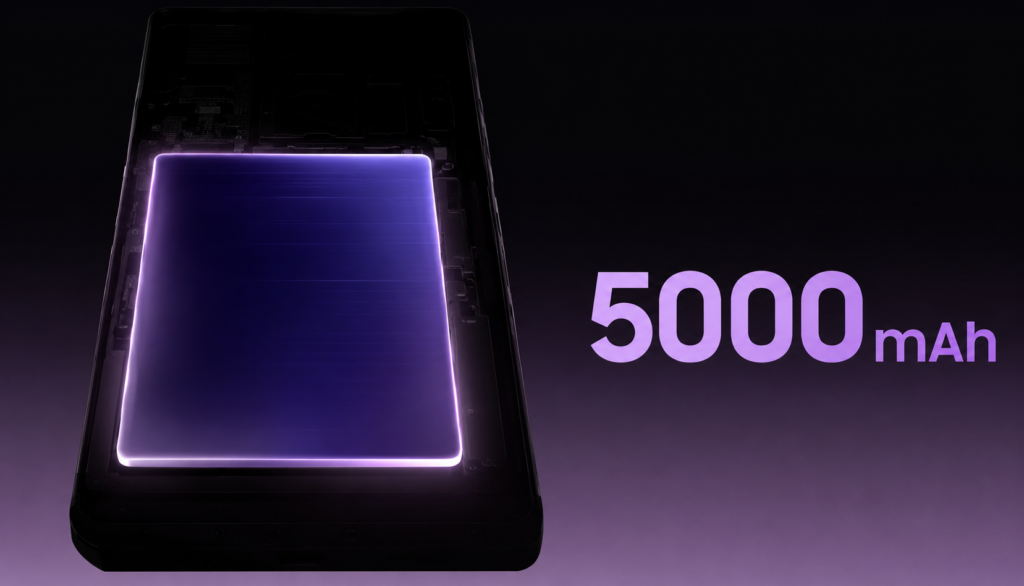
    The battery 9,200 mAh in the Xiaomi Pad 8 Pro vs 28.93 Wh (approx. 7,606 mAh) in the iPad Air. Xiaomi charges at 67 W, while Apple is limited to ~20 W via USB-C PD.

    In real-world usage, the difference is:
    Xiaomi: 0 → 100% in about 96 minutes, 50% in 38 minutes
    iPad Air 11: 0 → 100% in about 150 minutes

    The battery life on both tablets is comparable — about 10 hours in internet browsing and video streaming tests. Xiaomi compensates for what it loses on the less optimized Android with a larger battery.

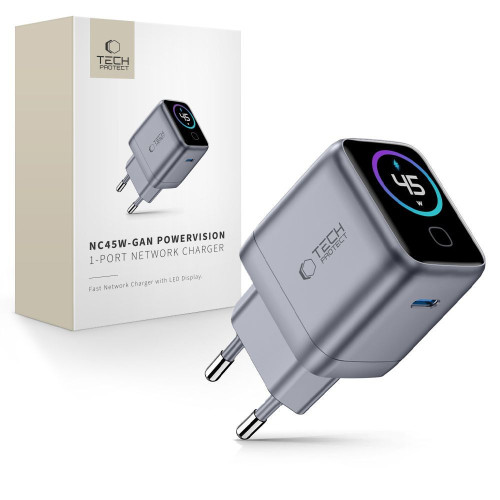
    Note: Apple does NOT include a full-power charger in the box. To charge the iPad in a reasonable time, you need a GaN charger of at least 30 W with a USB-C port. Check the charging offer at homescreen.pl.

    Cameras — who even uses them on a tablet?

    Xiaomi Pad 8 Pro: 50 MP f/1.8 (rear) + 32 MP (front, ultra-wide).
    iPad Air 11: 12 MP f/1.8 (rear) + 12 MP (front, in landscape, with Center Stage).

    Xiaomi wins on paper, but the camera on a tablet is mainly used for scanning documents and video conferencing. Here the iPad has a better front camera setup — placed on the longer side (landscape), perfect for Zoom and Google Meet when holding the tablet horizontally with a keyboard.

    Xiaomi has a front camera in portrait mode, which forces a strange frame during video conferencing.

    System — Android 16 + HyperOS 3 vs iPadOS 26

    This is the most important difference between these tablets — and it determines whether it’s even worth considering Xiaomi.

    iPadOS 26 is a mature system designed for tablets: Stage Manager, support for external monitors, pro apps (Adobe, Autodesk, Procreate, LumaFusion). Apple guarantees 6–7 years of updates — an iPad from 5 years ago still receives the latest iPadOS.

    HyperOS 3 on Android 16 in Xiaomi is a system written for phones, adapted for tablets. Multitasking and desktop mode work well, but some apps (streaming, banking) can be poorly adapted to large screens. Xiaomi guarantees 4 years of Android updates and 6 years of security patches.

    What Xiaomi does better:
    – Full Microsoft Office without iCloud/iPadOS restrictions
    – Compatibility with .exe/.apk files through emulators
    – Desktop mode with a taskbar and windows
    – No App Store tax — most apps are free

    What iPad does better:
    – Creative apps (Procreate, LumaFusion, Affinity)
    – Integration with Mac/iPhone (Handoff, Universal Clipboard, AirDrop)
    – Longer system support (6–7 years vs 4 years)
    – Consistency of the interface across the system

    Stylus and keyboard — what each ecosystem offers

    The iPad Air 11 works with Apple Pencil Pro and Apple Pencil (USB-C) as well as the original Magic Keyboard. It is a mature set with haptic feedback and precision that has been lacking in other ecosystems for years.

    Xiaomi offers its own Focus Pen (8,192 pressure levels, magnetic charging) and Focus Keyboard often included in the package. Functionally, it is closer to the Apple Pencil 2nd generation — for significantly less.

    Case and protection are a must for tablets costing over 2,500 PLN. You can find the full range of accessories in the categories: Xiaomi Pad 8 / 8 Pro → | iPad Air 11 →.

    Price — where the difference makes the biggest impact

    ConfigurationXiaomi Pad 8 ProiPad Air 11
    128–256 GB Wi-Fi2,599 PLN (8/256 GB)2,899 PLN (128 GB) / 3,399 PLN (256 GB)
    512 GB Wi-Fi2,999 PLN (12/512 GB)4,399 PLN
    1 TB Wi-Fin/a5,399 PLN
    LTE / 5Gn/a (Wi-Fi only)+800 PLN for Cellular
    Stylus~350 PLN (Focus Pen)399 PLN (Pencil USB-C) / 599 PLN (Pencil Pro)
    Keyboard~599 PLN (or in a bundle)~1,599 PLN (Magic Keyboard)

    For the same price (~3,500 PLN) you get:
    – Xiaomi Pad 8 Pro 12/512 GB + Focus Pen + case with keyboard.
    – Just the iPad Air 11 256 GB Wi-Fi (without stylus and keyboard).

    The difference becomes even greater if you need LTE — the iPad Air adds 800 PLN for the Cellular module, while Xiaomi doesn’t have that option at all (requires a hotspot from a phone).

    Which tablet to choose? Recommendations based on needs

    Choose Xiaomi Pad 8 Pro if:

    • You have a budget of up to 3,000 PLN and want maximum specifications for that price.
    • You watch a lot of videos and play games — the 144 Hz 3.2K Dolby Vision screen and 4 Dolby Atmos speakers will make a difference.
    • You use Android on your phone — synchronization works more smoothly.
    • You want to take notes with a stylus and have a keyboard included.
    • You need a large battery and fast charging (67 W).

    Choose iPad Air 11 if:

    • You have an iPhone or Mac — the Apple ecosystem is the biggest added value.
    • You work on pro apps: Procreate, Affinity, LumaFusion, DaVinci Resolve.
    • You want the longest system support (6–7 years of updates).
    • You need a variant with LTE/5G.
    • You value a cohesive system and don’t want to deal with stores and sideloading.

    Our verdict: For 70% of users looking for a tablet for learning, entertainment, and simple office work, Xiaomi Pad 8 Pro is the smarter choice — it offers more for less money. The iPad Air 11 is worth the extra 300–500 PLN only if you are already in the Apple ecosystem or use apps not available on Android.

    What to buy after the purchase? Tablet protection

    Regardless of your choice — a case and tempered glass are a must. Repairing the display on both models costs around 1,200–1,800 PLN. Meanwhile, a solid case and tempered glass protect the tablet from 90% of accidental damage for a fraction of that price.

    You can find the full range of accessories — cases, tempered glass, matte films, keyboards — in our categories:

    Check accessories: Xiaomi Pad 8 / 8 Pro → | iPad Air 11 (2024/2025/2026) →

    Summary — Xiaomi Pad 8 Pro vs iPad Air 11

    Xiaomi Pad 8 Pro vs iPad Air 11 is a battle of better hardware versus better software. Xiaomi offers 144 Hz, 9,200 mAh, and 67 W charging for 2,599 PLN. Apple provides the M4 chip, iPadOS 26, and 6–7 years of updates for 2,899 PLN.

    If you want the best value for money outside the Apple ecosystem — choose Xiaomi. If you have an iPhone or Mac and need pro apps — pay extra for the iPad. Regardless of your choice: protect your tablet with a case and tempered glass — screen repairs cost 20× more.

    FAQ — frequently asked questions

    Will the Xiaomi Pad 8 Pro be available in LTE / 5G version?

    No. The Xiaomi Pad 8 Pro is sold globally only in the Wi-Fi version. If you need mobile internet, you have to use a hotspot from your phone or choose the iPad Air 11 in the Cellular version (+800 PLN).

    Which tablet is better for studying and taking notes?

    Both tablets are very good for note-taking, but the iPad Air 11 has an advantage in apps (GoodNotes, Notability, Apple Notes). The Xiaomi Pad 8 Pro with Focus Pen and keyboard included is cheaper, and Microsoft OneNote and Xiaomi Notes on Android perform excellently.

    Does the iPad Air 11 support 144 Hz like Xiaomi?

    No. The iPad Air 11 has a 60 Hz display. If you want higher refresh rates from Apple, you need to choose the iPad Pro with ProMotion technology (120 Hz) — which starts at around 5,200 PLN.

    Does the Xiaomi Pad 8 Pro receive regular updates?

    Yes, Xiaomi guarantees 4 years of major Android system updates and 6 years of security updates. The iPad Air 11 typically receives 6–7 years of full iPadOS updates.

    Do cases for the Xiaomi Pad 7 Pro fit the Xiaomi Pad 8 Pro?

    Yes — the Xiaomi Pad 7 / 7 Pro / 8 / 8 Pro have nearly identical dimensions of 11.2″. Most cases and screen protectors are compatible with the entire series. Check the exact product description — in the Xiaomi Pad 8 Series category, all products are marked with compatibility.

    Does the 2nd generation Apple Pencil work with the iPad Air 11 (M4)?

    No. The iPad Air 11 with the M4 chip supports Apple Pencil Pro and Apple Pencil (USB-C). The older 2nd generation Pencil (with inductive charging for iPad Pro 2018–2022) does not work with the new Air.

    Which tablet is better for gaming?

    For mobile gaming, the Xiaomi Pad 8 Pro is the better choice — Adreno 830 + 144 Hz + 4 Dolby Atmos speakers is an optimal setup for Genshin Impact, PUBG, or Honkai. The iPad Air 11 excels in AAA games ported from Mac (Resident Evil, Death Stranding) and in emulation of older consoles.

  • Accessories for Huawei Watch GT Runner 2: 2026 Ranking

    Accessories for Huawei Watch GT Runner 2: 2026 Ranking

    The best accessories for the Huawei Watch GT Runner 2 are the Bizon Case Watch Adamo (25 PLN) with integrated 9H glass, Tech-Protect Glass Flex+ [2 PACK] (19 PLN) for maximum durability, and Bizon Watch Film HydroFlex [3 PACK] (25 PLN) for runners who value minimal weight.

    Below you will find the complete ranking of 9 accessories available in the Home Screen store, divided into three categories: protective cases, tempered glass, and films. Each product is described with parameters, price, and a specific recommendation for whom it will be the best choice.

    Why the Huawei Watch GT Runner 2 Requires Protective Accessories

    The Huawei Watch GT Runner 2 is a watch tailored for marathon runners. According to the official Huawei specification, it has an aerospace-grade titanium case, 2nd generation Kunlun Glass, and a water resistance of 5 ATM with EN13319 certification for diving up to 40 meters. Sounds good, but none of these parameters protect against one specific scenario: the corner of the case hitting the edge of a desk or falling on asphalt during training.

    In practice, it is the edges and the display that take the most hits. Repairing a cracked screen at an authorized Huawei service center costs around 500–700 PLN according to the manufacturer’s price list. A ceramic film costs 12.99 PLN, and a case with glass 25 PLN. The ROI on securing the accessory counts after the first drop.

    Note: Titanium is harder than steel but prone to scratches. Every abrasion against the buckles of a running backpack, jacket zippers, or stone walls leaves a permanent mark. The Felipe case made of TPU solves this problem for 19 PLN.

    Best protective cases for Huawei Watch GT Runner 2

    In the Home Screen store, there are two lines of cases from the Bizon brand, specifically dedicated to the GT Runner 2: Adamo (premium, with integrated glass) and Felipe (slim, with a TPU screen protector). Both protect the titanium case and display, but differ in their protection philosophy and aesthetics.

    1. Bizon Case Watch Adamo: premium with tempered glass (25 PLN)

    Our selection in the premium protection category

    Bizon Case Watch Adamo is a two-part construction made of polycarbonate (PC) with factory-integrated 9H tempered glass. This is a 2-in-1 solution, you buy both a case and screen glass at once, saving a few dozen zlotys compared to purchasing both products separately.

    Specifications:
    – Frame material: polycarbonate (PC)
    – Screen protection: 9H tempered glass included
    – Weight: approx. 8 g
    – Variants: silver-orange, transparent-red, transparent-orange, transparent-blue

    For whom: For runners who want one solution instead of two, a protective frame and glass. The silver-orange variant matches perfectly with the Dawn Orange color, and the blue with Dusk Blue.

    2. Bizon Case Watch Felipe: with a TPU screen protector (19 zł)

    Best price for full 360° protection

    Bizon Case Watch Felipe is a monolithic TPU (thermoplastic polyurethane) case with a factory-built screen protector. The absence of hard joints means there are no critical points where the case could break upon impact. Touch sensitivity is preserved despite the TPU layer on the display.

    Specification:
    – Material: TPU (thermoplastic polyurethane)
    – Screen protection: integrated TPU protector
    – Slightly raised edges (raised edges)
    – Variants: silver, pink, gold, transparent, blue, black (6 colors)

    For whom: For trail runners and those training in difficult terrain. Soft TPU absorbs impact energy better than hard polycarbonate, thus providing better protection against stones on the running trail. Six color variants offer a lot of stylistic flexibility.

    Comparison of Adamo vs Felipe cases

    ParameterBizon AdamoBizon Felipe
    Price25 PLN19 PLN
    MaterialPolycarbonate (PC)TPU
    Screen protection9H tempered glassTPU shield
    ConstructionTwo-pieceMonolithic
    Number of color variants46
    Best forDaily use + trainingTrail running + impacts

    Advice: If you plan to wear the watch mainly at work and for light training, choose Adamo (the hard glass on the screen withstands daily abrasions). If you run in forests, on stones, and in difficult terrain, opt for Felipe (TPU absorbs impacts).

    The best tempered and hybrid glasses for Huawei Watch GT Runner 2

    The Kunlun glass on the factory display is exceptionally hard, but not flawless. In practice, every runner notices minor scratches on the screen surface after a year. Tempered or hybrid glass is a sacrificial layer; it will break instead of the original display.

    1. Tech-Protect Glass Flex+ Black [2 PACK]: the most durable (19 PLN)

    Tech-Protect Glass Flex+ hybrid glass for Huawei Watch GT Runner 2Tech-Protect Glass Flex+ hybrid glass with black frame for Huawei Watch GT Runner 2 close-up view

    Our choice in the glass category

    Tech-Protect Glass Flex+ is a flexible hybrid glass with a black frame that conceals the edges of the display. The hybrid combines the durability of glass with the flexibility of film; it does not crack when bent, unlike classic 9H glass. The package includes two pieces, so you have a spare for replacement after the first damage.

    Specification:
    – Type: hybrid glass (polycarbonate + glass layer)
    – Hardness: 9H (outer layer)
    – Frame: black (conceals the edges of the display)
    – Set: 2 pieces

    For whom: For runners who want maximum durability and are not afraid of minor scratches, hybrid glass withstands more than classic film and does not shatter like 9H. The black frame hides reflections caught by Kunlun Glass.

    2. Bizon Glass Watch Clear: classic tempered glass (19 PLN)

    Best choice for minimalists

    Bizon Glass Watch Clear is a transparent tempered glass without a frame, glued over the entire surface. The absence of black edges makes the Huawei Always-On Display look exactly the same as on the factory display, without the “window” effect.

    Specification:
    – Type: tempered glass
    – Hardness: 9H
    – Frameless, full transparency
    – Thickness: 0.33 mm

    For whom: For those who appreciate a minimalist look and a full display view. Classic 9H glass protects well against scratches but is less resistant to point impacts than hybrid glass.

    3. GrizzGlass HybridGlass: the cheapest (13.99 PLN)

    Best price in the glass ranking

    GrizzGlass HybridGlass is a budget hybrid, combining the flexibility of film with the durability of glass at a price that no other option in the store can beat. There is no 2-in-1 set, but for less than 14 PLN, you protect the screen of Huawei’s titanium flagship.

    Specification:
    – Type: hybrid glass
    – Thickness: 0.2 mm
    – No frame, transparent
    – Polish brand

    For whom: For runners who test various accessories and do not want to invest much in one product. It is also the best choice if you already have a case and are looking for an additional layer of glass at a low price.

    Comparison of glasses, table

    GlassBrandTypeFrameSetPrice
    Glass Flex+ Black [2 PACK]Tech-Protecthybridblack2 pcs.19 PLN
    Glass Watch ClearBizontempered 9Hnone1 pc.19 PLN
    HybridGlassGrizzGlasshybridnone1 pc.13.99 PLN

    Best protective films for Huawei Watch GT Runner 2

    A film is an alternative to glass, thinner, more flexible, and cheaper. For marathon runners who count every gram, a film is often a better choice than glass because it does not change the ergonomics of the screen and does not affect touch sensitivity.

    1. Bizon Watch Film HydroFlex [3 PACK]: best set (25 PLN)

    Our selection in the film category

    Bizon Watch Film HydroFlex is a self-healing hydrogel film, minor scratches disappear over time thanks to the properties of TPU material. The set includes 3 pieces, so they last for over a year of use even with intense training. The price of one film is 8.33 PLN.

    Specification:
    – Type: hydrogel film (HydroFlex)
    – Function: self-healing of minor scratches
    – Set: 3 pieces
    – Thickness: 0.2 mm

    For whom: For runners who regularly rub the display against a backpack strap, technical shirt, or headlamp band. Three pieces mean that even after two replacements, you still have a spare.

    2. GrizzGlass CeramicFilm: the cheapest ceramic protection (12.99 PLN)

    GrizzGlass CeramicFilm ceramic film for Huawei Watch GT Runner 2GrizzGlass CeramicFilm ceramic film for Huawei Watch GT Runner 2 packaging

    Best price in the film ranking

    GrizzGlass CeramicFilm is a film with a ceramic layer, harder than standard TPU film, but still flexible. A great alternative for those who prefer the durability of ceramics but do not want the rigidity of classic tempered glass.

    Specification:
    – Type: ceramic film
    – Hardness: comparable to 7–8H
    – Thickness: 0.2 mm
    – Polish brand

    For whom: For budget-conscious users who want to combine affordability with good protective parameters. The cheapest in the entire store, and the parameters match those of more expensive hybrid films.

    3. GrizzGlass PaperScreen: matte film for runners in the sun (13.99 PLN)

    Matte film GrizzGlass PaperScreen for Huawei Watch GT Runner 2Matte film GrizzGlass PaperScreen for Huawei Watch GT Runner 2 paper effect

    Best in strong sunlight and rain

    GrizzGlass PaperScreen is a matte film with a “paper-like” effect, eliminating light reflections and fingerprints. This makes a huge difference during training on a sunny day when you need to quickly check your pace or heart rate.

    Specification:
    – Type: matte film (anti-reflective)
    – Finish: matte, paper-like to the touch
    – Thickness: 0.2 mm
    – Glare reduction: up to 80%

    For whom: For marathon runners and triathletes who train outdoors. The matte surface provides a readable screen even in direct sunlight. Downside: slightly reduces the color saturation of the Always-On Display. Reviews like the review by Komputer Świat confirm that the peak brightness of 3000 nits is sufficient even without the matte film, but readability clearly improves in full midday sun.

    Film comparison, table

    FilmBrandTypeSetPrice per unitPrice
    HydroFlex [3 PACK]Bizonhydrogel3 pcs.8.33 zł25 zł
    CeramicFilmGrizzGlassceramic1 pc.12.99 zł12.99 zł
    PaperScreenGrizzGlassmatte1 pc.13.99 zł13.99 zł
    Watch Film Matte Duo [2 PACK]Bizonmatte2 pcs.14.50 zł29 zł

    Complete comparison of the 9 best accessories

    AccessoryCategoryBrandPriceBest for
    Bizon Case Watch AdamoCase with glassBizon25 PLNDaily use + office
    Bizon Case Watch FelipeCase with coverBizon19 PLNTrail running
    Tech-Protect Glass Flex+ [2 PACK]Hybrid glassTech-Protect19 PLNMaximum durability
    Bizon Glass Watch ClearTempered glassBizon19 PLNMinimalist look
    GrizzGlass HybridGlassHybrid glassGrizzGlass13.99 PLNBudget hybrid
    Bizon Watch Film HydroFlex [3 PACK]Hydrogel filmBizon25 PLNIntensive training
    GrizzGlass CeramicFilmCeramic filmGrizzGlass12.99 PLNBest price
    GrizzGlass PaperScreenMatte filmGrizzGlass13.99 PLNTraining in the sun
    Bizon Watch Film Matte Duo [2 PACK]Matte filmBizon29 PLNAnti-glare + spare

    How to choose accessories for your running style

    The choice of accessory depends on three variables: where you run, how long you train, and whether you wear a watch outside of running. Below are practical scenarios.

    Running on asphalt and in the city: The Bizon Adamo case (with 9H glass) is sufficient. Asphalt rarely leaves deep scratches, but a fall onto a curb can damage the corner of the case. The dual-layer construction of PC + glass protects both the frame and the display.

    Trail routes and mountain runs: The Bizon Felipe case with soft TPU. Stones and roots can be merciless, and TPU absorbs impact energy better than hard polycarbonate. Plus, 6 color variants, the orange case provides additional visibility on the trail.

    Marathons and ultramarathons: A thin film (HydroFlex 3 PACK or PaperScreen) instead of a case. Every gram counts during a 42 km run, and the film practically does not change the ergonomics of the watch. The hydrogel HydroFlex regenerates minor scratches, so you don’t have to replace it after every workout.

    Triathlon and swimming: Only film, no case. Cases can trap water at the seals of the case, making it difficult to synchronize the sensors with the body. The ceramic film GrizzGlass CeramicFilm or Glass Flex+ does not affect touch detection in water.

    Daily use + office: The Adamo case (premium look) plus the tempered glass Bizon Glass Watch Clear (frameless, full display view). This combination provides 360° protection without visual compromises.

    Tip: If you are buying accessories for the first time, start with the combination of Felipe case + HydroFlex 3 PACK film (total 44 PLN). This is a complete starter set with a year’s supply for use.

    What else is worth buying for the Huawei Watch GT Runner 2

    The Home Screen store offers accessories dedicated to the GT Runner 2, but there are also universal products that can come in handy. The watch has a standard 22 mm strap mount, so straps from the watch strap category fit it. If you are considering an upgrade to a newer model, check the categories Huawei Watch GT 6 or Huawei Watch Ultimate.

    Owners of older models can take a look at accessories for the Huawei Watch GT 5 and Huawei Watch GT 4, as some straps are interchangeable between models. A complete list of accessories for all Huawei smartwatch models can be found in the Other Watch / Band category.

    Summary of what to buy first

    The best single investment in protecting the Huawei Watch GT Runner 2 is the Bizon Case Watch Adamo case (25 PLN), which combines a protective frame with 9H tempered glass. The second place goes to the Bizon Case Watch Felipe case (19 PLN) for those training in difficult terrain.

    If you prefer minimalism, go for just the Tech-Protect Glass Flex+ [2 PACK] (19 PLN), two pieces for the price of one at competitors, hybrid technology. For marathon runners, the optimal choice is the Bizon Watch Film HydroFlex [3 PACK] (25 PLN) with self-repairing functionality.

    All the mentioned products are available at the Home Screen store with next business day shipping (for orders placed by 12:00 PM). Free shipping for orders over 100 PLN and 30 days for returns.

    FAQ, frequently asked questions about accessories for Huawei Watch GT Runner 2

    What accessories fit Huawei Watch GT Runner 2?

    Dedicated Bizon cases (Adamo and Felipe), tempered glass from Bizon, Tech-Protect, and GrizzGlass, as well as protective films from Bizon and GrizzGlass fit the Huawei Watch GT Runner 2. The watch also has a standard 22 mm strap mount, so universal straps of that width are compatible.

    Is tempered glass better than a film for Huawei Watch GT Runner 2?

    Tempered glass provides better protection against point impacts (e.g., contact with a stone), while the film is thinner, lighter, and more flexible. For marathon runners, the film is better (less weight), while for trail runners, the Tech-Protect Glass Flex+ hybrid glass offers a compromise between flexibility and hardness.

    How much does it cost to repair Huawei Watch GT Runner 2?

    The repair of a cracked display for the Huawei Watch GT Runner 2 at an authorized service center costs around 500–700 PLN. Protective cases start at 19 PLN, and screen protectors at 12.99 PLN, so investing in protection pays off after the first avoided fall.

    What size is the strap for the Huawei Watch GT Runner 2?

    The Huawei Watch GT Runner 2 uses a strap with a width of 22 mm with a standard quick-release attachment. You can replace the original strap with any other 22 mm strap, whether silicone, leather, Milanese, or nylon.

    Do the Bizon Adamo and Felipe cases fit other Huawei Watch models?

    No, the Bizon Case Watch Adamo and Felipe are specifically designed for the dimensions of the Huawei Watch GT Runner 2 (45.9 × 43.5 × 10.7 mm). For other Huawei Watch models (GT 4, GT 5, GT 6, Ultimate), you need dedicated cases from the appropriate categories.

    Does the ceramic film make touch usage difficult?

    No, the GrizzGlass CeramicFilm has a thickness of 0.2 mm and does not noticeably affect the touch sensitivity of the Huawei Watch GT Runner 2. The Always-On Display feature and all gestures (swipes, taps) work normally.

    Which accessory should I buy if I have a limited budget?

    If you have less than 25 PLN, the best investment is GrizzGlass CeramicFilm (12.99 PLN), a ceramic film that protects the screen from scratches and point impacts at the lowest price in the store. If your budget allows for 25 PLN, go for the Bizon Adamo case (case + 2-in-1 glass).

  • What is the best glass for Xiaomi 17 Ultra? Ranking of 8 models for 2026

    The best glass for Xiaomi 17 Ultra is 3MK FlexibleGlass (34.90 PLN) — a hybrid glass with an antibacterial coating made of silver nanoparticles and a ceramic layer that absorbs impact energy and does not crack like traditional tempered glass. In second place is Bizon Glass Edge Duo (35 PLN) — a two-pack of 9H glasses with a black frame and 4D rounded edges.

    Xiaomi 17 Ultra is a flagship device whose LTPO AMOLED display costs more than many mid-range smartphones. The under-display fingerprint sensor, peak brightness, and gently curved edges — all of this requires proper protection. In this ranking, you will find the best tempered and hybrid glasses for Xiaomi 17 Ultra (also compatible with 17 Pro Max), tested for hardness, fit, touch sensitivity, and compatibility with cases.

    What to pay attention to when choosing glass for Xiaomi 17 Ultra?

    Before we move on to the ranking, it’s worth knowing what to consider when choosing protective glass for Xiaomi 17 Ultra. Here are the key parameters.

    Hardness 9H — this is the industry standard for tempered glass. It indicates resistance to scratches from keys, coins, and other everyday objects. Hybrid glasses usually have a hardness of 6–7H, which they compensate for with flexibility and resistance to cracking.

    Thickness 0.25–0.43 mm — thinner glasses (0.25 mm) are less visible and work better with the under-display fingerprint reader. Thicker ones (0.33–0.43 mm) offer greater shock absorption from drops but may extend beyond the outline of the case.

    Full Glue — the best glasses for Xiaomi 17 Ultra have a layer of glue over the entire surface, not just along the edges. This eliminates air bubbles and prevents the corners from peeling off.

    Oleophobic coating — repels fingerprints, makes cleaning easier, and improves the smoothness of finger movement across the screen. The absence of this coating leads to quick dirt accumulation and visible streaks.

    Compatibility with cases — glasses with 4D rounded edges and a black frame effectively mask the transition between the screen and the case, but some cases with high edges may lift the corners of the glass. A safe choice are models with a narrower outline (e.g., Bizon Glass Clear).

    Under-display fingerprint reader — Xiaomi 17 Ultra has a sensor under the display. Standard 9H tempered glasses work correctly with it, but matte privacy glasses (e.g., Bizon Hybrid Shadow) may reduce the effectiveness of fingerprint recognition.

    Ranking of glasses for Xiaomi 17 Ultra

    1. 3MK FlexibleGlass — hybrid with antibacterial coating (34.90 PLN)

    Our choice

    3MK FlexibleGlass is a hybrid glass from a Polish brand that combines the flexibility of a film with the durability of a ceramic coating. It features a silver nanoparticle antibacterial coating — a rare trait in this segment, particularly useful for those who frequently use their smartphones in public places.

    The construction absorbs impact energy, preventing it from cracking during moderate falls. The oleophobic coating reduces fingerprints, and the nearly invisible structure maintains the original appearance of the Xiaomi 17 Ultra screen. The package includes a complete installation kit with wipes and a bubble removal card.

    Advantages:
    – Antibacterial coating with silver nanoparticles
    – Hybrid construction — does not crack upon falls
    – Ceramic layer increases scratch resistance
    – Oleophobic coating
    – Complete installation kit

    2. Bizon Glass Edge Duo — complete protection in a two-pack (35 PLN)

    Best price-to-quality ratio

    Bizon Glass Edge Duo is the best-fitting protective package for Xiaomi 17 Ultra. In one box, you get two tempered glasses with a hardness of 9H, a thickness of 0.33 mm, and rounded 4D edges with a discreet black frame. The frame masks the transition between the screen and the casing, giving the effect of “edge-to-edge” glass.

    The oleophobic coating reduces fingerprints, and the surface maintains full transparency and touch sensitivity. The set includes two complete installation accessory kits — microfiber cloth, cleaning wipes, positioning stickers, and dust absorber. Treat the second glass as a spare in case the first one breaks after a fall.

    Advantages:
    – Two glasses for the price of 35 PLN (17.50 PLN each)
    – Hardness 9H and thickness 0.33 mm
    – 4D rounded edges with a black frame
    – Oleophobic coating
    – Compatibility with Xiaomi 17 Ultra and 17 Pro Max

    3. Crong 3D Armour Glass Lite — full adhesive and 2.5D edges (29 PLN)

    Our choice in the edge-to-edge category

    Crong 3D Armour Glass Lite is a 9H tempered glass with full adhesive (Full Glue) that covers the entire display of the Xiaomi 17 Ultra. The 2.5D edges gently slope down the sides, and the black frame conceals the outline of the case. A light transmittance ratio of 92% means that the screen retains its original brightness and colors.

    A thickness of 0.33 mm is the industry standard. The shatter-resistant coating limits the spread of cracks — if the glass breaks upon impact, the shards remain within the film layer. The oleophobic coating minimizes fingerprints, and the package includes a complete installation kit.

    Advantages:
    – Full Glue adhesion across the entire surface
    – 2.5D rounded edges with a black frame
    – Shatter-resistant coating
    – Light transmittance of 92%
    – Hardness of 9H, thickness of 0.33 mm

    4. Bizon Hybrid Shadow — privacy glass for the demanding (35 zł)

    Our choice in the privacy category

    Bizon Hybrid Shadow is a privacy hybrid glass that limits the viewing angle to 28°. When looking at the screen from an angle, a person next to you sees only a dark surface. An ideal solution for working in open spaces, traveling on public transport, and anywhere you want to protect confidential data on the screen.

    The matte surface eliminates reflections and fingerprints, while a transparency level of 60% is sufficient for comfortable use of the phone. A thickness of 0.25 mm and a hardness of 6H strike a balance between protection and discretion. Remember — the matte privacy coating may reduce the effectiveness of the fingerprint reader under the screen.

    Advantages:
    – Viewing angle limited to 28°
    – Matte surface without reflections
    – Eliminates fingerprints
    – Thickness of 0.25 mm — almost invisible
    – Oleophobic coating

    5. Bizon Glass Clear Duo — transparent glass in a two-pack (35 zł)

    If you don’t mind the lack of a black frame, Bizon Glass Clear Duo is a practical alternative to Edge Duo. You get two 9H tempered glasses that are fully transparent, without a frame color — ideal if you don’t want anything to stand out on the white background of the app.

    A thickness of 0.33 mm, an oleophobic coating, and full transparency are standard. The glass covers the flat part of the display, and a slight air gap may appear on the curved edges — this is natural for 2D glasses. The second set remains in the box as a spare. Eco-packaging with minimal plastic is a plus for conscious users.

    Advantages:
    – Two glasses for 35 PLN (17.50 PLN each)
    – Full transparency — without a black frame
    – Hardness 9H, thickness 0.33 mm
    – Oleophobic coating
    – Eco-packaging

    6. Bizon Glass Edge 2 — single glass with a frame (25 PLN)

    Bizon Glass Edge 2 is a budget choice with a frame for Xiaomi 17 Ultra. A single 9H glass with a thickness of 0.33 mm and 4D rounded edges with a black frame that masks the transition between the screen and the casing. It is the same quality standard as in Edge Duo, just without the markup at a price of 25 PLN.

    The oleophobic coating reduces fingerprints, and the manufacturer claims greater transparency and smoothness than in the first generation of Glass Edge. The package includes a complete installation kit: microfiber, wipes, positioning stickers, and a dust absorber.

    Advantages:
    – Price 25 PLN for glass with a frame
    – Hardness 9H, thickness 0.33 mm
    – 4D rounded edges with a black frame
    – Oleophobic coating
    – Complete installation kit

    7. Bizon Angelo Pack — case and tempered glass included (45 PLN)

    Our choice in the set category

    Bizon Angelo Pack is a clever “two in one” solution — in one box you get a smoky case with a beige frame and the Bizon Glass Edge tempered glass with a black frame. The set costs 45 PLN (or 40.50 PLN in a product bundle), which is less than buying both products separately. It’s the perfect option if you’re buying accessories for the new Xiaomi 17 Ultra and want to ensure full protection right away.

    The glass has standard parameters of the Edge series: hardness 9H, thickness 0.3 mm, and 2.5D coverage with a black frame. The smoky case is made of flexible material with a matte finish — it protects the edges and back of the phone, fits well in the hand, and does not collect fingerprints. The beige frame adds a subtle color accent.

    Advantages:
    – Case and tempered glass at one price — 45 PLN
    – Bizon Glass Edge with a black frame (hardness 9H, 2.5D)
    – Smoky case with a beige frame included
    – Cheaper than buying separately

    8. GrizzGlass HybridGlass — best price for hybrid glass (14.99 PLN)

    Best price in the ranking

    For 14.99 PLN you get hybrid glass from the Polish brand GrizzGlass, which strengthens the screen by 400% against impacts and is scratch-resistant. The construction combines tempered glass with a flexible film — thanks to this, the glass does not shatter like traditional tempered glass.

    The surface has an oleophobic coating, and the precise laser cut ensures a perfect fit for the Xiaomi 17 Ultra. The manufacturer guarantees full compatibility with the in-screen fingerprint reader and Face Unlock. Polish production means a shorter supply chain and a lower carbon footprint.

    Advantages:
    – Lowest price in the comparison — 14.99 PLN
    – Screen reinforcement by 400% against impacts
    – Flexible — does not crack like tempered glass
    – Oleophobic coating, precise laser cut
    – Polish production

    Comparison of glasses for Xiaomi 17 Ultra — summary table

    GlassPriceTypeHardnessFrameFor whom
    3MK FlexibleGlass34.90 PLNHybrid antibacterial7HAntibacterial coating, drop protection
    Bizon Glass Edge Duo35 PLNTempered (2-pack)9H✅ BlackBest price-to-quality ratio
    Crong 3D Armour Glass Lite29 PLNTempered Full Glue9H✅ BlackEdge-to-edge with full adhesion
    Bizon Hybrid Shadow35 PLNHybrid privacy6HPrivacy protection (angle 28°)
    Bizon Glass Clear Duo35 PLNTempered (2-pack)9HFull transparency, two-pack
    Bizon Glass Edge 225 PLNTempered9H✅ BlackCheapest glass with a frame
    Bizon Angelo Pack45 PLNCase + tempered glass9H✅ BlackProtective set at one price
    GrizzGlass HybridGlass14.99 PLNHybrid6HCheapest flexible protection

    Which glass to choose for Xiaomi 17 Ultra? Recommendations

    The choice of glass for Xiaomi 17 Ultra depends on what you value the most. Here is a short guide tailored to your needs.

    If you care about hygiene and drop resistance → choose 3MK FlexibleGlass (34.90 PLN). The antibacterial coating with silver nanoparticles and a hybrid construction that absorbs impact energy — this is our number one choice.

    If you want to get two glasses for the price of oneBizon Glass Edge Duo (35 PLN). Two 9H glasses with a black frame and 4D edges for 17.50 PLN each — the second one remains as a spare.

    If you are looking for full screen coverage with a black frameCrong 3D Armour Glass Lite (29 PLN) with full adhesion and 2.5D edges fits perfectly over the entire display of the Xiaomi 17 Ultra.

    If you want to protect your privacy on the screenBizon Hybrid Shadow (35 PLN) limits the viewing angle to 28° — no one next to you will see what you have on the screen.

    If you are buying a set of accessoriesBizon Angelo Pack (45 PLN) is a case and tempered glass in one package. You save compared to buying separately and have full protection right away.

    If price is the most important factorGrizzGlass HybridGlass for 14.99 PLN is the cheapest flexible protection in the comparison, with a guarantee of screen reinforcement by 400%.

    Tip: The glass protects the screen, but the Leica camera module in the Xiaomi 17 Ultra protrudes beyond the casing and also requires protection. If you care about full protection, consider complementing the screen glass with a case that has a high edge around the lens.

    Don’t forget about cases and accessories

    Tempered glass protects the display, but the Xiaomi 17 Ultra also has a protruding Leica camera island and a metal frame prone to scratches. At homescreen.pl you will find a full range of accessories for the Xiaomi 17 Ultra — from cases by Bizon, Tech-Protect, and Ringke, to wireless chargers and camera protection.

    If you are comparing the Xiaomi 17 Ultra with the competition, check out our article Vivo X300 Ultra vs Xiaomi 17 Ultra — comparison of flagship cameras. And if you are considering other models from the series, see the full category of Xiaomi 17 accessories.

    Summary

    The best glass for the Xiaomi 17 Ultra is 3MK FlexibleGlass (34.90 PLN) — a hybrid glass with an antibacterial coating, a ceramic layer, and a construction that absorbs impact energy. If you prefer classic tempered glass with a reserve, Bizon Glass Edge Duo (35 PLN) offers two 9H glasses with a black frame and 4D edges. The widest coverage is provided by Crong 3D Armour Glass Lite (29 PLN) with full adhesion, and those who value privacy should reach for Bizon Hybrid Shadow (35 PLN) with a 28° viewing angle. In the budget category, GrizzGlass HybridGlass wins at 14.99 PLN.

    Check the full offer of tempered glasses for Xiaomi 17 Ultra at homescreen.pl — free shipping on orders over 100 PLN and next business day shipping.

    FAQ — frequently asked questions

    Which tempered glass fits the Xiaomi 17 Ultra?

    Tempered glasses designed specifically for the Xiaomi 17 Ultra fit this model. In the offer of homescreen.pl, you will find glasses from 3MK, Bizon, Crong, and GrizzGlass — all with precise cutouts for the fingerprint sensor, upper speaker, and protruding camera module. Most models are also compatible with the Xiaomi 17 Pro Max.

    Does the glass for Xiaomi 17 Pro Max fit the 17 Ultra?

    Yes, most glasses marked as “for Xiaomi 17 Ultra / 17 Pro Max” (e.g., Bizon Glass Edge and Clear series) are compatible with both models. Both phones have a similar display size and identical sensor placement. Always check the packaging to see if the manufacturer lists both models.

    Does tempered glass affect the fingerprint reader on Xiaomi 17 Ultra?

    Standard 9H tempered glasses with a thickness of 0.33 mm work properly with the under-display fingerprint reader on the Xiaomi 17 Ultra. Matte privacy glasses (e.g., Bizon Hybrid Shadow) may pose a problem — their coating that reduces the viewing angle can lower the effectiveness of fingerprint recognition.

    How much does glass for Xiaomi 17 Ultra cost?

    Prices for glasses for Xiaomi 17 Ultra start at 14.99 PLN (GrizzGlass HybridGlass) and go up to 45 PLN for the case + glass set Bizon Angelo Pack. Most of the glasses themselves fall within the range of 25–35 PLN. The premium hybrid 3MK FlexibleGlass with an antibacterial coating costs 34.90 PLN.

    Is it worth buying hybrid glass instead of tempered glass?

    Hybrid glass (e.g., 3MK FlexibleGlass, GrizzGlass HybridGlass) is flexible and does not shatter like classic tempered glass, but it has lower hardness (6–7H instead of 9H). It is suitable for people who often drop their phones. Classic 9H tempered glass handles scratches from keys and coins in pockets better.

    Does glass with a black frame better protect the screen of Xiaomi 17 Ultra?

    Glass with a black frame (Bizon Glass Edge, Crong 3D Armour) conceals the transition between the screen and the case and looks more aesthetically pleasing, especially with a case. The protection itself is comparable to transparent models — the difference lies in the appearance. Choose the framed version if you are using a case with high edges.

    How to apply tempered glass on Xiaomi 17 Ultra?

    Clean the screen with a damp cloth and dry it with a microfiber cloth. Use the positioning stickers from the kit to lift the glass and collect dust with a dust absorber. Slowly bring the glass to the top edge and lower it — air bubbles will disappear on their own within 24–48 hours. In every package of glasses from 3MK, Bizon, and Crong, you will find a complete installation kit.

  • What is the best charger for MacBook Neo 13 [2026]? Top 7 models

    What is the best charger for MacBook Neo 13 [2026]? Top 7 models

    The best charger for MacBook Neo 13 is Ugreen X524 45 W USB-C GaN (59.90 PLN), a compact GaN power supply with Power Delivery that fully utilizes the maximum 30 W that the MacBook Neo accepts, and the additional 15 W reserve will also allow you to charge your iPhone. The second place goes to Usams T70 40 W (49 PLN), a multi-port charger with 2× USB-C and 2× USB-A. Below is the full ranking of 7 models with prices, specifications, and recommendations for various scenarios.

    MacBook Neo 13″ (A18 Pro) is sold without a power adapter, in the box you will find only the laptop and a USB-C cable. You need to purchase the charger separately. We selected 7 models from the homescreen.pl offer, with power ranging from 33 W to 140 W, which is where the new MacBook actually uses the available energy. We focused on proven brands: Ugreen (including Nexode S 140 W), Usams (including US-CC180 Sandru 65 W), Spigen, Crong, and 3MK.

    What power charger for MacBook Neo 13?

    MacBook Neo 13 with A18 Pro chip is the cheapest Apple laptop, launching in March 2026, priced from $599. The device weighs under 1.3 kg and has two USB-C ports (USB 3 on the left, USB 2 on the right). Unlike the MacBook Pro, the Neo does not support fast charging.

    The optimal charger power for MacBook Neo 13 is around 35 W, as this model can accept a maximum of 30 W. Tests have shown that the Neo will not utilize higher power when charging the laptop itself.

    Weaker chargers, such as 20 W, will also charge the laptop, but the charging time will be noticeably longer. Stronger chargers, such as 60–140 W, will be useful when you want to charge multiple devices simultaneously or if you also use them for a more powerful laptop. We do not include models exceeding 140 W in the ranking, as for the Neo they would only mean additional cost, not speed.

    When is it worth choosing a stronger charger (45–140 W)?

    A higher power charger will be useful if:

    • You plan to also charge a more powerful laptop with it, e.g. MacBook Pro (14″ requires 70–96 W, 16″ even 140 W).
    • You are looking for a multi-port charger to simultaneously charge the MacBook Neo and other devices, such as an iPhone, iPad, or AirPods.
    • You travel often and want to have one charger for the entire Apple ecosystem.
    • You want to keep some power reserve for future devices.

    Tip: If you want to charge your laptop and other devices, such as an iPhone and iPad, at the same time, choose a multi-port charger with two or three USB-C ports. Smart power management will automatically adjust the performance for each connected device.

    What standards to look for?

    A charger for the MacBook Neo should support:

    • USB Power Delivery (USB PD), a fast charging standard up to 240 W, essential for USB-C.
    • Minimum 30 W on the USB-C port, to ensure the Neo charges at full supported speed.
    • GaN (gallium nitride), allows for a smaller charger while maintaining power; ideal for a backpack.
    • PPS (Programmable Power Supply), optional, useful for newer iPhones and Samsungs.

    Ranking: 7 best chargers for MacBook Neo 13

    The following models were selected from the homescreen.pl offer, comparing power, number of ports, GaN technology, and value for money. All come from reputable brands and fall within the range of 33–140 W.

    1. Ugreen X524 45 W USB-C GaN, our choice (59.90 PLN)

    Our choice. Ugreen X524 45 W is a GaN charger with a single USB-C port and a power of 45 W for under 60 PLN, making it hard to find a better price-to-performance ratio. Gallium nitride has allowed the casing to be reduced to the size of a standard 25 W charger while delivering a full 45 W output.

    45 W is a safe buffer above the maximum 30 W that Neo accepts. This means that the laptop will charge at the full supported speed, and Ugreen X524 is also sufficient for the iPhone 17 Pro Max (27 W) or iPad Pro. If you want a ready-made set, choose the variant Ugreen X524 45 W with a 1 m USB-C cable for 69.90 PLN.
    ParameterValue
    Power45 W
    Ports1× USB-C
    TechnologyGaN, USB PD
    Weightapprox. 80 g
    Price59.90 zł

    2. Usams T70 40 W, multi-port home hub (49.00 zł)

    If you are looking for one charger that can handle the entire family of devices, Usams T70 40 W is the cheapest option in the ranking. Four ports (2× USB-C + 2× USB-A) allow you to charge a MacBook Neo, iPhone, iPad, and headphones simultaneously, and the total cost is 49 zł. This is unbeatable in this category.

    It is worth remembering that in the Usams T70 40 W is the total power, intelligently distributed among the ports. When charging four devices simultaneously, Neo will receive less than 30 W, but overnight charging of the entire set is not a problem. It is the perfect charger for a desk or a nightstand.

    ParameterValue
    Power40 W (total)
    Ports2× USB-C + 2× USB-A
    TechnologyUSB PD, Quick Charge
    Price49.00 zł

    3. 3MK Hyper Charger PD 33 W GaN, the most power-matched (49.90 zł)

    3MK Hyper Charger PD 33 W GaN is the most precisely power-matched model in the ranking. 33 W is practically exactly what Neo can accept (30 W), so you are not paying for unused capacity. At this price, you also get a second USB-A port, useful for a phone with an older cable or an additional accessory.

    3MK supports a full set of fast charging standards: USB PD, QC 4+, PPS, AFC, FCP, and SCP. The intelligent circuit automatically adjusts the power to the connected device, and protections against overheating, overloading, and voltage spikes protect both the charger and the laptop.

    ParameterValue
    Power33 W (total)
    Ports1× USB-C + 1× USB-A
    TechnologyGaN, PD, QC 4+, PPS
    Price49.90 zł

    4. Spigen Essential 45 W (white) with USB-C cable, premium (79.00 zł)

    Spigen is a brand that has built a reputation for premium accessories for the Apple ecosystem. Spigen Essential 45 W is a stable, reliable choice with a 1 m USB-C cable included, you don’t need to buy anything extra. The cable from Spigen is armored and durable, which matters for everyday use in a backpack.

    45 W in Spigen Essential is the same power as in Ugreen, but for an additional 20 PLN you get a branded cable and a classic, white design that matches the MacBook. If you care about aesthetics and a branded set, it’s a reasonable expense.

    ParameterValue
    Power45 W
    Ports1× USB-C
    TechnologyUSB PD
    Included1 m USB-C cable
    Price79.00 zł

    5. Crong Ultra Compact GaN 45 W with PPS, battery protection (89.00 zł)

    Crong Ultra Compact 45 W stands out for two reasons: very small housing (one of the smallest 45 W chargers on the market) and full support for the PPS (Programmable Power Supply) standard. PPS dynamically adjusts the voltage, which in practice means less heat and reduced battery cell consumption in the long term.

    Crong Ultra Compact is an option for those who want to take care of the longevity of their MacBook Neo and iPhone battery. The price of 89 PLN is higher than the competition, but for the PPS technology in such a compact housing, it’s fair.

    ParameterValue
    Power45 W
    Ports1× USB-C
    TechnologyGaN, PD 3.0, PPS
    Price89.00 PLN

    6. Usams US-CC180 Sandru 65 W GaN, multi-port travel (129.00 PLN)

    Usams US-CC180 Sandru 65 W is a compact GaN charger that combines higher power with multi-port capability in one travel case. Two USB-C ports (main up to 65 W) and one USB-A output allow simultaneous charging of a MacBook Neo, iPhone, and smartwatch, while the foldable plugs save space in your backpack.

    65 W provides a real reserve: the MacBook Neo will get its 30 W from the main port, while the second USB-C port can still power the iPhone at 27 W. For those who want one charger for business trips and home, Usams US-CC180 is a sensible compromise between power and size.

    ParameterValue
    Power65 W (total)
    Ports2× USB-C + 1× USB-A
    TechnologyGaN, USB PD, QC
    Price129.00 PLN

    7. Ugreen Nexode S 140 W GaN with 3× USB-C, desktop power hub (199.00 PLN)

    Ugreen Nexode S 140 W is the most versatile charger in the ranking. Four ports (3× USB-C + 1× USB-A) and 140 W of total power allow you to simultaneously power a MacBook Pro 16″ (140 W), MacBook Neo, iPhone, and wireless headphones, while GaN ensures that the casing remains compact and does not heat up under load.

    At the price of 199 PLN Ugreen Nexode S is exceptionally advantageous, competing single-port 140 W chargers from original manufacturers cost twice as much, and here you also get 3× USB-C for power distribution. This is a choice for users who want to reduce the number of chargers on their desk to one and have extra power for a laptop running at full load.

    ParameterValue
    Power140 W (total)
    Ports3× USB-C + 1× USB-A
    TechnologyGaN, USB PD 3.1
    Price199.00 PLN

    Comparison of chargers for MacBook Neo 13

    ModelPowerPortsGaNPPSPrice
    Ugreen X524 45 W45 W1× USB-C59.90 zł
    Usams T70 40 W40 W2× USB-C + 2× USB-A49.00 zł
    3MK Hyper Charger 33 W33 W1× USB-C + 1× USB-A49.90 zł
    Spigen Essential 45 W white45 W1× USB-C79.00 zł
    Crong Ultra Compact 45 W45 W1× USB-C89.00 zł
    Usams US-CC180 Sandru 65 W65 W2× USB-C + 1× USB-A129.00 zł
    Ugreen Nexode S 140 W140 W3× USB-C + 1× USB-A199.00 zł

    Which charger to choose? Recommendations based on scenarios

    We have shown the full spectrum of possibilities. To make the decision easier, we suggest which charger to choose depending on how you use your MacBook Neo:

    What to avoid when choosing a charger for MacBook Neo

    Not every USB-C charger will charge the MacBook Neo as it should. What to watch out for:

    • Chargers below 20 W will charge the Neo, but very slowly. They are not suitable for intensive laptop use while charging.
    • Chargers without USB Power Delivery, some cheap models are limited to 5 V / 3 A, which gives a maximum of 15 W. Neo won’t even utilize its 30 W limit.
    • Cheap products from marketplaces without certifications, the lack of short-circuit and over-voltage protections poses a real risk of damaging a laptop worth several thousand zlotys.
    • A single 5–10 W charger from a phone, it will physically connect, but it may even discharge the laptop during intensive use.

    Note: MacBook Neo does not support fast charging (like MacBook Pro). Buying a 140 W charger just for Neo makes no sense, as you will only utilize a maximum of 30 W from it. It only makes sense if you plan to charge a MacBook Pro or several devices at the same time.

    Where to buy a charger for MacBook Neo 13?

    You can find all the chargers from the ranking in the category network chargers at homescreen.pl. The store also has a separate category for accessories for MacBook Neo 13″ A18 Pro, where you will find compatible Tech-Protect cases, GrizzGlass screens, and 3MK films.

    If you also use an iPhone, it’s worth checking out MagSafe accessories, the wireless chargers work with the phone, and the same USB-C power supply powers both it and the MacBook. This is the most economical way to reduce the number of chargers at home. A wider selection of power banks, USB-C cables, and wireless chargers can also be found in the collective category charging accessories.

    The USB Power Delivery standard, which is supported by both the MacBook Neo and all chargers in the ranking, is detailed in the official USB-IF specification. It’s a good source if you want to understand why 30 W from one charger is not the same as 30 W from another.

    Our choice: For most MacBook Neo 13 users, the optimal choice will be the Ugreen X524 45 W GaN (59.90 PLN), it has ample power, GaN technology, is affordable, and comes from a trusted brand.

    Summary

    The MacBook Neo 13 is sold without a power adapter, so you need to purchase a charger for the MacBook Neo separately. The optimal power is around 35 W, as the laptop accepts a maximum of 30 W and does not support fast charging. More powerful chargers in the range of 45–140 W make sense mainly when you want to charge other devices simultaneously or a more powerful MacBook Pro.
    If you don’t know where to start, choose Ugreen X524 45 W (59.90 PLN), Usams T70 40 W (49 PLN) or 3MK Hyper Charger 33 W (49.90 PLN), all three support USB PD and will charge the Neo at full available speed.

    If you also charge your phone and tablet while traveling, consider the Usams US-CC180 Sandru 65 W (129 PLN) with 2× USB-C + USB-A. For a desk with a MacBook Pro, Neo, and other accessories, the best choice is the Ugreen Nexode S 140 W (199 PLN), which has 3× USB-C + USB-A and 140 W total power, covering even the MacBook Pro 16″ along with a phone and headphones.

    Check the full range of chargers for MacBook Neo in the network chargers category at homescreen.pl and choose a model that fits your work style. If you have any questions, feel free to write to [email protected], and we will advise you on the best configuration for your devices.

    FAQ, frequently asked questions

    What power charger is optimal for MacBook Neo 13?

    The optimal power is around 35 W, as the MacBook Neo accepts a maximum of 30 W and does not support fast charging. Chargers of 33–45 W provide the full supported speed with a slight buffer for a phone.

    Will a 20 W charger charge the MacBook Neo?

    Yes, a 20 W charger will charge the MacBook Neo, but the charging time will be noticeably longer, by about 30–40% compared to a 30–45 W power adapter. This is a good emergency option, but not for everyday use.

    Will the charger for iPhone 16 Pro Max charge the MacBook Neo?

    Yes, if it is a USB-C 30 W (or more) charger with USB Power Delivery support. The 20 W charger from the iPhone will also work, but charging will be slower than with a dedicated 40–45 W power adapter.

    Does the MacBook Neo come with a charger in the box?

    No. In the MacBook Neo box, you will find only the laptop and a USB-C cable. The power adapter must be purchased separately; Apple offers 20 W, 30 W, and 35 W dual-port models.
    Is it worth buying a 140 W charger for the MacBook Neo?

    Only if you plan to use the same charger for the MacBook Pro 14″ or 16″ (which require 70–140 W). For the Neo itself, a 33–45 W charger is sufficient, as the laptop will not draw more than 30 W anyway.

    What is the difference between a GaN charger and a regular one?

    GaN (gallium nitride) is a semiconductor technology that allows for a 30–50% reduction in charger size while maintaining the same power. GaN chargers heat up less and are lighter, making them ideal for backpacks and travel.

    Will a charger from a manufacturer other than Apple work with the MacBook Neo?

    Yes, any USB-C charger that supports USB Power Delivery works with the MacBook Neo, regardless of the brand. Standards (USB PD, power) are what matter, not the manufacturer. Branded chargers from Ugreen, Usams, or Spigen meet the same USB-IF specifications as the original Apple.

    What charger brands are recommended for the MacBook Neo?

    For the MacBook Neo, chargers from trusted accessory brands are the best choice: Ugreen, Usams, Spigen, Crong, and 3MK. These are manufacturers with years of experience in USB PD and GaN, with reliable protections and warranties.

  • Vivo X300 Ultra vs OPPO Find X9 Ultra — which camera is better? Comparison

    Vivo X300 Ultra vs OPPO Find X9 Ultra — which camera is better? Comparison

    Vivo X300 Ultra and OPPO Find X9 Ultra are the only smartphones with a dual 200 MP setup — but each implements this idea differently. Vivo focuses on ZEISS T* optics with gimbal stabilization and a 400 mm teleconverter, while OPPO counters with a triple optical zoom from Hasselblad (3× + 10×) and a 7050 mAh battery. Which one better replaces a compact camera? We compare them point by point.

    OPPO Find X9 Ultra has its global premiere on April 21, 2026 — this is the first Ultra model in OPPO’s history to hit European markets. Vivo X300 Ultra has been available for pre-order in Europe since April 16. Both phones share the same Snapdragon 8 Elite Gen 5 processor and Sony LYT-901 main sensor, but differ practically in everything else.

    Note: OPPO Find X9 Ultra had not yet officially premiered at the time of publication of this article. OPPO specifications are based on the manufacturer’s official announcements, certification entries (China Telecom), and reliable leaks.

    Looking for accessories for the new flagship? Check out cases and glass for OPPO Find X9 and accessories for Vivo X phones at Home Screen.

    Specifications Vivo X300 Ultra vs OPPO Find X9 Ultra

    ParameterVivo X300 UltraOPPO Find X9 Ultra
    PremiereApril 2026 (Europe)April 21, 2026 (globally)
    Screen6.82″ LTPO AMOLED, 2K (1440×3168), 144 Hz, ZEISS Master Color6.82″ LTPO AMOLED, 2K (1440×3120), 144 Hz, 3600 nits
    Screen protectionArmor GlassNanoCrystal Shield
    ProcessorSnapdragon 8 Elite Gen 5 (3 nm)Snapdragon 8 Elite Gen 5 (3 nm)
    RAM12/16 GB LPDDR5X12/16 GB LPDDR5X
    Storage256/512 GB/1 TB UFS 4.1256/512 GB/1 TB UFS 4.1
    Main camera200 MP Sony LYT-901 (1/1.12″), f/1.85, OIS gimbal, ZEISS T*200 MP Sony LYT-901 (1/1.12″), f/1.5, OIS, Hasselblad
    Telephoto 3-4×200 MP Samsung HP0 (1/1.4″), f/2.3, 85 mm, 3.7× periscope, ZEISS APO200 MP OmniVision OV52A (1/1.28″), f/2.2, 70 mm, 3× periscope, Hasselblad
    Telephoto 10×none50 MP Samsung JNL (1/2.75″), f/3.5, 230 mm, 10× periscope
    Ultrawide50 MP Sony LYTIA 818 (1/1.28″), f/2.0, 116°, OIS50 MP Sony LYT-600 (1/1.95″), f/2.0, 120°
    Multispectral sensor5 MP VCS 3rd generation3.2 MP (color accuracy)
    Selfie50 MP, f/2.5, AF50 MP, AF
    Video8K/30, 4K/120 10-bit Log (all lenses), APV 422, ACES, Dolby Vision4K/120, 10-bit, Dolby Vision HDR
    Battery6600/7000 mAh (silicon-carbon)7050 mAh (silicon-carbon)
    Wired charging100 W100 W SuperVOOC
    Wireless charging40 W + reverse50 W AirVOOC + 10 W reverse
    Dimensions8.19 mm thickness163.04 × 76.91 × 9.15 mm
    Weight232-237 g235-238 g
    Water resistanceIP68/IP69IP68/IP69
    Bluetooth5.45.4
    Wi-FiWi-Fi 7Wi-Fi 7
    NFC / IRyes / yesyes / yes
    USBType-C 3.2, DisplayPortType-C 3.2
    SIMdual nano-SIMdual nano-SIM
    Fingerprint readerultrasonic, under the screenultrasonic, under the screen
    Speakersstereo, Hi-Resstereo
    SystemAndroid 16, OriginOS 6Android 16, ColorOS 16
    Optical partnershipZEISSHasselblad
    Dedicated camera buttonnoneyes (Camera Quick Launch)
    External teleconverterZEISS 400 mm G2 Ultra (17.4× zoom)Hasselblad 300 mm
    Satellite connectivityyes (1 TB version)yes (Satellite version)
    Colorsblack, silver, greenPolar Glacier, Sand Canyon, Earth Tundra
    Price from (estimated)~6500 PLN (pre-order)~6000-7000 PLN (estimated, premiere 21.04)

    The full specifications of both phones can be compared on GSMArena.

    Vivo X300 Ultra vs OPPO Find X9 Ultra — ZEISS vs Hasselblad

    The camera of the Vivo X300 Ultra and the camera of the OPPO Find X9 Ultra are the two most ambitious photographic systems in smartphones of 2026. Both have a dual 200 MP setup, but differ in philosophy and zoom range.

    Main camera — the same sensor, different approach

    Both phones use the same Sony LYT-901 sensor (1/1.12″) — one of the largest in smartphones. The key difference lies in the optics:

    Vivo X300 Ultra has a brighter telephoto lens with gimbal OIS stabilization and ZEISS T* certification (anti-reflective coatings). The f/1.85 aperture is a solid result.

    OPPO Find X9 Ultra according to leaks goes further with an aperture of f/1.5 — it’s one of the brightest optics in smartphone history (some sources report f/1.8, official data will be revealed on April 21). A brighter lens means more light on the sensor, which translates to better photos in low light. Hasselblad calibration gives photos a characteristic, warm tone.

    OPPO’s advantage in the brightness of the main lens (f/1.5 vs f/1.85). Vivo responds with gimbal stabilization, which can provide sharper images at longer exposure times.

    Zoom – this is where the biggest difference lies

    This is the key point of this comparison.

    Vivo X300 Ultra has one 200 MP telephoto lens with 3.7× optical zoom (85 mm) and an optional ZEISS 400 mm G2 Ultra teleconverter, which provides 17.4× optical zoom. In the range of 3.7-17×, it is the best zoom system in a smartphone — but the teleconverter is purchased separately.

    OPPO Find X9 Ultra has two telephoto lenses: 200 MP 3× periscope (70 mm) and 50 MP 10× periscope (230 mm) — both built into the phone. You don’t need any accessories to achieve 10× optical zoom. Lossless zoom reaches up to 40-50× thanks to computations.

    In the range of 3-5× both phones will deliver excellent photos from the 200 MP sensors. Above 5× OPPO has a built-in 10× zoom, while Vivo needs a teleconverter. But with the teleconverter, Vivo achieves 17.4× at full 200 MP — a range unavailable to any other smartphone.

    OPPO wins in versatility (triple zoom without accessories), Vivo wins in maximum range (400 mm with teleconverter).

    Ultrawide

    Here Vivo X300 Ultra has a significant advantage. The Sony LYTIA 818 (1/1.28″) sensor is much larger than the Sony LYT-600 (1/1.95″) in OPPO. Additionally, the ultrawide Vivo has its own OIS stabilization, which is lacking in OPPO.

    A larger sensor and OIS clearly result in better ultrawide photos, especially in low light and when recording video.

    Vivo X300 Ultra wins — the 1/1.28″ sensor with OIS is in a different league.

    Night Photos

    Both phones use the same main sensor, the Sony LYT-901, but OPPO has a brighter lens (f/1.5 vs f/1.85). In theory, this provides about 40% more light on the sensor, which should translate to better night photos from the main camera.

    Vivo responds with gimbal stabilization OIS, which allows for longer exposure times without blur. In practice, both approaches yield great results at night.

    Slight advantage for OPPO due to a potentially brighter lens — but the final aperture will be confirmed at the premiere, and the real difference in photo quality will only be visible after independent tests.

    Video

    Vivo X300 Ultra dominates in video:
    4K/120 fps 10-bit Log on all lenses (main, tele, ultrawide)
    APV 422 encoding and ACES workflow
    – 8K/30 fps, Dolby Vision HDR

    OPPO Find X9 Ultra according to current information records 4K/120 fps with 10-bit color and Dolby Vision HDR. Log recording and 8K have not yet been confirmed by OPPO — the predecessor Find X9 Pro supported Log up to 4K/120 with ACES, so the Ultra model likely offers this as well. Full details will be revealed after the premiere on April 21.

    Vivo wins video — 10-bit Log on every lens and APV 422 are professional tools. For stable video recording in motion, a tripod or gimbal for your phone will come in handy.

    Screen – twin parameters

    ParameterVivo X300 UltraOPPO Find X9 Ultra
    Diagonal6.82″ LTPO AMOLED6.82″ LTPO AMOLED
    Resolution1440 × 3168 (2K)1440 × 3120 (2K)
    Refresh Rate144 Hz144 Hz
    Peak Brightness4500 nits (claimed)3600 nits
    CalibrationZEISS Master ColorHDR10+, Dolby Vision, HDR Vivid
    ProtectionArmor GlassNanoCrystal Shield

    Both phones have nearly identical screens — 6.82″ LTPO AMOLED with a 2K resolution and a 144 Hz refresh rate. These are some of the best displays on the market.

    Vivo claims a higher peak brightness (4500 vs 3600 nits) and offers ZEISS Master Color calibration — a bonus for photographers evaluating images on the screen. OPPO counters with HDR Vivid support and NanoCrystal Shield as screen protection.

    Minimal draw — both screens are excellent. Vivo potentially has a brighter panel, but without independent tests, it’s hard to confirm.

    Battery and Charging

    ParameterVivo X300 UltraOPPO Find X9 Ultra
    Capacity6600/7000 mAh (silicon-carbon)7050 mAh (silicon-carbon)
    Wired charging100 W100 W SuperVOOC
    Wireless charging40 W50 W AirVOOC
    Reverse chargingyes (wireless)yes (10 W wireless)
    Battery life80% after 1200 cyclesno data

    OPPO Find X9 Ultra features the latest silicon-carbon battery with a capacity of 7050 mAh — one of the largest batteries in flagship devices on the market. Vivo offers 6600 or 7000 mAh depending on the variant.

    The wired charging is identical (100 W), but OPPO has better wireless charging (50 W AirVOOC vs 40 W on Vivo). Both phones support reverse charging.

    OPPO wins with the battery — guaranteed 7050 mAh and faster wireless charging.

    Planning to take a flagship on a longer trip? Check out smartphone power banks and wall chargers at Home Screen.

    Build, weight, and water resistance

    Both phones have IP68 and IP69 certifications — they can withstand immersion in water and a stream of hot water under pressure. Taking photos in the rain is not a problem.

    OPPO Find X9 Ultra is slightly thicker (9.15 mm vs 8.19 mm for Vivo) and weighs 235-238 g. Available in three color variants with eco-leather: Polar Glacier (light blue), Sand Canyon (orange), and Earth Tundra (dark brown). It has a dedicated camera button (Camera Quick Launch) and a quick access button Plus Key.

    Vivo X300 Ultra is slimmer (8.19 mm) and weighs 232-237 g. Available in black, silver, and green with an Armor Glass finish. Both phones have an infrared emitter (IR blaster).

    Draw — Vivo is slimmer, OPPO has a more interesting design with eco-leather and a dedicated camera button.

    Vivo X300 Ultra price vs OPPO Find X9 Ultra price

    VariantVivo X300 UltraOPPO Find X9 Ultra
    Base~6500 PLN (pre-order with Pro Video set)~6000-7000 PLN (estimated, premiere on 21.04)
    Top~8600 PLN (16 GB/1 TB)no data
    TeleconverterZEISS 400 mm (~2000 PLN)Hasselblad 300 mm (price unknown)

    The price of the Vivo X300 Ultra starts at 6500 PLN in pre-order with the Pro Video Rig Kit — this is the confirmed price. The price of the OPPO Find X9 Ultra has not yet been officially announced and will only be revealed at the premiere on April 21, 2026. Based on the price of the OPPO Find X9 Pro (~5499 PLN in Europe), we estimate that the OPPO Find X9 Ultra will cost ~6000-7000 PLN, but this is just our estimation.

    Both phones have dedicated photographic accessories — teleconverters (ZEISS 400 mm vs Hasselblad 300 mm) and grips with a battery.

    The price of OPPO will be confirmed on April 21 — we will return with an update after the premiere.

    Unique features – what distinguishes each model

    Only Vivo X300 Ultra:

    • ZEISS 400 mm G2 Ultra Teleconverter — 17.4× optical zoom in 200 MP
    • 4K/120 10-bit Log on all lenses + APV 422 + ACES
    • Ultrawide with 1/1.28″ sensor (Sony LYTIA 818) with OIS
    • 5 MP multispectral sensor VCS 3rd generation
    • Gimbal stabilization OIS (main camera)
    • ZEISS Master Color screen calibration

    Only OPPO Find X9 Ultra:

    • Triple optical zoom (3× + 10×) — without accessories up to 230 mm
    • Main lens f/1.5 — the brightest among flagships
    • 7050 mAh battery — the largest in comparison
    • 50 W wireless charging AirVOOC
    • Dedicated camera button + Plus Key button
    • Hasselblad Color Calibration on all lenses
    • Hasselblad 300 mm teleconverter
    • 5 years of system updates, 6 years of security updates

    Summary: which one to choose?

    Choose Vivo X300 Ultra if:
    – You record professional videos (10-bit Log on every lens, APV 422)
    – You need extreme zoom with a teleconverter (400 mm, 17.4×)
    – You care about the best ultra-wide (1/1.28″ sensor with OIS)
    – You prefer a slimmer design (8.19 mm)
    – You want neutral, true-to-life colors from ZEISS

    Choose OPPO Find X9 Ultra if:
    – You want a triple zoom built into the phone (3× + 10× without accessories)
    – You mainly photograph in low light (f/1.5 lens)
    – You care about the largest battery (7050 mAh)
    – You value warm, distinctive colors from Hasselblad
    – You want a dedicated camera button

    The comparison of Vivo X300 Ultra vs OPPO Find X9 Ultra is a clash of two mobile photography philosophies — ZEISS vs Hasselblad, gimbal vs triple zoom, professional video vs versatility without accessories. There is no single winner — there is your winner.

    Looking for a case, tempered glass, or charger for your new flagship? Check out accessories for OPPO Find X9, Vivo X accessories, and wireless chargers at Home Screen — with free delivery from 100 PLN and a rating of 4.9/5 on Google.

    FAQ – frequently asked questions

    When is the OPPO Find X9 Ultra premiere?
    The OPPO Find X9 Ultra premiere takes place globally on April 21, 2026. This is the first Ultra model in OPPO’s history to hit the European markets.

    What is the price of the OPPO Find X9 Ultra in Poland?
    The price of the OPPO Find X9 Ultra has not yet been officially announced. Based on the price of the OPPO Find X9 Pro (~5499 PLN), we estimate that the Ultra model will cost around 6000-7000 PLN. The official price will be revealed on April 21.

    Will the OPPO Find X9 Ultra be available in Poland?
    Yes — OPPO has confirmed the global premiere, including for the European markets. In Poland, OPPO is available, among others, through Media Expert. The exact date of availability in stores depends on the distributor.

    Which phone takes better photos?
    The Vivo X300 Ultra camera excels in video (10-bit Log on each lens, APV 422) and ultra-wide (1/1.28″ sensor). The OPPO Find X9 Ultra camera has an advantage in zoom (built-in 10× without accessories) and night shots (f/1.5 lens). Both have the same main sensor, the Sony LYT-901.

    Which phone has a better battery?
    The OPPO Find X9 Ultra has a 7050 mAh battery with 50 W wireless charging. The Vivo X300 Ultra has a 6600-7000 mAh battery with 40 W wireless charging.

    What is the best camera smartphone in 2026?
    The Vivo X300 Ultra, OPPO Find X9 Ultra, and Xiaomi 17 Ultra are the top three camera smartphones of 2026. Each excels in a different category — Vivo in video, OPPO in zoom, Xiaomi in mechanical optical zoom with Leica colors.

    What are the opinions on the OPPO Find X9 Ultra?
    The OPPO Find X9 Ultra has not yet had its official premiere (April 21, 2026), so independent opinions and reviews will appear after this date. Its predecessor — the OPPO Find X9 Pro — ranked 5th in the DxOMark ranking, which bodes well for the Ultra model.

  • Vivo X300 Ultra vs Xiaomi 17 Ultra – comparison of flagship cameras

    Vivo X300 Ultra vs Xiaomi 17 Ultra – comparison of flagship cameras

    Vivo X300 Ultra has a dual 200 MP setup with ZEISS optics and a 400 mm teleconverter, while the Xiaomi 17 Ultra features a 1-inch Leica sensor with a mechanical zoom of 75-100 mm. Both phones target photographers, but the philosophy of each is completely different — Vivo focuses on raw power and zoom range, while Xiaomi emphasizes the atmosphere of photos and hardware HDR. Which one better replaces a compact camera? If you’re looking for the best photography smartphone of 2026, the choice comes down to these two models.

    Vivo X300 Ultra went on European pre-sale on April 16, 2026, while the Xiaomi 17 Ultra has been available since the end of February. They are direct competitors in the ultra-premium segment, united by one ambition: to replace the compact camera. However, they differ in philosophy, optics, and price.

    Specifications Vivo X300 Ultra vs Xiaomi 17 Ultra

    ParameterVivo X300 UltraXiaomi 17 Ultra
    PremiereApril 2026 (Europe)February 2026 (globally)
    Screen6.82″ LTPO AMOLED, 2K (1440×3168), 144 Hz, ZEISS Master Color6.9″ OLED Xiaomi HyperRGB, 2608×1200, 120 Hz LTPO, 300 Hz touch, 12-bit
    Peak brightness4500 nits (declared)3500 nits
    Screen protectionArmor GlassXiaomi Shield Glass 3.0
    ProcessorSnapdragon 8 Elite Gen 5 (3 nm)Snapdragon 8 Elite Gen 5 (3 nm)
    RAM12/16 GB LPDDR5X16 GB LPDDR5X
    Storage256/512 GB/1 TB UFS 4.1512 GB/1 TB UFS 4.1
    Main camera200 MP Sony LYT-901 (1/1.12″), f/1.85, OIS gimbal, ZEISS T*50 MP Light Fusion 1050L (1″), f/1.67, OIS, LOFIC HDR
    Telephoto200 MP Samsung HP0 (1/1.4″), f/2.3, 85 mm, 3.7× periscope, ZEISS APO200 MP Samsung HPE (1/1.4″), f/2.39-2.96, 75-100 mm mechanical zoom, OIS
    Ultrawide50 MP Sony LYTIA 818 (1/1.28″), f/2.0, 116°, OIS50 MP Samsung JN5 (1/2.75″), f/2.2, 14 mm, 115°
    Multispectral sensor5 MP VCS 3rd generationnone
    Selfie50 MP, f/2.5, AF50 MP OV50M, f/2.2, AF, 21 mm, 90°
    Video8K/30, 4K/120 10-bit Log, Dolby Vision, APV 4228K/30, 4K/120 Log, ACES, Dolby Vision, slow-mo 1080p/1920 fps
    Battery6600/7000 mAh (silicon-carbon)6000 mAh (global version)
    Wired charging100 W90 W (~43 min)
    Wireless charging40 W + reverse charging50 W
    Reverse chargingyes (wireless)yes (22.5 W wired)
    Dimensions8.19 mm thick162.9 × 77.6 × 8.29 mm
    Weight232-237 g (depending on color)218.4 g (Black/White) / 219 g (Green)
    Water resistanceIP68/IP69IP68
    Bluetooth5.46.0
    Wi-FiWi-Fi 7Wi-Fi 7 (tri-band, Wi-Fi 6e)
    NFCyesyes
    Infrared port (IR)yesyes
    USBType-C 3.2, DisplayPortType-C 3.2 Gen 2, DisplayPort
    SIMdual nano-SIMnano+nano or nano+eSIM or eSIM+eSIM
    Fingerprint readerultrasonic, under displayultrasonic, under display
    Speakersstereo, Hi-Resstereo, Hi-Res
    SystemAndroid 16, OriginOS 6Android 16, HyperOS 3
    DxOMarknot yet rated166 points (#6 globally)
    Satellite connectivityyes (1 TB version)none
    Colorsblack, silver, greenblack, white, green (Starlit Green)
    Price fromapprox. 7999 PLN for the 16 GB/1 TB variantapprox. 6499

    The full specifications of both phones can also be compared on GSMArena. Looking for accessories for your new flagship? Check out cases and glass for Xiaomi 17 Ultra and accessories for Vivo X phones at Home Screen.

    Camera Vivo X300 Ultra vs Xiaomi 17 Ultra — which one takes better photos?

    This is where the real fun begins — the camera of the Vivo X300 Ultra and the camera of the Xiaomi 17 Ultra approach mobile photography from completely different angles.

    Camera Philosophy

    Vivo X300 Ultra is a “technologist” — it focuses on raw specification power. The dual 200 MP sensor (main Sony LYT-901, f/1.85 + telephoto Samsung HP0, f/2.3) provides a huge field for framing and digital zooming. OIS stabilization at gimbal level and ZEISS T* certification on the main lens are parameters rarely seen in smartphones. Additionally, the ultra-wide lens with a large Sony LYTIA 818 sensor (1/1.28″) — significantly larger than the competition.

    Xiaomi 17 Ultra is an “artist” — a 1-inch main sensor with LOFIC technology (hardware HDR without frame merging) and a mechanical optical zoom of 75-100 mm are solutions known from professional cameras. Collaboration with Leica translates into characteristic color reproduction and emulation of Leica M9 films.

    Daytime photo quality

    In good lighting, Vivo X300 Ultra produces more neutral, true-to-life colors. Photos from the 200 MP sensor have an enormous amount of detail — when cropped to a lower resolution, the effect is incredibly sharp.

    Xiaomi 17 Ultra with a 1-inch sensor captures more light and creates a more natural background blur (bokeh). Colors in Leica Vibrant mode are warmer and more saturated, while in Leica Authentic mode — truer, with the characteristic “leica look”.

    Draw. Vivo wins in detail and resolution, Xiaomi — in atmosphere and color reproduction. The choice depends on the photography style.

    Night mode photos

    Here, Xiaomi 17 Ultra has a clear advantage. The 1-inch sensor with LOFIC technology processes exposure information at the hardware level, resulting in more balanced night photos without the typical artifacts from merging multiple frames.

    Vivo X300 Ultra performs well thanks to CIPA 7.0 stabilization, which allows for longer exposure times without blurring. In practice, both phones deliver excellent results at night, but Xiaomi retains more detail in shadows and better controls noise.

    Xiaomi 17 Ultra wins — the LOFIC sensor is a real advantage in low light.

    Zoom and telephoto lens

    This is the key difference between the two phones.

    Vivo X300 Ultra offers a 200 MP telephoto lens with a focal length of 85 mm (3.7× optical zoom). Additionally, there is an optional ZEISS 400 mm G2 Ultra teleconverter, which provides up to 17.4× optical zoom at full 200 MP resolution. This is a record among smartphones.

    Xiaomi 17 Ultra has a 200 MP telephoto lens with mechanical optical zoom of 75-100 mm (3.2-4.3×). This is the first such solution in a smartphone — a movable optical element provides true optical zoom without quality loss across the entire focal range.

    At close-ups of 3-5×, Xiaomi delivers sharper images because it uses optical zoom without digital cropping. Above 5×, Vivo takes the lead — with the teleconverter, it achieves ranges unavailable to any other smartphone.

    Vivo wins in range, Xiaomi — in photo quality in the popular 3-5× range. The ZEISS teleconverter is a powerful accessory, but you buy it separately.

    If you plan to record professional video on your smartphone, a tripod or gimbal for your phone. will also be useful.

    Ultrawide

    Both phones have 50 MP ultrawide lenses with similar fields of view (~116°), but the Vivo X300 Ultra has a huge advantage with its 1/1.28″ Sony LYTIA 818 sensor — that’s more than twice the size of the Samsung JN5 (1/2.75″) in the Xiaomi. Additionally, the ultrawide Vivo has its own OIS stabilization.

    In practice, the Vivo X300 Ultra should provide significantly better ultrawide photos, especially in low light, thanks to the larger sensor and stabilization.

    The Vivo X300 Ultra wins — the 1/1.28″ sensor with OIS is in a completely different league than the 1/2.75″ without stabilization.

    Video

    Both phones record in 8K/30 fps, 4K/120 fps Log with support for ACES and Dolby Vision — this is currently the absolute top of smartphone video. The differences lie in the details:

    Vivo X300 Ultra:
    4K/120 fps 10-bit Vivo Log on all lenses (main, tele, ultra-wide)
    – Encoding APV 422 (more efficient format than H.265)
    – Dolby Vision HDR, 8K/30 fps

    Xiaomi 17 Ultra:
    4K/120 fps Log with ACES support (Academy Color Encoding System)
    – Super slow-motion 1080p up to 1920 fps
    – Leica film modes (warm color rendition)
    – ShootSteady recording up to 2.8K/60 fps (advanced stabilization)
    – Dolby Vision HDR, 8K/30 fps

    Both of these machines offer professional video tools — Log, ACES, and 4K/120. The key advantage of Vivo is 10-bit Log on every lens (not just the main one) and APV 422 encoding. Xiaomi, on the other hand, offers super slow-motion 1080p/1920 fps and ShootSteady stabilization — ideal for dynamic shots in motion.

    Tie in video — both phones are professional filmmaking tools. Vivo has better encoding (APV 422) and Log on all lenses, Xiaomi has better slow-motion and stabilization. For stable video recording in motion, a selfie stick with tripod function will also work well.

    Screen — does 2K resolution make a difference?

    ParameterVivo X300 UltraXiaomi 17 Ultra
    Diagonal6.82″ LTPO AMOLED6.9″ OLED Xiaomi HyperRGB
    Resolution1440 × 3168 (2K)2608 × 1200, 12-bit
    Refresh Rate144 Hz120 Hz LTPO
    Peak Brightness4500 nits (claimed)3500 nits
    CalibrationZEISS Master ColorDCI-P3, TUV Rheinland
    ProtectionArmor GlassXiaomi Shield Glass 3.0

    Vivo leads in all screen parameters — 2K vs FHD+, 144 Hz vs 120 Hz, and 4500 nits peak brightness (claimed) vs 3500 nits from Xiaomi. ZEISS Master Color calibration is an additional bonus for photographers who want to evaluate photos directly on the phone’s screen.

    Xiaomi counters with adaptive LTPO refresh rate, which saves battery by lowering the frequency to 1 Hz when sufficient. The Xiaomi screen offers 12-bit color depth and TÜV Rheinland certifications (Low Blue Light, Flicker Free).

    Vivo wins with the screen — higher resolution, faster refresh rate, and brighter panel. Xiaomi counters with better color depth (12-bit) and eye protection certifications.

    Battery and Charging — Vivo X300 Ultra vs Xiaomi 17 Ultra

    ParameterVivo X300 UltraXiaomi 17 Ultra
    Capacity6600/7000 mAh (silicon-carbon)6000 mAh
    Wired charging100 W90 W (~43 min)
    Wireless charging40 W + reverse charging50 W
    Reverse chargingyes (wireless)yes (10 W wireless, 22.5 W wired)
    Battery life80% after 1200 cyclesno data

    The Vivo X300 Ultra has a significantly larger battery — 6600 or even 7000 mAh (depending on the variant) with a silicon-carbon cell, compared to 6000 mAh in the Xiaomi 17 Ultra. Faster wired charging (100 W vs 90 W) is an additional advantage. In tests, EPREL showed that Vivo achieved about 57 hours of operation, placing it among the top smartphones. Both phones support reverse charging — you can charge headphones, a watch, or even a second phone with them.

    The Xiaomi 17 Ultra has better wireless charging (50 W vs 40 W) and stronger wired reverse charging (22.5 W). In everyday use, both phones easily last a full day of intensive photography.

    Vivo wins in battery capacity (even 1000 mAh more), Xiaomi in wireless and reverse charging.

    Planning to take your flagship on a longer trip? Check out smartphone power banks and wall chargers to ensure that the battery doesn’t die at a crucial moment.

    Build, weight, and water resistance

    You will take both phones in your hand and feel the difference — Xiaomi is about 13-19 g lighter. With similar dimensions (~163 × 77 × 8.2-8.3 mm), every gram matters during long photography sessions.

    Vivo X300 Ultra has IP68 and IP69 certifications — it can withstand immersion in water and a stream of hot water under pressure. Xiaomi 17 Ultra has an IP68 certification (immersion up to 6 m for 30 minutes). Taking photos in the rain or near water is not a problem for either of them.

    Xiaomi 17 Ultra weighs 218.4 g (Black/White) or 219 g (Starlit Green). Available in three colors: black, white, and green. Both phones have an infrared emitter (IR blaster) for controlling home appliances.

    Vivo X300 Ultra weighs 232-237 g (the black is lighter, the green is heavier) and has Armor Glass on the back. The construction is massive but solid — the aluminum frame and flat edges provide a secure grip. Available in black, silver, and green.

    Vivo wins with IP protection (IP68+IP69 vs just IP68), but Xiaomi wins with weight — it is noticeably lighter.

    Price in Poland — how much does each flagship cost?

    The launch price of Xiaomi 17 Ultra was 6499 PLN for the 16/512 GB version, but it can currently be purchased from 5295 PLN. The official prices for this model in Poland have not yet been announced, but leaks suggest that Vivo X300 Ultra may cost around 7999 PLN for the 16 GB / 1 TB version.

    Both phones have dedicated photography grips (Xiaomi Photography Kit, SmallRig Kit for Vivo), but you buy them separately. The ZEISS 400 mm teleconverter is a unique accessory that has no equivalent among competitors. The quality-to-price ratio favors Xiaomi — but Vivo with the pre-sale set levels the playing field.

    Unique features — what distinguishes each model

    Only Vivo X300 Ultra:

    • ZEISS 400 mm G2 Ultra teleconverter — 17.4× optical zoom in 200 MP
    • Dual sensor 200 MP (main + telephoto) with ZEISS T* optics
    • 4K/120 10-bit Vivo Log on all lenses + ACES workflow
    • Ultrawide with 1/1.28″ sensor (Sony LYTIA 818) with OIS
    • 5 MP multispectral sensor VCS 3rd generation
    • 6600/7000 mAh battery (silicon-carbon)
    • ZEISS Master Color screen calibration
    • BeiDou satellite connectivity (1 TB version)
    • Infrared port (IR blaster)
    • OIS gimbal stabilization

    Only Xiaomi 17 Ultra:

    • Mechanical optical zoom 75-100 mm (first in a smartphone)
    • 1-inch sensor with LOFIC (hardware HDR)
    • Leica film modes (Leica Authentic, Leica Vibrant, film filters)
    • Super slow-motion 1080p/1920 fps
    • ShootSteady stabilization up to 2.8K/60 fps
    • Bluetooth 6.0 and Wi-Fi 6e (tri-band)
    • Support for eSIM (nano+eSIM or eSIM+eSIM)
    • DxOMark 166 points (#6 globally)
    • Xiaomi HyperAI (writing AI, translating AI, searching AI)

    Summary: which one to choose?

    Choose Vivo X300 Ultra if:
    – You record a lot of video (8K and 4K/120 Log is a huge advantage over the competition)
    – You need extreme zoom (400 mm with a teleconverter)
    – You want maximum photo resolution (dual 200 MP)
    – You prefer neutral, true-to-life colors from ZEISS
    – You care about the best display (2K, 144 Hz)

    Choose Xiaomi 17 Ultra if:
    – You mainly photograph outdoors (IP68, lighter)
    – You value the colors and atmosphere of Leica photos
    – You take a lot of night shots (LOFIC sensor)
    – You care about a lower price (from ~5295 PLN)
    – You want a phone available immediately

    The comparison of Vivo X300 Ultra vs Xiaomi 17 Ultra shows that there is no single winner — it is your winner, depending on whether you prefer the raw power of Vivo or the artistic character of Leica in Xiaomi.

    Looking for a case, tempered glass, or charger for your new flagship? Check out cases and glass for Xiaomi 17 Ultra and wireless chargers at Home Screen – with free delivery from 100 PLN and a rating of 4.9/5 on Google.

    FAQ — frequently asked questions

    Will Vivo X300 Ultra be available in Poland?
    Vivo X300 Ultra is available for pre-order in Europe since April 16, 2026, with shipping starting from April 24. It can be ordered through the official Vivo website and selected retailers.

    What is the price of Xiaomi 17 Ultra in Poland?
    Xiaomi 17 Ultra costs around 5295 PLN (current market price) for the 16/512 GB version up to about 6999 PLN for the 16 GB/1 TB version. The launch price was 6499 PLN. It has been available in Polish stores since March 2026.

    Which phone takes better photos?
    It depends on the photography style. The camera of Vivo X300 Ultra wins in zoom range, resolution, and video recording. The camera of Xiaomi 17 Ultra provides better night photos, warmer Leica colors, and better ultra-wide shots. For video — Vivo, for street and portrait photography — Xiaomi.

    Is it worth waiting for the Vivo X300 Ultra, since the Xiaomi 17 Ultra is already available?
    If your priority is video, extreme zoom, or dual 200 MP — yes, it’s worth the wait. If you care about immediate availability, IP68, a lighter design, and a lower price — the Xiaomi 17 Ultra is a safe choice right now.

    When is the Vivo X300 Ultra release?
    European pre-sales start on April 16, 2026, and regular sales begin on April 24, 2026.

    What is the best camera smartphone in 2026?
    The Vivo X300 Ultra and Xiaomi 17 Ultra are the two main contenders for the title of best camera smartphone of 2026. Vivo leads in video and zoom, while Xiaomi excels in night photography and Leica colors. The Samsung Galaxy S26 Ultra and iPhone 17 Pro Max are strong competitors, but they do not have such advanced optical systems.

    What are the reviews of the Vivo X300 Ultra and Xiaomi 17 Ultra?
    The first reviews of the Vivo X300 Ultra highlight its outstanding video capabilities and record zoom range. Reviews of the Xiaomi 17 Ultra praise its night photography, Leica colors, and mechanical optical zoom.