Category: Guides

  • Overview of the 5 Best Bike Phone Mounts – Which One is Worth Choosing?


    Nowadays, mobile phones have become an indispensable companion for many cyclists who use them, for example, for navigation or listening to music. Therefore, more and more various types of bicycle phone holders can be seen on the market, allowing for convenient and safe use of the phone while riding.

    The advantages of having a bicycle phone holder are numerous. First and foremost, it allows for free use of the phone while riding, which can be very useful for navigation or listening to music. Moreover, the bicycle holder protects the phone from damage that may result from accidentally dropping the phone while riding. 

    What are the types of bicycle phone holders?

    1. Bicycle holder with a clamp
      This is one of the most popular types of phone holders, which is very easy to use and holds the phone perfectly. This holder has a clamp that allows it to fit different phone sizes, and its attachment to the bicycle handlebar is very simple. Additionally, thanks to its solid grip, the phone does not move or vibrate while riding.
    2. Bicycle holder with a telescopic arm.
      This type of bicycle phone holder is ideal for people who want to have the phone within reach but at the same time, it does not interfere with them while riding. This holder has a telescopic arm that allows the phone to be set in a comfortable position. Moreover, its attachment to the bicycle handlebar is simple and durable.
    3. Bicycle holder with a charger
      If you don’t want to worry about your phone dying while riding, a bicycle holder with a charger is the perfect solution for you. This holder has a built-in charger that allows you to charge your phone while riding. Additionally, its attachment to the bicycle handlebar is very simple and durable.
    4. Bicycle holder with a waterproof function.
      If you like to ride a bike on rainy days, a bicycle holder with a waterproof function is the perfect solution for you. Such a holder has a special coating that protects the phone from moisture, and its attachment to the bicycle handlebar is very simple and durable.

    Here are the top 5 bicycle phone holders available at the Home Screen store.

    SPIGEN GEARLOCK STEAM HANDLEBAR MS100 BICYCLE HOLDER/ MF100 OUT FRONT

    The Spigen Gearlock MS100 Stem Handlebar and Spigen Gearlock MF100 Out Front bicycle holders differ in the way they are mounted on the bike and the position in which the phone is placed. The Spigen Gearlock MS100 Stem Handlebar bicycle holder is mounted on the bike stem, which means the phone is placed closer to the handlebar. This holder has an adapter that allows any smartphone to be mounted without detaching the entire holder. Additionally, the rubber mounting ring ensures a stable phone position and protection against scratches on the handlebar or stem.

    On the other hand, the Spigen Gearlock MF100 Out Front bicycle holder is mounted directly on the bicycle handlebar, which means the phone is placed more in front. This holder has an angle adjustment, allowing the phone to be freely set in a comfortable position. It also has an adapter that allows any smartphone to be mounted without detaching the entire holder. The holder provides stable and secure phone holding while cycling, which is essential for the cyclist’s safety and device protection.

    It is worth adding that in our store you will find special cases dedicated to Gerlock holders. It is a special case Spigen Gearlock Bike Mount Case. Its main feature is a special cutout on the back of the case, which allows mounting on the Spigen MF100 or MS100 bicycle holders described above. Thanks to this, the case forms an integral whole with the bicycle holders and ensures safe phone holding while riding. The case is mounted by rotating the device with the cover 45° to the left or right, allowing the device to be used in a horizontal or vertical position. The case is extremely thin, which does not affect its durability and functionality, providing comprehensive protection for the phone, protecting it from mechanical damage and weather conditions.

    USAMS US-ZJ064 BLACK BICYCLE HOLDER ZJ064ZJ01

    The Usams US-ZJ064 bicycle holder is an excellent option for people who want to have their phone within reach while cycling. This particular model of bicycle holder is black, which perfectly matches most bike colors. The Usams holder is made of durable materials, ensuring long-term use and resistance to mechanical damage and weather conditions. Additionally, this holder has a special rubber cover that protects the phone from accidental scratches and shocks. One of the biggest advantages of the Usams bicycle holder is its versatility and compatibility with different phone sizes. This holder can accommodate phones with a width of 60 to 100 mm, which means it fits most popular phone models. The holder has an adjustable telescopic arm that allows the phone to be set in a comfortable position. Additionally, its attachment to the bicycle handlebar is simple and does not require the use of specialized tools.

    BASEUS SMART SOLAR BICYCLE HOLDER FOR PHONES, SOLAR 

    The Baseus Smart Solar bicycle holder is an innovative holder with a built-in solar panel that allows charging the phone while cycling. This holder is made of high-quality materials, ensuring durability and resistance to mechanical damage and weather conditions. The black color of the holder perfectly matches the colors of most bikes. One of the biggest advantages of the Baseus Smart Solar bicycle holder is its ability to charge the phone using solar energy. The solar panel mounted on the holder allows charging the phone while riding, which is especially useful during long bike trips. This holder has an adjustable grip that allows it to fit different phone sizes. Additionally, this holder has flexible straps that ensure stable and comfortable phone holding while riding. Mounting the Baseus Smart Solar holder on the bicycle handlebar is very simple and does not require the use of specialized tools. Just attach the holder to the handlebar using a screw with a nut, and then place the phone in it. The Baseus Smart Solar bicycle holder also has a 360-degree rotation, allowing the phone to be freely set in a comfortable position. Thanks to this, you can freely use the phone while riding, without losing control over the bike.

    3MK BIKE HOLDER PRO BICYCLE HOLDER

    The Bike Holder Pro™ bicycle holder is a solid and reliable solution that allows holding the phone while cycling. This holder is compatible with different types of bikes and phones, which means you can use it in any conditions. Thanks to rubber clamps, the holder precisely fits the size of your phone, holding it stably in the chosen position. Additionally, the non-slip mat lining the holder provides additional phone stabilization, even on uneven roads. The holder’s mounting clip is adjustable with a knob, allowing it to fit different handlebar sizes. Thanks to this, the Bike Holder Pro™ is easy to use and can be quickly mounted. The reliability of the Bike Holder Pro™ ensures that your phone will stay in place even when riding on very uneven terrain. Thanks to this, you can freely use the phone while cycling, without worrying about its safety.

    BASEUS QUICK BICYCLE HOLDER FOR PHONES

    The Basues SUQX-01 bicycle holder consists of two parts, allowing for quick and easy removal of the phone from the holder without detaching the entire holder. Thanks to the locking function, the user is assured that the phone is securely and stably mounted in the holder. Additionally, the ability to adjust the holder’s size to the device makes the accessory compatible with different phones with a diagonal from 4.7 to 6.7 inches. The SUQX-01 bicycle holder has flexible straps that allow it to fit different phone sizes. Additionally, this holder has a non-slip design, which increases the stability and safety of holding the phone. The SUQX-01 bicycle holder is also compatible with different types of bicycle handlebars. It can be mounted on handlebars with a diameter from 22 to 33 mm.

    In conclusion, having a bicycle phone holder is a very beneficial solution for cyclists. The holder provides safety, convenience, phone protection, and multifunctionality, which certainly improves the comfort and quality of cycling.

  • How to locate a lost phone?

    How to locate a lost phone?

    In today’s world, losing a phone is a situation that can happen to anyone. Smartphones have become an inseparable part of our lives – we store photos, contacts, messages, login data, and access to banking in them. Losing a phone, whether due to theft or simple distraction, can have serious consequences.

    In this guide, we show you the most effective ways to locate a lost phone. Regardless of whether your phone was stolen or simply fell out of your pocket – check what you can do to quickly recover it and minimize potential losses.

    How to locate a lost phone with an app?

    Which apps can help find a phone?

    In case of losing a phone, there are many apps that can help locate it. The most popular ones are Google Find My Device for Android devices and Find My iPhone for Apple devices. Both of these services allow you to track the location of a lost phone and remotely lock it. Thanks to GPS, the phone’s location is very accurate, significantly increasing the chances of finding it.

    How to install a phone location app?

    To effectively locate a lost phone, you first need to install the appropriate app. For Android, simply log into your Google account and download the Google Find My Device app from Google Play. For iPhone users, just make sure that the Find My app is installed on the device. It is worth remembering that the app must be active before losing the phone for it to be possible to track it later.

    How to configure the tracking app?

    Configuring the tracking app is crucial to be able to find a lost phone. For Google Find My Device, after logging into your Google account, you need to enable location and allow remote access to the device. For iPhone users, in the settings, you need to enable the “Find My iPhone” option, which will allow you to locate the phone in case it is lost. Make sure you have location services and internet access enabled to effectively track your phone.

    How to locate a lost phone after theft?

    What steps to take after your phone is stolen?

    If your phone has been stolen, the first step should be to immediately locate it using available apps. Log into Google Find My Device or Find My iPhone and check if you can track the device. If the phone’s location is visible, try to determine where it is and report it to the police. Remember not to attempt to recover the phone on your own, as it may be dangerous.

    How to report a stolen phone?

    Reporting the theft of a phone to the police is crucial to secure your data and minimize the risk of it being used by the thief. In the report, you should provide all relevant information, such as the phone model, IMEI number, and circumstances of the theft. The IMEI number can be found on the phone’s packaging or in the purchase documents. The police may also contact the carrier to block the lost or stolen phone.
    How to block a stolen phone?

    To secure your data, it is important to block the stolen phone. For Android devices, this can be done through Google Find My Device by selecting the “Lock” option. For iPhone, use the “Find My iPhone” feature to remotely lock the phone. Locking the device will prevent the thief from accessing your personal data and apps, which is crucial for protecting your privacy.

    How to find an Android phone?

    How to enable location on an Android phone?

    To effectively locate an Android phone, you first need to enable location services. You can do this by going to the phone’s settings and selecting the “Location” option. Make sure that the location service is enabled, which will allow tracking your device’s location using GPS. Remember that enabling this feature may affect battery consumption, so it’s a good idea to have a charger handy.

    How to use the “Find My Device” service?

    The “Find My Device” service is a tool that allows you to remotely locate an Android phone. To use it, simply log into your Google account on the Google Find My Device website. After logging in, the system will show your phone’s location on a map, allowing you to locate the lost phone. Additionally, you can remotely ring the device, lock it, or erase all data if necessary.

    How to check the phone’s location from a Google account?

    Checking the phone’s location from a Google account is simple and quick. Just log into your Google account on a computer or another device and go to the “Find My Device” section. There you can see the current location of the phone and manage its security settings. You can ring the phone to find it, even if it is in silent mode, which can be helpful if you lost it at home or in the office.

    How to find a lost iPhone?

    How to set up “Find My iPhone”?

    Setting up the “Find My iPhone” feature is crucial to be able to locate a lost Apple phone. To do this, go to your iPhone’s settings, select your name at the top of the screen, and then click “Find My”. Make sure that the “Find My iPhone” option is enabled. Additionally, it is worth enabling “Send Last Location”, which will allow the last known location of the phone to be sent before it runs out of battery.

    How to track a lost Apple phone?

    To track a lost Apple phone, simply log into your Apple ID account on the icloud.com website or in the Find My app on another Apple device. You can see the location of your lost phone on a map and use the option to play a sound to make it easier to find. If the phone is offline, the system will show the last known location, which can be helpful in locating it.

    What to do when the iPhone is dead?

    If your iPhone is dead, there is still a possibility to locate it, as long as the “Find My iPhone” feature was enabled. The system will show the last known location of the device, which will make it easier to find. You can also set a notification to receive an alert when the phone is turned on again, allowing you to quickly track it as soon as it comes within GPS range.

    How to track a phone by IMEI number?

    What is the IMEI number and how to find it?

    The IMEI number (International Mobile Equipment Identity) is a unique identifier assigned to every mobile phone. It can be found in the phone settings by selecting the “Device Information” option. It is also worth writing down this number in a safe place, as it may be useful in case of losing or having the phone stolen. The IMEI number is crucial for mobile operators, who can block a stolen phone to prevent its use on the network.

    What services allow tracking by IMEI number?

    There are services that allow tracking a phone by IMEI number, but their effectiveness may be limited. It is worth contacting your mobile operator, who may help locate a lost or stolen phone based on the IMEI number. However, it should be noted that locating a phone by IMEI is more complicated and does not always guarantee success, so it is also advisable to use location apps.

    What information can be obtained from the IMEI number?

    The IMEI number can provide a lot of information about the phone, including its model, manufacturer, and status (whether it is reported as stolen). You can also check, whether the phone is blocked on the network, which can help in recovering the lost device. Having the IMEI number is crucial in case of theft, as it allows you to block the phone and secure your personal data.

    AirTag – how can it help in locating a lost phone?

    Although Apple AirTag was not specifically designed to locate an iPhone (it has its own “Find My iPhone” feature in the Find My app), it can be an invaluable support in many situations, especially when you lose not just the phone, but the item it was in.

    AirTag works great in cases such as:

    • losing a backpack that had the phone in it,
    • leaving a bag with the phone in a café or train,
    • theft of luggage that contained the smartphone.

    Thanks to Bluetooth technology and integration with a vast network of Apple devices (the so-called Find My network), AirTag allows you to precisely locate the lost item. If someone walks by it with an iPhone, the location will be anonymously sent to your account, and you will be able to check it on the map.

    This solution is particularly useful when the phone is turned off, dead, or in a place where GPS signal does not work – because in such cases, the “Find My iPhone” option may not work, while the AirTag will still be visible on the Find My network.

    👉 Check out available cases for Apple AirTag – protect yourself in advance before something gets lost.

  • Which is the best Apple MagSafe wireless charger to choose?


    Inductive chargers
    are modern devices that allow charging smartphones and other devices without using cables. One of the latest solutions in this field is the MagSafe inductive charger. This modern charger is worth attention due to its innovative features and ease of use.

    Apple MagSafe is an inductive charger created by Apple for its mobile devices. Instead of traditional cable charging, the MagSafe charger works on the principle of magnetic induction, allowing for easy and convenient charging of Apple devices.

    Why should you consider purchasing the Apple MagSafe inductive charger and what benefits does it bring in everyday use of mobile devices? Let’s describe it in a few key points.
    1. Ease of use

    The biggest advantage of the MagSafe charger is its ease of use. Thanks to magnetic mounts, the charger automatically adheres to the device, so you don’t have to worry about placing the cable in the right spot. Just place the device on the charger, and it will start charging. This is especially useful when you need to quickly charge your device.

    1. Fast charging

    The Apple MagSafe inductive charger offers faster charging compared to traditional cable chargers. Thanks to the use of magnetic induction technology, the charger provides a high level of efficiency, which translates into faster device charging. For example, the MagSafe charger for iPhone 12 Mini offers charging up to 15W, which speeds up the charging process.
    1. Wireless charging

    Thanks to the MagSafe charger, charging the device becomes wireless, which means you don’t have to worry about tangled cables. Just place the device on the charger, and it will start charging. This is particularly useful when charging devices while driving or traveling.

    1. Safety

    The MagSafe charger is safe to use. The use of magnetic mounts allows for stable and secure attachment of the device to the charger, eliminating the risk of the device tipping over during charging. Additionally, the charger is equipped with a system to protect against overheating and overcharging, ensuring safe use.

    By purchasing inductive chargers at the Home Screen store, you gain convenience, safety, and time savings. You can choose from a wide range of products available in the store, which means you will surely find something suitable for your needs. It’s definitely worth taking advantage of this offer! 🙂 For your convenience, we will present a short presentation of some of the most interesting MagSafe inductive chargers we offer in our store.

    Mophie snap+ wireless charging pad MagSafe 15W is a convenient and fast wireless charger, ideal for users of Apple products compatible with MagSafe technology. The magnetic plate allows for stable placement of the device during charging, and the protection system ensures safety during use. The charger is compatible with various iPhone models and AirPods Pro, making it a universal solution for Apple product users. If your phone does not have a magnetic feature, it may not work with the MagSafe charger. However, if you attach the snap adapter to the back of the phone or case, which you will find in the set, it will work with the MagSafe charger. The snap adapter provides magnetic compatibility for phones that do not have this feature. Thanks to it, you can charge your phone with the MagSafe charger without any problems.

    USAMS US-CD160 Magnetic W2 15W Inductive Charger has a MagSafe Magnetic feature, which allows for safe and stable placement of the device on the charger. The device offers an output power of up to 15W, enabling fast charging of devices equipped with the MagSafe feature and other devices supporting the Qi wireless charging standard. The charger is made of durable and lightweight aluminum, ensuring its resistance to damage and long-term use. The device also has a protection system that protects devices from overheating and overcharging. The device is easy to use – just place the device on the charger, and the charging process will start automatically. Moreover, the charger is compatible with most protective cases.

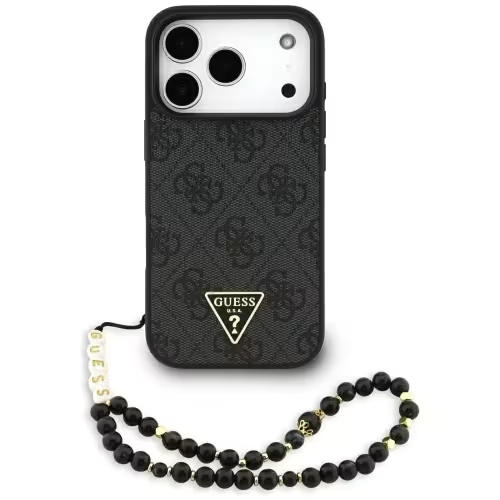
    And now something for ladies who value convenience and class and are looking for fashionable accessories that will become a stylish addition to everyday styling. Such a product is the Guess Case + Wireless Charger Set. The Guess case is made of durable materials and has a hard shell that protects the phone from impacts, scratches, and damage. The case has a unique design in the form of a black background with 4G Print, giving it an elegant and modern look. The Guess Case + Wireless Charger Set is an excellent choice for those who want to protect their phone while having the ability to charge it wirelessly.

    If you need to charge more than one device, it’s worth considering purchasing a 2 or 3-in-1 inductive charger. This way, you can charge not only your phone but also your watch or headphones at the same time.

    ESR Halolock 2in1 wireless charger is a charger that allows you to charge your phone and wireless headphones simultaneously. The device is made of durable and resistant materials, ensuring its long lifespan. The charger offers fast charging with an output power of up to 15W, allowing for quick device charging. ESR HaloLock 2in1 is equipped with a protection system that protects devices from overheating, short circuits, and overcharging. This is very important as it ensures the safe use of the device. Additionally, the charger is available in an elegant white color, giving it a modern and stylish look.

    With the MagSafe Tech-Protect QI15W A22 3in1 Magnetic Wireless Charger White, you can charge up to 3 devices at once. This charger also has charging stations for watches and headphones, allowing you to charge these devices without the need for additional cables. The device is equipped with fast charging technology QI15W, which means charging is fast and effective. The charger has a range of protections against overheating and overvoltage, ensuring the safety of charging devices. This way, you can be sure that your devices are safe during charging.

    By choosing a MagSafe charger at the HomeScreen store, you can be sure that you will receive a product fully compliant with Apple’s original standards, ensuring safety and charging efficiency. In addition, MagSafe inductive chargers are very convenient to use, allowing for even better use of your Apple devices. I invite you to check out the HomeScreen store’s offer and choose a MagSafe inductive charger that will meet your needs.

  • The best case for AirPods 4 – protection and style in one

    The best case for AirPods 4 – protection and style in one

    AirPods 4 is the latest generation of popular Apple headphones, which impresses not only with sound quality but also with a new design. If you’ve invested in new AirPods, it’s worth taking care of their protection right away – especially since the charging case is prone to scratches and damage with daily use. Fortunately, you can find many interesting models of cases for AirPods 4 on the market that not only protect but also give the headphones a unique character.

    In this article, we present the most interesting cases for AirPods 4 – from rugged models resistant to drops, through classic silicone ones, to elegant and modern covers. Check which one best suits your style and needs.

    What to pay attention to when choosing a case for AirPods 4?

    AirPods 4 are modern headphones from Apple that combine great sound quality with a compact, minimalist design. Unfortunately – like any mobile device – they are susceptible to mechanical damage, scratches, or accidental drops. A protective case is not just an aesthetic addition, but primarily a practical way to secure your investment.

    Here are the most important aspects to consider when choosing a case for AirPods 4:

    1. Material type – durability and comfort of use matter

    The material from which the case is made is crucial for the level of protection and daily comfort:

    • Silicone: flexible, soft to the touch, and lightweight. It fits well to the casing and absorbs minor impacts. Ideal for everyday use.
    • TPU (thermoplastic polyurethane): scratch-resistant, more durable than silicone. Works well in sporty and rugged cases.
    • Polycarbonate (PC): hard, rigid material providing high resistance to mechanical damage. Looks good in transparent or colored versions.
    • Natural or synthetic leather: elegant and stylish, but less resistant to intensive use. A great choice for work, the office, or as a gift.
    • Aluminum / metal: very rare, but offers maximum protection. Often chosen by users who value a unique look and durability.

    2. Level of protection – not all cases are created equal

    Consider whether you need protection for “everyday” use or rather something resistant to extreme conditions. For physically active people or frequent travelers, the following are recommended:

    • rugged cases with additional cushioning,
    • cases with a flap or sliding cover,
    • models meeting military standard MIL-STD-810G.

    On the other hand, for home, office, or urban use, a thinner, more compact case will suffice – it’s important that it doesn’t overly bulk up the entire set.

    3. Access to functions – convenience of charging and syncing

    A protective case should not hinder basic functions:

    • Easy access to the Lightning port – some models have an additional dust cover.
    • Compatibility with wireless charging (MagSafe or Qi) – it’s worth checking this before purchase.
    • Visible LED indicator – informs about the charging status, so it should not be covered by the case.

    4. Practical accessories – more than just protection

    Modern cases often offer something extra:

    • Carabiner or strap – useful if you want to attach your AirPods to a backpack, bag, or belt loop.
    • Built-in organizer or headphone holder – helps keep everything in one place, e.g., during travel.
    • Dust and splash resistance – some cases have additional seals.

    5. Design and personalization – appearance matters too

    AirPods 4 are stylish headphones, so it’s no surprise that you want to match the case to your style. On the market, you can find:

    • transparent or minimalist cases, which highlight Apple’s design,
    • colorful models with graphics, often inspired by pop culture, anime, games, or streetwear brands,
    • elegant leather cases for those who appreciate classic and simplicity,
    • unusual shapes – e.g., cases in the shape of shoes, cameras, or figurines.

    With a well-chosen case, your AirPods 4 will not only be safe but will also gain a new, unique character. In the following part of the article, you will find our suggestions for specific case models – practical, stylish, and tailored to various needs.

    Cases for AirPods 4 – lightweight, colorful, and functional

    Silicone cases for AirPods 4 are the most commonly chosen type of protection – lightweight, pleasant to the touch, and available in many colors. They provide excellent protection against scratches, and their flexible structure ensures good cushioning against minor impacts. Below are recommended models:

    Tech-Protect Silicone Case for Apple AirPods 4 – a classic that works

    The Tech-Protect Silicone case is one of the most frequently chosen solutions for protecting Apple AirPods 4. Made from flexible, matte silicone, it provides daily protection against scratches, dust, and minor impacts – without unnecessarily thickening the original case.

    The matte surface fits well in the hand and prevents accidental slipping of the headphones, while the precise fit ensures that the case does not shift or stick out. This is a great choice for those who appreciate a minimalist look, functionality, and solid craftsmanship.


    Why choose Tech-Protect Silicone?

    • Lightweight, slim design – the case does not bulk up the headphones while effectively protecting them
    • Soft and durable silicone – resistant to wear, easy to clean, and pleasant to the touch
    • Precise cutouts – access to the charging port without needing to remove the case
    • Secure grip – the matte surface prevents the case from slipping in your hand
    • Wide range of colors – everyone will find a shade that matches their style

    Bizon Case Headphone Silicone Case with Carabiner for Apple AirPods 4 – practical and stylish

    Bizon Case Headphone Silicone is a silicone case for AirPods 4 that combines the convenience of everyday use with additional functionalities. The set includes a carabiner, allowing you to attach the headphones to a backpack, bag, belt, or keys – they will always be at hand and secured against loss.

    Soft yet durable silicone protects the original Apple case from scratches, dust, and minor impacts. The precise fit ensures that the case adheres well and does not slip during wear, while the matte surface provides a secure grip and a modern look.


    Key advantages of Bizon Case Silicone:

    • Carabiner included – perfect for active individuals, travelers, and students
    • Soft silicone – effective protection against scratches and drops
    • Matte finish – aesthetic, practical, and pleasant to the touch
    • Perfect fit for AirPods 4 – does not block access to charging
    • Colorful, modern look – ideal as a gift or for everyday use

    Case with carabiner for AirPods 4 is a great option for those looking for not only protection but also convenience. With the addition of a handle, your headphones can accompany you everywhere – without fear of losing or damaging them. A great choice for people on the go, students, athletes, and anyone who likes to keep everything under control.

    UNIQ Iridescia Hang Case Holo Quartz – style and functionality in one

    Looking for a case that will make your AirPods Pro 2 stand out while also providing protection? UNIQ Iridescia Hang Case Holo Quartz is the perfect combination of design and practicality. Thanks to its unique, holographic finish, the case shimmers with many colors depending on the angle of light – it looks fashionable, modern, and very original.

    The set includes a carabiner, which allows you to attach the headphones to a backpack, bag, sports bag, or keys. This is the ideal solution for people who live on the go and do not want to worry about losing their AirPods.


    Main advantages of UNIQ Iridescia:

    • Holographic effect – stylish and eye-catching design
    • Hard, durable material – resistant to scratches and impacts
    • Carabiner included – for greater mobility and safety
    • Fit for AirPods Pro 2 case – full functionality of the charging port
    • Perfect for a gift – designer packaging and high-quality craftsmanship

    Women’s cases for AirPods 4 – a combination of fashion and practicality

    If you care about subtle elegance and accessories that combine class with practicality, it’s worth paying attention to women’s cases for AirPods 4. In this category, you will find modern accessories that not only protect the headphones but also highlight your style – from cases resembling fashionable mini-bags to functional models with a wrist strap and iconic editions from Guess or Karl Lagerfeld. This is a great option for women who appreciate fashionable yet well-thought-out solutions.

    Spigen Cyrill Mini Bag Apple AirPods 4 – elegance in mini bag style

    The Spigen Cyrill Mini Bag case is a minimalist, feminine accessory inspired by fashion. The design resembles a small handbag, and the matte finish makes it look very elegant. The set includes a detachable strap, allowing you to attach the case to keys, a backpack, or a bag.

    ✅ Style reminiscent of a miniature handbag
    ✅ Matte surface with an elegant appearance
    ✅ Detachable strap for convenient carrying
    ✅ Good protection against scratches and impacts
    ✅ Compatibility with wireless charging


    Guess Metallic Script Charm Apple AirPods 4 – shine and jewelry accent

    The Guess Metallic Script Charm case attracts attention with its shiny finish and the brand’s gold logo. This elegant model works as a stylish everyday accessory or a piece of jewelry for your headphones. The set includes a decorative charm pendant that adds a feminine touch.

    ✅ Metallic shine and gold Guess logo
    ✅ Decorative charm pendant included
    ✅ Hard construction providing good protection
    ✅ Compatibility with wireless charging
    ✅ Stylish choice for fashion and accessory lovers


    Karl Lagerfeld Choupette Head 3D Apple AirPods 4 – with character and humor

    The Karl Lagerfeld Choupette Head 3D case is a designer proposal for those who want to stand out from the crowd. The front of the case features a three-dimensional likeness of the iconic cat Choupette – Karl Lagerfeld’s pet. Made from flexible silicone, it perfectly protects the headphone case while being lightweight and comfortable.

    ✅ Unique 3D graphic of Choupette
    ✅ Flexible and durable silicone
    ✅ Lightweight form and good protection
    ✅ Compatibility with wireless charging
    ✅ Original style with a wink


    Flexible and transparent cases for AirPods 4 – lightweight, practical, and with a carabiner

    For those who want to protect their headphones without sacrificing their original look, a transparent case for AirPods 4 or its lightly tinted version will be a great choice. For fans of delicate accents, a semi-transparent case for AirPods 4 with a light, colorful hue will be a subtle, stylish, and equally functional option.

    Bizon Case Headphone Clear for Apple AirPods 4 transparent

    Bizon Case Headphone Clear is a proposal for those who want to secure their AirPods 4 without covering their original look. Made from flexible TPU, it fits well to the casing and provides basic protection against damage. The additional carabiner makes it easy to attach the headphones to a bag, backpack, or keys.

    ✅ Made from flexible and crack-resistant TPU
    ✅ Completely transparent construction – highlights the original color of the headphones
    ✅ Built-in carabiner for attachment anywhere
    ✅ Lightweight, slim form – does not bulk up the case
    ✅ Compatibility with wireless charging


    Bizon Case Headphone Clear for Apple AirPods 4 – semi-transparent

    Headphone Clear is a semi-transparent version, ideal for those who want to add a touch of color to their headphones without sacrificing simplicity. The case maintains transparency but with a subtle, bluish tint. Like the transparent version, it features a practical carabiner and is made from flexible TPU.

    ✅ Subtle semi-transparent design with a light, bluish hue
    ✅ Durable and flexible TPU material
    ✅ Practical carabiner for attachment, e.g., to a bag
    ✅ Effective protection against scratches and minor drops
    ✅ Supports wireless charging

    Rugged cases for AirPods 4 – maximum protection in any conditions

    If you care about the highest level of security, an rugged case for AirPods 4 will be the ideal choice. Such models are designed for extreme use – they will perform well both in physical work and during outdoor activities. Reinforced construction, durable materials, and often military durability certifications make them an excellent choice for demanding users.

    Tech-Protect Carbonox Case for Apple AirPods 4

    Solid, rugged construction for those who need maximum protection. The Tech-Protect Carbonox case is made from a combination of plastic and TPU, effectively protecting the headphones from drops, shocks, and dirt. The carbon finish adds a modern, raw style.

    ✅ Reinforced, shock-resistant construction
    ✅ Carbon accents – modern and raw look
    ✅ Precise fit for AirPods 4
    ✅ Compatibility with wireless charging
    ✅ Additional carabiner for easy transport


    Supcase Unicorn Beetle Pro Case for Apple AirPods 4

    Supcase Unicorn Beetle Pro is a rugged premium case that meets military protection standards (MIL-STD 810G). Supcase Unicorn Beetle Pro is an excellent choice for active users – its two-part construction with a hard shell and flexible interior protects the headphones even in extreme conditions.

    ✅ Certified military-grade protection (MIL-STD 810G)
    ✅ Durable, two-layer construction
    ✅ Non-slip finish providing a secure grip
    ✅ Integrated carabiner – convenient attachment
    ✅ Compatible with wireless charging


    Supcase Matrix Case for Apple AirPods 4

    Supcase Matrix is a hybrid case for users who want to maintain a partially transparent design without sacrificing rugged protection. The durable TPU and polycarbonate casing protects against impacts and scratches, while the transparent panel allows visibility of the original AirPods casing.

    ✅ Combination of transparent panel and rugged finish
    ✅ Premium protection – TPU + polycarbonate
    ✅ Carabiner included – perfect for attachment to a bag
    ✅ Compatible with wireless charging
    ✅ Style and safety in one

    Remember that in our store you will find not only cases for AirPods 4, but also a wide selection of accessories for earlier models – AirPods 2, AirPods 3, or AirPods Pro 2. Regardless of which version of headphones you have, you can choose the perfect case – from silicone and transparent to elegant and feminine, to durable, rugged models. Check out the entire collection and take care of the protection and style of your AirPods in every situation!

  • Is it worth insuring your phone?

    Is it worth insuring your phone?

    What are the variants of mobile phone insurance?

    What types of insurance does smartphone insurance cover?

    The most commonly encountered types of insurance are:

    • Theft insurance – covers situations such as pickpocketing, robbery, or burglary.
    • Mechanical damage insurance – pertains to damages resulting from falls, impacts, or accidental crushing of the phone.
    • Water damage insurance – covers damages caused by contact with liquids, e.g., spilling coffee, water, or falling into a puddle.
    • Combined packages – insurances that cover several risks at once, e.g., theft + damage + water damage.

    It is also worth paying attention to products like AppleCare+, Samsung Care+, or offers from operators like Orange Smart Care or Plus Display Protection. (However, it is worth noting that manufacturer offers are often more expensive but provide faster service – e.g., Apple replaces the phone “on the spot” in official stores.)

    What should equipment insurance cover?

    A good scope of protection should include:

    • Theft or robbery
    • Mechanical damage (e.g., cracked screen, crushing)
    • Water damage and moisture
    • Device malfunction (e.g., a phone that won’t turn on)
    • The possibility of equipment replacement when repair is not cost-effective
    • Repair time (the shorter, the better)

    Optionally, it is worth considering insurance against loss or accidental destruction, although these cases are less frequently covered by insurers. (Some insurances offered by banks as part of personal accounts or credit cards may cover loss or robbery – it is worth checking your bank agreement conditions.)

    What are the costs of purchasing mobile phone insurance?

    What are the costs of purchasing mobile phone insurance?

    The cost of the policy primarily depends on:

    • The value of the phone (the more expensive, the higher the premium)
    • The scope of protection (the broader, the more expensive)
    • The duration of the insurance (e.g., 12 months vs. 24 months)
    • Additional services (e.g., replacement phone)

    For example, insuring a new smartphone worth 4000 PLN may cost between 20 to 60 PLN per month. It is worth comparing offers from different companies and operators, as prices and conditions can vary significantly. (Sometimes it is cheaper to pay a lump sum upfront – instead of monthly installments.)

    What to do in case of phone theft?

    How to report mobile phone theft?

    1. Report the matter to the police and obtain the appropriate protocol.
    2. Contact the insurer as soon as possible (usually within 24–48 hours).
    3. Prepare the data: policy number, device data (IMEI), description of the situation, documents from the police.
    4. Await verification and decision from the insurer.

    After a positive decision, the insurer may cover the cost of purchasing a new phone or its repair if the device is recovered in a damaged state. (Some insurers also offer the option of receiving a shopping voucher or exchanging for a refurbished phone – it is worth checking such provisions in the terms and conditions.)

    What information is needed to report a claim?

    To effectively report the theft of a phone, it is necessary to prepare the appropriate information. The insurer usually requires personal data, policy number, and details regarding the incident. It is also advisable to attach any documents confirming the theft, such as a police report or crime protocol. The more information and evidence we present, the faster and smoother the claims process will be.

    How does the insurer assist in case of theft?

    The insurer assists in the case of phone theft by covering the costs associated with the loss. After reporting the claim, the insurance company conducts an investigation and assesses whether the event is covered by the insurance terms. In the case of a positive decision, the insurer may cover the cost of purchasing a new phone or repairing the device if possible. It is worth noting that each policy has its specific conditions that should be carefully analyzed before purchase.

    What damages are covered by phone insurance?

    Does the insurance cover water damage or screen damage?

    Typical cases covered by the policy include:

    • Cracks and scratches on the display
    • Crushing (e.g., in a bag or pocket)
    • Damage to charging ports
    • Water damage and moisture
    • Problems with starting the device

    What is not covered by equipment insurance?

    • Intentional destruction
    • Negligence or improper use
    • Damage to equipment not reported within the time specified in the policy
    • Natural disasters (unless the policy provides for this)

    (It is also worth remembering that many companies do not recognize damages if the device was rooted or had an unlocked bootloader.)

    Rooting (eng. “root access”)

    This is the process of granting oneself full administrator rights (so-called “root”) in the Android system. It allows:

    • removing factory applications,
    • modifying the system,
    • installing custom applications/operating systems.

    ➡️ For the insurer: This is a form of interference that may violate the terms of warranty and insurance, as the user may have made changes affecting the stability or security of the system.


    Unlocked bootloader

    The bootloader is a program that launches the operating system. When it is “unlocked,” unofficial software (so-called ROMs) can be installed or the system can be changed.

    ➡️ For the insurer: This is a signal that the user may have modified the software in a way not intended by the manufacturer, which often results in the loss of warranty or insurance protection.


    Why is this important?

    In the terms and conditions (General Terms of Insurance), there is often a provision that:

    “The insurer is not liable for damages resulting from unauthorized interference with the device’s software.”

    This means that if your phone was rooted or had an unlocked bootloader and, for example, malfunctions or is damaged – the insurer may refuse to pay compensation.

    What are the insurance conditions regarding damages?

    The insurance conditions regarding phone damages vary depending on the chosen package. It is crucial to understand what types of damages are covered and what the procedures for reporting these damages are. Insurers often require that the user promptly report the damage and provide the appropriate documents confirming the incident. It is also worth checking whether the policy includes a deductible, which is the amount the user must cover themselves in the event of a claim.

    How to check the status of mobile phone insurance policy?

    Where to find the general terms of insurance?

    The general terms of insurance can be found on the insurer’s website or in the documentation received when purchasing the policy. It is worth thoroughly reviewing these documents, as they contain key information regarding the scope of protection, exclusions, and procedures for reporting claims. Insurers often also offer the possibility to contact an advisor who can help clarify any doubts related to the insurance conditions.

    What information can be found in the policy?

    The insurance policy contains a number of important information, such as the scope of protection, the amount of the premium, the sums insured, and the conditions for reporting claims. Additionally, the policy should include information regarding the insurance period and any exclusions that may affect the realization of benefits in the event of an incident. Knowledge of this information is crucial for effectively utilizing insurance protection.

    How often should the insurance premium be checked?

    Regularly checking the insurance premium is important to ensure that our insurance still meets our needs and that we have not missed any changes in the insurance conditions. It is a good idea to review the policy at least once a year to verify whether the premium is adequate to the value of the insured equipment and whether the scope of protection still satisfies us. It may happen that changes made in the insurers’ offers lead to more favorable conditions for users.

    What are the benefits of purchasing mobile phone insurance?

    How can mobile phone insurance help in case of malfunction?

    Mobile phone insurance can be extremely helpful in the event of device malfunction. When the phone stops working due to damage, the insurer will cover the costs of repair or replacement, which helps avoid high expenses. In the case of minor defects, such as a cracked display, insurance can significantly reduce repair costs, making having a policy an extremely beneficial solution. Users can be at ease knowing that in case of device problems, they will not be left alone with repair costs.

    What are the advantages of having insurance for tablets and smartwatches?

    Having insurance for tablets and smartwatches brings many benefits that are similar to those offered by mobile phone insurance. In the event of damage or theft of these devices, users can count on the insurer’s assistance in covering the costs of purchasing new equipment or repairing the damaged one. Additionally, insurance for various mobile devices allows for coverage of both tablets and smartwatches, which increases the comfort of using these technologies.

    Why is it worth purchasing insurance for various mobile devices?

    Purchasing insurance for various mobile devices, such as smartphones, tablets, or smartwatches, is an investment that can bring many benefits. In the age of rising electronics costs, protection against theft and damage becomes crucial. Insurance allows for avoiding large expenses related to repairs or purchasing new equipment in case of malfunction. In addition to savings, insurance also provides a sense of security and peace of mind, which is extremely valuable in today’s times.

    Frequently Asked Questions (FAQ)

    Is it worth insuring a new phone?
    Yes, especially if the device is expensive or heavily used.

    Can I insure a phone purchased online?
    Yes, but some companies require the policy to be purchased within a certain time after the purchase.

    Does the insurance work abroad?
    Often yes, but you should check if the policy covers events outside the territory of Poland.

    Does the insurance cover loss of the phone?
    Not always – many policies exclude cases of loss. You should check the terms and conditions.

    (It is also worth ensuring that loss does not mean “lack of supervision over the property” – in such a case, the insurer may refuse to pay compensation.)

  • Motorola Edge 60 vs Edge 60 Pro

    Motorola Edge 60 vs Edge 60 Pro

    In the world of modern smartphones, choosing the right model can be a challenge, especially when dealing with flagship devices like the Motorola Edge 60 and Edge 60 Pro. Both models offer a range of advanced features that attract users’ attention. In this article, we will provide a detailed comparison of these two smartphones to help you decide which one is the best choice for you.

    What are the main differences between Motorola Edge 60 and Edge 60 Pro?

    Comparison of technical specifications

    Both models of the Motorola Edge 60 series differ not only in price but also in technical specifications. The Motorola Edge 60 Pro is powered by the MediaTek Dimensity 8350 processor, which provides impressive performance and 5G support, while the standard Edge 60 model uses the Dimensity 7300. It is worth noting that these differences can affect daily usage, especially for intensive use of applications that require high computational power.

    Processor performance in both models

    When it comes to processor performance, the Motorola Edge 60 Pro impresses with its power. With the use of a modern chip, this smartphone handles multiple tasks simultaneously, which is extremely important for users who utilize multitasking features. While the Motorola Edge 60 also provides good performance for everyday use, the Pro version stands out with significantly better results in performance tests, translating to even faster and more responsive device operation.

    What are the differences in RAM and internal memory?

    Both the Motorola Edge 60 and Edge 60 Pro offer an impressive amount of RAM – in both cases, the user receives 12 GB, ensuring smooth system operation and seamless handling of multiple applications simultaneously. This is particularly important for those who use their smartphones intensively – for example, gaming, photo editing, or switching between multiple tasks throughout the day.

    Differences arise in terms of internal memory. The standard Edge 60 model is available in versions with 256 GB or 512 GB of data storage, providing plenty of space for applications, photos, videos, or documents. In contrast, the Edge 60 Pro is only available in the top configuration of 512 GB, making it even more attractive for those who want to ensure that they won’t run out of space even with very intensive use.

    How does the camera perform in Motorola Edge 60 vs Motorola Edge 60 Pro?

    Photo quality and camera features

    The Edge 60 Pro is equipped with a triple camera with a main 50 MP lens and a telephoto lens with 3x optical zoom. The Edge 60 model also has a 50 MP main camera, but it lacks a telephoto lens – it is limited to an ultra-wide angle. Both models offer AI features, night mode, portrait mode, and the ability to save in RAW format.

    What are the differences in video recording?

    When it comes to video recording, the Motorola Edge 60 Pro stands out with the ability to record in 8K quality, while the Edge 60 is limited to 4K. This allows professional users to create higher resolution videos, which can be a significant factor when choosing between these two models. Both smartphones also offer various recording modes that allow capturing dynamic scenes while maintaining high image quality.

    What are the advantages and disadvantages of Motorola Edge 60 and Edge 60 Pro?

    What do users say about both models?

    User reviews of both models are generally positive, but differences in price and technical specifications lead to varying expectations. Users of the Motorola Edge 60 praise its affordable price and solid build quality, while owners of the Pro model highlight its performance and advanced photographic capabilities. However, it is important to remember that users expect the highest quality from flagship models, which means that each has its pros and cons.

    What are the opinions on durability and design?

    Durability and design are other important aspects that influence the purchasing decision. Both models meet the MIL-STD-810H standard, meaning they are resistant to shocks and drops. The design of the smartphones, available in leather and nylon-inspired variants, as well as in Pantone Gibraltar Sea and Pantone Dazzling Blue shades, is eye-catching and aligns with the latest trends. Users pay attention to aesthetics and ergonomics, making these models not only functional but also elegant.

    Is it worth paying extra for the Pro model?

    The decision of whether it is worth paying extra for the Pro model depends on the individual preferences of the user. If you care about the best performance, advanced camera features, and more memory, the Motorola Edge 60 Pro will be a better choice. On the other hand, if you do not plan to use the latest technologies intensively, the standard Edge 60 model may be a more cost-effective option.

    How do both models perform with Android 15?

    Android 15 features in Motorola Edge 60 and Edge 60 Pro

    Both models run on Android 15, providing users with access to the latest features and improved security. Motorola has introduced specialized Moto AI features that make it easier to use the device and adapt its operation to the individual needs of users. As a result, users can enjoy smooth system operation and an intuitive interface in both models.

    Support for software updates

    Support for software updates is a key factor when choosing a smartphone. Motorola provides regular updates for both models, meaning users will be able to take advantage of the latest features and fixes, which increases the security and stability of the system. Expectations for support for Android 15 are high, and Motorola strives to meet them, which is a positive aspect for potential buyers.

    What are the customization options?

    When it comes to customization, both the Motorola Edge 60 and Edge 60 Pro offer extensive options for adjusting the user interface. With various themes, icons, and options to change the appearance of the home screen, users can personalize their devices according to their individual preferences. This makes both versions attractive for those who value unique style and functionality.

    What are the multimedia capabilities of Motorola Edge 60 and Edge 60 Pro?

    Comparison of stereo speakers and Dolby Atmos

    In terms of multimedia, the Motorola Edge 60 Pro offers better sound quality thanks to support for Dolby Atmos technology and stereo speakers that provide an incredibly rich and realistic sound. The Edge 60 model also has stereo speakers, but differences in sound quality may be noticeable to audiophiles. For those who value good sound, choosing the Pro may be more beneficial.

    What is the display quality?

    Both models are equipped with AMOLED displays with a refresh rate of 120 Hz, ensuring smooth image and vibrant colors. However, it is worth noting that the Edge 60 Pro may have higher maximum brightness, which is beneficial in bright lighting. The screen with a resolution of 4500 nits in the Pro makes using the device in difficult conditions a pleasure.

    What are the differences in battery and its performance?

    Both models also differ in battery capacity. The Motorola Edge 60 Pro is equipped with a 6000 mAh battery with fast charging, providing a longer usage time on a single charge. In contrast, the Edge 60 model has a battery capacity of 5200 mAh. These differences can affect daily usage, especially for those who use multimedia and applications intensively. Users pay attention to battery life, making this aspect significant when choosing a model.

    Accessories for Motorola Edge 60 and Motorola Edge 60 Pro

    Complete your set with proven accessories

    To fully utilize the capabilities of your new smartphone, it is worth reaching for accessories tailored to the specific model. In the store Home Screen, you will find a wide selection of products that work perfectly with the latest devices from Motorola.

    Whether you choose the Motorola Edge 60 or Motorola Edge 60 Pro – the right accessories will help you not only better protect your phone but also increase comfort and functionality in everyday use.

    High-quality  glass for Motorola Edge 60 or protective film for Edge 60 Pro will effectively protect the screen from scratches and damage, while a properly selected case will provide not only protection but also a modern look. Make sure your smartphone is ready for anything – both at work and on the go.

    👉 Check out: accessories for Motorola Edge 60 and accessories for Motorola Edge 60 Pro

  • Fast car charger – which one to choose?

    Fast car charger – which one to choose?

    In today’s world, where we travel more frequently and our mobile devices become indispensable companions, a fast car charger is becoming an essential accessory. Whether we are using navigation, listening to music, or need to respond to messages in real-time, the need for access to power is immense. In the following article, we will discuss how to choose the best car charger, how fast charging works, and which models are worth noting in the market.

    How to choose the best car charger?

    Choosing the right car charger can be crucial for the comfort of using mobile devices during travel. It is worth paying attention to several important aspects, such as the type of connector and output power. When selecting a charger, consider whether you need a model with a USB-A port, USB-C, or perhaps one with wireless inductive charging.

    What are the differences between USB-A and USB-C car chargers?

    USB-A and USB-C car chargers differ primarily in the type of connector. USB-A is an older standard that is still widely used, but USB-C is becoming increasingly popular due to faster charging and data transfer capabilities. The USB-C connector also supports Power Delivery (PD) technology, allowing for higher charging powers, reaching up to 100 W. The choice between these two types of connectors should depend on the equipment you have and its requirements.

    What output power should a good car charger have?

    The output power of a car charger is a key parameter that determines the charging speed. A good charger should have an output power of at least 18 W, which will allow for fast charging of smartphones and tablets. For laptops, it is advisable to opt for models with 60 W or 65 W power to effectively charge the device. The use of fast charging technologies, such as QC 3.0 or PD, will increase charging efficiency even in challenging conditions.

    Which car charger is best for charging a laptop?

    When choosing a car charger for a laptop, it is worth paying attention to models that offer an output power of 60 W or more. Car chargers with a USB-C port that support Power Delivery technology will be the best choice. With them, you can charge a laptop in a shorter time and also use additional features, such as powering other devices during travel. It is also important to consider the quality of materials used and safety, which is crucial for long-term use.

    What is fast charging and how does it work?

    Fast charging is a technology that allows mobile devices to be charged in significantly less time than traditional methods. By using higher power and intelligent energy management, it is possible to quickly deliver energy to batteries. It is worth knowing that different fast charging standards, such as Quick Charge (QC) and Power Delivery (PD), offer different powers and modes of operation.

    What is the difference between PD and QC in fast charging?

    Power Delivery (PD) and Quick Charge (QC) are two of the most popular fast charging standards. PD, mainly used in USB-C connectors, allows for energy transfer up to 100 W, making it ideal for charging laptops. QC 3.0, on the other hand, is a technology developed by Qualcomm that allows for fast charging of mobile devices, such as smartphones. The differences between these standards mainly lie in the maximum power and the way devices communicate, which affects charging efficiency.

    Which devices support fast charging?

    Fast charging is primarily supported by modern smartphones, tablets, and laptops. Most devices from brands like Samsung, Huawei, and Apple (e.g., iPhone) are compatible with fast charging technology. It is worth investing in a car charger that supports both PD and QC to ensure that we can charge all our devices in a short time, regardless of their type.

    What are the advantages of a fast car charger?

    The advantages of a fast car charger include primarily time savings, which is extremely important during travel. With fast charging, you can charge a smartphone or tablet in a short time, allowing you to fully utilize their functions without worrying about running out of battery. Additionally, modern car chargers often offer additional protection against overheating and surges, ensuring safe usage.

    How to install a car charger in a vehicle?

    Installing a car charger is a simple process, but it is worth paying attention to a few details to ensure comfort and safety while charging devices.

    Where is the best place to put a car charger?

    The best place to install a car charger is the cigarette lighter socket, which is located in the central part of the dashboard. This location provides easy access to the charger while driving and allows for convenient plugging and unplugging of cables. It is also worth considering models with longer cables that allow for free use of devices in different parts of the vehicle.

    How to connect the charger to the cigarette lighter socket?

    Connecting the charger to the cigarette lighter socket is very simple. You need to insert the charger plug into the socket, ensuring that it is properly seated. Once connected, the charger should automatically start charging the connected devices. It is important to remember not to use too many devices simultaneously, as this may lead to the charger overheating.

    Do I need additional cables to install the charger?

    In most cases, the car charger comes with the appropriate cable, but it is worth ensuring that you have a USB-C or USB-A cable that will be compatible with your devices. When charging laptops, especially those that require higher power, it may be necessary to have the appropriate cable with a higher specification, e.g., with a 5A or 3.0 certification. It is also worth investing in additional cables to ensure that you can always charge your devices while traveling.

    How to take care of a car charger to make it last longer?

    To ensure that the car charger lasts as long as possible, it is advisable to follow a few best practices for usage. Regular maintenance and proper usage can significantly extend the device’s lifespan.

    What are the best practices for using a car charger?

    The best practices for using a car charger include avoiding overheating the device by not using it in extreme temperatures and not overloading the cigarette lighter socket. It is also important to not leave the charger plugged into the socket when not in use, as this may lead to damage. Regularly cleaning the ports and ensuring that the connectors are in good condition will also contribute to the device’s longer lifespan.

    How to avoid overheating the car charger?

    To avoid overheating the car charger, it is worth paying attention to its location and usage conditions. You should avoid placing the charger in areas exposed to high temperatures, such as the dashboard in full sunlight. Additionally, it is advisable to regularly check that the charger’s ventilation is not blocked, which could lead to the device overheating.

    What problems may occur with a car charger and how to solve them?

    Problems with a car charger may include lack of charging, overheating, or damaged cables. In the case of no charging, it is worth ensuring that the charger is properly connected to the cigarette lighter socket and that the cable is in good condition. If the charger is overheating, you should stop using it and allow it to cool down. If the cable is damaged, it may be necessary to replace it with a new one to ensure safety during charging.

    What are the best fast car chargers on the market?

    There are many models of fast car chargers available on the market, differing in features and output power. It is worth paying attention to a few popular brands that offer solid products.

    Joyroom JR-CL06 – multi-port car charger 154W for demanding users

    Joyroom JR-CL06 is a true powerhouse among car chargers. It offers up to 154 W of total power, allowing you to charge not only several phones simultaneously but also a tablet, power bank, or even a laptop with USB-C. It supports Power Delivery (PD) and Quick Charge 3.0, ensuring lightning-fast charging for virtually any phone model – from iPhone to Samsung Galaxy and Xiaomi.

    With multiple USB ports (including USB-C), the charger is perfect for family cars, long trips, or work on the go. An additional advantage is its solid construction and high quality of workmanship.

    For whom?
    For those who often charge several devices at once and do not want to compromise.


    UGREEN EC703 – compact car charger 75W with 3 ports

    UGREEN EC703 is a practical car charger that stands out with its compact design and high total power – up to 75W. Equipped with two USB-C ports and one USB-A, it allows charging up to three devices simultaneously – including smartphones, tablets, and even laptops with USB-C.

    It supports the most important fast charging technologies, such as Power Delivery 3.0, Quick Charge 3.0, AFC, FCP, and PPS, making it a universal solution regardless of what phone you use – iPhone, Samsung, Xiaomi, or another brand.

    UGREEN has also implemented advanced security systems – against overheating, surges, or short circuits – allowing you to use it without worries during any trip.

    For whom?
    For those who often travel with family or passengers and need a charger to power several devices simultaneously. It also works well as a universal model for smartphones, power banks, and even notebooks with USB-C.


    LDNIO C101 – versatile car charger 100W with LED display

    LDNIO C101 is a compact and efficient car charger, offering a total power of up to 100W. Equipped with USB-C (PD) and USB-A (QC 3.0) ports, it allows simultaneous charging of two devices with maximum efficiency. Thanks to support for multiple fast charging standards, such as Power Delivery 3.0, Quick Charge 3.0, AFC, SCP, and PPS, it ensures compatibility with a wide range of devices, including smartphones, tablets, and laptops.

    The built-in LED display continuously informs about the voltage and current of charging, allowing real-time monitoring of the charging process. The advanced security system protects against overheating, surges, overloads, and short circuits, ensuring safe usage.

    For whom?
    For drivers looking for a reliable and universal car charger that meets the demands of fast charging various devices during travel.


    Tech-Protect CC45W – compact car charger with PD and QC 3.0

    Tech-Protect CC45W is a minimalist yet highly functional car charger that is perfect for everyday use. It offers two ports – USB-C with Power Delivery and USB-A with Quick Charge 3.0 – allowing for fast charging of two devices simultaneously. The total power of 45W is sufficient to power a modern smartphone, tablet, or even smaller laptops with USB-C charging.

    The charger supports popular fast charging protocols, so regardless of whether you use an iPhone, Samsung, Xiaomi, or another brand – you can count on efficient and safe charging while driving. The housing made of aluminum and polycarbonate is not only durable but also looks good – ideal for those who value simplicity and reliability.

    For whom?
    For those looking for a simple yet efficient car charger with fast charging support and dual output – without unnecessary extras but with maximum functionality.


    Baseus Particular Digital Display – stylish car charger 65W with LED display

    Baseus Particular Digital Display is an elegant and functional car charger with a power of 65W, designed for fast and safe charging of devices while traveling. Equipped with a USB-C port with Power Delivery and a USB-A port with Quick Charge 3.0, it allows charging two devices simultaneously – for example, a smartphone and a tablet or laptop.

    The applied intelligent charging technology automatically adjusts the operating parameters to the needs of the connected devices. In practice, this means efficient charging without overheating and the risk of battery damage. The built-in LED display shows the current voltage and current, allowing the user to monitor the entire process.

    A distinguishing feature of this charger is its transparent body with subtle LED backlighting, giving it a modern, futuristic character – it will blend well in both classic and modern car interiors.

    For whom?
    For those who value not only functionality and fast charging but also aesthetics and clear control over the charged equipment.

    USAMS CC158CC02 – powerful car charger 125W with three ports and futuristic design

    USAMS CC158CC02 is an advanced car charger that offers an impressive power of 125W. Equipped with three ports – one USB-C with Power Delivery and two USB-A with Quick Charge 3.0 – it allows simultaneous charging of three devices with maximum efficiency. Thanks to support for multiple fast charging standards, such as QC, AFC, SCP, FCP, and Apple 2.4, it ensures compatibility with a wide range of devices, including smartphones, tablets, and laptops.

    The charger’s design features a transparent blue housing that showcases precise internal components, giving it a modern and attractive appearance. Additionally, built-in warm LED lights indicate the charger’s activity, and a digital display allows for real-time monitoring of voltage and current.

    For whom?
    For drivers looking for an efficient and stylish car charger that enables fast and safe charging of multiple devices simultaneously, with an additional feature for monitoring charging parameters.


    Joyroom JR-CCN01 – compact car charger 60W with LED backlight

    Joyroom JR-CCN01 is a modern car charger with a total power of 60W, equipped with USB-C with Power Delivery and USB-A with Quick Charge 3.0. It allows simultaneous charging of two devices, such as smartphones, tablets, or power banks, with high efficiency.

    Thanks to support for multiple fast charging standards, including PD 3.0, QC 3.0, PPS, Samsung AFC, and Huawei FCP, it ensures wide compatibility with various devices. The intelligent chip manages energy distribution, protecting connected devices from overheating and overload.

    The charger’s design features multi-color LED backlighting with the option to choose from seven colors, making it easier to use at night. The housing made of fire-resistant PC+ABS material increases safety during use.

    For whom?
    For drivers looking for a compact and stylish car charger that provides fast and safe charging of two devices simultaneously.


    Spigen Essential EV301 – compact USB-C charger 30W

    Spigen is a brand known for premium accessories, and the EV301 is an example of simplicity that works. This compact model Essential EV301 features a 30W USB-C port and supports Power Delivery (PD) technology – making it ideal for iPhones (e.g., iPhone 14, 15, 16) and newer Androids (Pixel, Galaxy).

    Despite its small size, the charger offers advanced protections and fast charging that significantly shortens the time to plug into the socket. Its discreet design does not protrude from the cigarette lighter socket, making it well-suited for modern car interiors.

    For whom?
    For minimalists or drivers using a single phone who value high quality and reliability.

    Fast car charger – small gadget, big difference

    As you can see, choosing the right car charger doesn’t have to be difficult – just pay attention to a few key parameters, such as power, number of ports, and supported charging standards. Whether you use your phone occasionally or daily on the go, a fast car charger with fast charging technology, such as Power Delivery or Quick Charge, significantly enhances travel comfort.

    By investing in a high-quality accessory, you gain not only rapid charging but also safety for your device. Therefore, it is worth opting for proven models – tailored to your needs and type of smartphone.

    Remember: a modern and efficient car charger is not a luxury, but a practical addition that you will quickly appreciate in everyday use.

    👉 Check out more models at Home Screen store – you will find several solid car chargers, perfectly matched to your devices and driving style.

  • How to properly charge a phone?

    How to properly charge a phone?

    In today’s world, smartphones have become an inseparable part of our lives. Their functionality largely depends on the quality of the battery that powers the entire system. Properly charging the phone is a key aspect that can significantly affect the battery life of a smartphone. In this article, we will look at how to charge your phone correctly to extend battery life and what practices and tips are worth implementing to avoid common charging mistakes. Understanding the basic principles of battery charging in a phone will help us enjoy longer device operation time and its reliability.

    How to charge your phone correctly to extend battery life?

    Is discharging to zero necessary?

    Many users believe that to effectively care for the battery in their smartphone, they should regularly discharge it to zero. In reality, modern lithium-ion batteries do not require such drastic measures. Discharging the battery to zero can actually harm the cell, leading to its degradation. The optimal solution is to maintain the battery charge level between 20% and 80%. This way, we can extend the battery life and avoid unnecessary stress on the cell.

    What are the best charging practices?

    To charge your phone correctly, it is worth following a few basic rules. First, use original chargers that are tailored to the specific model of the smartphone, such as Samsung, iPhone, or Xiaomi. Second, avoid charging the phone in places where it can overheat, such as in the sun or near heat sources. It is also a good practice to avoid using the phone while charging, as this can lead to battery overheating. Additionally, it is worth remembering that fast charging, while convenient, can affect the lifespan of the cell. Therefore, it is advisable to use this option only when necessary.

    What myths about battery charging are false?

    There are many myths about battery charging that can mislead users. One of them is the belief that a new phone should be charged for a long time before first use. In reality, modern batteries are ready to use right out of the box. Another myth is that you should always charge your phone to 100%. As mentioned earlier, the optimal charge level is 20-80%. It is also worth noting that there is no need to discharge the battery to zero, which can lead to cell damage.

    What are the consequences of improper battery charging in a phone?

    How does heating affect cell lifespan?

    Improperly charging a phone, especially excessive heating, negatively impacts battery lifespan. During charging, the battery generates heat, which is a normal phenomenon. However, if the smartphone is charged at too high a temperature, it can lead to accelerated cell degradation. Therefore, it is important to avoid situations where the phone overheats, such as using it while charging or charging in hot conditions. Prolonged exposure to high temperatures can shorten battery life and reduce its performance.

    Is fast charging safe for smartphones?

    Fast charging has become a popular solution that allows you to charge your phone in a short time. While many modern smartphones, such as those from Apple or Samsung, are equipped with fast charging technologies, not every user is aware of the potential risks. Although fast charging is designed to minimize the risk of battery damage, frequent use of this option can lead to cell overheating, which negatively affects its lifespan. Therefore, it is advisable to use this method only when absolutely necessary.

    What symptoms indicate battery damage?

    Users should be aware of symptoms that may indicate battery damage. Pay attention to sudden drops in charge level, which may suggest that the battery in your smartphone is losing its ability to store energy. Other signs include overheating of the device during charging, as well as extended charging times. If you notice that your phone stops holding a charge even after short use, it may be a sign that the battery needs to be replaced. In such cases, it is advisable to visit an authorized service center to diagnose the problem and take appropriate steps.

    How much percent to charge the phone to avoid damaging the battery?

    What are the recommended charge levels?

    As mentioned earlier, to charge your phone correctly, you should maintain the battery charge level between 20% and 80%. However, it is worth noting that some studies suggest that the best level for long-term battery health is 50%. Regularly charging to 100% can accelerate cell degradation, so it is better to avoid this if not necessary. Additionally, if you plan not to use the phone for an extended period, it is advisable to charge it to about 50% and store it in a cool, dry place.

    Is it worth charging the battery in the phone to 100%?

    Charging the battery to 100% may seem tempting, especially when we want maximum device operation time. However, charging to full capacity is not recommended if we want to extend battery life. Each full charge and discharge affects the life cycles of the cell. Over time, such practices can lead to a decrease in battery capacity. Therefore, if possible, it is better to charge the phone to 80% and not let it discharge below 20%.

    How often should you charge a smartphone?

    There is no definitive answer to how often you should charge a smartphone. It largely depends on the individual needs of the user and how they use the device. However, the general rule is that it is worth charging the phone regularly to avoid extreme charge levels. For most users, charging once a day will be sufficient to keep the battery in good condition. It is important to adjust charging habits to your needs while keeping in mind the recommendations for optimal charge levels.

    How to properly charge the battery in a new phone?

    Is the first charge important?

    The first charge of a new phone is often considered a crucial moment in the battery’s lifespan. In the past, it was recommended that the battery be charged for several hours before first use. However, modern lithium-ion batteries do not require such care. It is enough to connect the device to the charger when the charge level reaches about 20%. Of course, it is worth remembering to use original accessories, which will ensure safe charging of the smartphone.

    What accessories are best for charging?

    Choosing the right charging accessories is crucial for battery lifespan. It is always worth investing in original chargers and cables from the manufacturer, as they are tailored to the specifications of a given smartphone model. In the case of wireless charging, it is advisable to choose chargers that have the appropriate safety and efficiency certifications. This way, you can be sure that the charging will be both fast and safe for the battery.

    What mistakes to avoid when charging a new phone?

    When charging a new phone, it is worth avoiding several common mistakes. First, do not use the phone while charging, as this can lead to the device overheating. Second, try to avoid charging in high-temperature places, which can negatively affect cell lifespan. Additionally, do not use low-quality accessories that may be incompatible with your smartphone. By following these rules, you can significantly extend the battery life of your new phone.

    What devices and charging methods are the safest?

    Are wireless chargers better than traditional ones?

    Wireless chargers are gaining popularity due to their convenience. While many people wonder if they are better than traditional wired chargers, the answer is not straightforward. Wireless chargers are safe and convenient, but they may be less efficient in terms of charging time and can generate more heat. Therefore, if you care about quickly charging the battery, it is better to use a traditional charger. However, if you prefer convenience, wireless charging can also be a good choice.

    What are the differences between chargers from different manufacturers?

    The differences between chargers from different manufacturers can affect charging performance and safety. Each company, such as Samsung, Apple, or Xiaomi, designs its accessories with specific smartphone models in mind. It is worth paying attention to technical parameters, such as charging power, which may vary depending on the manufacturer. Using incompatible accessories can lead to battery damage or even damage to the entire device, so it is always advisable to use original accessories.

    How to connect the phone to ensure optimal charging?

    To ensure optimal charging, pay attention to a few basic rules. First of all, connect the phone to the original charger to avoid compatibility issues. Make sure the charging port is clean and free of debris, which will allow for a proper connection. It is also advisable to avoid using long cables, which can lead to energy loss. During charging, ensure the device has adequate ventilation to avoid overheating. By following these simple rules, you can enjoy long battery life in your smartphone.

  • How to connect a phone to a TV? A guide to the simplest methods

    How to connect a phone to a TV? A guide to the simplest methods

    Many people wonder how to quickly connect a phone to a TV. The easiest way to do this is through the wireless screen mirroring function or a regular cable – then the content from the smartphone appears on the big screen. You can then watch photos, videos, or presentations directly on the TV – it couldn’t be more convenient.

    Connecting a smartphone to a TV does not require any special skills. Most new TVs and phones support screen mirroring, and you can also use an HDMI cable with an adapter or special apps from the Play Store.

    The most important methods of connecting a phone to a TV

    Transferring the image from a smartphone to a TV is a convenient way to watch movies, photos, or play games on a large screen. We can choose both regular cables and wireless technologies.

    Wired connection using HDMI and USB-C

    The simplest way to connect a phone to a TV is with an HDMI cable or a USB-C adapter. Most new Android smartphones have a USB-C port that allows for quick transmission of both image and sound.

    You will need the appropriate HDMI/USB-C adapter or a cable that supports video. Examples? 4K USB-C HDMI adapters or USB-C to HDMI 2.0 cables that can handle high resolution.

    Most Smart TVs have several HDMI inputs – you connect the cable, optionally use a docking station with HDMI, and you’re good to go. This is a stable option that works even without the internet.

    Advantages of a wired connection:

    • No lag in the image
    • High video quality
    • Simple setup

    Wireless screen mirroring

    It is also possible without cables – just use wireless screen mirroring. The most commonly encountered technologies are Miracast, Google Cast (Chromecast), AirPlay (for Apple), and Wi-Fi Direct.

    Many new Smart TVs have a screen mirroring function or built-in Chromecast. All you need is for both devices to be on the same Wi-Fi network, and you select “screen mirroring” on your phone.

    Android phones, such as Xiaomi, usually have a screen sharing option – they support Miracast and Google Cast. This allows you to display apps like YouTube or Netflix on the TV with just one click.

    The most important features of wireless connections:

    • No cables
    • High compatibility
    • Quick screen sharing

    Support for various devices and operating systems

    Connecting a smartphone to a TV depends on the model, system, and chosen technology. The most important thing is to choose an option that fits your equipment – then multimedia transmission or screen sharing will go smoothly.

    Connecting a phone to a TV via Smart TV

    Android phones often connect easily to Smart TVs, especially Samsung or Xiaomi. The most commonly used options are SmartView or Screen Mirroring.

    In practice: on your phone, go to settings, turn on “Screen Mirroring,” “Smart View,” or “Cast.” On the TV, activate the appropriate option in the menu. Both devices must be on the same Wi-Fi network to see each other.

    Connecting to a TV using iPhone and Apple TV

    iPhone users mainly use AirPlay. To connect an iPhone to Apple TV or a Smart TV that supports AirPlay, both devices must be connected to the same Wi-Fi network.

    What next?

    1. Open the Control Center on your iPhone – swipe down from the top right corner.
    2. Press “Screen Mirroring.”
    3. Select Apple TV or the TV from the list.
    4. If a code appears on the TV, enter it on your iPhone.

    This feature supports the transmission of photos, videos, music, and games from the iPhone without cables. Apple TV also allows access to Netflix or YouTube.

    Connecting via Chromecast

    Google Chromecast is one of those solutions that can really make life easier. All you need is a Chromecast device connected to the HDMI on the TV and the Google Home app on your smartphone, whether it’s Android or iPhone.

    After installing the app and connecting to the same Wi-Fi network as the Chromecast, you need to configure the device and then select “Cast Screen” in Google Home.

    Chromecast allows you to stream images, videos, and music from apps like YouTube, Netflix, or Spotify. Interestingly, Xiaomi TVs often already have this function built-in, so you don’t need to invest in additional equipment.

    Practical applications and additional features

    Connecting a phone to a TV offers many possibilities that can be useful in everyday life. Managing multimedia, screen sharing, or using options available on the smartphone – all of this is at your fingertips.

    Watching movies and sharing multimedia

    Transferring movies or other multimedia from a phone to a larger screen provides a completely different viewing comfort. Most often, Google Cast or direct streaming through apps like YouTube or Netflix is used.

    If someone chooses an HDMI cable, they usually appreciate the stability of the connection. This is especially important when we care about smooth images and no lag when watching high-resolution movies.

    The phone is also great for displaying photos, music, and other files. This is useful during family gatherings or presentations – you can easily share an album or a short video on the big screen. For more details, check out the page on connecting a phone to a TV.

    Screen mirroring and Smart View

    Screen mirroring is simply displaying everything from the phone on the TV. You can see apps, games, websites, or photos in real-time. This is convenient when you need to show something to a larger group or make a presentation.

    On Samsung devices, this option is called Smart View. It allows you to quickly connect via Wi-Fi to a compatible TV, often without any cables. Other smartphones use Google Home or Miracast.

    During screen mirroring, you control everything from the phone. The image and sound reach the TV almost instantly, and the operation is really simple – even if someone doesn’t usually deal with smart TV functions. You can find many practical tips on the page about how to connect a smartphone to a TV.

    Controlling the TV from the phone

    The phone can serve as a remote control and command center for the TV. After installing the appropriate app, you can change channels, adjust the volume, or switch image sources.

    The most commonly used apps are from TV manufacturers, but Google Home also works well. This makes operation more convenient – and no more searching for the remote in the cushions.

    You can also control it by voice, type text on the screen keyboard, or browse multimedia. This is convenient, especially when using the internet or streaming services. If you want to see examples, check out the guide on practical ways to connect a smartphone to a TV.

    a white video game controller

    Frequently Asked Questions

    Phones can be connected to a TV in several ways – wired or wirelessly, depending on the equipment. The most commonly used connections are via Wi-Fi, HDMI cable, Bluetooth, or dedicated functions in some TVs.

    How to display the phone screen on the TV via Wi-Fi?

    If your TV supports Miracast, Google Cast, or something similar, you can easily transmit the image via Wi-Fi. On your phone, find the screen sharing option or “Screen Mirroring,” then simply select your TV from the list. And that’s it – movies, photos, or games will appear on the big screen. If you’re looking for details, check out the guide on connecting a phone via Wi-Fi.

    How can I connect my phone to the TV using an HDMI cable?

    For this connection, you need an HDMI cable and the appropriate adapter – usually USB-C to HDMI or micro USB to HDMI, depending on the phone model. After connecting, just set the TV to the correct source (HDMI). The image and sound will appear immediately, without lag. If you want more details, check the article on wired connections via HDMI.

    Is there a way to connect a phone to a TV without using a Wi-Fi network?

    You can use an HDMI cable and the appropriate adapter, such as USB-C to HDMI. There are also wireless options that do not require an active Wi-Fi network, like Wi-Fi Direct – devices connect directly without a router. You can find more on the page about alternatives to Wi-Fi.

    How can I transmit the image from my phone to the TV using Bluetooth?

    Bluetooth is not suitable for transmitting images or screens to a TV. This technology is mainly used for audio – for example, from a phone to a speaker or TV. Video transmission via Bluetooth is practically not supported by TVs, so it’s better to opt for Wi-Fi or HDMI.

    What is the way to connect a phone to an LG TV?

    On LG TVs, you will usually find the Screen Share or Miracast function. In the TV menu, look for the “Screen Sharing” or “Screen Share” option and enable it. On your phone, select the appropriate function and connect both devices wirelessly. Simple, right?

    How can I connect my phone to the TV wirelessly if I don’t have Wi-Fi?

    If your TV and phone support Wi-Fi Direct, you can connect them without using a router or the internet. This is a local connection – the devices communicate directly, so you can transmit both image and sound.

  • What is a VPN and how does a virtual private network work?

    What is a VPN and how does a virtual private network work?

    VPN, or virtual private network, is a technology that protects privacy and data security while using the internet. VPN allows the user to securely transmit information over public networks, hiding their true IP address and encrypting all internet traffic. This makes it harder to be tracked and easier to avoid spying when using a VPN.

    VPN is becoming increasingly popular, especially when someone wants to access content unavailable in their country or uses public Wi-Fi networks. Such a tunnel between the computer and the VPN server provides an additional layer of protection and anonymity.

    It is useful not only at home but also at work, where maintaining the confidentiality of transmitted information is important. VPN is also a convenient option for those who want to browse the internet securely or access services unavailable in their region.

    Key Information

    • VPN increases privacy and security on the internet.
    • It works by encrypting data and hiding the IP address.
    • It is useful in both everyday life and business.

    What is VPN – Virtual Private Network

    A virtual private network (VPN) is a technology that allows for secure data transmission over the internet. It enables users to protect their information and maintain privacy while using the network.

    Basic Definition and Principle of Operation

    VPN creates a closed tunnel between the user and the target server. This tunnel ensures that data is transmitted as if the user were on their private network, even when using public internet.

    An example of VPN use is accessing company resources from outside the office, without the risk of data leakage. This technology is used by both individuals and companies to enhance communication security and access content with regional restrictions.

    In practice, the user connects to a VPN server, which acts as an intermediary in data transmission. The IP address is masked, so the user’s true location is hidden.

    VPN Technology and Data Security

    VPN plays a significant role in protecting online privacy. It encrypts transmitted information, so even if someone intercepts the connection, they cannot read the data.

    This provides a greater sense of security on public Wi-Fi networks, such as in cafes or airports. Eavesdropping on network traffic does not give access to the user’s real data.

    This helps avoid attacks such as spoofing, password interception, or online activity monitoring. Companies also use VPNs so that employees can securely connect to the company’s internal systems from abroad. You can read more about the security offered by VPN on the page about the operation of virtual private networks.

    Tunneling and Encrypting Connections

    Tunneling is the process of creating a virtual channel through which data is transmitted between the user’s device and the VPN server. The tunnel hides the content of the connection from outsiders. Even the internet service provider cannot see what the user is doing online.

    Encryption transforms plain text data into a form unreadable by outsiders. Only the VPN server or the appropriate recipient can decrypt it. The most popular encryption protocols in VPNs are OpenVPN, IKEv2/IPSec, and WireGuard.

    The table below shows the benefits of tunneling and encryption:

    Benefits of Tunneling and EncryptionDescription
    Data ProtectionPrevents third parties from reading transmitted information
    IP Address HidingThe user maintains anonymity
    Secure Access to ResourcesEven from public Wi-Fi networks

    Tunneling and encryption are the foundation of every VPN technology, as they are responsible for the anonymity and security of users on the internet. The most popular service of this type is NordVPN.

    How VPN Works and What It Allows the User

    VPN protects the user’s personal data while using the Internet, masks the IP address, and allows for secure and anonymous browsing of websites. This helps protect privacy, change location, and reduces the risk of data loss on public Wi-Fi networks.

    Privacy and Anonymity Protection Online

    VPN provides a higher level of privacy and anonymity online. It encrypts the internet connection, making the data transmitted over the network harder to intercept by third parties. This also includes personal data, such as logins or passwords.

    When you use a VPN, your IP address is not visible to websites. Information about location and online activity is protected, which reduces the chances of tracking and profiling by advertising companies. It can be said that VPN is a practical element of GDPR that strengthens control over personal data.

    VPN works well in both home and corporate networks, where protecting the confidentiality of information is essential.

    Changing Location and Hiding IP Address

    With VPN, you can choose a server in another country. This makes your IP address appear to be assigned to the selected region. As a result, you can change your visible location on the internet.

    This allows you to bypass regional blocks and access websites or services that are unavailable in your country. An example? Streaming services or websites with limited content availability – more on this topic here.

    Hiding the true IP address provides additional identity protection and reduces the risk of network attacks aimed at a specific person.

    Secure Access to Public Wi-Fi Networks

    Wi-Fi in cafes, hotels, or airports? Almost everyone uses it, although most of these networks are poorly secured. Unfortunately, this means a higher risk that someone will spy on your private data. VPN automatically encrypts all your internet traffic, regardless of where you are.

    Even if someone intercepts data on a public network, information such as logins or card numbers remains encrypted. This is really important if you don’t want to fall victim to identity theft.

    Key Elements and Mechanisms of VPN Operation

    VPN uses several mechanisms to protect your data on the internet. The most important are VPN servers, encryption, and the impact of these solutions on speed and network stability.

    VPN Server and Its Role in Data Transmission

    A VPN server acts as an intermediary – it connects your computer to the rest of the internet. When you activate VPN, all traffic first goes to the VPN server and only then to the target website or service. Your real IP address is hidden – you appear on the internet as the VPN server.

    You can choose the country through which your traffic passes, allowing you to bypass geographical blocks. The VPN server can also be set up on a router, covering all home devices with protection. This provides greater privacy and anonymity, and your data is better protected (more about the role of the VPN server).

    Data Encryption – Types and Their Importance

    Encryption makes your data completely unreadable to outsiders. VPN creates a “tunnel” between your computer and the VPN server. If someone intercepts data on the way – they cannot read it without a special key (more about encryption in VPN).

    The most commonly encountered types of encryption are AES-256 and protocols like OpenVPN and WireGuard. AES-256 provides a high level of security, and even banks use it. The choice of protocol affects how well your data is protected and how fast the connection works.

    Impact of VPN on Connection Speed and Stability

    VPN can slow down the internet – data is encrypted and must pass through an additional server. The further the selected server is, the greater the potential delays.

    Modern protocols and good encryption help minimize speed drops. Stability depends on the quality of the VPN server and the network. It is best to choose servers that are close by and use protocols like WireGuard, which provide fast and stable connections, even through routers or Wi-Fi.

    Applications of VPN in Everyday Life and Business

    VPN protects sensitive data and allows for secure connections to the corporate network while working remotely. This enables both individuals and companies to avoid security breaches or unauthorized access to important information.

    Protection of Personal Data in Light of GDPR

    GDPR requires companies to care for the privacy and security of personal data. VPN helps meet these requirements – it encrypts transmitted data and hides users’ IP addresses. This reduces the risk of unauthorized access even on public Wi-Fi networks.

    With VPN, it is easier to avoid personal data leaks or cybercriminal attacks. The encrypted connection between the computer and the server minimizes the possibility of intercepting sensitive information. A virtual private network also allows for anonymity online, which is compliant with GDPR.

    Key Benefits of VPN in Data Protection:

    • Data transmission encryption
    • Hiding the true IP address
    • Meeting GDPR security standards

    Secure Remote Work and Access to Corporate Networks

    Remote work is a reality today. Employees need secure access to corporate documents or servers. VPN creates an encrypted tunnel between the employee’s device and the company’s network, making it difficult to intercept data.

    Thanks to VPN, companies can better control who has access to key information. Different levels of permissions can be set, and connection attempts can be monitored. This realistically reduces the risk of breaches or data leaks.

    More and more companies are choosing VPN to secure remote work – this way, they protect customer data, employee information, and their own trade secrets. It is not only a matter of security but also building trust with contractors. You can find more about business applications of VPN on the Bitdefender website.

    Frequently Asked Questions

    VPN allows you to maintain privacy online by encrypting user data and changing their IP address. Different devices and systems provide VPN features in different ways, and costs and security depend on the chosen solution.

    How Does VPN Work on a Phone?

    VPN on a phone creates a secure tunnel between the smartphone and the Internet. The VPN app encrypts the data that the phone sends and receives, so no one should be able to spy on them or your location. Using VPN, you can confidently use your phone even on public Wi-Fi networks without worrying too much about security.

    How to Enable VPN Service?

    You can activate VPN through a dedicated app or directly in the phone’s settings. After installing the VPN app, you just need to log in and connect to the selected server. On some devices, you just need to go to network settings and add a new VPN profile – that’s all.

    How to Disable VPN Service?

    To disable VPN, simply disconnect the connection in the app or turn it off in the phone’s network settings. After that, the device will use the regular internet connection again, without VPN encryption.

    What is the Cost of Using VPN?

    VPN prices can vary – it depends on the company. Most often, you pay a monthly or annual subscription. Some companies offer family packages or trial versions, so you can test the service before purchasing.

    Are There Free VPNs and Are They Safe?

    You can find free VPN services, but their security can vary. They often offer weaker encryption or sell user data for marketing purposes. It is better to opt for trusted apps and services that provide proper encryption and privacy protection.

    In What Situations is it Recommended to Use VPN?

    It is advisable to enable VPN when connecting to public Wi-Fi – in such places, it is easy for third parties to intercept data. It is also useful if you want to protect your privacy online or bypass regional blocks on websites or streaming services. Sometimes it is simply more convenient and provides peace of mind, especially when you are unsure who else is using the same network.