
The latest iPad Pro with the M5 chip is an evolutionary upgrade over its predecessor, the M4. It offers higher performance (especially in graphics and AI), faster connectivity (Wi‑Fi 7, Bluetooth 6, faster 5G), and support for fast charging. The iPad Pro M5 will be the best choice for professionals and the most demanding users, while the iPad Pro M4 will still perform excellently for those with slightly lower requirements – and at a lower price.
📊iPad Pro M5 vs iPad Pro M4 – Comparison Table
| Feature | iPad Pro M4 11″ | iPad Pro M4 12.9″ | iPad Pro M5 11″ | iPad Pro M5 13″ |
|---|---|---|---|---|
| Display | 11″ OLED Ultra Retina XDR, 120 Hz, HDR | 12.9″ OLED Ultra Retina XDR | 11″ OLED Ultra Retina XDR | 13″ OLED Ultra Retina XDR |
| Processor | Apple M4 | Apple M4 | Apple M5 | Apple M5 |
| RAM | 8–16 GB | 8–16 GB | 12–16 GB | 12–16 GB |
| Storage | 256 GB – 2 TB SSD | 256 GB – 2 TB SSD | 256 GB – 2 TB (faster SSD) | 256 GB – 2 TB (faster SSD) |
| Cameras | 12 + 10 Mpix + LiDAR | 12 + 10 Mpix + LiDAR | unchanged | unchanged |
| Connectivity | Wi-Fi 6E, BT 5.3 | Wi-Fi 6E, BT 5.3 | Wi-Fi 7, BT 6, 5G C1X | Wi-Fi 7, BT 6, 5G C1X |
| Charging | approx. 20–30 W | approx. 20–30 W | Fast Charge (50% in 30 min) | Fast Charge (50% in 30 min) |
| System | iPadOS 17 | iPadOS 17 | iPadOS 26 | iPadOS 26 |
| Starting Price | from 999 USD | from 1299 USD | from 999 USD | from 1299 USD |
At first glance: iPad Pro M5 and M4 are very similar in terms of base specifications – both come in the same sizes and have fantastic OLED displays, identical cameras, and casings. The biggest differences lie in performance and internal components: the M5 chip offers higher performance than the M4, M5 models have more RAM in cheaper configurations, as well as newer connectivity modules (Wi‑Fi 7, 5G C1X modem) and fast charging capability.
Screen and design – does the iPad Pro M5 have a better display than the M4?
The same Ultra Retina XDR OLED display
Both the iPad Pro M4 and M5 have the same top-tier Ultra Retina XDR OLED screen with ProMotion 120 Hz technology and full HDR support (1600 nit peak). It’s the same tandem OLED panel that Apple introduced in 2024 and still has no competition in the tablet world.
The image quality is phenomenal: perfect blacks, high contrast, and a wide P3 color gamut. Both models provide smooth scrolling and responsiveness that no other tablet offers. In practice, you won’t notice a difference between the M4 and M5 screens – Apple didn’t need to change it, as they had already achieved a “reference” level.

Design – thin, light, and sturdy
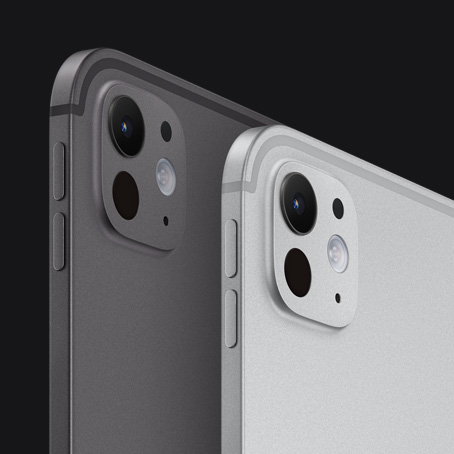
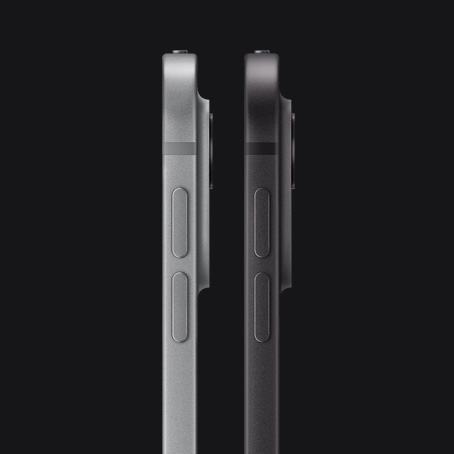
Both generations of the iPad Pro have the same aerospace aluminum construction, with flat edges and very thin bezels.
The dimensions and weight remain identical:
- iPad Pro 11″ – 5.3 mm thick, approx. 470 g
- iPad Pro 13″ – 5.1 mm thick, approx. 570 g
These are still the thinnest tablets on the market. A new feature of the iPad Pro M5 is the Space Black color, which has replaced the previous star gray. For many users, this is a minor but desirable aesthetic change.
💡 Check also cases for iPad Pro 13″ or cases for iPad Pro 11″, to properly protect this ultra-thin design from scratches.
Front camera – now in a better position
The most practical change concerns the position of the front camera. In the iPad Pro M5, it has been moved to the longer edge, allowing you to look directly into the lens during landscape mode calls.
In the M4, the camera was on the shorter side, so in horizontal orientation, it gave the impression of a “side glance.” If you often hold online meetings or video lessons – this improvement really makes a difference.
Performance and computing power – Apple M5 vs M4
How big is the performance difference between M4 and M5?
The Apple M5 chip is an improved version of the M4 chip, made using the same 3 nm process, but with a new core architecture.
- CPU: up to 15% faster, with better energy management,
- GPU: up to 40% more powerful, with support for 3rd generation ray tracing,
- Neural Engine: up to 4× faster in AI tasks.
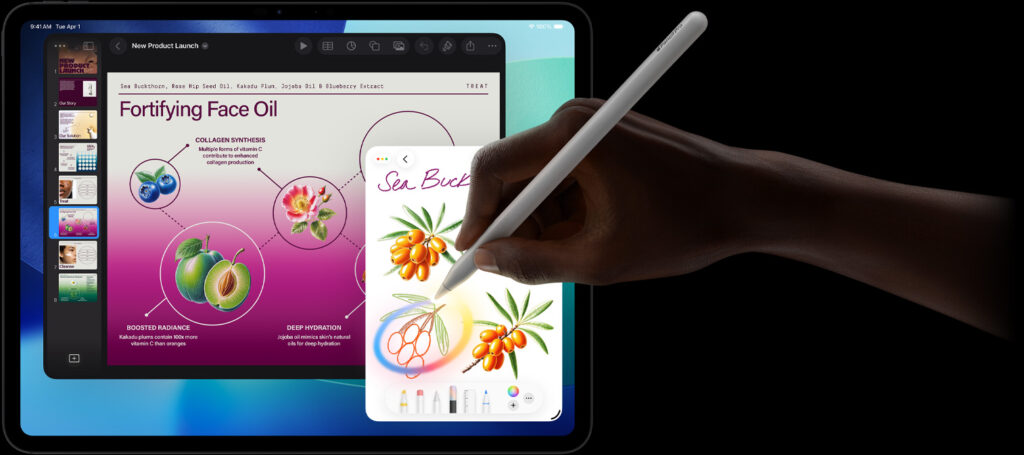
In everyday use (notes, browsing the web, movies), the differences are minimal. But if you work with RAW files, design in Procreate, edit 4K videos in LumaFusion, or use AI applications – M5 provides a real boost in work comfort.
More RAM in cheaper models
This is a significant change.
- iPad Pro M4 (256/512 GB) → 8 GB RAM
- iPad Pro M5 (256/512 GB) → 12 GB RAM
For demanding applications, this is a big difference – M5 handles multitasking better and keeps more projects open without refreshing. The 1 TB and 2 TB versions in both models have 16 GB RAM.
Faster disk and memory
The M5 uses newer NVMe SSD modules, offering up to 2× faster data read and write speeds. The memory bandwidth has also been increased to 153 GB/s (up from 120 GB/s in the M4).
The result: shorter application loading times, faster transfer of large files, and smoother performance in professional applications.
Battery and charging – does the iPad Pro M5 last longer?
Battery life
Apple claims the same operating time: up to 10 hours of Wi-Fi or 9 hours on 5G.
In practice, the iPad Pro M5 has slightly better energy efficiency – thanks to the newer processor and modem, it consumes less power under heavy load (e.g., during 4K streaming or working on 5G).

Fast charging – finally!
The biggest novelty is fast charge.
The iPad Pro M5 can be charged up to 50% in about 30 minutes using a 40W or stronger power adapter (e.g., a MacBook charger).
The M4 model did not support fast charging and needed over an hour for a similar result.
This is a huge advantage if you use the iPad outdoors or want to quickly recharge it between meetings.
🔋 Also see tempered glass for iPad Pro 13″ and glass for iPad Pro 11″, if you want to protect the screen from damage during everyday use or charging in a bag.
Cameras and multimedia – does M5 take better photos?
Rear setup unchanged
Both models have the same configuration:
- main camera 12 MP (f/1.8),
- ultra-wide 10 MP (123°),
- LiDAR scanner for AR and autofocus.
The quality of photos and 4K videos remains the same. Apple has not changed the sensors or optics. These are solid cameras for scans and recordings, but they still do not match the Pro iPhones.
Front camera – practical change
The 12 Mpix module with Center Stage remains the same, but its position (on the longer side in M5) significantly improves the comfort of video conferencing.
Sound and multimedia
The system of four stereo speakers with Dolby Atmos remains unchanged. The sound is still fantastic – full and loud, even without headphones.
Both iPads lack a 3.5 mm Jack socket, but you can use USB-C or Bluetooth headphones.
Connectivity and accessories – what’s new in the iPad Pro M5?
Wi-Fi 7 and Bluetooth 6
The new connectivity chip in M5 supports the Wi-Fi 7 (802.11be) standard, providing higher speeds and lower latency.
M4 remains with Wi-Fi 6E.
Bluetooth 6 allows simultaneous audio connections and better energy management – these are future-proof features that you will appreciate over time.
5G C1X modem
The iPad Pro M5 received a custom Apple C1X modem instead of a Qualcomm chip. It is even 50% faster and consumes less energy.
If you often work in the field, M5 will provide more stable connections and fewer signal “drops.”
Accessory compatibility
Full compatibility in both directions:
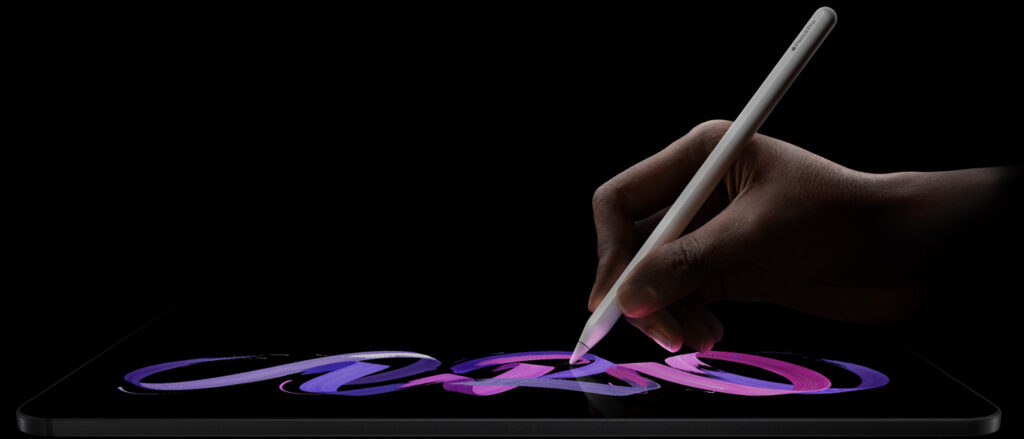
- Apple Pencil 2 and Apple Pencil Pro work with M4 and M5,
- Magic Keyboard (old and new with function key row) fits both models,
- the same Smart Connector and magnetic mounts.
No need to buy new accessories when changing iPads – that’s a big plus.
Is it worth paying extra for the iPad Pro M5?
When it’s worth choosing M5
- You work with video, 3D graphics, design, or AI.
- You often use a 5G modem and care about faster transmission.
- You need fast-charge and modern connectivity standards.
- You want hardware with longer system support (iPadOS 26+).
When M4 is enough
- You use the iPad for notes, movies, games, and daily tasks.
- You don’t need the fastest networks or fast charging.
- What matters to you is a lower price – M4 offers 90% of the capabilities of M5, often on sale for several hundred zlotys less.
❓ FAQ – Frequently Asked Questions about iPad Pro M5 vs iPad Pro M4
🔹 What is the main difference between iPad Pro M5 and M4?
The iPad Pro M5 has a newer processor Apple M5, faster GPU and AI, more RAM in cheaper models, and supports fast charging. The rest (screen, casing, cameras) remains unchanged.
🔹 Does the iPad Pro M5 have a better screen?
No. Both iPad Pros have the same Ultra Retina XDR OLED 120 Hz screen, with brightness up to 1600 nits.
🔹 Is it worth paying extra for the iPad Pro M5?
Yes – if you use the iPad for graphics, video, 3D projects, or AI.
No – if you mainly use it for multimedia and notes.
🔹 Does the iPad Pro M5 have a faster processor?
Yes, the processor Apple M5 is about ~15% faster in CPU and up to 40% faster in GPU than M4.
🔹 How much RAM do the iPad Pro M4 and M5 have?
M4: 8 GB (256/512 GB) or 16 GB (1–2 TB)
M5: 12 GB (256/512 GB) or 16 GB (1–2 TB)
🔹 Does the iPad Pro M5 have a longer battery life?
Unofficially – slightly longer under heavy load, but Apple claims the same 10 hours.
🔹 Does the iPad Pro M5 support fast charging?
Yes. It supports fast-charge 50% in 30 minutes (charger ≥ 40 W).
🔹 Does the iPad Pro M4 support fast charging?
No. M4 charges at standard speed (20–30 W), without fast-charge mode.
🔹 Does the iPad Pro M5 have a better camera?
No. The cameras are identical (12 + 10 Mpix + LiDAR), only the position of the front camera differs – in M5 it is on the side.
🔹 Is the camera on the iPad Pro M5 better for video calls?
Yes, because it has been moved to the longer edge – now you look directly into the lens during a call.
🔹 Does the iPad Pro M5 have Wi-Fi 7?
Yes, M5 supports Wi-Fi 7 and Bluetooth 6. M4 has Wi-Fi 6E and BT 5.3.
🔹 Does the iPad Pro M5 have a new 5G modem?
Yes. M5 uses the Apple C1X modem – faster and more energy-efficient than Qualcomm in M4.
🔹 Does the iPad Pro M5 work with Apple Pencil Pro?
Yes. Apple Pencil Pro works with the iPad Pro M5 and M4.
🔹 Do accessories from the iPad Pro M4 fit M5?
Yes – full compatibility. Magic Keyboard, Apple Pencil, and other accessories work on both models.
Leave a Reply