Category: Guides

  • AirPods Pro 3 Case – Which One to Choose in 2025?

    AirPods Pro 3 Case – Which One to Choose in 2025?

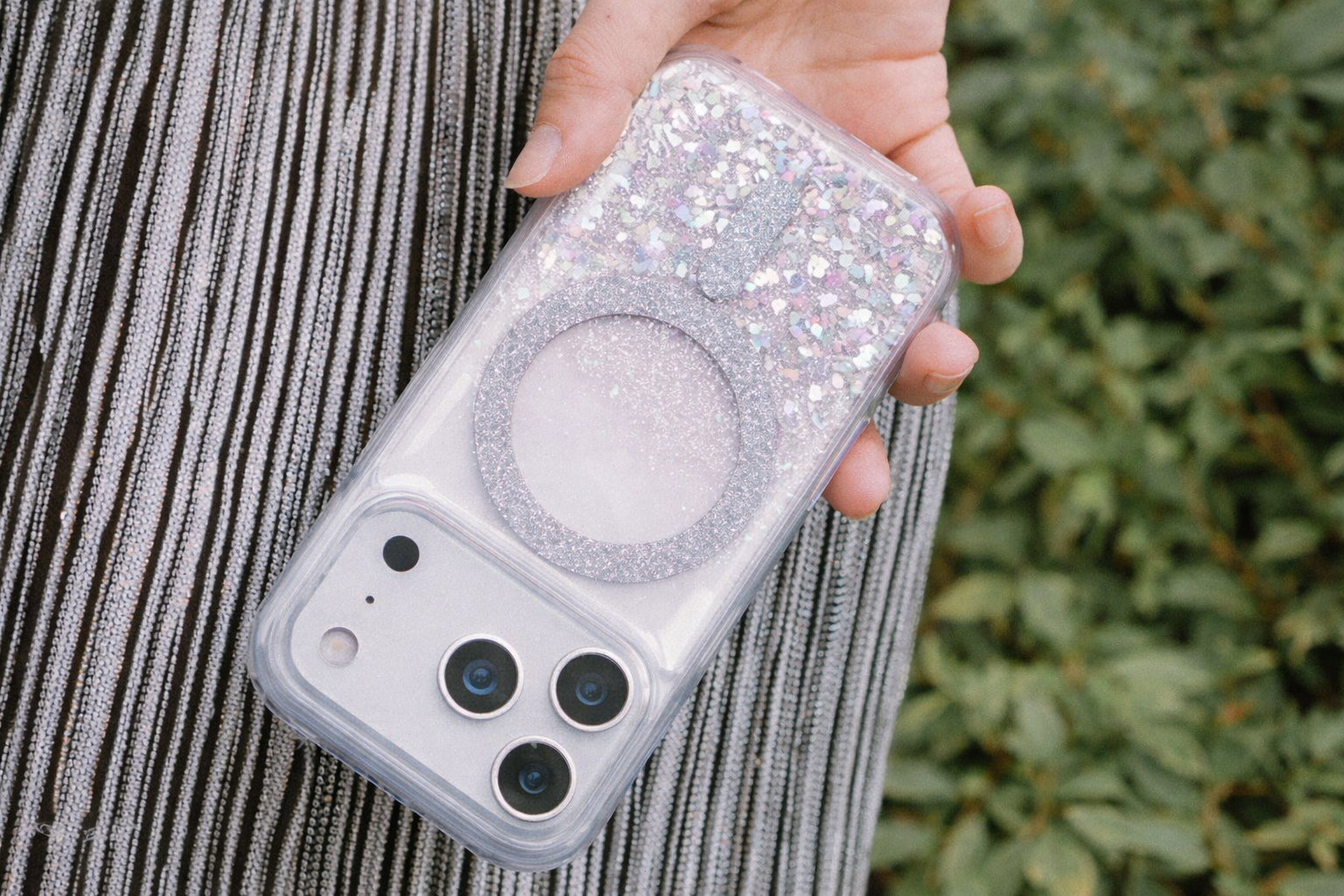
    Are you looking for the perfect case for AirPods Pro 3? You’ve come to the right place. Whether you prefer lightweight silicone, transparent material, or rugged protection, the selection in 2025 is vast.

    The most popular models combine functionality, style, and full compatibility with MagSafe, ensuring that your headphones are safe and always ready to charge.

    🔗 Check out all cases for AirPods Pro 3 and choose the best fit for you.

    🔰 Ranking of cases for AirPods Pro 3 – best models of 2025

    CategoryMain ChoiceBiggest AdvantageAlternativesApproximate Price
    Rugged and Drop ResistantSpigen Rugged ArmorUnmatched premium protection, MIL-STD certified, matte finishTech-Protect Carbonox MagSafe85 PLN / 39 PLN
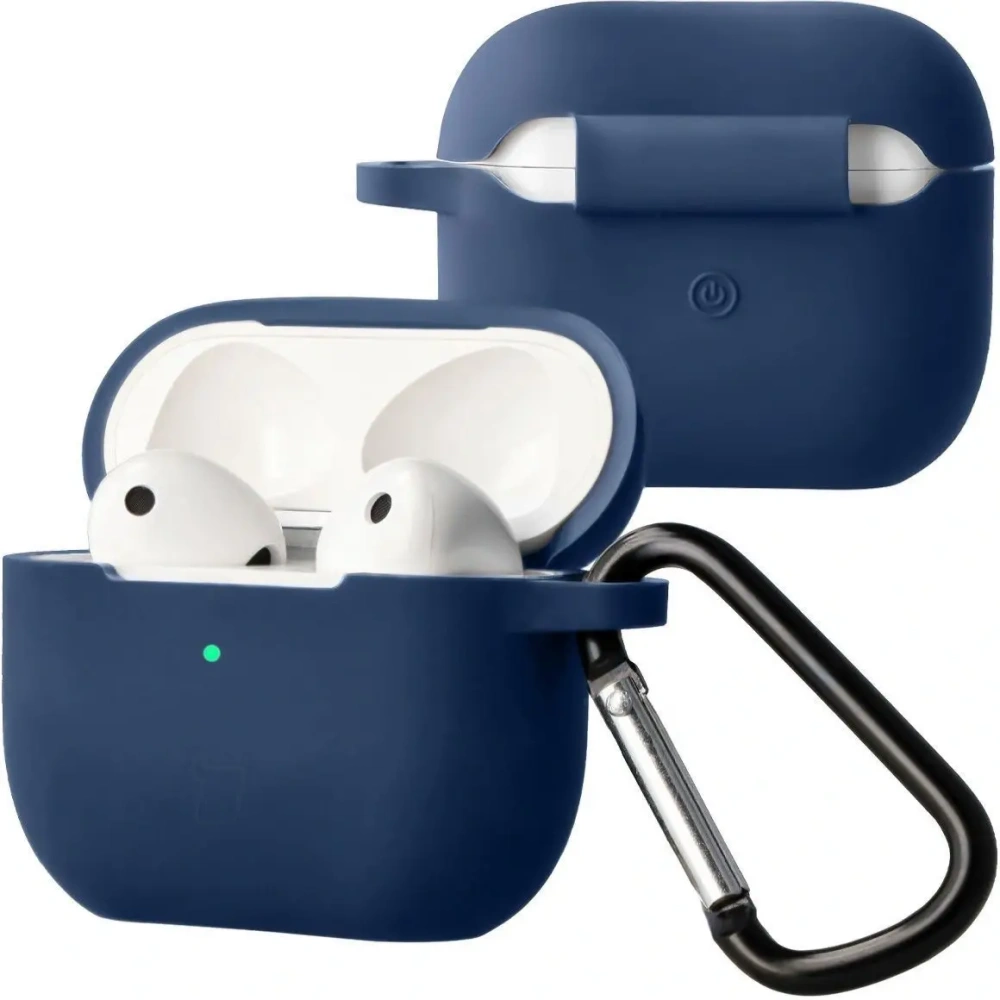
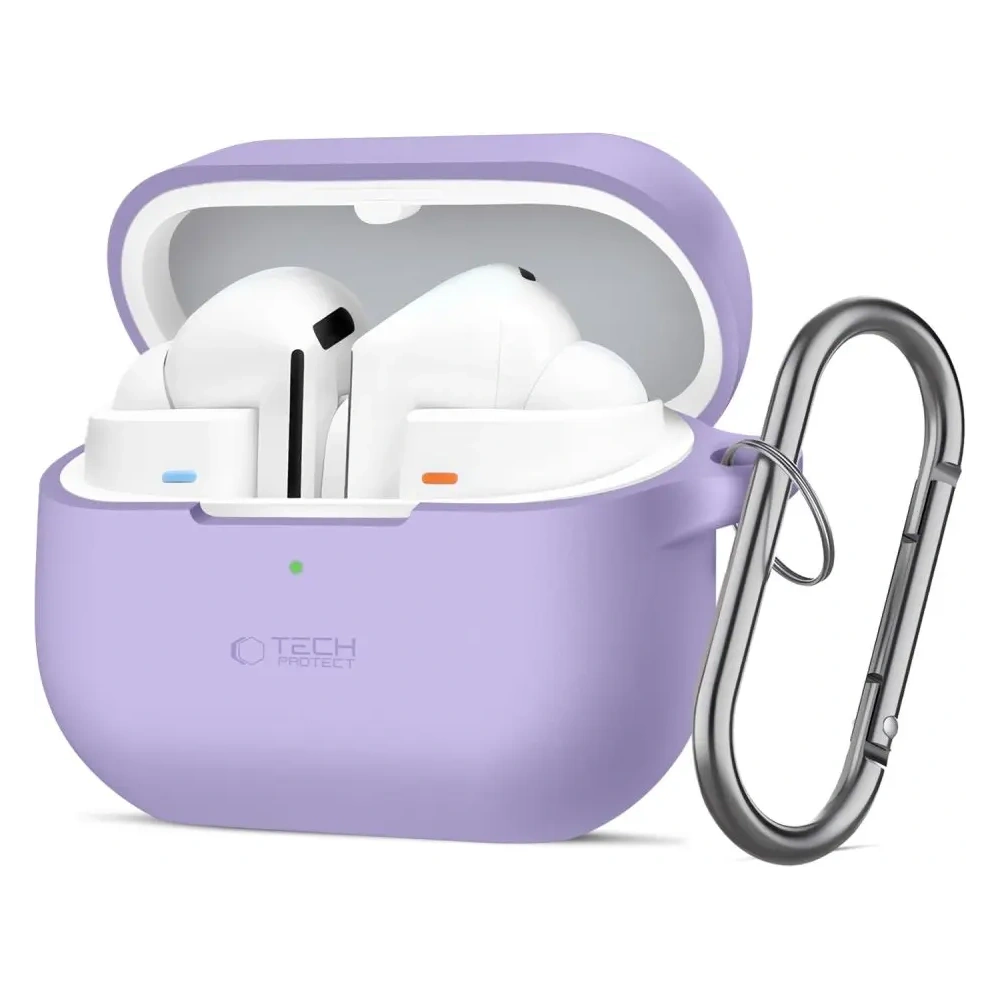
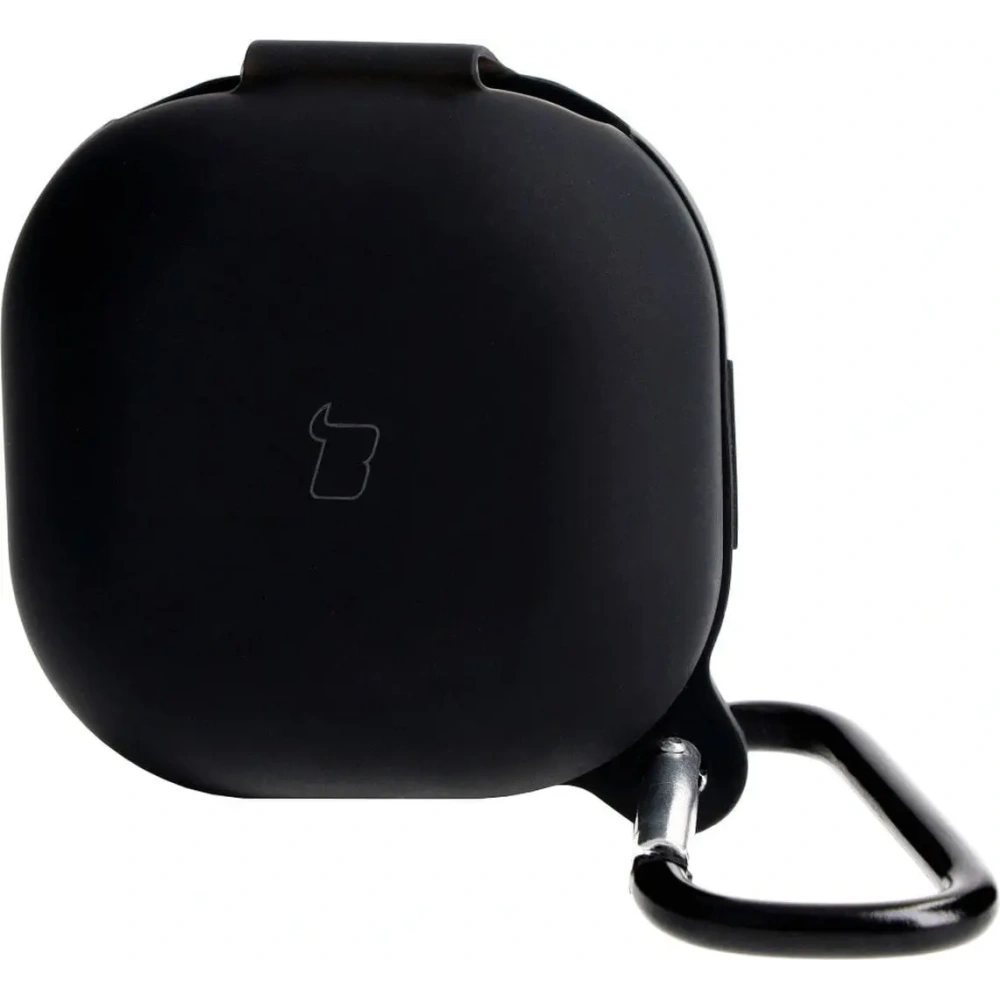
    Silicone and LightweightBizon Case Headphone SiliconeSoft, matte finish and practical carabinerTech-Protect Silicone Hook 25 PLN / 19 PLN
    Transparent and Semi-TransparentBizon Case Headphone ClearFlexible TPU, yellowing resistant, retains the original look of the headphonesTech-Protect FlexAir Clear29 PLN / 29 PLN
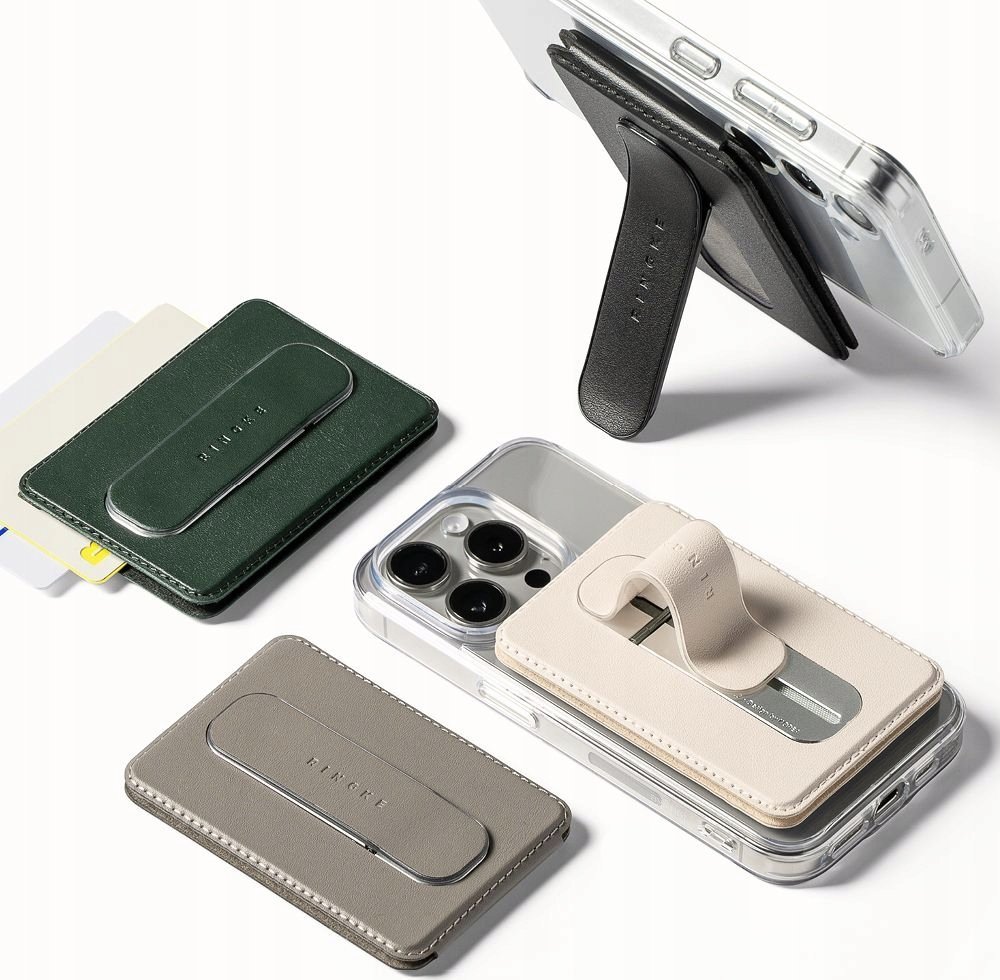
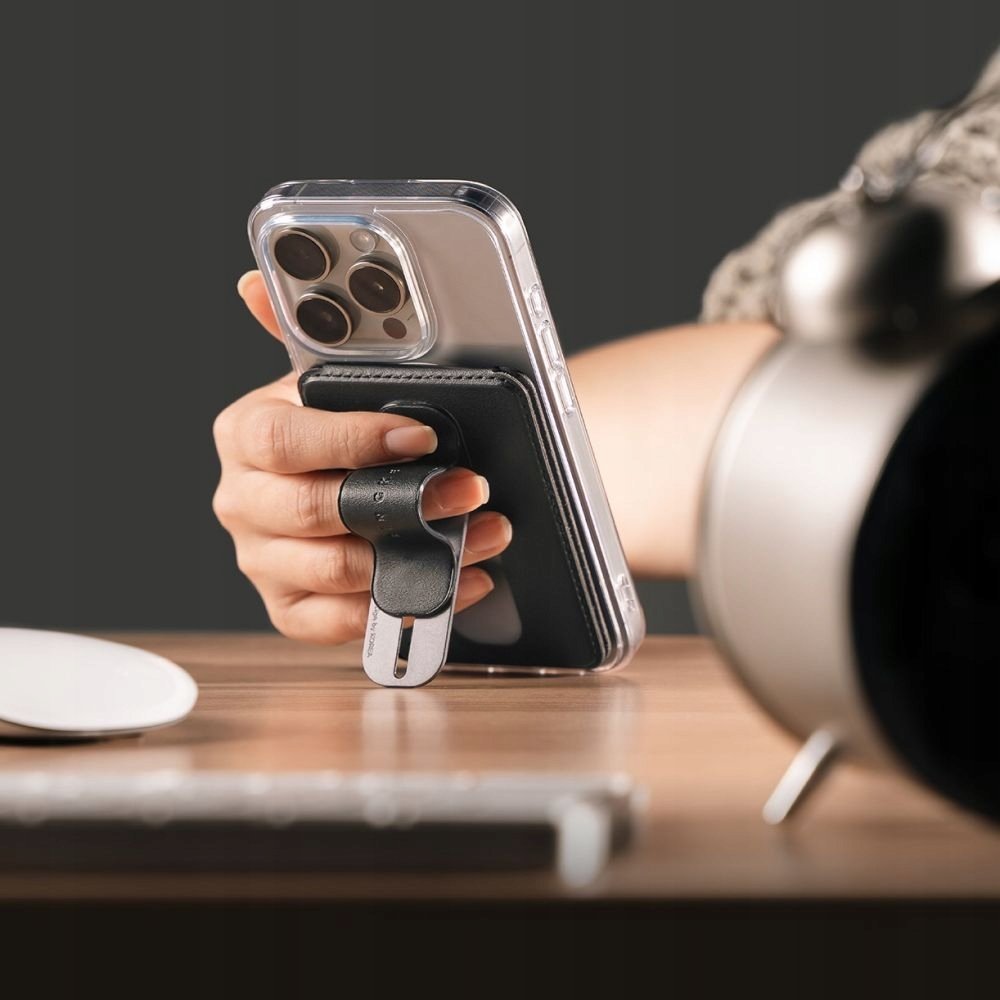
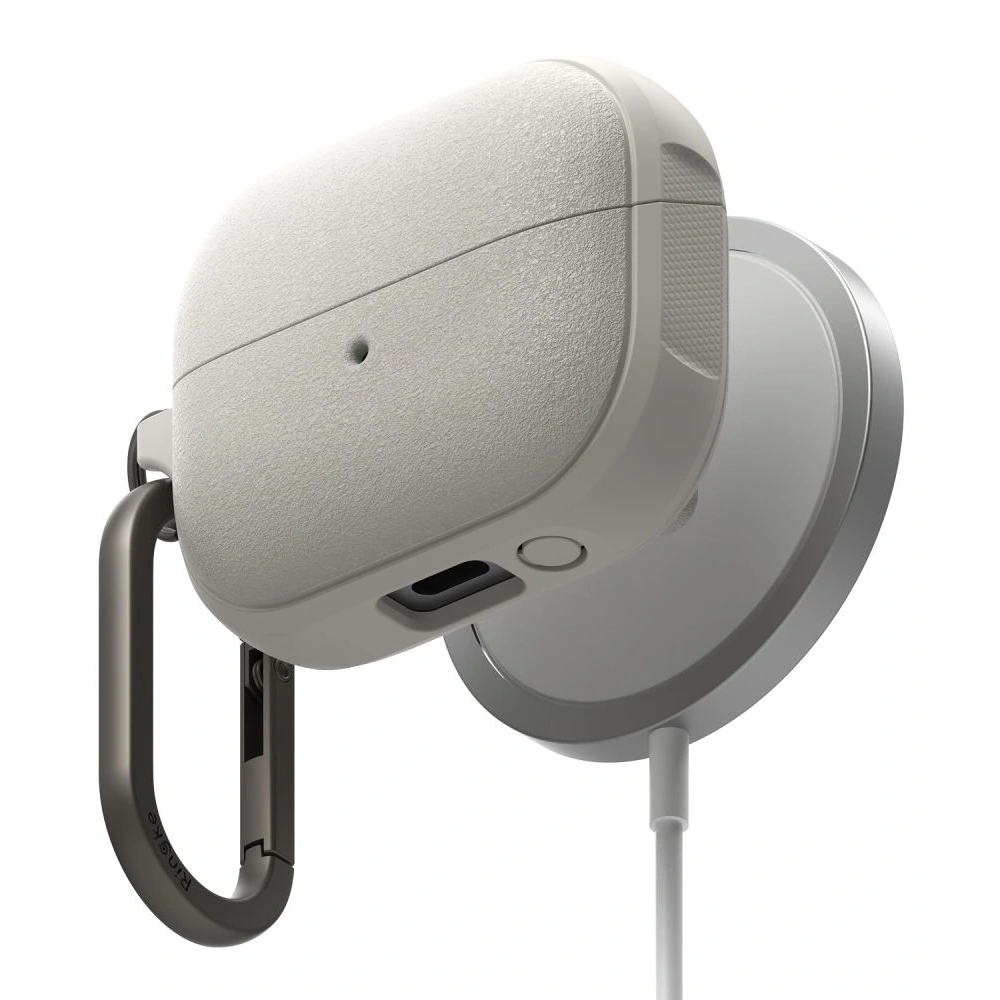
    Magnetic with MagSafeRingke Onyx Magnetic MagSafeBuilt-in MagSafe and lanyard – convenient carrying and fast charging ESR Orbit HaloLock MagSafe59 PLN / 55 PLN
    Functional with a Holder or LanyardTech-Protect Slim Hook Integrated carabiner and slim, lightweight designESR Orbit HaloLock (with lanyard), Bizon Headphone Clear39 PLN

    Rugged and Drop Resistant Cases for AirPods Pro 3

    For those who need maximum protection against drops and scratches, the best choice will be rugged case for AirPods Pro 3. Made from hard, shock-resistant materials, they effectively absorb impacts and protect the headphones in any conditions – at work, during travel, or at training.

    Spigen Rugged Armor – the classic of rugged cases

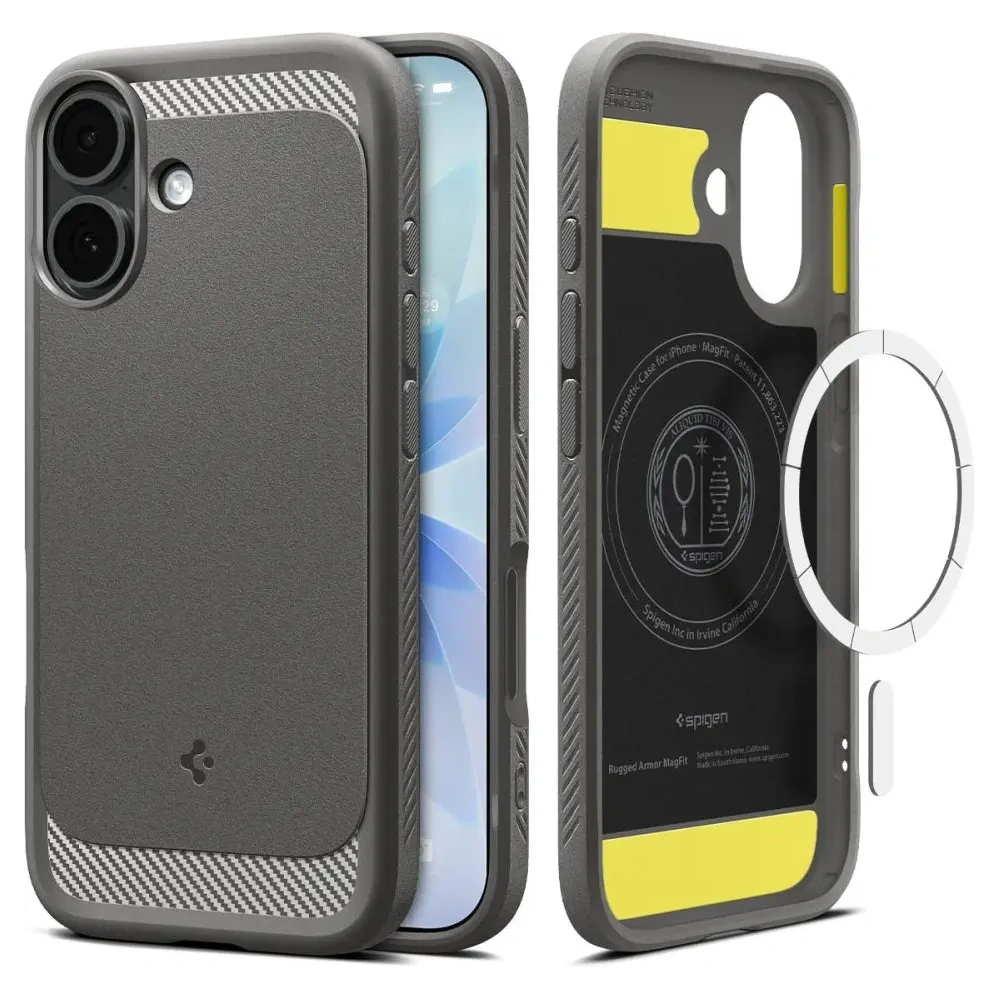
    Spigen Rugged Armor is a case designed for intense, everyday use. Flexible TPU with characteristic “carbon” inserts effectively absorbs impacts, and the refined mold securely surrounds the AirPods Pro 3 case, protecting it from scratches and accidental opening. The matte finish looks professional and maintains its freshness even after many months of wear.

    ✅ Protection: reinforced edges + flexible TPU effectively absorb impacts
    ✅ Standard: design inspired by MIL-STD, high drop resistance
    ✅ Latch: secure closure – reduced risk of accidental opening
    ✅ Finish: matte + carbon accents, does not collect fingerprints
    ✅ Ergonomics: does not overly bulk up, easy to put on and take off
    ✅ Approximate price: 85 PLN

    Tech-Protect Carbonox MagSafe – modern protection with a magnet

    Tech-Protect Carbon MagSafe combines a solid, “technical” design with the convenience of wireless charging. Thicker walls and a carbon fiber texture withstand daily “rough use,” and the built-in MagSafe ring allows you to attach the case to a charger or holder without removing the cover. It’s a practical choice for the active — at the gym, for fieldwork, and for everyday use.

    ✅ MagSafe: built-in ring – charging and mounting without removal
    ✅ Construction: reinforced edges, “carbon fiber” look – better impact resistance
    ✅ Grip: textured surface reduces slipping
    ✅ Application: training, fieldwork, everyday EDC
    ✅ For whom: functionality and durability at a reasonable price
    ✅ Approximate price: 39 PLN


    Silicone and lightweight case for AirPods Pro 3

    Silicone case for AirPods Pro 3 is the most popular type of protection – lightweight, soft to the touch, and available in many colors. Perfect for everyday use, it protects against scratches and dust, and thanks to its flexibility, it effectively absorbs minor impacts. An additional advantage is the carabiners that make it easier to carry the headphones with a bag or backpack.

    Bizon Case Headphone Silicone — color, softness, and comfort

    Bizon Case Headphone Silicone is a classic. The soft, pleasant-to-touch material perfectly fits the shape of the AirPods Pro 3 case, does not stick out, and does not move during everyday use. The matte texture gives an elegant look and prevents fingerprints from accumulating. The set includes a sturdy carabiner that allows you to attach the headphones to a bag, keys, or a belt loop. Available in many colors – from pastels to intense shades.

    ✅ Soft, flexible silicone – comfort and lightness
    ✅ Matte finish – pleasant to the touch, non-slip
    ✅ Carabiner – easy carrying and protection against loss
    ✅ Easy cleaning – just a damp cloth
    ✅ For whom: users who value lightness and colorful design
    ✅ Approximate price: 25 PLN

    Tech-Protect Silicone Hook — simplicity and functionality

    Tech-Protect Silicone Hook is a minimalist case for those who value simplicity and convenience. The smooth silicone provides good protection against scratches, and the soft texture ensures that the case does not slip from your hand. The included metal hook allows you to easily attach the AirPods to a backpack or bag, keeping them always within reach. It’s the perfect choice for those looking for an affordable, practical solution for everyday use.

    ✅ Lightweight construction and compact shape
    ✅ Soft silicone – pleasant to the touch and easy to clean
    ✅ Hook – safe carrying outside a bag or belt
    ✅ Style: delicate, pastel colors (Dusty Pink, Mint, Navy)
    ✅ For whom: people looking for practical and inexpensive case
    ✅ Approximate price: 19 PLN


    Transparent and semi-transparent case for AirPods Pro 3

    If you want to maintain the original look of the Apple case, choose transparent case for AirPods Pro 3. Modern TPU is flexible, scratch-resistant, and does not yellow as quickly as older materials. Semi-transparent versions add a subtle color while still showcasing the iconic design of Apple headphones.

    Bizon Case Headphone Clear — minimalist protection with a color accent

    Bizon Case Headphone Clear combines crystal clarity with practical carrying functionality. The gently tinted “transparent-green” version adds subtle character, and the flexible TPU effectively absorbs minor impacts. The carabiner clip makes it easy to attach the headphones to a backpack or lanyard.
    ✅ Material: flexible TPU, resistant to micro-scratches
    ✅ Appearance: transparent + light color, showcases the Apple logo
    ✅ Usage: easy to put on, does not loosen on the case
    ✅ Mobility: sturdy carabiner included
    ✅ For whom: minimalism with a touch of color for everyday use
    ✅ Approximate price: 29 PLN

    Tech-Protect FlexAir Clear — the “invisible” case that protects

    Tech-Protect FlexAir Clear is a fully transparent case for AirPods Pro 3 that “disappears” on the case while protecting against scratches and scuffs in your bag or backpack. The flexible design improves grip and makes it easier to put on without the risk of cracks.
    ✅ Material: crystal clear TPU
    ✅ Protection: scratch resistance and minor drops
    ✅ Ergonomics: better grip, thin walls
    ✅ Aesthetics: no unnecessary additions, clean Apple look
    ✅ For whom: maximum simplicity and lightness
    ✅ Approximate price: 29 PLN


    Magnetic case with MagSafe for AirPods Pro 3

    If you use a magnetic charger or MagSafe mount, opt for a MagSafe case for AirPods Pro 3. Such models have a built-in magnetic ring that ensures stable charging and convenient attachment without removing the case. This combination of practicality, style, and full compatibility with the Apple ecosystem.

    ESR Orbit HaloLock MagSafe — elegance and functionality for everyday use

    ESR Orbit HaloLock MagSafe is one of the most refined cases with magnetic attachment. The manufacturer has used a combination of hard polycarbonate and flexible TPU, providing optimal protection against scratches and minor impacts. The integrated MagSafe ring works perfectly with Apple chargers, and the set includes a practical lanyard, allowing you to attach the headphones to a bag, keys, or belt. The gently matte surface and pastel colors (Lavender, Titanium) make the model look light and modern – perfectly fitting the design of the AirPods.

    ✅ MagSafe: stable charging and attachment without removing the case
    ✅ Accessories: includes a lanyard – convenient carrying
    ✅ Protection: PC + TPU, resistant to everyday scratches
    ✅ Design: minimalist, elegant, in Apple style
    ✅ For whom: daily use and convenience in every situation
    ✅ Approximate price: 55 PLN

    Ringke Onyx Magnetic MagSafe — a stylish accent and solid construction

    Ringke Onyx Magnetic MagSafe stands out with its unique color Constant Coral and characteristic matte texture. The case features reinforced corners that absorb impacts, and thanks to its delicate rubberized surface, it fits securely in the hand. The built-in MagSafe ring allows the use of magnetic chargers, mounts, or stands, and with its premium fit, it looks incredibly elegant. This is the perfect option for users who want to combine protection, design, and modern solutions.

    ✅ MagSafe: full compatibility with magnetic chargers and mounts
    ✅ Surface: matte, non-slip TPU – great grip
    ✅ Protection: reinforced corners, durable construction
    ✅ Style: unique Constant Coral color – a trendy, energetic accent
    ✅ For whom: those who appreciate a stylish look and the convenience of MagSafe
    ✅ Approximate price: 59 PLN

    How to choose the best case for AirPods Pro 3?

    Material

    The most versatile options remain TPU and silicone. TPU (often “clear” or semi-clear) is flexible, holds its shape well, and withstands abrasion better — great when you want to maintain the Apple look. Silicone provides a soft, “meaty” grip and better cushioning against minor impacts; it can also feel more pleasant in the hand during winter. If maximum durability is a priority, choose a rugged case (thicker walls, reinforced corners, harder blends). For magnetic charging, look for the note MagSafe/Qi2 and an integrated ring.

    Fit

    A good case for AirPods Pro 3 must be molded for this model: without gaps, with a lid that closes evenly and without “springing.” Check that the status LED opening and charging port are cut precisely, and that the hinge is not excessively covered — this is a common flaw in cheap cases. If you often take the case out of your pocket/backpack, consider models with additional flap security (snap, stiffer top part), which reduce the risk of accidental opening.

    MagSafe and charging

    If you are using a magnetic charger, choose a case with a built-in MagSafe ring. Look for information about holding strength (stability on stands) and wall thickness — too thick or “soft” silicone cases can weaken the magnetism. Well-designed models allow you to charge without removing them, and they do not slide on the pad. If you use MagSafe car mounts, the priority is secure centering and a non-slip texture.

    Additional features and ergonomics

    Lanyard/carabiner is a real convenience: you can attach your AirPods to a bag, belt, or backpack and reduce the risk of losing them. Ring/360° grip makes it easier to pull out and improves grip, but adds a few grams and millimeters. Pay attention to the surface texture (matte vs. glossy): matte better hides scratches and fingerprints, while glossy looks “clean” but scratches more easily. In rugged models, check if the case snags on pockets and if it is easy to remove (when cleaning).

    Style and finishes

    Trends 2025: pastels, semi-transparent “frosted” and single, bold accents (e.g. Constant Coral). Transparent TPU showcases the Apple logo and the color of the original case; semi-clear adds a subtle tone without losing the Apple “look.” Matte silicone is “warmer” and less slippery, while armored finishes (carbon, brushed patterns) give a technical character. If you want consistency, match the shade with your watch strap, phone case, or backpack.

    Price, quality, and warranty

    You can buy a sensible case for 20–30 PLN (basic silicone/TPU). Around 40–60 PLN you get better fitting, accessories (lanyard, carabiner), and often MagSafe. The 70–90 PLN range is for premium brands (better casting precision, more durable blends, nicer to the touch matte).

    FAQ – frequently asked questions about AirPods Pro 3

    ⭐ Does the case for AirPods Pro 2 fit AirPods Pro 3?
    Not in every case. Both generations have a similar size, but differ in the arrangement of the LED and charging port. To avoid looseness or misfit, choose models clearly marked as case for AirPods Pro 3.

    ⭐ Is it worth buying a MagSafe case for AirPods Pro 3?
    Yes, if you use chargers or magnetic mounts. The MagSafe case has a built-in magnetic ring that stabilizes charging and allows you to attach the case to car or desk mounts without cables.

    ⭐ Which case best protects AirPods Pro 3 from drops?
    The best protection is provided by rugged cases, such as Spigen Rugged Armor or Tech-Protect Carbonox MagSafe. They have thicker walls, reinforced corners, and tougher material blends that effectively absorb impacts.

    ⭐ Which case to choose for AirPods Pro 3 for everyday use?
    For daily use, silicone or transparent cases work great – lightweight, comfortable, and well-fitted. They take up little space in your pocket and provide basic protection against scratches.

    ⭐ How to care for the case to keep it looking new?
    Clean silicone cases with a soft microfiber cloth and mild detergent. Transparent TPU should be washed with water and a bit of soap, avoiding alcohol, which can accelerate yellowing. Occasionally, remove the case and wipe the hinge and edges.

    ⭐ Do all cases for AirPods Pro 3 support wireless charging?
    Not all of them. Cases made of very thick silicone or rugged ones with a carbon layer may limit inductive charging. To be sure, choose models described as compatible with MagSafe / Qi2.

  • What is the best charger for iPhone 17?

    What is the best charger for iPhone 17?

    The best charger for iPhone 17 is a fast USB-C PD charger with a power of at least 30–40 W, which allows you to charge the phone to 50% in about 20 minutes. In everyday use, MagSafe/Qi2 (up to 25 W) wireless chargers and MagSafe power banks will also work great.

    iPhone 17 = USB-C + Power Delivery.
    The phone supports the USB Power Delivery (PD) standard, which means fast and safe wired charging. In practice:

    • Optimum: power adapter 30–40 W (USB-PD) + USB-C ↔ USB-C cable; this is the fastest and most stable set for daily charging.
    • More powerful chargers (e.g., 67 W / 96 W from MacBook) are completely safe – the iPhone itself “negotiates” the power drawn, so it won’t overheat and it won’t shorten the battery life.
    • Minimum from Apple: 20 W – it works, but if you care about time, it’s worth reaching for 30–40 W (especially in Pro models).

    New N1 connectivity layout – better “chemistry” with accessories.
    The iPhone 17 introduces the N1 (Wi-Fi 7, Bluetooth 6, Thread) layout, which improves the stability and reliability of wireless features (e.g. AirDrop, Hotspot), but also communication with wireless chargers. The result: faster connection setup, more stable power holding, and fewer interruptions when placing/picking up the phone.

    TOP 5 iPhone 17 charger ranking – comparison table

    ModelMax PowerPortsTechnologyStandardsPriceAbout the model
    Mophie GaN Charger Dual 67W 2×USB-C (white)67 W2× USB-CGaNUSB-PD329.00 PLNPremium; one charger for iPhone + MacBook/iPad, compact and efficient.
    UGREEN CD224 65W 3×USB-C + 1×USB-A (black)65 W3× USB-C, 1× USB-AGaNUSB-PD (PPS), QC200.00 PLNUniversal “station” for multiple devices – fast charging and multitasking.
    UGREEN Nexode Pro 45W 2×USB-C (gray)45 W2× USB-CGaNUSB-PD (PPS)99.90 PLNSmall and travel-friendly; fast charging for iPhone 17 + second device simultaneously.
    4smarts PDPlug Dual 45W 2×USB-C (white)45 W2× USB-CGaNUSB-PD79.00 PLNPractical for everyday use – iPhone + iPad/AirPods at the same time, reasonable price.
    Joyroom JR-TCL05 45W GaN 2x USB-C/organizer/USB-C cable45 W1× USB-CGaNUSB-PD 3.0, PPS, QC4.0+Compact 45 W; 2×USB-C; organizer + cable included.

    What is the best fast charger for iPhone 17?

    Ugreen Nexode GaN 65W Wall Charger (3×USB-C + 1×USB-A)

    Ugreen Nexode GaN 65W is a true powerhouse for charging the entire Apple ecosystem. With a power of 65 W and support for USB Power Delivery 3.0, it can easily charge the iPhone 17 in fast charging mode, and it works just as well with the iPad or even the MacBook.

    The biggest advantage of this charger is as many as four ports – 3×USB-C and 1×USB-A – which allows you to charge multiple devices simultaneously without losing power. GaN technology makes the charger smaller, more efficient, and less heat-generating than traditional adapters.

    ➡️ This is the best choice for those who want to have one charger for the iPhone 17, AirPods, Apple Watch, and laptop.

    Joyroom JR-TCL05 45W GaN Wall Charger (2×USB-C) with cable organizer + includes USB-C↔USB-C cable

    Joyroom JR-TCL05 is a compact 45 W charger designed for fast and convenient charging of the iPhone 17. Two USB-C ports allow you to power both a smartphone and a second device simultaneously, while modern GaN technology ensures high efficiency with a small size and lower operating temperature. The manufacturer includes a USB-C↔USB-C cable in the package, so you have a complete set for fast charging right away, without the need to purchase a cable separately.

    A practical addition is the integrated cable organizer, which helps keep your desk and bag tidy. The JR-TCL05 is perfect as a “daily driver” for the iPhone 17 – it is lightweight, travel-friendly, and offers full charging speed with USB Power Delivery standard.

    ➡️ If you are looking for a 45-watt charger with two USB-C ports that comes with a decent cable and doesn’t take up much space, this Joyroom model is a very reasonable and modern choice.

    4smarts PDPlug Dual 45W GaN Charger (2×USB-C)

    4smarts PDPlug Dual 45W Charger is a practical solution for users with more than one Apple device. Two USB-C ports allow for simultaneous charging of the iPhone 17 and, for example, an iPad or AirPods.

    With a power of 45 W, it guarantees fast charging compliant with the Power Delivery standard, and GaN technology provides smaller size and better energy efficiency. This makes the adapter compact and easy to carry.

    ➡️ This is the best choice if you often charge multiple devices at once and need a compact, reliable charger.

    Mophie GaN Dual 67W Wall Charger (2×USB-C)

    Mophie GaN Dual 67W is a premium charger that stands out with its elegant design and high power. With 67 W, it can easily handle not only the iPhone 17 but also the MacBook Pro and other demanding devices.

    Two USB-C ports allow you to conveniently charge both a smartphone and a laptop simultaneously, making this model an excellent solution for home and travel. High-quality construction and the use of GaN technology result in greater efficiency and less heating.

    ➡️ This is a charger for the most demanding – if you want to have one device for everything, the Mophie GaN Dual 67W is the best choice.

    Ugreen Nexode Pro 45W Wall Charger (2×USB-C)

    Ugreen Nexode Pro 45W is a compact and modern charger with two USB-C ports. The 45 W power fully utilizes fast charging for the iPhone 17, and the additional port allows you to connect a second device without losing functionality.

    Thanks to GaN technology, it is lightweight, energy-efficient, and convenient to transport. It’s a great choice for people who travel frequently and need an efficient charger for their smartphone, tablet, or headphones.

    ➡️ If you care about compact size and solid performance, the Ugreen Nexode Pro 45W is the perfect solution.

    ⚡Check all fast wall chargers for iPhone 17

    👉 It’s best to go for:

    • 30–40 W USB-C PD – the fastest and safest charging for the iPhone 17,
    • GaN chargers 65–67 W – if you want one charger also for the iPad or MacBook,
    • compact 45 W with two ports – perfect for travel and everyday use.

    iPhone 17 – which wireless charger will be the best?

    Wireless charging on the iPhone 17 has never been so fast and convenient. All models – from the basic to the Pro Max – support both MagSafe and the new Qi2.2 standard. This allows you to choose between original Apple accessories and modern chargers from third-party manufacturers that offer the same power and often additional features.

    • MagSafe – up to 25 W (20 W in iPhone 17 Air); full compatibility with the Apple ecosystem, magnetic alignment, stable phone mounting.
    • Qi2.2 – up to 25 W; an open standard based on MagSafe, supported by an increasing number of manufacturers, allows for fast charging and broader compatibility with cases and accessories.

    The best wireless chargers for iPhone 17 are those that offer stable 25 W charging, along with user convenience: magnetic mounting, stand function, and the ability to charge multiple devices simultaneously (e.g., iPhone + AirPods + Apple Watch).

    The best inductive chargers for iPhone 17 — TOP 5

    ModelTypeMax powerPriceAbout the model
    Zens Office Charger Pro 3 (Qi2 25 W)3-in-1 (iPhone + Watch + AirPods)25 W (Qi2)499 złPremium office station; full 25 W for iPhone 17, very stable.
    Baseus MagPro 3-in-1 25 W3-in-125 W249 złGreat price/features ratio; fast 25 W and ergonomics.
    Baseus BS-W531 2-in-1 MagSafe/Qi2-in-1 (iPhone + AirPods)20 W209 złSlim 2-in-1 with magnet, good “everyday” base.
    Crong Powerspot Pivot Stand 3-in-1 + 35 W power adapter3-in-1 (with stand)up to 15–20 W199 zł“Ready to go” – includes 2×USB-C 35 W power adapter; super value.
    UGREEN W528 2-in-1 20 W2-in-1 (iPhone + AirPods)20 W159 złCompact for desk/nightstand; fast wireless up to 20 W.

    Baseus MagPro 3-in-1 25 W

    Zens Office Charger Pro 3 is a top-class 3-in-1 charging station that supports the new Qi2 standard with a power of up to 25 W for the iPhone 17. This allows you to enjoy full wireless charging speeds that match those of wired charging. The station is designed to simultaneously power the iPhone, Apple Watch, and AirPods, and its design makes it look great on your desk.

    It is the perfect choice for those who value order and want one reliable device to charge the entire Apple ecosystem. Zens is a premium brand, so you can count on high build quality and stable performance.

    Baseus MagPro 3-in-1 25 W

    Baseus MagPro 3-in-1 offers fast charging up to 25 W in the MagSafe/Qi2 standard, making it a great compromise between performance and price. You can simultaneously charge your iPhone 17, Apple Watch, and AirPods, while the magnetic mount ensures a stable connection with your phone.

    This solution works well both at home and in the office – functional and reasonably priced. If you are looking for a station that will support all Apple devices and doesn’t cost as much as premium models, this Baseus is the best choice.

    Crong Powerspot Pivot Stand 3-in-1 + 35 W power supply

    Crong Powerspot Pivot Stand is a practical 3-in-1 station that stands out because it also comes with a 35 W wall charger with two USB-C ports. This means you don’t have to worry about an additional power supply – you have a complete set right out of the box. The station allows you to charge your iPhone, Apple Watch, and AirPods simultaneously, offering power of about 15–20 W.

    It’s the perfect solution if you’re looking for a complete set at a reasonable price and care about an elegant stand for your desk or nightstand.

    UGREEN W528 2-in-1 20 W

    UGREEN W528 is a compact 2-in-1 charger that combines simplicity and functionality. It supports charging up to 20 W, which is noticeably faster than traditional 15 W chargers, and additionally allows you to power both the iPhone 17 and AirPods at the same time. Its minimalist design and small size make it perfect for a desk or travel.

    This is a choice for those who want a practical charger for everyday use – fast, reliable, and space-saving.

    ⚡Check all induction chargers for iPhone 17 at Home Screen store.


    FAQ – frequently asked questions about chargers for iPhone 17

    Does the iPhone 17 come with a charger in the box?

    No, just like in previous generations, the iPhone 17 is sold without a charger in the box. You only receive a USB-C ↔ USB-C cable. Therefore, it’s worth choosing a suitable wall adapter or wireless charger right away.

    What charger power is best for iPhone 17?

    The minimum recommended power is 20 W (according to Apple’s recommendation). However, to fully utilize fast charging capabilities, it’s best to choose a charger 30–40 W USB-C PD. The iPhone 17 negotiates power draw itself, so you can also use more powerful chargers (e.g., 67 W or 96 W from a MacBook) – it is completely safe.

    Is the 67 W or 96 W MacBook charger suitable for iPhone 17?

    Yes, the iPhone 17, thanks to USB-PD, draws only as much power as it needs (about 30–40 W). A more powerful adapter will not harm the battery or cause overheating.

    How long does fast charging take for iPhone 17?

    Using a 30–40 W USB-C PD charger, you can charge the battery to about 50% in 20 minutes. Full charging takes about 1 hour and 15–30 minutes, depending on the model.

    Does the iPhone 17 support fast wireless charging?

    Yes. All iPhone 17 models support charging MagSafe and Qi2 up to 25 W (iPhone 17 Air – up to 20 W). This is significantly faster than the iPhone 16, which had a limit of 15 W.

    Is it worth buying a 3-in-1 charger for the iPhone 17?

    If you use an Apple Watch and AirPods simultaneously, a 3-in-1 station is a very convenient solution – you have one device to charge the entire ecosystem. If you only care about the iPhone, a smaller 2-in-1 charger or a single Qi2/MagSafe pad will be more practical.

    Are cheaper induction chargers safe?

    Yes, as long as they comply with the Qi2 or MagSafe standard and have protections (against overvoltage, overheating). It’s worth choosing products from trusted brands (UGREEN, Baseus, Spigen, Crong) that offer certification and stable parameters.

  • The best tempered glass for iPhone Air — clear, privacy, matte (2025)

    The best tempered glass for iPhone Air — clear, privacy, matte (2025)

    If you care about maximum clarity, the best choice is UNIQ Optix Vivid (clear, full glue) — top-notch transparency and touch comfort; if you value hassle-free installation and a good price-to-quality ratio, choose Spigen Glas.tR EZ Fit Pro Clear. For privacy in communication, opt for UNIQ Optix Privacy (premium) or the cheaper set Ringke Easy Slide Privacy [2 PACK] with a mounting frame. If reflections are a problem, go for UNIQ Optix Matte, and in the “value” option, 3MK HardGlass Matt Max. The cheapest and “for backup” — Tech-Protect Glass Fit+ Clear [2 PACK].

    👉Check all tempered glasses for iPhone Air

    Ranking: best tempered glass for iPhone Air (2025)

    PlaceProductTypeBest for whomKey benefitPrice
    1UNIQ Optix VividClear / Full Cover“Daily” and maximum clarityFull adhesive, great glide, case-friendly119.00 PLN
    2UNIQ Optix PrivacyPrivacy (anti-spy)Communication, office, transportEven privacy filter, premium feeling129.00 PLN
    3Spigen Glas.tR EZ Fit Pro ClearClear (frame)Stress-free self-installationGuiding frame, good price/quality ratio59.00 PLN
    43MK HardGlass Matt MaxMatteOffice/car, zero reflectionsFewer streaks, better readability in sunlight69.90 PLN
    5Ringke Easy Slide Privacy [2 PACK]Privacy (frame, 2-pack)Cheap and simple solution to startTwo pieces + installation frame59.00 PLN

    Privacy glasses (anti-spy) for iPhone Air — when is it worth it?

    Privacy glasses have a built-in filtering layer that narrows the viewing angle of the screen. Straight on, the image is clear, but at an angle, it becomes dark and difficult to read. They are effective in places where “peepers” are common:  public transport, open spaces, cafes, queues at the post office/bank, business meetings. In exchange for privacy, one must accept a slightly lower brightness and a minimally different finger glide than in top clear glasses — this is a normal compromise of anti-spy technology. In everyday use with Dark Mode and auto-brightness, the difference is usually not bothersome, and you gain peace of mind and real data protection.

    An additional plus: the filter layer often masks small fingerprints and micro-smudges, making the screen look cleaner between wipes. For those who write a lot on their phone (emails, messengers) and use mobile banking, this is one of the safest forms of screen protection.

    How to set the screen for optimal privacy?

    • Average brightness — too high may “pierce” the filter at an angle.
    • Vertical orientation — in landscape mode, the angle can be slightly wider; this is normal.
    • Dark mode and transparency reduction — content becomes harder to peek at.
    • Auto-brightness enabled — outdoors, increase brightness only as much as needed.
    • True Tone / Night Shift — may slightly warm the image; privacy works the same.
    • Surface cleanliness — wipe with microfiber; the filter works best on clean glass.

    Recommendations: best privacy glasses for iPhone Air (2025)

    UNIQ Optix Privacy — premium privacy

    Price: 129.00 PLN
    Why choose: even, “clean” dimming effect at an angle, very pleasant oleophobicity and high touch comfort. The brand is known for its finishing quality and good fit with cases (case-friendly solutions).
    For whom: daily emails and messengers, data work, travel and meetings — when you care about the highest work culture in the privacy class.
    Small note: like any privacy, it slightly reduces brightness — if you often edit photos/videos, consider using clear during work time.

    Spigen Glas.tR EZ Fit Pro Privacy — click installation (frame)

    Price: 79.00 PLN
    Why choose: the box includes a mounting frame, so you can install it evenly in about a minute, practically without bubbles. A very good compromise between privacy effect and readability straight on.
    For whom: stress-free self-installation, more frequent glass replacements, reasonable price for a renowned brand.
    Minor note: the filter is slightly milder than in the most expensive privacy options — for many, this is a plus (less dimming during the day).

    Ringke Easy Slide Privacy [2-PACK] — set + frame

    Price: 59.00 zł
    Why choose: you get two pieces in the set and a kit for even installation. This is great value: reasonable privacy, easy application, and an immediate spare for later.
    For whom: intensive use, when you count costs and want to have a second piece in the drawer.
    Minor note: finger glide and oleophobic coating are decent; at this price, it’s hard to expect a “premium feel.”

    Tech-Protect Glass Spy+ Privacy [2-PACK] — cheapest

    Price: 35.00 zł
    Why choose: lowest cost entry into anti-spy, easy application, compatibility case-friendly.
    For whom: basic privacy protection on a minimal budget or as a backup for quick replacement.
    Minor note: the filter and slide are more basic — in return, the price is unbeatable.


    Clear Glass (Full Cover) for iPhone Air — when to choose?

    Clear / Full Cover glasses provide the most natural image and a “slip like on a bare screen.” This is the best choice when the priorities are: maximum clarity, full touch responsiveness, and edge aesthetics. In the full glue version (glue on the entire surface), you minimize the risk of “haze” at the edges and improve adhesion.

    UNIQ Optix Vivid — top clarity (119.00 zł)

    What stands out: Full Cover with full glue, very high transparency, pleasant oleophobicity; works well with slim cases and medium edges (case-friendly).
    When to choose: daily “daily driver,” users valuing perfect image and smooth scrolling; when you want the effect closest to factory screen glass.
    Tip: before installation, wipe the screen with IPA/microfiber and apply in a low-dust room (bathroom after a shower).

    Spigen Glas.tR EZ Fit Pro Clear — installation “on the guide” (59.00 PLN)

    What distinguishes it: the mounting frame guides the glass evenly in just a few seconds; solid oleophobic coating, full touch sensitivity.
    When to choose: when installing by yourself and you want to have confidence in the placement the first time; excellent price-to-quality ratio.

    Tech-Protect Glass Fit+ Clear [2 PACK] — cheapest (19.00 zł)

    What stands out: set of 2 pieces to start and “as a backup”; simple, compatible with most cases (case-friendly).
    When to choose: when you are looking for the lowest cost and want to have a second glass in the drawer in case of breakage.


    Matte glasses for iPhone Air — no more reflections

    Matte glasses diffuse reflections, providing a clear image in bright light (office, car, outdoors). Additionally, they reduce fingerprints and ensure a silky smooth glide. In return, one should expect a slight softening of sharpness — this is normal for a frosted surface.

    UNIQ Optix Matte — premium matte (129.00 zł)

    What stands out: clear reduction of reflections, very pleasant “matte” glide, fewer streaks; compatible with cases (case-friendly).
    When to choose: working in bright spaces, navigation in the car, gaming without “glare”, users sensitive to streaks.

    3MK HardGlass Matt Max — matte at a good price (69.90 zł)

    What distinguishes: sensible balance of price and matte action; improved readability in sunlight, solid surface protection.
    When to choose: you want matte effect without paying for a premium shelf; good for everyday tasks and long screen sessions.

    How to choose the right glass for iPhone Air?

    Compatibility factors

    • Case-friendly vs Full Cover: for cases with a high edge, choose case-friendly 2.5D (ends just before the edge of the screen). For slim cases, the best choice is Full Cover (full glue) – looks “factory” and adheres well.
    • Glue: full glue (glue on the entire surface) = better clarity, lower risk of “haze” and edge peeling; frame glue (glue only on the frame) is easier to remove but can be less stable.
    • Thickness and edges: the standard is 0.3–0.33 mm, edges 2.5D/3D improve finger sliding comfort and compatibility with cases.
    • Cutouts and Face ID: the glass must have precise cutouts near the speaker/sensors – Face ID works normally with a well-fitted model.
    • With accessories: the glass does not affect MagSafe (applies to “backs”), but with magnetic mounts and car vibrations, full glue provides more secure holding.

    Key features to consider

    • Surface type:
      • Clear / Full Cover – maximum clarity and glide “like on a bare screen”.
      • Privacy (anti-spy) – narrows the viewing angle; ideal for open-space/communication, at the cost of slightly lower brightness.
      • Matte – reduces glare and fingerprints; gently “softens” sharpness (great for office/car).
    • Coatings: good oleophobic = fewer smudges and easier cleaning; when protecting the camera, also look for AR (anti-reflective).
    • Mounting frame: kits with a guide (e.g. EZ Fit/Easy Slide) allow you to install the glass evenly in 1 minute– great for DIY installation.
    • 2-pack kits: cost-effective when the phone is used intensively – you always have a spare in the drawer.
    • Declared hardness 9H: marketing standard for tempered glasses – the quality of coatings and glue matters more than the number itself.

    Price ranges (approximate)

    • Budget (approx. 19–49 PLN): basic clear or privacy in 2-packs (e.g. Tech-Protect 2-pack, Ugreen privacy 2-pack). Good “to start” and as a spare.
    • Mid-range (approx. 59–79 PLN): clear/privacy with mounting frame (e.g. Spigen EZ Fit Pro) – easy, clean installation and solid coatings.
    • Premium (approx. 99–129 PLN): Full Cover (full glue) with top clarity or privacy/matte with higher working culture (e.g. UNIQ Optix Vivid/Privacy/Matte).

    Frequently Asked Questions (FAQ)

    Does tempered glass “interfere” with the case?

    No, if you choose a case-friendly (it ends just before the edge of the screen). For slim cases, a Full Cover (full glue) will work well.

    Full glue vs frame glue — what to choose?

    Full glue (adhesive over the entire surface) provides better clarity, adhesion, and less “haze” at the edges. Frame glue is easier to remove, but can be less stable optically.

    Does the glass affect Face ID and sensors?

    Well-fitted glass does not cover the TrueDepth sensors — Face ID works normally.

    Does privacy glass significantly darken the screen?

    Slightly yes — that’s the price of privacy. Best effect: medium brightnessdark mode, looking straight ahead.

    Matte or clear — what to choose?

    Mat reduces glare and fingerprints (comfort in the office/car), but slightly “softens” sharpness. Clear provides a display and glide “like on a bare screen”.

    Does tempered glass affect wireless charging/MagSafe?

    No — the glass is on the screen, and MagSafe/wireless charging concerns the “back”.

    Can 9H glass scratch?

    Yes. The 9H scale refers to resistance to pencil scratches. Sand (quartz) or harder contaminants can scratch any glass — carry your phone separately from keys.

    How to remove bubbles or dust under the glass?

    Gently lift a corner, use a dust absorber sticker, press from the center to the edge. Kits with a frame help avoid dust from the start.

    How to safely remove the glass?

    Lift with a plastic card from the corner and slowly raise it, do not use sharp tools. Wipe the screen with IPA and apply a new one.

    How often to replace the glass?

    When it has cracks/chips, is peeling at the edges, or the oleophobic coating is worn out (harder to clean).

  • What are the best cases for iPhone Air 2025?

    What are the best cases for iPhone Air 2025?

    Are you looking for maximum camera protection and full compatibility with MagSafe? Choose Nillkin CamShield Pro Magnetic (lens slider and great price). For everyday use and magnetic chargers — Spigen Ultra Hybrid S Mag(transparent with a kickstand) or UNIQ Lino MagClick (soft, matte silicone). If you want a premium finish, choose Mujjo Leather Case. The best “budget tank” with a good grip is Ringke Onyx Magnetic.

    Recommended cases for iPhone Air: ranking 2025 (MagSafe, protection, prices)

    PlaceProductBest for whomKey benefitPrice (PLN)
    1Spigen Ultra Hybrid S Mag MagSafe (Clear/White)Video/calls, transparent lookBuilt-in kickstand + strong MagSafe ring155,00
    Alternatives: 3MK Armor MagCase / Nillkin Nature TPU Pro Magnetic MagSafeClear: more protection / Clear: ultra-slim lookPC+TPU hybrid + MagSafe / Flexible TPU + MagSafe59,90 / 49,00
    2Mujjo Leather Case MagSafe (tan)Premium, business, comfortLeather + microfiber, elegance and MagSafe239,00
    Alternative: Bizon Case Pocket (eco-leather, flap)Business, 360° protectionFlap + card pocket45,00
    3UNIQ Lino Magclick Charging (gray)Soft grip, matte styleLiquid silicone + MagClick (MagSafe)149,00
    Alternatives: Mercury Semi-Silicone MagSafe / Tech-Protect Silicone MagSafe (Mauve)Matte, secure grip / Minimalist siliconeSoft-touch + MagSafe / Slim profile + MagSafe45,00 / 39,00
    4Ringke Onyx Magnetic MagSafe (Black)Budget + protection and gripReinforced TPU, textured sides, MagSafe69,00
    Alternatives: Bizon Case TUR (armored) / 3MK Armor MagCaseMax. durability / Clear with enhanced protectionReinforced construction, raised edges / PC+TPU hybrid, MagSafe35,00 / 59,90
    5Nillkin CamShield Pro Magnetic MagSafe (black)Camera protection + MagSafeSliding lens cover + protective edges65,00

    What are the best transparent cases for iPhone Air?

    Spigen Ultra Hybrid S Mag MagSafe — transparent with a kickstand and MagSafe

    Spigen Ultra Hybrid S Mag combines transparent PC back (showcasing the color of the iPhone) with flexible TPU frame(edge cushioning). The built-in kickstand allows for comfortable movie watching, video calls, and desktop mode usage — without additional accessories. The MagSafe ring ensures a secure hold on chargers and magnetic mounts. Raised edges protect the screen and camera island, while the anti-yellowing coating helps maintain crystal clarity for longer.

    Key features

    • Hybrid construction PC (back) + TPU (frame)
    • Kickstand integrated into the back (stable angle for video)
    • MagSafe — strong ring for chargers and accessories
    • Raised edges for the screen and camera, precise cutouts
    • Coating that limits micro-scratches and yellowing

    Best Use

    • Watching videos, hands-free calls, desk/plane/train
    • Users MagSafe (chargers, car mounts, wallets)
    • People who want to maintain the original look of the iPhone Air

    iPhone Air: transparent case with MagSafe — cheaper alternatives

    If you want a clear look and reduce costs, consider two cheaper options: 3MK Armor MagCase — a hybrid PC+TPU with MagSafe and raised edges; it provides noticeably better rigidity and protection at a lower price (59.90 PLN)Nillkin Nature TPU Pro Magnetic MagSafe focuses on ultra-thin TPU with MagSafe — it fits perfectly, adds almost no bulk to the phone, and is the cheapest of the three (49.00 PLN). Both options have edges protecting the screen and camera island, so you get functionality similar to Spigen, but at a lower price.

    👉Check all transparent cases for iPhone Air


    What is the best leather case for iPhone Air?

    Mujjo Leather Case MagSafe – luxury materials

    Mujjo Leather Case is the choice for those who want elegance and premium comfort without sacrificing MagSafe. Natural leather provides a secure, warm grip and gains noble patina over time. Soft microfiber on the inside protects the back of the phone, while the slim profile does not bulk up the device in your pocket. Gently raised edges keep the screen and camera island away from surfaces.

    Key features

    • Natural leather + microfiber on the inside
    • MagSafe — full compatibility with chargers and accessories
    • Slim profile, precise cutouts, and responsive buttons
    • Raised edges for the screen and camera

    Best Use

    • Business and formal meetings, premium look for everyday use
    • People who value grip comfort and elegance
    • Users of MagSafe (chargers, mounts, wallets)

    Leather Case for iPhone Air — a cheaper alternative with a flap

    Bizon Case Pocket (eco-leather, flap) — a practical alternative to natural leather: protects front and back (flap = 360° protection), has a card pocket and works well in a bag/backpack. A great choice if you want elegant look and folio functionality without the cost of a natural leather case.

    What you get:

    • Flap with screen protection + card pocket
    • Eco-leather with an elegant finish
    • Convenient opening/closing, good “business look”

    👉Check all leather cases for iPhone Air


    What silicone case for iPhone Air?

    UNIQ Lino Magclick Charging — matte silicone + MagSafe

    UNIQ Lino is liquid silicone / soft-touch: a matte, pleasant-to-the-touch surface with very secure grip. The interior lined with microfiber reduces micro-scratches on the back, and MagClick (MagSafe) ensures convenient charging and compatibility with magnetic accessories. Raised edges protect the screen and camera island.

    Key features

    • Liquid silicone / soft-touch — non-slip, pleasant grip
    • MagClick (MagSafe) for chargers and accessories
    • Microfiber on the inside + raised edges
    • Slim, uniform matte design

    Best use

    • Everyday comfort and secure grip
    • Minimalist appearance without gloss
    • Users MagSafe at home and in the car

    Silicone case for iPhone Air (MagSafe) — tested alternatives

    If you care about a secure grip and a matte finish without overpaying, consider two cheaper alternatives to the UNIQ Lino: Mercury Semi-Silicone MagSafe (soft soft-touchMagSafe, microfiber interior, very non-slip) and Tech-Protect Silicone MagSafe  (minimalist, slim silicone with MagSafe, pleasant to the touch). Both models have raised edges and perform well as a daily “daily driver”, offering functionality similar to more expensive silicones, but at a lower price.

    👉Check all silicone cases for iPhone Air


    What is the best rugged case for iPhone Air?

    Ringke Onyx Magnetic MagSafe — budget-friendly and solid

    Ringke Onyx Magnetic is reinforced TPU with a distinct, anti-slip texture and MagSafe ringRaised edges and reinforced corners enhance safety during everyday drops, while the slim form does not add unnecessary bulk. Ideal rugged protection to start with — at a good price and with MagSafe.

    Key Features

    •  American military certification MIL-STD 810G-516.6
    • High-density TPU + textured sides (anti-slip)
    • MagSafe — compatible with mounts/chargers/wallets
    • Raised edges and reinforced corners
    • Sleek, scratch-resistant finish

    Best Use

    • Durable 
    • For those who care about secure grip
    • MagSafe at a budget price

    Rugged case for iPhone Air — budget alternatives

    Looking for greater durability without a big expense? Consider:

    • Bizon Case TUR (rugged) — reinforced construction, thickened corners, and raised edges; a solid case at 35.00 PLN. A good option when MagSafe is not a priority.
    • 3MK Just20g Matt Case — ultra-light (20 g)matte, anti-slip and very slim; great when you want better grip and minimal thickness instead of heavy “armor”. (49.90 PLN)

    👉Check all rugged cases for iPhone Air


    What case with additional camera protection for iPhone Air?

    Nillkin CamShield Pro Magnetic MagSafe — rugged camera protection

    Nillkin CamShield Pro Magnetic focuses on maximum camera protection. The distinctive sliding cover shields the lenses, reducing the risk of scratches and limiting dust. The rigid back and flexible frame absorb impacts, while the raised edges distance the screen and camera island. MagSafe ensures convenient charging and accessory attachment.

    Key Features

    • Sliding lens cover (protection + privacy)
    • MagSafe — magnetic chargers and accessories
    • Raised edges + reinforced corners
    • Non-slip texture, precise cutouts

    Best Use

    • Daily protection for camera lenses
    • Frequent placing of the phone “on its back”
    • Users of MagSafe (mounts, wallets, chargers)

    👉 See also camera glass for iPhone Air, which protects the lenses from scratches and sand, while not ruining the photos.


    How to choose the right case for iPhone Air

    Compatibility factors

    • Exact model: iPhone Air (2025). Check the button layout and the height of the camera island.
    • MagSafe/Qi2: if you use magnetic mounts/wallets/chargers — choose built-in MagSafe ring.
    • Glass/film: a safe margin is ≥0.3 mm of raised edge; it will not lift the 2.5D/full glass.
    • Accessories: bike/car mounts, lanyards — pay attention to the stiffness of the back (PC) and the anti-slip of the sides (TPU/silicone).

    Key features to consider

    • Level of protection: armored hybrids TPU+PC (Nillkin/Ringke) vs. slim hybrids (Spigen Ultra Hybrid S) vs. silicone (UNIQ Lino) vs. leather (Mujjo).
    • Ergonomics and grip: texture of the sides (anti-slip), weight and thickness, “clicky” buttons.
    • Accessories: camera cover (CamShield), foot/stand (Ultra Hybrid S), microfiber on the inside (Mujjo/UNIQ).
    • Visual resistance: coatings anti-yellow/anti-scratch in transparent hybrids.

    To ensure the case does 100% of the work, add tempered glass for iPhone Air with full coverage and a black frame (so-called full cover). Well-chosen 2.5D/full glass does not interfere with the raised edge of the case and helps avoid cracks at the edges.

    If you prefer something thinner and more flexible, choose hybrid glass for iPhone Air. It withstands point impacts better, is harder to “chip,” and works great with slim cases (less risk of prying due to the edge).


    Frequently Asked Questions

    Which case offers the best protection?

    If the priority is the camera, choose Nillkin CamShield Pro Magnetic — it has a sliding lens cover and raised edges. For everyday “ruggedness” at a good price, the Ringke Onyx Magnetic (dense TPU, anti-slip) is great.

    Are these cases compatible with wireless chargers and MagSafe?

    Yes — all recommended models have a MagSafe ring (charging + magnetic accessories).

    Do clear cases yellow?

    Better hybrids (e.g. Spigen Ultra Hybrid S) have anti-yellow coatings, which slow down yellowing; regular cleaning with microfiber also helps.

    Silicone or hybrid — which feels better in hand?

    Silicone/soft-touch (e.g. UNIQ Lino) provides the most secure grip. Hybrid PC+TPU cases are stiffer, but collect dust less “tackily”.

    Leather cases — are they worth it and how to take care of them?

    Mujjo Leather Case offers a premium feeling, and the leather develops a patina over time. Clean with a soft cloth, avoid aggressive detergents, and you can use leather conditioner.

    What case for a car mount?

    The most convenient are models with MagSafe. For uneven surfaces/routes, stronger rings will be better (Spigen, Ringke, UNIQ).
    👉 Check out MagSafe car mounts.

  • AirPods 3 Pro vs AirPods 2 Pro

    AirPods 3 Pro vs AirPods 2 Pro

    AirPods Pro 3 is the evolution of Pro 2: they offer better ANC, longer battery life, and new features (heart rate measurement, Live Translation) at the same or lower starting price. According to The Verge it is “the only obvious upgrade” in this cycle, mainly due to stronger ANC and longer battery life.

    Which model for whom? If you need maximum noise cancellation, train intensively (or have an iPhone with USB-C) – AirPods Pro 3 will be the right choice. For those seeking the best sound quality, Pro3 will deliver a slightly richer and clearer sound.

    On the other hand, for users on a budget or those who already own Pro 2 (especially the version with USB-C), it often makes sense to stick with the older model – it offers very good quality, and its price may be lower today. For owners of very old generations (e.g., Pro 1st gen from 2019), upgrading to the newer Pro 2 or Pro 3 already provides a noticeable jump in quality (sound, ANC, battery).

    Comparison table – AirPods Pro 3 vs AirPods Pro 2

    Differences, ANC, battery, price in Poland

    FeatureAirPods Pro 3 (2025)AirPods Pro 2 (2022/2023 USB-C)What it means in practice
    ANC (noise cancellation)~ more effective vs Pro 2Very goodPro 3 will better silence metro/office, less speech and street noise come through.
    Battery – earbuds (with ANC)up to 8 hup to 6 hLonger listening sessions “at once” on Pro 3.
    Battery – total with caseabout 24 hup to 30 hPro 2 is charged less often; Pro 3 provides longer continuous listening.
    Tips / fit5 sizes (XXS–L), foam+silicone4 sizes (XS–L), siliconeBetter sealing and stability of Pro 3 (sports, small ears).
    Water resistance (earbuds + case)IP57IP54Pro 3 is more reliable in the rain; short immersion is OK.
    Port and charging caseUSB-C + MagSafe/Qi/Apple WatchLightning (older) or USB-CUSB-C is more convenient with iPhone 15/16/17 and iPad.
    “Find” / UWB in caseU2 (more accurate tracking)U1Easier precise searching for Pro 3 case.
    Health featuresHeart rate measurement (PPG)HR/calories without a watch.
    Live TranslationYes (limited availability in the EU)After update (also EU limitations)In Poland, it may be regionally disabled at launch.
    Price in Poland1099 PLNpromotions ~949–999 PLNDifference <200 PLN → often worth paying extra for Pro 3.

    Active Noise Cancellation and Transparency Mode

    Effectiveness of ANC

    AirPods Pro 3 offer approximately twice the noise reduction compared to AirPods Pro 2. In practice, they better cut out street noise, conversations in open spaces, and noise during transportation. The effectiveness is enhanced by improved microphones and new foam tips, which improve passive isolation. According to TechRadar, Pro 3 also more effectively suppress higher frequencies (speech, sibilants).

    Transparency Mode

    Both models have a transparency mode, but in AirPods Pro 3 it is personalized — your own voice and the speech of the conversation partner sound more natural, without artificial enhancement of sibilants. AirPods Pro 2 offer Adaptive Transparency, which effectively lowers loud sounds, but without individual tone correction.
    Additionally, both models support Conversation Boost (enhancement of the conversation partner’s speech).


    Battery Life and Charging (USB-C vs Lightning)

    Headphone Usage Time

    • AirPods Pro 3: up to approx. 8 hours with ANC on (approx. 7.5 h with Spatial Audio).
    • AirPods Pro 2: up to approx. 6 hours with ANC on (approx. 5.5 h with Spatial Audio).

    Usage Time with Case

    • AirPods Pro 3: total up to approx. 24 hours (with ANC).
    • AirPods Pro 2: total up to approx. 30 hours (with ANC).

    Fast Charging

    Both generations support fast charging: 5 minutes in the case ≈ 1 hour of listening (with ANC).

    Port and Charging Standards

    • AirPods Pro 3: case with USB-C (USB-C cable must be purchased separately).
    • AirPods Pro 2: initially Lightning, later also a MagSafe with USB-C version.
      Both cases support MagSafeQi and Apple Watch charger.

    Versions and compatibility with Apple devices

    Eco-system and connectivity

    AirPods Pro 3 and 2 use the H2 chip and Bluetooth 5.3, allowing them to work with iPhone, iPad, Apple Watch, Mac, and Apple TV. They offer quick pairingautomatic switching between devices, Siri and audio sharing (requires current versions of iOS/iPadOS/watchOS/macOS).

    Hearing Health features

    Both generations support hearing protection and support tools: hearing testspeech enhancement (Hearing Aid) and hearing protection (requires iOS 18).

    Fitness and translation features

    AirPods Pro 3 add heart rate sensor and fitness integrations (e.g. HR preview, training support with Apple Watch). There is also Live Translation (live conversation translation) — this feature is expected to be more widely available for Pro 2 after updates, but in the EU (including Poland) it is on hold at launch due to Apple Intelligence / regional availability restrictions.

    Case and pouch

    Ergonomics and fit

    Both models maintain a white, compact form, however AirPods Pro 3 are slightly smaller and lighter, and the changed ear tips and housings help with a better fit in the ear (more stable, better isolation).

    Changes in the case

    In AirPods Pro 3 the details have been redesigned: the pairing button is hidden beneath the surface, and the status light is on the front. Both cases have a built-in speaker for easier locating and a lanyard loop. They support MagSafe / Qi / Apple Watch charging.

    If you want to reduce scratches and improve grip, consider a protective case for AirPods Pro 3 or case for AirPods Pro 2.

    Water Resistance

    • AirPods Pro 3: certification IP57 (dust, sweat, short immersion up to 1 m).
    • AirPods Pro 2: IP54 (splash and sweat resistance).

    Location (Find My)

    Both generations can be found via Find My — the case can emit a sound. AirPods Pro 3 use 2nd generation UWB (U2), which improves tracking accuracy compared to U1 in Pro 2.

    Price and value for money (Poland)

    Starting price and promotions

    • AirPods Pro 3: 1099 PLN (Apple Poland).
    • AirPods Pro 2: today often ~949–1000 PLN on promotion (especially the USB-C variant).

    Purchase profitability

    AirPods Pro 3 offer more new features (better ANC, longer battery life on a single charge, IP57, heart rate sensor, more accurate Find My with U2) for a price close to the launch of Pro 2. However, if budget is crucial or you do not use the new features, AirPods Pro 2 on a good promotion is still a very good choice for most users.

    FAQ – AirPods Pro 3 vs AirPods Pro 2

    Is it worth exchanging AirPods Pro 2 for AirPods Pro 3?

    If you value maximum noise cancellationlonger listening time on a single chargeIP57more accurate “Find” (U2) and heart rate measurement — yes. If the differences are marginal for you and you have a good price on Pro 2, the exchange is not necessary.

    How big is the difference in ANC between Pro 3 and Pro 2?

    Pro 3 can cancel noise significantly better (approx. “~2×” in public transport and open space) — less human speech and high background noise come through.

    What is the real battery life?

    • Pro 3: up to ~8 h with ANC (about 7.5 h with Spatial Audio), total with the case about 24 h.
    • Pro 2: up to ~6 h with ANC, total with the case up to 30 h.
      In practice, Pro 3 are better “at once”, Pro 2 are charged less often as a complete set.

    Do AirPods Pro 3 sound noticeably better?

    The differences are audible but subtle: clearer mids, better bass control, a bit more detail. For most — an evolution, not a revolution.

    Are AirPods Pro 3 waterproof?

    Yes, IP57 (sweat, dust, short immersion). Pro 2 have IP54 (splashing/sweat). Remember: do not charge a wet case.

    USB-C or Lightning — which to choose?

    Pro 3 come with USB-C as standard. Pro 2 are available in Lightning and USB-C. If you have an iPhone 15/16/17 or an iPad with USB-C, it will be more convenient with Pro 3.

    Is there a USB-C cable in the Pro 3 box?

    No — you need to have your own USB-C cable or purchase one.

    Does Live Translation work in Poland?

    The feature is regionally limited in the EU (including in PL) at launch. It’s worth checking availability after iOS/firmware updates.

    How is the fit and comfort?

    Pro 3 have 5 sizes of tips (XXS–L) and a hybrid foam+silicone — better sealing and stability (running, gym). Pro 2: 4 sizes of silicone (XS–L).

  • iPhone 15 vs iPhone 17 – a two-year difference in practice

    Switching from the iPhone 15 to the iPhone 17 provides a clearly noticeable leap in quality. The new model finally has a 120 Hz ProMotion display in all versions, larger and brighter screens, much better battery life, and faster charging.

    The cameras are more versatile – in every model, we find dual or triple 48 MP modules, and the front camera has gained Center Stage functionality and 4K recording from both sides simultaneously.

    Additionally, the iPhone 17 is more powerful, heats up less, and introduces local AI features, such as live conversation translation and on-screen content recognition.

    For owners of the iPhone 15 or 15 Plus, the difference is huge – primarily a smoother display and better battery. For users of the 15 Pro/Pro Max, it mainly means a better telephoto lens, a larger screen, and longer battery life.

    📊 iPhone 15 vs iPhone 17 – Comparison Table

    FeatureiPhone 15 (2023)iPhone 17 (2025)
    Processor & RAMA16 Bionic (15/15 Plus), A17 Pro (15 Pro/Max) • 6-core CPU, 5-core GPU • 6–8 GB RAMA19 (17/Air), A19 Pro (17 Pro/Max) • +40% faster CPU • GPU with AI accelerators • 8 GB RAM (17) • 12 GB RAM (Air/Pro/Max)
    Performance~2500 points single-core (A16) • Top performance in 2023~3800 points single-core (A19 Pro) • Multi-core ~9700 points • GPU +35% vs A18 Pro
    Display6.1″ / 6.7″ OLED 60 Hz (ProMotion only in Pro) • 2000 nits (peak) • AoD only in Pro6.3″ / 6.5″ / 6.9″ OLED LTPO 120 Hz (everywhere) • 3000 nits (record) • AoD in every model
    Rear Cameras15/Plus: 48 + 12 MP • no tele (2× crop)   15 Pro: 48 + 12 + 12 MP (tele 3×)   15 Pro Max: tele 5× (periscope)17: 48 + 48 MP (ultra-wide also 48)   Air: single 48 MP   17 Pro/Max: 48 + 48 + 48 MP • tele 4× 100 mm (crop to ~8× “optical quality”)
    Front Camera12 MP • static frame18 MP Center Stage • auto-framing • 4K HDR recording + Dual Capture
    Video4K@60 HDR • Cinematic 4K@30 (Pro) • ProRes 4K@30 (Pro) • Spatial Video (announced for 15 Pro)4K@120 (slow-mo) • ProRes 4K@60 RAW (Pro) • Genlock (multi-cam sync) • Spatial Video (available for the entire series)
    Battery15: up to 20 h • 15 Plus: 26 h • 15 Pro: 23 h • 15 Pro Max: 29 h17: 30 h • 17 Air: 27 h • 17 Pro: 33 h • 17 Pro Max: 39 h (1.5–2 days of use)
    ChargingUSB-C 2.0 (15) • USB-C 3 (Pro) • 50% in 30 min (20W) • MagSafe 15WUSB-C 3 in Air/Pro (DisplayPort) • 50% in 20 min (40W charger) • MagSafe/Qi2 25W • reverse charging for accessories
    Design & MaterialsAluminum frame (15) or titanium (Pro) • Dynamic Island • mute button (Pro: Action Button)Aluminum unibody (better cooling) • Ceramic Shield 2 (3× more resistant) • Action Button in all models • new ultra-thin Air model (5.6 mm)
    Connectivity5G, Wi-Fi 6 (Pro: 6E), BT 5.3, UWB gen. 25G, Wi-Fi 7, BT 6 (LE Audio), UWB gen. 3, Thread (Smart Home), chip N1 (faster AirDrop/Hotspot)
    SoftwareiOS 17 • StandBy, NameDrop, SOS satelliteiOS 26 • Apple Intelligence (AI offline), Live Translation, Visual Intelligence, Memory Integrity Enforcement
    Variants and Prices15 / 15 Plus / 15 Pro / 15 Pro Max • from 128 GB • 15 from 4699 PLN17 / 17 Air / 17 Pro / 17 Pro Max • starting from 256 GB • 17 from 3999 PLN • new colors (lavender, cosmic orange)

    Design and Ergonomics

    iPhone 17 vs iPhone 15 – what has changed in appearance and construction?

    Switching from the iPhone 15 to the 17 starts with the first impression. The phone looks and feels different – more modern and more “fitted” to the hand.

    Apple has narrowed the bezels by about 15%, so even the iPhone 17 Pro Max with a 6.9″ screen has almost the same dimensions as the 15 Pro Max with a 6.7″ screen. This means:

    • Larger screen in the same body – perfect for watching videos and working on a split screen.
    • More immersive experiences – fewer visible bezels mean more enjoyment from gaming and watching movies.
    • More comfortable one-handed operation – despite the larger display, you don’t feel that the phone is less handy.

    The Pro versions received a new unibody aluminum casing, which not only looks better than titanium in the 15 Pro, but also dissipates heat better.
    In practice, this means less heating of the phone when recording video or during long gaming sessions.

    The back is covered with matte glass with a new texture – less slippery and less prone to fingerprints.
    New colors (lavender, cosmic orange) add freshness to the line and distinguish the phone from previous generations.

    💡 Everyday difference: the iPhone 17 fits better in the hand, heats up less, and the Air model is record-thin and lightweight – ideal for those who previously chose the 15 Plus but would like something more portable.


    Cameras and Video

    The biggest leap in photo and video quality in years

    This is where the generational leap is truly visible.
    In the iPhone 15 and 15 Plus, we had a main 48 MP camera and a 12 MP ultra-wide. The telephoto lens was missing, and zoom was done digitally.

    The iPhone 17 introduces:

    • two 48 MP cameras already in the base model – main and ultra-wide,
    • full set of 48+48+48 MP in Pro and Pro Max – including a 4× 100 mm telephoto lens, with the ability to crop up to 8× without losing quality.

    The effect in practice:

    • ultra-wide photos are sharper and more detailed,
    • zoom is suitable for photographing concerts, architecture, and distant objects,
    • night mode is faster and provides brighter shots than in the 15.

    The front camera now has 18 MP and Center Stage functionality – the frame follows you during video calls, which was previously reserved for the iPad.

    Video:

    • from 4K/60 in 15 you switch to 4K/120 in Dolby Vision,
    • you can record in ProRes RAW 4K/60,
    • you have the ability to synchronize multiple iPhones (Genlock) – a feature useful for video creators.

    💡 Everyday difference: the 15 Pro offered ProRes, but without RAW and without 4K/120. The 17 Pro is practically a miniature film camera that can replace professional equipment in many scenarios.


    Display

    finally 120 Hz for everyone

    This is the biggest “wow effect” when switching from the iPhone 15 or 15 Plus.
    In the previous generation, only the Pro versions had ProMotion 120 Hz and Always-On Display.
    Now:

    • every iPhone 17 has an LTPO 1–120 Hz display,
    • Always-On Display is available for everyone,
    • brightness has increased to 3000 nits – 50% more than in the 15.

    💡 Everyday difference: scrolling, animations, and games are ultra-smooth even in the base model. The display is readable in full sunlight, making it more convenient to use the phone outdoors than ever before.


    🔋 Battery and Charging – realistically longer

    Apple has increased the cells and optimized energy consumption thanks to the A19 and LTPO panels.
    The effect:

    • iPhone 17 Pro Max: up to 39 h of video playback (15 Pro Max – 29 h),
    • iPhone 17 Pro: up to 33 h,
    • iPhone 17 Air: about 27 h despite the thinnest construction.

    Charging:

    • 50% in 20 minutes using a 40 W charger,
    • MagSafe/Qi2 up to 25 W – finally fast wireless charging,
    • reverse charging for AirPods and Apple Watch.

    💡 Everyday difference: the iPhone 15 needed to be charged almost daily. The iPhone 17 lasts up to 2 days without a charger under normal use.


    ⚡ Performance and Cooling – power without throttling

    The iPhone 15 used A16 (15/Plus) or A17 Pro (Pro/Max).
    In the 17, the entire line received A19/A19 Pro with AI accelerators.
    In practice:

    • apps open faster,
    • video export is shorter by 20–30%,
    • in AAA games, the phone maintains a stable framerate longer.

    Thanks to the unibody casing and vapor chamber, the iPhone 17 Pro heats up less and does not throttle as quickly as the 15 Pro.


    🌐 System and Software – iOS 26 and Apple Intelligence

    The iPhone 15 launched with iOS 17, which performed most AI functions in the cloud.
    The iPhone 17 introduces:

    • Apple Intelligence offline – faster and more private operation,
    • Live Translation – real-time conversation translation,
    • Visual Intelligence – recognizes objects and text on the screen with one touch,
    • Faster Siri, which understands context and operates locally.

    💡 Everyday difference: less waiting and less dependence on the internet. The phone becomes more of a “smart assistant” than in the 15.


    📶 Connectivity – faster and more stable

    The iPhone 15 offered Wi-Fi 6/6E and Bluetooth 5.3.
    The iPhone 17 transitions to:

    • Wi-Fi 7 – more stable connection and lower latency,
    • Bluetooth 6 with LE Audio – better sound quality and less lag in games,
    • UWB gen. 3 – more accurate locating of AirTags and digital keys,
    • Thread – faster smart home automation.

    💡 Everyday difference: AirDrop is faster, Hotspot works more stably, and the smart home reacts instantly.

  • iPhone 17 Pro Max vs Samsung Galaxy S25 Ultra – Which is better for professionals?

    iPhone 17 Pro Max vs Samsung Galaxy S25 Ultra – Which is better for professionals?

    Both models are absolute flagships of 2025, but iPhone 17 Pro Max excels in mobile video, ecosystem, and color consistency of the display, while Samsung Galaxy S25 Ultra offers more “pro” features: built-in S Pen stylus, 10× optical quality zoom, and DeX mode that turns the phone into a computer. The choice depends on your work style – filmmakers and Mac users will be thrilled with the iPhone, while graphic designers and mobile multitaskers will love the S25 Ultra.

    📊 Comparison Table iPhone 17 Pro Max vs Samsung Galaxy S25 Ultra

    ParameteriPhone 17 Pro MaxSamsung Galaxy S25 Ultra
    Processor / PerformanceApple A19 Pro (3 nm), best single-core performance, 40% better power retention under loadSnapdragon 8 Elite (3 nm), top score in multi-core tests, strong AI and Adreno 830 GPU
    RAM / Storage12 GB RAM, NVMe storage 256 GB – 2 TB12 GB RAM, UFS 4.0 256 GB – 1 TB
    Display6.9″ OLED Super Retina XDR, 1–120 Hz, 3000 nit peak, perfect color calibration6.9″ Dynamic AMOLED 2X, QHD+, 1–120 Hz, 2600 nit peak, Natural/Vivid mode, stylus support
    Rear Cameras3 × 48 MP (main, ultra-wide, 4× periscope), optical quality zoom up to 8×, LiDAR200 MP main + 50 MP UW + 10 MP 3× + 50 MP 5×, optical zoom 3×, 5×, 10× (crop), Space Zoom 100×
    Photo QualityNatural colors, consistent shots, excellent Smart HDR 5, portrait mode with depth controlVery high detail, vibrant colors, strong AI, best results in zoom above 5×
    VideoProRes 4K60, Log 2, Cinematic Mode 4K HDR, Action Mode 2.8K, support for recording to external SSD8K30, HDR10+ Video, Pro Video with manual settings, Director’s View, Super Steady
    Batteryapprox. 5000 mAh, up to 39 h video, 40 W wired charging, MagSafe 25 W, excellent standby5000 mAh, approx. 17 h SOT 5G, 45 W charging, 15 W wireless, reverse charging
    System and EcosystemiOS 26, integration with Mac/iPad (AirDrop, Handoff, Continuity Camera), top pro appsAndroid 16 + One UI 7, Samsung DeX (desktop mode), Link to Windows, extensive customization options
    Additional FeaturesMagSafe, Action Button, Emergency SOS satellite, LiDARBuilt-in S Pen (BT stylus), Space Zoom 100×, AI assistant Gemini, PC mode (DeX)
    Price (PL)from approx. 6299 PLN (256 GB), retains value on resalefrom approx. 5000 PLN (256 GB, frequent promotions), often in bundles with extras
    Who is it for?Filmmakers, creators using Mac and Final Cut, those valuing simplicity and ecosystem consistencyGraphic designers, illustrators, reporters – if zoom, stylus, and desktop mode are important

    Performance and Computing Power

    Processors and Architecture

    iPhone 17 Pro Max uses the Apple A19 Pro (3 nm) chip – a six-core processor (2 performance cores + 4 energy-efficient), supported by a 6-core GPU and a 16-core Neural Engine. Thanks to the new cooling system with a vapor chamber, it maintains even 40% better performance under load compared to its predecessor. This is crucial for professionals – prolonged video rendering or working with large files does not cause sudden throttling.

    Samsung Galaxy S25 Ultra uses the global version of Snapdragon 8 Elite – an eight-core SoC with a new Oryon architecture (two super-efficient cores up to 4.47 GHz). The Adreno 830 GPU is optimized for ray tracing in games and AI processing in creative applications.

    Benchmark Results

    In Geekbench 6, the iPhone 17 Pro Max scores about 3895 single-core points and ~9746 multi-core. The Galaxy S25 Ultra is slightly slower in single-core testing (about 3031), but makes up for it in multi-core testing (~9829 points). In practice, both phones provide power reserves for years – differences will only be seen in synthetic tests. (tomsguide.com)

    RAM and Storage

    Both models have 12 GB LPDDR5X RAM, allowing for multiple applications to run in the background and smooth switching between them. The iPhone offers NVMe storage up to 2 TB, while Samsung offers UFS 4.0 up to 1 TB. Both technologies are extremely fast, but NVMe in the iPhone has slightly shorter access times, which is beneficial for working with large files (e.g., ProRes 4K).


    Display and Screen

    Brightness and Readability in Sunlight

    The iPhone 17 Pro Max is equipped with a 6.9-inch Super Retina XDR OLED panel with a peak brightness of 3000 nits – currently one of the brightest screens on the market. This ensures that even in full sunlight, the display remains readable and accurately reproduces colors.

    The Samsung Galaxy S25 Ultra has an equally large Dynamic AMOLED 2X display (6.9″), with a maximum brightness of 2600 nits. In practice, the difference in brightness is minimal – both phones are suitable for outdoor work, although Apple has a slight edge.

    Resolution and Sharpness

    The Galaxy S25 Ultra wins in terms of image sharpness – its panel has a QHD+ resolution (3120×1440, ~498 ppi). The iPhone offers 2868×1320 px (~460 ppi), which is still very sharp, but Samsung shows more details in graphics, texts, or when drawing.

    Colors and Calibration

    The iPhone is known for its perfect factory calibration – it supports the P3 color space and True Tone technology, and color reproduction is close to reference (Delta E < 1). For photographers and graphic designers, this means that what they see on the iPhone screen will be close to the final effect on a studio monitor.
    The Galaxy S25 Ultra offers a choice – Natural mode for neutral colors and Vivid mode for more saturated colors. This is a good option for those who prefer more “vivid” colors or want to calibrate the screen to their own preferences.

    Refresh Rate and Smoothness

    Both models offer adaptive refresh rates of 1–120 Hz (LTPO). Scrolling through photos, video editing, or drawing on the screen is incredibly smooth. Additionally, the S25 Ultra works with the S Pen, giving an advantage in precise notes or sketches – something the iPhone still does not offer.

    💡 Tip: For maximum display protection, it is worth investing in tempered glass for iPhone 17 Pro Max or hybrid glass for Galaxy S25 Ultra, which maintain full touch sensitivity and color reproduction.


    Cameras and Photography

    Camera Set – Comparison

    • iPhone 17 Pro Max – triple set of 48 MP (main, ultra-wide, 4× periscope), LiDAR scanner, and optical quality zoom up to 8×. The focal length range from 13 mm to 200 mm makes the iPhone suitable for both landscapes and portraits.
    • Galaxy S25 Ultra – four cameras: 200 MP main, 50 MP ultra-wide, 10 MP tele 3×, and 50 MP periscope 5×. Additionally, it features Space Zoom 100× – Samsung offers greater capabilities in photography from a distance.

    Photo Quality

    The iPhone is renowned for its natural color palette and consistent look of shots. The Smart HDR 5 mode improves white balance and pulls details from shadows without an overdone effect. Portraits look natural, and depth maps from LiDAR allow for precise background blurring even in low light.

    The Galaxy S25 Ultra, on the other hand, impresses with its detail – 200 MP photos or 50 MP crops have an enormous amount of detail, ideal for later editing. Its AI effectively reduces noise, and night photos come out bright and clear.

    Zoom and Telephoto Lenses

    If you care about long-range zoom, Samsung wins – it offers 3×, 5×, and 10× optical quality. The iPhone has excellent 4× (100 mm) and “optical” 8×, but above that level, the zoom is already digital. For nature photographers or reporters – the S25 Ultra provides more flexibility.

    RAW and Pro Modes

    The iPhone supports Apple ProRAW (12-bit DNG) – ideal for working in Lightroom or Capture One. The Galaxy has Expert RAW (16-bit DNG) with the ability to take night shots in RAW and color profiles for Lightroom. Samsung also offers a Pro Video mode with manual control over exposure and ISO during recording, which the native Apple app does not offer (although this can be achieved in third-party apps).

    💡 Tip: If the camera is your main work tool – additionally secure it by installing camera glass for iPhone 17 Pro Max or camera glass for Galaxy S25 Ultra.


    Video and Filming

    Recording Resolution and Modes

    iPhone 17 Pro Max is considered the king of mobile video. It supports ProRes 4K 60 fps, Log 2 mode (ideal for color correction), and can record even 4K 120 fps when saving to an external SSD via USB-C 3.0. The Cinematic Mode now works in full 4K HDR and allows for smooth focus transitions between subjects.
    Samsung Galaxy S25 Ultra stands out with the ability to record in 8K 30 fps and 4K 60 fps from any camera. The Pro Video mode provides manual control over exposure parameters, ISO, white balance, and smooth switching between lenses during recording.

    Stabilization and Autofocus

    The iPhone uses advanced 2nd gen sensor-shift stabilization, which provides very smooth shots even while walking. For dynamic scenes, the Action Mode (2.8K 60 fps) simulates a gimbal effect.
    Samsung has a Super Steady mode (1080p/1440p), which combines OIS and EIS. Combined with a larger main sensor, it provides brighter shots at night and good stability in motion.

    Workflow and Editing

    On the iPhone, ProRes or Log 2 files can be quickly transferred via AirDrop to a Mac and editing can begin in Final Cut Pro or DaVinci Resolve without conversion. This saves time on set.
    The Galaxy S25 Ultra, thanks to the DeX feature, allows for video editing on a large screen in desktop mode – e.g., in Adobe Premiere Rush or web tools.


    Battery and Charging

    Battery Life on a Single Charge

    The iPhone 17 Pro Max has a battery of approx. 5000 mAh, which combined with the energy-efficient A19 Pro chip provides even up to 39 hours of video playback or nearly 2 days of typical usage. iOS is known for its energy-saving consumption in standby mode – the phone can “survive” a night with minimal battery drop.
    The Galaxy S25 Ultra also has 5000 mAh and achieves about 17–18 hours of 5G browsing in tests. When the 60 Hz mode is enabled, the battery life extends by an additional 1–1.5 hours. For mobile workers, both models will comfortably provide a full day of intensive work with a reserve.

    Fast Charging

    • iPhone 17 Pro Max – finally fast charging at 40 W (USB-C PD), 50% battery in about 20 minutes. Wireless: MagSafe/Qi2 25 W, 50% in ~30 minutes.
    • Galaxy S25 Ultra – 45 W Super Fast Charging 2.0, 100% in about 1 hour, 50% in about 20 minutes. Wireless 15 W + Wireless PowerShare feature (reverse charging of accessories).

    Charging Convenience in Practice

    The iPhone has an advantage with MagSafe – magnetic attachment for chargers, power banks, and mounts. For a photographer in the field, this means the ability to quickly “attach” a power bank without cables. Samsung responds with the PowerShare feature – you can charge headphones or a watch simply by placing them on the back of the phone.

    💡 Tip: Professionals will appreciate fast and convenient charging – opt for wireless chargers, which allow for wireless energy replenishment in the office, home, or car, without tangled cables and full compatibility with MagSafe and Qi2.


    System and Ecosystem

    iOS 26 – Simplicity and Integration with Mac/iPad

    The iPhone 17 Pro Max runs on iOS 26, which is known for its refinement and stability.
    For professionals, integration features are key:

    • AirDrop – instant transfer of photos and videos (e.g., ProRAW or ProRes) to a Mac or iPad, without quality loss.
    • Continuity and Handoff – the ability to start work on the iPhone and continue on the Mac (e.g., sketch in Notes, video editing).
    • Continuity Camera – using the iPhone as a 4K webcam in a MacBook (great for streams or online meetings).
    • iCloud Photos – automatic synchronization of photos and projects, ensuring that the portfolio is always at hand on other devices.

    The Apple ecosystem is closed but consistent – if you have a Mac, iPad, or Apple Watch, the workflow is exceptionally smooth.

    Android 16 + One UI 7 – Flexibility and Multitasking

    The Galaxy S25 Ultra runs on Android 16 with the One UI 7 overlay. This is a system that offers more freedom:

    • Samsung DeX – turns the phone into a computer when connected to a monitor – you can edit photos in Lightroom or work in a browser in desktop mode.
    • Multitasking – split screen and floating windows allow you to edit a photo and browse client notes simultaneously.
    • Link to Windows – integration with PC – the ability to receive SMS, copy files, and control the phone from the computer.
    • Bixby Routines – automation of tasks (e.g., turning on silent mode during work hours, transferring files when connected to Wi-Fi in the office).

    One UI 7 also introduces new AI features – transcriptions of conversations, Circle to Search, text summaries – which can save time in creative work.

    Security and Updates

    The iPhone uses Face ID (3D face scan) – a very secure and convenient way to unlock. Apple usually provides 5–6 years of iOS updates, so the phone will be supported for a long time.
    The Samsung S25 Ultra has a 3D Sonic fingerprint reader in the screen and provides up to 7 years of security updates and 5 major Android versions – this is a record in the Android world and ensures the longevity of the device.


    Price and Additional Features

    Price and Value for Money

    iPhone 17 Pro Max starts at around 6299 PLN for the 256 GB version and goes up to 10299 PLN for 2 TB – it’s an investment, but iPhones retain high resale value.
    Galaxy S25 Ultra is slightly cheaper at launch (from around 5000 PLN) and often goes on promotions, including bundles with freebies (e.g., Galaxy Watch or headphones). If price matters, Samsung may be more cost-effective.

    Build and Design

    The iPhone has an aluminum unibody frame and Ceramic Shield 2 glass, while the Galaxy has a titanium frame and Gorilla Glass Armor 2, which is more scratch-resistant and has less glare.
    The Galaxy is lighter (218 g vs 233 g) and slightly thinner, improving ergonomics in hand.

    Stylus and Creative Work

    The biggest advantage of the Galaxy S25 Ultra is the built-in S Pen stylus – it supports 4096 levels of pressure and works like a precise mouse. You can sketch, sign documents, or retouch photos with it. The iPhone does not support active styluses – for that purpose, the iPad with Apple Pencil is better.

    MagSafe and Accessories

    The iPhone wins with the MagSafe ecosystem – magnetic chargers, car mounts, power banks, and tripod mounts. This is a significant convenience for photographers or filmmakers in the field.
    Samsung does not have built-in magnets, but you can buy a case with a magnetic ring if you want to use MagSafe accessories.

    Connectivity and Ports

    Both models have Wi-Fi 7, Bluetooth 5.x, and UWB for precise locating of accessories.
    The iPhone has finally received USB-C 3.0 (10 Gb/s) – fast file transfer (e.g., ProRes video). The Galaxy S25 Ultra offers USB-C 3.2 (5 Gb/s) and full DeX desktop mode.
    Samsung also has a physical SIM slot (in most regions) and eSIM – which travelers will appreciate. The iPhone in Europe supports only dual eSIM (no tray for a physical card).


    Summary – Which to Choose?

    iPhone 17 Pro Max – For Whom?

    Ideal choice for professionals who prioritize:

    • Best video quality – ProRes, Log 2, Cinematic Mode, 4K 60/120 fps.
    • Perfect screen calibration – true colors, no banding, great for presenting work.
    • Integration with the Apple ecosystem – Mac, iPad, and iCloud Photos ensure a smooth workflow.

    Samsung Galaxy S25 Ultra – For Whom?

    Great option if you care about:

    • Versatility and S Pen stylus – sketches, notes, and precise editing on the go.
    • Ability to work in desktop mode (DeX) – phone as a mini-computer.
    • Long optical zoom of 10× and enormous detail in 200 MP photos.

    Conclusion:

    📌 If your work mainly involves video, editing, and collaboration with Mac/iPad – choose the iPhone 17 Pro Max.
    📌 If you more often photograph in the field, use zoom, and stylus – the Galaxy S25 Ultra will be a better, more versatile tool.

    💡 Good to know: Regardless of which model you choose, secure it from day one – check cases for iPhone 17 Pro Max and cases for Galaxy S25 Ultra to protect the phone from drops and scratches.


    Frequently Asked Questions (FAQ)

    ★ Which phone has a better camera – iPhone 17 Pro Max or Galaxy S25 Ultra?

    Both models have top camera sets, but differ in philosophy.

    • iPhone 17 Pro Max is known for its natural colors, perfect white balance, and best video quality (ProRes, Log 2).
    • Galaxy S25 Ultra has an advantage in 10× optical zoom and enormous photo resolution (200 MP).
      For landscape photographers and reporters, Samsung will be better, while for filmmakers and vloggers – the iPhone.

    ★ Which smartphone is faster?

    In Geekbench 6 tests, the iPhone 17 Pro Max has higher single-core performance, which translates to instant interface response. The Galaxy S25 Ultra matches it in multi-core tasks, and thanks to AI and Snapdragon 8 Elite, it performs excellently in multitasking and DeX mode.

    ★ iPhone 17 Pro Max or Galaxy S25 Ultra – which has a better display?

    The iPhone has an OLED Super Retina XDR display with a brightness of up to 3000 nits and perfect color calibration.
    The Galaxy S25 Ultra has a higher QHD+ resolution, vibrant colors, and S Pen support, which may be important for graphic designers.

    ★ Which phone has a better battery and faster charging?

    The iPhone 17 Pro Max lasts up to 39 hours of video playback and supports MagSafe 25 W.
    The Galaxy S25 Ultra has a similar battery life but faster wired charging at 45 W (full charge in about 60 minutes).

    Which to choose for working with a computer?

    If you have a Mac – the iPhone with iOS 26 is unbeatable.
    If you work on Windows – the Galaxy S25 Ultra with DeX and Link to Windows will be more practical.

  • iPhone 17 Air vs Samsung Galaxy S25 Edge – slimness in two versions

    Smartphones of 2025 continue to surprise. Apple and Samsung this year focused on radically slimming down their flagships, creating devices so thin and light that holding them in hand is a completely new experience.

    Which phone is the thinnest in 2025 – iPhone 17 Air or Galaxy S25 Edge? Both are record-thin, but the iPhone 17 Air is slightly thinner (5.6 mm vs 5.8 mm in Galaxy S25 Edge). The difference is subtle, so when choosing, it’s better to focus on the operating system (iOS or Android), screen, and battery.

    Below we present a detailed comparison of these models in terms of design, display, cameras, performance, battery, software, ecosystem, as well as prices and first opinions.

    Key parameters – comparison table

    What are the differences between Samsung Galaxy S25 Edge and Apple iPhone 17 Air?

    ParameterApple iPhone 17 AirSamsung Galaxy S25 Edge
    Dimensions and weight156.2 × 74.7 × 5.64 mm, 165 g158.2 × 75.6 × 5.8 mm, 163 g
    Body materialsTitanium frame (Grade 5), Ceramic Shield 2 on the front and back – the most durable iPhoneTitanium frame, Gorilla Glass Ceramic 2, rounded edges for reinforcement
    Display6.5″ OLED Super Retina XDR, 2736×1260 px (460 ppi), ProMotion 120 Hz, Always-On, up to 3000 nits6.7″ Dynamic AMOLED 2X LTPO, 3120×1440 px (513 ppi), 1–120 Hz, HDR10+, up to 2600 nits
    Rear cameras48 MP Fusion Main (ƒ/1.6, OIS) + 2× tele (optical quality crop); no ultra-wide200 MP main (ƒ/1.7, OIS) + 12 MP ultra-wide (ƒ/2.2, AF); no tele (crop from 200 MP)
    Front camera18 MP Center Stage (ƒ/1.9, AF) – automatic framing, Dual Capture in 4K12 MP (ƒ/2.2, AF), wide-angle selfies, recording up to 4K60, AI selfies
    ProcessorApple A19 Pro (3 nm) – 6-core CPU, 5-core GPU, 16-core Neural Engine with ray tracingSnapdragon 8 Elite (3 nm) – 8 cores, Adreno 830 GPU, ray tracing, AI optimizations
    RAMEstimated 6–8 GB (iOS is very optimized)12 GB LPDDR5X
    Storage256 GB / 512 GB / 1 TB NVMe – no microSD256 GB / 512 GB UFS 4.0 – no microSD
    Batteryapprox. 3300–3500 mAh, up to 27 h video3900 mAh, up to 24 h video
    Charging20 W wired (USB‑C PD), 15 W MagSafe, no reverse charging25 W wired, 15 W Qi2, Wireless PowerShare (reverse)
    ResistanceIP68 (6 m for 30 min), eSIM onlyIP68 (1.5 m for 30 min), sealed construction
    BiometricsFace ID (3D), Action buttonIn-screen fingerprint reader (ultrasonic), 2D face recognition
    SystemiOS 19, updates for 5+ yearsAndroid 15 + OneUI 7, updates for 7 years
    EcosystemApple Watch, AirPods, iPad, Mac, iCloud, Apple PayGalaxy Watch, Buds, SmartThings, Samsung Pay, Link To Windows
    Price256 GB – 5299 PLN, 512 GB – 6299 PLN, 1 TB – 7299 PLN256 GB – 5399 PLN, 512 GB – 5899 PLN
    AvailabilityPre-order: September 12, 2025, in stores: September 19, 2025Launch: May 12, 2025, sales from May 30, 2025

    Price note: iPhone 17 Air is significantly more expensive – the 1 TB version costs as much as 7299 PLN. Samsung Galaxy S25 Edge starts at 3999 PLN on promotions, which may attract those looking for top design at a lower price.


    Design and slimness

    iPhone 17 Air – ultra-thin elegance

    Apple iPhone 17 Air is a true showcase of engineering capabilities. The smartphone is only 5.6 mm thick and weighs 165 g, which is a huge leap compared to previous generations (iPhone 16 had 7.8 mm and 170 g). The slimness was achieved by using a titanium frame (Grade 5) and new Ceramic Shield 2 on the front and back. Apple has eliminated the physical SIM slot in favor of eSIM, which further stiffened the construction. A characteristic element is the so-called “plateau” – a flat island on the back housing the camera, speaker, and some electronics, which allowed for slimming down the rest of the body and increasing the battery size. There are four elegant finishes available: space black, cloud white, light gold, and sky blue. MacRumors described the iPhone 17 Air as impossibly thin and premium to the touch ”(macrumors.com)

    👉 Check out cases for iPhone 17 Air to protect such a slim body from day one.

    Samsung Galaxy S25 Edge – slimness with ergonomics

    Galaxy S25 Edge is the thinnest phone in the history of the Galaxy S series – it is 5.8 mm thick and weighs 163 g. It uses a titanium frame and Corning Gorilla Glass Ceramic 2 on the front, which combines scratch resistance with high light transmittance. Samsung opted for slightly rounded edges of the frame, which improves ergonomics and reduces the risk of breakage under stress. The back is minimalist, with two lenses in a slim module without a distinct island. The phone meets the IP68 standard (submersion up to 1.5 m for 30 minutes) and is available in Titanium Silver, Jetblack, and Icyblue colors. The Verge noted that the device feels so light that you can forget you’re carrying it in your pocket (theverge.com)

    👉 Check out cases for Samsung Galaxy S25 Edge

    Verdict – which design is better?

    Both models impress with their slimness and modern design. iPhone 17 Air attracts with its more angular, minimalist design and the mirrored finish of the titanium frame – a great choice for those who value compactness and a precise look. Galaxy S25 Edge offers a larger screen, softer lines, and better ergonomics – making it more comfortable to hold, especially during prolonged use. The choice thus depends on preferences: maximum compactness and Apple style versus a larger, more “cinematic” format and comfort of use in Samsung’s execution.


    Display – brightness and smoothness at the highest level

    iPhone 17 Air – record brightness and ProMotion

    The display of the iPhone 17 Air is a 6.5-inch OLED Super Retina XDR with a resolution of 2736×1260 px (~460 ppi). The aspect ratio is close to 19.5:9, and almost the entire front is filled with the display except for the Dynamic Island, which houses the camera and Face ID sensors. A novelty in this series is ProMotion 120 Hz, which is adaptive refresh known so far from Pro models. The LTPO matrix allows scaling of the refresh rate from 1 Hz (e.g., Always-On) to 120 Hz, ensuring smoothness and energy savings.

    Brightness: typical – 1000 nits, HDR – 1600 nits, peak – up to 3000 nits. This is a record among iPhones, making the display readable even in full sunlight. Ceramic Shield 2 with an anti-reflective coating reduces glare. Support for HDR10, Dolby Vision, wide P3 color gamut, and True Tone ensures natural colors and a high contrast of 2,000,000:1.

    👉 Check out hybrid glass for iPhone 17 Air – it will protect the screen without thickening the phone, ideal for such a thin construction.

    Samsung Galaxy S25 Edge – larger surface and QHD+

    Galaxy S25 Edge has a larger, 6.7-inch Dynamic AMOLED 2X panel with a QHD+ resolution (3120×1440 px, ~513 ppi). It also uses an LTPO matrix with adaptive refresh from 1 to 120 Hz. The display supports HDR10+ and offers a Vision Booster feature, improving visibility in bright light. The peak brightness reaches around 2600 nits, making it one of the brightest panels from Samsung.

    The front is completely flat, with symmetrical and very narrow bezels. Instead of a notch, we have a discreet hole for the selfie camera, providing a cleaner view when watching movies or playing games. Gorilla Glass Ceramic 2 further reduces reflections and protects the screen.

    👉 Check out tempered glass for Samsung Galaxy S25 Edge 

    Both displays are premium class. iPhone 17 Air stands out with record brightness and integration of Dynamic Island, while Galaxy S25 Edge offers a larger working area and higher resolution, which movie and game fans will appreciate. The choice depends on preferences: the brighter Apple screen or the more cinematic Samsung panel.


    Cameras – quality versus versatility

    iPhone 17 Air – simplicity and consistency of photos

    Apple iPhone 17 Air focuses on minimalism – it has one rear 48 MP Fusion Main camera and an 18 MP Center Stage front camera. Despite having only one camera on the back, the 48 MP sensor is versatile: it combines pixels for 24 MP photos and allows for 2× optical quality zoom thanks to cropping from the matrix. The lack of a separate telephoto and ultra-wide lens is a compromise, but Apple focuses on consistency – every photo has the same color characteristics and sharpness. The f/1.6 lens and Photonic Engine provide excellent results at night, and the ProRAW mode allows for photography in full 48 MP resolution.

    The 18 MP front camera is a significant step forward – Center Stage automatically tracks the face in the frame, and recording in 4K60 and the Dual Capture feature (front+back simultaneously) make the iPhone a great tool for vloggers.

    👉 Check out camera glass for iPhone 17 Air, which protects the camera module without thickening the construction.

    Samsung Galaxy S25 Edge – versatility and AI

    Galaxy S25 Edge has a dual rear camera: 200 MP main and 12 MP ultra-wide with autofocus. Thanks to the enormous resolution of the main sensor, it achieves 2× and 4× zoom through cropping while maintaining detail (AI Zoom up to 10×). The lack of a telephoto lens may limit quality at high zooms, but the wide angle and macro capability (AF in ultra-wide) provide more creative freedom. Samsung uses ProVisual Engine and Galaxy AI algorithms that brighten night photos, improve skin tones, and automatically select the best shots in Best Face mode.

    The 12 MP front camera records in 4K60 with HDR10+, and all cameras have autofocus – allowing for sharp selfies and macro shots even with the front camera. The Edge also supports 4K120 recording and LOG mode for advanced creators.

    👉 Check out tempered glass for the camera of Galaxy S25 Edge – it protects the lenses and maintains full photo quality.

    Which is better? It depends on the style of photography:

    • iPhone 17 Air will be ideal for those who value simplicity, consistent colors, and excellent selfie/video quality. It’s a great choice for everyday “point and shoot.”
    • Galaxy S25 Edge wins in terms of creativity – it offers a wide angle, better macro capabilities, higher resolution, and video modes for professionals.

    For most users, both will provide flagship quality, but if portraits and vlogging are a priority – iPhone Air has the advantage. If, on the other hand, you want to experiment and enjoy wide angles – Galaxy S25 Edge is more versatile.


    Performance and technical specifications – flagship power in a slim form

    iPhone 17 Air – Apple A19 Pro and perfect optimization

    The iPhone 17 Air is powered by the Apple A19 Pro chip made with 3 nm lithography. It consists of a 6-core CPU (2 performance cores + 4 efficiency cores) and a 5-core GPU, supported by a 16-core Neural Engine capable of performing up to 17 trillion operations per second. This translates to excellent benchmark results – the iPhone Air is about ~15–20% faster than its predecessor and outperforms most Android devices in single-threaded tests.

    Apple uses fast NVMe storage (256 GB – 1 TB) and likely 6–8 GB LPDDR5 RAM, which combined with iOS 19 ensures instant app launches and immediate switching between them. An advantage is also hardware ray tracing and optimization for AAA games – titles like Resident Evil or Assassin’s Creed run at a steady 30–60 fps. The N1 chip and C1X modem take care of connectivity (5G, Wi‑Fi 6E/7, Bluetooth 5.3), and Apple boasts that this is “the most energy-efficient iPhone in history.”

    Samsung Galaxy S25 Edge – Snapdragon 8 Elite for Galaxy

    The Galaxy S25 Edge features the Snapdragon 8 Elite for Galaxy – a special version of the 8 Gen 3 chip clocked higher than standard. It has 8 cores (1 super-efficient, 5 efficient, 2 power-saving) and an Adreno 830 GPU with ray tracing support. The chip supports the latest AI technologies and provides high multi-threaded performance, often surpassing A19 Pro in heavily parallel tasks. We have 12 GB LPDDR5X RAM available, allowing for keeping many apps in the background and running split-screen mode or floating windows.

    The cooling system is based on a thin vapor chamber, allowing the phone to maintain high performance even during prolonged gaming. Snapdragon integrates the 5G X70 modem, Wi‑Fi 7, and Bluetooth 5.4, so the Galaxy is ready for future standards. Samsung also heavily emphasizes AI features – ProVisual Engine, live translation, image generation, and integration with Google Gemini.

    Comparison and conclusions

    Both phones are extremely fast and offer flagship-worthy smoothness. iPhone 17 Air wins in single-threaded performance and optimization for iOS – the system runs quickly and smoothly even with less RAM. Galaxy S25 Edge provides more freedom – multitasking, multi-window, and 12 GB RAM make it better suited for multitasking and gaming at high settings. If you value long update support and tight integration with the Apple ecosystem – the iPhone will be a safer choice. However, if you care about system openness, more RAM, and advanced AI features – the Galaxy S25 Edge may prove to be more versatile.


    Battery and charging – the compromise of slimness

    iPhone 17 Air – surprisingly good for 5.6 mm

    Apple does not disclose the battery capacity in mAh, but estimates suggest ~3300–3500 mAh. The manufacturer states the operating time – up to 27 hours of offline video playback, which is an excellent result for such a thin device. In everyday use, the iPhone Air lasts for 1 day of work, although intensive users (gaming, 4K video) may need a recharge in the evening. The energy efficiency of the A19 Pro chip and adaptive refresh rate of 1–120 Hz play a significant role.

    Charging occurs via USB‑C (20 W PD) – 50% in 30 minutes – and wirelessly via MagSafe (15 W). Full charging takes about 75–90 minutes. Apple offers MagSafe Battery Pack accessories that can extend the operating time to about 40 hours, although this is an option for those willing to thicken the phone with an addition. The iPhone does not support reverse charging.

    Samsung Galaxy S25 Edge – slightly larger battery, more features

    Galaxy S25 Edge has a 3900 mAh battery, which translates to about 24 hours of video playback. This is less than in the S25+ or Ultra models, but remember – the Edge is 2 mm thinner. A day of work is possible, but under heavy load (gaming, recording) a recharge will be necessary during the day.

    Wired charging 25 W (USB‑C PD/PPS) provides 55% in 30 minutes. The phone supports Qi2 15 W and Wireless PowerShare – reverse charging of accessories (e.g., Buds, Watch). Full charging takes about 70 minutes. Samsung also offers numerous battery-saving modes: reducing resolution to 1080p, forcing 60 Hz, or AI Standby.

    Conclusions

    Both smartphones require daily charging – this is a compromise for the ultra-thin construction. iPhone 17 Air manages energy slightly better at rest and offers longer operating time under similar usage, while Galaxy S25 Edge compensates with additional features – reverse charging, full Qi2 compatibility, and greater control over power-saving modes. The choice depends on priorities: if every extra hour on a single charge matters – the iPhone will be better, if convenience of charging and the ability to quickly charge accessories – Samsung has the advantage.


    Operating system and special features – iOS vs OneUI

    iPhone 17 Air – Apple ecosystem in full

    iPhone 17 Air runs on iOS 19, providing smoothness, security, and tight integration with the Apple ecosystem. A novelty is Camera Control linked to the Action button – quick access to the camera and video recording. The front camera with Center Stage automatically tracks the user during video calls. iOS 19 emphasizes Apple Intelligence – AI features for voice dictation, app suggestions, and photo editing – processed locally with a focus on privacy.

    Apple is developing integration with Vision Pro – the iPhone Air can record spatial video for viewing in 3D. The new UWB chip makes it easier to locate accessories (e.g., AirPods Pro 3). All standard Apple features are available: Handoff, AirDrop, iCloud, Apple Pay, CarPlay, automatic switching of AirPods. iOS offers long support (about 5–6 years of major updates). A downside remains the slower USB‑C 2.0 (480 Mbps), which limits the speed of wired transfers.

    Samsung Galaxy S25 Edge – OneUI 7 and Galaxy AI

    Galaxy S25 Edge runs on Android 15 with OneUI 7, providing access to customization, themes, and advanced settings. The biggest novelty is Galaxy AI – features like Now Brief (personalized daily summaries), Live Interpreter (live translation from the camera), and content generation in the photo editor. The phone supports Samsung DeX – desktop mode, also wirelessly.

    The Edge works great with Galaxy devices (Watch, Buds, TV) and supports Link To Windows – SMS and apps from the phone on PC. The in-screen fingerprint reader is fast and convenient, and Knox Vault protects data. OneUI also offers greater freedom in file management (USB‑C OTG, downloading from the web, changing default apps).

    Conclusions

    iOS 19 wins in simplicity and integration – ideal for Apple users who want “just works” and tight cooperation between iPhone, MacBook, Apple Watch, and iPad. OneUI 7 offers more customization, multitasking, DeX, and advanced AI – a great option for those who like to tailor their phone to themselves and enjoy open Android. Both systems will provide long support, high security, and access to the largest app stores.


    Frequently Asked Questions (FAQ)

    1. Which phone is thinner – iPhone 17 Air or Galaxy S25 Edge?

    Both models are ultra-thin, but iPhone 17 Air is 5.6 mm thick, while Galaxy S25 Edge is 5.8 mm. The difference is minimal, but in practice, the Air is a bit more “featherweight.”

    2. Is the lack of ultra-wide in iPhone Air noticeable?

    For most everyday users, it won’t be a problem, but those photographing landscapes or architecture may feel the lack of a wide angle. Reviewers from Tom’s Guide noted that sometimes “you have to physically step back or take a panorama” to capture the whole scene.

    3. Does Galaxy S25 Edge have a telephoto lens?

    No – instead, it uses a 200 MP sensor for digital zoom of 2×/4×. Up to about 3× the quality is very good, but above 5× the photos lose detail. The iPhone Air and Edge are thus comparable in terms of 2× zoom.

    4. How is the battery in these ultra-thin phones?

    Both models provide 1 day of work with typical use. iPhone Air achieves up to 27 hours of video playback, Edge about 24 hours. TechCrunch noted that the iPhone 17 (standard) has a 3-hour better result than the Air, which may matter for intensive users. The Verge rated the Edge 8/10 and noted that the battery life “is not as weak as feared.” (theverge.com)

    5. Do iPhone 17 Air and Galaxy S25 Edge support fast charging?

    Yes – iPhone Air charges wired at 20 W (50% in 30 minutes) and has MagSafe at 15 W, while Galaxy S25 Edge supports 25 W wired and Qi2 at 15 W. Samsung additionally has Wireless PowerShare reverse charging, which allows charging headphones or a watch on the back of the phone.

    6. Which phone is better for vlogging?

    iPhone 17 Air with its 18 MP front camera, Center Stage, and Dual Capture feature is great for vloggers. Galaxy S25 Edge offers more modes (4K120, LOG), so it will be better for advanced creators.

    7. Which phone is lighter?

    Galaxy S25 Edge weighs 163 g, while iPhone 17 Air weighs 165 g – the difference is minimal, but the Edge is slightly lighter and has more rounded edges, improving ergonomics.

  • iPhone 16 Pro vs iPhone 17 Pro – Overview of the most important changes for professionals

    iPhone 16 Pro vs iPhone 17 Pro – Overview of the most important changes for professionals

    For professionals, the tools that truly facilitate work matter: durability, performance, cameras, and battery life. The iPhone 16 Pro is a powerful device with a titanium body, excellent cameras, and an A18 Pro processor – sufficient for most photographers, designers, and programmers.

    The iPhone 17 Pro is, however, a step further: a brighter display, larger battery, more RAM, a new 48 Mpix telephoto lens with 8× zoom, and film functions that were not available before. This is equipment for filmmakers, vloggers, reporters, and anyone who demands absolutely the highest quality.


    📊 Table – Key Differences iPhone 16 Pro vs 17 Pro

    FeatureiPhone 16 ProiPhone 17 Pro
    MaterialTitanium frame, classic camera moduleAluminum unibody, “shelf” camera module
    Display6.3″ OLED, 2000 nits6.3″ OLED, 3000 nits, better energy efficiency
    Processor / RAMA18 Pro, 8 GB RAMA19 Pro, 12 GB RAM, better AI
    Rear Camera48 Mpix + 48 Mpix + 12 Mpix (5× zoom)48 Mpix + 48 Mpix + 48 Mpix (4×, 8× digital optical quality zoom)
    Front Camera12 Mpix24 Mpix with Center Stage
    Video4K 120 fps ProRes4K 120 fps ProRes, ProRes RAW, Apple Log 2, Dual Capture
    Battery27 h video, 27 W charging33 h video, 40 W charging, Qi2 up to 25 W
    ConnectivityUSB-C 10 Gb/s, Wi-Fi 7, BT 5.3USB-C 10 Gb/s, Wi-Fi 7, BT 6, Thread

    Design and Build

    iPhone 16 Pro – lightweight and durable titanium

    Apple has used aircraft-grade titanium in this model, which is a significant change from previous steel constructions. For professionals, this means one thing: lower weight (199 g) while maintaining high durability. If you use your phone daily in a gimbal mount, on a tripod, or in film rigs – every gram counts.

    Flat edges and a classic camera island in the corner make the iPhone 16 Pro very compatible with professional photo-video accessories. This is important for those using additional lenses attached to the camera or cage-type mounts.

    It’s worth immediately choosing a case for the iPhone 16 Pro that not only protects the body but also improves grip confidence during fieldwork.

    iPhone 17 Pro – new unibody and higher resistance

    In the iPhone 17 Pro, Apple opted for a aluminum unibody and a wide “shelf” of cameras that occupies almost the entire top of the back. This design ensures better heat dissipation – crucial for filmmakers recording long materials in 4K or 8K.

    Another novelty is Ceramic Shield 2 not only on the front but also on the back of the phone. This means greater resistance to scratches and cracks. For a reporter who carries their phone in their pocket next to equipment, or a traveler working in tough field conditions, such durability is a real advantage.

    Homescreen already offers special cases for the iPhone 17 Pro that provide protection without losing aesthetics. There are armored models, ideal for those working in the field, transparent ones that showcase the new design of the phone, and elegant business cases suitable for everyday office work. This way, every professional can find a solution tailored to their needs – from maximum durability to stylish minimalism.


    Display

    iPhone 16 Pro – brightness sufficient for studio and office

    The 6.3-inch Super Retina XDR OLED with ProMotion 120 Hz and peak brightness of 2000 nits performs excellently in professional work. Colors in the P3 color space are accurate, which is useful for graphic designers and photographers. With support for HDR and Dolby Vision, the phone also becomes a mobile monitor for quick evaluation of video material.

    For those who work mainly indoors – in a studio, office, or home – the iPhone 16 Pro’s screen is fully sufficient.

    iPhone 17 Pro – record brightness outdoors

    The new OLED panel in the iPhone 17 Pro reaches up to 3000 nits. This is a revolution for professionals working in sunlight – an outdoor photographer, a filmmaker shooting a concert outdoors, or an architect using AR on a construction site will see an image as clear as indoors.

    Moreover, the panel is more energy-efficient, which directly extends battery life – crucial for all-day sessions or recordings.

    And if you want to ensure that the screen remains in perfect condition, check out the tempered glass for the iPhone 16 Pro or tempered glass for the iPhone 17 Pro. For those who prefer thinner and more flexible solutions, a good alternative will be the hybrid glass for the iPhone 17 Pro.


    Performance and Artificial Intelligence

    iPhone 16 Pro – power sufficient for creative work

    The A18 Pro chip and 8 GB RAM is a set that handles every professional task. Video editing in 4K, RAW photo editing in Lightroom, designing in Procreate, or working with AR – everything runs smoothly. Developers can count on stable performance in development environments, without stutters or delays.

    iPhone 17 Pro – power reserve for the future

    The A19 Pro processor and 12 GB RAM cater to multitasking users. A video editor can simultaneously render material, export files, and have other applications open without worrying about performance.

    The new Neural Engine supports advanced AI features, which is useful for photographers (faster night modes, intelligent shot merging), filmmakers (automatic image corrections), and developers experimenting with local ML. This is a phone that not only works today but is ready for the growing role of artificial intelligence in mobile work.


    Camera and Video

    iPhone 16 Pro – versatile tool for photos and videos

    • Main camera 48 Mpix with a quad-pixel sensor.
    • Ultra-wide 48 Mpix with autofocus and macro mode.
    • Telephoto 12 Mpix 5× (120 mm).
    • Front camera 12 Mpix.
    • Video: 4K 120 fps ProRes, Dolby Vision HDR.

    This set provides enormous freedom – a reporter can capture an event from a distance, a landscape photographer can utilize the ultra-wide angle at 48 Mpix, and a filmmaker can shoot slow motion in cinematic quality.

    iPhone 17 Pro – equipment for filmmakers and vloggers

    • All lenses have 48 Mpix, ensuring consistent quality.
    • The new telephoto 4× (100 mm) offers lossless zoom up to 8× – more details and sharpness, ideal for nature and reportage photography.
    • Front camera 24 Mpix with Center Stage – a vlogger or video conference host always stays in the center of the frame.
    • Video: ProRes RAW, Apple Log 2, Dual Capture (front + back simultaneously), genlock – features previously known only from professional cameras.

    For filmmakers, this is a true revolution – the phone can be included in the film set as an additional camera.

    However, it is worth remembering that with such an extensive camera system, it is good to protect them. Here, the camera glass for the iPhone 17 Pro will come in handy. This will keep the lenses safe even with intensive use.


    Battery and Charging

    iPhone 16 Pro – solid workday

    The battery lasts up to 27 hours of video playback, and fast wired charging (27 W) allows you to replenish 50% of energy in 30 minutes. This is sufficient for a photographer or designer who returns to the office and can recharge their equipment in the meantime. MagSafe 15 W makes it easy to use desk or car chargers.

    iPhone 17 Pro – reserve for field workers

    The new design allowed for a larger cell – the iPhone 17 Pro lasts up to 33 hours. That’s 6 hours more than its predecessor, which for a reporter or traveler means assurance that the phone won’t die at a crucial moment.

    Charging at 40 W (50% in 20 minutes) and wireless Qi2 up to 25 W allow for quick energy recovery. A few minutes on the charger provides hours of work – an ideal solution on a film set or while traveling.


    Connectivity and Ecosystem

    iPhone 16 Pro – fast file transfer

    The phone supports 5G, Wi-Fi 7, and Bluetooth 5.3. The USB-C 10 Gb/s port allows for quick transfers of large video files or RAW photos to a computer or SSD. This is a huge time saver for editors and photographers working with hundreds of gigabytes of material.

    iPhone 17 Pro – ready for the future

    In addition to what the iPhone 16 Pro has, it adds Bluetooth 6 and Thread. For professionals, this means better connection stability (important for streaming, for example) and compatibility with the new generation of smart home and IoT devices. The N1 chip is responsible for connectivity – thanks to it, Wi-Fi connections and hotspots are more stable, which reporters transmitting material in the field will appreciate.


    Which model to choose as a professional?

    iPhone 16 Pro – power at a more reasonable price

    The iPhone 16 Pro, despite the release of a newer model, is still a premium device. It is a proposal for professionals who want an efficient work tool but do not need all the latest innovations.

    • Light and prestigious casing – aircraft-grade titanium makes the phone lighter and more resistant, which will be appreciated by those using gimbals, rigs, or photo mounts.
    • A18 Pro + 8 GB RAM performance – sufficient for editing films in 4K, processing RAW photos, or testing AR applications.
    • 5× telephoto camera – ideal for concerts, sports events, or reports where you need to be further from the action.
    • Film functions – recording in 4K 120 fps ProRes offers capabilities that were previously reserved for professional cameras.

    For a freelance photographer, graphic designer, or programmer, the iPhone 16 Pro will still be a fully sufficient tool. And with a lower price compared to the 17 Pro, there is also a budget for accessories – lenses, grips, gimbals, or tripods.

    iPhone 17 Pro – for demanding professionals

    The iPhone 17 Pro raises the bar in several key aspects and is aimed at those who expect absolutely the best parameters.

    • New 48 Mpix 4× telephoto with lossless 8× zoom – ideal for nature and reportage photography, where there is no possibility to get closer.
    • 24 Mpix front camera with Center Stage – a tool created for vloggers, YouTubers, and those frequently conducting video conferences.
    • Professional film functions – ProRes RAW, Apple Log 2, and genlock allow for synchronizing multiple cameras and provide greater flexibility in post-production.
    • Battery and charging – up to 33 hours of video playback and fast energy replenishment (40 W wired, Qi2 up to 25 W wirelessly) is a huge advantage for reporters and creators working in the field.
    • A19 Pro + 12 GB RAM performance – more comfort in multitasking and readiness for the future, especially in working with Apple Intelligence and local AI models.

    This is a smartphone for filmmakers, video creators, streamers, or professional photographers who need not only a great camera but also advanced editing tools and long work without breaks for charging.

    Summary of the choice

    • If you are a photographer, graphic designer, or programmer looking for a powerful and reliable device at a more reasonable price – the iPhone 16 Pro will meet your needs.
    • However, if you create films, stream, record vlogs, work outdoors, or need the latest tools, the choice is simple – the iPhone 17 Pro. This is a phone that not only provides an advantage today but also has a reserve of power and features for the coming years.

    FAQ – iPhone 16 Pro vs iPhone 17 Pro

    Is it worth switching from iPhone 16 Pro to iPhone 17 Pro?

    Yes, if you work with video, AI, or often operate outdoors. The iPhone 17 Pro offers a better 48 Mpix telephoto lens with 8× zoom, ProRes RAW and Apple Log 2 features for filmmakers, a brighter 3000 nits display, and longer battery life. However, if your needs mainly involve photography, graphic design, or programming – the iPhone 16 Pro will still be fully sufficient and allow you to save budget for accessories.

    Which model is better for photographers?

    The iPhone 16 Pro has a 5× telephoto lens that provides excellent zoom for concerts or sports. The iPhone 17 Pro, on the other hand, focuses on higher detail – the 48 Mpix 4× telephoto and lossless 8× zoom allow capturing more details, for example, in nature and architectural photography. For professional photographers, the 17 Pro offers greater capabilities, but for freelancers and hobbyists, the 16 Pro is still a great tool.

    Which model to choose for recording films and vlogs?

    Here, the advantage goes to the iPhone 17 Pro. With ProRes RAW, Apple Log 2, Dual Capture mode (recording front and back simultaneously), and genlock for synchronizing multiple cameras, the 17 Pro acts like a mobile film studio. Additionally, the 24 Mpix front camera with Center Stage works great for vloggers and those in video conferences. The iPhone 16 Pro records in 4K 120 fps ProRes and is also suitable for professional productions, but the 17 Pro offers greater flexibility in post-production.

    Which iPhone performs better in fieldwork?

    The iPhone 17 Pro – thanks to a larger battery (33 h vs 27 h), faster charging (40 W wired, Qi2 25 W wirelessly), and a brighter 3000 nits display. This is a phone designed for reporters, travelers, and filmmakers working outdoors. The iPhone 16 Pro will provide a solid workday, but the 17 Pro offers greater comfort and security.

    Is the iPhone 17 Pro more future-proof than the iPhone 16 Pro?

    Yes. It has more RAM (12 GB vs 8 GB), a more efficient A19 Pro processor, and a stronger Neural Engine, which means better performance for Apple Intelligence and local AI models. Additionally, it supports newer connectivity standards: Bluetooth 6 and Thread. This means it will receive iOS support and new features for a year longer than the iPhone 16 Pro.

  • iPhone 16 vs iPhone 17 – Is it worth switching to the new model?

    iPhone 16 vs iPhone 17 – Is it worth switching to the new model?

    If you care about a modern and future-proof smartphone, the choice is simple — iPhone 17. It brings the biggest changes: a smooth 120 Hz ProMotion display, a new 24 MP selfie camera, faster charging (up to 35 W wired and 25 W wireless) and a slightly larger battery of 3692 mAh, which together translates to convenience and longer device longevity. Meanwhile, the iPhone 16 remains a very good choice for those looking to save money while still getting a powerful smartphone with a solid 12 MP camera and a classic 60 Hz display.

    And tonight, there will be an Apple Event “Awe Dropping”, during which the iPhone 17 will debut. The premiere starts on September 9, 2025, at 10:00 AM Pacific Time (7:00 PM in Poland), and the live stream can be watched on the Apple website, in the Apple TV app, or on the official YouTube channel.


    Comparison Table: iPhone 16 vs iPhone 17

    FeatureiPhone 16iPhone 17
    Display6.1″ OLED, 60 Hz6.3″ OLED, 120 Hz ProMotion
    ProcessorApple A18Apple A19
    RAM6–8 GB8 GB
    Main Camera48 MP + 12 MP ultra-wide48 MP + 12 MP ultra-wide
    Front Camera12 MP24 MP
    Battery~3560 mAh~3690 mAh
    Wired Chargingup to ~25 Wup to 35 W
    Wireless ChargingMagSafe 15 WMagSafe/Qi2 25 W
    SystemiOS 25 (upgrade to iOS 26)iOS 26 (Apple Intelligence expanded)

    Design and Display

    Appearance and Ergonomics

    • iPhone 16: Apple opted for a proven design with an aluminum frame and glass back. The phone is solid, but has quite noticeable bezels around the display, and the overall look is practically unchanged from its predecessor. Dynamic Island remains the center of interaction, but in the base model, we won’t find any additional visual changes.
    • iPhone 17: the design has been slightly refreshed. The bezels are even thinner, allowing the smartphone to offer a larger display (about 6.3 inches instead of 6.1) while maintaining similar dimensions. Dynamic Island has been retained, but according to leaks, it will be better integrated with the iOS 26 interface. The phone looks more modern and sleeker, which will be especially noticeable when directly compared to the iPhone 16.

    Display and Smoothness

    • iPhone 16: OLED display with a diagonal of 6.1″ and a refresh rate of 60 Hz. It still offers good color quality and high brightness, but the smoothness of animations lags behind the competition — even cheaper phones in 2025 often offer 90–120 Hz.
    • iPhone 17: a huge qualitative leap, as Apple introduces ProMotion 120 Hz technology for the first time in the base model. This makes scrolling, switching apps, and gaming much more comfortable. This is one of the main reasons why users of the iPhone 16 may consider upgrading.

    Performance and Software

    Processor and RAM

    • iPhone 16: the A18 chip, efficient and energy-saving, handles any application or game without issues. Supported by 6–8 GB of RAM, which is sufficient for multitasking.
    • iPhone 17: the new A19 chip made with an improved manufacturing process. Besides better performance, it also provides greater energy efficiency and stronger support for AI tasks. This means that the iPhone 17 will maintain smoothness in daily use for a longer time and gain an advantage “for the future.”

    iOS and Apple Intelligence

    • Both phones run on iOS 26, but the difference lies in the details:
      • iPhone 16 will handle basic functions of Apple Intelligence (e.g., text summaries, simple graphic generation).
      • iPhone 17 thanks to A19 will gain access to more advanced features: intelligent photo and video editing, even better real-time translations, and a new “Liquid Glass” interface.
    Cameras

    Rear Setup

    • iPhone 16: the configuration consists of a main 48 MP sensor and a 12 MP ultra-wide. It’s a solid setup, offering great daytime photos and good quality at night.
    • iPhone 17: the camera setup remains the same on paper, but Apple improves the image processing algorithms. We can expect more natural colors, better stabilization in videos, and slightly brighter night photos.

    Front Camera

    • iPhone 16: 12 MP, sufficient for selfies and video calls, but compared to the competition in 2025, this was already considered a modest parameter.
    • iPhone 17: doubles the resolution to 24 MP. The result? Clearly sharper selfies, better portrait mode performance, and video quality at a level that content creators and those frequently using FaceTime or Zoom will appreciate.

    Battery and Charging — Latest Leak

    Data from the Chinese Regulator

    Well-known leaker ShrimpApplePro revealed documents from the Chinese telecommunications regulatory office, to which Apple submitted the iPhone 17 series. They indicate:

    • iPhone 16: battery 3561 mAh,
    • iPhone 17: battery 3692 mAh.

    This is an increase of 131 mAh (~3.7%). It may seem small, but combined with the more energy-efficient A19 chip, the difference in real usage time may be more noticeable than the numbers suggest.
    Charging Speed

    • iPhone 16: maximum of about 25 W wired and 15 W via MagSafe.
    • iPhone 17: up to 35 W wired and 25 W wireless (Qi2/MagSafe).

    In practice, this means significantly shorter charging times, especially when using more powerful chargers. The 25 W wireless charging is also a significant step forward — we will charge the phone faster in the car, on the desk, or by the bed.


    Who is the iPhone 16 for, and who is the iPhone 17 for?

    The iPhone 16 will be better for:

    • people who want a cheaper iPhone with still top performance,
    • users of older models (12/13),
    • those who do not mind a 60 Hz display and a standard selfie camera.

    👉 In this case, good protection is enough – check out, for example,  cases for iPhone 16 or tempered glass for iPhone 16 to keep your phone serving you as long as possible.

    The iPhone 17 will be better for:

    • people expecting a smooth 120 Hz display,
    • users who take a lot of selfies and video calls (24 MP),
    • those who want faster charging and longer software support,
    • people thinking about a future-proof phone with better AI integration.

    👉 If you plan to purchase this model, think about protection right away – for example,  cases for iPhone 17tempered glass for iPhone 17 or camera glass for iPhone 17. This way, your new smartphone will maintain its perfect appearance from day one.


    Frequently Asked Questions

    Does the iPhone 17 have a much better battery than the iPhone 16?

    No. The capacity has only increased by about 131 mAh (3561 → 3692 mAh). This gives about a 3.7% difference, but thanks to the more energy-efficient A19 processor and faster charging, the iPhone 17 realistically lasts a bit longer and charges faster.

    Does the iPhone 17 support a 120 Hz display?

    Yes. This is one of the biggest novelties in the base model — the 120 Hz ProMotion display comes to the iPhone 17 for the first time. The iPhone 16 only had 60 Hz.

    Is the iPhone 16 still worth buying in 2025?

    Yes. It is still a very powerful phone with the A18 chip, good cameras, and support for iOS 26. After the iPhone 17 premiere, it can be found at a lower price, making it an attractive option for those looking to save.

    What is the difference in cameras between the iPhone 16 and 17?

    The rear camera setup is very similar (48 MP main + 12 MP ultra-wide). The biggest change concerns the front camera — from 12 MP in the iPhone 16 to 24 MP in the iPhone 17, which improves selfies and video calls.

    Does the iPhone 17 charge faster than the iPhone 16?

    Yes. The iPhone 16 supports wired charging up to about 25 W and MagSafe 15 W. The iPhone 17 has 35 W wired and 25 W wireless (Qi2/MagSafe), which means shorter charging times.

    Does the iPhone 17 have better support for artificial intelligence (Apple Intelligence)?

    Yes. The iPhone 16 supports basic Apple Intelligence functions, while the iPhone 17, thanks to the A19 chip and greater AI power, unlocks a fuller set of options, such as advanced summaries, graphic editing, or intelligent real-time translations.

    Is it worth upgrading from the iPhone 16 to the 17?

    It depends. If you have an iPhone 16 and are satisfied, the change is not necessary. But if you miss the smoothness of the display, a better selfie camera, and faster charging, the iPhone 17 will be an attractive upgrade.