Category: Uncategorized

  • Huawei Watch Buds 2: premiere, specifications, and price of the smartwatch with earbuds

    Huawei Watch Buds 2: premiere, specifications, and price of the smartwatch with earbuds

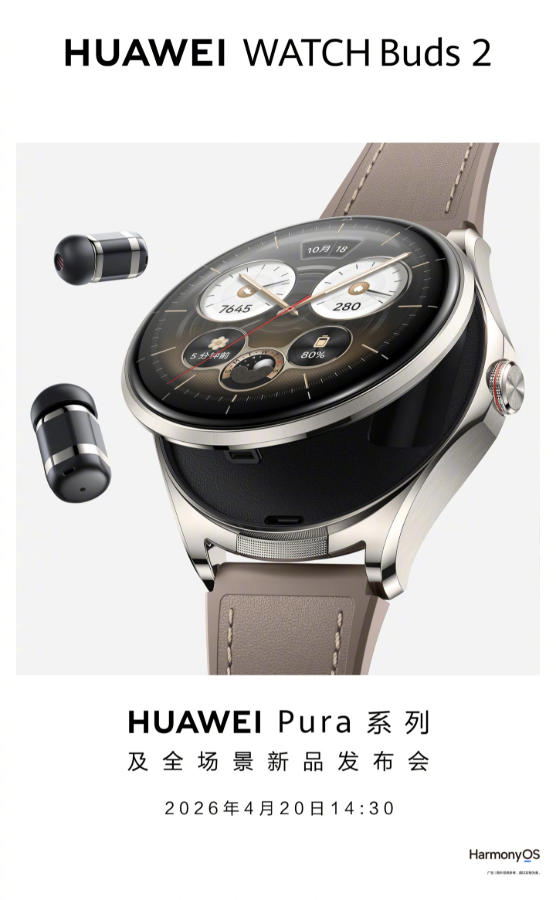
    Huawei showcases the second generation of the most unusual smartwatch on the market. The Watch Buds 2 debuts on April 20, 2026, during the Huawei Pura event and combines a watch with a pair of TWS earbuds hidden under the dial.

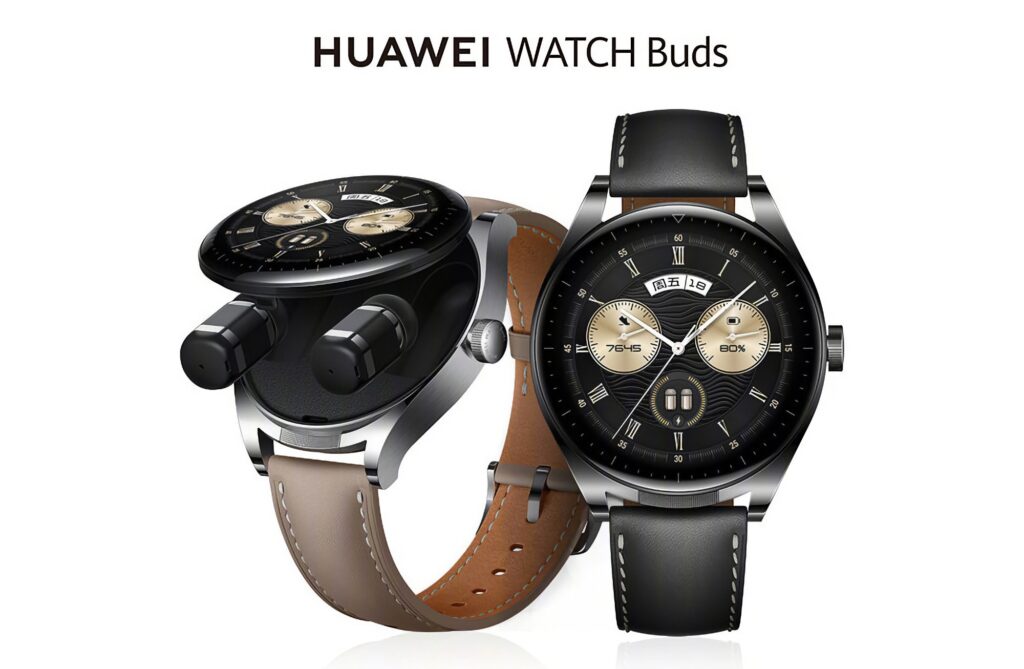
    The Huawei Watch Buds 2 is a smartwatch with built-in wireless earbuds that will have its official premiere on April 20, 2026, during the Huawei Pura event. The device continues the concept from 2022, where a slight press on the dial opens the case, revealing two miniature TWS earbuds with active noise cancellation inside. The second generation is expected to bring a new chip, HarmonyOS NEXT, and a set of AI features.

    The first generation of Watch Buds cost 2299 PLN in Poland and was available in only one color. The version 2 is expected to be lighter, thinner, and equipped with better sound, while also opening up the segment of “hybrid” audio-smart devices. We check everything we already know before the premiere.

    Huawei Watch Buds 2, when the premiere and availability in Poland

    The manufacturer has confirmed the date of the official premiere, April 20, 2026. The presentation will take place as part of the global Huawei event dedicated to the new Pura 80 smartphone series, alongside which the second generation of Watch Buds will also debut. The first generation of Watch Buds reached the European market a few months after its debut in China, so we will likely see the second one in Poland in the second quarter of 2026.

    Global sales are set to begin within four to six weeks of the premiere. The Polish distribution of Huawei usually aligns with the rest of Europe, so June–July 2026 is a realistic availability date for the Watch Buds 2 with Polish retail partners. The first generation was available at Media Expert, x-kom, and the official Huawei store.

    Tip: If you plan to buy the Watch Buds 2 right after the premiere, it’s worth preparing a replacement strap and protective glass for the face, as Huawei only provides them in a package for selected colors. You can find compatible accessories in the watch straps category.
    Specifications of Huawei Watch Buds 2, what we already know

    Huawei has not yet released the full specifications, but leaks and regulatory documents indicate specific changes compared to the first generation. Below we summarize the confirmed and expected parameters.

    ParameterWatch Buds (2022)Watch Buds 2 (2026)
    DisplayAMOLED 1.43″, 466 × 466 pxAMOLED 1.5″, LTPO (expected)
    CaseStainless steel, 47 mmAluminum alloy, ~46 mm (expected)
    Earbuds2× TWS with ANC, IP542× TWS with ANC 2.0 (expected)
    Watch battery lifeUp to 3 daysUp to 5 days (expected)
    Earbud battery~4 hours per charge~5–6 hours (expected)
    Battery capacity410 mAh~450 mAh (expected)
    SystemHarmonyOS 3.0HarmonyOS NEXT 5.0
    GPSDual-band L1 + L5Dual-band L1 + L5
    Health monitoringTruSeen 5.0, SpO2TruSeen 6.0, ECG, blood pressure (expected)
    Watch water resistance5 ATM5 ATM
    ConnectivityBluetooth 5.2, NFCBluetooth 5.4, NFC
    Sport modes80+100+ (expected)
    Launch price (PL)2299 zł~2499–2699 zł (estimate)

    The most important changes concern TWS earbuds. Huawei claims a better driver, second-generation active noise cancellation (ANC 2.0), and support for the LDAC codec, which theoretically will elevate sound quality to the level of separate earbuds costing 400–500 zł. This is crucial for those who consider the Watch Buds a real replacement for a pair of TWS.

    How Huawei Watch Buds 2 works, a watch with hidden earbuds

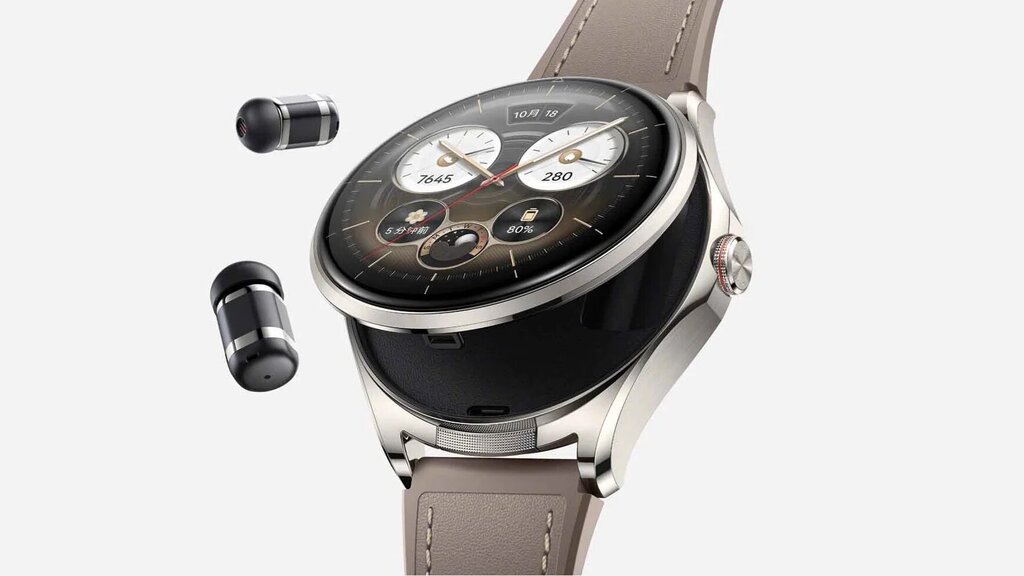
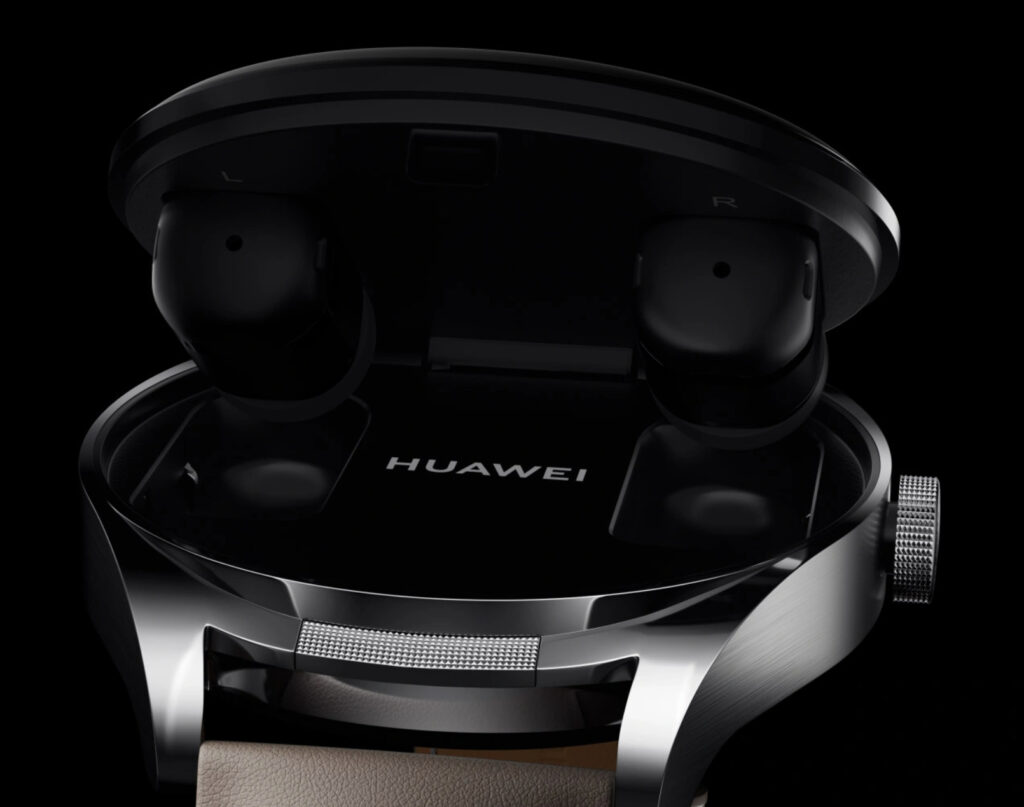
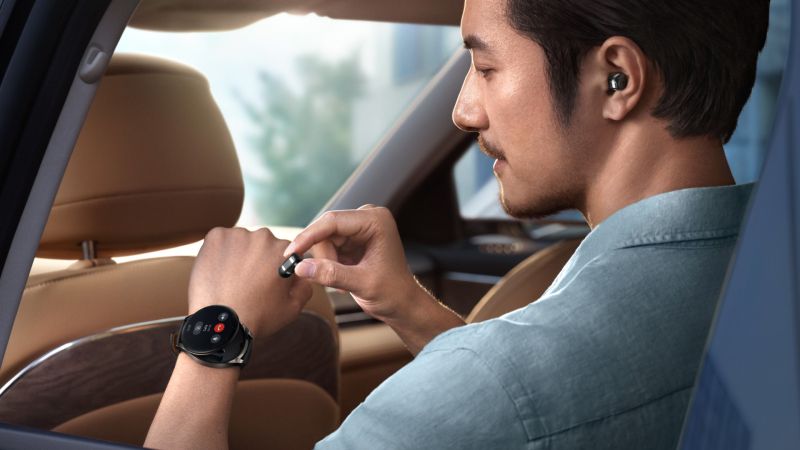
    The mechanism remains the same. The magnetic disc opens under the thumb, revealing two slots with earbuds. The earbuds charge inside the watch, the case functions as both a case and a power bank. When you don’t need music, the watch looks like a classic smartwatch with a round face.

    This concept solves a daily inconvenience: carrying two devices (watch + earbud case) and managing two batteries. Watch Buds 2 integrates one with the other, and after removing the earbuds, the watch still shows notifications, measures heart rate, and tracks steps. In the first generation, the entire cycle of “tap, open, put on earbuds” took about 3 seconds. The new case is expected to be thinner and lighter by about 8 g.

    Note: The earbuds in Watch Buds 2 are the size of bullet-type earbuds (elongated capsules), not classic AirPods. People with small ears should try them on before purchasing; the dimensions of the first generation earbuds are 21.8 × 10.3 × 10.3 mm, and the new version is expected to be comparable.

    AI Features and HarmonyOS NEXT in Watch Buds 2

    The second generation debuts with a new system HarmonyOS NEXT 5.0, which Huawei presents as a separate platform from Android. In practice, this means three significant changes for the user of Watch Buds 2.

    AI Health Coach, a health assistant based on a language model

    The first generation measured parameters but could not interpret them. HarmonyOS NEXT introduces AI Health Coach, an assistant that analyzes pulse, sleep, activity, and suggests specific actions. Noticed poorer sleep quality for three consecutive nights? It will suggest a shorter nap or a change in meal time. This is a local feature, most calculations happen on the watch, without sending data to the cloud.

    Smart headphone modes

    The Watch Buds 2 headphones automatically adapt to the situation. Adaptive ANC recognizes the environment, enhancing noise reduction on the train, switching to transparent mode in the office. During a phone call, the voice isolation system cuts out background noise, which you will appreciate on a busy street or in a café.

    Live conversation translation

    The Watch Buds 2 supports live translation between several languages (including Polish). The feature works in tandem with a Huawei smartphone from the Pura 80 or Mate series, you hear the translation in the headphones, while the conversation partner sees the transcription on the phone screen. This is not a substitute for a translator but assistance in simple situations (shopping, ordering in a restaurant, asking for directions).

    Huawei Watch Buds 2 price, how much will it cost?

    The manufacturer has not yet announced the official price, but based on the first generation and pricing trends in the hybrid wearables segment, we estimate the launch price of the Watch Buds 2 in Poland to be 2499–2699 PLN. For comparison:

    DevicePriceType
    Huawei Watch Buds (1st gen)2299 złSmartwatch + headphones
    Huawei Watch 51999 złFlagship smartwatch
    Huawei Watch GT 61499 złSports smartwatch
    Huawei Watch Ultimate3799 złPremium smartwatch
    Samsung Galaxy Watch 81899 złSmartwatch with Wear OS
    Apple Watch Series 102299 złiOS smartwatch

    Watch Buds 2 is positioned in the premium segment, you are not paying so much for a better smartwatch, but for the convenience of wearing one device instead of two. If you still need a smartwatch and TWS, the total of ~1500 zł (watch) + ~800 zł (ANC headphones) gives 2300 zł. The difference becomes symbolic.

    Want to check the current offer? Also see the full range of accessories for Huawei Watch 5 at homescreen.pl, straps, protective glasses, and screen protectors.

    Watch Buds 2 vs first generation, what has changed

    The first generation had three weak points: short battery life of the headphones (about 4 hours), thick case (14.99 mm), and limited compatibility with iPhone. The second generation addresses all three.

    • Headphone battery, expected 5–6 hours of single use, with the possibility of recharging in the watch for a total of 20 hours of playback
    • Thickness, the casing is thinner by about 1.5 mm thanks to the new magnetic mechanism
    • iOS compatibility, full support for iPhone through the Huawei Health app (notifications, activity tracking, music control)
    • Headphones, ANC 2.0, LDAC support, dual microphone with noise reduction
    • Health, added blood pressure measurement (after calibration with a cuff) and real-time stress analysis
    • Connectivity, Bluetooth 5.4 instead of 5.2, which reduces latency and increases range
    Who is Huawei Watch Buds 2 for

    Watch Buds 2 is not a device for everyone. If you already have a good pair of headphones and a smartwatch, a dual solution will not be better than dedicated devices. However, for three groups of users, it is a great choice.

    People minimizing daily “carrying”, one device instead of two, one battery to keep track of, one charger in the bag. If you often forget your earbud case at home or at work, Watch Buds 2 physically solves that problem.

    Travelers and commuters, quick access to earbuds without taking the case out of the backpack, live translation while traveling, good call quality thanks to two microphones. Additionally, sleep monitoring will be useful on the plane.

    Huawei ecosystem enthusiasts, if you have a Huawei Pura 80 smartphone or one from the Mate series, integration with HarmonyOS NEXT works smoothly. For iPhone and Android users from other manufacturers, functionality is reduced by 15–20%.

    Our choice: We recommend Watch Buds 2 to those for whom the convenience of “one device” outweighs maximum sound quality and separate watch functions.

    Alternatives to Huawei Watch Buds 2

    If the concept of a hybrid device doesn’t convince you, it’s worth considering three classic combinations:

    Smartwatch + separate TWS earbuds (budget). Huawei Watch GT 5 (999 zł) plus any pair of TWS earbuds (300–500 zł) will provide similar functions for less money. Minus: two devices to charge and carry.

    Apple Watch + AirPods Pro 3. For iPhone users, this is probably the best combination, with full integration with iOS, dictation, Handoff, and Apple Music. The total cost is around 3400 PLN, but you get two separate devices that are the best in their categories. Matching accessories: Apple Watch bands and AirPods Pro 3.

    Samsung Galaxy Watch 8 + Galaxy Buds 4 Pro. For Android and Samsung users, the Galaxy ecosystem offers seamless integration. Total cost: around 2800 PLN. At homescreen.pl, you will find a full selection of cases for Galaxy Watch 8 and Galaxy Buds 4 headphones.

    What Will Be Missing in Watch Buds 2

    The full specifications are not yet available, but knowing Huawei’s strategy from previous generations, three areas can be pointed out where Watch Buds 2 will likely not match the competition.

    • Google Pay / Apple Pay, HarmonyOS supports Huawei Pay, but in Poland, integration with banks is limited (only selected cards work)
    • App Store, AppGallery does not match Google Play or the App Store, lacking popular fitness apps (Strava, AllTrails)
    • GPS Support for Advanced Sports, despite dual-band L1+L5, the watch does not offer as precise analytics as Garmin or dedicated sports watches

    If your main goal is professional workout tracking, the Huawei Watch Ultimate or the Garmin series are a better choice. The Watch Buds 2 are more of a versatile everyday tool than specialized sports equipment.

    Summary, is it worth waiting for the Huawei Watch Buds 2

    The Huawei Watch Buds 2 is not a device for everyone, but it has no competition in its niche. The second generation fixes the weak points of its predecessor (battery, thickness, ANC) and adds HarmonyOS NEXT with AI features. Premiere on April 20, 2026, availability in Poland expected in June–July 2026, estimated price 2499–2699 PLN.

    If you care about having one device instead of two and live in the Huawei ecosystem, wait and buy. If you are an iPhone user or an Android user from another manufacturer, consider whether the lost integration functionality is worth the convenience. And if you already have a good smartwatch and headphones, there’s no reason to change.
    FAQ, frequently asked questions about Watch Buds 2

    When is the premiere of Huawei Watch Buds 2?

    Huawei Watch Buds 2 will officially debut on April 20, 2026 during the global event accompanying the launch of the Huawei Pura 80 series. Availability in Poland is expected in the second quarter of 2026, with the most likely months being June and July.

    How much will Huawei Watch Buds 2 cost?

    Huawei has not yet announced an official price. We estimate it to be 2499–2699 PLN, based on the price of the first generation (2299 PLN) and expected improvements. The first generation cost 2299 PLN, so the new model will likely increase in price by 10–15%.

    What headphones are in the Watch Buds 2?

    The watch hides two bullet-type TWS earbuds (elongated capsules) with second-generation active noise cancellation (ANC 2.0). The expected battery life on a single charge is 5–6 hours, and the watch case charges them for a total of 20 hours of playback.

    How does Watch Buds 2 differ from the first generation?

    The main changes are: a thinner case (about 1.5 mm), longer battery life for the earbuds (5–6 hours instead of 4 hours), the HarmonyOS NEXT 5.0 system with AI Health Coach, Bluetooth 5.4, LDAC codec, blood pressure measurement, and full iPhone support. The price will increase by about 200–400 PLN.

    Do the earbuds in the Watch Buds 2 sound like separate AirPods?

    According to the specifications and initial leaks, yes. Support for the LDAC codec, larger drivers, and ANC 2.0 are expected to provide sound quality comparable to TWS earbuds in the 400–600 PLN segment. The first generation reached the level of around 250 PLN earbuds.

    Where to buy accessories for the Watch Buds 2?

    Replacement straps, protective glass for the dial, and films can be found at the homescreen.pl store, with the categories Huawei Watch 5 and watch straps offering compatible accessories for most Huawei models. For the Watch Buds 2, the first products will appear after the premiere.
  • Huawei Watch Buds 2: premiere, specifications, and price of the smartwatch with headphones

    Huawei Watch Buds 2: premiere, specifications, and price of the smartwatch with headphones

    Huawei showcases the second generation of the most unusual smartwatch on the market. The Watch Buds 2 debuts on April 20, 2026, during the Huawei Pura event, combining a watch with a pair of TWS headphones hidden under the dial.

    The Huawei Watch Buds 2 is a smartwatch with built-in wireless headphones, which will have its official premiere on April 20, 2026, during the Huawei Pura event. The device continues the concept from 2022, opening the case with a light press on the dial, revealing two miniature TWS headphones with active noise cancellation inside. The second generation is expected to bring a new chip, HarmonyOS NEXT, and a set of AI features.

    The first generation of Watch Buds cost 2299 PLN in Poland and was available in only one color. The version 2 is expected to be lighter, thinner, and equipped with better sound, while also opening the segment of “hybrid” audio-smart devices. We check everything we already know before the premiere.

    Huawei Watch Buds 2, when is the premiere and availability in Poland

    The manufacturer has confirmed the date of the official premiere, April 20, 2026. The presentation will take place as part of the global event dedicated to the new Pura 80 smartphone series by Huawei, alongside which the second generation of Watch Buds will also debut. The first generation of Watch Buds reached the European market a few months after its debut in China, so we will likely see the second one in Poland in the second quarter of 2026.

    Global sales are expected to start within four to six weeks after the premiere. The Polish distribution of Huawei usually joins the rest of Europe, so June–July 2026 is a realistic availability date for the Watch Buds 2 with Polish trading partners. The first generation was available at Media Expert, x-kom, and the official Huawei store, among others.

    Tip: If you plan to buy the Watch Buds 2 right after the premiere, it’s worth preparing a replacement strap and protective glass for the dial, as Huawei provides them in the package only for selected colors. Compatible accessories can be found in the category watch straps.

    Specifications of Huawei Watch Buds 2, what we already know

    Huawei has not yet released the full specifications, but leaks and regulatory documents indicate specific changes compared to the first generation. Below we summarize the confirmed and expected parameters.

    ParameterWatch Buds (2022)Watch Buds 2 (2026)
    DisplayAMOLED 1.43″, 466 × 466 pxAMOLED 1.5″, LTPO (expected)
    CaseStainless steel, 47 mmAluminum alloy, ~46 mm (expected)
    Earbuds2× TWS with ANC, IP542× TWS with ANC 2.0 (expected)
    Watch battery lifeUp to 3 daysUp to 5 days (expected)
    Earbud battery~4 hours per charge~5–6 hours (expected)
    Battery capacity410 mAh~450 mAh (expected)
    SystemHarmonyOS 3.0HarmonyOS NEXT 5.0
    GPSDual-band L1 + L5Dual-band L1 + L5
    Health monitoringTruSeen 5.0, SpO2TruSeen 6.0, EKG, blood pressure (expected)
    Watch water resistance5 ATM5 ATM
    ConnectivityBluetooth 5.2, NFCBluetooth 5.4, NFC
    Sport modes80+100+ (expected)
    Launch price (PL)2299 zł~2499–2699 zł (estimate)

    The most important changes concern TWS earbuds. Huawei claims a better driver, second-generation active noise cancellation (ANC 2.0), and support for the LDAC codec, which theoretically will elevate sound quality to the level of separate earbuds costing 400–500 zł. This is crucial for those who consider the Watch Buds a real replacement for a pair of TWS.

    How Huawei Watch Buds 2 works, a watch with hidden earbuds

    The mechanism remains the same. The magnetic disc opens under the thumb, revealing two slots with earbuds. The earbuds charge inside the watch, the case serves as both a case and a power bank. When you don’t need music, the watch looks like a classic smartwatch with a round face.

    This concept solves a daily inconvenience: carrying two devices (watch + earbud case) and managing two batteries. Watch Buds 2 integrates one with the other, and after removing the earbuds, the watch still shows notifications, measures heart rate, and tracks steps. In the first generation, the entire cycle of “tap, open, put on earbuds” took about 3 seconds. The new case is supposed to be thinner and lighter by about 8 g.

    Note: The earbuds in Watch Buds 2 are the size of bullet-type earbuds (elongated capsules), not classic AirPods. People with small ears should try them on before purchasing; the dimensions of the first generation earbuds are 21.8 × 10.3 × 10.3 mm, and the new version is expected to be comparable.

    AI Features and HarmonyOS NEXT in Watch Buds 2

    The second generation debuts with the new system HarmonyOS NEXT 5.0, which Huawei presents as a separate platform from Android. In practice, this means three significant changes for the user of Watch Buds 2.

    AI Health Coach, a health assistant based on a language model

    The first generation measured parameters but could not interpret them. HarmonyOS NEXT introduces AI Health Coach, an assistant that analyzes pulse, sleep, activity, and suggests specific actions. Noticed worse sleep quality for three nights in a row? It will suggest a shorter nap or a change in meal time. This is a local feature, most calculations happen on the watch, without sending data to the cloud.

    Smart headphone modes

    The Watch Buds 2 headphones automatically adjust to the situation. Adaptive ANC recognizes the environment, enhancing noise reduction on the train, switching to transparent mode in the office. During a phone call, the voice isolation system cuts out background noise, which you will appreciate on a busy street or in a café.

    Live conversation translation

    The Watch Buds 2 supports live translation between several languages (including Polish). The feature works in tandem with a Huawei smartphone from the Pura 80 or Mate series, you hear the translation in the headphones, while the conversation partner sees the transcription on the phone screen. This is not a substitute for a translator but a help in simple situations (shopping, ordering in a restaurant, asking for directions).

    Huawei Watch Buds 2 price, how much will it cost?

    The manufacturer has not yet provided an official price, but based on the first generation and price trends in the hybrid wearables segment, we estimate the launch price of the Watch Buds 2 in Poland to be 2499–2699 PLN. For comparison:

    DevicePriceType
    Huawei Watch Buds (1st gen)2299 PLNSmartwatch + headphones
    Huawei Watch 51999 PLNFlagship smartwatch
    Huawei Watch GT 61499 PLNSport smartwatch
    Huawei Watch Ultimate3799 PLNPremium smartwatch
    Samsung Galaxy Watch 81899 PLNSmartwatch with Wear OS
    Apple Watch Series 102299 PLNiOS smartwatch

    Watch Buds 2 is positioned in the premium segment, you are not just paying for a better smartwatch, but for the convenience of wearing one device instead of two. If you still need a smartwatch and TWS, the sum of ~1500 PLN (watch) + ~800 PLN (ANC headphones) totals 2300 PLN. The difference becomes symbolic.

    Want to check the current offer? Also see the full range of accessories for Huawei Watch 5 at homescreen.pl, straps, protective glasses, and screen protectors.

    Watch Buds 2 vs first generation, what has changed

    The first generation had three weak points: short battery life of the headphones (about 4 hours), thick case (14.99 mm), and limited compatibility with iPhone. The second generation addresses all three.

    • Headphone battery, expected 5–6 hours of single use, with the possibility of recharging in the watch for a total of 20 hours of playback
    • Thickness, the casing is thinner by about 1.5 mm thanks to the new magnetic mechanism
    • iOS compatibility, full support for iPhone through the Huawei Health app (notifications, activity tracking, music control)
    • Headphones, ANC 2.0, LDAC support, dual microphone with noise reduction
    • Health, added blood pressure measurement (after calibration with a cuff) and real-time stress analysis
    • Connectivity, Bluetooth 5.4 instead of 5.2, which reduces latency and increases range

    Who is Huawei Watch Buds 2 for

    Watch Buds 2 is not a device for everyone. If you already have a good pair of headphones and a smartwatch, a dual solution will not be better than dedicated devices. However, for three groups of users, it is a great choice.

    People minimizing daily “carrying”, one device instead of two, one battery to keep track of, one charger in the bag. If you forget your headphone case at home or work every day, Watch Buds 2 physically solves that problem.

    Travelers and commuters, quick access to headphones without taking the case out of the backpack, live translation while traveling, good call quality thanks to two microphones. Additionally, sleep monitoring will be useful on the plane.

    Huawei ecosystem enthusiasts, if you have a Huawei Pura 80 smartphone or one from the Mate series, integration with HarmonyOS NEXT works smoothly. For iPhone and Android users from other manufacturers, functionality is reduced by 15–20%.

    Our choice: We recommend Watch Buds 2 to those for whom the convenience of “one device” outweighs maximum sound quality and separate watch functions.

    Alternatives to Huawei Watch Buds 2

    If the concept of a hybrid device doesn’t convince you, it’s worth considering three classic combinations:

    Smartwatch + separate TWS headphones (budget). Huawei Watch GT 5 (999 PLN) plus any pair of TWS headphones (300–500 PLN) will provide similar functions for less money. Minus: two devices to charge and carry.

    Apple Watch + AirPods Pro 3. For iPhone users, this is probably the best combination, with full integration with iOS, dictation, Handoff, and Apple Music. The total cost is around 3400 PLN, but you get two separate devices that are the best in their categories. Matching accessories: Apple Watch bands and AirPods Pro 3.

    Samsung Galaxy Watch 8 + Galaxy Buds 4 Pro. For Android and Samsung users, the Galaxy ecosystem offers seamless integration. Total cost: around 2800 PLN. On homescreen.pl you will find a full selection of cases for Galaxy Watch 8 and Galaxy Buds 4 headphones.

    What Will Be Missing in Watch Buds 2

    The full specification is not yet available, but knowing Huawei’s strategy from previous generations, three areas can be identified where Watch Buds 2 will likely not match the competition.

    • Google Pay / Apple Pay, HarmonyOS supports Huawei Pay, but in Poland, integration with banks is limited (only selected cards work)
    • App Store, AppGallery does not match Google Play or the App Store, lacking popular fitness apps (Strava, AllTrails)
    • GPS Support for Advanced Sports, despite dual-band L1+L5, the watch does not offer as precise analytics as Garmin or dedicated sports watches

    If your main goal is professional training tracking, the Huawei Watch Ultimate or the Garmin series are a better choice. The Watch Buds 2 is more of a versatile everyday tool than specialized sports equipment.

    Summary, it’s worth waiting for Huawei Watch Buds 2

    The Huawei Watch Buds 2 is not a device for everyone, but it has no competition in its niche. The second generation fixes the weak points of its predecessor (battery, thickness, ANC) and adds HarmonyOS NEXT with AI features. Launch on April 20, 2026, availability in Poland expected in June–July 2026, estimated price 2499–2699 PLN.

    If you value having one device instead of two and live in the Huawei ecosystem, wait and buy. If you are an iPhone user or an Android user from another manufacturer, consider whether the lost integration functionality is worth the convenience. And if you already have a good smartwatch and headphones, there is no reason to change.

    FAQ, frequently asked questions about Watch Buds 2

    When is the launch of Huawei Watch Buds 2?

    The Huawei Watch Buds 2 will officially debut on April 20, 2026 during the global event accompanying the launch of the Huawei Pura 80 series. Availability in Poland is expected in the second quarter of 2026, with June and July being the most likely months.

    How much will the Huawei Watch Buds 2 cost?

    Huawei has not yet announced an official price. We estimate it to be 2499–2699 PLN, based on the price of the first generation (2299 PLN) and expected improvements. The first generation cost 2299 PLN, so the new model will likely increase in price by 10–15%.

    What headphones are in the Watch Buds 2?

    The watch hides two bullet-type TWS earbuds (elongated capsules) with second-generation active noise cancellation (ANC 2.0). The expected battery life on a single charge is 5–6 hours, and the watch case charges them for a total of 20 hours of playback.

    How does the Watch Buds 2 differ from the first generation?

    The main changes are: a thinner case (about 1.5 mm), longer battery life for the earbuds (5–6 hours instead of 4 hours), the HarmonyOS NEXT 5.0 system with AI Health Coach, Bluetooth 5.4, LDAC codec, blood pressure measurement, and full iPhone support. The price will increase by about 200–400 PLN.

    Do the headphones in the Watch Buds 2 sound like separate AirPods?

    According to specifications and initial leaks, yes. Support for the LDAC codec, larger drivers, and ANC 2.0 are expected to provide sound quality comparable to TWS headphones in the 400–600 PLN segment. The first generation reached the level of about 250 PLN headphones.

    Where to buy accessories for Watch Buds 2?

    Replacement straps, protective glass for the dial, and films can be found at homescreen.pl, the categories Huawei Watch 5 and watch straps offer compatible accessories for most Huawei models. For Watch Buds 2, the first products will appear after the premiere.
  • Vivo X300 Ultra vs Xiaomi 17 Ultra – comparison of photographic flagships

    Vivo X300 Ultra vs Xiaomi 17 Ultra – comparison of photographic flagships

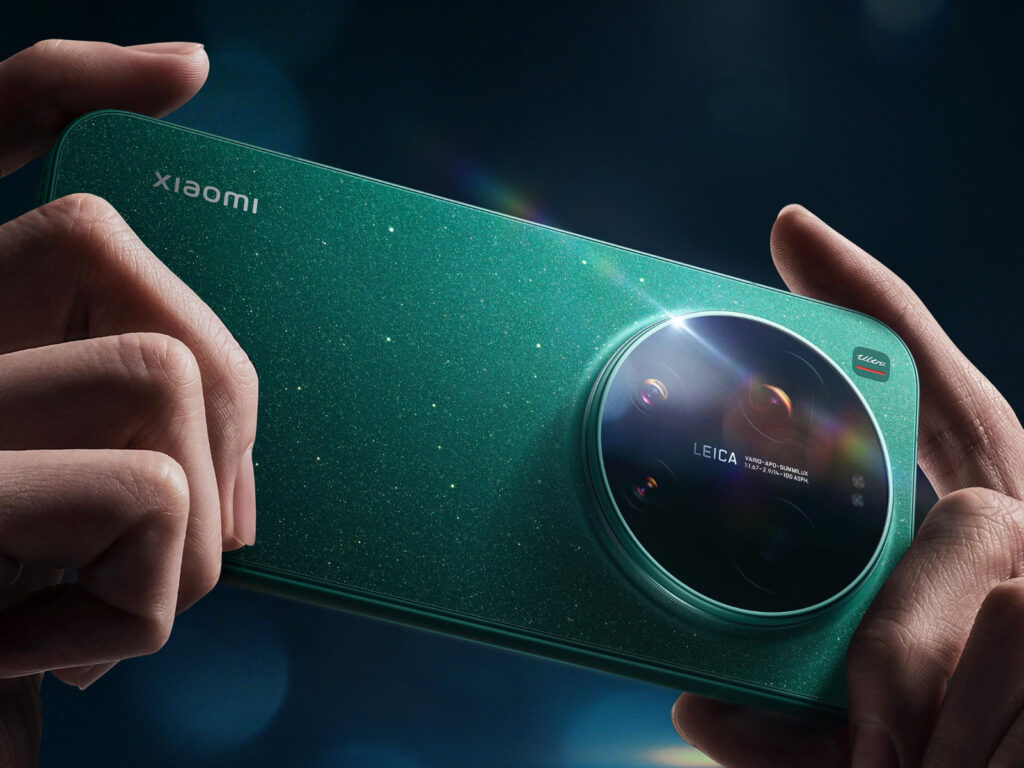
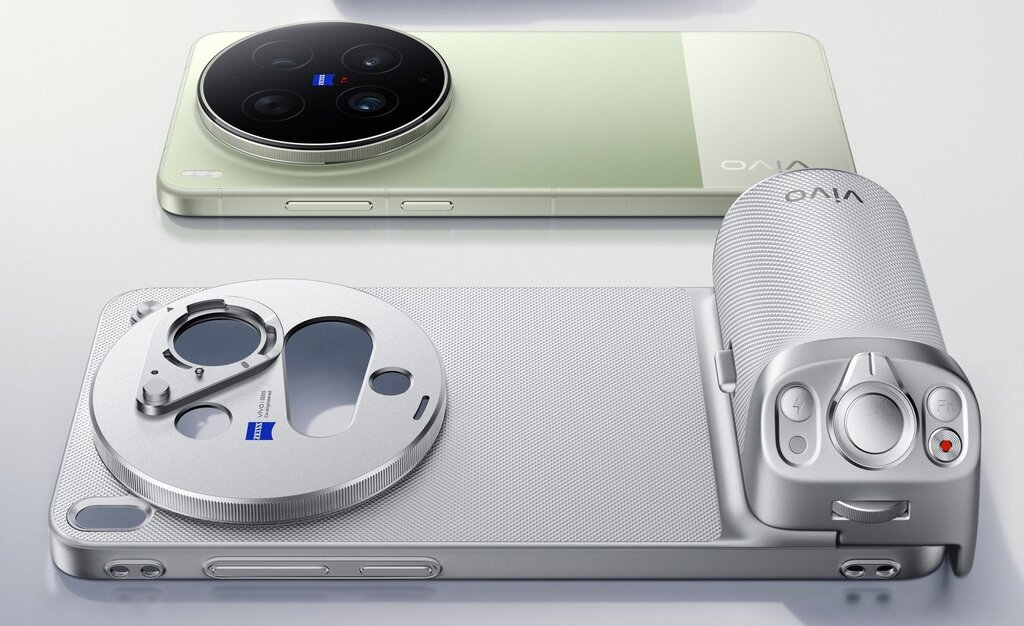
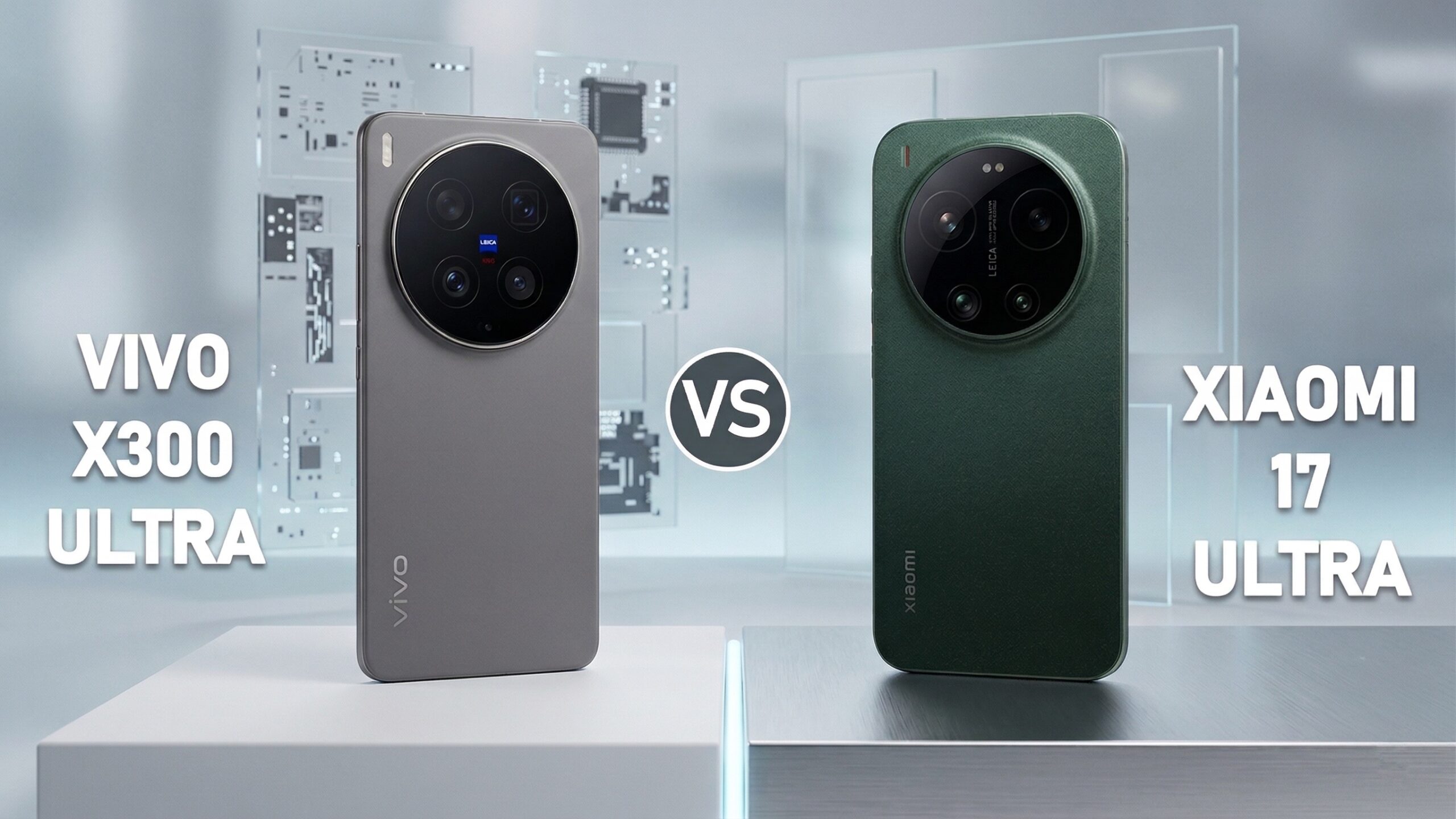
    Vivo X300 Ultra has a dual 200 MP setup with ZEISS optics and a 400 mm teleconverter, while the Xiaomi 17 Ultra features a 1-inch Leica sensor with a mechanical zoom of 75-100 mm. Both phones target photographers, but the philosophy of each is completely different — Vivo focuses on raw power and zoom range, while Xiaomi emphasizes the atmosphere of photos and hardware HDR. Which one better replaces a compact camera? If you’re looking for the best photography smartphone of 2026, the choice comes down to these two models.

    Vivo X300 Ultra went on European pre-sale on April 16, 2026, while the Xiaomi 17 Ultra has been available since the end of February. They are direct competitors in the ultra-premium segment, united by one ambition: to replace a compact camera. However, they differ in philosophy, optics, and price.

    Specifications Vivo X300 Ultra vs Xiaomi 17 Ultra

    ParameterVivo X300 UltraXiaomi 17 Ultra
    PremiereApril 2026 (Europe)February 2026 (globally)
    Screen6.82″ LTPO AMOLED, 2K (1440×3168), 144 Hz, ZEISS Master Color6.9″ OLED Xiaomi HyperRGB, 2608×1200, 120 Hz LTPO, 300 Hz touch, 12-bit
    Peak brightness4500 nits (declared)3500 nits
    Screen protectionArmor GlassXiaomi Shield Glass 3.0
    ProcessorSnapdragon 8 Elite Gen 5 (3 nm)Snapdragon 8 Elite Gen 5 (3 nm)
    RAM12/16 GB LPDDR5X16 GB LPDDR5X
    Storage256/512 GB/1 TB UFS 4.1512 GB/1 TB UFS 4.1
    Main camera200 MP Sony LYT-901 (1/1.12″), f/1.85, OIS gimbal, ZEISS T*50 MP Light Fusion 1050L (1″), f/1.67, OIS, LOFIC HDR
    Telephoto200 MP Samsung HP0 (1/1.4″), f/2.3, 85 mm, 3.7× periscope, ZEISS APO200 MP Samsung HPE (1/1.4″), f/2.39-2.96, 75-100 mm mechanical zoom, OIS
    Ultrawide50 MP Sony LYTIA 818 (1/1.28″), f/2.0, 116°, OIS50 MP Samsung JN5 (1/2.75″), f/2.2, 14 mm, 115°
    Multispectral sensor5 MP VCS 3rd generationnone
    Selfie50 MP, f/2.5, AF50 MP OV50M, f/2.2, AF, 21 mm, 90°
    Video8K/30, 4K/120 10-bit Log, Dolby Vision, APV 4228K/30, 4K/120 Log, ACES, Dolby Vision, slow-mo 1080p/1920 fps
    Battery6600/7000 mAh (silicon-carbon)6000 mAh (global version)
    Wired charging100 W90 W (~43 min)
    Wireless charging40 W + reverse charging50 W
    Reverse chargingyes (wireless)yes (22.5 W wired)
    Dimensions8.19 mm thickness162.9 × 77.6 × 8.29 mm
    Weight232-237 g (depending on color)218.4 g (Black/White) / 219 g (Green)
    Water resistanceIP68/IP69IP68
    Bluetooth5.46.0
    Wi-FiWi-Fi 7Wi-Fi 7 (tri-band, Wi-Fi 6e)
    NFCyesyes
    Infrared port (IR)yesyes
    USBType-C 3.2, DisplayPortType-C 3.2 Gen 2, DisplayPort
    SIMdual nano-SIMnano+nano or nano+eSIM or eSIM+eSIM
    Fingerprint readerultrasonic, under the screenultrasonic, under the screen
    Speakersstereo, Hi-Resstereo, Hi-Res
    SystemAndroid 16, OriginOS 6Android 16, HyperOS 3
    DxOMarknot yet rated166 points (#6 globally)
    Satellite connectivityyes (1 TB version)none
    Colorsblack, silver, greenblack, white, green (Starlit Green)
    Price fromapprox. 7999 PLN for the 16 GB/1 TB variantapprox. 6499

    The full specifications of both phones can also be compared on GSMArena. Looking for accessories for your new flagship? Check out cases and glass for Xiaomi 17 Ultra and accessories for Vivo X phones at Home Screen.

    Camera Vivo X300 Ultra vs Xiaomi 17 Ultra — who takes better photos?

    This is where the real fun begins — the camera of the Vivo X300 Ultra and the camera of the Xiaomi 17 Ultra approach mobile photography from completely different angles.

    Camera Philosophy

    Vivo X300 Ultra is a “technologist” — it focuses on raw specification power. The dual 200 MP sensor (main Sony LYT-901, f/1.85 + telephoto Samsung HP0, f/2.3) provides a vast area for framing and digital zooming. OIS stabilization at gimbal level and ZEISS T* certification on the main lens are parameters rarely found in smartphones. Additionally, the ultra-wide lens with a large Sony LYTIA 818 sensor (1/1.28″) — significantly larger than the competition.

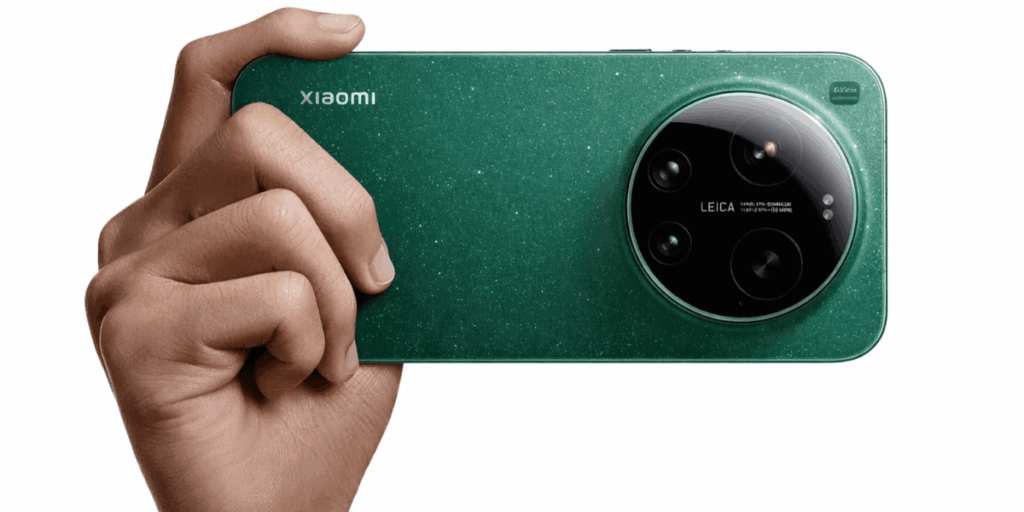
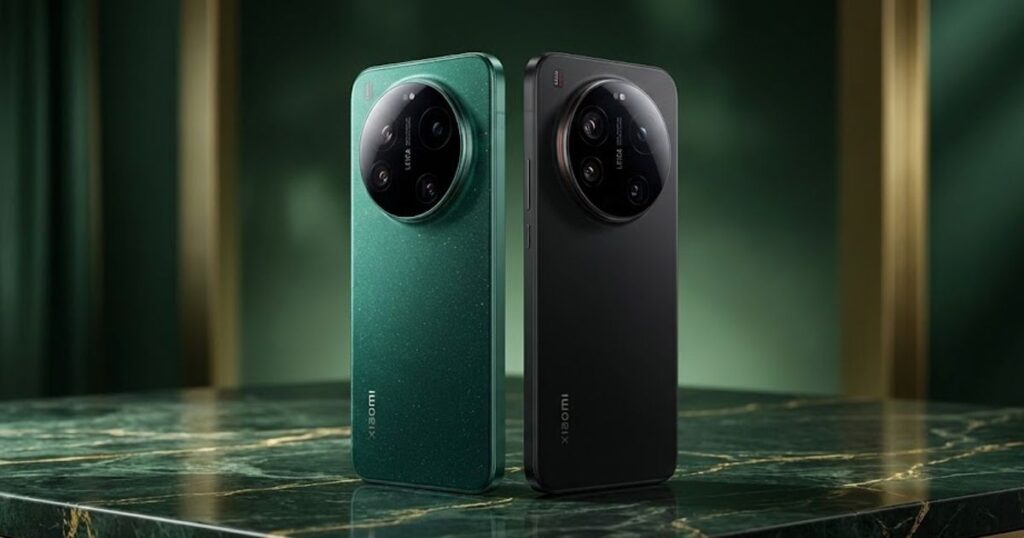
    Xiaomi 17 Ultra is an “artist” — a 1-inch main sensor with LOFIC technology (hardware HDR without frame merging) and a mechanical optical zoom of 75-100 mm are solutions known from professional cameras. Collaboration with Leica translates into characteristic color reproduction and emulation of Leica M9 films.
    Daytime photo quality

    In good lighting, Vivo X300 Ultra produces more neutral, true-to-life colors. Photos from the 200 MP sensor have an enormous amount of detail — when cropped to a smaller resolution, the effect is incredibly sharp.

    Xiaomi 17 Ultra with a 1-inch sensor captures more light and creates more natural background blur (bokeh). Colors in Leica Vibrant mode are warmer and more saturated, while in Leica Authentic mode — more faithful, with the characteristic “leica look”.

    Draw. Vivo wins in detail and resolution, Xiaomi — in atmosphere and color reproduction. The choice depends on the photography style.

    Night mode photos

    Here, Xiaomi 17 Ultra has a clear advantage. The 1-inch sensor with LOFIC technology processes exposure information at the hardware level, resulting in more balanced night photos without the typical artifacts from merging multiple frames.

    Vivo X300 Ultra performs well thanks to CIPA 7.0 stabilization, which allows for longer exposure times without blur. In practice, both phones deliver great results at night, but Xiaomi retains more detail in shadows and better controls noise.

    Xiaomi 17 Ultra wins — the LOFIC sensor is a real advantage in low light.

    Zoom and telephoto lens

    This is the key difference between the two phones.

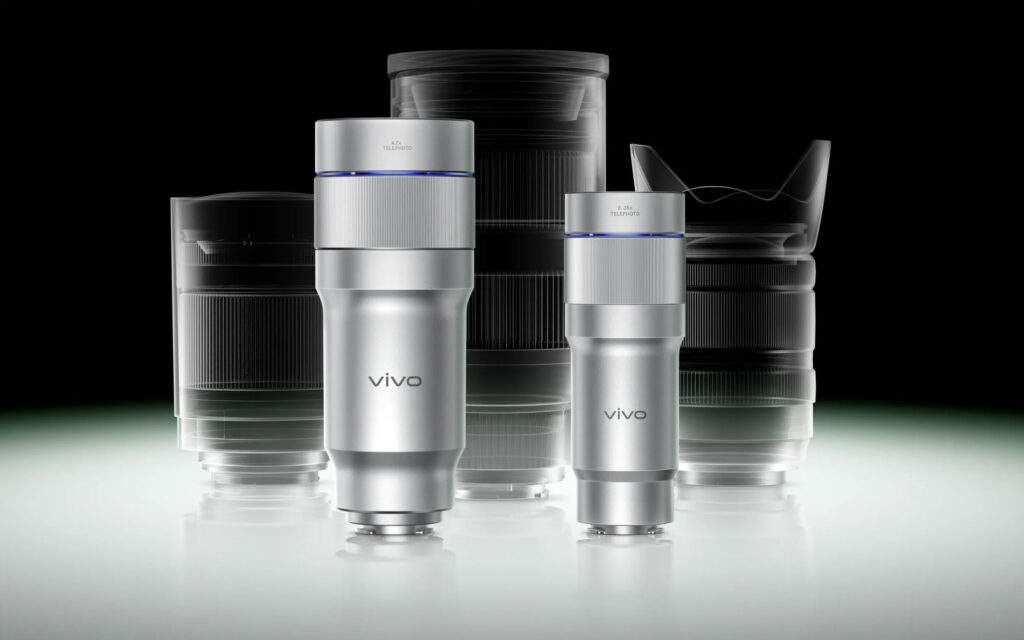
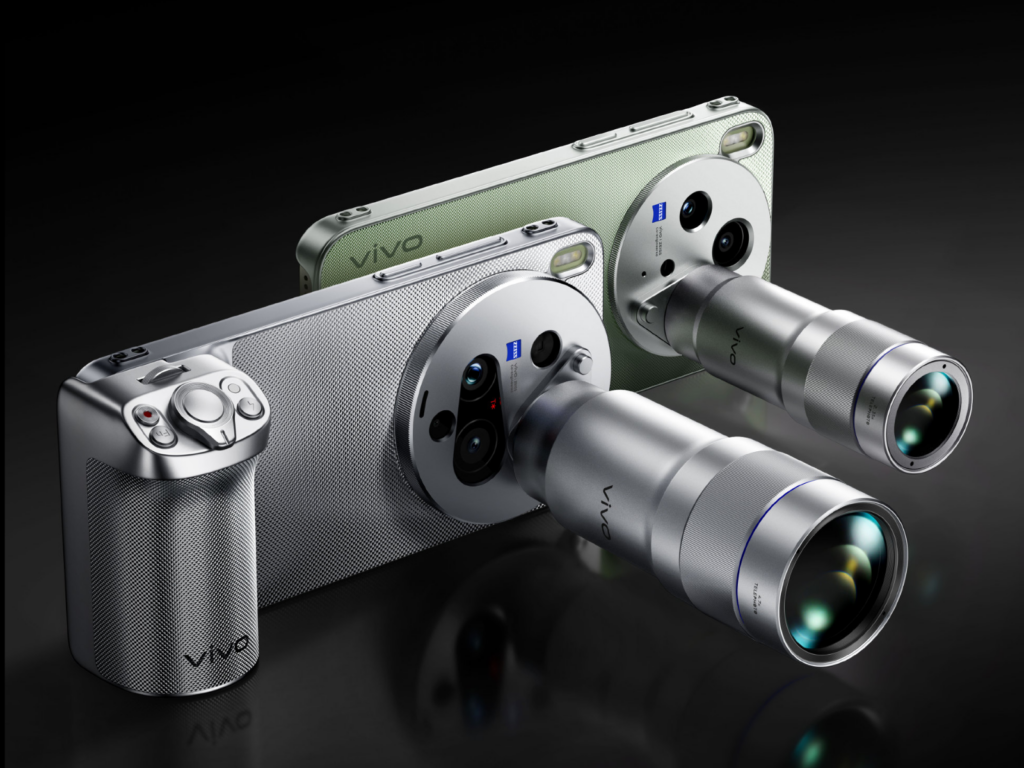
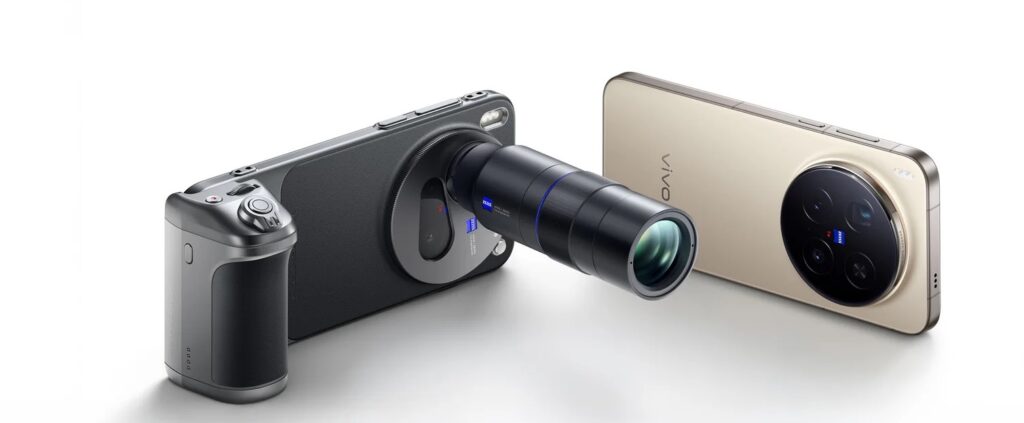
    Vivo X300 Ultra offers a 200 MP telephoto lens with a focal length of 85 mm (3.7× optical zoom). Additionally, there is an optional ZEISS 400 mm G2 Ultra teleconverter that provides up to 17.4× optical zoom at full 200 MP resolution. This is a record among smartphones.

    Xiaomi 17 Ultra has a 200 MP telephoto lens with mechanical optical zoom of 75-100 mm (3.2-4.3×). This is the first such solution in a smartphone — a moving optical element provides true optical zoom without quality loss across the entire focal length range.

    At 3-5× zoom, Xiaomi delivers sharper images because it uses optical zoom without digital cropping. Above 5×, Vivo takes the lead — with the teleconverter, it achieves ranges unavailable to any other smartphone.

    Vivo wins in range, Xiaomi — in photo quality in the popular 3-5× range. The ZEISS teleconverter is a powerful accessory, but you buy it separately.

    If you plan to record professional video on your smartphone, a tripod or gimbal for your phone. will also be useful.

    Ultrawide

    Both phones have 50 MP ultrawide lenses with similar fields of view (~116°), but the Vivo X300 Ultra has a huge advantage with its Sony LYTIA 818 sensor measuring 1/1.28″ — that’s more than twice the size of the Samsung JN5 (1/2.75″) in the Xiaomi. Additionally, the ultrawide Vivo has its own OIS stabilization.

    In practice, the Vivo X300 Ultra should provide significantly better ultrawide photos, especially in low light, thanks to the larger sensor and stabilization.

    The Vivo X300 Ultra wins — the 1/1.28″ sensor with OIS is in a completely different league than the 1/2.75″ without stabilization.

    Video

    Both phones record in 8K/30 fps, 4K/120 fps Log with support for ACES and Dolby Vision — this is currently the absolute top of smartphone video. The differences lie in the details:

    Vivo X300 Ultra:
    4K/120 fps 10-bit Vivo Log on all lenses (main, tele, ultra-wide)
    – Encoding APV 422 (more efficient format than H.265)
    – Dolby Vision HDR, 8K/30 fps

    Xiaomi 17 Ultra:
    4K/120 fps Log with support for ACES (Academy Color Encoding System)
    – Super slow-motion 1080p up to 1920 fps
    – Leica film modes (warm color reproduction)
    – ShootSteady recording up to 2.8K/60 fps (advanced stabilization)
    – Dolby Vision HDR, 8K/30 fps

    Both of these machines offer professional video tools — Log, ACES, and 4K/120. The key advantage of Vivo is 10-bit Log on every lens (not just the main one) and APV 422 encoding. Xiaomi, on the other hand, offers super slow-motion 1080p/1920 fps and ShootSteady stabilization — perfect for dynamic shots in motion.

    Tie in video — both phones are professional filmmaking tools. Vivo has better encoding (APV 422) and Log on all lenses, Xiaomi has better slow-motion and stabilization. For stable video recording in motion, a selfie stick with tripod function will also come in handy.

    Screen — does 2K resolution make a difference?

    ParameterVivo X300 UltraXiaomi 17 Ultra
    Diagonal6.82″ LTPO AMOLED6.9″ OLED Xiaomi HyperRGB
    Resolution1440 × 3168 (2K)2608 × 1200, 12-bit
    Refresh Rate144 Hz120 Hz LTPO
    Peak Brightness4500 nits (claimed)3500 nits
    CalibrationZEISS Master ColorDCI-P3, TUV Rheinland
    ProtectionArmor GlassXiaomi Shield Glass 3.0

    Vivo leads in all screen parameters — 2K versus FHD+, 144 Hz versus 120 Hz, and 4500 nits peak brightness (claimed) versus 3500 nits from Xiaomi. ZEISS Master Color calibration is an additional bonus for photographers who want to evaluate photos directly on the phone’s screen.

    Xiaomi counters with adaptive LTPO refresh rate, which saves battery by lowering the frequency to 1 Hz when sufficient. The Xiaomi screen offers 12-bit color depth and TÜV Rheinland certifications (Low Blue Light, Flicker Free).

    Vivo wins with the screen — higher resolution, faster refresh rate, and a brighter panel. Xiaomi counters with better color depth (12-bit) and eye protection certifications.

    Battery and charging — Vivo X300 Ultra vs Xiaomi 17 Ultra

    ParameterVivo X300 UltraXiaomi 17 Ultra
    Capacity6600/7000 mAh (silicon-carbon)6000 mAh
    Wired charging100 W90 W (~43 min)
    Wireless charging40 W + reverse charging50 W
    Reverse chargingyes (wireless)yes (10 W wireless, 22.5 W wired)
    Battery life80% after 1200 cyclesno data

    The Vivo X300 Ultra has a significantly larger battery — 6600 or even 7000 mAh (depending on the variant) with a silicon-carbon cell, compared to 6000 mAh in the Xiaomi 17 Ultra. Faster wired charging (100 W vs 90 W) is an additional advantage. In tests, EPREL reported that Vivo achieved about 57 hours of operation, placing it among the top smartphones. Both phones support reverse charging — you can charge headphones, a watch, or even a second phone with them.

    The Xiaomi 17 Ultra has better wireless charging (50 W vs 40 W) and stronger wired reverse charging (22.5 W). In everyday use, both phones easily last a full day of intensive photography.

    Vivo wins in battery capacity (even 1000 mAh more), Xiaomi in wireless and reverse charging.

    Planning to take a flagship on a longer trip? Check out smartphone power banks and wall chargers to ensure the battery doesn’t die at a crucial moment.

    Build, weight, and water resistance

    You will take both phones in your hand and feel the difference — Xiaomi is about 13-19 g lighter. With similar dimensions (~163 × 77 × 8.2-8.3 mm), every gram matters during long photo sessions.

    Vivo X300 Ultra has IP68 and IP69 certifications — it can withstand immersion in water and a stream of hot water under pressure. Xiaomi 17 Ultra has an IP68 certification (immersion up to 6 m for 30 minutes). Taking photos in the rain or by the water is not a problem for either of them.

    Xiaomi 17 Ultra weighs 218.4 g (Black/White) or 219 g (Starlit Green). Available in three colors: black, white, and green. Both phones have an infrared emitter (IR blaster) to control home appliances.

    Vivo X300 Ultra weighs 232-237 g (the black is lighter, the green heavier) and has Armor Glass on the back. The construction is massive but solid — the aluminum frame and flat edges provide a secure grip. Available in black, silver, and green.

    Vivo wins with IP protection (IP68+IP69 vs just IP68), but Xiaomi wins with weight — it is noticeably lighter.

    Price in Poland — how much does each flagship cost?

    The launch price of Xiaomi 17 Ultra was 6499 PLN for the 16/512 GB version, but it can currently be purchased from 5295 PLN. The official prices for this model in Poland have not yet been announced, but leaks suggest that Vivo X300 Ultra may cost around 7999 PLN for the 16 GB / 1 TB version.

    Both phones have dedicated photography grips (Xiaomi Photography Kit, SmallRig Kit for Vivo), but you buy them separately. The ZEISS 400 mm teleconverter is a unique accessory that has no equivalent among competitors. The quality-to-price ratio favors Xiaomi — but Vivo with the pre-sale set levels the playing field.

    Unique features — what distinguishes each model

    Only Vivo X300 Ultra:

    • ZEISS 400 mm G2 Ultra teleconverter — 17.4× optical zoom in 200 MP
    • Dual sensor 200 MP (main + telephoto) with ZEISS T* optics
    • 4K/120 10-bit Vivo Log on all lenses + ACES workflow
    • Ultrawide with 1/1.28″ sensor (Sony LYTIA 818) with OIS
    • 5 MP multispectral sensor VCS 3rd generation
    • 6600/7000 mAh battery (silicon-carbon)
    • ZEISS Master Color screen calibration
    • BeiDou satellite connectivity (1 TB version)
    • Infrared port (IR blaster)
    • OIS gimbal stabilization

    Only Xiaomi 17 Ultra:

    • Mechanical optical zoom 75-100 mm (first in a smartphone)
    • 1-inch sensor with LOFIC (hardware HDR)
    • Leica film modes (Leica Authentic, Leica Vibrant, film filters)
    • Super slow-motion 1080p/1920 fps
    • ShootSteady stabilization up to 2.8K/60 fps
    • Bluetooth 6.0 and Wi-Fi 6e (tri-band)
    • Support for eSIM (nano+eSIM or eSIM+eSIM)
    • DxOMark 166 points (#6 globally)
    • Xiaomi HyperAI (AI writing, AI translation, AI search)

    Summary: which one to choose?

    Choose Vivo X300 Ultra if:
    – You record a lot of video (8K and 4K/120 Log is a huge advantage over the competition)
    – You need extreme zoom (400 mm with a teleconverter)
    – You want maximum photo resolution (dual 200 MP)
    – You prefer neutral, true-to-life colors from ZEISS
    – You care about the best display (2K, 144 Hz)

    Choose Xiaomi 17 Ultra if:
    – You mainly photograph outdoors (IP68, lighter)
    – You value the colors and atmosphere of Leica photos
    – You take a lot of night shots (LOFIC sensor)
    – You care about a lower price (from ~5295 PLN)
    – You want a phone available right away

    The comparison of Vivo X300 Ultra vs Xiaomi 17 Ultra shows that there is no single winner — it’s your winner, depending on whether you prefer the raw power of Vivo or the artistic character of Leica in Xiaomi.

    Looking for a case, tempered glass, or charger for your new flagship? Check out cases and glass for Xiaomi 17 Ultra and wireless chargers at Home Screen – with free delivery from 100 PLN and a rating of 4.9/5 on Google.

    FAQ — frequently asked questions

    Will Vivo X300 Ultra be available in Poland?
    Vivo X300 Ultra is available for pre-order in Europe since April 16, 2026, with shipping starting from April 24. It can be ordered through the official Vivo website and selected retailers.

    What is the price of Xiaomi 17 Ultra in Poland?
    Xiaomi 17 Ultra costs around 5295 PLN (current market price) for the 16/512 GB version to about 6999 PLN for the 16 GB/1 TB version. The launch price was 6499 PLN. It has been available in Polish stores since March 2026.

    Which phone takes better photos?
    It depends on the photography style. The camera of Vivo X300 Ultra wins in zoom range, resolution, and video recording. The camera of Xiaomi 17 Ultra provides better night photos, warmer Leica colors, and better ultra-wide shots. For video — Vivo, for street and portrait photography — Xiaomi.

    Is it worth waiting for the Vivo X300 Ultra, since the Xiaomi 17 Ultra is already available?
    If your priority is video, extreme zoom, or dual 200 MP — yes, it’s worth the wait. If you care about immediate availability, IP68, a lighter design, and a lower price — the Xiaomi 17 Ultra is a safe choice right now.

    When is the Vivo X300 Ultra’s release?
    The European pre-sale starts on April 16, 2026, and regular sales begin on April 24, 2026.

    What is the best camera smartphone in 2026?
    The Vivo X300 Ultra and Xiaomi 17 Ultra are the two main contenders for the title of best camera smartphone of 2026. Vivo leads in video and zoom, while Xiaomi excels in night photography and Leica colors. The Samsung Galaxy S26 Ultra and iPhone 17 Pro Max are strong competitors, but they do not have such advanced optical systems.

    What are the reviews for the Vivo X300 Ultra and Xiaomi 17 Ultra?
    The first reviews of the Vivo X300 Ultra highlight its outstanding video capabilities and record zoom range. Reviews of the Xiaomi 17 Ultra praise its night photography, Leica colors, and mechanical optical zoom.

  • Top 10 GaN Chargers – Ranking of the Best Models [2026]

    Top 10 GaN Chargers – Ranking of the Best Models [2026]

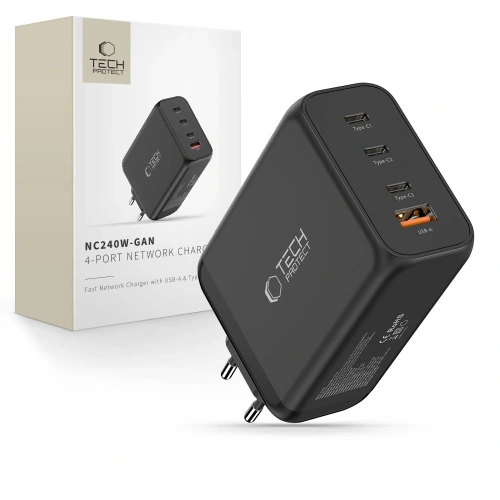
    The best GaN charger in our store is the Tech-Protect NC240W-GAN (395 PLN) with a power of 240 W and four ports, which can charge a laptop, tablet, and two smartphones simultaneously. If you’re looking for something cheaper, 3MK Hyper Charger 33W for 49.90 PLN is a great everyday choice.

    GaN technology (gallium nitride) has revolutionized the charger market. Devices are smaller, lighter, and more efficient than traditional silicon chargers. In this ranking of GaN chargers, we have gathered the 10 best models available at homescreen.pl.

    You will find premium models costing over 300 PLN and budget options below 60 PLN. Each of them has been evaluated based on power, ports, charging protocols, and value for money. We also considered customer reviews and the experiences of the homescreen.pl team from daily use of these chargers.

    What is a GaN charger and why is it worth buying?

    A GaN charger is a wall charger that uses gallium nitride transistors instead of traditional silicon. This difference in material results in three key advantages:

    • Smaller sizes – a 65 W GaN charger can be the size of a traditional 18 W charger
    • Lower operating temperature – gallium nitride dissipates heat better, which extends lifespan
    • Higher energy efficiency – less energy is lost as heat

    In practice, this means you can have one compact charger instead of three different power supplies for your phone, tablet, and laptop. GaN chargers support the USB Power Delivery (USB PD) standard, which is a universal fast charging protocol supported by Apple, Samsung, Xiaomi, and most other manufacturers.

    Tip: If your smartphone supports 25 W charging, a 45 W or 65 W GaN charger will be a great choice. You will charge your phone at full speed, and if needed, you can also connect a tablet or laptop.

    Check the full range of network chargers at homescreen.pl – you will find all GaN models from our ranking there.

    What to pay attention to when choosing a GaN charger?

    Before purchasing, it’s worth analyzing a few key parameters. Here are the most important criteria for choosing a GaN charger.

    Charging power (W)

    Power expressed in watts (W) determines how quickly the charger will replenish the battery. Approximate division:

    PowerApplication
    25–33 WSmartphone (one port)
    45–65 WSmartphone + tablet or ultrabook
    100–140 WLaptop + smartphone simultaneously
    200–240 WCharging station for the whole family

    Number and type of ports

    The more ports, the more devices you can charge simultaneously. However, remember that the power is divided among the ports. A 140 W charger with four ports will not provide 140 W to each of them. Manufacturers provide exact power distributions in the specifications, which we discuss for each model below. To fully utilize fast charging, you also need a good USB-C cable that supports the appropriate power.

    Supported protocols

    Key charging protocols:

    • USB Power Delivery (PD) – universal standard supported by Apple, Samsung, Google
    • Quick Charge (QC) – Qualcomm’s standard, popular in smartphones with Snapdragon processors
    • PPS (Programmable Power Supply) – required by Samsung for full charging speed
    • Super Fast Charging (SFC) – Samsung’s standard for 25 W and 45 W charging

    Compactness and Weight

    One of the main advantages of GaN chargers. Compare the dimensions of individual models, as the differences can be significant even with the same power.

    Top 10 GaN Chargers – Ranking 2026

    Our ranking of GaN chargers is arranged from the most expensive premium models to the most budget-friendly options. Each charger is available in our store homescreen.pl.

    1. Tech-Protect NC240W-GAN – 240 W of Power for Demanding Users (395 PLN)

    Highest Power in the Ranking

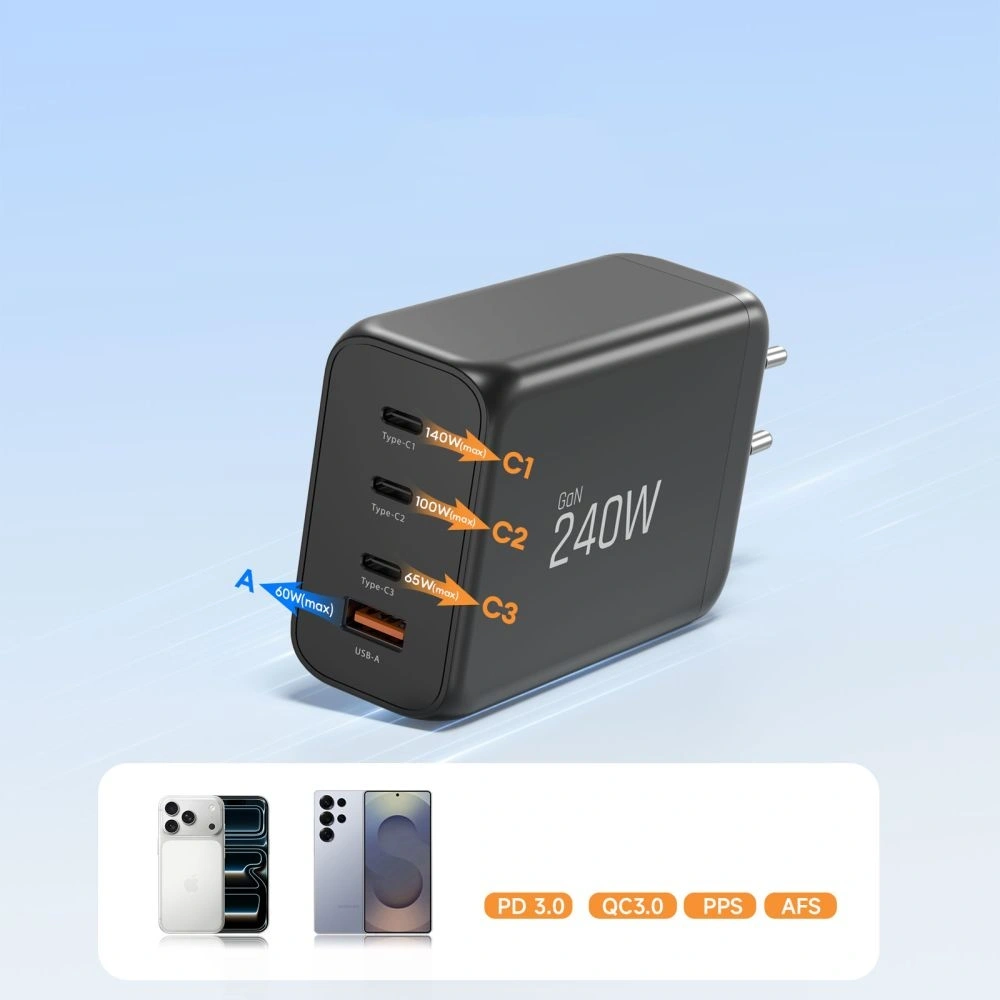
    Tech-Protect NC240W-GAN is at the absolute top of our ranking. The power of 240 W distributed across four ports (3x USB-C + 1x USB-A) is impressive. The main USB-C1 port delivers up to 140 W, which is enough to charge a MacBook Pro 16″. The second USB-C2 port offers 100 W, while the other two provide 65 W and 60 W.

    The biggest advantage? You can simultaneously charge a laptop, tablet, and two smartphones without a noticeable drop in speed. Support for USB PD, Quick Charge 3.0, and Super Charge ensures compatibility with virtually any device.

    • Power: 240 W
    • Ports: 3x USB-C + 1x USB-A
    • Protocols: PD 3.1, QC 3.0, Super Charge
    • Dimensions: 127.4 x 65 x 36 mm

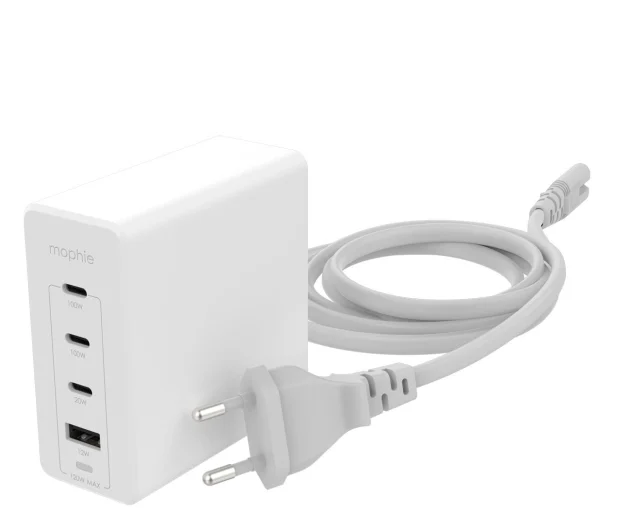
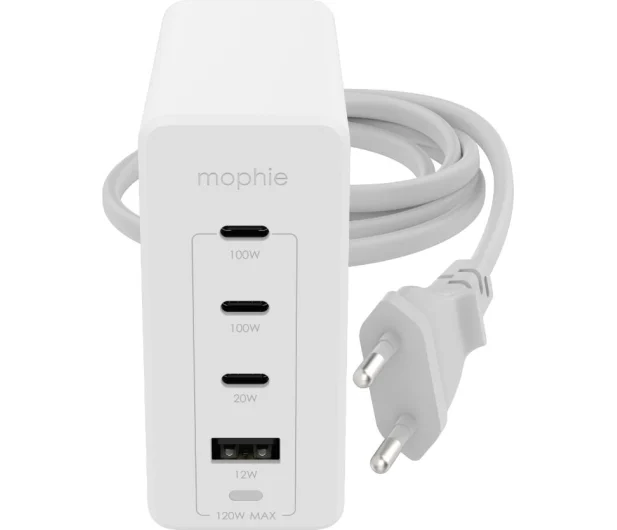
    2. Mophie GaN Speedport 120W – premium from Mophie (339 PLN)

    Mophie GaN Speedport 120W is a premium GaN charger for Apple brand fans. The Mophie brand is known for its accessories for the Apple ecosystem. The charger offers 120 W of power distributed across 4 ports (3x USB-C + 1x USB-A).

    A single USB-C port delivers up to 100 W, which is sufficient for fast charging a MacBook Pro. Intelligent Power Delivery technology automatically adjusts the current to each connected device. The sleek white casing and compact dimensions are additional advantages.

    • Power: 120 W
    • Ports: 3x USB-C + 1x USB-A
    • Protocols: USB PD
    • Color: white

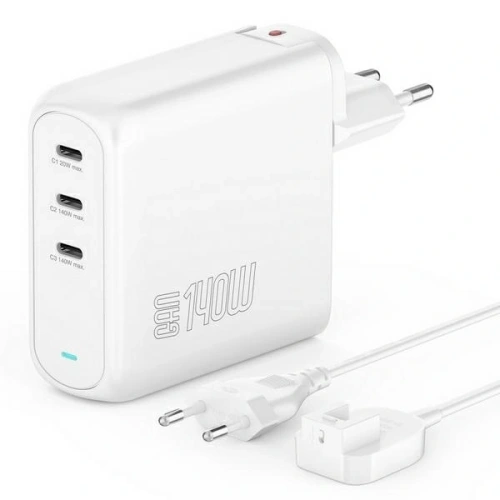
    3. 4smarts GaN Flex Pro 140W – the richest set (249 PLN)

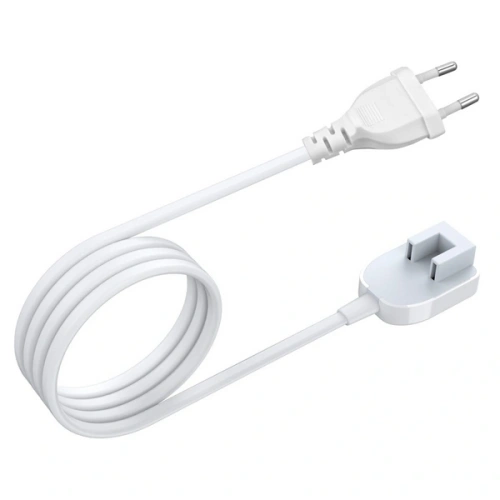
    4smarts GaN Flex Pro 140W stands out with a fantastic set in the box. In addition to the fast GaN charger 140 W with three USB-C ports, you will receive a power cable with a Euro plug, an 8-in-1 USB-C hub, and a transport case.

    The main port supports PD 3.1 with a power of up to 140 W (28V/5A). This is one of the latest standards, sufficient for charging even 16-inch laptops. Support for QC 4+, PPS, AFC, SCP, and FCP means compatibility with virtually every smartphone on the market.

    • Power: 140 W
    • Ports: 3x USB-C
    • Protocols: PD 3.1, QC 4+, PPS, AFC, SCP, FCP
    • Dimensions: 18 x 9.5 x 3.5 cm
    • Included: 8-in-1 USB-C hub, power cable, case

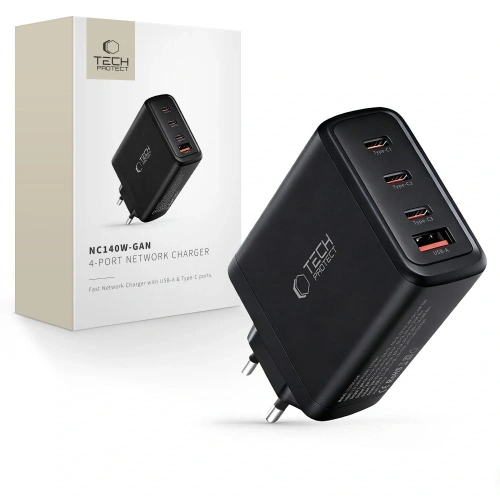
    4. Tech-Protect NC140W-GAN – great power-to-price ratio (199 PLN)

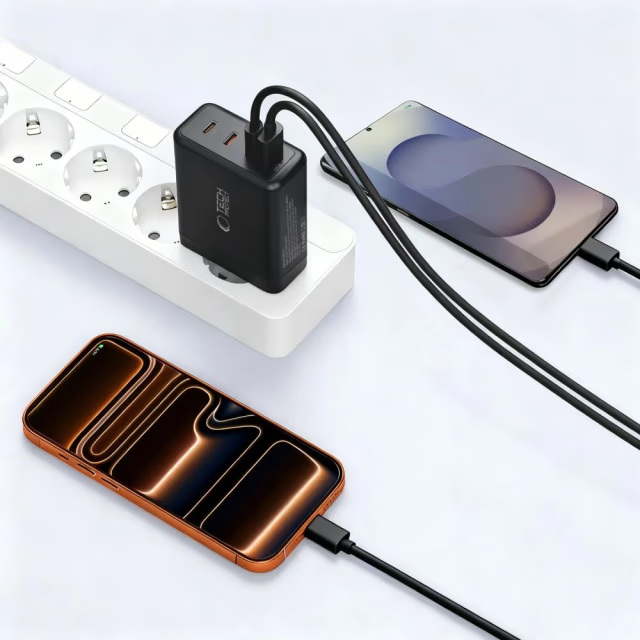
    Tech-Protect NC140W-GAN is a GaN charger with a power of 140 W and four ports for 199 PLN. It is one of the best offers in the mid-premium category. The main USB-C1 port delivers 140 W, USB-C2 offers 100 W, and the other two ports provide 30 W each.

    This power distribution allows you to charge a laptop on the main port while charging three other devices on the remaining ports. The dimensions of 115 x 62 x 30 mm strike a reasonable compromise between compactness and the number of ports.

    • Power: 140 W
    • Ports: 3x USB-C + 1x USB-A
    • Protocols: PD, QC 3.0
    • Dimensions: 115 x 62 x 30 mm

    Our choice in the quality-to-price ratio category: Tech-Protect NC140W-GAN offers 140 W and 4 ports for 199 PLN. It’s hard to find a better deal in this price range.

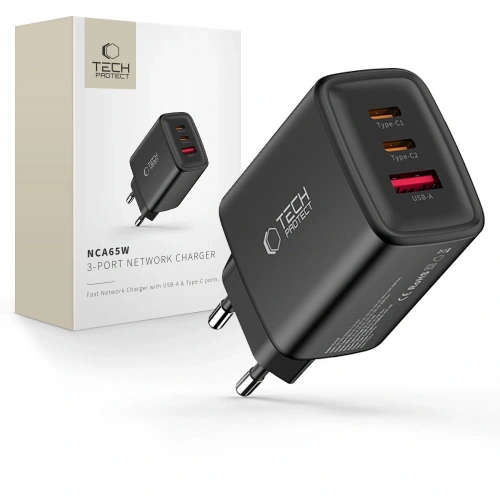
    5. Tech-Protect NCA65W-GAN – the golden mean (75 PLN)

    Tech-Protect NCA65W-GAN is, in our opinion, the best GaN charger in the 50–100 PLN range. For 75 PLN you get 65 W of power, three ports (2x USB-C + USB-A), and a USB-C cable included.

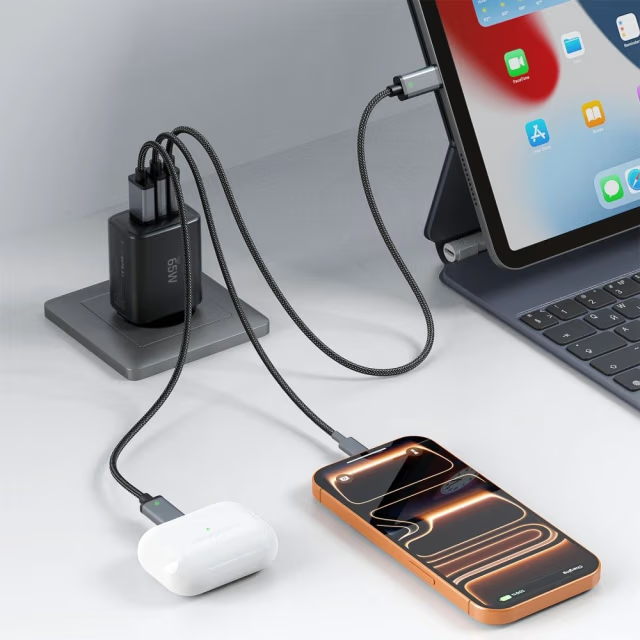
    65 W of power is sufficient for fast charging smartphones, tablets, and even lightweight ultrabook laptops. When using two ports simultaneously, the power distribution is 45 W + 20 W. Dimensions of 89.1 x 43.7 x 31.7 mm allow it to fit easily into a backpack pocket.

    • Power: 65 W
    • Ports: 2x USB-C + 1x USB-A
    • Protocols: PD, QC 3.0
    • Dimensions: 89.1 x 43.7 x 31.7 mm
    • Included: 100 cm USB-C cable

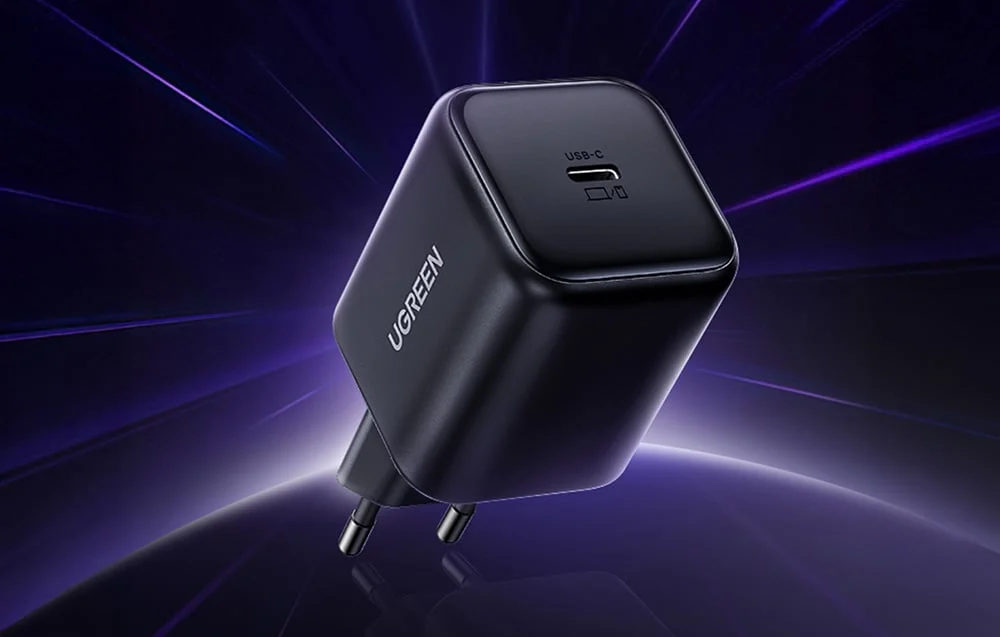
    6. UGREEN X524 45W – compact power (59.90 PLN)

    UGREEN X524 is a single-port GaN charger with a power of 45 W. Ideal if you mainly charge one smartphone or tablet. It supports USB PD and Samsung Super Fast Charging 2.0, so any Samsung smartphone that supports 45 W charging (e.g. Galaxy S25 Ultra) will utilize its full potential.

    The fire-resistant polycarbonate (PC) housing ensures safety. Compact dimensions of approximately 65 x 36 x 38 mm make it one of the smallest 45 W chargers on the market.

    • Power: 45 W
    • Ports: 1x USB-C
    • Protocols: PD, SFC 2.0
    • Dimensions: approx. 65 x 36 x 38 mm

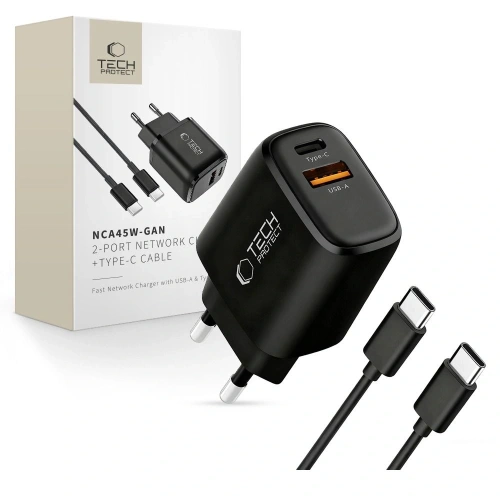
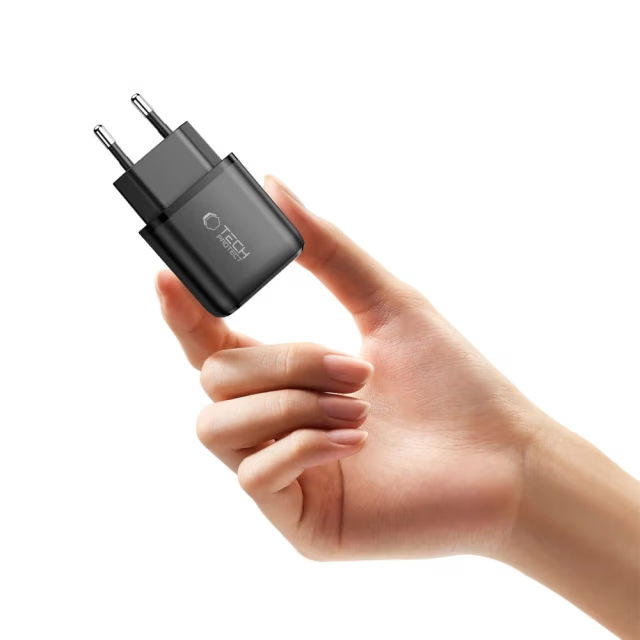
    7. Tech-Protect NCA45W-GAN – budget duo with cable (55 PLN)

    Tech-Protect NCA45W-GAN for 55 PLN is not only a 45 W GaN charger with two ports (USB-C + USB-A) but also includes a USB-C cable in the package. It’s a ready-to-use charging set: just take it out of the box and connect.

    The USB-C port offers up to 45 W (PD 3.0), and the USB-A up to 18 W (QC 3.0). Weighing just 80 g and measuring 80 x 42 x 29 mm makes it a great travel option. Take it on your trip instead of two separate chargers.

    • Power: 45 W
    • Ports: 1x USB-C + 1x USB-A
    • Protocols: PD 3.0, QC 3.0
    • Dimensions: 80 x 42 x 29 mm
    • Included: 100 cm USB-C cable

    8. Bizon Charger VT-36B 45W – minimalism at a good price (50 PLN)

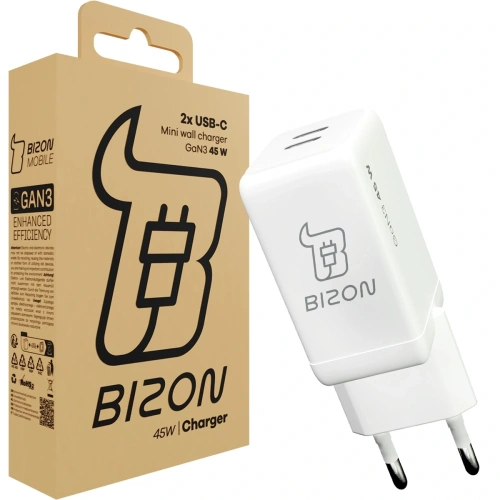
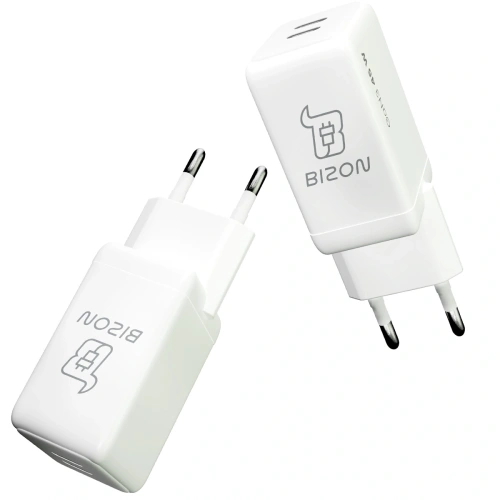
    Bizon Charger VT-36B is an interesting GaN charger for 50 PLN. Two USB-C ports, 45 W power, and third-generation GaN technology (GaN3). The manufacturer promises to charge a smartphone to 50% in just 30 minutes.

    The power distribution with both active ports is 25 W + 20 W, so you can charge two smartphones simultaneously. The white casing and eco-friendly kraft paper packaging are a nice touch for environmentally conscious users.

    • Power: 45 W
    • Ports: 2x USB-C
    • Protocols: PD, QC 4.0, SFC 2.0
    • Technology: GaN3 (third generation)

    9. UGREEN X517 25W – the cheapest option with a cable (49.90 PLN)

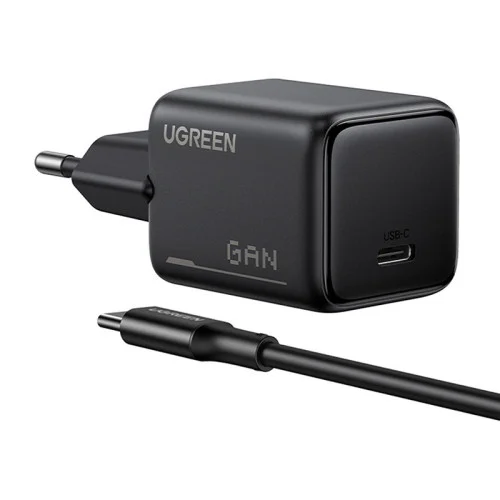
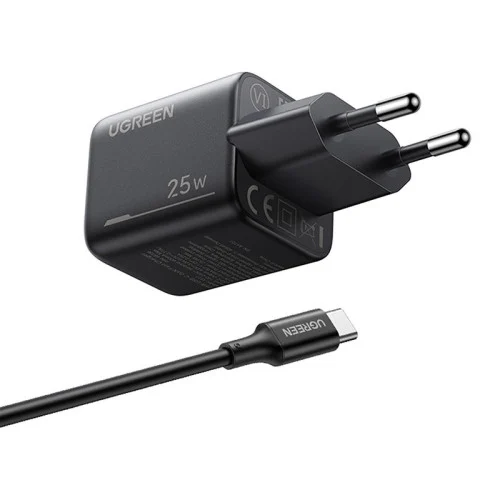
    UGREEN X517 is the simplest GaN charger in the ranking: one USB-C port, 25 W of power, and a 1 m USB-C cable included. If you are charging only a smartphone and do not need more ports, this charger will do its job perfectly.

    GaNInfinity technology and the Thermal Guard system ensure safe operation without overheating. It supports USB PD and Samsung Super Fast Charging 25 W, so you can charge Galaxy S25, S26, and other Samsung models at full speed.

    • Power: 25 W
    • Ports: 1x USB-C
    • Protocols: USB PD, Samsung SFC 25 W
    • Included: 1 m USB-C cable

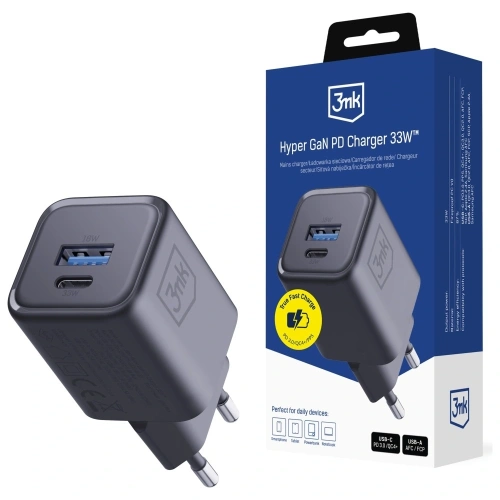
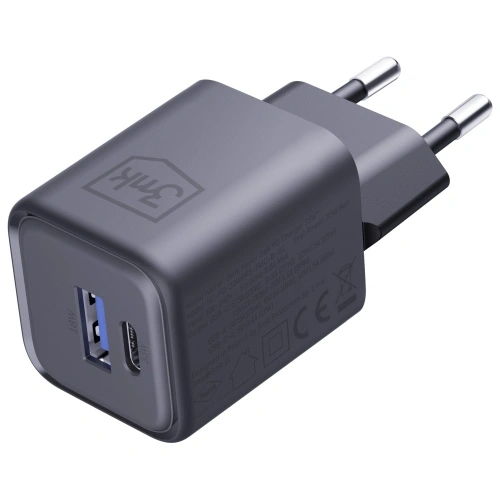
    10. 3MK Hyper Charger 33W – budget king of protocols (49.90 PLN)

    3MK Hyper Charger PD 33W closes our ranking, but it is by no means the weakest link. For 49.90 PLN, you get a GaN charger with an impressive list of protocols: QC 4+, PPS, AFC, FCP, and SCP. This means full compatibility with Samsung, Huawei, Xiaomi, and Honor phones.

    Two ports (USB-C + USB-A) and a power of 33 W are sufficient for fast charging one smartphone. Overheating, overload, and surge protection ensure the safety of your devices.

    • Power: 33 W
    • Ports: 1x USB-C + 1x USB-A
    • Protocols: PD, QC 4+, PPS, AFC, FCP, SCP
    • Protections: overheating, overload, surge

    Comparison of GaN chargers – summary table

    The table below compares the key parameters of all models. GaN technology allows for significant differences in power and size while maintaining compact dimensions.

    No.ModelPowerPortsProtocolsCablePrice
    1.Tech-Protect NC240W-GAN240 W3x USB-C + USB-APD 3.1, QC 3.0395 PLN
    2.Mophie GaN Speedport120 W3x USB-C + USB-APD339 PLN
    3.4smarts GaN Flex Pro140 W3x USB-CPD 3.1, QC 4+, PPS249 PLN
    4.Tech-Protect NC140W-GAN140 W3x USB-C + USB-APD, QC 3.0199 PLN
    5.Tech-Protect NCA65W-GAN65 W2x USB-C + USB-APD, QC 3.075 PLN
    6.UGREEN X52445 W1x USB-CPD, SFC 2.059.90 PLN
    7.Tech-Protect NCA45W-GAN45 WUSB-C + USB-APD 3.0, QC 3.055 PLN
    8.Bizon Charger VT-36B45 W2x USB-CPD, QC 4.0, SFC 2.050 PLN
    9.UGREEN X51725 W1x USB-CPD, SFC 25 W49.90 PLN
    10.3MK Hyper Charger33 WUSB-C + USB-APD, QC 4+, PPS49.90 PLN

    Which GaN charger to choose? Recommendations based on needs

    The choice of a GaN charger depends on your needs and budget. Here are our specific recommendations.

    Are you charging a laptop and several devices at the same time? Choose Tech-Protect NC240W-GAN (395 PLN) or Tech-Protect NC140W-GAN (199 PLN). Both have four ports and power sufficient to charge a laptop via USB-C.

    Looking for a universal charger for everyday use? Tech-Protect NCA65W-GAN (75 PLN) is the golden mean, a fast GaN charger with three ports and a cable included. You can charge your smartphone, tablet, or even a lightweight ultrabook.

    Do you have one smartphone and are looking for the cheapest option? UGREEN X517 for 49.90 PLN with a cable included or 3MK Hyper Charger 33W for the same price, but with broader protocol compatibility.

    Do you care about aesthetics and a premium brand? Mophie GaN Speedport 120W (339 PLN) in an elegant white casing or 4smarts GaN Flex Pro 140W (249 PLN) with an 8-in-1 USB-C hub included.

    Are you charging a Samsung Galaxy with 45W support? UGREEN X524 (59.90 PLN) or Bizon Charger VT-36B (50 PLN). Both support Samsung Super Fast Charging 2.0.

    If you are also looking for MagSafe accessories for iPhone or smartphone holders and stands, check out our other categories.

    Summary – which GaN charger wins?

    GaN wall chargers are the future of fast charging, and our ranking of GaN chargers will help you choose the best model. They are smaller, cooler, and more efficient than traditional silicon chargers. Our ranking includes models ranging from 49.90 PLN to 395 PLN, so everyone will find something suited to their needs.

    Three key takeaways from the ranking:

    1. Best premium: Tech-Protect NC240W-GAN (240 W, 4 ports, 395 PLN) for those who charge everything at once
    2. Best value for money: Tech-Protect NC140W-GAN (140 W, 4 ports, 199 PLN) a strong charger without overpaying
    3. Best budget: Tech-Protect NCA65W-GAN (65 W, 3 ports, 75 PLN) the golden mean with a cable included

    Check out the best wall chargers at homescreen.pl and choose the ideal model for your needs.

    FAQ – frequently asked questions about GaN chargers

    What is a GaN charger?

    How much does a good GaN charger cost?

    Jakie są najlepsze ładowarki GaN?

    What are the best GaN chargers?

    Podsumowanie

    Summary

    Good GaN chargers start at around 50 PLN for models between 25–45 W. For 75 PLN, you can buy a solid 65 W charger with three ports. Premium models of 120–240 W cost between 199–395 PLN. In our store, you will find every GaN wall charger from our ranking and many other models.

    Does a GaN charger work with an iPhone?

    Yes. All GaN chargers with a USB-C port and USB Power Delivery support are compatible with iPhones (from iPhone 8 and later). iPhone 15, 16, and newer models have a USB-C port, so you can connect them directly. Older models with Lightning require a USB-C to Lightning cable.

  • Piano black in the car — how to protect it from scratches?

    Piano black in the car — how to protect it from scratches?

    The most effective protection for piano black in a car is the PianoSkin protective film — a precisely cut PPF kit for self-installation, available from 112 PLN. Piano black is a finish that looks elegant until the first touch — black, glossy plastic scratches with the slightest brush and collects fingerprints like a magnet.

    The problem affects practically every brand — from Volkswagen and Škoda, through Toyota and Kia, to BMW and Tesla. If scratched plastic in your car is your problem, this guide will show you 5 ways to protect and restore piano black elements.

    What is piano black and why does it scratch?

    Piano black (also known as “black piano”) is a high-gloss lacquered plastic ABS or PMMA used on decorative elements inside the car. It gets its name from a finish resembling the surface of a piano — deep black with a mirror reflection.

    You will most often find it on:

    • Center panel (central console, center tunnel)
    • Door trims and window frames from the inside
    • Gear shift lever housing and the frame of the automatic transmission
    • Multimedia screen frame
    • Air conditioning panels and buttons
    • Dashboard elements

    The problem with piano black arises from the very nature of the material. The glossy surface reveals every scratch, even microscopic ones. Hard dust particles act like sandpaper — just wiping the element with a dry cloth covers the surface with a network of fine scratches. Nails, rings, and even the sleeve of a jacket can leave visible marks.

    What’s worse, the darker the surroundings in the cabin, the more clearly the scratches reflecting light are visible. After a few months of use, a new, elegant panel looks heavily worn.

    How to clean piano black without scratching?

    Improper cleaning causes most scratches on piano black. What to clean piano black with to avoid scratching it? Here is a proven method.

    What not to do:

    • Do not wipe piano black with a dry cloth — you are dragging dust particles across the surface
    • Do not use paper towels or tissues — they have too coarse a texture
    • Do not use alcohol-based, acetone, or solvent-based cleaners
    • Do not rub in circles — this deepens existing scratches

    Proper cleaning step by step:

    1. Blow off loose dust with compressed air or a soft detailing brush
    2. Dampen a clean microfiber cloth (with a minimum weight of 300 GSM) with a pH-neutral cleaner or a dedicated product for piano black
    3. Wipe the surface gently, in one direction — never in circular motions
    4. Dry with a second, dry microfiber cloth, again in one direction

    Tip: Keep a separate microfiber cloth in the glove compartment designated solely for piano black elements. A dirty cloth previously used to clean the dashboard contains particles that will scratch the glossy surface.

    Polishing piano black — a rescue for scratched elements

    Removing scratches from piano black is possible through polishing. If the elements in your car’s interior are already covered with a network of fine scratches — piano black scratches of this type can be effectively renewed. However, this method has its limitations.

    Hand polishing:

    • Use a specialized polishing paste for piano black (fine-grained)
    • Apply a small amount to a soft polishing sponge or microfiber pad
    • Polish with gentle movements in one direction
    • Wipe off excess paste with a clean microfiber cloth
    • Repeat until the desired effect is achieved

    Machine polishing:

    Deeper scratches require a rotary or oscillating polisher with a soft pad. This solution is for those with detailing experience — an inexperienced hand can overheat the plastic or polish unevenly.

    Polishing limitations:

    AspectPolishingProtective film
    Removes existing scratches❌ (optically covers)
    Protects against new scratches
    Durability of effect2–4 weeks3–5 years
    One-time cost50–150 zł (paste + pad)112–430 zł (PianoSkin set)
    Requires repetitionYes, regularlyNo

    Polishing is a temporary solution. The surface after polishing is perfectly smooth but lacks any protection — scratches reappear within a few weeks. Therefore, it is worth combining polishing with wrapping it in film.

    Piano black film — the most effective protection method

    Wrapping piano black with PPF (Paint Protection Film) is the only method that permanently protects the surface from scratches. The film creates an invisible barrier between your fingers and the sensitive plastic.

    How does the film work on piano black?

    PPF is a multi-layer material consisting of:

    • Top layer — a self-healing topcoat that seals minor scratches under heat
    • Carrier layer — flexible polyurethane (TPU) with a thickness of 150–200 microns
    • Adhesive layer — acrylic glue that leaves no marks after removing the film

    A good piano black film maintains full transparency and the original finish appearance — the same deep gloss, but with protection. According to the specifications of TPU materials used in PPF films, polyurethane has the ability to self-heal minor scratches when exposed to heat.

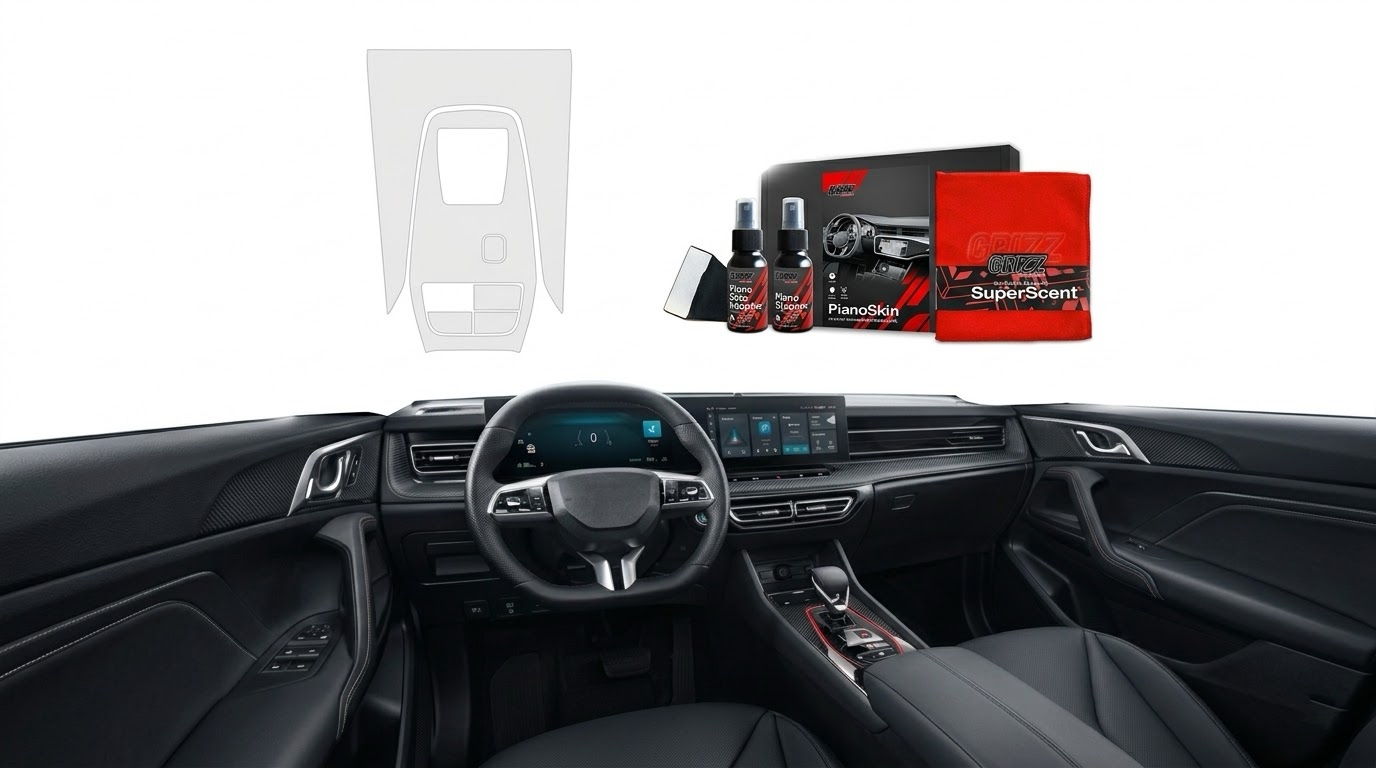
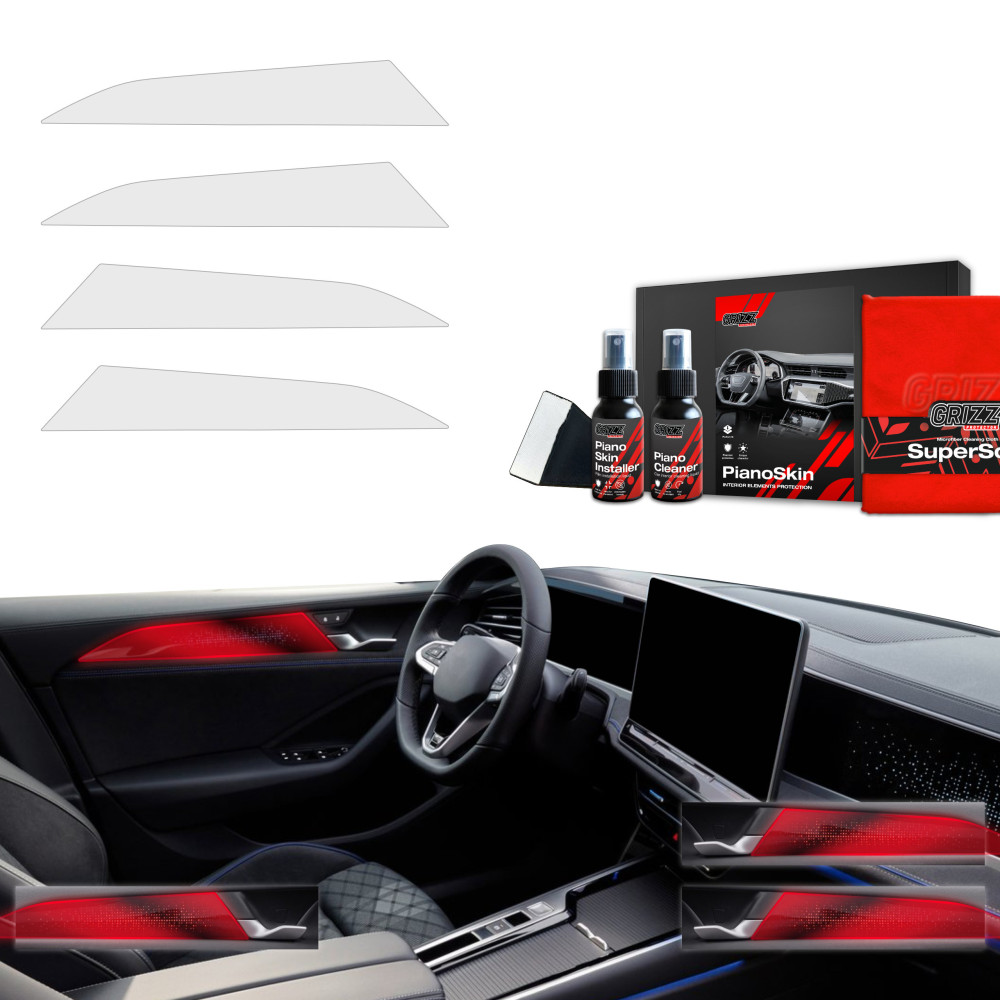
    GrizzGlass PianoSkin — kits tailored to your car

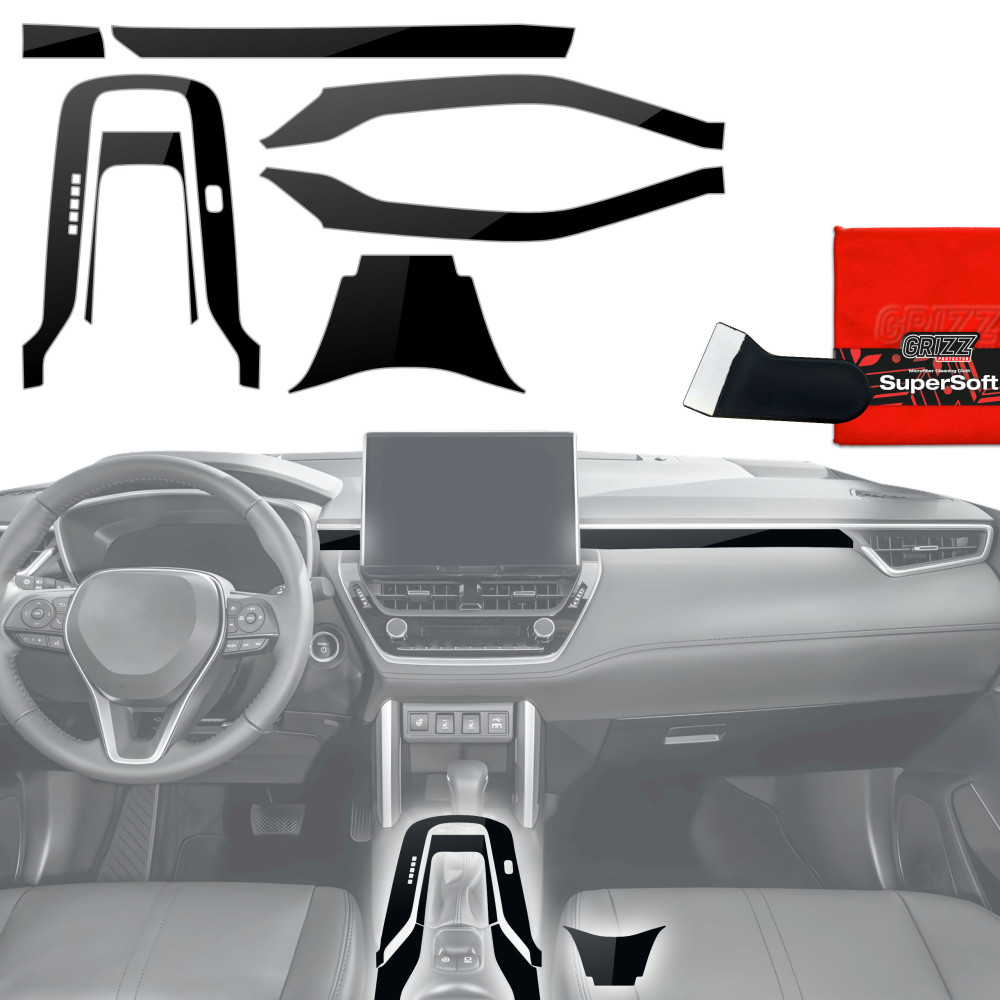
    Unlike PPF films sold by the meter (which require professional cutting and installation), GrizzGlass PianoSkin kits are precisely cut elements tailored to a specific car model. Each film element corresponds exactly to the shape and dimensions of the piano black decor in that car.

    What the PianoSkin kit includes:

    • Precisely cut film elements (from 2 to 8 pieces, depending on the model)
    • Microfiber cloth
    • Cleaning solution for surface preparation
    • Installation gel
    • Application squeegee
    • Installation instructions

    Two finishing options:

    OptionEffectFor whom
    PianoSkin GlossyMaintains the original piano black glossIf you want invisible protection
    PianoSkin MatteChanges the finish to matte, satinIf you want to change the interior style and reduce fingerprints

    The matte option has an additional advantage — on the matte surface, fingerprints and minor scratches are practically invisible.

    How much does it cost to wrap piano black with film?

    Cost comparison for piano black protection:

    MethodCostWhat it includesDurability
    Professional wrapping in a detailing studio500–1,500 PLNFilm by the meter + labor3–7 years
    GrizzGlass PianoSkin (DIY)112–430 PLNReady-to-install DIY kit3–5 years
    Regular polishing50–150 PLN / monthPaste + pad + time2–4 weeks
    Wax paste / coating80–200 PLNTemporary protective layer1–3 months

    The PianoSkin kit is a 2–3 times cheaper alternative to wrapping in a detailing studio — and the effect is comparable, as the film is factory-cut to the dimensions of the elements.

    Our choice: GrizzGlass PianoSkin kit — 2–3 times cheaper than a detailing studio, with a comparable effect and self-installation in 30–60 minutes.

    For which cars are PianoSkin films available?

    GrizzGlass PianoSkin covers over 20 car brands and hundreds of specific models. Here are the most popular:

    BrandExample modelsLink to category
    VolkswagenGolf 8, Passat B9, Tiguan, ID.4, T-RocVW Films
    ToyotaCorolla, Corolla Cross, RAV4, Yaris Cross, C-HRToyota Films
    BMWSeries 3 G20, Series 5 G60/F10, X3, X5, iXBMW Films
    KiaSportage 5, EV6, Ceed, Stonic, NiroKia Films
    HyundaiTucson, Kona, i30, Ioniq 5, Santa FeHyundai Films
    TeslaModel 3, Model 3 Highland, Model Y, Model STesla Films
    ŠkodaOctavia 4, Kodiaq 2, Superb, Enyaq, ElroqŠkoda Films
    MercedesClass C W206, GLC, GLA, EQA, Class E W214Mercedes Films
    AudiA3, A4, Q5, Q7, e-tronAudi Films
    FordKuga, Focus, Puma, Explorer, CustomFord Films
    Peugeot3008, 308, 208, 508, 5008Peugeot Films
    VolvoXC60, XC90, XC40, EX30, V60Volvo Films
    RenaultAustral, Captur, Arkana, Clio, RafaleRenault Films
    Seat / CupraLeon, Formentor, Born, Ateca, TerramarSeat Films
    Alfa RomeoGiulia, Stelvio, Tonale, JuniorAlfa Romeo Films
    Fiat500, 600, Grande Panda, TipoFiat Films
    CitroënC4, C5 Aircross, C3, BerlingoCitroën Films
    LexusNX, RX, UX, ES, LBXLexus Films

    If your model is not on the list, check the category films for other cars — you will find, among others, Chinese brands (Chery, Jetour, Geely), as well as Opel, Mazda, Nissan, Honda, Porsche, Land Rover, and many others.

    How to apply PianoSkin film yourself? Step by step installation

    One of the biggest advantages of PianoSkin kits is the ability to install them yourself. You don’t need detailing experience — just patience and the included tools.

    Preparation

    1. Wash your hands and make sure you are not wearing rings or have sharp nails
    2. Clean the piano black elements with the included cleaning fluid — remove dust, grease, and fingerprints
    3. Wipe dry with the included microfiber cloth
    4. Make sure the cabin temperature is between 18–25°C (too cold a surface makes adhesion difficult)

    Application

    1. Remove the film from the protective backing
    2. Apply the installation gel to the piano black surface — this allows you to slide the film and adjust its position
    3. Apply the film to the element, align the edges
    4. Use a squeegee to smooth the film from the center to the edges — removing air bubbles and excess gel
    5. Wipe off excess gel with a microfiber cloth

    After installation

    • Do not touch the wrapped elements for 12–24 hours (curing time of the adhesive)
    • Do not clean or polish the film for 48 hours
    • After curing, the film is ready for normal use

    Tip: If a small air bubble remains under the film, do not panic. Small bubbles often disappear on their own within 24–48 hours as the installation gel dries.

    Not just piano black — complete protection for your car

    Piano black is not the only part of the car susceptible to scratches. GrizzGlass also offers protective films for other sensitive elements of the body and interior:

    GrizzGlass BodyShield — body protection

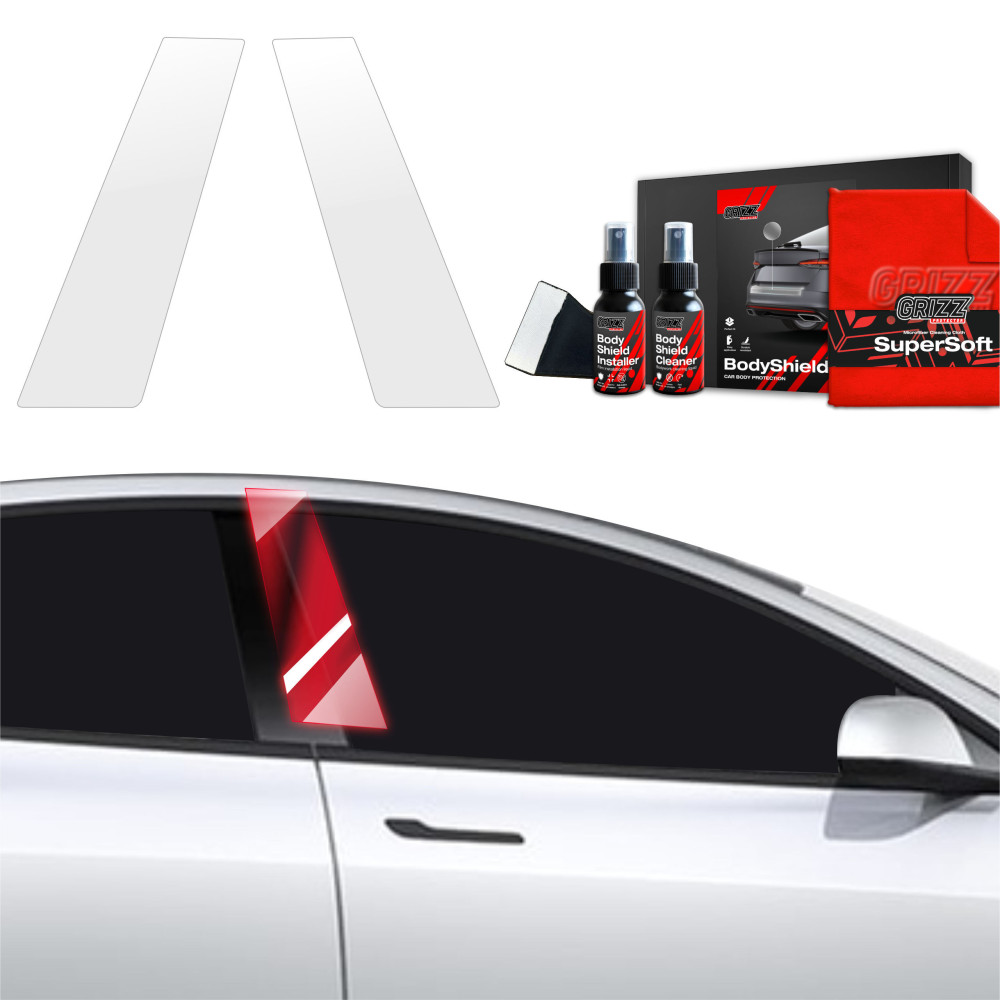
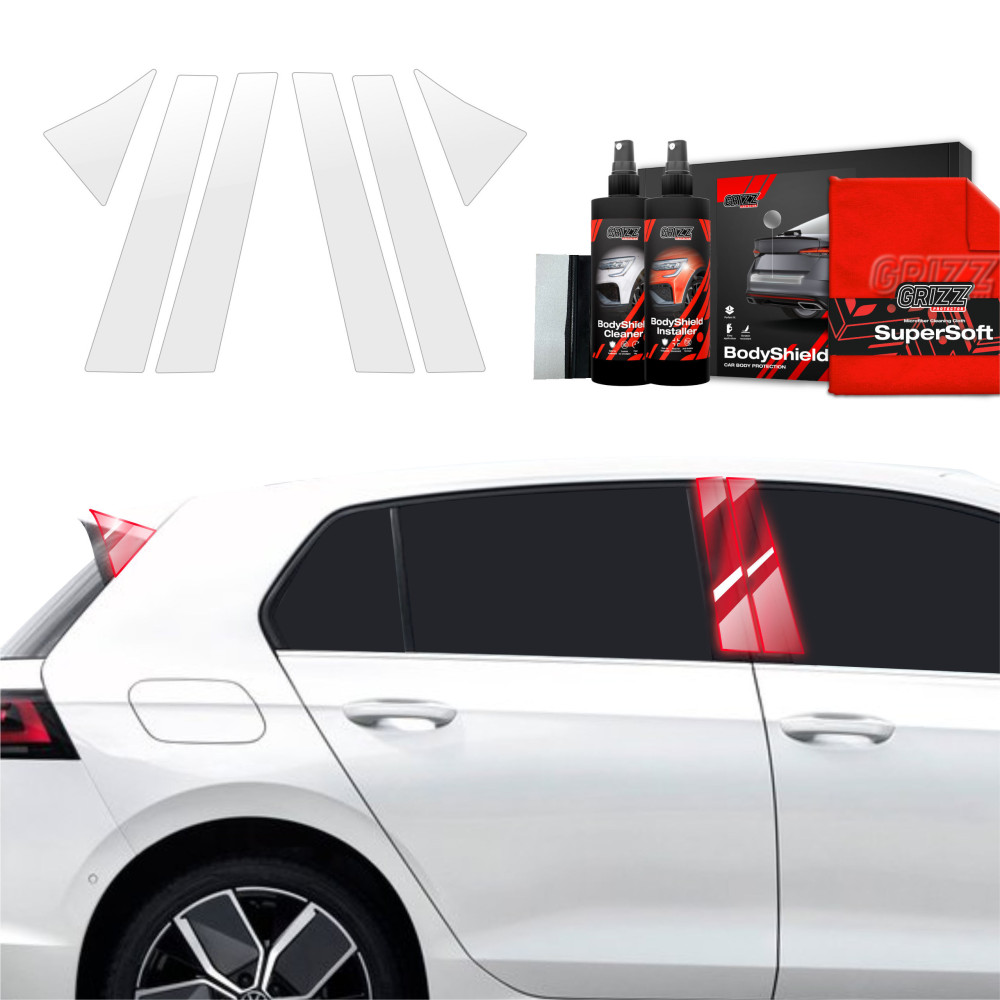
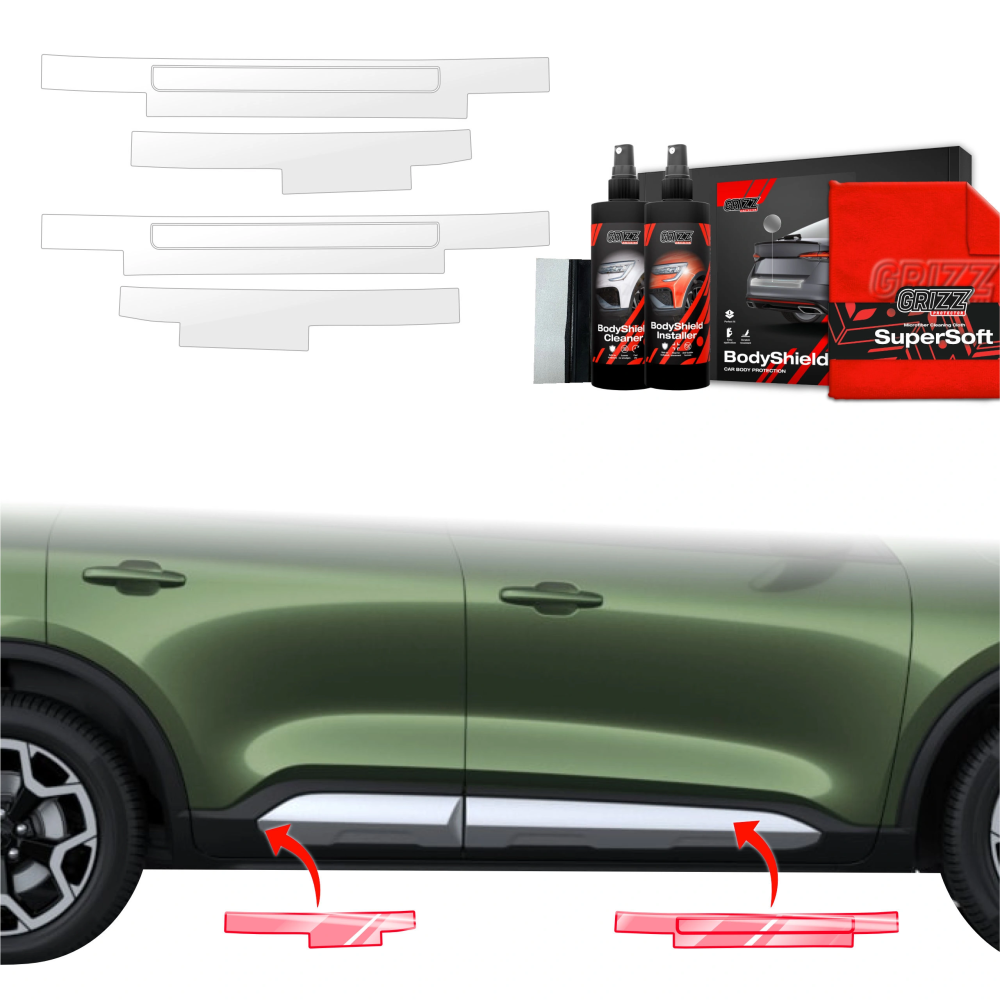
    BodyShield films protect external elements vulnerable to scratches and chips:

    • Door sills — scratched when getting in and out (shoes, belt buckles)
    • Handles — scratches from nails and rings
    • Rear bumper — marks from loading the trunk
    • B/C pillars — scratches from passengers and luggage
    • Trunk edge — contact with suitcases and bags

    BodyShield sets for thresholds cost from 45 PLN — this is a fraction of the cost of repainting a scratched threshold (300–800 PLN at a paint shop).

    GrizzGlass CarDisplay Protection — multimedia screen protection

    Screens in modern cars range from 8 to even 24 inches diagonally. They are made of glass or plastic and are prone to scratches from fingers and dust. CarDisplay Protection films are available in two variants:

    • Ceramic — maintains full transparency, increases scratch resistance
    • Matte — reduces glare, improves screen readability in sunlight

    Films for multimedia screens cost from 110 to 220 PLN — depending on the display size and finish variant.

    When to wrap piano black? The sooner, the better

    The best moment to protect piano black is the day you pick up your new car. The elements are then in perfect condition, without any scratches. The film will preserve the factory shine for years.

    Tip: Order PianoSkin even before picking up your new car. The film applied on the first day will preserve the factory shine for years — before anything gets scratched.

    If your car is already a few months or years old, it’s still worth wrapping the piano black — but first polish the scratches. The order is important:

    1. Polish the scratched elements with polishing paste
    2. Clean the surface thoroughly with the included preparation
    3. Wrap with PianoSkin film

    Thanks to this, you maintain a smooth, renewed surface under the film, which protects it from being scratched again.

    Summary

    Piano black is one of the most frustrating finishes in car interiors — visually stunning, but horrifically impractical without protection. Regular polishing lasts for a few weeks, while PianoSkin film protects elements for years.

    GrizzGlass PianoSkin kits are tailored to specific car models, contain everything needed for self-installation, and cost from 112 PLN. This is several times less than wrapping at a detailing studio.

    Check protective films for your car at homescreen.pl — you will find PianoSkin, BodyShield, and CarDisplay Protection kits for over 20 brands and hundreds of car models →

    FAQ — frequently asked questions

    What is piano black in a car?

    Piano black is a glossy, black decorative finish used on plastic elements in a car’s interior — panels, trims, button housings, and screen frames. The name comes from the finish resembling a piano’s lacquer. The material is particularly susceptible to scratches and collecting fingerprints.

    Can scratches be removed from piano black?

    Yes — minor scratches can be removed manually or mechanically using a specialized fine-grit polishing paste. However, the polishing effect is temporary and lasts 2–4 weeks. To permanently protect the surface, it is advisable to apply PianoSkin protective film after polishing.

    How much does it cost to wrap piano black with film?

    Professional wrapping of piano black at a detailing studio costs 500–1,500 PLN. An alternative is the GrizzGlass PianoSkin DIY kit — from 112 to 430 PLN, depending on the car model and the number of elements in the kit.

    Can the PianoSkin film be applied by oneself?

    Yes. The PianoSkin kits include precisely cut film elements and a complete set of tools (microfiber, cleaning solution, mounting gel, squeegee). Installation takes 30–60 minutes and does not require detailing experience. After application, the film needs 12–24 hours to cure.

    What to clean piano black in the car with?

    For cleaning piano black, use only a soft microfiber cloth (min. 300 GSM) soaked in a pH-neutral cleaner. First, blow off dust with compressed air, and then wipe the surface in one direction. Never wipe piano black dry or in circular motions.

    Does the film on piano black change the appearance of the interior?

    The Glossy variant is optically transparent and retains the original piano black gloss. The Matte variant changes the finish to satin — which has the added advantage that fingerprints and small scratches are practically invisible on the matte surface.

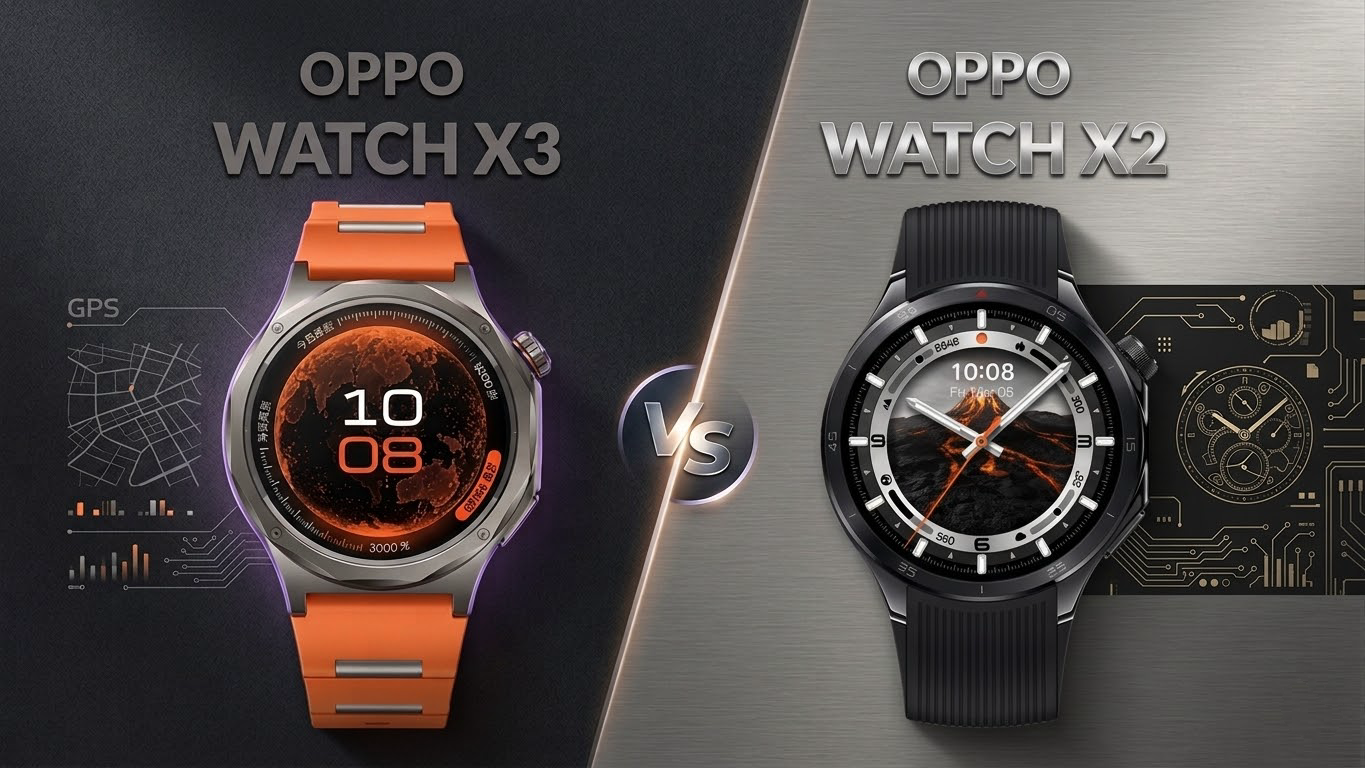
  • OPPO Watch X2 vs OPPO Watch X3 — comparison

    OPPO Watch X2 vs OPPO Watch X3 — comparison

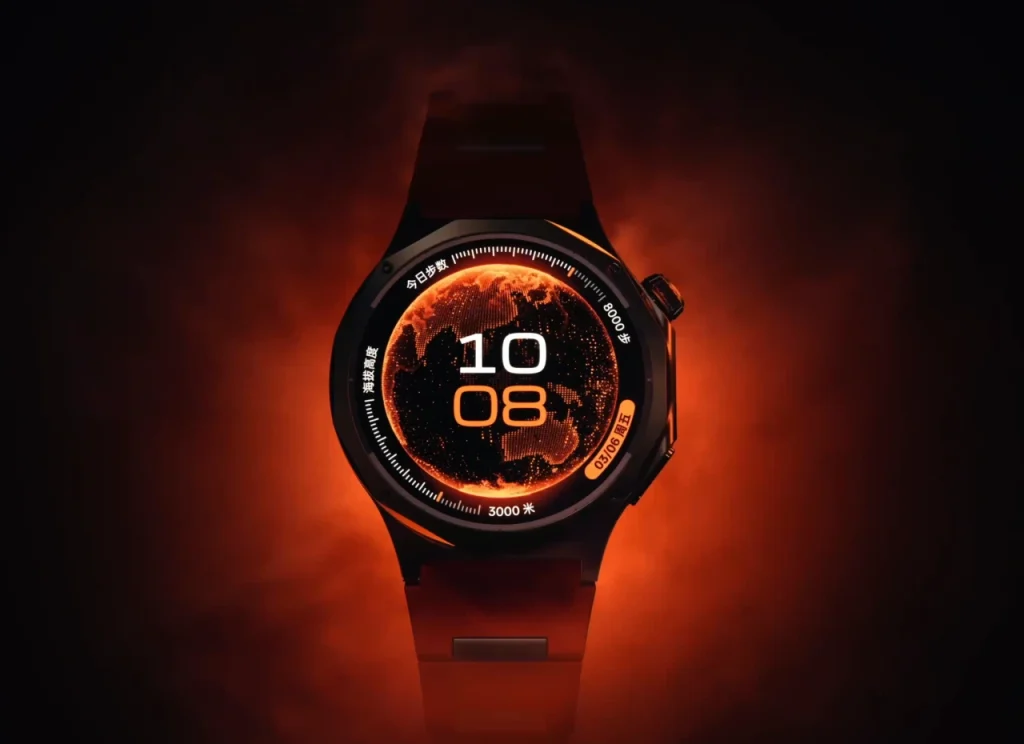
    OPPO Watch X2 vs X3 — what are the differences and is the newer model worth the extra cost? OPPO Watch X3 is a flagship smartwatch with a titanium case, a 3000-nit display, and a blood glucose sensor.

    Compared to the Watch X2, it is lighter by 6 g, thinner by 0.75 mm, and offers a brighter screen and new health features. Below is a detailed comparison of both models.

    OPPO unveiled the Watch X3 on March 17, 2026, in China. It is the direct successor to the Watch X2, which debuted in May 2025. Both smartwatches have a 1.5-inch LTPO OLED screen (dynamic refresh rate technology), a Snapdragon W5 processor, and eSIM (built-in SIM card with LTE support), but the newer model introduces several significant changes in design and sensor set.

    Interestingly, OPPO is also preparing a Watch X3 Mini variant — a smaller version, which is set to launch in April 2026. If the standard 47 mm size is too large for you, it’s worth waiting for this compact alternative.

    Looking for protective accessories for your smartwatch? Check out films and glasses for OPPO Watch in our store.

    Key differences — OPPO Watch X2 vs X3 at a glance

    DifferenceWatch X2Watch X3
    CaseStainless steel + titaniumTC4 titanium (aerospace)
    Screen brightness2200 nits3000 nits
    Weight (without strap)49.7 g43 g
    Glucose sensorNoYes
    Water resistanceIP68, 5 ATMIP68, IP69, 5 ATM
    SystemWear OS 5.0ColorOS Watch 16.0
    ProcessorSnapdragon W5 Gen 1Snapdragon W5 Gen 2

    Full specification OPPO Watch X3 vs Watch X2

    ParameterOPPO Watch X3OPPO Watch X2
    PremiereMarch 2026May 2025
    Display1.5″ LTPO OLED1.5″ LTPO AMOLED
    Resolution466 × 466 px466 × 466 px
    Max brightness3000 nits2200 nits
    ProcessorSnapdragon W5 Gen 2Snapdragon W5 Gen 1
    Co-processorQualcomm QCC5100BES2800BP
    RAM2 GB2 GB
    Internal memory32 GB32 GB
    Battery646 mAh648 mAh
    Battery life (smart mode)up to 5 daysup to 5 days
    Battery life (power saving)up to 16 daysup to 16 days
    Dimensions47.4 × 47.4 × 11.0 mm47.6 × 46.6 × 11.75 mm
    Weight70 g (with strap) / 43 g (watch only)76 g (with strap) / 49.7 g (watch only)
    Case materialaircraft-grade titanium TC4stainless steel + titanium (bezel)
    Glasssapphiresapphire
    Water resistanceIP68, IP69, 5 ATMIP68, 5 ATM
    Military standardMIL-STD-810HMIL-STD-810H
    GPSL1 + L5 (GPS, GLONASS, BeiDou, Galileo, QZSS)L1 + L5 (GPS, GLONASS, Galileo, QZSS)
    Bluetooth5.25.2
    WiFi802.11 a/b/g/n802.11 a/b/g/n
    LTE / eSIMyesyes
    NFCyesyes
    Heart rate sensoryesyes
    SpO2yesyes
    ECGyesyes
    Blood pressureyesyes
    Skin temperatureyesyes
    Glucose sensoryesno
    SystemColorOS Watch 16.0Wear OS 5.0 + ColorOS Watch 7.0
    Sports modes100+100+
    Price (China)from approx. 1400 PLNapprox. 1300–1500 PLN

    Display — 3000 vs 2200 nits

    The watches have the same display size of 1.5 inches and identical resolution of 466 × 466 pixels. In everyday use, the screens look very similar — colors are vibrant, blacks are deep, and viewing angles are wide.

    The key difference is brightness. The OPPO Watch X3 reaches 3000 nits, which is 36% more than the 2200 nits in the older model. In comparison, the display of the OPPO Watch X2 vs X3 is one of the more noticeable aspects — especially under bright sunlight while running, cycling, or walking around the city in summer.

    The Watch X3 uses a next-generation LTPO OLED panel, while the Watch X2 uses LTPO AMOLED. Both support Always-On Display (AOD — continuous display of time and selected information on the screen), but the newer model should be slightly more energy-efficient due to the updated display technology.

    Tip: If you primarily train indoors or in the evenings, the difference in screen brightness won’t be crucial for you. 2200 nits in the Watch X2 is still a very good result — more than in most competing smartwatches.

    Design and materials — titanium vs steel

    This is one of the biggest changes between generations. The OPPO Watch X3 has a case made entirely of aerospace-grade TC4 titanium, while the Watch X2 combines stainless steel with a titanium frame.

    What does this mean in practice?

    • Weight — The Watch X3 weighs 43 g without the strap (vs 49.7 g). The difference of 6.7 g is about 13% less. You will definitely feel this on your wrist, especially during sleep and training.
    • Thickness — The newer model is 11.0 mm thick (vs 11.75 mm). The watch hides better under a shirt cuff and protrudes less on a slim wrist.
    • Durability — Both have sapphire glass and MIL-STD-810H certification (military-grade durability standard). However, the Watch X3 adds IP69 (resistance to high-pressure hot water jets), which its predecessor lacks.

    Both models have two buttons on the right side — the upper one serves as a rotating crown. The Watch X3 offers three color variants: Gravity Black, Global Star Orange, and Infinite Titanium.

    Regardless of which model you choose, it’s worth investing in additional screen protection. At homescreen.pl you will find GrizzGlass HybridGlass hybrid glass and GrizzGlass CeramicFilm ceramic film for OPPO Watch X2 starting from 12.99 PLN.

    Performance — Snapdragon W5 Gen 2 vs Gen 1

    OPPO Watch X3 runs on the newer Snapdragon W5 Gen 2 with an ARM Cortex-A53 processor up to 1.7 GHz and Adreno 702 GPU. It is supported by the Qualcomm QCC5100 coprocessor. Watch X2 uses the Snapdragon W5 Gen 1 with the BES2800BP coprocessor.

    In everyday use, the difference in smoothness is not dramatic — both smartwatches handle navigation through the menu, notifications, and apps efficiently. However, the newer chipset in Watch X3 should provide:

    • Better energy efficiency — the same battery life with increased screen brightness and new sensors.
    • Faster processing of health data — crucial for continuous monitoring of glucose, blood pressure, and ECG.
    • Smoother animations — particularly noticeable when switching between watch faces and apps.

    Both generations have 2 GB of RAM and 32 GB of internal storage, so in this respect, nothing changes. 32 GB is enough for offline maps, music, and several dozen apps.

    Battery and charging — OPPO Watch X3 vs X2

    The battery capacities are nearly identical — 646 mAh in the Watch X3 vs 648 mAh in the Watch X2. The declared usage times (according to the manufacturer) also match:

    • Smart mode — up to 5 days
    • Intensive usage — about 3 days
    • Power saving mode — up to 16 days

    So where is the difference? The Watch X3 achieves the same battery life despite a brighter screen and additional sensors, indicating better energy optimization of the new chipset and display.

    The OPPO Watch X3 charges fully in about 75 minutes, while the Watch X2 takes about 60 minutes with the 10W VOOC charger. The newer model compensates for the longer charging time with a quick “emergency” charging feature — 10 minutes provides power for 24 hours. Useful when you discover a dead watch in the morning before your workout.

    Note: Both models only charge with dedicated magnetic chargers — they do not support the Qi standard. Before purchasing, make sure you have the original charging accessory.

    Health and Sensors — the Biggest Advantage of the Watch X3

    This is an area where the OPPO Watch X3 clearly outpaces its predecessor. Both models offer:

    • 24/7 heart rate monitoring
    • Blood oxygen saturation measurement (SpO2)
    • ECG (electrocardiogram)
    • Blood pressure measurement
    • Skin temperature measurement
    • Sleep analysis with phases (light, deep, REM)

    Watch X3 adds a blood glucose sensor — a feature that the Watch X2 lacks. The watch uses non-invasive optical technology for continuous monitoring of sugar levels. This is particularly useful for people with type 2 diabetes or prediabetes, but also for athletes tracking the impact of diet on training results.

    It is worth noting that non-invasive glucose measurement from the wrist does not replace a professional glucometer. This technology is still developing and is more suited for observing trends rather than for precise medical measurements. Nevertheless, continuous glucose monitoring is a feature that most competitors in this price range do not offer — including Samsung Galaxy Watch and Huawei Watch GT.

    In the showdown between OPPO Watch X2 vs X3, it is the sensors that make the biggest difference. The rest of the health features are identical.

    Sports and Navigation

    Both smartwatches support over 100 sports modes and GPS with dual-band L1 + L5 signal, ensuring precise route tracking in urban areas with tall buildings.

    Watch X3 uses five satellite navigation systems (GPS, GLONASS, BeiDou, Galileo, QZSS), while Watch X2 uses four (GPS, GLONASS, Galileo, QZSS — without BeiDou). In practice, the additional system can improve positioning accuracy in difficult conditions — e.g., in dense forests or narrow streets of old towns.

    Both models have eSIM with LTE support, allowing you to receive calls and messages without a phone. Useful when running or cycling, when you don’t want to take your smartphone with you.

    In the context of sports, it’s worth mentioning the analysis of gait and posture while running — a feature available in both models. The watch monitors cadence, ground contact time, and vertical oscillations, providing runners with specific data to improve their technique.

    If you are comparing smartwatches with other brands, also check our offer of watch bands and accessories.

    Operating System — Wear OS vs ColorOS Watch

    Here lies an interesting change and one of the key elements in the comparison of OPPO Watch X2 vs X3. Watch X2 runs on Wear OS 5.0 with the ColorOS Watch 7.0 overlay, which means access to apps from the Google Play Store — Google Maps, Spotify, Strava, and many others.

    OPPO Watch X3 has transitioned to ColorOS Watch 16.0 as a standalone system. In China, Wear OS is not widely used, so OPPO opted for its own solution with better energy optimization. The question is: what system will the global version of Watch X3 receive?

    If OPPO decides on Wear OS for the international version (as was done with Watch X2), the difference will be smaller. However, if the global version retains ColorOS Watch 16.0, access to applications will be limited to the OPPO ecosystem and selected partners.

    Tip: If you care about the Google app ecosystem (maps, Spotify, Google Wallet), Watch X2 with Wear OS 5.0 is a safer choice — at least until we learn the details of the global launch of Watch X3.

    Price and Availability — OPPO Watch X2 vs X3 in Poland

    OPPO Watch X3 debuted in China at the following prices:

    • Gravity Black — 2599 yuan (approx. 1400 PLN)
    • Global Star Orange / Infinite Titanium — 2799 yuan (approx. 1510 PLN)

    OPPO Watch X2 at launch cost around 1300–1500 PLN depending on the variant. It can currently be found at lower prices, making it an attractive option for those looking for a flagship OPPO smartwatch at a more affordable price.

    The global premiere of the Watch X3 has not yet been officially confirmed, but the OPPO Watch X2 hit the international market (including Poland) a few months after its Chinese premiere. A similar scenario can be expected — it’s worth following the official OPPO website for updates.

    OPPO Watch X3 Mini — a smaller version is coming

    OPPO is also preparing a compact variant, the Watch X3 Mini, which is expected to be released in April 2026. Information about this model has appeared in several leaks, but the official specifications have not yet been revealed.

    If the standard 47-millimeter size of the Watch X3 is too large for you — for example, you have a slim wrist or prefer smaller watches — it’s worth waiting for this model. The Watch X2 Mini turned out to be a popular alternative, and the Watch X3 Mini will likely follow the same path.

    Current accessories for the smaller model are available — check out the GrizzGlass hybrid glass for OPPO Watch X2 Mini in our store.

    Who is the OPPO Watch X3 for, and who is the Watch X2 for?

    Choose the OPPO Watch X3 if:

    • You care about the lightest and thinnest design (43 g vs 49.7 g)
    • You need blood glucose monitoring
    • You train outdoors and need a screen readable in full sunlight (3000 nits)
    • You want the latest generation with an IP69 certification

    Stick with the OPPO Watch X2 if:

    • You are looking for a proven smartwatch with Wear OS 5.0 and access to Google Play
    • You do not need a glucose sensor
    • You want to save money — the Watch X2 at falling prices offers great value for money
    • You prefer to wait for the global version of the Watch X3 and see what operating system it will get

    Summary

    In summary, comparing OPPO Watch X2 vs X3 — Watch X3 is a solid evolution, not a revolution. Key upgrades include a titanium case (lighter and thinner), a brighter 3000-nit display, and a blood glucose sensor. The rest of the specifications — battery, RAM, memory, connectivity — remain at the same level.

    If you have the Watch X2 and it works without issues, upgrading is not necessary. But if you are buying your first flagship OPPO smartwatch or are interested in glucose monitoring, the Watch X3 is definitely the better choice.

    Regardless of your choice, make sure to protect your smartwatch. At homescreen.pl, you will find protective films, hybrid glasses, and cases for OPPO smartwatches — starting from 11.99 PLN with fast delivery.

    FAQ

    Is OPPO Watch X3 compatible with iPhone?

    OPPO Watch X3 works best with Android smartphones. Compatibility with iPhone is limited — there is no full synchronization of notifications and health features. If you have an iPhone, it’s worth considering the Apple Watch, which is optimized for the Apple ecosystem.

    When will OPPO Watch X3 be available in Poland?

    The official date of the Polish premiere has not yet been confirmed. The OPPO Watch X2 reached European markets a few months after its Chinese debut — a similar schedule can be expected for the Watch X3.

    Is the OPPO Watch X3 Mini available yet?

    No — the OPPO Watch X3 Mini has not yet been officially presented. The premiere is expected in April 2026. Only preliminary information from leaks is known.

    Is it worth buying the OPPO Watch X2 now, or should I wait for the X3?

    If you care about Wear OS and access to Google Play — the Watch X2 is a safe choice. If you want the latest health sensors and a titanium case, wait for the global premiere of the Watch X3. The price of the Watch X2 is becoming increasingly attractive.

    What is the weight difference between the Watch X3 and Watch X2?

    The OPPO Watch X3 weighs 43 g (the watch itself without the strap), while the Watch X2 weighs 49.7 g. The difference of 6.7 g is due to the use of titanium instead of stainless steel.

    Does the OPPO Watch X3 measure blood pressure?

    Yes — both the Watch X3 and Watch X2 have a blood pressure sensor. However, the Watch X3 adds blood glucose measurement, which the older model does not offer.

  • Limited edition Spigen Classic One is already here!

    Do you like unique solutions and at the same time want to protect your device? The company Spigen, along with users, has prepared an interesting product that refers in design to the first iPhone. We are talking about the limited edition Classic One model for the iPhone X. You will find it below.

  • Why a waterproof case for a waterproof smartphone?

    Perhaps you are wondering if it is worth investing in a waterproof case. A smartphone case is particularly needed now, during the holiday season. You may not realize that while traveling, for example, to the seaside, your smartphone is exposed to many factors that are not necessarily beneficial for it. One could even say that if you do not have adequate protection against water, sand, and sun, and if your phone is valuable to you, it might be worth considering leaving it at home or deep in your bag. But here, waterproof case manufacturers come to our aid.

    Water-resistant vs. waterproof – are there any differences?

    At the beginning, it may be worth considering the difference between water resistance and waterproofing. Water-resistant means that it is resistant to water action, to seepage. A waterproof item, on the other hand, is designed not to allow water to pass through and to prevent it from getting inside.

    Why does a smartphone need a waterproof case?

    If our device is not water-resistant, the matter is simple. Its task is to protect the phone from unwanted factors such as flooding. Its task is also to provide you with peace of mind knowing that your phone is well protected. And even if it falls into the sea, pool, or river, it should not be damaged in terms of water flooding.

    And if you have a water-resistant device and think that a waterproof case is unnecessary for you, I must sadly state that you are mistaken. On the surface of the smartphone, we find many openings through which water can enter the device. These include: the charging port, headphone jack, speakers, and microphone. Although all the openings are secured with seals and impermeable foams, as we know, all of this can fail. And as we can unfortunately guess, manufacturers do not want to repair supposedly water-resistant devices at their own expense and often blame the user for using the smartphone improperly.

    Equip yourself with a waterproof case to prevent flooding your smartphone

    What happens to a smartphone after flooding?

    One of the variants is a short circuit that can occur due to the flow of current through the integrated circuits. We often do not realize that after flooding, a corrosion process may also begin on the device’s motherboard, which can effectively prevent the use of the smartphone and consequently force us to replace the device with a new one.

    The impact of water type on damage

    Are you wondering if the type of water matters when flooding? After all, water is water. And here, unfortunately, a problem arises. Saltwater is a great conductor of electricity. It also significantly accelerates the corrosion process of metals (rusting). Freshwater is a bit less dangerous as it conducts electricity less effectively, but we cannot say that this water is safe, as it reacts with metals, leading to oxidation or corrosion.

    So how can you effectively protect yourself from flooding?

    The most important and best protection against water is waterproof cases. In our assortment, we have Ghostek Nautical cases (for many smartphone models) and Choetech waterproof case. They will allow you to use your smartphone carefree at any time while providing protection against unwanted external factors.

    Ghostek Nautical case is a great solution if you spend a lot of time outdoors and expose your smartphone to various weather conditions. It effectively protects the device from water, dust, sand, and mud, while also looking good. Additionally, the Ghostek Nautical case has reinforced corners, which will also effectively protect against drops. Despite its protective features, the case is relatively slim, has a trendy design, and allows for comfortable use of the smartphone.

    On the other hand, the Choetech waterproof case is an ideal solution if you do not need dedicated solutions and would also like to take documents with you during contact with liquids. The Choetech case ensures waterproofing up to 30 meters underwater, which means that your items will not get flooded during normal swimming. The material from which the case is made does not affect touch sensitivity, so you do not have to worry about damaging your smartphone when constantly taking it out of the case, for example, with wet hands, as there is no need to do so. Additionally, the case comes with a shoulder strap and lanyard, which further enhances user comfort.

    Waterproof cases – although not yet fully appreciated in Poland, are worth attention. Thanks to their features, we can enjoy the beauty of our surroundings without worrying about sand, water, or other unfavorable factors. So if you dream of a vacation where you can enjoy the pleasures of life and avoid worries, be sure to equip yourself with a waterproof case!

  • Choetech smartphone lenses – a look at the differences

    Are you tired of ordinary photos taken with your smartphone? Would you like to achieve something impressive without the need to invest in a good camera? Choetech comes to the rescue with clip-on lenses for your phone. The set includes a wide-angle lens, a so-called “fish-eye,” and a macro lens. Choetech smartphone lenses are made of high-quality glass that reduces reflections. Additionally, the product comes with caps to prevent dirt, and the whole set is sold in a practical case. It is also interesting that the lenses are universal, allowing them to be used with almost any smartphone available on the market.

    Wide-angle lens:

    This type of lens is designed to allow us, among other things, to photograph large objects from a short distance. Choetech wide-angle lens allows you to capture a much wider area in the photo and includes many more elements than a standard lens. The design of such a lens allows for a field of view of over 60 degrees. It is particularly suitable for landscape, architecture, and interior photography.

    Fish-eye lens:

    This is a lens with a very wide field of view, also known as ultra-wide-angle. Such lenses render reality strongly distorted, making them mainly suitable for artistic photography. The field of view of this type of lens is 180 degrees. Choetech has ensured that the fish-eye lens allows us to achieve uniquely rounded images that will take us to another world!

    Macro lens:

    In this case, Choetech focused on enabling us to take very sharp photos from a close distance. Another important feature of this lens is the accurate reproduction of image geometry. Choetech macro lens is perfect for photographing nature, such as flowers, insects, etc. It will allow us to meticulously reproduce the appearance and characteristics of the captured objects.

    Choetech smartphone lenses will work really well for you if you expect something more from your photos without the need to invest a lot of money in professional equipment. Small, unassuming, compact – these are just some of the superlatives that can be attributed to Choetech lenses. Want to see what other advantages these lenses hide? Order, and you will see for yourself!

    The photographs included in the article do not depict images taken with the described lenses; they are merely a presentation of the capabilities of a given type of lens.

  • Xiaomi Redmi Note 5 – a mid-range phone at a good price

    One of the giants among smartphone manufacturers, a combination of Chinese precision and low prices. Do you know which company is being referred to? Of course, it is Xiaomi, and more specifically, today we will focus on Xiaomi Redmi Note 5 and Xiaomi Redmi Note 5 Pro.

    Xiaomi Redmi Note 5 is a mid-range smartphone, but some of its parameters can be compared to flagship models. Its strong points undoubtedly include a large battery. Undeniably, the high-quality display and aesthetic design featuring aluminum are also significant advantages. An additional plus is the very attractive price. But how does this phone compare to its predecessor, the Redmi Note 4?

    In terms of appearance, the devices are similar; the manufacturer maintained the width and thickness of its predecessor, but the Redmi Note 5 is longer. When it comes to the display, it has also gained in length. Its dimensions changed from 5.5” in Note 4 to 5.99” in Note 5. Besides the length, the display has also significantly improved in quality, as evidenced by its much better viewing angles. Furthermore, Xiaomi decided to enhance the user experience by transitioning from angular shapes to slightly more rounded ones. They also eliminated the functional buttons below the screen in favor of on-screen buttons. The same goes for the cameras. There is also significant progress in their specifications in favor of Note 5. The dual rear camera should perform better in low light conditions and allows for background blur, while the front camera has received support in the form of a flash.

    On the other hand, Xiaomi Redmi Note 5 Pro is nothing more than a slightly improved version of Xiaomi Redmi Note 5. The first difference can be seen in the selfie camera. In Note 5 Pro, a 20-megapixel front camera has been installed, which will surely appeal to those who enjoy taking a lot of selfies. Another change between the models is the upgrade of the processor from Qualcomm Snapdragon 625 to 636, which affects the performance increase of Xiaomi Redmi Note 5 Pro. Note 5 Pro also has a larger amount of RAM, with a maximum of 6GB, while Note 5 has only a maximum of 4GB RAM. In the resources of Redmi Note 5 Pro, we also find a newer version of the Bluetooth system and support for fast charging (Quick Charge 2.0).

    If you own a Xiaomi Redmi Note 5 or the Pro version, or are considering purchasing one of them, you are certainly looking or will be looking for ways to effectively protect your smartphone. And here our store Home Screen comes to your aid. In our assortment, you will find many cases that will certainly meet your expectations. In our offer, you will find, for example, MSVII Case for Xiaomi Redmi Note 5, which, thanks to polycarbonate, is durable while mitigating the effects of falls. In this case, the manufacturers focused primarily on the comfort of daily use, and it must be admitted that they succeeded excellently. A tempered glass is also included in the set. MSVII Case is available in various color variants (case preview below the article).

    For Xiaomi Redmi Note 5 or its Pro version, you can also equip yourself with a “book case” type case, which additionally protects the front panel of the device. DuxDucis SkinPro Case for Xiaomi Redmi Note 5 is an extremely pleasant case to the touch, which excellently fulfills the protective function for the smartphone. The internal pocket found in this case allows for storing documents along with the phone, ensuring that everything important is always with you in one place. The case is sold as a set with tempered glass.

    Xiaomi Redmi Note 5/Redmi Note 5 Pro are interesting propositions for those who value high quality at a relatively low price. It is pleasing to see that Xiaomi continuously tries to improve its smartphones and introduce various interesting features that facilitate usage. And will Xiaomi Redmi Note 5/Redmi Note 5 Pro meet your requirements? You will have to find out for yourself.