Tag: MagSafe

  • iPhone Duo Case: Which One Protects the Hinge? Ranking [2026]

    iPhone Duo Case: Which One Protects the Hinge? Ranking [2026]

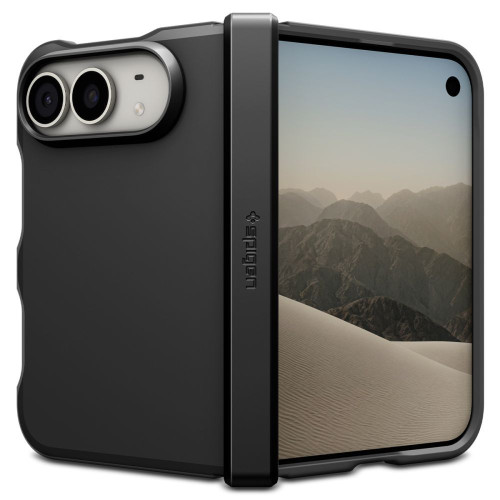
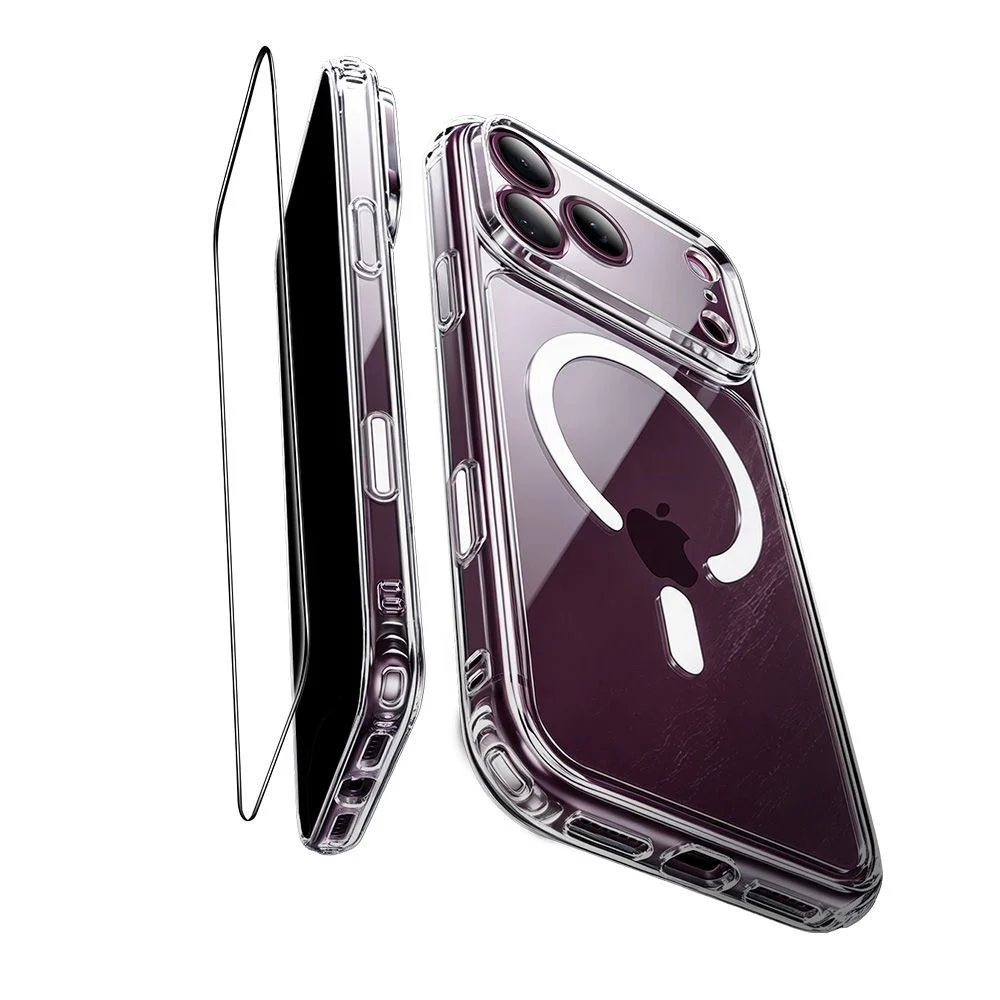
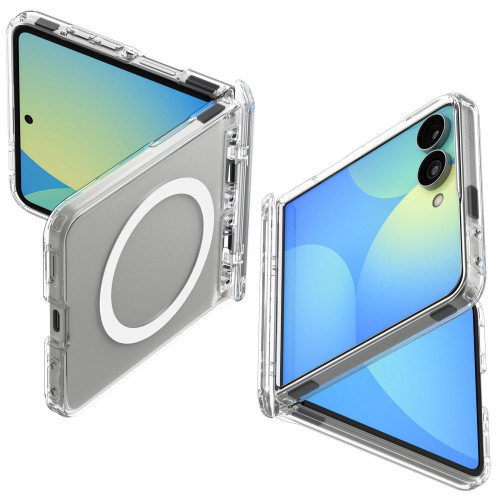
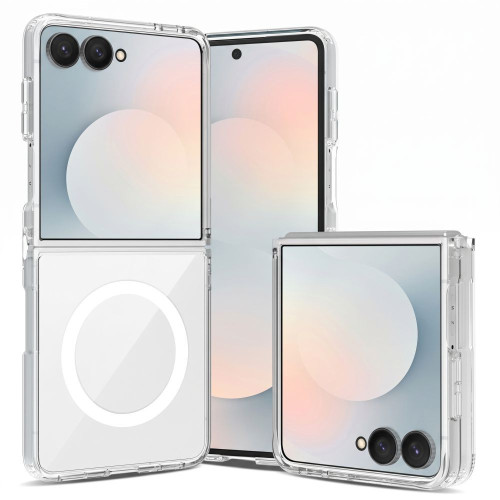
    The best case for the iPhone Duo today is Spigen Tough Armor Pro MagFit: armored, with a hinge cover and MagSafe magnets. If you want a hinge cover and a stand in one, choose Spigen Slim Armor Pro S. The thinnest is CARE by PanzerGlass Discovery: 0.9 mm thick and 14 g.

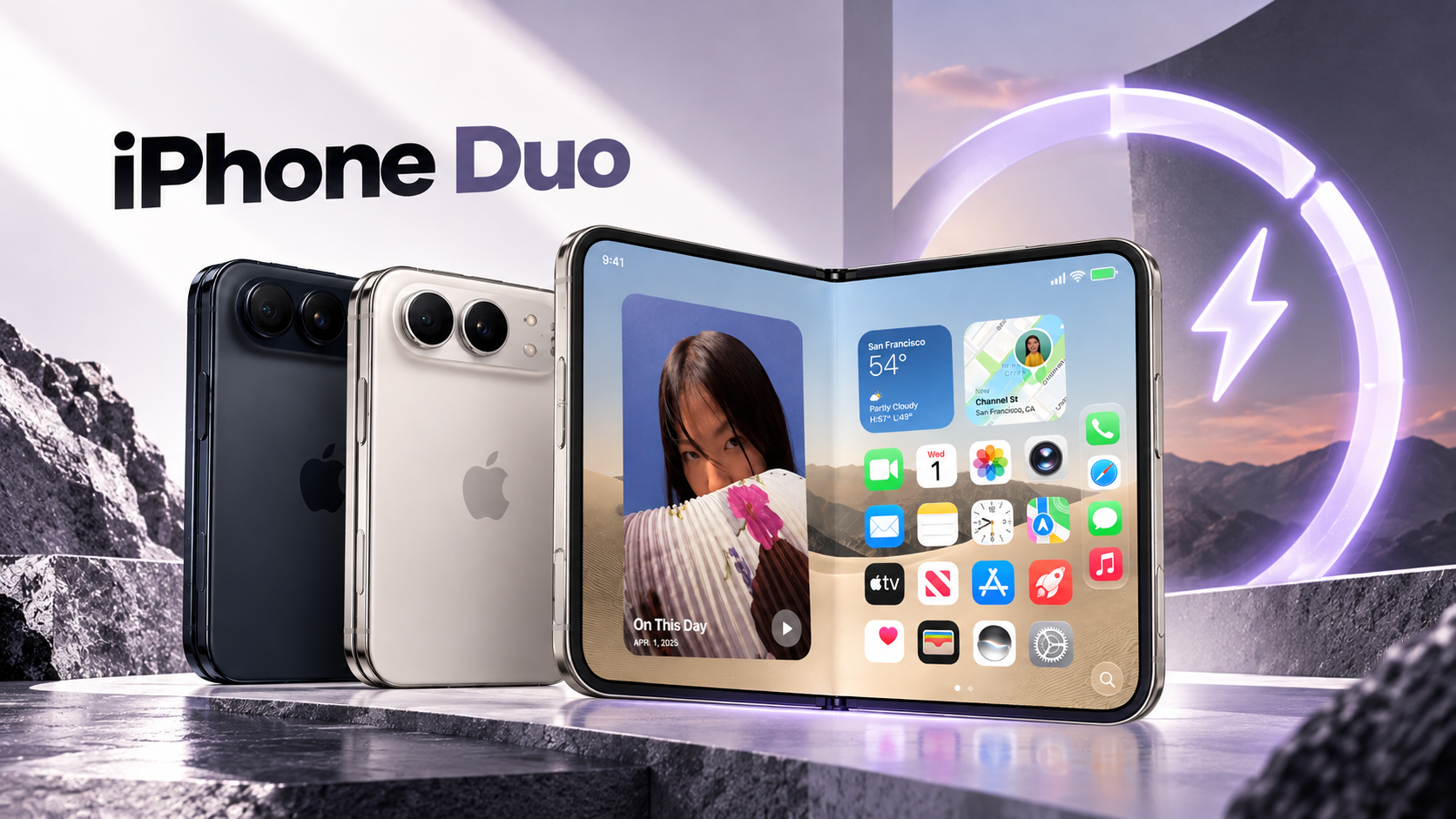
    The pre-sale of the iPhone Duo, referred to before the presentation as the iPhone Fold, starts on October 16 at 2:00 PM, and sales begin on October 23. The phone costs from 9,999 PLN, so cases are usually purchased together with it, not a week later.

    However, choosing a case for the folding iPhone is different than for a regular one. You need to decide whether to protect the hinge, how much thickness and weight to add, and how the case will interact with the external screen. Below we explain these three decisions and compare seven cases from four brands available in the store.
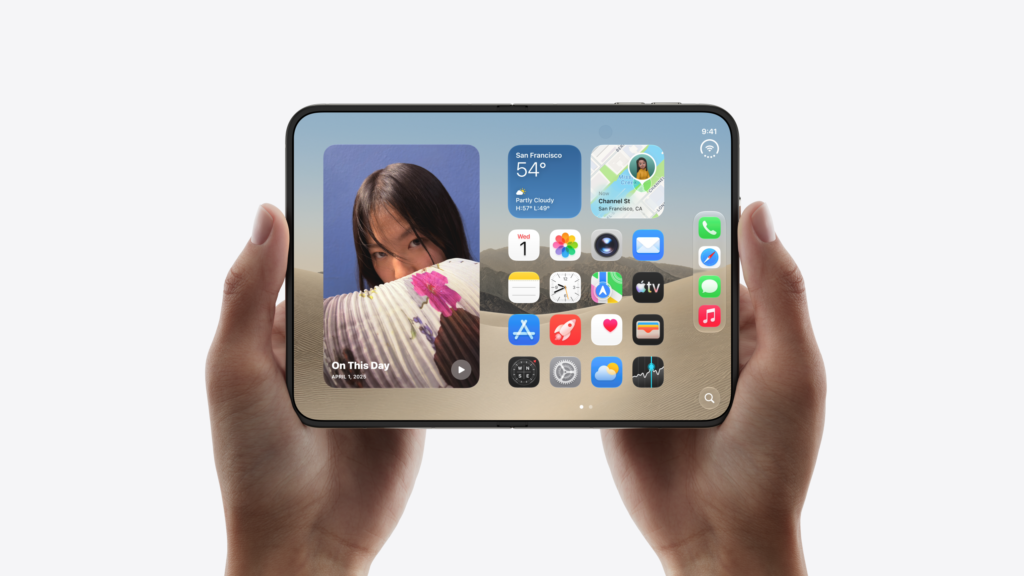
    Case for the iPhone Duo: what to pay attention to with the folding iPhone

    The foldable phone has two halves and a hinge between them. Therefore, almost every case for the iPhone Duo consists of two separate parts: one covers the half with the external screen, the other covers the half with the cameras. The differences begin at the hinge.

    Hinge cover: covered or exposed

    The Duo hinge consists of over 100 components and is one of the most vulnerable parts of the foldable phone. Cases are divided into two groups here:

    • With hinge cover. A flexible strap covers the back and connects both parts of the case. It protects the hinge but adds thickness.
    • With exposed hinge. Two independent shells, the back remains on top. The case is slimmer, but the hinge has no protection.

    If the phone often ends up on the floor, choose a hinge cover. If you mainly carry it in a bag and care about appearance, the exposed hinge will suffice.

    Thickness and weight: Duo is already heavy

    The iPhone Duo weighs 254 g and is the heaviest iPhone in history. When folded, it has a thickness of 11.3 mm. Each case adds more grams and millimeters, and in a phone carried in the pocket of pants, this is felt more than in a classic iPhone.

    Therefore, in this case, a thin case makes more sense than usual. A rugged case offers better protection but turns the Duo into a hefty block.

    MagSafe through two halves

    The Duo charges wirelessly via MagSafe and Qi2 with a power of up to 25 W. Most cases in this selection have built-in magnets, so the charger, wallet, or car mount stick to the case. They do not have magnets Spigen Ultra Hybrid Pro in Crystal Clear version and Bizon Case Tur.

    There are two caveats. With Tough Armor Pro, Spigen warns that some MagFit accessories may not fit because the hinge cover interferes. With Slim Armor Pro, the manufacturer states that some magnetic and wireless chargers may charge intermittently or not at all, and recommends charging with a cable.

    Left edge of the external screen and Shift Left Edge setting

    Apple anticipated that thick cases might overlap the edge of the screen. In the Display & Brightness settings, there is an option that the English version of iOS calls Shift Left Edge. It roughly doubles the black frame on the left side of the external screen so that the back gesture works correctly when the edge of the case covers a piece of the display.

    The option was discovered by Nicolas Lellouche during tests right after the September presentation, and described by MacRumors. Thanks to it, the edge of the rugged case does not interfere with going back.

    Best cases for iPhone Duo: our picks

    In the store, we have cases from four brands: Spigen, UAG, PanzerGlass, and Bizon. Three Spigen models protect the hinge, while the other cases in the lineup leave it exposed. The ESR and Tech-Protect cases have not yet made it to the offer.

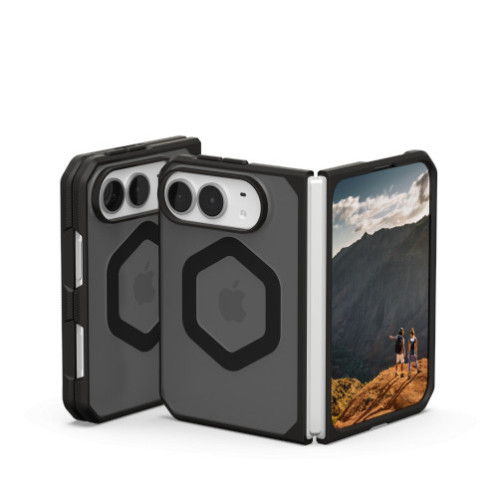
    1. Spigen Tough Armor Pro MagFit: best protection
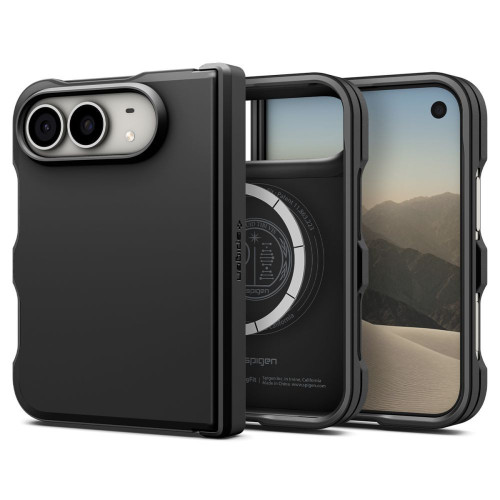
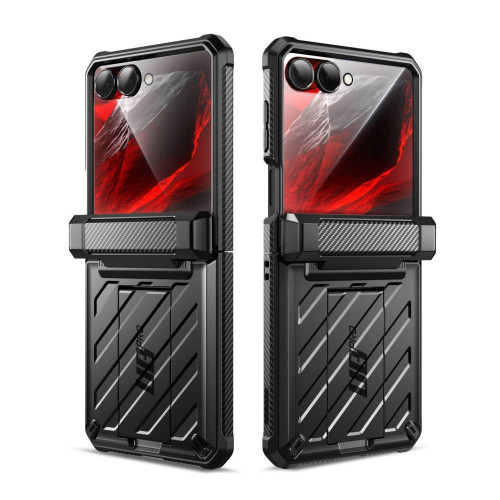
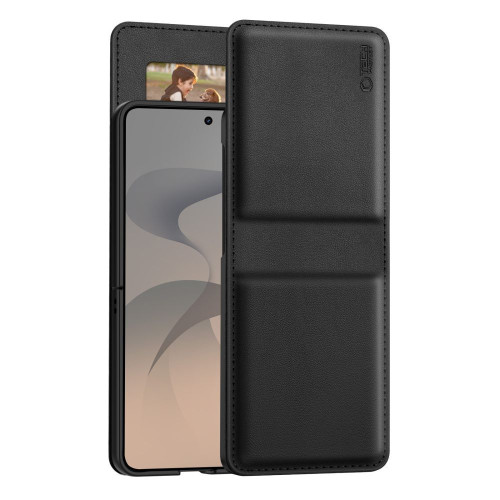
    On the right, you can clearly see the strap that covers the hinge and connects both halves of the case.

    Our choice for anyone who wants to protect the entire phone. Spigen Tough Armor Pro MagFit has a full hinge cover, which also connects both parts of the case, along with a rugged construction with corner cushioning. It is available in the store under the name “Tough Armor Mag,” but the EAN code matches the Pro version from Spigen’s website.

    • Polycarbonate and TPU with Air Cushion technology
    • Full hinge cover, according to Spigen, slimmer than previous covers from this brand
    • N52 magnets for MagSafe
    • Raised edges around the screen and cameras
    • Available in two colors: black and Metal Slate

    Advantages:

    • Rugged construction
    • The hinge cover connects both halves of the case

    Disadvantages:

    • The hinge cover adds thickness
    • May interfere with some MagFit accessories

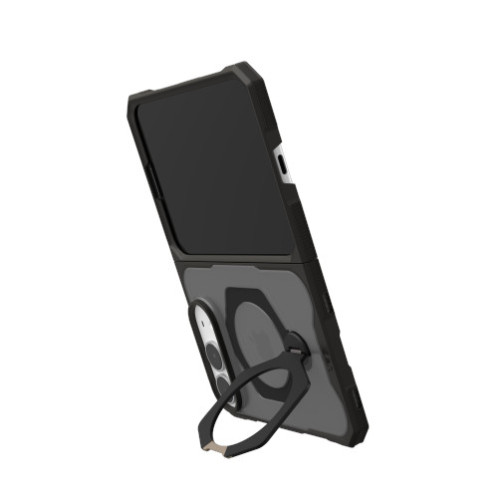
    2. Spigen Slim Armor Pro S MagFit: hinge cover and stand
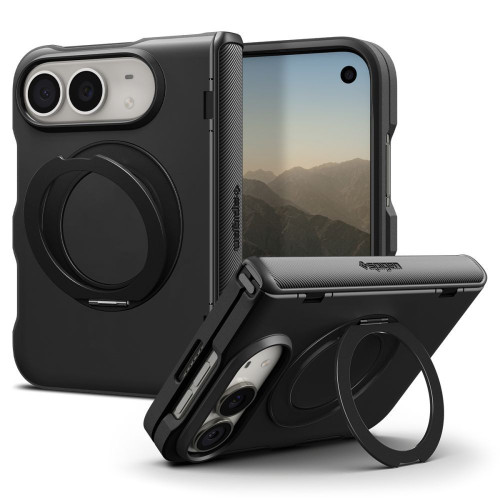
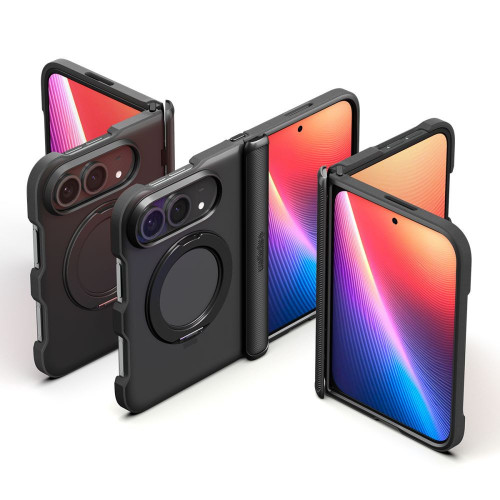
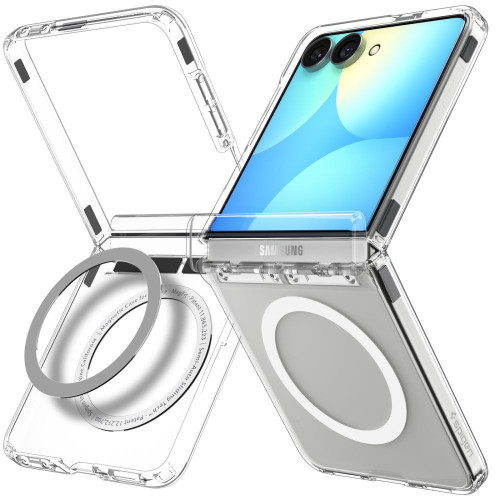
    Slim Armor Pro S: a metal ring that acts as a stand, and a hinge cover.

    Spigen Slim Armor Pro S MagFit is the only case in the comparison that combines hinge protection and a stand. According to Spigen, the cover conceals the entire hinge, and its texture is designed not to interfere with folding. On the back, there is a metal ring that rotates 360°, which acts as a support at various angles.

    • Polycarbonate and TPU with Air Cushion cushioning
    • Full hinge protection, SecuLink system connecting both parts
    • Metal ring with a stand, 360° rotation
    • N52 magnets for MagSafe accessories

    Advantages:

    • Hinge protection and stand in one case
    • The ring rotates 360°, so you can set the phone vertically and horizontally

    Disadvantages:

    • Spigen warns that some magnetic and wireless chargers may not charge through the case
    • The ring adds thickness to the back

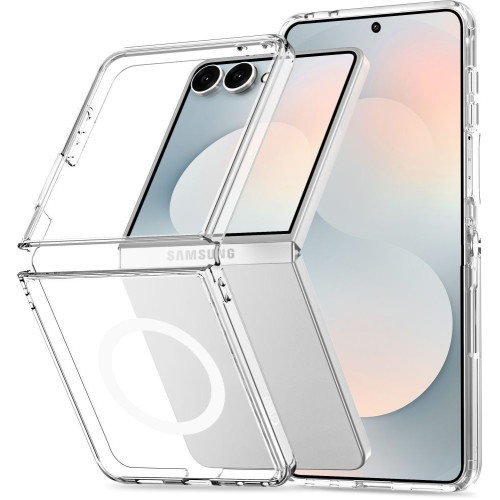
    3. Spigen Ultra Hybrid Pro: transparent with hinge protection
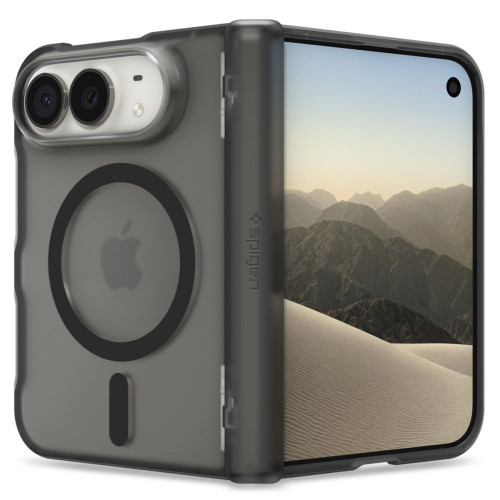
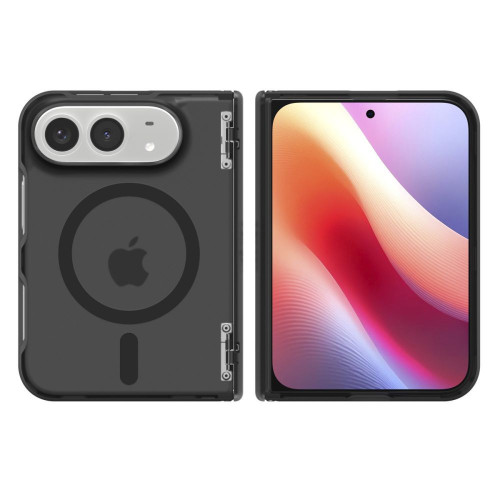
    Ultra Hybrid Pro MagFit in Frost Black color.

    If you want the phone to be visible through the case while keeping the hinge covered, choose Spigen Ultra Hybrid Pro. According to the manufacturer, the case features a hinge cover with the SecuLink system that covers the folding point and does not obstruct folding. There are two versions available in the store:

    Both versions according to Spigen are protected against yellowing.
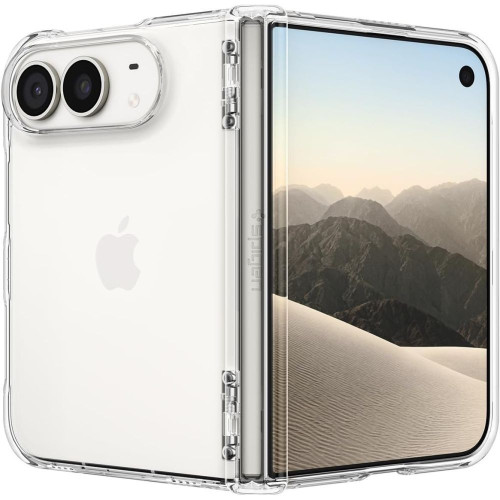
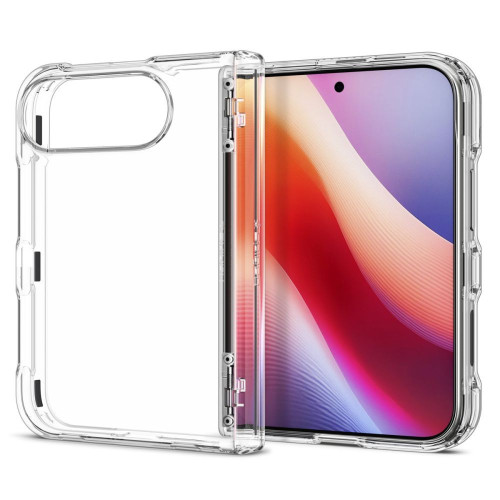
    Ultra Hybrid Pro Crystal Clear, version without magnets.

    Advantages:

    • Hinge cover in a slim case, through which the phone is visible
    • Available in a version with MagSafe or without

    Disadvantages:

    • The Crystal Clear version does not have magnets, so the MagSafe charger will not attach
    • No stand

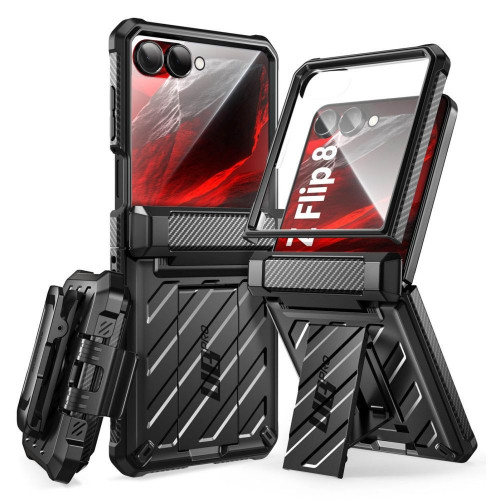
    4. UAG Mouve XTE: with 360° stand
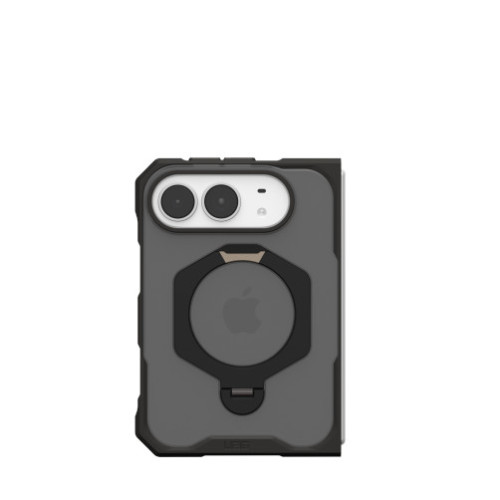
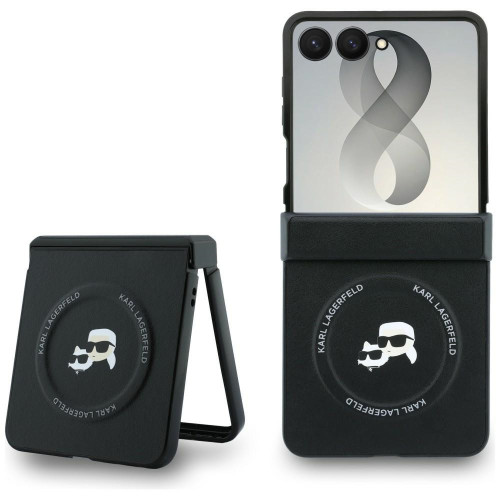
    UAG Mouve XTE: on the left, both halves of the case, on the right, the unfolded stand.

    UAG Mouve XTE has a built-in 360° rotating metal stand. It is more useful on a foldable phone than on a regular one, as the unfolded 7.6″ screen works well for movies and FaceTime calls on the table. The stand also acts as a ring for your finger.

    • Two parts: a translucent polycarbonate plate and a TPU (thermoplastic polyurethane) frame with a soft-touch finish
    • Drop test according to MIL-STD-810G 516.6 (manufacturer’s declaration), Air-Soft corners
    • Built-in MagSafe module
    • Available in two colors: ash and ice

    Advantages:

    • Stand in vertical and horizontal position
    • Declared drop standard in lightweight construction

    Disadvantages:

    • In the manufacturer’s photos, the hinge is exposed

    5. UAG Mouve: durable without extras
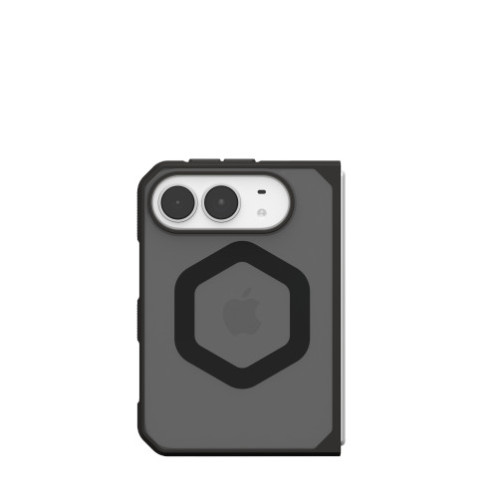
    UAG Mouve consists of two independent shells, the hinge is exposed.

    UAG Mouve is made of the same material and has the same declared MIL-STD-810G standard as XTE, but without a stand. The back is flat, without a protruding support. It’s a good choice if you want solid corner protection and don’t need a stand.

    Advantages:

    • Declared drop standard, without protruding base
    • The phone is visible through the translucent back

    Cons:

    • Exposed hinge, like in XTE

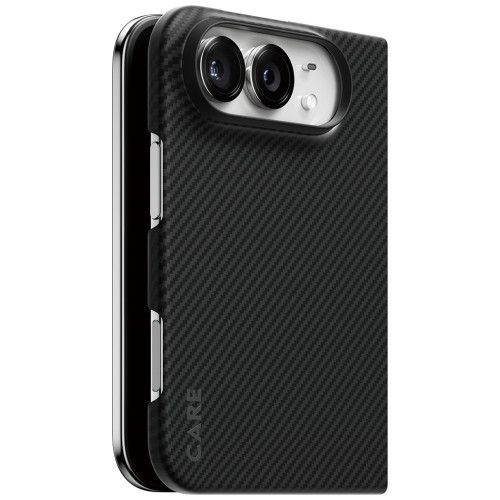
    6. CARE by PanzerGlass Discovery: the thinnest
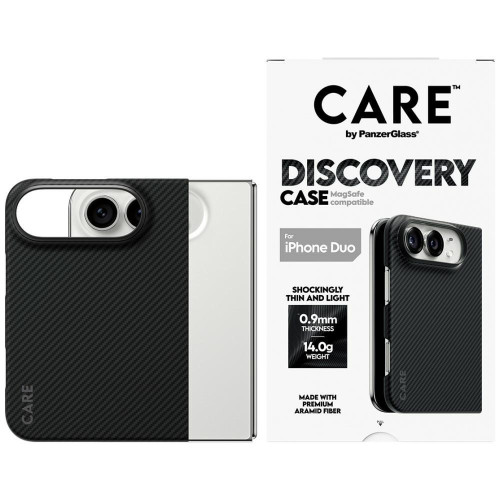
    PanzerGlass Discovery aramid back: thin, but the hinge remains exposed.

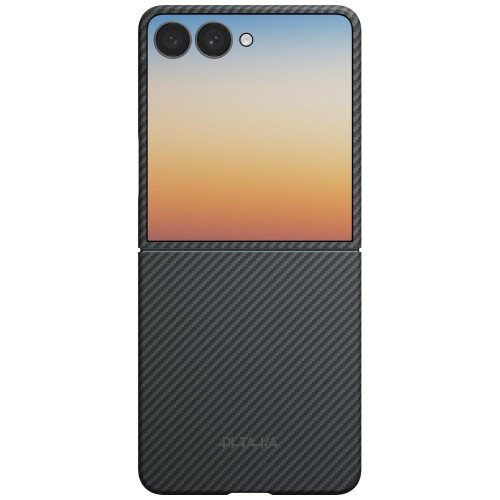
    CARE by PanzerGlass Discovery is made of aramid fiber, from the same family of materials as Kevlar. According to the manufacturer, it is 0.9 mm thick and weighs 14 g, so it adds very little to the 254 g of the phone. It is the only case in the comparison for which the manufacturer provides thickness and weight.

    • Aramid fiber, rigid and scratch-resistant
    • Raised edges around the cameras
    • Compatible with MagSafe and Qi

    Advantages:

    • Very thin and lightweight
    • The Duo remains slim when folded

    Disadvantages:

    • No declared drop standard and cushioning corners
    • Exposed hinge

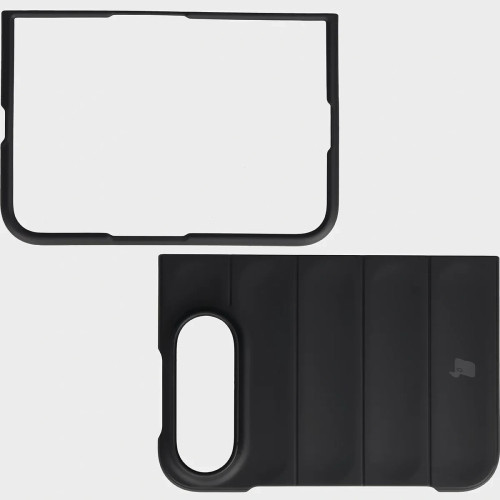
    7. Bizon Case Tur: in five colors
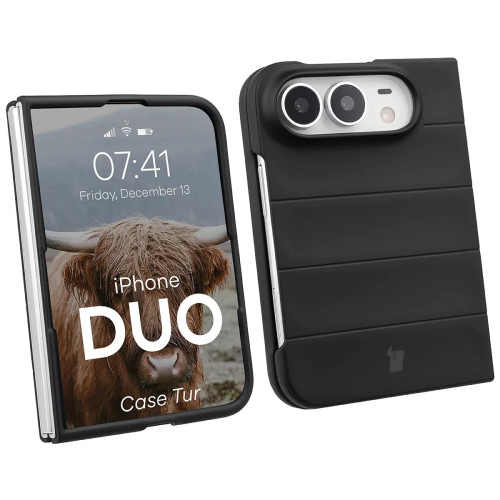
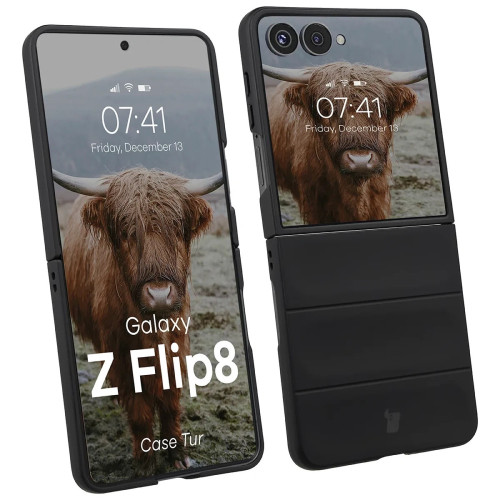
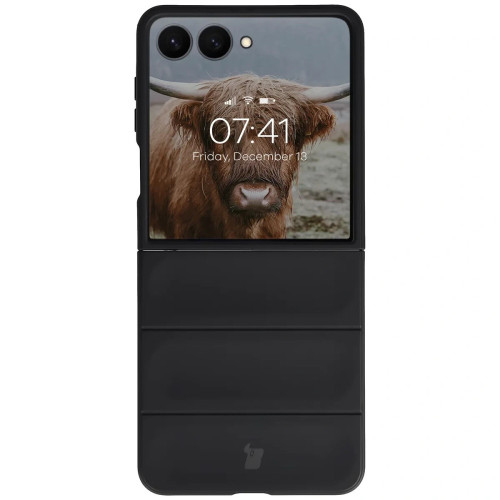
    Bison Case Tur: two parts with transverse grooves.

    Bison Case Tur is a plastic case with characteristic transverse grooves. It is the only case in the lineup available in five colors: black, navy blue, light gray, light blue, and red.

    • Plastic, two separate parts
    • Raised edges around the screen and cameras
    • Compatible with wireless charging

    Advantages:

    • Largest selection of colors
    • Distinctive pattern with transverse grooves

    Disadvantages:

    • No MagSafe magnets
    • In the manufacturer’s photos, the hinge is exposed

    [hs_products ids=”147879,149078,149077,149075,147356,147354,146924,149101″ cols=”4″]

    iPhone Duo Cases in Table: Hinge, MagSafe, Stand

    FeatureSpigen Tough Armor ProSpigen Slim Armor Pro SSpigen Ultra Hybrid ProUAG Mouve XTEUAG MouvePanzerGlass DiscoveryBizon Case Tur
    Hinge Protection✅✅✅❌❌❌❌
    MagSafe✅✅✅ MagFit version✅✅✅❌
    Stand❌✅ 360° ring❌✅ 360° rotating❌❌❌
    MaterialPC + TPUPC + TPUPC (MagFit) or PC + TPU (Crystal Clear)PC + TPUPC + TPUaramid fiberplastic
    Drop ProtectionAir CushionAir CushionAir CushionMIL-STD-810G testMIL-STD-810G testno dataraised edges
    Best formaximum protectionprotection with standshowing phone colorwatching on the tableeveryday protectionslim phonecolor choice

    How to choose in short:

    • Do you often drop your phone? Spigen Tough Armor Pro.
    • Do you want hinge protection and a stand? Spigen Slim Armor Pro S.
    • Do you like transparent cases? Spigen Ultra Hybrid Pro MagFit.
    • Is the stand more important than the hinge? UAG Mouve XTE.
    • Do you want corner protection without extras? UAG Mouve.
    • Do you carry the Duo in your pants pocket? PanzerGlass Discovery.
    • Are you looking for a specific color? Bizon Case Tur.

    What else to buy for the iPhone Duo

    With a foldable phone, it’s worth thinking about two things besides the case right away.

    Screen protection. You can apply tempered glass for the iPhone Duo on the outer screen. The inner screen bends, so glass won’t hold up on it. Here, only film for the iPhone Duo screen remains.
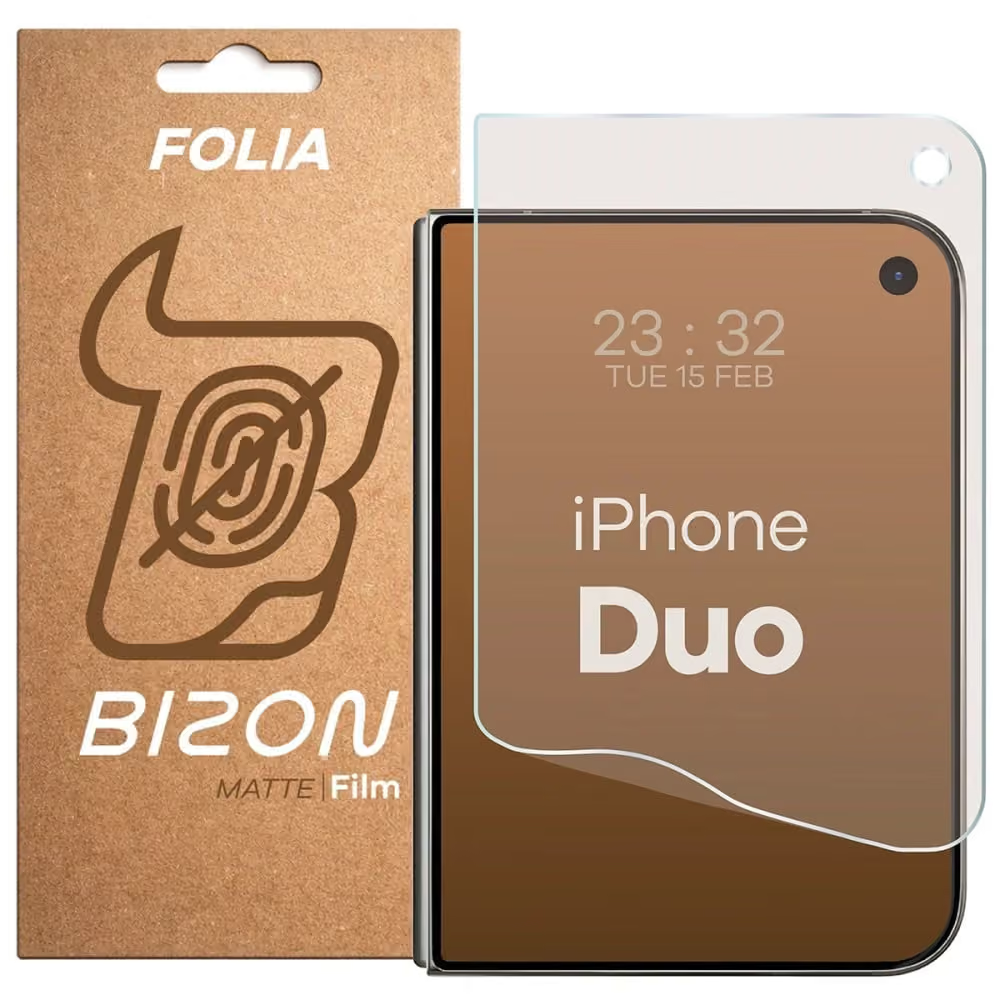
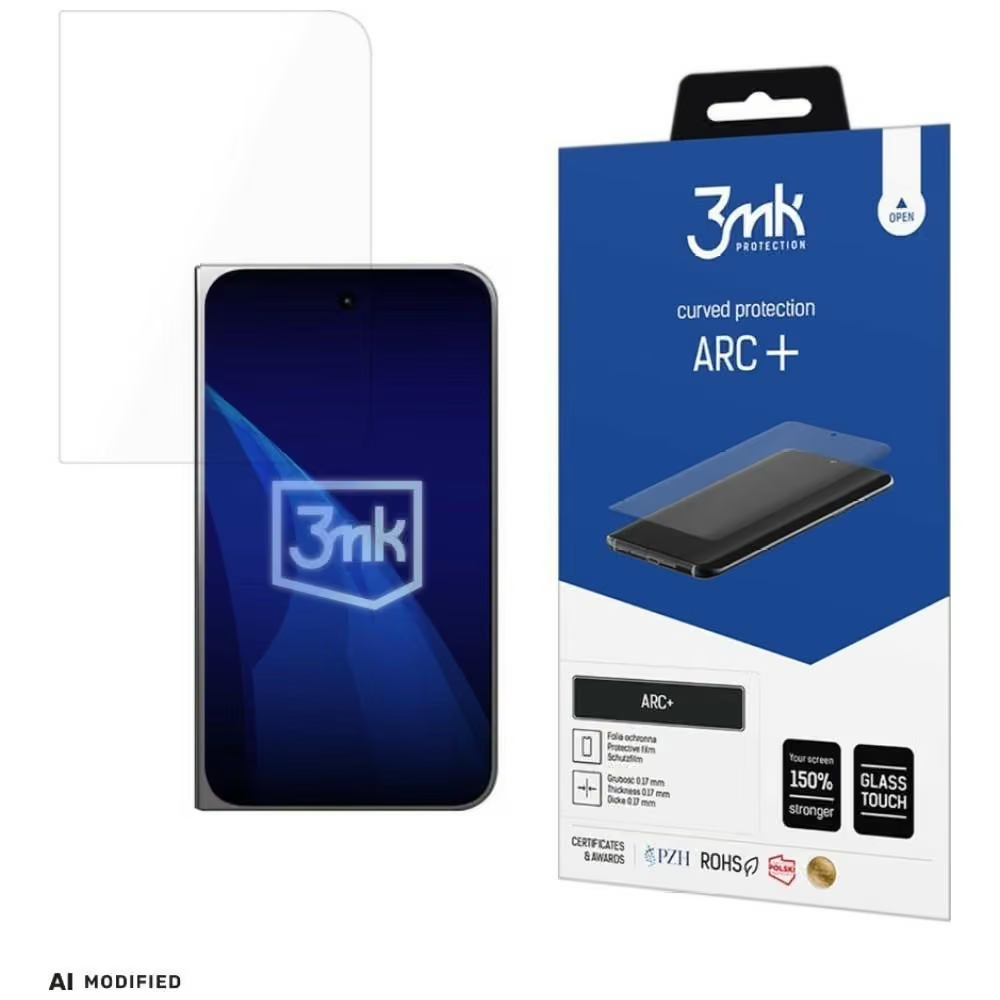
    Charger. Apple does not include it in the box. To charge the Duo to 50% in about 20 minutes, you need a power adapter with at least 60 W. We compared specific models in the article which charger for iPhone Duo.

    If you are still hesitating whether to buy the Duo at all, check out our comparison iPhone Duo vs Galaxy Z Fold 8 or the article about the price and release of iPhone Duo in Poland.

    Summary: which case for iPhone Duo

    • Best protection: Spigen Tough Armor Pro MagFit, rugged case with hinge protection.
    • Hinge protection with stand: Spigen Slim Armor Pro S MagFit.
    • Transparent with hinge protection: Spigen Ultra Hybrid Pro, with or without magnets.
    • Lightest and thinnest: CARE by PanzerGlass Discovery, 0.9 mm and 14 g.
    • Most colors: Bizon Case Tur, but without MagSafe.

    The selection of Duo iPhone cases will continue to grow. If you want to have a case on the day you pick up your phone, order it together with the pre-sale. You can find the current offer in the category Duo iPhone cases, and shipping is free for orders over 100 PLN.

    FAQ

    Does the Duo iPhone case protect the hinge? Not all of them. In our offer, the cases that protect the hinge are Spigen: Tough Armor Pro, Slim Armor Pro S, and Ultra Hybrid Pro. UAG Mouve, UAG Mouve XTE, PanzerGlass Discovery, and Bizon Case Tur leave the hinge exposed.

    Does the MagSafe case work with the Duo iPhone? Yes. The Duo iPhone supports MagSafe and Qi2 up to 25 W, and most cases in this lineup have built-in magnets. The Spigen Ultra Hybrid Pro Crystal Clear and Bizon Case Tur do not have magnets. With the Spigen Tough Armor Pro, some MagFit accessories may not fit due to the hinge cover.

    Can tempered glass be applied to the inner screen of the Duo iPhone? No. The inner screen bends, so it is only protected by a film. Tempered glass is only suitable for the outer screen.

    Does a Galaxy Z Fold case fit the Duo iPhone? No. The Duo iPhone has different dimensions (when folded 84.1 × 117.8 × 11.3 mm) and a different arrangement of cameras and buttons. You need a case designed for the Duo.

    Does the Duo iPhone case cover the outer screen? Thicker cases may slightly overlap the left edge of the screen. Apple accounted for this in the Shift Left Edge setting, which widens the black frame on the left so that the back gesture works smoothly.

    How much does the iPhone Duo with a case weigh? The phone itself weighs 254 g. The PanzerGlass Discovery adds 14 g. The weights of other cases are not provided by the manufacturers.

    When will there be more cases for the iPhone Duo? Cases from Spigen, UAG, PanzerGlass, and Bizon are already available in the store, and more brands will be added gradually. You can always find the current selection in the iPhone Duo case category.
  • The best cases for iPhone 18 Pro: ranking of 10 models

    The best cases for iPhone 18 Pro: ranking of 10 models

    The best case for the iPhone 18 Pro is the ESR Cyber Tough Kickstand MagSafe: rugged, with a foldable stand and MagSafe magnets. If you prefer to showcase the phone’s color, choose the transparent Spigen Ultra Hybrid MagSafe, and if you are looking for armor with MagSafe for drops up to 5.5 m according to the manufacturer, UAG Pathfinder.

    All cases in the ranking are marked by manufacturers as “17 Pro / 18 Pro” because the bodies of both phones have the same dimensions. We explain why this is the case and what from the 17 Pro you cannot transfer in the text whether the case from the iPhone 17 Pro fits the 18 Pro.

    Below is a ranking of 10 cases from eight brands, a comparison in a table, and tips on which to choose for specific needs.

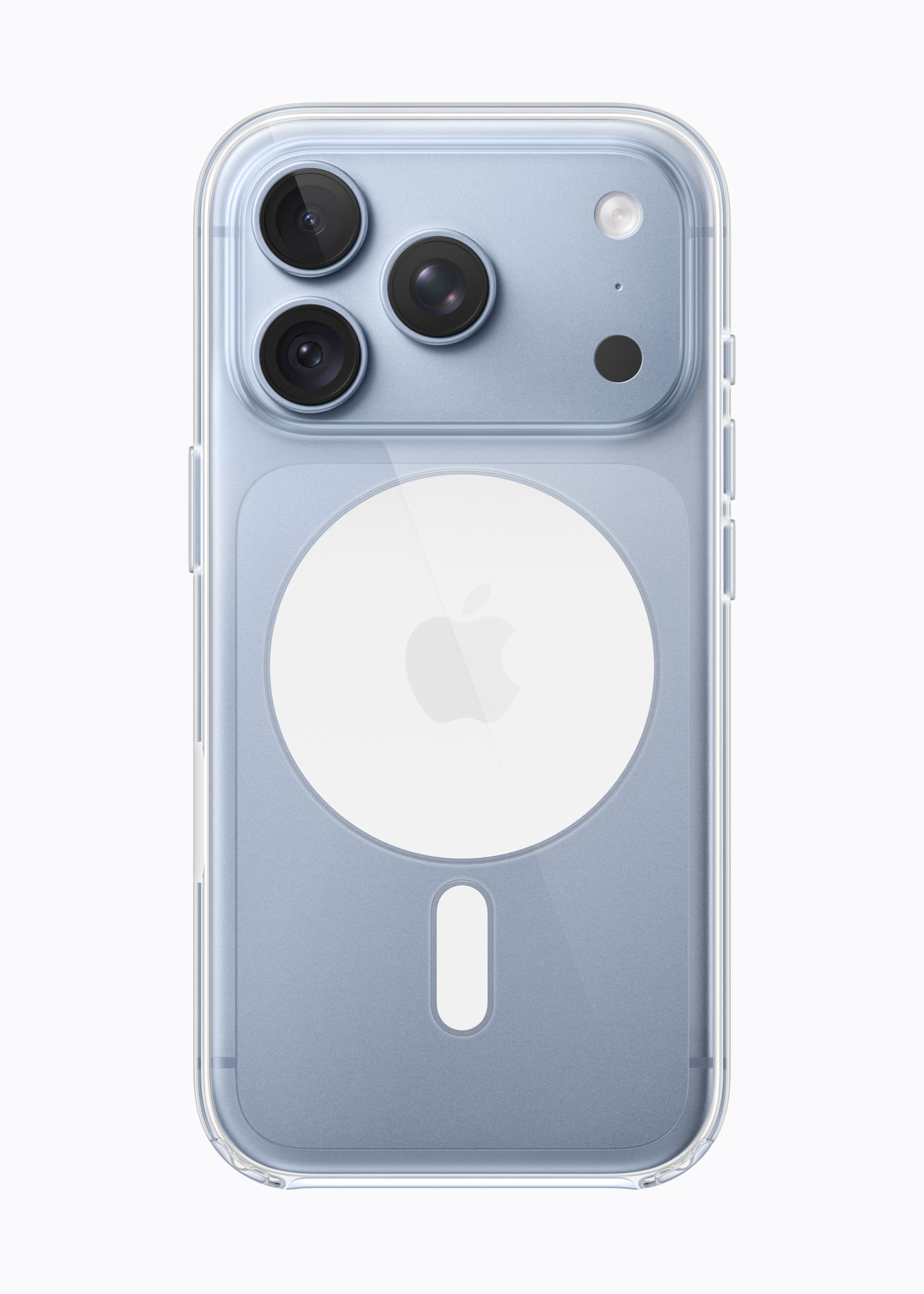
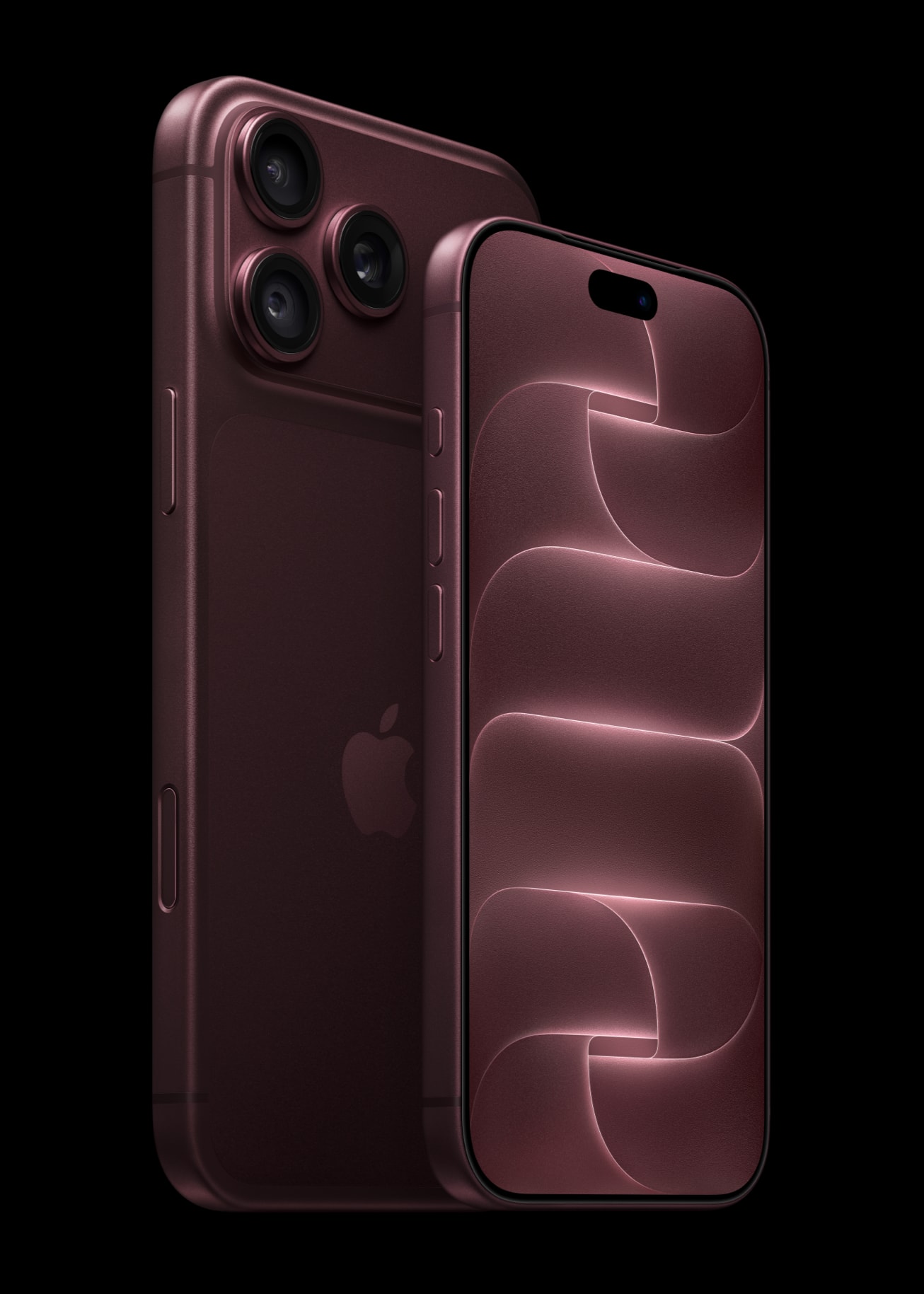
    iPhone 18 Pro and the original transparent Apple case with MagSafe. Photos: Apple.

    What to pay attention to when choosing a case for the iPhone 18 Pro

    MagSafe is the first thing to check. Through a case without magnets, the iPhone 18 Pro will still charge wirelessly, but the MagSafe charger holds weaker, and the wallet or car mount may fall off. Therefore, look for a case with a built-in magnetic ring.

    The second thing is camera protection. The camera island protrudes from the back, and the main camera features a new variable aperture. Look for a case with a lip higher than the lenses or with a camera cover. We wrote more about the aperture itself in the article does MagSafe harm the iPhone 18 Pro camera.

    The third is the type of case. You have three groups to choose from:

    • Rugged: thicker, with cushioning in the corners, often with a kickstand.
    • Hybrid and transparent: rigid back with a flexible frame, slim for everyday use.
    • With a flap or 360°: also protect the screen, but they are the thickest.

    Tip: always check the case for button placements and camera cutouts in the product images. A good case has separate, precise cutouts and a lip that extends above the lenses.

    Ranking: 10 best cases for iPhone 18 Pro

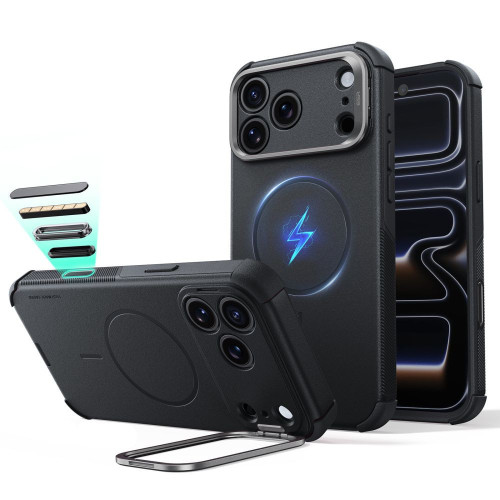
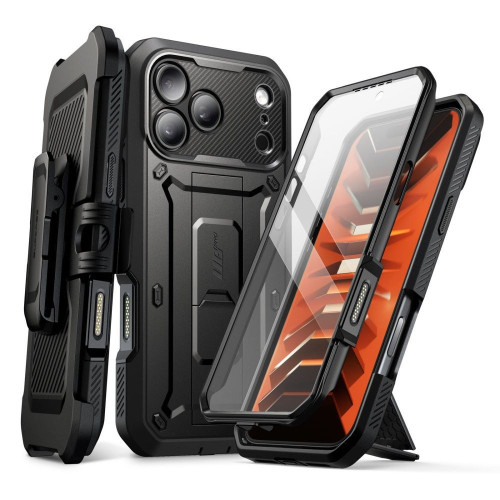
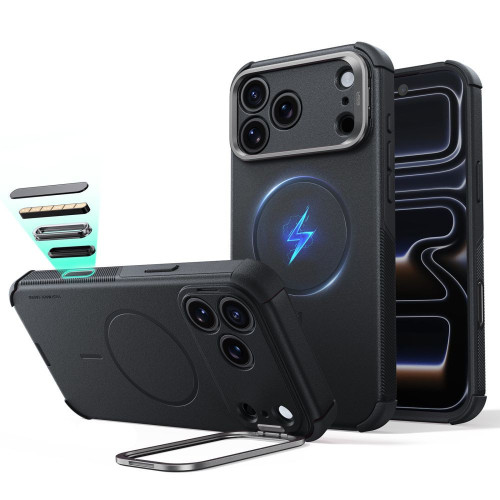
    1. ESR Cyber Tough Kickstand MagSafe: rugged with a kickstand

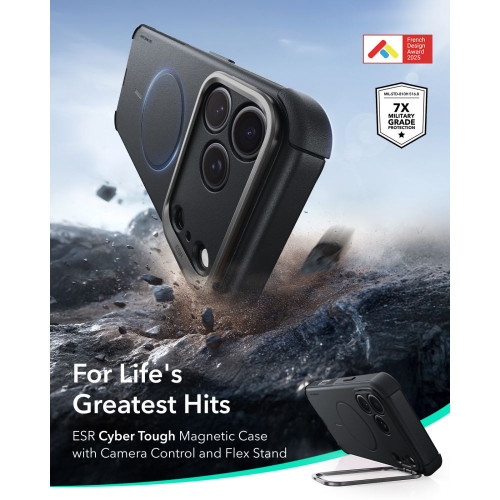
    ESR Cyber Tough Kickstand: the stand is a frame around the camera island.

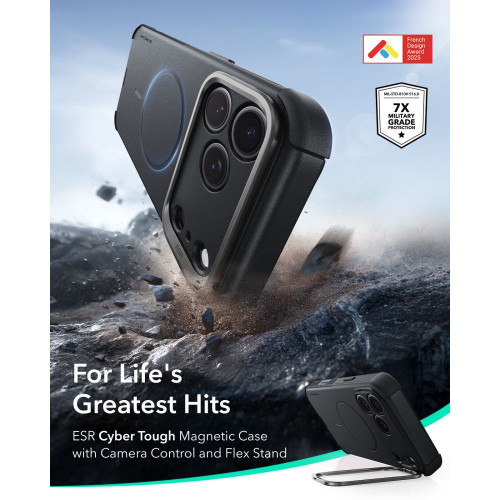
    Our favorite. ESR Cyber Tough Kickstand MagSafe features a three-layer construction and Air Guard padded corners that absorb impact energy.

    ESR claims Military Grade protection at a level of 7x for this series. The stand is a metal frame around the camera island: when unfolded, it holds the phone on the table, and when folded, it acts as an additional bumper protecting the lenses.

    For whom: if your phone often lands on hard surfaces, and you also watch movies on it.

    Con: it is one of the thicker cases in the comparison.

    2. Spigen Ultra Hybrid MagSafe: transparent

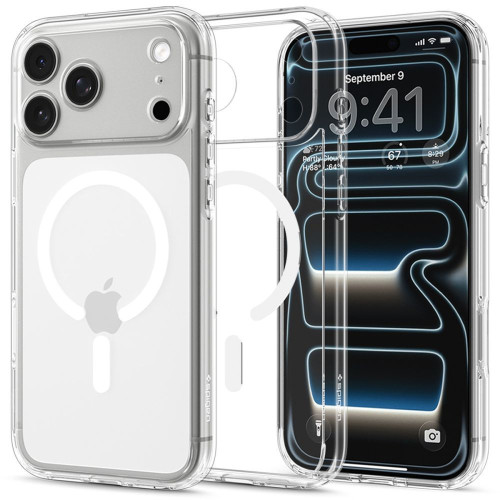
    Spigen Ultra Hybrid MagSafe in Clear/White version, with a white magnetic ring.

    Spigen Ultra Hybrid MagSafe is a classic hybrid series from Spigen. Rigid polycarbonate back combines with a flexible TPU frame, and in the corners, Spigen uses Air Cushion technology, which are air cushions.

    The case is slim, and the transparent back shows the color of the phone. Raised edges protect the screen and camera from scratches when you place the phone on a table.

    Good when the iPhone 18 Pro should also look good in the case.

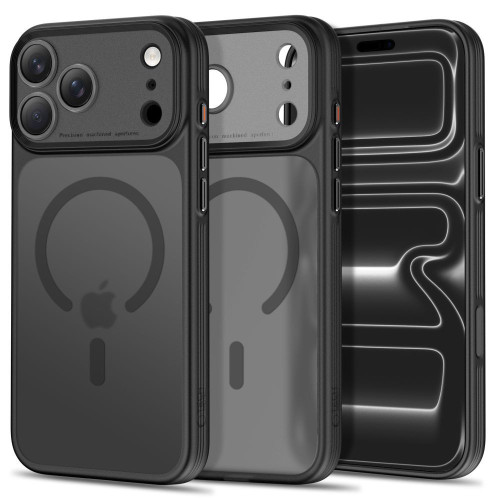
    3. Tech-Protect MagPrime MagSafe CC: matte with camera protection

    The abbreviation CC in the name stands for the raised frame around the cameras.

    Tech-Protect MagPrime MagSafe CC has the abbreviation CC in its name, which means Camera Cover. In practice, it is a raised frame around the camera island, with a separate cutout for each lens.

    The flexible TPU frame absorbs shocks, while the rigid polycarbonate back maintains its shape. The back has a matte finish, and the magnetic ring catches the MagSafe charger.

    Good when you are looking for a slim case that protects the camera.

    Cons: the manufacturer does not provide the declared drop resistance.

    [hs_products ids=”143069,147257,142338″ cols=”3″ title=”Top three in the ranking”]

    4. UAG Pathfinder MagSafe: armor with MagSafe for drops from 5.5 m

    UAG Pathfinder MagSafe: on the left black, on the right olive.

    UAG Pathfinder MagSafe is the most durable MagSafe case in the lineup. The manufacturer claims protection from drops from heights of up to 5.5 m and three times meets the requirements of the MIL-STD-810G 516.6 standard.

    Reinforced corners and frame absorb shocks, while the raised bezel protects the screen. The built-in MagSafe module works with chargers and magnetic accessories.

    For whom: if your phone works with you outdoors or you have children at home who like to drop it.

    Con: there is no stand.

    5. Spigen Tough Armor T MagSafe: three layers and a stand

    Tough Armor T: you can see the internal cushioning layer and the MagSafe ring.

    Spigen Tough Armor T MagSafe has three layers: a polycarbonate back, a TPU frame, and an internal cushioning layer. Spigen claims Military Grade protection for it.

    The back has a built-in stand for watching movies and video calls. The raised edges lift the camera above the surface of the table.

    Good when you are looking for a rugged case with a stand, but prefer Spigen over ESR.

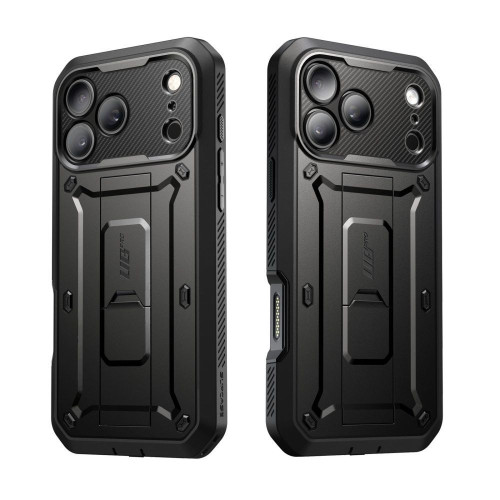
    6. Supcase Unicorn Beetle Pro: 360° protection with a clip

    The Unicorn Beetle Pro comes with a belt clip case.

    Supcase Unicorn Beetle Pro encloses the phone in 360° protection. The front frame has a built-in PET film for the screen, and the whole case, according to the manufacturer, withstands drops from heights of up to 6 m and meets the MIL-STD-810H standard.

    The set includes a belt clip case with a stand. This case is for people who work physically and need their phone always at hand.

    Cons: this version does not have MagSafe magnets. If you need them, there are UB Grip Mag and Grip Pro Mag variants available in the store.

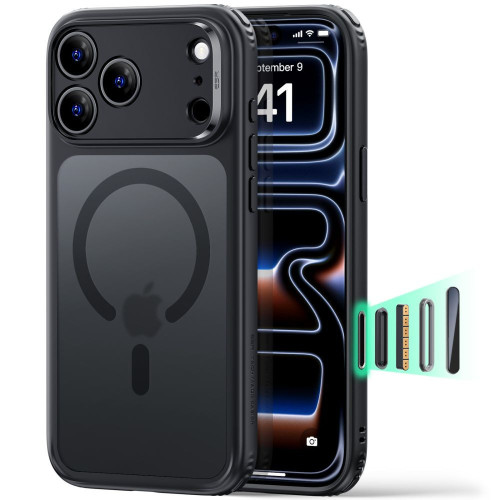
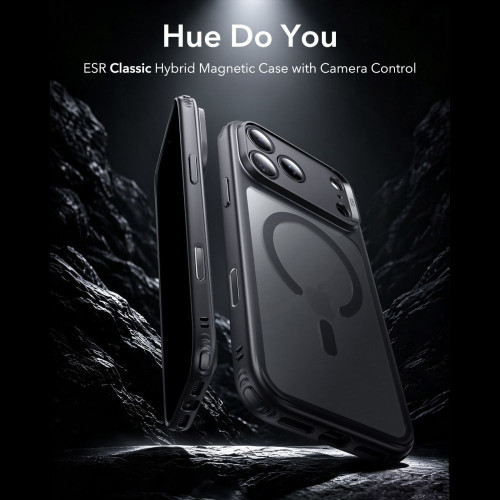
    7. ESR Classic Hybrid MagSafe Frosted: matte mist

    ESR Classic Hybrid in Frosted Black version.

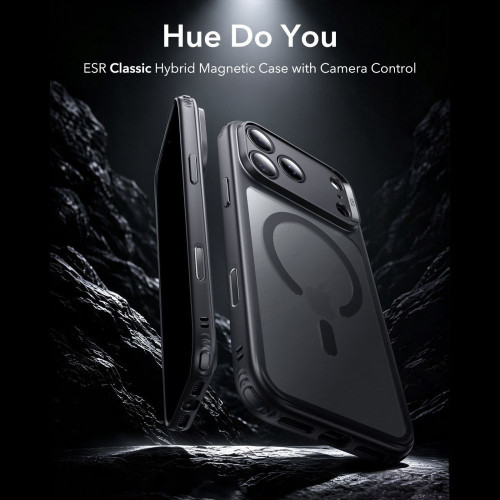
    ESR Classic Hybrid MagSafe in Frosted version has a matte, semi-transparent back. The phone is visible, but without a mirror effect and without fingerprints.

    ESR uses Air Guard cushions in the corners and claims Military Grade protection at a level of 3x, which is lower than in Cyber Tough. In return, Classic Hybrid is noticeably slimmer.

    For whom: if you want to see the color of the phone, but without gloss.

    8. 3mk Misty MagCase: slim, in seven colors

    3mk Misty MagCase: black on the left, white on the right.

    3mk Misty MagCase is a case from a Polish brand with a transparent-matte finish. It is made of TPU and polycarbonate, has a built-in magnetic ring, and raised edges around the screen and camera.

    It is available in seven colors: black, white, burgundy, blue, orange, pink, and green.

    Choose it if you want a slim case with MagSafe and care about color.

    [hs_products ids=”147331,146521,146946,146724,146779″ cols=”5″ title=”Positions 4–8 in the ranking”]

    9. Ringke Fusion Magnetic: transparent with UV coating

    Ringke Fusion Magnetic also has openings for a lanyard.

    Ringke Fusion Magnetic is a minimalist transparent case with a polycarbonate back and TPU frame. According to the manufacturer, the back has a UV coating that reduces scratches and discoloration, and there are air pockets in the corners.

    It also has built-in openings for a phone lanyard.

    It fits if you are looking for a transparent case with MagSafe and the option to hang the phone on a lanyard.

    Cons: the manufacturer does not provide the declared drop resistance.

    10. Mercury BlueMoon Diary MagSafe: with flap

    Mercury BlueMoon Diary: the flap with pockets also protects the screen.

    Mercury BlueMoon Diary MagSafe is a book-style case that also protects the screen. It has a MagSafe ring on the back, which is not standard among flap cases.

    The flap has card pockets, and when folded, it also serves as a stand.

    For whom: if you carry cards along with your phone.

    Cons: you have to flip the flap every time you want to look at the screen.

    iPhone 18 Pro case: comparison in a table

    Case Type MagSafe Stand Screen Protection Declared Resistance
    ESR Cyber Tough Kickstand armored ✅ ✅ edge Military Grade 7x, Air Guard
    Spigen Ultra Hybrid transparent ✅ ❌ edge Air Cushion
    Tech-Protect MagPrime CC matte hybrid ✅ ❌ edge no data from the manufacturer
    UAG Pathfinder armored ✅ ❌ edge up to 5.5 m, MIL-STD-810G
    Spigen Tough Armor T armored ✅ ✅ edge Military Grade
    Supcase Unicorn Beetle Pro 360° with holster ❌ ✅ ✅ PET film up to 6 m, MIL-STD-810H
    ESR Classic Hybrid Frosted matte semi-transparent ✅ ❌ edge Military Grade 3x, Air Guard
    3mk Misty MagCase slim ✅ ❌ edge no data from the manufacturer
    Ringke Fusion Magnetic transparent ✅ ❌ edge air pockets
    Mercury BlueMoon Diary with flap ✅ ✅ flap ✅ flap no data from the manufacturer

    Which case to choose for the iPhone 18 Pro?

    • Do you often drop your phone? UAG Pathfinder or ESR Cyber Tough.
    • Do you carry your phone on your belt? Supcase Unicorn Beetle Pro.
    • Do you want to see the color? Spigen Ultra Hybrid or Ringke Fusion Magnetic.
    • Do you want a slim case with camera protection? Tech-Protect MagPrime CC.
    • Do you watch movies on the table? ESR Cyber Tough or Spigen Tough Armor T.
    • Do you carry cards with your phone? Mercury BlueMoon Diary.

    Do you have a larger model? We have prepared a separate ranking for the best cases for iPhone 18 Pro Max.

    What to complement the iPhone 18 Pro case with

    Most cases protect the back and corners, but not the screen or the glass over the lenses. It’s worth adding:

    Remember that the camera glass from the iPhone 17 Pro does not fit the 18 Pro, as the camera island is different.

    Summary: the best cases for iPhone 18 Pro at a glance

    • Best overall: ESR Cyber Tough Kickstand MagSafe, rugged with a stand.
    • Best transparent: Spigen Ultra Hybrid MagSafe.
    • Slim with camera protection: Tech-Protect MagPrime MagSafe CC.
    • Highest claimed durability: Supcase Unicorn Beetle Pro (up to 6 m, without MagSafe) and UAG Pathfinder (up to 5.5 m, with MagSafe).

    A full selection, over 250 models in stock, can be found in the category cases for iPhone 18 Pro. Free shipping is available for orders over 100 PLN.

    FAQ

    What is the best case for iPhone 18 Pro? For most people, ESR Cyber Tough Kickstand MagSafe: rugged, with a stand and MagSafe magnets. If you prefer slim and transparent, choose Spigen Ultra Hybrid MagSafe.

    Does the iPhone 17 Pro case fit the 18 Pro? In practice, yes, because the bodies of both models have the same dimensions, although Apple does not officially declare compatibility. Details and exceptions are described in a separate article about case compatibility.

    Which case for iPhone 18 Pro is the most durable? The highest durability is claimed by Supcase Unicorn Beetle Pro (drops up to 6 m) and UAG Pathfinder (up to 5.5 m). However, Supcase does not have MagSafe magnets.

    Does every case for iPhone 18 Pro work with MagSafe? No. The MagSafe charger and accessories hold firmly only through cases with a built-in magnetic ring. In our ranking, 9 out of 10 cases have it, with the exception of Supcase Unicorn Beetle Pro.

    Does the case for iPhone 18 Pro Max fit the 18 Pro? No. Pro Max is larger, so it needs its own case. We have prepared a separate ranking for it.

    Does the iPhone 18 Pro case protect the camera? Most cases in the ranking have a lip higher than the lenses, and the Tech-Protect MagPrime CC additionally has a raised frame around the camera island. The glass over the lenses is best protected by a separate glass for the camera.

  • Does MagSafe harm the iPhone 18 Pro camera? We explain.

    Does MagSafe harm the iPhone 18 Pro camera? We explain.

    There is no evidence that regular MagSafe accessories harm the camera of the iPhone 18 Pro. The magnet moved the blades of the new aperture only in the module removed from the phone. The MagSafe ring is located in the center of the back, clearly below the camera island. The risk concerns something else: strong magnets and metal plates placed directly near the lenses.

    Where does this concern come from? On September 20, iFixit disassembled the iPhone 18 Pro and showed that six blades of the variable aperture move thanks to magnets. Concerns quickly arose that a magnetic phone mount or MagSafe wallet could misalign the camera. If you use such accessories, the question is very valid.

    We check what the test really showed, what Apple itself says about magnets, and which accessories for the iPhone 18 Pro are safe, which ones require caution, and which ones are better to avoid.

    In the photo with the transparent case, you can clearly see where the MagSafe ring sits: in the center of the back, below the camera island. Photos: Apple.

    Does MagSafe harm the camera of the iPhone 18 Pro? Short answer

    Nothing suggests that it does. The MagSafe charger, MagSafe case, wallet, and power bank attached to the ring work with the iPhone 18 Pro just like with its predecessors. No test has shown that they change the aperture on a closed phone. Caution makes sense with accessories that place a magnet or steel plate on the camera island or right next to it.

    This is not a new rule invented for the 18 Pro. Apple has been warning for years about strong magnets near the rear camera, as they interfere with image stabilization and autofocus. The new aperture adds another moving part to the lens, so the same advice is even more applicable.

    How the variable aperture works in the iPhone 18 Pro

    The aperture is the opening through which light reaches the sensor. Until now, the iPhone had it fixed: in the 17 Pro, the main camera always operated at f/1.78. In the iPhone 18 Pro, the opening is adjusted by six laser-cut blades. According to iFixit, each is roughly as thin as a human hair.

    In the Camera app, there are four settings to choose from:

    Aperture Purpose
    f/1.48 Most light: night photos and in dark interiors
    f/1.8 Portraits, balancing light and depth of field
    f/2.8 Greater depth of field than at f/1.8
    f/4.0 Group photos, landscape, architecture

    One caveat: only the main 48 MP camera has a variable aperture. The ultra-wide (f/2.2) and 4x telephoto (f/2.8) still have a fixed aperture. The same setup is in the iPhone 18 Pro Max, so everything we write here applies to both models.

    Portrait photo taken with the main camera of the iPhone 18 Pro

    Photo from the main camera of the iPhone 18 Pro. Photo: Apple.

    We discussed what has changed in the camera and what has remained the same in the article iPhone 18 Pro camera: teardown and DxOMark score.

    What the iFixit test really showed (and what it didn’t)

    The whole discussion started from the teardown of the iPhone 18 Pro published by iFixit. Technicians removed the camera module, brought a magnet close to it, and recorded how the aperture blades open and close. This worked even after removing the other components of the module.

    The test clearly shows how the mechanism is built. However, it does not prove that the MagSafe wallet will ruin your camera. The differences are fundamental:

    • The module was removed from the phone. In a finished iPhone, the accessory magnet does not reach the mechanism directly, as the MagSafe ring lies below the camera island.
    • The magnet was held right next to the mechanism. No MagSafe accessory works this way, as it attaches to the ring in the center of the back.
    • No one tested accessories on a closed phone. iFixit does not mention MagSafe at all.

    A similar experiment was conducted by the Phone Repair Guru service on a disassembled 18 Pro Max. After the test, the camera worked normally, and the author noted that this is not a test of everyday MagSafe use.

    Beware of the rumor: there is information circulating online that Apple has “officially confirmed” that MagSafe chargers are safe for the new lens. Such a statement is not found in Apple’s newsroom or on the support pages.

    What Apple says about magnets near the iPhone camera

    Apple has a separate support document about magnets near the iPhone camera. It indicates that the magnet near the lens position sensors can interfere with, and even temporarily disable, optical image stabilization (OIS) and autofocus. The camera still takes pictures, but without these two functions, it is easier to get blurred or out-of-focus shots.

    Apple lists three types of problematic accessories. All have strong magnets or metal plates near the rear camera:

    1. Case with a flap, whose closure is held by a magnet.
    2. Two-part (detachable) case connected by magnets.
    3. Mountings for rigid holders, e.g., car mounts, with a plate near the camera.

    Two things are worth knowing about this document. It is archived, so Apple no longer updates it. It also does not mention either MagSafe or the iPhone 18. There is currently no new version that includes the aperture.

    According to a review by tech-ish from September 25, Apple has also updated the guidelines for accessory manufacturers. Cases, covers, and camera attachments must not interfere with autofocus or stabilization. There is not a word about the aperture itself.

    MagSafe Accessories for iPhone 18 Pro: Safe, Be Careful, Avoid

    The principle is simple: the contact point matters, where the magnet touches the phone. An accessory attached to the MagSafe ring stays in the center of the back. The problem only arises when something magnetic lands near the lenses.

    Accessory Safe? Why
    MagSafe / Qi2 Charger ✅ yes Attaches to the ring, away from the lenses
    MagSafe Case ✅ yes Magnets in the case align with the ring on the phone
    MagSafe Wallet ✅ yes Holds onto the ring, does not reach the camera island
    MagSafe Power Bank ✅ yes Like the charger, mounted in the center of the back
    MagSafe Car Mount ✅ yes Grabs onto the ring, no additional plate
    Finger or Ring MagSafe Holder ✅ yes Provided it sits on the ring
    Holder with Adhesive Metal Plate be careful Safe only if the plate is low, in the center of the back
    3-in-1 Station with MagSafe Charger be careful Check if the phone is not resting the camera against metal
    Magnetic Flip Case ❌ avoid The clasp magnet can be close to the lenses
    Magnetic Filter and Lens Mounts ❌ avoid By design, they directly overlap the camera
    Strong “Universal” Magnet without MagSafe ❌ avoid Unknown strength and position of the magnet
    Motorcycle Mount without Vibration Dampening ❌ avoid Apple warns against strong engine vibrations

    Qi2 is an open standard for wireless charging with magnets arranged the same way as in MagSafe, so we treat both equally in this table.

    Is a magnetic phone mount safe in a car?

    Yes, if it grabs the MagSafe ring. This is how MagSafe and Qi2 car mounts work: the magnets in the head align with the magnets in the phone, and nothing else needs to be attached.

    You need to be careful with older magnetic mounts that require a metal plate to be attached. If the plate is placed high, close to the cameras, in the iPhone 18 Pro, that is the worst possible spot.

    If you stick with such a mount, attach the plate in the center of the back, under the Apple logo. It would be even better to switch to a MagSafe case.

    Among the MagSafe car mounts that hold onto the ring and do not require a plate, we recommend:

    [hs_products ids=”130386,134694,127488″ cols=”3″]

    You will find a full selection in the category car mounts. If you are just choosing a type of mount, our guide which car mount to choose for your phone will be helpful.

    MagSafe Wallets and Finger Holders

    The MagSafe wallet attaches to the ring and does not reach the camera island. Therefore, it is indifferent to the aperture. The same applies to magnetic rings and finger holders, as long as you hold them on the ring and do not slide them up for a more comfortable grip.

    They work well:

    We compare more models in the overview TOP 10 MagSafe wallets for phones.

    Chargers, Power Banks, and MagSafe Stations

    The MagSafe charger and magnetic power bank are the safest accessories on the entire list. They must align perfectly with the ring, otherwise they won’t charge, and the ring is located below the camera island.

    The only thing to check concerns the 3-in-1 charging stations with a metal construction. If the phone in the station rests the camera island against a metal element with a magnet, such as a watch charger, reposition the devices or choose a station with a larger gap.

    What to really watch out for: drops and vibrations

    If you want to protect the iPhone 18 Pro camera, the magnets near the MagSafe ring are not the main concern. The aperture blades are delicate mechanics. iFixit estimates that few people in the world have the tools and knowledge to disassemble and reassemble it, so a repair will most likely mean replacing the entire camera module.

    What realistically threatens the camera:

    • Fall on the back or corner with the camera island. The impact force goes directly into the module. A case with a raised edge around the cameras is useful here.
    • Strong vibrations. Apple has a separate document stating that motorcycle engine vibrations can worsen the performance of the iPhone camera. It does not recommend mounting the iPhone on high-powered motorcycles. For scooters and mopeds, it advises using a mount with vibration dampening.
    • Scratching the glass over the lens. It won’t damage the aperture, but it can cause streaks and reflections in photos. A camera cover protects against this.

    MagSafe case for iPhone 18 Pro with a rim around the camera

    A good case for the iPhone 18 Pro combines two things. The first is built-in MagSafe magnets, because without them, accessories hold poorly or not at all through the case. The second is a lip that extends above the lenses.

    Among the models available in the store, we recommend:

    [hs_products category=”2618″ limit=”6″ sort=”sales”]

    You can find other models in the iPhone 18 Pro case category.

    Tip: the case from the iPhone 17 Pro fits the 18 Pro, as both have identical bodies. However, the camera cover does not fit. We explain the details in the text whether the case from the iPhone 17 Pro fits the iPhone 18 Pro.

    Camera cover

    A typical camera island cover, whether glass or aluminum, does not have magnets, so it does not interfere with the lens. It protects the glass above the lenses from scratches and chips. The ESR Armorite Camera Protector and Tech-Protect CamAlloy Fit+ fit well with the 18 Pro.

    You can find the entire offer in the category camera glass for iPhone 18 Pro.

    How to check if an accessory affects the iPhone 18 Pro camera

    Suspect that a holder or case is causing issues? You can check it in five minutes:

    1. Take a photo of the same scene with the accessory and without it, from the same spot.
    2. Compare sharpness at zoom. Pay attention to blurriness in low light, as stabilization works hardest then.
    3. Watch the preview in the Camera app. Image shaking or constant “searching” for focus with the accessory attached is a warning sign.
    4. If the symptoms disappear after removing the accessory, change its position or do without it.
    5. If the symptoms persist even without the accessory, take the phone to an Apple service. Do not try to “fix” anything with a magnet.

    Summary: MagSafe and iPhone 18 Pro

    • There is no evidence that MagSafe harms the iPhone 18 Pro camera. The ring lies below the camera island, and no test has shown any impact on the aperture when the phone is closed.
    • iFixit’s test concerned the removed module. It showed how the mechanism works, but it is not a warning against the charger or wallet.
    • Avoid magnets and plates near the lenses: a magnetic flap case, magnetic filter mounts, and plates stuck high.
    • Watch out for drops and vibrations. A case with a lip and a camera cover is a more sensible protection than giving up MagSafe.

    If you are gathering accessories for your new phone, start with a MagSafe case. You can then choose the rest from the MagSafe accessories category: car mount, wallet, or power bank that stays where it should.

    FAQ

    Can the MagSafe charger damage the iPhone 18 Pro camera? There is no evidence for this. The MagSafe charger attaches to the ring in the center of the back, below the camera island, and does not bring the magnet close to the aperture.

    Is a magnetic phone mount safe for the iPhone 18 Pro? Yes, if it is a MagSafe or Qi2 mount that grips the ring in the phone. For older mounts with a metal plate, stick it in the center of the back, never near the cameras.

    Does the MagSafe wallet affect the iPhone 18 Pro camera? No. The wallet attaches to the MagSafe ring and does not reach the camera island. Apple only warns against magnets and plates placed near the rear camera.

    Do the same rules apply to the iPhone 18 Pro Max? Yes. The iPhone 18 Pro Max has the same variable aperture in the main camera, so MagSafe is fine, but the magnets on the lenses are not.

    Can I mount the iPhone 18 Pro on a motorcycle? Apple does not recommend mounting the iPhone on high-powered motorcycles because strong vibrations can impair stabilization and autofocus performance. On a scooter or moped, use a mount with vibration dampening.

    Will a MagSafe case for the iPhone 17 Pro work with the 18 Pro? Yes. Both models have identical bodies, so the case fits, and its magnets align with the MagSafe ring. However, you cannot transfer the camera cover.

  • What is the best charger for the iPhone Duo? 2026 Ranking

    What is the best charger for the iPhone Duo? 2026 Ranking

    The best charger for the iPhone Duo is a USB Power Delivery charger with a power of at least 60 W, only from this threshold does Apple promise to charge up to 50% in about 20 minutes. Our choice is the UGREEN Nexode Air 65W, as it fits this power on one port and is the size of a matchbox.

    In the box with the phone, you will find only a USB-C cable. There is no charger, and the old 20 W cube from the iPhone 12 will charge the Duo noticeably slower than the manufacturer states.

    The foldable iPhone goes on sale on October 23, 2026, with pre-orders starting on October 16. This is a good time to choose a charger in advance, instead of looking for it after receiving the package.

    Below are five wall chargers that meet this threshold, and further on all the other equipment: MagSafe and Qi2 25W wireless chargers, USB-C cables, car chargers, and power banks. Along the way, four things on which it’s easiest to lose the promised 20 minutes.

    The iPhone Duo charges via USB-C and wirelessly, using MagSafe and Qi2 standards. Photos: Apple.

    Note: The iPhone Duo is not the MagSafe Duo

    Before we move on to the ranking, one distinction that is easy to overlook when purchasing.

    MagSafe Duo Charger is a foldable, dual charger from Apple for the iPhone and Apple Watch, introduced in 2020 and long discontinued. The name “Duo” refers to its two charging pads, not a phone model.

    iPhone Duo is a foldable iPhone from 2026, which we described in the premiere article about the foldable iPhone. It requires a regular USB-C wall charger, but one that is more powerful than previous iPhones.

    If you see “Apple dual charger,” “Apple Duo Charger,” or “Apple Duo wireless charger” in the search engine, it is not a product for this phone.

    Are you looking for such a dual charger? Its modern equivalent is 3-in-1 stations: they charge the phone, watch, and headphones at the same time, and unlike the MagSafe Duo, they are still available for purchase. We describe them in the section on wireless chargers later in the text.

    What the iPhone Duo requires from a charger

    Apple provides three numbers in the specifications, and all three are important when making a purchase.

    ParameterValue according to Apple
    Wired fast chargingup to 50% in about 20 minutes
    Minimum power of the power adapter60 W or higher
    MagSafe chargingup to 25 W
    Qi2 chargingup to 25 W
    MagSafe charging to 50%about 30 minutes, power adapter 35 W or stronger
    ConnectorUSB-C, USB 3 (10 Gb/s)
    Included1 m USB-C cable, no power adapter
    Phone weight254 g

    Note one thing: 60 W is a requirement for the power adapter, not the power drawn by the phone. The Duo does not draw 60 W continuously. However, the power adapter must have that reserve to maintain a high current in the initial phase of charging when the battery is nearly empty.

    This is a change compared to the rest of the line. The iPhone 17 reaches its 50% in 20 minutes with a 40 W power adapter, which we described in the ranking of chargers for the iPhone 17. The Duo has two batteries and raises this threshold by half.

    Need a charger right now? See phone chargers →

    Four things that determine full speed

    1. Power on one port, not total

    This is the most common trap with multi-port chargers. The manufacturer writes “65 W” on the box, but that number refers to the total across all ports. Plug in a second device, and the main port drops to 45 W or lower, and the phone falls below the 60 W threshold.

    Look for specifications that state “65 W on a single USB-C port.” If you are charging a laptop and a phone from one block, go for a higher power tier: 100 W or more.

    2. USB Power Delivery, not just Quick Charge

    The iPhone exclusively uses USB Power Delivery (USB PD), a standard that negotiates voltage between the charger and the device. Quick Charge is Qualcomm’s competing standard, useful for Android phones, but it offers nothing to the iPhone.

    Most GaN chargers support both at the same time. Just make sure that USB PD is explicitly mentioned.

    3. GaN, if size matters to you

    GaN (gallium nitride) is a material that has replaced silicon in charger transistors. It heats less and allows for fitting 65 W in a case the size of the old 20 W block.

    At 60 W and above, it’s the difference between something that fits in your jacket pocket and a brick for your backpack.

    4. The cable that no one mentions on the box

    Manufacturers of chargers are silent about this because the cable is usually sold separately. At 60 W, the cable must carry 3 A, and not every cable can do that, even if the plug looks identical. We will return to this in a separate section below.

    The cable from the Duo box performs flawlessly. The problem starts when you reach for the first random cable from the drawer, and then you wonder why 20 minutes turned into an hour.

    Ranking: 5 chargers for iPhone Duo that meet the 60 W threshold

    We have ranked them from the most universal to the most specialized.

    The phone will be available for sale only on October 23, so we selected them based on the parameters provided by Apple, not on our own tests with this model.

    1. UGREEN Nexode Air 65W

    Our choice

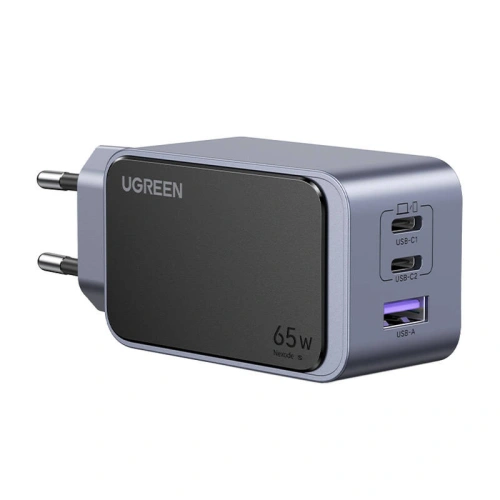
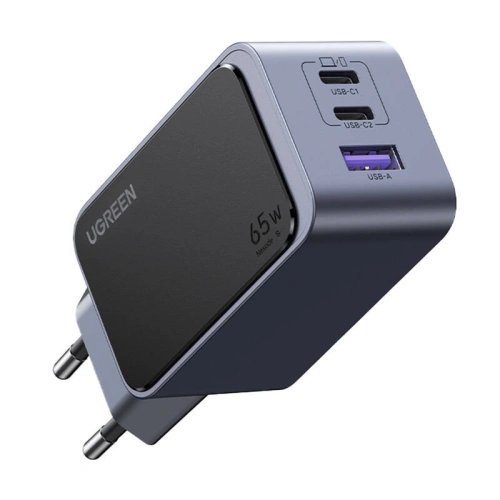
    UGREEN Nexode Air 65W exceeds the 60 W threshold with a small margin and does so in a casing that you can easily carry in your backpack pocket. It has two USB-C ports and one USB-A, so you can also charge your headphones or watch from it.

    You will get a full 65 W with one connected device. When you plug in a second one, the power is divided between the ports, and Duo may drop below the required 60 W. This is not a flaw of this specific model, but a feature of all multi-port chargers in this power class.

    For most people who want one cube for their phone and occasionally something else, this is the most sensible choice from the entire lineup.

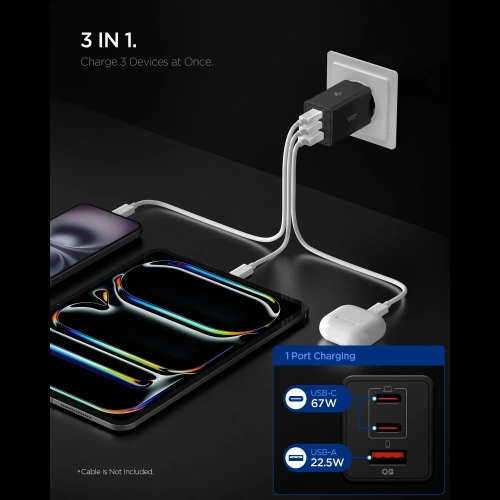
    2. Spigen Essential EE673EU 67W

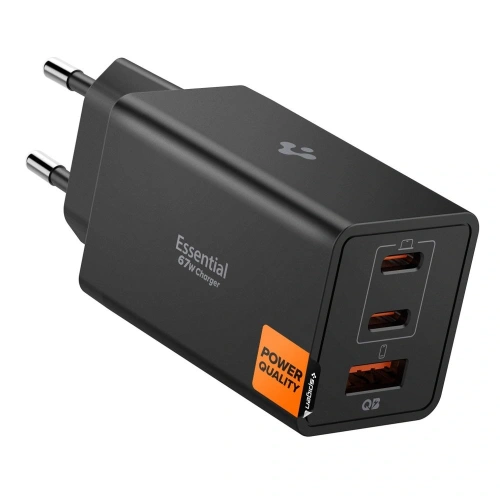
    Spigen Essential EE673EU provides 67 W, which is seven watts above the required threshold. This surplus makes sense: when charging a phone and a second small device simultaneously, you have a better chance that Duo will maintain full speed.

    The port layout is identical to the UGREEN proposal: two USB-C and one USB-A. The black casing is less conspicuous at the socket than a typical white cube.

    3. USAMS JC Series CC266 65W GaN

    USAMS JC Series CC266 65W GaN is the simplest way to reach 60 W without paying extra for a recognizable logo. Three ports, GaN technology, and the same 65 W as the competition from the higher tier.

    If the charger is going to sit behind the couch and no one will look at it, this model does exactly the same job.

    4. Tech-Protect PowerVision NC100W GaN

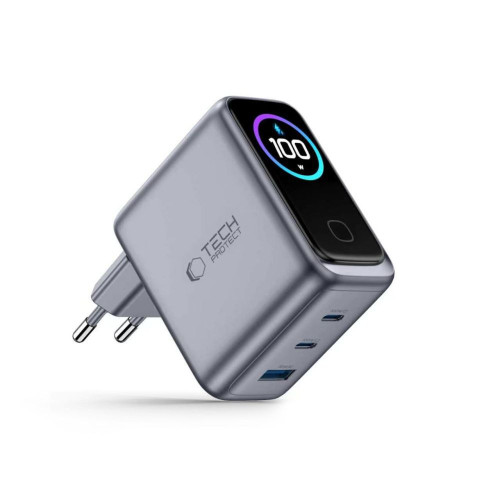
    Tech-Protect PowerVision NC100W solves the problem we mentioned above: it shows on a small display how many watts are actually flowing to the phone.

    This is the only way to see for yourself whether the Duo is getting the promised 60 W, or if the cable or the second connected device has reduced the power. With a phone that has such specific requirements, this information is worth more than with an ordinary smartphone.

    One hundred watts also provides a real reserve when using two devices at once, and is sufficient for most laptops with USB-C.

    5. Satechi 4-Port GaN Travel Charger 140W

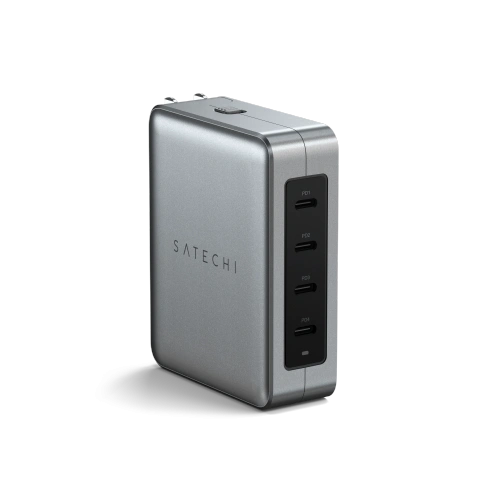
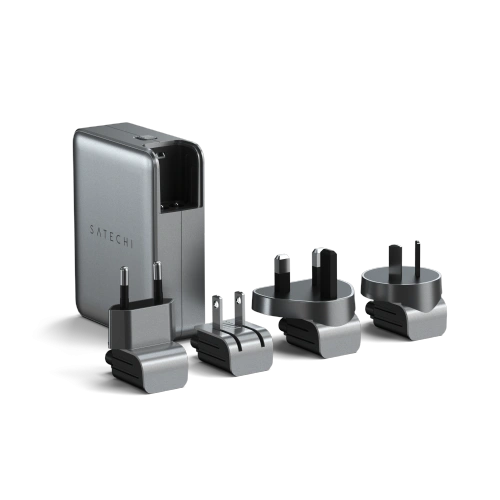
    Satechi 4-Port GaN Travel Charger 140W is a proposal for someone who travels a lot. Four USB-C ports and interchangeable plugs in American, British, European, and Asian standards replace an entire bag of adapters.

    With 140 W to share, even three connected devices won’t push the phone below the threshold. If you’re also carrying a MacBook, it’s the only brick you need. For those who prefer a permanent setup on their desk, the same manufacturer offers Satechi GaN Charger 165W with four USB-C ports.

    [hs_products ids=”76151,126200,109815,142549,73695″ cols=”5″ title=”60 W and stronger chargers for iPhone Duo”]

    Comparison of chargers for iPhone Duo

    ModelPowerPortsGaNPower DisplayInterchangeable Plugs
    UGREEN Nexode Air65 W2× USB-C + USB-A✅❌❌
    Spigen Essential EE673EU67 W2× USB-C + USB-A✅❌❌
    USAMS JC CC26665 W2× USB-C + USB-A✅❌❌
    Tech-Protect PowerVision NC100W100 W2× USB-C + USB-A✅✅❌
    Satechi 4-Port Travel140 W4× USB-C✅❌✅

    Duo Induction Chargers for iPhone: Qi2, Qi2 25W and MagSafe

    Duo charges wirelessly with power up to 25 W: via MagSafe or via Qi2 in the 25 W version, which the Wireless Power Consortium designates as Qi2 25W. So you don’t have to look for accessories with the Apple logo, but you need to pay attention to the power, as older Qi2 chargers are limited to 15 W.

    The names of the standards get mixed up in store descriptions, so a brief clarification:

    StandardPower for iPhoneMagnetsWhat it means in practice
    Qi (old)7.5 W❌The phone needs to be aligned with the coil, charges slowly
    Qi2 (first version)up to 15 W✅Standard magnets, power like the old MagSafe
    Qi2 25Wup to 25 W✅Full wireless speed in Duo
    MagSafeup to 25 W✅Apple’s solution, equivalent to Qi2 25W in Duo

    So look for the designation Qi2 25W or simply the number 25 W in the description. The label “Qi2” alone is not enough: the same trade name now covers both 15 W and 25 W. A slower charger will work without any issues, just longer.

    There is one more condition that is easy to forget: the induction charger alone is not enough. You connect it to a power adapter, and it is the adapter that determines the power. Apple states that charging MagSafe to 50% in about 30 minutes requires a 35 W or stronger adapter, and 3-in-1 stations can be even more demanding: Tech-Protect A51 needs 45 W, A52 at least 40 W. Check this in the description of the specific model before buying a pad without an adapter included.

    The naming trap: “25 W” on the box of the 3-in-1 station is often the sum of all charging fields, not the power for the phone. The Satechi 3-in-1 Qi2 25W divides it into 15 W for the iPhone plus 5 W for the watch and 5 W for the earbuds. Look for a separate line in the specifications that says “output, phone”.

    You will charge your phone wirelessly slower than with a cable. However, you can place it down with one motion, without aiming for the plug, and with a foldable phone with a hinge, it is more convenient than it seems.

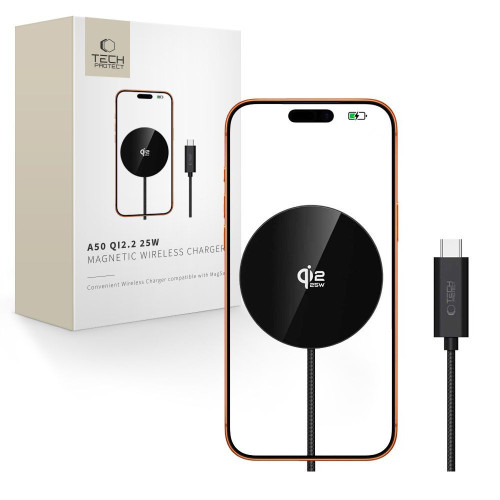
    Tech-Protect A50 MagSafe 25W Qi2.2, single disc

    Our choice among inductive chargers

    Tech-Protect A50 delivers a full 25 W for the phone, as all the power goes into one field. It is the simplest form possible: a magnetic disc on a cable.

    The magnet holds securely despite the 254 grams of the Duo. If you prefer a different finish, the same manufacturer offers Tech-Protect A54 Qi2.2.

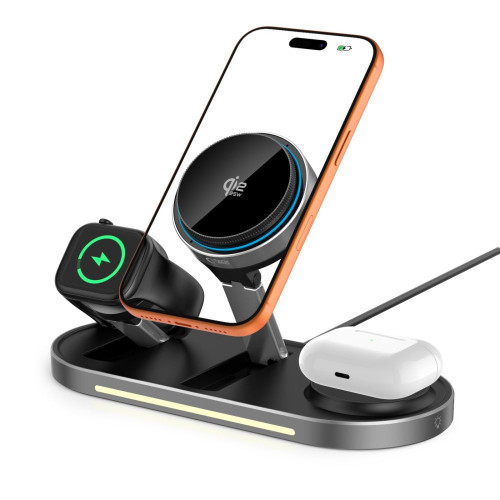
    Tech-Protect A51 ArcticBoost 3in1, full 25 W for the phone

    Tech-Protect A51 ArcticBoost is a rare case of a 3-in-1 station where the phone receives a full 25 W, while the watch and headphones have their own power budget alongside. The manufacturer requires at least a 45 W power supply for this.

    Additionally, it has active cooling. Inductive charging inherently generates heat, and heat is the main enemy of battery life, so at 25 W this is a real value, not marketing. A cheaper alternative is Tech-Protect A52 3in1 Qi2.2, also with 25 W for the phone, but without a fan and requiring 40 W on the power supply.

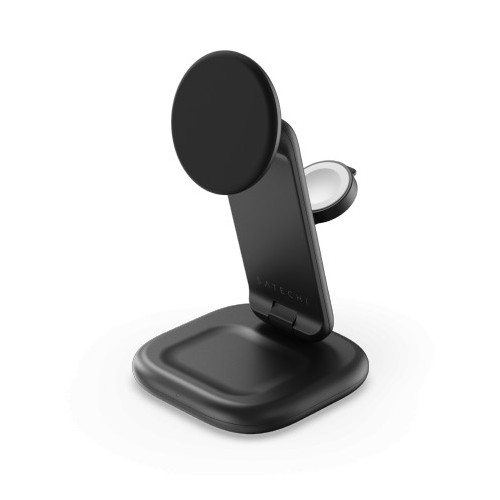
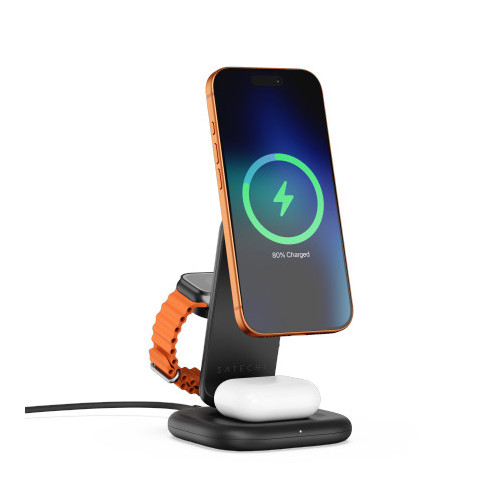
    Satechi 3-in-1 Qi2, foldable stand with 15 W

    Satechi 3-in-1 Qi2 holds a phone, watch, and headphones, and the Duo stand keeps the phone upright, so you can see notifications on the external screen without picking up the phone. When folded, it takes up little space, making it a sensible travel charger.

    Note the power: the manufacturer states 15 W for the iPhone, despite the “25W” in the name. For overnight charging, this doesn’t matter; for daytime top-ups, a model with the full 25 W would be better.

    Satechi Qi2 Trio Wireless Charging Pad, flat mat 15 W

    Satechi Qi2 Trio is the same idea in a flat version, also with 15 W for the phone. The Duo lies horizontally instead of standing, which makes sense on a nightstand where a stand would block the alarm clock or lamp.

    With a foldable phone, a flat mat has one more advantage: you can place the Duo closed on it without stressing the hinge.

    [hs_products ids=”134148,137939,140801,135816″ cols=”4″ title=”25 W wireless chargers and 3-in-1 stations”]

    We gathered a broader overview of this category in the guide which MagSafe charger to choose, and you can find the full offer in the wireless chargers category.

    USB-C Cables: This is where you can easily lose the promised 60 W

    The cable from the Duo box is one meter long and carries the required power. The problem arises when you need a second cable: a longer one for the bed, a shorter one for the backpack, or a spare one for work.

    A 60 W charging cable must carry 3 A at 20 V. This is the upper limit for a regular USB-C cable: above 3 A, the cable must have an e-marker chip that informs the charger of its capabilities. The Duo fits exactly within this limit, so a decent cable without an e-marker will suffice, but it operates at the edge.

    Three numbers worth watching in the description:

    • Current: 3 A is exactly what you need; 5 A provides a buffer and ensures that the bottleneck is the charger, not the cord
    • Power: 100 W and 240 W cables carry the required 60 W well within their limits
    • Data speed: a separate parameter, completely unrelated to power

    This last thing is the most surprising. Most 100 W cables transmit data at USB 2.0 standard, which is 480 Mb/s. The Duo has a USB 3 connection with a bandwidth of 10 Gb/s, so when transferring video material, the difference is more than twenty times.

    This also applies to both cables below: both charge at full power, both transmit data in USB 2.0. If you are looking for a cable for fast recording transfers, check the transfer speed separately, as it is a completely different product category.

    Tech-Protect UB20T Ultraboost 100W, spring cable for car and desk

    Tech-Protect UB20T Ultraboost cable supports 100 W at 5 A, which is well above the 3 A required by the Duo.

    Its construction is spring-loaded: at rest, it coils down to a few centimeters and stretches up to 180 cm. In the car and on the desk, this means the end of tangles, as the cable returns to shape instead of lying in a knot.

    Tech-Protect UB10T Ultraboost 240W, with extra for a laptop

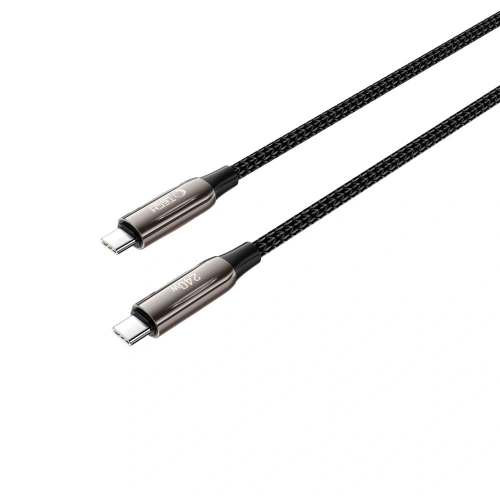
    Tech-Protect UB10T Ultraboost cable transfers 240 W in EPR extension from the USB PD 3.1 standard. For a phone, it’s an overkill, but if the same cable sometimes needs to power a laptop, you buy one cable instead of two.

    A meter length works well at the desk and in the backpack. For a permanent workstation at the computer, a shorter and cheaper Tech-Protect Ultraboost DNA 100W is sufficient.

    More about choosing the cable is written in the article which fast charging cable to choose. The full offer is in the USB-C cables category.

    Car chargers for iPhone Duo

    Duo claims up to 24 hours of typical usage, but two screens can quickly eat through that. In the car, different factors matter than at the desk: navigation on a large internal screen drains the battery faster than a weak charger from the cigarette lighter can charge it.

    The principle is the same as with a wall charger. The car charger must provide 60 W on one port for the phone to charge at full speed. Popular 18 W or 30 W adapters will maintain the battery level during navigation, but will not raise it.

    Wireless charging mount Tech-Protect MM25W-V8

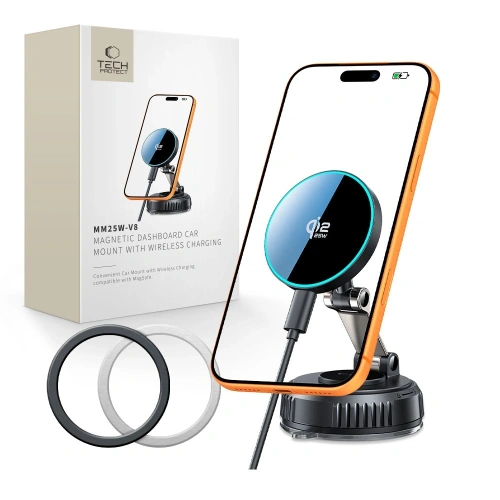
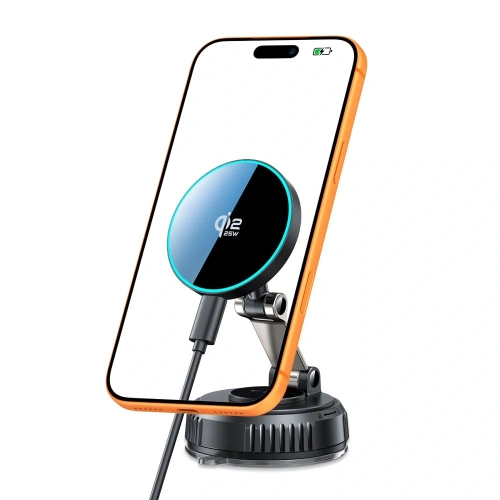
    Tech-Protect MM25W-V8 Mount combines a windshield or dashboard mount with a 25 W Qi2.2 charger. You attach your phone magnetically and it starts charging immediately, without plugging in the connector every time you get in.

    With Duo, there’s one more benefit: the mount keeps the phone secure, so you don’t stress the hinge while on the road.

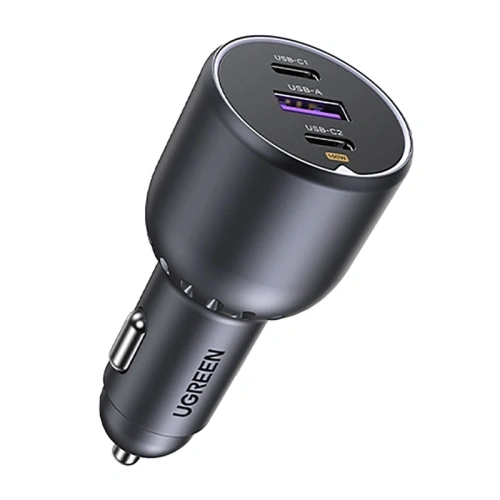
    UGREEN EC705 130W, for the driver with a laptop

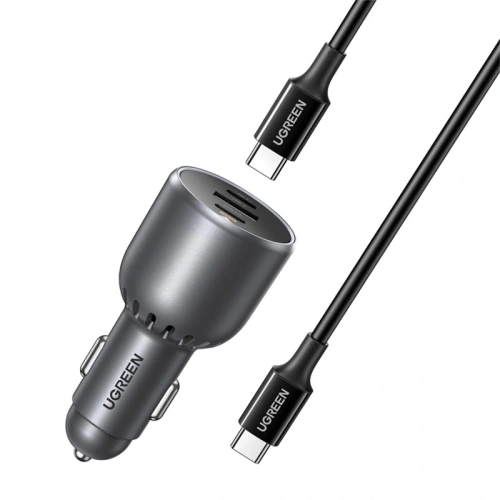
    UGREEN EC705 charger provides 130 W across three ports, so your phone gets its 60 W even when a laptop or passenger tablet is charging next to it. The package includes a 5 A cable, which is exactly what is required for full power.

    An alternative with two USB-C ports is the Tech-Protect CC03 100W.

    Note on descriptions: car chargers described as “PD 60W” often split this power between ports, for example, 30 W on USB-C and 18 W on USB-A. For Duo, only the number at the USB-C port matters, not the total from the box.

    We described more options in the guide fast car charger, and the full offer is in the car charger category.

    Power banks for iPhone Duo

    A power bank for a foldable phone is chosen differently than for a regular smartphone, for one reason: Duo weighs 254 g. This is clearly more than a classic iPhone, so a magnetic power bank attached to the back turns the set into something you don’t want to hold to your ear for half an hour.

    Hence a simple rule: magnetic up to 10,000 mAh or wired above. Heavier cells are better kept in your pocket and connected with a cable.

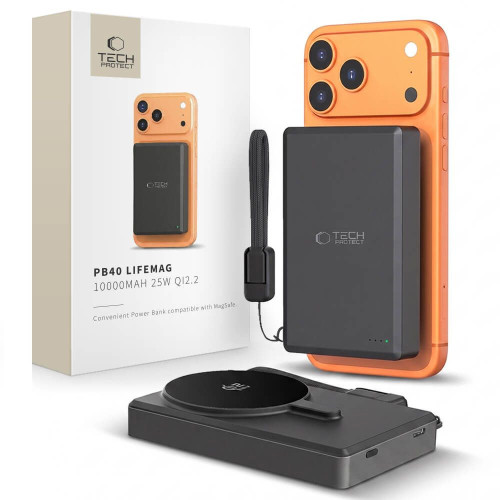
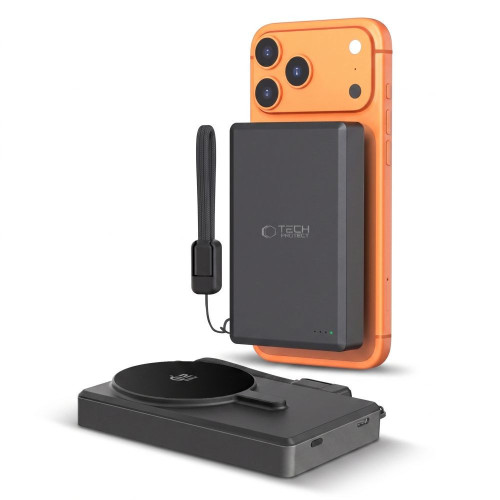
    Tech-Protect PB40 LifeMag 10,000 mAh, magnetic with full Qi2.2 power

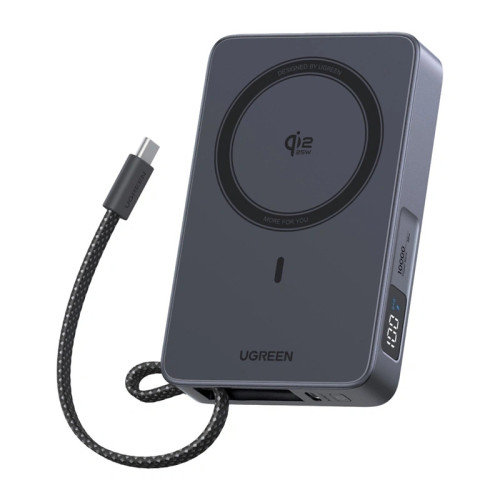
    Tech-Protect PB40 LifeMag power bank has 10,000 mAh and charges wirelessly in the Qi2.2 standard with a power of 25 W, which is as much as Duo can accept without a cable. You attach it to the back of your phone and go on.

    It’s the most convenient solution for the city: charging starts the moment you place it, without searching for a plug in your pocket.

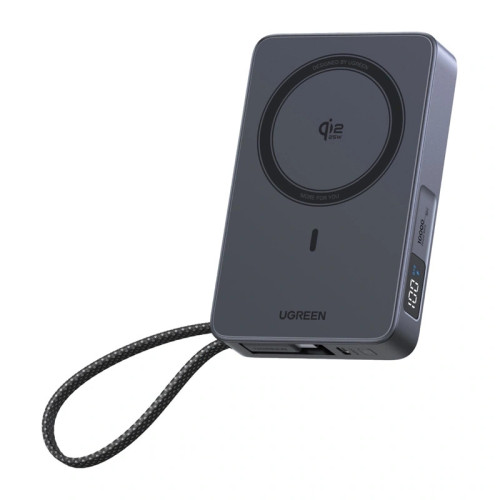
    UGREEN PB773 10,000 mAh 30W, magnetic with USB-C port

    UGREEN PB773 power bank combines magnetic mounting with a 30 W USB-C port. You wirelessly add energy on the go, and charge faster with a cable when you have a moment to stop.

    Thirty watts through the cable won’t give the claimed 20 minutes to half by Apple, but it still exceeds the 25 W available wirelessly.

    UGREEN PB726 20,000 mAh 165W, for longer trips

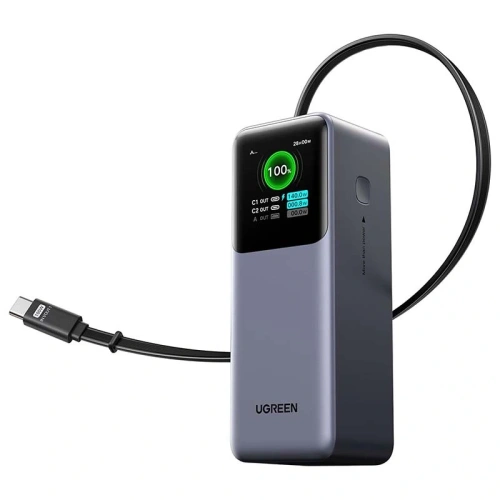
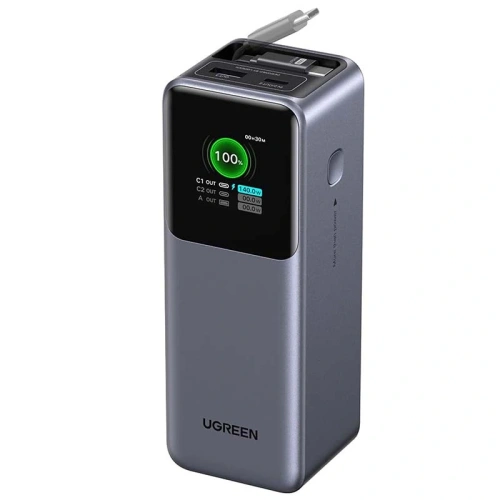
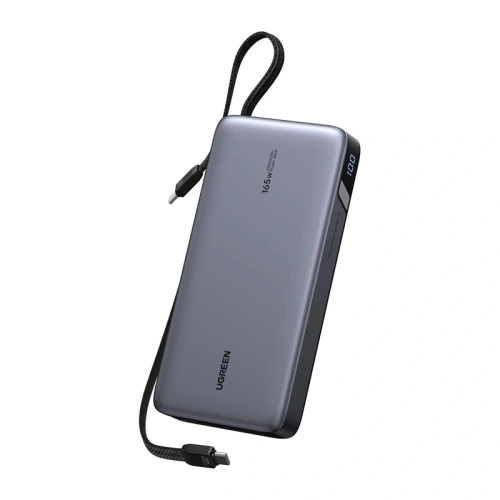
    UGREEN PB726 Powerbank is in a different league: 20,000 mAh and 165 W, which means it can charge Duo at full speed and still have power left for a laptop. The built-in retractable cable also solves the problem of always missing a cable.

    This powerbank is for a backpack, not for a pocket. However, on a two-day trip without access to a socket, it replaces the rest of this article. If you care about power with less weight, check out UGREEN PB537 20,000 mAh 55 W.

    Pre-flight advice: as of March 27, 2026, new ICAO rules apply. Each passenger is allowed a maximum of two powerbanks, each up to 100 Wh (20,000 mAh is about 74 Wh, so it fits within the limit). They may only be carried in the cabin, must be kept within reach, not in the overhead compartment, and cannot be recharged from onboard sockets.

    [hs_products ids=”141166,142610,129239,100096,127489,109233″ cols=”6″ title=”Powerbanks, cables, and charging on the go”]

    We have gathered more models in the 2026 powerbank ranking, and you can find the entire offer in the powerbank category.

    Which charger to choose? Recommendations based on needs

    Your situationWhat to buyWhy
    You want one charger and don’t want to thinkUGREEN Nexode Air 65WMeets the threshold, is small, has three ports for backup
    You charge your phone and laptop from one socketTech-Protect PowerVision NC100WOne hundred watts for both, and the display will show how much is actually flowing
    You travel a lotSatechi 4-Port GaN Travel 140WInterchangeable plugs replace a set of adapters
    You mainly charge at night by the bedTech-Protect A50 or Satechi Qi2 Trio with the appropriate power supplyDuring eight hours of sleep, speed doesn’t matter
    You already have a strong charger for your MacBookNothing or just the cableCheck how much it delivers on one port; 60 W+ is enough
    You need a second cableTech-Protect UB20T 100 W / 5 AHas more than the required 3 A, won’t cut power
    You drive with navigationTech-Protect MM25W-V8 mount or UGREEN EC705A weaker adapter will maintain battery level but won’t raise it
    You’re going away for a longer time without a socketUGREEN PB726 20,000 mAhMagnetic 10,000 mAh is for convenience, not capacity

    You are choosing between the Duo and Samsung’s foldable. We compared both in the comparison of iPhone Duo and Galaxy Z Fold 8, and a separate ranking of chargers for Samsung can be found in the text about chargers for Galaxy Z Fold 8 Ultra.

    Summary

    The Duo charger for iPhone comes down to one number and three details surrounding it.

    1. The power supply must be at least 60 W, otherwise you won’t see the promised 50% in 20 minutes
    2. What matters is the power on one port, not the total written on the box
    3. The cable must carry 3 A at 20 V, so 100 W and 5 A cables are a safe choice
    4. Wirelessly you will get 25 W via MagSafe or Qi2 25W, but the pad needs its own power supply, from 35 to 45 W depending on the model
    5. There is no power supply in the box, only a USB-C cable, so the brick needs to be purchased separately

    The rest of the equipment revolves around the same thresholds, with one exception. The power bank is chosen not for power, but for the weight of the phone: magnetic up to 10,000 mAh, heavier cells on a cable.

    If you have to buy one thing before picking up the phone, let it be a 65 W charger with USB Power Delivery. The rest, from the induction pad to the power bank, can wait until you learn your habits with the new phone.

    At least 60 W. Apple states that with a 60 W or stronger power adapter, the phone will charge to 50% in about 20 minutes. Weaker chargers will work, but slower.

    Can you charge the iPhone Duo with a 65 W charger?

    Yes, and it is actually recommended. The phone only draws as much power as it needs, and a higher wattage charger never “forces” it. A 65 W power adapter provides a small buffer above the required threshold.

    Is a 67 W charger good for the iPhone Duo?

    Yes, and it is one of the better choices. Seven watts above the required 60 W threshold provides a buffer that allows the phone to maintain full speed even when you connect headphones or a watch to the second port.

    Can the iPhone Duo be charged with a 100 W or 140 W charger?

    It is possible and completely safe. USB Power Delivery negotiates the voltage and current between the charger and the phone, so the device draws only as much as it can handle. A more powerful charger is useful when charging multiple devices at once.

    Does the iPhone Duo need an original Apple charger?

    No. Any power adapter that supports USB Power Delivery with a power of 60 W or higher is sufficient. Apple does not require MFi certification for wall chargers, and for wireless charging, compatibility with the Qi2 standard is what matters.

    Is there a charger included with the iPhone Duo?

    No. In the box, you will find only a 1-meter USB-C cable. The wall adapter needs to be purchased separately, just like with every iPhone since 2020.

    How fast does the iPhone Duo charge?

    Up to 50% in about 20 minutes with a 60 W or stronger adapter. MagSafe and Qi2 wireless charging works with a power of up to 25 W, so a full charge takes significantly longer than with a cable.

    Will an old 20 W charger from the iPhone charge the Duo?

    It will charge, but much slower than Apple states. The foldable iPhone has two batteries, and with a 20 W adapter, the charging time increases several times compared to the stated 20 minutes to reach half capacity.


    Sources:

  • The best cases for iPhone 18 Pro Max: ranking of 12 models

    The best cases for iPhone 18 Pro Max: ranking of 12 models

    The best case for iPhone 18 Pro Max is the ESR Cyber Tough Kickstand MagSafe. A rugged hybrid of Poron, TPU, and polycarbonate, with a retractable stand and Military Grade protection. In second place is the Tech-Protect MagPrime MagSafe CC with a camera island cover.

    Ranking in three points:

    • Best overall: ESR Cyber Tough Kickstand MagSafe, which features Poron in the corners, Military Grade, and a retractable stand
    • Most versatile: Tech-Protect MagPrime MagSafe CC, a matte hybrid with a camera island cover
    • Best transparent: ESR Classic Hybrid MagSafe Frosted, acrylic that does not yellow

    We know how it looks with every release. The phone hasn’t even hit the market yet, and you’re already looking for something to protect it from the first drop on the sidewalk.

    Do cases from iPhone 17 Pro Max fit 18 Pro Max?

    Yes, the cases fit both models, but the camera covers do not. Accessory manufacturers describe the new cases as compatible with both generations. The reason is simple: the phone’s body retains the same dimensions, the same button layout, and the same cutouts. The same message was sent by OtterBox, whose packaging claims compatibility of cases with iPhone 17 Pro and 18 Pro.

    You can see it in the product names. Practically every case in our category has the suffix “for Apple iPhone 17 Pro Max / 18 Pro Max”. One case, two models. It works both ways, as you will find the same designs in the iPhone 17 Pro Max case category.
    With camera covers, it’s the opposite. The camera island is expected to grow from 11.23 to 11.54 mm, and those three-tenths of a millimeter will be enough for the cover from the seventeenth to stop fitting the lenses. The numbers come from leaks in the supply chain, not from Apple’s official specifications. However, our catalog confirms this: camera glasses are described separately by manufacturers, only for the eighteenth, although the cases remain common.

    Disclaimer: we are writing before the Apple conference scheduled for September 9, 2026. Compatibility is based on statements from case manufacturers and leaks. Some reports mention a body thicker by about 0.25 mm, which would be influenced by a larger battery and vapor chamber. With a flexible TPU frame, such a difference may not be an issue, but cases from the seventeenth might then stop fitting. We will update the text after the premiere.

    More about the phone itself, the sales date, and the expected specifications can be found in our guide to the iPhone 18 Pro and 18 Pro Max premiere.

    Switching from the seventeenth? See the full offer of cases for iPhone 18 Pro Max →

    What to pay attention to when choosing a case for the iPhone 18 Pro Max

    Five things determine whether the case will serve you well or end up in a drawer after a week.

    MagSafe magnets. The iPhone has its own magnetic ring, but cases without built-in magnets disperse its strength. The charger does not center properly, and the car mount can let go on a speed bump. Look for the description “built-in magnetic ring,” not just “compatible with wireless charging.”

    Camera Control button. The touch strip on the right edge responds to a swipe. A thick layer of plastic above it kills half of the functionality. Good cases have a thin membrane or a cutout in this area.

    Camera island protection. The camera module on the Pro Max protrudes above the back and is the first to touch the surface. The raised frame around the island is more important than the raised edge by the screen.

    Material. TPU is a flexible rubber that absorbs impacts and is easy to put on. Polycarbonate (PC) is rigid, does not yellow, and maintains transparency better. The best cases combine both: a soft TPU frame plus a hard PC back.

    Stand. Sounds like a gadget. For the first episode of a series watched on a train.

    Ranking: 12 best cases for the iPhone 18 Pro Max

    We determined the order based on four criteria: real protection (material, drop tests, camera island cover), MagSafe and Camera Control button usability, immediate availability, and the protection-to-thickness ratio. We excluded sold-out models, even those that would technically rank high. There are no Spigen, UAG, or PITAKI options for this model, so the ranking is based on ESR, Tech-Protect, Benks, 3mk, and licensed brands.

    1. ESR Cyber Tough Kickstand MagSafe: rugged with a kickstand

    Our overall choice

    Three materials in one case: Poron in the corners, TPU on the frame, and polycarbonate on the back. Poron is a foam used in sports shoe insoles that absorbs impact energy and returns to shape.

    ESR declares Military Grade protection and Air Guard technology for this series, meaning air cushions in the corners. It is the corner that takes the first impact when the phone falls flat on its edge.

    This is the most rugged case for the iPhone 18 Pro Max in our ranking.

    The stand is built into the back and can be extended with one finger. The case supports the Camera Control button, and swiping on the bar works just like without the case.

    For whom: if your phone goes with you to construction sites, on a bike, or simply often lands on hard surfaces.

    Cons: the three-material construction is thicker than a classic hybrid. You can feel this case in your pocket.

    2. Tech-Protect MagPrime MagSafe CC: matte with camera protection

    The abbreviation “CC” in the name stands for Camera Cover, which is the integrated cover for the camera island. This is a response to one of the most common inquiries regarding Pro Max models, as the camera module scratches faster than the screen.

    The design is a classic hybrid. The flexible TPU frame absorbs shock, while the rigid polycarbonate back maintains its shape and does not warp. The built-in magnetic ring catches the charger without the need to search for the position.

    The matte coating does not collect fingerprints like the glossy versions. Camera Control is operated by a thin touch-sensitive membrane.

    For whom: for most people. This is the most versatile option in the lineup if you are looking for one case for everything.

    3. ESR Classic Hybrid MagSafe Frosted: acrylic back that does not yellow

    Instead of ESR polycarbonate, acrylic is used here, a material more resistant to yellowing under UV rays. This is a real problem for transparent cases, especially those made of cheap TPU.

    The frosted finish is a matte haze on the back. The phone is visible, but without a mirror effect and without fingerprints.

    ESR provides the same Military Grade protection and the same Air Guard cushions in the corners as in the Cyber Tough model. The difference is in thickness, not in the level of protection.

    For whom: if you want to see the color of the phone, but without a glossy shine.

    [hs_products ids=”143073,142340,143059″ cols=”3″ title=”Top three in the ranking”]

    4. Benks Magnetic Lucid Armor Pro: tested with a drop from one and a half meters

    Benks provides specifics instead of generalities: the case passed Anti-Crash tests from a height of 5 feet, or about 152 cm. This is the distance from your hand to the sidewalk when you walk and look at the screen.

    The cushioning is provided by the InvisiWarrior airbag in the corners. Neodymium magnets are arranged so that the MagSafe charger connects without shifting.

    The raised frame around the camera island protects the lenses when placing the phone on a surface. The buttons are clickable, with a noticeable click.

    For whom: if you want hard data about durability, not marketing claims.

    Note: the top models of Benks with exposed Kevlar 600D and MIL-STD-810H certification are currently sold out. If you are looking for Kevlar, check position seven.

    5. Tech-Protect MagStand MagSafe CC: transparent with a metal stand

    The stand is metal and folds in two axes: vertically for video calls, horizontally for movies. This solution is more convenient than a ring, as the phone stands stably on both sides.

    The rest of the construction is a proven hybrid of TPU and polycarbonate with a camera cover and built-in MagSafe. The manufacturer boasts easy assembly and disassembly, which is not obvious with rigid backs.

    For whom: if you watch content while traveling and do not want to carry a separate stand.

    Cons: the metal leg adds a few grams and slightly protrudes when laying the phone flat.

    6. 3mk Misty MagCase: slim, in four colors

    Polish brand, transparent-matte finish and a design that adds almost no bulk. The material is TPU with polycarbonate elements, featuring a built-in magnetic ring.

    Raised edges protect the screen and camera. The matte surface reduces the slipping of the phone in hand, and the Pro Max tends to slip easily. There are four colors: black, blue, orange, and white.

    For whom: if you buy the Pro Max for its appearance and do not want to hide it under armor.

    [hs_products ids=”143278,142970,141330″ cols=”3″ title=”Rugged, with a stand and slim: positions 4-6″]

    7. Tech-Protect Kevlar MagSafe 2-Set: protection from the front and back

    The name “2-Set” can be misleading, so let’s clarify: these are not two cases. In the box, you will find one case and two interchangeable front frames, one with a polycarbonate glass and one without it.

    The frame with glass encloses the phone in 360-degree protection, including the screen side. The frame without glass leaves the screen exposed if you prefer your own tempered glass. Changing it takes just a few seconds.

    The material is polycarbonate with TPU in a weave that mimics Kevlar, with a foldable kickstand on the back. The construction is surprisingly lightweight for a 360-type case.

    For whom: if you are looking for a rugged case for the iPhone 18 Pro Max with the option to remove the front frame for everyday use.

    8. Mercury BlueMoon Diary MagSafe: with a flap that also protects the screen

    Next to the Tech-Protect Kevlar 2-Set, this is the only case in this ranking that protects the screen without adding glass. And the only one that closes it permanently. The book-style design protects the phone from all sides, so keys in your pocket are no longer a problem.

    Technical curiosity: this flap case supports MagSafe, which is still a rarity in this category. Usually, magnets in flaps either do not exist or are too weak for charging.
    The classic, matte finish works just as well in the office as it does in everyday life.

    For whom: if you carry cards along with your phone and prefer one item in your pocket instead of two.

    Cons: you have to flip the flap every time you want to look at the screen. After two days, it becomes a reflex, but the first day can be annoying.

    9. Mercedes Leather Semi Wrap Iconic Line: leather with a metal camera frame

    Eco leather, matte finish. An anthracite line runs through the middle of the back, leading to the Mercedes-Benz logo. Hardcase construction with a polycarbonate base.

    The most interesting element is the metal frame around the camera, made of the same material as the button covers. The metal protects the camera island more effectively than raised plastic, as it does not wear down when placing the phone down.

    The leather surface provides a secure grip, and the flexible sides add cushioning during a fall.

    For whom: if you are looking for something elegant, but without a logo on half of the case.

    [hs_products ids=”143254,142447,142956″ cols=”3″ title=”Kevlar, flap and leather: positions 7-9″]

    10. Guess Embossed 4G Classic MagSafe: the most popular fashion brand

    Guess is the most searched brand for fashion cases for iPhone Pro Max, and it’s easy to see why. Eco-leather with an embossed 4G pattern, classic logo in the center, with layers of TPU and polycarbonate inside.

    This is not just a decoration. The tailored dimensions cushion falls, the flexible sides make it easy to put on, and the MagSafe magnets work without adapters.

    For whom: if the case is meant to be an accessory to the outfit, not just a protective layer.

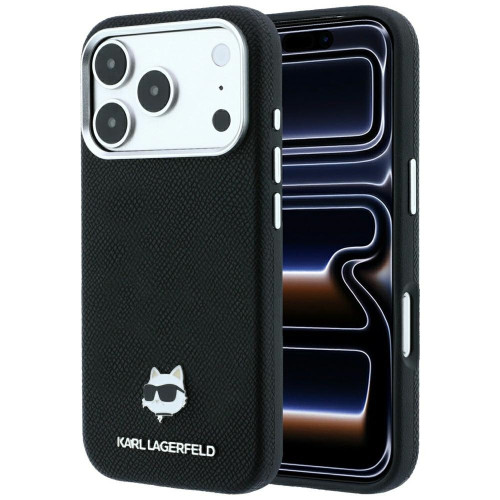
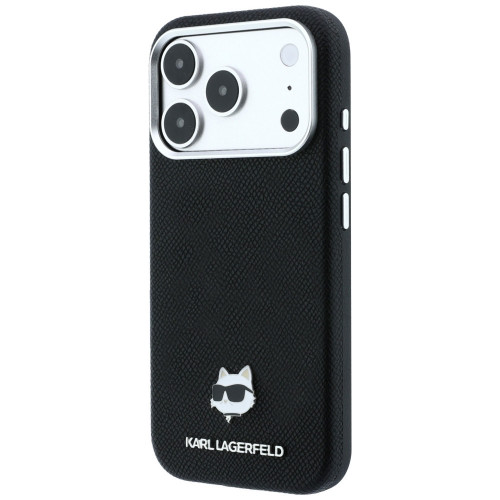
    11. Karl Lagerfeld Grained Choupette Head Metal: designer with a metal detail

    Grained texture on the back and the metal head of Choupette, the designer’s cat, as the only accent. Reserved for a fashion brand, making the case suitable for formal situations as well.

    MagSafe works as standard, protection is typical for this class.

    For whom: for someone who chooses a case by eye, not by a table of certifications.

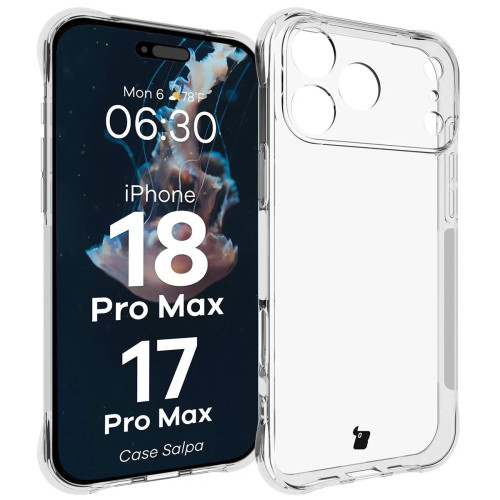
    12. Bizon Case Salpa: the simplest entry into protection

    Flexible TPU, reinforced corners, raised edges around the screen and camera. No magnets, but supports wireless charging.

    Two details that are usually missing in this segment. The first is the dotted inner surface: the back does not stick to the phone case, so rainbow spots do not form. The second is a cutout for a lanyard.

    The manufacturer states that the case works only with glasses that are smaller than standard sizes. It is worth checking this before purchasing screen protection.

    For whom: if you need something right away, before you choose your final case.

    [hs_products ids=”142675,143101,143176″ cols=”3″ title=”Fashionable, designer, and minimalist: positions 10-12″]

    iPhone 18 Pro Max case: comparison in a table

    #CaseMaterialMagSafeCamera ProtectionStandFeature
    1ESR Cyber Tough Kickstand MagSafePoron + TPU + PC✅raised frame✅ retractableMilitary Grade, Air Guard
    2Tech-Protect MagPrime MagSafe CCTPU + PC✅integrated (CC)❌matte finish
    3ESR Classic Hybrid MagSafe Frostedacrylic + TPU✅raised frame❌acrylic does not yellow
    4Benks Magnetic Lucid Armor ProTPU + PC✅raised frame❌drop test from 152 cm
    5Tech-Protect MagStand MagSafe CCTPU + PC✅integrated (CC)✅ metal, 2 axesstands vertically and horizontally
    63mk Misty MagCaseTPU + PC✅raised edges❌four colors, minimal thickness
    7Tech-Protect Kevlar MagSafe 2-SetPC + TPU✅raised frame✅ legtwo interchangeable front frames
    8Mercury BlueMoon Diary MagSafesynthetic leather✅flap closure❌protects screen without glass
    9Mercedes Leather Semi Wrap Iconic Linesynthetic leather + PC✅metal frame❌metal around the lenses
    10Guess Embossed 4G Classic MagSafesynthetic leather + TPU + PC✅raised frame❌embossed 4G pattern
    11Karl Lagerfeld Grained Choupette Head Metalgrain texture + PC✅raised frame❌metal detail Choupette
    12Bizon Case SalpaTPU❌raised edges❌cutout for strap

    Which case to choose for iPhone 18 Pro Max? Recommendations based on needs

    • You want a rugged case for iPhone 18 Pro Max: ESR Cyber Tough Kickstand or Tech-Protect Kevlar 2-Set. The former is more convenient for everyday use, while the latter encloses the phone from all sides.
    • You are looking for a transparent case for iPhone 18 Pro Max: ESR Classic Hybrid Frosted or 3mk Misty MagCase. Both showcase the color of the body and do not collect fingerprints.
    • You are looking for a case for iPhone 18 Pro Max with camera protection: Tech-Protect MagPrime CC or MagStand CC. The integrated cover protects the lenses with every placement of the phone down.
    • You watch movies on the go: Tech-Protect MagStand with a metal stand in two axes.
    • You carry cards along with your phone: Mercury BlueMoon Diary, the only flap with working MagSafe in this selection.
    • The case should be part of your styling: Guess Embossed 4G Classic, Karl Lagerfeld Choupette Head or Mercedes Leather Semi Wrap.
    • You need something for now: Bizon Case Salpa, with the caveat of lacking magnets.

    What to complement the case for iPhone 18 Pro Max

    Here we return to the point we made at the beginning. The case from the seventeenth generation fits, but the camera cover does not, because the camera island has grown.

    This is actually good news for your wallet. Instead of a full set of accessories, you only need to buy one item, and the covers cataloged for the iPhone 18 Pro Max specifically mention this model, without a note about the seventeenth.

    You have three options to choose from. Tech-Protect CamAlloy Fit is a metal frame for the entire island, Tech-Protect CamFull Fit covers the module with one glass, and ESR Armorite Camera Protector protects each lens separately. If you’re unsure whether it’s necessary, we explain it in the text about whether it’s worth buying glass for the camera lens.

    The screen is a separate issue. Aside from the Mercury flip case and Tech-Protect Kevlar 2-Set with a front frame, none of the cases in this ranking protect the display, so tempered glass is worth adding right away. The tested options are ESR UltraFit Armorite and Tech-Protect Quick Set, both available in packs of two.

    [hs_products ids=”143079,143223,143084,142076,142078,143272″ cols=”3″ title=”Screen protectors and camera covers for iPhone 18 Pro Max”]

    Are you buying everything at once? The most convenient option is the ready-made set ESR Classic Hybrid MagSafe with tempered glass 9H and a mounting applicator included. ESR adds a tip that works with any brand of glass: install it in the bathroom right after a shower. The steam will collect dust from the air beforehand.

    Summary: the best cases for iPhone 18 Pro Max at a glance

    The choice of cases for the iPhone 18 Pro Max comes down to four conclusions.

    1. The case from the iPhone 17 Pro Max fits the eighteen. Manufacturers describe the case as common for both generations, as the body retains the same dimensions. If you are switching from the seventeen, you do not need to buy a new case.
    2. The camera cover is a separate purchase. The camera island is expected to grow from 11.23 to 11.54 mm, and the cover from the previous model will no longer fit.
    3. The most versatile choice is the Tech-Protect MagPrime MagSafe CC. A hybrid of TPU and polycarbonate with a camera cover and full MagSafe closes the topic for most people.
    4. If protection is a priority, choose the ESR Cyber Tough Kickstand. Poron in the corners, Military Grade class, and a kickstand on the back.

    We will update the text after the Apple conference on September 9, 2026, when we will know the official dimensions of the iPhone 18 Pro Max.

    See the full range of cases for the iPhone 18 Pro Max at homescreen.pl →

    FAQ: the most common questions about cases for the iPhone 18 Pro Max

    Does the case from the iPhone 17 Pro Max fit the 18 Pro Max?

    Yes. Accessory manufacturers describe the cases as common for both models, as the body retains the same dimensions and button layout. The covers for the camera island are already separate.

    Which case for iPhone 18 Pro Max is the most durable?

    ESR Cyber Tough Kickstand MagSafe with Poron foam in the corners and Military Grade protection. An alternative is the Tech-Protect Kevlar 2-Set, which also covers the phone from the screen side.

    Is it worth buying the original Apple case for iPhone 18 Pro Max?

    Original Apple cases have the best-fitted magnets, but they cost many times more than cases from independent brands and do not offer protection for the camera island or a stand. You won’t find them in our offer, but the ESR and Tech-Protect hybrids provide the same level of MagSafe support.

    Which case is better: silicone or TPU?

    TPU absorbs impacts better and does not stretch over time. Silicone feels nicer to the touch and is less slippery.

    What material is the best case for iPhone 18 Pro Max made of?

    Hybrid: flexible TPU frame plus a hard back made of polycarbonate or acrylic. TPU absorbs impact energy, and the hard back does not warp and does not yellow as quickly as pure TPU.

    Does every case for iPhone 18 Pro Max support MagSafe?

    No. Cases without a built-in magnetic ring, like the Bizon Case Salpa, support wireless charging, but the charger will not stick magnetically. Look for the term “MagSafe” or “Mag” in the product name.

    When is the iPhone 18 Pro Max premiere?

    Apple will showcase the phone on September 9, 2026, during the “Surprise and shine” conference. The date has been confirmed by the company itself, and sales should start in the second half of September.

    Does the case protect the Camera Control button?

    Well-designed cases do. The ESR, Tech-Protect, and Benks models from this ranking have a touch-sensitive membrane in this area that transmits finger movements.

    Do I need glass for the camera if the case has a raised edge?

    The raised edge protects against scratches on surfaces but not against point impacts on the lens. With a module protruding above the back, camera glass makes sense, as its replacement costs a fraction of the camera repair price.

    Does a flip case worsen wireless charging?

    No, if the case has built-in magnets, like the Mercury BlueMoon Diary. Cases without MagSafe may require tilting the front part during charging.

    Sources: manufacturer compliance statements linked in the content and a complete compilation of leaks about the iPhone 18 Pro.

  • The Best Cases for iPhone 18 Pro Max: Ranking of 12 Models

    The Best Cases for iPhone 18 Pro Max: Ranking of 12 Models

    The best case for the iPhone 18 Pro Max is the ESR Cyber Tough Kickstand MagSafe. A rugged hybrid of Poron, TPU, and polycarbonate, with a retractable stand and Military Grade protection. In second place is the Tech-Protect MagPrime MagSafe CC with a camera island cover.

    Ranking in three points:

    • Best overall: ESR Cyber Tough Kickstand MagSafe, featuring Poron in the corners, Military Grade, and a retractable stand
    • Most versatile: Tech-Protect MagPrime MagSafe CC, a matte hybrid with a camera island cover
    • Best transparent: ESR Classic Hybrid MagSafe Frosted, acrylic that does not yellow

    We know how it goes with every launch. The phone hasn’t even hit the market yet, and you’re already looking for something to protect it from the first drop on the pavement. The problem is that many guides online for the iPhone 18 Pro Max actually describe cases for older models.

    In this roundup, you’ll find only cases for the iPhone 18 Pro Max that physically fit this model and are available immediately. We’ll start with something that will save you money if you’re upgrading from the seventeen.

    Does the case from the iPhone 17 Pro Max fit the 18 Pro Max?

    Yes, the cases fit both models, but the camera covers do not. Accessory manufacturers describe the new cases as common for both generations. The reason is simple: the phone body retains the same dimensions, the same button layout, and the same cutouts. The same message was sent by OtterBox, whose packaging claims compatibility of the cases with the iPhone 17 Pro and 18 Pro.

    This is evident in the product names. Practically every case in our category has the suffix “for Apple iPhone 17 Pro Max / 18 Pro Max”. One case, two models. It works both ways, as you will find the same designs in the category of cases for iPhone 17 Pro Max.

    With camera covers, it’s the opposite. The camera island is expected to grow from 11.23 to 11.54 mm, and those three-tenths of a millimeter will be enough for the cover from the seventeenth to stop fitting the lenses. The numbers come from leaks in the supply chain, not from Apple’s official specifications. However, our catalog confirms this: camera glasses are described separately by manufacturers, only for the eighteenth, although the cases remain common.

    Disclaimer: we are writing before the Apple conference scheduled for September 9, 2026. Compatibility is based on statements from case manufacturers and leaks. Individual reports mention a body that is about 0.25 mm thicker, which would be influenced by a larger battery and a vapor chamber. With a flexible TPU frame, such a difference may not be an issue, but cases from the seventeenth could then stop fitting. We will update the text after the release.

    More about the phone itself, the sales date, and the expected specifications can be found in our guide to the iPhone 18 Pro and 18 Pro Max launch.

    Upgrading from the seventeenth? See all accessories for the iPhone 18 Pro Max →

    What to pay attention to when choosing a case for the iPhone 18 Pro Max

    Five things determine whether the case will serve you well or end up in a drawer after a week.

    MagSafe magnets. The iPhone has its own magnetic ring, but cases without built-in magnets disperse its strength. The charger then does not center properly, and a car mount can let go on a speed bump. Look for the description “built-in magnetic ring,” not just “compatible with wireless charging.”

    Camera Control button. The touch strip on the right edge responds to finger swipes. A thick layer of plastic above it kills half the functionality. Good cases have a thin membrane or cutout in this area.

    Protection of the camera island. The camera module in the Pro Max protrudes above the back and is the first to touch the surface. The raised frame around the island is more important than the raised edge by the screen.

    Material. TPU is a flexible material that absorbs drops and is easy to put on. Polycarbonate (PC) is rigid, does not yellow, and maintains transparency better. The best cases combine both: a soft TPU frame plus a hard PC back.

    Stand. Sounds like a gadget. For the first episode of the series watched on the train.

    Ranking: 12 best cases for iPhone 18 Pro Max

    We established the order based on four criteria: real protection (material, drop tests, camera island cover), MagSafe compatibility and Camera Control button, availability, and the protection-to-thickness ratio. We excluded sold-out models, even those that would technically rank high. There are no Spigen, UAG, or PITAKI offerings for this model, so the ranking is based on ESR, Tech-Protect, Benks, 3mk, and licensed brands.

    1. ESR Cyber Tough Kickstand MagSafe: armored with a stand

    Our overall choice

    Three materials in one case: Poron in the corners, TPU on the frame, and polycarbonate on the back. Poron is a foam used in sports shoe insoles that absorbs impact energy and returns to shape.

    ESR declares Military Grade protection for this series and Air Guard technology, which means air cushions in the corners. It is the corner that takes the first impact when the phone falls flat on its edge.

    This is the most rugged case for the iPhone 18 Pro Max in our ranking. If you want to understand how rugged cases differ from each other, we have a separate text on that.

    The stand is built into the back and slides out with one finger. The case supports the Camera Control button, and swiping your finger across the bar works just like without the case.

    For whom: if your phone goes with you to construction sites, on a bike, or simply often lands on hard surfaces.

    Cons: the construction of three materials is thicker than a classic hybrid. You can feel this case in your pocket.

    2. Tech-Protect MagPrime MagSafe CC: matte with camera protection

    The abbreviation “CC” in the name stands for Camera Cover, which is an integrated cover for the camera island. This is a response to one of the most common inquiries regarding Pro Max models, as the camera module scratches faster than the screen.

    The construction is a classic hybrid. The flexible TPU frame absorbs shock, while the rigid polycarbonate back maintains its shape and does not warp. The built-in magnetic ring catches the charger without searching for the position.

    The matte coating does not collect fingerprints like glossy versions. Camera Control is operated by a thin touch-sensitive membrane.

    For whom: for most people. This is the most universal option in the lineup if you are looking for one case for everything.

    3. ESR Classic Hybrid MagSafe Frosted: acrylic back that does not yellow

    Instead of polycarbonate, ESR uses acrylic here, a material more resistant to yellowing under UV rays. This is a real problem for transparent cases, especially those made of cheap TPU.

    The frosted finish is a matte haze on the back. The phone is visible, but without a mirror effect and without fingerprints.

    ESR provides the same Military Grade protection and the same Air Guard cushions in the corners as in the Cyber Tough model. The difference is in thickness, not in the level of protection.

    For whom: if you want to see the color of the phone, but without a glossy shine.

    [hs_products ids=”143073,142340,143059″ cols=”3″ title=”Top three in the ranking”]

    4. Benks Magnetic Lucid Armor Pro: tested from a drop of one and a half meters

    Benks provides specifics instead of generalities: the case passed Anti-Crash tests from a height of 5 feet, which is about 152 cm. That’s the distance from your hand to the sidewalk when you walk and look at the screen.

    The cushioning is provided by the InvisiWarrior airbag in the corners. Neodymium magnets are arranged so that the MagSafe charger connects without shifting.

    The raised frame around the camera island protects the lenses when placing the phone on a surface. The buttons are clickable, with a noticeable click.

    For whom: if you want hard data about durability, not marketing claims.

    Note: top models of Benks with exposed 600D Kevlar fiber and MIL-STD-810H certification are currently sold out. If you are looking for Kevlar, check position seven.

    5. Tech-Protect MagStand MagSafe CC: transparent with a metal stand

    The stand is metal and folds in two axes: vertically for video calls, horizontally for movies. This solution is more convenient than a ring, as the phone stands stably on both sides.

    The rest of the construction is a proven hybrid of TPU and polycarbonate with a camera cover and built-in MagSafe. The manufacturer boasts easy assembly and disassembly, which is not obvious with rigid backs.

    For whom: if you watch content while traveling and do not want to carry a separate stand.

    Cons: the metal leg adds a few grams and slightly protrudes when laying the phone flat.

    6. 3mk Misty MagCase: slim, in four colors

    Polish brand, transparent-matte finish and a design that adds almost no bulk. The material is TPU with polycarbonate elements, featuring a built-in magnetic ring.

    Raised edges protect the screen and camera. The matte surface reduces the slipping of the phone in hand, and the Pro Max tends to slip. There are four colors: black, blue, orange, and white.

    For whom: if you buy the Pro Max for its appearance and don’t want to hide it under armor.

    [hs_products ids=”143278,142970,141330″ cols=”3″ title=”Rugged, with a stand and slim: positions 4-6″]

    7. Tech-Protect Kevlar MagSafe 2-Set: protection from the front and back

    The name “2-Set” can be misleading, so let’s clarify: this is not two cases. Inside the box, you will find one case and two interchangeable front frames, one with a polycarbonate lens and one without.

    The frame with the lens encloses the phone in 360-degree protection, including the screen side. The frame without the lens leaves the screen exposed if you prefer your own tempered glass. Changing it takes just a few seconds.

    The material is polycarbonate with TPU in a weave that imitates kevlar, with a foldable kickstand on the back. The construction is surprisingly lightweight for a 360-type case.

    For whom: if you are looking for a rugged case for the iPhone 18 Pro Max with the option to remove the front frame for everyday use.

    8. Mercury BlueMoon Diary MagSafe: with a flap that also protects the screen

    Next to Tech-Protect Kevlar 2-Set, this is the only case in this ranking that protects the screen without adding glass. And the only one that closes it permanently. The book-style construction protects the phone from all sides, so keys in your pocket are no longer a problem.

    Technical curiosity: this flap case supports MagSafe, which is still a rarity in this category. Usually, magnets in flaps either do not exist or are too weak for the charger.
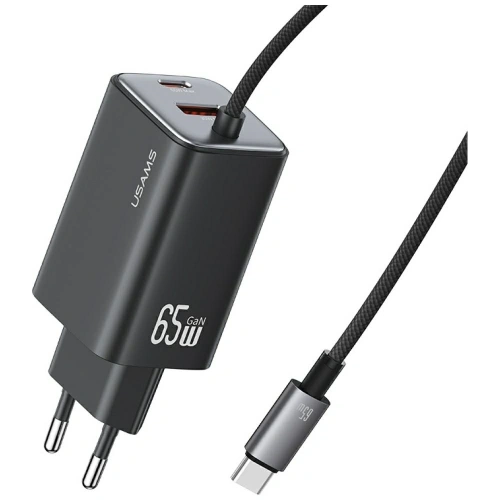
    The classic, matte finish works just as well in the office as it does in everyday life.

    For whom: if you carry cards along with your phone and prefer one item in your pocket instead of two.

    Minus: you have to flip the flap every time you look at the screen. After two days, it becomes a reflex, but the first day can be annoying.

    9. Mercedes Leather Semi Wrap Iconic Line: leather with a metal camera frame

    Eco-leather, matte finish. An anthracite line runs through the middle of the back, leading to the Mercedes-Benz logo. Hardcase construction with a polycarbonate base.

    The most interesting element is the metal frame around the camera, made of the same material as the button covers. Metal protects the camera island more effectively than raised plastic, as it does not wear down when placing the phone down.

    The leather surface provides a secure grip, while the flexible sides add cushioning in case of a fall.

    For whom: if you are looking for something elegant, but without a logo on the half of the case.

    [hs_products ids=”143254,142447,142956″ cols=”3″ title=”Kevlar, flap and leather: positions 7-9″]

    10. Guess Embossed 4G Classic MagSafe: the most popular fashion brand

    Guess is the most searched brand of fashion cases for iPhone Pro Max and it’s easy to see why. Eco-leather with an embossed 4G pattern, classic logo in the middle, with layers of TPU and polycarbonate inside.

    This is not just a decoration. The fitted dimensions cushion falls, flexible sides make it easy to put on, and MagSafe magnets work without adapters.

    For whom: if the case is to be an accessory to your outfit, not just a protective layer.

    11. Karl Lagerfeld Grained Choupette Head Metal: designer with a metal detail

    Grained texture on the back and the metal head of Choupette, the designer’s cat, as the only accent. Reserved for a fashion brand, making the case suitable for formal situations as well.

    MagSafe works as standard, protection is typical for this class.

    For whom: for someone who chooses a case by eye, not by a table of certifications.

    12. Bizon Case Salpa: the simplest entry into protection

    Flexible TPU, reinforced corners, raised edges around the screen and camera. No magnets, but supports wireless charging.

    Two details that are usually missing in this segment. The first is the dotted inner surface: the back does not stick to the phone case, so there are no rainbow stains. The second is the cutout for a lanyard.

    The manufacturer states that the case only works with glasses that are smaller than standard dimensions. It’s worth checking this before purchasing a screen protector.

    For whom: if you need something right away, before you choose your final case.

    [hs_products ids=”142675,143101,143176″ cols=”3″ title=”Fashionable, designer, and minimalist: items 10-12″]

    iPhone 18 Pro Max case: comparison in a table

    # Case Material MagSafe Camera Protection Stand Highlight
    1 ESR Cyber Tough Kickstand MagSafe Poron + TPU + PC ✅ raised frame ✅ retractable Military Grade, Air Guard
    2 Tech-Protect MagPrime MagSafe CC TPU + PC ✅ integrated (CC) ❌ matte finish
    3 ESR Classic Hybrid MagSafe Frosted acrylic + TPU ✅ raised frame ❌ acrylic does not yellow
    4 Benks Magnetic Lucid Armor Pro TPU + PC ✅ raised frame ❌ drop test from 152 cm
    5 Tech-Protect MagStand MagSafe CC TPU + PC ✅ integrated (CC) ✅ metal, 2 axes stands vertically and horizontally
    6 3mk Misty MagCase TPU + PC ✅ raised edges ❌ four colors, minimal thickness
    7 Tech-Protect Kevlar MagSafe 2-Set PC + TPU ✅ raised frame ✅ stand two interchangeable front frames
    8 Mercury BlueMoon Diary MagSafe eco leather ✅ flap closure ❌ protects screen without glass
    9 Mercedes Leather Semi Wrap Iconic Line eco leather + PC ✅ metal frame ❌ metal around the lenses
    10 Guess Embossed 4G Classic MagSafe eco leather + TPU + PC ✅ raised frame ❌ embossed 4G pattern
    11 Karl Lagerfeld Grained Choupette Head Metal grained texture + PC ✅ raised frame ❌ metal detail Choupette
    12 Bizon Case Salpa TPU ❌ raised edges ❌ cutout for strap

    Which case to choose for the iPhone 18 Pro Max? Recommendations based on needs

    • You want a rugged case for the iPhone 18 Pro Max: ESR Cyber Tough Kickstand or Tech-Protect Kevlar 2-Set. The first is more convenient for everyday use, the second encloses the phone from all sides.
    • You are looking for a transparent case for the iPhone 18 Pro Max: ESR Classic Hybrid Frosted or 3mk Misty MagCase. Both showcase the color of the casing and do not collect fingerprints.
    • You are looking for a case for the iPhone 18 Pro Max with camera protection: Tech-Protect MagPrime CC or MagStand CC. The integrated island cover protects the lenses with every phone placement.
    • You watch movies on the go: Tech-Protect MagStand with a metal stand in two axes.
    • You carry cards along with your phone: Mercury BlueMoon Diary, the only flap with working MagSafe in this selection.
    • The case should be part of your styling: Guess Embossed 4G Classic, Karl Lagerfeld Choupette Head or Mercedes Leather Semi Wrap.
    • You need anything for now: Bizon Case Salpa, with the caveat of no magnets.

    What to complement the case for the iPhone 18 Pro Max

    This brings us back to the point we mentioned at the beginning. The case from the seventeenth model fits, but the camera cover does not, as the camera island has grown.

    This is actually good news for your wallet. Instead of a set of accessories, you buy just one item, and the covers cataloged for the iPhone 18 Pro Max have this model in their name, without a note about the seventeenth.

    You have three options to choose from. Tech-Protect CamAlloy Fit is a metal frame for the entire island, Tech-Protect CamFull Fit covers the module with one glass, and ESR Armorite Camera Protector protects each lens separately. If you’re unsure whether it’s necessary, we explain it in the text about whether it’s worth buying glass for the camera lens.

    The screen is a separate issue. Apart from Mercury with a flap and Tech-Protect Kevlar 2-Set with a front frame, none of the cases in this ranking protect the display, so tempered glass is worth adding right away. Proven options are ESR UltraFit Armorite and Tech-Protect Quick Set, both in packs of two.

    [hs_products ids=”143079,143223,143084,142076,142078,143272″ cols=”3″ title=”Screen glasses and camera covers for iPhone 18 Pro Max”]

    Are you buying everything at once? The most convenient option is the ready-made set ESR Classic Hybrid MagSafe with tempered glass 9H and a mounting applicator included. ESR adds a tip that works with any brand of glass: install it in the bathroom right after a bath. The steam will collect dust from the air beforehand.

    Summary: the best cases for iPhone 18 Pro Max at a glance

    The choice of case for the iPhone 18 Pro Max comes down to four conclusions.

    1. The case from the iPhone 17 Pro Max fits the eighteen. Manufacturers describe the case as common for both generations because the body retains its dimensions. If you are switching from the seventeen, you do not need to buy a new case.
    2. The camera cover is a separate purchase. The camera island is expected to grow from 11.23 to 11.54 mm, and the cover from the predecessor will no longer fit.
    3. The most universal choice is the Tech-Protect MagPrime MagSafe CC. A hybrid of TPU and polycarbonate with a camera cover and full MagSafe closes the topic for most people.
    4. If protection is a priority, choose the ESR Cyber Tough Kickstand. Poron in the corners, Military Grade class, and a stand on the back.

    We will update the text after the Apple conference on September 9, 2026, when we will know the official dimensions of the iPhone 18 Pro Max.

    See the full offer of cases for iPhone 18 Pro Max at homescreen.pl →

    FAQ: Frequently Asked Questions about iPhone 18 Pro Max Cases

    Does the iPhone 17 Pro Max case fit the 18 Pro Max?

    Yes. Accessory manufacturers describe the cases as compatible for both models because the body retains the same dimensions and button layout. The camera island covers are already separate.

    Which case for iPhone 18 Pro Max is the most durable?

    ESR Cyber Tough Kickstand MagSafe with Poron foam in the corners and Military Grade protection. An alternative is the Tech-Protect Kevlar 2-Set, which also protects the phone from the screen side.

    Is it worth buying the original Apple case for iPhone 18 Pro Max?

    Original Apple cases have the best-fitted magnets, but they cost many times more than cases from independent brands and do not offer protection for the camera island or a stand. You won’t find them in our offer, but the ESR and Tech-Protect hybrids provide the same level of MagSafe support.

    Which case is better: silicone or TPU?

    TPU better absorbs drops and does not stretch over time. Silicone feels nicer to the touch and is less slippery.

    What material is the best for an iPhone 18 Pro Max case?

    Hybrid: flexible TPU frame plus rigid back made of polycarbonate or acrylic. TPU absorbs impact energy, the hard back does not warp and does not yellow as quickly as pure TPU.

    Does every case for the iPhone 18 Pro Max support MagSafe?

    No. Cases without a built-in magnetic ring, like the Bizon Case Salpa, support wireless charging, but the charger will not stick magnetically. Look for the term “MagSafe” or “Mag” in the product name.

    When is the iPhone 18 Pro Max release?

    Apple will showcase the phone on September 9, 2026, during the “Surprise and shine” conference. The date has been confirmed by the company itself, and sales should start in the second half of September.

    Does the case protect the Camera Control button?

    Well-designed cases do. ESR, Tech-Protect, and Benks models from this ranking have a touch-sensitive membrane in this area that transmits finger swipes.

    Do I need glass for the camera if the case has a raised edge?

    The raised edge protects against scratches on the surface, but not against point impacts on the lens. With a module protruding above the back, camera glass makes sense, as its replacement costs a fraction of the price of camera repair.

    Does a flip case worsen wireless charging?

    No, if the case has built-in magnets, like the Mercury BlueMoon Diary. Cases without MagSafe may require tilting the front part during charging.

    Sources: compliance statements from case manufacturers linked in the content and the complete compilation of leaks about the iPhone 18 Pro.

  • The best cases for Samsung Galaxy Z Flip 8: ranking of 10 models

    The best cases for Samsung Galaxy Z Flip 8: ranking of 10 models

    The best case for the Galaxy Z Flip 8 is the Spigen Ultra Hybrid Pro MagSafe. As the only one in the ranking, it combines integrated hinge protection with a built-in magnetic ring. For maximum protection, reach for the Supcase Unicorn Beetle Pro with hinge cover and port plugs. The cheapest reasonable choice is the Tech-Protect FlexAir Hybrid MagSafe.

    The Z Flip 8 is the thinnest and lightest Flip in history: 6.1 mm thick and 180 g. The manufacturer achieved this at the cost of a margin for error. The Armor Aluminum frame and Gorilla Glass Victus 2 will withstand scratches, but the hinge and the plastic top of the main screen are defenseless.

    In this ranking, you will find 10 cases from 10 different brands, from rugged to designer, priced from 35 to 309 PLN. Each is described in terms of what really needs protection in a foldable: the hinge, the edges of the screen, and the glass back. At the end, there is a comparison table and answers to the questions that Flip users ask most often.

    Why a case for a foldable is a completely different category

    For a regular smartphone, you mainly buy a case to avoid cracking the screen. In a foldable, the main screen is folded inwards for most of the day, so the biggest risk shifts elsewhere.

    The hinge is the most expensive component of the construction. Samsung used the Armor FlexHinge mechanism with an expanded internal frame in the Z Flip 8. A grain of sand that gets into the gap can scratch the screen from the inside at the first fold.

    Resistance is IP48, not IP68. The number 4 means protection only against foreign bodies with a diameter greater than 1 mm. The standard does not cover dust, sand, or debris from pockets. A case with port covers and a hinge shield realistically reduces this gap.

    The main screen has a plastic top. You cannot apply tempered glass to it, and the factory film is part of the display’s construction and cannot be removed independently. You can scratch it with a nail.

    Note: replacing the display in the foldable Samsung costs around 1,500–2,000 PLN at an authorized service center, which is several times the price of the most expensive case in this comparison. You can check the current price list at the Samsung Poland service.

    Qi2 Ready: magnets are in the case, not in the phone

    This is the most often overlooked fact about the Z Flip 8. The phone supports wireless charging 15 W in the Qi2 standard, but there are no magnets in the housing. Samsung describes it as “Qi2 Ready.”

    In practice, this means one thing: the magnetic ring must be provided by the case. Without it, the phone will not stick to a magnetic charger, car mount, or power bank. Inductive charging will work, but without automatic alignment of the coils.

    When choosing a case for the Z Flip 8, you are actually deciding whether your phone will be magnetic. This is a much more serious decision than the color of the case. The Samsung Galaxy Z Flip 8 case with a magnetic ring is something you buy once, along with the entire rest of the ecosystem.

    The case with magnets unlocks:

    Manufacturers call it differently: Spigen uses the designation MagFit, UNIQ talks about MagClick, most brands simply write MagSafe. It’s the same arrangement of magnets and the same accessories.

    What to pay attention to when choosing a case for the Z Flip 8

    Criterion Why it’s important for the foldable
    Hinge protection A separate cover or integrated design protects the most expensive part of the phone
    Magnetic ring The phone doesn’t have its own magnets; without a case, you lose Qi2 accessories
    Raised edges Protect the FlexWindow and camera island when placing the phone screen down
    Thickness The folded Flip 8 is 13.1 mm thick, and the case adds to both halves; rugged models take away Flip’s main advantage
    Button and port covers Realistically complement the limited IP48 standard
    Two-piece design The Flip case consists of two separate parts that cannot block folding

    Tip: the case from Galaxy Z Flip 7 does not fit Z Flip 8. The dimensions of the housing and the layout of the camera island have changed. Check if the product is labeled as “Flip 8″ or “Flip8″ before ordering.

    Ranking: Top 10 cases for Galaxy Z Flip 8

    1. Spigen Ultra Hybrid Pro MagSafe: transparent with hinge protection

    Our choice: magnets and hinge protection in one case.

    Spigen has combined two things here that rarely go hand in hand: integrated hinge construction and a built-in magnetic ring. The design supports the natural bending of the phone instead of hindering it.

    The material is a classic hybrid: flexible TPU absorbs shocks, while the hard polycarbonate panel resists scratches. The transparent finish allows the original color of the Flip to show through.

    • Integrated hinge protection covering the entire folding mechanism
    • MagFit ring provides full compatibility with magnetic accessories without removing the case
    • Precise cutouts for all ports and buttons
    • Transparent back that does not obscure the color of the casing

    Cons? It’s one of the more expensive cases in the comparison, and the transparent polycarbonate yellows over time. This is material physics, not a flaw of a specific product.

    Parameter Value
    Material TPU + polycarbonate (PC)
    Magnets ✅ MagFit
    Hinge protection ✅ integrated
    Type Transparent, hybrid
    Price 185 PLN

    2. Supcase Unicorn Beetle Pro: maximum protection without compromise

    This is the most complete protection in the entire ranking. The three-part construction covers the phone from all sides, and the dedicated hinge cover protects the folding mechanism as a separate element.

    Supcase addresses exactly those weak points we mentioned above. Port covers and button shields block dust and moisture where the IP48 standard stops working. The front frame with an integrated screen protector keeps the display away from flat surfaces.

    • Military certification for drop resistance (manufacturer’s declaration, no specified standard)
    • Hinge cover as a dedicated structural element
    • Port covers and button shields protect against dust and moisture
    • Hidden stand in vertical and horizontal mode
    • Rotating belt clip included

    The price of this protection is thickness and weight. If you bought the Flip because it fits in a small pocket, this is not the case for you. There are also no magnets, so Qi2 accessories are out of the question.

    Parameter Value
    Material TPU + polycarbonate (PC)
    Magnets ❌
    Hinge protection ✅ dedicated cover
    Accessories Stand, rotating belt clip
    Price 195 PLN

    3. Tech-Protect FlexAir Hybrid MagSafe: the cheapest way to Qi2 magnets

    Best value for money: magnetic ring without paying extra for the brand.

    If you only care about making your phone magnetic, this is the cheapest way to achieve that. The FlexAir Hybrid costs several times less than Spigen, and the built-in magnetic ring works with the same chargers and mounts.

    The construction is proven: flexible TPU sides, hard polycarbonate back, raised edges around the FlexWindow and camera island. The dual-layer structure disperses impact energy.

    • Built-in magnetic ring compatible with MagSafe and Qi2 accessories
    • Hybrid construction TPU + PC
    • Raised edges around the screen and camera
    • Transparent design showcases the original design

    What you don’t get: hinge cover, port plugs, and certifications. This is a daily case, not a rugged one.

    Parameter Value
    Material TPU + polycarbonate (PC)
    Magnets ✅
    Hinge protection ❌
    Type Transparent, hybrid
    Price 39 PLN

    [hs_products ids=”141407,140336,140958″ cols=”3″ title=”Three highest-rated cases from the ranking”]

    4. PITAKA Edge Case: the thinnest, made of aramid fiber

    You bought the thinnest Flip in history and don’t want to bulk it up? The Edge Case has thickness from 0.88 to 1.84 mm depending on the spot. It is the thinnest case in this comparison, practically unnoticeable in hand.

    The material is aramid fiber in proprietary Fusion Weaving technology. It’s the same raw material used in aviation. Aramid is exceptionally resistant to abrasion, does not discolor, and retains its texture. The characteristic weave is an element of design here, not just construction.

    • Thickness 0.88–1.84 mm is the thinnest construction in the ranking
    • Aramid fiber resistant to abrasion and scratches
    • Full compatibility with MagSafe and wireless charging
    • Raised edges around the lenses
    • Textured surface improves grip

    To be honest: this is the most expensive case in the comparison, several times more expensive than budget options in the ranking. You pay for the material and slimness, not for drop resistance. Aramid protects against scratches but does not absorb impacts like thick TPU.

    Parameter Value
    Material Aramid fiber (Fusion Weaving)
    Thickness 0.88–1.84 mm
    Magnets ✅
    Hinge protection ❌
    Price 309 PLN

    5. UNIQ Veren AF MagClick Charging: matte, fingerprint-free

    Every transparent case looks like evidence after two weeks. The Veren AF solves this with a frosted finish Anti-Fingerprint that does not collect greasy stains or fingerprints.

    Under the matte surface is a solid hybrid of TPU and polycarbonate with reinforced corners. The manufacturer claims effective protection from drops from a height of up to 2.5 meters. This is the highest declared result in this comparison.

    • Matte AF finish that does not collect fingerprints
    • Drop tests up to 2.5 m according to the manufacturer’s declaration
    • Reinforced corners in hybrid construction
    • MagClick are built-in magnets compatible with MagSafe accessories
    • Ergonomic grooves on the side edges

    The semi-transparent smoky frost is a compromise between a transparent case and a solid one. If you want to fully cover the phone, take the black or white version.

    Parameter Value
    Material TPU + polycarbonate (PC)
    Magnets ✅ MagClick
    Drop resistance up to 2.5 m (manufacturer’s declaration)
    Finish Matte, anti-fingerprint
    Price 119 PLN

    6. Samsung Flipsuit: official, with interchangeable NFC cards

    The only case in this ranking that talks to the phone. Flipsuit uses interchangeable cards with NFC technology: you slide the card into the back, and the Z Flip 8 recognizes it and changes the graphic on the FlexWindow along with animations.

    This is Samsung’s official solution, so the fit and cutouts are indisputable. The protection is adequate, though not armored: scratch and impact protection, free access to ports.

    • NFC Flipsuit Cards change the appearance of the external screen
    • Original Samsung accessory with guaranteed fit
    • Scratch and impact protection
    • Sleek, minimalist design

    Note two things: the cards are purchased separately, and the case does not have a magnetic ring. If you want an official case with magnets, look for the Clear Magnet or Silicone Ring Magnet variants.

    Parameter Value
    Manufacturer Samsung (original)
    Magnets ❌
    Customization ✅ NFC Flipsuit cards
    Hinge protection ❌
    Price 219 PLN

    [hs_products ids=”142022,142134,141226″ cols=”3″ title=”Slim, matte, and official: items 4-6″]

    7. Guess Magnetic Ring Stand Grained Classic Logo: fashion with a stand

    A case from a fashion brand that surprises with its functionality. Besides the recognizable 4G pattern and gold logo, you get a foldable stand and a full-fledged magnetic ring.

    The construction is a layer of polycarbonate covered with textured eco-leather, mounted on a TPU (thermoplastic polyurethane) base. The eco-leather is scratch-resistant, so the case does not age as quickly as transparent plastic.

    • Foldable stand for movies and video calls
    • Magnetic ring compatible with MagSafe chargers
    • Eco-leather on polycarbonate is a durable finish
    • 4G pattern with gold Guess logo

    This is a choice for someone who treats the case as part of their styling. The protection is adequate, but without certifications and without hinge protection.

    Parameter Value
    Material Eco-leather / TPU / PC
    Magnets ✅
    Stand ✅ foldable
    Type Hardcase, fashion
    Price 169 PLN

    8. Tech-Protect Wallet: with a flap and card pockets

    Bestseller in this category: the most frequently purchased flap case for Z Flip 8.

    The only flap case in the ranking and at the same time the highest-rated flap case in our offer. It solves the age-old dilemma of Flip owners: can you have a foldable phone and a wallet in one.

    The eco-leather flap closes with a magnet and covers the FlexWindow, so the external screen is protected even when the phone is lying screen up. The internal pockets hold cards and cash, and the flap unfolds into a stand.

    • Magnetic closure of the flap
    • Pockets for cards and cash
    • Stand function in landscape mode
    • TPU base protecting against drops
    • Eco-leather with reinforcing stitching

    The compromise is obvious: the wallet case does not have a magnetic ring and noticeably thickens the phone. Keep payment cards away from the NFC module.

    Parameter Value
    Material Eco-leather + TPU
    Type Flap wallet
    Magnets ❌
    Stand ✅
    Price 39 PLN

    9. Bizon Case Tur: the cheapest in the ranking, available in six colors

    The cheapest option in the ranking and the only one available in six color variants: black, navy blue, burgundy, red, light blue, and light gray. A good choice if you want to have several cases to change instead of one expensive one.

    The design is simple: hard plastic with integrated button covers and slightly raised edges. Wireless charging works without removing the case.

    • Six colors to choose from
    • Integrated button covers
    • Raised edges around the screen
    • Compatible with wireless charging

    No magnets and no hinge cover. Hard plastic protects against scratches better than falls; TPU absorbs impact more effectively. The manufacturer also states a limitation: the case works with screen protectors for the main screen not exceeding 166.3 × 74.1 mm.

    Parameter Value
    Material Hard plastic
    Magnets ❌
    Colors 6 variants
    Wireless charging ✅
    Price 35 PLN

    10. Karl Lagerfeld Karl&Choupette Pins MagSafe: designer with a pin

    The most recognizable item in the lineup. The eco-leather case features a pin depicting Karl Lagerfeld with his cat Choupette. This is a detail you won’t find with any tech brand.

    Underneath the design is a solid hardcase construction made of eco-leather on polycarbonate and TPU. Raised edges protect the FlexWindow and lens, button covers and cutouts for ports are in place.

    • Karl & Choupette pin as a design element
    • Magnetic ring compatible with MagSafe accessories
    • Eco-leather pleasant to the touch
    • Raised edges around the screen and camera

    You primarily buy the appearance and brand license here. The level of protection is comparable to Guess: good for everyday use, without bulletproof ambitions.

    Parameter Value
    Material Eco-leather / TPU / PC
    Magnets ✅
    Type Hardcase, designer
    Hinge protection ❌
    Price 169 PLN

    [hs_products ids=”142012,141318,141279,142015″ cols=”4″ title=”Fashionable, wallet-friendly, and budget: positions 7-10″]

    Comparison of cases for Samsung Galaxy Z Flip 8: summary table

    Case Magnets Hinge Protection Highlight Price
    Bizon Case Tur ❌ ❌ Six colors, the cheapest 35 PLN
    Tech-Protect FlexAir Hybrid ✅ ❌ The cheapest way to magnets 39 PLN
    Tech-Protect Wallet ❌ ❌ Flap and card pockets 39 PLN
    UNIQ Veren AF ✅ ❌ Matte, drops up to 2.5 m 119 PLN
    Guess Magnetic Ring Stand ✅ ❌ Folding stand 169 PLN
    Karl Lagerfeld Pins ✅ ❌ Karl & Choupette pin 169 PLN
    Spigen Ultra Hybrid Pro ✅ ✅ The only one with magnets and hinge at the same time 185 PLN
    Supcase Unicorn Beetle Pro ❌ ✅ Port covers, stand, clip 195 PLN
    Samsung Flipsuit ❌ ❌ NFC cards change FlexWindow 219 PLN
    PITAKA Edge Case ✅ ❌ Aramid, 0.88–1.84 mm 309 PLN

    Prices valid as of publication date (19.08.2026). The current amount and availability are always shown by the product tile and the product card in the store.

    Which case to choose for the Z Flip 8? Recommendations based on needs

    Are you looking for one case for everything → Spigen Ultra Hybrid Pro MagSafe. Magnets and hinge protection in one product, without choosing the lesser evil.

    The phone is going with you to the construction site and in the mountains or ends up in a child’s hands → Supcase Unicorn Beetle Pro. Port covers and hinge protection are the only real answer to the IP48 standard.

    You already have a magnetic charger and just want to connect it → Tech-Protect FlexAir Hybrid MagSafe. Several times cheaper than Spigen, and the magnets hold just as well.

    You bought the Flip for its slimness → PITAKA Edge Case. Below 2 mm at its thickest point. Aramid instead of plastic.

    You hate fingerprints on the case → UNIQ Veren AF. Matte surface and the highest declared drop resistance in the comparison.

    You want to carry cards without a wallet → Tech-Protect Wallet. The flap protects the FlexWindow, and the pockets hold documents.

    Are you looking for a gift → Karl Lagerfeld or Guess. Recognizable brand, eco-leather, and magnets included.

    What to complement the case for the Galaxy Z Flip 8

    The case takes care of the back and edges. There are still three areas in the foldable that no one else will take care of.

    FlexWindow. The external screen is not foldable, so you can put regular tempered glass on it. This is the screen that gets damaged most often because you use it with the phone folded.

    Main screen. Here, only hydrogel or protective film works. Never tempered glass: it will crack on the first fold and may damage the display.

    Camera lenses. The camera island protrudes above the casing. Separate lenses or metal frames cost a fraction of the price of repairing the module.

    [hs_products ids=”141392,141236,141083,141127″ cols=”4″ title=”Screen and camera protection for Z Flip 8″]

    If you are looking for accessories for an older model, we have separate categories for Galaxy Z Flip 7 and all generations of Galaxy Z Flip. Owners of the larger foldable will find a complete set in the Galaxy Z Fold 8 category.
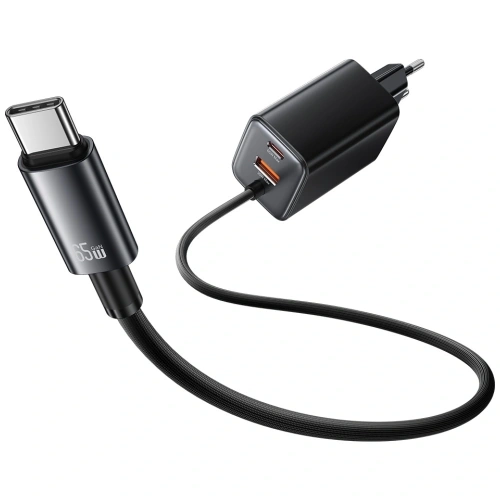
    Summary

    The best case for the Samsung Galaxy Z Flip 8 is the Spigen Ultra Hybrid Pro MagSafe. It is the only case in the comparison that combines integrated hinge protection with a magnetic ring. For maximum protection, reach for the Supcase Unicorn Beetle Pro, and for the cheapest entry into magnetic accessories, go for the Tech-Protect FlexAir Hybrid MagSafe.

    Three things to keep in mind when choosing:

    1. The Z Flip 8 does not have its own magnets. The case determines whether the phone will work with Qi2 chargers and mounts.
    2. The hinge and IP48 rating are the real weak points, not the back panel. The hinge cover and port plugs are more important than the thickness of the back.
    3. The case from the Flip 7 does not fit the Flip 8. Check the model designation before purchasing.

    All described cases, glasses, and films can be found in one place.

    FAQ: frequently asked questions about the Z Flip 8 case

    Does the case from the Galaxy Z Flip 7 fit the Z Flip 8?

    No. The Z Flip 8 has different housing dimensions and a changed camera island layout, so the case from the previous generation will not provide a proper fit. Only purchase products marked as “Flip 8″ or “Flip8″.

    Does the Galaxy Z Flip 8 have magnets like MagSafe?

    No, it does not. The phone is “Qi2 Ready,” meaning it supports 15W wireless charging in the Qi2 standard, but the case must provide the magnets. Without a case with a magnetic ring, magnetic accessories will not stick to the housing.

    Case with a flap or without for a foldable phone?

    Without a flap, if you care about slimness and magnets. The folded Flip protects the main screen by itself. With a flap, if you want to cover the FlexWindow and carry payment cards instead of a wallet. The flap case does not have a magnetic ring.

    Can tempered glass be applied to the main screen of the Galaxy Z Flip 8?

    No. The main screen has a flexible plastic surface, and the tempered glass will crack on the first fold. Only use hydrogel or protective films. Apply tempered glass only to the external FlexWindow.

    How much does it cost to replace the screen on the Galaxy Z Flip 8?

    Replacing the display in the foldable Samsung costs around 1,500–2,000 PLN at an authorized service center, which is several times the price of the most expensive case in this ranking. You can find the current price list on the Samsung Poland service page.

    Does the Galaxy Z Flip 8 come with a factory film on the main screen?

    Yes. The film is part of the foldable display’s construction and cannot be removed by yourself: peeling it off reveals a layer that scratches with a fingernail. The replacement should be done by an authorized service. This case does not protect the film, as the main screen is folded inward.

    Is it worth buying a case with hinge protection?

    Yes, if you often carry your phone in your pocket with keys or work in a dusty environment. The IP48 standard only protects against particles larger than 1 mm, so fine sand can get into the mechanism. The hinge cover is available on the Spigen Ultra Hybrid Pro and Supcase Unicorn Beetle Pro.


    Sources: Galaxy Z Flip8 specification on GSMArena, official Galaxy Z Flip8 page on Samsung.pl, Galaxy Z Flip 8 and Qi2 standard on SamMobile

  • Best Power Bank 2026 — Ranking (20,000 mAh, for Laptops and Flying)

    Best Power Bank 2026 — Ranking (20,000 mAh, for Laptops and Flying)

    The best power bank of 2026 is the UGREEN PB550 20,000 mAh 67 W (219 zł): it charges phones, tablets and laptops that charge via USB-C, and has a built-in USB-C cable and three outputs. For a more powerful laptop, choose the UGREEN PB552 25,000 mAh (299 zł) with a 100 W cable, and for everyday use the lightweight UGREEN PB584 10,000 mAh (129.90 zł). Below is the full ranking with power output, energy in Wh and a breakdown by need.

    A power bank comes in handy all year round: when travelling, on a long car journey, when working on a laptop away from the office and whenever navigation or the camera drains your phone quickly. We’ve picked six models available off the shelf at Home Screen and suggest which one to choose for a laptop, for the car, for a flight and for everyday use.

    As of 22 October 2026: all the power banks in the ranking are available in the shop, and the prices are from homescreen.pl on that day. We give specifications based on the manufacturers’ descriptions.

    What to look for when choosing a power bank

    A good power bank isn’t just about high capacity. What matters most is the charging power and the standards it supports. Here are the key specifications:

    • Capacity (mAh) — 10,000 mAh is one to two full phone charges, 20,000 mAh is 2–3 charges or a top-up for a laptop
    • Power (W) — 20–30 W is enough for a phone, but for a laptop that charges via USB-C, look for a port of at least 65 W; the higher the power, the faster the charging
    • USB Power Delivery (PD) and PPS — these are fast charging standards; without them you won’t get the full power of new phones and laptops
    • Built-in cable — convenient when travelling, one less thing to forget
    • Number of ports — an extra USB-C or USB-A port lets you charge two devices at the same time
    • Weight — a 20,000 mAh power bank usually weighs 350–450 g (UGREEN PB550: approx. 404 g); a 10,000 mAh model is more comfortable for a pocket
    • Charge-level display — a digital percentage readout is easier to read than four LEDs
    • Wireless charging — a magnetic power bank will charge your phone without a cable, but usually more slowly than by cable; we cover this below
    • Limit for flying — you may carry no more than two power banks in hand luggage, each up to 100 Wh (approx. 27,000 mAh at 3.7 V); details below

    Tip: if you have an iPhone 15 or later or an Android phone with USB-C, look for a power bank with USB Power Delivery and at least one 30 W USB-C port. It’s a good compromise between price and charging speed.

    Power bank ranking 2026 — the best models of 20,000 mAh and above

    First up, four models with a capacity of 20,000 mAh or more: an all-rounder, a powerful one for laptops, a rugged one for the outdoors and a cheap energy reserve. We describe the lighter 10,000 mAh power banks in the next part.

    1. UGREEN PB550 20,000 mAh 67 W — best for most people (219 zł)

    This is our top pick. The UGREEN PB550 combines a capacity of 20,000 mAh (72 Wh) with up to 67 W of power and support for PD 3.0, PPS and Quick Charge, so it will charge a phone, tablet, console and a laptop that charges via USB-C. It can handle three devices at once: via the built-in USB-C cable, a separate USB-C port and a USB-A port.

    According to UGREEN, the power bank charges a 14″ MacBook Pro to 32% in 30 minutes, and a Galaxy S24 Ultra to 70% in the same time. The full capacity is enough for one charge of a 14″ MacBook Pro or up to four charges of an iPhone 15 Pro. You can recharge the power bank itself with a 65 W charger in just under 2.5 hours. It weighs approx. 404 g, and a 0.5 m 240 W USB-C cable is included.

    Best for: if you want one power bank for everything — phone, tablet and laptop, including in the car and on a plane.

    2. UGREEN PB552 25,000 mAh 165 W — best for laptops (299 zł)

    The UGREEN PB552 is a power bank for people who work on a laptop away from the office. It has 25,000 mAh (90 Wh) and a total output of up to 165 W. The first of its two built-in USB-C cables delivers up to 100 W and the second up to 65 W, so you can charge two laptops at once. On top of that, there’s a USB-A port (22.5 W) and a third USB-C port (20 W): four devices at the same time in total.

    Both cables retract into the housing. Via the 100 W USB-C input, the power bank charges fully in around 2 hours. It also has a low-current mode for earbuds and smartwatches (activated by holding the button for 3 seconds) and 21700 cells, which the manufacturer describes as automotive grade. Its 90 Wh is within the 100 Wh limit for hand luggage.

    If you prefer your own cables, the UGREEN PB205 has similar power: 25,000 mAh, 90 Wh, 145 W in total, a USB-C port of up to 100 W and an LED display.

    UGREEN PB552 25,000 mAh power bank with two built-in USB-C cables

    Best for: MacBooks and other laptops that charge via USB-C, on business trips and when working remotely.

    3. 4smarts Lucid Air 26,800 mAh 65 W — best for the outdoors (499 zł)

    The 4smarts Lucid Air has the largest capacity in the ranking: 26,800 mAh, plus up to 65 W of power and three ports (two USB-C and one USB-A). The aluminium and plastic housing is rated IP67, and according to the manufacturer it withstands drops from a height of one metre. There’s also a 500 lm torch with an SOS mode and an LCD display that shows the voltage, power, temperature and charge level.

    The power bank can be recharged while powering other devices, and a 100 W USB-C cable (0.5 m) is included. The manufacturer claims the Lucid Air will charge a MacBook at least once and that it can be taken on a plane. However, it weighs approx. 0.64 kg, and the description doesn’t state its energy in Wh: at a typical voltage of 3.7 V, it works out at approx. 99 Wh, just under the limit. Check the value printed on the housing before you fly.

    Best for: camping, the mountains and fieldwork, where your kit might get wet or be dropped.

    4. BlitzWolf BW-P22 20,000 mAh 22.5 W — best budget (119 zł)

    The BlitzWolf BW-P22 is the cheapest 20,000 mAh model in the ranking. The USB-C port charges at up to 20 W using USB PD, and the USB-A port at up to 22.5 W, so you can charge two devices at once. The USB-C port is also used to recharge the power bank itself, which according to the manufacturer takes around 3 hours.

    A digital display shows the charge level, and protections guard against overheating, overvoltage, short circuits and overcharging. The power bank measures 142 × 68 × 28 mm. A 65 W model is better for a laptop, but this one will charge your phone several times.

    BlitzWolf BW-P22 20,000 mAh power bank with a digital display

    Best for: a cheap energy reserve for your backpack or car.

    10,000 mAh power banks — lighter, for everyday use

    A 10,000 mAh power bank usually means one full phone charge with some to spare, and it’s noticeably lighter and smaller than a 20,000 mAh model. For a handbag or jacket pocket, it’s the more convenient choice.

    5. UGREEN PB584 10,000 mAh 33 W — best for everyday use (129.90 zł)

    The UGREEN PB584 fits in the palm of your hand: it measures 8.2 × 6.2 × 2.6 cm. Even so, it charges at up to 33 W and supports PD 3.0, PPS, QC 3.0 and Samsung and Huawei fast charging protocols (AFC, FCP, SCP). The built-in cable also doubles as a strap, so you don’t have to remember a separate cable.

    It can charge three devices at once, and the display shows the exact charge level. Its 36 Wh is well below the 100 Wh limit that applies on planes. You can recharge the power bank itself with a 30 W charger in around 2 hours.

    UGREEN PB584 10,000 mAh power bank with a built-in cable and display

    Best for: everyday use, your handbag and flights, if you want a reserve of energy with you at all times.

    6. Samsung EB-P3401XU 10,000 mAh 25 W — the slimmest (159 zł)

    The Samsung EB-P3401XU power bank is 14.9 mm thick and weighs 215 g, so it will fit in a jacket pocket. It charges at up to 25 W via two USB-C ports, including two devices at once. It supports USB PD 3.0 with PPS and Samsung fast charging (Super Fast Charging), so it works well with Galaxy phones, but also with iPhones with USB-C and other smartphones with PD.

    The capacity is 10,000 mAh (37 Wh), and a 20 cm USB-C to USB-C cable is included. There’s no built-in cable.

    Slim Samsung EB-P3401XU 10,000 mAh power bank in beige

    Best for: Galaxy phone owners and anyone who wants a flat power bank for their pocket.

    [hs_products ids=”129240,127459,107946,118822,137799,141308″ cols=”3″ title=”Power banks from the ranking”]

    Power bank comparison — summary table

    #Power bankCapacityEnergyMax. power²Built-in cablePrice³
    1UGREEN PB55020,000 mAh72 Wh67 W✅219 zł
    2UGREEN PB55225,000 mAh90 Wh165 W✅299 zł
    34smarts Lucid Air26,800 mAhapprox. 99 Wh¹65 W❌499 zł
    4BlitzWolf BW-P2220,000 mAhapprox. 74 Wh¹22.5 W❌119 zł
    5UGREEN PB58410,000 mAh36 Wh33 W✅129.90 zł
    6Samsung EB-P3401XU10,000 mAh37 Wh25 W❌159 zł

    ¹ Value calculated by us from the capacity and a typical cell voltage of 3.7 V, because the manufacturer doesn’t state Wh in the product description. The other Wh values come from the manufacturers.
    ² Maximum output power stated by the manufacturer.
    ³ Price at homescreen.pl on 22 October 2026. Current prices are shown in the tiles above.

    Which power bank for what? Recommendations by need

    The choice depends on what you charge most often and where. Here are some pointers:

    • For a laptop → UGREEN PB552 25,000 mAh (299 zł) — a 100 W cable and a second 65 W one; for a lighter laptop, the UGREEN PB550 67 W (219 zł) is enough
    • For the car → UGREEN PB550 20,000 mAh (219 zł) — high capacity for a long journey; in the car itself, it’s more convenient to charge your phone with a car charger
    • For flying → UGREEN PB584 10,000 mAh (129.90 zł) — 36 Wh, well below the 100 Wh limit; the UGREEN PB550 (72 Wh) gives you a bigger reserve
    • For the outdoors and camping → 4smarts Lucid Air 26,800 mAh (499 zł) — IP67, a torch and 65 W of power
    • For everyday use → UGREEN PB584 (129.90 zł) with a built-in cable or the slim Samsung EB-P3401XU (159 zł)
    • For an iPhone → you can charge the iPhone 15 and later models with USB-C using the built-in cable of the UGREEN PB584 or PB550
    • Cheapest → BlitzWolf BW-P22 20,000 mAh (119 zł) — lots of energy at a low price

    Tip: to recharge your power bank quickly at home, you’ll want a good USB-C PD wall charger and a USB-C to USB-C cable. We’ve compared powerful chargers in our GaN charger ranking.

    How many mAh will actually reach your phone?

    The capacity on the box is the capacity of the cells at their voltage, usually 3.7 V. The phone charges at a higher voltage, and when stepping it up, some of the energy is lost as heat. That’s why manufacturers also state the rated output capacity: in the UGREEN PB550, 20,000 mAh of cells leaves 11,520 mAh at 5 V, and in the PB552, 25,000 mAh leaves 14,000 mAh. Converted into energy, the PB550 delivers approx. 58 Wh out of 72 Wh, i.e. around 20% less. You should usually expect a loss of around 20–30%.

    In practice: 10,000 mAh is around 1.5 full charges of a modern phone, 20,000 mAh is 2–3 charges, and 25,000–26,800 mAh is as many as 4–5 phone charges or one laptop charge. UGREEN states, for example, that the PB550 will charge a 14″ MacBook Pro once or an iPhone 15 Pro up to four times. The bigger the battery in your phone, the fewer charges you’ll get from the same capacity.

    Power banks on planes — how many Wh can you take?

    Since 27 March 2026, stricter rules have applied to carrying power banks. On that day, an amendment by ICAO (the UN agency for civil aviation) to the technical instructions for the safe transport of dangerous goods by air came into force. The airline association IATA described the new rules in its guidance for passengers dated 31 March 2026:

    • A maximum of two power banks per person, each up to 100 Wh.
    • Hand luggage only. A power bank must not be put in checked luggage. If your cabin bag ends up in the hold at the gate, take the power bank out of it first.
    • Don’t charge the power bank from a socket on the plane.
    • Don’t keep it in the overhead locker; keep it on you.
    • Don’t use it to power devices during taxiing, take-off and landing.

    You can work out the energy in watt-hours by multiplying the capacity in mAh by the cell voltage (usually 3.7 V) and dividing by 1000. Many power banks have this value printed on the housing. IATA points out that an airline may refuse to carry a battery whose Wh rating can’t be verified on the housing or in the documentation.

    CapacityEnergy at 3.7 VHand luggage
    5,000 mAhapprox. 18.5 Wh✅ yes
    10,000 mAhapprox. 37 Wh✅ yes
    20,000 mAhapprox. 74 Wh✅ yes
    25,000 mAhapprox. 92.5 Wh✅ yes
    26,800 mAhapprox. 99 Wh✅ yes, just under the limit
    30,000 mAhapprox. 111 Wh❌ no¹

    ¹ The ICAO amendment allows power banks of 100 to 160 Wh with the airline’s approval. However, in its guidance for operators, IATA announces that from 1 January 2027 (the 68th edition of the IATA Dangerous Goods Regulations, DGR) this option will no longer exist, and in its table for passengers it already marks such power banks as forbidden. A battery above 160 Wh can only be transported as cargo.

    All the power banks in our ranking are within the 100 Wh limit: from 36 Wh (UGREEN PB584) to approx. 99 Wh (4smarts Lucid Air). Just remember that you can take no more than two on board. Airlines may have stricter rules, so check your carrier’s terms before flying. You’ll find models within the limit in the power banks for flying category.
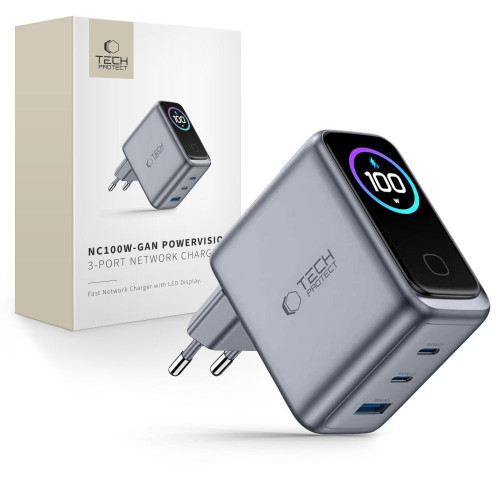
    Wireless power banks — when do they make sense?

    A magnetic power bank attaches to the back of an iPhone with MagSafe or a phone with Qi2 magnets and charges it without a cable, but usually more slowly than by cable. We’ve compared models like these, from pocket-sized 5000 mAh ones to 20,000 mAh ones with Qi2 25 W, in a separate ranking of the best MagSafe power banks.

    Summary — which power bank should you choose?

    The best power bank of 2026 for most people is the UGREEN PB550 20,000 mAh 67 W (219 zł): versatile, with a built-in cable and enough power for a laptop. For a more powerful laptop, choose the UGREEN PB552 (299 zł) with a 100 W cable; for the outdoors, the 4smarts Lucid Air (499 zł) with IP67; and for everyday use, the lightweight UGREEN PB584 (129.90 zł) or the slim Samsung EB-P3401XU (159 zł). Looking for high capacity at a low price? The BlitzWolf BW-P22 at 119 zł is the cheapest 20,000 mAh model in the ranking.

    You’ll find the full range and current prices in the power banks category, and models of a specific capacity in the 20,000 mAh power banks and 10,000 mAh power banks categories.

    [hs_products category=”128″ limit=”6″ sort=”sales” title=”Best-selling power banks”]

    FAQ — frequently asked questions about power banks

    Which power bank can you take on a plane?

    A power bank of up to 100 Wh (around 27,000 mAh at 3.7 V), in hand luggage only and no more than two per person. Since 27 March 2026, you’re not allowed to charge a power bank from a socket on the plane, and IATA recommends not keeping it in the overhead locker. 10,000–25,000 mAh models, such as the UGREEN PB584 (36 Wh) or UGREEN PB552 (90 Wh), are within the limit.

    How many mAh should a good power bank have?

    For a phone, 10,000 mAh is enough (one to two full charges). If you charge several devices or a laptop, choose 20,000 mAh or more. Remember that the real-world capacity is around 20–30% lower due to losses when stepping up the voltage.

    Which power bank for a laptop?

    For a laptop that charges via USB-C, choose a power bank with USB Power Delivery and a port of at least 65 W, e.g. the UGREEN PB550 (67 W). For larger laptops, a 100 W port is better, as in the UGREEN PB552. Also check the wattage of your laptop’s power adapter: a power bank that’s weaker than it will charge the computer more slowly.
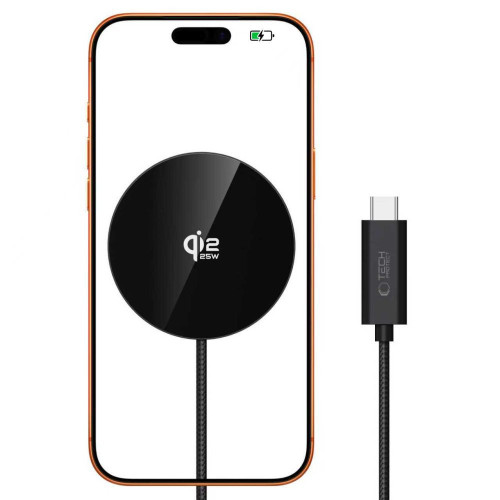
    Which power bank is best for an iPhone?

    You can charge the iPhone 15 and later models with USB-C using any power bank with USB Power Delivery, e.g. the UGREEN PB584 with a built-in USB-C cable or the higher-capacity UGREEN PB550. Older iPhones with a Lightning connector will need a USB-C to Lightning cable. If you prefer to charge without a cable, check out our MagSafe power bank ranking.
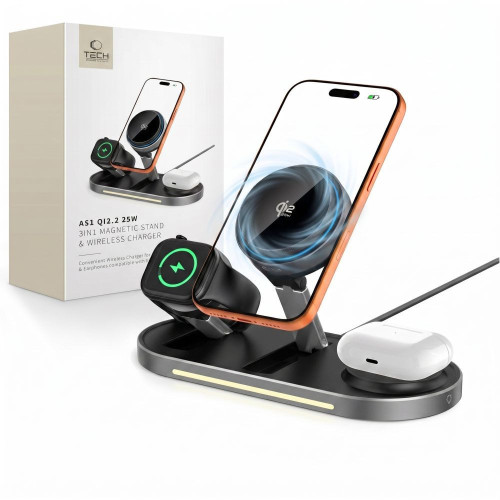
    Which power bank for the car on a long journey?

    For a long journey, a 20,000 mAh power bank with fast USB-C PD charging works best, for example the UGREEN PB550. It will charge your phone several times while you navigate, and the built-in cable makes it easy to use in the car.

    How long does a power bank take to charge?

    It depends on the capacity and input power. According to the manufacturers, you can charge the UGREEN PB552 (25,000 mAh) with its 100 W input in around 2 hours, the PB550 (20,000 mAh) with a 65 W charger in just under 2.5 hours, and the BlitzWolf BW-P22 (20,000 mAh) in around 3 hours. That’s why it’s worth choosing power banks with USB Power Delivery and charging them with a powerful wall charger.

    Can you charge a phone and a power bank at the same time?

    Yes, but only if the power bank supports pass-through charging. Manufacturers declare it, for example, for the 4smarts Lucid Air and UGREEN PB205. You then plug the power bank into the socket and the phone into the power bank, and both charge. Not all models can do this, so check the specifications before you buy.
    How many Wh does a 20,000 mAh power bank have?

    Around 74 Wh at a typical cell voltage of 3.7 V. Manufacturers sometimes state slightly different values, e.g. the UGREEN PB550 has 72 Wh. That’s below the 100 Wh limit, so you can take a 20,000 mAh power bank on a plane in your hand luggage.