Tempered glass or film is applied to the iPhone Duo only on the 5.4-inch external screen. Do not apply anything to the 7.6-inch internal screen, as it already has a factory protective layer with a matte finish. Additionally, you can purchase a camera cover.
The iPhone Duo has been available for sale since October 23, so it’s a good time to choose protection for it. In a foldable phone, it’s easy to make a mistake, so we start with the differences between the screens, and then compare the glasses and films available in the store.
The screen protectors for the Duo that we describe in this text are intended for the external screen. Among the brands we sell, we did not find any films for the internal screen.
iPhone Duo when unfolded. Photo: Apple.
The two screens of the iPhone Duo: what are the differences
Feature
External screen
Internal screen
Diagonal
5.4 inches
7.6 inches
Surface
Ceramic Shield 2
polymer with a scratch-resistant coating, matte finish
External and internal screen of the iPhone Duo. Photo: Apple.
In Polish search results, you may come across information that Ceramic Shield 2 protects the internal screen. This is not true. Apple attributes Ceramic Shield 2 to the external screen.
Internal screen: why not to apply any film
The internal screen is factory-protected by a layer of special polymer with a scratch-resistant coating. According to Apple, this polymer is up to 40% stiffer than other materials used in the industry, and the matte nanostructured finish reduces glare and visibility of the crease line.
Apple does not explicitly state on its pages that you should not apply a film to this screen. We advise against it for three reasons:
The film will cover the matte finish. You will lose what you pay for: less glare and a matte surface.
The screen bends. Rigid glass will break, and regular film may lift at the crease line.
There is a FaceTime camera under the screen. The film may degrade the image quality from this camera.
Do not remove the factory layer. This is not a transport film, but part of the screen. Apple Vice President Kate Bergeron said that the layer can be removed and replaced with a new one. According to media reports, this is done by the service, not the user.
We found internal screen films only from lesser-known brands in foreign online stores. They are not available from Spigen, ZAGG, PanzerGlass, 3mk, and Bizon.
External screen: which glass to choose
The external screen has Ceramic Shield 2, which Apple claims is three times more scratch-resistant than the previous generation. Nevertheless, it is the one that most often ends up on the table, with keys and sand in the pocket, so glass makes sense here. All the covers below are cut for a 5.4-inch screen.
Spigen Glas.tR EZ Fit Pro HD: the easiest installation
Spigen Glas.tR EZ Fit Pro HD with installation frame.
Spigen Glas.tR EZ Fit Pro HD comes with a EZ Fit mounting frame. You place it on the folded phone, press it down, and the glass aligns itself. With the rounded edges of the Duo, it’s the easiest way to avoid misapplying the glass.
There is also a version with two glasses. According to Spigen, the glass fits the cases of this brand, except for the Air Skin Aramid model.
ZAGG InvisibleShield Glass XTR6: premium glass
ZAGG InvisibleShield Glass XTR6 for the external screen.
ZAGG InvisibleShield Glass XTR6 has “external” in its name, just like the privatizing glass of this brand. It’s a good option if you prefer glass from a brand specializing in screen protection.
Bizon Glass Clear and Glass Edge: two glasses in the set
Bizon Glass Clear Duo: two glasses in the set.
The Polish brand Bizon has two basic versions of tempered glass, both also available in sets of two pieces:
Bizon Glass Clear Duo: no frame, covers the flat part of the screen, so it works better with cases,
The second glass in the set is useful when the first one gets scratched or the installation doesn’t go well.
3mk HardGlass and HardGlass Max
On the left 3mk HardGlass, on the right HardGlass Max with a frame.
Two tempered glasses from the Polish brand 3mk: HardGlass without a frame and HardGlass Max with a black frame covering the entire screen. Both have a thickness of 0.3 mm.
Bizon Hybrid Mule: flexible instead of glass
Bizon Hybrid Mule: hybrid glass.
Bizon Hybrid Mule is hybrid glass, which means it is flexible. It is thinner and easier to install than tempered glass. A good choice if tempered glass seems too thick for you.
Matte film for the external screen
The internal screen is matte, while the external one is glossy. If you prefer both to look and function similarly, apply a matte film to the external screen. It leaves fewer fingerprints and reflects less light.
Bizon Film Matte: matte film for the external screen.
Bizon Film Matte has a thickness of 0.12 mm. The matte film slightly reduces image sharpness, but with a 5.4-inch screen used for quick tasks, this usually isn’t an issue.
Privacy glass: Touch ID is not a problem
Privacy glass darkens the screen for people looking from the side. In many phones, it complicates unlocking with a finger through the in-screen reader. In the iPhone Duo, this is not a problem, because the Touch ID reader is in the side button. The Duo also does not have Face ID.
Spigen Glas.tR EZ Fit Pro Privacy with mounting frame.
On the left Bizon Glass Edge Shadow, on the right matte Bizon Hybrid Shadow.
Bizon Hybrid Shadow: hybrid and matte, providing privacy and less glare in one.
Glass for the camera: is it necessary
On the back, the Duo has two 48 MP cameras, and Apple protects the lenses with sapphire glass, which is very resistant to scratches. Therefore, a camera cover is not necessary. It is useful when the phone often lands on its back on a surface or if you want to protect the entire camera island from cracking.
Spigen Optik Pro Glas.tR EZ Fit in Night Sky color.
Bizon Glass Lens: plate for the entire camera island.
Before purchasing the full island cover, check if it fits under your case.
Set: screen and back film
Bizon Film Hydrogel Pack: film for the external screen and the back.
If you carry the Duo without a case, the Bizon Film Hydrogel Pack will come in handy: two hydrogel films, for the external screen and the back. According to the manufacturer, minor scratches on the film smooth out over time.
Fold the phone and place it with the external screen facing up on a flat table.
Clean the screen with the cloth from the set, and collect any remaining dust with the dust removal sticker.
If you have a mounting frame, like in Spigen glasses, put it on the phone and only then apply the glass.
Press the glass from the center to push out the air bubbles.
Do not press on the hinge when pressing the glass.
Glass and case: what to watch out for
Glass with a black frame covers the entire screen but may interfere with cases that cover the edges of the outer screen. Frameless glass, covering only the flat part, usually works with most cases. We compared cases for the Duo in the ranking of iPhone Duo cases.
5.4-inch outer screen: tempered glass, hybrid or film. The easiest installation is by Spigen with a frame.
7.6-inch inner screen: do not stick anything and do not remove the factory protective layer.
Privacy glass: privacy glasses do not interfere with unlocking because Touch ID is in the button.
Camera cover: the lenses have sapphire, the cover is optional.
FAQ
Can you stick glass on the inner screen of the iPhone Duo? No. The inner screen bends, so rigid glass will break. It also has a factory protective layer with a matte finish that the film would cover. Glass is only stuck on the outer screen.
Should I remove the film from the inner screen of the iPhone Duo? No. It is not a transport film, but a factory protective layer that is part of the screen. According to Apple’s vice president, it can be replaced with a new one, and according to media reports, the service does this.
Which glass is easiest to apply to the iPhone Duo? Spigen Glas.tR EZ Fit Pro, because it comes with a mounting frame. You place it on the folded phone and the glass aligns itself.
Does privacy glass block Touch ID on the iPhone Duo? No. The Touch ID sensor is in the side button, not in the screen, so privacy glass does not affect it.
Is Ceramic Shield 2 sufficient without glass? According to Apple, Ceramic Shield 2 on the outer screen is three times more resistant to scratches than the previous generation. Protective glass still makes sense, as it is cheaper to replace scratched glass than the screen.
Do I need a camera glass for the iPhone Duo? It is not necessary, as Apple protects the lenses with sapphire glass. A cover is useful if you want to protect the entire camera island from cracking.
The best charger for the iPhone 18 Pro and 18 Pro Max is a USB-C power adapter of at least 60 W with AVS support (adjustable output voltage). Only with an adapter like this does Apple promise to charge the battery to 50% in around 15 minutes. For wireless charging, choose a MagSafe or Qi2 25W charger and plug it into a 35 W or more powerful adapter. With a MagSafe charger, Apple then quotes 50% in 30 minutes.
Our pick is the Tech-Protect NCA100W-GaN-AVS, one of two 60 W+ chargers in our range that list AVS in their specifications. An old 20 W adapter will charge the new iPhone without any trouble, just noticeably more slowly. If you have Apple’s 40 W Dynamic Power Adapter with 60 W Max that you bought for the iPhone 17 Pro, you don’t need to buy anything.
Below you’ll find a table of recommended chargers, an explanation of what AVS is, a compatibility table for older chargers and charging habits that won’t harm the battery. All phone specifications come from Apple’s official pages, and product features come from the manufacturers’ descriptions.
As of 22 October 2026: all the products in this article are available at homescreen.pl. Of the new iPhones, Apple is currently selling the 18 Pro, the 18 Pro Max and the foldable iPhone Duo, while the base iPhone 18 is not on sale yet. For the Duo we’ve prepared a separate ranking of chargers for the iPhone Duo, because Apple sets different requirements there.
The short answer: which charger for the iPhone 18 Pro
Fastest by cable: a USB-C power adapter of 60 W or more with AVS and a USB-C cable rated for 60 W. The result according to Apple: up to 50% in around 15 minutes.
Wireless: a MagSafe or Qi2 25W charger (often listed as Qi2.2) of up to 25 W. The result according to Apple (with a MagSafe charger): up to 50% in 30 minutes with a 35 W or more powerful adapter.
An old 20–45 W adapter without AVS: it will work and it’s safe, but Apple doesn’t promise 15 minutes with it.
In the box: there’s only a 1 m USB-C cable, no power adapter.
The iPhone 18 Pro and 18 Pro Max have identical charging specifications, so the same charger suits both.
Recommended chargers for the iPhone 18 Pro and 18 Pro Max: table
We chose the chargers based on the conditions Apple lists in its specifications: AVS and 60 W for cable charging, 25 W and a suitable adapter for MagSafe. Every feature in the table comes from the manufacturer’s description.
#
Product
Type
What it gives the iPhone 18 Pro
Best for
1
Tech-Protect NCA100W-GaN-AVS
100 W GaN wall charger, 2× USB-C + USB-A
AVS on the USB-C1 port, meets the 15-minute condition ✅
most people
2
Tech-Protect PowerVision NC100W-GaN
100 W GaN wall charger with a display
AVS on both USB-C ports, meets the 15-minute condition ✅, power readout
if you want to see the charging power
3
Spigen Essential EE472EU-GAN 47W
GaN wall charger, 2× USB-C
no AVS, but 15 V/3 A is enough for a 25 W MagSafe charger
powering a MagSafe charger
4
Tech-Protect A50 Qi2.2
magnetic puck
up to 25 W wireless
desk, bedside table
5
Spigen Essential EF323MQ Qi2.2
3-in-1 station
up to 25 W for the phone
iPhone + Apple Watch + AirPods
6
Tech-Protect A51 ArcticBoost Qi2.2
3-in-1 station with a fan
up to 25 W, active cooling
if you charge wirelessly every day
7
Tech-Protect V21 Qi2.2
car mount
up to 25 W, fan
the car
8
Tech-Protect PB40 LifeMag
10,000 mAh power bank
up to 25 W wireless (Qi2.2)
on the go
9
UGREEN US535
240 W USB-C cable, 2 m
plenty of headroom above the required 60 W
a spare, longer cable
You’ll see current prices in the product tiles below the following sections. They’re loaded from the shop the moment you open the page.
Wired charging on the iPhone 18 Pro: how much power makes sense
This is the biggest change to charging on the new iPhone Pro models. According to Apple’s specifications, the iPhone 18 Pro and 18 Pro Max charge to 50% in around 15 minutes with a 60 W or higher power adapter with adjustable voltage (AVS) and a USB-C cable. In a footnote, Apple clarifies that this refers to adapters compliant with USB Power Delivery (USB PD) 3.1 or later.
For comparison, Apple says the iPhone 17 Pro reaches 50% in around 20 minutes with a 40 W or more powerful adapter. On the iPhone 18 Pro page, Apple adds that 5 minutes of charging is enough for up to 7 hours of video playback on the iPhone 18 Pro Max.
Note one thing: 60 W is a requirement for the power adapter, not the power the phone draws. Apple doesn’t state the maximum wired charging power of the iPhone 18 Pro in watts. The figures circulating online don’t come from Apple, so we’re not repeating them.
What AVS is and how to spot it
AVS (Adjustable Voltage Supply) is a USB Power Delivery adapter mode in which the output voltage changes smoothly within a given range instead of jumping between the fixed values of 5, 9, 15 and 20 V. Apple states it plainly in the iPhone User Guide: fast charging the 18 Pro requires an AVS power adapter of at least 60 W and a USB-C cable rated for 60 W.
How to check it when buying:
Look for the abbreviation AVS in the specifications or on the adapter’s housing, ideally with a voltage range, e.g. “AVS: 9–20 V”.
PPS is not the same as AVS. PPS (Programmable Power Supply) is a different voltage-regulation mode in USB PD. Many chargers have it, including those for fast charging Samsung phones, but for the iPhone 18 Pro Apple lists only AVS.
Check the power on a single port. “100 W” on the box is often the total across all ports.
The benchmark is Apple’s 40 W Dynamic Power Adapter with 60 W Max. Among other things, Apple lists an AVS mode of 15–20 V at 2 A for it.
In our range, two chargers of 60 W and above list AVS in their specifications: both from Tech-Protect, described below. The popular UGREEN, Spigen and Satechi adapters we sell don’t mention AVS in their descriptions. They’ll charge the iPhone 18 Pro quickly and safely, but the manufacturers don’t confirm the condition on which Apple’s 15 minutes depend.
What wattage of power adapter for the iPhone 18 Pro: table
Power adapter
Wired charging of the iPhone 18 Pro
25 W MagSafe charger
20 W USB-C PD
charges, but without the promised 15 minutes
❌ too weak for 25 W
30 W USB-C PD
charges, but without the promised 15 minutes
✅ 25 W¹
35–47 W USB-C PD
charges, but without the promised 15 minutes
✅ 25 W, 50% in 30 minutes²
60 W and above without AVS
charges, Apple doesn’t promise 15 minutes
✅ 25 W, 50% in 30 minutes²
60 W and above with AVS
✅ up to 50% in around 15 minutes
✅ 25 W, 50% in 30 minutes²
¹ For 25 W MagSafe charging, Apple requires a 30 W or more powerful adapter that delivers at least 15 V/2 A.
² Apple quotes 50% in 30 minutes for a 35 W or more powerful adapter.
This is a compact GaN charger with two USB-C ports and one USB-A port. GaN (gallium nitride) technology makes it possible to fit a lot of power into a small housing. The manufacturer lists support for USB PD 3.2 and AVS on the USB-C1 port, which delivers up to 100 W when used on its own. The AVS range is 9–15 V at 3 A and 15–20 V at 5 A, so Apple’s condition (60 W with AVS) is met with room to spare.
With several devices connected, the USB-C1 port holds 65 W, which is still above the threshold. After around 30 minutes under full load, the charger reduces its output to 65 W to avoid overheating. There’s also a black version.
Best for: most 18 Pro and 18 Pro Max owners. Plug the phone into the USB-C1 port and leave the second USB-C port for your earbuds or watch.
The PowerVision has AVS on both USB-C ports (9–20 V at 5 A, up to 100 W) as well as PPS. A small display shows the current power in watts and the temperature. It’s the simplest way to check whether a cable or a second connected device is reducing the power.
With two devices at once, the USB-C1 port gets 65 W and the other 30 W. Watch out for the smaller model: the PowerVision NC45W-GaN also has AVS, but only 45 W, which is below the 60 W threshold.
Best for: charging your phone and laptop from one adapter, or if you like to keep an eye on how much power your phone is charging at.
The Spigen doesn’t have AVS, so by cable it won’t deliver the promised 15 minutes. It does, however, have everything a MagSafe charger needs: 15 V at 3 A (45 W) on the first port and the full 47 W with a single device. So it meets both of Apple’s conditions: 30 W for 25 W MagSafe charging and 35 W for 50% in 30 minutes.
With two devices, the power is split into 27 W and 20 W, which is below the required 30 W, so connect the MagSafe charger when the second port is free. A cheaper alternative with a cable included is the Tech-Protect C35W with a USB-C cable: 35 W, two USB-C ports and a 1 m cable.
Best for: if you mostly charge your iPhone on a pad and want a small, proven adapter to power it.
[hs_products ids=”141260,142549,139064,65670″ cols=”4″ title=”Wall chargers for the iPhone 18 Pro”]
Cable: which USB-C cable for the iPhone 18 Pro
The cable in the box is 1 m long and meets Apple’s requirements. When buying a second one, follow the rule from the iPhone User Guide: the cable must be rated for 60 W or more. In practice, that means a USB-C to USB-C cable labelled 60 W (3 A) or higher.
Spigen Essential EB24012CC 240 W, 1.2 m: with an e-marker (a chip that tells the charger the cable’s parameters) and USB4 data transfer up to 40 Gb/s, if the cable will also be used for a laptop and monitor.
MagSafe vs Qi2 vs standard Qi: wireless charging on the iPhone 18 Pro
The iPhone 18 Pro and 18 Pro Max charge wirelessly at up to 25 W via MagSafe and up to 25 W via Qi2. That’s what Apple’s specifications say. So you don’t have to buy a charger with an Apple logo, but you do need to watch two things: the version of the standard and the power adapter.
Charger
Power for the iPhone 18 Pro
Magnets
What to remember
Apple MagSafe (A2580, A3250, A3502, A3503)
up to 25 W
✅
adapter of at least 30 W and 15 V/2 A
Qi2 25W (also listed as Qi2.2)
up to 25 W
✅
adapter as specified by the charger, usually 30–45 W
Qi2 from 2023
up to 15 W¹
✅
it works, but more slowly
Apple MagSafe from 2020 (A2140)
below 25 W²
✅
Apple doesn’t list it for 25 W
standard Qi
no data³
❌
usually the slowest; the phone has to be placed precisely over the coil
¹ According to the Wireless Power Consortium, the first version of Qi2 from 2023 delivered 15 W, and Qi2 25W is the marketing name for Qi version 2.2.1.
² Apple lists the A2140 charger only in the table for charging at up to 15 W.
³ Apple doesn’t state the power for standard Qi in the iPhone 18 Pro specifications.
A few rules worth knowing:
By cable with a 60 W AVS adapter, you’ll charge the battery to half twice as fast. According to Apple, that’s 50% in around 15 minutes wired versus 30 minutes via MagSafe.
Connect the power adapter before putting the phone down. Apple recommends plugging the MagSafe charger into power first. If you do it the other way round, remove the phone, wait three seconds and put it back to regain full power.
A connected USB-C accessory lowers MagSafe power to 16 W. That’s what Apple states for the 18 Pro when you plug, for example, wired headphones into the port.
“25 W” in the name of a 3-in-1 station doesn’t always mean 25 W for the phone. According to its description, the Satechi 3-in-1 Qi2 25W gives the iPhone 15 W. Look in the specifications for the line with the output power for the phone (e.g. “Output – smartphone”).
The simplest form: a Qi2.2 magnetic puck of up to 25 W with several power profiles (5, 7.5, 10, 15 and 25 W). A 116 cm braided USB-C cable is included; the power adapter has to be bought separately.
If you prefer a permanently attached cable, choose the Tech-Protect A54 Qi2.2 with a 150 cm braided cable. The manufacturer recommends an adapter of at least 30 W for it.
Best for: the desk and bedside table, if you only charge your phone.
The phone gets up to 25 W via Qi2.2, the watch 2.5 W and the earbuds 5 W. You can adjust the tilt angle between 45 and 60°, and a sliding watch module lets you switch the station into 2-in-1 mode. A 2 m USB-C cable is included.
Spigen recommends an adapter of at least 45 W, so the Tech-Protect NCA100W or Spigen EE472EU, for example, will be fine for powering the station. Best for: if you charge your iPhone, Apple Watch and AirPods in one place every evening.
The best for battery health with daily wireless charging
The A51 gives the phone up to 25 W and has active cooling in its base: a quiet turbine fan and a heat-dissipating plate. Heat is the battery’s main enemy (more on this in the safety section), so with daily wireless charging, cooling is a real advantage.
The manufacturer recommends an adapter of at least 45 W. For travel, the foldable Ringke Qi2.2 25W 3in1 Folding, which weighs 134 g, is a better choice. If you only charge your iPhone and watch, the Tech-Protect A55 2in1 is enough.
[hs_products ids=”134148,141896,127990,137939,127530,142481″ cols=”3″ title=”MagSafe and Qi2.2 25 W chargers for the iPhone 18 Pro”]
Will a charger from the iPhone 17 Pro or 16 Pro work with the 18 Pro?
Yes, any existing USB-C charger will charge the iPhone 18 Pro safely. The only question is how fast. The port hasn’t changed and the MagSafe magnets are in the same place. We covered this in our article on whether an iPhone 17 Pro case fits the 18 Pro.
You can check the wattage of an Apple power adapter on its housing. The model number of a MagSafe charger is on the charger itself or on the cable.
What’s in your drawer
By cable to the iPhone 18 Pro
For a MagSafe charger
Verdict
Apple 20 W power adapter
charges, but without the promised 15 minutes
❌ below 30 W
fine overnight
Apple 30 W power adapter
charges, but without the promised 15 minutes
✅ 25 W
good for MagSafe
Apple 35 W Dual USB-C Port power adapter
charges, but without the promised 15 minutes
✅ 25 W, 50% in 30 minutes
good for MagSafe
Apple 40 W Dynamic Power Adapter with 60 W Max
✅ up to 50% in around 15 minutes
✅ 25 W, 50% in 30 minutes
don’t buy anything
Third-party 40–65 W charger without AVS
charges, Apple doesn’t promise 15 minutes
✅ 25 W, 50% in 30 minutes
good enough, unless you’re counting minutes
MagSafe charger A2580, A3250, A3502 or A3503
—
✅ up to 25 W
keep it
MagSafe charger A2140
—
below 25 W
worth replacing
The most important row is Apple’s 40 W Dynamic Power Adapter with 60 W Max (model A3351). It’s the same adapter Apple used to test fast charging on the iPhone 18 Pro. If you bought it together with the iPhone 17 Pro, you already have a charger that will charge the 18 Pro at full speed.
A charger bought from our ranking of chargers for the iPhone 17 will work with the 18 without any problem, but if it doesn’t have AVS, it won’t deliver the promised 15 minutes. We’ve gathered all the differences between the generations in our iPhone 18 Pro vs iPhone 17 Pro comparison.
Is it worth buying a charger with AVS? Yes, if you often top up your phone on the go, e.g. before heading out or at the airport. If you charge overnight or on a pad, AVS makes no practical difference. Apple quotes a time to 50% for only two configurations: around 15 minutes by cable with a 60 W AVS adapter, and 30 minutes with a MagSafe charger and a 35 W or more powerful adapter. Apple doesn’t give a time for adapters without AVS.
Charging in the car and from a power bank
The car chargers in our range don’t mention AVS in their descriptions, so don’t count on 15 minutes in the car. A mount with Qi2.2 charging, on the other hand, delivers the full 25 W wirelessly and holds the phone by the MagSafe ring, away from the camera bump.
You can mount the V21 on the dashboard, the windscreen or an air vent. It has strong N52 magnets, a built-in fan and Qi2.2 charging at up to 25 W. On the input side it accepts, among other things, 15 V at 3 A, i.e. 45 W, so for the full 25 W it needs a powerful USB-C PD car charger, e.g. the UGREEN EC705 with a total output of 130 W.
Prefer a vent-only mount? The Spigen Essential EV25MFAQ has 25 W Qi2.2 and Peltier cooling (an active cooling module), handy in a hot car in summer. We describe more options in our guide to fast car chargers.
The PB40 has a capacity of 10,000 mAh (38.5 Wh), certified Qi2.2 wireless charging at up to 25 W and a USB-C port with up to 45 W output. You attach it to the back of the phone and charging starts automatically. Charging over a USB-C cable is faster, but 45 W is less than the required 60 W with AVS, so don’t count on 15 minutes here either.
[hs_products ids=”135596,126193,74447,141166,35345,100784″ cols=”3″ title=”On-the-go charging and cables for the iPhone 18 Pro”]
Battery safety: does MagSafe damage the iPhone’s battery?
No, MagSafe doesn’t damage the battery. What harms the battery is heat, and wireless charging warms the phone more than a cable does. Apple states plainly that the iPhone and MagSafe charger may get slightly warm while charging. When the battery gets too warm, the system may hold charging above 80% to extend its lifespan.
What Apple says about temperature:
The ideal ambient temperature is 16–22°C. Above 35°C, the battery can permanently lose some of its capacity.
Charging in high temperatures does more damage than simply being somewhere warm.
Some cases are worth removing while charging if the phone gets noticeably warm in them.
A powerful wall charger isn’t a threat either. Apple allows you to charge the iPhone with iPad and Mac power adapters, as well as third-party adapters, provided they meet applicable safety standards. The phone and charger negotiate the power via USB Power Delivery, so the iPhone draws only as much as it needs.
Five everyday rules:
Set a charge limit. On the iPhone 15 and later, you can choose a limit from 80 to 100% in 5-percentage-point steps in Settings (Battery, Charging). With the limit set to 100%, Optimised Battery Charging is also available.
Don’t charge in a hot car or in the sun. If you charge your phone in the car in summer, choose a mount with cooling, e.g. the Tech-Protect V21 or Spigen EV25MFAQ.
A slower charger is enough overnight. Fast charging comes in handy during the day, when every minute counts.
Don’t put cards between the phone and the MagSafe charger. Apple warns that the magnet can damage magnetic strips and RFID chips in cards.
Buy Qi2.2-certified chargers and branded power adapters with protection against overheating and overvoltage.
Also remember that MagSafe magnets aren’t a problem for the camera, as long as the accessory attaches to the ring in the middle of the back panel. We explain this in our article on MagSafe and the iPhone 18 Pro’s aperture. You’ll find cases with a built-in magnetic ring in our ranking of iPhone 18 Pro cases.
Summary
Which charger for the iPhone 18 Pro? A USB-C one of 60 W or more with AVS. Then Apple promises 50% in around 15 minutes. Our pick is the Tech-Protect NCA100W-GaN-AVS.
For wireless charging, choose a MagSafe or Qi2 25W (Qi2.2) charger and a 35 W or more powerful adapter. With a MagSafe charger, Apple quotes 50% in 30 minutes.
Your old adapter is enough if you’re not counting minutes. Apple’s 40 W Dynamic Power Adapter with 60 W Max delivers full speed.
The cable must be rated for 60 W or more. The cable in the box meets this requirement.
Heat harms the battery, not MagSafe. Set a charge limit and don’t charge your phone in the sun.
How many watts does a charger for the iPhone 18 Pro need?
For the fastest charging, you need a power adapter of at least 60 W with AVS support. With an adapter like this, Apple quotes 50% battery in around 15 minutes. Less powerful USB-C chargers will work too, just more slowly.
Is a 20 W charger enough for the iPhone 18 Pro?
It’s enough, but it won’t deliver Apple’s promised 50% in around 15 minutes. With a MagSafe charger it won’t deliver the full 25 W either, because Apple requires an adapter of at least 30 W for that.
Is a 67 W charger good for the iPhone 18 Pro?
Yes, it’s safe, because the phone draws only as much power as it needs. However, only count on 50% in around 15 minutes if the manufacturer lists AVS support in the specifications.
Does MagSafe damage the iPhone’s battery?
No. Wireless charging warms the phone more, but the iPhone has safeguards: if the battery is too warm, it may hold charging above 80%. Avoid charging in the sun and in a hot car.
Does the iPhone 18 Pro need an original Apple charger?
No. Apple allows third-party power adapters that comply with safety standards. For the fastest charging, choose a 60 W or more powerful model with AVS, e.g. the Tech-Protect NCA100W-GaN-AVS.
Does the iPhone 18 Pro come with a charger?
No. The box contains only a 1 m USB-C charging cable. The power adapter has to be bought separately.
Will a charger for the iPhone 18 Pro work with the 18 Pro Max?
Yes. Apple lists the same specifications for both models: 50% in around 15 minutes by cable with a 60 W AVS adapter, and up to 25 W via MagSafe and Qi2.
Will a MagSafe charger from the iPhone 16 or 17 work with the 18 Pro?
Yes. The A2580, A3250, A3502 and A3503 MagSafe chargers give the iPhone 18 Pro up to 25 W with an adapter of at least 30 W. The oldest MagSafe charger, the A2140, will also work, but more slowly.
The best MagSafe power bank is the Tech-Protect PB40 LifeMag: according to the manufacturer it is Qi2.2 certified, charges wirelessly at up to 25 W and delivers up to 45 W over USB-C. The UGREEN PB775 has the largest capacity with 25 W charging (20,000 mAh), and the slimmest is the PITAKA Aramid Fiber: 8.8 mm and 118 g. At a low price, the Tech-Protect PB24 LifeMag comes out best: 10,000 mAh and 15 W magnetic charging, but without confirmed Qi2 certification.
Before you choose, remember two things. First, “MagSafe” on a power bank’s box usually just means a magnet. Power and compatibility are indicated by the Qi2 or Qi2 25 W standard, not by the word “MagSafe” or “magnetic” alone. Second, you’ll only get 25 W if the phone supports it too. The iPhone 17, iPhone 18 Pro and iPhone Duo support it, while the iPhone 17e and iPhones 12–15 charge at up to 15 W.
Below you’ll find a ranking of 10 magnetic power banks available off the shelf at homescreen.pl. We’ve divided them into models with Qi2 25 W, high-capacity models, the smallest ones, models with a stand and budget models. Specifications come from the manufacturers’ descriptions, and phone data from the official Apple, Google and Samsung websites.
As of 21 October 2026: all the power banks in the ranking are available in the shop. Looking for a regular 20,000 mAh power bank for a laptop or for travel? We’ve compared models without a magnet in a separate 2026 power bank ranking.
Quick verdict: which MagSafe power bank to choose
Best overall: Tech-Protect PB40 LifeMag. 25 W Qi2.2 charging (certified, according to the manufacturer), 10,000 mAh and USB-C up to 45 W.
Qi2 25 W with a built-in cable: UGREEN PB773, with 17 magnets with a combined pull force of 9 N and a charge-level screen.
Largest capacity: UGREEN PB775 (20,000 mAh, Qi2 25 W, 45 W wired). Cheaper: UGREEN PB567 (20,000 mAh, Qi2 15 W).
Smallest: PITAKA Aramid Fiber, 5000 mAh, 8.8 mm thick and 118 g.
With a stand: UGREEN UNO PB764 with a fold-out kickstand, or the Satechi OntheGo, which holds the phone upright and sideways.
Budget: Tech-Protect PB24 LifeMag (15 W, “Qi2” in the name, but without confirmed certification). Even cheaper are the AWEI P33K or the Tech-Protect PB11 LifeMag, our bestseller, also without Qi2 certification.
You’ll find all the models in the MagSafe power banks category. Current prices are shown in the tiles below the ranking sections. They’re loaded from the shop the moment you open the page.
MagSafe power bank ranking — table
We set the order primarily by wireless charging standard: Qi2 25 W first, then Qi2 15 W, and finally magnetic models without Qi2. Within these groups, we arranged the models in the same order as the sections below, from the best Qi2 25 W models to the budget ones. Only models we have in stock made it into the ranking.
#
Power bank
Capacity
Energy
Wireless
Wired
Standard³
Weight
Price bracket
1
Tech-Protect PB40 LifeMag
10,000 mAh
38.5 Wh
25 W
45 W (USB-C)
Qi2.2, certified per manufacturer⁴
n/a¹
mid-range
2
UGREEN PB773
10,000 mAh
36 Wh
25 W
30 W (cable + USB-C)
Qi2.2, certified
n/a¹
higher
3
UGREEN PB775
20,000 mAh
74 Wh
25 W
45 W (cable + USB-C), n/a¹ (USB-A)
Qi2.2, certified
n/a¹
higher
4
UGREEN PB567
20,000 mAh
72 Wh
15 W
30 W (cable + USB-C), n/a¹ (USB-A)
Qi2, certified
368 g
mid-range
5
PITAKA Aramid Fiber
5000 mAh
approx. 19 Wh (calculated)²
15 W
20 W (USB-C)
Qi2, certified
118 g
higher
6
UGREEN UNO PB764
10,000 mAh
approx. 37 Wh (calculated)²
15 W
20 W (USB-C)
Qi2, certified
n/a¹
mid-range
7
Satechi OntheGo
5000 / 10,000 mAh
approx. 19 / 37 Wh (calculated)²
15 W
n/a¹
Qi2, certified
n/a¹
higher
8
Tech-Protect PB24 LifeMag
10,000 mAh
approx. 37 Wh (calculated)²
15 W
approx. 20 W (USB-C), 22.5 W (USB-A)
no confirmed Qi2⁴
n/a¹
low
9
Tech-Protect PB11 LifeMag
10,000 mAh
approx. 37 Wh (calculated)²
15 W
approx. 20 W (USB-C)
no Qi2
n/a¹
low
10
AWEI P33K
10,000 mAh
approx. 37 Wh (calculated)²
15 W
20 W (USB-C), 22.5 W (USB-A)
no Qi2
184.5 g
low
¹ The manufacturer doesn’t state this value in the product description.
² Value calculated by us from the capacity in mAh and a voltage of 3.7 V (the typical voltage of a lithium-ion cell), because the manufacturer doesn’t state Wh in the product description. The value printed on the housing may differ slightly, e.g. with 3.85 V cells. The other Wh values come from the product descriptions.
³ Qi2.2 is another name for Qi2 25 W, the version of the Qi2 standard with up to 25 W of power (more in the next section). “No Qi2” means a magnetic model without Qi2 certification.
⁴ We checked the certifications on 22 October 2026 in the public WPC product database. It lists the UGREEN PB773, PB775, PB567 and UNO PB764, the PITAKA Aramid Fiber and the Satechi OntheGo (both capacities). Tech-Protect declares Qi2.2 certification for the PB40, but we didn’t find this model in the WPC database. The PB24 has “Qi2” only in its name: the manufacturer doesn’t state any certification and it isn’t in the WPC database, so in line with the rule described in the next section, we treat it as a magnetic model.
Qi2, Qi2 25 W or “magnetic”? What the labels on the box mean
All the power banks in the ranking attach magnetically to an iPhone with MagSafe. What sets them apart is what happens next.
Qi2 (15 W) is a Wireless Power Consortium (WPC) standard with magnetic coil alignment. The power bank positions itself in the right spot on the back of the phone. According to Apple, this alignment makes MagSafe charging faster and more efficient.
Qi2 25 W is a newer variant of the standard. According to the WPC, a Qi2 25 W certified device is listed in the consortium’s database with version 2.2.1 and the MPP25 power profile. That’s why manufacturers also call this variant “Qi2.2”.
“Magnetic”, “MagSafe compatible” means a power bank with a ring of magnets and a Qi coil, but without Qi2 certification. It attaches the same way, but only its manufacturer vouches for the power. These models are usually cheaper, too.
The WPC explicitly warns against the phrases “Qi2 compatible” and “Qi2 enabled”. A certified device carries the words “Qi2 Certified” on the product or packaging and appears in the public WPC database. If the description only talks about “Qi2 compatibility”, treat the power bank as a magnetic model.
The best MagSafe power banks with Qi2 25 W
If you have an iPhone 17, iPhone 18 Pro or iPhone Duo, you’ll notice 25 W in practice. These phones accept up to 25 W wirelessly, and Apple states that the iPhone 18 Pro charges to 50% in 30 minutes on a MagSafe charger (with an adapter of at least 35 W). With a Qi2 15 W power bank, charging will take longer.
According to Tech-Protect, the PB40 has certified Qi2.2 wireless charging at up to 25 W, the highest that iPhones currently accept. However, we didn’t find this model in the public WPC database (as of 22.10.2026). The USB-C port works both ways. By cable it delivers up to 45 W, which according to the manufacturer is also enough for a tablet and laptop. The power bank itself recharges at up to 30 W.
The battery has 10,000 mAh (38.5 Wh) and, according to the manufacturer, semi-solid-state cells. Tech-Protect says this is 1.5–2 full charges of most smartphones. The ABS plastic and aluminium alloy housing measures 104.2 × 66.2 × 22.3 mm, and LEDs show the charge level. A short USB-C cable (15 cm) is included. Note when using it for the first time: you need to press the power button twice, because a transport lock is active.
Best for: most owners of iPhones with MagSafe, especially the iPhone 17, 18 Pro and Duo. It’s the cheapest of the three Qi2 25 W power banks in the ranking.
The PB773 charges wirelessly using the Qi2 standard at up to 25 W. UGREEN says this charges an iPhone 17 Pro Max to 50% in around 38 minutes. The power bank stays on the phone thanks to 17 magnets with a combined pull force of 9 N, so it won’t slide off in your pocket or while walking.
Wired, it charges at up to 30 W and supports the PD 3.0, QC 4.0 and PPS fast charging standards. It has a built-in USB-C cable that has passed a test of more than 10,000 bends. It can charge three devices at once: two via the USB-C connectors and one wirelessly. The screen shows the charge percentage and operating mode, and the ThermalGuard system measures the temperature up to 200 times per second.
The capacity is 10,000 mAh and 36 Wh. According to the manufacturer, that’s around 1.8 full charges of an iPhone 17 Pro Max.
Best for: if you always forget your cable and want to see the exact charge percentage, not just LEDs.
Largest capacity: 20,000 mAh MagSafe power banks
Twice the capacity also means more weight. 20,000 mAh on the back of your phone is handy for a trip of a few days, but for everyday use 10,000 mAh is more comfortable.
The PB775 combines 20,000 mAh (74 Wh) with Qi2 wireless charging at up to 25 W. The power adjusts automatically to the phone, so it charges older models at up to 15 W.
Wired, it delivers up to 45 W, both through the built-in USB-C cable (approx. 22 cm, tested for more than 10,000 bends) and through a separate USB-C port. There’s also a USB-A port. It has a charge-level display, ThermalGuard and pass-through charging: plug it into a charger and it will charge your phone at the same time.
Best for: long trips, when one power bank needs to charge the phone wirelessly and a tablet or earbuds by cable.
The PB567 has the same 20,000 mAh capacity (72 Wh), but Qi2 wireless charging at up to 15 W. Wired, it charges at up to 30 W in both directions, through the USB-C port and the built-in cable, which also doubles as a lanyard. There’s an extra USB-A port, and it can handle up to four devices at once.
The manufacturer lists dimensions of 106 × 72 × 33 mm and a weight of approx. 368 g, so this is a power bank for a bag rather than a trouser pocket. NTC temperature sensors and a metal heat sink protect it from overheating.
An even cheaper 20,000 mAh option is the Tech-Protect PB12 LifeMag. It charges magnetically at up to 15 W, but without Qi2 certification.
Best for: if you have an iPhone 17e or an iPhone 12–15, which will accept no more than 15 W anyway, and spare energy is what matters.
The smallest MagSafe power bank
A small 5000 mAh power bank is a top-up during the day, not a full charge for a large phone. In return, you barely feel it in your pocket and it doesn’t get in the way when you hold the phone in your hand.
The PITAKA is approx. 8.8 mm thick and weighs approx. 118 g. It’s the lightest power bank in the line-up. Wireless charging is Qi2 certified with up to 15 W, and the USB-C port charges by cable at up to 20 W and is also used to recharge the power bank itself.
The housing combines aramid fibre with aluminium, and indicators show the charge level. The capacity is 5000 mAh. There are three finishes: black and grey, sunset and moonrise.
A similar alternative is the ZENS Slim Qi2 Aluminium 5000 mAh: aluminium, Qi2 15 W certification, 140 g. It also charges AirPods cases with MagSafe.
Best for: if you want a power bank attached to your phone all day long that barely weighs your pocket down.
The best MagSafe power banks with a stand
A stand turns the power bank into a tabletop holder: you watch a film or make a video call while the phone charges.
The PB764 has a folding stand and a TFT screen that shows the power bank’s status with emoticons (the manufacturer has prepared more than 15 of them). It charges wirelessly using the Qi2 standard at 15 W, and via USB-C at 20 W in both directions.
UGREEN says the 10,000 mAh is enough for 1.8 full charges of an iPhone 16, and wirelessly the power bank charges it to 25% in 30 minutes. The silicone finish is pleasant to the touch, and 13 types of protection guard against overheating and overvoltage, among other things.
The UGREEN UNO PB572, one of the two magnetic power banks our customers buy most often, also has an emoticon screen and a stand. However, the PB572 charges wirelessly at 7.5 W, while the PB764 charges at 15 W using the Qi2 standard.
Best for: if you watch a lot on your phone on the go or take video calls at your desk.
The Satechi’s built-in stand holds the phone both upright and sideways, so it’s handy for films, video calls and reading recipes in the kitchen. It charges wirelessly using the Qi2 standard at 15 W. The manufacturer points out that this is twice as much as standard 7.5 W wireless charging.
It supports pass-through charging: when plugged into power, the power bank can charge a phone standing on the stand, so it also works as a desk station. It comes in two capacities: 5000 mAh and 10,000 mAh.
Best for: if the stand needs to work in both orientations and the power bank should also replace the charger on your desk.
[hs_products ids=”141166,142610,149344,137798,140045,141291″ cols=”3″ title=”Best MagSafe power banks: positions 1–6″]
The best budget MagSafe power banks
A cheaper magnetic power bank doesn’t have to be worse in everyday use. Most often, you save on Qi2 certification, wired power and extras such as a screen or built-in cable.
The PB24 has 10,000 mAh and magnetic wireless charging at up to 15 W. Tech-Protect has “Qi2” in the model name, but doesn’t state any certification, and we didn’t find it in the WPC database, so we treat the PB24 as a magnetic model. Thanks to its USB-C and USB-A ports, you can charge several devices at once. According to the specifications, the USB-C port delivers up to 9 V/2.22 A, i.e. approx. 20 W, and the USB-A up to 5 V/4.5 A, i.e. 22.5 W.
LEDs show the charge level, and protections guard against overcharging, overvoltage and overheating. It comes in black and white.
Best for: if you’re looking for a cheap 10,000 mAh power bank with two ports and don’t need 25 W or Qi2 certification.
Together with the UGREEN UNO PB572, the PB11 has been the most frequently bought magnetic power bank in our shop over the last six months. It has 10,000 mAh, magnetic wireless charging at up to 15 W and a single USB-C port, used both for charging by cable and for recharging the power bank.
It’s a magnetic model without Qi2 certification. The ABS and polycarbonate housing is simple and minimalist, and LEDs show the charge level. It comes in several colours, including black, blue, pink and white.
Best for: if you’re looking for a 10,000 mAh power bank that other customers have already put to the test and you don’t care about certification.
The AWEI is the cheapest 10,000 mAh magnetic power bank in the line-up. It charges wirelessly at up to 15 W, via USB-C at up to 20 W and via USB-A at up to 22.5 W. It weighs 184.5 g and measures 109 × 67 × 15.4 mm.
The manufacturer honestly states two capacities: 10,000 mAh is the cell capacity, and 5200 mAh is the rated output capacity. The latter figure better reflects how much energy actually reaches the phone. More on this in the section on real-world capacity.
Best for: a spare power bank for the car or backpack, when price matters.
[hs_products ids=”111947,88189,42599,77792,113868,87672″ cols=”3″ title=”MagSafe power banks: positions 7–10 and alternatives”]
Which iPhone charges at 25 W? Model compatibility
The power bank will attach magnetically to any iPhone with MagSafe. Apple’s list includes all models from the iPhone 12 to the iPhone 18 Pro Max, except the iPhone 16e. How much power the phone accepts depends on the model. A 25 W power bank won’t speed up charging on an iPhone that accepts 15 W.
iPhone
MagSafe magnets
Max. wireless charging power according to Apple
iPhone 18 Pro and 18 Pro Max
✅
25 W²
iPhone Duo
✅
25 W²
iPhone 17
✅
25 W²
iPhone 17 Pro and 17 Pro Max
✅
25 W¹
iPhone Air
✅
20 W²
iPhone 17e
✅
15 W²
iPhone 16 Plus and 16 Pro Max
✅
25 W¹
iPhone 16 and 16 Pro
✅
22.5 W¹
iPhone 16e
❌
n/a³
iPhone 12, 13, 14 and 15
✅
15 W¹ (12 mini and 13 mini: 12 W)
¹ Values given by Apple for the MagSafe charger.
² Apple gives this power for both MagSafe and Qi2 charging.
³ According to Apple’s specifications, the iPhone 16e works with Qi chargers, but no power figure is given. This model has no MagSafe magnets, so a power bank will only attach to it via a case with a magnet or a stick-on ring.
iPhone 18 Pro, Duo and iPhone 17: choose Qi2 25 W (positions 1–3). According to the WPC, the iPhone 16 series with iOS 26 also benefits from Qi2 25 W.
iPhone Air: it accepts up to 20 W, so it will charge faster with a 25 W power bank than with a 15 W model. Note: Apple’s original MagSafe Battery for the iPhone Air works only with the iPhone Air. The power banks in the ranking work with all iPhones with MagSafe.
iPhone 17e and iPhone 12–15: the maximum is 15 W, so Qi2 15 W (positions 4–7) is perfectly sufficient.
The power bank holds through a case only if the case has MagSafe magnets. You’ll find cases like this for the iPhone 18 Pro in our ranking of iPhone 18 Pro cases and in the iPhone 18 Pro accessories category, and for the foldable model in iPhone Duo accessories. Apple also recommends removing a MagSafe wallet before attaching a MagSafe battery.
MagSafe power banks for Android: Pixel and Galaxy with Qi2
Qi2 is a WPC standard, not an Apple exclusive, so the power banks in the ranking also work with Android phones. However, the phone must have magnets in its body or in its case.
The Google Pixel 10 and 10 Pro have built-in Pixelsnap magnets and Qi2 certification, and charge wirelessly at up to 15 W. The Pixel 10 Pro XL accepts up to 25 W (Google Store).
The Google Pixel 11, 11 Pro and 11 Pro XL have Qi2.2 certification and Pixelsnap charging at up to 25 W (Google Store). You’ll find accessories for them in the Pixel 11 category.
The Samsung Galaxy S25 and S26, according to the WPC, have no built-in magnets and need a “Qi2 Ready” case to use magnetic charging. For the S26 series, Samsung sells a Magnet Case with a built-in magnetic ring. We’ve compared cases with a magnet for the top model in our ranking of MagSafe cases for the Galaxy S26 Ultra.
Have a phone without magnets and don’t want to change your case? A stick-on magnetic ring will help. The power bank will attach, but the charging power still depends on the phone.
How many times will it charge your phone? A power bank’s real-world capacity
The mAh capacity on the box is the capacity of the cells at their voltage, usually 3.7–3.85 V. The phone charges at a higher voltage, so the power bank has to step up the cell voltage. Some of the energy is lost as heat in the process. That’s why a 10,000 mAh power bank won’t charge a phone with a 5000 mAh battery twice.
A better measure of energy is watt-hours (Wh). IATA calculates them as the capacity in ampere-hours multiplied by the nominal voltage. An example from the ranking: the Tech-Protect PB40 has 10,000 mAh and 38.5 Wh, and the UGREEN PB775 20,000 mAh and 74 Wh. The AWEI P33K states plainly that from 10,000 mAh of cells, 5200 mAh of rated capacity remains at the output.
Wireless charging increases losses. In its article on the MagSafe charger, Apple notes that in the EU, the iPhone displays a message the first time you use a wireless charger: wireless charging may use more energy than wired charging. When every percent counts, connect the phone with a cable. The PB40, PB773 and PB775 have powerful USB-C ports for this.
For comparison, the manufacturers’ claims from the ranking:
Tech-Protect PB40 (10,000 mAh): 1.5–2 full charges of most smartphones.
UGREEN PB773 (10,000 mAh): approx. 1.8 full charges of an iPhone 17 Pro Max.
UGREEN UNO PB764 (10,000 mAh): 1.8 full charges of an iPhone 16.
For everyday use, 5000 mAh is enough for a top-up, or 10,000 mAh for one full charge with some to spare. 20,000 mAh makes sense for several days without a socket.
Can you take a MagSafe power bank on a plane?
Yes, but only in hand luggage, and additional restrictions apply from 2026. An amendment by ICAO (the UN agency for civil aviation) to the technical instructions for the safe transport of dangerous goods by air came into force on 27 March 2026. The airline association IATA described it in its guidance for passengers dated 31 March 2026:
A maximum of two power banks per person, each up to 100 Wh.
Hand luggage only. A power bank must not be put in checked luggage. If your cabin bag is taken to the hold at the gate, take the power bank out of it first.
Don’t charge the power bank from a socket on the plane.
Don’t keep it in the overhead locker; keep it on you.
Don’t use it to power devices during taxiing, take-off and landing.
There’s also a tip specifically about wireless power banks. IATA recommends switching them off for the flight and not keeping them close to the phone, because a power bank switched on by accident will start charging it. With a MagSafe power bank, this simply means: detach it from the phone and store it separately.
The ICAO amendment allows power banks of 100 to 160 Wh with the airline’s approval. However, in its guidance for operators, IATA announces that from 1 January 2027 (the 68th edition of the IATA Dangerous Goods Regulations, DGR) this option will no longer exist, and in its table for passengers it already marks such power banks as forbidden. This threshold doesn’t affect the power banks in the ranking. The largest in the ranking have 72–74 Wh, and the 10,000 mAh models around 36–38.5 Wh.
Airlines may have stricter rules, so check your carrier’s terms before flying. IATA also points out that an airline may refuse to carry a battery whose watt-hour rating can’t be verified on the housing or in the documentation. You’ll find power banks within the limit in the power banks for flying category.
How to choose a MagSafe power bank: 5 questions before you buy
What phone do you have? iPhone 17, 18 Pro, Duo, Air and the iPhone 16 series with iOS 26, and among Android phones the Pixel 10 Pro XL and the Pixel 11 models: choose Qi2 25 W. iPhone 17e, iPhone 12–15 and most Android phones with a magnet: Qi2 15 W is enough.
Certified or “magnetic”? Qi2 certification guarantees compatibility and the declared power. A “magnetic” model can be noticeably cheaper and will also do the job for topping up during the day.
How much energy do you need? 5000 mAh is a top-up, 10,000 mAh is a full charge with some to spare, 20,000 mAh is several days, but also considerable weight (the UGREEN PB567 weighs approx. 368 g).
Will a cable come in handy? By cable you’ll charge your phone faster and with lower losses. A built-in cable (UGREEN PB773, PB775, PB567) means you don’t have to remember a separate one.
What will you charge it with? The PB40 accepts up to 30 W, so it’s worth having a USB-C wall charger of at least 30 W. We’ve compared powerful models in our GaN charger ranking.
One caveat concerns the iPhone 18 Pro. Apple quotes the fastest wired charging, up to 50% in around 15 minutes, for power adapters of 60 W and above with adjustable voltage (AVS). None of the MagSafe power banks in the ranking has that much power, so on the go the iPhone 18 Pro will charge more slowly than from a good wall charger. We’ve compared chargers for the latest iPhones in our guides on the charger for the iPhone Duo and the charger for the iPhone 17.
Summary
The best MagSafe power bank is the Tech-Protect PB40 LifeMag: 25 W Qi2.2 charging (certified, according to the manufacturer), 10,000 mAh and 45 W USB-C.
Qi2 25 W makes sense with the iPhone 17, 18 Pro, Duo, Air, the iPhone 16 series with iOS 26, the Pixel 10 Pro XL and the Pixel 11 models. The iPhone 17e and iPhones 12–15 will accept no more than 15 W anyway.
[hs_products category=”1901″ limit=”6″ sort=”sales” title=”Best-selling MagSafe power banks”]
FAQ — frequently asked questions
Which MagSafe power bank is best for an iPhone?
For the iPhone 17, 18 Pro and Duo, the best choice is a power bank with Qi2 25 W, e.g. the Tech-Protect PB40 LifeMag with Qi2.2 certification (according to the manufacturer). For the iPhone 17e and the 12–15 models, Qi2 15 W is enough, because these phones accept no more than 15 W. In this group, the UGREEN UNO PB764 does well, and a cheaper option is the Tech-Protect PB24 LifeMag (15 W, but without confirmed Qi2 certification).
What’s the difference between Qi2 and Qi2 25 W (Qi2.2)?
Qi2 charges at up to 15 W, while Qi2 25 W, also called Qi2.2, charges at up to 25 W. According to the WPC, a certified Qi2 25 W product is listed in the consortium’s public database with version 2.2.1 and the MPP25 power profile. Both versions have magnetic coil alignment, and a Qi2 25 W power bank will also charge an older phone, just at lower power.
Is a “magnetic” power bank the same as MagSafe?
Not always. A “magnetic” or “MagSafe compatible” power bank has magnets and will attach to an iPhone, but it doesn’t have Qi2 certification, so only the manufacturer vouches for its power and compatibility. A certified power bank carries the “Qi2 Certified” label and appears in the WPC database.
Will a MagSafe power bank work with Android?
Yes, if the phone has magnets in its body or in its case. The Pixel 10, 10 Pro and 10 Pro XL, as well as the Pixel 11, 11 Pro and 11 Pro XL, have built-in Pixelsnap magnets and Qi2 certification. The Pixel 10 Pro XL and the three Pixel 11 models charge at up to 25 W. The Galaxy S26 needs a case with a magnetic ring, e.g. the Samsung Magnet Case.
Can you take a MagSafe power bank on a plane?
Yes, but only in hand luggage and no more than two per person, each up to 100 Wh. Since 27 March 2026, you’re not allowed to charge a power bank from a socket on the plane. IATA also recommends not keeping it in the overhead locker and not using it to power devices during taxiing, take-off and landing. The power banks in our ranking range from approx. 19 Wh (a value calculated from mAh, because the manufacturer doesn’t state it) to 74 Wh, so they’re within the limit.
How many mAh should a MagSafe power bank have?
For everyday use, 10,000 mAh is best: that’s one full phone charge with some to spare at a sensible weight. A 5000 mAh power bank is enough for a top-up during the day and you barely feel it in your pocket. 20,000 mAh is the choice for trips of several days, but a power bank like that is noticeably heavier (the UGREEN PB567 weighs approx. 368 g).
Does charging with a MagSafe power bank harm the iPhone’s battery?
Apple states that the iPhone and MagSafe charger may get slightly warm while charging, as with any wireless charger. If the battery gets too warm, the software may limit charging above 80% to extend its lifespan. Choose power banks with overheating protection. In the ranking, UGREEN (the ThermalGuard system), Tech-Protect and PITAKA, among others, declare it.
Why won’t my MagSafe power bank stay on the phone?
Most often because of a case without magnets. The power bank only holds directly on the back of an iPhone with MagSafe or on a case with a built-in magnetic ring. Some manufacturers also state a maximum case thickness. ZENS, for example, declares compatibility with magnetic cases up to 3 mm thick.
The best phone under 1,500 zł in October 2026 is the Samsung Galaxy A37 5G: it costs 1,499 zł at major retailers and offers IP68 water resistance, eSIM, a 50 MP camera with optical image stabilisation (OIS) and six major Android OS updates. The Redmi Note 15 Pro 5G takes the best photos at this budget (200 MP with OIS), and the POCO X8 lasts the longest on a single charge (8,340 mAh battery).
You’re looking for a phone under 1,500 zł because you don’t want to overpay for a flagship, but you also don’t want to buy something that will slow down and stop getting security updates within a year. The good news: in 2026, a 120 Hz AMOLED display, NFC and 5G are standard in this price range, and two models will get six major Android OS updates each.
Below you’ll find a ranking of seven models across these categories: best overall, camera, battery, clean Android, gaming, budget Samsung and cheapest worthwhile pick. For each one we list the key specs, pros and cons, and the update period, if the manufacturer states one.
Correct as of 22 October 2026: all the models in the ranking are officially distributed in Poland. We checked prices at x-kom, Media Expert, RTV Euro AGD, MediaMarkt, the manufacturers’ online stores and the Ceneo price comparison site. We give a range: from the cheapest offer to the price at the major chains. Phone prices change often, which is why we update this ranking every month.
Quick verdict: which phone under 1,500 zł to choose
Best overall and longest support: Samsung Galaxy A37 5G — IP68, eSIM, 6 major Android OS updates and 6 years of security updates.
Best camera: Redmi Note 15 Pro 5G — 200 MP with a 1/1.4″ sensor and OIS, plus a 6,580 mAh battery.
Biggest battery: POCO X8 — 8,340 mAh and 67 W charging.
Closest to clean Android: moto g87 — Android 16, 200 MP with OIS and an IP69 rating.
For gaming: POCO M8 Pro — Snapdragon 7s Gen 4, a 1.5K display and 100 W charging.
Budget Samsung with long support: Galaxy A27 5G — the same 6 major Android OS updates for around 1,300 zł.
Cheapest worthwhile pick: moto g67 — 120 Hz AMOLED, NFC and eSIM for around 1,000 zł, with a charger and case in the box.
All the phones in the ranking have a 120 Hz AMOLED display, NFC and 5G. They differ in updates, eSIM support, and water and dust resistance. We’ve compared these specs in a separate table below the ranking, in the section “What to look for in a phone under 1,500 zł”.
How we chose the phones under 1,500 zł
Only phones that meet three conditions made it into the ranking:
Official distribution in Poland — the model has a Polish manufacturer page and is sold by the major chains. We skip imported versions, which are harder to make warranty claims on.
A price under 1,500 zł at one or more major retailers (x-kom, Media Expert, RTV Euro AGD, MediaMarkt or the manufacturer’s store), not just from a single seller on an online marketplace.
Data from official sources — we take specs and update periods from the Samsung, Xiaomi and Motorola websites. Where the manufacturer doesn’t state something, we say so plainly.
We arranged the categories according to what buyers look for most often: an all-rounder, a good camera, a big battery, clean software, gaming performance, long support and the lowest price.
Best phones under 1,500 zł — 2026 ranking
1. Samsung Galaxy A37 5G — the best phone under 1,500 zł
Our overall pick
The Galaxy A37 5G doesn’t have the best camera or the biggest battery in the line-up, but it doesn’t have any serious flaws either. It’s the safest buy at this budget, because together with the Galaxy A27 it has the longest declared support in the line-up, plus IP68 and eSIM.
Price: 6/128 GB approx. 1,210–1,500 zł (1,499 zł at x-kom, Media Expert and samsung.com; the cheapest offers are EU-distribution stock), 8/256 GB approx. 1,570–1,800 zł
Display: 6.7″, Super AMOLED, FHD+, 120 Hz
Chip: Exynos 1480
Cameras: 50 MP f/1.8 with OIS, 8 MP ultra-wide, 5 MP macro, 12 MP front, 4K video
Battery: 5,000 mAh, wired charging up to 45 W
Durability and connectivity: IP68, NFC, eSIM (including dual eSIM)
Updates: 6 major Android and One UI upgrades and 6 years of security updates from the global launch; Samsung gives an end-of-support date of 31 March 2032
Pros:
the longest declared support in the ranking, shared with the Galaxy A27
IP68 and Gorilla Glass Victus+ on the front and back
eSIM and NFC with Samsung Wallet support
Cons:
only the 6 GB RAM version fits the 1,500 zł budget
the 5,000 mAh battery is the smallest in the ranking, alongside the Galaxy A27
Who it’s for: anyone who wants to buy a phone for 4–5 years and not have to think about it. Especially people switching from another Samsung.
2. Redmi Note 15 Pro 5G — the phone with the best camera under 1,500 zł
Best camera within budget
The Redmi Note 15 Pro 5G has the same main camera as the pricier Redmi Note 15 Pro+ 5G: 200 MP on a 1/1.4″ Samsung sensor with optical stabilisation. For no other phone in this line-up does the manufacturer state a larger main sensor.
Price: 8/256 GB approx. 1,220–1,700 zł (cheapest is the blue version at RTV Euro AGD; the black one costs 1,499 zł at Neonet and Orange; 1,599 zł in the Xiaomi store)
Display: 6.83″, 1.5K AMOLED, 120 Hz, peak brightness 3,200 nits (the more nits, the easier the screen is to see in sunlight), Gorilla Glass Victus 2
Chip: MediaTek Dimensity 7400-Ultra
Cameras: 200 MP with OIS, 8 MP ultra-wide, 20 MP front
Battery: 6,580 mAh, 45 W charging (power adapter not included)
Durability and connectivity: IP66 and IP68, NFC, eSIM
launches with Android 15, not 16 like the Samsung and Motorola phones
the 45 W power adapter isn’t in the box
Xiaomi’s global FAQ says the model doesn’t support NFC payments, while the Polish website notes that NFC features depend on the market; before buying, check with the shop whether you can add a card to Google Wallet
a wide price spread between colours
Who it’s for: people who take lots of photos but don’t want to spend 2,000 zł. If zoom and a flagship camera matter to you, take a look at our ranking of the best camera phones of 2026.
[hs_products category=”2196″ limit=”6″ sort=”sales” title=”Redmi Note 15 Pro 5G bestsellers”]
3. POCO X8 — the phone under 1,500 zł with the biggest battery
Longest on a single charge
The POCO X8 has an 8,340 mAh silicon-carbon battery. That’s two-thirds more than in the Galaxy A37 and the most in this line-up. Add a bright 1.5K display and IP68 water resistance.
Price: 8/256 GB approx. 1,350–1,600 zł (1,349 zł at x-kom and MediaMarkt, regular price 1,599 zł)
Cameras: 50 MP with OIS, 2 MP depth camera, 16 MP front
Battery: 8,340 mAh, 67 W charging, 22.5 W wired reverse charging
Durability and connectivity: IP66 and IP68, NFC, no eSIM
Updates: Xiaomi doesn’t state a support period on the product page, and the model isn’t on the Android Enterprise Recommended list
Pros:
the biggest battery in the ranking
bright 1.5K display (3,500 nits) and IP68
can charge other devices via a cable
Cons:
no ultra-wide camera
no eSIM
no official update commitment
223 g, the heaviest in the ranking
Who it’s for: people who travel a lot, use navigation and watch videos away from home. If you carry a power bank today, you probably won’t need one with this phone.
The data comes from the POCO X8 page on mi.com. The Redmi Note 17 Pro 5G has very similar specs and adds eSIM, but costs around 1,800 zł at major retailers.
4. moto g87 — closest to clean Android
Best for fans of simple software
Motorola keeps Android close to what Google designs and gathers its own extras in the Moto app (gestures, personalisation, Moto Secure). On top of that, the moto g87 has a 200 MP camera with OIS and the highest durability rating in the ranking.
Price: 8/256 GB approx. 1,290–1,400 zł (1,399.99 zł at Media Expert)
Cameras: 200 MP f/1.8 with OIS, 8 MP ultra-wide, 32 MP front; video up to 2K at 30 fps
Battery: 5,200 mAh, 30 W charging (case and cable in the box, no charger)
Durability and connectivity: IP66, IP68 and IP69, MIL-STD-810H, NFC, eSIM, microSD up to 2 TB
Updates: Motorola doesn’t state the number of Android OS updates or years of security updates on the product page; the phone launches with Android 16
Pros:
clean, lightweight interface and Android 16 from day one
IP69 and the MIL-STD-810H military standard
eSIM, a microSD slot and a case in the box
183 g with a 6.78″ display
Cons:
the Dimensity 6400 is a weaker chip than those in positions 1, 2 and 5
no 4K recording
no stated update period
Who it’s for: people who don’t like heavy Android skins, work outdoors, or want a 200 MP camera without paying extra for a fast chip.
We confirmed the specs on the moto g87 page. You’ll find accessories in our moto g87 category.
5. POCO M8 Pro — the gaming phone under 1,500 zł
The most powerful Snapdragon within budget
The POCO M8 Pro has a Snapdragon 7s Gen 4, a chip from a higher series than the Snapdragon 6-family chips in the POCO X8 and Galaxy A27. The 1.5K 120 Hz display and 100 W charging suit long gaming sessions.
Price: 8/256 GB approx. 1,200–1,400 zł (1,299–1,399 zł at x-kom depending on colour, 1,399 zł in the Xiaomi store)
Cameras: 50 MP with a 1/1.55″ sensor and OIS, 8 MP ultra-wide, 32 MP front
Battery: 6,500 mAh, 100 W charging (power adapter not included), 22.5 W wired reverse charging
Durability and connectivity: IP66 and IP68, NFC with payments, no eSIM
Updates: Xiaomi doesn’t state a support period on the product page, and the model isn’t on the Android Enterprise Recommended list
Pros:
the highest Snapdragon series in the ranking
the fastest charging in the line-up (100 W)
big battery and IP68
Cons:
no eSIM
no official update commitment
the full 100 W requires a separately purchased power adapter
Who it’s for: mobile gamers and people who want to top up their phone quickly during a break. If gaming is your priority and you can spend more, the POCO X8 Pro has a higher-end chip (MediaTek Dimensity 8500-Ultra) and fast UFS 4.1 storage. We compared it with the Max model in our article POCO X8 Pro vs X8 Pro Max.
6. Samsung Galaxy A27 5G — a budget Samsung with 6 years of support
Long support for around 1,300 zł
The Galaxy A27 5G has the same support commitment as the A37: 6 major Android OS updates and 6 years of security updates. Because it came to market a few months later, Samsung even gives it a later end-of-support date (31 July 2032).
Price: 6/128 GB approx. 1,030–1,340 zł (1,339 zł at x-kom, Media Expert and samsung.com), 8/256 GB approx. 1,390–1,550 zł
Display: 6.7″, Super AMOLED, FHD+, 120 Hz
Chip: Snapdragon 6 Gen 3
Cameras: 50 MP with OIS, 5 MP ultra-wide, 2 MP macro, 12 MP front
Battery: 5,000 mAh, 25 W charging
Durability and connectivity: IP64, NFC, no eSIM, microSD up to 2 TB (hybrid slot: the memory card takes the place of the second SIM card)
Updates: 6 major Android OS updates and 6 years of security updates from the global launch; end of support according to Samsung: 31 July 2032
Pros:
the longest support in the ranking at a lower price than the A37
One UI 8.5 and Android 16 out of the box
memory card slot
Cons:
only IP64 instead of IP68
no eSIM
25 W charging, which is slow for 2026
Who it’s for: people who want a Samsung that will last for years but don’t need water resistance or eSIM. A good choice for a parent or a child.
[hs_products category=”2187″ limit=”6″ sort=”sales” title=”Galaxy A27 cases and screen protectors”]
7. moto g67 — the cheapest worthwhile phone
Best price in the ranking
For around 1,000 zł, the moto g67 has a 120 Hz Extreme AMOLED display with 5,000 nits of brightness, NFC and eSIM. The box includes a charger and a protective case. It’s the only model in the ranking for which the manufacturer clearly confirms a charger in the box (for the POCO X8, the Polish website gives contradictory information).
Price: 8/128 GB approx. 990–1,000 zł (999 zł at x-kom, Media Expert and RTV Euro AGD), 4/128 GB from approx. 740 zł, 8/256 GB approx. 990–1,200 zł (1,119 zł for the green version and 1,199 zł for the grey one at x-kom, Media Expert and RTV Euro AGD)
Cameras: 50 MP with a Sony LYTIA sensor (Motorola doesn’t mention optical stabilisation), 8 MP ultra-wide, 32 MP front
Battery: 5,200 mAh, 30 W charging (charger and case in the box)
Durability and connectivity: IP64, MIL-STD-810H, NFC, eSIM, microSD up to 2 TB
Updates: Motorola doesn’t state a support period on the product page
Pros:
the lowest price in the ranking
eSIM and NFC in a phone costing around 1,000 zł
charger and case in the box
Cons:
the weakest chip in the line-up
only IP64
no update commitment
we don’t recommend the 4/128 GB version: 4 GB of RAM is too little these days
Who it’s for: people who need a phone for messaging, payments, navigation and photos rather than gaming. A good first phone for a child.
Data from the moto g67 page. You can choose extra protection in our moto g67 category.
What to look for in a phone under 1,500 zł
Model
Updates (manufacturer’s commitment)
NFC
eSIM
Durability
Charging / power adapter in the box
Galaxy A37 5G
6 Android OS updates, 6 years of security updates (until 03/2032)
✅
✅
IP68
45 W / no information¹
Redmi Note 15 Pro 5G
4 Android OS updates, 6 years of security updates (until 01/2032)
✅²
✅
IP66, IP68
45 W / ❌
POCO X8
not stated
✅
❌
IP66, IP68
67 W / contradictory information³
moto g87
not stated
✅
✅
IP66, IP68, IP69
30 W / ❌
POCO M8 Pro
not stated
✅
❌
IP66, IP68
100 W / ❌
Galaxy A27 5G
6 Android OS updates, 6 years of security updates (until 07/2032)
✅
❌
IP64
25 W / no information¹
moto g67
not stated
✅
✅
IP64
30 W / ✅
¹ Samsung doesn’t list a charger in the model’s specifications; check the box contents in the shop listing. ² Xiaomi’s Polish website confirms NFC but notes that features depend on the market, while Xiaomi’s global FAQ says the model doesn’t support NFC payments. Before buying, check whether you can add a card to Google Wallet. ³ The Polish POCO X8 page states both “67 W charger included” and “Power adapter not included”.
Updates: the most important spec you can’t see in the shop
You usually buy a 1,500 zł phone to keep for 3–5 years. Once support ends, the phone stops receiving security updates, and banking apps eventually stop working on old Android versions.
Samsung offers the most: 6 major Android OS updates and 6 years of security updates for the Galaxy A37 and A27, with the end-of-support date given on each model’s page.
Xiaomi commits to 6 years of security updates and 4 major Android OS updates for the Redmi Note 15 Pro 5G. We found no commitment for the POCO X8 and POCO M8 Pro.
Motorola doesn’t state a support period for the moto g87 and moto g67 on their product pages.
No commitment doesn’t mean no updates. It just means you’re buying without a guarantee of how many there will be.
NFC: paying with your phone
All the phones in the ranking have NFC, so you can use them for contactless payments via Google Wallet or your bank’s app. The only question mark is the Redmi Note 15 Pro 5G (footnote ² in the table). Samsung adds its own Samsung Wallet, and the A37 and A27 are on the official list of supported models.
eSIM: handy when travelling and for a second number
An eSIM is a digital SIM card that you download from your network without inserting a piece of plastic. It makes it easier to buy a data bundle abroad and to use two numbers. It’s supported by the Galaxy A37, Redmi Note 15 Pro 5G, moto g87 and moto g67, but not by the Galaxy A27, POCO X8 and POCO M8 Pro.
Charging: check whether the charger is in the box
On its Polish pages for the Redmi Note 15 Pro 5G and POCO M8 Pro, Xiaomi states plainly that a power adapter isn’t included, and recommends a USB Power Delivery charger (the fast-charging standard over USB-C) rated at 45 W and 100 W respectively, or an official Xiaomi power adapter (45 W, or 120 W for the POCO M8 Pro). Samsung quotes a maximum of 45 W for the Galaxy A37 and 25 W for the Galaxy A27. According to Samsung’s support page, Super Fast Charging only works with a USB PD charger that supports PPS (Programmable Power Supply); high wattage alone isn’t enough. So you’ll get full speed with a USB-C charger with PPS rated at least 45 W (A37) or 25 W (A27).
An older 18–20 W charger will charge any of these phones, just more slowly. If you want to use the full power, check out USB-C wall chargers with the right wattage and a compatible fast-charging standard.
Water resistance and durability
IP68 means protection against dust and submersion in water under the manufacturer’s test conditions. IP64 means protection against dust and splashes, but not against a swim. IP66 also means resistance to powerful water jets, and IP69 (moto g87) to high-pressure hot water jets. With an IP64 phone, avoid submerging it, and with IP68, remember that the warranty usually doesn’t cover water damage outside the test conditions.
Why the Galaxy A57, Pixel 10a and POCO X8 Pro aren’t in the ranking
These phones often appear in similar line-ups, but on 22 October 2026 they cost more than 1,500 zł at major retailers:
Samsung Galaxy A57 5G — 8/128 GB for 1,779–1,799 zł at samsung.com and 1,797 zł at x-kom. It has a faster Exynos 1680, a Super AMOLED Plus display and a slimmer body (6.9 mm), with the same updates as the A37. We described the changes from its predecessor in our Galaxy A57 vs A56 comparison, and you’ll find accessories in our Galaxy A57 category.
Google Pixel 10a — in shops from approx. 1,975 zł. It has 7 years of updates and wireless charging, which none of the phones in the ranking offer. See our round-up of the best Pixel 10a accessories.
POCO X8 Pro — 8/256 GB from approx. 1,580 zł from sellers on online marketplaces, 1,699 zł in the Xiaomi store.
Motorola Edge 70 Fusion — from approx. 1,800 zł at the major chains. Cheaper offers are usually for the version with a 5,200 mAh battery instead of 7,000 mAh.
Redmi Note 15 Pro+ 5G — 1,639–1,699 zł at the major chains. It has the same main camera as the Note 15 Pro 5G and adds 100 W charging.
Nothing Phone (4a) — from 1,599 zł in the Nothing store, no eSIM.
Which phone under 1,500 zł should you buy? The Samsung Galaxy A37 5G: IP68, eSIM and the longest support within budget.
For photos, choose the Redmi Note 15 Pro 5G with its 200 MP camera and 1/1.4″ sensor, but check NFC payments before you buy.
The longest battery life comes from the POCO X8 (8,340 mAh battery), and for gaming go for the POCO M8 Pro (Snapdragon 7s Gen 4, 100 W).
Closest to clean Android is the moto g87, which also has the highest durability rating (IP69).
Cheapest: the moto g67 for around 1,000 zł, or the Galaxy A27 5G if years of updates matter to you.
Prices at this budget change quickly, and the same model can cost 400 zł more in a different colour. Compare offers from the major retailers before buying, and choose a version from official Polish distribution.
Once you’ve bought it, protect your phone from day one: you’ll find cases, tempered glass screen protectors and chargers for the models in the ranking in the homescreen.pl shop, e.g. in the Galaxy A37, Redmi Note 15 Pro 5G and Galaxy A27 categories.
FAQ — phones under 1,500 zł
Which phone under 1,500 zł is the best in 2026?
The Samsung Galaxy A37 5G. The 6/128 GB version costs 1,499 zł at major retailers and has IP68, eSIM, a 50 MP camera with OIS and 6 major Android OS updates.
Which phone under 1,500 zł has the best camera?
The Redmi Note 15 Pro 5G, with a 200 MP camera on a 1/1.4″ sensor with optical stabilisation. The runner-up is the moto g87, also with a 200 MP camera and OIS, but with a weaker chip.
Which phone under 1,500 zł has the biggest battery?
The POCO X8, with an 8,340 mAh battery and 67 W charging. Next come the Redmi Note 15 Pro 5G (6,580 mAh) and the POCO M8 Pro (6,500 mAh).
Which phone under 1,500 zł will get updates for the longest?
The Samsung Galaxy A37 5G and Galaxy A27 5G: 6 major Android OS updates and 6 years of security updates from the global launch. The Redmi Note 15 Pro 5G gets 6 years of security updates and 4 major Android OS updates.
Do phones under 1,500 zł have NFC and eSIM?
All the models in the ranking have NFC (with the Redmi Note 15 Pro 5G, check contactless payments before buying). eSIM is supported by the Galaxy A37 5G, Redmi Note 15 Pro 5G, moto g87 and moto g67, but not by the Galaxy A27 5G, POCO X8 and POCO M8 Pro.
Is it worth buying a phone with 5G?
Yes, because you don’t pay anything extra for it: all the phones in this ranking support 5G. It’s useful wherever your network has 5G coverage, and since the phone will serve you for several years, 5G support helps future-proof it.
Which phones should you avoid at 1,500 zł?
Avoid imported versions without Polish distribution and models with 4 GB of RAM. If you plan to use the phone for longer than 2–3 years, choose a model with an update commitment (in this ranking: Galaxy A37 5G, Galaxy A27 5G or Redmi Note 15 Pro 5G). Also be wary of the cheapest offers from unknown sellers on online marketplaces.
Is it worth paying extra for the Galaxy A57 or Pixel 10a?
Yes, if you want a faster chip (A57) or 7 years of updates and wireless charging (Pixel 10a). At major retailers, though, both cost around 1,800–2,000 zł.
The best case for Xiaomi 17T and 17T Pro is the Spigen Rugged Armor: flexible TPU with an internal Spider Web structure that disperses drop energy, and a raised edge around the camera island. The strongest protection for Xiaomi 17T Pro is provided by the armored 3mk Armor Case with a drop test from about 175 cm. The cheapest reasonable choice for both models is the transparent Bizon Case Salpa.
Before you choose, remember two things. First, the case for Xiaomi 17T does not fit 17T Pro (and vice versa), as these are two phones with different dimensions. Second, wireless charging is only available on 17T Pro, so a magnetic case means something different on each model.
Below you will find a ranking of 12 cases available immediately at homescreen.pl, divided into armored, magnetic, transparent, flip, and silicone. We took each feature from the manufacturer’s description, and the phone data from the official Xiaomi specifications.
Status as of October 22, 2026: all cases in the ranking are in stock for both models, except for the 3mk Armor Case and 3mk Armor MagCase, which are only for 17T Pro. Do you have a regular Xiaomi 17 without the letter T? You can find your case in a separate ranking of cases for Xiaomi 17.
Brief verdict: which case to choose for Xiaomi 17T and 17T Pro
Best overall: Spigen Rugged Armor (17T and 17T Pro) — slim TPU with Spider Web cushioning and carbon texture.
Maximum protection: 3mk Armor Case (for 17T Pro only) — Military Grade, drops from approx. 175 cm. For 17T: armored Bizon Case Tur.
With a magnet: 3mk Armor MagCase (17T Pro), Tech-Protect Magmat MagSafe, and Bizon Case MatteO (both models).
Transparent: 3mk Clear Case, and on a budget, Bizon Case Salpa.
Flip case: Tech-Protect Wallet with a stand or Bizon Case Pocket with four pockets.
Soft to the touch: silicone Bizon Soft Case in six colors.
Ranking of cases for Xiaomi 17T and 17T Pro — table
The order was determined based on protection confirmed in the manufacturer’s description (drop test, reinforced corners, raised lip around the camera), availability in versions for both models, and diversity of brands. Currently available for 17T and 17T Pro are Spigen, 3mk, Tech-Protect, and Bizon. ESR, UAG, Ringke and Nillkin are not in our range, which is why they are not included in the ranking.
#
Case
Type
Xiaomi 17T
Xiaomi 17T Pro
Magnet
Price range
1
Spigen Rugged Armor
flexible TPU, shock-absorbing
✅
✅
❌
higher
2
3mk Armor Case
armored PC + TPU
❌
✅
❌
medium
3
Bizon Case Tur
armored TPU 2 mm
✅
✅
❌
low
4
3mk Armor MagCase
armored with ring
❌
✅
✅
higher
5
Tech-Protect Magmat MagSafe
hybrid with ring
✅
✅
✅
low
6
Bizon Case MatteO
matte with ring
✅
✅
✅
medium
7
3mk Clear Case
transparent TPU
✅
✅
❌
medium
8
Bizon Case Salpa
transparent TPU
✅
✅
❌
low
9
Tech-Protect Wallet
flip, faux leather
✅
✅
❌
medium
10
Bizon Case Pocket
flip, faux leather
✅
✅
❌
medium
11
Bizon Soft Case
silicone
✅
✅
❌
medium
12
3mk Matt Case
matte TPU 1.2 mm
✅
✅
❌
medium
You can see the current prices in the tiles under the ranking sections. They are fetched from the store at the moment the page is opened.
Does the case for Xiaomi 17T fit the 17T Pro?
No. The case for Xiaomi 17T does not fit the 17T Pro and vice versa. The 17T Pro is 4.6 mm taller and 2.3 mm wider. In a case that is meant to snugly fit the body, this difference is insurmountable: the cutouts for buttons, ports, and the camera island are in different places.
The camera setup is the same in both models, so it’s easy to assume that the cases are also interchangeable. They are not. Case manufacturers make separate versions for each model, and none of the cases in our offer claim compatibility with both. So when buying, check the full name: “for Xiaomi 17T” or “for Xiaomi 17T Pro”.
Among the types of cases for 17T and 17T Pro, you most often look for rugged ones. In this group, three things matter: drop test rated by a number, reinforced corners, and a lip around the camera island that protrudes above the back.
Rugged Armor is made entirely of flexible TPU, but with an internal Spider Web structure. This web of channels behind the back disperses impact energy instead of transferring it directly to the phone’s casing.
Raised edges surround the screen and camera island, so when the phone is placed on a table, the glass does not touch the surface. The sides have a texture that improves grip, and the back features a matte finish with a carbon fiber pattern.
The slim form does not change the silhouette of the phone, and Spigen is one of the most recognizable case manufacturers. It is also available in a version for Xiaomi 17T.
For whom: for most people who want one reliable case for everyday use. There is no magnet, so for magnetic mounts, choose options 4–6.
Here, protection has a specific number: 3mk declares compliance with Military Grade standards in drop tests from about 175 cm. The construction combines polycarbonate with TPU at a thickness of 1.5 mm, and reinforced corners absorb impact energy when dropped on the edge.
The anti-slip surface reduces the risk of the phone slipping out of hand, which at 219 g is not lightweight. The buttons operate with EasyClick technology, meaning they maintain a distinct click despite the covers.
For whom: for owners of the 17T Pro who work in the field or simply often drop their phone. There is no version for the 17T available.
Tur is made of flexible TPU with a thickness of 2 mm and has a microfiber layer inside. The grooves on the back and corners act like air cushions, while the textured sides help keep the phone in hand.
There is a raised frame around the camera island with separate cutouts for the lenses, and the edge of the screen is slightly raised. Six colors are available: from black and navy blue to burgundy and red.
Since the 3mk Armor Case does not have a version for 17T, Tur is the strongest case for Xiaomi 17T in our offer. The version for Xiaomi 17T can also be purchased as a set with tempered glass as Tur Pack.
For whom: if you want rugged protection at the price of a regular case. It costs about one third less than Spigen.
Best magnetic cases (MagSafe) for Xiaomi 17T and 17T Pro
None of these phones have magnets in the casing, so a case with a magnetic ring is the only way to attach a car mount or a magnetic wallet to them. However, the models differ fundamentally in this regard.
Xiaomi 17T does not support wireless charging. The ring in the case is therefore only for accessories: car mounts, stands, and magnetic wallets. You cannot charge the phone on any wireless charger, with or without the case.
Xiaomi 17T Pro charges wirelessly at up to 50 W. This power is specified by Xiaomi for its HyperCharge charging, and the wireless charger is sold separately. Don’t expect the full 50 W on a universal wireless charger, but the ring in the case will center the phone on a magnetic charger.
Don’t want to change the case? An alternative is a stick-on magnetic ring, although one built into the case is more reliable.
This is the equivalent of No. 2 with an added magnetic ring. Polycarbonate and TPU, 1.5 mm thick, Military Grade standard with drop tests from about 175 cm and reinforced corners.
The back is transparent, so the color of the phone is visible. 3mk confirms that the case does not block wireless charging, and the ring holds magnetic mounts without removing the case.
For whom: if you charge the 17T Pro wirelessly or use a magnetic mount and do not want to give up armored protection. This is the most expensive option in the ranking.
A hybrid in a classic layout: a flexible TPU frame absorbs impacts, while the hard polycarbonate back protects against scratches. The back features a built-in magnetic ring compatible with MagSafe accessories.
The case is raised around the camera and screen, and the back has a transparent finish that does not obscure the phone’s appearance.
This is the cheapest magnetic case in the comparison, available for the 17T Pro and for Xiaomi 17T.
For whom: if you need a ring for a car mount, and the protection should be solid but not armored.
MatteO combines a TPU frame with a polycarbonate back with a frosted matte finish that does not collect fingerprints. There are air cushions in the corners, and raised edges around the screen and camera.
The lens cutout is a single full opening, so the case works with camera lens covers and lens protectors. Three finishes are available: smoky with a black, beige, or light pink frame. There is also a version for Xiaomi 17T and MatteO Pack sets with tempered glass included.
For whom: if you want a magnet in a case that doesn’t look technical, and you plan to add a camera lens protector.
Transparent cases show the color of the phone, but over time they can discolor. Both of the following are made of TPU, which is flexible and easy to put on.
Slim case made of flexible TPU with raised edges around the screen and camera. The smooth, slightly anti-slip surface fits well in the hand, and the case does not block wireless charging on the 17T Pro.
In the version for Xiaomi 17T, 3mk additionally states a thickness of about 1.2 mm, Absorber125 cushioning technology, and yellowing-resistant material.
For whom: if you bought a phone in a color you want to see, and prefer a brand specializing in protection.
Salpa costs less than half the price of Spigen, and has details that you won’t find in many more expensive cases. The inner side is dotted, so the case doesn’t stick to the back of the phone.
The corners are reinforced, the edges are slightly raised above the screen, and each lens has a separate cutout with a raised edge. There is a cutout on the side for a lanyard, useful for a phone weighing 200–219 g. Salpa is also for Xiaomi 17T.
For whom: if you are looking for a cheap, transparent case for everyday use or a backup for travel.
Best flip cases for Xiaomi 17T and 17T Pro
A flip case is the only type that also protects the screen without adding a screen protector. In both cases below, the folded-back flap turns into a stand for watching videos in landscape mode.
A faux leather flap with decorative stitching, with the phone held in a flexible TPU base. Inside there are pockets for cards, documents, and cash, and the magnetic closure prevents the flap from opening in your bag.
The manufacturer clearly states that the case does not have a MagSafe magnet, so you cannot attach it to a magnetic mount. The version for Xiaomi 17T has the same features.
For whom: if you want to leave your wallet at home and keep the screen covered in your pocket.
The Pocket has three card slots and one larger one for banknotes, so it holds more than a typical wallet case. Faux leather with TPU, magnetic flap closure, and button covers.
The lens cutout is a single full opening, so the case works with camera lens protectors and covers. Available in black, brown, and navy blue, for the 17T Pro and for Xiaomi 17T.
For whom: if you carry a few cards and want a color other than black.
The best silicone and slim cases for Xiaomi 17T and 17T Pro
Three layers: silicone on the outside, polycarbonate reinforcement, and soft microfiber on the inside, which does not scratch the back of the phone and absorbs shocks. The smooth surface does not collect fingerprints and is easy to clean.
The edges are raised, and the lenses have separate cutouts. Six colors: black, blue, dark blue, dark green, purple, and dark purple. There is also a version for Xiaomi 17T.
For whom: if the most important thing is how the phone feels in your hand, rather than maximum protection.
Black TPU with a thickness of 1.2 mm with a matte, non-slip surface that does not show fingerprints. It has raised edges around the screen and camera, as well as button covers.
The case does not block wireless charging, which is important for the 17T Pro. The version for Xiaomi 17T has the same parameters.
For whom: if you want the phone to look almost as slim with the case on as it does without it.
[hs_products ids=”141828,140688,138847,140685,142047,142727″ cols=”3″ title=”Cases for Xiaomi 17T Pro: positions 7–12″]
Best budget cases for Xiaomi 17T and 17T Pro
Cheap cases do not have to mean poor protection. The three cheapest items in the ranking are three different types:
Bizon Case Salpa — transparent, the cheapest in the comparison, with separate cutouts for the lenses.
Bizon Case Tur — armored TPU 2 mm with air cushions, about one third cheaper than Spigen.
Tech-Protect Magmat MagSafe — in the same price range as Tur, but with a magnetic ring.
If you want to buy protection in one order, Bizon offers bundles with a case and tempered glass in one box. For the Xiaomi 17T, these include Bizon Case Clear Pack with two tempered glass screen protectors and the armored Tur Pack, and for both models, the MatteO Pack with a magnetic ring.
How to choose a case for Xiaomi 17T and 17T Pro
Camera protection
Both phones have the same trio of Leica cameras in a bump that protrudes above the back. This is the first part that touches the surface when you lay the phone screen up. Look for a raised frame around the camera bump in the description. Most cases in this ranking have it.
Also pay attention to the type of cutout. Separate cutouts for each lens (Salpa, Tur, Soft Case) protect the lens glass better. A single full cutout for the whole island (MatteO, Pocket) leaves room for camera lens protectors, such as Bizon Glass Lens for 17T Pro or 3mk Lens Protection for 17T.
Wireless Charging
This is the most important difference between the models. According to Xiaomi’s specifications, the Xiaomi 17T charges only by cable (67 W), so the note “compatible with wireless charging” in the description of the case for 17T is irrelevant.
Xiaomi 17T Pro charges wirelessly up to 50 W. So choose a case whose manufacturer confirms compatibility with wireless charging, e.g., 3mk Armor MagCase, 3mk Clear Case, 3mk Matt Case, Bizon Tur, or Soft Case. Avoid metal plates stuck under the case, as they block charging.
Material
TPU — flexible, provides good cushioning, and is easy to put on (Spigen, Tur, Salpa, Clear Case, Matt Case).
Polycarbonate + TPU — the rigid back does not deform, and the soft frame absorbs the impact (3mk Armor, Magmat, MatteO).
Silicone — the most pleasant to the touch and least slippery (Soft Case).
Faux leather — used in flip cases, looks elegant and protects the screen (Wallet, Pocket).
Compatibility with screen protectors
The lip of the case must not lift the edges of the screen protector. Bizon states in its descriptions the maximum size of a screen protector that will fit under its case, and screen protectors labeled “Case Friendly” have a narrower outline. You can find verified combinations in our ranking of screen protectors for Xiaomi 17T and 17T Pro.
Summary
The best case for Xiaomi 17T and 17T Pro is Spigen Rugged Armor: slim TPU with Spider Web cushioning.
The strongest for 17T Pro is the 3mk Armor Case, and with a magnet, the 3mk Armor MagCase. For 17T, the strongest is the armored Bizon Case Tur.
Case for 17T does not fit 17T Pro: the difference of 4.6 mm in height and 2.3 mm in width shifts all cutouts.
Wireless charging is only available for 17T Pro (up to 50 W). On the 17T, the magnetic ring in the case is useful only for mounts and wallets.
On a budget, choose the transparent Salpa, the armored Tur, or the Magmat with a magnet.
All cases from the ranking and screen protection can be found in the categories Xiaomi 17T and Xiaomi 17T Pro. Choose your model’s category and you will see only compatible products.
[hs_products category=”2550″ limit=”6″ sort=”sales” title=”Best Sellers for Xiaomi 17T Pro”]
[hs_products category=”2548″ limit=”6″ sort=”sales” title=”Best Sellers for Xiaomi 17T”]
FAQ — frequently asked questions
Does the case for Xiaomi 17T fit the Xiaomi 17T Pro?
No. The Xiaomi 17T measures 157.6 × 75.2 × 8.17 mm, while the 17T Pro measures 162.2 × 77.5 × 8.25 mm, so the cutouts for buttons, ports, and the camera do not align. Buy cases labeled as “for Xiaomi 17T” or “for Xiaomi 17T Pro.”
Does the case for Xiaomi 17 fit the Xiaomi 17T?
No. The Xiaomi 17, 17T, and 17T Pro have three different bodies, and each model has its own cases. You will find the case for the regular Xiaomi 17 in a separate ranking.
Does the Xiaomi 17T have wireless charging?
No. According to Xiaomi’s specifications, the 17T model charges only via cable, with a power of up to 67 W. The Xiaomi 17T Pro supports wireless charging up to 50 W.
Does a MagSafe case work with the Xiaomi 17T Pro?
Yes, if it has a built-in magnetic ring, like the 3mk Armor MagCase, Tech-Protect Magmat MagSafe, or Bizon Case MatteO. The phone itself does not have magnets, so without such a case, magnetic accessories will not attach to it.
Which rugged case should I choose for the Xiaomi 17T Pro?
The strongest is the 3mk Armor Case, tested for drops from about 175 cm (Military Grade). If you also need a magnet, choose the 3mk Armor MagCase, or for a lower price, the Bizon Case Tur.
Which flip case for Xiaomi 17T?
Tech-Protect Wallet, if you want a classic wallet with a stand, or Bizon Case Pocket, if you need four pockets and a color other than black. Both have a magnetic flap closure.
vivo X500 Pro Max vs OPPO Find X10 Pro Max is a zoom vs versatility showdown. vivo wins with a telephoto lens (200 MP on a 1/1.4″ sensor, 85 mm), a 400 mm teleconverter, and a sharper 2K display. OPPO counters with a 200 MP ultra-wide camera, 8K video on every lens, and — if leaks about vivo are confirmed — a larger battery in the European version. Both have the same Dimensity 9600 Pro processor.
On paper, they are the closest rivals this autumn. Both phones launched in China one day apart, both are called Pro Max, and both target people who buy a smartphone primarily for the camera. However, they differ in their photography approach: vivo focuses on long zoom, while OPPO emphasizes three equal 200 MP cameras.
We checked the official specifications from both manufacturers, Chinese price lists, vivo’s energy label from the EU EPREL database (via arecenze.cz), and insider posts from @TechHome100. Below you will find a comparison of the cameras module by module, display, battery, and prices, as well as an answer to which model makes sense for you.
Status as of October 22, 2026: OPPO Find X10 Pro Max is already on sale in Poland (since October 21). vivo X500 Pro Max has its European premiere on October 27 at 4:00 PM, and its Polish premiere the same day at 5:30 PM (both times according to Central European Time, CET). vivo’s data comes from the official Chinese specification. The European version may differ in battery and memory configuration, and there are no official European and Polish prices yet. We will update the article after the premiere.
Quick verdict: which model is for whom
Choose vivo X500 Pro Max if:
you photograph from a distance: concerts, sports, nature — the 200 MP periscope has a larger sensor and longer focal length (85 mm vs 70 mm),
you are considering a teleconverter — vivo supports two Zeiss lenses, including 400 mm, while OPPO has one, around 230 mm,
you care about a sharper screen: 2K and 507 ppi vs 1.5K and 450 ppi in OPPO,
you record in slow motion — vivo captures natively 4K at 240 fps.
Choose OPPO Find X10 Pro Max if:
you often photograph with an ultra-wide angle or up close — you get 200 MP on a 1/1.56″ sensor instead of 50 MP on a 1/2.75″ and macro from 4 cm,
you record a lot of video — 8K and 4K 120 fps with Dolby Vision work on all three rear cameras, there’s also Open Gate,
you want to be sure about the battery in the European version — OPPO officially states 7150 mAh, while vivo has not yet confirmed its capacity,
you want to buy a phone right away and know the price — in Poland OPPO costs 6999 PLN, in Germany and France €1799.
Specifications of vivo X500 Pro Max vs OPPO Find X10 Pro Max — table
For OPPO, we provide the European version, for vivo — the Chinese version, as only it has an official specification today. Where the European version of vivo may differ, we state it clearly.
Parameter
vivo X500 Pro Max
OPPO Find X10 Pro Max
Premiere
China 21.09.2026, Europe and Poland 27.10.2026
China 22.09.2026, Europe and Poland 21.10.2026
Processor
MediaTek Dimensity 9600 Pro, 2 nm, up to 4.55 GHz
MediaTek Dimensity 9600 Pro, 2 nm, up to 4.55 GHz
Screen
6.85″, flat AMOLED, 2K 3168×1440, 507 ppi
6.78″, flat AMOLED, 2772×1272, 450 ppi
Refresh Rate
LTPO 1–144 Hz (144 Hz in games)
1–120 Hz, 144 Hz in selected games
Brightness (according to the manufacturer)
4400 nits peak (20% of the screen), 2000 nits across the entire screen
HBM 2000 nits
RAM and Storage
China: 12 or 16 GB, 256 GB–1 TB; Europe: to be confirmed
Europe: 12 GB + 512 GB (only variant)
Rear Cameras
50 MP + 200 MP periscope 3.5× + 50 MP
three 200 MP cameras + color camera 3.2 MP
Front Camera
50 MP, f/2.0, AF
50 MP, f/2.0, AF
Battery
China: 8000 mAh (typical); Europe: unconfirmed
Europe: 7150 mAh (typical; in China 8000 mAh)
Wired Charging
90 W (Chinese version)
80 W SUPERVOOC / 80 W UFCS
Wireless Charging
40 W (Chinese version)
50 W AIRVOOC
Dimensions
163.32 × 76.82 × 7.95 mm (black) / 8.12 mm
161.32 × 76.57 × 8.40 mm
Weight
225 g (black) / 229 g
226 g (Luna White) / 228 g (Titanium Grey)
Ingress protection
IP68, IP69
IP66, IP68, IP69
System
OriginOS 7 (Android 17) in China
ColorOS 17 (Android 17)
Connectivity
Wi-Fi 7, Bluetooth 6.0, eSIM, USB 3.2, infrared
Wi-Fi 7, Bluetooth 6.2, eSIM, USB 3.2 Gen 1, infrared
Colors
China: gray, white, orange, black; Europe: to be confirmed
Interesting fact: both phones use the same processor. Therefore, performance differences will arise from cooling and software, not from the chip itself.
Camera: vivo X500 Pro Max vs OPPO Find X10 Pro Max — module by module
This is the most important part of the comparison. The manufacturers have emphasized almost the opposite: vivo invested in a telephoto lens, while OPPO improved the ultra-wide angle to match the other cameras.
Module
vivo X500 Pro Max
OPPO Find X10 Pro Max
Main
50 MP, 1/1.28″, f/1.57, 24 mm, OIS with 3° tilt, CIPA 7.0, Sony LYTIA L910 with LOFIC¹
200 MP, 1/1.3″, f/1.5, 24 mm, OIS (CIPA 6.5¹), Samsung ISOCELL HPC with DeepPix¹
Telephoto (periscope)
200 MP, 1/1.4″, f/2.67, 85 mm (3.5×), OIS, CIPA 7.0, macro from 15 cm, Samsung ISOCELL HP0
200 MP, 1/1.56″, f/2.1, 70 mm (3×), OIS (CIPA 7.5¹), macro from 10 cm, Samsung ISOCELL HP5¹
Ultrawide
50 MP, 1/2.75″, f/2.0, AF, Samsung ISOCELL JN5¹
200 MP, 1/1.56″, f/2.2, 13 mm (124°), AF, macro from 4 cm, Samsung ISOCELL HP5¹
Color camera
none (there is a multispectral sensor)
3.2 MP, 24 spectral channels
Focus assist
multizone laser, 1536 points
laser focus sensor (OPPO does not provide the number of points)
Front
50 MP, f/2.0, AF, Samsung ISOCELL JN1¹
50 MP, f/2.0, 18 mm, AF, Samsung ISOCELL JN5¹
Zoom
3.5× optical, digitally up to 100×
3× optical, 6× lossless according to OPPO
Teleconverters
Zeiss 200 mm and Zeiss 400 mm
Hasselblad, approx. 230 mm
Optics
Zeiss, T* coatings
Hasselblad
¹ The manufacturers do not list these sensor models and values in their specifications. vivo refers to the “Blueprint Light Control 900” sensor, co-defined with Sony, while OPPO refers to “DeepPix technology.” We give them according to @TechHome100 and reviews of the Find X10 Pro Max (Digital Camera World, HardwareZone). The model of vivo’s telephoto sensor (Samsung ISOCELL HP0) is confirmed by the manufacturer itself.
Main camera: LOFIC vs DeepPix
The sensors are almost the same size: 1/1.28″ in vivo and 1/1.3″ in OPPO. They differ in resolution (50 MP vs 200 MP) and how they handle large brightness differences in the frame.
vivo relies on LOFIC, which is an additional capacitor at each pixel that captures excess charge before the bright areas of the image get blown out. According to @TechHome100, the Sony LYTIA L910 sensor has dual-channel LOFIC, a pixel full-well capacity of up to 250,000 electrons, and a record low read noise (0.75 e-). This is meant to eliminate the typical weaknesses of LOFIC: noise and higher power consumption.
OPPO chose DeepPix: instead of adding a capacitor, it deepens the photodiode itself. We described how this technology works in detail in our OPPO Find X10 Pro Max vs X9 Ultra comparison. According to the same insider, the HPC sensor has a pixel full-well capacity of about 160,000 electrons.
Both manufacturers declare 17 EV dynamic range, but under different conditions. vivo provides this value for the vivo Log mode, while OPPO does so for standard video at 1× zoom. The numbers look identical, but they cannot be directly compared.
Note: pixel capacity and read noise data come from an insider, not from an independent test. Neither phone has a score in DXOMARK yet — the lab has only announced upcoming tests of both models.
Stabilization works in vivo’s favor. The optical image stabilization (OIS) module of the main camera tilts by 3°, and the manufacturer claims a CIPA level of 7.0. According to the insider, this is twice the range of the previous generation.
Telephoto: 3.5× and 1/1.4″ vs 3× and 1/1.56″
This is the heart of vivo. The periscope has 200 MP on a 1/1.4″ sensor, which is about one quarter larger than the 1/1.56″ in OPPO. The focal length of 85 mm (3.5×) is a classic portrait length and a better starting point for long zoom than 70 mm.
OPPO, on the other hand, has a brighter aperture: f/2.1 vs f/2.67. On paper, this partially balances the difference in sensor size. It also features telemacro from 10 cm instead of 15 cm and lossless 6× zoom (140 mm) according to OPPO.
vivo adds features for sports and concerts: burst photos with zoom up to 30× with an assistant that keeps the subject in the center of the frame, and a refreshed stage mode. Subject tracking in the 10–30× range will arrive with a software update.
Ultrawide angle: here OPPO clearly wins
In OPPO, the ultra-wide camera has 200 MP on a 1/1.56″ sensor, while in vivo — 50 MP on a 1/2.75″ sensor. The OPPO sensor has about three times the surface area, which usually means cleaner landscape and indoor photos after dark.
OPPO also offers macro from 4 cm with autofocus and a focal length of 13 mm. vivo does not specify the focal length of its ultra-wide camera. If you are photographing architecture and interiors or taking close-up group photos, this difference will be noticeable on a daily basis.
Teleconverters: 400 mm vs 230 mm
Both phones support attachable lenses, but vivo has a clear advantage in range.
vivo X500 Pro Max
OPPO Find X10 Pro Max
Lenses
Zeiss Teleconverter G2 and G2 Ultra
Hasselblad Teleconverter 3.28×
On which camera
periscope 85 mm
periscope 70 mm
Focal length
approx. 200 mm (G2) and approx. 400 mm (G2 Ultra)
approx. 230 mm (10×), then 20× and 40× with AI
Construction
G2: 153 g, 96 mm length; G2 Ultra: according to vivo, in combination with X500 Pro Max meets APO standard
no data from OPPO
Accessories
grip with buttons, case, external preview screen (sold separately)
case with mounting plate, strap, carrying case, tripod mount
Price
in China sold separately; in Europe to be confirmed
in Poland 1499 PLN for the set
vivo directly advertises the set with a 400 mm lens as equipment for concerts. @TechHome100 gives similar advice: if you often go to concerts, choose the X500 Pro Max with the 400 mm teleconverter. TechRadar writes after testing that no OPPO, Honor, or Apple phone can match this lens.
The OPPO teleconverter only works in its own camera mode: without Master, night, long exposure, slow motion, and Pro Video modes. vivo has not yet published a list of limitations for its lenses. For both brands, keep in mind that the teleconverter is mounted via the case included in the kit — a regular case does not work with it.
To be confirmed on 27.10: according to a leak from Roland Quandt, a camera kit with the X500 Pro Max will appear in Europe for €1999. It is still unknown whether vivo teleconverters will be sold separately in Poland.
Video: slow motion in vivo, versatility in OPPO
For video, both phones are very strong, but each excels in something different.
4K 60 fps; 4K 30 fps with Dolby Vision and beautification
Hasselblad portraits at three focal lengths
Audio
four microphones
—
External apps
—
Blackmagic Camera from November 2026
² According to @TechHome100; vivo also records material in the APV 10-bit 4:2:2 codec.
vivo wins with slow motion: 4K at 240 fps is a rarity in a phone, and with the update, there will be a 960 fps effect, calculated by an algorithm. Additionally, there is focus tracking in 4K at 120 fps and laser autofocus with over a thousand points.
OPPO wins with consistency: 8K, 4K at 120 fps with Dolby Vision, and 10-bit Log work on every camera. Open Gate allows you to record a 4:3 frame from the entire sensor and then crop it into a vertical frame for Reels and horizontal for YouTube.
Zeiss or Hasselblad: colors and modes
vivo has been collaborating with Zeiss for years. The X500 Pro Max features T* coatings on the lenses, new cinematic styles (including “Paris Afterglow,” “Sunny Day,” and the cool “Silver Halide”), and a “Film” mode that instantly gives recordings a cinematic look. There is also a documentary mode with flat, “gray” image recording and LUT import.
OPPO works with Hasselblad. The Find X10 Pro Max has the LUMO True Image Engine, 18 LUMO Color Palette color styles, XPAN format, and Master mode. An additional color camera with 24 spectral channels helps to reproduce colors accurately when multiple light sources mix in the frame.
Color is a matter of taste, and independent tests of both phones in the same scenes are not yet available. Before you choose, compare sample photos from both models.
Screen, performance, and software
Screen: 2K in vivo, 1.5K in OPPO
vivo has a clearly sharper panel: 6.85″, 3168×1440 and 507 ppi. According to vivo, this is the first phone with a BOE Q11 panel in 2K resolution. OPPO has a 6.78″ panel with 2772×1272, which gives 450 ppi. According to @TechHome100, OPPO uses the Tianma N1 panel.
vivo also claims a much higher peak brightness: 4400 nits at 20% screen area and 2000 nits across the entire screen. OPPO states 2000 nits in high brightness mode. Both screens are flat and go down to 1 nit.
OPPO, however, has higher frequency PWM dimming: 3840 Hz compared to 2160 Hz in vivo (according to @TechHome100). If screen flicker at low brightness bothers you, this is an argument in favor of OPPO. Both phones refresh the image adaptively, and 144 Hz works in selected games.
Performance: the same processor
Both models have MediaTek Dimensity 9600 Pro in a 2 nm process, with two cores at 4.55 GHz and Mali-G2-Ultra graphics. vivo adds its own image processing chips (according to @TechHome100 VS1 and V3+), while OPPO processes photos directly in the processor.
In China, vivo has LPDDR5X Ultra memory and UFS 4.1, in variants up to 16 GB RAM and 1 TB. The European OPPO is only available in the 12/512 GB version. The configurations of vivo for Europe will be revealed at the premiere.
Software
Both phones launch with Android 17. vivo has the OriginOS 7 overlay in China, while OPPO has ColorOS 17. vivo will confirm on October 27 which software the European X500 Pro Max will get.
Battery and Charging
Battery: beware of the European version of vivo
This is the most common trap when reading Chinese specifications. In China, both phones have 8000 mAh, but in Europe, OPPO officially dropped to 7150 mAh. A similar cut is likely awaiting vivo, but the manufacturer has not yet provided the numbers.
Source
vivo X500 Pro Max
OPPO Find X10 Pro Max
Officially, China
8000 mAh typical / 7800 mAh nominal
8000 mAh typical / 7790 mAh nominal
Officially, Europe
no data until 27.10
7150 mAh typical / 6960 mAh nominal
EU EPREL database (according to arecenze.cz)
6570 mAh nominal
—
@TechHome100 (16.10.2026)
approx. 6750 mAh outside of China
—
Where does the confusion come from? On October 21, @TechHome100 wrote about a battery of 7800 mAh. This is the nominal value of the Chinese version — exactly as vivo states on its Chinese website — and not the European one. According to Notebookcheck, which cites an offer from a store in Hong Kong, a similar capacity is found in the global version sold in Asia. However, Europe will most likely get a model with a smaller cell, as the EPREL label indicates.
If the leaks are confirmed, the European OPPO will have about 400 mAh more than vivo. The EPREL label for vivo indicates 72 hours of operation on a single cycle in the EU test, but we do not have the same value for OPPO for comparison.
Charging: 90 W vs 80 W, the reverse for wireless
The Chinese version of vivo charges with a power of up to 90 W wired and 40 W wirelessly (with a 50 W vivo charger). OPPO has 80 W SUPERVOOC or UFCS and 50 W wirelessly. The charging power of the European vivo will be known after the premiere.
Neither of the phones has built-in magnets — the lack of Qi2 magnets in OPPO is confirmed by Digital Camera World, and the vivo preview screen requires a magnetic case. Therefore, you need a case with a magnetic ring for magnetic wireless chargers.
Tip: look for a charger with USB Power Delivery and PPS with a power of at least 60 W. You can choose it from smartphone wall chargers. Only official vivo and OPPO chargers provide the full power stated by the manufacturer.
Dimensions, casing, and colors
vivo is thinner: 7.95 mm in the black version and 8.12 mm in the others, compared to 8.40 mm in OPPO. The weight is practically the same: 225–229 g in vivo (Chinese version) and 226–228 g in the European OPPO. However, vivo is 2 mm taller.
Both have IP68 and IP69 resistance, meaning they can withstand immersion and a stream of hot water. OPPO additionally has IP66. vivo features a 3D ultrasonic fingerprint reader, an aluminum frame, and a glass back (in three colors).
In China, the vivo X500 Pro Max comes in four colors: gray “Earth Echo”, white “Clear Day”, orange “Aurora Glow”, and black “Capture the Night”. The base X500 got a pink “Dawn” instead of orange. Which colors will make it to Europe will be confirmed by vivo on October 27. Roland Quandt’s leak mentions black and gray.
The OPPO Find X10 Pro Max in Europe is available in two colors: Luna White and Titanium Grey.
Prices of vivo X500 Pro Max and OPPO Find X10 Pro Max
China: vivo slightly more expensive
This is the only market where we know the official prices of both phones:
Variant (China)
vivo X500 Pro Max
OPPO Find X10 Pro Max
12/256 GB
6999 ¥
6799 ¥
12/512 GB
7999 ¥
7499 ¥
16/512 GB
8499 ¥
7999 ¥
12 GB / 1 TB
8999 ¥ (with satellite connectivity)
—
16 GB / 1 TB
9499 ¥ (with satellite connectivity)
8999 ¥
Creator’s kit
12 999 ¥ (16 GB / 1 TB with accessories)
—
In China, vivo is more expensive by 200–500 yuan in comparable variants. Both vivo versions with 1 TB have satellite connectivity, which works only in China.
Europe: OPPO officially, vivo from a leak
The OPPO Find X10 Pro Max costs €1799 in the OPPO store in Germany and France and £1499 in the United Kingdom (12/512 GB).
There is no official price for vivo yet. According to a leak from Roland Quandt, the X500 Pro Max in the 12/512 GB version will cost €1799 in Europe, and the camera kit will be €1999. If confirmed, both phones will cost the same in the euro zone.
Poland: OPPO 6999 PLN, vivo around 7000 PLN
In the Polish store, OPPO Find X10 Pro Max costs 6999 PLN, and the kit with the Hasselblad teleconverter — 1499 PLN separately or 7699 PLN together with the phone.
The vivo X500 Pro Max is expected to cost around 7000 PLN in Poland, which is practically the same as OPPO. The official price will be announced by the manufacturer at the premiere on October 27 at 5:30 PM. According to vivo’s European store, sales in Europe will start on November 5. We will update the price here right after the premiere.
Screen and camera protection for both models
Both phones have large, protruding camera islands and different dimensions, so each needs its own accessories. A screen protector for the vivo will not cover the OPPO’s display, and the camera protector of one does not fit the other.
For vivo X500 Pro Max, we already have tempered and hybrid glass, screen protector films and camera lens glass. The other models in the series are collected in the vivo X500 Series category.
[hs_products category=”2673″ limit=”6″ sort=”sales” title=”Protection for vivo X500 Pro Max”]
For OPPO Find X10 Pro Max, you will find tempered and hybrid glass, screen and back protector films, and camera lens glass:
[hs_products category=”2669″ limit=”6″ sort=”sales” title=”Protection for OPPO Find X10 Pro Max”]
Note: teleconverters of both brands are mounted through the case from the photography kit. A regular case will serve you daily, but for photos with the teleconverter, you move the phone into the manufacturer’s case.
vivo X500 Pro Max or OPPO Find X10 Pro Max — which one to buy?
The answer depends on how far away you shoot and whether you want to wait.
Do you go to concerts, matches, or photograph nature? vivo X500 Pro Max. A larger periscope sensor, a focal length of 85 mm, and the 400 mm teleconverter give the longest reach in this class today. OPPO reaches about 230 mm with a teleconverter.
Do you photograph a bit of everything and record a lot? OPPO Find X10 Pro Max. Three 200 MP cameras provide consistent quality at every focal length, and 8K and Dolby Vision work on each of them. Additionally, there is Open Gate. The ultra-wide angle is clearly better than in vivo.
Is the screen important? vivo. 2K, 507 ppi, and 4400 nits make for a sharper and brighter panel. Exception: if you are sensitive to flickering, OPPO has PWM dimming at a higher frequency.
Is the battery important? For now, OPPO, because its European 7150 mAh is confirmed. If the leaks of around 6750 mAh for the European vivo prove true, OPPO will maintain its advantage.
Do you want to buy now? In Poland, OPPO has been on sale since October 21 for 6999 PLN. vivo is expected to cost similarly, around 7000 PLN; the official price will be revealed on October 27, and sales in Europe are set to start on November 5. If you are hesitating between them, it’s worth waiting a week for the vivo premiere.
We cover camera phones of this class in more detail in our ranking of the best camera phones of 2026. A year ago, the same competition looked different — see the comparison of OPPO Find X9 Pro vs vivo X300 Pro. According to @TechHome100, it is the X300 Pro that is the direct predecessor of the X500 Pro Max.
Summary
vivo X500 Pro Max vs OPPO Find X10 Pro Max is a choice between a zoom specialist and a versatile photographic flagship:
vivo X500 Pro Max — 200 MP periscope 1/1.4″ with a focal length of 85 mm, Zeiss 400 mm teleconverter, 2K screen 507 ppi and 4400 nits, slow motion 4K 240 fps, thinner body,
OPPO Find X10 Pro Max — three 200 MP cameras, 1/1.56″ ultra-wide angle with macro from 4 cm, 8K and Dolby Vision on every lens, Open Gate, 50 W wireless charging,
shared — Dimensity 9600 Pro, Android 17, IP68 and IP69, no DXOMARK score,
battery in Europe — OPPO 7150 mAh officially, vivo unofficially around 6750 mAh,
price — OPPO 6999 PLN in Poland and €1799 in Germany; vivo according to leaks €1799, in Poland around 7000 PLN (officially October 27).
Regardless of your choice, make sure to protect it from day one, as repairing the screen or camera island on a flagship of this class will not be cheap. Accessories for both brands can be found in the categories of vivo and OPPO at Home Screen.
FAQ — vivo X500 Pro Max vs OPPO Find X10 Pro Max
Which has a better camera: vivo X500 Pro Max or OPPO Find X10 Pro Max?
For zoom and distant shots, the vivo X500 Pro Max is better with its 200 MP periscope 1/1.4″ and 400 mm teleconverter. For ultra-wide angle, macro, and video at all focal lengths, the OPPO Find X10 Pro Max is superior. Neither has a DXOMARK score yet.
When is the vivo X500 Pro Max premiere in Poland?
October 27, 2026, at 17:30 Polish time (CET). The European premiere will take place the same day at 16:00 CET, and sales according to the European vivo store will start on November 5. The phone debuted in China on September 21, 2026.
How much does the vivo X500 Pro Max cost?
In China, it starts at 6999 yuan for the 12/256 GB version. In Poland, it is expected to cost around 7000 PLN, and according to a leak from Roland Quandt, in Europe, it will be €1799 for the 12/512 GB version. Official prices will be announced by vivo on October 27 (as of 22.10.2026).
How much does the OPPO Find X10 Pro Max cost?
In the Polish OPPO store, it is 6999 PLN, in Germany and France €1799, in the UK £1499 — for the only European version 12/512 GB (as of 22.10.2026).
What battery does the vivo X500 Pro Max have in Europe?
vivo has not released this information yet. The Chinese version has 8000 mAh (7800 mAh nominal), and according to leaks, the European version will have around 6750 mAh; the EU database EPREL lists 6570 mAh nominal. The OPPO Find X10 Pro Max officially has 7150 mAh in Europe.
Do the vivo X500 Pro Max and OPPO Find X10 Pro Max have the same processor?
Yes. Both use the MediaTek Dimensity 9600 Pro on a 2 nm process. vivo adds its own chips for photo and video processing.
Does the case for the OPPO Find X10 Pro Max fit the vivo X500 Pro Max?
No. The phones differ in dimensions, thickness, and the shape of the camera island: vivo has a round island in the center, while OPPO has a rectangular one in the corner. Each requires a dedicated case and screen protector.
OPPO Find X10 Pro Max vs X9 Ultra is a contest of video versus zoom. Pro Max wins in video, ultra-wide angle, newer processor, and lower weight, while Find X9 Ultra excels in zoom, larger main sensor, QHD+ screen, and faster charging. In Germany and France, the newer Pro Max costs €1799 compared to €1699 for the X9 Ultra. In the Polish OPPO store, it’s the opposite: 6999 zł compared to 7399 zł.
This is an unusual situation. The newer phone is more expensive in the euro zone than the flagship from half a year ago, even though in some areas the camera takes a step back — primarily it lacks a 10× periscope, which was the hallmark of the Ultra.
We checked the official specifications from OPPO, price lists from four countries, reviews, and insider posts from @TechHome100. Below you will find a complete comparison of OPPO Find X10 Pro Max vs X9 Ultra: the camera module by module, the screen, battery, prices and an answer to which model makes sense for you.
Status as of October 21, 2026: this is the day of the European and Polish launch of the Find X10 Pro Max. The technical data comes from the official OPPO specifications. The sensor models that OPPO does not provide are described according to reviews and @TechHome100. Pro Max does not yet have a DXOMARK score, and prices in stores will vary.
Short verdict: which model for whom
Choose Find X10 Pro Max if:
you record a lot of video — 8K and 4K 120 fps with Dolby Vision work on each of the three rear cameras, there’s also Open Gate and 10-bit Log,
you often photograph with an ultra-wide angle or up close — you get 200 MP instead of 50 MP and focus from just 4 cm,
you want a lighter and slimmer phone with Wi-Fi 7 and Android 17 from day one,
you are buying in Poland at the OPPO price — here Pro Max is 400 PLN cheaper.
Choose Find X9 Ultra if:
you photograph from a distance: concerts, sports, nature, architectural details — native 230 mm without attaching anything,
you care about the largest main sensor (1/1.12″) and a physical camera button,
you value a sharper QHD+ screen and 100 W charging,
you want a camera proven in independent testing — X9 Ultra has 170 points in DXOMARK, Pro Max is still awaiting testing.
Pro Max is not a successor to Ultra, but a different concept for a photographic flagship. We wrote about the launch of the new model in September in an article about the specifications and launch of OPPO Find X10 Pro Max. If you have already made your choice, you will find tempered glass and protective films in the categories OPPO Find X10 Pro Max and OPPO Find X9 Ultra.
OPPO Find X10 Pro Max vs X9 Ultra specifications — table
We are comparing the European versions. Where the Chinese version differs, we state it explicitly.
Parameter
Find X10 Pro Max
Find X9 Ultra
Launch
China 22.09.2026, Europe and Poland 21.10.2026
China and worldwide 21.04.2026, Poland (pre-order) 29.04.2026
Processor
MediaTek Dimensity 9600 Pro, 2 nm, up to 4.55 GHz
Snapdragon 8 Elite Gen 5, 3 nm, up to 4.608 GHz
Screen
6.78″, flat AMOLED, 2772×1272, 450 ppi
6.82″, AMOLED QHD+ 3168×1440, 510 ppi
Refresh Rate
1–120 Hz, 144 Hz in selected games
1–120 Hz, 144 Hz in selected games
Brightness (according to OPPO)
HBM 2000 nits
HBM 1800 nits, peak 3600 nits
RAM and storage (EU)
12 GB LPDDR5X + 512 GB UFS 4.1
12 GB LPDDR5X + 512 GB UFS 4.1
Rear Cameras
3× 200 MP + 3.2 MP color camera
200 + 200 + 50 + 50 MP + 3.2 MP color camera
10× periscope
❌
✅ 230 mm
Front Camera
50 MP, AF
50 MP, AF
Battery (EU)
7150 mAh (in China 8000 mAh)
7050 mAh
Wired Charging
80 W SUPERVOOC / 80 W UFCS
100 W SUPERVOOC
Wireless Charging
50 W AIRVOOC
50 W AIRVOOC
Dimensions
161.32 × 76.57 × 8.40 mm
163.16 × 76.97 × 8.65 mm (black: 9.10 mm)
Weight (EU)
226 g (white) / 228 g (titanium)
235 g (orange) / 236 g (black)
Water and dust resistance
IP66, IP68, IP69
IP66, IP68, IP69
System
ColorOS 17 (Android 17)
ColorOS 16 (Android 16)
Connectivity
Wi-Fi 7, Bluetooth 6.2, eSIM
Wi-Fi 6 according to Polish OPPO specifications, Bluetooth 6.0
Camera Button
❌ (there is a programmable Snap Key)
✅ (and Snap Key)
Colors in EU
Luna White, Titanium Grey
Tundra Umber (eco-leather), Canyon Orange
OPPO Price in Germany
1799 €
1699 €
OPPO Price in Poland
6999 zł
7399 zł
Both phones in Europe are available only in one configuration of 12/512 GB. The 16 GB and 1 TB variants are exclusively Chinese. In both cases, the European label shows only IP68 — this is a result of EU labeling regulations, not a weaker build.
OPPO Find X10 Pro Max vs X9 Ultra cameras — module by module
This is the most important part of the comparison, as both phones are primarily purchased for their cameras. They differ in philosophy, not just in numbers.
Find X9 Ultra has four cameras for photos, which optically cover the range of 14–230 mm. OPPO talks about “eight professional lenses” from 0.6× to 20×. Find X10 Pro Max has three cameras with the same resolution of 200 MP, covering 13–70 mm. Beyond that it relies on a sensor crop, and further still — on a screw-on teleconverter.
Module
Find X10 Pro Max
Find X9 Ultra
Main
200 MP, 1/1.3″, f/1.5, 24 mm, OIS (CIPA 6.5*), Samsung ISOCELL HPC with DeepPix*
200 MP, 1/1.12″, f/1.5, 23 mm, OIS, Sony LYT-901*
Ultrawide
200 MP, 1/1.56″, f/2.2, 13 mm (124°), AF, macro from 4 cm, no OIS, Samsung ISOCELL HP5*
50 MP, 1/1.95″, f/2.0, 14 mm (123°), AF, no OIS, Sony LYT-600*
Telephoto 3× (periscope)
200 MP, 1/1.56″, f/2.1, 70 mm, OIS (CIPA 7.5*), macro from 10 cm, Samsung ISOCELL HP5*
200 MP, 1/1.28″, f/2.2, 70 mm, OIS, macro from 15 cm, OmniVision OV52A*
up to 460 mm (20×, “optical quality” according to OPPO)
Video Zoom
3× optical, up to 18× digital
10× optical, up to 30× digital
* The sensor models and CIPA values are not from OPPO, which only mentions “DeepPix technology” and “new Sony sensor”. We provide them according to reviews (Digital Camera World, HardwareZone) and @TechHome100.
Main camera: DeepPix 1/1.3″ vs 1/1.12″
On paper, this is the first loss for the Pro Max. The 1/1.12″ sensor in the X9 Ultra has approximately one-third larger surface area than the 1/1.3″ in the X10 Pro Max. A larger sensor captures more light, which usually results in clearer night photos and a more natural depth of field.
OPPO counters with the DeepPix technology. The manufacturer claims a dynamic range of up to 17 EV for the main camera in video, and the Chinese press reports a 60% larger pixel capacity than in the previous generation. There is one caveat in OPPO’s footnote: this 17 EV only works at 1× in standard video mode, not in 4K 120 fps or 8K.
Both designs have an aperture of f/1.5 and optical stabilization. The X10 Pro Max has a focal length of 24 mm, while the X9 Ultra has 23 mm. According to @TechHome100, the X9 Ultra in Hasselblad Master mode achieves up to 16 EV of dynamic range in photos.
DeepPix or LOFIC — what exactly does the new sensor do
To understand DeepPix, one must know how a pixel converts light into an image. Light enters through the lens to the photodiode, which accumulates charge. Then, the charge passes through a transfer gate to the so-called readout node, where it is converted into voltage. Thus, the pixel does three things: it collects, transfers, and reads.
The problem with 200 MP sensors is that the pixels are very small. A small pixel quickly “overflows” in bright light, causing the sky or lights to be blown out. The industry has two ideas to address this.
LOFIC adds a separate capacitor to each pixel, which captures excess charge. It works, but according to @TechHome100, it comes at a cost:
the signal from the capacitor is more noisy,
the sensor has to read the image twice (weak and strong signal), so it requires more circuits,
power consumption and frame read time increase, which limits the number of frames per second,
production is more complicated and expensive.
DeepPix takes a different approach. Instead of adding a tank beside it, it deepens the photodiode itself in silicon — it’s like a vessel with the same opening but a deeper interior. Additionally, there is a dual vertical transfer gate that moves the entire charge, and a larger, shared read node.
According to @TechHome100, the result is lower read noise, reduced power consumption, and cheaper production compared to LOFIC. The Find X10 Pro Max is the first phone with a Samsung ISOCELL HPC sensor built using this technology. According to the same insider, the X9 Ultra’s sensor does not use LOFIC — Ultra relies on the size of the sensor and multi-frame HDR.
Note: this is an explanation of the construction, not a test result. Whether DeepPix on a smaller sensor can match the large sensor of the X9 Ultra in difficult lighting will only be shown by independent measurements.
Ultrawide angle: 200 MP vs 50 MP
Here, Pro Max clearly wins. Instead of 50 MP on a 1/1.95″ sensor, you get 200 MP on a 1/1.56″ sensor, which is about 50% larger. The focal length is 13 mm (124°) compared to 14 mm (123°) in the Ultra.
This is the answer to the most common criticism of the X9 Ultra. Digital Camera World pointed out the ultra-wide angle as the weakest camera of the Ultra, and @TechHome100 stated outright that the X9 Ultra is very strong, “except for the ultra-wide.” According to the insider, the new module collects 102% more light than the previous generation.
There is also macro from 4 cm with autofocus. None of the ultra-wide cameras have optical stabilization, so in low light, you still need to hold the phone securely.
Telephoto 3×: larger sensor in Ultra, closer macro in Pro Max
Both phones have a 3× periscope with a focal length of 70 mm and a 200 MP sensor. They differ in details:
X9 Ultra has a larger sensor of 1/1.28″ (about 1.5 times larger area) and an aperture of f/2.2,
X10 Pro Max has a sensor of 1/1.56″, a brighter aperture of f/2.1, CIPA 7.5-rated stabilization, and telemacro from 10 cm instead of 15 cm.
In July, @TechHome100 reported that Pro Max would get the same 1/1.28″ telephoto sensor as the Ultra. This leak turned out to be incorrect — the official OPPO specification states 1/1.56″.
From the 3× telephoto, Pro Max also takes a 6× (140 mm) crop, which OPPO calls lossless. The X9 Ultra at 6× produces 50 MP photos from the same sensor.
10× Periscope — what the X10 Pro Max simply does not have
This is the biggest difference in the entire comparison. The X9 Ultra has a second periscope: 50 MP, 1/2.75″, f/3.5, 230 mm, with a prism reflecting light five times and optical stabilization combined with sensor shift. OPPO claims “optical quality” up to 20× (460 mm) and digital zoom up to 120×.
The Find X10 Pro Max does not have such a module. Above 6×, digital zoom is already in use, and to get to around 230 mm optically, you need to buy a teleconverter. If you photograph concerts from the stands, matches, or birds, this difference will be visible in every photo.
Color camera and front camera
Both models have the same type of color sensor: 3.2 MP, f/2.4, 24 spectral channels and 15 EV. This is the second generation of the Danxia lens, which does not take photos but measures light and helps accurately reproduce colors.
In the Pro Max, OPPO claims a 43% higher sensitivity than in the previous color sensor. The Polish specification for the X9 Ultra calls this module “monochromatic,” but the Chinese version directly refers to it as a lens for color reproduction.
The front camera has 50 MP and autofocus in both models. The Pro Max has a wider angle (18 mm versus 21 mm) and a brighter aperture f/2.0 versus f/2.4.
Hasselblad, LUMO, and photographic modes
Both phones were developed in collaboration with Hasselblad and both have a Master mode and panoramic XPAN format. They differ in processing and additions.
Find X10 Pro Max:
new LUMO True Image Engine (separate color, tone, and detail modules),
18 LUMO Color Palette color styles and LUMO Framing, i.e. AI framing suggestions,
Hasselblad portraits at each of the three focal lengths,
according to Digital Camera World, gentler sharpening and calmer HDR than in the Ultra.
Find X9 Ultra:
new generation Hasselblad Master mode with RAW MAX and JPG MAX formats,
portraits from 1× to 10× with the LUMO True Face algorithm and portrait with flash,
nine film presets; according to @TechHome100, these include equivalents of Portra, RDP III slide film, CineStill 800T, and black-and-white TX400, and you can save up to 20 of your own recipes.
Neither model can save JPG and RAW at the same time — Digital Camera World noted this in both reviews. Neither has a separate image processor like the former MariSilicon either; processing is done by the main chip.
Teleconverters — two different systems, zero compatibility
Both phones support a screw-on Hasselblad lens, but they are completely different designs.
Find X10 Pro Max
Find X9 Ultra
Lens
Hasselblad Teleconverter 3.28×
Hasselblad 300 mm (Explorer)
On which camera
telephoto lens 3× (70 mm)
—
Focal length
approx. 230 mm (10×), further 20× and 40× with AI
native 300 mm, up to 690 mm “optical quality”
Construction
no OPPO data
16 lenses in 11 groups, including 4 ED
Video and stabilization
up to 4K 60 fps (according to @TechHome100 also Dolby Vision), OIS + EIS
OIS + EIS
Kit contents
lens, magnetic case and mounting plate, strap, carrying case, tripod foot
case with grip, two-stage shutter button, zoom lever, 67 mm filter rings
Kit price in Poland
1499 PLN (phone with kit: 7699 PLN)
1999 PLN (Polish pre-order price)
Limitations
works only in its own mode — not in Master, night, long exposure, slow motion or Pro Video mode
does not work in Master mode
The most important information for Ultra owners: the teleconverter from X9 Ultra does not fit X10 Pro Max. Digital Camera World explains this by a different sensor and a different mounting distance. So if you invested in the Earth Explorer kit, switching to Pro Max means purchasing a new lens.
Video: 8K, 4K 120 fps, Dolby Vision, Open Gate and Log
Video is where the Pro Max’s advantage is clearest. The new model offers the same capabilities at every focal length, while the Ultra — mainly at two.
Function
Find X10 Pro Max
Find X9 Ultra
8K 30 fps
✅ all three rear cameras, also 10-bit Log
main camera and 3×
4K 120 fps Dolby Vision
✅ every optical focal length
main camera and 3×
4K 60 fps Dolby Vision
✅
✅ all cameras, front and back
Log and color
O-Log2, ACES, custom 3D LUTs with file saving
O-Log2 10-bit, ACES, LUT import and burning
Open Gate
✅ 4096×3072 (4:3), up to 60 fps, at 0.5×, 1× and 3×
no information in OPPO materials
HDR in video
17 EV (DeepPix, only 1× in standard mode)
high dynamic range, value not provided
Slow motion
4K 120, 1080p 240, 720p 240 fps
4K 120, 1080p 240, 720p 480 fps
Stabilization
OIS + EIS, horizon leveling up to 5°
OIS + EIS
Blackmagic Camera
✅ from November 2026
—
Open Gate is recording from the entire sensor area in a 4:3 aspect ratio. From such footage, you can then cut vertical video for Reels and horizontal for YouTube without losing the frame. OPPO notes that in this mode, extended stabilization does not work.
Pro Max will also support the Blackmagic Camera app with O-Log2, Open Gate, and Dolby Vision, but according to Digital Camera World, only from November 2026. The X9 Ultra, on the other hand, has four microphones and the highest slow-motion frame rate — 480 fps in 720p.
Camera button: only in Ultra
X9 Ultra has a dedicated shutter button with an orange accent. Swiping changes the zoom, and a half-press locks focus and exposure. According to Digital Camera World, it does not work in the vertical orientation of the phone.
The Find X10 Pro Max does not have this button, leaving the programmable Snap Key. If you shoot the way you would with a camera, holding the phone horizontally, this difference will be noticeable.
DXOMARK: 170 points for X9 Ultra, Pro Max awaits testing
The Find X9 Ultra received 170 points in DXOMARK (photos 175, video 161, bokeh 185). The test was published on July 28, 2026. At that time, the Ultra ranked third, tied with the vivo X300 Ultra; as of October 21, 2026, it is fourth.
DXOMARK praises X9 Ultra for detail, noise control, bokeh, and zoom at long distances. Weak points include challenging scenes in low light and HDR, sometimes uncertain autofocus in video, and transitions between cameras. We covered how the Ultra stacks up against vivo in our comparison vivo X300 Ultra vs OPPO Find X9 Ultra.
The Find X10 Pro Max does not have a score yet. The DXOMARK page announces a test, so numerical comparison will only be possible after some time.
Display, performance, and software
Display: QHD+ in Ultra, 1.5K in Pro Max
X9 Ultra has a sharper display: 6.82″ QHD+ 3168×1440 and 510 ppi. Pro Max has 6.78″ and 2772×1272, which OPPO calls “FHD+,” and the press refers to as “1.5K” — resulting in 450 ppi. You will mainly notice the difference in fine text when viewed up close.
Pro Max features a flat panel with 1.15 mm bezels, 95% coverage of the BT.2020 color space, 10-bit color, and PWM dimming at 3840 Hz below 70 nits. This is good news for those sensitive to flickering. The screen is protected by Crystal Shield Glass, while the Ultra uses Gorilla Glass Victus 2.
Brightness is a point of caution. OPPO states that the X10 Pro Max has 2000 nits HBM. The peak value of 3600 nits is reported by @TechHome100 and some press, but it is not listed in OPPO’s specifications. For the X9 Ultra, OPPO officially declares 1800 nits HBM and 3600 nits peak.
Both screens refresh adaptively in the range of 1–120 Hz, and 144 Hz works only in selected games. According to @TechHome100, Pro Max has a Tianma N1 panel, while X9 Ultra has a BOE X3.
Performance and Memory
Pro Max is equipped with a MediaTek Dimensity 9600 Pro built on a 2 nm process, with a clock speed of up to 4.55 GHz and Mali G2-Ultra graphics. X9 Ultra has a Snapdragon 8 Elite Gen 5 on a 3 nm process, up to 4.608 GHz, with Adreno 840 graphics.
A smaller manufacturing process usually favors energy efficiency, but there are currently no independent comparisons of both phones in the same tests. Therefore, we do not declare a winner in performance.
In Europe, both models have only 12 GB of RAM and 512 GB of storage (LPDDR5X, UFS 4.1), without a memory card. @TechHome100 has already criticized the lack of a global version with 16 GB for the Ultra — this complaint now applies to both phones.
Software
Find X10 Pro Max launches with ColorOS 17 on Android 17, while X9 Ultra runs on ColorOS 16 with Android 16. According to @TechHome100, the X9 Ultra entered the beta program for the new ColorOS in August, so an update is on the way.
Pro Max has Wi-Fi 7, Bluetooth 6.2, and eSIM in its specifications. OPPO’s Polish specification for the X9 Ultra lists Wi-Fi 6 and Bluetooth 6.0, although according to @TechHome100, the Chinese and Indian versions of the Ultra support Wi-Fi 7.
Battery, Charging, and Build
Battery: watch out for the European version
This is the main trap when reading foreign reviews. The Chinese Find X10 Pro Max has a battery of 8000 mAh, but the European version has only 7150 mAh (typical; 6960 mAh rated). The X9 Ultra has 7050 mAh in Europe, so the difference is just 100 mAh in favor of the Pro Max.
If you come across a battery test from China or a mention of “8000 mAh,” remember that it refers to a different version of the phone. Digital Camera World notes that the European Pro Max has a smaller battery than the Find X9 Pro with 7500 mAh.
Charging: 100 W vs 80 W
X9 Ultra charges faster: 100 W SUPERVOOC compared to 80 W in Pro Max. Pro Max also supports 80 W in the UFCS standard (with UFCS chargers from other manufacturers — up to 44 W). Both accept 50 W AIRVOOC wirelessly.
No charger is included in the box. With a regular USB Power Delivery charger with PPS, both phones will draw up to 55 W. With USB PD alone without PPS, it’s much slower: 13.5 W in Pro Max and 18 W in Ultra.
Tip: look for a charger that supports USB PD and PPS (programmable voltage) with a power of at least 60 W. You can choose it from smartphone wall chargers. Only the OPPO SUPERVOOC charger provides the full 80 or 100 W.
According to Digital Camera World, Pro Max does not have built-in Qi2 magnets. To use magnetic wireless chargers and mounts, you need a case with a magnetic ring.
Dimensions, weight, and resistance
Pro Max is smaller and lighter:
161.32 × 76.57 × 8.40 mm compared to 163.16 × 76.97 × 8.65 mm in Ultra (black version in eco-leather: 9.10 mm),
226–228 g compared to 235–236 g.
Both phones have IP66, IP68, and IP69 resistance, meaning they can withstand immersion and a stream of hot water under pressure. The differences in dimensions and camera island mean that cases and screen protectors are not interchangeable between models.
Prices of OPPO Find X10 Pro Max and X9 Ultra in Europe and Poland
Here lies the most interesting paradox of this comparison. In euros and pounds, the newer Pro Max costs more, in zlotys — less.
Prices in euros and pounds: Pro Max is more expensive
Official prices in OPPO stores as of October 21, 2026, for the only European version 12/512 GB:
Market (OPPO store)
Find X10 Pro Max
Find X9 Ultra
Difference
Germany
1799 €
1699 €
Pro Max is more expensive by 100 €
France
1799 €
1699.90 €
Pro Max is more expensive by 99.10 €
United Kingdom
£1499
£1449
Pro Max is more expensive by £50
Poland
6999 zł
7399 zł
Pro Max is cheaper by 400 zł
In the euro zone, you pay €100 more for a phone that loses a 10× periscope and the largest main sensor. In return, you get a better ultra-wide angle, much stronger video, and a newer processor. The price of the X9 Ultra in OPPO stores in Germany and the UK has not changed since its launch in April.
Prices in Poland: the opposite of the euro
In the Polish OPPO store, the Find X10 Pro Max costs 6999 zł, while the Find X9 Ultra costs 7399 zł.
However, market prices look different from the manufacturer’s price list. The Find X9 Ultra, after six months on the market, costs in Polish online stores from about 6635 zł (as of 21.10.2026), which is less than the Pro Max in the OPPO price list. There are no offers for the Pro Max from other sellers yet.
If you are thinking about photography with a teleconverter, count the total. The set for the Pro Max costs 1499 zł, and the phone bundled with it is 7699 zł. The Earth Explorer set for the X9 Ultra was priced at 1999 zł in Polish pre-sale.
China for context
In China, the Pro Max is cheaper at every memory level: from 6799 yuan (12/256 GB) compared to 7499 yuan for the X9 Ultra at launch. For 16/1 TB, it is 8999 versus 9299 yuan. In China, the price relationship is therefore the opposite of that in the euro zone and the same as in the Polish OPPO price list.
Cases, screen protectors and camera protection for both models
Both phones have different camera islands and dimensions, so each requires its own accessories. The case from the X9 Ultra won’t fit the Pro Max, and the glass from one won’t cover the screen of the other.
For the Find X10 Pro Max, we already have tempered and hybrid glass, screen and back films, and a camera protector:
[hs_products category=”2669″ limit=”6″ sort=”sales” title=”Protection for OPPO Find X10 Pro Max”]
For the Find X9 Ultra, the selection is broader — from cases to camera glass sets. We discussed selected products in our roundup of the best accessories for OPPO Find X9 Ultra.
[hs_products category=”2511″ limit=”6″ sort=”sales” title=”Cases and glass for OPPO Find X9 Ultra”]
Note: teleconverters for both models are mounted through the case from the Hasselblad set. If you plan to use such a lens, a regular case will serve you daily, but for photos with the teleconverter, you will still need to switch your phone to the original case.
Find X10 Pro Max or X9 Ultra — which one to buy?
The answer depends on what you photograph and where you buy.
Do you have the Find X9 Ultra? Don’t switch to the Pro Max for photos. You will lose the 10× periscope, the larger main sensor, the QHD+ screen, the camera button, and 100 W charging, and your teleconverter will no longer fit. The switch makes sense only if you shoot a lot of video or if the weak ultra-wide angle bothers you.
Are you buying your first photography flagship and recording video? Find X10 Pro Max. Three 200 MP cameras provide consistent photos and videos at every focal length, and 8K, Open Gate, and Log work everywhere, not just on the main camera. Plus, it’s lighter and has a newer system.
Do you photograph from a distance? Find X9 Ultra. Native 230 mm without screwing anything on is an argument that Pro Max cannot replace with software. If you buy a teleconverter for Pro Max, you will reach a similar focal length, but with the lens in your pocket and mode limitations.
Are you counting every penny? In Poland, both scenarios are fair. According to OPPO’s pricing, Pro Max is cheaper (6999 PLN), but the X9 Ultra already costs from about 6635 PLN in retail stores. In the euro zone, X9 Ultra is cheaper — by 100 €.
Summary
OPPO Find X10 Pro Max vs X9 Ultra is a choice between two different takes on the photography flagship:
Find X10 Pro Max — three 200 MP cameras, the best video in the history of the series, 200 MP in ultra-wide angle, Dimensity 9600 Pro in 2 nm, 226 g weight, and Android 17,
Find X9 Ultra — 10× periscope with native 230 mm, main sensor 1/1.12″, QHD+ display, 100 W charging, camera button, and 170 points in DXOMARK,
price — in euros and pounds Pro Max is more expensive (1799 € vs 1699 €), in the Polish OPPO store it is cheaper by 400 PLN, and on the market X9 Ultra can be cheaper than both price lists,
battery — in Europe practically a tie: 7150 vs 7050 mAh, as only the Chinese Pro Max got 8000 mAh.
Regardless of your choice, make sure to protect it from day one, as repairing the screen or camera island on a phone costing around 7,000 PLN won’t be cheap. Accessories for both models and other phones from the brand can be found in the OPPO category at Home Screen.
FAQ — OPPO Find X10 Pro Max vs X9 Ultra
Is the OPPO Find X10 Pro Max the successor to the Find X9 Ultra?
No. Pro Max is a new name in the Find X10 series, with a different camera concept — without a 10× periscope. The Find X10 Ultra has not been announced; according to leaks, it is expected to appear in the first quarter of 2027.
Which has a better camera: Find X10 Pro Max or X9 Ultra?
For zoom above 6× and distant shots, the X9 Ultra with a 230 mm periscope and larger main sensor is better. For video, ultra-wide angle, and macro, the Find X10 Pro Max is superior. Pro Max does not yet have a DXOMARK score, while the X9 Ultra has 170 points.
How much does the OPPO Find X10 Pro Max cost?
In the OPPO store in Germany and France, it costs €1799, in the UK £1499, and in Poland 6999 PLN for the 12/512 GB version. In China, prices start at 6799 yuan for 12/256 GB (as of 21.10.2026).
How much does the OPPO Find X9 Ultra cost?
In the OPPO store in Germany, it costs €1699, in the UK £1449, and in Poland 7399 PLN. In Polish online stores, the X9 Ultra costs from about 6635 PLN (as of 21.10.2026).
Does the teleconverter from Find X9 Ultra fit the Find X10 Pro Max?
No. The Pro Max uses a different Hasselblad 3.28× teleconverter, mounted on a 3× telephoto lens. The 300 mm lens from the X9 Ultra kit does not fit due to a different sensor and mounting distance.
What battery does the Find X10 Pro Max have in Europe?
The European version has 7150 mAh (typical), which is only 100 mAh more than the X9 Ultra. The 8000 mAh battery is only available in the Chinese version of the phone.
Does the case for Find X9 Ultra fit the Find X10 Pro Max?
No. The phones differ in dimensions, thickness, and camera island layout, so each requires a dedicated case and screen protector.
Huawei Watch GT 7 has the same case dimensions, the same screen, the same sensors, and the same battery life in days as the GT 6. The novelties are mainly software-related: an expanded skiing mode with slope maps, ascent planning for cyclists, a new EasyCross strap, and new frame designs around the screen.
The short answer: it’s usually not worth upgrading from GT 6 to GT 7. The exception is skiers and cyclists who will benefit from the new modes. Note regarding accessories: straps of the same width should fit, but glasses and films from GT 6 do not fit GT 7.
According to foreign services, Huawei unveiled the GT 7 in China on August 5, 2026, and sales in Europe started on September 2. The watch is already available in the Polish Huawei store. Below is a point-by-point comparison and an answer regarding which accessories from GT 6 can be retained.
Skiing modes are the main novelty of the GT 7. Photo: Huawei.
GT 7 41 mm: smaller version with a 1.32-inch screen.
GT 7 Pro 46 mm: titanium case, sapphire glass, ECG, and breath-hold diving up to 40 m.
On the left Huawei Watch GT 7, on the right GT 7 Pro. Photos: Huawei.
In the Polish Huawei store on October 12, GT 7 was priced at a promotional rate starting from 999 PLN, and GT 7 Pro from 1499 PLN. GT 6 can be purchased from Huawei for about 900–950 PLN, and GT 6 Pro for 1399 PLN.
Here is the biggest surprise. The case dimensions are identical in all three sizes, to the hundredth of a millimeter. The screens have the same diagonal, resolution of 466 × 466, and brightness of up to 3000 nits.
The list of sensors is the same, as is the dual-band GPS and 5 ATM with IP69 resistance. Huawei does not announce a new generation of the TruSense heart rate sensor with the GT 7. The Pro versions of both generations have ECG and certification for breath-hold diving up to 40 m.
The appearance of the bezel around the screen has changed. The GT 7 has a new, clearer bezel design, while the GT 7 Pro has a raised ceramic bezel instead of a titanium one with a scale. This matters for glasses and cases, as discussed below.
Battery: the same days, different numbers with GPS
In watch mode, the battery lasts the same: up to 21 days in the 46 mm and Pro versions and up to 14 days in the 41 mm version.
With GPS on, Huawei reports more hours for the GT 7: 51 instead of 40 in the 46 mm version and 32 instead of 25 in the 41 mm version. However, these numbers come from different tests. The GT 6 was measured in “outdoor sport” mode, while the GT 7 was measured in trail running mode with less frequent screen backlighting. Do not compare them directly.
New features: skiing, cycling, and health
The GT 7 differs from the GT 6 primarily in software:
Skiing and snowboarding: the skiing mode was already present in the GT 6. New features include indoor mode, turn and overload analysis, and maps of over 3000 ski resorts in 59 countries.
Cycling: planning climbs based on routes from the Huawei Health app, warnings about upcoming climbs, and sharp turns.
GPS Accuracy: a new algorithm that according to Huawei draws a route in fast winter sports 20% more accurately than the GT 6.
Health: fitness readiness indicator, TruSleep 5.0, and new health analysis features.
Golf in Pro: distances considering the slope of the terrain. Maps of over 17,000 courses are also available on the GT 6 Pro.
Cycling and golf features in the GT 7 Pro. Photos: Huawei.
Some features, including skiing modes and turn alerts, are provided by Huawei in updates. Not all work in every country.
If you have an iPhone, be aware of the limitations. According to the Huawei store, some GT 7 features, including notifications from messengers and replying to SMS, only work with Android. Similar limitations were present in the GT 6.
Does the strap from the GT 6 fit the GT 7?
The width of the straps has not changed. According to Huawei, both generations have:
Watch size
Strap width
46 mm and Pro
22 mm
41 mm
18 mm
A strap from the GT 6 of the same size should therefore fit the GT 7, just like the universal 22 mm and 18 mm straps with a quick-release. However, Huawei does not explicitly describe how the GT 7 strap attaches to the case.
For the GT 6, it mentioned the EasyFit quick-release system, while for the GT 7 it only describes the new EasyCross clasp. Before purchasing a new strap, remove the current one and check how it is attached.
Original GT 7 straps with EasyCross clasp. Photos: Huawei.
In the store, you will find universal 22 mm straps for the 46 mm and Pro versions:
The manufacturer does not list GT 6 or GT 7 among the compatible watches. They fit in width, but check the mounting method before purchasing.
Do the glass and film from GT 6 fit GT 7?
It’s better to buy new ones. Although the screen has the same size, the frame around it is different, so the manufacturers of the covers have cut the films for GT 7 anew. This is evident from the diameter of the Bizon HydroFlex film:
Model
Film for GT 6
Film for GT 7
46 mm
3.96 cm
3.88 cm
41 mm
3.55 cm
3.58 cm
Pro 46 mm
3.96 cm
3.76 cm
The biggest difference is in the Pro version. The film from GT 6 Pro is 2 mm larger, so it may sit on the raised frame of GT 7 Pro and protrude from the screen. 3mk, Bizon, and GrizzGlass have separate covers for GT 7, with different EAN codes.
Bizon Watch Film HydroFlex for GT 7 46 mm, 6 pieces in the set.
On the left 3mk FlexibleGlass, on the right GrizzGlass HybridGlass.
The case dimensions are the same, but the frame is different, so the case from GT 6 should not be used interchangeably. Especially in GT 7 Pro, where the frame is raised. Bizon released a separate case for GT 7 Pro, instead of adding this model to the GT 6 Pro case.
Bizon Case Watch Felipe for GT 7 Pro with screen protector.
Bizon Case Watch Adamo for GT 7 Pro with glass.
We do not yet have cases for the regular GT 7 41 and 46 mm in the store. There are two models for the GT 7 Pro:
Huawei does not confirm this directly. Both models charge wirelessly through a cradle, and the power supply according to Huawei should be 5–10 V and up to 2 A. In the box of each watch, there is its own charger, and the GT 7 Pro comes with a second-generation wireless charger.
Huawei Watch GT 7 or GT 6: which one to choose?
Your situation
Choose
You have GT 6, do not ski or bike much
stick with GT 6
You ski or snowboard
GT 7, which has slope maps and indoor mode
You mountain bike
GT 7 with ascent planning
You are buying your first watch and do not need new modes
GT 6, slightly cheaper with the same case and battery
You play golf or dive
GT 7 Pro or GT 6 Pro, both have ECG, golf, and diving
GT 7 Pro, like GT 6 Pro, has a diving certification up to 40 m. Photo: Huawei.
The same case and screen, and the battery lasts the same number of days. The differences are the software and the appearance of the bezel.
New features include slope maps, ascent planning, and more accurate GPS for winter sports.
22 mm and 18 mm straps fit in width, but check the mounting.
Buy new glasses and films, because those for GT 7 have a different diameter.
Do not blindly transfer the case from GT 6 Pro, because GT 7 Pro has a raised bezel.
FAQ
What is the difference between Huawei Watch GT 7 and GT 6? The case, screen, sensors, and battery life are the same. GT 7 has an enhanced skiing mode with slope maps, ascent planning for cyclists, a new GPS algorithm, and new bezel designs around the screen. The Pro version received a raised ceramic bezel.
Is it worth changing from GT 6 to GT 7? For most people, no, because hardware-wise it is the same watch. The change makes sense for skiers and cyclists who will benefit from the new modes.
Does the strap from GT 6 fit GT 7? The width is the same: 22 mm in the 46 mm and Pro versions and 18 mm in the 41 mm version. However, Huawei does not directly describe the strap mounting in GT 7, so check how to remove the strap on your unit before purchasing.
Does the glass from GT 6 fit GT 7? It’s better to buy a new one. The frame around the screen is different, and the films for GT 7 have a different diameter than those for GT 6. The biggest difference is in the Pro version, where the film from GT 6 Pro is 2 mm too large.
Does Huawei Watch GT 7 work with iPhone? Yes, with iOS 13 or newer. Some features, such as replying to SMS and notifications from messengers, only work with Android. GT 6 had similar limitations.
How much does Huawei Watch GT 7 cost in Poland? In the Huawei store on October 12, 2026, GT 7 was on promotion for 999 PLN, and GT 7 Pro for 1499 PLN.
Basic Garmin Fenix 9 has the same case dimensions, the same diagonal and screen resolution, and the same battery life in smartwatch mode as the Fenix 8 AMOLED. It gets a brighter screen, sapphire glass in every version, a titanium bezel, 64 GB of memory, and faster maps. Bigger changes are in the Fenix 9 Pro model: a titanium case, a thinner body than in the Fenix 8 Pro, and a larger screen in the 51 mm version.
Short answer: it’s usually not worth switching from the Fenix 8 AMOLED to the basic Fenix 9. The QuickFit bands and charger from the Fenix 8 fit the Fenix 9. It’s better to buy new protective glass, and in the Fenix 9 Pro 51 mm, it’s necessary.
Garmin unveiled the Fenix 9 and Fenix 9 Pro on August 25, 2026. Below, we compare both models point by point and explain which accessories from the Fenix 8 can be kept.
Garmin Fenix 9 and Fenix 9 Pro. Photo: Garmin.
Fenix 9 Versions: Beware of the “Pro” Name
The Fenix 9 comes in four variants. Watch out for the naming trap.
Fenix 9: AMOLED display, sizes 43, 47, and 51 mm.
Fenix 9 Pro: brighter AMOLED (up to 3000 nits), titanium case, 43, 47, and 51 mm.
Fenix 9 Pro Solar: MIP display with solar charging, 47 and 51 mm.
Fenix 9 Pro inReach: with LTE and satellite connectivity, 43, 47, and 51 mm. The inReach Solar version is available in sizes 47 and 51 mm.
Fenix 9 Pro without the inReach suffix does not have LTE or satellite. In the 8 series, every Fenix 8 Pro had LTE and satellite. If you are upgrading from the Fenix 8 Pro and want to keep satellite messaging, you need the 9 Pro inReach version. The service also requires an active inReach plan.
Fenix 9 vs Fenix 8: difference table
Feature
Fenix 8 / 8 Pro
Fenix 9 / 9 Pro
Screen Glass
Fenix 8: Gorilla Glass or sapphire, depending on the version. 8 Pro: sapphire
Here is the biggest surprise. The basic Fenix 9 has identical case dimensions and the same screen as the Fenix 8 AMOLED in all three sizes.
Size
Fenix 8 AMOLED
Fenix 9
Fenix 8 Pro AMOLED
Fenix 9 Pro
43 mm
43 × 43 × 13.8 mm
43 × 43 × 13.8 mm
no this size
43 × 43 × 13.3 mm
47 mm
47 × 47 × 13.8 mm
47 × 47 × 13.8 mm
47 × 47 × 16 mm
47 × 47 × 13.8 mm
51 mm
51 × 51 × 14.7 mm
51 × 51 × 14.7 mm
51 × 51 × 16.5 mm
51 × 51 × 15.8 mm
The difference is only noticeable in the Pro versions. Fenix 9 Pro 47 mm is 2.2 mm thinner than Fenix 8 Pro 47 mm, and in the 51 mm size, the difference is 0.7 mm. Fenix 9 Pro features, for the first time in Fenix history, a titanium case.
On the left Fenix 9 47 mm, on the right Fenix 9 Pro 51 mm. Photos: Garmin.
The only new screen size is Fenix 9 Pro 51 mm: 1.5 inches and a resolution of 466 × 466. The basic Fenix 9 51 mm still has a 1.4-inch screen, like the Fenix 8. Garmin has not introduced a successor to the Fenix 8 Pro with a MicroLED screen.
Battery: no changes in the basic model
In smartwatch mode, the basic Fenix 9 works the same as the Fenix 8 AMOLED. Only the Pro 47 and 51 mm versions get longer battery life.
Smartwatch mode (up to)
43 mm
47 mm
51 mm
Fenix 8 AMOLED
10 days
16 days
29 days
Fenix 9
10 days
16 days
29 days
Fenix 8 Pro AMOLED
no such size
15 days
27 days
Fenix 9 Pro AMOLED
10 days
18 days
31 days
Do not compare GPS working times directly. Garmin changed the names and settings of GPS modes in the Fenix 9, so the numbers from the specifications of the Fenix 8 and 9 refer to different modes. Reviewer DC Rainmaker did not notice a significant difference in GPS accuracy in practice.
New features: most will also come to Fenix 8
The Fenix 9 brings new software features: performance curve and zones in the Stamina function, new metrics for rowing (VO2max, power curve, FTP), load-bearing walking mode (rucking), and the Garmin Epic function. InReach versions download weather forecasts via satellite and LTE.
According to DC Rainmaker, most of these features will come to the Fenix 8 in an update, but likely at the beginning of 2027. Only in the Fenix 9 will there be a new map engine with a perspective view, new GPS battery modes, and the ArcheryX mode.
The heart rate sensor, according to reviewers (DC Rainmaker, the5krunner), is the same as in the Fenix 8. Garmin does not specify its generation on the Polish website.
Do the bands from the Fenix 8 fit the Fenix 9?
Yes, the width of the bands has not changed. Both series use the QuickFit attachment in the same sizes:
Watch Size
QuickFit Band Width
43 mm
20 mm
47 mm
22 mm
51 mm
26 mm
For the basic Fenix 9, Garmin lists exactly the same bands as compatible accessories for the Fenix 8. Since the widths have not changed, the QuickFit bands from the Fenix 5, 6, and 7 should also fit.
With the Fenix 9 Pro, there is one caveat. Garmin lists QuickFit silicone bands for it, but titanium bracelets, some leather bands, jacquard, and tactical nylon bands have disappeared from the list.
The Fenix 9 Pro also requires a different bike mount than the Fenix 8. This is a sign that the titanium Pro case has a different shape. Do not blindly transfer bracelets from the Fenix 8 to the 9 Pro.
When choosing a new strap, look at the width, not the model list. In the store, you will find, among others:
Tech-Protect Iconband Pro 51 mm in black-red version.
Does the protective glass from Fenix 8 fit Fenix 9?
It’s better to buy a new one. Garmin does not sell its own screen protectors, and accessory manufacturers have released separate glasses for Fenix 9 and Fenix 9 Pro.
Fenix 9 Pro 51 mm: the glass from Fenix 8 definitely does not fit, as the screen is larger (1.5 instead of 1.4 inches).
9 Pro 43 and 47 mm: the screen has the same diameter, but the case is different. Choose glass dedicated to 9 Pro.
Basic Fenix 9: the dimensions are the same as in Fenix 8, but glass manufacturers have made separate versions. It’s safer to take glass described as “for Fenix 9”.
Fenix 9 has sapphire glass in every version, which is hard to scratch. However, a cover will be useful in the mountains and on the climbing wall, where the screen may hit a rock.
Tempered glass Bizon Watch Glass Clear for Fenix 9 Pro.
Tech-Protect Glass Fit+ for Fenix 9 Pro, two pieces in the set.
Yes. Garmin states that the same charging cables with Garmin connectors are used for Fenix 8, 8 Pro, 9, and 9 Pro, in USB-C and USB-A versions. The cable you have from Fenix 8 will also charge Fenix 9.
Fenix 9 or Fenix 8: which one to choose?
Your situation
Select
You have the Fenix 8 AMOLED
stick with it, according to DC Rainmaker most new features will come in an update
You have the Fenix 8 with Gorilla Glass and often damage the screen
Fenix 9, which has sapphire in every version
You have the Fenix 8 Pro and want a thinner watch
Fenix 9 Pro inReach
You are buying your first Fenix and counting costs
Fenix 8 AMOLED, clearly cheaper
You want the largest screen
Fenix 9 Pro 51 mm
You have the Fenix 6 or 7
Fenix 9 or Fenix 8, both are a big leap
On the left Fenix 9 Pro 43 mm, on the right Fenix 9 Pro inReach with SOS feature. Photos: Garmin.
On the Garmin Poland website, the Fenix 9 costs from 4,299 PLN, the Fenix 9 Pro from 4,729 PLN, and the Fenix 9 Pro inReach from 5,159 PLN. The Fenix 8 AMOLED starts at 3,439 PLN (catalog prices as of 9.10.2026).
Basic Fenix 9 has the same dimensions, screen diagonal, and smartwatch battery life as the Fenix 8 AMOLED. You gain sapphire, a brighter screen, 64 GB, and faster maps.
Fenix 9 Pro is titanium and thinner than the 8 Pro, and has a larger screen at 51 mm.
LTE and satellite are only available on the Fenix 9 Pro inReach.
QuickFit bands fit: 20, 22, and 26 mm, just like in the Fenix 8. Do not transfer the band from the Fenix 8 to the 9 Pro without checking.
Buy new glass, and with the 9 Pro 51 mm, this is necessary. The charger remains the same.
FAQ
What is the difference between Fenix 9 and Fenix 8? The basic Fenix 9 has the same dimensions, screen diagonal, and smartwatch battery life as the Fenix 8 AMOLED. It differs with sapphire glass in each version, a titanium bezel, a brighter screen, 64 GB of memory, and faster maps. The Fenix 9 Pro has bigger changes: a titanium case, a thinner body, and a 1.5-inch screen in the 51 mm version.
Does Fenix 9 Pro have LTE? Not all of them. LTE and satellite connectivity are only available on the Fenix 9 Pro inReach. The regular Fenix 9 Pro and Fenix 9 Pro Solar do not have them, although in the 8 series, every Pro model had LTE.
Does the strap for Fenix 8 fit Fenix 9? Yes. Both series have a QuickFit attachment of 20 mm (43 mm), 22 mm (47 mm), and 26 mm (51 mm). However, Garmin does not offer titanium bracelets and parts of leather straps for the Fenix 9 Pro.
Does the glass from Fenix 8 fit Fenix 9? No, for the Fenix 9 Pro 51 mm, because it has a larger screen. For the other versions, it is also better to buy dedicated glass, as manufacturers have prepared separate models for Fenix 9 and 9 Pro.
Will Fenix 8 get features from Fenix 9? According to reviewer DC Rainmaker, most training features will come to Fenix 8 in an update, likely in early 2027. The new map engine, new GPS battery modes, and ArcheryX will remain exclusive to Fenix 9.
How much does Garmin Fenix 9 cost in Poland? On the Garmin Poland website, Fenix 9 costs from 4,299 PLN, Fenix 9 Pro from 4,729 PLN, and Fenix 9 Pro inReach from 5,159 PLN (catalog prices as of 9.10.2026).
The best running headphones are those that do not block the ear. You can hear the music, but also the car, bike, and runner behind you. For outdoor running, choose open-ear headphones: with a clip on the ear, with a hook behind the ear, or with bone conduction.
Our pick for most runners is the UGREEN FitBuds WS213: a hook behind the ear, IPX5 resistance, and up to 8 hours of playtime on a single charge. If you prefer something smaller, choose the QCY Crossky C30S headphones with a clip.
Below we explain the differences between the three types of open-ear headphones, what waterproof ratings mean, and whether you can compete in races with headphones. Next, we compare seven models available in the store.
Why open-ear headphones for running and not in-ear
Regular in-ear headphones, such as AirPods Pro, block the ear canal. Additionally, some of them have active noise cancellation. On a treadmill, this is an advantage, but on the street or bike path, you hear your surroundings significantly worse, unless you activate the ambient mode.
The risk is not unfounded. A study published in the journal Injury Prevention described 116 accidents in which pedestrians wearing headphones were struck by a train or another vehicle. In nearly one-third of the cases, a warning signal, such as a horn or train siren, sounded before the incident. The authors do not claim that the headphones themselves were to blame, but indicate distraction as a possible reason.
On the street and path in the city, you need to hear cars, bicycles, and scooters. Photos: Trac Vu, Zoshua Colah / Unsplash.
Open headphones play next to the ear canal, not in it. Sound from the environment reaches the ear unobstructed. There is also a second advantage: nothing presses on the ear canal, which many people appreciate during long runs.
Types of running headphones: clip, hook, or bone conduction
All three types leave the ear open. They differ in how they stay on the head and where the sound comes from.
Feature
With clip (ear-clip)
With hook behind the ear (ear-hook)
With bone conduction
How it holds
clip tightens on the edge of the auricle
band wraps around the ear from behind
band around the back of the head
Where the sound comes from
speaker at the entrance to the ear
speaker at the entrance to the ear
vibrations through the skull bones
Stability while running
good
best
good
Comfort with glasses and a hat
✅
depends on the model
❌ band interferes with the hood
Sound
full
full
weaker bass
Charging case
✅
✅
❌ charging with a cable
On the left, headphones with an ear-hook, on the right, with an ear-clip.
Headphones with a clip are the smallest and lightest, weighing about 5 g each. You slide them onto the edge of your ear like a clip-on. They are suitable for casual running and everyday use, but may not fit well on larger ears.
Earhook headphones cover the entire ear from the back. They are harder to shake off during fast running, jumping, or interval training. They are slightly larger than clips.
Bone conduction headphones do not cover the ear. The band rests on the auricle, and the transducers sit on the cheekbones in front of the ear, transmitting vibrations through the skull bones. The ear canal is completely free, but the bass is weaker, and at higher volumes, a slight tickling sensation can be felt.
Water resistance IPX: what IPX4, IPX5, and IPX8 mean
Running headphones have constant contact with sweat and often with rain as well. Therefore, pay attention to the IP rating according to IEC 60529. The letter X indicates that dust resistance has not been tested.
In autumn, running headphones must withstand rain and sweat. Photo: Idean Azad / Unsplash.
IPX4: resistance to splashes from all directions. Sufficient for sweat and light rain.
IPX5: resistance to water jets from a nozzle. Headphones can withstand heavy rain and rinsing under a tap.
IPX7: immersion up to 1 m for 30 minutes.
IPX8: longer or deeper immersion, under conditions specified by the manufacturer.
One trap: IPX7 and IPX8 ratings do not automatically include IPX5. They are separate tests. Headphones resistant to immersion do not have to withstand a stream of water unless they have a dual rating, e.g., IPX5/IPX7.
Can you run in headphones during competitions?
It depends on the race regulations. The World Athletics rules prohibit headphones and players for athletes competing in the elite category. Amateur runners may be allowed, discouraged, or prohibited from using headphones by the organizer, especially if the route is not closed to traffic.
The decision about headphones in competitions is made by the race regulations. Photos: Mārtiņš Zemlickis, Miguel A Amutio / Unsplash.
In Poland, each race determines this itself. The regulations of the PHO3NIX KIDS Half Marathon 2026 in Poznań explicitly prohibit running with headphones under the threat of disqualification. The regulations of the Poznań Marathon and the Toruń Marathon 2026 do not mention headphones at all. Check the regulations of your race before the start.
In the United Kingdom, England Athletics states that in shared paths with other users, in-ear headphones are prohibited, while bone conduction headphones are the only ones allowed in all street races. The regulations do not explicitly mention clip-on headphones, so their status in British competitions is unclear.
Best Running Headphones: Our Picks
All technical data in the comparison comes from the manufacturers. Where the manufacturer does not publish it, we note that it is the seller’s data.
1. UGREEN FitBuds WS213: Best for Running
UGREEN FitBuds WS213: soft ear hook and charging case.
Our choice for most runners. UGREEN FitBuds WS213 feature a soft ear hook made of titanium alloy wire that returns to shape. This design holds securely during fast running and intervals.
Ear hook, ear remains open
Up to 8 hours on a single charge, up to 28 hours with the case
IPX5 resistance
4 microphones with noise reduction for calls
Bluetooth 6.0, connection with two devices
App with 8 equalizer settings and touch configuration
Advantages:
Longest playtime on a single charge among earbuds with a case
Stable hook for fast running
Disadvantages:
Larger than clip-on earbuds
The hook may interfere with glasses with thick temples
2. QCY Crossky C30S: the best clip-on headphones
QCY Crossky C30S: clip-on earphone with a wireless charging case.
QCY Crossky C30S are clips that weigh 5 g each. They have the longest working time in the comparison with the case: 40 hours, which means a week of daily workouts without searching for a charger. The case also charges wirelessly.
Clip on the edge of the ear
Up to 6 h on a single charge, up to 40 h with the case
IPX5 resistance
LDAC codec and Hi-Res Audio certification
Bluetooth 6.0, connection with two devices
Available in four colors: black, white, silver, and red
Advantages:
Very light and small
Wireless charging case
Disadvantages:
LDAC codec needs to be enabled in the app, it is off by default
The clip holds weaker than the hook during sprints
3. UGREEN ClipBuds Pro WS218: with LDAC and ANC
On the left UGREEN ClipBuds Pro WS218, on the right ClipBuds WS208 with a screen on the case.
UGREEN ClipBuds Pro WS218 are clip headphones with the richest features in the comparison. They have LDAC codec, 6 microphones, and adaptive noise cancellation. In open headphones, it mainly suppresses low sounds, e.g., the noise of public transport.
For running on the street, turn off the noise cancellation in the app. That’s exactly why you choose open headphones, to hear your surroundings.
Clip on the edge of the ear
Up to 7 hours on a single charge, up to 32 hours with the case
IPX5 resistance
LDAC, AAC, and SBC codecs
Bluetooth 6.0, connection with two devices
App with 8 equalizer settings
A simpler alternative is UGREEN ClipBuds WS208. It does not have noise cancellation or LDAC, but it has a case with a color screen for changing tracks and volume, IPX5, and up to 30 hours of playback with the case.
Advantages:
6 microphones with wind noise reduction for calls
Noise cancellation for the city, turned off for running
Disadvantages:
The noise reduction for street running needs to be turned off
4. QCY Crossky C50: with four microphones
QCY Crossky C50: clip with titanium wire and charging case.
QCY Crossky C50 are clips with flexible titanium wire. The manufacturer claims that they emit 90% less sound to the outside than typical open headphones. This is important because open headphones are naturally audible to people nearby.
Clip on the edge of the ear
Up to 7.5 hours on a single charge, up to 35 hours with the case
IPX5 resistance
4 microphones with wind noise filter
Bluetooth 6.0, wireless charging case
Advantages:
Wind filter in the microphones, useful for conversations on the go
Long battery life for a clip-on
Disadvantages:
Clip less stable than a hook at a fast pace
5. Baseus Eli Sport 1: two ways to wear
Baseus Eli Sport 1: open headphones with a flexible hook.
Baseus Eli Sport 1 can be worn in two ways: as two separate headphones or connected by a neckband. With the neckband, if a headphone falls out of your ear, it stays on your neck instead of on the asphalt.
Open headphones, separately or with a neckband
Up to 7.5 hours on a single charge (at half volume), up to 30 hours with the case
IPX4 resistance
16.2 mm drivers
Connection to two devices, Baseus app
Advantages:
The neckband prevents losing the headphones
Large drivers
Disadvantages:
Only IPX4, meaning resistance to sweat and light rain, not heavy downpours
6. UGREEN HiTune S3: simple, without an app
UGREEN HiTune S3: C-shaped clips.
UGREEN HiTune S3 are simple clips weighing 5.3 g each. They do not have an app, they are controlled only by touch. For many people, this is an advantage: you put them on and run.
According to UGREEN, the clip fits on an ear size up to 2.5 cm. It may not fit on a larger ear.
Clip on the edge of the ear
Up to 7.5 h on a single charge, up to 30 h with the case
IPX5 resistance
Bluetooth 5.4
Available in three colors: black, white, and purple
Advantages:
Light and easy to use
15 minutes of charging gives 2 hours of playtime
Cons:
No app and equalizer
May not fit large ears
7. BlitzWolf BW-BTS8: bone conduction headphones with music memory
BlitzWolf BW-BTS8: band around the back of the head, transducers on the cheekbones.
BlitzWolf BW-BTS8 are the only bone conduction headphones in the comparison. Their distinguishing feature is built-in 32 GB memory. You upload music and run without your phone, so you don’t need an armband or belt.
The manufacturer does not publish the specifications for this model, so the data below comes from the seller.
Bone conduction, band around the back of the head
Up to 10 hours of operation, charging via cable
IPX8 resistance (immersion conditions not specified)
32 GB memory for music files
Physical buttons instead of touch panels
Weight 28 g
Advantages:
Running without a phone
Ear completely free
Disadvantages:
Weaker bass than in clip-on headphones with a hook
Do you talk a lot on the phone? UGREEN ClipBuds Pro or QCY Crossky C50.
Are you afraid of losing a headphone? Baseus Eli Sport 1 with a neckband.
Do you want to run without a phone? BlitzWolf BW-BTS8 with 32 GB of memory.
What else to pay attention to when choosing
Control. Touch panels can be easily activated by accident while running, for example, when adjusting your hat. If this annoys you, in the UGREEN FitBuds app, you can change the gesture assignments. Physical buttons, like those on the BlitzWolf, require a clear press, making them harder to accidentally activate.
Battery life. Manufacturers measure playtime in specifications under test conditions, for example, Baseus at half volume. On the street, you’ll turn up the music to cut through the noise, so expect shorter battery life than specified. For long runs, choose models with at least 7 hours of playtime.
Glasses and hat. Clips interfere the least with sports glasses. The hook behind the ear shares space with the temple, while the bone conduction headphones band competes with a hood and headband.
Phone during training: where to hide it
A phone in hand gets tiring quickly; a band or belt is more comfortable. Photo: Pedro Farto / Unsplash.
Headphones are half of the set. You need to fit the phone somewhere, and in the shorts pocket, it knocks against your thigh. We compared the methods in the guide how to run with a phone, and you can find bands and belts in the category running accessories.
If you want to run without a phone, but with music and pace measurement, a GPS watch will come in handy. We gathered models for runners in the ranking best running watch. For the gym, where there is no street traffic, regular in-ear headphones will also work well, as we write in the text how to choose headphones for the gym.
Summary: which headphones for running
Photo: McCarthy Beckan / Unsplash.
Best for running: UGREEN FitBuds WS213, stable hook and 8 hours of playtime.
Best with a clip: QCY Crossky C30S, 5 g and 40 hours with the case.
For calls: UGREEN ClipBuds Pro with 6 microphones.
No phone: BlitzWolf BW-BTS8 with 32 GB memory.
Always open headphones on the street, and turn off noise cancellation.
What headphones are best for running? For outdoor running, open headphones that don’t block the ear are best: with a clip, behind-the-ear hooks, or bone conduction. You can hear cars and bicycles. Models with behind-the-ear hooks stay the most stable during fast running.
Are bone conduction headphones better for running? They leave the ear completely free and stay well on the head, but they have weaker bass. Clip and behind-the-ear hook headphones also leave the ear canal open and sound fuller. Bone conduction headphones have an advantage when you are competing in events that only allow this type of headphones.
Do clip headphones fall out while running? At a steady pace, a well-fitted clip stays in place. During sprints and jumps, headphones with behind-the-ear hooks are more secure. The clip may also not fit well on very large or very small ears.
What waterproof rating is sufficient for running? For sweat and light rain, IPX4 is sufficient. If you run in any weather, choose IPX5, which is resistant to water jets. IPX7 and IPX8 ratings refer to immersion and do not automatically include resistance to water jets.
Can you run with headphones in a marathon? It depends on the race regulations. Some organizers prohibit headphones, while others allow them. The World Athletics rules prohibit them for elite athletes. Check the regulations of your race before the start.
Can you swim with running headphones? Headphones with IPX4 and IPX5 are not suitable for swimming. The IPX8 class indicates resistance to immersion, but only under the conditions specified by the manufacturer, so check them in the instructions before swimming.
![Glass for iPhone Duo: what to stick on which screen? [2026]](https://blog.trkhspl.com/wp-content/uploads/2026/10/Apple-iPhone-Duo-display-sizes-260909_big.jpg.large_-3.jpg)

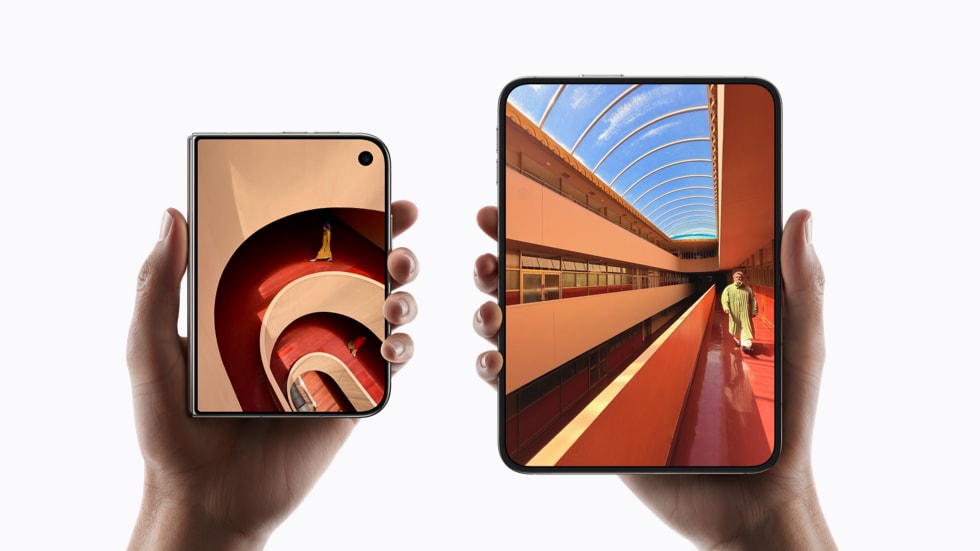
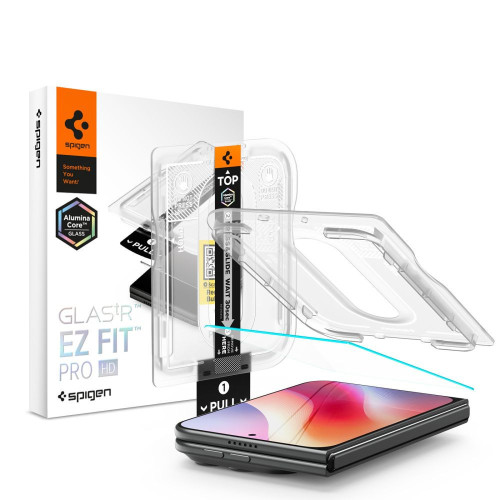

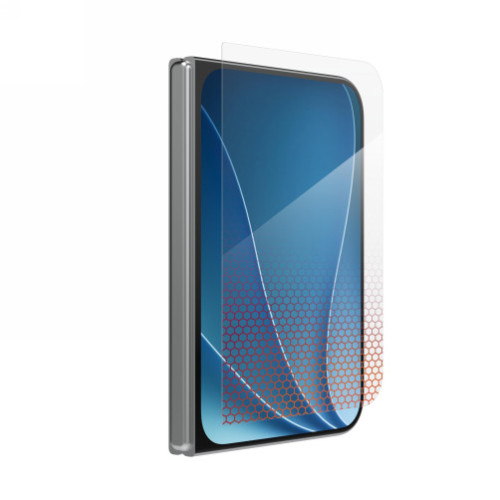
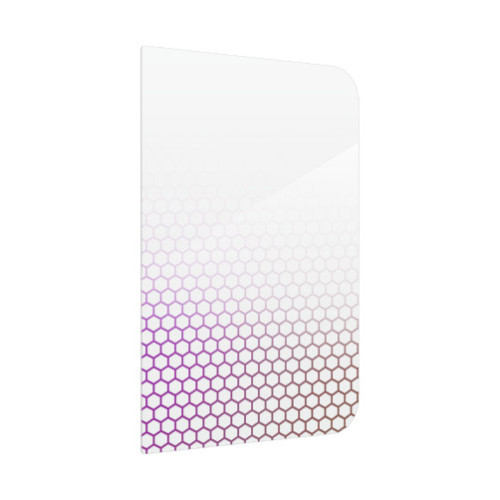
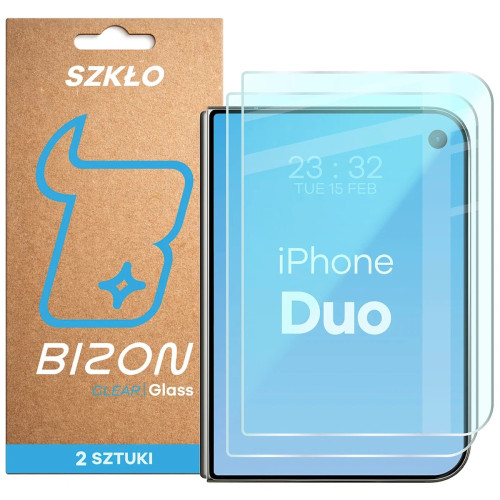
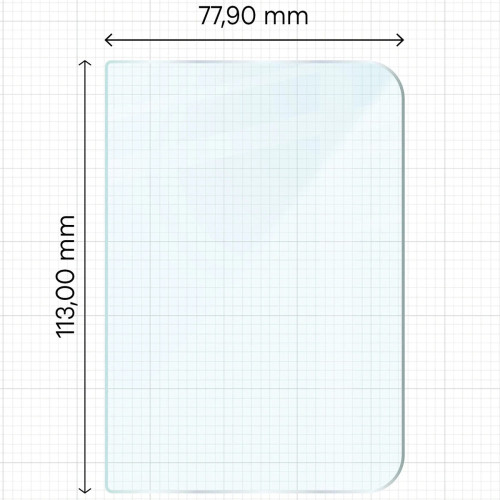
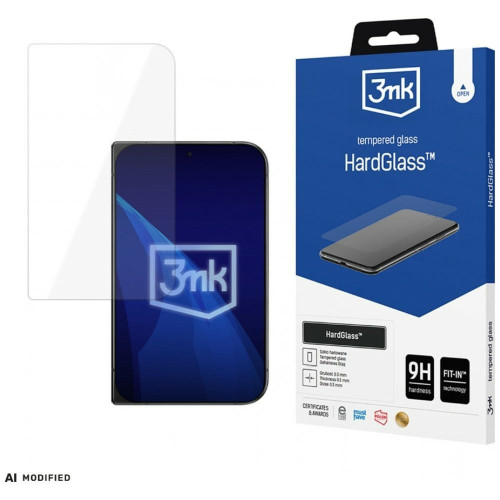

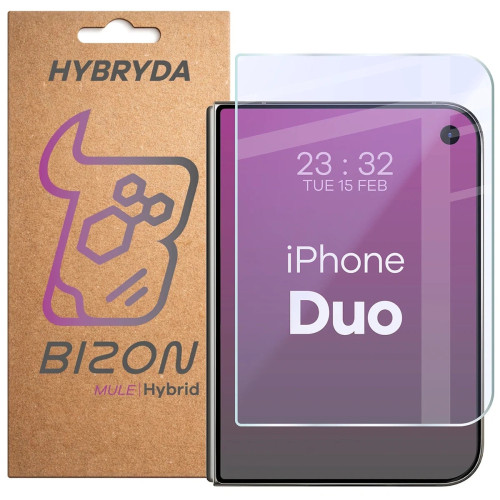
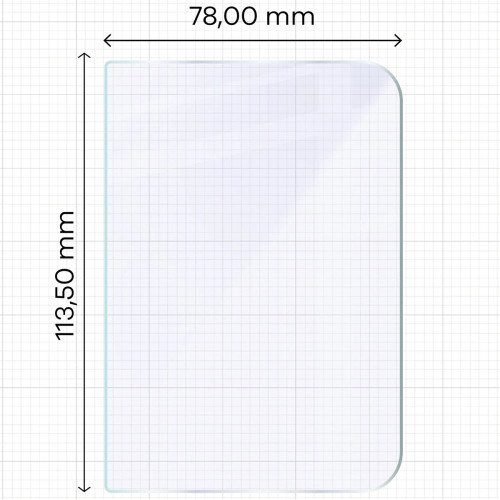





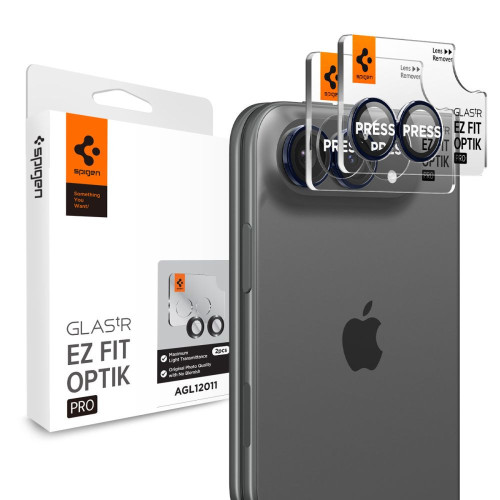
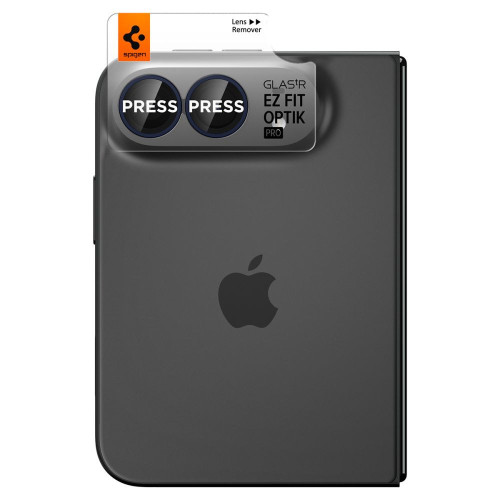
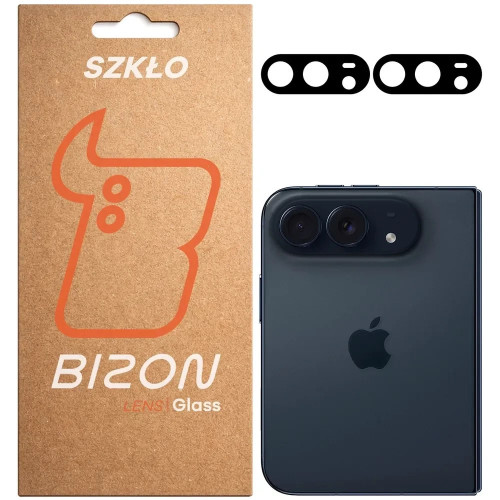

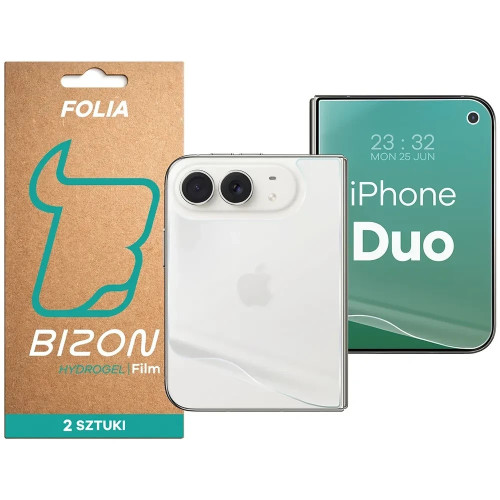
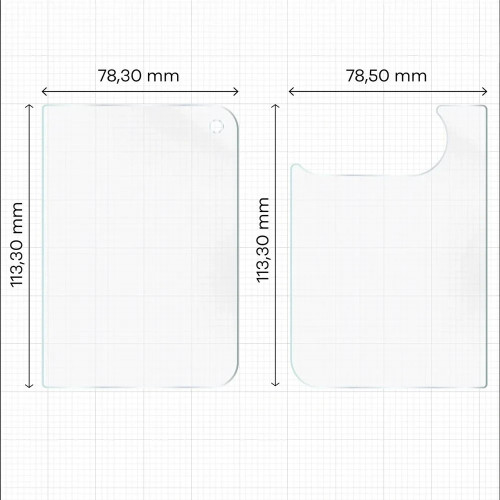
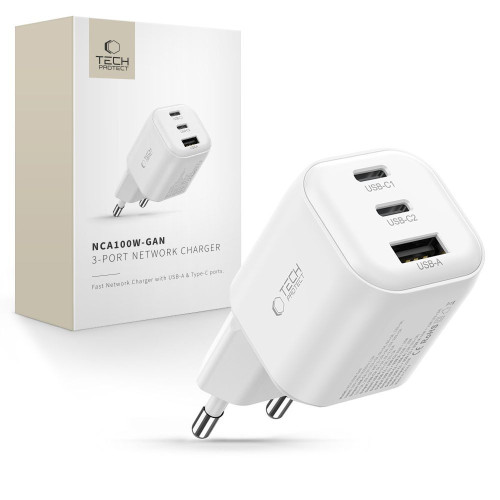
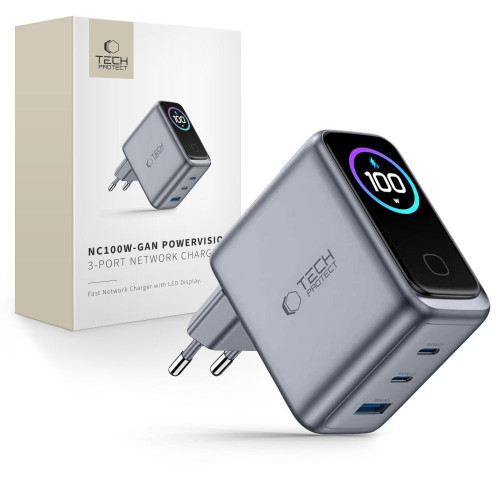
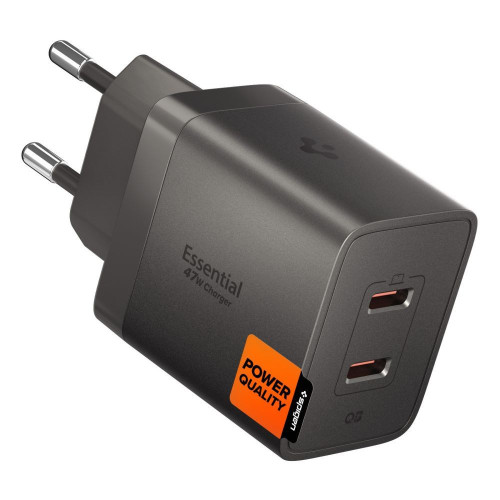
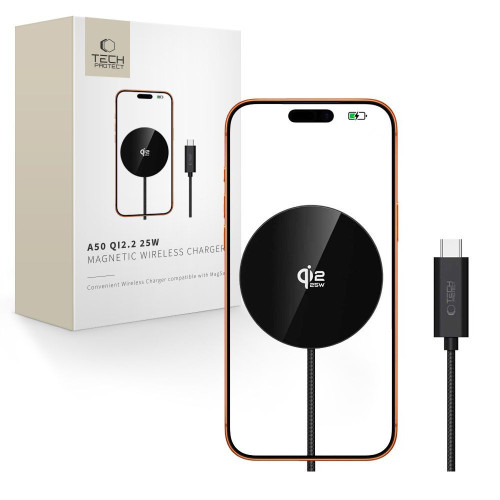
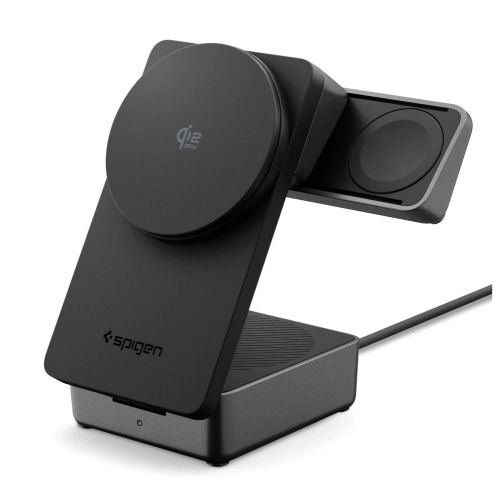
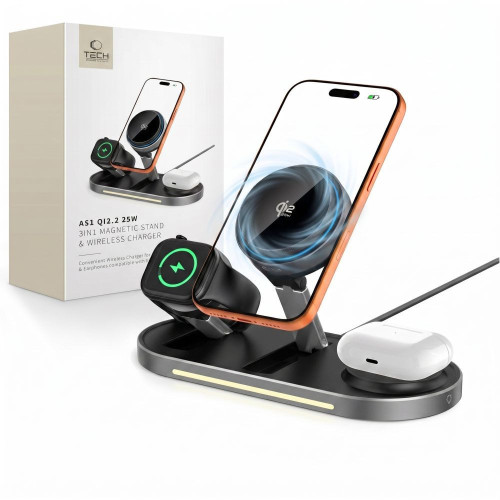
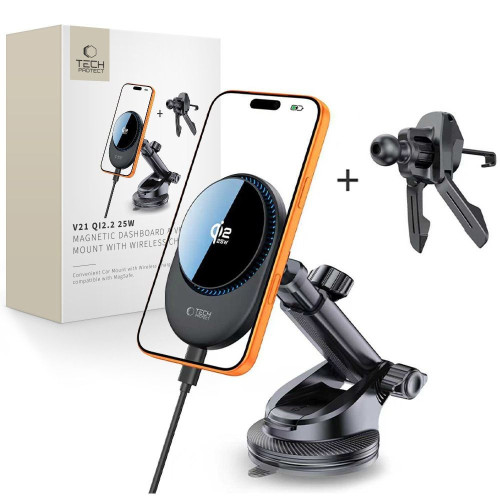
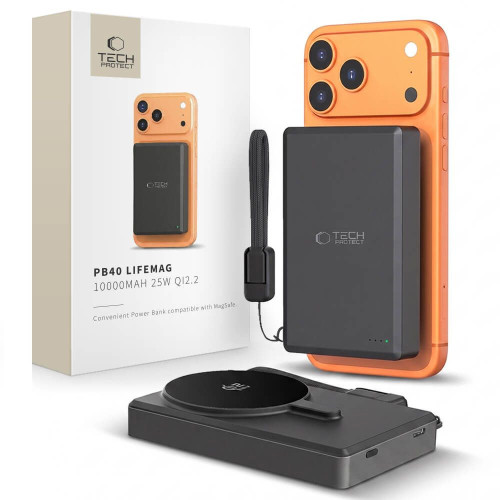
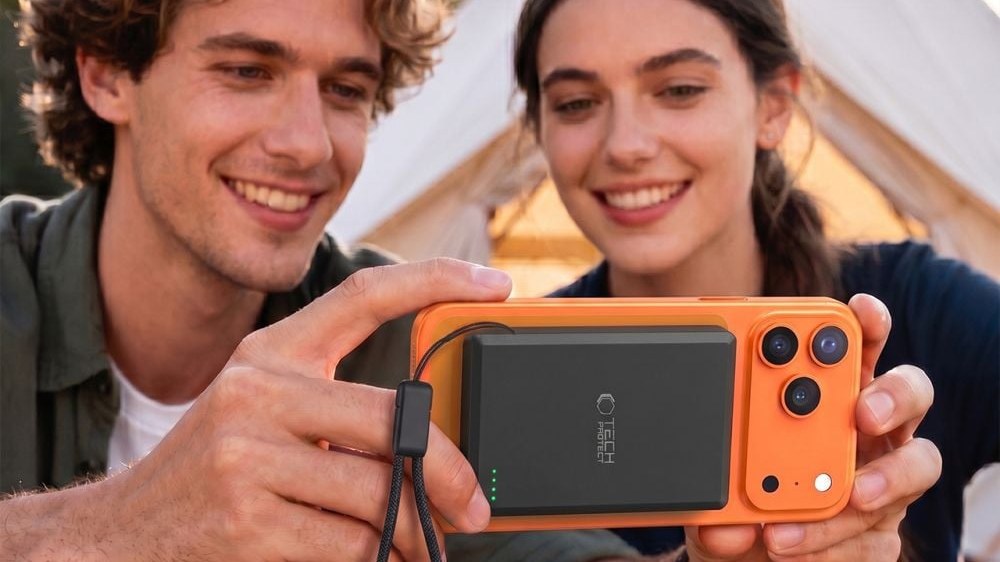
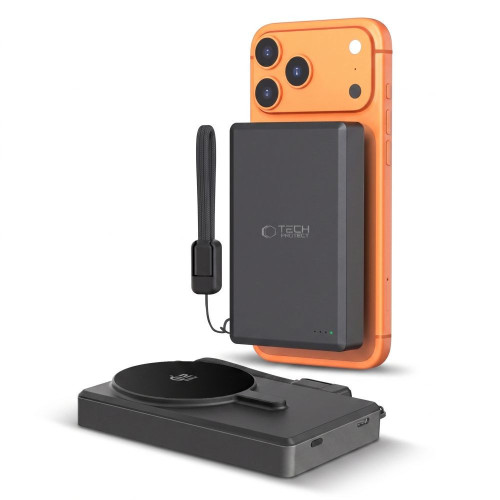
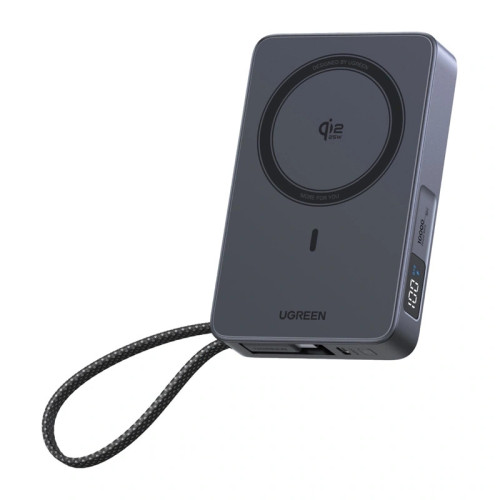
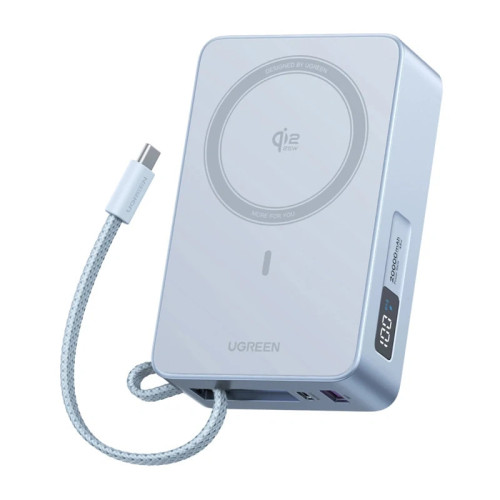
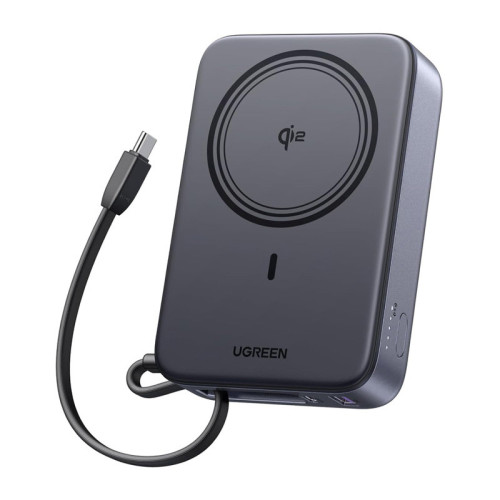
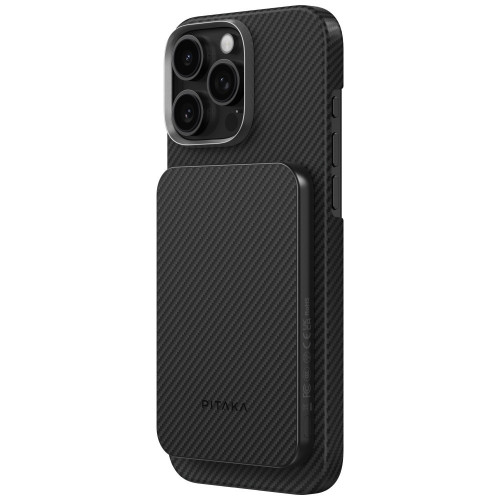
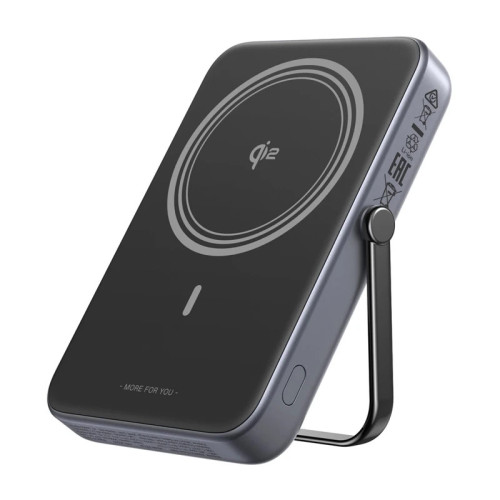
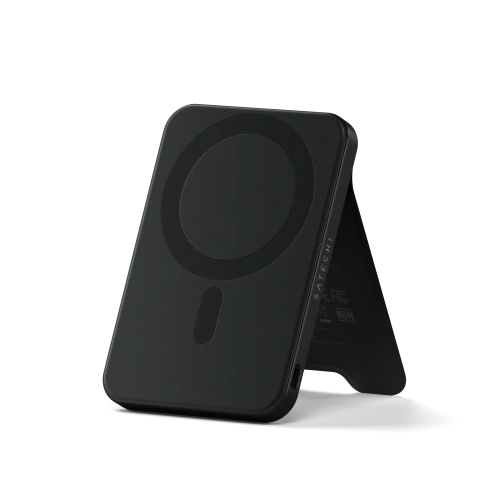
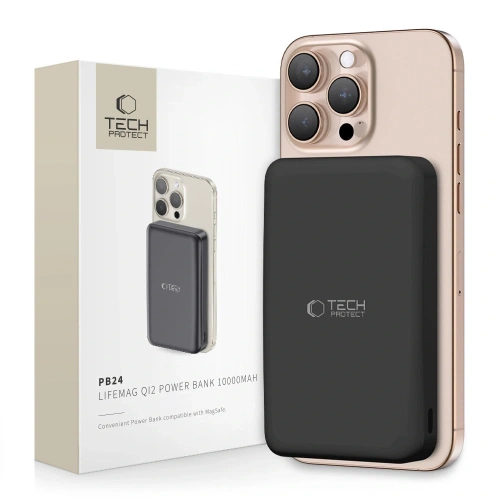
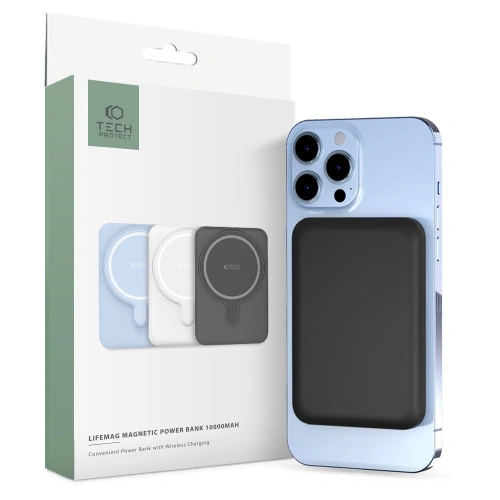
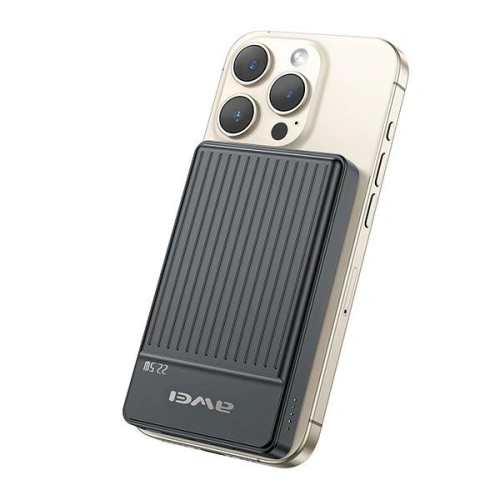
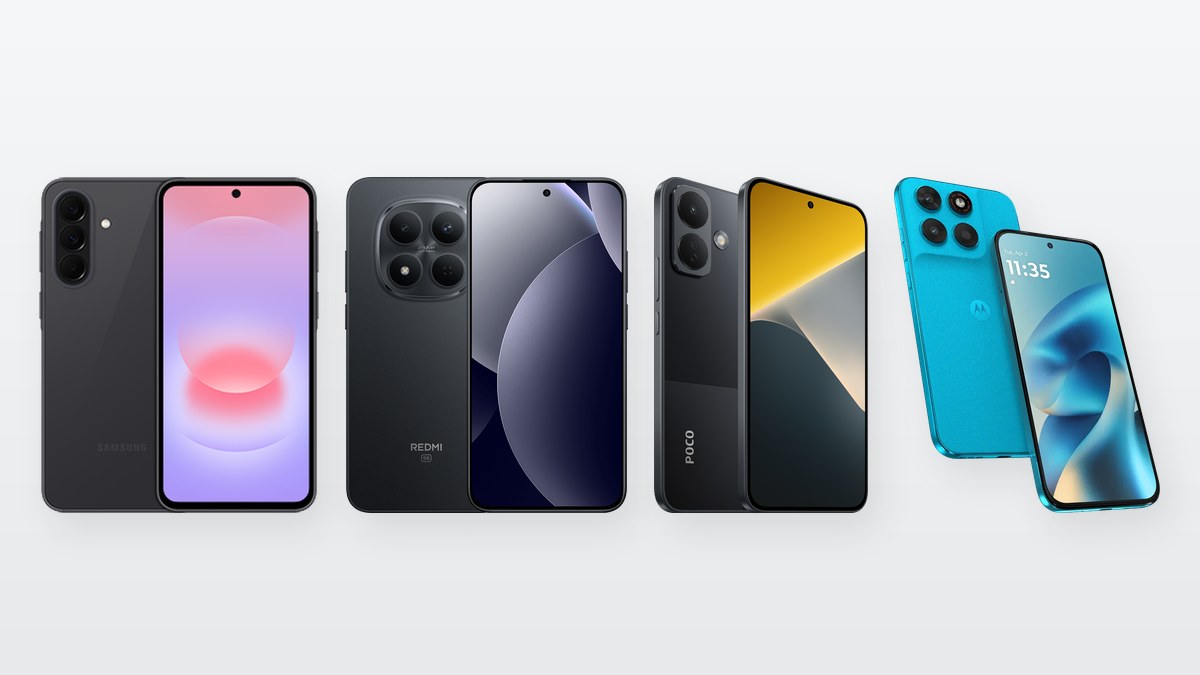
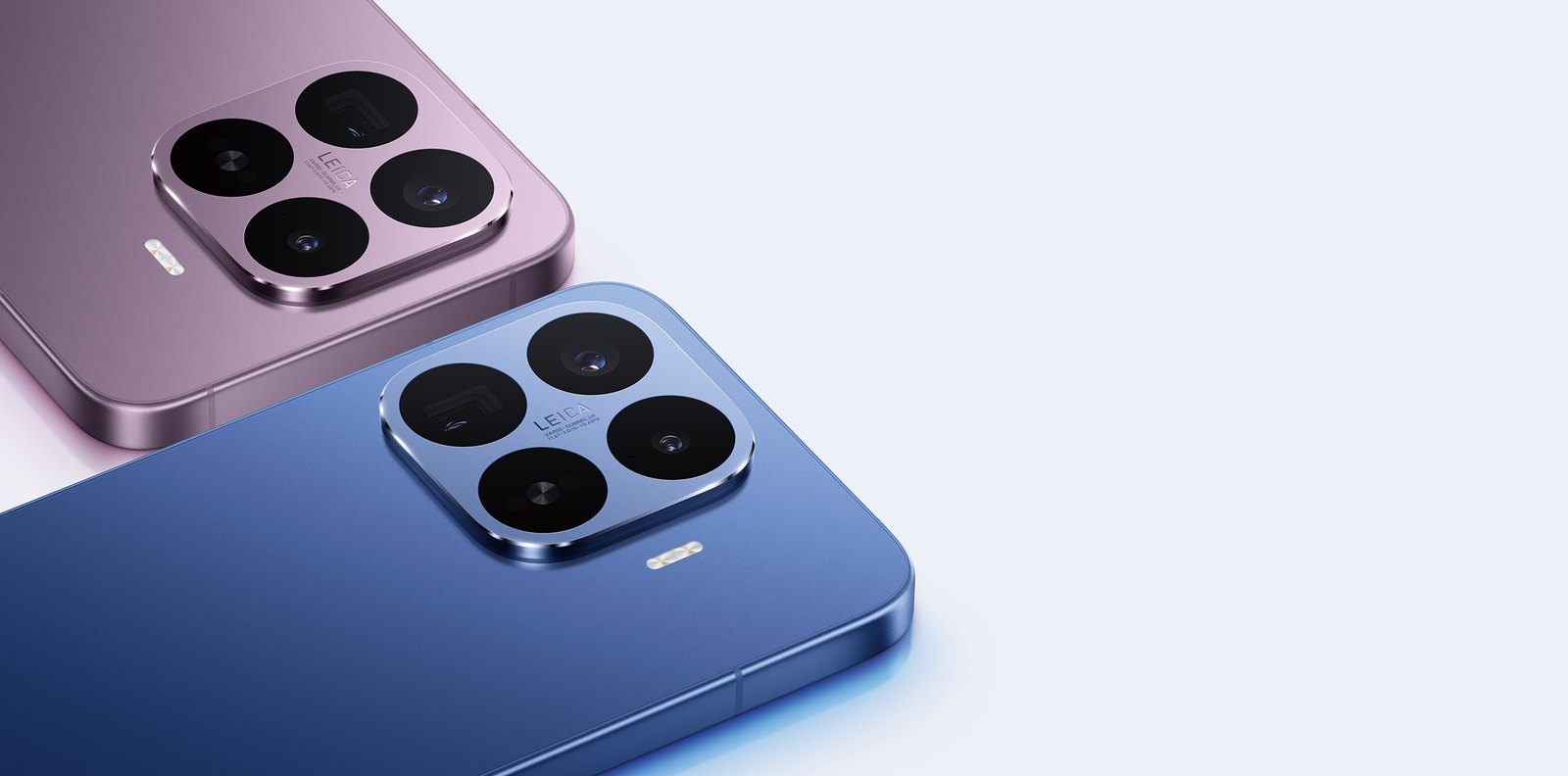
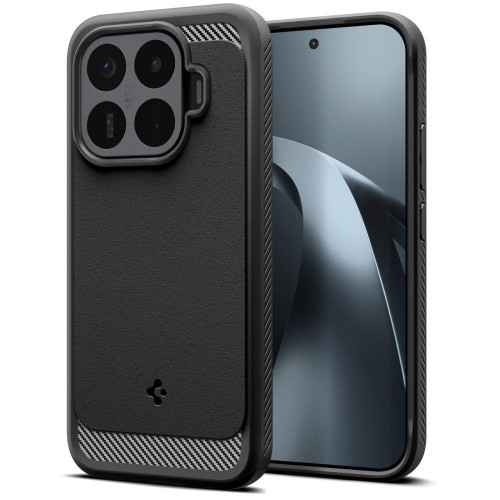
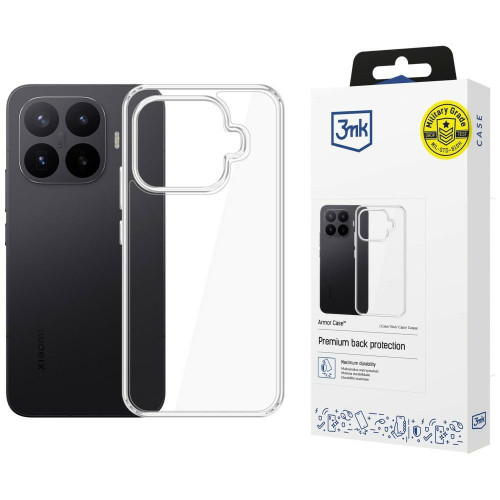

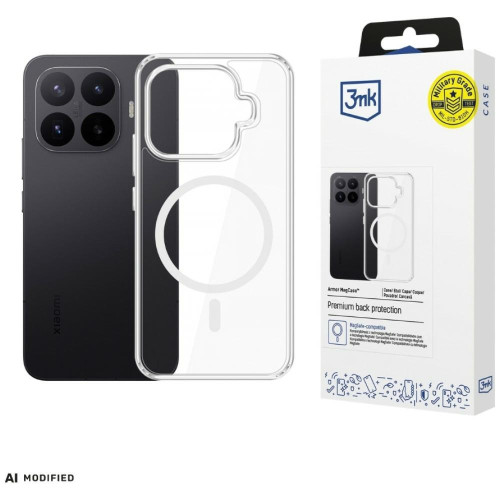
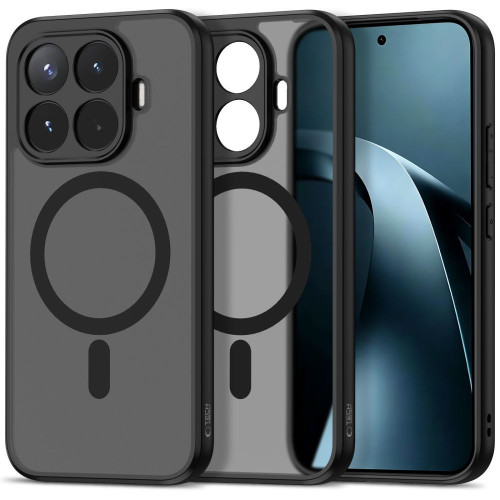
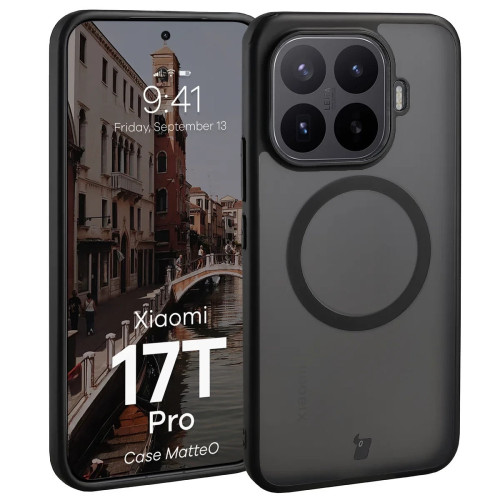
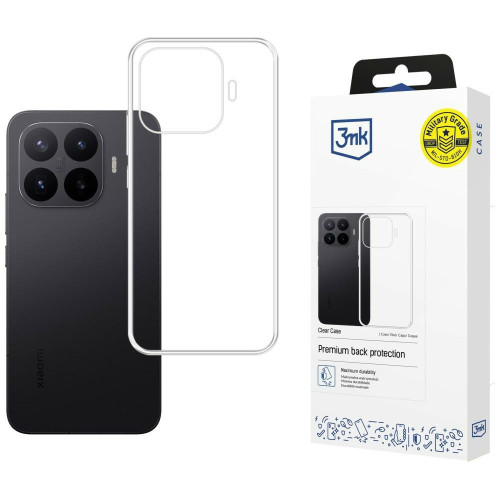
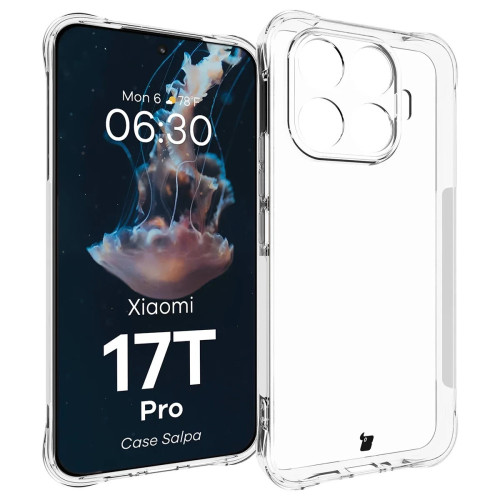

![Huawei Watch GT 7 vs GT 6: what are the differences? [2026]](https://blog.trkhspl.com/wp-content/uploads/2026/10/KSP-2.webp.jpeg)